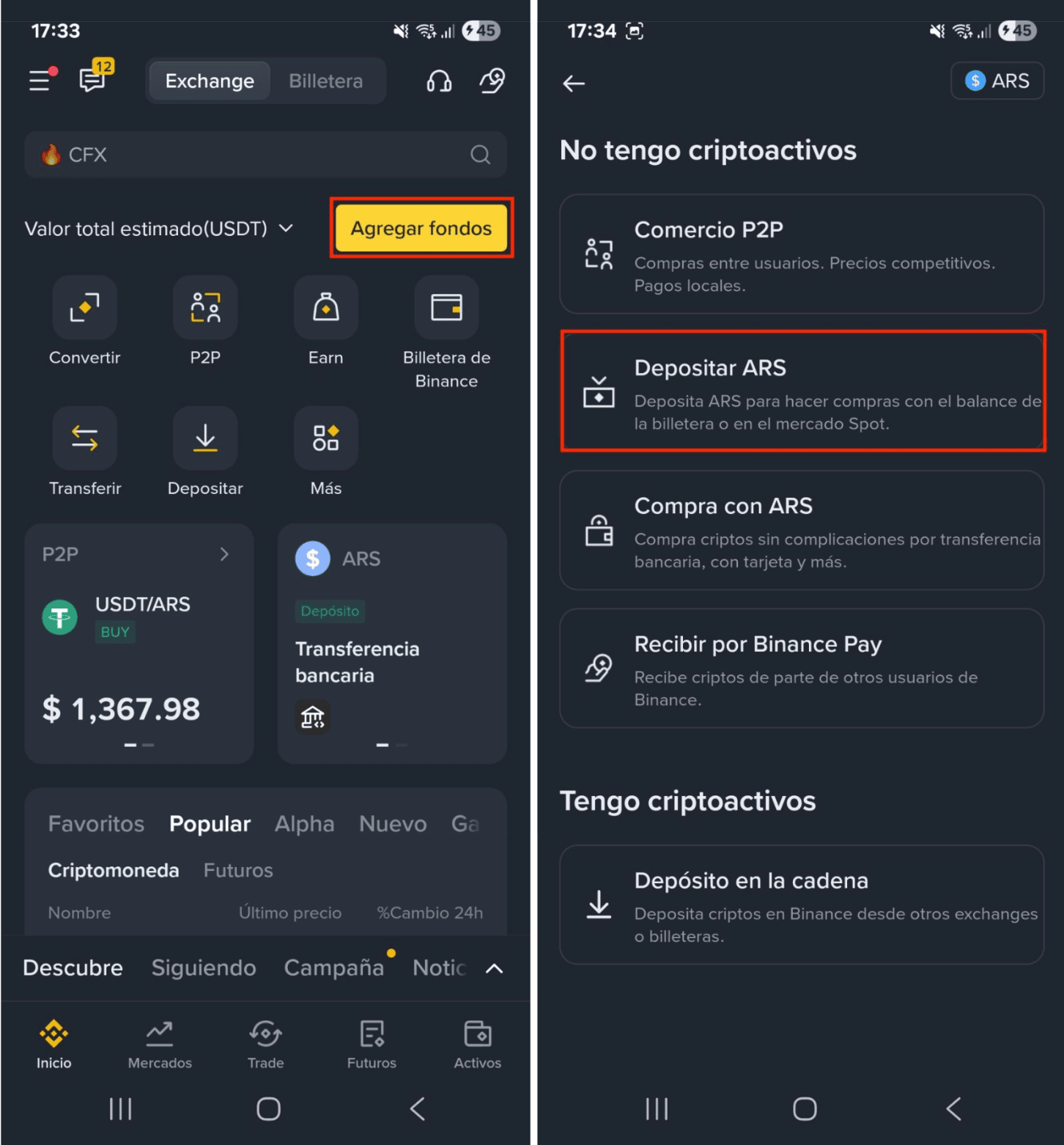
1. Log in to the Binance app and go to [Deposit] - [Deposit ARS].
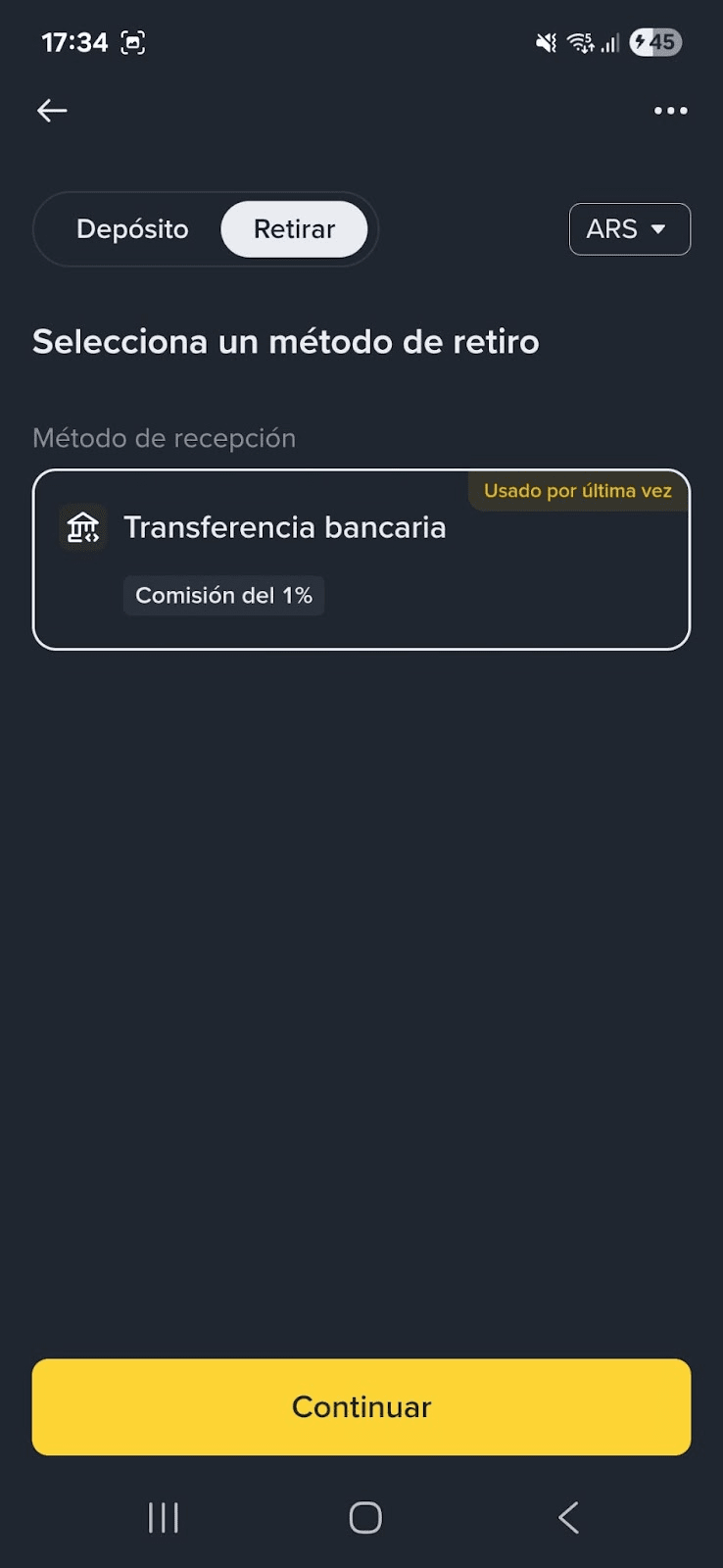
2. Switch to [Withdraw] on the top, and select [ARS] from the drop down menu. The system will automatically select [Bank Transfer]. Tap [Continue].
3. Enter the amount you want to withdraw and tap [Continue].
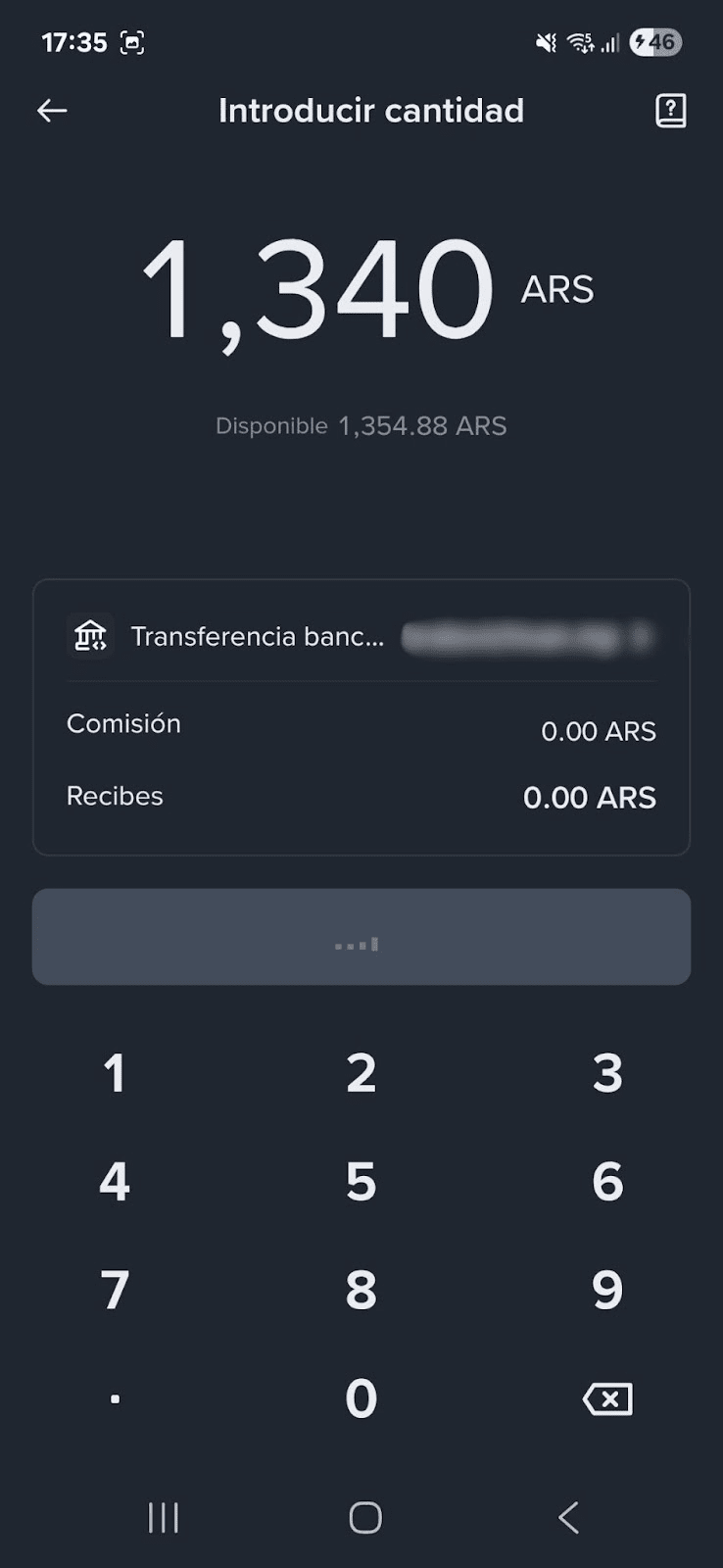
If you haven’t withdrawn fiat to your bank account before, you’ll be prompted to add your account information (Alias, CBU or CVU) in this step.
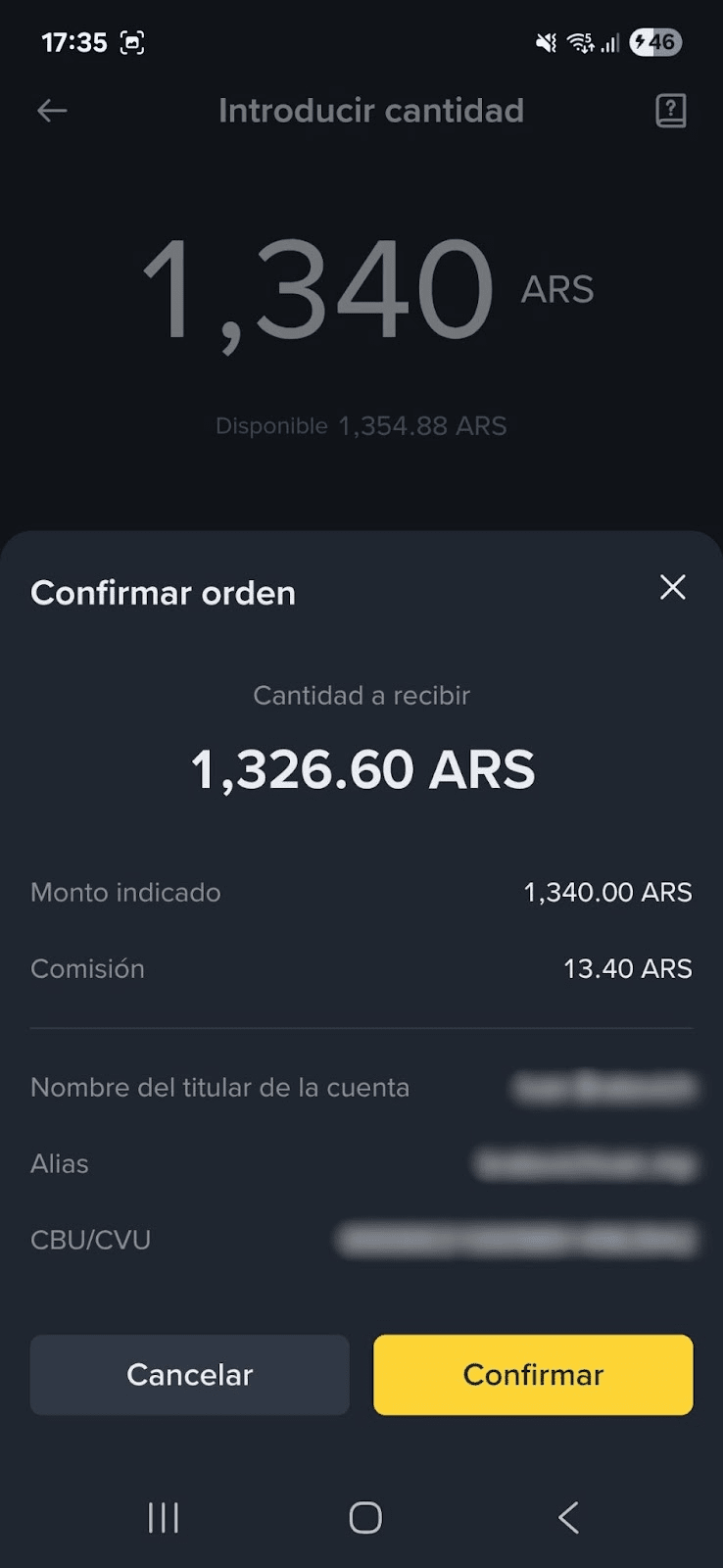
4. Please confirm the withdrawal information carefully before tapping [Confirm]. You can only withdraw to your own accounts. Transfers to third parties are not allowed.
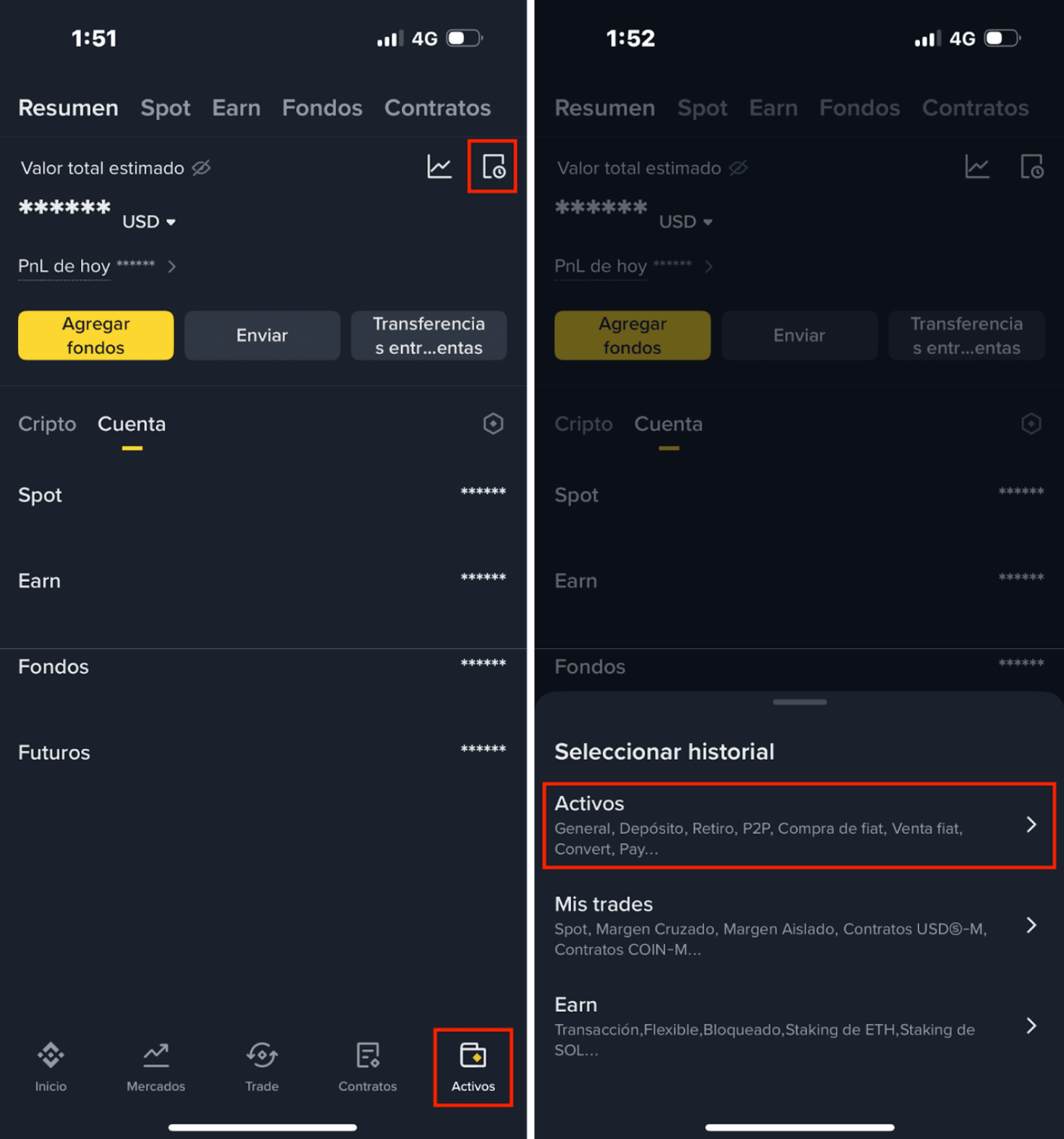
5. Please wait patiently for your bank to process the order. To check the status of your order, go to [Assets] - [History].
For more details on how to deposit ARS (Argentine pesos) on Binance, please refer to How to Deposit ARS on Binance (Argentine pesos).
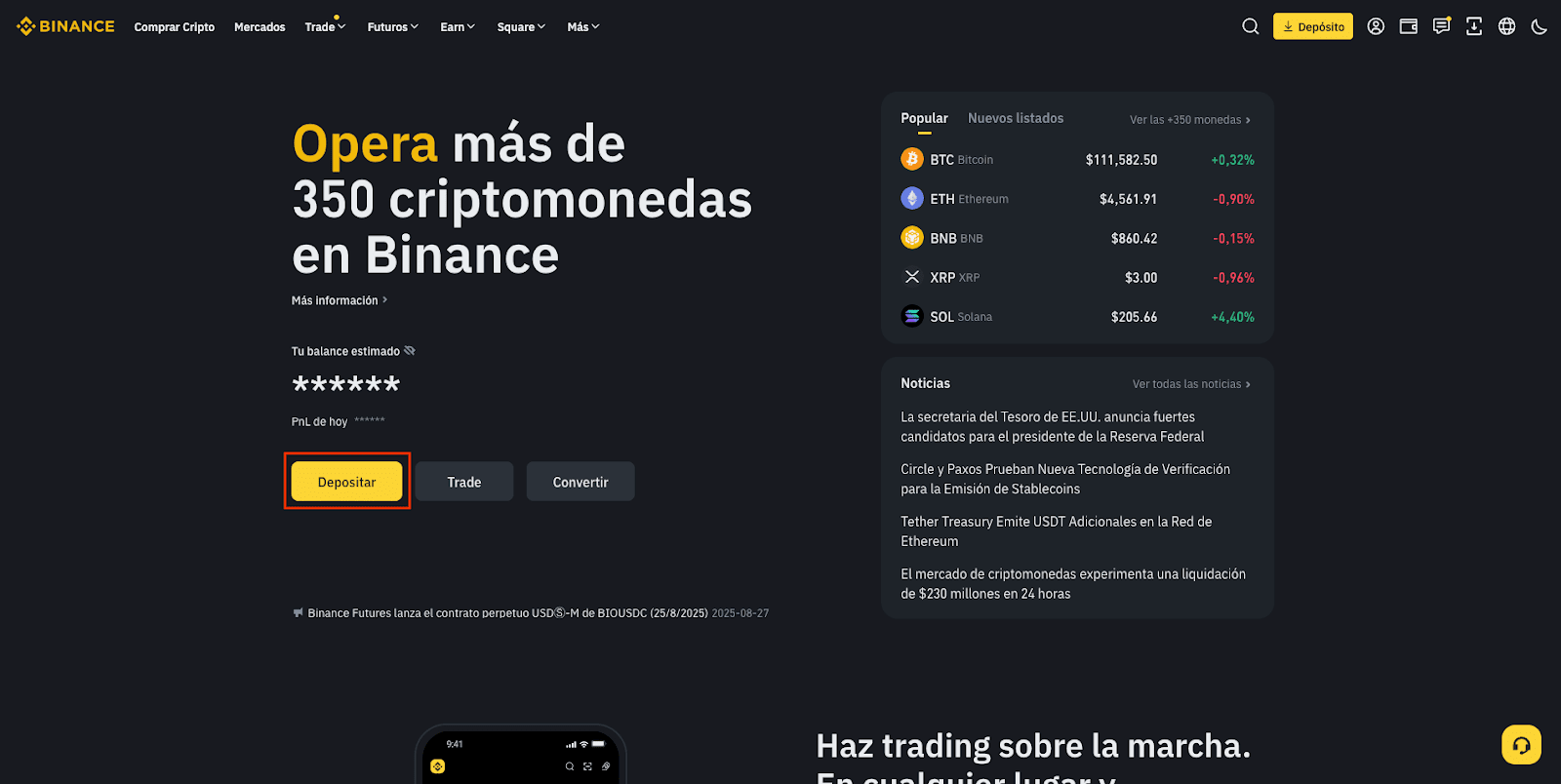
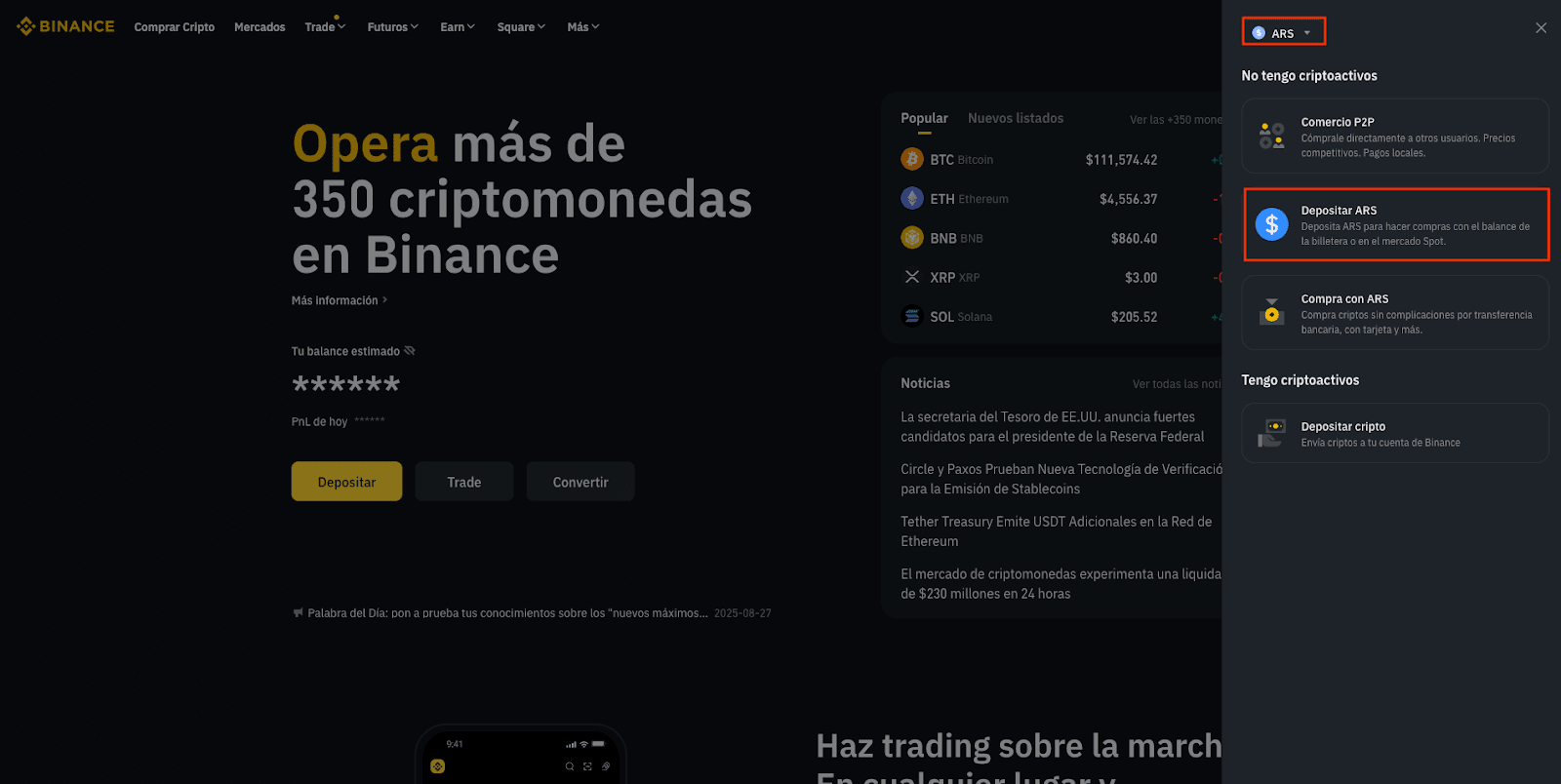
1. Log in to your account and click [Deposit] - [Deposit ARS]. You can change the currency type by clicking the currency button at the top.
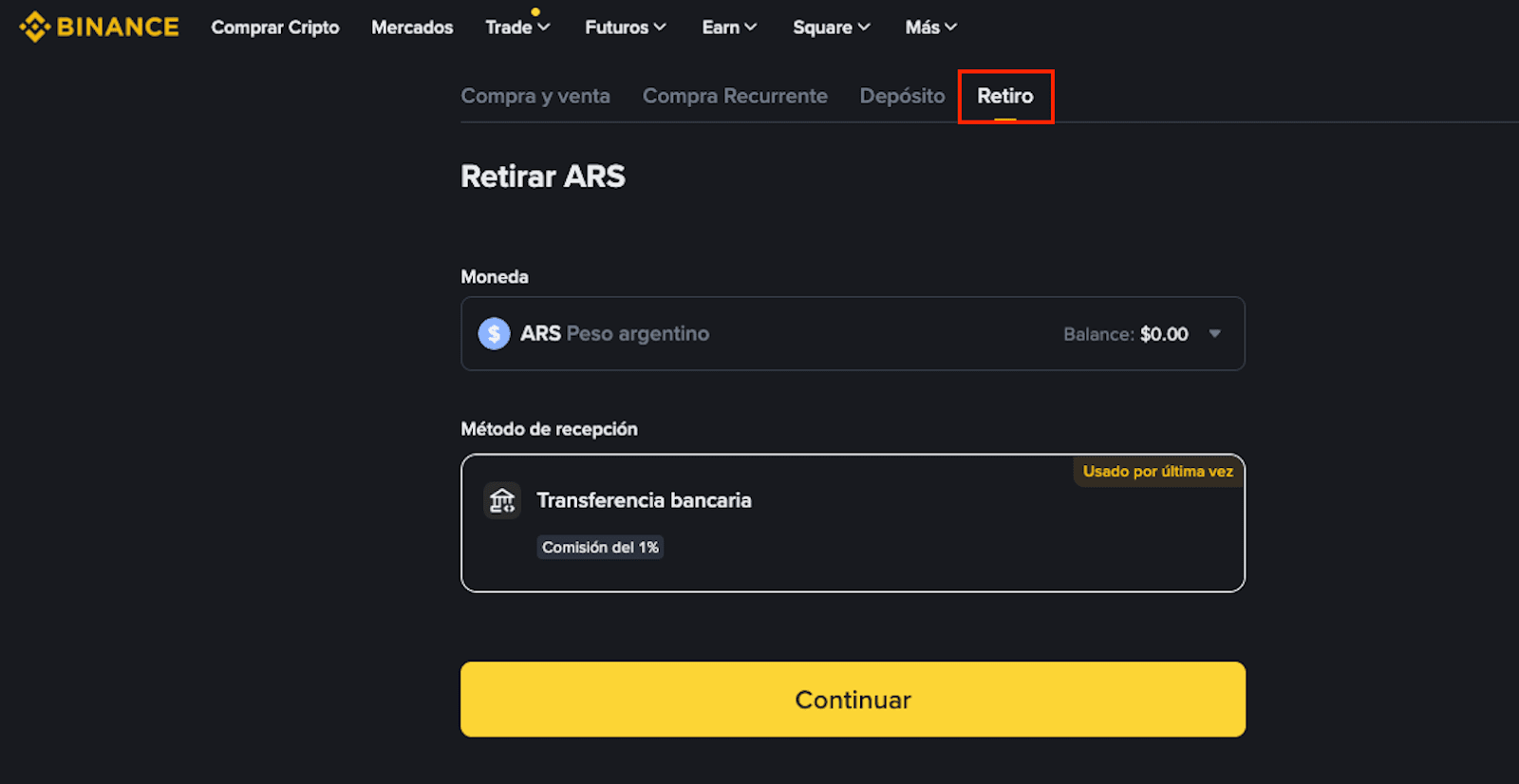
2. Switch to [Withdraw] on the top. Select [Bank Transfer] as payment method. Click [Continue].
3. Enter the amount you wish to withdraw and click [Continue].
If you haven’t withdrawn fiat to your bank account before, you’ll be prompted to add your account information (Alias, CBU or CVU) in this step.
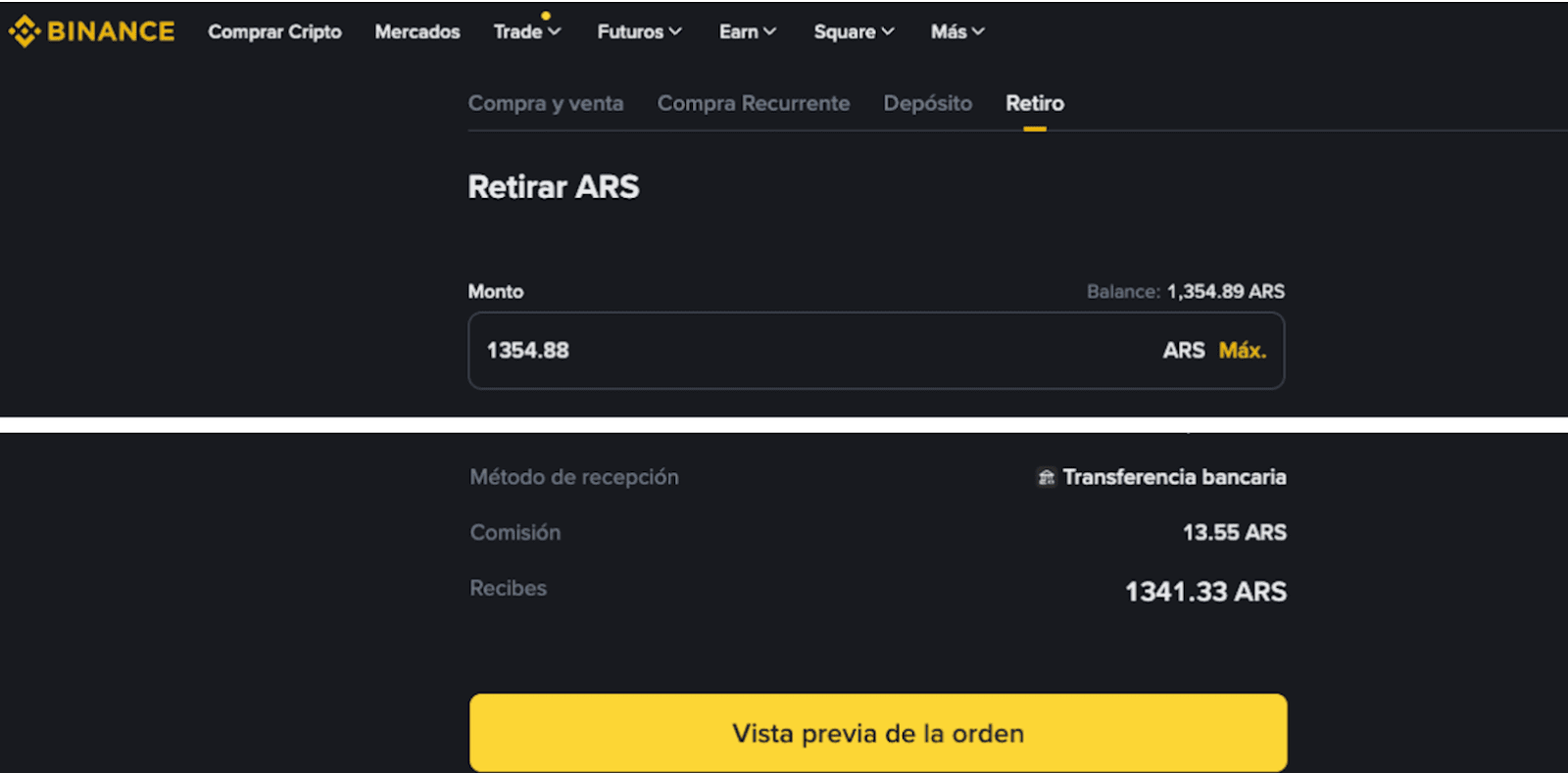
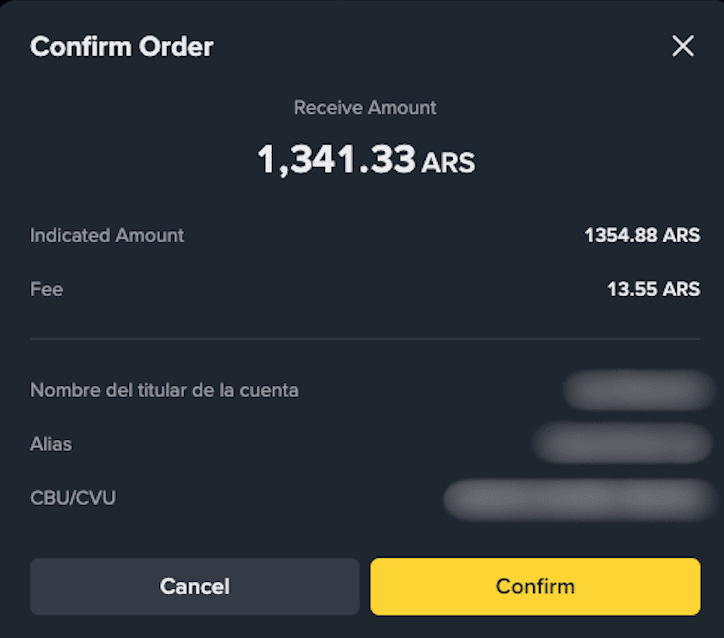
4. Please confirm the withdrawal information carefully before clicking [Confirm]. You can only withdraw to your own accounts. Transfers to third parties are not allowed.
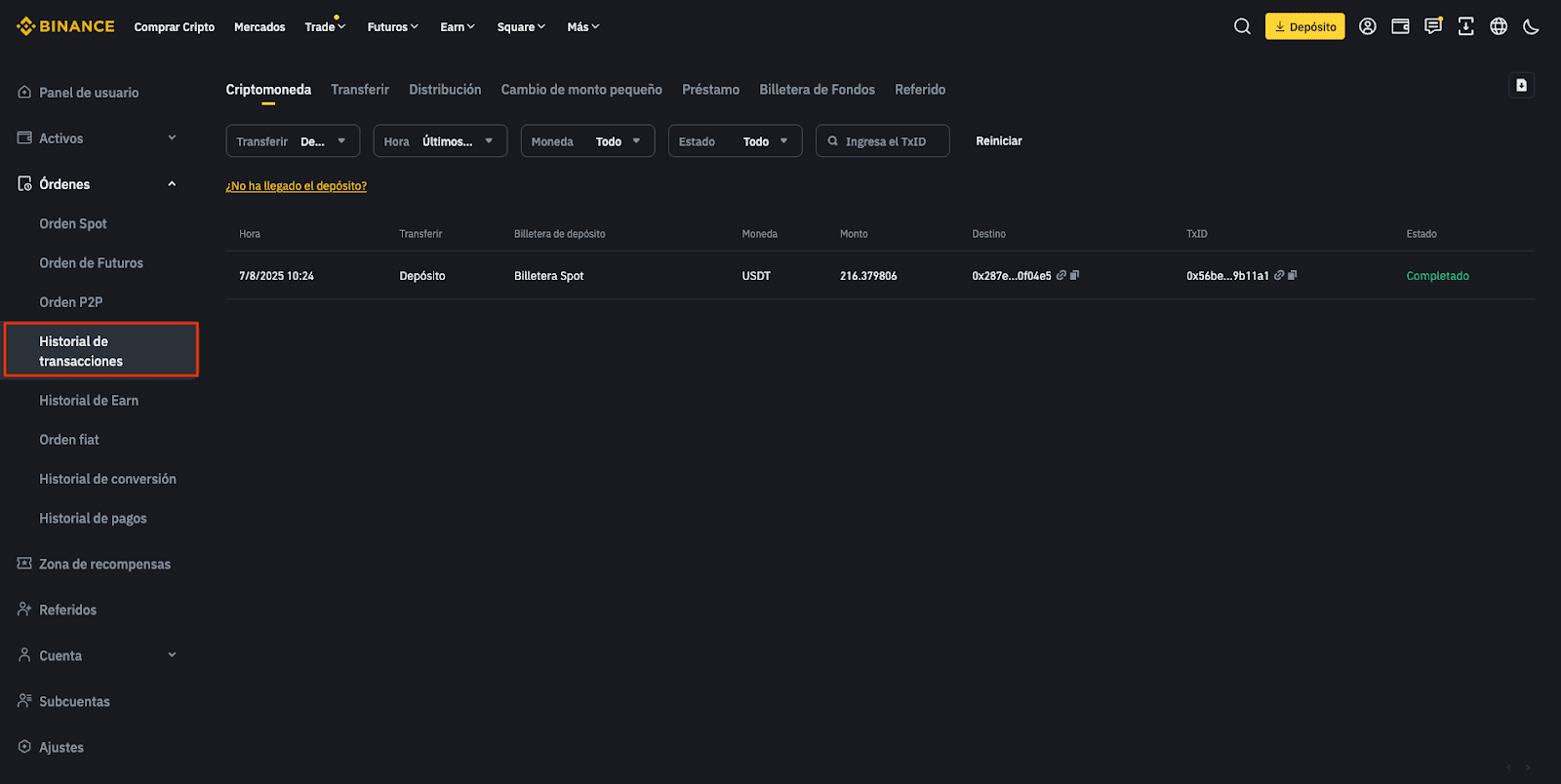
5. Please wait patiently for your bank to process the order. To check the status of your order, go to [Orders] - [Transaction History].
For more details on how to deposit ARS (Argentine pesos) on Binance, please refer to How to Deposit ARS on Binance (Argentine pesos).
