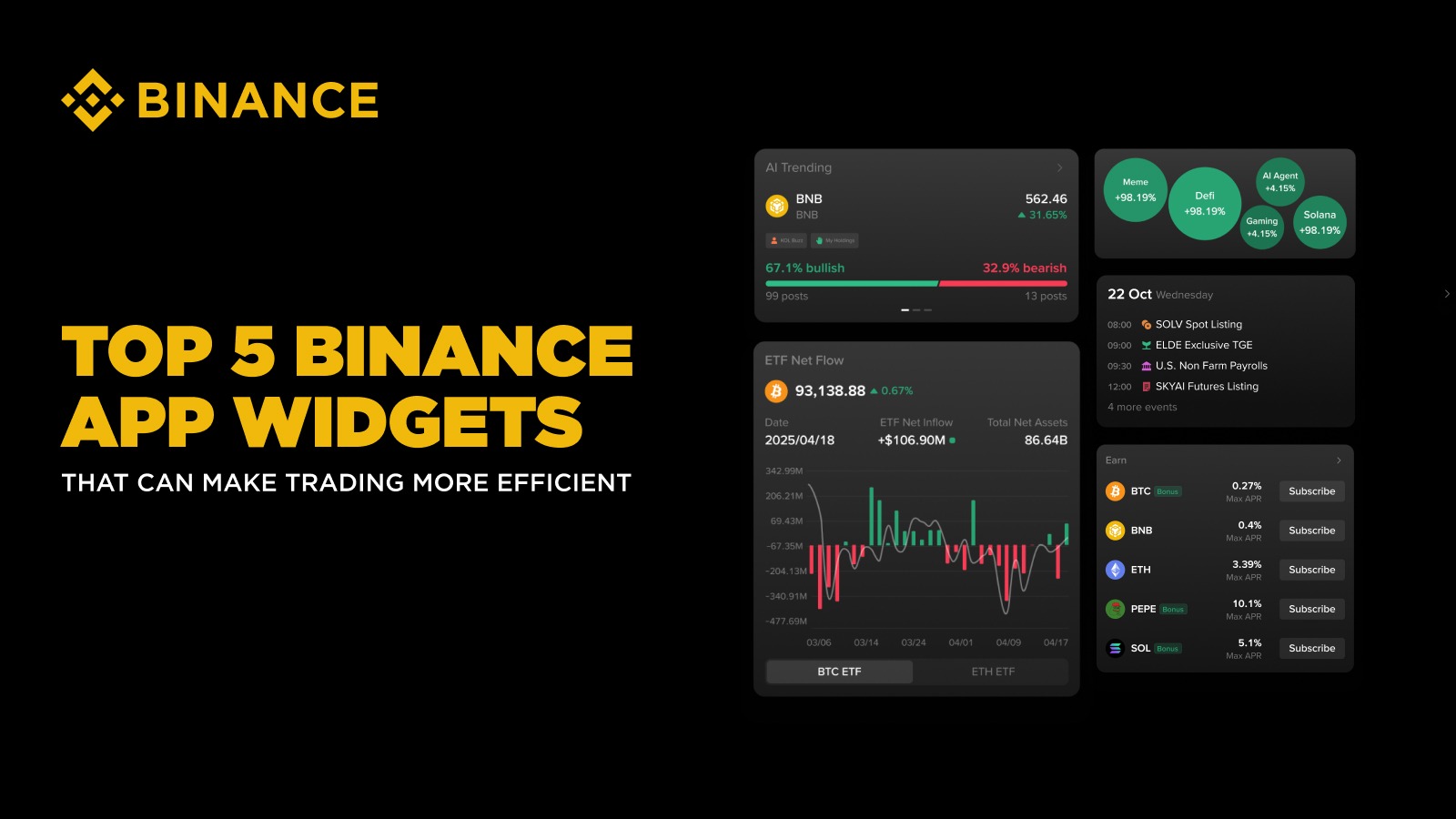
Having the right insights at your fingertips can make all the difference, especially in the fast‑paced crypto market.
Since their release in May 2025, Binance App widgets have not only streamlined the user experience, but contributed to more informed, strategic, and agile trading.
In this article, we explore 5 of Binance App’s highly popular widgets and how they are helping users stay ahead of the curve.
In the crypto market, having immediate access to clear, relevant data can shape your success. Binance App’s versatile widget library brings essential insights – covering social sentiment shifts, sector trends, institutional flows, and upcoming events – straight to your fingertips. Seamlessly integrated and easily customizable, these tools help you anticipate market movements and optimize your portfolio management. Read on to explore the top five Binance App widgets that are redefining how investors engage with crypto.
Note: The ranking is based on the number of views as of October 2025, excluding default-displayed widgets.
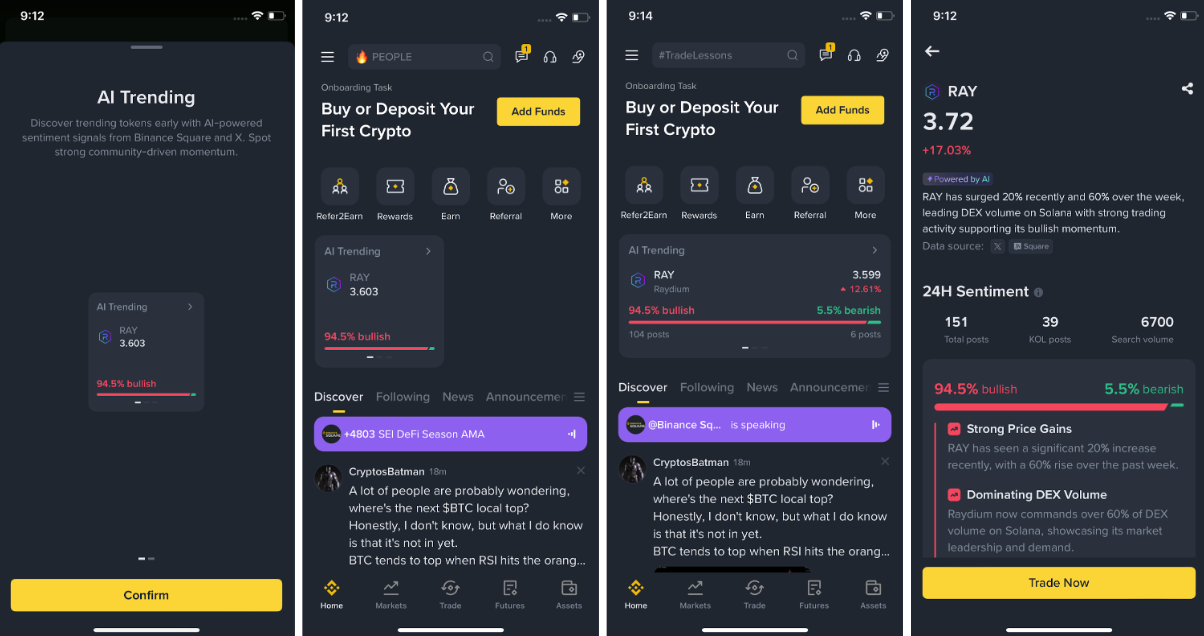
The AI Trending widget functions as a market sentiment radar. It monitors user posts from X and Binance Square, processes them using Binance’s in‑house AI, and:
Identifies coins whose discussion volume or change rate is high.
Assigns each coin a Bullish / Bearish sentiment meter based on recent posts.
Generates an AI summary of top KOL (key opinion leader) views, distilled into a quick read.
Why it’s useful:
Helps you detect narrative shifts early – before they hit broader awareness.
Saves you time: you don’t need to manually monitor multiple social feeds.
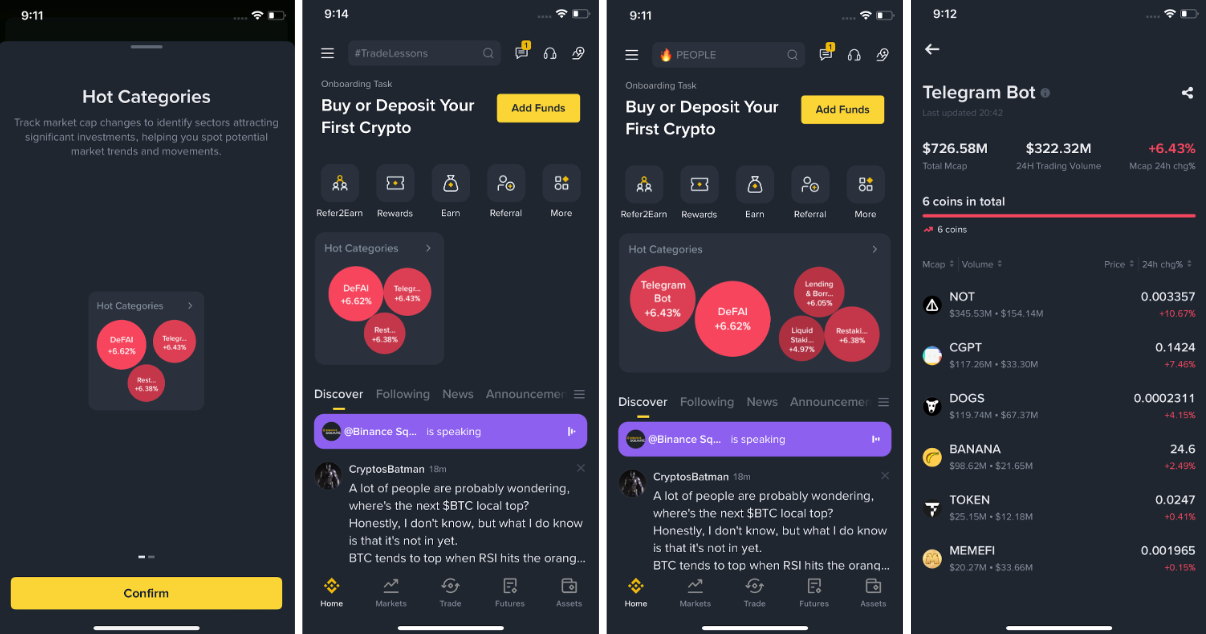
The Hot Categories widget highlights which crypto “sectors” or investment themes are currently seeing the most inflow and momentum based on publicly available data.
Every 30 minutes, it:
Displays category-level market data from CoinMarketCap.
Filters assets available for trading on the Binance exchange (Spot, Futures, Alpha) by category.
Ranks each category by 24‑hour market‑cap percentage change.
Why it’s useful:
Provides a sector-level lens: users can view where capital is flowing at a thematic level (e.g. AI, DePIN, layer‑1).
Allows you to stay on top of the trend, spotting when an asset category begins gaining momentum.
Allows tailoring: you can focus on verticals you understand or believe in.
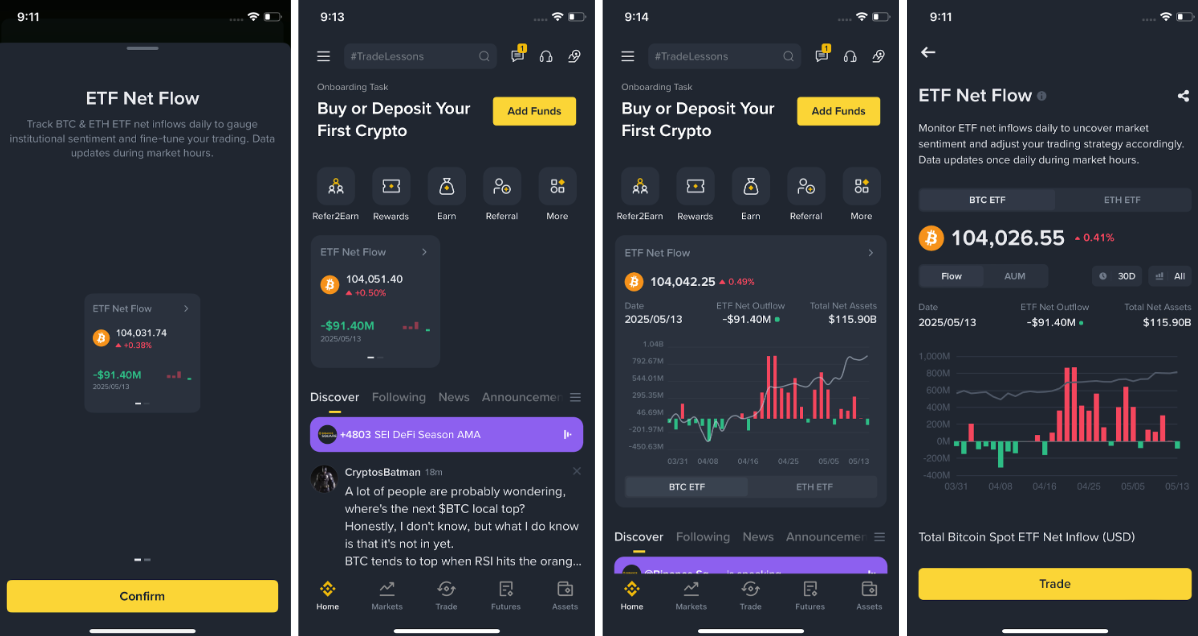
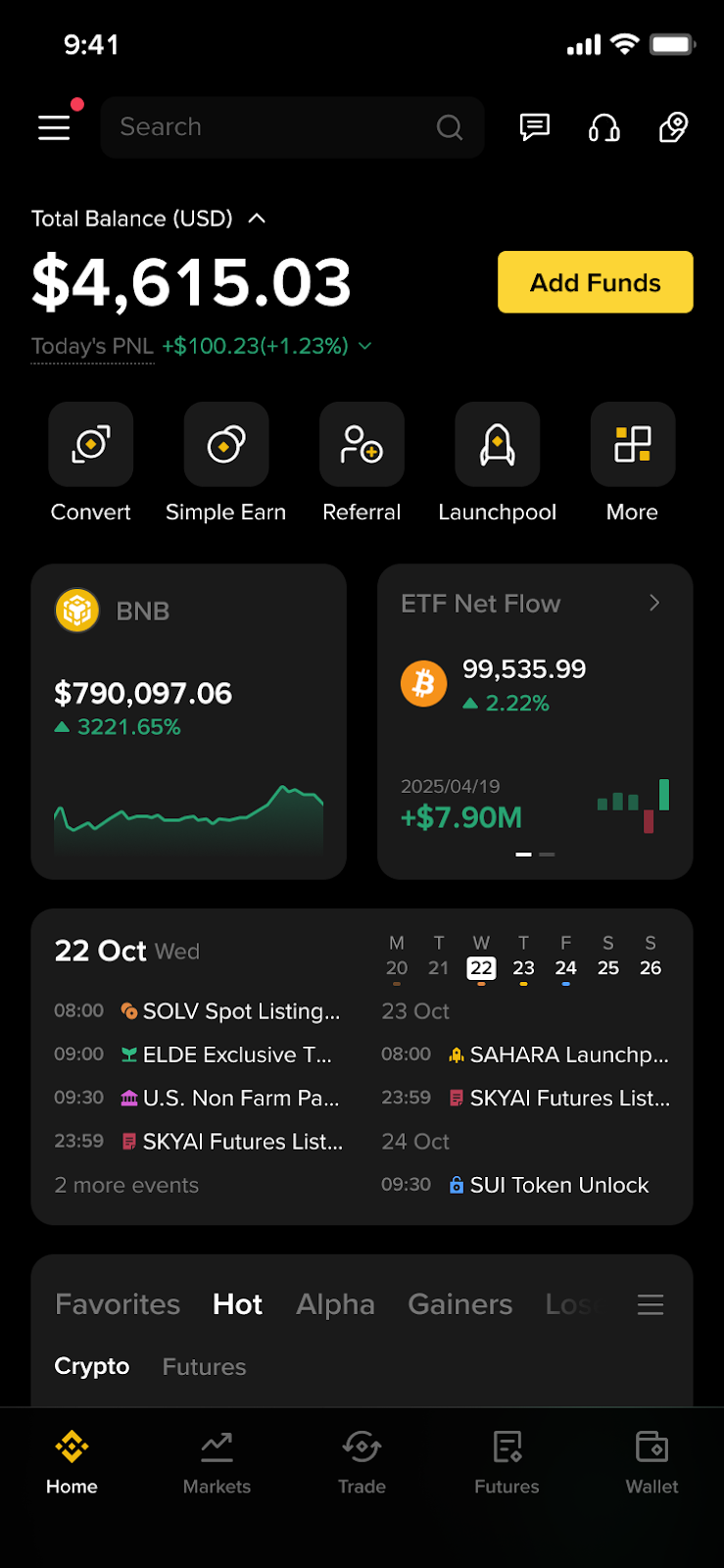
The ETF Net Flow widget brings institutional flow data sourced from CoinGlass to show how much capital has moved in or out of spot ETFs for bitcoin and ether.
With this widget, you can stay informed about institutional flows shaping market dynamics and liquidity, tapping into a macro overlay for your trading decision making.
Why it’s useful:
Refreshed daily, shows the latest net inflow/outflow data (or retains last data if markets were closed).
Two display sizes:
Small: BTC/ETH price, 24h change, and the latest daily net inflow.
Large: adds a 30‑day price vs. flow chart and total net assets of the ETFs.
Tapping the widget will take you to the landing page that breaks flows by ETF ticker and shows historical charts and comparative performance.
The Smart Calendar widget is essentially a unified event hub. It consolidates:
Publicly announced crypto events (token listings, unlocks, protocol upgrades)
Macroeconomic data and announcements (e.g. interest rate announcements)
Binance platform events (e.g. promotional campaigns).
The widget offers smart notifications, can integrate with your device’s native calendar (iOS/Android), and lets you filter to focus on events relevant to your trading strategy. Its AI-enhanced impact analysis functionality ranks events, prioritizing those that might matter most to you.
Why it’s useful:
Helps you anticipate scheduled events and stay on top of news, avoiding the hassle of checking across multiple sources (project sites, economic calendars, Binance announcements).
Notifications ensure you don’t miss a time-sensitive event like a token unlock.
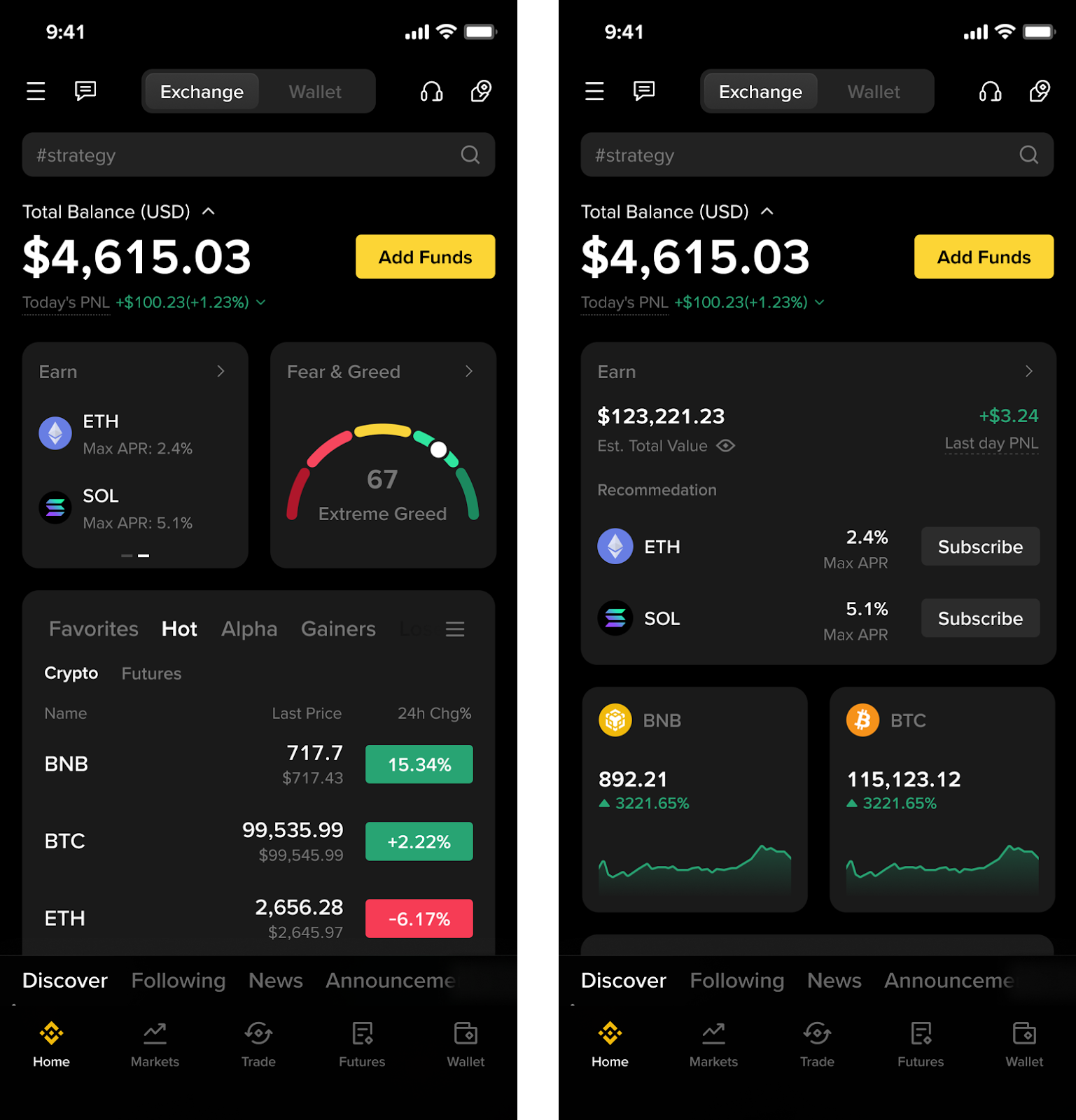
The Earn widget on the Binance App gives you an at-a-glance view of your current Earn positions and highlights available options for new Earn positions based on what you hold and trending tokens.
Widget highlights:
Holdings section: shows your active Earn assets and last-day PnL (profit & loss).
Option section: displays the available low-risk Earn products with APRs.
Supports small and large sizes; up to two assets displayed in option mode.
Tap a token on the widget to go directly to its related Binance Earn page to explore available offerings.
Why it’s useful:
Check to see how your yield positions are performing at a glance, right from the homescreen.
The option engine helps you discover yield opportunities you may not be aware of.
If you use them right, widgets can add convenience and transform your trading workflow and give you an edge in trading or staking.
For optimal results when using Binance App widgets:
Customize your widgets: Most widgets are offered in different display sizes for a more condensed or elaborate view. For widgets like Hot Categories or Smart Calendar, users can indicate specific themes or events to filter to.
Stay informed with up-to-date data: Most Binance App widgets update in real time or daily.
Combine with your own research: Always cross-check before entering positions. #DYOR!
Select the widgets that work for you: Prioritize the ones you actively use to simplify your homescreen view.
Stay on top of potential risk: Consider using the widget signals as one of many inputs informing your decisions, and always trade responsibly.
The five widgets mentioned above offer complementary perspectives on sentiment, momentum, capital flows, timing, and earning opportunities. By combining these, you’re layering multiple lenses on the fast-moving crypto market, all accessible right from your homescreen.
Each Binance App widget brings its own unique use case to enhance your daily trading activities. Be sure to check out the full list of widgets, which continue to be updated, here: What Widgets Are Available in the Binance App Widget Library?
Disclaimer: Widget content is generated by Binance AI and or uses third party data, and may include errors, biases or outdated information. Widget Content is provided for information purposes on an “as is” and “as available” basis without any warranty or confirmations. Binance does not guarantee its reliability or accuracy. Views expressed are not endorsed by Binance for reliance. Widget content does not constitute advice nor any other intermediary service, and should not be relied on as such. Digital asset prices can be volatile. You are solely responsible for your investment decisions. Binance is not liable for your losses. For more information, see our Terms of Use, Risk Warning, and AI Terms.