

#withdraw
withdraw
24,900 views
104 Discussing
Hot
Latest

Guys, I have some assets stuck in Bitmart and I’m unable to withdraw. I have all the KYC verification and everything but it feels like they want to scam me. Does anyone else have the same problem?
#bitmart #BitMartShutdown #withdraw
Guys, I have some assets stuck in Bitmart and I’m unable to withdraw. I have all the KYC verification and everything but it feels like they want to scam me. Does anyone else have the same problem?
#bitmart #BitMartShutdown #withdraw
#bitmart #BitMartShutdown #withdraw
242

·
--
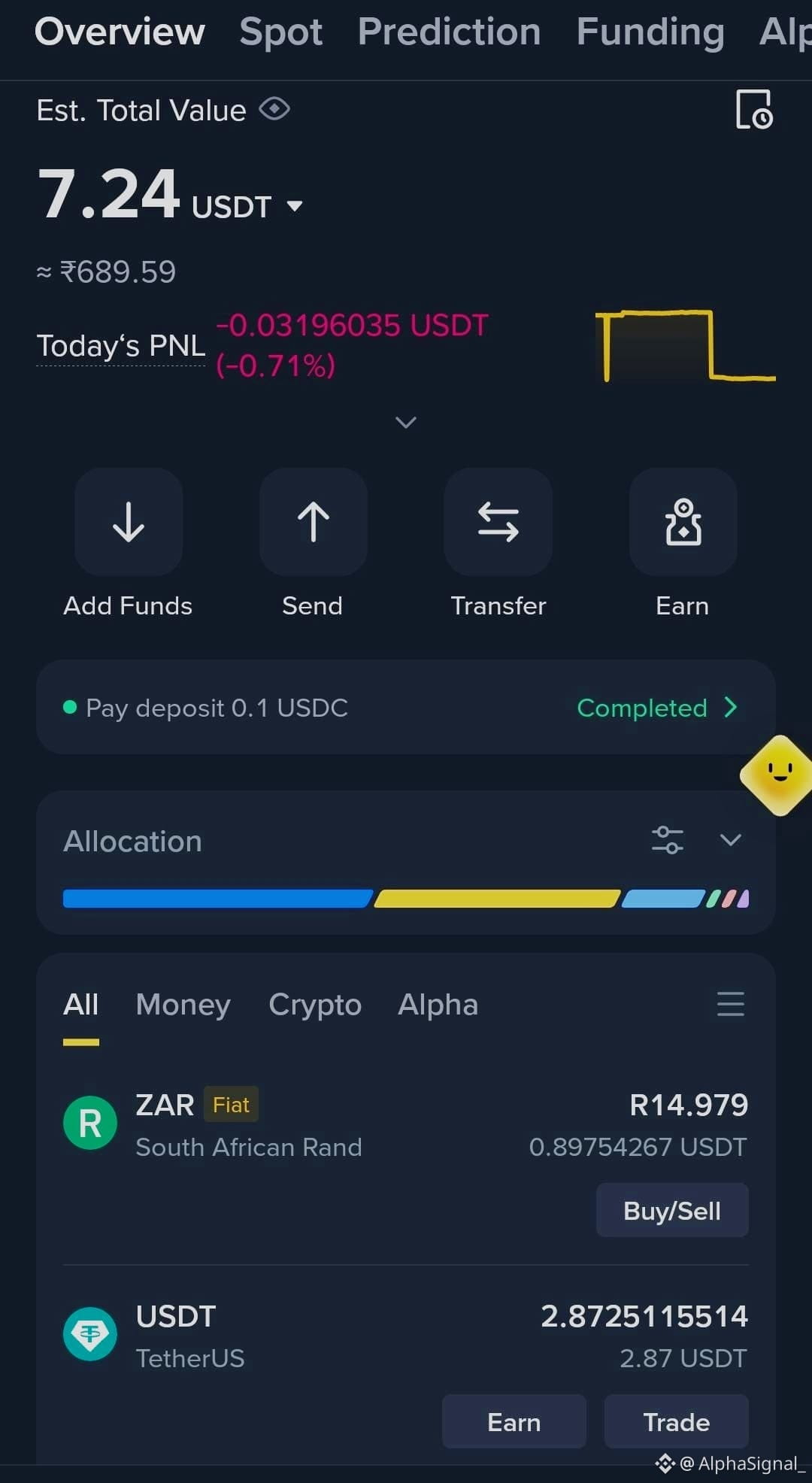
🙏 GUYS, HOW CAN I #WITHDRAW THESE $3? 💵
😅 I WANT TO USE THIS MONEY TO START #INVESTING IN CRYPTO! 📈🚀
🧠 EXPERTS, PLEASE HELP ME!
💰 HOW CAN I WITHDRAW MY $3, AND WHERE SHOULD I START?
🙏 ANY GUIDANCE WOULD BE REALLY APPRECIATED! ❤️
👇 PLEASE HELP A BEGINNER GET STARTED! 🚀💎
$MSFTB $LITEB
🙏 GUYS, HOW CAN I #WITHDRAW THESE $3? 💵
😅 I WANT TO USE THIS MONEY TO START #INVESTING IN CRYPTO! 📈🚀
🧠 EXPERTS, PLEASE HELP ME!
💰 HOW CAN I WITHDRAW MY $3, AND WHERE SHOULD I START?
🙏 ANY GUIDANCE WOULD BE REALLY APPRECIATED! ❤️
👇 PLEASE HELP A BEGINNER GET STARTED! 🚀💎
$MSFTB $LITEB
😅 I WANT TO USE THIS MONEY TO START #INVESTING IN CRYPTO! 📈🚀
🧠 EXPERTS, PLEASE HELP ME!
💰 HOW CAN I WITHDRAW MY $3, AND WHERE SHOULD I START?
🙏 ANY GUIDANCE WOULD BE REALLY APPRECIATED! ❤️
👇 PLEASE HELP A BEGINNER GET STARTED! 🚀💎
$MSFTB $LITEB
128

#withdraw my funds to my PNB QR code, as per your norms
#withdraw my funds to my PNB QR code, as per your norms
229


·
--
Bullish
BINANCE 101: HOW TO GET YOUR BTC WALLET ADDRESS & USE DEPOSITS/WITHDRAWALS
🚀 Many new traders ask: “Binance pe apna BTC wallet address kahan se nikalein aur deposit/withdraw kaise karein?”
Let’s make it simple:
🔑 BTC Wallet Address on Binance
Go to Wallet > Funding/Spot Wallet
Select BTC (Bitcoin)
Click Deposit → You’ll see your unique BTC wallet address (copy & use for receiving BTC).
💸 Deposit BTC
Send BTC from any external wallet to this Binance BTC address.
Wait for blockchain confirmations → Balance will appear in your Binance wallet.
💳 Withdraw BTC
Go to Wallet > Withdraw
Choose BTC, paste recipient wallet address, select network, enter amount.
Confirm via email/SMS → Funds will transfer out.
⚠️ Important: Always double-check the wallet address & network before sending. Wrong selection = funds lost permanently.
Binance makes it smooth, but safety is always your responsibility. Trade smart, move secure.
#Binance #BTC #Crypto #Deposit #Withdraw
@BitlayerLabs $BTC
{spot}(BTCUSDT)
BINANCE 101: HOW TO GET YOUR BTC WALLET ADDRESS & USE DEPOSITS/WITHDRAWALS
🚀 Many new traders ask: “Binance pe apna BTC wallet address kahan se nikalein aur deposit/withdraw kaise karein?”
Let’s make it simple:
🔑 BTC Wallet Address on Binance
Go to Wallet > Funding/Spot Wallet
Select BTC (Bitcoin)
Click Deposit → You’ll see your unique BTC wallet address (copy & use for receiving BTC).
💸 Deposit BTC
Send BTC from any external wallet to this Binance BTC address.
Wait for blockchain confirmations → Balance will appear in your Binance wallet.
💳 Withdraw BTC
Go to Wallet > Withdraw
Choose BTC, paste recipient wallet address, select network, enter amount.
Confirm via email/SMS → Funds will transfer out.
⚠️ Important: Always double-check the wallet address & network before sending. Wrong selection = funds lost permanently.
Binance makes it smooth, but safety is always your responsibility. Trade smart, move secure.
#Binance #BTC #Crypto #Deposit #Withdraw
@BitlayerLabs $BTC
🚀 Many new traders ask: “Binance pe apna BTC wallet address kahan se nikalein aur deposit/withdraw kaise karein?”
Let’s make it simple:
🔑 BTC Wallet Address on Binance
Go to Wallet > Funding/Spot Wallet
Select BTC (Bitcoin)
Click Deposit → You’ll see your unique BTC wallet address (copy & use for receiving BTC).
💸 Deposit BTC
Send BTC from any external wallet to this Binance BTC address.
Wait for blockchain confirmations → Balance will appear in your Binance wallet.
💳 Withdraw BTC
Go to Wallet > Withdraw
Choose BTC, paste recipient wallet address, select network, enter amount.
Confirm via email/SMS → Funds will transfer out.
⚠️ Important: Always double-check the wallet address & network before sending. Wrong selection = funds lost permanently.
Binance makes it smooth, but safety is always your responsibility. Trade smart, move secure.
#Binance #BTC #Crypto #Deposit #Withdraw
@BitlayerLabs $BTC
2
9
5.8k

·
--
🚨 $DANGO SHUTDOWN: LIQUIDITY REMOVAL & FUND WITHDRAWAL DEADLINES ⚠️
🛑 July 29: Trading halts, DLP Vault unlocked. Aug 13: L1 chain ceases. All funds returned to spot accounts in USDC, then to Ethereum deposit addresses. Withdraw now to avoid slippage.
📉 This is a classic structural liquidity removal event. Smart money has already exited — retail must follow the exact timeline or risk frozen capital. 📊 Oracle-based settlement means residual volatility in illiquid pairs.
💡 The team confirmed no viable path forward — a clear signal that remaining positions should be closed before trading halt. Liquidity is expected to tank rapidly. 💬 Have you already withdrawn from Dango, or are you waiting until the last block? 👇
⚠️ Not financial advice. Always manage your risk. 🛡️
🏷️ #DeFi #Dango #Withdraw #Crypto #Security
🛡️ ⚠️
🚨 $DANGO SHUTDOWN: LIQUIDITY REMOVAL & FUND WITHDRAWAL DEADLINES ⚠️
🛑 July 29: Trading halts, DLP Vault unlocked. Aug 13: L1 chain ceases. All funds returned to spot accounts in USDC, then to Ethereum deposit addresses. Withdraw now to avoid slippage.
📉 This is a classic structural liquidity removal event. Smart money has already exited — retail must follow the exact timeline or risk frozen capital. 📊 Oracle-based settlement means residual volatility in illiquid pairs.
💡 The team confirmed no viable path forward — a clear signal that remaining positions should be closed before trading halt. Liquidity is expected to tank rapidly. 💬 Have you already withdrawn from Dango, or are you waiting until the last block? 👇
⚠️ Not financial advice. Always manage your risk. 🛡️
🏷️ #DeFi #Dango #Withdraw #Crypto #Security
🛡️ ⚠️
🛑 July 29: Trading halts, DLP Vault unlocked. Aug 13: L1 chain ceases. All funds returned to spot accounts in USDC, then to Ethereum deposit addresses. Withdraw now to avoid slippage.
📉 This is a classic structural liquidity removal event. Smart money has already exited — retail must follow the exact timeline or risk frozen capital. 📊 Oracle-based settlement means residual volatility in illiquid pairs.
💡 The team confirmed no viable path forward — a clear signal that remaining positions should be closed before trading halt. Liquidity is expected to tank rapidly. 💬 Have you already withdrawn from Dango, or are you waiting until the last block? 👇
⚠️ Not financial advice. Always manage your risk. 🛡️
🏷️ #DeFi #Dango #Withdraw #Crypto #Security
🛡️ ⚠️
67

#Recharge #withdraw by easypaisa in PKR.
you can indirectly recharge your Binance account with PKR using Easypaisa through Binance's Peer-to-Peer (P2P) trading platform, where you can sell crypto for PKR and receive funds in your Easypaisa account. While you cannot directly deposit PKR from Easypaisa to Binance.
*Go to Binance P2P: Open your Binance app and navigate to the "Trade" section, then select "P2P".
*Sell Crypto for PKR: Choose to "Sell" your crypto (e.g., USDT, Bitcoin) and select "PKR" as the currency.
*Find a Buyer using Easypaisa: Browse through the available buyers and look for someone offering to buy your crypto and pay via Easypaisa.
*Confirm and Receive Payment: Once you've chosen a buyer and confirmed the transaction details, the crypto will be held in escrow by Binance P2P. After the buyer confirms they have sent the PKR to your Easypaisa account, the crypto will be released to them.
#Recharge #withdraw by easypaisa in PKR.
you can indirectly recharge your Binance account with PKR using Easypaisa through Binance's Peer-to-Peer (P2P) trading platform, where you can sell crypto for PKR and receive funds in your Easypaisa account. While you cannot directly deposit PKR from Easypaisa to Binance.
*Go to Binance P2P: Open your Binance app and navigate to the "Trade" section, then select "P2P".
*Sell Crypto for PKR: Choose to "Sell" your crypto (e.g., USDT, Bitcoin) and select "PKR" as the currency.
*Find a Buyer using Easypaisa: Browse through the available buyers and look for someone offering to buy your crypto and pay via Easypaisa.
*Confirm and Receive Payment: Once you've chosen a buyer and confirmed the transaction details, the crypto will be held in escrow by Binance P2P. After the buyer confirms they have sent the PKR to your Easypaisa account, the crypto will be released to them.
you can indirectly recharge your Binance account with PKR using Easypaisa through Binance's Peer-to-Peer (P2P) trading platform, where you can sell crypto for PKR and receive funds in your Easypaisa account. While you cannot directly deposit PKR from Easypaisa to Binance.
*Go to Binance P2P: Open your Binance app and navigate to the "Trade" section, then select "P2P".
*Sell Crypto for PKR: Choose to "Sell" your crypto (e.g., USDT, Bitcoin) and select "PKR" as the currency.
*Find a Buyer using Easypaisa: Browse through the available buyers and look for someone offering to buy your crypto and pay via Easypaisa.
*Confirm and Receive Payment: Once you've chosen a buyer and confirmed the transaction details, the crypto will be held in escrow by Binance P2P. After the buyer confirms they have sent the PKR to your Easypaisa account, the crypto will be released to them.

1
2
10
954

Article
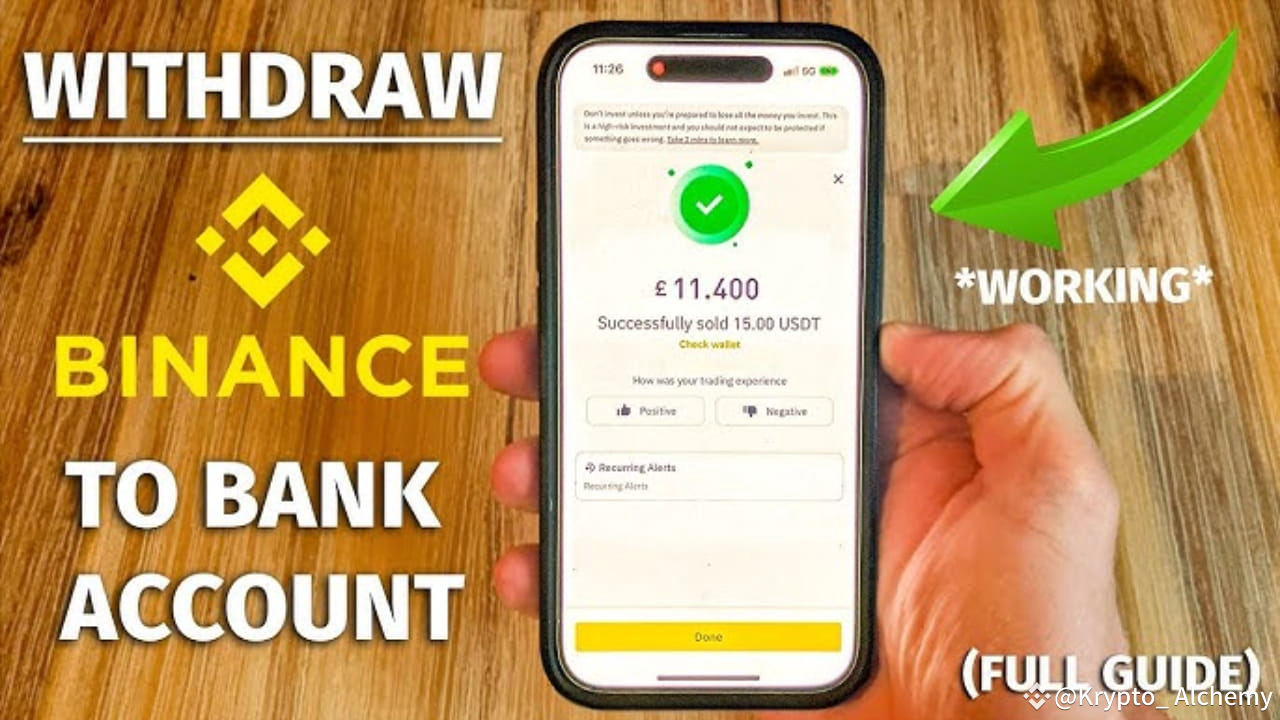
How to Withdraw Money from Binance Full GuideWithdrawing money from Binance is simple and straightforward. Follow these steps to cash out your funds:
Step 1: Log into Your Binance Account
Open the Binance app or visit the Binance website.Enter your login credentials to access your account.
Step 2: Go to the “Wallet” Section
On the app or website, click on the “Wallet” tab. It might also be labeled as “Spot Wallet” or “Fiat and Spot.”
Step 3: Select “Withdraw”
Inside your wallet, click on the “Withdraw” button.
Step 4: Choose the Currency to Withdraw
Select the cryptocurrency (e.g., BTC, ETH) or fiat currency (e.g., USD, EUR) you want to withdraw.
Step 5: Enter Withdrawal Details
For Crypto:Choose the cryptocurrency.Enter the recipient’s wallet address.Select the correct network (e.g., BTC, ETH, BNB).Enter the withdrawal amount.Complete security verification (2FA, email, etc.).For Fiat:Select the withdrawal method (Bank transfer, PayPal, etc.).Enter your bank account or payment details.Input the withdrawal amount.
Step 6: Review and Confirm
Double-check all details (address, amount, network, etc.).If everything is correct, confirm the withdrawal.
Step 7: Complete Security Verification
Binance will prompt you to complete 2FA (Two-Factor Authentication) or email verification.Follow the instructions to verify the transaction.
Step 8: Wait for Confirmation
After confirmation, the withdrawal will be processed.Track the status in the “Transaction History” section.
Pro Tips for Smooth Withdrawals
Double-Check Addresses: Always verify the wallet address to avoid losing funds.Watch for Fees: Be aware of network fees for crypto withdrawals and fiat withdrawal fees.Stay Secure: Use strong passwords and enable 2FA for added security.Check Limits: Fiat withdrawals may have daily or monthly limits.
Withdrawing from Binance is quick and easy when you follow these steps. Always ensure you’re withdrawing to a trusted wallet or account. Happy trading and safe withdrawals! 🚀
#Binance #crypto #Withdraw #tradingtips #FedWatch
How to Withdraw Money from Binance Full Guide
Withdrawing money from Binance is simple and straightforward. Follow these steps to cash out your funds:
Step 1: Log into Your Binance Account
Open the Binance app or visit the Binance website.Enter your login credentials to access your account.
Step 2: Go to the “Wallet” Section
On the app or website, click on the “Wallet” tab. It might also be labeled as “Spot Wallet” or “Fiat and Spot.”
Step 3: Select “Withdraw”
Inside your wallet, click on the “Withdraw” button.
Step 4: Choose the Currency to Withdraw
Select the cryptocurrency (e.g., BTC, ETH) or fiat currency (e.g., USD, EUR) you want to withdraw.
Step 5: Enter Withdrawal Details
For Crypto:Choose the cryptocurrency.Enter the recipient’s wallet address.Select the correct network (e.g., BTC, ETH, BNB).Enter the withdrawal amount.Complete security verification (2FA, email, etc.).For Fiat:Select the withdrawal method (Bank transfer, PayPal, etc.).Enter your bank account or payment details.Input the withdrawal amount.
Step 6: Review and Confirm
Double-check all details (address, amount, network, etc.).If everything is correct, confirm the withdrawal.
Step 7: Complete Security Verification
Binance will prompt you to complete 2FA (Two-Factor Authentication) or email verification.Follow the instructions to verify the transaction.
Step 8: Wait for Confirmation
After confirmation, the withdrawal will be processed.Track the status in the “Transaction History” section.
Pro Tips for Smooth Withdrawals
Double-Check Addresses: Always verify the wallet address to avoid losing funds.Watch for Fees: Be aware of network fees for crypto withdrawals and fiat withdrawal fees.Stay Secure: Use strong passwords and enable 2FA for added security.Check Limits: Fiat withdrawals may have daily or monthly limits.
Withdrawing from Binance is quick and easy when you follow these steps. Always ensure you’re withdrawing to a trusted wallet or account. Happy trading and safe withdrawals! 🚀
#Binance #crypto #Withdraw #tradingtips #FedWatch
Step 1: Log into Your Binance Account
Open the Binance app or visit the Binance website.Enter your login credentials to access your account.
Step 2: Go to the “Wallet” Section
On the app or website, click on the “Wallet” tab. It might also be labeled as “Spot Wallet” or “Fiat and Spot.”
Step 3: Select “Withdraw”
Inside your wallet, click on the “Withdraw” button.
Step 4: Choose the Currency to Withdraw
Select the cryptocurrency (e.g., BTC, ETH) or fiat currency (e.g., USD, EUR) you want to withdraw.
Step 5: Enter Withdrawal Details
For Crypto:Choose the cryptocurrency.Enter the recipient’s wallet address.Select the correct network (e.g., BTC, ETH, BNB).Enter the withdrawal amount.Complete security verification (2FA, email, etc.).For Fiat:Select the withdrawal method (Bank transfer, PayPal, etc.).Enter your bank account or payment details.Input the withdrawal amount.
Step 6: Review and Confirm
Double-check all details (address, amount, network, etc.).If everything is correct, confirm the withdrawal.
Step 7: Complete Security Verification
Binance will prompt you to complete 2FA (Two-Factor Authentication) or email verification.Follow the instructions to verify the transaction.
Step 8: Wait for Confirmation
After confirmation, the withdrawal will be processed.Track the status in the “Transaction History” section.
Pro Tips for Smooth Withdrawals
Double-Check Addresses: Always verify the wallet address to avoid losing funds.Watch for Fees: Be aware of network fees for crypto withdrawals and fiat withdrawal fees.Stay Secure: Use strong passwords and enable 2FA for added security.Check Limits: Fiat withdrawals may have daily or monthly limits.
Withdrawing from Binance is quick and easy when you follow these steps. Always ensure you’re withdrawing to a trusted wallet or account. Happy trading and safe withdrawals! 🚀
#Binance #crypto #Withdraw #tradingtips #FedWatch
7
5
12
28.2k
·
--
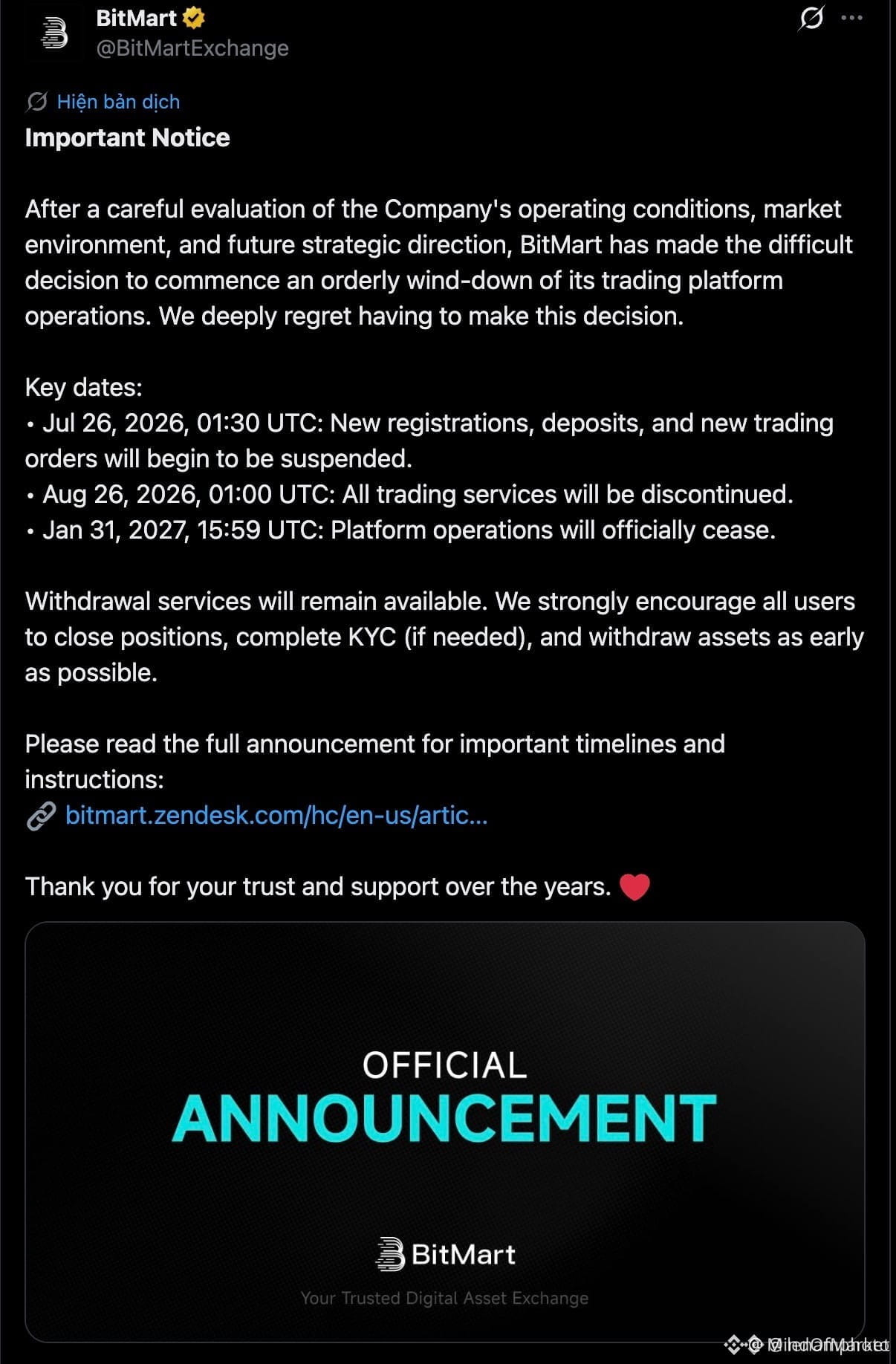
🚨 $BANK BITMART EXCHANGE SHUTTING DOWN – WITHDRAW NOW! 💥
📋 The official wind-down notice is out – BitMart suspends new deposits and trading today. Withdrawals remain open, but the clock is ticking. 🔓
🔥 Institutional consolidation is accelerating. Capital flows toward tier-1 liquidity hubs while weaker platforms exit the board. This is smart money rotating into compliance-first infrastructure. 🏦
⚠️ If you still have assets on BitMart, move them immediately. Not your keys, not your coins. 💬 Are you watching exchange risk more closely now? 👇
⚠️ Not financial advice. Always manage your risk. 🛡️
🏷️ #BitMart #ExchangeClosure #Crypto #NotYourKeys #Withdraw
🔥 🌊
🚨 $BANK BITMART EXCHANGE SHUTTING DOWN – WITHDRAW NOW! 💥
📋 The official wind-down notice is out – BitMart suspends new deposits and trading today. Withdrawals remain open, but the clock is ticking. 🔓
🔥 Institutional consolidation is accelerating. Capital flows toward tier-1 liquidity hubs while weaker platforms exit the board. This is smart money rotating into compliance-first infrastructure. 🏦
⚠️ If you still have assets on BitMart, move them immediately. Not your keys, not your coins. 💬 Are you watching exchange risk more closely now? 👇
⚠️ Not financial advice. Always manage your risk. 🛡️
🏷️ #BitMart #ExchangeClosure #Crypto #NotYourKeys #Withdraw
🔥 🌊
📋 The official wind-down notice is out – BitMart suspends new deposits and trading today. Withdrawals remain open, but the clock is ticking. 🔓
🔥 Institutional consolidation is accelerating. Capital flows toward tier-1 liquidity hubs while weaker platforms exit the board. This is smart money rotating into compliance-first infrastructure. 🏦
⚠️ If you still have assets on BitMart, move them immediately. Not your keys, not your coins. 💬 Are you watching exchange risk more closely now? 👇
⚠️ Not financial advice. Always manage your risk. 🛡️
🏷️ #BitMart #ExchangeClosure #Crypto #NotYourKeys #Withdraw
🔥 🌊
295
Log in to explore more content
Join global crypto users on Binance Square
⚡️ Get latest and useful information about crypto.
💬 Trusted by the world’s largest crypto exchange.
👍 Discover real insights from verified creators.
Email / Phone number
Trending Topics
1
#FedWatch
16.2M views
39,001 Discussing
2
#EarningsSeason
6.3M views
31,718 Discussing
3
#USMidtermElections
17,687 views
439 Discussing
4
#BitcoinDropsBelow$80K
15,809 views
81 Discussing
5
#比特币跌破8万美元
166,798 views
88 Discussing
6
#BoEOpensConsultationOnTokenizedCollateralForClearing
111 views
12 Discussing
7
#BrazilCryptoExchangesMustApplyForLicensesByFriday
11,990 views
369 Discussing
8
#ICEPartnersWithTradeXYZToBringPerpetualContractsToUS
611 views
12 Discussing
9
#SolidusLabsReportsSuspected$170MSpoofingOnHyperliquidOilContracts
1,286 views
23 Discussing
10
#StanDruckenmillerBecomesInvestorInTradeXYZ
10,908 views
342 Discussing