This page is for general information and educational purposes only. It does not constitute legal terms or any form of legal agreement between you and Binance. It should not be construed as financial, legal or other professional advice. The information on this page may be outdated. For legal terms applicable to Spot Trading Services, please refer to the Terms of Use, the Exchange Rules and the Clearing Rules. Additional terms and conditions will also be set out in the Spot Copy Trading Services Terms (as applicable to Spot Copy Trading Services).
Disclaimer: In compliance with MiCA requirements, unauthorized stablecoins are subject to certain restrictions for EEA users. For more information, please click here.
A Spot TWAP (Time-Weighted Average Price) order is a trading strategy used in spot markets to execute large orders gradually over a specified time period. Instead of placing a single large order that could significantly impact the market price, a TWAP order breaks the total quantity into smaller, evenly distributed trades executed at regular intervals. This approach helps achieve an average execution price close to the market’s average price over the time window, minimizing market impact and reducing the risk of price slippage. Spot TWAP orders are particularly useful for traders who want to buy or sell large amounts of cryptocurrency on the spot market without causing sudden price fluctuations.
1. Log in to your Binance account and go to the Spot trading page.
2. Choose [TWAP] in the order type section, enter the order details, or select [Optional Parameters] to set additional conditions before placing your order.
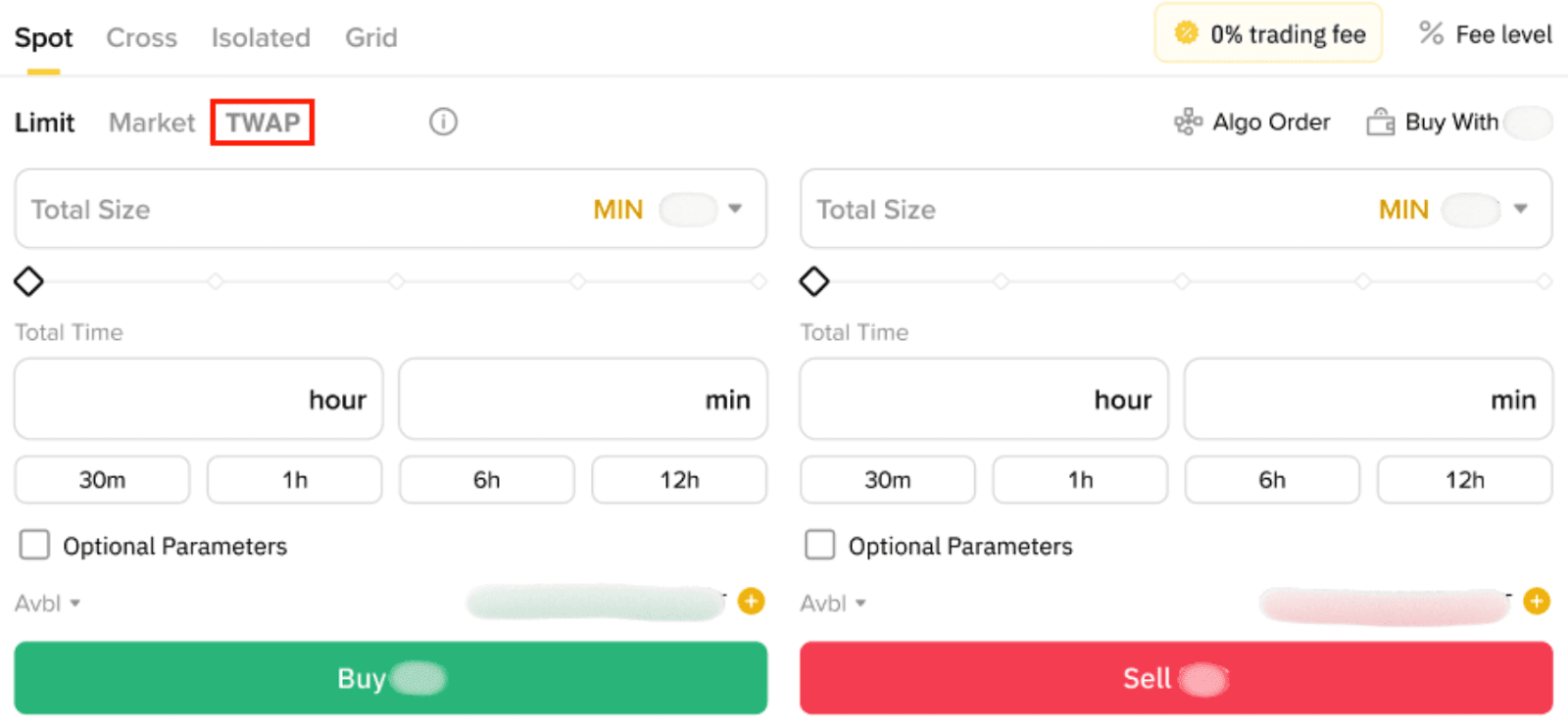
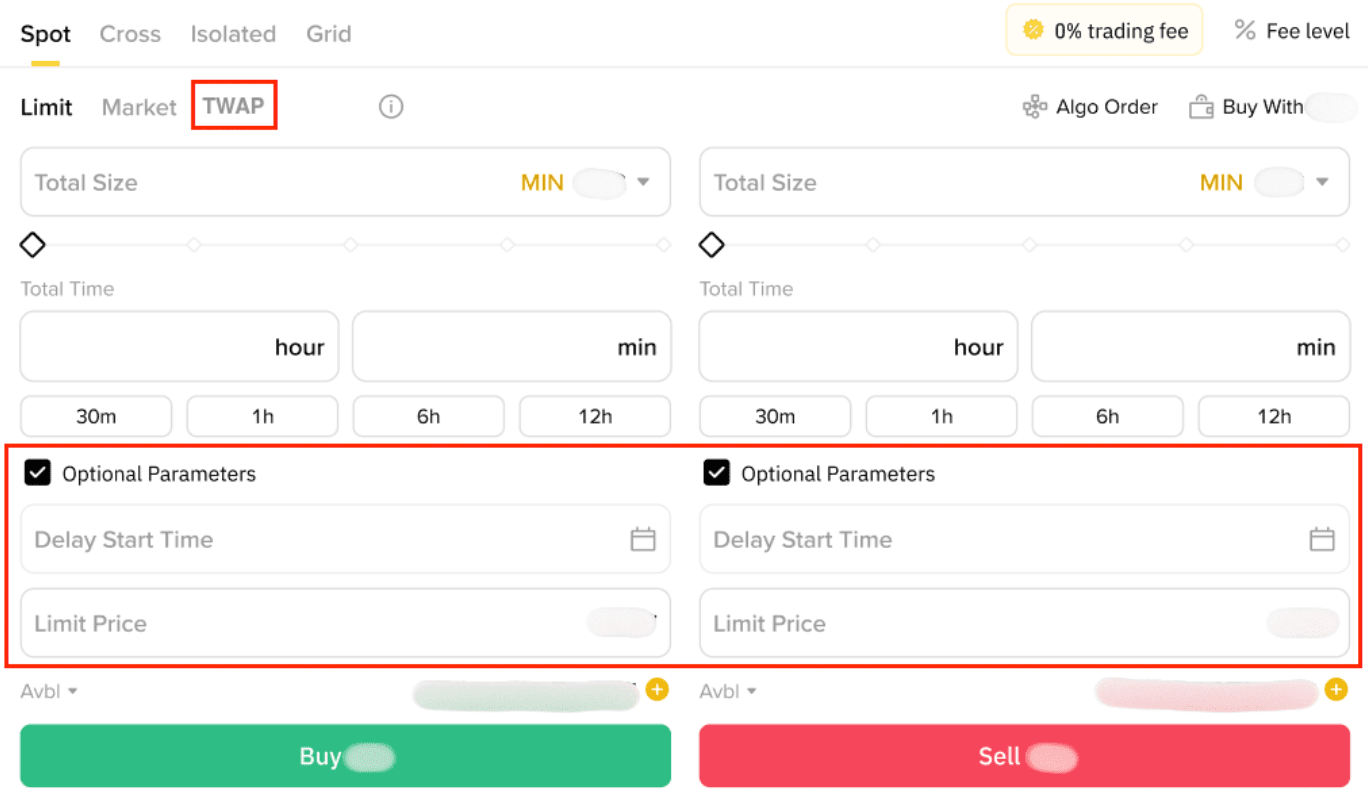
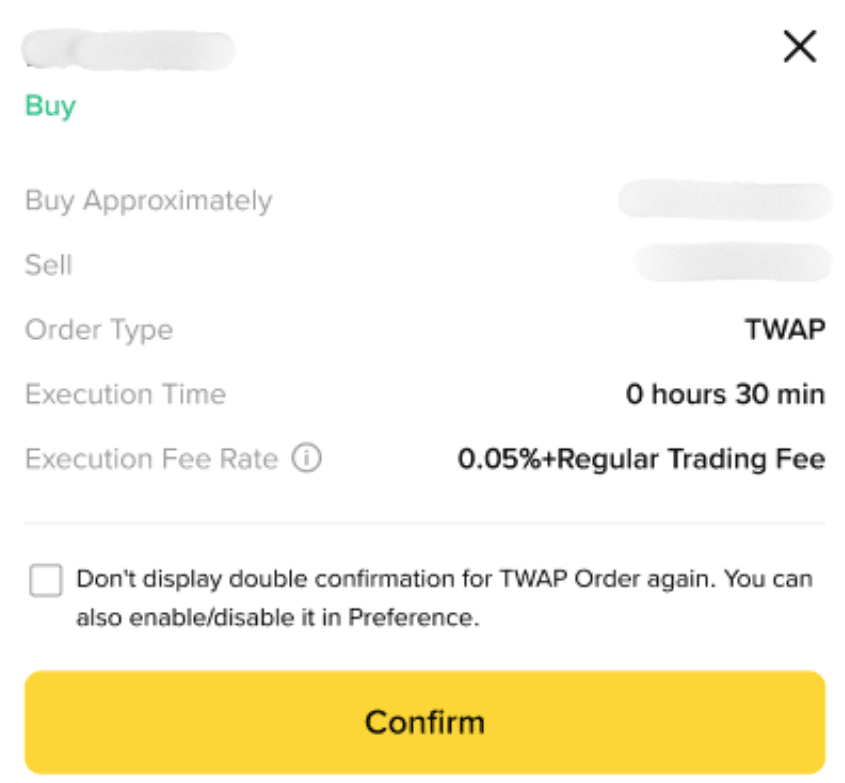
3. After placing your order, review the order details carefully before confirming the execution. Please note that TWAP charges a TWAP fee together with the normal Spot trading fee.
4. Once the order is placed successfully, you will be directed to the [TWAP] - [Running] page. From there, you can view the order details, pause the TWAP order, or end it. Please note that the TWAP order amount will be divided into smaller limit orders according to the specified parameters.
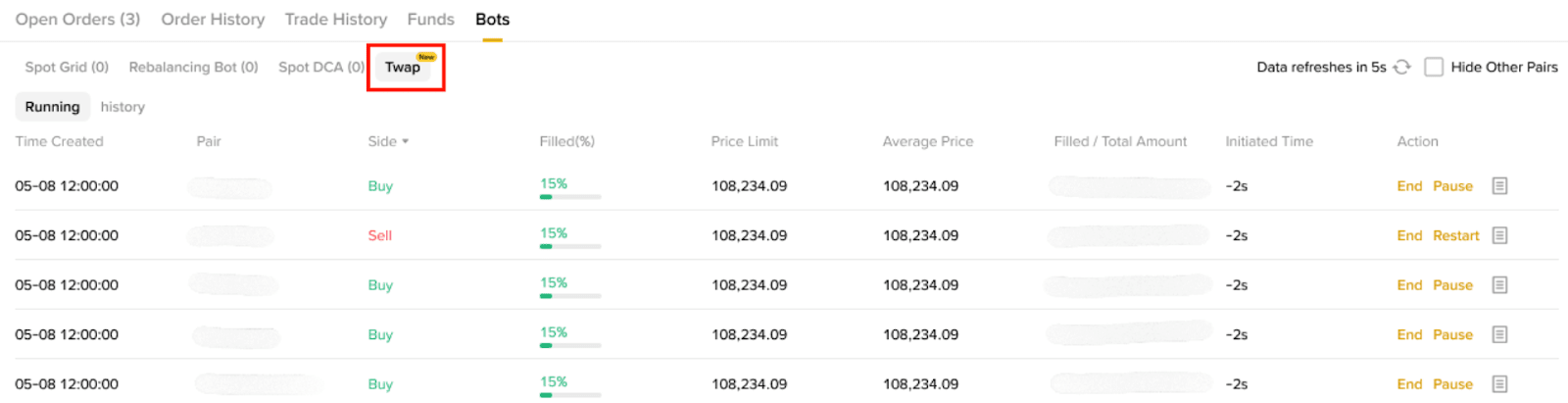
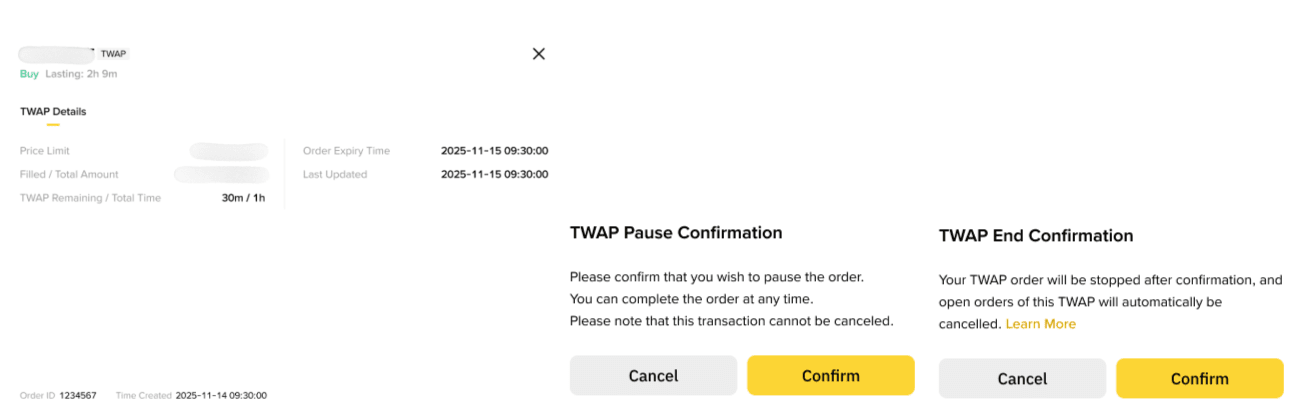
5. You can also view TWAP order records on the [TWAP] - [History] page. Click [View] to see more details.
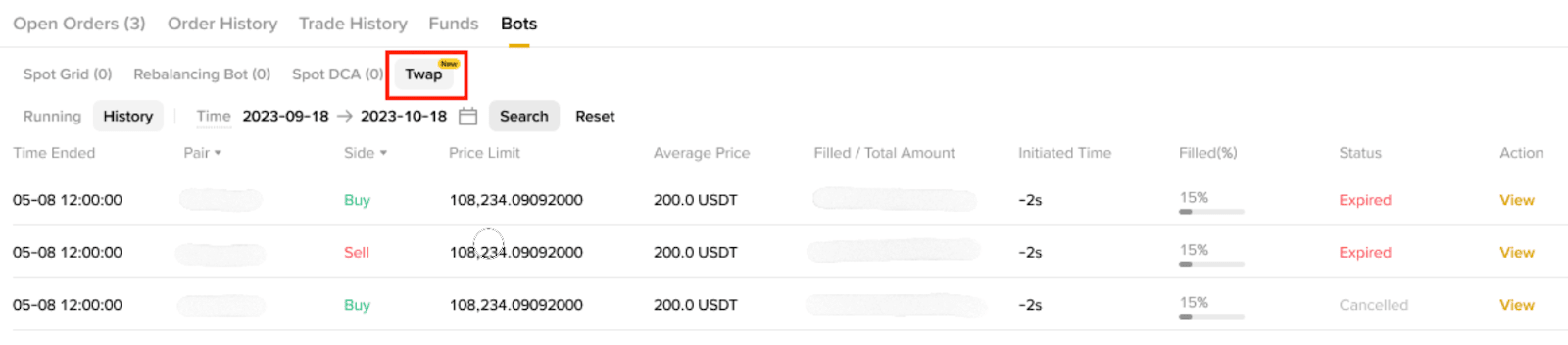
1. Log in to your Binance account, tap [Trade] and select [Spot].
2. Choose [TWAP] in the order type section, enter the order details, or select [Optional Parameters] to set additional conditions before placing your order.
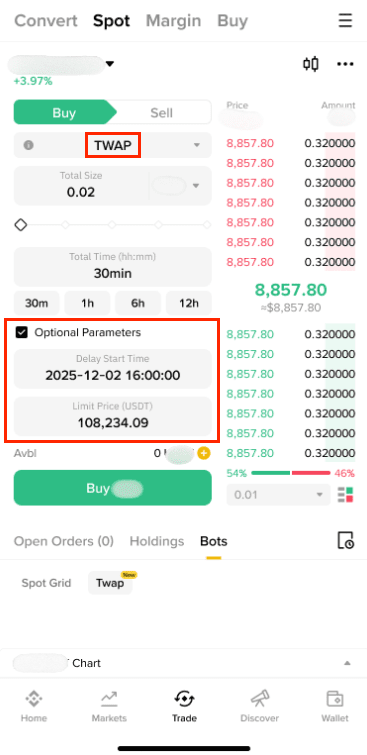
3. After placing your order, review the order details carefully before confirming the execution. Please note that TWAP charges a TWAP fee together with the normal Spot trading fee.
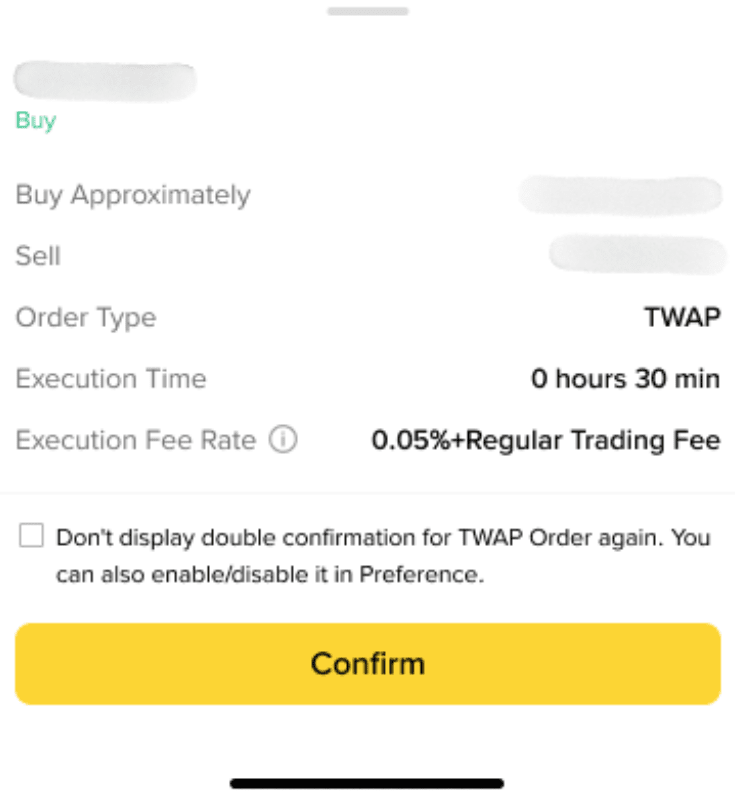
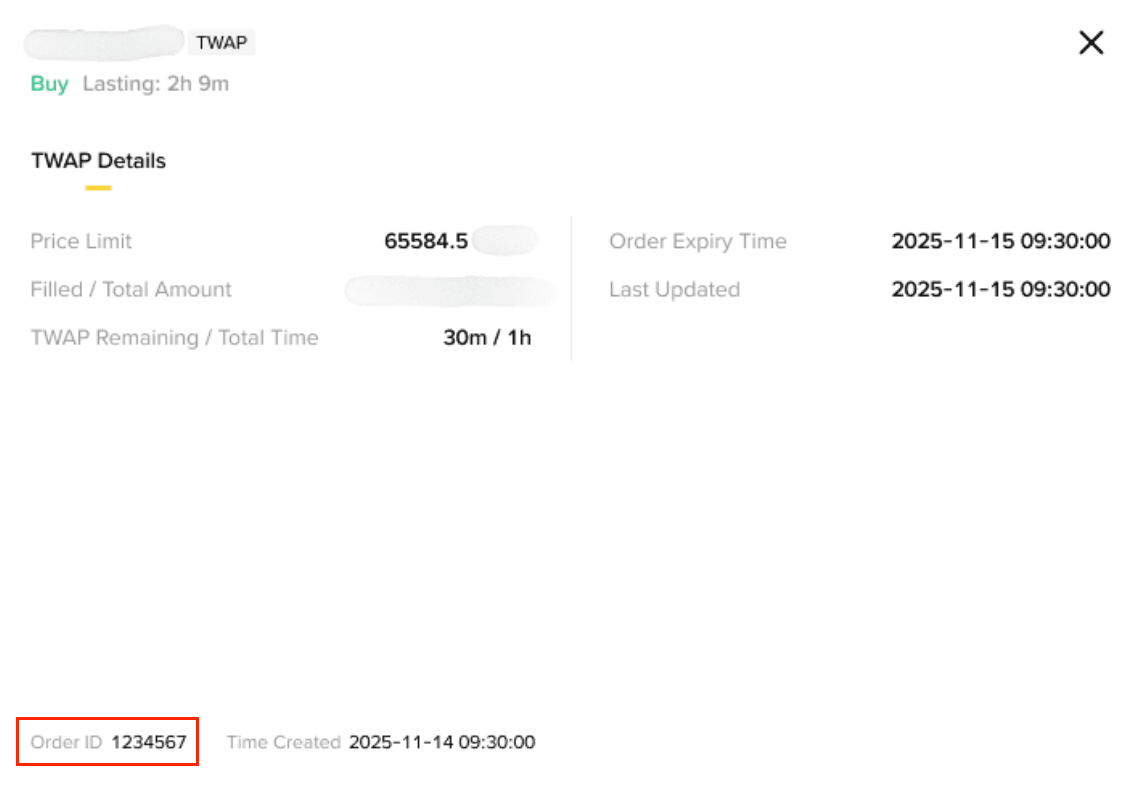
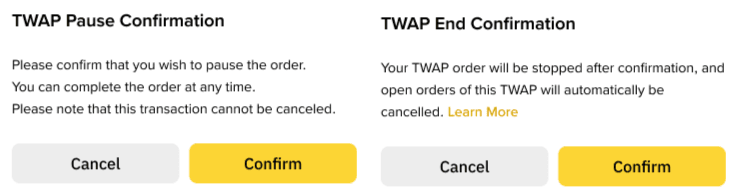
4. Once the order is placed successfully, you will be directed to the [TWAP] - [Running Detail] page. From there, you can view the order details, pause the TWAP order, or end it. Please note that the TWAP order amount will be divided into smaller limit orders according to the specified parameters.
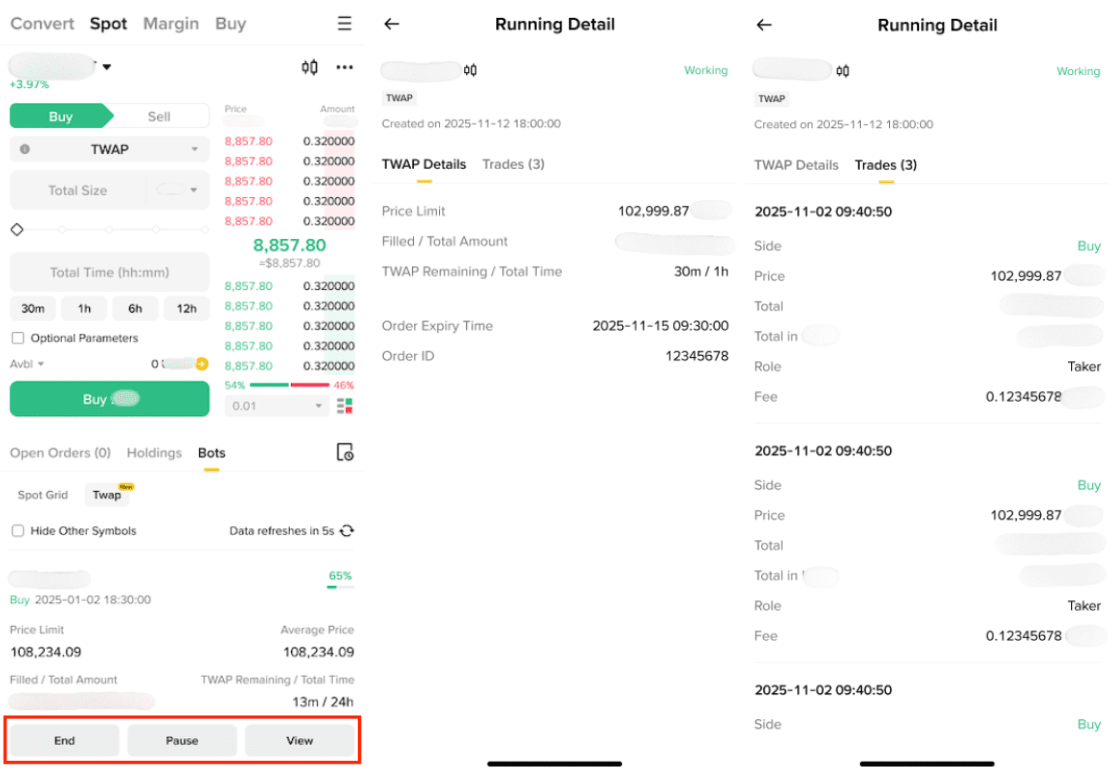
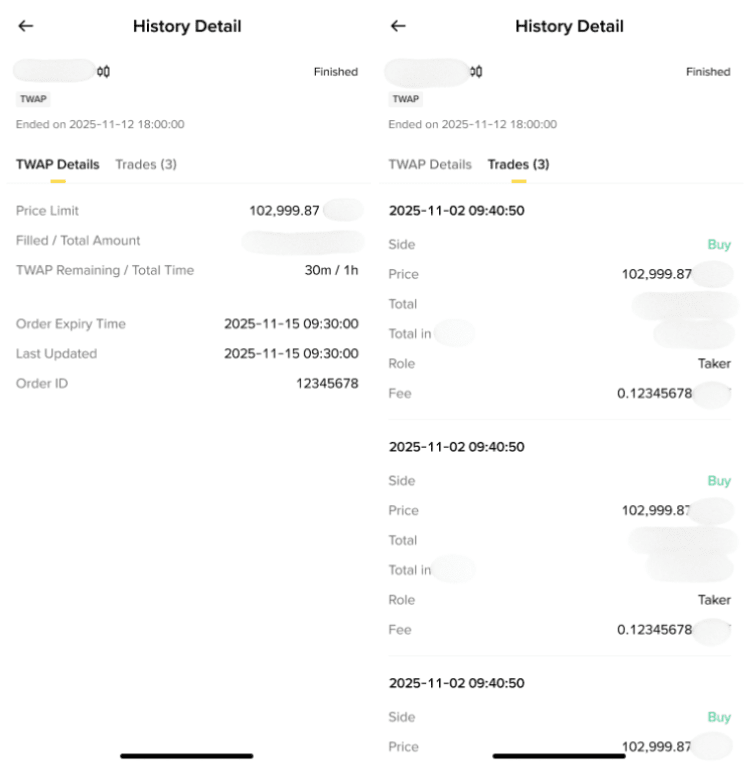
5. You can also tap [View] to see TWAP history details.
Yes, you can still cancel before its sub-orders are executed. Moreover, you can also pause the order.
TWAP supports only limit orders.
Upon cancellation, the executed portion remains unchanged, while the unexecuted portion will not be processed.
TWAP order details automatically refresh every 10 seconds.
Transaction fees consist of TWAP fees and limit order fees. The limit order fees support the BNB Fee Deduction feature.
The balance remains in the Spot Account after the order is placed.
For TWAP:
For limit orders:
The TWAP feature is only accessible on app version 3.8.0 or later and is currently in grayscale mode. It will be rolled out to all users gradually. Please make sure you’ve updated your Binance App to be able to see it.
