Here's what can be done to identify the transaction:
Check if the retailer’s name is listed differently (e.g., parent company name);
Look for additional charges, such as tax or service fees;
Search your email inbox and receipts for payment confirmations;
Review transactions around the same date for context;
Consider currency conversion and possible exchange rate differences;
Check if it’s part of a recurring subscription;
See if it’s linked to a free trial that converted to a paid plan.
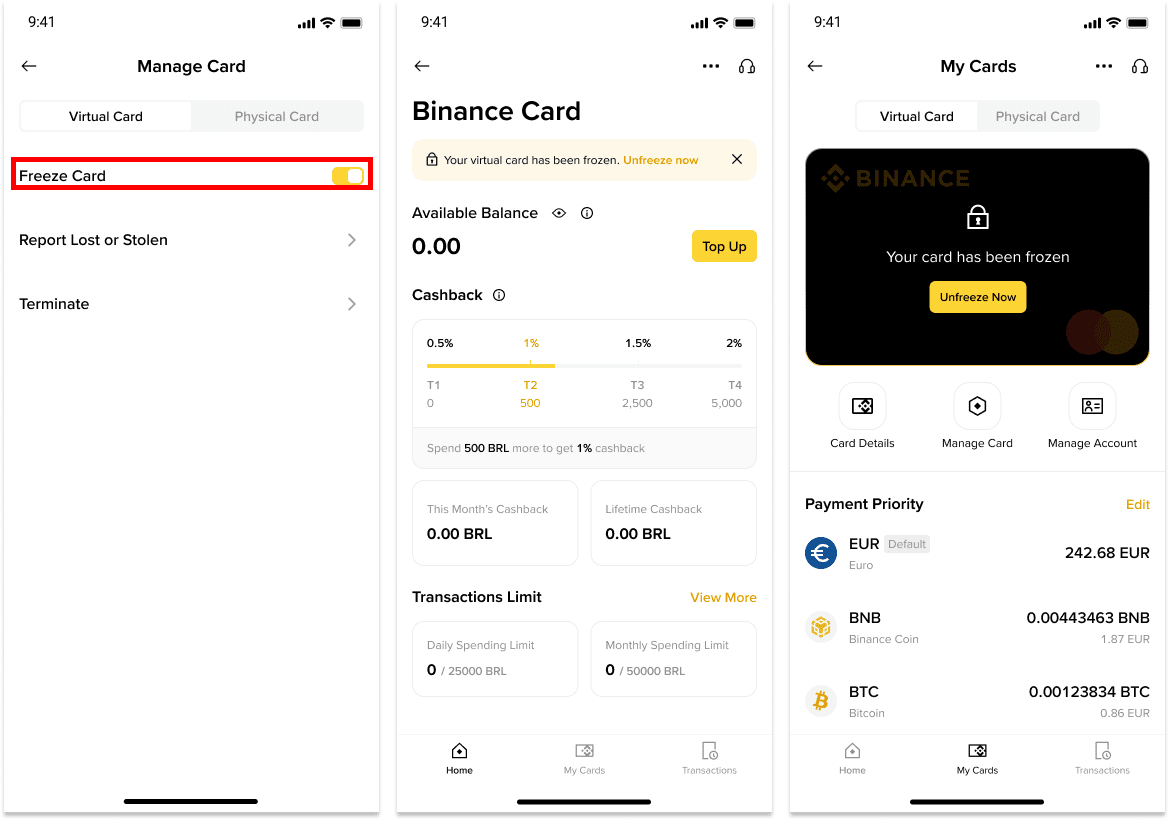
2. How do I freeze my Binance Brazil Card?
You may temporarily freeze your Binance Brazil Card to prevent new charges from being approved.
1. Log in to your Binance account and go to [Card Dashboard].
2. You will see a [Manage Card] button. Toggle on the button next to [Freeze Card] and your card will be frozen. Please note that your card will automatically decline every transaction until you unfreeze your card.
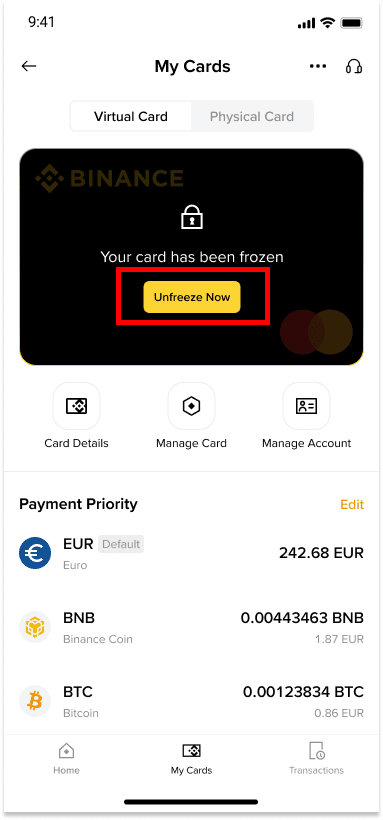
3. How do I unfreeze my Binance Brazil Card?
To unfreeze your Binance Brazil Card, please follow these instructions:
1. Log in to your Binance account and go to [Card Dashboard].
2. Tap [Unfreeze]. Complete security verifications and your card will be unlocked.
4. What should I do to protect my card?
To keep your card secure, follow these simple tips:
Never share your card details with anyone.
Don’t save your card details on shared or public devices.
Check your transactions regularly for any suspicious activity.
Registrera dig för att få belöningar
Registrera dig nu – Få upp till 100 USDT i rabatt på handelsavgift (för verifierade användare)