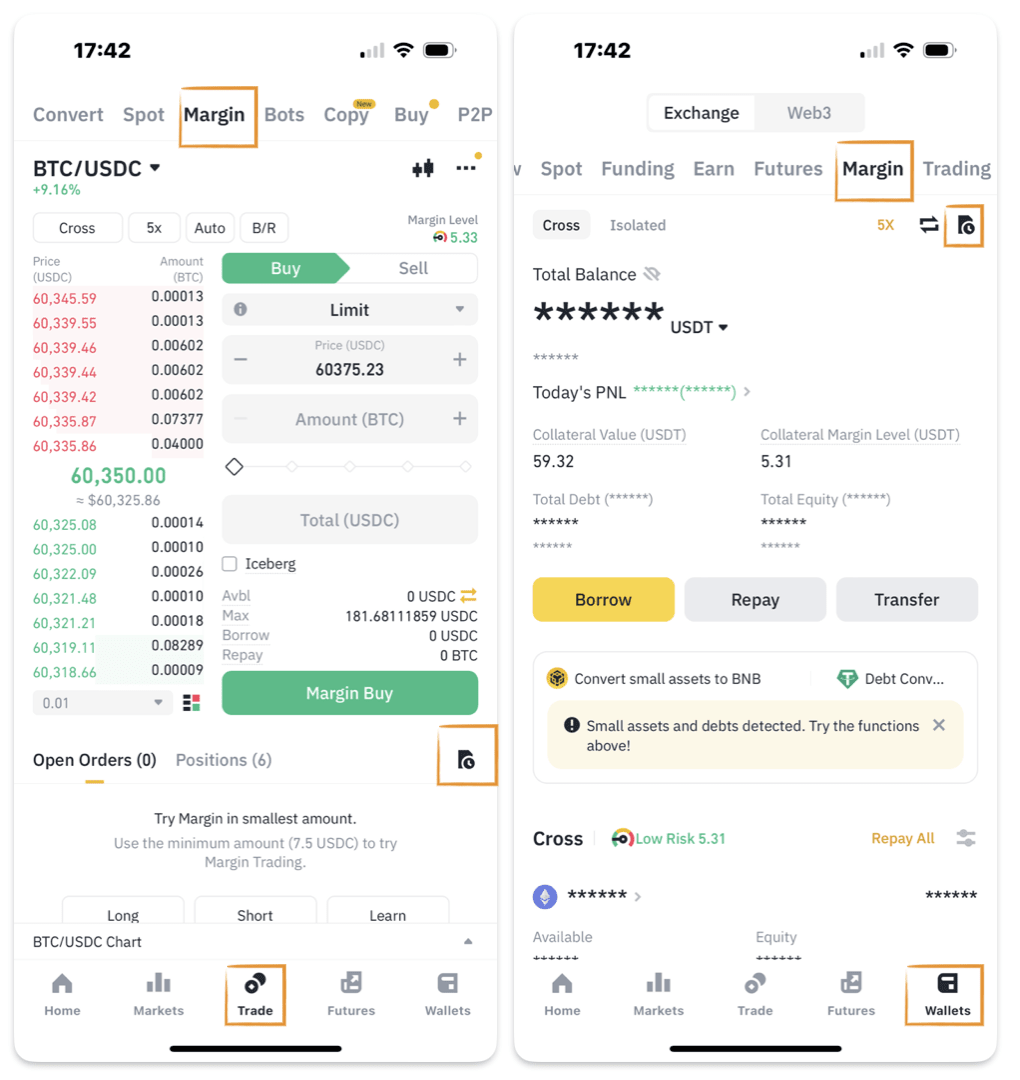
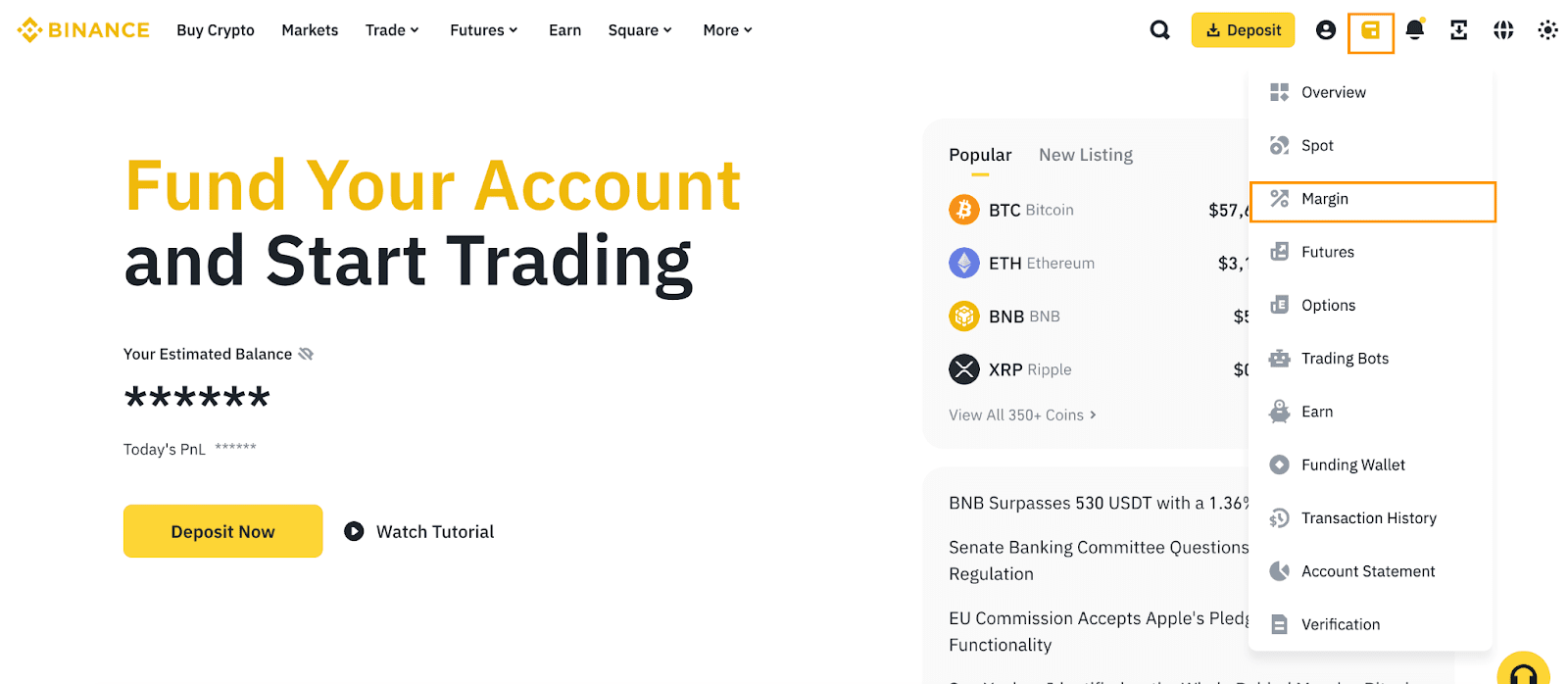
1. Log in and click the wallet icon. Then go to [Margin] - [Orders] - [Margin Order]. Here you can view your margin account activities.
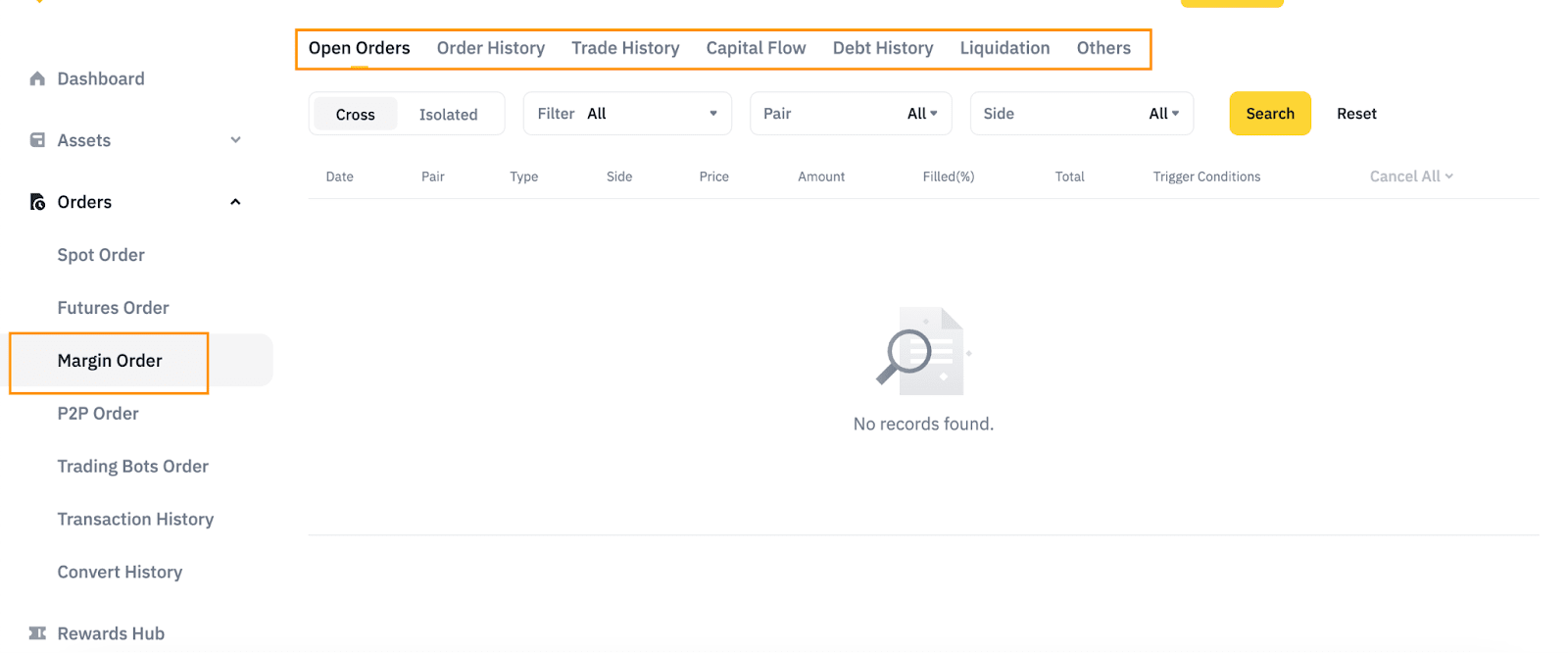
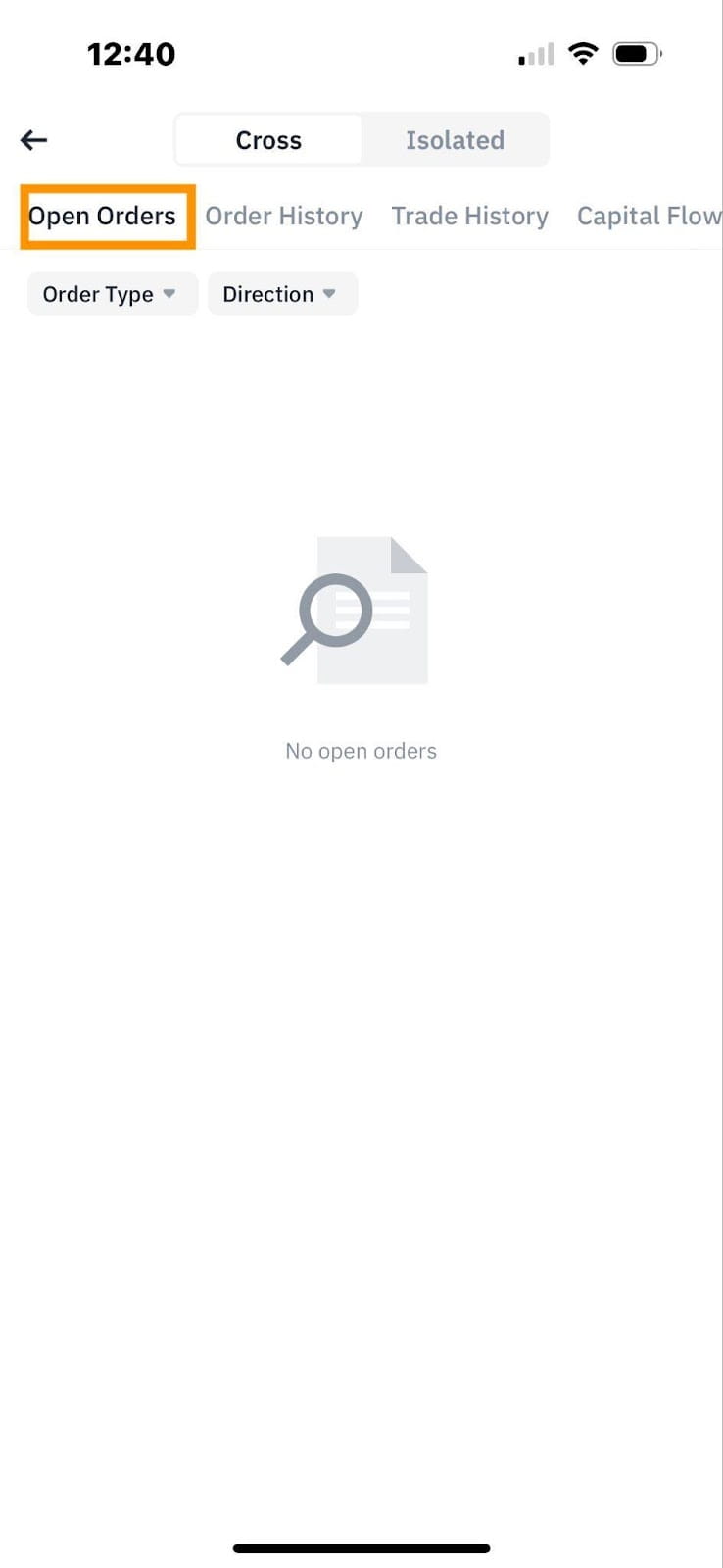
There are 7 tabs for you to view different information about your account activity (click to expand):
You can view all open orders under this tab.
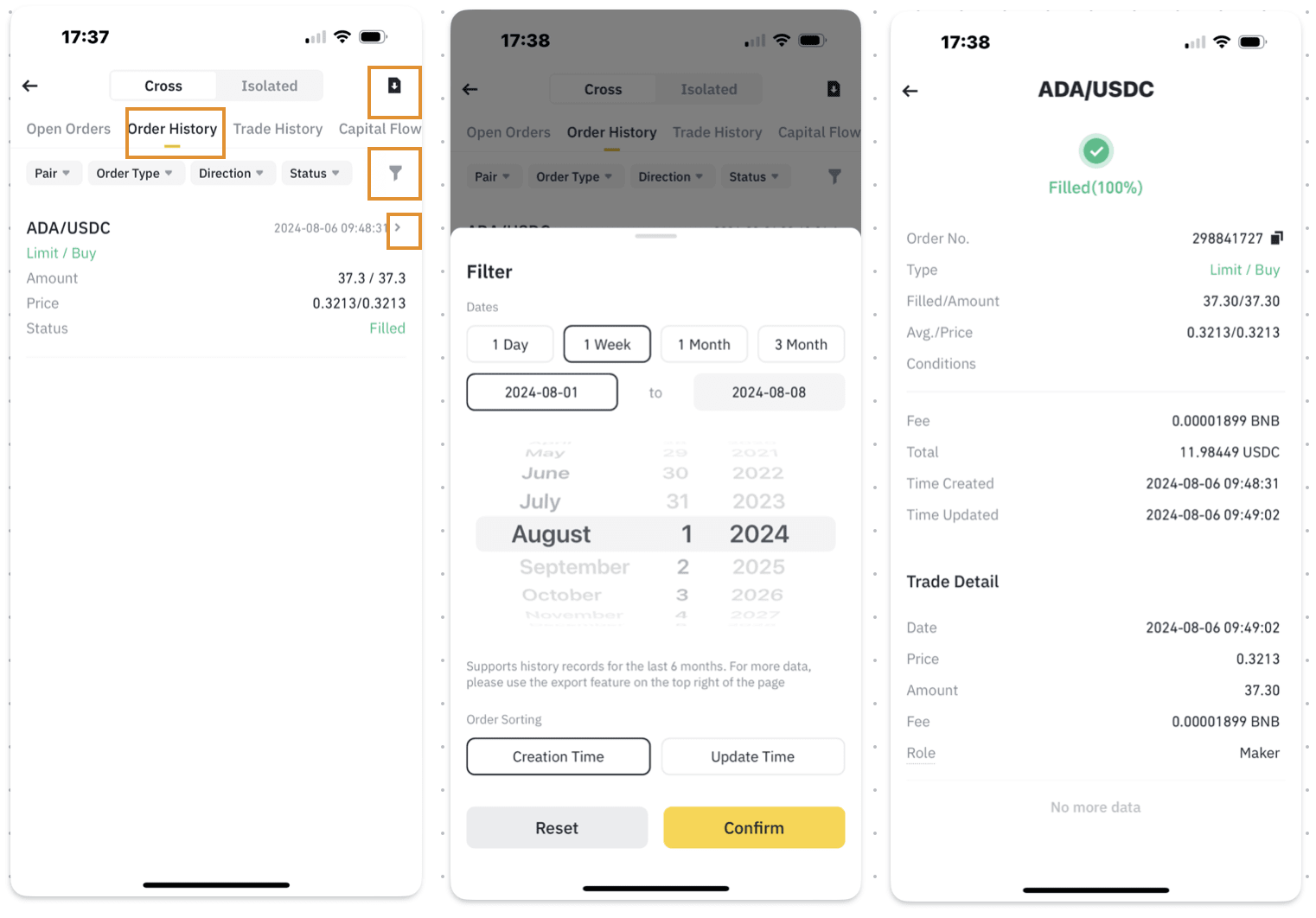
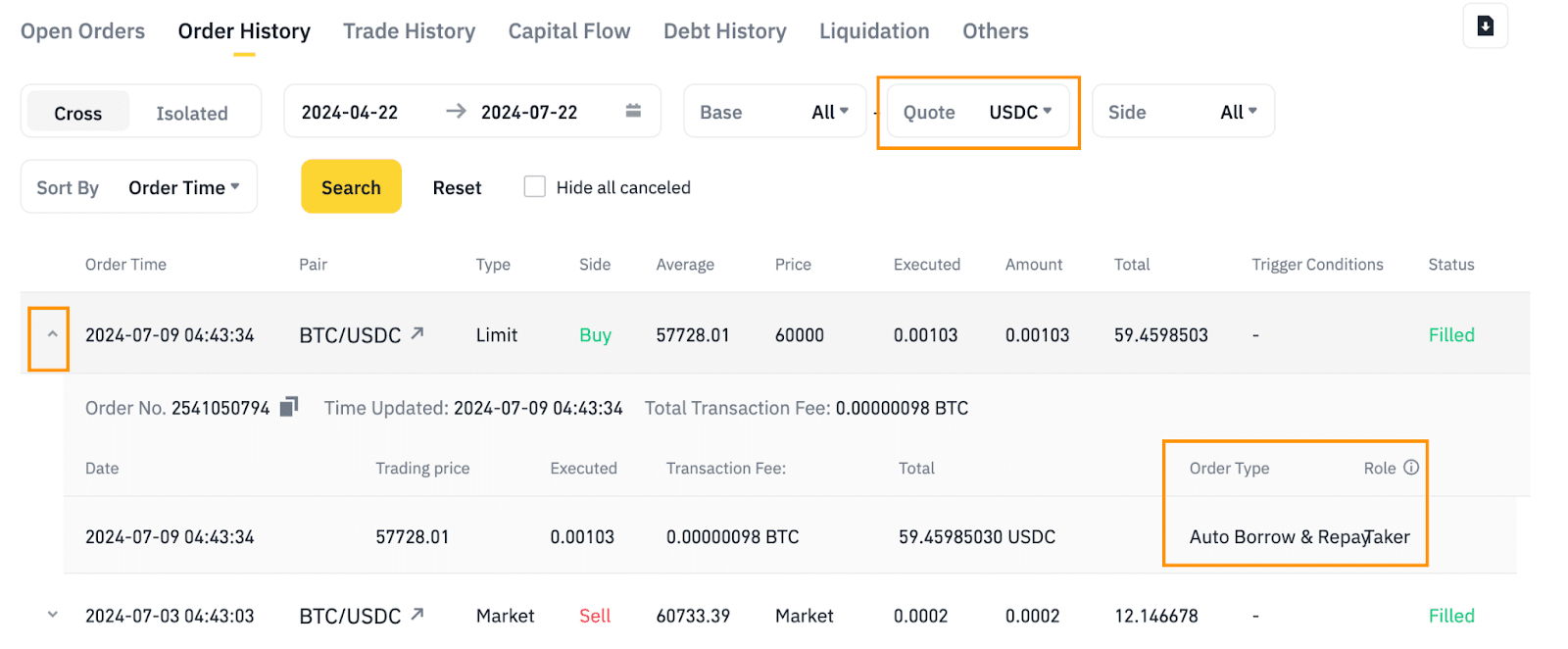
Under these tabs, you can search for a specific transaction by time period and/or base/quote asset of the order.
Click the arrow beside a record to view details such as the order time, trading fee, and role. You can also check whether an order used the [Auto Borrow], [Auto Repay] or normal mode under [Order Type], or check if it was placed via the close position function.
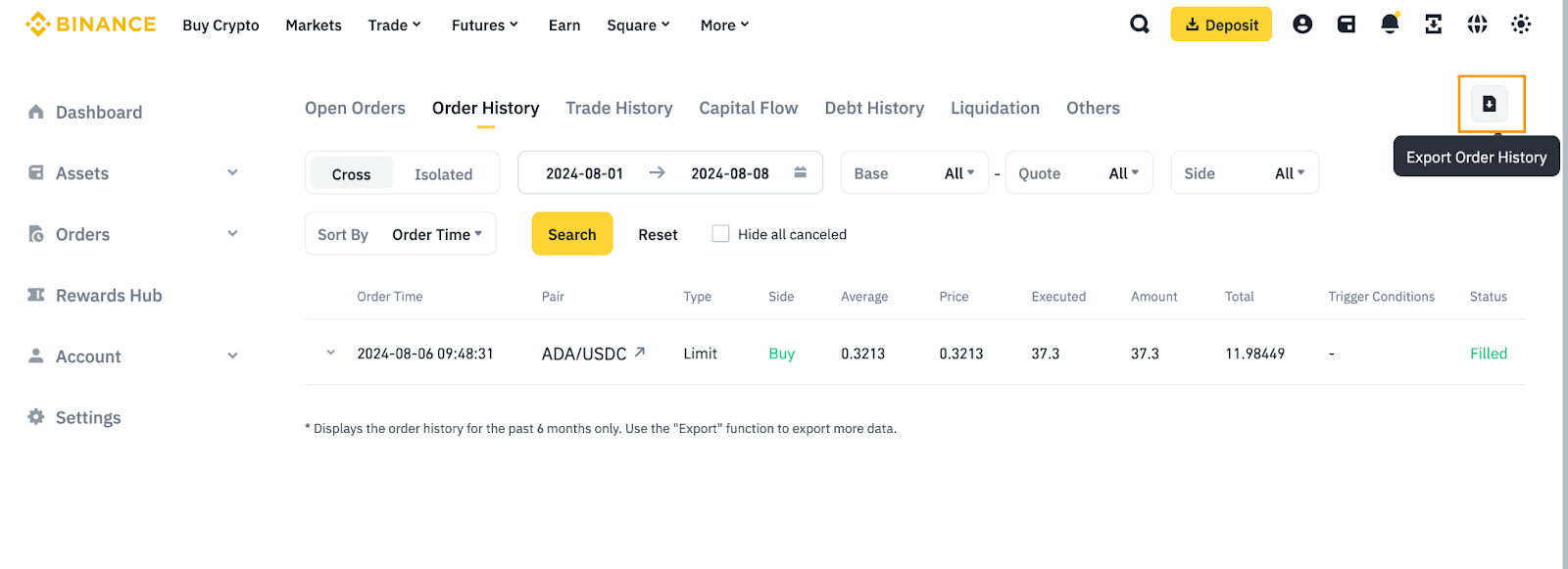
To export your order history, click the download icon.
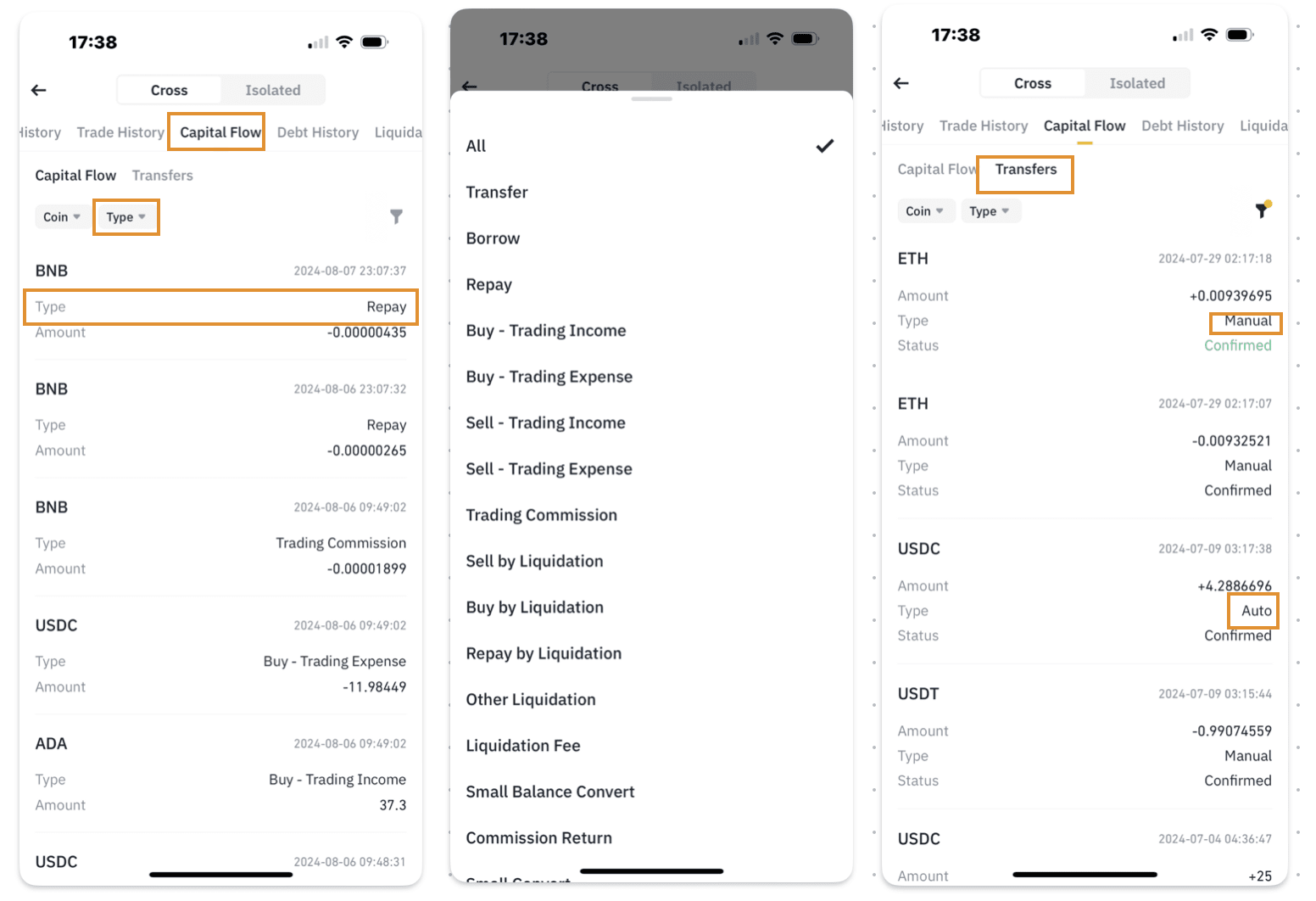
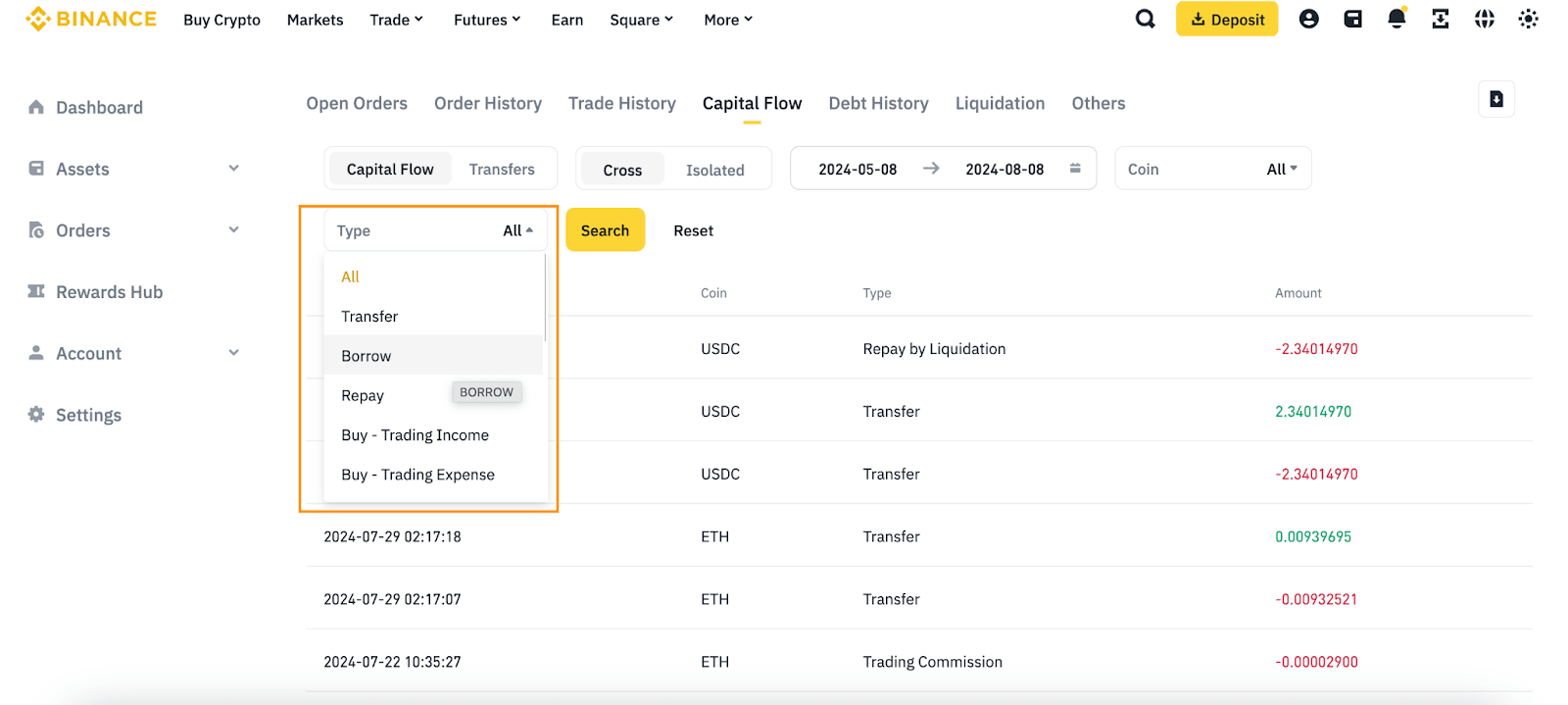
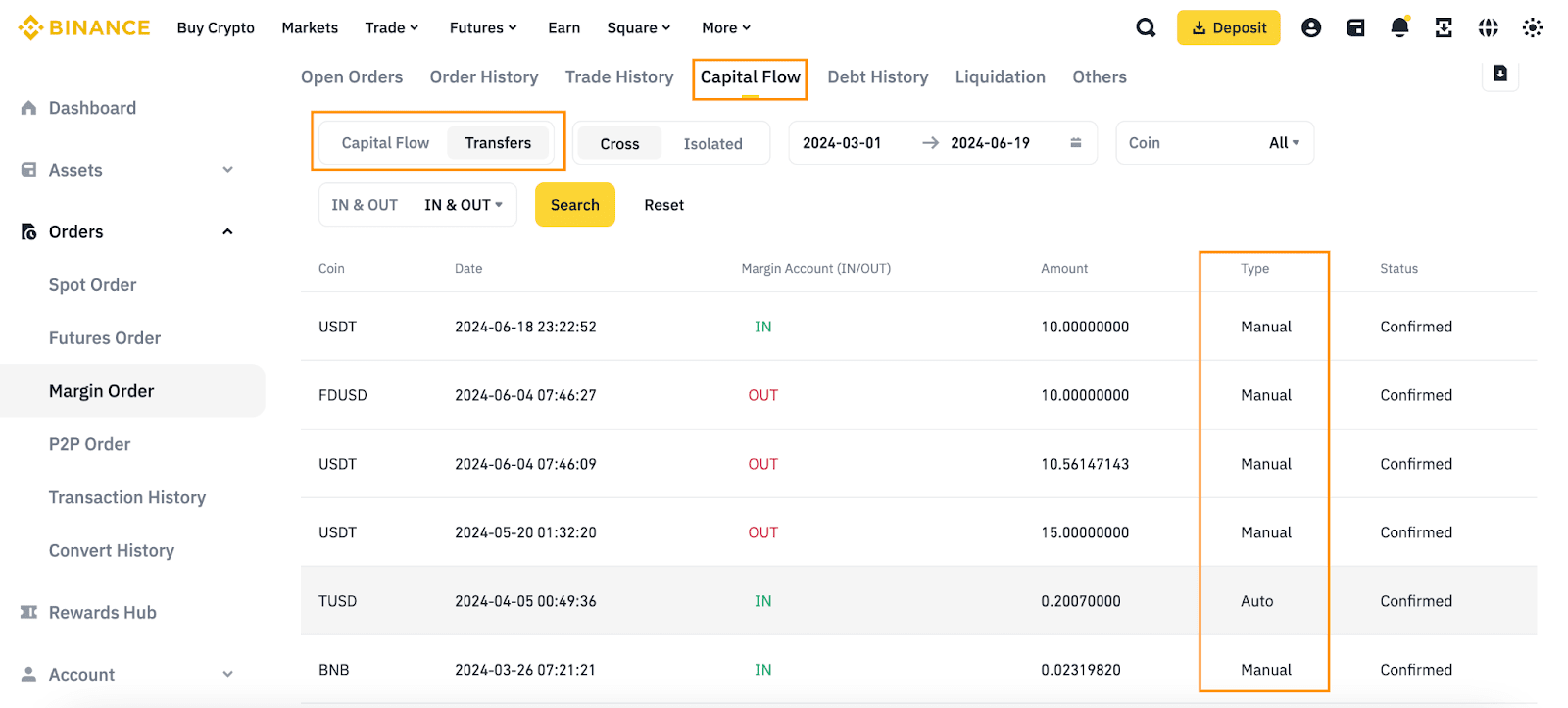
You can track the capital flow of each transaction in your margin accounts, including borrow, repay, trades, liquidations, and auto top-up.
To check a specific transaction type, use the [Type] filter.
Switch to the [Transfers] tab and you can check whether a transaction was topped up manually, or automatically by the system.
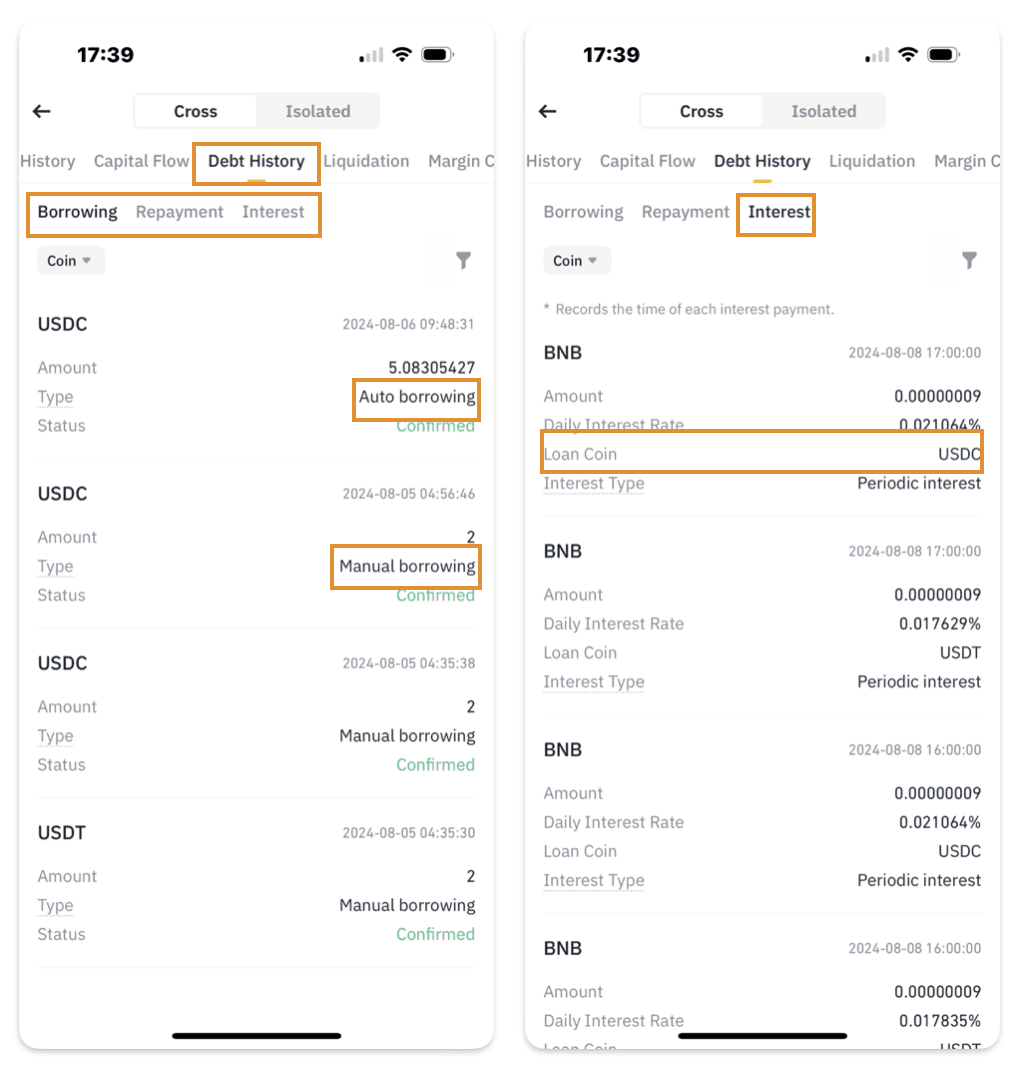
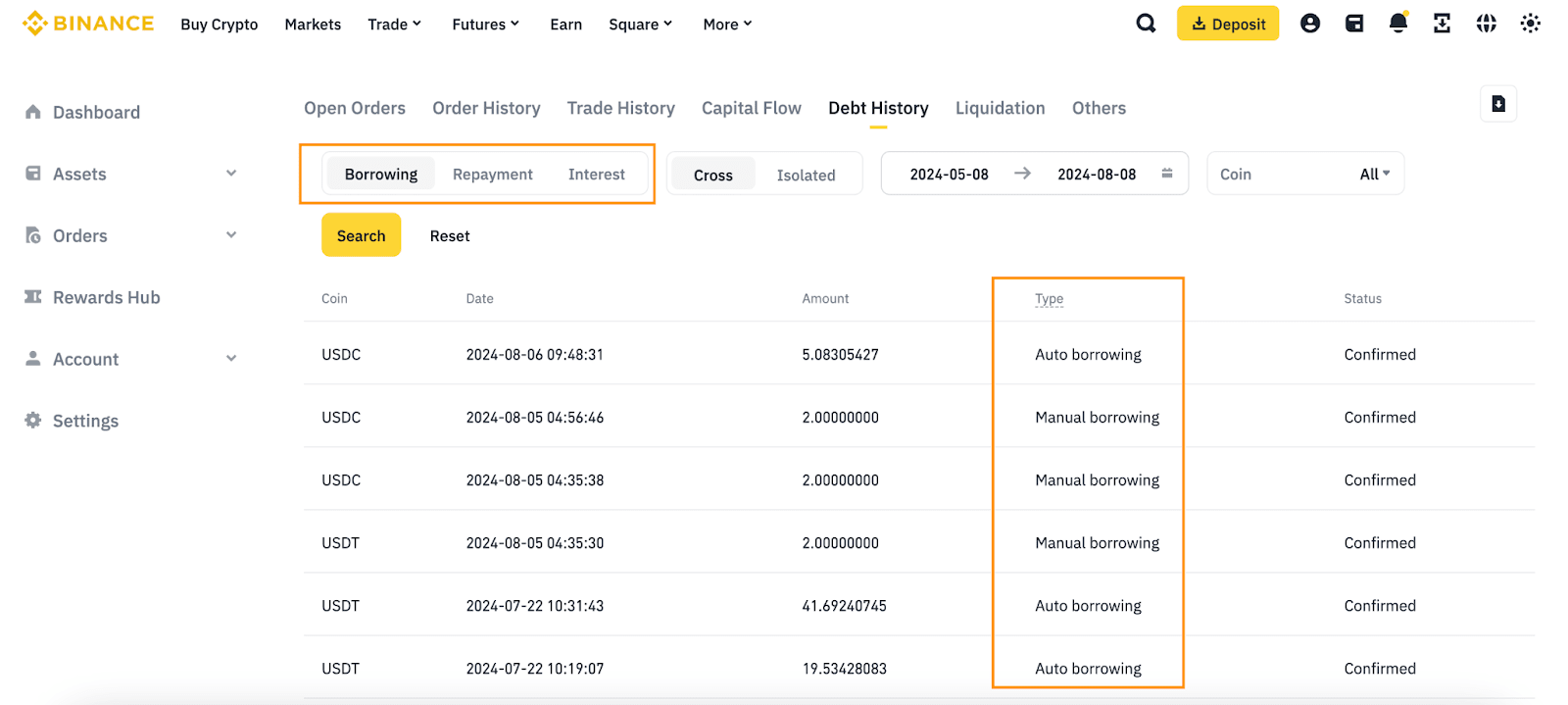
You can track your borrowings, repayments, and interest here.
Under the [Type] column, you can see whether the transaction was manual or auto borrow/repay.
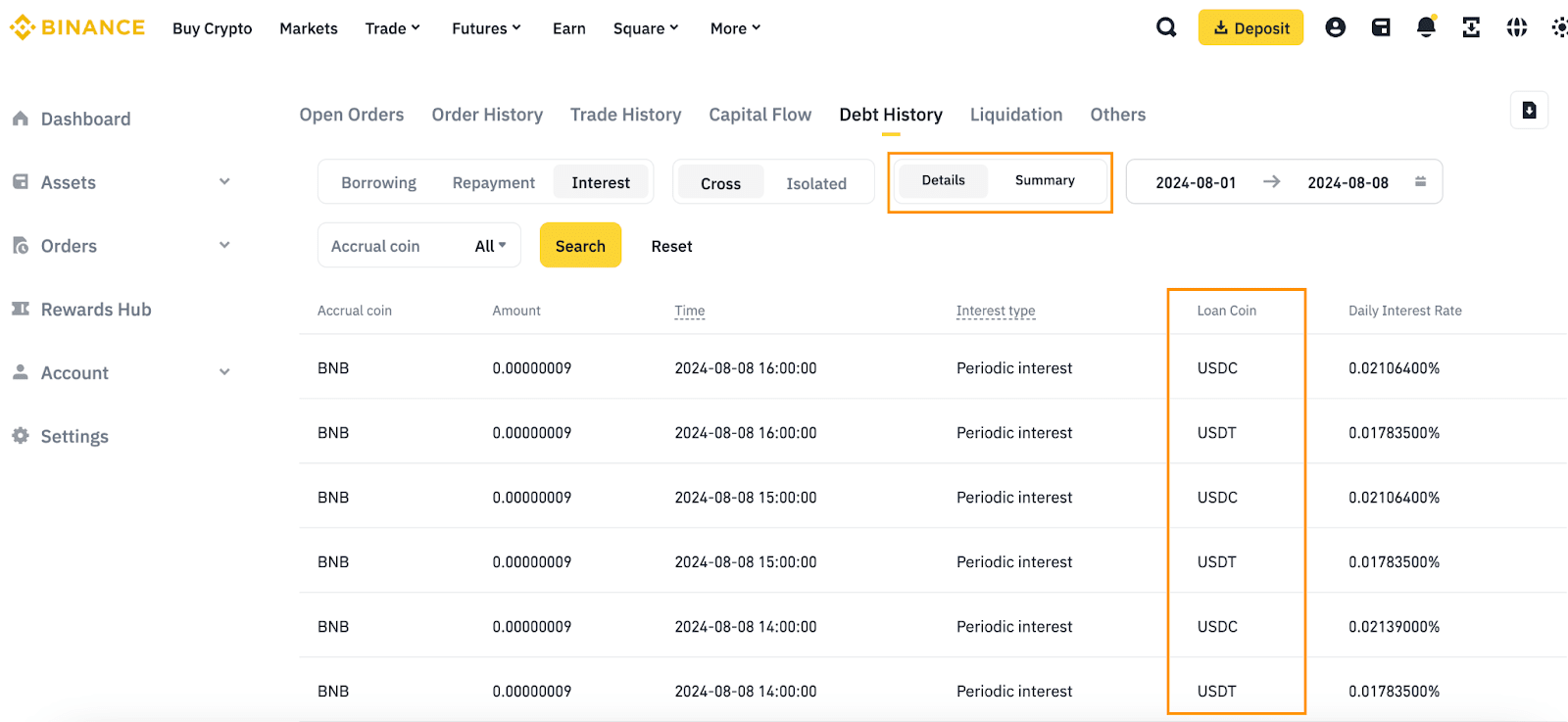
Go to the [Interest] tab and you can view the loan coin, check hourly interest records, and the periodic sum interest fee.
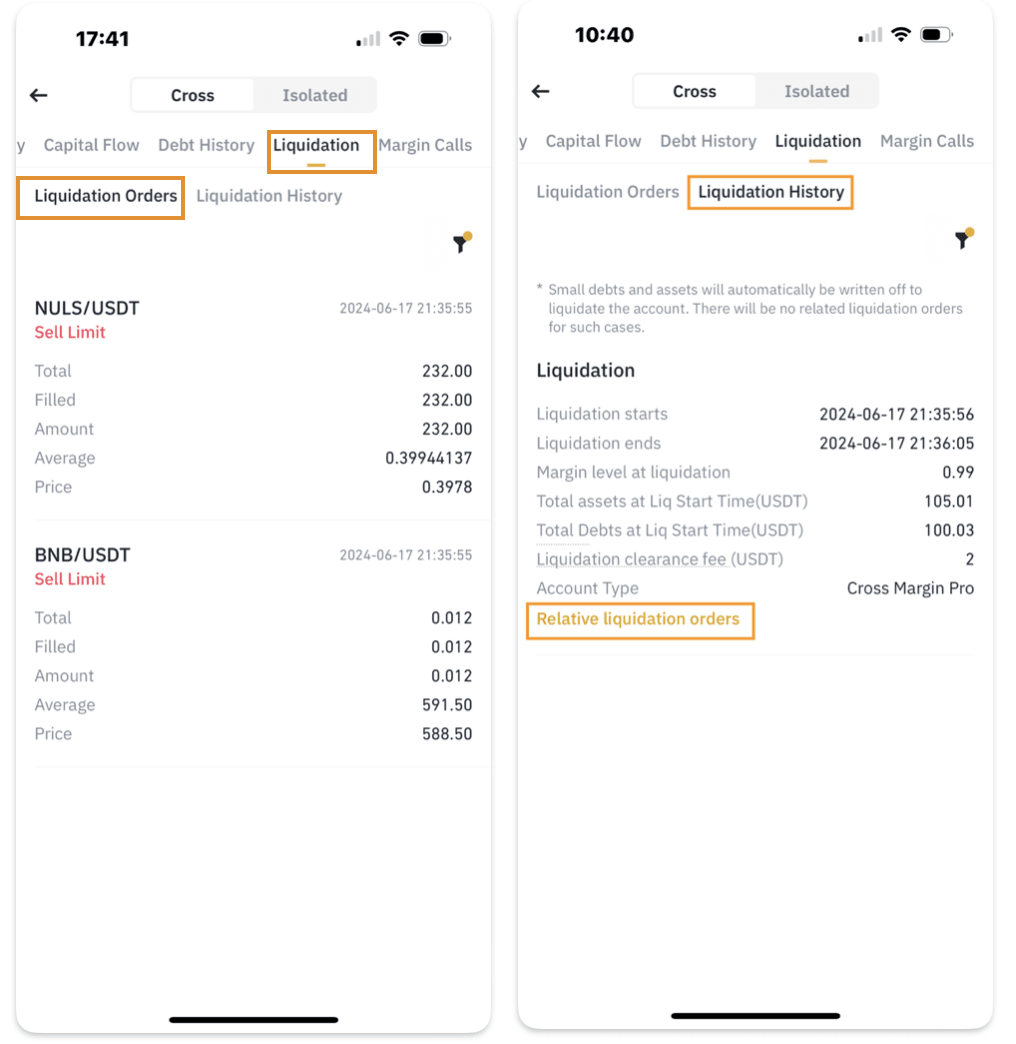
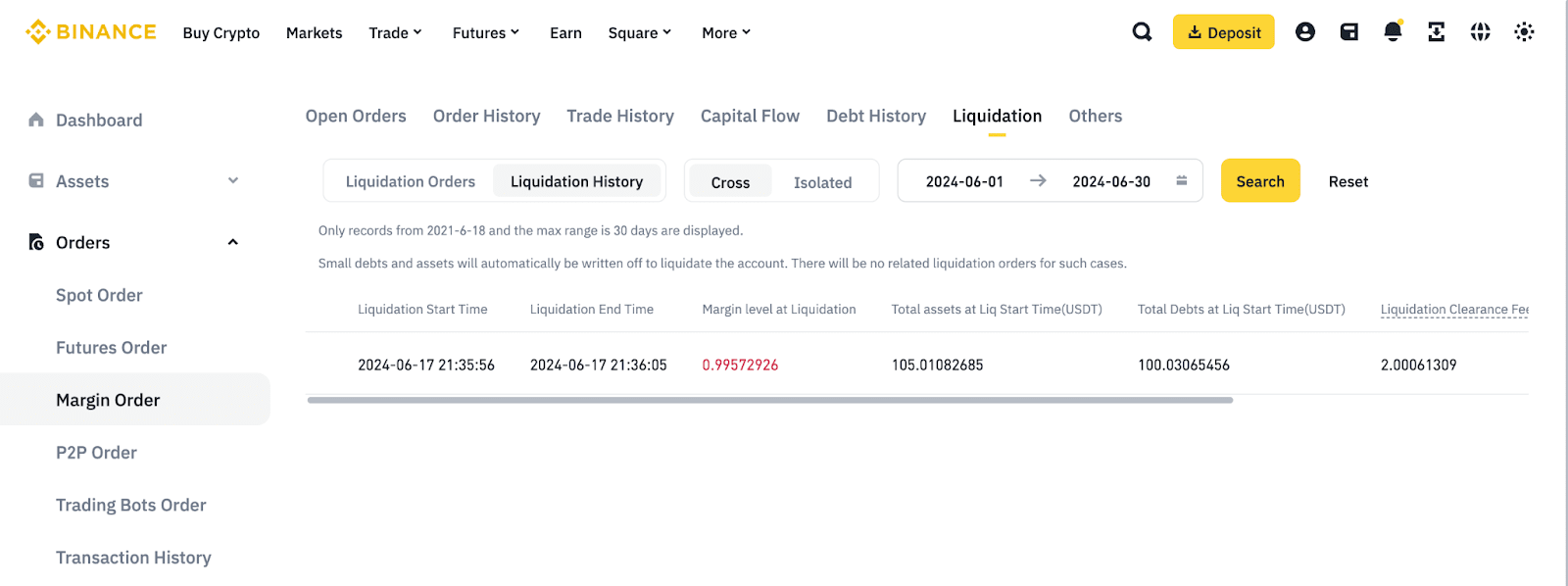
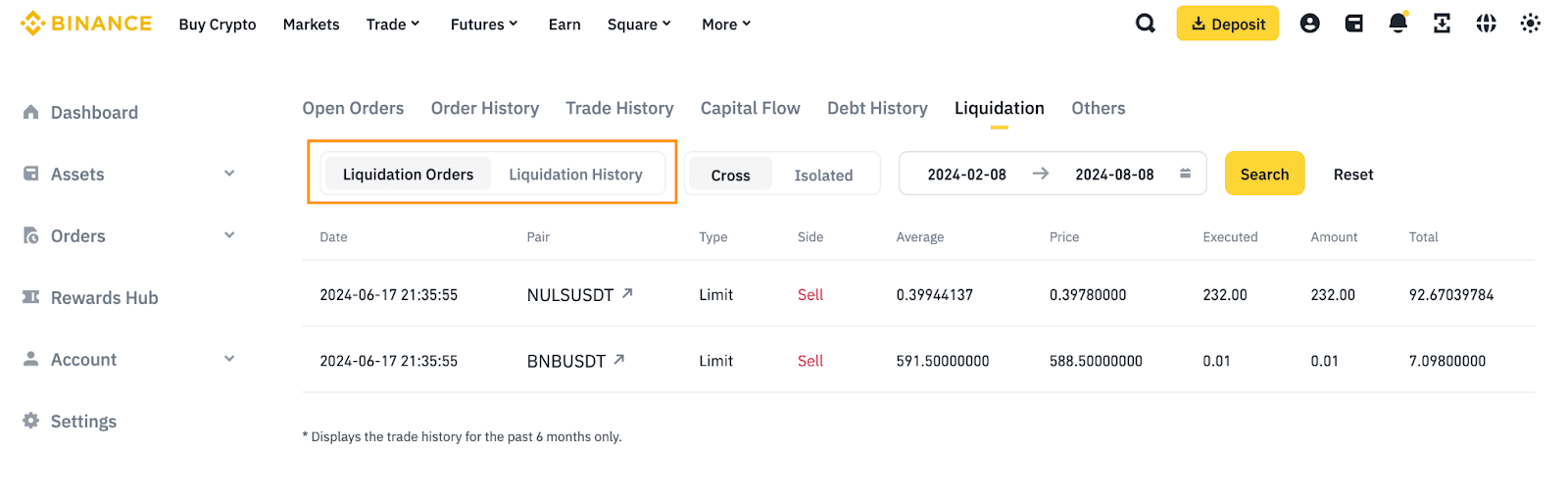
You can see your liquidation history and check each liquidation order details, including liquidation time, margin level at liquidation, and liquidation fee being charged. Please note that if the liquidation is a take over liquidation, there won’t be any record.
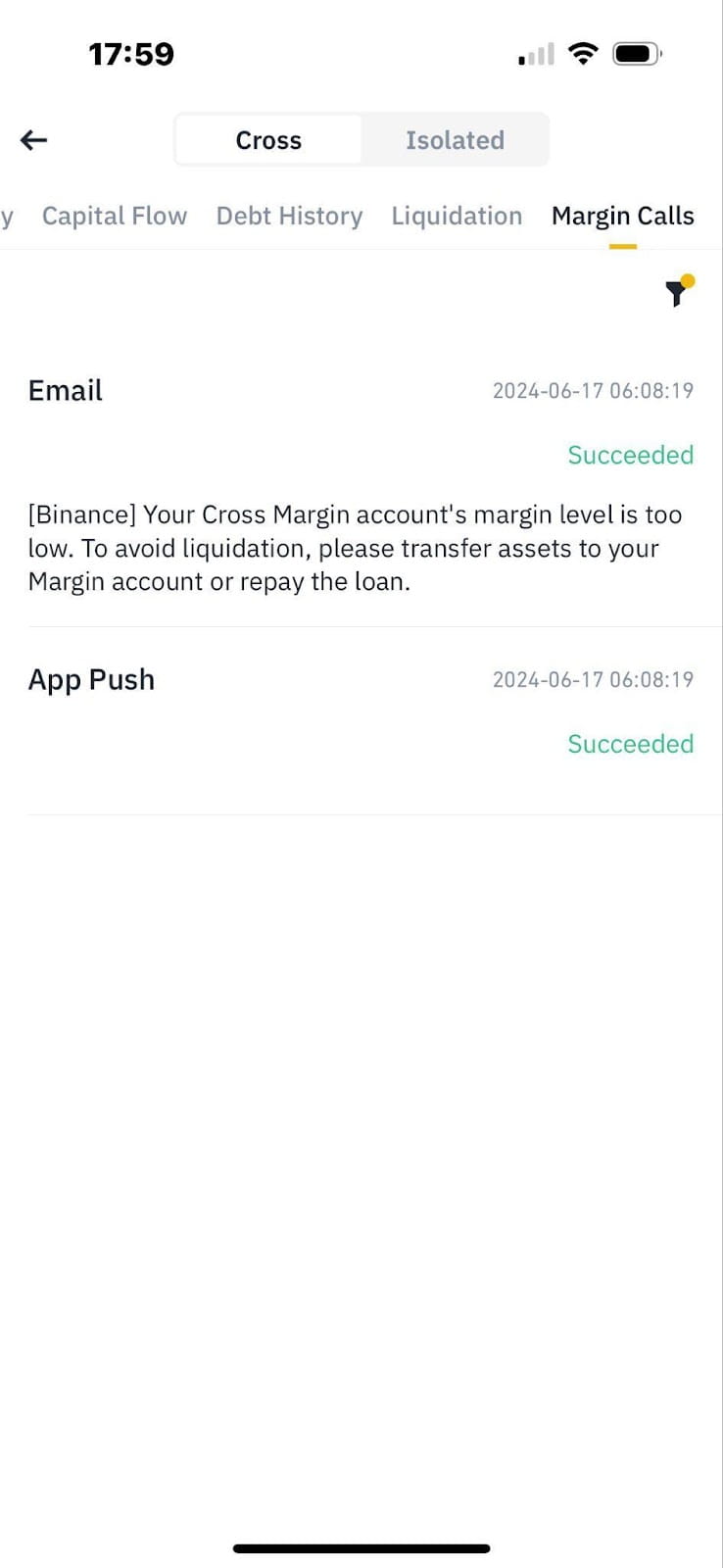
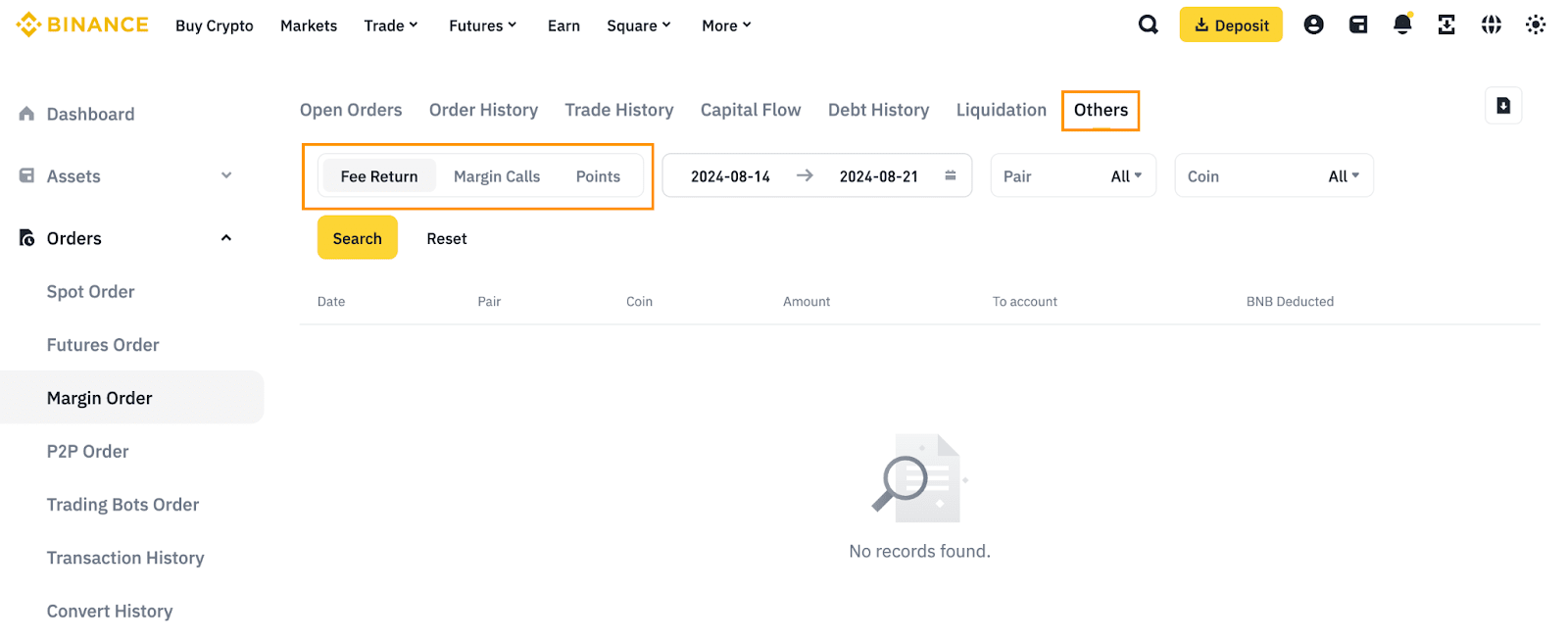
You can track your fee return and margin call history here.
For instructions for using the Binance app, click to view the “App” tab on this page.