
#biyapay
biyapay
Просмотров: 640,666
3,498 обсуждают
Популярные
Новые

·
--
Проверено
Статья
What Do You Actually Hold: the US Stock, or the Equity Perpetual?Disclosure: It is not financial advice
A familiar ticker can appear in more than one product. That does not mean you are holding the same thing.
On BiyaPay, you can buy a US stock, and you can also trade an equity perpetual contract that tracks that stock's price. The screen may look related. The holding is not.
I would separate those products before deciding which one matches the intention. This is not a recommendation to use either one. It is a reading of what official pages actually say you hold, and what they do not say.
What official language says about the share
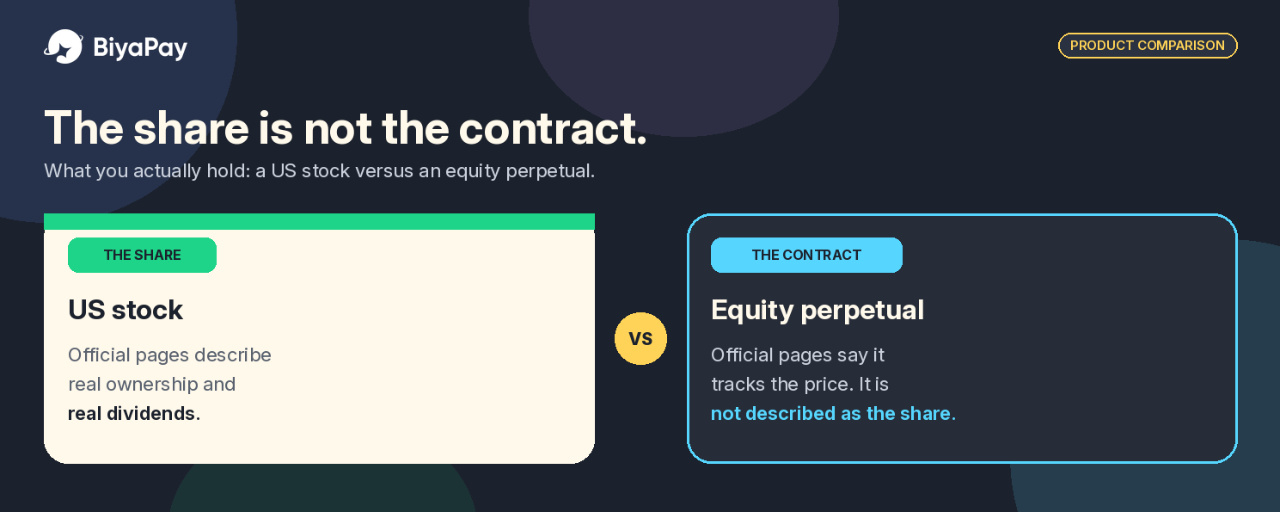
Official product language on BiyaPay describes US and Hong Kong stock trading as real stocks, with real ownership and real dividends, plus 0 commission, instant settlement, and fast fills.
I read that as a description of the stock product, not of every product that happens to show a similar name. A share is presented as ownership of the equity. A contract that tracks the price is not described in those terms.
On dividends, the Help Center is more specific. Purchased US and Hong Kong stocks may receive dividends. Whether a dividend is paid depends on whether the company pays one and whether you meet that company's conditions.
If you hold the stock on the ex-dividend date, dividends are usually paid within 1 to 30 working days after that date, with the timing and amount set by the company's policy and announcement.
I did not find a separate official page that explains how voting is exercised on BiyaPay. Official language does confirm ownership and dividends for the stock product. I would not invent a voting process that the pages do not describe.
The Help Center also says BiyaPay can currently trade all US stocks, including ETFs. The smallest whole-number unit is 1 share, and some stocks support fractional share trading.
What official language says about the equity perpetual
In official listing announcements, BiyaPay describes these contracts in the same pattern: they track the price of the underlying common stock. NVDAUSDT tracks Nvidia (Nasdaq: NVDA). GOOGLUSDT tracks Alphabet (Nasdaq: GOOGL). METAUSDT tracks Meta Platforms (Nasdaq: META).
Later listings use the same wording for other US-listed names, including Netflix, Costco, and Adobe.
That is price tracking. It is not the same as the "real ownership" and "real dividends" language used for the stock product.
I did not find an official statement that a perpetual holder receives the cash dividend of the underlying share, or that the contract carries shareholder rights. If a page does not say it, I would not assume it.
Official risk language on those announcements is blunt. Prices can be volatile, you may lose the amount you put in, and in contract trading, adverse moves can liquidate all of your margin balance.
The stock has defined sessions. The contract's hours are less clearly stated
US stock trading is not an always-open share market. The Help Center says BiyaPay currently supports night trading, pre-market, intraday, and after-hours sessions, and it publishes those windows in Eastern Time:
Night trading: 20:00 to 04:00Pre-market trading: 04:00 to 09:30Intraday trading: 09:30 to 16:00After-hours trading: 16:00 to 20:00
The same page also maps those sessions to Beijing time for daylight saving and standard time. Periods other than intraday trading are called extended trading hours. I would still verify the session on the order ticket, especially around holidays or early closes.
For equity perpetual contracts, I did not find a dedicated official trading-hours page. A separate Help Center article says cryptocurrency contracts can be traded 24 hours a day, but that article is titled for cryptocurrency contracts, not for TradFi equity pairs.
I would not copy that 24-hour statement onto NVDAUSDT or GOOGLUSDT without a page that says so. The practical step is to check the hours, if any, on the contract page itself.
Perpetual contracts are officially described as having no expiration or delivery date. That is about tenor, not a substitute for a trading-hours schedule.
Fees: zero commission and zero trading fees are not the same thing
For US stocks, official materials say the commission item is US$0. That does not mean every cost is zero.
An official fee explanation that cites the Biya Fee Schedule says the platform fee is US$0.005 per share, with a minimum of US$0.99 per order and a maximum of 1 percent of the transaction value. External institution fees, trading activity fees, CAT fees, settlement-related fees, and sell-order charges may also apply.
Fractional orders of less than 1 whole share follow a separate rule: a 1 percent platform fee on transaction value, capped at US$1, with no commission or third-party fees. I would read the fee schedule and the order preview before sending a stock order, especially on a smaller ticket, where the minimum fee is a larger share of the cost.
For TradFi perpetual contracts, BiyaPay announced a 0 Trading Fee Program. During the campaign, maker and taker trading fees on all TradFi perpetual pairs are 0 percent.
The campaign is described as effective immediately and valid long-term, but it applies only to those trading fees. Funding fees and other applicable charges remain subject to the platform's existing rules, and BiyaPay reserves the right to modify, adjust, suspend, or terminate the campaign.
I would not treat 0 percent trading fees as zero cost. Funding is a separate charge. Official contract help describes a funding rate as a fee periodically exchanged between long and short holders, used to keep a perpetual closer to the underlying price.
The TradFi announcement confirms that funding still follows existing rules, but I did not find a TradFi-specific official interval for pairs such as NVDAUSDT or GOOGLUSDT. I would check the funding rate and settlement time on the contract page rather than assume a number.
Leverage and liquidation belong with the contract
A cash purchase of the share and a leveraged contract are different risk shapes.
On the equity perpetual, official listing language already says that in an adverse move, all of your margin balance may be liquidated. That is the point I would not soften. Leverage can make a price swing larger in both directions.
Official contract help says maximum leverage varies by contract and should be checked on the trading page. I did not find an official maximum leverage figure specifically for TradFi equity pairs, so I will not invent one or apply crypto examples such as 100x to these contracts.
There is also a separate stock-margin product that should not be mixed in by accident. The Help Center says a BiyaPay stock account can support underlying stocks and margin trading, and that financing and short selling support up to 4x leverage.
Forced liquidation on the stock side is described for leveraged trading when remaining liquidity is 0, or 0 percent. A cash holding of the share is not the same as a margin stock position, and neither is the same as an equity perpetual.
How I would match the product to the intention
If the intention is to own the company, I would use the stock product and accept its sessions, settlement language, and the fee lines that still apply after 0 commission. That is the product official pages describe with ownership and dividends.
If the intention is to trade the price, with no claim to the share itself, the equity perpetual is the product official pages describe as tracking that price. I would then treat funding, leverage, and liquidation as part of the design, not as fine print to reread later.
I would not hold the contract as a stand-in for the share just because the ticker looks familiar.
A calmer way to choose
The useful split is simple. Official language about real stocks, ownership, and dividends belongs to the share. Official language about tracking the price, trading fees, funding, and margin liquidation belongs to the equity perpetual.
If those columns are kept apart, the choice gets clearer. If they are collapsed into one ticker, it is easy to expect shareholder treatment from a contract, or contract-style access from a share.
This is not a recommendation to buy, sell, or hold any stock or any perpetual contract, and it is not financial advice. Official product descriptions, fees, hours, and risk rules can change. I would re-read the latest product pages, fee schedule, and risk language before acting.
#BiyaPay #USStocks #Perpetuals #TradFi
What Do You Actually Hold: the US Stock, or the Equity Perpetual?
Disclosure: It is not financial advice
A familiar ticker can appear in more than one product. That does not mean you are holding the same thing.
On BiyaPay, you can buy a US stock, and you can also trade an equity perpetual contract that tracks that stock's price. The screen may look related. The holding is not.
I would separate those products before deciding which one matches the intention. This is not a recommendation to use either one. It is a reading of what official pages actually say you hold, and what they do not say.
What official language says about the share
Official product language on BiyaPay describes US and Hong Kong stock trading as real stocks, with real ownership and real dividends, plus 0 commission, instant settlement, and fast fills.
I read that as a description of the stock product, not of every product that happens to show a similar name. A share is presented as ownership of the equity. A contract that tracks the price is not described in those terms.
On dividends, the Help Center is more specific. Purchased US and Hong Kong stocks may receive dividends. Whether a dividend is paid depends on whether the company pays one and whether you meet that company's conditions.
If you hold the stock on the ex-dividend date, dividends are usually paid within 1 to 30 working days after that date, with the timing and amount set by the company's policy and announcement.
I did not find a separate official page that explains how voting is exercised on BiyaPay. Official language does confirm ownership and dividends for the stock product. I would not invent a voting process that the pages do not describe.
The Help Center also says BiyaPay can currently trade all US stocks, including ETFs. The smallest whole-number unit is 1 share, and some stocks support fractional share trading.
What official language says about the equity perpetual
In official listing announcements, BiyaPay describes these contracts in the same pattern: they track the price of the underlying common stock. NVDAUSDT tracks Nvidia (Nasdaq: NVDA). GOOGLUSDT tracks Alphabet (Nasdaq: GOOGL). METAUSDT tracks Meta Platforms (Nasdaq: META).
Later listings use the same wording for other US-listed names, including Netflix, Costco, and Adobe.
That is price tracking. It is not the same as the "real ownership" and "real dividends" language used for the stock product.
I did not find an official statement that a perpetual holder receives the cash dividend of the underlying share, or that the contract carries shareholder rights. If a page does not say it, I would not assume it.
Official risk language on those announcements is blunt. Prices can be volatile, you may lose the amount you put in, and in contract trading, adverse moves can liquidate all of your margin balance.
The stock has defined sessions. The contract's hours are less clearly stated
US stock trading is not an always-open share market. The Help Center says BiyaPay currently supports night trading, pre-market, intraday, and after-hours sessions, and it publishes those windows in Eastern Time:
Night trading: 20:00 to 04:00Pre-market trading: 04:00 to 09:30Intraday trading: 09:30 to 16:00After-hours trading: 16:00 to 20:00
The same page also maps those sessions to Beijing time for daylight saving and standard time. Periods other than intraday trading are called extended trading hours. I would still verify the session on the order ticket, especially around holidays or early closes.
For equity perpetual contracts, I did not find a dedicated official trading-hours page. A separate Help Center article says cryptocurrency contracts can be traded 24 hours a day, but that article is titled for cryptocurrency contracts, not for TradFi equity pairs.
I would not copy that 24-hour statement onto NVDAUSDT or GOOGLUSDT without a page that says so. The practical step is to check the hours, if any, on the contract page itself.
Perpetual contracts are officially described as having no expiration or delivery date. That is about tenor, not a substitute for a trading-hours schedule.
Fees: zero commission and zero trading fees are not the same thing
For US stocks, official materials say the commission item is US$0. That does not mean every cost is zero.
An official fee explanation that cites the Biya Fee Schedule says the platform fee is US$0.005 per share, with a minimum of US$0.99 per order and a maximum of 1 percent of the transaction value. External institution fees, trading activity fees, CAT fees, settlement-related fees, and sell-order charges may also apply.
Fractional orders of less than 1 whole share follow a separate rule: a 1 percent platform fee on transaction value, capped at US$1, with no commission or third-party fees. I would read the fee schedule and the order preview before sending a stock order, especially on a smaller ticket, where the minimum fee is a larger share of the cost.
For TradFi perpetual contracts, BiyaPay announced a 0 Trading Fee Program. During the campaign, maker and taker trading fees on all TradFi perpetual pairs are 0 percent.
The campaign is described as effective immediately and valid long-term, but it applies only to those trading fees. Funding fees and other applicable charges remain subject to the platform's existing rules, and BiyaPay reserves the right to modify, adjust, suspend, or terminate the campaign.
I would not treat 0 percent trading fees as zero cost. Funding is a separate charge. Official contract help describes a funding rate as a fee periodically exchanged between long and short holders, used to keep a perpetual closer to the underlying price.
The TradFi announcement confirms that funding still follows existing rules, but I did not find a TradFi-specific official interval for pairs such as NVDAUSDT or GOOGLUSDT. I would check the funding rate and settlement time on the contract page rather than assume a number.
Leverage and liquidation belong with the contract
A cash purchase of the share and a leveraged contract are different risk shapes.
On the equity perpetual, official listing language already says that in an adverse move, all of your margin balance may be liquidated. That is the point I would not soften. Leverage can make a price swing larger in both directions.
Official contract help says maximum leverage varies by contract and should be checked on the trading page. I did not find an official maximum leverage figure specifically for TradFi equity pairs, so I will not invent one or apply crypto examples such as 100x to these contracts.
There is also a separate stock-margin product that should not be mixed in by accident. The Help Center says a BiyaPay stock account can support underlying stocks and margin trading, and that financing and short selling support up to 4x leverage.
Forced liquidation on the stock side is described for leveraged trading when remaining liquidity is 0, or 0 percent. A cash holding of the share is not the same as a margin stock position, and neither is the same as an equity perpetual.
How I would match the product to the intention
If the intention is to own the company, I would use the stock product and accept its sessions, settlement language, and the fee lines that still apply after 0 commission. That is the product official pages describe with ownership and dividends.
If the intention is to trade the price, with no claim to the share itself, the equity perpetual is the product official pages describe as tracking that price. I would then treat funding, leverage, and liquidation as part of the design, not as fine print to reread later.
I would not hold the contract as a stand-in for the share just because the ticker looks familiar.
A calmer way to choose
The useful split is simple. Official language about real stocks, ownership, and dividends belongs to the share. Official language about tracking the price, trading fees, funding, and margin liquidation belongs to the equity perpetual.
If those columns are kept apart, the choice gets clearer. If they are collapsed into one ticker, it is easy to expect shareholder treatment from a contract, or contract-style access from a share.
This is not a recommendation to buy, sell, or hold any stock or any perpetual contract, and it is not financial advice. Official product descriptions, fees, hours, and risk rules can change. I would re-read the latest product pages, fee schedule, and risk language before acting.
#BiyaPay #USStocks #Perpetuals #TradFi
A familiar ticker can appear in more than one product. That does not mean you are holding the same thing.
On BiyaPay, you can buy a US stock, and you can also trade an equity perpetual contract that tracks that stock's price. The screen may look related. The holding is not.
I would separate those products before deciding which one matches the intention. This is not a recommendation to use either one. It is a reading of what official pages actually say you hold, and what they do not say.
What official language says about the share
Official product language on BiyaPay describes US and Hong Kong stock trading as real stocks, with real ownership and real dividends, plus 0 commission, instant settlement, and fast fills.
I read that as a description of the stock product, not of every product that happens to show a similar name. A share is presented as ownership of the equity. A contract that tracks the price is not described in those terms.
On dividends, the Help Center is more specific. Purchased US and Hong Kong stocks may receive dividends. Whether a dividend is paid depends on whether the company pays one and whether you meet that company's conditions.
If you hold the stock on the ex-dividend date, dividends are usually paid within 1 to 30 working days after that date, with the timing and amount set by the company's policy and announcement.
I did not find a separate official page that explains how voting is exercised on BiyaPay. Official language does confirm ownership and dividends for the stock product. I would not invent a voting process that the pages do not describe.
The Help Center also says BiyaPay can currently trade all US stocks, including ETFs. The smallest whole-number unit is 1 share, and some stocks support fractional share trading.
What official language says about the equity perpetual
In official listing announcements, BiyaPay describes these contracts in the same pattern: they track the price of the underlying common stock. NVDAUSDT tracks Nvidia (Nasdaq: NVDA). GOOGLUSDT tracks Alphabet (Nasdaq: GOOGL). METAUSDT tracks Meta Platforms (Nasdaq: META).
Later listings use the same wording for other US-listed names, including Netflix, Costco, and Adobe.
That is price tracking. It is not the same as the "real ownership" and "real dividends" language used for the stock product.
I did not find an official statement that a perpetual holder receives the cash dividend of the underlying share, or that the contract carries shareholder rights. If a page does not say it, I would not assume it.
Official risk language on those announcements is blunt. Prices can be volatile, you may lose the amount you put in, and in contract trading, adverse moves can liquidate all of your margin balance.
The stock has defined sessions. The contract's hours are less clearly stated
US stock trading is not an always-open share market. The Help Center says BiyaPay currently supports night trading, pre-market, intraday, and after-hours sessions, and it publishes those windows in Eastern Time:
Night trading: 20:00 to 04:00Pre-market trading: 04:00 to 09:30Intraday trading: 09:30 to 16:00After-hours trading: 16:00 to 20:00
The same page also maps those sessions to Beijing time for daylight saving and standard time. Periods other than intraday trading are called extended trading hours. I would still verify the session on the order ticket, especially around holidays or early closes.
For equity perpetual contracts, I did not find a dedicated official trading-hours page. A separate Help Center article says cryptocurrency contracts can be traded 24 hours a day, but that article is titled for cryptocurrency contracts, not for TradFi equity pairs.
I would not copy that 24-hour statement onto NVDAUSDT or GOOGLUSDT without a page that says so. The practical step is to check the hours, if any, on the contract page itself.
Perpetual contracts are officially described as having no expiration or delivery date. That is about tenor, not a substitute for a trading-hours schedule.
Fees: zero commission and zero trading fees are not the same thing
For US stocks, official materials say the commission item is US$0. That does not mean every cost is zero.
An official fee explanation that cites the Biya Fee Schedule says the platform fee is US$0.005 per share, with a minimum of US$0.99 per order and a maximum of 1 percent of the transaction value. External institution fees, trading activity fees, CAT fees, settlement-related fees, and sell-order charges may also apply.
Fractional orders of less than 1 whole share follow a separate rule: a 1 percent platform fee on transaction value, capped at US$1, with no commission or third-party fees. I would read the fee schedule and the order preview before sending a stock order, especially on a smaller ticket, where the minimum fee is a larger share of the cost.
For TradFi perpetual contracts, BiyaPay announced a 0 Trading Fee Program. During the campaign, maker and taker trading fees on all TradFi perpetual pairs are 0 percent.
The campaign is described as effective immediately and valid long-term, but it applies only to those trading fees. Funding fees and other applicable charges remain subject to the platform's existing rules, and BiyaPay reserves the right to modify, adjust, suspend, or terminate the campaign.
I would not treat 0 percent trading fees as zero cost. Funding is a separate charge. Official contract help describes a funding rate as a fee periodically exchanged between long and short holders, used to keep a perpetual closer to the underlying price.
The TradFi announcement confirms that funding still follows existing rules, but I did not find a TradFi-specific official interval for pairs such as NVDAUSDT or GOOGLUSDT. I would check the funding rate and settlement time on the contract page rather than assume a number.
Leverage and liquidation belong with the contract
A cash purchase of the share and a leveraged contract are different risk shapes.
On the equity perpetual, official listing language already says that in an adverse move, all of your margin balance may be liquidated. That is the point I would not soften. Leverage can make a price swing larger in both directions.
Official contract help says maximum leverage varies by contract and should be checked on the trading page. I did not find an official maximum leverage figure specifically for TradFi equity pairs, so I will not invent one or apply crypto examples such as 100x to these contracts.
There is also a separate stock-margin product that should not be mixed in by accident. The Help Center says a BiyaPay stock account can support underlying stocks and margin trading, and that financing and short selling support up to 4x leverage.
Forced liquidation on the stock side is described for leveraged trading when remaining liquidity is 0, or 0 percent. A cash holding of the share is not the same as a margin stock position, and neither is the same as an equity perpetual.
How I would match the product to the intention
If the intention is to own the company, I would use the stock product and accept its sessions, settlement language, and the fee lines that still apply after 0 commission. That is the product official pages describe with ownership and dividends.
If the intention is to trade the price, with no claim to the share itself, the equity perpetual is the product official pages describe as tracking that price. I would then treat funding, leverage, and liquidation as part of the design, not as fine print to reread later.
I would not hold the contract as a stand-in for the share just because the ticker looks familiar.
A calmer way to choose
The useful split is simple. Official language about real stocks, ownership, and dividends belongs to the share. Official language about tracking the price, trading fees, funding, and margin liquidation belongs to the equity perpetual.
If those columns are kept apart, the choice gets clearer. If they are collapsed into one ticker, it is easy to expect shareholder treatment from a contract, or contract-style access from a share.
This is not a recommendation to buy, sell, or hold any stock or any perpetual contract, and it is not financial advice. Official product descriptions, fees, hours, and risk rules can change. I would re-read the latest product pages, fee schedule, and risk language before acting.
#BiyaPay #USStocks #Perpetuals #TradFi
1
992
·
--
Статья
BiyaPay Speed Card Fee and Top-Up Checklist: Limits, Issuance Cost and Freeze RulesDisclosure: It is not financial advice
A virtual card is useful only if you know what it costs before you open it and what can freeze it after you start spending. In my opinion, that order matters more than listing every merchant the card can pay. So today I want to write a practical checklist for BiyaPay Speed Card, based only on what the official BiyaPay Help Center publishes: fees, top-up limits, how to open and top up, how to pull funds back, and the freeze rules that are easy to miss.
This is not a recommendation to open a card. It is a plan for reading the numbers first.
What Speed Card is, in plain terms
According to the Help Center, BiyaPay Speed Card is a virtual payment card for global payments. It supports binding to mainstream payment platforms such as Alipay and WeChat Pay, covers more than 190 countries and regions with restricted use in mainland China, and supports more than 40 local currencies. The Help Center lists use cases that range from daily consumption and online subscriptions to game payments and professional tools.
My takeaway from that page is simple: treat it as a spending card with a defined fee structure, not as a free add-on. The rest of this article focuses on that fee structure and the operating rules around it.
Know the fee stack before you apply
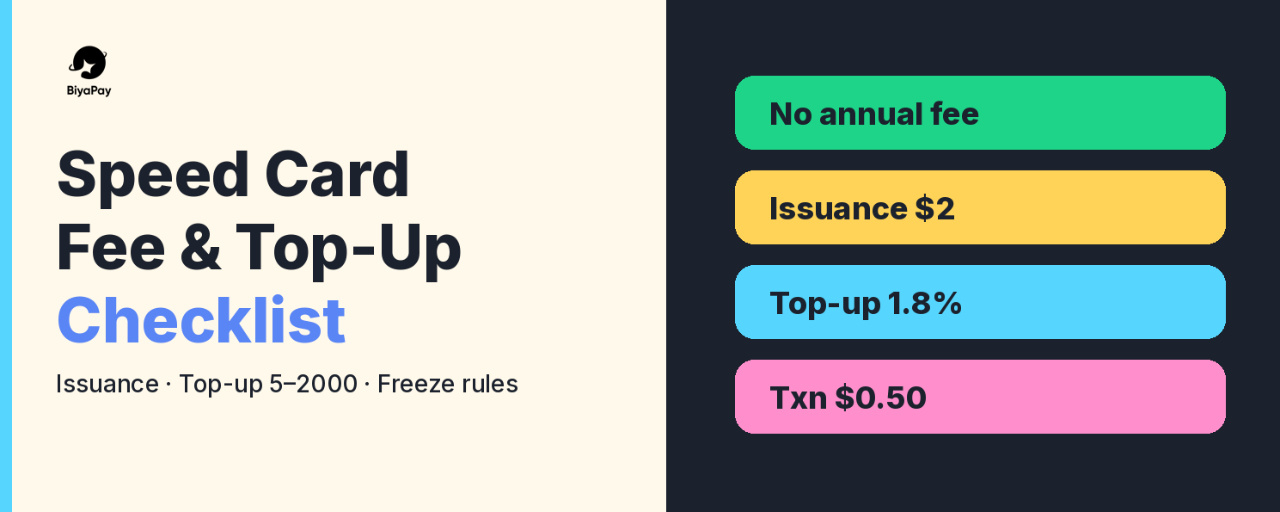
The Help Center states that Speed Card is a spending card with no annual fee. The fee structure it lists is:
Currency: USD.Top-up fee rate: 1.8%.Card issuance fee: 2 USD per transaction.Refund fee: 2%.Single transaction fee: 0.5 USD per transaction.
In my view, the useful way to read this list is to separate one-time costs from recurring ones. Issuance is a one-time 2 USD charge when you open the card. Top-up at 1.8% applies whenever you move balance onto the card. The 0.5 USD single transaction fee and the 2% refund fee sit on the spending side. None of these replace checking the fee page again on the day you apply, because published fees can be updated.
Check the top-up range on the day you fund
Both the open-card guide and the top-up guide repeat the same amount window, and both say the amount shown on the top-up page is what counts:
Minimum single top-up amount: 5 USD.Maximum single top-up amount: 2000 USD.
The Help Center also warns that top-ups outside that range cannot be completed. My plan is to decide the top-up amount only after I open the top-up page, so I am looking at the live range, not a number I remember from an older article.
How opening the card works on App and Web
On the App, the Help Center flow is:
Assets, then Speed Card, then Apply Now, then Confirm on the apply page.Select the card segment you need, then Next.Review the prompts under the card segment carefully.Fill in name and remarks as prompted, then Next.Enter the top-up amount, select the payment currency, then Confirm. The card is issued after that.
On the Web, the flow is similar: Speed Card at the top of the page, Apply Now, Confirm, select the card segment, Open Card, fill name and remarks, then enter top-up amount and Confirm.
The detail I would not skip is the prompt under the card segment. The Help Center specifically says to review those prompts carefully when applying. That is where card-specific conditions are shown, so reading them before Confirm is part of the checklist, not an optional extra.
Top up later the same way you funded at open
After the card exists, topping up on the App is: Assets, Speed Card, Top Up, enter amount, select payment currency, Confirm. On the Web: open the card, Top Up, enter amount, select currency, Confirm. Same 5 to 2000 USD single top-up window applies, subject to the page.
My rule of thumb: top up for a near-term spend, not a large idle balance, because unused balance on a card you later cancel still needs to be withdrawn first.
Withdraw before you cancel
Funds on Speed Card can be moved back to the BiyaPay funding account. On the App: Assets, Speed Card, Withdraw, enter amount, select receiving currency, Confirm. On the Web: open the card, Withdraw, enter amount, select receiving currency, Confirm.
Cancellation is permanent. The Help Center says that once cancelled, the card cannot be reactivated, and you should withdraw the balance before cancelling. That is why withdraw sits before cancel on my checklist. Cancel without withdrawing first is the kind of mistake that is boring and expensive for no good reason.
Read the freeze and risk rules before the first spend
Two freeze types are described in the Help Center:
Self-freeze: you freeze the card yourself for security or temporary deactivation. You can unfreeze it yourself from the card page, with no additional fee described for a normal self-unfreeze.Card organization freeze: the card network freezes the card after violating operations or risk-control triggers. In that case you cannot unfreeze it yourself, and the card may be temporarily or permanently invalid. Example reasons listed include high-frequency failed transactions, malicious refunds, and illegal uses.
The precautions page goes further. Prohibited behaviors include malicious refunds, chargebacks, exploiting loopholes, and verification without consumption. Those can lead to card freezing, balance deduction, and possible account suspension. Illegal uses such as money laundering, pornography, or gambling are prohibited and can lead to card cancellation and legal liability.
Risk-control numbers that stand out to me:
If transaction failures exceed 15% within 30 days, the card will be frozen.If transaction failures or verification rates exceed 30%, risk control is triggered and the card will be frozen.Each unfreezing under those risk-control conditions requires payment of 1 USD handling fee plus 0.2 USD per transaction penalty.
Operation notes from the same page:
Consecutive CVV or expiry input errors can cause transaction failure and trigger freezing, so verify card details before submitting.After you subscribe to a recurring service, keep enough balance for the next renewal so a failed payment does not raise the failure rate.High payment failure rates, malicious operations, or high-frequency verification transactions may lead to account restrictions.
My personal plan is to treat failed authorizations as something to avoid, not something to retry in a loop. If a merchant declines once, I stop and check balance, CVV, and expiry before trying again.
A short checklist I would follow
Read the fee stack: no annual fee, 2 USD issuance, 1.8% top-up, 0.5 USD per transaction, 2% refund fee.Confirm the live top-up window on the page, currently described as 5 to 2000 USD per top-up.Review the card-segment prompts during apply, then open with a first top-up you actually plan to spend.Prefer topping up for near-term use rather than parking a large balance on the card.Keep failure rates low: check CVV and expiry, keep renewal balance ready, do not spam authorizations.If you need to stop using the card, withdraw to the funding account first, then cancel, knowing cancel cannot be undone.Know the difference between a self-freeze you can reverse and a card-organization freeze you cannot.
None of this is exciting, and that is the point. In my opinion, a virtual card works best when the fee math and the freeze rules are clear before the first payment, not after something goes wrong.
Source: BiyaPay Help Center, Biya EasyCard / Speed Card section, checked on November 10, 2026. Fees, limits, and rules can change, so always confirm in the app or on the official Help Center before you apply or top up.
#BiyaPay #EasyCard #SpeedCard #VirtualCard
BiyaPay Speed Card Fee and Top-Up Checklist: Limits, Issuance Cost and Freeze Rules
Disclosure: It is not financial advice
A virtual card is useful only if you know what it costs before you open it and what can freeze it after you start spending. In my opinion, that order matters more than listing every merchant the card can pay. So today I want to write a practical checklist for BiyaPay Speed Card, based only on what the official BiyaPay Help Center publishes: fees, top-up limits, how to open and top up, how to pull funds back, and the freeze rules that are easy to miss.
This is not a recommendation to open a card. It is a plan for reading the numbers first.
What Speed Card is, in plain terms
According to the Help Center, BiyaPay Speed Card is a virtual payment card for global payments. It supports binding to mainstream payment platforms such as Alipay and WeChat Pay, covers more than 190 countries and regions with restricted use in mainland China, and supports more than 40 local currencies. The Help Center lists use cases that range from daily consumption and online subscriptions to game payments and professional tools.
My takeaway from that page is simple: treat it as a spending card with a defined fee structure, not as a free add-on. The rest of this article focuses on that fee structure and the operating rules around it.
Know the fee stack before you apply
The Help Center states that Speed Card is a spending card with no annual fee. The fee structure it lists is:
Currency: USD.Top-up fee rate: 1.8%.Card issuance fee: 2 USD per transaction.Refund fee: 2%.Single transaction fee: 0.5 USD per transaction.
In my view, the useful way to read this list is to separate one-time costs from recurring ones. Issuance is a one-time 2 USD charge when you open the card. Top-up at 1.8% applies whenever you move balance onto the card. The 0.5 USD single transaction fee and the 2% refund fee sit on the spending side. None of these replace checking the fee page again on the day you apply, because published fees can be updated.
Check the top-up range on the day you fund
Both the open-card guide and the top-up guide repeat the same amount window, and both say the amount shown on the top-up page is what counts:
Minimum single top-up amount: 5 USD.Maximum single top-up amount: 2000 USD.
The Help Center also warns that top-ups outside that range cannot be completed. My plan is to decide the top-up amount only after I open the top-up page, so I am looking at the live range, not a number I remember from an older article.
How opening the card works on App and Web
On the App, the Help Center flow is:
Assets, then Speed Card, then Apply Now, then Confirm on the apply page.Select the card segment you need, then Next.Review the prompts under the card segment carefully.Fill in name and remarks as prompted, then Next.Enter the top-up amount, select the payment currency, then Confirm. The card is issued after that.
On the Web, the flow is similar: Speed Card at the top of the page, Apply Now, Confirm, select the card segment, Open Card, fill name and remarks, then enter top-up amount and Confirm.
The detail I would not skip is the prompt under the card segment. The Help Center specifically says to review those prompts carefully when applying. That is where card-specific conditions are shown, so reading them before Confirm is part of the checklist, not an optional extra.
Top up later the same way you funded at open
After the card exists, topping up on the App is: Assets, Speed Card, Top Up, enter amount, select payment currency, Confirm. On the Web: open the card, Top Up, enter amount, select currency, Confirm. Same 5 to 2000 USD single top-up window applies, subject to the page.
My rule of thumb: top up for a near-term spend, not a large idle balance, because unused balance on a card you later cancel still needs to be withdrawn first.
Withdraw before you cancel
Funds on Speed Card can be moved back to the BiyaPay funding account. On the App: Assets, Speed Card, Withdraw, enter amount, select receiving currency, Confirm. On the Web: open the card, Withdraw, enter amount, select receiving currency, Confirm.
Cancellation is permanent. The Help Center says that once cancelled, the card cannot be reactivated, and you should withdraw the balance before cancelling. That is why withdraw sits before cancel on my checklist. Cancel without withdrawing first is the kind of mistake that is boring and expensive for no good reason.
Read the freeze and risk rules before the first spend
Two freeze types are described in the Help Center:
Self-freeze: you freeze the card yourself for security or temporary deactivation. You can unfreeze it yourself from the card page, with no additional fee described for a normal self-unfreeze.Card organization freeze: the card network freezes the card after violating operations or risk-control triggers. In that case you cannot unfreeze it yourself, and the card may be temporarily or permanently invalid. Example reasons listed include high-frequency failed transactions, malicious refunds, and illegal uses.
The precautions page goes further. Prohibited behaviors include malicious refunds, chargebacks, exploiting loopholes, and verification without consumption. Those can lead to card freezing, balance deduction, and possible account suspension. Illegal uses such as money laundering, pornography, or gambling are prohibited and can lead to card cancellation and legal liability.
Risk-control numbers that stand out to me:
If transaction failures exceed 15% within 30 days, the card will be frozen.If transaction failures or verification rates exceed 30%, risk control is triggered and the card will be frozen.Each unfreezing under those risk-control conditions requires payment of 1 USD handling fee plus 0.2 USD per transaction penalty.
Operation notes from the same page:
Consecutive CVV or expiry input errors can cause transaction failure and trigger freezing, so verify card details before submitting.After you subscribe to a recurring service, keep enough balance for the next renewal so a failed payment does not raise the failure rate.High payment failure rates, malicious operations, or high-frequency verification transactions may lead to account restrictions.
My personal plan is to treat failed authorizations as something to avoid, not something to retry in a loop. If a merchant declines once, I stop and check balance, CVV, and expiry before trying again.
A short checklist I would follow
Read the fee stack: no annual fee, 2 USD issuance, 1.8% top-up, 0.5 USD per transaction, 2% refund fee.Confirm the live top-up window on the page, currently described as 5 to 2000 USD per top-up.Review the card-segment prompts during apply, then open with a first top-up you actually plan to spend.Prefer topping up for near-term use rather than parking a large balance on the card.Keep failure rates low: check CVV and expiry, keep renewal balance ready, do not spam authorizations.If you need to stop using the card, withdraw to the funding account first, then cancel, knowing cancel cannot be undone.Know the difference between a self-freeze you can reverse and a card-organization freeze you cannot.
None of this is exciting, and that is the point. In my opinion, a virtual card works best when the fee math and the freeze rules are clear before the first payment, not after something goes wrong.
Source: BiyaPay Help Center, Biya EasyCard / Speed Card section, checked on November 10, 2026. Fees, limits, and rules can change, so always confirm in the app or on the official Help Center before you apply or top up.
#BiyaPay #EasyCard #SpeedCard #VirtualCard
A virtual card is useful only if you know what it costs before you open it and what can freeze it after you start spending. In my opinion, that order matters more than listing every merchant the card can pay. So today I want to write a practical checklist for BiyaPay Speed Card, based only on what the official BiyaPay Help Center publishes: fees, top-up limits, how to open and top up, how to pull funds back, and the freeze rules that are easy to miss.
This is not a recommendation to open a card. It is a plan for reading the numbers first.
What Speed Card is, in plain terms
According to the Help Center, BiyaPay Speed Card is a virtual payment card for global payments. It supports binding to mainstream payment platforms such as Alipay and WeChat Pay, covers more than 190 countries and regions with restricted use in mainland China, and supports more than 40 local currencies. The Help Center lists use cases that range from daily consumption and online subscriptions to game payments and professional tools.
My takeaway from that page is simple: treat it as a spending card with a defined fee structure, not as a free add-on. The rest of this article focuses on that fee structure and the operating rules around it.
Know the fee stack before you apply
The Help Center states that Speed Card is a spending card with no annual fee. The fee structure it lists is:
Currency: USD.Top-up fee rate: 1.8%.Card issuance fee: 2 USD per transaction.Refund fee: 2%.Single transaction fee: 0.5 USD per transaction.
In my view, the useful way to read this list is to separate one-time costs from recurring ones. Issuance is a one-time 2 USD charge when you open the card. Top-up at 1.8% applies whenever you move balance onto the card. The 0.5 USD single transaction fee and the 2% refund fee sit on the spending side. None of these replace checking the fee page again on the day you apply, because published fees can be updated.
Check the top-up range on the day you fund
Both the open-card guide and the top-up guide repeat the same amount window, and both say the amount shown on the top-up page is what counts:
Minimum single top-up amount: 5 USD.Maximum single top-up amount: 2000 USD.
The Help Center also warns that top-ups outside that range cannot be completed. My plan is to decide the top-up amount only after I open the top-up page, so I am looking at the live range, not a number I remember from an older article.
How opening the card works on App and Web
On the App, the Help Center flow is:
Assets, then Speed Card, then Apply Now, then Confirm on the apply page.Select the card segment you need, then Next.Review the prompts under the card segment carefully.Fill in name and remarks as prompted, then Next.Enter the top-up amount, select the payment currency, then Confirm. The card is issued after that.
On the Web, the flow is similar: Speed Card at the top of the page, Apply Now, Confirm, select the card segment, Open Card, fill name and remarks, then enter top-up amount and Confirm.
The detail I would not skip is the prompt under the card segment. The Help Center specifically says to review those prompts carefully when applying. That is where card-specific conditions are shown, so reading them before Confirm is part of the checklist, not an optional extra.
Top up later the same way you funded at open
After the card exists, topping up on the App is: Assets, Speed Card, Top Up, enter amount, select payment currency, Confirm. On the Web: open the card, Top Up, enter amount, select currency, Confirm. Same 5 to 2000 USD single top-up window applies, subject to the page.
My rule of thumb: top up for a near-term spend, not a large idle balance, because unused balance on a card you later cancel still needs to be withdrawn first.
Withdraw before you cancel
Funds on Speed Card can be moved back to the BiyaPay funding account. On the App: Assets, Speed Card, Withdraw, enter amount, select receiving currency, Confirm. On the Web: open the card, Withdraw, enter amount, select receiving currency, Confirm.
Cancellation is permanent. The Help Center says that once cancelled, the card cannot be reactivated, and you should withdraw the balance before cancelling. That is why withdraw sits before cancel on my checklist. Cancel without withdrawing first is the kind of mistake that is boring and expensive for no good reason.
Read the freeze and risk rules before the first spend
Two freeze types are described in the Help Center:
Self-freeze: you freeze the card yourself for security or temporary deactivation. You can unfreeze it yourself from the card page, with no additional fee described for a normal self-unfreeze.Card organization freeze: the card network freezes the card after violating operations or risk-control triggers. In that case you cannot unfreeze it yourself, and the card may be temporarily or permanently invalid. Example reasons listed include high-frequency failed transactions, malicious refunds, and illegal uses.
The precautions page goes further. Prohibited behaviors include malicious refunds, chargebacks, exploiting loopholes, and verification without consumption. Those can lead to card freezing, balance deduction, and possible account suspension. Illegal uses such as money laundering, pornography, or gambling are prohibited and can lead to card cancellation and legal liability.
Risk-control numbers that stand out to me:
If transaction failures exceed 15% within 30 days, the card will be frozen.If transaction failures or verification rates exceed 30%, risk control is triggered and the card will be frozen.Each unfreezing under those risk-control conditions requires payment of 1 USD handling fee plus 0.2 USD per transaction penalty.
Operation notes from the same page:
Consecutive CVV or expiry input errors can cause transaction failure and trigger freezing, so verify card details before submitting.After you subscribe to a recurring service, keep enough balance for the next renewal so a failed payment does not raise the failure rate.High payment failure rates, malicious operations, or high-frequency verification transactions may lead to account restrictions.
My personal plan is to treat failed authorizations as something to avoid, not something to retry in a loop. If a merchant declines once, I stop and check balance, CVV, and expiry before trying again.
A short checklist I would follow
Read the fee stack: no annual fee, 2 USD issuance, 1.8% top-up, 0.5 USD per transaction, 2% refund fee.Confirm the live top-up window on the page, currently described as 5 to 2000 USD per top-up.Review the card-segment prompts during apply, then open with a first top-up you actually plan to spend.Prefer topping up for near-term use rather than parking a large balance on the card.Keep failure rates low: check CVV and expiry, keep renewal balance ready, do not spam authorizations.If you need to stop using the card, withdraw to the funding account first, then cancel, knowing cancel cannot be undone.Know the difference between a self-freeze you can reverse and a card-organization freeze you cannot.
None of this is exciting, and that is the point. In my opinion, a virtual card works best when the fee math and the freeze rules are clear before the first payment, not after something goes wrong.
Source: BiyaPay Help Center, Biya EasyCard / Speed Card section, checked on November 10, 2026. Fees, limits, and rules can change, so always confirm in the app or on the official Help Center before you apply or top up.
#BiyaPay #EasyCard #SpeedCard #VirtualCard
287
·
--
Статья
Crypto Withdrawal Checklist on BiyaPay: Networks, MEMO Tags, Fees and Review TimeDisclosure: It is not financial advice
Most people spend a lot of time planning how to get funds into a platform and very little time planning how to get them out. In my opinion that is backwards. A deposit that goes wrong is annoying, but a withdrawal sent on the wrong network or without a required tag can mean the coins are simply gone. So today I want to write down the checklist I plan to follow before any on-chain withdrawal from BiyaPay, using only what the official BiyaPay Help Center says.
This is not a guide to make money. It is a guide to avoid an expensive, boring mistake.
First, know which withdrawal route you actually need
According to the BiyaPay Help Center, there are three withdrawal methods:
On-chain withdrawal, for sending cryptocurrency to an external wallet or exchange.Fiat remittance, for sending fiat currency out to a bank account.Email account transfer, for moving funds to another BiyaPay account using its registered email.
My view: before touching any button, decide which of these three you need. If the person you are paying also uses BiyaPay, an email account transfer may make more sense than an on-chain transfer, because the Help Center states there is no handling fee for transferring fiat currency between BiyaPay wallets through a registered email. If the destination is an outside wallet, then on-chain is the route, and the rest of this checklist applies.
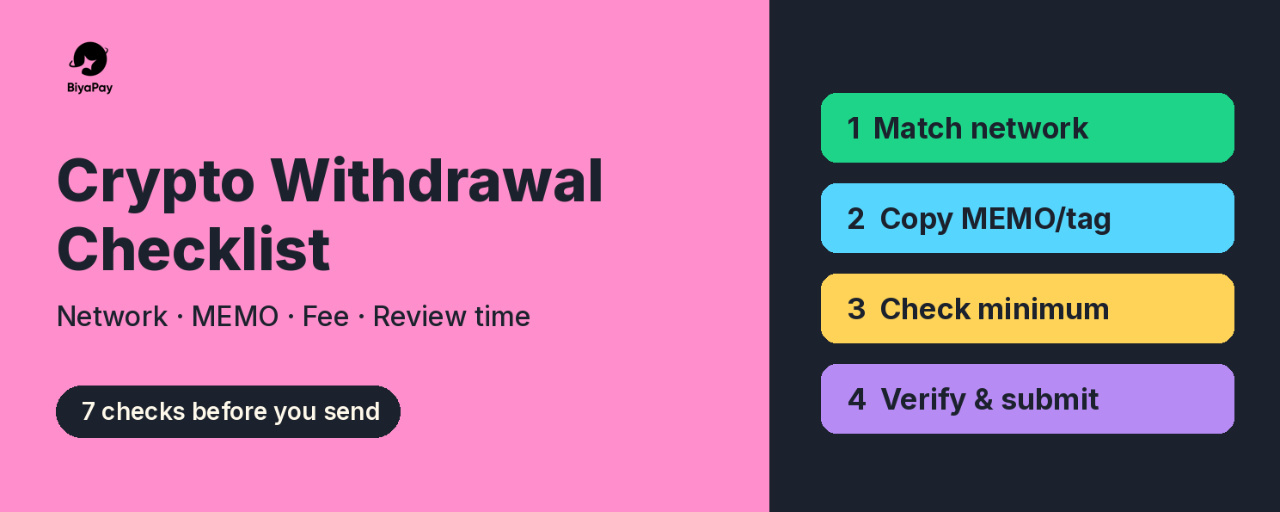
Step 1: Match the network on both sides
This is the most important point in the whole article. The Help Center says that the deposit network of the other exchange or wallet must be consistent with the network you choose on BiyaPay. Their own example is USDT-TRC20 on both sides. If the networks do not match, the Help Center warns the currency will be lost.
My plan here is simple:
Open the deposit page on the receiving side first.Read which network it shows, for example TRC20 or ERC20.Only then open the withdrawal page on BiyaPay and choose the exact same network.
The order matters to me. I prefer to let the receiving side tell me the network, instead of picking one on BiyaPay and hoping the other side supports it.
Step 2: Check if the coin needs a MEMO or tag
Some coins need more than an address. The Help Center gives XRP and EOS as examples. For these, a label (MEMO) is shown above the withdrawal address, usually a string of numbers, and you must fill in both the address and the label, otherwise the currency will be lost.
My rule: if the receiving side shows a MEMO, tag, or similar field, I copy it at the same time as the address and treat both as one unit. No MEMO, no submit.
Step 3: Check the minimum amount on the day you withdraw
The Help Center explains that minimum withdrawal amounts differ by currency and by protocol, and that they can change with the coin price or network congestion. The place to check is the On-chain Withdrawal page.
So I do not plan around a number I saw last month. I check the minimum on the day itself, right before I decide the amount.
Step 4: Understand the on-chain fee before choosing a network
BiyaPay states that crypto withdrawals carry an on-chain fee, and that different protocols have different fees. The examples listed in the Help Center are:
USDT on TRC20: 1 USDT per withdrawal.USDT on ERC20: 10 USDT per withdrawal.
The Help Center also notes that on-chain fees can change with network congestion, so I treat these as examples, not a fixed price list. Still, the gap between the two examples shows why the network choice is not only a safety question but also a cost question. My personal approach is to pick the cheapest network that the receiving side officially supports, and never pick a network the receiver does not support just because it is cheaper.
Step 5: Double-check, then verify
The official web flow on BiyaPay goes like this:
My Assets, then Overview, then Transfer, then On-chain Withdrawal (Digital Currency).Select or search the currency.Select the network, enter the address and amount, and confirm.Check the address and amount again, then Submit.Enter the email verification code or Biya verification code.Wait for the funds to be approved and credited.
Two things stand out to me. The flow itself tells you to check the address and amount again before submitting, and there is a verification code step. I see that code step as a last checkpoint, not just a formality. If anything about the request feels off at that moment, that is the time to stop.
Step 6: Know what normal processing time looks like
The Help Center says a crypto withdrawal goes through a review that takes from a few minutes to half an hour, and the arrival time after approval depends on things like the protocol and network congestion. It also says that if a withdrawal is pending for more than 30 minutes, you should contact support.
My take: knowing the normal window helps you stay calm. A withdrawal that has been pending for ten minutes is not a reason to panic or to submit a second one. Past 30 minutes, the official advice is to contact support, so that is what I would do, using the official support channels listed on the BiyaPay site.
Step 7: Keep the scope realistic
BiyaPay says it supports withdrawal of over 200 cryptocurrencies including USDT, subject to what the app displays or what customer service announces. I read that last part as a reminder: support for a specific coin or network can change, so the app screen on the day is the source of truth, not a screenshot from a forum.
My short version of the checklist
Choose the right route: on-chain, fiat remittance, or email transfer.Let the receiving side tell you the network, then match it exactly.Copy any MEMO or tag together with the address.Check the current minimum amount on the On-chain Withdrawal page.Compare network fees, but only among networks the receiver supports.Re-check address and amount, then complete the verification code step.Expect review of a few minutes up to about 30 minutes, and contact support if it goes longer.
None of this is exciting, and that is the point. In my opinion, a good withdrawal is one you forget about five minutes later because nothing went wrong. If you have your own extra checks, I would like to hear them in the comments.
Source: BiyaPay Help Center, Withdrawal and Wallet sections, checked on November 9, 2026. Fees, minimums, and supported assets can change, so always confirm in the app before you withdraw.
#BiyaPay #CryptoWithdrawal #USDT #CryptoSafety
Crypto Withdrawal Checklist on BiyaPay: Networks, MEMO Tags, Fees and Review Time
Disclosure: It is not financial advice
Most people spend a lot of time planning how to get funds into a platform and very little time planning how to get them out. In my opinion that is backwards. A deposit that goes wrong is annoying, but a withdrawal sent on the wrong network or without a required tag can mean the coins are simply gone. So today I want to write down the checklist I plan to follow before any on-chain withdrawal from BiyaPay, using only what the official BiyaPay Help Center says.
This is not a guide to make money. It is a guide to avoid an expensive, boring mistake.
First, know which withdrawal route you actually need
According to the BiyaPay Help Center, there are three withdrawal methods:
On-chain withdrawal, for sending cryptocurrency to an external wallet or exchange.Fiat remittance, for sending fiat currency out to a bank account.Email account transfer, for moving funds to another BiyaPay account using its registered email.
My view: before touching any button, decide which of these three you need. If the person you are paying also uses BiyaPay, an email account transfer may make more sense than an on-chain transfer, because the Help Center states there is no handling fee for transferring fiat currency between BiyaPay wallets through a registered email. If the destination is an outside wallet, then on-chain is the route, and the rest of this checklist applies.
Step 1: Match the network on both sides
This is the most important point in the whole article. The Help Center says that the deposit network of the other exchange or wallet must be consistent with the network you choose on BiyaPay. Their own example is USDT-TRC20 on both sides. If the networks do not match, the Help Center warns the currency will be lost.
My plan here is simple:
Open the deposit page on the receiving side first.Read which network it shows, for example TRC20 or ERC20.Only then open the withdrawal page on BiyaPay and choose the exact same network.
The order matters to me. I prefer to let the receiving side tell me the network, instead of picking one on BiyaPay and hoping the other side supports it.
Step 2: Check if the coin needs a MEMO or tag
Some coins need more than an address. The Help Center gives XRP and EOS as examples. For these, a label (MEMO) is shown above the withdrawal address, usually a string of numbers, and you must fill in both the address and the label, otherwise the currency will be lost.
My rule: if the receiving side shows a MEMO, tag, or similar field, I copy it at the same time as the address and treat both as one unit. No MEMO, no submit.
Step 3: Check the minimum amount on the day you withdraw
The Help Center explains that minimum withdrawal amounts differ by currency and by protocol, and that they can change with the coin price or network congestion. The place to check is the On-chain Withdrawal page.
So I do not plan around a number I saw last month. I check the minimum on the day itself, right before I decide the amount.
Step 4: Understand the on-chain fee before choosing a network
BiyaPay states that crypto withdrawals carry an on-chain fee, and that different protocols have different fees. The examples listed in the Help Center are:
USDT on TRC20: 1 USDT per withdrawal.USDT on ERC20: 10 USDT per withdrawal.
The Help Center also notes that on-chain fees can change with network congestion, so I treat these as examples, not a fixed price list. Still, the gap between the two examples shows why the network choice is not only a safety question but also a cost question. My personal approach is to pick the cheapest network that the receiving side officially supports, and never pick a network the receiver does not support just because it is cheaper.
Step 5: Double-check, then verify
The official web flow on BiyaPay goes like this:
My Assets, then Overview, then Transfer, then On-chain Withdrawal (Digital Currency).Select or search the currency.Select the network, enter the address and amount, and confirm.Check the address and amount again, then Submit.Enter the email verification code or Biya verification code.Wait for the funds to be approved and credited.
Two things stand out to me. The flow itself tells you to check the address and amount again before submitting, and there is a verification code step. I see that code step as a last checkpoint, not just a formality. If anything about the request feels off at that moment, that is the time to stop.
Step 6: Know what normal processing time looks like
The Help Center says a crypto withdrawal goes through a review that takes from a few minutes to half an hour, and the arrival time after approval depends on things like the protocol and network congestion. It also says that if a withdrawal is pending for more than 30 minutes, you should contact support.
My take: knowing the normal window helps you stay calm. A withdrawal that has been pending for ten minutes is not a reason to panic or to submit a second one. Past 30 minutes, the official advice is to contact support, so that is what I would do, using the official support channels listed on the BiyaPay site.
Step 7: Keep the scope realistic
BiyaPay says it supports withdrawal of over 200 cryptocurrencies including USDT, subject to what the app displays or what customer service announces. I read that last part as a reminder: support for a specific coin or network can change, so the app screen on the day is the source of truth, not a screenshot from a forum.
My short version of the checklist
Choose the right route: on-chain, fiat remittance, or email transfer.Let the receiving side tell you the network, then match it exactly.Copy any MEMO or tag together with the address.Check the current minimum amount on the On-chain Withdrawal page.Compare network fees, but only among networks the receiver supports.Re-check address and amount, then complete the verification code step.Expect review of a few minutes up to about 30 minutes, and contact support if it goes longer.
None of this is exciting, and that is the point. In my opinion, a good withdrawal is one you forget about five minutes later because nothing went wrong. If you have your own extra checks, I would like to hear them in the comments.
Source: BiyaPay Help Center, Withdrawal and Wallet sections, checked on November 9, 2026. Fees, minimums, and supported assets can change, so always confirm in the app before you withdraw.
#BiyaPay #CryptoWithdrawal #USDT #CryptoSafety
Most people spend a lot of time planning how to get funds into a platform and very little time planning how to get them out. In my opinion that is backwards. A deposit that goes wrong is annoying, but a withdrawal sent on the wrong network or without a required tag can mean the coins are simply gone. So today I want to write down the checklist I plan to follow before any on-chain withdrawal from BiyaPay, using only what the official BiyaPay Help Center says.
This is not a guide to make money. It is a guide to avoid an expensive, boring mistake.
First, know which withdrawal route you actually need
According to the BiyaPay Help Center, there are three withdrawal methods:
On-chain withdrawal, for sending cryptocurrency to an external wallet or exchange.Fiat remittance, for sending fiat currency out to a bank account.Email account transfer, for moving funds to another BiyaPay account using its registered email.
My view: before touching any button, decide which of these three you need. If the person you are paying also uses BiyaPay, an email account transfer may make more sense than an on-chain transfer, because the Help Center states there is no handling fee for transferring fiat currency between BiyaPay wallets through a registered email. If the destination is an outside wallet, then on-chain is the route, and the rest of this checklist applies.
Step 1: Match the network on both sides
This is the most important point in the whole article. The Help Center says that the deposit network of the other exchange or wallet must be consistent with the network you choose on BiyaPay. Their own example is USDT-TRC20 on both sides. If the networks do not match, the Help Center warns the currency will be lost.
My plan here is simple:
Open the deposit page on the receiving side first.Read which network it shows, for example TRC20 or ERC20.Only then open the withdrawal page on BiyaPay and choose the exact same network.
The order matters to me. I prefer to let the receiving side tell me the network, instead of picking one on BiyaPay and hoping the other side supports it.
Step 2: Check if the coin needs a MEMO or tag
Some coins need more than an address. The Help Center gives XRP and EOS as examples. For these, a label (MEMO) is shown above the withdrawal address, usually a string of numbers, and you must fill in both the address and the label, otherwise the currency will be lost.
My rule: if the receiving side shows a MEMO, tag, or similar field, I copy it at the same time as the address and treat both as one unit. No MEMO, no submit.
Step 3: Check the minimum amount on the day you withdraw
The Help Center explains that minimum withdrawal amounts differ by currency and by protocol, and that they can change with the coin price or network congestion. The place to check is the On-chain Withdrawal page.
So I do not plan around a number I saw last month. I check the minimum on the day itself, right before I decide the amount.
Step 4: Understand the on-chain fee before choosing a network
BiyaPay states that crypto withdrawals carry an on-chain fee, and that different protocols have different fees. The examples listed in the Help Center are:
USDT on TRC20: 1 USDT per withdrawal.USDT on ERC20: 10 USDT per withdrawal.
The Help Center also notes that on-chain fees can change with network congestion, so I treat these as examples, not a fixed price list. Still, the gap between the two examples shows why the network choice is not only a safety question but also a cost question. My personal approach is to pick the cheapest network that the receiving side officially supports, and never pick a network the receiver does not support just because it is cheaper.
Step 5: Double-check, then verify
The official web flow on BiyaPay goes like this:
My Assets, then Overview, then Transfer, then On-chain Withdrawal (Digital Currency).Select or search the currency.Select the network, enter the address and amount, and confirm.Check the address and amount again, then Submit.Enter the email verification code or Biya verification code.Wait for the funds to be approved and credited.
Two things stand out to me. The flow itself tells you to check the address and amount again before submitting, and there is a verification code step. I see that code step as a last checkpoint, not just a formality. If anything about the request feels off at that moment, that is the time to stop.
Step 6: Know what normal processing time looks like
The Help Center says a crypto withdrawal goes through a review that takes from a few minutes to half an hour, and the arrival time after approval depends on things like the protocol and network congestion. It also says that if a withdrawal is pending for more than 30 minutes, you should contact support.
My take: knowing the normal window helps you stay calm. A withdrawal that has been pending for ten minutes is not a reason to panic or to submit a second one. Past 30 minutes, the official advice is to contact support, so that is what I would do, using the official support channels listed on the BiyaPay site.
Step 7: Keep the scope realistic
BiyaPay says it supports withdrawal of over 200 cryptocurrencies including USDT, subject to what the app displays or what customer service announces. I read that last part as a reminder: support for a specific coin or network can change, so the app screen on the day is the source of truth, not a screenshot from a forum.
My short version of the checklist
Choose the right route: on-chain, fiat remittance, or email transfer.Let the receiving side tell you the network, then match it exactly.Copy any MEMO or tag together with the address.Check the current minimum amount on the On-chain Withdrawal page.Compare network fees, but only among networks the receiver supports.Re-check address and amount, then complete the verification code step.Expect review of a few minutes up to about 30 minutes, and contact support if it goes longer.
None of this is exciting, and that is the point. In my opinion, a good withdrawal is one you forget about five minutes later because nothing went wrong. If you have your own extra checks, I would like to hear them in the comments.
Source: BiyaPay Help Center, Withdrawal and Wallet sections, checked on November 9, 2026. Fees, minimums, and supported assets can change, so always confirm in the app before you withdraw.
#BiyaPay #CryptoWithdrawal #USDT #CryptoSafety
327
·
--
Статья
Before You Paste a USDT Address: My Network Checklist for BiyaPay DepositsDisclosure: It is not financial advice
In crypto circles in Indonesia, moving USDT between platforms feels routine. Copy, paste, confirm, done. But some of the most expensive mistakes in crypto have nothing to do with price moves. They come from a deposit sent on the wrong network, or a missing memo tag.
This article is not a story about a transfer I made. It is my reading of BiyaPay's Help Center articles on crypto deposits, turned into a checklist I would want in front of me before sending anything.
The one rule BiyaPay repeats
BiyaPay guide on on-chain deposits describes the flow on the App like this:
Open the homepage and tap Deposit, then On-chain Deposit (Cryptocurrency), and pick a currency such as USDT.Select the deposit network, for example USDT-TRC20, and get the deposit address.Paste that address into the other platform or wallet and complete the withdrawal there.Use the deposit record icon in the upper right corner of the address page to view the order details.
On Web, the path starts from My Assets, then Funds, then Deposit, with the same network step.
The note attached to step 2 is the part I would read twice. The withdrawal network on the other exchange or wallet must match the BiyaPay deposit network, for example both USDT-TRC20. The Help Center says plainly that otherwise the coins will be lost.
In my opinion, that sentence matters more than any speed or fee comparison. The same token name, USDT, exists on several blockchains, so "USDT" alone is not enough information.
Memo tags are the second trap
The same guide adds that some currencies require a tag, with XRP and EOS given as examples. The tag, or MEMO, is shown above the deposit address and is usually a string of numbers. For those currencies, both the address and the tag must be filled in, otherwise the coins will be lost.
People used to USDT may never have needed a memo, so it is easy to skip the field the first time they move a different coin.
What changes between networks
BiyaPay article on deposit times explains that USDT runs on multiple blockchains and gives general characteristics for each:
Ethereum (ERC-20): usually 15 seconds to several minutes to confirm, depending on congestion and gas fees paidBitcoin (Omni Layer): about 10 minutes per block, and multiple confirmations may take more timeTron (TRC-20): block time of about 3 seconds, usually confirmed within a few minutesSolana (SPL): usually confirmed within seconds
The article also lists other factors: BiyaPay own confirmation requirements (shown on the network selection page), network congestion, transaction fees, and internal processing time at exchanges and wallets. I read these as general blockchain descriptions, not a promise of how fast any single deposit will land.
Minimums differ by network
According to BiyaPay FAQ on minimum deposits, amounts vary by currency and protocol. The examples given:
USDT on TRC20: minimum 1USDT on ERC20: minimum 10
The FAQ notes these can change and that the amount displayed in the app is what counts. For small test transfers, I think this detail is easy to miss. Sending less than the minimum for the chosen network is a question worth checking in the app before, not after.
Fees: whose fee is it?
BiyaPay Help Center states that it does not charge fees for depositing cryptocurrency to BiyaPay. My personal note here: that covers the receiving side. The platform or wallet you send from may still charge its own withdrawal fee, and the blockchain itself has network costs. So "free deposit" and "free transfer" are not the same thing.
If a deposit does not arrive
BiyaPay has a separate article for this, and its first advice is not to panic. The suggested order is roughly:
Check the transaction status on a blockchain explorer using the transaction hash, or in the sending platform's withdrawal records.Confirm the address was correct, ideally copied and pasted, with each character checked.Allow for network confirmation time, which can be longer during congestion.If the chain shows the transaction confirmed but the balance has not updated, contact BiyaPay support.
For that support request, the article lists useful information: transaction hash, registered email, currency name, deposit protocol type, deposit address, transaction time, and any screenshots or proof. I like that this list exists, because gathering it before contacting support saves a lot of back and forth.
My intended checklist before any USDT deposit
Pick the network on BiyaPay first, then match the exact same network on the sending side.Check whether the coin needs a memo tag. If yes, fill in both address and tag.Check the minimum deposit for that network on the network selection page.Check the confirmation requirement shown in the app, and do not plan around best-case timing.Check the sending platform's withdrawal fee separately.Copy and paste the address, then verify the first and last characters.Save the transaction hash until the balance shows up.
Final thoughts
Choosing a network can sound like a technical detail, but BiyaPay own documentation treats it as the difference between a deposit arriving and coins being lost. None of this guarantees a smooth transfer. Chains get congested, and platforms have their own processing steps.
What I take from the Help Center is simple: match the network, respect the memo, check the minimum, and keep the hash. That is my reading of the official guides, not a recommendation to use any particular chain.
#BiyaPay #USDT #CryptoDeposit #Blockchain #CryptoSafety
Before You Paste a USDT Address: My Network Checklist for BiyaPay Deposits
Disclosure: It is not financial advice
In crypto circles in Indonesia, moving USDT between platforms feels routine. Copy, paste, confirm, done. But some of the most expensive mistakes in crypto have nothing to do with price moves. They come from a deposit sent on the wrong network, or a missing memo tag.
This article is not a story about a transfer I made. It is my reading of BiyaPay's Help Center articles on crypto deposits, turned into a checklist I would want in front of me before sending anything.
The one rule BiyaPay repeats
BiyaPay guide on on-chain deposits describes the flow on the App like this:
Open the homepage and tap Deposit, then On-chain Deposit (Cryptocurrency), and pick a currency such as USDT.Select the deposit network, for example USDT-TRC20, and get the deposit address.Paste that address into the other platform or wallet and complete the withdrawal there.Use the deposit record icon in the upper right corner of the address page to view the order details.
On Web, the path starts from My Assets, then Funds, then Deposit, with the same network step.
The note attached to step 2 is the part I would read twice. The withdrawal network on the other exchange or wallet must match the BiyaPay deposit network, for example both USDT-TRC20. The Help Center says plainly that otherwise the coins will be lost.
In my opinion, that sentence matters more than any speed or fee comparison. The same token name, USDT, exists on several blockchains, so "USDT" alone is not enough information.
Memo tags are the second trap
The same guide adds that some currencies require a tag, with XRP and EOS given as examples. The tag, or MEMO, is shown above the deposit address and is usually a string of numbers. For those currencies, both the address and the tag must be filled in, otherwise the coins will be lost.
People used to USDT may never have needed a memo, so it is easy to skip the field the first time they move a different coin.
What changes between networks
BiyaPay article on deposit times explains that USDT runs on multiple blockchains and gives general characteristics for each:
Ethereum (ERC-20): usually 15 seconds to several minutes to confirm, depending on congestion and gas fees paidBitcoin (Omni Layer): about 10 minutes per block, and multiple confirmations may take more timeTron (TRC-20): block time of about 3 seconds, usually confirmed within a few minutesSolana (SPL): usually confirmed within seconds
The article also lists other factors: BiyaPay own confirmation requirements (shown on the network selection page), network congestion, transaction fees, and internal processing time at exchanges and wallets. I read these as general blockchain descriptions, not a promise of how fast any single deposit will land.
Minimums differ by network
According to BiyaPay FAQ on minimum deposits, amounts vary by currency and protocol. The examples given:
USDT on TRC20: minimum 1USDT on ERC20: minimum 10
The FAQ notes these can change and that the amount displayed in the app is what counts. For small test transfers, I think this detail is easy to miss. Sending less than the minimum for the chosen network is a question worth checking in the app before, not after.
Fees: whose fee is it?
BiyaPay Help Center states that it does not charge fees for depositing cryptocurrency to BiyaPay. My personal note here: that covers the receiving side. The platform or wallet you send from may still charge its own withdrawal fee, and the blockchain itself has network costs. So "free deposit" and "free transfer" are not the same thing.
If a deposit does not arrive
BiyaPay has a separate article for this, and its first advice is not to panic. The suggested order is roughly:
Check the transaction status on a blockchain explorer using the transaction hash, or in the sending platform's withdrawal records.Confirm the address was correct, ideally copied and pasted, with each character checked.Allow for network confirmation time, which can be longer during congestion.If the chain shows the transaction confirmed but the balance has not updated, contact BiyaPay support.
For that support request, the article lists useful information: transaction hash, registered email, currency name, deposit protocol type, deposit address, transaction time, and any screenshots or proof. I like that this list exists, because gathering it before contacting support saves a lot of back and forth.
My intended checklist before any USDT deposit
Pick the network on BiyaPay first, then match the exact same network on the sending side.Check whether the coin needs a memo tag. If yes, fill in both address and tag.Check the minimum deposit for that network on the network selection page.Check the confirmation requirement shown in the app, and do not plan around best-case timing.Check the sending platform's withdrawal fee separately.Copy and paste the address, then verify the first and last characters.Save the transaction hash until the balance shows up.
Final thoughts
Choosing a network can sound like a technical detail, but BiyaPay own documentation treats it as the difference between a deposit arriving and coins being lost. None of this guarantees a smooth transfer. Chains get congested, and platforms have their own processing steps.
What I take from the Help Center is simple: match the network, respect the memo, check the minimum, and keep the hash. That is my reading of the official guides, not a recommendation to use any particular chain.
#BiyaPay #USDT #CryptoDeposit #Blockchain #CryptoSafety
In crypto circles in Indonesia, moving USDT between platforms feels routine. Copy, paste, confirm, done. But some of the most expensive mistakes in crypto have nothing to do with price moves. They come from a deposit sent on the wrong network, or a missing memo tag.
This article is not a story about a transfer I made. It is my reading of BiyaPay's Help Center articles on crypto deposits, turned into a checklist I would want in front of me before sending anything.
The one rule BiyaPay repeats
BiyaPay guide on on-chain deposits describes the flow on the App like this:
Open the homepage and tap Deposit, then On-chain Deposit (Cryptocurrency), and pick a currency such as USDT.Select the deposit network, for example USDT-TRC20, and get the deposit address.Paste that address into the other platform or wallet and complete the withdrawal there.Use the deposit record icon in the upper right corner of the address page to view the order details.
On Web, the path starts from My Assets, then Funds, then Deposit, with the same network step.
The note attached to step 2 is the part I would read twice. The withdrawal network on the other exchange or wallet must match the BiyaPay deposit network, for example both USDT-TRC20. The Help Center says plainly that otherwise the coins will be lost.
In my opinion, that sentence matters more than any speed or fee comparison. The same token name, USDT, exists on several blockchains, so "USDT" alone is not enough information.
Memo tags are the second trap
The same guide adds that some currencies require a tag, with XRP and EOS given as examples. The tag, or MEMO, is shown above the deposit address and is usually a string of numbers. For those currencies, both the address and the tag must be filled in, otherwise the coins will be lost.
People used to USDT may never have needed a memo, so it is easy to skip the field the first time they move a different coin.
What changes between networks
BiyaPay article on deposit times explains that USDT runs on multiple blockchains and gives general characteristics for each:
Ethereum (ERC-20): usually 15 seconds to several minutes to confirm, depending on congestion and gas fees paidBitcoin (Omni Layer): about 10 minutes per block, and multiple confirmations may take more timeTron (TRC-20): block time of about 3 seconds, usually confirmed within a few minutesSolana (SPL): usually confirmed within seconds
The article also lists other factors: BiyaPay own confirmation requirements (shown on the network selection page), network congestion, transaction fees, and internal processing time at exchanges and wallets. I read these as general blockchain descriptions, not a promise of how fast any single deposit will land.
Minimums differ by network
According to BiyaPay FAQ on minimum deposits, amounts vary by currency and protocol. The examples given:
USDT on TRC20: minimum 1USDT on ERC20: minimum 10
The FAQ notes these can change and that the amount displayed in the app is what counts. For small test transfers, I think this detail is easy to miss. Sending less than the minimum for the chosen network is a question worth checking in the app before, not after.
Fees: whose fee is it?
BiyaPay Help Center states that it does not charge fees for depositing cryptocurrency to BiyaPay. My personal note here: that covers the receiving side. The platform or wallet you send from may still charge its own withdrawal fee, and the blockchain itself has network costs. So "free deposit" and "free transfer" are not the same thing.
If a deposit does not arrive
BiyaPay has a separate article for this, and its first advice is not to panic. The suggested order is roughly:
Check the transaction status on a blockchain explorer using the transaction hash, or in the sending platform's withdrawal records.Confirm the address was correct, ideally copied and pasted, with each character checked.Allow for network confirmation time, which can be longer during congestion.If the chain shows the transaction confirmed but the balance has not updated, contact BiyaPay support.
For that support request, the article lists useful information: transaction hash, registered email, currency name, deposit protocol type, deposit address, transaction time, and any screenshots or proof. I like that this list exists, because gathering it before contacting support saves a lot of back and forth.
My intended checklist before any USDT deposit
Pick the network on BiyaPay first, then match the exact same network on the sending side.Check whether the coin needs a memo tag. If yes, fill in both address and tag.Check the minimum deposit for that network on the network selection page.Check the confirmation requirement shown in the app, and do not plan around best-case timing.Check the sending platform's withdrawal fee separately.Copy and paste the address, then verify the first and last characters.Save the transaction hash until the balance shows up.
Final thoughts
Choosing a network can sound like a technical detail, but BiyaPay own documentation treats it as the difference between a deposit arriving and coins being lost. None of this guarantees a smooth transfer. Chains get congested, and platforms have their own processing steps.
What I take from the Help Center is simple: match the network, respect the memo, check the minimum, and keep the hash. That is my reading of the official guides, not a recommendation to use any particular chain.
#BiyaPay #USDT #CryptoDeposit #Blockchain #CryptoSafety
117
·
--
Статья
Hong Kong Stocks From a WIB Timezone: Hours, Lots and Limits I Would Read FirstDisclosure: It is not financial advice
Most crypto people in Indonesia who look at stocks think of the US first. That makes sense: big tech names, long overnight sessions, lots of news. But for a WIB timezone, Hong Kong is arguably the more convenient market on the clock. It trades during our morning and early afternoon, not at midnight.
This article is not a trading diary. I am not describing orders I placed. It is my reading of BiyaPay's Hong Kong stock FAQ, plus the questions I think are worth answering before anyone treats HK stocks as "just like US stocks, but earlier."
Why the clock is friendlier
Hong Kong Time is UTC+8. WIB is UTC+7. Neither observes daylight saving time, so the gap stays at one hour all year. That is a nice contrast with the US, where the WIB mapping shifts twice a year.
According to BiyaPay Help Center, HK stock trading hours are:
Morning session: 09:30–12:00 HKT, which is 08:30–11:00 WIBLunch break: 12:00–13:00 HKT, which is 11:00–12:00 WIBAfternoon session: 13:00–16:00 HKT, which is 12:00–15:00 WIB
In my opinion, the lunch break is the detail that surprises people coming from US stocks, where the regular session runs continuously. An order plan made at 10:55 WIB may not behave the way someone expects if they forget the market pauses for an hour.
These are generic exchange hours. Market holidays exist, and what is available in the app on a given day is the final reference.
The board lot rule
This is the one I would read twice. BiyaPay's FAQ says the minimum trading unit for HK stocks is 1 lot, and the number of shares per lot varies by stock.
In practice that means:
The smallest order is not "1 share" like many people assume from US-stock habitsTwo stocks with similar share prices can need very different minimum amounts, because their lot sizes differBefore sizing anything, it makes sense to check the lot size shown for that specific stock
For small budgets, I think this matters more than the share price itself. A cheap-looking stock can still require a meaningful amount per lot.
What BiyaPay says is supported
From the same Help Center section:
All Hong Kong stocks, including ETFs, can be traded, along with margin tradingShort selling for HK stocks is supportedTrading is T+0, so shares bought today can be sold the same dayThere are no daily price limits in the HK market, and the FAQ itself notes that investors need to manage risks
And what is not supported:
WarrantsCallable bull/bear contracts (CBBCs)
I like that the FAQ states the exclusions directly. Warrants and CBBCs are a big part of Hong Kong market chatter, so knowing they are out of scope avoids a wasted search.
Order types
BiyaPay lists five order types for HK stocks: limit order, market order, stop-loss/take-profit, two-way stop-loss/take-profit, and trailing stop-loss/take-profit.
My personal view on them is cautious:
A limit order is the clearest way to state the price you are willing to acceptA market order prioritizes execution, not priceStop and take-profit orders are triggers, not promises of an exact exit price, especially when a stock moves quickly with no daily limit to slow it down
Margin and short selling: opinion first
The FAQ says margin trading and short selling are supported for HK stocks. Supported does not mean suitable. Leverage amplifies losses as well as gains, and short positions can lose more than the starting amount if a price keeps rising. Combined with no daily price limits, I would treat both features as advanced tools, not a starting point.
Fees are their own topic
Hong Kong fee structures are different from US stock fees. BiyaPay's own blog makes the same point: do not apply one market's fee rules to another product. Instead of guessing, I would open the Cost Center and the order page for the exact HK stock before deciding anything. The fee details shown on the order page should be the final reference.
Funding and withdrawals
According to the FAQ, funds can be withdrawn after closing HK stock positions, and if USDT is used for deposits and withdrawals, funds can arrive within minutes. I read "can" carefully here. Network choice, verification status and platform processing can all affect timing, so I would not plan around a best-case number.
My intended checklist before a first HK order
Convert the session times to WIB and remember the 11:00–12:00 WIB lunch break.Check the lot size of the specific stock and calculate the minimum amount per lot.Confirm the product is a regular stock or ETF, not a warrant or CBBC.Choose an order type I can explain in one sentence, defaulting to limit when unsure.Skip margin and short selling unless I fully understand the downside.Check the Cost Center and the order page for HK fees.Check for market holidays and in-app availability on the day.
Final thoughts
For someone in WIB, Hong Kong may be the most time-friendly major stock market: one fixed hour of difference, morning trading, and no seasonal clock shift. But the rules are genuinely different from the US. Board lots, a lunch break, no daily limits and a separate fee structure all deserve attention before anything else.
That is my reading of the official FAQ, not a recommendation to buy any Hong Kong stock. Read the rules, check the app, and decide at your own pace.
#BiyaPay #HKStocks #HongKong #StockMarket #CryptoInvesting
Hong Kong Stocks From a WIB Timezone: Hours, Lots and Limits I Would Read First
Disclosure: It is not financial advice
Most crypto people in Indonesia who look at stocks think of the US first. That makes sense: big tech names, long overnight sessions, lots of news. But for a WIB timezone, Hong Kong is arguably the more convenient market on the clock. It trades during our morning and early afternoon, not at midnight.
This article is not a trading diary. I am not describing orders I placed. It is my reading of BiyaPay's Hong Kong stock FAQ, plus the questions I think are worth answering before anyone treats HK stocks as "just like US stocks, but earlier."
Why the clock is friendlier
Hong Kong Time is UTC+8. WIB is UTC+7. Neither observes daylight saving time, so the gap stays at one hour all year. That is a nice contrast with the US, where the WIB mapping shifts twice a year.
According to BiyaPay Help Center, HK stock trading hours are:
Morning session: 09:30–12:00 HKT, which is 08:30–11:00 WIBLunch break: 12:00–13:00 HKT, which is 11:00–12:00 WIBAfternoon session: 13:00–16:00 HKT, which is 12:00–15:00 WIB
In my opinion, the lunch break is the detail that surprises people coming from US stocks, where the regular session runs continuously. An order plan made at 10:55 WIB may not behave the way someone expects if they forget the market pauses for an hour.
These are generic exchange hours. Market holidays exist, and what is available in the app on a given day is the final reference.
The board lot rule
This is the one I would read twice. BiyaPay's FAQ says the minimum trading unit for HK stocks is 1 lot, and the number of shares per lot varies by stock.
In practice that means:
The smallest order is not "1 share" like many people assume from US-stock habitsTwo stocks with similar share prices can need very different minimum amounts, because their lot sizes differBefore sizing anything, it makes sense to check the lot size shown for that specific stock
For small budgets, I think this matters more than the share price itself. A cheap-looking stock can still require a meaningful amount per lot.
What BiyaPay says is supported
From the same Help Center section:
All Hong Kong stocks, including ETFs, can be traded, along with margin tradingShort selling for HK stocks is supportedTrading is T+0, so shares bought today can be sold the same dayThere are no daily price limits in the HK market, and the FAQ itself notes that investors need to manage risks
And what is not supported:
WarrantsCallable bull/bear contracts (CBBCs)
I like that the FAQ states the exclusions directly. Warrants and CBBCs are a big part of Hong Kong market chatter, so knowing they are out of scope avoids a wasted search.
Order types
BiyaPay lists five order types for HK stocks: limit order, market order, stop-loss/take-profit, two-way stop-loss/take-profit, and trailing stop-loss/take-profit.
My personal view on them is cautious:
A limit order is the clearest way to state the price you are willing to acceptA market order prioritizes execution, not priceStop and take-profit orders are triggers, not promises of an exact exit price, especially when a stock moves quickly with no daily limit to slow it down
Margin and short selling: opinion first
The FAQ says margin trading and short selling are supported for HK stocks. Supported does not mean suitable. Leverage amplifies losses as well as gains, and short positions can lose more than the starting amount if a price keeps rising. Combined with no daily price limits, I would treat both features as advanced tools, not a starting point.
Fees are their own topic
Hong Kong fee structures are different from US stock fees. BiyaPay's own blog makes the same point: do not apply one market's fee rules to another product. Instead of guessing, I would open the Cost Center and the order page for the exact HK stock before deciding anything. The fee details shown on the order page should be the final reference.
Funding and withdrawals
According to the FAQ, funds can be withdrawn after closing HK stock positions, and if USDT is used for deposits and withdrawals, funds can arrive within minutes. I read "can" carefully here. Network choice, verification status and platform processing can all affect timing, so I would not plan around a best-case number.
My intended checklist before a first HK order
Convert the session times to WIB and remember the 11:00–12:00 WIB lunch break.Check the lot size of the specific stock and calculate the minimum amount per lot.Confirm the product is a regular stock or ETF, not a warrant or CBBC.Choose an order type I can explain in one sentence, defaulting to limit when unsure.Skip margin and short selling unless I fully understand the downside.Check the Cost Center and the order page for HK fees.Check for market holidays and in-app availability on the day.
Final thoughts
For someone in WIB, Hong Kong may be the most time-friendly major stock market: one fixed hour of difference, morning trading, and no seasonal clock shift. But the rules are genuinely different from the US. Board lots, a lunch break, no daily limits and a separate fee structure all deserve attention before anything else.
That is my reading of the official FAQ, not a recommendation to buy any Hong Kong stock. Read the rules, check the app, and decide at your own pace.
#BiyaPay #HKStocks #HongKong #StockMarket #CryptoInvesting
Most crypto people in Indonesia who look at stocks think of the US first. That makes sense: big tech names, long overnight sessions, lots of news. But for a WIB timezone, Hong Kong is arguably the more convenient market on the clock. It trades during our morning and early afternoon, not at midnight.
This article is not a trading diary. I am not describing orders I placed. It is my reading of BiyaPay's Hong Kong stock FAQ, plus the questions I think are worth answering before anyone treats HK stocks as "just like US stocks, but earlier."
Why the clock is friendlier
Hong Kong Time is UTC+8. WIB is UTC+7. Neither observes daylight saving time, so the gap stays at one hour all year. That is a nice contrast with the US, where the WIB mapping shifts twice a year.
According to BiyaPay Help Center, HK stock trading hours are:
Morning session: 09:30–12:00 HKT, which is 08:30–11:00 WIBLunch break: 12:00–13:00 HKT, which is 11:00–12:00 WIBAfternoon session: 13:00–16:00 HKT, which is 12:00–15:00 WIB
In my opinion, the lunch break is the detail that surprises people coming from US stocks, where the regular session runs continuously. An order plan made at 10:55 WIB may not behave the way someone expects if they forget the market pauses for an hour.
These are generic exchange hours. Market holidays exist, and what is available in the app on a given day is the final reference.
The board lot rule
This is the one I would read twice. BiyaPay's FAQ says the minimum trading unit for HK stocks is 1 lot, and the number of shares per lot varies by stock.
In practice that means:
The smallest order is not "1 share" like many people assume from US-stock habitsTwo stocks with similar share prices can need very different minimum amounts, because their lot sizes differBefore sizing anything, it makes sense to check the lot size shown for that specific stock
For small budgets, I think this matters more than the share price itself. A cheap-looking stock can still require a meaningful amount per lot.
What BiyaPay says is supported
From the same Help Center section:
All Hong Kong stocks, including ETFs, can be traded, along with margin tradingShort selling for HK stocks is supportedTrading is T+0, so shares bought today can be sold the same dayThere are no daily price limits in the HK market, and the FAQ itself notes that investors need to manage risks
And what is not supported:
WarrantsCallable bull/bear contracts (CBBCs)
I like that the FAQ states the exclusions directly. Warrants and CBBCs are a big part of Hong Kong market chatter, so knowing they are out of scope avoids a wasted search.
Order types
BiyaPay lists five order types for HK stocks: limit order, market order, stop-loss/take-profit, two-way stop-loss/take-profit, and trailing stop-loss/take-profit.
My personal view on them is cautious:
A limit order is the clearest way to state the price you are willing to acceptA market order prioritizes execution, not priceStop and take-profit orders are triggers, not promises of an exact exit price, especially when a stock moves quickly with no daily limit to slow it down
Margin and short selling: opinion first
The FAQ says margin trading and short selling are supported for HK stocks. Supported does not mean suitable. Leverage amplifies losses as well as gains, and short positions can lose more than the starting amount if a price keeps rising. Combined with no daily price limits, I would treat both features as advanced tools, not a starting point.
Fees are their own topic
Hong Kong fee structures are different from US stock fees. BiyaPay's own blog makes the same point: do not apply one market's fee rules to another product. Instead of guessing, I would open the Cost Center and the order page for the exact HK stock before deciding anything. The fee details shown on the order page should be the final reference.
Funding and withdrawals
According to the FAQ, funds can be withdrawn after closing HK stock positions, and if USDT is used for deposits and withdrawals, funds can arrive within minutes. I read "can" carefully here. Network choice, verification status and platform processing can all affect timing, so I would not plan around a best-case number.
My intended checklist before a first HK order
Convert the session times to WIB and remember the 11:00–12:00 WIB lunch break.Check the lot size of the specific stock and calculate the minimum amount per lot.Confirm the product is a regular stock or ETF, not a warrant or CBBC.Choose an order type I can explain in one sentence, defaulting to limit when unsure.Skip margin and short selling unless I fully understand the downside.Check the Cost Center and the order page for HK fees.Check for market holidays and in-app availability on the day.
Final thoughts
For someone in WIB, Hong Kong may be the most time-friendly major stock market: one fixed hour of difference, morning trading, and no seasonal clock shift. But the rules are genuinely different from the US. Board lots, a lunch break, no daily limits and a separate fee structure all deserve attention before anything else.
That is my reading of the official FAQ, not a recommendation to buy any Hong Kong stock. Read the rules, check the app, and decide at your own pace.
#BiyaPay #HKStocks #HongKong #StockMarket #CryptoInvesting
1
148
·
--
Статья
US Markets Just Shifted One Hour: A WIB Checklist for Sessions and Order TypesDisclosure: It is not financial advice
If you follow US stocks from Indonesia, November brings a calendar change worth checking before opening an order ticket. The United States is back on Standard Time. The regular session still opens at 09:30 and closes at 16:00 Eastern Time, but its WIB equivalent moves one hour later than during Daylight Saving Time.
After looking at trading fees, I think the next useful question is about timing: when does each session happen in Indonesia, and what kind of order makes sense for the conditions?
BiyaPay trading hours reminder and US stock Help Center provide a starting point. My focus here is translating those details into a practical WIB checklist, not recommending a stock or promising a particular trading result.
Why the clock feels different in WIB
Eastern Time is UTC-4 during Daylight Saving Time and UTC-5 during Standard Time. WIB stays at UTC+7, so the time difference changes.
During Daylight Saving Time, regular trading maps to 20:30–03:00 WIB. During Standard Time, the same session maps to 21:30–04:00 WIB.
BiyaPay announcement center reminded users that Standard Time began on November 1, 2026. Daylight Saving Time resumes on March 14, 2027. For now, the later WIB schedule is the one to check against.
For Indonesian readers, that affects more than the opening bell. It also changes when pre-market starts and when after-hours ends. An old reminder can be one hour out even though the US exchange has not changed its local opening time.
The three sessions in WIB
BiyaPay Help Center lists support for night, pre-market, intraday, and after-hours trading. The following card covers the three conventional US stock sessions during Standard Time; it is not a complete overnight-session timetable.
Pre-market
Eastern Time: 04:00–09:30WIB: 16:00–21:30Generally thinner liquidity and wider spreads than regular trading
Regular session
Eastern Time: 09:30–16:00WIB: 21:30–04:00 the following dayGenerally the most liquid session
After-hours
Eastern Time: 16:00–20:00WIB: 04:00–08:00 the following dayCan react to earnings announcements, but liquidity can still be thin
These are general market hours, not a guarantee that every security or order type is available in every session on BiyaPay. Before placing anything, I would check the symbol, eligible session, and available order options inside the app.
Holidays and early closes matter too. A schedule card is useful, but it cannot replace checking whether the US market is actually open that day.
Five order types listed by BiyaPay
The US Stock Trading FAQ lists five order types:
Limit OrderMarket OrderTake Profit / Stop LossBidirectional Take Profit / Stop LossTrailing Stop
Here is how I think about the differences.
Limit Order
A limit order sets the maximum price I am willing to pay when buying, or the minimum I am willing to accept when selling. That price control is useful when the spread looks wide. The trade-off is that the order might not fill.
Market Order
A market order prioritizes execution at available prices rather than a specific price. The last traded price is not a promise of the next fill. I would be especially cautious about assuming a market order is suitable outside a liquid regular session, and would first check whether it is supported.
Take Profit / Stop Loss
These orders help define an exit condition. But a trigger price is not necessarily the final execution price. Gaps and fast moves can produce a different result, so a stop should not be mistaken for guaranteed protection.
Bidirectional Take Profit / Stop Loss
This provides a way to define both a profit-taking condition and a loss-control condition. Before relying on it, I would read how the app handles the paired instructions, including their validity and session restrictions.
Trailing Stop
A trailing stop adjusts its trigger as the price moves favorably, according to the selected distance. It can help structure an exit, but it does not remove gap risk or guarantee that a position closes at the displayed stop level.
Why extended hours deserve a separate decision
More trading hours do not automatically mean better trading conditions.
Outside the regular session, fewer buyers and sellers can mean wider spreads and less depth. A quote may look attractive without enough volume available at that price. Earnings news can also move prices sharply while liquidity is limited.
For me, the useful distinction is between access and execution quality. Being able to submit an order is different from getting the result I expected.
My pre-order checklist
Before considering a US stock order from Indonesia, these are the checks I would make:
Confirm Standard Time or Daylight Saving Time. The current regular-session opening is 21:30 WIB.Confirm the trading calendar. Check for holidays, early closes, and any relevant market notices.Confirm the intended session. Check whether that session is available for the selected security in the app.Understand the order instruction. Know whether the priority is price control, execution, or an exit trigger.Read the order preview. Check quantity, buying power, estimated costs, validity, and session settings.Accept the possibility of a different outcome. A limit order might not fill. A stop might execute away from its trigger. A thin market can increase slippage.
Final thoughts
The one hour shift is easy to overlook because the US market's local schedule stays the same. What changes is the translation into our evening in Indonesia.
BiyaPay official reminders and order documentation are useful references, but the final check should still happen in the app before confirming an order.
My takeaway is simple: check the clock, check the session, and understand the order. None of those steps guarantees a good trade, but they help separate a market decision from an avoidable timing mistake.
#BiyaPay #USStocks #TradingHours #OrderTypes #StandardTime
US Markets Just Shifted One Hour: A WIB Checklist for Sessions and Order Types
Disclosure: It is not financial advice
If you follow US stocks from Indonesia, November brings a calendar change worth checking before opening an order ticket. The United States is back on Standard Time. The regular session still opens at 09:30 and closes at 16:00 Eastern Time, but its WIB equivalent moves one hour later than during Daylight Saving Time.
After looking at trading fees, I think the next useful question is about timing: when does each session happen in Indonesia, and what kind of order makes sense for the conditions?
BiyaPay trading hours reminder and US stock Help Center provide a starting point. My focus here is translating those details into a practical WIB checklist, not recommending a stock or promising a particular trading result.
Why the clock feels different in WIB
Eastern Time is UTC-4 during Daylight Saving Time and UTC-5 during Standard Time. WIB stays at UTC+7, so the time difference changes.
During Daylight Saving Time, regular trading maps to 20:30–03:00 WIB. During Standard Time, the same session maps to 21:30–04:00 WIB.
BiyaPay announcement center reminded users that Standard Time began on November 1, 2026. Daylight Saving Time resumes on March 14, 2027. For now, the later WIB schedule is the one to check against.
For Indonesian readers, that affects more than the opening bell. It also changes when pre-market starts and when after-hours ends. An old reminder can be one hour out even though the US exchange has not changed its local opening time.
The three sessions in WIB
BiyaPay Help Center lists support for night, pre-market, intraday, and after-hours trading. The following card covers the three conventional US stock sessions during Standard Time; it is not a complete overnight-session timetable.
Pre-market
Eastern Time: 04:00–09:30WIB: 16:00–21:30Generally thinner liquidity and wider spreads than regular trading
Regular session
Eastern Time: 09:30–16:00WIB: 21:30–04:00 the following dayGenerally the most liquid session
After-hours
Eastern Time: 16:00–20:00WIB: 04:00–08:00 the following dayCan react to earnings announcements, but liquidity can still be thin
These are general market hours, not a guarantee that every security or order type is available in every session on BiyaPay. Before placing anything, I would check the symbol, eligible session, and available order options inside the app.
Holidays and early closes matter too. A schedule card is useful, but it cannot replace checking whether the US market is actually open that day.
Five order types listed by BiyaPay
The US Stock Trading FAQ lists five order types:
Limit OrderMarket OrderTake Profit / Stop LossBidirectional Take Profit / Stop LossTrailing Stop
Here is how I think about the differences.
Limit Order
A limit order sets the maximum price I am willing to pay when buying, or the minimum I am willing to accept when selling. That price control is useful when the spread looks wide. The trade-off is that the order might not fill.
Market Order
A market order prioritizes execution at available prices rather than a specific price. The last traded price is not a promise of the next fill. I would be especially cautious about assuming a market order is suitable outside a liquid regular session, and would first check whether it is supported.
Take Profit / Stop Loss
These orders help define an exit condition. But a trigger price is not necessarily the final execution price. Gaps and fast moves can produce a different result, so a stop should not be mistaken for guaranteed protection.
Bidirectional Take Profit / Stop Loss
This provides a way to define both a profit-taking condition and a loss-control condition. Before relying on it, I would read how the app handles the paired instructions, including their validity and session restrictions.
Trailing Stop
A trailing stop adjusts its trigger as the price moves favorably, according to the selected distance. It can help structure an exit, but it does not remove gap risk or guarantee that a position closes at the displayed stop level.
Why extended hours deserve a separate decision
More trading hours do not automatically mean better trading conditions.
Outside the regular session, fewer buyers and sellers can mean wider spreads and less depth. A quote may look attractive without enough volume available at that price. Earnings news can also move prices sharply while liquidity is limited.
For me, the useful distinction is between access and execution quality. Being able to submit an order is different from getting the result I expected.
My pre-order checklist
Before considering a US stock order from Indonesia, these are the checks I would make:
Confirm Standard Time or Daylight Saving Time. The current regular-session opening is 21:30 WIB.Confirm the trading calendar. Check for holidays, early closes, and any relevant market notices.Confirm the intended session. Check whether that session is available for the selected security in the app.Understand the order instruction. Know whether the priority is price control, execution, or an exit trigger.Read the order preview. Check quantity, buying power, estimated costs, validity, and session settings.Accept the possibility of a different outcome. A limit order might not fill. A stop might execute away from its trigger. A thin market can increase slippage.
Final thoughts
The one hour shift is easy to overlook because the US market's local schedule stays the same. What changes is the translation into our evening in Indonesia.
BiyaPay official reminders and order documentation are useful references, but the final check should still happen in the app before confirming an order.
My takeaway is simple: check the clock, check the session, and understand the order. None of those steps guarantees a good trade, but they help separate a market decision from an avoidable timing mistake.
#BiyaPay #USStocks #TradingHours #OrderTypes #StandardTime
If you follow US stocks from Indonesia, November brings a calendar change worth checking before opening an order ticket. The United States is back on Standard Time. The regular session still opens at 09:30 and closes at 16:00 Eastern Time, but its WIB equivalent moves one hour later than during Daylight Saving Time.
After looking at trading fees, I think the next useful question is about timing: when does each session happen in Indonesia, and what kind of order makes sense for the conditions?
BiyaPay trading hours reminder and US stock Help Center provide a starting point. My focus here is translating those details into a practical WIB checklist, not recommending a stock or promising a particular trading result.
Why the clock feels different in WIB
Eastern Time is UTC-4 during Daylight Saving Time and UTC-5 during Standard Time. WIB stays at UTC+7, so the time difference changes.
During Daylight Saving Time, regular trading maps to 20:30–03:00 WIB. During Standard Time, the same session maps to 21:30–04:00 WIB.
BiyaPay announcement center reminded users that Standard Time began on November 1, 2026. Daylight Saving Time resumes on March 14, 2027. For now, the later WIB schedule is the one to check against.
For Indonesian readers, that affects more than the opening bell. It also changes when pre-market starts and when after-hours ends. An old reminder can be one hour out even though the US exchange has not changed its local opening time.
The three sessions in WIB
BiyaPay Help Center lists support for night, pre-market, intraday, and after-hours trading. The following card covers the three conventional US stock sessions during Standard Time; it is not a complete overnight-session timetable.
Pre-market
Eastern Time: 04:00–09:30WIB: 16:00–21:30Generally thinner liquidity and wider spreads than regular trading
Regular session
Eastern Time: 09:30–16:00WIB: 21:30–04:00 the following dayGenerally the most liquid session
After-hours
Eastern Time: 16:00–20:00WIB: 04:00–08:00 the following dayCan react to earnings announcements, but liquidity can still be thin
These are general market hours, not a guarantee that every security or order type is available in every session on BiyaPay. Before placing anything, I would check the symbol, eligible session, and available order options inside the app.
Holidays and early closes matter too. A schedule card is useful, but it cannot replace checking whether the US market is actually open that day.
Five order types listed by BiyaPay
The US Stock Trading FAQ lists five order types:
Limit OrderMarket OrderTake Profit / Stop LossBidirectional Take Profit / Stop LossTrailing Stop
Here is how I think about the differences.
Limit Order
A limit order sets the maximum price I am willing to pay when buying, or the minimum I am willing to accept when selling. That price control is useful when the spread looks wide. The trade-off is that the order might not fill.
Market Order
A market order prioritizes execution at available prices rather than a specific price. The last traded price is not a promise of the next fill. I would be especially cautious about assuming a market order is suitable outside a liquid regular session, and would first check whether it is supported.
Take Profit / Stop Loss
These orders help define an exit condition. But a trigger price is not necessarily the final execution price. Gaps and fast moves can produce a different result, so a stop should not be mistaken for guaranteed protection.
Bidirectional Take Profit / Stop Loss
This provides a way to define both a profit-taking condition and a loss-control condition. Before relying on it, I would read how the app handles the paired instructions, including their validity and session restrictions.
Trailing Stop
A trailing stop adjusts its trigger as the price moves favorably, according to the selected distance. It can help structure an exit, but it does not remove gap risk or guarantee that a position closes at the displayed stop level.
Why extended hours deserve a separate decision
More trading hours do not automatically mean better trading conditions.
Outside the regular session, fewer buyers and sellers can mean wider spreads and less depth. A quote may look attractive without enough volume available at that price. Earnings news can also move prices sharply while liquidity is limited.
For me, the useful distinction is between access and execution quality. Being able to submit an order is different from getting the result I expected.
My pre-order checklist
Before considering a US stock order from Indonesia, these are the checks I would make:
Confirm Standard Time or Daylight Saving Time. The current regular-session opening is 21:30 WIB.Confirm the trading calendar. Check for holidays, early closes, and any relevant market notices.Confirm the intended session. Check whether that session is available for the selected security in the app.Understand the order instruction. Know whether the priority is price control, execution, or an exit trigger.Read the order preview. Check quantity, buying power, estimated costs, validity, and session settings.Accept the possibility of a different outcome. A limit order might not fill. A stop might execute away from its trigger. A thin market can increase slippage.
Final thoughts
The one hour shift is easy to overlook because the US market's local schedule stays the same. What changes is the translation into our evening in Indonesia.
BiyaPay official reminders and order documentation are useful references, but the final check should still happen in the app before confirming an order.
My takeaway is simple: check the clock, check the session, and understand the order. None of those steps guarantees a good trade, but they help separate a market decision from an avoidable timing mistake.
#BiyaPay #USStocks #TradingHours #OrderTypes #StandardTime
1
137
·
--
Проверено
Статья
"$0 Commission" Isn't $0: What I Actually Pay on a US Stock TradeDisclosure: It is not financial advice
A few days ago I wrote about moving part of my USDT into US stocks without converting through Rupiah first. After that post, a friend asked me a simple question: "If commission is $0, what are you actually paying?"
I realized I didn't have a precise answer. I had seen the "$0 commission" label and stopped reading there. So this time I opened the fee page, went line by line, and did the math on a few realistic orders. This is what I found.
Why "$0 commission" is only part of the story
In US markets, commission is just one layer of cost. A stock order can also include a platform fee charged by the app, plus small regulatory and clearing fees that get passed through. None of these are hidden on purpose, but most of us never read past the headline number.
As an Indonesian user, I also care about this because my orders are usually small. A fixed minimum fee hurts a $200 order much more than a $20,000 order.
The fee table, line by line
On BiyaPay's Cost Center, under Stock → US Stocks, the fee table currently lists:
Commission: $0 (every order)
Platform fee: $0.005 per share, min $0.99 per order, max 1% of trade value (every order)
SEC fee: 0.0000206 × trade value, min $0.01 (sell orders only)
Trading Activity Fee (TAF): $0.000195 per share, min $0.01, max $9.79 per execution (sell orders only)
CAT fee: $0.000003 per share (every order)
Settlement fee: $0.003 per share, capped at 7% of trade value (every order)
So the honest summary is: commission is $0, but the platform fee and settlement fee are the two items that actually matter for most trades. SEC, TAF, and CAT are tiny, and SEC and TAF only show up when you sell.
Running the numbers on real-looking orders
I used three example orders. These are my own estimates using the table above, rounded, and actual charges can differ slightly.
Example 1: Buy 10 shares at $180 (about $1,800)
Platform fee: 10 × $0.005 = $0.05, so the $0.99 minimum appliesSettlement fee: 10 × $0.003 = $0.03CAT fee: basically $0.00Estimated total: around $1.02, or roughly 0.06% of the order
Example 2: Sell the same 10 shares at $180
Platform fee: $0.99 minimumSettlement fee: $0.03SEC fee: $1,800 × 0.0000206 ≈ $0.04TAF: 10 × $0.000195 is below the minimum, so $0.01Estimated total: around $1.07
Example 3: Buy 300 shares at $20 (about $6,000)
Platform fee: 300 × $0.005 = $1.50 (above the minimum)Settlement fee: 300 × $0.003 = $0.90Estimated total: around $2.40, or roughly 0.04%
Two lessons jumped out. First, the $0.99 minimum is what you pay on most small orders. Second, because the platform and settlement fees are per share, buying many cheap shares costs more in fees than buying a few expensive shares of the same total value.
The fractional share rule
This was the part I didn't expect. According to the notes on the same page, for fractional orders of less than 1 whole share, BiyaPay charges a 1% platform fee on the transaction value, capped at $1, with no commission or third-party fees. For fractional orders above 1 whole share, the standard table applies.
What that means in practice:
A $30 fractional buy costs about $0.30A $100 fractional buy hits the $1 cap
For someone testing with small amounts, that is easier to understand than the per-share table. But at around $100 and up, the cost is close to the $0.99 minimum anyway, so it doesn't save much.
My personal checklist before placing an order
After doing this exercise, this is what I now check:
Order size vs. the $0.99 minimum. If my order is very small, the minimum is a big percentage. I'd rather make fewer, slightly larger orders.Share count, not just dollar value. Per-share fees add up with low-priced stocks.Buy and sell together. I estimate the round-trip cost, since SEC and TAF only appear on the sell side.Fractional or whole shares. Under 1 share, the 1% (max $1) rule applies.Re-check the fee page. Fees can change, so I look at the current table instead of relying on old screenshots, including my own.
Final thoughts
"$0 commission" is true, but it isn't the full price of a trade. What I liked about doing this on BiyaPay is that every line item is listed on one fee page, so I could do the math myself instead of guessing. For my habit of small, occasional US stock purchases funded from USDT, knowing about the $0.99 minimum and the fractional rule changes how I size my orders.
If you trade US stocks from crypto, try running your own last order through a table like this. The number you find might be different from what you assumed.
#BiyaPay #USStocks #TradingFees #USDT #CryptoInvesting
"$0 Commission" Isn't $0: What I Actually Pay on a US Stock Trade
Disclosure: It is not financial advice
A few days ago I wrote about moving part of my USDT into US stocks without converting through Rupiah first. After that post, a friend asked me a simple question: "If commission is $0, what are you actually paying?"
I realized I didn't have a precise answer. I had seen the "$0 commission" label and stopped reading there. So this time I opened the fee page, went line by line, and did the math on a few realistic orders. This is what I found.
Why "$0 commission" is only part of the story
In US markets, commission is just one layer of cost. A stock order can also include a platform fee charged by the app, plus small regulatory and clearing fees that get passed through. None of these are hidden on purpose, but most of us never read past the headline number.
As an Indonesian user, I also care about this because my orders are usually small. A fixed minimum fee hurts a $200 order much more than a $20,000 order.
The fee table, line by line
On BiyaPay's Cost Center, under Stock → US Stocks, the fee table currently lists:
Commission: $0 (every order)
Platform fee: $0.005 per share, min $0.99 per order, max 1% of trade value (every order)
SEC fee: 0.0000206 × trade value, min $0.01 (sell orders only)
Trading Activity Fee (TAF): $0.000195 per share, min $0.01, max $9.79 per execution (sell orders only)
CAT fee: $0.000003 per share (every order)
Settlement fee: $0.003 per share, capped at 7% of trade value (every order)
So the honest summary is: commission is $0, but the platform fee and settlement fee are the two items that actually matter for most trades. SEC, TAF, and CAT are tiny, and SEC and TAF only show up when you sell.
Running the numbers on real-looking orders
I used three example orders. These are my own estimates using the table above, rounded, and actual charges can differ slightly.
Example 1: Buy 10 shares at $180 (about $1,800)
Platform fee: 10 × $0.005 = $0.05, so the $0.99 minimum appliesSettlement fee: 10 × $0.003 = $0.03CAT fee: basically $0.00Estimated total: around $1.02, or roughly 0.06% of the order
Example 2: Sell the same 10 shares at $180
Platform fee: $0.99 minimumSettlement fee: $0.03SEC fee: $1,800 × 0.0000206 ≈ $0.04TAF: 10 × $0.000195 is below the minimum, so $0.01Estimated total: around $1.07
Example 3: Buy 300 shares at $20 (about $6,000)
Platform fee: 300 × $0.005 = $1.50 (above the minimum)Settlement fee: 300 × $0.003 = $0.90Estimated total: around $2.40, or roughly 0.04%
Two lessons jumped out. First, the $0.99 minimum is what you pay on most small orders. Second, because the platform and settlement fees are per share, buying many cheap shares costs more in fees than buying a few expensive shares of the same total value.
The fractional share rule
This was the part I didn't expect. According to the notes on the same page, for fractional orders of less than 1 whole share, BiyaPay charges a 1% platform fee on the transaction value, capped at $1, with no commission or third-party fees. For fractional orders above 1 whole share, the standard table applies.
What that means in practice:
A $30 fractional buy costs about $0.30A $100 fractional buy hits the $1 cap
For someone testing with small amounts, that is easier to understand than the per-share table. But at around $100 and up, the cost is close to the $0.99 minimum anyway, so it doesn't save much.
My personal checklist before placing an order
After doing this exercise, this is what I now check:
Order size vs. the $0.99 minimum. If my order is very small, the minimum is a big percentage. I'd rather make fewer, slightly larger orders.Share count, not just dollar value. Per-share fees add up with low-priced stocks.Buy and sell together. I estimate the round-trip cost, since SEC and TAF only appear on the sell side.Fractional or whole shares. Under 1 share, the 1% (max $1) rule applies.Re-check the fee page. Fees can change, so I look at the current table instead of relying on old screenshots, including my own.
Final thoughts
"$0 commission" is true, but it isn't the full price of a trade. What I liked about doing this on BiyaPay is that every line item is listed on one fee page, so I could do the math myself instead of guessing. For my habit of small, occasional US stock purchases funded from USDT, knowing about the $0.99 minimum and the fractional rule changes how I size my orders.
If you trade US stocks from crypto, try running your own last order through a table like this. The number you find might be different from what you assumed.
#BiyaPay #USStocks #TradingFees #USDT #CryptoInvesting
A few days ago I wrote about moving part of my USDT into US stocks without converting through Rupiah first. After that post, a friend asked me a simple question: "If commission is $0, what are you actually paying?"
I realized I didn't have a precise answer. I had seen the "$0 commission" label and stopped reading there. So this time I opened the fee page, went line by line, and did the math on a few realistic orders. This is what I found.
Why "$0 commission" is only part of the story
In US markets, commission is just one layer of cost. A stock order can also include a platform fee charged by the app, plus small regulatory and clearing fees that get passed through. None of these are hidden on purpose, but most of us never read past the headline number.
As an Indonesian user, I also care about this because my orders are usually small. A fixed minimum fee hurts a $200 order much more than a $20,000 order.
The fee table, line by line
On BiyaPay's Cost Center, under Stock → US Stocks, the fee table currently lists:
Commission: $0 (every order)
Platform fee: $0.005 per share, min $0.99 per order, max 1% of trade value (every order)
SEC fee: 0.0000206 × trade value, min $0.01 (sell orders only)
Trading Activity Fee (TAF): $0.000195 per share, min $0.01, max $9.79 per execution (sell orders only)
CAT fee: $0.000003 per share (every order)
Settlement fee: $0.003 per share, capped at 7% of trade value (every order)
So the honest summary is: commission is $0, but the platform fee and settlement fee are the two items that actually matter for most trades. SEC, TAF, and CAT are tiny, and SEC and TAF only show up when you sell.
Running the numbers on real-looking orders
I used three example orders. These are my own estimates using the table above, rounded, and actual charges can differ slightly.
Example 1: Buy 10 shares at $180 (about $1,800)
Platform fee: 10 × $0.005 = $0.05, so the $0.99 minimum appliesSettlement fee: 10 × $0.003 = $0.03CAT fee: basically $0.00Estimated total: around $1.02, or roughly 0.06% of the order
Example 2: Sell the same 10 shares at $180
Platform fee: $0.99 minimumSettlement fee: $0.03SEC fee: $1,800 × 0.0000206 ≈ $0.04TAF: 10 × $0.000195 is below the minimum, so $0.01Estimated total: around $1.07
Example 3: Buy 300 shares at $20 (about $6,000)
Platform fee: 300 × $0.005 = $1.50 (above the minimum)Settlement fee: 300 × $0.003 = $0.90Estimated total: around $2.40, or roughly 0.04%
Two lessons jumped out. First, the $0.99 minimum is what you pay on most small orders. Second, because the platform and settlement fees are per share, buying many cheap shares costs more in fees than buying a few expensive shares of the same total value.
The fractional share rule
This was the part I didn't expect. According to the notes on the same page, for fractional orders of less than 1 whole share, BiyaPay charges a 1% platform fee on the transaction value, capped at $1, with no commission or third-party fees. For fractional orders above 1 whole share, the standard table applies.
What that means in practice:
A $30 fractional buy costs about $0.30A $100 fractional buy hits the $1 cap
For someone testing with small amounts, that is easier to understand than the per-share table. But at around $100 and up, the cost is close to the $0.99 minimum anyway, so it doesn't save much.
My personal checklist before placing an order
After doing this exercise, this is what I now check:
Order size vs. the $0.99 minimum. If my order is very small, the minimum is a big percentage. I'd rather make fewer, slightly larger orders.Share count, not just dollar value. Per-share fees add up with low-priced stocks.Buy and sell together. I estimate the round-trip cost, since SEC and TAF only appear on the sell side.Fractional or whole shares. Under 1 share, the 1% (max $1) rule applies.Re-check the fee page. Fees can change, so I look at the current table instead of relying on old screenshots, including my own.
Final thoughts
"$0 commission" is true, but it isn't the full price of a trade. What I liked about doing this on BiyaPay is that every line item is listed on one fee page, so I could do the math myself instead of guessing. For my habit of small, occasional US stock purchases funded from USDT, knowing about the $0.99 minimum and the fractional rule changes how I size my orders.
If you trade US stocks from crypto, try running your own last order through a table like this. The number you find might be different from what you assumed.
#BiyaPay #USStocks #TradingFees #USDT #CryptoInvesting
310
·
--
Статья
No Credit Card for ChatGPT or Claude? How I Think About Paying AI Subscriptions With USDTDisclosure: It is not financial advice
A problem a lot of us quietly have
AI tools have become part of my daily routine. I use them for research, writing, and checking ideas before I post. But the moment I want a paid plan, I hit the same wall many people in Indonesia hit: the checkout asks for a credit card.
Not everyone has one. Some local debit cards get declined on foreign sites. Some people don't want to link their main bank card to a dozen recurring subscriptions. Meanwhile, a lot of crypto users like me already hold USDT, a dollar-pegged balance that's sitting right there but can't be typed into a checkout form.
Why this matters more now
AI subscriptions aren't a one-off purchase anymore. Many people pay for two or three tools at once, plus software like design apps, cloud storage, or VPNs. Most of these are billed in USD. So the real question becomes: what's a practical way to pay recurring USD bills when your money lives in USDT?
The usual workarounds
Before looking at other options, these were the routes I knew about:
Asking a friend with a credit card to pay, then paying them back. It works, but it's awkward and not sustainable.Selling USDT for rupiah, then hoping a local card gets accepted. That means extra conversion steps, and it still might fail.Buying gift cards or vouchers from resellers. That adds markup and trust risk.
None of these feel clean for something you pay every month.
One option I looked into: BiyaPay EasyCard
BiyaPay has a virtual card called EasyCard that can be funded with USDT and used for supported online payments, such as subscriptions. The idea is simple: your USDT becomes a card balance you can use at checkout, without needing a traditional credit card.
This is the EasyCard page from BiyaPay. It lists popular AI services like ChatGPT, Gemini, Claude, Midjourney, Cursor and Deepseek.
How the flow generally works
Sign in. Create a BiyaPay account.Apply for EasyCard. Choose a card BIN, fill in the details, and top up the card with USDT.Use the card. Once approved, the virtual card can be used right away, with no separate activation step.Keep enough balance for the next billing cycle, since subscriptions renew automatically.
The official EasyCard steps: sign in, apply and top up, then use it right away.
What to check before you rely on it
This is the part I think matters most, because no card works everywhere:
Supported merchants. "Supported online payments" means not every site will accept it. Test with one subscription first before moving everything over.Fees. Check top-up, conversion, and any card fees in the app before you start. They affect the real monthly cost.Renewal timing. If the card balance runs low on the billing date, the payment can fail and your plan may pause.Availability. Card services can differ by region, so confirm you're eligible where you live.Security habits. Never share full card details in screenshots, chats, or with "helpers" offering to pay for you.
Who this makes sense for
From my perspective, this is most useful if you:
Already hold USDT and pay for one or more USD subscriptions.Don't have a credit card, or don't want to use your main card for recurring payments.Want subscription spending separated from the rest of your money.
If you rarely pay online or already have a card that works fine everywhere, you may not need it.
My takeaway
Paying for AI tools shouldn't require jumping through hoops. A USDT-funded virtual card like EasyCard is a practical option to consider, especially for crypto users without a credit card. Start small, test one subscription, check the fees, and decide from there.
How do you pay for your AI subscriptions right now? Let me know in the comments.
#BiyaPay #USDT #AITools #EasyCard
No Credit Card for ChatGPT or Claude? How I Think About Paying AI Subscriptions With USDT
Disclosure: It is not financial advice
A problem a lot of us quietly have
AI tools have become part of my daily routine. I use them for research, writing, and checking ideas before I post. But the moment I want a paid plan, I hit the same wall many people in Indonesia hit: the checkout asks for a credit card.
Not everyone has one. Some local debit cards get declined on foreign sites. Some people don't want to link their main bank card to a dozen recurring subscriptions. Meanwhile, a lot of crypto users like me already hold USDT, a dollar-pegged balance that's sitting right there but can't be typed into a checkout form.
Why this matters more now
AI subscriptions aren't a one-off purchase anymore. Many people pay for two or three tools at once, plus software like design apps, cloud storage, or VPNs. Most of these are billed in USD. So the real question becomes: what's a practical way to pay recurring USD bills when your money lives in USDT?
The usual workarounds
Before looking at other options, these were the routes I knew about:
Asking a friend with a credit card to pay, then paying them back. It works, but it's awkward and not sustainable.Selling USDT for rupiah, then hoping a local card gets accepted. That means extra conversion steps, and it still might fail.Buying gift cards or vouchers from resellers. That adds markup and trust risk.
None of these feel clean for something you pay every month.
One option I looked into: BiyaPay EasyCard
BiyaPay has a virtual card called EasyCard that can be funded with USDT and used for supported online payments, such as subscriptions. The idea is simple: your USDT becomes a card balance you can use at checkout, without needing a traditional credit card.
This is the EasyCard page from BiyaPay. It lists popular AI services like ChatGPT, Gemini, Claude, Midjourney, Cursor and Deepseek.
How the flow generally works
Sign in. Create a BiyaPay account.Apply for EasyCard. Choose a card BIN, fill in the details, and top up the card with USDT.Use the card. Once approved, the virtual card can be used right away, with no separate activation step.Keep enough balance for the next billing cycle, since subscriptions renew automatically.
The official EasyCard steps: sign in, apply and top up, then use it right away.
What to check before you rely on it
This is the part I think matters most, because no card works everywhere:
Supported merchants. "Supported online payments" means not every site will accept it. Test with one subscription first before moving everything over.Fees. Check top-up, conversion, and any card fees in the app before you start. They affect the real monthly cost.Renewal timing. If the card balance runs low on the billing date, the payment can fail and your plan may pause.Availability. Card services can differ by region, so confirm you're eligible where you live.Security habits. Never share full card details in screenshots, chats, or with "helpers" offering to pay for you.
Who this makes sense for
From my perspective, this is most useful if you:
Already hold USDT and pay for one or more USD subscriptions.Don't have a credit card, or don't want to use your main card for recurring payments.Want subscription spending separated from the rest of your money.
If you rarely pay online or already have a card that works fine everywhere, you may not need it.
My takeaway
Paying for AI tools shouldn't require jumping through hoops. A USDT-funded virtual card like EasyCard is a practical option to consider, especially for crypto users without a credit card. Start small, test one subscription, check the fees, and decide from there.
How do you pay for your AI subscriptions right now? Let me know in the comments.
#BiyaPay #USDT #AITools #EasyCard
A problem a lot of us quietly have
AI tools have become part of my daily routine. I use them for research, writing, and checking ideas before I post. But the moment I want a paid plan, I hit the same wall many people in Indonesia hit: the checkout asks for a credit card.
Not everyone has one. Some local debit cards get declined on foreign sites. Some people don't want to link their main bank card to a dozen recurring subscriptions. Meanwhile, a lot of crypto users like me already hold USDT, a dollar-pegged balance that's sitting right there but can't be typed into a checkout form.
Why this matters more now
AI subscriptions aren't a one-off purchase anymore. Many people pay for two or three tools at once, plus software like design apps, cloud storage, or VPNs. Most of these are billed in USD. So the real question becomes: what's a practical way to pay recurring USD bills when your money lives in USDT?
The usual workarounds
Before looking at other options, these were the routes I knew about:
Asking a friend with a credit card to pay, then paying them back. It works, but it's awkward and not sustainable.Selling USDT for rupiah, then hoping a local card gets accepted. That means extra conversion steps, and it still might fail.Buying gift cards or vouchers from resellers. That adds markup and trust risk.
None of these feel clean for something you pay every month.
One option I looked into: BiyaPay EasyCard
BiyaPay has a virtual card called EasyCard that can be funded with USDT and used for supported online payments, such as subscriptions. The idea is simple: your USDT becomes a card balance you can use at checkout, without needing a traditional credit card.
This is the EasyCard page from BiyaPay. It lists popular AI services like ChatGPT, Gemini, Claude, Midjourney, Cursor and Deepseek.
How the flow generally works
Sign in. Create a BiyaPay account.Apply for EasyCard. Choose a card BIN, fill in the details, and top up the card with USDT.Use the card. Once approved, the virtual card can be used right away, with no separate activation step.Keep enough balance for the next billing cycle, since subscriptions renew automatically.
The official EasyCard steps: sign in, apply and top up, then use it right away.
What to check before you rely on it
This is the part I think matters most, because no card works everywhere:
Supported merchants. "Supported online payments" means not every site will accept it. Test with one subscription first before moving everything over.Fees. Check top-up, conversion, and any card fees in the app before you start. They affect the real monthly cost.Renewal timing. If the card balance runs low on the billing date, the payment can fail and your plan may pause.Availability. Card services can differ by region, so confirm you're eligible where you live.Security habits. Never share full card details in screenshots, chats, or with "helpers" offering to pay for you.
Who this makes sense for
From my perspective, this is most useful if you:
Already hold USDT and pay for one or more USD subscriptions.Don't have a credit card, or don't want to use your main card for recurring payments.Want subscription spending separated from the rest of your money.
If you rarely pay online or already have a card that works fine everywhere, you may not need it.
My takeaway
Paying for AI tools shouldn't require jumping through hoops. A USDT-funded virtual card like EasyCard is a practical option to consider, especially for crypto users without a credit card. Start small, test one subscription, check the fees, and decide from there.
How do you pay for your AI subscriptions right now? Let me know in the comments.
#BiyaPay #USDT #AITools #EasyCard
1
1.3k
·
--
Статья
My Funds Were Sitting in USDT, So I Looked for a Way Into NVDA Without Going Through RupiahDisclosure: This article is part of a partnership with the BiyaPay Content Creator Program. All opinions are my own and this is not financial advice.
The problem I kept running into
As an Indonesian who's active in crypto, most of my idle funds sit in USDT. It's stable, it moves easily, and it's good for waiting on the right moment. But every time I watch stocks like NVIDIA or Apple move, I ask the same question: how do I get from USDT into real US stocks, not tokenized copies or CFDs?
The traditional route is long. I sell USDT for rupiah, withdraw the rupiah to my bank, open an account with a broker that offers US stocks, deposit again, and convert to dollars. Every step adds spreads, fees, and waiting time. When you want to invest small amounts on a regular schedule, that friction really adds up.
Why this question keeps coming up
A lot of crypto traders are now looking at traditional assets to diversify. US tech stocks, ETFs, and even gold come up often as a counterweight to a volatile crypto portfolio. The question isn't "should I?" anymore. It's "which route has the least hassle?"
One option I looked into: BiyaPay
One platform I looked into for this is BiyaPay. It's built as a one-stop platform: you can use USDT to invest in real US stocks through a licensed broker-dealer, without converting to rupiah first.
Here's what stood out to me, based on their official information:
US stock trading with 0 commission.Beyond stocks, access to ETFs, commodities, precious metals, and futures.0 maker fee on perpetual and spot trading.If you need fiat later, you can convert USDT to supported fiat currencies and send it to a bank account, at rates starting from 0.1%.
What the process looks like
This is the BiyaPay home screen on my phone, where stocks, crypto and transfers sit in one app.
Sign up and verify. Have your ID ready, since licensed investment platforms require KYC.Deposit USDT. Check which networks are supported (for example, TRC20 or ERC20) so your funds don't get lost.Allocate to your stock account. Your USDT balance funds purchases on the US market.Find the ticker and buy. For example, NVDA or AAPL, then choose an order type (market or limit).
Here's the NVDA page in the app, with the price chart and the buy option on the same screen.
Monitor and rebalance. If you need liquidity, you can sell the position and reuse the funds or convert them.
A quick comparison from my perspective
Fewer steps and fewer apps was the main difference for me. Fees and availability still depend on your region, so check them in the app.
What you still need to check
I don't want this to sound like everything is seamless. A few things you need to verify yourself:
Availability in your country. Services and features can differ by region, so make sure you're a supported user.Other fees. Zero commission doesn't mean zero cost. Check deposit, withdrawal, and conversion fees, plus spreads.US market hours. US exchanges open at night in Indonesia, so the biggest price moves often happen while we're asleep.Investment risk. Stocks can go down. No platform can guarantee returns.Taxes. Gains from foreign stocks still have tax implications, so learn the rules where you live.
My takeaway
If you hold USDT and want to diversify into US stocks without going back and forth through rupiah, a one stop platform like BiyaPay is worth looking into. What I appreciate is that the process gets shorter. But the final decision should still come from your own research, your risk tolerance, and the rules where you live.
If you hold USDT too, would you rather stay in crypto or start moving part of it into US stocks? Let me know in the comments.
#BiyaPay #USStocks #USDT #GlobalInvesting #NVDA
My Funds Were Sitting in USDT, So I Looked for a Way Into NVDA Without Going Through Rupiah
Disclosure: This article is part of a partnership with the BiyaPay Content Creator Program. All opinions are my own and this is not financial advice.
The problem I kept running into
As an Indonesian who's active in crypto, most of my idle funds sit in USDT. It's stable, it moves easily, and it's good for waiting on the right moment. But every time I watch stocks like NVIDIA or Apple move, I ask the same question: how do I get from USDT into real US stocks, not tokenized copies or CFDs?
The traditional route is long. I sell USDT for rupiah, withdraw the rupiah to my bank, open an account with a broker that offers US stocks, deposit again, and convert to dollars. Every step adds spreads, fees, and waiting time. When you want to invest small amounts on a regular schedule, that friction really adds up.
Why this question keeps coming up
A lot of crypto traders are now looking at traditional assets to diversify. US tech stocks, ETFs, and even gold come up often as a counterweight to a volatile crypto portfolio. The question isn't "should I?" anymore. It's "which route has the least hassle?"
One option I looked into: BiyaPay
One platform I looked into for this is BiyaPay. It's built as a one-stop platform: you can use USDT to invest in real US stocks through a licensed broker-dealer, without converting to rupiah first.
Here's what stood out to me, based on their official information:
US stock trading with 0 commission.Beyond stocks, access to ETFs, commodities, precious metals, and futures.0 maker fee on perpetual and spot trading.If you need fiat later, you can convert USDT to supported fiat currencies and send it to a bank account, at rates starting from 0.1%.
What the process looks like
This is the BiyaPay home screen on my phone, where stocks, crypto and transfers sit in one app.
Sign up and verify. Have your ID ready, since licensed investment platforms require KYC.Deposit USDT. Check which networks are supported (for example, TRC20 or ERC20) so your funds don't get lost.Allocate to your stock account. Your USDT balance funds purchases on the US market.Find the ticker and buy. For example, NVDA or AAPL, then choose an order type (market or limit).
Here's the NVDA page in the app, with the price chart and the buy option on the same screen.
Monitor and rebalance. If you need liquidity, you can sell the position and reuse the funds or convert them.
A quick comparison from my perspective
Fewer steps and fewer apps was the main difference for me. Fees and availability still depend on your region, so check them in the app.
What you still need to check
I don't want this to sound like everything is seamless. A few things you need to verify yourself:
Availability in your country. Services and features can differ by region, so make sure you're a supported user.Other fees. Zero commission doesn't mean zero cost. Check deposit, withdrawal, and conversion fees, plus spreads.US market hours. US exchanges open at night in Indonesia, so the biggest price moves often happen while we're asleep.Investment risk. Stocks can go down. No platform can guarantee returns.Taxes. Gains from foreign stocks still have tax implications, so learn the rules where you live.
My takeaway
If you hold USDT and want to diversify into US stocks without going back and forth through rupiah, a one stop platform like BiyaPay is worth looking into. What I appreciate is that the process gets shorter. But the final decision should still come from your own research, your risk tolerance, and the rules where you live.
If you hold USDT too, would you rather stay in crypto or start moving part of it into US stocks? Let me know in the comments.
#BiyaPay #USStocks #USDT #GlobalInvesting #NVDA
The problem I kept running into
As an Indonesian who's active in crypto, most of my idle funds sit in USDT. It's stable, it moves easily, and it's good for waiting on the right moment. But every time I watch stocks like NVIDIA or Apple move, I ask the same question: how do I get from USDT into real US stocks, not tokenized copies or CFDs?
The traditional route is long. I sell USDT for rupiah, withdraw the rupiah to my bank, open an account with a broker that offers US stocks, deposit again, and convert to dollars. Every step adds spreads, fees, and waiting time. When you want to invest small amounts on a regular schedule, that friction really adds up.
Why this question keeps coming up
A lot of crypto traders are now looking at traditional assets to diversify. US tech stocks, ETFs, and even gold come up often as a counterweight to a volatile crypto portfolio. The question isn't "should I?" anymore. It's "which route has the least hassle?"
One option I looked into: BiyaPay
One platform I looked into for this is BiyaPay. It's built as a one-stop platform: you can use USDT to invest in real US stocks through a licensed broker-dealer, without converting to rupiah first.
Here's what stood out to me, based on their official information:
US stock trading with 0 commission.Beyond stocks, access to ETFs, commodities, precious metals, and futures.0 maker fee on perpetual and spot trading.If you need fiat later, you can convert USDT to supported fiat currencies and send it to a bank account, at rates starting from 0.1%.
What the process looks like
This is the BiyaPay home screen on my phone, where stocks, crypto and transfers sit in one app.
Sign up and verify. Have your ID ready, since licensed investment platforms require KYC.Deposit USDT. Check which networks are supported (for example, TRC20 or ERC20) so your funds don't get lost.Allocate to your stock account. Your USDT balance funds purchases on the US market.Find the ticker and buy. For example, NVDA or AAPL, then choose an order type (market or limit).
Here's the NVDA page in the app, with the price chart and the buy option on the same screen.
Monitor and rebalance. If you need liquidity, you can sell the position and reuse the funds or convert them.
A quick comparison from my perspective
Fewer steps and fewer apps was the main difference for me. Fees and availability still depend on your region, so check them in the app.
What you still need to check
I don't want this to sound like everything is seamless. A few things you need to verify yourself:
Availability in your country. Services and features can differ by region, so make sure you're a supported user.Other fees. Zero commission doesn't mean zero cost. Check deposit, withdrawal, and conversion fees, plus spreads.US market hours. US exchanges open at night in Indonesia, so the biggest price moves often happen while we're asleep.Investment risk. Stocks can go down. No platform can guarantee returns.Taxes. Gains from foreign stocks still have tax implications, so learn the rules where you live.
My takeaway
If you hold USDT and want to diversify into US stocks without going back and forth through rupiah, a one stop platform like BiyaPay is worth looking into. What I appreciate is that the process gets shorter. But the final decision should still come from your own research, your risk tolerance, and the rules where you live.
If you hold USDT too, would you rather stay in crypto or start moving part of it into US stocks? Let me know in the comments.
#BiyaPay #USStocks #USDT #GlobalInvesting #NVDA
1
381


·
--
USDT 转入 BiyaPay 后还没显示余额,能直接买美股港股吗?USDT 转入 BiyaPay 后还没显示余额,能直接买美股港股吗?
发送平台提示处理成功,区块链浏览器也能查到一笔交易,但 BiyaPay 账户里暂时没有看到预期余额。此时若准备继续兑换或了解美股、港股交易,先要确认资金目前到了哪一步。
发送操作、链上交易与平台账户记账,分别属于不同环节。看到其中一项成功,并不能直接推定后面所有步骤都已经完成。
对希望用 USDT 连接其他市场的用户,资金入口的状态读清楚之后,才方便继续核对兑换和股票业务条件。
先看发送记录是在说哪一种完成
发送平台可能展示审核、处理中、已发出等不同状态,具体含义以它的说明为准。如果尚未形成可查的链上交易,就不能只根据一条成功提示认定网络已经确认。
有交易哈希时,可以在对应网络的区块链浏览器查询实际状态。注意使用与此次交易相符的网络,不拿另一条网络的页面搜索后就认定没有记录。
交易哈希用于定位链上交易,也不等于接收平台里的业务订单编号。向客服查询时,两类信息应按要求分别提供。
同样叫 USDT,仍要核对网络与地址
BiyaPay 的公开转入帮助说明强调,发送方选择的网络应与接收端要求保持一致。操作前应查看本人账户当前支持什么,而不是只记住过去使用过的某个示例。
还要核对实际接收地址、资产和数量,以及当次是否有额外信息要求。网络名称熟悉,并不代表地址已经正确,截图也不应代替实际页面核对。
如果发现信息不匹配,应通过正式渠道查询能够采取的处理方式。不能保证任何差错都可以找回,也不要继续重复发送来测试余额会不会出现。
链上有记录,与账户可用余额之间还有记账条件
接收平台可能根据相应网络确认、维护安排或其他适用条件处理记账。具体要求以当前说明为准,不应套用统一确认次数或固定等待时间。
BiyaPay 的充值帮助资料介绍了查询交易状态、核对地址与网络,以及联系正式客服等方法。查询时,可以整理充值币种、网络、数量、时间和交易哈希,按要求提供必要账户信息。
完整资料有助于定位问题,但不能被写成必然立即处理完毕的承诺。尚未明确的状态标为待确认,不能把预计到账数量当作已经可用的余额。
USDT 真正可用以后,股票业务仍需单独确认
BiyaPay 的公开产品资料介绍了 USDT 连接美港股真实股票相关服务。便利在于已有资产能够与兑换、股票及后续资金管理需求衔接,用户可以围绕同一账户体系了解相关功能。
但 USDT 入账,不直接代表获得股票业务权限。是否需要兑换、业务间划转,以及目标市场采用什么资金条件,应结合本人当前账户规则核对。
如果接下来需要 USDT 兑换 USD,应查看实际报价、费用和最终收到金额;如果了解港股服务,还要阅读对应业务的币种和资金要求。不能把一个教程中的示例路径当成全部账户的固定流程。
总资产增加,也不一定等于股票现金同步增加
不同业务可能分别展示现金、资产或可用资金。总资产反映整体情况,具体交易能使用多少,仍需查看目标业务说明。
账户存在其他订单、资金处理或适用占用时,也应结合实际状态确认。不要为了赶上某个行情,就用未入账金额或不明资金字段推算可以提交的订单。
后续若需要向银行收款,兑换与跨境汇款还会有自己的资料和路线条件。链上转入完成不能替代银行收款审核,也不表示整条资金路径从此采用相同处理时间。
USDT 连接美股港股,首先要把入口问题解决:发送了什么、在哪条网络、是否确认、平台是否记账,以及目标业务是否具备使用条件。逐步核对这些事实,才有依据继续了解下一项功能,而不是把一个成功提示理解成全部步骤都已完成。
具体网络、记账与服务权限以当次账户规则为准。
#BiyaPay
USDT 转入 BiyaPay 后还没显示余额,能直接买美股港股吗?
USDT 转入 BiyaPay 后还没显示余额,能直接买美股港股吗?
发送平台提示处理成功,区块链浏览器也能查到一笔交易,但 BiyaPay 账户里暂时没有看到预期余额。此时若准备继续兑换或了解美股、港股交易,先要确认资金目前到了哪一步。
发送操作、链上交易与平台账户记账,分别属于不同环节。看到其中一项成功,并不能直接推定后面所有步骤都已经完成。
对希望用 USDT 连接其他市场的用户,资金入口的状态读清楚之后,才方便继续核对兑换和股票业务条件。
先看发送记录是在说哪一种完成
发送平台可能展示审核、处理中、已发出等不同状态,具体含义以它的说明为准。如果尚未形成可查的链上交易,就不能只根据一条成功提示认定网络已经确认。
有交易哈希时,可以在对应网络的区块链浏览器查询实际状态。注意使用与此次交易相符的网络,不拿另一条网络的页面搜索后就认定没有记录。
交易哈希用于定位链上交易,也不等于接收平台里的业务订单编号。向客服查询时,两类信息应按要求分别提供。
同样叫 USDT,仍要核对网络与地址
BiyaPay 的公开转入帮助说明强调,发送方选择的网络应与接收端要求保持一致。操作前应查看本人账户当前支持什么,而不是只记住过去使用过的某个示例。
还要核对实际接收地址、资产和数量,以及当次是否有额外信息要求。网络名称熟悉,并不代表地址已经正确,截图也不应代替实际页面核对。
如果发现信息不匹配,应通过正式渠道查询能够采取的处理方式。不能保证任何差错都可以找回,也不要继续重复发送来测试余额会不会出现。
链上有记录,与账户可用余额之间还有记账条件
接收平台可能根据相应网络确认、维护安排或其他适用条件处理记账。具体要求以当前说明为准,不应套用统一确认次数或固定等待时间。
BiyaPay 的充值帮助资料介绍了查询交易状态、核对地址与网络,以及联系正式客服等方法。查询时,可以整理充值币种、网络、数量、时间和交易哈希,按要求提供必要账户信息。
完整资料有助于定位问题,但不能被写成必然立即处理完毕的承诺。尚未明确的状态标为待确认,不能把预计到账数量当作已经可用的余额。
USDT 真正可用以后,股票业务仍需单独确认
BiyaPay 的公开产品资料介绍了 USDT 连接美港股真实股票相关服务。便利在于已有资产能够与兑换、股票及后续资金管理需求衔接,用户可以围绕同一账户体系了解相关功能。
但 USDT 入账,不直接代表获得股票业务权限。是否需要兑换、业务间划转,以及目标市场采用什么资金条件,应结合本人当前账户规则核对。
如果接下来需要 USDT 兑换 USD,应查看实际报价、费用和最终收到金额;如果了解港股服务,还要阅读对应业务的币种和资金要求。不能把一个教程中的示例路径当成全部账户的固定流程。
总资产增加,也不一定等于股票现金同步增加
不同业务可能分别展示现金、资产或可用资金。总资产反映整体情况,具体交易能使用多少,仍需查看目标业务说明。
账户存在其他订单、资金处理或适用占用时,也应结合实际状态确认。不要为了赶上某个行情,就用未入账金额或不明资金字段推算可以提交的订单。
后续若需要向银行收款,兑换与跨境汇款还会有自己的资料和路线条件。链上转入完成不能替代银行收款审核,也不表示整条资金路径从此采用相同处理时间。
USDT 连接美股港股,首先要把入口问题解决:发送了什么、在哪条网络、是否确认、平台是否记账,以及目标业务是否具备使用条件。逐步核对这些事实,才有依据继续了解下一项功能,而不是把一个成功提示理解成全部步骤都已完成。
具体网络、记账与服务权限以当次账户规则为准。
#BiyaPay
发送平台提示处理成功,区块链浏览器也能查到一笔交易,但 BiyaPay 账户里暂时没有看到预期余额。此时若准备继续兑换或了解美股、港股交易,先要确认资金目前到了哪一步。
发送操作、链上交易与平台账户记账,分别属于不同环节。看到其中一项成功,并不能直接推定后面所有步骤都已经完成。
对希望用 USDT 连接其他市场的用户,资金入口的状态读清楚之后,才方便继续核对兑换和股票业务条件。
先看发送记录是在说哪一种完成
发送平台可能展示审核、处理中、已发出等不同状态,具体含义以它的说明为准。如果尚未形成可查的链上交易,就不能只根据一条成功提示认定网络已经确认。
有交易哈希时,可以在对应网络的区块链浏览器查询实际状态。注意使用与此次交易相符的网络,不拿另一条网络的页面搜索后就认定没有记录。
交易哈希用于定位链上交易,也不等于接收平台里的业务订单编号。向客服查询时,两类信息应按要求分别提供。
同样叫 USDT,仍要核对网络与地址
BiyaPay 的公开转入帮助说明强调,发送方选择的网络应与接收端要求保持一致。操作前应查看本人账户当前支持什么,而不是只记住过去使用过的某个示例。
还要核对实际接收地址、资产和数量,以及当次是否有额外信息要求。网络名称熟悉,并不代表地址已经正确,截图也不应代替实际页面核对。
如果发现信息不匹配,应通过正式渠道查询能够采取的处理方式。不能保证任何差错都可以找回,也不要继续重复发送来测试余额会不会出现。
链上有记录,与账户可用余额之间还有记账条件
接收平台可能根据相应网络确认、维护安排或其他适用条件处理记账。具体要求以当前说明为准,不应套用统一确认次数或固定等待时间。
BiyaPay 的充值帮助资料介绍了查询交易状态、核对地址与网络,以及联系正式客服等方法。查询时,可以整理充值币种、网络、数量、时间和交易哈希,按要求提供必要账户信息。
完整资料有助于定位问题,但不能被写成必然立即处理完毕的承诺。尚未明确的状态标为待确认,不能把预计到账数量当作已经可用的余额。
USDT 真正可用以后,股票业务仍需单独确认
BiyaPay 的公开产品资料介绍了 USDT 连接美港股真实股票相关服务。便利在于已有资产能够与兑换、股票及后续资金管理需求衔接,用户可以围绕同一账户体系了解相关功能。
但 USDT 入账,不直接代表获得股票业务权限。是否需要兑换、业务间划转,以及目标市场采用什么资金条件,应结合本人当前账户规则核对。
如果接下来需要 USDT 兑换 USD,应查看实际报价、费用和最终收到金额;如果了解港股服务,还要阅读对应业务的币种和资金要求。不能把一个教程中的示例路径当成全部账户的固定流程。
总资产增加,也不一定等于股票现金同步增加
不同业务可能分别展示现金、资产或可用资金。总资产反映整体情况,具体交易能使用多少,仍需查看目标业务说明。
账户存在其他订单、资金处理或适用占用时,也应结合实际状态确认。不要为了赶上某个行情,就用未入账金额或不明资金字段推算可以提交的订单。
后续若需要向银行收款,兑换与跨境汇款还会有自己的资料和路线条件。链上转入完成不能替代银行收款审核,也不表示整条资金路径从此采用相同处理时间。
USDT 连接美股港股,首先要把入口问题解决:发送了什么、在哪条网络、是否确认、平台是否记账,以及目标业务是否具备使用条件。逐步核对这些事实,才有依据继续了解下一项功能,而不是把一个成功提示理解成全部步骤都已完成。
具体网络、记账与服务权限以当次账户规则为准。
#BiyaPay
169
·
--
USDT 买美股,为什么购买力可能高于现金余额?了解 BiyaPay 要先分清资金字段USDT 买美股,为什么购买力可能高于现金余额?了解 BiyaPay 要先分清资金字段
已经转入 USDT,又看到股票页面显示购买力,便认为屏幕上的金额都属于自己已经准备好的现金,这是了解多资产账户时容易出现的误会。
资金入口、股票账户现金和购买力,分别描述不同问题。若账户适用融资规则,购买力还可能涉及其他计算条件,不能直接用它代替实际现金余额。
对于只想了解如何用已有资金连接美股、港股的用户,先读清字段,才能知道一笔订单可能使用什么资金。
USDT 已经到账,先确认到账的是哪项业务
BiyaPay 的公开资料介绍了 USDT 连接美港股真实股票相关服务。这个连接说明平台提供相关业务衔接,不表示资产转入后就已完成所有股票交易准备。
是否获得证券服务权限、是否需要兑换或划转,以及目标股票业务当前可用什么币种,都需要结合本人账户说明核对。
尤其不能把账户总资产直接当成某个市场的可用现金。不同业务中的资产、未完成的资金处理及对应币种,都可能影响后续使用条件。
现金余额与购买力,怎样理解才不混淆
现金余额通常描述相应账户中的现金情况;购买力则应按具体账户规则理解。在适用融资安排的账户中,它可能包含结合持仓、保证金或借款条件计算出的交易能力。
因此,购买力数字较大,并不足以证明存在同额现金,也不能仅凭这个数字判断某笔订单不会产生借款。实际需要看账户类型、对应币种及订单资金使用说明。
不同平台或版本的字段含义可能不同。若页面解释不足,应查询当前帮助文件或通过正式客服确认,不把其他产品的截图当成本人账户规则。
BiyaPay 的相关说明,提醒了哪项区别
BiyaPay 帮助中心公开列有融资融券利息说明,涉及借款、利息与股票账户现金余额等内容。这说明了解相关服务时,需要将资金准备与借款成本分别阅读。
该帮助资料有明确发布日期,不能据此推断所有当前账户都开放相同功能,也不宜直接把旧计息细节当作自己的当次执行规则。具体权限、费率与计算方式应查看适用协议和当前说明。
如果用户原本只计划使用已有资金,可以先核对股票业务实际现金及其币种,再阅读订单确认信息中是否涉及借款或其他占用。没有说明清楚时,不用购买力数字自行补全答案。
这种核对方法不提供借款比例或交易安排,只帮助确认正在使用的资金来自哪里。
有其他币种资产,也不代表目标币种条件自动满足
账户持有多种资产,不能直接说明每个市场都能按相同方式使用。是否支持自动转换、是否需要主动兑换,以及如何处理不同币种,都由具体业务规则决定。
BiyaPay 提供多币种兑换及相应股票服务,用户可以顺着实际需求了解资金衔接。便利在于相关功能位于同一账户体系中,减少分别寻找工具的信息成本;它并不意味着可以省略对币种与账户状态的确认。
USDT 兑换 USD 的结果,也不直接替代股票业务的最终可用金额。若中间需要划转,仍应核对是否已经完成及实际显示什么状态。
美股交易0佣金,不能替代借款费用说明
佣金、平台费、外部机构费用和适用的融资利息属于不同项目。某项佣金为零,不能推导为借款也不产生费用,更不能说明所有资金操作都没有成本。
如果后续需要美股出金或港股出金,还要核对可提取金额及相关条件,不能把购买力当成可向银行提取的余额。
BiyaPay 连接兑换、股票与跨境汇款等需求,用户可以连续了解资金进入和退出的路径。但每项业务仍然需要自己的权限、金额和费用依据。
准备资金时,能够分别解释已有资产、股票现金、购买力与可提取金额,比记住账户里最大的那个数字更有帮助。USDT 连接美港股的便利,应建立在读懂这些条件的基础上,而不是将所有资金字段看成一回事。
具体字段、权限、费率与资金安排以适用账户规则为准。
USDT 买美股,为什么购买力可能高于现金余额?了解 BiyaPay 要先分清资金字段
USDT 买美股,为什么购买力可能高于现金余额?了解 BiyaPay 要先分清资金字段
已经转入 USDT,又看到股票页面显示购买力,便认为屏幕上的金额都属于自己已经准备好的现金,这是了解多资产账户时容易出现的误会。
资金入口、股票账户现金和购买力,分别描述不同问题。若账户适用融资规则,购买力还可能涉及其他计算条件,不能直接用它代替实际现金余额。
对于只想了解如何用已有资金连接美股、港股的用户,先读清字段,才能知道一笔订单可能使用什么资金。
USDT 已经到账,先确认到账的是哪项业务
BiyaPay 的公开资料介绍了 USDT 连接美港股真实股票相关服务。这个连接说明平台提供相关业务衔接,不表示资产转入后就已完成所有股票交易准备。
是否获得证券服务权限、是否需要兑换或划转,以及目标股票业务当前可用什么币种,都需要结合本人账户说明核对。
尤其不能把账户总资产直接当成某个市场的可用现金。不同业务中的资产、未完成的资金处理及对应币种,都可能影响后续使用条件。
现金余额与购买力,怎样理解才不混淆
现金余额通常描述相应账户中的现金情况;购买力则应按具体账户规则理解。在适用融资安排的账户中,它可能包含结合持仓、保证金或借款条件计算出的交易能力。
因此,购买力数字较大,并不足以证明存在同额现金,也不能仅凭这个数字判断某笔订单不会产生借款。实际需要看账户类型、对应币种及订单资金使用说明。
不同平台或版本的字段含义可能不同。若页面解释不足,应查询当前帮助文件或通过正式客服确认,不把其他产品的截图当成本人账户规则。
BiyaPay 的相关说明,提醒了哪项区别
BiyaPay 帮助中心公开列有融资融券利息说明,涉及借款、利息与股票账户现金余额等内容。这说明了解相关服务时,需要将资金准备与借款成本分别阅读。
该帮助资料有明确发布日期,不能据此推断所有当前账户都开放相同功能,也不宜直接把旧计息细节当作自己的当次执行规则。具体权限、费率与计算方式应查看适用协议和当前说明。
如果用户原本只计划使用已有资金,可以先核对股票业务实际现金及其币种,再阅读订单确认信息中是否涉及借款或其他占用。没有说明清楚时,不用购买力数字自行补全答案。
这种核对方法不提供借款比例或交易安排,只帮助确认正在使用的资金来自哪里。
有其他币种资产,也不代表目标币种条件自动满足
账户持有多种资产,不能直接说明每个市场都能按相同方式使用。是否支持自动转换、是否需要主动兑换,以及如何处理不同币种,都由具体业务规则决定。
BiyaPay 提供多币种兑换及相应股票服务,用户可以顺着实际需求了解资金衔接。便利在于相关功能位于同一账户体系中,减少分别寻找工具的信息成本;它并不意味着可以省略对币种与账户状态的确认。
USDT 兑换 USD 的结果,也不直接替代股票业务的最终可用金额。若中间需要划转,仍应核对是否已经完成及实际显示什么状态。
美股交易0佣金,不能替代借款费用说明
佣金、平台费、外部机构费用和适用的融资利息属于不同项目。某项佣金为零,不能推导为借款也不产生费用,更不能说明所有资金操作都没有成本。
如果后续需要美股出金或港股出金,还要核对可提取金额及相关条件,不能把购买力当成可向银行提取的余额。
BiyaPay 连接兑换、股票与跨境汇款等需求,用户可以连续了解资金进入和退出的路径。但每项业务仍然需要自己的权限、金额和费用依据。
准备资金时,能够分别解释已有资产、股票现金、购买力与可提取金额,比记住账户里最大的那个数字更有帮助。USDT 连接美港股的便利,应建立在读懂这些条件的基础上,而不是将所有资金字段看成一回事。
具体字段、权限、费率与资金安排以适用账户规则为准。
已经转入 USDT,又看到股票页面显示购买力,便认为屏幕上的金额都属于自己已经准备好的现金,这是了解多资产账户时容易出现的误会。
资金入口、股票账户现金和购买力,分别描述不同问题。若账户适用融资规则,购买力还可能涉及其他计算条件,不能直接用它代替实际现金余额。
对于只想了解如何用已有资金连接美股、港股的用户,先读清字段,才能知道一笔订单可能使用什么资金。
USDT 已经到账,先确认到账的是哪项业务
BiyaPay 的公开资料介绍了 USDT 连接美港股真实股票相关服务。这个连接说明平台提供相关业务衔接,不表示资产转入后就已完成所有股票交易准备。
是否获得证券服务权限、是否需要兑换或划转,以及目标股票业务当前可用什么币种,都需要结合本人账户说明核对。
尤其不能把账户总资产直接当成某个市场的可用现金。不同业务中的资产、未完成的资金处理及对应币种,都可能影响后续使用条件。
现金余额与购买力,怎样理解才不混淆
现金余额通常描述相应账户中的现金情况;购买力则应按具体账户规则理解。在适用融资安排的账户中,它可能包含结合持仓、保证金或借款条件计算出的交易能力。
因此,购买力数字较大,并不足以证明存在同额现金,也不能仅凭这个数字判断某笔订单不会产生借款。实际需要看账户类型、对应币种及订单资金使用说明。
不同平台或版本的字段含义可能不同。若页面解释不足,应查询当前帮助文件或通过正式客服确认,不把其他产品的截图当成本人账户规则。
BiyaPay 的相关说明,提醒了哪项区别
BiyaPay 帮助中心公开列有融资融券利息说明,涉及借款、利息与股票账户现金余额等内容。这说明了解相关服务时,需要将资金准备与借款成本分别阅读。
该帮助资料有明确发布日期,不能据此推断所有当前账户都开放相同功能,也不宜直接把旧计息细节当作自己的当次执行规则。具体权限、费率与计算方式应查看适用协议和当前说明。
如果用户原本只计划使用已有资金,可以先核对股票业务实际现金及其币种,再阅读订单确认信息中是否涉及借款或其他占用。没有说明清楚时,不用购买力数字自行补全答案。
这种核对方法不提供借款比例或交易安排,只帮助确认正在使用的资金来自哪里。
有其他币种资产,也不代表目标币种条件自动满足
账户持有多种资产,不能直接说明每个市场都能按相同方式使用。是否支持自动转换、是否需要主动兑换,以及如何处理不同币种,都由具体业务规则决定。
BiyaPay 提供多币种兑换及相应股票服务,用户可以顺着实际需求了解资金衔接。便利在于相关功能位于同一账户体系中,减少分别寻找工具的信息成本;它并不意味着可以省略对币种与账户状态的确认。
USDT 兑换 USD 的结果,也不直接替代股票业务的最终可用金额。若中间需要划转,仍应核对是否已经完成及实际显示什么状态。
美股交易0佣金,不能替代借款费用说明
佣金、平台费、外部机构费用和适用的融资利息属于不同项目。某项佣金为零,不能推导为借款也不产生费用,更不能说明所有资金操作都没有成本。
如果后续需要美股出金或港股出金,还要核对可提取金额及相关条件,不能把购买力当成可向银行提取的余额。
BiyaPay 连接兑换、股票与跨境汇款等需求,用户可以连续了解资金进入和退出的路径。但每项业务仍然需要自己的权限、金额和费用依据。
准备资金时,能够分别解释已有资产、股票现金、购买力与可提取金额,比记住账户里最大的那个数字更有帮助。USDT 连接美港股的便利,应建立在读懂这些条件的基础上,而不是将所有资金字段看成一回事。
具体字段、权限、费率与资金安排以适用账户规则为准。
127
·
--
USDT 如何交易美股港股?了解 BiyaPay 前先核对资金、股票权益与退出路径USDT 如何交易美股港股?了解 BiyaPay 前先核对资金、股票权益与退出路径
已经持有 USDT,希望进一步了解美股、港股或某只个股,搜索结果里常见的说法是“一套账户连接多个市场”。但从资金进入,到确认实际持有什么,再到后续转出,每一步都需要具体理解。
USDT 是资金资产的一种形式,不能仅凭使用了它,就判断最终订单属于真实股票、价格关联产品还是其他业务。了解工具时,先核对资金路径与产品身份,比只看一段简短介绍更有帮助。
以 BiyaPay 为例,其公开资料介绍了 USDT 连接美港股真实股票相关服务,同时连接兑换与跨境汇款。下面按实际需求,解释需要看清的几个问题。
资金进入后,是否已经具备股票交易条件?
首先确认本人所在地、身份与账户资格是否符合相应服务要求。能够登录账户,或能够使用某项加密资产功能,不直接代表已获得股票业务权限。
涉及 USDT 转入时,还要核对支持网络、地址及必要备注。地址识别和网络选择属于资金进入环节,后续提供股票服务,并不能消除转入操作本身的要求。
资产到账之后,再阅读目标股票业务的资金要求。是否需要 USDT 兑换 USD、是否需要业务间划转、哪些余额可以使用,应以当前账户说明为准。不能把“支持 USDT 连接”直接理解成所有订单都无需任何转换。
这也是 BiyaPay 在该场景中的关联:将资金入口、币种衔接与股票业务放进同一账户体系,便于用户顺着需求了解功能,而不是在不同概念之间自行猜测。
页面出现个股名称,怎样确认订单身份?
搜索某家公司时,应核对完整证券名称、代码、交易市场及产品类别。股票名称相同或价格相关,不表示权益和规则相同。
BiyaPay 的公开说明将美港股服务描述为通过相应券商及清算服务参与真实股票市场。实际使用前,仍应阅读本人适用的协议,确认服务主体、持有结构、订单与结算安排,以及相关公司行动如何处理。
不能仅凭一张行情截图,就判断股息、转托管或其他权益一定按某种方式执行。这些问题需要对应规则支持,公开产品介绍不能替代完整协议。
美股交易0佣金,是否覆盖所有资金成本?
佣金只是费用项目之一。BiyaPay 的美股费用说明也提醒用户关注平台费及外部机构费用。若前后涉及兑换、划转或汇款,还要分别核对实际发生的收费。
查看 USDT 兑换 USD 时,先看当次报价、费用及最终收到金额,不预设所有场景固定按某个比例完成。兑换条件与股票报价,也不是同一个信息。
对计划将资金连接到港股的用户,同样需要确认目标业务的计价币种、相应资金要求及费用政策,不能把美股的一项说明直接套入港股。
买入之后,资金怎样回到下一用途?
了解交易入口时,也值得同时阅读卖出后的交收、可提取状态和退出方式。成交完成、资金可继续交易与可向银行提取,可能对应不同条件。
若后续需要银行收款,可以进一步了解 BiyaPay 的兑换与汇款功能,确认目标币种、收款账户及适用路线。符合条件的本地转账方式可能减少部分中转环节,但具体时间仍受资料、处理时段及收款机构影响。
若资金起点或终点涉及其他券商,也应单独取得对方的条件说明。不能因为同属美股或港股需求,就推断所有账户都能直接互通。
判断工具是否符合需求,需要什么依据?
至少应能解释:本人是否具备权限,资产怎样进入股票业务,实际持有的是什么,费用在哪里发生,以及后续怎样转出。某一项仍然模糊,就应继续查阅协议或通过正式渠道询问。
平台公开介绍能帮助了解产品范围,账户实际规则决定本人能使用哪些功能。两者结合起来,才有条件判断工具是否解决了自己的具体问题,不能仅靠一句安全或便利的描述下结论。
USDT 连接美港股的实际价值,在于让已有资金与不同市场需求产生衔接。清楚理解每一步的适用条件,才能将“如何交易”的搜索问题,转化为一条能够核对的资金与证券服务路径。
具体权限、权益及处理条件以适用服务协议为准。
#BiyaPay
USDT 如何交易美股港股?了解 BiyaPay 前先核对资金、股票权益与退出路径
USDT 如何交易美股港股?了解 BiyaPay 前先核对资金、股票权益与退出路径
已经持有 USDT,希望进一步了解美股、港股或某只个股,搜索结果里常见的说法是“一套账户连接多个市场”。但从资金进入,到确认实际持有什么,再到后续转出,每一步都需要具体理解。
USDT 是资金资产的一种形式,不能仅凭使用了它,就判断最终订单属于真实股票、价格关联产品还是其他业务。了解工具时,先核对资金路径与产品身份,比只看一段简短介绍更有帮助。
以 BiyaPay 为例,其公开资料介绍了 USDT 连接美港股真实股票相关服务,同时连接兑换与跨境汇款。下面按实际需求,解释需要看清的几个问题。
资金进入后,是否已经具备股票交易条件?
首先确认本人所在地、身份与账户资格是否符合相应服务要求。能够登录账户,或能够使用某项加密资产功能,不直接代表已获得股票业务权限。
涉及 USDT 转入时,还要核对支持网络、地址及必要备注。地址识别和网络选择属于资金进入环节,后续提供股票服务,并不能消除转入操作本身的要求。
资产到账之后,再阅读目标股票业务的资金要求。是否需要 USDT 兑换 USD、是否需要业务间划转、哪些余额可以使用,应以当前账户说明为准。不能把“支持 USDT 连接”直接理解成所有订单都无需任何转换。
这也是 BiyaPay 在该场景中的关联:将资金入口、币种衔接与股票业务放进同一账户体系,便于用户顺着需求了解功能,而不是在不同概念之间自行猜测。
页面出现个股名称,怎样确认订单身份?
搜索某家公司时,应核对完整证券名称、代码、交易市场及产品类别。股票名称相同或价格相关,不表示权益和规则相同。
BiyaPay 的公开说明将美港股服务描述为通过相应券商及清算服务参与真实股票市场。实际使用前,仍应阅读本人适用的协议,确认服务主体、持有结构、订单与结算安排,以及相关公司行动如何处理。
不能仅凭一张行情截图,就判断股息、转托管或其他权益一定按某种方式执行。这些问题需要对应规则支持,公开产品介绍不能替代完整协议。
美股交易0佣金,是否覆盖所有资金成本?
佣金只是费用项目之一。BiyaPay 的美股费用说明也提醒用户关注平台费及外部机构费用。若前后涉及兑换、划转或汇款,还要分别核对实际发生的收费。
查看 USDT 兑换 USD 时,先看当次报价、费用及最终收到金额,不预设所有场景固定按某个比例完成。兑换条件与股票报价,也不是同一个信息。
对计划将资金连接到港股的用户,同样需要确认目标业务的计价币种、相应资金要求及费用政策,不能把美股的一项说明直接套入港股。
买入之后,资金怎样回到下一用途?
了解交易入口时,也值得同时阅读卖出后的交收、可提取状态和退出方式。成交完成、资金可继续交易与可向银行提取,可能对应不同条件。
若后续需要银行收款,可以进一步了解 BiyaPay 的兑换与汇款功能,确认目标币种、收款账户及适用路线。符合条件的本地转账方式可能减少部分中转环节,但具体时间仍受资料、处理时段及收款机构影响。
若资金起点或终点涉及其他券商,也应单独取得对方的条件说明。不能因为同属美股或港股需求,就推断所有账户都能直接互通。
判断工具是否符合需求,需要什么依据?
至少应能解释:本人是否具备权限,资产怎样进入股票业务,实际持有的是什么,费用在哪里发生,以及后续怎样转出。某一项仍然模糊,就应继续查阅协议或通过正式渠道询问。
平台公开介绍能帮助了解产品范围,账户实际规则决定本人能使用哪些功能。两者结合起来,才有条件判断工具是否解决了自己的具体问题,不能仅靠一句安全或便利的描述下结论。
USDT 连接美港股的实际价值,在于让已有资金与不同市场需求产生衔接。清楚理解每一步的适用条件,才能将“如何交易”的搜索问题,转化为一条能够核对的资金与证券服务路径。
具体权限、权益及处理条件以适用服务协议为准。
#BiyaPay
已经持有 USDT,希望进一步了解美股、港股或某只个股,搜索结果里常见的说法是“一套账户连接多个市场”。但从资金进入,到确认实际持有什么,再到后续转出,每一步都需要具体理解。
USDT 是资金资产的一种形式,不能仅凭使用了它,就判断最终订单属于真实股票、价格关联产品还是其他业务。了解工具时,先核对资金路径与产品身份,比只看一段简短介绍更有帮助。
以 BiyaPay 为例,其公开资料介绍了 USDT 连接美港股真实股票相关服务,同时连接兑换与跨境汇款。下面按实际需求,解释需要看清的几个问题。
资金进入后,是否已经具备股票交易条件?
首先确认本人所在地、身份与账户资格是否符合相应服务要求。能够登录账户,或能够使用某项加密资产功能,不直接代表已获得股票业务权限。
涉及 USDT 转入时,还要核对支持网络、地址及必要备注。地址识别和网络选择属于资金进入环节,后续提供股票服务,并不能消除转入操作本身的要求。
资产到账之后,再阅读目标股票业务的资金要求。是否需要 USDT 兑换 USD、是否需要业务间划转、哪些余额可以使用,应以当前账户说明为准。不能把“支持 USDT 连接”直接理解成所有订单都无需任何转换。
这也是 BiyaPay 在该场景中的关联:将资金入口、币种衔接与股票业务放进同一账户体系,便于用户顺着需求了解功能,而不是在不同概念之间自行猜测。
页面出现个股名称,怎样确认订单身份?
搜索某家公司时,应核对完整证券名称、代码、交易市场及产品类别。股票名称相同或价格相关,不表示权益和规则相同。
BiyaPay 的公开说明将美港股服务描述为通过相应券商及清算服务参与真实股票市场。实际使用前,仍应阅读本人适用的协议,确认服务主体、持有结构、订单与结算安排,以及相关公司行动如何处理。
不能仅凭一张行情截图,就判断股息、转托管或其他权益一定按某种方式执行。这些问题需要对应规则支持,公开产品介绍不能替代完整协议。
美股交易0佣金,是否覆盖所有资金成本?
佣金只是费用项目之一。BiyaPay 的美股费用说明也提醒用户关注平台费及外部机构费用。若前后涉及兑换、划转或汇款,还要分别核对实际发生的收费。
查看 USDT 兑换 USD 时,先看当次报价、费用及最终收到金额,不预设所有场景固定按某个比例完成。兑换条件与股票报价,也不是同一个信息。
对计划将资金连接到港股的用户,同样需要确认目标业务的计价币种、相应资金要求及费用政策,不能把美股的一项说明直接套入港股。
买入之后,资金怎样回到下一用途?
了解交易入口时,也值得同时阅读卖出后的交收、可提取状态和退出方式。成交完成、资金可继续交易与可向银行提取,可能对应不同条件。
若后续需要银行收款,可以进一步了解 BiyaPay 的兑换与汇款功能,确认目标币种、收款账户及适用路线。符合条件的本地转账方式可能减少部分中转环节,但具体时间仍受资料、处理时段及收款机构影响。
若资金起点或终点涉及其他券商,也应单独取得对方的条件说明。不能因为同属美股或港股需求,就推断所有账户都能直接互通。
判断工具是否符合需求,需要什么依据?
至少应能解释:本人是否具备权限,资产怎样进入股票业务,实际持有的是什么,费用在哪里发生,以及后续怎样转出。某一项仍然模糊,就应继续查阅协议或通过正式渠道询问。
平台公开介绍能帮助了解产品范围,账户实际规则决定本人能使用哪些功能。两者结合起来,才有条件判断工具是否解决了自己的具体问题,不能仅靠一句安全或便利的描述下结论。
USDT 连接美港股的实际价值,在于让已有资金与不同市场需求产生衔接。清楚理解每一步的适用条件,才能将“如何交易”的搜索问题,转化为一条能够核对的资金与证券服务路径。
具体权限、权益及处理条件以适用服务协议为准。
#BiyaPay
129

·
--
BIYAPAY LAUNCHES WORLD CUP CARNIVAL WITH INCENTIVIZED TRADING AND ASSET ALLOCATION ⚽
The platform has initiated a promotional period ending July 10th that incentivizes increased trading volume through a lottery-based rewards structure. By integrating zero-fee transactions with task-based milestones, they are attempting to drive liquidity and user acquisition during the global event.
Market participants should monitor if this influx of activity correlates with a measurable increase in platform volume or if it remains purely promotional. Increased platform engagement often precedes shifts in order flow for niche assets. Do you view these incentive structures as effective drivers for long-term liquidity?
Not financial advice. Always manage your risk.
#BIYAPAY #MarketStructure #Liquidity #CryptoTrading
🎯
BIYAPAY LAUNCHES WORLD CUP CARNIVAL WITH INCENTIVIZED TRADING AND ASSET ALLOCATION ⚽
The platform has initiated a promotional period ending July 10th that incentivizes increased trading volume through a lottery-based rewards structure. By integrating zero-fee transactions with task-based milestones, they are attempting to drive liquidity and user acquisition during the global event.
Market participants should monitor if this influx of activity correlates with a measurable increase in platform volume or if it remains purely promotional. Increased platform engagement often precedes shifts in order flow for niche assets. Do you view these incentive structures as effective drivers for long-term liquidity?
Not financial advice. Always manage your risk.
#BIYAPAY #MarketStructure #Liquidity #CryptoTrading
🎯
The platform has initiated a promotional period ending July 10th that incentivizes increased trading volume through a lottery-based rewards structure. By integrating zero-fee transactions with task-based milestones, they are attempting to drive liquidity and user acquisition during the global event.
Market participants should monitor if this influx of activity correlates with a measurable increase in platform volume or if it remains purely promotional. Increased platform engagement often precedes shifts in order flow for niche assets. Do you view these incentive structures as effective drivers for long-term liquidity?
Not financial advice. Always manage your risk.
#BIYAPAY #MarketStructure #Liquidity #CryptoTrading
🎯
66


·
--
⚽️ 2026 美加墨世界杯激战正酣!
随着赛事进入淘汰赛阶段,每一场比赛都充满悬念,每一次进球都足以点燃全球球迷的热情。
赛场上,球员们拼尽全力,用速度、技术和意志争夺晋级资格,也期待在世界杯舞台上一战成名。
赛场下,来自世界各地的球迷为支持的球队呐喊助威,享受足球带来的激情与荣耀。预测比分、竞猜胜负、分析赛果,也成为世界杯不可或缺的一部分。
如果你也喜欢边看球边体验预测的乐趣,不妨试试 BiyaPay【世界杯嘉年华】 🏆
🎁 活动亮点:
✅ 预测免手续费
✅ 每日都有机会赢取大奖
✅ 一边享受世界杯,一边解锁更多惊喜奖励
这个夏天,不只是见证冠军诞生,更让每一场比赛都有机会带来额外收获。
选择 BiyaPay,开启属于你的世界杯狂欢之旅!⚽🔥
#biyapay #世界杯 #prediction
⚽️ 2026 美加墨世界杯激战正酣!
随着赛事进入淘汰赛阶段,每一场比赛都充满悬念,每一次进球都足以点燃全球球迷的热情。
赛场上,球员们拼尽全力,用速度、技术和意志争夺晋级资格,也期待在世界杯舞台上一战成名。
赛场下,来自世界各地的球迷为支持的球队呐喊助威,享受足球带来的激情与荣耀。预测比分、竞猜胜负、分析赛果,也成为世界杯不可或缺的一部分。
如果你也喜欢边看球边体验预测的乐趣,不妨试试 BiyaPay【世界杯嘉年华】 🏆
🎁 活动亮点:
✅ 预测免手续费
✅ 每日都有机会赢取大奖
✅ 一边享受世界杯,一边解锁更多惊喜奖励
这个夏天,不只是见证冠军诞生,更让每一场比赛都有机会带来额外收获。
选择 BiyaPay,开启属于你的世界杯狂欢之旅!⚽🔥
#biyapay #世界杯 #prediction
随着赛事进入淘汰赛阶段,每一场比赛都充满悬念,每一次进球都足以点燃全球球迷的热情。
赛场上,球员们拼尽全力,用速度、技术和意志争夺晋级资格,也期待在世界杯舞台上一战成名。
赛场下,来自世界各地的球迷为支持的球队呐喊助威,享受足球带来的激情与荣耀。预测比分、竞猜胜负、分析赛果,也成为世界杯不可或缺的一部分。
如果你也喜欢边看球边体验预测的乐趣,不妨试试 BiyaPay【世界杯嘉年华】 🏆
🎁 活动亮点:
✅ 预测免手续费
✅ 每日都有机会赢取大奖
✅ 一边享受世界杯,一边解锁更多惊喜奖励
这个夏天,不只是见证冠军诞生,更让每一场比赛都有机会带来额外收获。
选择 BiyaPay,开启属于你的世界杯狂欢之旅!⚽🔥
#biyapay #世界杯 #prediction
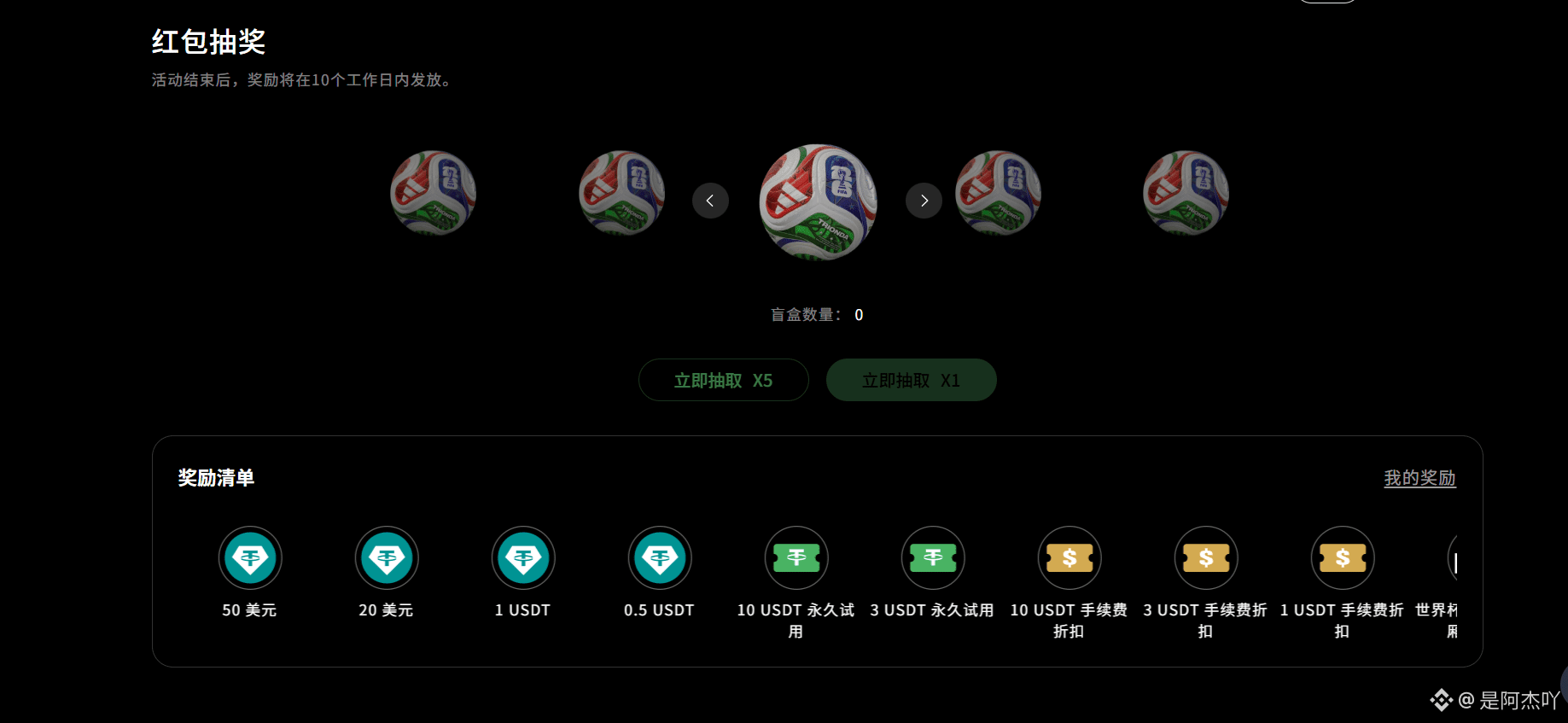
3
9
7.4k

·
--
BiyaPay U-Card 专属活动上线,数字资产直接全球刷卡消费
一直在用 BiyaPay 打理数字资产、投资美港股,平台除了换汇、跨境汇款、零佣金美股交易这些核心功能,U-Card 支付卡也是日常高频用到的工具,能把 USDT 直接转为法币,全球线上线下都能刷卡消费,覆盖海外订阅、海淘、境外线下门店等各类场景。
现在平台开启 U-Card 专属限时活动,活动周期8 月 1 日至 9 月 15 日,福利规则简单实在:
新用户首次用 U-Card 刷卡消费,享受 50% 消费返现,最高能拿 10 USDT; 邀请好友注册并达标使用,每成功邀请 1 位新用户奖励 5 USDT,邀请人数没有上限,多邀多得。
一张 U-Card 打通数字资产与现实消费,不用再繁琐换汇取现,搭配本次高额返现和无上限邀新奖励,不管是经常海淘、订阅海外软件,还是有境外消费需求,都很适合参与。
官方推特:@BIYAPAYOFFICIAL
#biyapay #Ucard #CryptoPayment
BiyaPay U-Card 专属活动上线,数字资产直接全球刷卡消费
一直在用 BiyaPay 打理数字资产、投资美港股,平台除了换汇、跨境汇款、零佣金美股交易这些核心功能,U-Card 支付卡也是日常高频用到的工具,能把 USDT 直接转为法币,全球线上线下都能刷卡消费,覆盖海外订阅、海淘、境外线下门店等各类场景。
现在平台开启 U-Card 专属限时活动,活动周期8 月 1 日至 9 月 15 日,福利规则简单实在:
新用户首次用 U-Card 刷卡消费,享受 50% 消费返现,最高能拿 10 USDT; 邀请好友注册并达标使用,每成功邀请 1 位新用户奖励 5 USDT,邀请人数没有上限,多邀多得。
一张 U-Card 打通数字资产与现实消费,不用再繁琐换汇取现,搭配本次高额返现和无上限邀新奖励,不管是经常海淘、订阅海外软件,还是有境外消费需求,都很适合参与。
官方推特:@BIYAPAYOFFICIAL
#biyapay #Ucard #CryptoPayment
一直在用 BiyaPay 打理数字资产、投资美港股,平台除了换汇、跨境汇款、零佣金美股交易这些核心功能,U-Card 支付卡也是日常高频用到的工具,能把 USDT 直接转为法币,全球线上线下都能刷卡消费,覆盖海外订阅、海淘、境外线下门店等各类场景。
现在平台开启 U-Card 专属限时活动,活动周期8 月 1 日至 9 月 15 日,福利规则简单实在:
新用户首次用 U-Card 刷卡消费,享受 50% 消费返现,最高能拿 10 USDT; 邀请好友注册并达标使用,每成功邀请 1 位新用户奖励 5 USDT,邀请人数没有上限,多邀多得。
一张 U-Card 打通数字资产与现实消费,不用再繁琐换汇取现,搭配本次高额返现和无上限邀新奖励,不管是经常海淘、订阅海外软件,还是有境外消费需求,都很适合参与。
官方推特:@BIYAPAYOFFICIAL
#biyapay #Ucard #CryptoPayment
1
2
265

BIYAPAY LAUNCHES WORLD CUP CARNIVAL WITH ZERO FEE TRADING AND VIP PRIZES ⚽
BiyaPay just kicked off their World Cup event, and the incentive structure is worth a look if you are already active in the market. They are offering zero fee transactions and various rewards through July 10th for users completing specific tasks like trading and cross-border remittances.
The platform is clearly trying to capture some of the current sports momentum to drive volume. With prizes ranging from VIP box seats to blind box rewards, it adds a layer of utility to standard trading activity. Do you think these types of event-driven incentives actually change your trading behavior?
Not financial advice. Always manage your risk.
#BIYAPAY #CryptoTrading #WorldCup #TradingIncentives
⚡
BIYAPAY LAUNCHES WORLD CUP CARNIVAL WITH ZERO FEE TRADING AND VIP PRIZES ⚽
BiyaPay just kicked off their World Cup event, and the incentive structure is worth a look if you are already active in the market. They are offering zero fee transactions and various rewards through July 10th for users completing specific tasks like trading and cross-border remittances.
The platform is clearly trying to capture some of the current sports momentum to drive volume. With prizes ranging from VIP box seats to blind box rewards, it adds a layer of utility to standard trading activity. Do you think these types of event-driven incentives actually change your trading behavior?
Not financial advice. Always manage your risk.
#BIYAPAY #CryptoTrading #WorldCup #TradingIncentives
⚡
BiyaPay just kicked off their World Cup event, and the incentive structure is worth a look if you are already active in the market. They are offering zero fee transactions and various rewards through July 10th for users completing specific tasks like trading and cross-border remittances.
The platform is clearly trying to capture some of the current sports momentum to drive volume. With prizes ranging from VIP box seats to blind box rewards, it adds a layer of utility to standard trading activity. Do you think these types of event-driven incentives actually change your trading behavior?
Not financial advice. Always manage your risk.
#BIYAPAY #CryptoTrading #WorldCup #TradingIncentives
⚡
54

·
--
Visa接入Monad,稳定币离日常支付还有多远?币圈最近有条消息,热闹程度可能赶不上大涨大跌,却值得认真看一眼。11月10日,Monad基金会宣布,Visa已将Monad加入其稳定币结算网络选项,参与该项目的发卡机构和收单机构可以使用这条链结算与Visa相关的款项。看到Visa和公链放在一起,很容易联想到“以后拿着稳定币,想在哪儿花就在哪儿花”。但这条消息实际说的,还没有那么宽。
它首先改变的是支付机构之间的后台结算路径。发卡机构服务持卡人,收单机构服务商户,一笔刷卡消费背后,还涉及这些机构之间如何清算与结算。增加一条区块链选项,是为参与机构多提供一种资金流转方式,并不自动等于所有商户开始收稳定币,也不等于普通用户马上多出一个付款按钮。
还有一个细节不能跳过:这次公开消息没有明确列出Monad结算具体使用哪些稳定币。因此,不能因为自己平时用USDT,就顺手把新闻改写成“Visa已经支持在Monad上用USDT结算”。币种、网络、参与机构和用户资格,都是具体条件;少看其中一项,实际体验就可能完全不同。
即便如此,我还是觉得它有观察价值。币圈讨论稳定币,常常先想到交易对、保证金,或者等机会时暂时停放资金。支付机构讨论稳定币,关心的却可能是周末能不能结算、资金要提前准备多少、不同地区的账户怎样衔接。一个看价格波动,一个看日常业务效率,同一种工具在两种场景里,衡量标准并不相同。
不过,链上可以持续运行,不代表整条付款路径都没有营业时间。假设前半段转账很快,后半段仍需要兑换、审核或者银行处理,最终使用资金的时间,就不只取决于区块确认速度。“链上已经成功”和“收款人已经拿到可用资金”,有时之间还隔着几步。这也是我看支付类产品时,最想确认的地方。
Monad同时提到面向机构的Private Settlement隐私功能,但这项能力仍属于后续计划,不能与本次结算网络接入一并写成已经全部上线。企业愿不愿意把业务搬上链,除了速度和费用,还涉及商业数据如何保密、账务如何核对,以及出现异常由谁处理。签下一项合作是进展,形成稳定使用量还需要时间验证。
回到个人需求,这条消息让我更关注“稳定币最后怎么被使用”。比如,持有数字资产的人可能需要支付海外服务费,或者把资金换成美元、港币转到支持的银行账户。此时最实用的问题,并不是某条链理论上有多快,而是收款方接受什么、自己要完成哪些步骤,以及总费用和预计时间能不能提前看明白。
这也是BiyaPay可以放进观察范围的原因。其平台提供USDT等数字资产与法币的兑换、跨境汇款等服务。对已经有相关收付款需求的人,把兑换和汇款衔接起来,价值在于减少平台切换,并围绕同一笔款项核对流程。
我会用一个很实际的标准评估这类工具:转出前,能否确认汇出币种、收款币种、汇率、费用和预计到账时间;转出后,能否理解当前状态,发生延迟又该联系谁。费率有优势当然重要,但也要落在同一条路线、同样金额和相近时点上比较。只比较一个宣传数字,容易忽略兑换和入账环节的差别。
至于Visa接入一条公链,会不会推高相关代币价格,我认为不能从合作消息直接推出答案。支付业务使用网络,与代币持有人最终获得多少价值,中间还隔着收费方式、代币用途、供需等因素。即使某项业务真的增长,市场也可能早已计入预期,或者同时面对其他压力。
对我来说,这次消息最值得记住的,是稳定币的用途正在被更多支付机构研究和采用。接下来要看的,是哪些机构真的使用、跑了多少业务,以及用户实际少了哪些麻烦。对个人而言,把一笔款项顺利付出去,比记住又有一家大公司接入了哪条链,更能说明工具的价值。
#稳定币 #Monad #跨境支付 #biyapay
Visa接入Monad,稳定币离日常支付还有多远?
币圈最近有条消息,热闹程度可能赶不上大涨大跌,却值得认真看一眼。11月10日,Monad基金会宣布,Visa已将Monad加入其稳定币结算网络选项,参与该项目的发卡机构和收单机构可以使用这条链结算与Visa相关的款项。看到Visa和公链放在一起,很容易联想到“以后拿着稳定币,想在哪儿花就在哪儿花”。但这条消息实际说的,还没有那么宽。
它首先改变的是支付机构之间的后台结算路径。发卡机构服务持卡人,收单机构服务商户,一笔刷卡消费背后,还涉及这些机构之间如何清算与结算。增加一条区块链选项,是为参与机构多提供一种资金流转方式,并不自动等于所有商户开始收稳定币,也不等于普通用户马上多出一个付款按钮。
还有一个细节不能跳过:这次公开消息没有明确列出Monad结算具体使用哪些稳定币。因此,不能因为自己平时用USDT,就顺手把新闻改写成“Visa已经支持在Monad上用USDT结算”。币种、网络、参与机构和用户资格,都是具体条件;少看其中一项,实际体验就可能完全不同。
即便如此,我还是觉得它有观察价值。币圈讨论稳定币,常常先想到交易对、保证金,或者等机会时暂时停放资金。支付机构讨论稳定币,关心的却可能是周末能不能结算、资金要提前准备多少、不同地区的账户怎样衔接。一个看价格波动,一个看日常业务效率,同一种工具在两种场景里,衡量标准并不相同。
不过,链上可以持续运行,不代表整条付款路径都没有营业时间。假设前半段转账很快,后半段仍需要兑换、审核或者银行处理,最终使用资金的时间,就不只取决于区块确认速度。“链上已经成功”和“收款人已经拿到可用资金”,有时之间还隔着几步。这也是我看支付类产品时,最想确认的地方。
Monad同时提到面向机构的Private Settlement隐私功能,但这项能力仍属于后续计划,不能与本次结算网络接入一并写成已经全部上线。企业愿不愿意把业务搬上链,除了速度和费用,还涉及商业数据如何保密、账务如何核对,以及出现异常由谁处理。签下一项合作是进展,形成稳定使用量还需要时间验证。
回到个人需求,这条消息让我更关注“稳定币最后怎么被使用”。比如,持有数字资产的人可能需要支付海外服务费,或者把资金换成美元、港币转到支持的银行账户。此时最实用的问题,并不是某条链理论上有多快,而是收款方接受什么、自己要完成哪些步骤,以及总费用和预计时间能不能提前看明白。
这也是BiyaPay可以放进观察范围的原因。其平台提供USDT等数字资产与法币的兑换、跨境汇款等服务。对已经有相关收付款需求的人,把兑换和汇款衔接起来,价值在于减少平台切换,并围绕同一笔款项核对流程。
我会用一个很实际的标准评估这类工具:转出前,能否确认汇出币种、收款币种、汇率、费用和预计到账时间;转出后,能否理解当前状态,发生延迟又该联系谁。费率有优势当然重要,但也要落在同一条路线、同样金额和相近时点上比较。只比较一个宣传数字,容易忽略兑换和入账环节的差别。
至于Visa接入一条公链,会不会推高相关代币价格,我认为不能从合作消息直接推出答案。支付业务使用网络,与代币持有人最终获得多少价值,中间还隔着收费方式、代币用途、供需等因素。即使某项业务真的增长,市场也可能早已计入预期,或者同时面对其他压力。
对我来说,这次消息最值得记住的,是稳定币的用途正在被更多支付机构研究和采用。接下来要看的,是哪些机构真的使用、跑了多少业务,以及用户实际少了哪些麻烦。对个人而言,把一笔款项顺利付出去,比记住又有一家大公司接入了哪条链,更能说明工具的价值。
#稳定币 #Monad #跨境支付 #biyapay
它首先改变的是支付机构之间的后台结算路径。发卡机构服务持卡人,收单机构服务商户,一笔刷卡消费背后,还涉及这些机构之间如何清算与结算。增加一条区块链选项,是为参与机构多提供一种资金流转方式,并不自动等于所有商户开始收稳定币,也不等于普通用户马上多出一个付款按钮。
还有一个细节不能跳过:这次公开消息没有明确列出Monad结算具体使用哪些稳定币。因此,不能因为自己平时用USDT,就顺手把新闻改写成“Visa已经支持在Monad上用USDT结算”。币种、网络、参与机构和用户资格,都是具体条件;少看其中一项,实际体验就可能完全不同。
即便如此,我还是觉得它有观察价值。币圈讨论稳定币,常常先想到交易对、保证金,或者等机会时暂时停放资金。支付机构讨论稳定币,关心的却可能是周末能不能结算、资金要提前准备多少、不同地区的账户怎样衔接。一个看价格波动,一个看日常业务效率,同一种工具在两种场景里,衡量标准并不相同。
不过,链上可以持续运行,不代表整条付款路径都没有营业时间。假设前半段转账很快,后半段仍需要兑换、审核或者银行处理,最终使用资金的时间,就不只取决于区块确认速度。“链上已经成功”和“收款人已经拿到可用资金”,有时之间还隔着几步。这也是我看支付类产品时,最想确认的地方。
Monad同时提到面向机构的Private Settlement隐私功能,但这项能力仍属于后续计划,不能与本次结算网络接入一并写成已经全部上线。企业愿不愿意把业务搬上链,除了速度和费用,还涉及商业数据如何保密、账务如何核对,以及出现异常由谁处理。签下一项合作是进展,形成稳定使用量还需要时间验证。
回到个人需求,这条消息让我更关注“稳定币最后怎么被使用”。比如,持有数字资产的人可能需要支付海外服务费,或者把资金换成美元、港币转到支持的银行账户。此时最实用的问题,并不是某条链理论上有多快,而是收款方接受什么、自己要完成哪些步骤,以及总费用和预计时间能不能提前看明白。
这也是BiyaPay可以放进观察范围的原因。其平台提供USDT等数字资产与法币的兑换、跨境汇款等服务。对已经有相关收付款需求的人,把兑换和汇款衔接起来,价值在于减少平台切换,并围绕同一笔款项核对流程。
我会用一个很实际的标准评估这类工具:转出前,能否确认汇出币种、收款币种、汇率、费用和预计到账时间;转出后,能否理解当前状态,发生延迟又该联系谁。费率有优势当然重要,但也要落在同一条路线、同样金额和相近时点上比较。只比较一个宣传数字,容易忽略兑换和入账环节的差别。
至于Visa接入一条公链,会不会推高相关代币价格,我认为不能从合作消息直接推出答案。支付业务使用网络,与代币持有人最终获得多少价值,中间还隔着收费方式、代币用途、供需等因素。即使某项业务真的增长,市场也可能早已计入预期,或者同时面对其他压力。
对我来说,这次消息最值得记住的,是稳定币的用途正在被更多支付机构研究和采用。接下来要看的,是哪些机构真的使用、跑了多少业务,以及用户实际少了哪些麻烦。对个人而言,把一笔款项顺利付出去,比记住又有一家大公司接入了哪条链,更能说明工具的价值。
#稳定币 #Monad #跨境支付 #biyapay
1
243

·
--
三大齐涨对照笔记:英伟达独跌那天,AI会员续费别跟着慌11月9日美股收盘,颜色看着齐了:道指52389.75点,约+2.15%(+1104.02);标普7549.94点,约+2.35%(+173.08);纳指25253.14点,约+2.74%(+673.71)。VIX回落到约19.92,大约-22.31%,重新跌回20下方。油价也明显回落:布伦特约-5.85%到92.57,WTI约-4.38%到86.85,通胀担忧跟着松一点。同日英伟达却收178.67,约-4.27%,早盘最低约170.24,盘中一度约-8.8%。三大齐涨可以发生,英伟达独跌也可以同时发生——宽基回补和龙头分化,还是两本账。把「颜色齐了」和「结构齐了」拆开写,比转发收盘截图更接近可复查。
先按时间线对照,不追热搜口号。开盘前,市场还在消化上周抛压与风险偏好能否修复,多数人盯的是三大会不会一起回补。盘中,宽基与多数科技股回补明显,油价与VIX同步回落,说明短线波动和通胀噪声都在降温;收盘后,三大同日超2%,但英伟达逆势独跌,把「板块回暖」和「龙头同步」拆成两条备注。管理层风波与内部调查扰动,更适合写成「为何独跌」的观察栏,不适合写成演义。对照笔记只问三句:指数涨了多少、个股是否跟得上、自己有没有被颜色改计划。数字写全了,才不容易事后靠记忆美化。把道指、标普、纳指、VIX、油价、英伟达收盘与盘中低点写成一页对照,比只截一张绿屏更稳。同日颜色齐了,最多算观察窗口,不等于分化已经收口;连续两三天再核同一组问题,通常比追一条爆款解读更接近真实节奏。
对日常用AI辅助编程、办公、设计的人,反弹噪声日更该把两件事拆开:行情观察,和工具订阅续费。写代码的人离不开Codex一类辅助编程,能加快写改测闭环,少在鉴权、单测和依赖排查上反复空手;做方案、改稿、长上下文协作常靠Claude,稳定输出与长对话更省事;设计师出图、改图、批量出视觉,也离不开图像生成类会员。工具功能可以一句带过——真正拉开差距的是稳定性:同一套付费能力,能让你在联调、改稿、出图高峰时保持同一套节奏。为什么需要订阅?因为免费档通常限次数、限模型、限团队位,正经项目一上强度就撞墙——额度半夜用完、高级模型锁在付费档、协作席位不够,都会直接打断交付。月付或年付不是为了好看,是为了把额度、模型与协作能力锁进更稳的档位,让交付节奏不被工具中断拖着跑。项目一忙起来,断订阅比断行情更耽误事;尤其是编程联调与设计出图叠在同一周时,会员中断会直接打断交付窗口。把「为什么订」写成强度对照:本周是否连续写改测、是否长上下文协作、是否批量出图——强度对得上,续费才站得住。订阅解决的是生产力连续性,不是盘面情绪;三大齐涨也不自动替你把额度续上。
怎么买、怎么续,流程要和真实付款一致,别把「准备资金」和「官网下单」混成一步。第一步,打开Claude、Codex或出图工具官网,确认档位名、计费周期、下次扣款日,以及自己要的是个人订阅还是团队席位,别把网页订阅和开发者API额度混成一本账。第二步,提前三到七天处理境外结算备款与多币种兑换,把USDT等可用结算资金准备好,写成可勾选状态,避免续费窗口卡在币种或可用额度上。第三步,回到工具官网付款页完成结算——扣款仍在官网完成,资金准备层不替代官网账单。第四步,立刻回看账单状态与收据邮件,把订单号抄回小表。第五步,把下一周期提醒写入日历,按工具分列到期日,避免同一周多笔年付撞车。续费前只核对三件事:档位对不对、钱是否就绪、官网能否正常扣款。真正省事的做法,是把订阅档位、到期日、备款状态写成一张小表,反弹日只更新表,不把账单和热搜绑死。一人多用多款工具时,更建议提前处理备款,少在齐涨日临时折腾资金。
通过BiyaPay使用USDT购买AI软件会员,卡在的正是「官网要付、备款还没理顺」这一步:把境外结算备款、多币种兑换放进同一资金入口,用USDT为境外AI会员做付款准备,先准备、再回官网付款。它不替代工具官网,也不替你决定续哪一档,只是降低跨境准备摩擦。对同时续编程助手、办公对话和出图会员的人,便利很具体——续费日前把备款放进BiyaPay处理好,付款页少卡关;把看行情和管工具预算分开,三大齐涨也不自动等于你的额度够用。把BiyaPay当成一站式资金准备层,反弹日也不必把行情情绪和账单绑死。资金入口理顺了,工具才能按自己的节奏续,而不是被颜色噪声带着跑。
对照收尾:新闻层看三大与英伟达是否同向;日历层看会员何时到期;资金层看USDT备款与兑换是否就绪。颜色会骗人,到期日不会替你延期。投资有风险,仅个人观察分享,不构成投资建议。
三大齐涨对照笔记:英伟达独跌那天,AI会员续费别跟着慌
11月9日美股收盘,颜色看着齐了:道指52389.75点,约+2.15%(+1104.02);标普7549.94点,约+2.35%(+173.08);纳指25253.14点,约+2.74%(+673.71)。VIX回落到约19.92,大约-22.31%,重新跌回20下方。油价也明显回落:布伦特约-5.85%到92.57,WTI约-4.38%到86.85,通胀担忧跟着松一点。同日英伟达却收178.67,约-4.27%,早盘最低约170.24,盘中一度约-8.8%。三大齐涨可以发生,英伟达独跌也可以同时发生——宽基回补和龙头分化,还是两本账。把「颜色齐了」和「结构齐了」拆开写,比转发收盘截图更接近可复查。
先按时间线对照,不追热搜口号。开盘前,市场还在消化上周抛压与风险偏好能否修复,多数人盯的是三大会不会一起回补。盘中,宽基与多数科技股回补明显,油价与VIX同步回落,说明短线波动和通胀噪声都在降温;收盘后,三大同日超2%,但英伟达逆势独跌,把「板块回暖」和「龙头同步」拆成两条备注。管理层风波与内部调查扰动,更适合写成「为何独跌」的观察栏,不适合写成演义。对照笔记只问三句:指数涨了多少、个股是否跟得上、自己有没有被颜色改计划。数字写全了,才不容易事后靠记忆美化。把道指、标普、纳指、VIX、油价、英伟达收盘与盘中低点写成一页对照,比只截一张绿屏更稳。同日颜色齐了,最多算观察窗口,不等于分化已经收口;连续两三天再核同一组问题,通常比追一条爆款解读更接近真实节奏。
对日常用AI辅助编程、办公、设计的人,反弹噪声日更该把两件事拆开:行情观察,和工具订阅续费。写代码的人离不开Codex一类辅助编程,能加快写改测闭环,少在鉴权、单测和依赖排查上反复空手;做方案、改稿、长上下文协作常靠Claude,稳定输出与长对话更省事;设计师出图、改图、批量出视觉,也离不开图像生成类会员。工具功能可以一句带过——真正拉开差距的是稳定性:同一套付费能力,能让你在联调、改稿、出图高峰时保持同一套节奏。为什么需要订阅?因为免费档通常限次数、限模型、限团队位,正经项目一上强度就撞墙——额度半夜用完、高级模型锁在付费档、协作席位不够,都会直接打断交付。月付或年付不是为了好看,是为了把额度、模型与协作能力锁进更稳的档位,让交付节奏不被工具中断拖着跑。项目一忙起来,断订阅比断行情更耽误事;尤其是编程联调与设计出图叠在同一周时,会员中断会直接打断交付窗口。把「为什么订」写成强度对照:本周是否连续写改测、是否长上下文协作、是否批量出图——强度对得上,续费才站得住。订阅解决的是生产力连续性,不是盘面情绪;三大齐涨也不自动替你把额度续上。
怎么买、怎么续,流程要和真实付款一致,别把「准备资金」和「官网下单」混成一步。第一步,打开Claude、Codex或出图工具官网,确认档位名、计费周期、下次扣款日,以及自己要的是个人订阅还是团队席位,别把网页订阅和开发者API额度混成一本账。第二步,提前三到七天处理境外结算备款与多币种兑换,把USDT等可用结算资金准备好,写成可勾选状态,避免续费窗口卡在币种或可用额度上。第三步,回到工具官网付款页完成结算——扣款仍在官网完成,资金准备层不替代官网账单。第四步,立刻回看账单状态与收据邮件,把订单号抄回小表。第五步,把下一周期提醒写入日历,按工具分列到期日,避免同一周多笔年付撞车。续费前只核对三件事:档位对不对、钱是否就绪、官网能否正常扣款。真正省事的做法,是把订阅档位、到期日、备款状态写成一张小表,反弹日只更新表,不把账单和热搜绑死。一人多用多款工具时,更建议提前处理备款,少在齐涨日临时折腾资金。
通过BiyaPay使用USDT购买AI软件会员,卡在的正是「官网要付、备款还没理顺」这一步:把境外结算备款、多币种兑换放进同一资金入口,用USDT为境外AI会员做付款准备,先准备、再回官网付款。它不替代工具官网,也不替你决定续哪一档,只是降低跨境准备摩擦。对同时续编程助手、办公对话和出图会员的人,便利很具体——续费日前把备款放进BiyaPay处理好,付款页少卡关;把看行情和管工具预算分开,三大齐涨也不自动等于你的额度够用。把BiyaPay当成一站式资金准备层,反弹日也不必把行情情绪和账单绑死。资金入口理顺了,工具才能按自己的节奏续,而不是被颜色噪声带着跑。
对照收尾:新闻层看三大与英伟达是否同向;日历层看会员何时到期;资金层看USDT备款与兑换是否就绪。颜色会骗人,到期日不会替你延期。投资有风险,仅个人观察分享,不构成投资建议。
先按时间线对照,不追热搜口号。开盘前,市场还在消化上周抛压与风险偏好能否修复,多数人盯的是三大会不会一起回补。盘中,宽基与多数科技股回补明显,油价与VIX同步回落,说明短线波动和通胀噪声都在降温;收盘后,三大同日超2%,但英伟达逆势独跌,把「板块回暖」和「龙头同步」拆成两条备注。管理层风波与内部调查扰动,更适合写成「为何独跌」的观察栏,不适合写成演义。对照笔记只问三句:指数涨了多少、个股是否跟得上、自己有没有被颜色改计划。数字写全了,才不容易事后靠记忆美化。把道指、标普、纳指、VIX、油价、英伟达收盘与盘中低点写成一页对照,比只截一张绿屏更稳。同日颜色齐了,最多算观察窗口,不等于分化已经收口;连续两三天再核同一组问题,通常比追一条爆款解读更接近真实节奏。
对日常用AI辅助编程、办公、设计的人,反弹噪声日更该把两件事拆开:行情观察,和工具订阅续费。写代码的人离不开Codex一类辅助编程,能加快写改测闭环,少在鉴权、单测和依赖排查上反复空手;做方案、改稿、长上下文协作常靠Claude,稳定输出与长对话更省事;设计师出图、改图、批量出视觉,也离不开图像生成类会员。工具功能可以一句带过——真正拉开差距的是稳定性:同一套付费能力,能让你在联调、改稿、出图高峰时保持同一套节奏。为什么需要订阅?因为免费档通常限次数、限模型、限团队位,正经项目一上强度就撞墙——额度半夜用完、高级模型锁在付费档、协作席位不够,都会直接打断交付。月付或年付不是为了好看,是为了把额度、模型与协作能力锁进更稳的档位,让交付节奏不被工具中断拖着跑。项目一忙起来,断订阅比断行情更耽误事;尤其是编程联调与设计出图叠在同一周时,会员中断会直接打断交付窗口。把「为什么订」写成强度对照:本周是否连续写改测、是否长上下文协作、是否批量出图——强度对得上,续费才站得住。订阅解决的是生产力连续性,不是盘面情绪;三大齐涨也不自动替你把额度续上。
怎么买、怎么续,流程要和真实付款一致,别把「准备资金」和「官网下单」混成一步。第一步,打开Claude、Codex或出图工具官网,确认档位名、计费周期、下次扣款日,以及自己要的是个人订阅还是团队席位,别把网页订阅和开发者API额度混成一本账。第二步,提前三到七天处理境外结算备款与多币种兑换,把USDT等可用结算资金准备好,写成可勾选状态,避免续费窗口卡在币种或可用额度上。第三步,回到工具官网付款页完成结算——扣款仍在官网完成,资金准备层不替代官网账单。第四步,立刻回看账单状态与收据邮件,把订单号抄回小表。第五步,把下一周期提醒写入日历,按工具分列到期日,避免同一周多笔年付撞车。续费前只核对三件事:档位对不对、钱是否就绪、官网能否正常扣款。真正省事的做法,是把订阅档位、到期日、备款状态写成一张小表,反弹日只更新表,不把账单和热搜绑死。一人多用多款工具时,更建议提前处理备款,少在齐涨日临时折腾资金。
通过BiyaPay使用USDT购买AI软件会员,卡在的正是「官网要付、备款还没理顺」这一步:把境外结算备款、多币种兑换放进同一资金入口,用USDT为境外AI会员做付款准备,先准备、再回官网付款。它不替代工具官网,也不替你决定续哪一档,只是降低跨境准备摩擦。对同时续编程助手、办公对话和出图会员的人,便利很具体——续费日前把备款放进BiyaPay处理好,付款页少卡关;把看行情和管工具预算分开,三大齐涨也不自动等于你的额度够用。把BiyaPay当成一站式资金准备层,反弹日也不必把行情情绪和账单绑死。资金入口理顺了,工具才能按自己的节奏续,而不是被颜色噪声带着跑。
对照收尾:新闻层看三大与英伟达是否同向;日历层看会员何时到期;资金层看USDT备款与兑换是否就绪。颜色会骗人,到期日不会替你延期。投资有风险,仅个人观察分享,不构成投资建议。
294
·
--
CoreWeave上调指引,AI算力的争议结束了吗?看币圈,不一定只盯着币价。有些争论的答案,反而藏在美股公司的财报里。比如,AI到底还需不需要更多算力?靠数据中心赚钱,和靠算力概念吸引资金,差别究竟在哪里?CoreWeave在11月10日发布的三季度业绩,给了这两个问题一组可以认真讨论的数据。
这家AI云服务公司三季度收入36.61亿美元,上年同期为13.65亿美元,增长约168%;截至9月底,收入积压规模约1325亿美元。公司还把2026年全年收入指引上调至130亿—133亿美元。只看这些数字,需求依然强劲,至少不能简单把AI基础设施说成“已经没人要了”。不过,指引是管理层预期,收入积压也要在履行交付和服务条件后,才能陆续确认为收入。
真正让我停下来看的,是另一组数字:全年资本开支预计达到370亿—390亿美元,区间下限从此前的350亿美元提高了。也就是说,预期收入往上走,建设投入也在往上走。这里不能拿资本开支直接减去收入,当成当年的净利润;但它确实提醒人们,扩大算力服务不是接到订单后按一下开关,而是要提前投入大量资金。
这与很多轻资产生意很不一样。客户提出需求,机房、电力、服务器和网络得跟上,设备交付之后,还要保障持续运行。签下一份合同,是商业进展;把约定的服务按时交付,是执行能力;最后让这门生意持续产生足够回报,又是另一道考题。市场关心的,往往正是这几步之间有没有落差。
财报也把资金成本摆到了台面上。CoreWeave当季营业利润为2.07亿美元,但净利息费用达到8.46亿美元,最终净亏损7.09亿美元。这不能简化成“客户越多就亏得越多”,因为收入增长、设备投入和融资成本之间存在时间差;同样,也不能用订单增长把资金成本一笔带过。生意有没有需求,与股东什么时候能获得相应回报,需要分开判断。
对币圈读者来说,这件事有意思的地方在于,AI叙事常常横跨几个市场:云服务公司、芯片企业、向数据中心业务转型的矿企,以及各种算力相关代币,可能同时进入讨论。但它们拿到收入的方式不同,持有人享有的权益也不同。一家云公司的订单增长,无法直接证明某个代币会获得相应现金流,更不能替代对项目本身的核查。
哪怕都写着“算力”,也值得多问一层:公司是出租设备、提供托管,还是交付完整云服务?收入来自已经付费的客户,还是尚待实现的计划?手上的资产是公司股权,还是附带特定规则的代币?这些问题听起来没有涨幅榜热闹,却决定了你看到的利好,能否真正传递到自己关注的资产上。
这也是我关注BiyaPay这类跨市场工具时,更在意信息怎么衔接的原因。其涵盖美港股、数字资产和多币种服务,对于本来就同时研究这些市场的人,多一个集中查看和处理相关需求的入口有一定便利。BiyaPay也支持数字货币对法币交易,还为投资者提供了一个全新的、更为直观的界面和交易体验。
所谓跨市场观察,也不能停留在“美股AI涨了,币圈AI应该跟上”。同一条产业消息,有时会增加设备供应商的订单,却同时提高采购设备一方的资金压力。处在产业链不同位置,受益程度和兑现时间都可能不同。仅凭共同的关键词把它们归为一组,很容易漏掉这种差异。
我会把CoreWeave这份财报当成接下来观察AI产业的一张对照表:收入能否按计划确认,建设能否跟上承诺,资金成本又会怎样影响经营结果。后续如果有人继续拿“订单巨大”解释所有算力题材,就可以追问:是哪家公司的订单、由谁来交付、最后由谁获得收入?
一份财报解决不了AI行业的全部争议,但能让讨论从想象落到实际生意上。需求旺盛值得重视,为满足需求付出的代价,也应该放进同一张账里看。
#CoreWeave #美股 #AI算力 #BiyaPay
CoreWeave上调指引,AI算力的争议结束了吗?
看币圈,不一定只盯着币价。有些争论的答案,反而藏在美股公司的财报里。比如,AI到底还需不需要更多算力?靠数据中心赚钱,和靠算力概念吸引资金,差别究竟在哪里?CoreWeave在11月10日发布的三季度业绩,给了这两个问题一组可以认真讨论的数据。
这家AI云服务公司三季度收入36.61亿美元,上年同期为13.65亿美元,增长约168%;截至9月底,收入积压规模约1325亿美元。公司还把2026年全年收入指引上调至130亿—133亿美元。只看这些数字,需求依然强劲,至少不能简单把AI基础设施说成“已经没人要了”。不过,指引是管理层预期,收入积压也要在履行交付和服务条件后,才能陆续确认为收入。
真正让我停下来看的,是另一组数字:全年资本开支预计达到370亿—390亿美元,区间下限从此前的350亿美元提高了。也就是说,预期收入往上走,建设投入也在往上走。这里不能拿资本开支直接减去收入,当成当年的净利润;但它确实提醒人们,扩大算力服务不是接到订单后按一下开关,而是要提前投入大量资金。
这与很多轻资产生意很不一样。客户提出需求,机房、电力、服务器和网络得跟上,设备交付之后,还要保障持续运行。签下一份合同,是商业进展;把约定的服务按时交付,是执行能力;最后让这门生意持续产生足够回报,又是另一道考题。市场关心的,往往正是这几步之间有没有落差。
财报也把资金成本摆到了台面上。CoreWeave当季营业利润为2.07亿美元,但净利息费用达到8.46亿美元,最终净亏损7.09亿美元。这不能简化成“客户越多就亏得越多”,因为收入增长、设备投入和融资成本之间存在时间差;同样,也不能用订单增长把资金成本一笔带过。生意有没有需求,与股东什么时候能获得相应回报,需要分开判断。
对币圈读者来说,这件事有意思的地方在于,AI叙事常常横跨几个市场:云服务公司、芯片企业、向数据中心业务转型的矿企,以及各种算力相关代币,可能同时进入讨论。但它们拿到收入的方式不同,持有人享有的权益也不同。一家云公司的订单增长,无法直接证明某个代币会获得相应现金流,更不能替代对项目本身的核查。
哪怕都写着“算力”,也值得多问一层:公司是出租设备、提供托管,还是交付完整云服务?收入来自已经付费的客户,还是尚待实现的计划?手上的资产是公司股权,还是附带特定规则的代币?这些问题听起来没有涨幅榜热闹,却决定了你看到的利好,能否真正传递到自己关注的资产上。
这也是我关注BiyaPay这类跨市场工具时,更在意信息怎么衔接的原因。其涵盖美港股、数字资产和多币种服务,对于本来就同时研究这些市场的人,多一个集中查看和处理相关需求的入口有一定便利。BiyaPay也支持数字货币对法币交易,还为投资者提供了一个全新的、更为直观的界面和交易体验。
所谓跨市场观察,也不能停留在“美股AI涨了,币圈AI应该跟上”。同一条产业消息,有时会增加设备供应商的订单,却同时提高采购设备一方的资金压力。处在产业链不同位置,受益程度和兑现时间都可能不同。仅凭共同的关键词把它们归为一组,很容易漏掉这种差异。
我会把CoreWeave这份财报当成接下来观察AI产业的一张对照表:收入能否按计划确认,建设能否跟上承诺,资金成本又会怎样影响经营结果。后续如果有人继续拿“订单巨大”解释所有算力题材,就可以追问:是哪家公司的订单、由谁来交付、最后由谁获得收入?
一份财报解决不了AI行业的全部争议,但能让讨论从想象落到实际生意上。需求旺盛值得重视,为满足需求付出的代价,也应该放进同一张账里看。
#CoreWeave #美股 #AI算力 #BiyaPay
这家AI云服务公司三季度收入36.61亿美元,上年同期为13.65亿美元,增长约168%;截至9月底,收入积压规模约1325亿美元。公司还把2026年全年收入指引上调至130亿—133亿美元。只看这些数字,需求依然强劲,至少不能简单把AI基础设施说成“已经没人要了”。不过,指引是管理层预期,收入积压也要在履行交付和服务条件后,才能陆续确认为收入。
真正让我停下来看的,是另一组数字:全年资本开支预计达到370亿—390亿美元,区间下限从此前的350亿美元提高了。也就是说,预期收入往上走,建设投入也在往上走。这里不能拿资本开支直接减去收入,当成当年的净利润;但它确实提醒人们,扩大算力服务不是接到订单后按一下开关,而是要提前投入大量资金。
这与很多轻资产生意很不一样。客户提出需求,机房、电力、服务器和网络得跟上,设备交付之后,还要保障持续运行。签下一份合同,是商业进展;把约定的服务按时交付,是执行能力;最后让这门生意持续产生足够回报,又是另一道考题。市场关心的,往往正是这几步之间有没有落差。
财报也把资金成本摆到了台面上。CoreWeave当季营业利润为2.07亿美元,但净利息费用达到8.46亿美元,最终净亏损7.09亿美元。这不能简化成“客户越多就亏得越多”,因为收入增长、设备投入和融资成本之间存在时间差;同样,也不能用订单增长把资金成本一笔带过。生意有没有需求,与股东什么时候能获得相应回报,需要分开判断。
对币圈读者来说,这件事有意思的地方在于,AI叙事常常横跨几个市场:云服务公司、芯片企业、向数据中心业务转型的矿企,以及各种算力相关代币,可能同时进入讨论。但它们拿到收入的方式不同,持有人享有的权益也不同。一家云公司的订单增长,无法直接证明某个代币会获得相应现金流,更不能替代对项目本身的核查。
哪怕都写着“算力”,也值得多问一层:公司是出租设备、提供托管,还是交付完整云服务?收入来自已经付费的客户,还是尚待实现的计划?手上的资产是公司股权,还是附带特定规则的代币?这些问题听起来没有涨幅榜热闹,却决定了你看到的利好,能否真正传递到自己关注的资产上。
这也是我关注BiyaPay这类跨市场工具时,更在意信息怎么衔接的原因。其涵盖美港股、数字资产和多币种服务,对于本来就同时研究这些市场的人,多一个集中查看和处理相关需求的入口有一定便利。BiyaPay也支持数字货币对法币交易,还为投资者提供了一个全新的、更为直观的界面和交易体验。
所谓跨市场观察,也不能停留在“美股AI涨了,币圈AI应该跟上”。同一条产业消息,有时会增加设备供应商的订单,却同时提高采购设备一方的资金压力。处在产业链不同位置,受益程度和兑现时间都可能不同。仅凭共同的关键词把它们归为一组,很容易漏掉这种差异。
我会把CoreWeave这份财报当成接下来观察AI产业的一张对照表:收入能否按计划确认,建设能否跟上承诺,资金成本又会怎样影响经营结果。后续如果有人继续拿“订单巨大”解释所有算力题材,就可以追问:是哪家公司的订单、由谁来交付、最后由谁获得收入?
一份财报解决不了AI行业的全部争议,但能让讨论从想象落到实际生意上。需求旺盛值得重视,为满足需求付出的代价,也应该放进同一张账里看。
#CoreWeave #美股 #AI算力 #BiyaPay
86
Войдите, чтобы посмотреть больше материала
Присоединяйтесь к пользователям криптовалют по всему миру на Binance Square
⚡️ Получайте новейшую и полезную информацию о криптоактивах.
💬 Нам доверяет крупнейшая в мире криптобиржа.
👍 Получите достоверные аналитические данные от верифицированных создателей контента.
Эл. почта/номер телефона
В тренде
1
#HuangRisksOusterOverReportedAffairWithSubordinate
Просмотров: 60,361
837 обсуждают
2
#AnthropicRejectsIPODelayValuationinQuestion
Просмотров: 517,975
4,234 обсуждают
3
#CoreWeaveJumps10%On168%RevenueGrowth
Просмотров: 91,174
1,080 обсуждают
4
#ZcashFallsBelow$1000ForFirstTimeSinceSeptember
Просмотров: 49,430
216 обсуждают
5
#MSCIRemovalMayCurbStrategy’sBitcoinBuying
Просмотров: 11,419
194 обсуждают
6
#HKSFCSaysTokenizationMovingToCommercialUse
Просмотров: 315
21 обсуждают
7
#CanNvidiaEarningsEaseMarketConcerns?
Просмотров: 199,907
1,984 обсуждают
8
#SouthKoreaToLetExchangesSuspendWithdrawalsOnSuspectedHacks
Просмотров: 203
12 обсуждают
9
#PythAddsNYSERealTimeDataToMarketplace
Просмотров: 5,343
133 обсуждают
10
#SolanaCompanyReports$3.4MQ3Revenue
Просмотров: 1,465
30 обсуждают