









Types of Order on Binance Futures
Disclaimer: In compliance with MiCA requirements, unauthorized stablecoins are subject to certain restrictions for EEA users. For more information, please click here.
Disclaimer: This FAQ Page is for general information and educational purposes only. It does not constitute legal terms or any form of legal agreement between you and Binance. It should not be construed as financial, legal or other professional advice. The information on this page may be outdated. For legal terms applicable to Futures and Options Trading Services, please refer to the Terms of Use, the Exchange Rules (including the Exchange Procedures) and the Clearing Rules (including the Clearing Procedures) which come into effect on 5 January 2026. Additional terms and conditions will also be set out in the Contract Specifications applicable to the relevant Derivatives contract.
Currently, Binance Futures supports 11 types of order:
1. Limit Order
2. Market Order
3. Stop-Limit Order
4. Stop Market Order
5. Trailing Stop Order
6. Post Only Order
7. Limit TP/SL Order (Strategy Order)
8. Reverse Order
9. Scaled Order
10. Conditional Order
11. TWAP
1. Limit Order
A Limit order allows you to place an order at a specific or a better price. A Buy Limit order will be filled if the price matches or is lower than your limit price, while a Sell Limit order will be filled at or higher than your limit price.
Please note: Placing a Limit order does not guarantee execution.
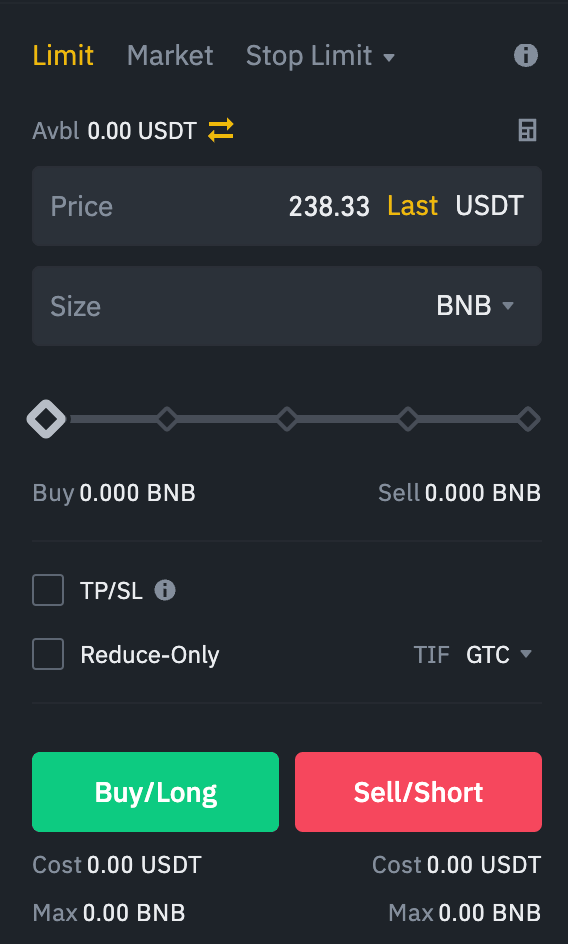
Buy example:
Current BNB Price: 238.33 USDT (Last).
You place a Limit Buy order:
- Price: 235.00 USDT (below market).
- Size: 0.5 BNB.
Outcome: Buys 0.5 BNB only if the price drops to 235.00 USDT or lower.
Sell example:
You hold BNB at 238.33 USDT.
You place a Limit Sell order:
- Price: 240.00 USDT (above market).
- Size: 0.5 BNB.
Outcome: Sells 0.5 BNB only if the price rises to 240.00 USDT or higher.
2. Market Order
A Market Order is matched immediately at the best available price. It takes prices from Limit orders on the order book to execute. Therefore, slippage could occur where you get an executed price different from what you expected.
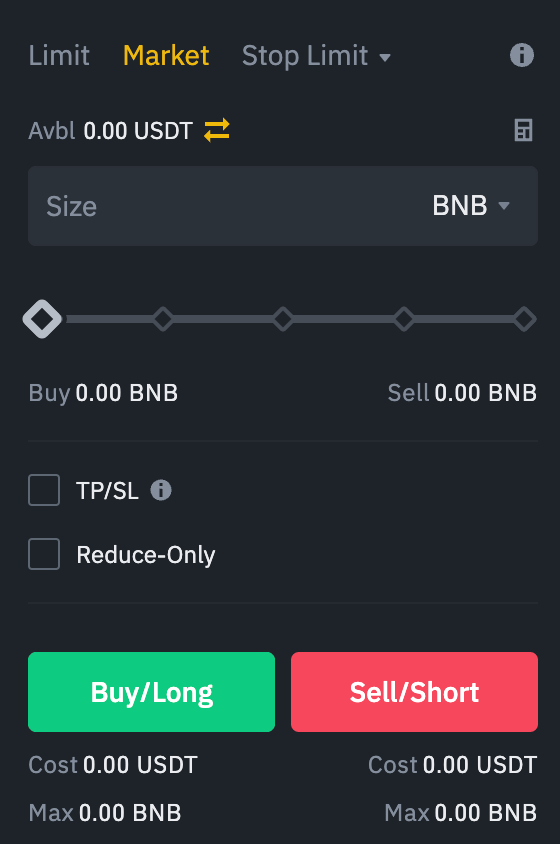
Buy example:
Place a Market Buy order for 1 BNB.
Execution: The order fills immediately at best available prices (e.g., 1 BNB at ~238.40 USDT with slippage).
Sell example:
You hold 1 BNB.
Place a Market Sell order.
Execution: The order sells immediately at the current best bid price (e.g., 1 BNB at ~ 238.30 USDT with slippage).
3. Stop Limit Order
A Stop Limit order is a conditional order over a set timeframe, executed at a specified price after a given stop price has been reached. Once the stop price is reached, it will buy or sell at the limit price or a better price than the limit price you set.
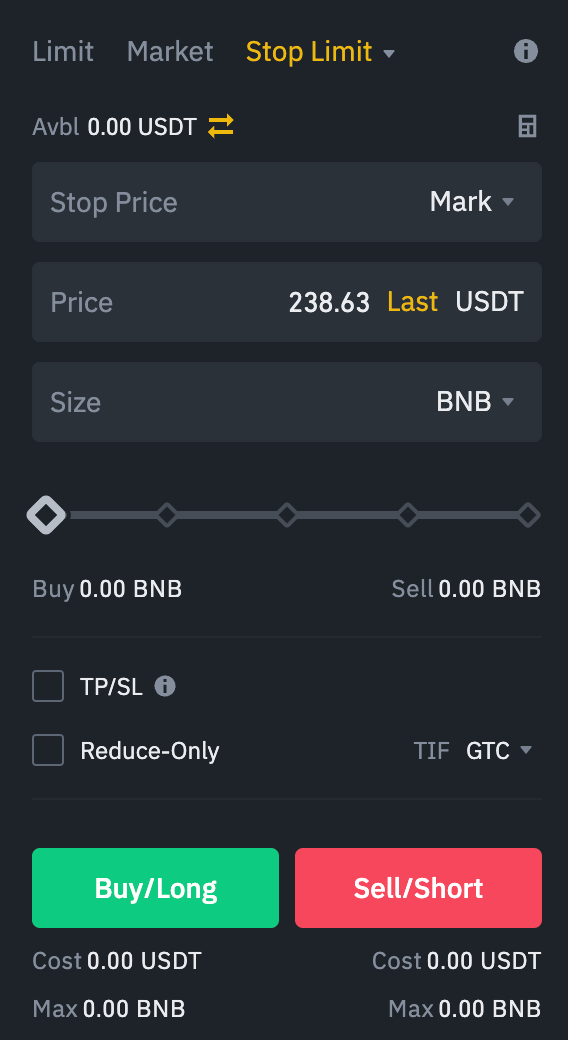
Please note: The Limit orders follow a price priority rule in the case of multiple Stop Limit orders.
Buy example (Stop-Limit Buy):
- Current BNB: 238.63 USDT.
- Set Stop Price: 245.00 USDT, Limit Price: 246.00 USDT.
Outcome: If the market price rises and hits 245.00 USDT, a Limit Buy order will be placed at 246.00 USDT or better.
Sell example (Stop-Limit Sell):
- You hold BNB at 238.63 USDT.
- Set Stop Price: 230.00 USDT, Limit Price: 229.00 USDT.
Outcome: If the market price falls to 230.00 USDT, a Limit Sell order will be placed at 229.00 USDT or better.
4. Stop Market Order
Similar to a Stop Limit order, a Stop Market order uses a stop price to trigger the trade. However, when the stop price is reached, it’ll trigger a Market order.
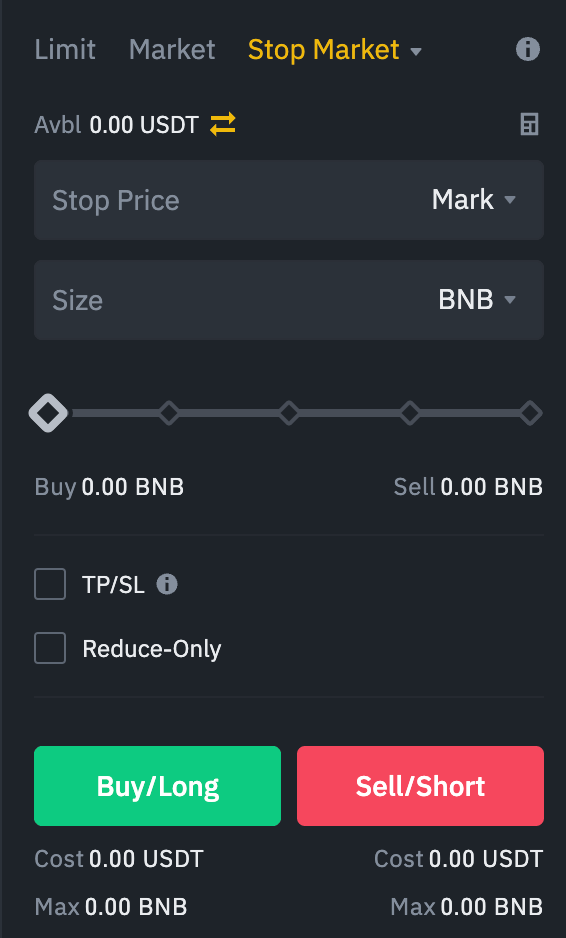
Buy example (Stop Market Buy):
- Set Stop Price: 245.00 USDT.
Outcome: When the market price reaches 245.00 USDT, a Market Buy order is triggered, executing immediately at the best available price.
Sell example (Stop Market Sell):
- You hold BNB at 238.33 USDT.
- Set Stop Price: 230.00 USDT.
Outcome: When the market price drops to 230.00 USDT, a Market Sell order is triggered, executing immediately at the best available price.
5. Trailing Stop Order
A Trailing Stop order allows traders to set a Stop order that follows the market price at a predefined percentage distance, known as the Callback Rate. This helps lock in profits by keeping the trade open and allowing it to benefit as long as the price moves in a favorable direction.
Please note: A Trailing Stop order does not move back in the other direction. When the price moves in the opposite direction by a specified percentage, it will be executed at market price.
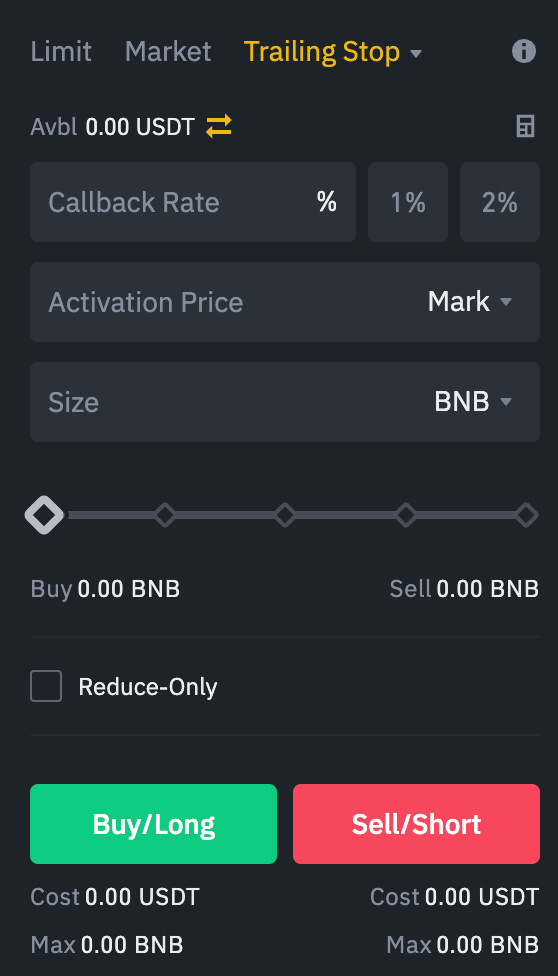
Callback Rate: The percentage distance between the current market price and the stop price.
Buy example (Trailing Stop Buy):
The trader expects the price to drop first, then rebound upwards.
Set Callback Rate to 2%
Outcome: If price drops and rebounds by 2% upwards from lowest point (stop price), a Market Buy order is triggered.
Purpose: To buy once the price shows signs of recovering after a dip.
Sell example (Trailing Stop Sell):
- The trader expects the price to rise first, then decline.
- Set Callback Rate to 3% (below market price).
Outcome: If price rises and then falls by 3% from the peak price (stop price), a Market Sell order is triggered.
Purpose: To automatically lock in profits when the price reverses after rising.
6. Post Only Order
A Post Only order is designated to add liquidity to the order book by ensuring your order will not execute immediately upon placement. Instead, it will be placed as a maker, meaning it sits on the order book waiting to be matched by a taker order.
Please note: If your Post Only order would immediately match with an existing order (becoming a taker), It will be canceled to avoid immediate execution.
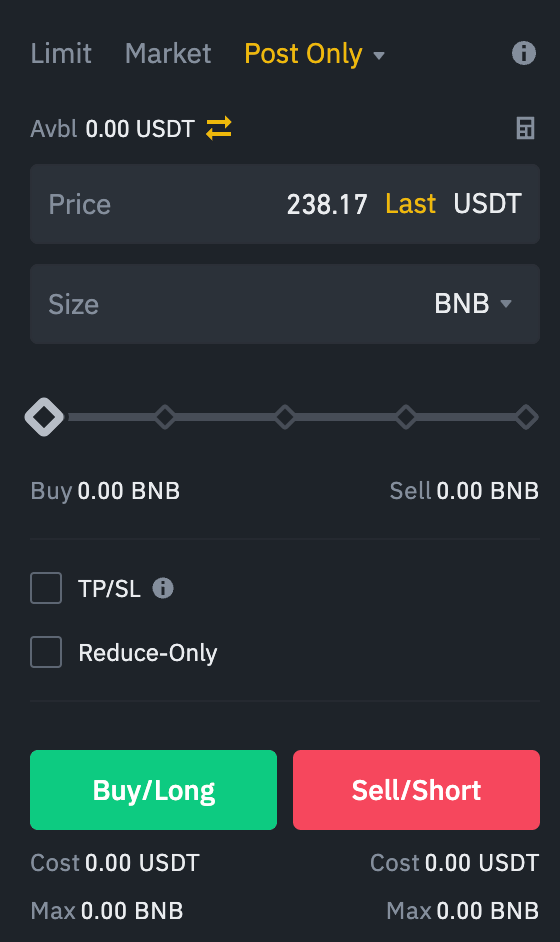
Buy example:
You place a Post Only Limit Buy order at 238.17 USDT (below the best ask price).
Outcome: Adds liquidity to the order book; no immediate fill.
Sell example:
You place a Post Only Limit Sell order at 239.00 USDT.
Outcome: The order remains on the order book until matched by a buyer.
7. Limit TP/SL Order (Strategy Order)
When you open a Futures position, you can check the box next to [TP/SL] to set a take profit or stop loss price. Depending on your trading strategy, you can also set your order to be triggered based on the "Last Price" or the "Mark Price".
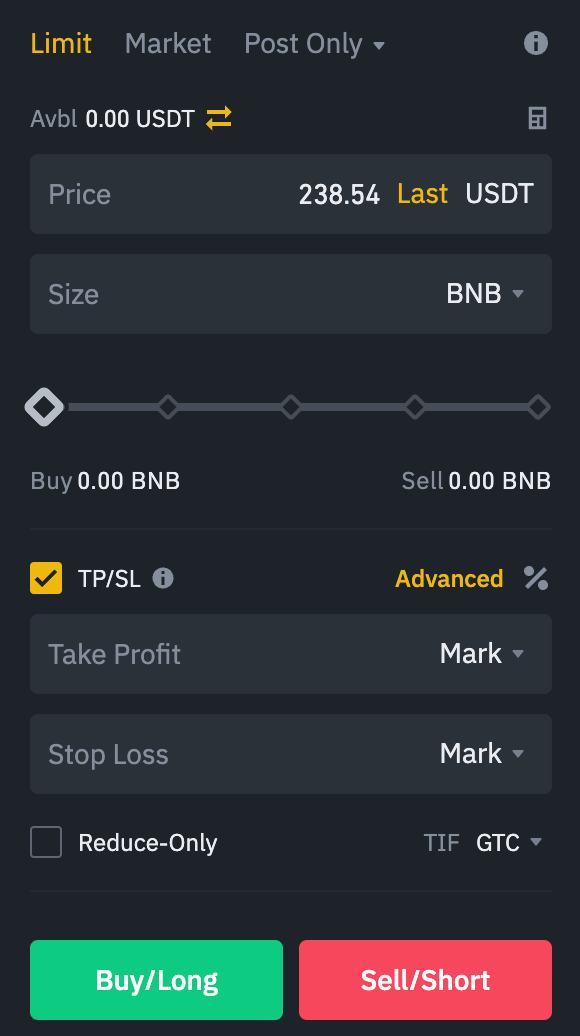
Buy example:
- Entry price at 500 USDT.
- Limit TP: 550 USDT (buy to close).
- SL Market: 480 USDT (stop-loss buy).
Sell example:
- Entry price at 500 USDT.
- Limit TP: 450 USDT (sell to close).
- SL Market: 520 USDT (stop-loss sell).
8. Reverse Order
A Reverse order simultaneously closes an existing open position and opens a new position of l the same size in the opposite direction. This order type is executed through market orders.
Reverse orders allow you to quickly react to market shifts by effectively “reversing” your current market stance.
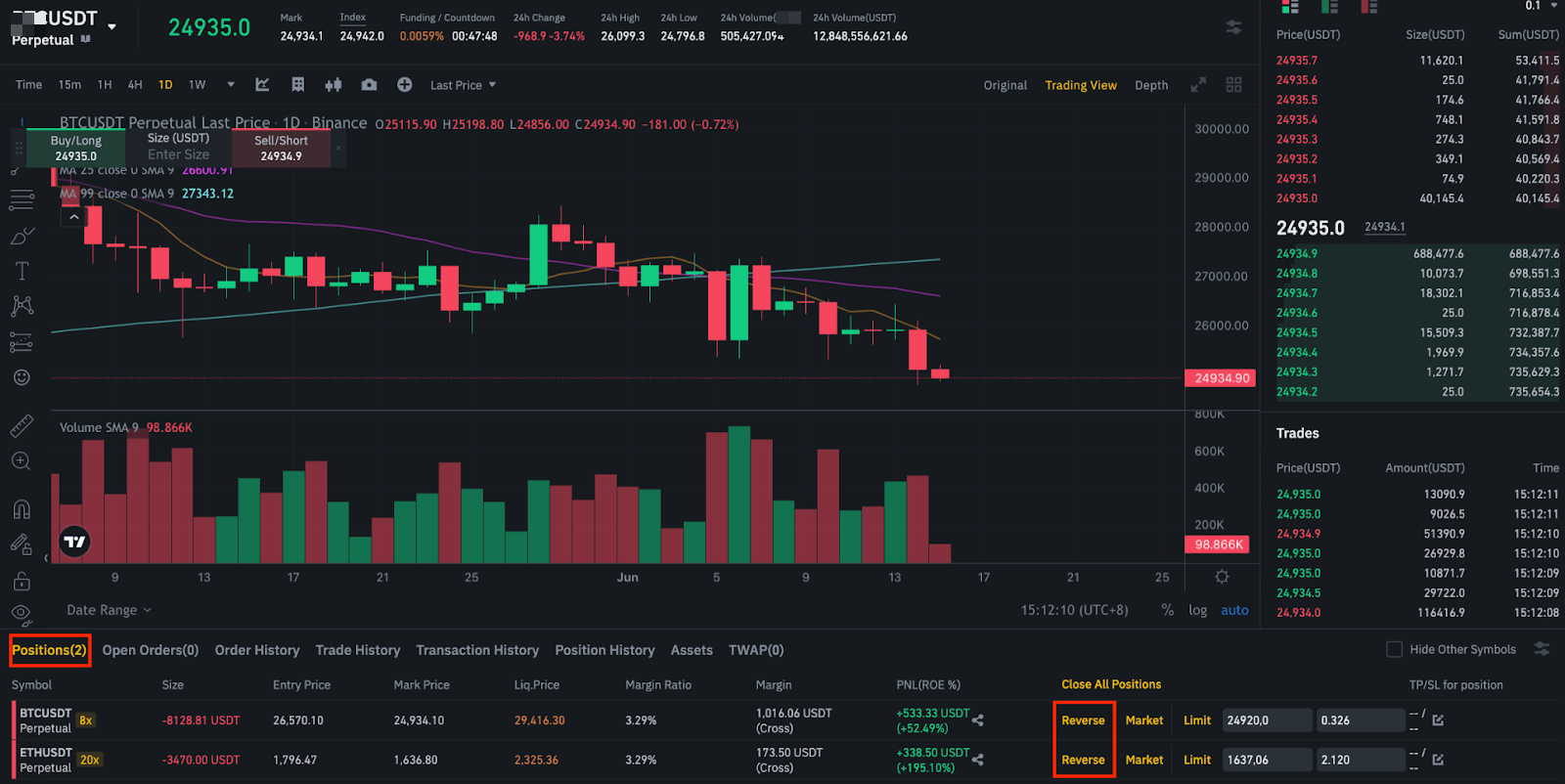
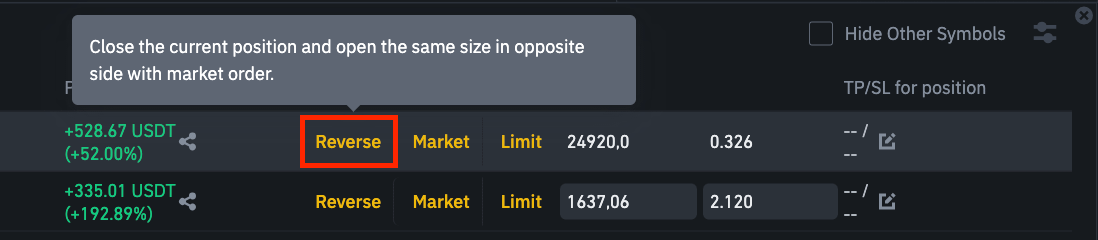
Buy example (Short to Long):
- You e are currently short at 300 USDT.
- You place a Reverse Buy order at 290 USDT
- Outcome: This order closes your short position and immediately opens a long position of equal size.
Sell example (Long to Short):
- You are currently long at 300 USDT.
- You place a Reverse Sell order at 310 USDT.
Outcome: This order closes your long position and immediately opens a short position of equal size.
9. Scaled Order
A Scaled order automatically generates multiple Limit orders within a specified price range. This order type is beneficial for managing large order quantities. It splits the order amount into several suborders and places them separately without significantly impacting the market. Scaled orders are often used to achieve a better average price when starting or closing a position.
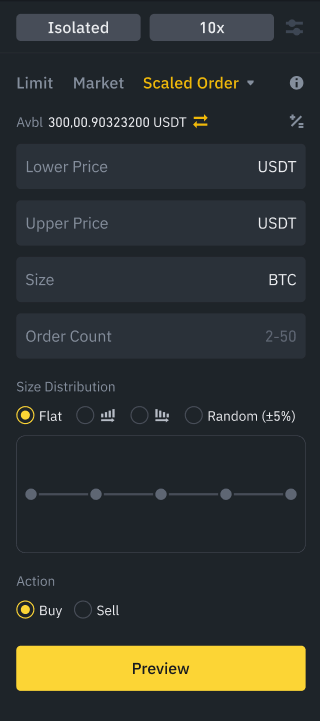
Buy example:
Place multiple Buy Limit order at different price levels:
Buy 0.5 BNB at 290 USDT
Buy 0.5 BNB at 280 USDT
Buy 1 BNB at 270 USDT.
Sell example:
Place multiple Sell Limit orders at different price levels:
Sell 0.5 BNB at 310 USDT
Sell 0.5 BNB at 320 USDT
Sell 1 BNB at 330 USDT
10. Conditional Order
Conditional order is a new order category in Binance Futures. Traders can set a combination of trigger price at either Mark Price or Last Price, and stop price at Limit, Market or BBO.
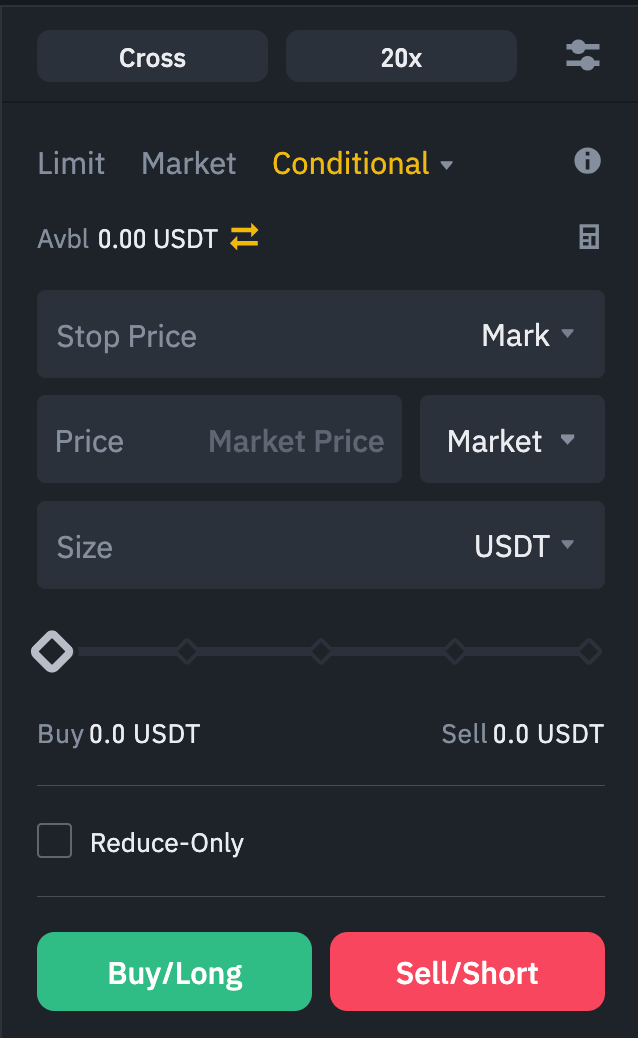
Buy example:
If BNB rises above 310 USDT, place a Limit Buy order at 309 USDT.
Sell example:
If BNB price falls below 290 USDT, place Market Sell order immediately.
11. TWAP Order
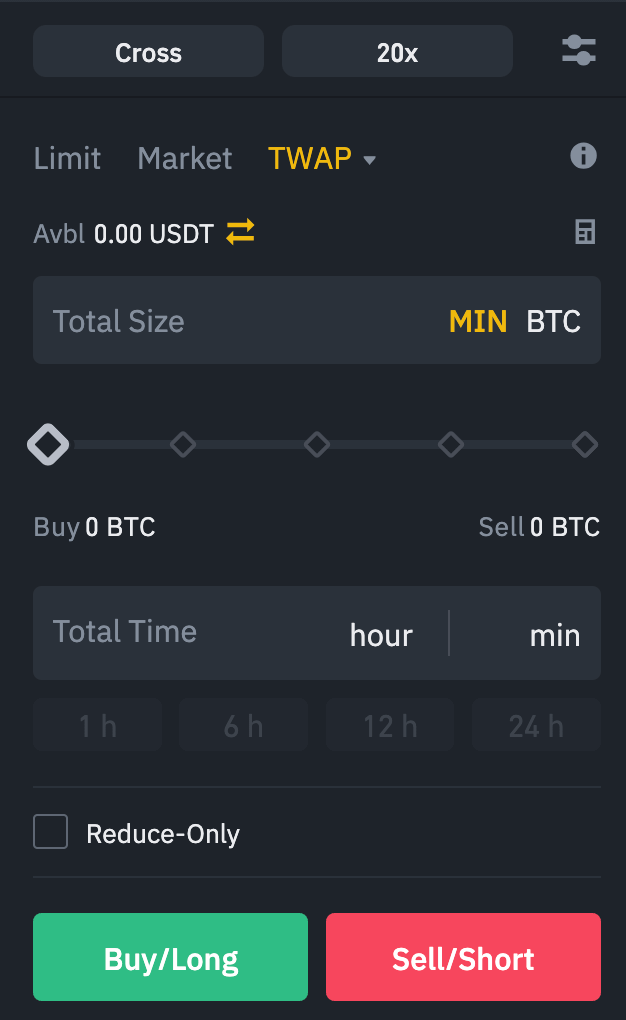
TWAP (Time-Weighted Average Price) is an algorithmic trading strategy that aims to achieve an average execution price close to the time-weighted average price over a user-specified period.
A TWAP strategy is often used to minimize a large order’s impact on the market by dispersing the large order into smaller quantities and executing them at regular intervals over time. Traders can define the direction (Buy/Sell), trade size, and execution duration as parameters in the strategy. The system will automatically execute the orders based on the pre-defined strategy.
Buy example:
Buy 10 BNB over 4 hours: Executes 0.42 BNB every 10 minutes.
Sell example:
Sell 5 BNB over 2 hours: Executes 0.21 BNB every 5 minutes.
In addition, Futures traders can place orders by utilizing the following strategies with trading bots:
- TWAP (Time-Weighted Average Price) orders
- Grid trading orders
- Grid trading involves placing orders at incrementally increasing and decreasing prices above and below a set price level. It is effective in markets where prices fluctuate within a specific range, as it can automatically execute trades based on a predefined grid.
- You can define the direction (Neutral, Long, or Short), grid type (Arithmetic mode or Geometric mode), price range, and grid count in the strategy. The system will automatically execute the orders based on the pre-defined strategy.
- Funding Rate Arbitrage Bot
- Futures funding rate arbitrage allows traders to hedge their positions in the Futures market by taking an opposite position for the same trading pair in the Spot market. It involves a trader simultaneously opening both long and short positions in different markets to profit from the funding fees. This delta-neutral strategy allows traders to hedge their positions. Any loss incurred from the Futures market can be offset by the profit made in the Spot market and vice versa, whilst allowing traders to earn funding fees. The system will automatically initiate the transactions based on the direction of the 3-day cumulative funding rate after traders select the trading pair.
Disclaimer:
Trading futures and using advanced order types and trading bots involve substantial risks and may not be suitable for all investors. Past performance is not indicative of future results.
Please ensure you understand the risks and comply with the local regulations.Binance does not provide investment advice. For detailed information on risk disclosures and regulatory compliance, please refer to our official documents and terms of use.