
#binancetutorial
binancetutorial
26,742 views
85 Discussing
Hot
Latest

·
--
Article
Binance App Tutorial: Download, Install and Set Up in 10 MinutesTL;DR: Download the official APK directly (not from a third-party store), verify the package name before you log in, register with a working referral link, then lock the account down with 2FA and a withdrawal whitelist before you fund it. This binance app tutorial covers every step in order — no shortcuts, no guesswork.
Most people searching for a binance app tutorial hit the same three walls: Google Play doesn't show the app in their region, they can't tell a real APK from a repackaged one, and nobody explains what to do after install. This guide is written as a straight checklist so you can go from "no app" to "funded and secured" without re-reading five different threads.
◆ Step 1: Download the Official APK
If Binance isn't listed in your region's app store, the supported route is the official APK, not a link someone sent in a group chat.
Official download: https://download.binance.com/pack/BNApp_F0000680.apk
Open that link directly in your phone's browser. Don't search "binance apk download" and click the first result — third-party download aggregators repackage apps with injected code, and by the time you notice something's wrong your login credentials are already gone. The file above is the same one Binance serves through its own download page, just without the region redirect getting in the way.
◆ Step 2: Install and Verify Before You Log In
Android will warn about installing from unknown sources. Grant that permission to your browser or file manager for this one install, then turn it back off — leaving it on is an unnecessary standing risk.
Before you open the app and log in, check the package identity: Settings → Apps → Binance → scroll to the bottom. It must read exactly com.binance.dev. Any suffix, prefix, or spelling variation means it's not the real app — uninstall it immediately, before entering any credentials. Repackaged apps can't legally reuse the exact name, so scammers rely on a near-miss going unnoticed. This ten-second check is the single most effective binance app tutorial step, and it's the one people skip.
◆ Step 3: Register Your Account
Once the verified app is installed, registration takes under five minutes:
· Open the app and choose Create Account
· Enter an email or phone number
· Set a password that isn't reused anywhere else
· Enter a referral code if you have one — it doesn't change your fees, but it links your account for support purposes
· Complete the email/SMS confirmation code
Registration link (works the same whether you signed up in-app or on desktop): https://www.binance.com/register?ref=BNAPP
You'll be asked for identity verification (KYC) before you can deposit or trade. Have a valid ID ready, use good lighting, and make sure all four corners of the document are visible in the photo — blurry or cropped submissions are the most common reason for delays.
◆ Step 4: Secure the Account Before You Fund It
This step comes before your first deposit, not after.
· Two-factor authentication: use an authenticator app (Google Authenticator, Authy, or similar), not SMS. SIM-swap fraud is common, and SMS-based 2FA doesn't survive it.
· Withdrawal address whitelist: restrict withdrawals to addresses you've pre-approved. If your account is ever compromised, funds still can't move to an address that isn't whitelisted.
· Anti-phishing code: set a custom code so you can tell real Binance emails from fake ones at a glance.
· Backup your 2FA recovery key on paper, offline. A screenshot on the same phone defeats the purpose.
Skipping this section to "get to trading faster" is how most account compromises happen. It takes ten extra minutes.
◆ Step 5: iPhone Users — Read This Before You Search the App Store
There's no APK for iOS, so the Android steps above don't apply directly. iPhone users need a non-mainland-China, non-United-States Apple ID to find the app at all.
Mainland China App Store: Binance has been delisted. Searching won't return any result — this isn't a bug, it's a regional removal.
United States App Store: you will find something, but it's Binance.US — a separately operated, independently regulated platform. It does not share accounts, balances, or coin listings with the global Binance app. If you registered on the global site and then install Binance.US, you cannot log in with that account, and the fee structure and available assets are different.
The practical fix is switching your App Store region to Taiwan or Hong Kong. Both use a Traditional Chinese interface, don't require a local phone number or bank card, and let you set payment method to "None" during setup. Hong Kong additionally skips passport or mainland travel permit requirements. Only change the App Store account region — leave your system-level iCloud account untouched.
◆ FAQ
Q: Is the APK download safe, or should I only use Google Play?
A: The official APK link above is served directly by Binance's own download infrastructure — it's the same install package, just accessible without a regional store listing. The risk isn't the APK format itself, it's downloading from unofficial mirrors or forwarded files instead of the direct link.
Q: The app installed but login fails — what's wrong?
A: Recheck the package name (com.binance.dev) first. If it doesn't match, uninstall and reinstall from the official link — you likely had a fake app. If the package name is correct, it's usually a network/region issue rather than an account problem.
Q: Do I need to use a VPN to download or use the app?
A: It depends on your local network restrictions, not on Binance itself. The APK and account creation work the same regardless of connection method; a VPN only affects whether you can reach the download server in the first place.
Q: Can I use the same account on Android and iPhone?
A: Yes, as long as both are the global Binance app (not Binance.US on iOS). One account works across devices — you're not creating a second account by installing on a second phone.
Q: What's the fastest way to get through identity verification?
A: Good lighting, no glare on the ID, and all four corners visible in frame. Most rejected submissions fail on image quality, not on the information itself.
If you've made it through all five steps, you have a verified install, a registered account, and the security basics locked down — the same checklist experienced users run through, just written out so you don't have to guess the order. Bookmark the two official links above; third-party copies are the most common source of account compromise for new users.
Register: https://www.binance.com/register?ref=BNAPP
Official APK: https://download.binance.com/pack/BNApp_F0000680.apk
#BinanceTutorial #CryptoBeginners $BTC $BNB
Binance App Tutorial: Download, Install and Set Up in 10 Minutes
TL;DR: Download the official APK directly (not from a third-party store), verify the package name before you log in, register with a working referral link, then lock the account down with 2FA and a withdrawal whitelist before you fund it. This binance app tutorial covers every step in order — no shortcuts, no guesswork.
Most people searching for a binance app tutorial hit the same three walls: Google Play doesn't show the app in their region, they can't tell a real APK from a repackaged one, and nobody explains what to do after install. This guide is written as a straight checklist so you can go from "no app" to "funded and secured" without re-reading five different threads.
◆ Step 1: Download the Official APK
If Binance isn't listed in your region's app store, the supported route is the official APK, not a link someone sent in a group chat.
Official download: https://download.binance.com/pack/BNApp_F0000680.apk
Open that link directly in your phone's browser. Don't search "binance apk download" and click the first result — third-party download aggregators repackage apps with injected code, and by the time you notice something's wrong your login credentials are already gone. The file above is the same one Binance serves through its own download page, just without the region redirect getting in the way.
◆ Step 2: Install and Verify Before You Log In
Android will warn about installing from unknown sources. Grant that permission to your browser or file manager for this one install, then turn it back off — leaving it on is an unnecessary standing risk.
Before you open the app and log in, check the package identity: Settings → Apps → Binance → scroll to the bottom. It must read exactly com.binance.dev. Any suffix, prefix, or spelling variation means it's not the real app — uninstall it immediately, before entering any credentials. Repackaged apps can't legally reuse the exact name, so scammers rely on a near-miss going unnoticed. This ten-second check is the single most effective binance app tutorial step, and it's the one people skip.
◆ Step 3: Register Your Account
Once the verified app is installed, registration takes under five minutes:
· Open the app and choose Create Account
· Enter an email or phone number
· Set a password that isn't reused anywhere else
· Enter a referral code if you have one — it doesn't change your fees, but it links your account for support purposes
· Complete the email/SMS confirmation code
Registration link (works the same whether you signed up in-app or on desktop): https://www.binance.com/register?ref=BNAPP
You'll be asked for identity verification (KYC) before you can deposit or trade. Have a valid ID ready, use good lighting, and make sure all four corners of the document are visible in the photo — blurry or cropped submissions are the most common reason for delays.
◆ Step 4: Secure the Account Before You Fund It
This step comes before your first deposit, not after.
· Two-factor authentication: use an authenticator app (Google Authenticator, Authy, or similar), not SMS. SIM-swap fraud is common, and SMS-based 2FA doesn't survive it.
· Withdrawal address whitelist: restrict withdrawals to addresses you've pre-approved. If your account is ever compromised, funds still can't move to an address that isn't whitelisted.
· Anti-phishing code: set a custom code so you can tell real Binance emails from fake ones at a glance.
· Backup your 2FA recovery key on paper, offline. A screenshot on the same phone defeats the purpose.
Skipping this section to "get to trading faster" is how most account compromises happen. It takes ten extra minutes.
◆ Step 5: iPhone Users — Read This Before You Search the App Store
There's no APK for iOS, so the Android steps above don't apply directly. iPhone users need a non-mainland-China, non-United-States Apple ID to find the app at all.
Mainland China App Store: Binance has been delisted. Searching won't return any result — this isn't a bug, it's a regional removal.
United States App Store: you will find something, but it's Binance.US — a separately operated, independently regulated platform. It does not share accounts, balances, or coin listings with the global Binance app. If you registered on the global site and then install Binance.US, you cannot log in with that account, and the fee structure and available assets are different.
The practical fix is switching your App Store region to Taiwan or Hong Kong. Both use a Traditional Chinese interface, don't require a local phone number or bank card, and let you set payment method to "None" during setup. Hong Kong additionally skips passport or mainland travel permit requirements. Only change the App Store account region — leave your system-level iCloud account untouched.
◆ FAQ
Q: Is the APK download safe, or should I only use Google Play?
A: The official APK link above is served directly by Binance's own download infrastructure — it's the same install package, just accessible without a regional store listing. The risk isn't the APK format itself, it's downloading from unofficial mirrors or forwarded files instead of the direct link.
Q: The app installed but login fails — what's wrong?
A: Recheck the package name (com.binance.dev) first. If it doesn't match, uninstall and reinstall from the official link — you likely had a fake app. If the package name is correct, it's usually a network/region issue rather than an account problem.
Q: Do I need to use a VPN to download or use the app?
A: It depends on your local network restrictions, not on Binance itself. The APK and account creation work the same regardless of connection method; a VPN only affects whether you can reach the download server in the first place.
Q: Can I use the same account on Android and iPhone?
A: Yes, as long as both are the global Binance app (not Binance.US on iOS). One account works across devices — you're not creating a second account by installing on a second phone.
Q: What's the fastest way to get through identity verification?
A: Good lighting, no glare on the ID, and all four corners visible in frame. Most rejected submissions fail on image quality, not on the information itself.
If you've made it through all five steps, you have a verified install, a registered account, and the security basics locked down — the same checklist experienced users run through, just written out so you don't have to guess the order. Bookmark the two official links above; third-party copies are the most common source of account compromise for new users.
Register: https://www.binance.com/register?ref=BNAPP
Official APK: https://download.binance.com/pack/BNApp_F0000680.apk
#BinanceTutorial #CryptoBeginners $BTC $BNB
Most people searching for a binance app tutorial hit the same three walls: Google Play doesn't show the app in their region, they can't tell a real APK from a repackaged one, and nobody explains what to do after install. This guide is written as a straight checklist so you can go from "no app" to "funded and secured" without re-reading five different threads.
◆ Step 1: Download the Official APK
If Binance isn't listed in your region's app store, the supported route is the official APK, not a link someone sent in a group chat.
Official download: https://download.binance.com/pack/BNApp_F0000680.apk
Open that link directly in your phone's browser. Don't search "binance apk download" and click the first result — third-party download aggregators repackage apps with injected code, and by the time you notice something's wrong your login credentials are already gone. The file above is the same one Binance serves through its own download page, just without the region redirect getting in the way.
◆ Step 2: Install and Verify Before You Log In
Android will warn about installing from unknown sources. Grant that permission to your browser or file manager for this one install, then turn it back off — leaving it on is an unnecessary standing risk.
Before you open the app and log in, check the package identity: Settings → Apps → Binance → scroll to the bottom. It must read exactly com.binance.dev. Any suffix, prefix, or spelling variation means it's not the real app — uninstall it immediately, before entering any credentials. Repackaged apps can't legally reuse the exact name, so scammers rely on a near-miss going unnoticed. This ten-second check is the single most effective binance app tutorial step, and it's the one people skip.
◆ Step 3: Register Your Account
Once the verified app is installed, registration takes under five minutes:
· Open the app and choose Create Account
· Enter an email or phone number
· Set a password that isn't reused anywhere else
· Enter a referral code if you have one — it doesn't change your fees, but it links your account for support purposes
· Complete the email/SMS confirmation code
Registration link (works the same whether you signed up in-app or on desktop): https://www.binance.com/register?ref=BNAPP
You'll be asked for identity verification (KYC) before you can deposit or trade. Have a valid ID ready, use good lighting, and make sure all four corners of the document are visible in the photo — blurry or cropped submissions are the most common reason for delays.
◆ Step 4: Secure the Account Before You Fund It
This step comes before your first deposit, not after.
· Two-factor authentication: use an authenticator app (Google Authenticator, Authy, or similar), not SMS. SIM-swap fraud is common, and SMS-based 2FA doesn't survive it.
· Withdrawal address whitelist: restrict withdrawals to addresses you've pre-approved. If your account is ever compromised, funds still can't move to an address that isn't whitelisted.
· Anti-phishing code: set a custom code so you can tell real Binance emails from fake ones at a glance.
· Backup your 2FA recovery key on paper, offline. A screenshot on the same phone defeats the purpose.
Skipping this section to "get to trading faster" is how most account compromises happen. It takes ten extra minutes.
◆ Step 5: iPhone Users — Read This Before You Search the App Store
There's no APK for iOS, so the Android steps above don't apply directly. iPhone users need a non-mainland-China, non-United-States Apple ID to find the app at all.
Mainland China App Store: Binance has been delisted. Searching won't return any result — this isn't a bug, it's a regional removal.
United States App Store: you will find something, but it's Binance.US — a separately operated, independently regulated platform. It does not share accounts, balances, or coin listings with the global Binance app. If you registered on the global site and then install Binance.US, you cannot log in with that account, and the fee structure and available assets are different.
The practical fix is switching your App Store region to Taiwan or Hong Kong. Both use a Traditional Chinese interface, don't require a local phone number or bank card, and let you set payment method to "None" during setup. Hong Kong additionally skips passport or mainland travel permit requirements. Only change the App Store account region — leave your system-level iCloud account untouched.
◆ FAQ
Q: Is the APK download safe, or should I only use Google Play?
A: The official APK link above is served directly by Binance's own download infrastructure — it's the same install package, just accessible without a regional store listing. The risk isn't the APK format itself, it's downloading from unofficial mirrors or forwarded files instead of the direct link.
Q: The app installed but login fails — what's wrong?
A: Recheck the package name (com.binance.dev) first. If it doesn't match, uninstall and reinstall from the official link — you likely had a fake app. If the package name is correct, it's usually a network/region issue rather than an account problem.
Q: Do I need to use a VPN to download or use the app?
A: It depends on your local network restrictions, not on Binance itself. The APK and account creation work the same regardless of connection method; a VPN only affects whether you can reach the download server in the first place.
Q: Can I use the same account on Android and iPhone?
A: Yes, as long as both are the global Binance app (not Binance.US on iOS). One account works across devices — you're not creating a second account by installing on a second phone.
Q: What's the fastest way to get through identity verification?
A: Good lighting, no glare on the ID, and all four corners visible in frame. Most rejected submissions fail on image quality, not on the information itself.
If you've made it through all five steps, you have a verified install, a registered account, and the security basics locked down — the same checklist experienced users run through, just written out so you don't have to guess the order. Bookmark the two official links above; third-party copies are the most common source of account compromise for new users.
Register: https://www.binance.com/register?ref=BNAPP
Official APK: https://download.binance.com/pack/BNApp_F0000680.apk
#BinanceTutorial #CryptoBeginners $BTC $BNB
120

Article
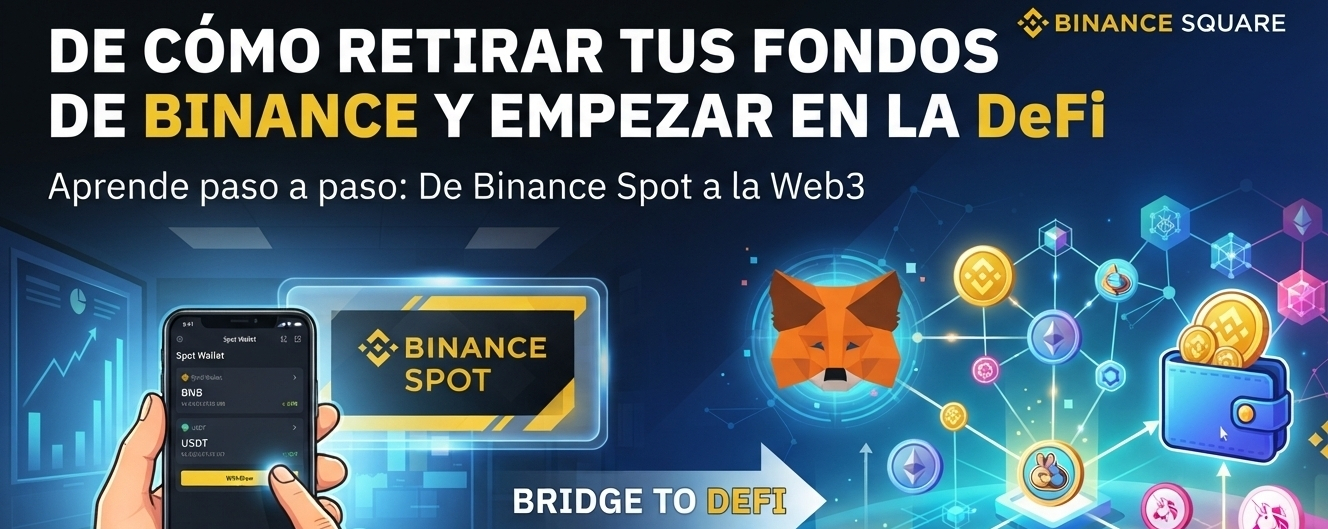
HOW TO WITHDRAW YOUR FUNDS FROM BINANCE AND START IN DEFI🛠️ The process in 4 simple steps
1️⃣ Copy your destination address
Open your Web3 wallet (e.g., Trust Wallet).Select the cryptocurrency you’re going to receive (e.g., BNB).Press "Receive" and copy the alphanumeric address that appears.
2️⃣ Start the withdrawal on Binance
Open the Binance app and go to Wallet > Funds or Spot. Tap the "Withdraw" button and select the same cryptocurrency. Choose the option "Send via crypto network".
3️⃣ Paste the data and select the correct network
HOW TO WITHDRAW YOUR FUNDS FROM BINANCE AND START IN DEFI
🛠️ The process in 4 simple steps
1️⃣ Copy your destination address
Open your Web3 wallet (e.g., Trust Wallet).Select the cryptocurrency you’re going to receive (e.g., BNB).Press "Receive" and copy the alphanumeric address that appears.
2️⃣ Start the withdrawal on Binance
Open the Binance app and go to Wallet > Funds or Spot. Tap the "Withdraw" button and select the same cryptocurrency. Choose the option "Send via crypto network".
3️⃣ Paste the data and select the correct network
1️⃣ Copy your destination address
Open your Web3 wallet (e.g., Trust Wallet).Select the cryptocurrency you’re going to receive (e.g., BNB).Press "Receive" and copy the alphanumeric address that appears.
2️⃣ Start the withdrawal on Binance
Open the Binance app and go to Wallet > Funds or Spot. Tap the "Withdraw" button and select the same cryptocurrency. Choose the option "Send via crypto network".
3️⃣ Paste the data and select the correct network
1
186

*Option 1: Educational / High Earn Potential*
*Title:* 3 Binance Features 90% of Beginners Don’t Use But Should 🔥
*Post:*
Most people only use Binance to buy and sell crypto.
But you’re leaving money on the table if you ignore these 3:
*1. Binance Earn*
Put your USDT to work. Even 5% APR is better than 0% sitting in your wallet.
*2. P2P Trading*
Zero fees + better rates than spot. Perfect if you’re in KE and want M-Pesa.
*3. Binance Square Creator Program*
Yes, Binance pays you to post here 😂 I’m literally earning by sharing tips like this.
Which one are you using already? Drop a 1, 2 or 3 👇
#BinanceTips #CryptoKE #EarnCrypto #BinanceSquare #NotFinancialAdvice
---
*Option 2: Story / Relatable*
*Title:* I made my first $50 just by posting on Binance 😳
Post:
6 months ago I thought “posting about crypto” was a waste of time.
Then I joined Binance Square Creator Program.
Now I get paid monthly in USDT just for sharing what I already learn.
No ads. No sponsors. Just real posts that help people.
If you’re already on Binance, why not get paid to talk about it?
Link to join is in my bio.
Who else is earning from posting? 👀
#BinanceSquare #PostToEarn #CryptoContent #Web3Creator #Binance
---
*Option 3: Tutorial / Value Post*
*Title:* How to Buy USDT with M-Pesa in 2 Minutes [KE Guide] 🇰🇪
*Post:*
Struggling to fund your Binance account from Kenya?
Here’s the fastest way in 2026:
*Step 1:* Open Binance App → P2P → Buy → USDT
*Step 2:* Filter by M-Pesa + 100+ trades + 98% completion rate
*Step 3:* Send M-Pesa, upload proof, USDT drops in 2 mins
Pro tip: Only trade with "Verified Merchants" to stay safe.
Save this for later. And follow for more KE crypto tips 💪
What other guides do you want? Comment 👇
#CryptoKenya #MPesa #BinanceP2P #USDT #BinanceTutorial
*Option 1: Educational / High Earn Potential*
*Title:* 3 Binance Features 90% of Beginners Don’t Use But Should 🔥
*Post:*
Most people only use Binance to buy and sell crypto.
But you’re leaving money on the table if you ignore these 3:
*1. Binance Earn*
Put your USDT to work. Even 5% APR is better than 0% sitting in your wallet.
*2. P2P Trading*
Zero fees + better rates than spot. Perfect if you’re in KE and want M-Pesa.
*3. Binance Square Creator Program*
Yes, Binance pays you to post here 😂 I’m literally earning by sharing tips like this.
Which one are you using already? Drop a 1, 2 or 3 👇
#BinanceTips #CryptoKE #EarnCrypto #BinanceSquare #NotFinancialAdvice
---
*Option 2: Story / Relatable*
*Title:* I made my first $50 just by posting on Binance 😳
Post:
6 months ago I thought “posting about crypto” was a waste of time.
Then I joined Binance Square Creator Program.
Now I get paid monthly in USDT just for sharing what I already learn.
No ads. No sponsors. Just real posts that help people.
If you’re already on Binance, why not get paid to talk about it?
Link to join is in my bio.
Who else is earning from posting? 👀
#BinanceSquare #PostToEarn #CryptoContent #Web3Creator #Binance
---
*Option 3: Tutorial / Value Post*
*Title:* How to Buy USDT with M-Pesa in 2 Minutes [KE Guide] 🇰🇪
*Post:*
Struggling to fund your Binance account from Kenya?
Here’s the fastest way in 2026:
*Step 1:* Open Binance App → P2P → Buy → USDT
*Step 2:* Filter by M-Pesa + 100+ trades + 98% completion rate
*Step 3:* Send M-Pesa, upload proof, USDT drops in 2 mins
Pro tip: Only trade with "Verified Merchants" to stay safe.
Save this for later. And follow for more KE crypto tips 💪
What other guides do you want? Comment 👇
#CryptoKenya #MPesa #BinanceP2P #USDT #BinanceTutorial
*Title:* 3 Binance Features 90% of Beginners Don’t Use But Should 🔥
*Post:*
Most people only use Binance to buy and sell crypto.
But you’re leaving money on the table if you ignore these 3:
*1. Binance Earn*
Put your USDT to work. Even 5% APR is better than 0% sitting in your wallet.
*2. P2P Trading*
Zero fees + better rates than spot. Perfect if you’re in KE and want M-Pesa.
*3. Binance Square Creator Program*
Yes, Binance pays you to post here 😂 I’m literally earning by sharing tips like this.
Which one are you using already? Drop a 1, 2 or 3 👇
#BinanceTips #CryptoKE #EarnCrypto #BinanceSquare #NotFinancialAdvice
---
*Option 2: Story / Relatable*
*Title:* I made my first $50 just by posting on Binance 😳
Post:
6 months ago I thought “posting about crypto” was a waste of time.
Then I joined Binance Square Creator Program.
Now I get paid monthly in USDT just for sharing what I already learn.
No ads. No sponsors. Just real posts that help people.
If you’re already on Binance, why not get paid to talk about it?
Link to join is in my bio.
Who else is earning from posting? 👀
#BinanceSquare #PostToEarn #CryptoContent #Web3Creator #Binance
---
*Option 3: Tutorial / Value Post*
*Title:* How to Buy USDT with M-Pesa in 2 Minutes [KE Guide] 🇰🇪
*Post:*
Struggling to fund your Binance account from Kenya?
Here’s the fastest way in 2026:
*Step 1:* Open Binance App → P2P → Buy → USDT
*Step 2:* Filter by M-Pesa + 100+ trades + 98% completion rate
*Step 3:* Send M-Pesa, upload proof, USDT drops in 2 mins
Pro tip: Only trade with "Verified Merchants" to stay safe.
Save this for later. And follow for more KE crypto tips 💪
What other guides do you want? Comment 👇
#CryptoKenya #MPesa #BinanceP2P #USDT #BinanceTutorial
63

·
--
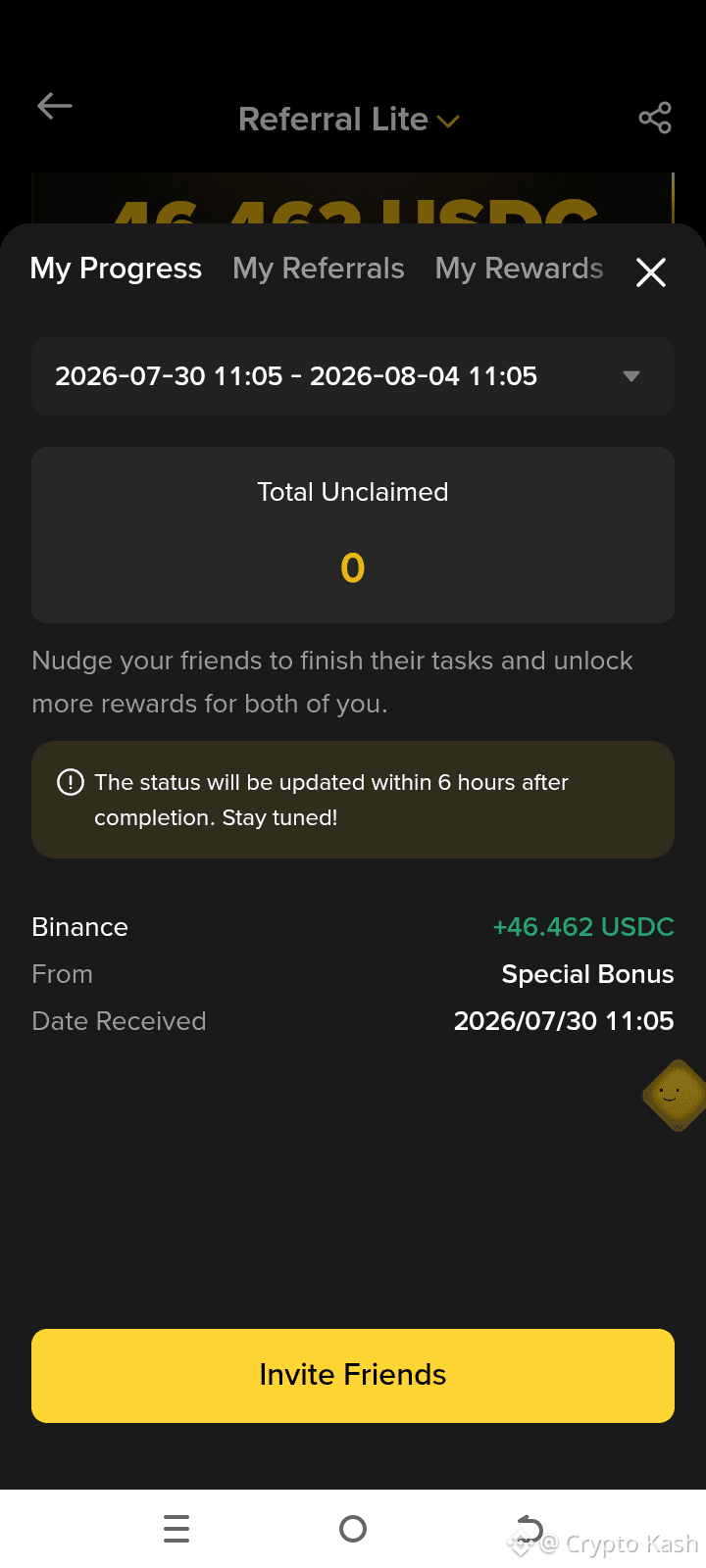
Why is Binance giving you free USDC? 🤔
Reason: Bringing new users
Today I received a Special Bonus of 46.46 USDC
because my referral completed the task
How you can earn:
1. Create a Binance account
2. Complete KYC
3. Make your first trade
4. The bonus will be automatically credited
If you have questions, comment 👇
I’ll also tell you in DM
#Cryptokash h #BinanceTutorial #FreeCryptoEarnings o #USDC #Pakistan
Why is Binance giving you free USDC? 🤔
Reason: Bringing new users
Today I received a Special Bonus of 46.46 USDC
because my referral completed the task
How you can earn:
1. Create a Binance account
2. Complete KYC
3. Make your first trade
4. The bonus will be automatically credited
If you have questions, comment 👇
I’ll also tell you in DM
#Cryptokash h #BinanceTutorial #FreeCryptoEarnings o #USDC #Pakistan
Reason: Bringing new users
Today I received a Special Bonus of 46.46 USDC
because my referral completed the task
How you can earn:
1. Create a Binance account
2. Complete KYC
3. Make your first trade
4. The bonus will be automatically credited
If you have questions, comment 👇
I’ll also tell you in DM
#Cryptokash h #BinanceTutorial #FreeCryptoEarnings o #USDC #Pakistan
72
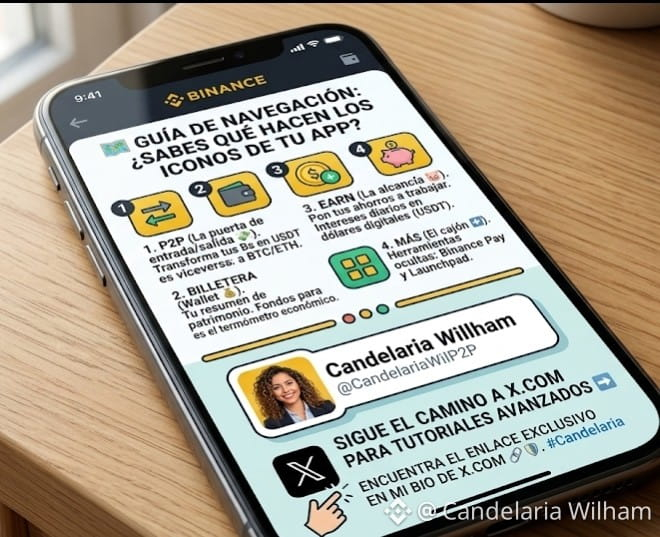
🗺️ Navigation Guide: Do you know what the icons in your App do? 🚀
If you open Binance and see a ton of nonsensical buttons, this post is for you. Not all icons are for everyone. Here I’ll show you the 4 "power buttons" that every user in Venezuela should master:
1. The "P2P" icon (The two arrows) 💸
It's your entry and exit point. This is where you swap your bolívares for digital dollars (USDT) and vice versa.
Expert tip: Don’t just jump in to swap; dive in to study the prices. It’s the thermometer of our economy.
2. The "Wallet" icon (Billetera) 💰
This is the summary of your net worth. But be careful, the key lies in the tabs above:
Funds: This is where your money should be if you’re planning to sell on P2P or use the Binance Card.
Spot: This is for those who are already making their first purchases of BTC or ETH.
3. The "Earn" icon (The piggy bank) 🐷
This is my favorite for you! If you have USDT sitting idle in your wallet, you are losing money.
With this icon, you can put your savings to work and earn daily interest. It’s like having a savings account, but in dollars and it actually pays.
4. The "More" icon (The 4 squares) ➕
This is the "Toolbox." Here is where the hidden gems are: Binance Pay to send money to family without paying a fee and the Launchpad for new projects.
Which of these icons raises the most questions for you? If you leave it in the comments, the next post will be a deep dive tutorial on that button. 👇
#CandelariaWilham #BinanceTutorial #AprendeCrypto #venezuela #P2P
$BTC $ETH $USDT
🗺️ Navigation Guide: Do you know what the icons in your App do? 🚀
If you open Binance and see a ton of nonsensical buttons, this post is for you. Not all icons are for everyone. Here I’ll show you the 4 "power buttons" that every user in Venezuela should master:
1. The "P2P" icon (The two arrows) 💸
It's your entry and exit point. This is where you swap your bolívares for digital dollars (USDT) and vice versa.
Expert tip: Don’t just jump in to swap; dive in to study the prices. It’s the thermometer of our economy.
2. The "Wallet" icon (Billetera) 💰
This is the summary of your net worth. But be careful, the key lies in the tabs above:
Funds: This is where your money should be if you’re planning to sell on P2P or use the Binance Card.
Spot: This is for those who are already making their first purchases of BTC or ETH.
3. The "Earn" icon (The piggy bank) 🐷
This is my favorite for you! If you have USDT sitting idle in your wallet, you are losing money.
With this icon, you can put your savings to work and earn daily interest. It’s like having a savings account, but in dollars and it actually pays.
4. The "More" icon (The 4 squares) ➕
This is the "Toolbox." Here is where the hidden gems are: Binance Pay to send money to family without paying a fee and the Launchpad for new projects.
Which of these icons raises the most questions for you? If you leave it in the comments, the next post will be a deep dive tutorial on that button. 👇
#CandelariaWilham #BinanceTutorial #AprendeCrypto #venezuela #P2P
$BTC $ETH $USDT
If you open Binance and see a ton of nonsensical buttons, this post is for you. Not all icons are for everyone. Here I’ll show you the 4 "power buttons" that every user in Venezuela should master:
1. The "P2P" icon (The two arrows) 💸
It's your entry and exit point. This is where you swap your bolívares for digital dollars (USDT) and vice versa.
Expert tip: Don’t just jump in to swap; dive in to study the prices. It’s the thermometer of our economy.
2. The "Wallet" icon (Billetera) 💰
This is the summary of your net worth. But be careful, the key lies in the tabs above:
Funds: This is where your money should be if you’re planning to sell on P2P or use the Binance Card.
Spot: This is for those who are already making their first purchases of BTC or ETH.
3. The "Earn" icon (The piggy bank) 🐷
This is my favorite for you! If you have USDT sitting idle in your wallet, you are losing money.
With this icon, you can put your savings to work and earn daily interest. It’s like having a savings account, but in dollars and it actually pays.
4. The "More" icon (The 4 squares) ➕
This is the "Toolbox." Here is where the hidden gems are: Binance Pay to send money to family without paying a fee and the Launchpad for new projects.
Which of these icons raises the most questions for you? If you leave it in the comments, the next post will be a deep dive tutorial on that button. 👇
#CandelariaWilham #BinanceTutorial #AprendeCrypto #venezuela #P2P
$BTC $ETH $USDT
8
1
4
1k

Article
Did you know you can request loans on Binance by putting your cryptos as collateral? (tutorial)Yes, just as you read it🤯🤑
As the great Robert Kiyosaki said in his Best Seller "Rich Dad Poor Dad", there are 2 types of debt:
💥Bad debt: it consists of incurring debt to make useless or impulsive purchases.
💥Good debt: It consists of taking a loan to invest, making a profit, and from there paying off the debt.
If we focus on this last one and use this incredible feature of Binance, we can take advantage of market corrections to buy low and sell when the price is at its peak.🚀🚀🚀💰😊
Did you know you can request loans on Binance by putting your cryptos as collateral? (tutorial)
Yes, just as you read it🤯🤑
As the great Robert Kiyosaki said in his Best Seller "Rich Dad Poor Dad", there are 2 types of debt:
💥Bad debt: it consists of incurring debt to make useless or impulsive purchases.
💥Good debt: It consists of taking a loan to invest, making a profit, and from there paying off the debt.
If we focus on this last one and use this incredible feature of Binance, we can take advantage of market corrections to buy low and sell when the price is at its peak.🚀🚀🚀💰😊
As the great Robert Kiyosaki said in his Best Seller "Rich Dad Poor Dad", there are 2 types of debt:
💥Bad debt: it consists of incurring debt to make useless or impulsive purchases.
💥Good debt: It consists of taking a loan to invest, making a profit, and from there paying off the debt.
If we focus on this last one and use this incredible feature of Binance, we can take advantage of market corrections to buy low and sell when the price is at its peak.🚀🚀🚀💰😊
2
676

·
--
Article
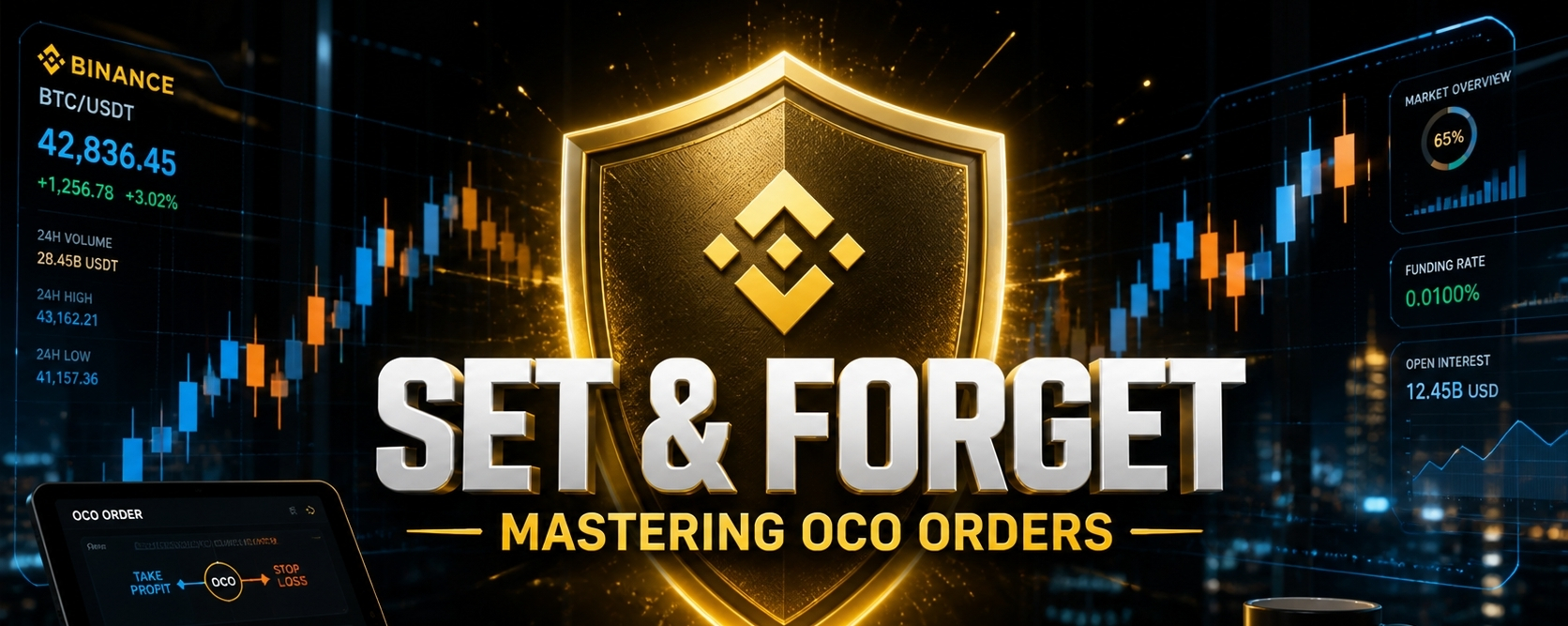
🛡️ STOP NURSING LOSING TRADESThe "Set & Forget" Strategy Every Pro Uses 📈We’ve all been there. ☕️You buy a coin, it pumps while you’re away, you miss the exit, and you wake up to a "Red Sea" of losses. You missed your profit, and you didn't have a safety net.
In a volatile market, hope is not a strategy. This is where the OCO (One-Cancels-the-Other) order becomes your best friend.
The Institutional Secret: What is OCO? An OCO order is a Tactical Double Order. It allows you to place a Take Profit and a Stop-Loss simultaneously.The beauty? If one is triggered, the system automatically kills the other. No more manual stress. No more "what if" scenarios.
5 Steps to Automate Your Success on Binance:
1️⃣ Navigate: Go to your favorite pair (e.g., $BTC or $SOL) and select Sell.
2️⃣ Select OCO: Tap the order type (next to Limit/Market) and choose OCO.
3️⃣ The Price (Take Profit): Set the high price where you want to lock in your gains. (e.g., Selling BTC at $82,000).
4️⃣ The Stop-Limit (The Safety Net):Stop: Your trigger price (e.g., $74,000).Limit: The actual exit price.Pro Tip: Set the Limit slightly lower than the Stop (e.g., $73,950) to ensure your order fills even during a fast "flash crash."
5️⃣ Execute: Slide to 100% and hit Sell.
💎 Why the "Matured" Trader uses OCO:
✅ Emotional Neutrality: You remove the urge to "wait a bit longer" during a pump or "hold until it recovers" during a dump.
✅ 24/7 Protection: Whether the market Moons 🚀 or Nukes ☢️ while you sleep, your plan is already executed.
My Personal Rule: I never enter a swing trade on $BNB or $SOL ithout an OCO. Protecting capital is the only way to stay in this game for the long haul🛡️
🗳️Which trading tool do you struggle with the most?
A) OCO Orders (Still confusing) 🤔
B) Trailing Stops (Moving with the trend) 📈
C) Fibonacci Levels (Finding entries) 🔭
D) Pure Price Action (Reading candles) 🕯️
Drop your choice below, I’ll create a deep dive guide for the most requested topic tomorrow.
#CryptoEducation #BinanceTutorial #TradingTips #OCOOrder #Write2Earn
🛡️ STOP NURSING LOSING TRADES
The "Set & Forget" Strategy Every Pro Uses 📈We’ve all been there. ☕️You buy a coin, it pumps while you’re away, you miss the exit, and you wake up to a "Red Sea" of losses. You missed your profit, and you didn't have a safety net.
In a volatile market, hope is not a strategy. This is where the OCO (One-Cancels-the-Other) order becomes your best friend.
The Institutional Secret: What is OCO? An OCO order is a Tactical Double Order. It allows you to place a Take Profit and a Stop-Loss simultaneously.The beauty? If one is triggered, the system automatically kills the other. No more manual stress. No more "what if" scenarios.
5 Steps to Automate Your Success on Binance:
1️⃣ Navigate: Go to your favorite pair (e.g., $BTC or $SOL ) and select Sell.
2️⃣ Select OCO: Tap the order type (next to Limit/Market) and choose OCO.
3️⃣ The Price (Take Profit): Set the high price where you want to lock in your gains. (e.g., Selling BTC at $82,000).
4️⃣ The Stop-Limit (The Safety Net):Stop: Your trigger price (e.g., $74,000).Limit: The actual exit price.Pro Tip: Set the Limit slightly lower than the Stop (e.g., $73,950) to ensure your order fills even during a fast "flash crash."
5️⃣ Execute: Slide to 100% and hit Sell.
💎 Why the "Matured" Trader uses OCO:
✅ Emotional Neutrality: You remove the urge to "wait a bit longer" during a pump or "hold until it recovers" during a dump.
✅ 24/7 Protection: Whether the market Moons 🚀 or Nukes ☢️ while you sleep, your plan is already executed.
My Personal Rule: I never enter a swing trade on $BNB or $SOL ithout an OCO. Protecting capital is the only way to stay in this game for the long haul🛡️
🗳️Which trading tool do you struggle with the most?
A) OCO Orders (Still confusing) 🤔
B) Trailing Stops (Moving with the trend) 📈
C) Fibonacci Levels (Finding entries) 🔭
D) Pure Price Action (Reading candles) 🕯️
Drop your choice below, I’ll create a deep dive guide for the most requested topic tomorrow.
#CryptoEducation #BinanceTutorial #TradingTips #OCOOrder #Write2Earn
In a volatile market, hope is not a strategy. This is where the OCO (One-Cancels-the-Other) order becomes your best friend.
The Institutional Secret: What is OCO? An OCO order is a Tactical Double Order. It allows you to place a Take Profit and a Stop-Loss simultaneously.The beauty? If one is triggered, the system automatically kills the other. No more manual stress. No more "what if" scenarios.
5 Steps to Automate Your Success on Binance:
1️⃣ Navigate: Go to your favorite pair (e.g., $BTC or $SOL ) and select Sell.
2️⃣ Select OCO: Tap the order type (next to Limit/Market) and choose OCO.
3️⃣ The Price (Take Profit): Set the high price where you want to lock in your gains. (e.g., Selling BTC at $82,000).
4️⃣ The Stop-Limit (The Safety Net):Stop: Your trigger price (e.g., $74,000).Limit: The actual exit price.Pro Tip: Set the Limit slightly lower than the Stop (e.g., $73,950) to ensure your order fills even during a fast "flash crash."
5️⃣ Execute: Slide to 100% and hit Sell.
💎 Why the "Matured" Trader uses OCO:
✅ Emotional Neutrality: You remove the urge to "wait a bit longer" during a pump or "hold until it recovers" during a dump.
✅ 24/7 Protection: Whether the market Moons 🚀 or Nukes ☢️ while you sleep, your plan is already executed.
My Personal Rule: I never enter a swing trade on $BNB or $SOL ithout an OCO. Protecting capital is the only way to stay in this game for the long haul🛡️
🗳️Which trading tool do you struggle with the most?
A) OCO Orders (Still confusing) 🤔
B) Trailing Stops (Moving with the trend) 📈
C) Fibonacci Levels (Finding entries) 🔭
D) Pure Price Action (Reading candles) 🕯️
Drop your choice below, I’ll create a deep dive guide for the most requested topic tomorrow.
#CryptoEducation #BinanceTutorial #TradingTips #OCOOrder #Write2Earn
93
Log in to explore more content
Join global crypto users on Binance Square
⚡️ Get latest and useful information about crypto.
💬 Trusted by the world’s largest crypto exchange.
👍 Discover real insights from verified creators.
Email / Phone number
Trending Topics
1
#AntiQuantumBitcoinTransactionMinedOnMainnet
11,364 views
355 Discussing
2
#BitcoinSpotETFEnds9DayInflowStreak
10,454 views
260 Discussing
3
#YenPasses160PerDollarToOneMonthLow
29,725 views
605 Discussing
4
#NYSilverFuturesDrop3%
50,626 views
906 Discussing
5
#SchwabPlansToAddSOLAVAXLINKTrading
46,981 views
930 Discussing
6
#BTCDrops3.4%To$77383
13,327 views
181 Discussing
7
#USShortTermTreasuryYieldsJump
47,097 views
1,045 Discussing
8
#TrumpSaysUSReachedVenezuelaOilDeal
54,543 views
1,065 Discussing
9
#TeleprompterOperatorPays$172KOverKalshiInsiderBets
4,247 views
56 Discussing
10
#FedSeptRateHikeOddsRiseTo57%
41,045 views
718 Discussing