
#cryptoal
cryptoal
970 views
13 Discussing
Hot
Latest

🚀 Binance Agent OS + ChatGPT: Exploring Smarter Crypto Workflows
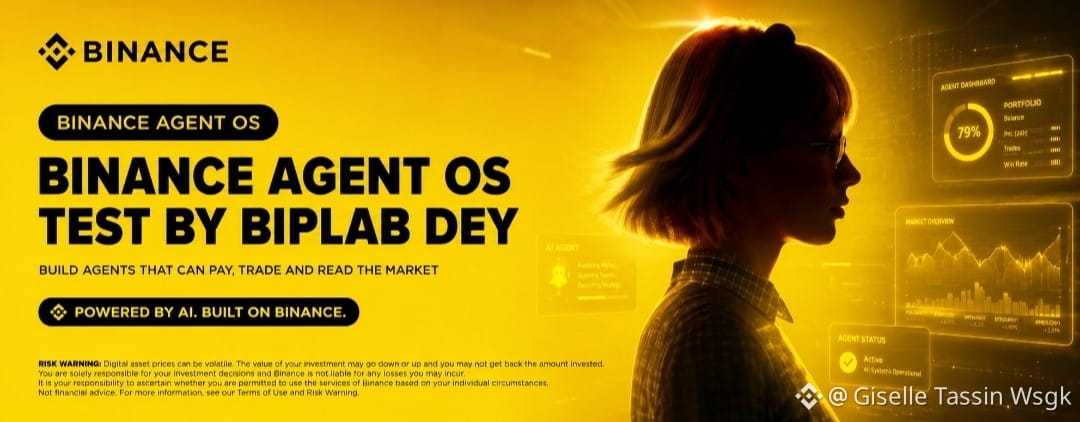
I recently tested Binance Agent OS with ChatGPT through Model Context Protocol (MCP) to explore how AI agents can interact with crypto-related workflows.
The idea is simple: make market analysis and selected trading tasks faster, smarter, and more automated—while keeping control over what the AI is allowed to access.
Here’s what I learned from the test 👇
🔐 Know Your Agent’s Permissions
Before connecting Binance Agent OS to your Binance account, it’s important to understand the permissions you are granting.
You can choose specific scopes based on what you actually need. A good approach is to start with the minimum permissions.
📊 Market Data
Public market information such as:
• Ticker prices
• Order books
• Candlestick data
• Funding information
👤 Account Access
Depending on the permissions you grant, the agent can access:
• Agentic sub-account balances
• Positions
• Account bills
• Optional read-only information from your main account
⚡ Trading Permissions
Trading capabilities can be granted for supported activities such as:
• Spot
• Margin
• Convert
• Futures
Only enable the trading permissions your account and workflow actually require.
💰 Internal Transfers
The agent can move funds between supported wallets within the same Agentic sub-account.
🛡️ One Important Security Point
There is no withdrawal permission.
This means the agent cannot withdraw funds from the Agentic sub-account to an external wallet or address.
For me, the most interesting part of this experiment is seeing how AI can interact with crypto workflows while permissions remain clearly defined.
In the next post, I’ll share the step-by-step process for using Binance Agent OS with ChatGPT.
⚠️ Always review permissions carefully before connecting any AI agent to a financial account. This post is for educational purposes only and is not financial advice.
#Binance #BinanceAgentOS #ChatGPT #AI #Crypto #Web3 #AIAgents #CryptoAl
🚀 Binance Agent OS + ChatGPT: Exploring Smarter Crypto Workflows
I recently tested Binance Agent OS with ChatGPT through Model Context Protocol (MCP) to explore how AI agents can interact with crypto-related workflows.
The idea is simple: make market analysis and selected trading tasks faster, smarter, and more automated—while keeping control over what the AI is allowed to access.
Here’s what I learned from the test 👇
🔐 Know Your Agent’s Permissions
Before connecting Binance Agent OS to your Binance account, it’s important to understand the permissions you are granting.
You can choose specific scopes based on what you actually need. A good approach is to start with the minimum permissions.
📊 Market Data
Public market information such as:
• Ticker prices
• Order books
• Candlestick data
• Funding information
👤 Account Access
Depending on the permissions you grant, the agent can access:
• Agentic sub-account balances
• Positions
• Account bills
• Optional read-only information from your main account
⚡ Trading Permissions
Trading capabilities can be granted for supported activities such as:
• Spot
• Margin
• Convert
• Futures
Only enable the trading permissions your account and workflow actually require.
💰 Internal Transfers
The agent can move funds between supported wallets within the same Agentic sub-account.
🛡️ One Important Security Point
There is no withdrawal permission.
This means the agent cannot withdraw funds from the Agentic sub-account to an external wallet or address.
For me, the most interesting part of this experiment is seeing how AI can interact with crypto workflows while permissions remain clearly defined.
In the next post, I’ll share the step-by-step process for using Binance Agent OS with ChatGPT.
⚠️ Always review permissions carefully before connecting any AI agent to a financial account. This post is for educational purposes only and is not financial advice.
#Binance #BinanceAgentOS #ChatGPT #AI #Crypto #Web3 #AIAgents #CryptoAl
I recently tested Binance Agent OS with ChatGPT through Model Context Protocol (MCP) to explore how AI agents can interact with crypto-related workflows.
The idea is simple: make market analysis and selected trading tasks faster, smarter, and more automated—while keeping control over what the AI is allowed to access.
Here’s what I learned from the test 👇
🔐 Know Your Agent’s Permissions
Before connecting Binance Agent OS to your Binance account, it’s important to understand the permissions you are granting.
You can choose specific scopes based on what you actually need. A good approach is to start with the minimum permissions.
📊 Market Data
Public market information such as:
• Ticker prices
• Order books
• Candlestick data
• Funding information
👤 Account Access
Depending on the permissions you grant, the agent can access:
• Agentic sub-account balances
• Positions
• Account bills
• Optional read-only information from your main account
⚡ Trading Permissions
Trading capabilities can be granted for supported activities such as:
• Spot
• Margin
• Convert
• Futures
Only enable the trading permissions your account and workflow actually require.
💰 Internal Transfers
The agent can move funds between supported wallets within the same Agentic sub-account.
🛡️ One Important Security Point
There is no withdrawal permission.
This means the agent cannot withdraw funds from the Agentic sub-account to an external wallet or address.
For me, the most interesting part of this experiment is seeing how AI can interact with crypto workflows while permissions remain clearly defined.
In the next post, I’ll share the step-by-step process for using Binance Agent OS with ChatGPT.
⚠️ Always review permissions carefully before connecting any AI agent to a financial account. This post is for educational purposes only and is not financial advice.
#Binance #BinanceAgentOS #ChatGPT #AI #Crypto #Web3 #AIAgents #CryptoAl
81

🧠 $IRYS : Why is this datachain the future of AI?
While others hype, $IRYS is building the world’s first programmable Layer-1 datachain. The project grew out of Bundlr, which processed over 95% of transactions on the Arweave network.
🔬 Key tech features:
• Permanent storage: Provides instant, scalable, and permanent on-chain data storage through Arweave.
• IrysVM: The first virtual machine where smart contracts manage data arrays directly on the blockchain.
• A foundation for AI: AI models need terabytes of uncensored data. Irys gives them permanent, verifiable storage.
The project solves Web3’s biggest problem—the high cost of file storage.
While you invest, use Binance Simple Earn to generate passive income.
🔥 Tap the $IRYS widget to open the chart!
Scam or moonshot? Let us know! 👇
#IRYS
#Arweave
#CryptoAl
#Datachain
#BinanceSquare
🧠 $IRYS : Why is this datachain the future of AI?
While others hype, $IRYS is building the world’s first programmable Layer-1 datachain. The project grew out of Bundlr, which processed over 95% of transactions on the Arweave network.
🔬 Key tech features:
• Permanent storage: Provides instant, scalable, and permanent on-chain data storage through Arweave.
• IrysVM: The first virtual machine where smart contracts manage data arrays directly on the blockchain.
• A foundation for AI: AI models need terabytes of uncensored data. Irys gives them permanent, verifiable storage.
The project solves Web3’s biggest problem—the high cost of file storage.
While you invest, use Binance Simple Earn to generate passive income.
🔥 Tap the $IRYS widget to open the chart!
Scam or moonshot? Let us know! 👇
#IRYS
#Arweave
#CryptoAl
#Datachain
#BinanceSquare
While others hype, $IRYS is building the world’s first programmable Layer-1 datachain. The project grew out of Bundlr, which processed over 95% of transactions on the Arweave network.
🔬 Key tech features:
• Permanent storage: Provides instant, scalable, and permanent on-chain data storage through Arweave.
• IrysVM: The first virtual machine where smart contracts manage data arrays directly on the blockchain.
• A foundation for AI: AI models need terabytes of uncensored data. Irys gives them permanent, verifiable storage.
The project solves Web3’s biggest problem—the high cost of file storage.
While you invest, use Binance Simple Earn to generate passive income.
🔥 Tap the $IRYS widget to open the chart!
Scam or moonshot? Let us know! 👇
#IRYS
#Arweave
#CryptoAl
#Datachain
#BinanceSquare
1
241

·
--
REGULATION MAY BE CRYPTO’S NEXT INFRASTRUCTURE LAYER
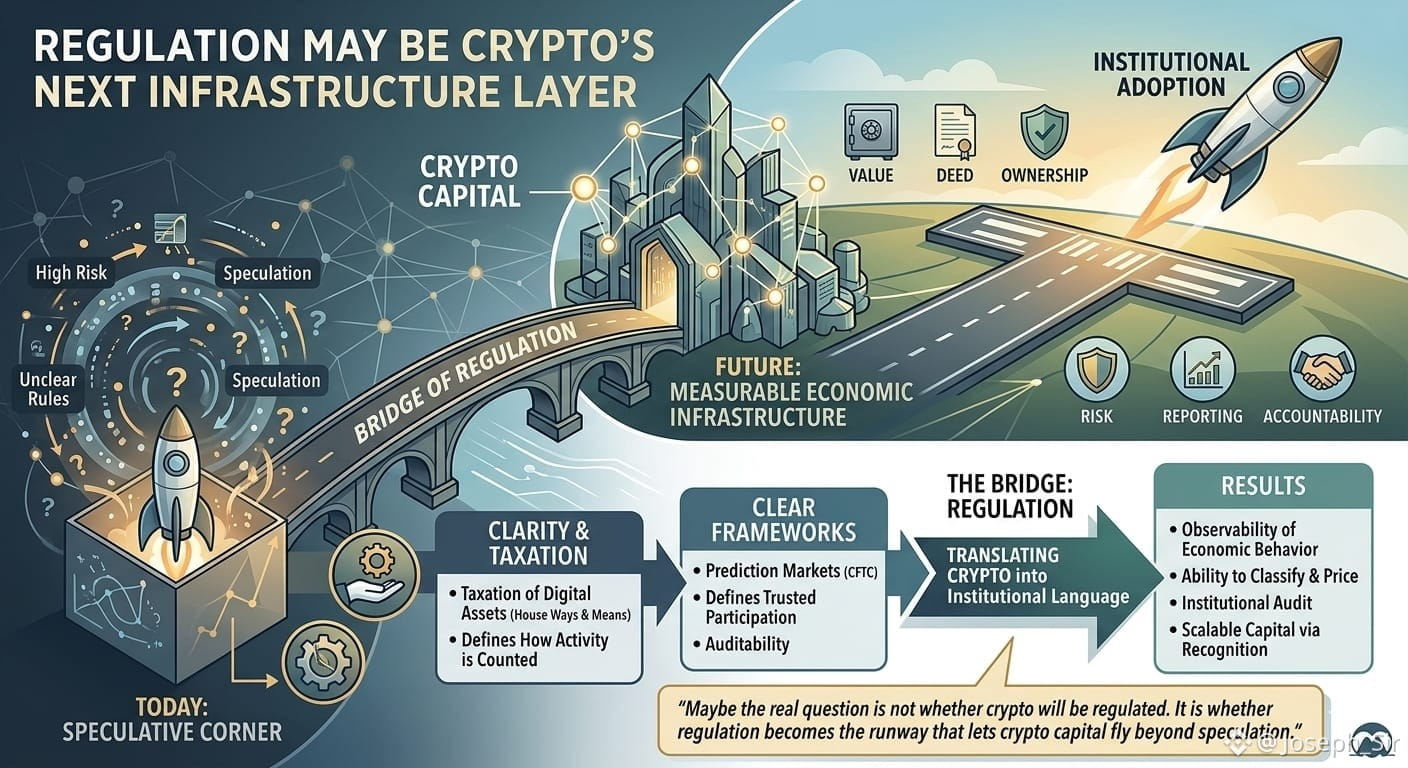
i used to think regulation only arrives after an industry becomes too big to ignore. But this
week felt different. The U.S. House Ways and Means Committee talking about digital asset
taxation, while the CFTC moves toward a
clearer framework for prediction markets, shows something deeper than paperwork.
This is not just government catching up to crypto. This is crypto being translated into the
language institutions understand: value, ownership, risk, reporting, accountability, and
market legitimacy.
That matters because capital does not scale only through innovation. It scales through
recognition. Tax rules decide how activity is counted. Market rules decide which activity
becomes trusted enough for serious participation. Together, they can turn crypto
from a speculative corner of finance into measurable economic infrastructure.
The thrilling part is that regulation may not be the end of crypto’s growth. It may be the bridge to its next phase.
i think the biggest adoption wave will come when crypto is no longer treated as technology, but as observable economic behavior that
institutions can classify, price, audit, and build around.
Maybe the real question is not whether crypto
will be regulated. It is whether regulation
becomes the runway that lets crypto capital fly beyond speculation.
#DeAl #OpenGradient #CryptoAl
@OpenGradient
#opg $OPG
REGULATION MAY BE CRYPTO’S NEXT INFRASTRUCTURE LAYER
i used to think regulation only arrives after an industry becomes too big to ignore. But this
week felt different. The U.S. House Ways and Means Committee talking about digital asset
taxation, while the CFTC moves toward a
clearer framework for prediction markets, shows something deeper than paperwork.
This is not just government catching up to crypto. This is crypto being translated into the
language institutions understand: value, ownership, risk, reporting, accountability, and
market legitimacy.
That matters because capital does not scale only through innovation. It scales through
recognition. Tax rules decide how activity is counted. Market rules decide which activity
becomes trusted enough for serious participation. Together, they can turn crypto
from a speculative corner of finance into measurable economic infrastructure.
The thrilling part is that regulation may not be the end of crypto’s growth. It may be the bridge to its next phase.
i think the biggest adoption wave will come when crypto is no longer treated as technology, but as observable economic behavior that
institutions can classify, price, audit, and build around.
Maybe the real question is not whether crypto
will be regulated. It is whether regulation
becomes the runway that lets crypto capital fly beyond speculation.
#DeAl #OpenGradient #CryptoAl
@OpenGradient
#opg $OPG
i used to think regulation only arrives after an industry becomes too big to ignore. But this
week felt different. The U.S. House Ways and Means Committee talking about digital asset
taxation, while the CFTC moves toward a
clearer framework for prediction markets, shows something deeper than paperwork.
This is not just government catching up to crypto. This is crypto being translated into the
language institutions understand: value, ownership, risk, reporting, accountability, and
market legitimacy.
That matters because capital does not scale only through innovation. It scales through
recognition. Tax rules decide how activity is counted. Market rules decide which activity
becomes trusted enough for serious participation. Together, they can turn crypto
from a speculative corner of finance into measurable economic infrastructure.
The thrilling part is that regulation may not be the end of crypto’s growth. It may be the bridge to its next phase.
i think the biggest adoption wave will come when crypto is no longer treated as technology, but as observable economic behavior that
institutions can classify, price, audit, and build around.
Maybe the real question is not whether crypto
will be regulated. It is whether regulation
becomes the runway that lets crypto capital fly beyond speculation.
#DeAl #OpenGradient #CryptoAl
@OpenGradient
#opg $OPG
7
4
170

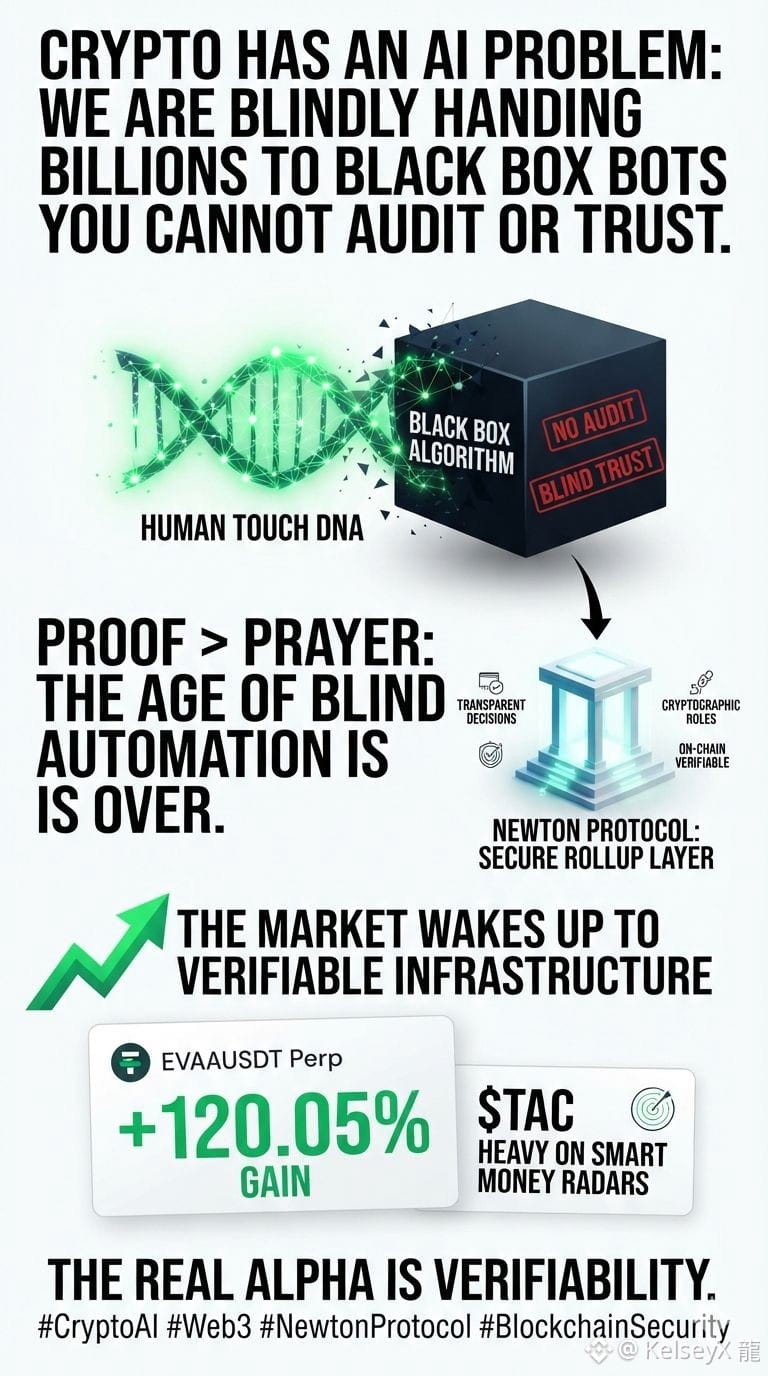
🔥 Crypto has an AI problem, and it’s about to blow up in our faces: We are blindly handing billions of dollars to algorithms we cannot see, audit, or trust. 🚨Let’s stop chasing shiny objects. Crypto doesn’t need more automated trading bots. We already have thousands of them draining liquidity and executing trades every single second.What we actually lack is proof. 🔍Right now, standard AI in Web3 is a black box. You feed it capital, cross your fingers, and pray it follows the rules. But prayer is not a financial strategy. If AI is going to run the future of finance, we need absolute certainty that an agent did exactly what it said it would do.This is exactly why the Newton Protocol roadmap stands out from the noise.Instead of just building another fast-trading algorithm, they are tackling the infrastructure gap with a secure rollup approach. It’s designed to make AI choices transparent, verifiable, and bound by cryptographic rules before a single dollar moves on-chain.Why Verifiable AI is the Real Alpha:No Blind Trust: Switches the game from "hope the bot works" to cryptographically proven compliance.Proactive Security: Blocks unauthorized actions before settlement, rather than auditing the damage after an exploit.True Autonomy: Allows institutional capital to safely hand over control to autonomous agents.The market is clearly waking up to high-momentum infrastructure plays. Look at the numbers: $EVAA (EVAAUSDT Perp) is screaming up +120.05%, and $TAC is flashing heavy on smart money radars. 📈But make no mistake—automation is just efficiency. Verifiability is the actual multi-billion-dollar narrative. 🚀👇 Let’s talk in the comments: Are you risking capital on black-box bots, or are you waiting for provable AI to take over? 💬#BinanceTurns #CryptoAl #web #NewtonProtocol #BlockchainSecurityas
🔥 Crypto has an AI problem, and it’s about to blow up in our faces: We are blindly handing billions of dollars to algorithms we cannot see, audit, or trust. 🚨Let’s stop chasing shiny objects. Crypto doesn’t need more automated trading bots. We already have thousands of them draining liquidity and executing trades every single second.What we actually lack is proof. 🔍Right now, standard AI in Web3 is a black box. You feed it capital, cross your fingers, and pray it follows the rules. But prayer is not a financial strategy. If AI is going to run the future of finance, we need absolute certainty that an agent did exactly what it said it would do.This is exactly why the Newton Protocol roadmap stands out from the noise.Instead of just building another fast-trading algorithm, they are tackling the infrastructure gap with a secure rollup approach. It’s designed to make AI choices transparent, verifiable, and bound by cryptographic rules before a single dollar moves on-chain.Why Verifiable AI is the Real Alpha:No Blind Trust: Switches the game from "hope the bot works" to cryptographically proven compliance.Proactive Security: Blocks unauthorized actions before settlement, rather than auditing the damage after an exploit.True Autonomy: Allows institutional capital to safely hand over control to autonomous agents.The market is clearly waking up to high-momentum infrastructure plays. Look at the numbers: $EVAA (EVAAUSDT Perp) is screaming up +120.05%, and $TAC is flashing heavy on smart money radars. 📈But make no mistake—automation is just efficiency. Verifiability is the actual multi-billion-dollar narrative. 🚀👇 Let’s talk in the comments: Are you risking capital on black-box bots, or are you waiting for provable AI to take over? 💬#BinanceTurns #CryptoAl #web #NewtonProtocol #BlockchainSecurityas
1
9
511

·
--
$FHE An incompetent team that can't even manage its own chain. The investor is rightly demanding accountability on Telegram, Twitter, and Discord, but all they receive in return is profound silence and indifference. The moderators are just repeating the same things like robots.
#MindNetwork #FHE #BinanceSquare #DYOR!! #cryptoAL
$FHE An incompetent team that can't even manage its own chain. The investor is rightly demanding accountability on Telegram, Twitter, and Discord, but all they receive in return is profound silence and indifference. The moderators are just repeating the same things like robots.
#MindNetwork #FHE #BinanceSquare #DYOR!! #cryptoAL
#MindNetwork #FHE #BinanceSquare #DYOR!! #cryptoAL
3
318
Log in to explore more content
Join global crypto users on Binance Square
⚡️ Get latest and useful information about crypto.
💬 Trusted by the world’s largest crypto exchange.
👍 Discover real insights from verified creators.
Email / Phone number
Trending Topics
1
#BinanceIncidentReport
0 views
26 Discussing
2
#BinanceReopensWithdrawalsForMoreAssets
76,279 views
1,376 Discussing
3
#BinanceHourlyDepositsExceedWithdrawals
32,821 views
568 Discussing
4
#AnthropicIPOPricedDownasInvestorsEye$1.5T
624 views
30 Discussing
5
#AppleReportsMixedResults
40,941 views
855 Discussing
6
#PalantirSlides3PercentOn$2BRevenue
2,347 views
36 Discussing
7
#FrenchAssemblyRejectsTwoCryptoExitTaxProposals
3,893 views
123 Discussing
8
#USMidtermElections
797,430 views
4,306 Discussing
9
#ThailandSECProposesDerivativesLicensesForDigitalAssetOperators
166 views
10 Discussing
10
#Nasdaq100EntersCorrection
8,045 views
152 Discussing