This Page is for general information and educational purposes only. It does not constitute legal terms or any form of legal agreement between you and Binance. It should not be construed as financial, legal or other professional advice. The information on this page may be outdated. For legal terms applicable to Spot Trading Services, please refer to the Terms of Use, the Exchange Rules and the Clearing Rules. Additional terms and conditions will also be set out in the Spot Copy Trading Services Terms (as applicable to Spot Copy Trading Services).
Disclaimer: In compliance with MiCA requirements, unauthorized stablecoins are subject to certain restrictions for EEA users. For more information, please click here.
The AI Token Report is a comprehensive, data-driven briefing designed to empower traders by extracting and synthesizing critical insights from a wide array of data sources. By delivering timely and actionable intelligence at the individual token level, the report helps users make well-informed trading decisions and actively engage in market opportunities with greater confidence.
Users should be aware that the information provided in this AI Token Report does not constitute financial, legal, nor investment advice (personalised or otherwise). Information contained in this AI Token Report is generated from a range of data sources, which may not be accurate and are not guaranteed to be accurate - you should therefore perform your own due diligence utilising multiple sources of information. Binance does not guarantee the accuracy, reliability, or completeness of any information, warranties or guarantees (whether express or implied) that the information is accurate, complete or up to date. As the user, you are solely responsible for verifying the information contained in this AI Token Report and should not rely on it for decision-taking purposes. Binance does not act as a fiduciary for, nor advisor to, you, and any analysis or information provided in this AI Token Report is provided on an as-is basis and you should never make investment or trading decisions without conducting your own careful due diligence and obtaining, where appropriate, professional advice.
This report is structured into three key sections, each focusing on a distinct aspect of market dynamics:
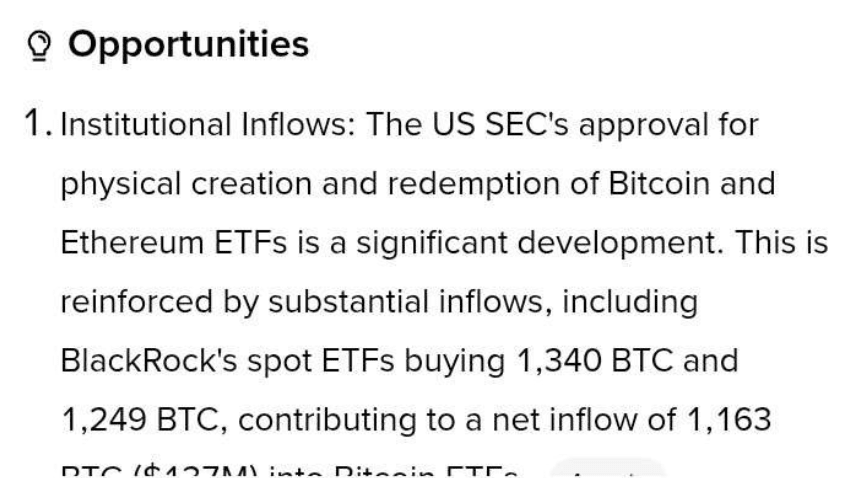
The Opportunity section highlights potential trading setups identified through advanced AI analysis. It captures signals such as momentum shifts, macro-level sentiment rallies around projects, breaking news, and arbitrage gaps across exchanges.
The Risk section provides a vigilant overview of on-chain anomalies and market vulnerabilities. It monitors unusual activities including large whale transactions, token concentration metrics, and heightened volatility. This insight enables users to anticipate potential downside risks or market disruptions, fostering more prudent risk management strategies.
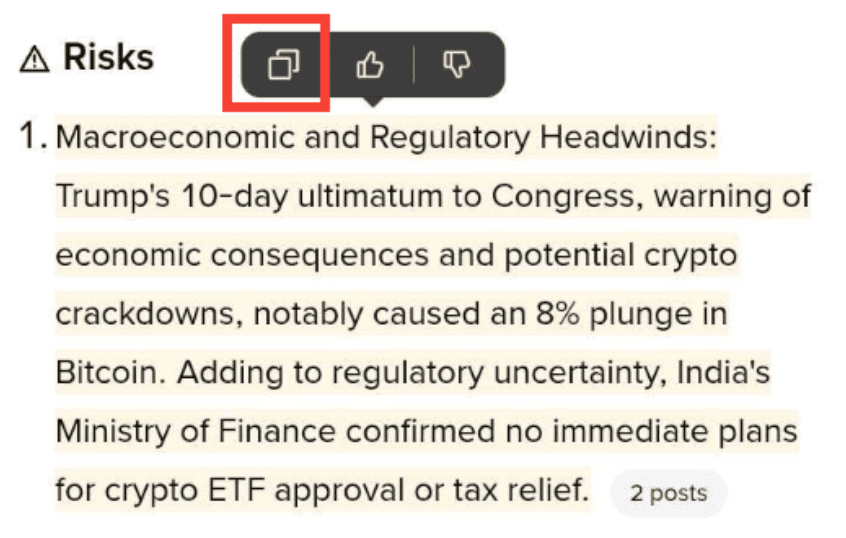
Understanding market psychology is crucial, and the Community Sentiment section addresses this by analyzing trends and narratives circulating in the public domain. By scanning relevant social media platforms, forums, and news outlets, the report gauges the collective sentiment and prevailing attitudes toward specific tokens, offering a nuanced perspective on market momentum driven by community behavior.
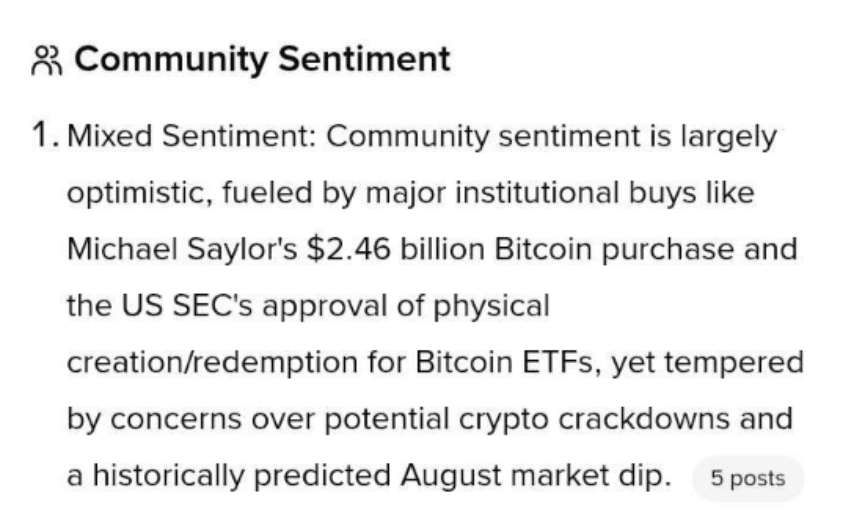
The report scans and extracts valuable insights from a diverse range of sources, including but not limited to the following:
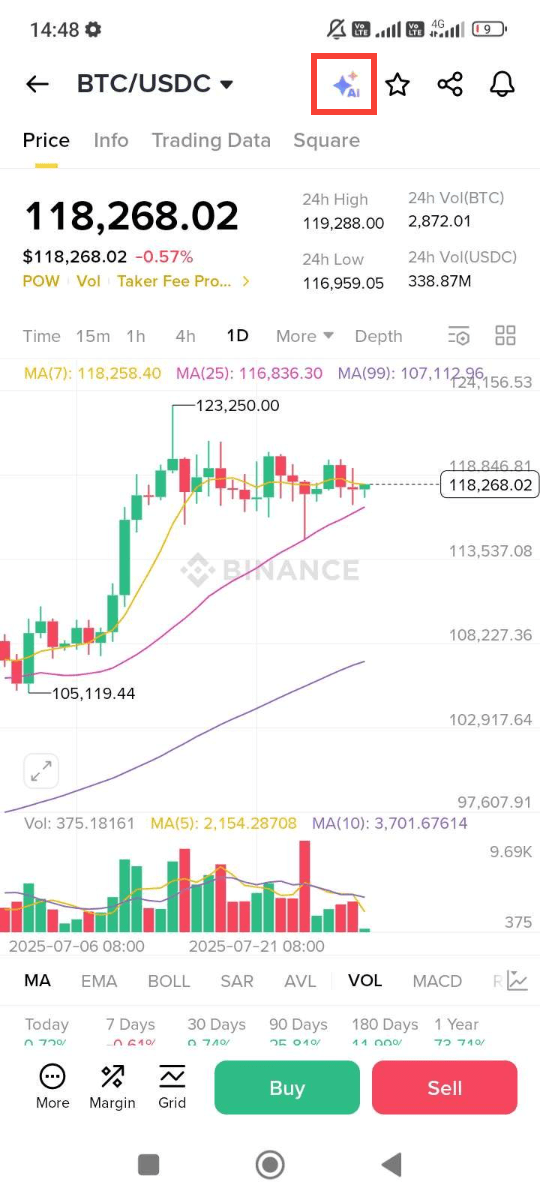
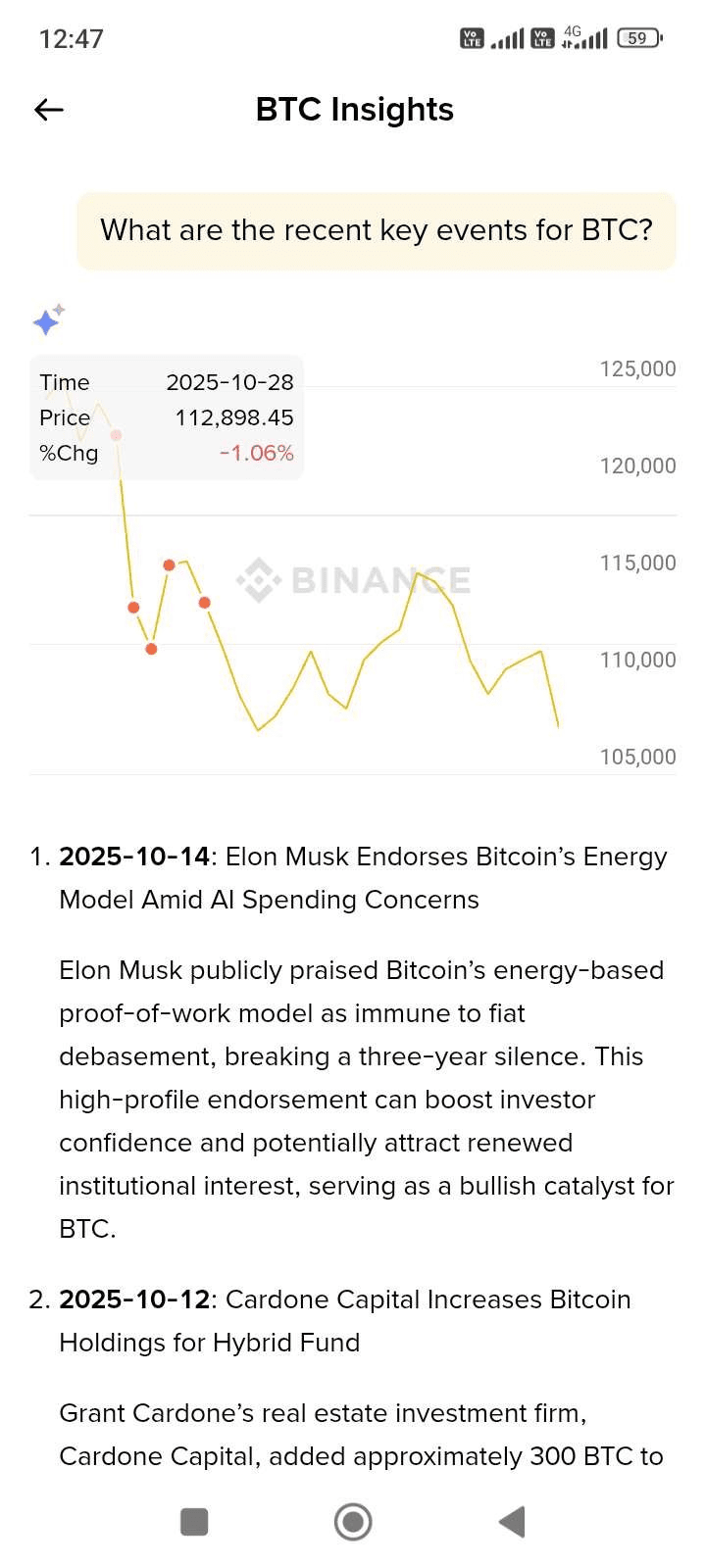
1. Log in to your Binance App and tap [Markets], then select a token and enter the k-line page.
Please note that not all Binance-listed tokens are currently covered in the AI Token Report. We are continuously expanding our coverage and will include more tokens over time.
2. Tap the [AI] icon on the top right of the screen.
3. Scroll down and you will see the entire report.
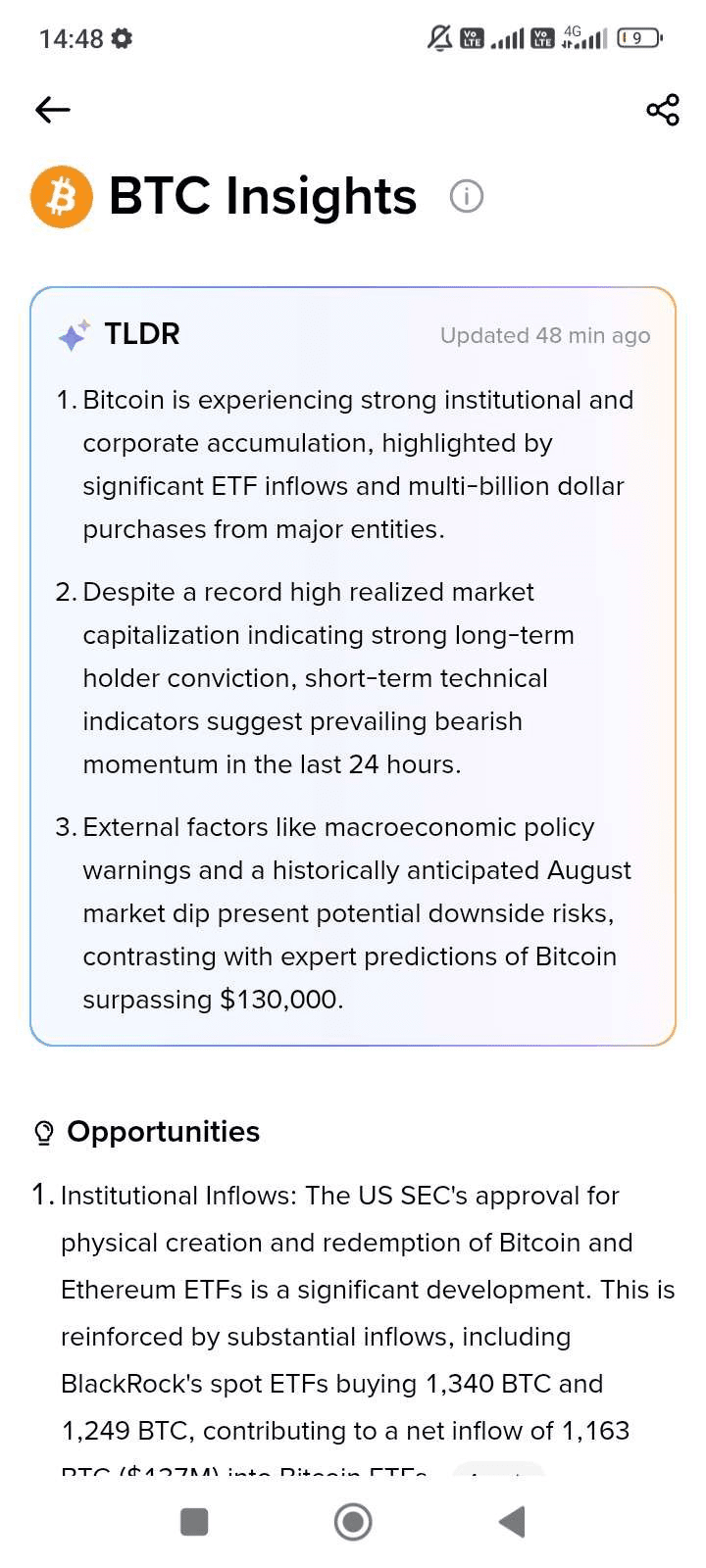
*This content is generated by AI, and may include errors, biases or outdated information. Not advice. Digital asset prices can be volatile. You are solely responsible for your investment decisions and Binance is not liable for any losses. See our Terms of Use and AI Terms.
4. Tap on data labels such as [Post] and [Chart] to see the data sources in greater detail.
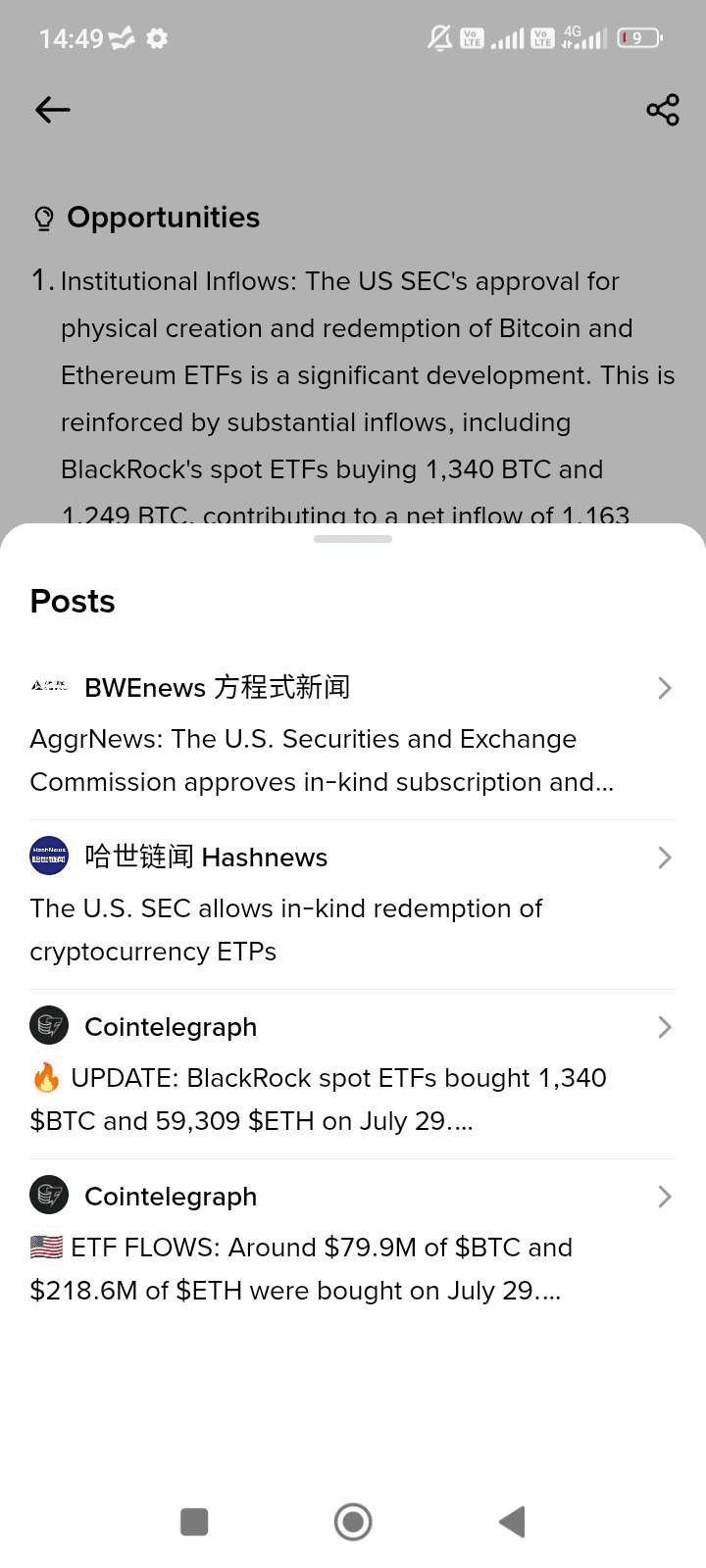
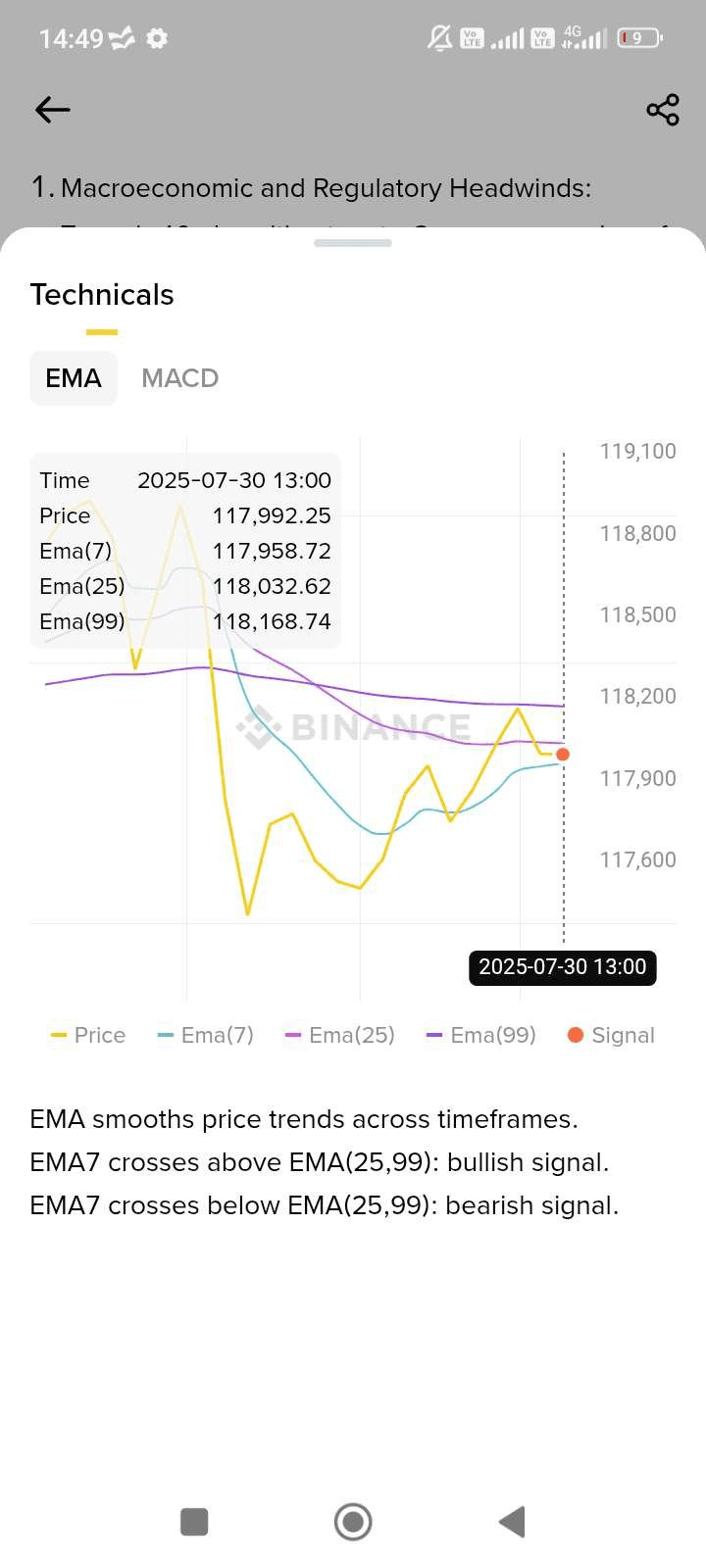
Tap any source to navigate to its content page.
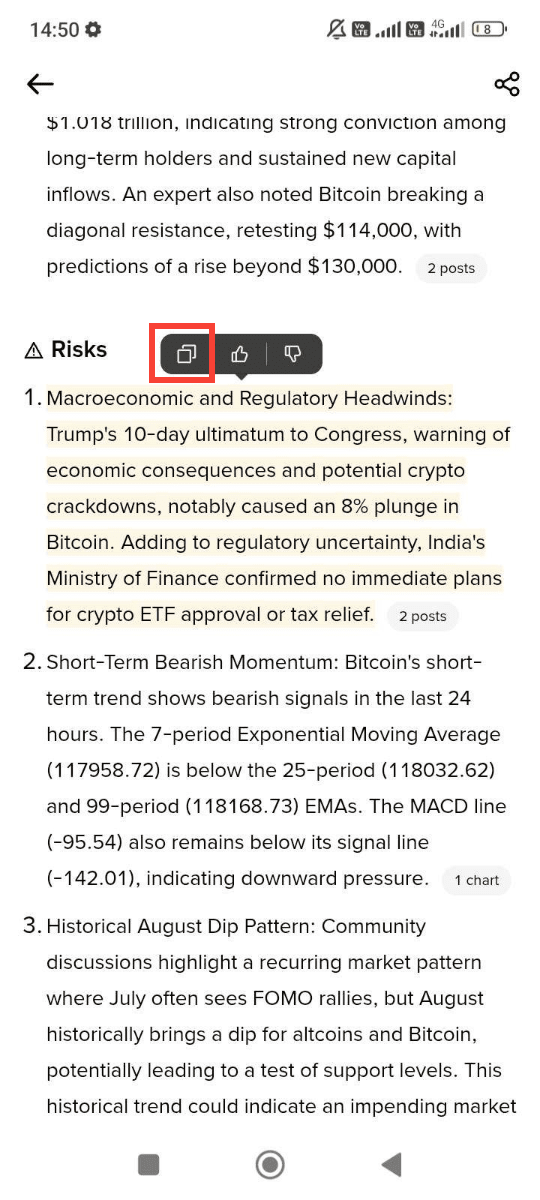
5. You can also long-press and select any of the content to copy it to clipboard.
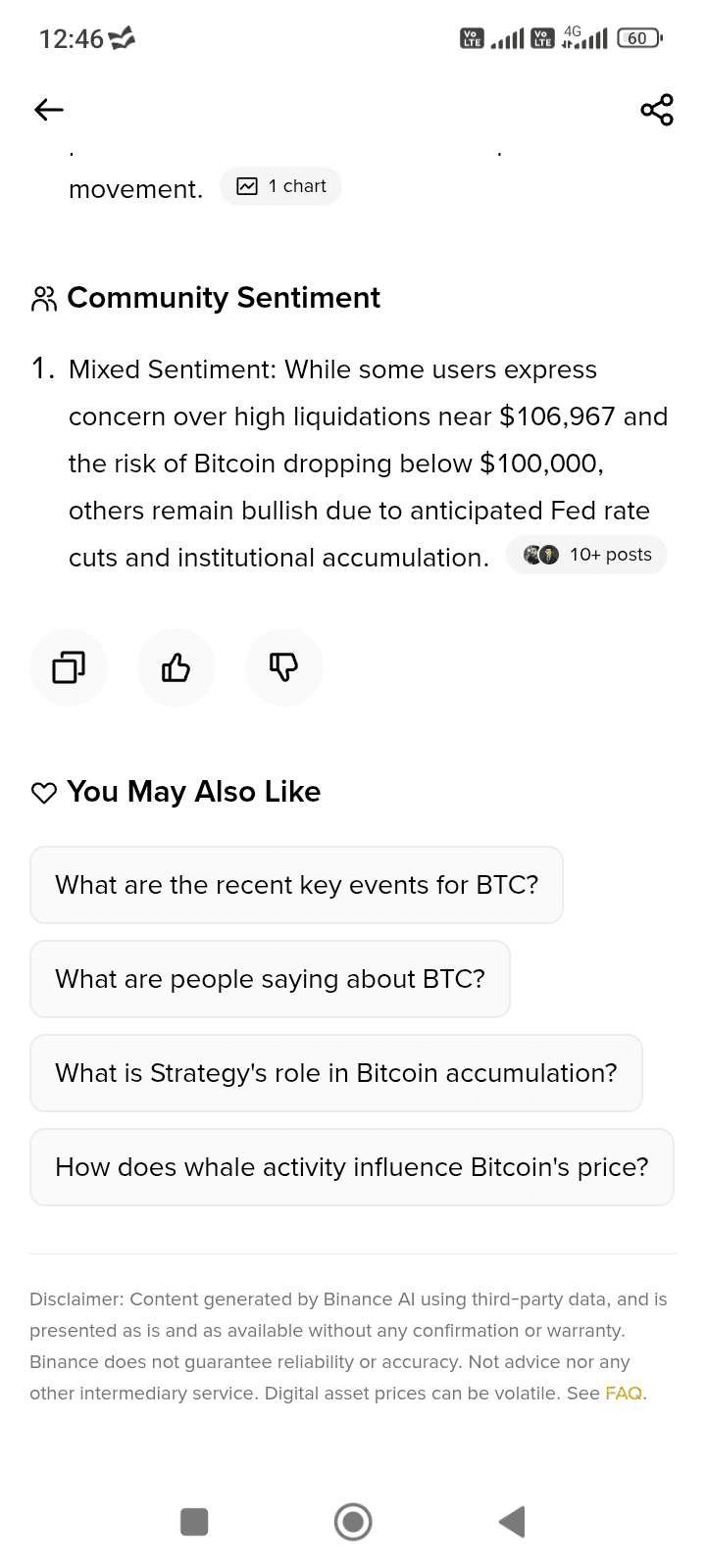
6. To drill down into specific questions under “You May Also Like”, simply tap on the question bubble and AI will start to generate answers below.
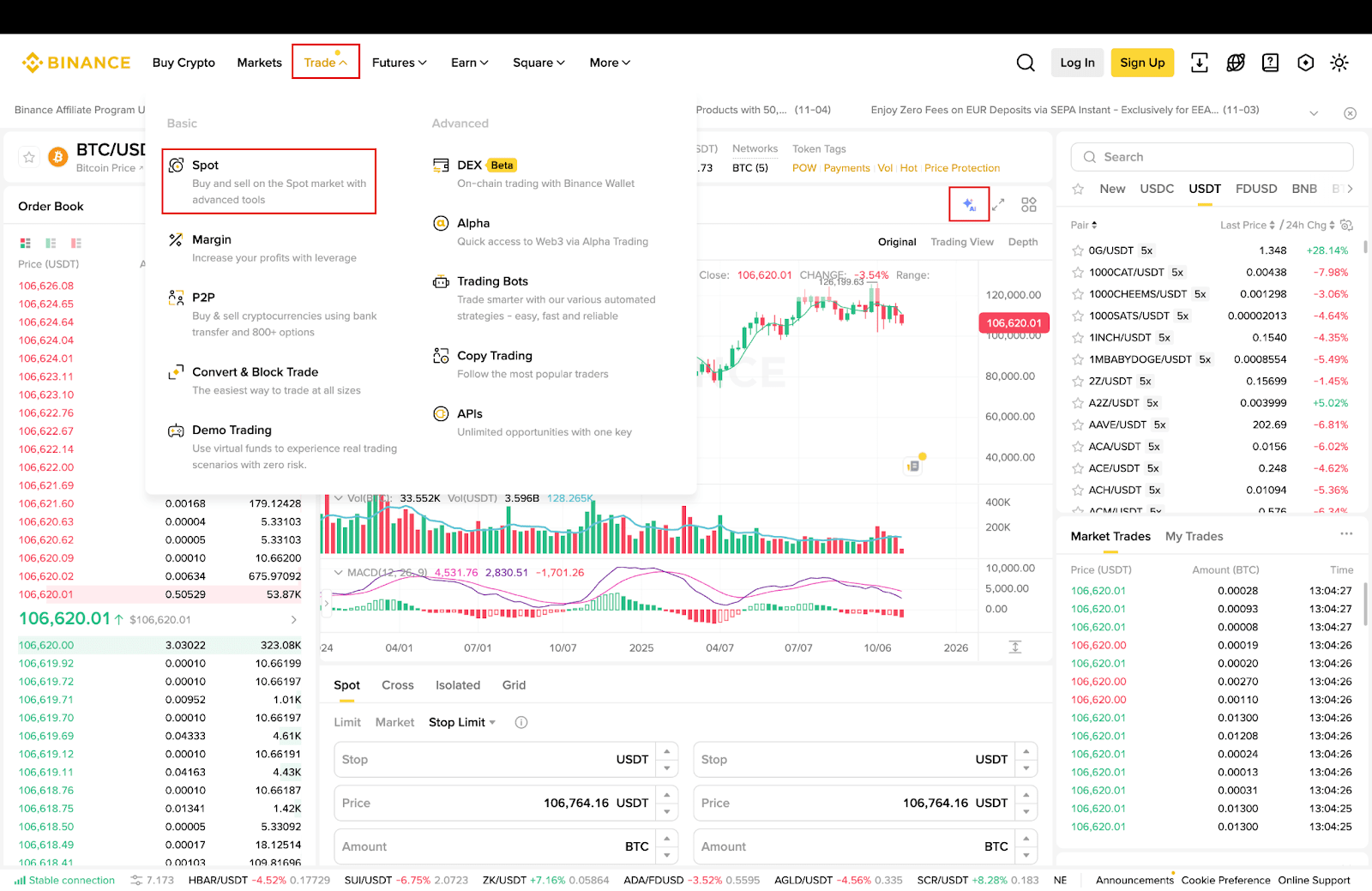
1. Log in to Binance website and click [Trade] - [Spot], then select a token and enter the k-line page.
Please note: Not all Binance-listed tokens are currently covered in the AI Token Report. We are continuously expanding our coverage and will include more tokens over time.
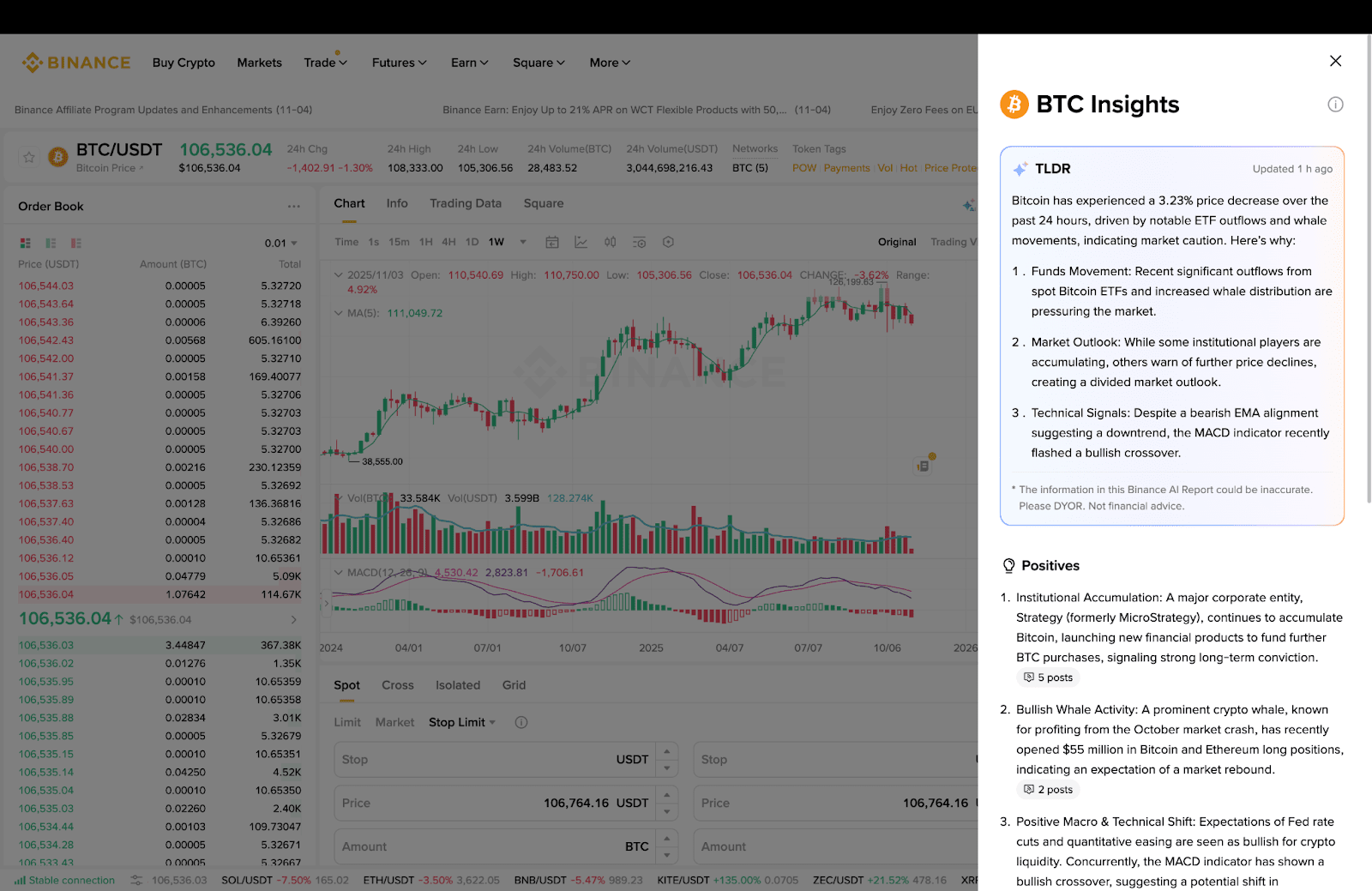
2. Click the [AI] icon on the top right of the screen, you will see the report in full.
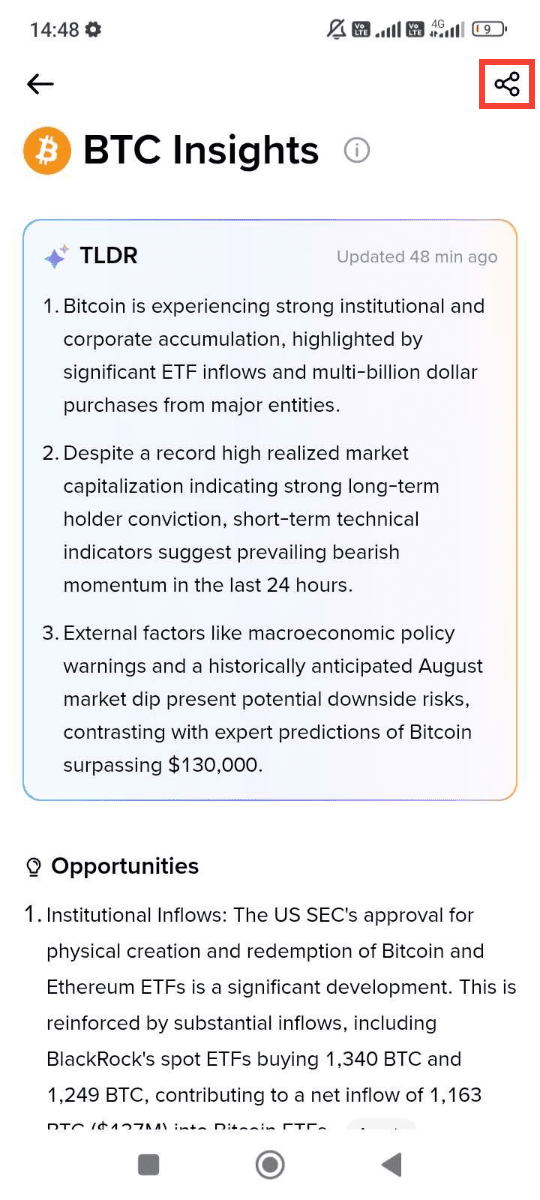
On the AI Token Report screen, tap the [Share] button to either save the long image to your local album or copy the page URL.
At Binance, we are committed to delivering the best products and services. Your feedback is invaluable in helping us continuously improve.
1. To provide feedback, you can either:
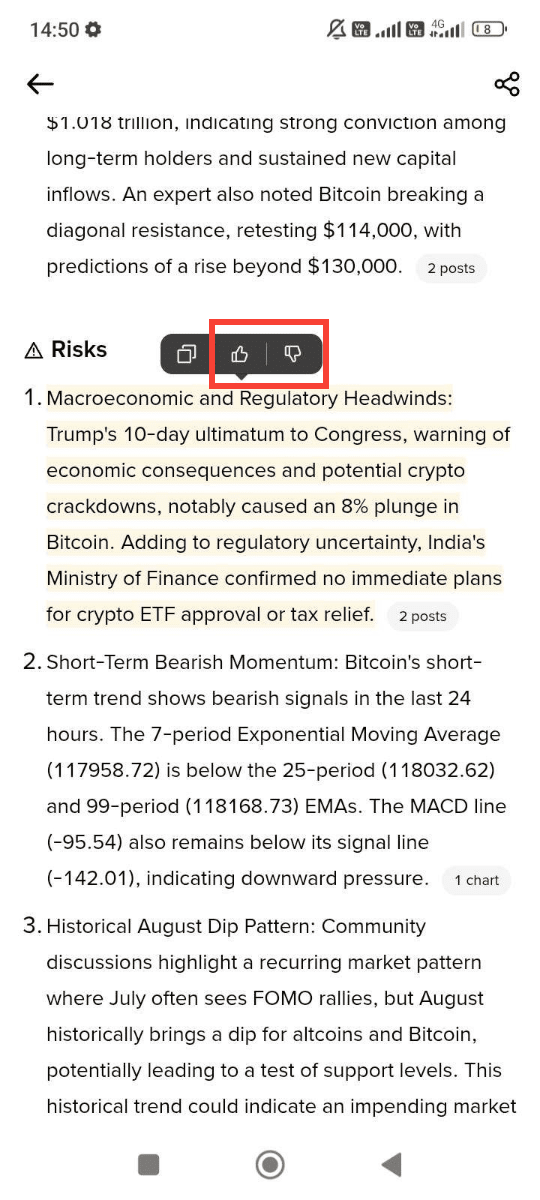
a) Long press and select a part of the text, then select from the floating buttons to give a “Thumbs-up” or “Thumbs-down” icon; or
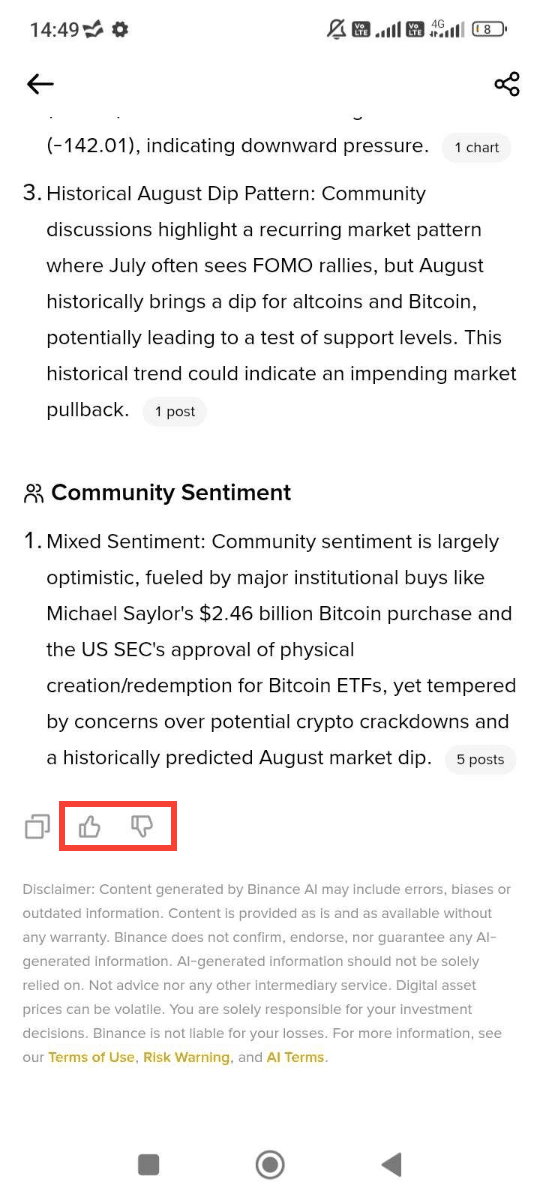
b) Scroll to the bottom of the AI Token Report and tap the “Thumbs-up” or “Thumbs-down” icon.
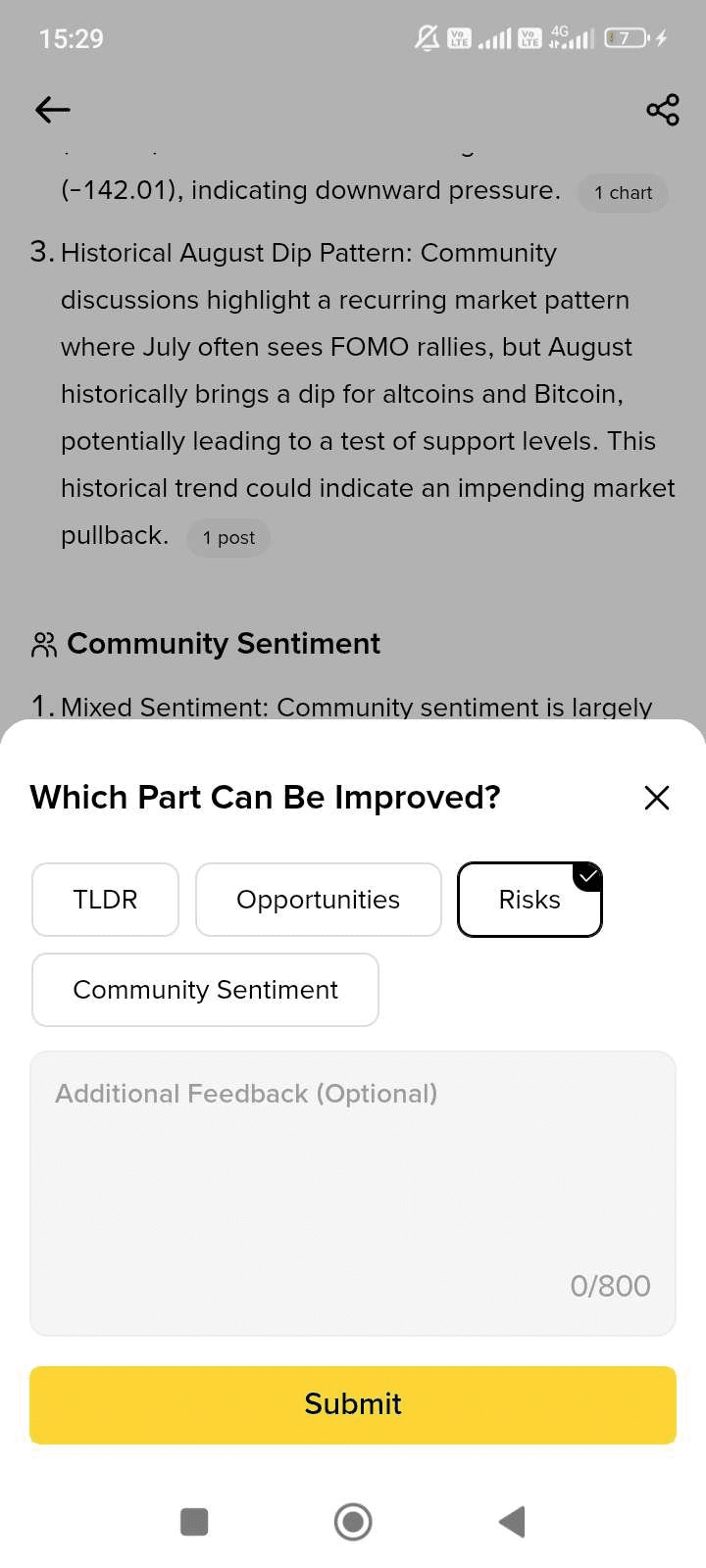
2. After tapping on the icon, a pop-up window will appear allowing you to specify the section you wish to comment on (e.g., “Risks”) and optionally enter your feedback in the text box provided.
3. Finally, tap [Submit] to send us your input.