How to Buy USDT with INR (Through a Third Party Provider) on Binance?
Публикувано на 2025-09-22 17:42
App
Website
Frequently Asked Questions
Step-by-Step Guide
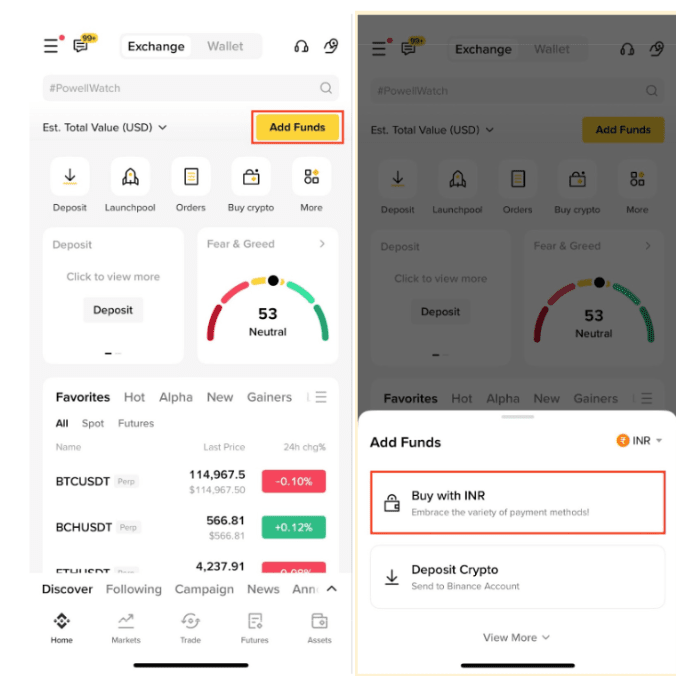
1. Log in to your Binance account and go to [Add Funds] - [Buy with INR].
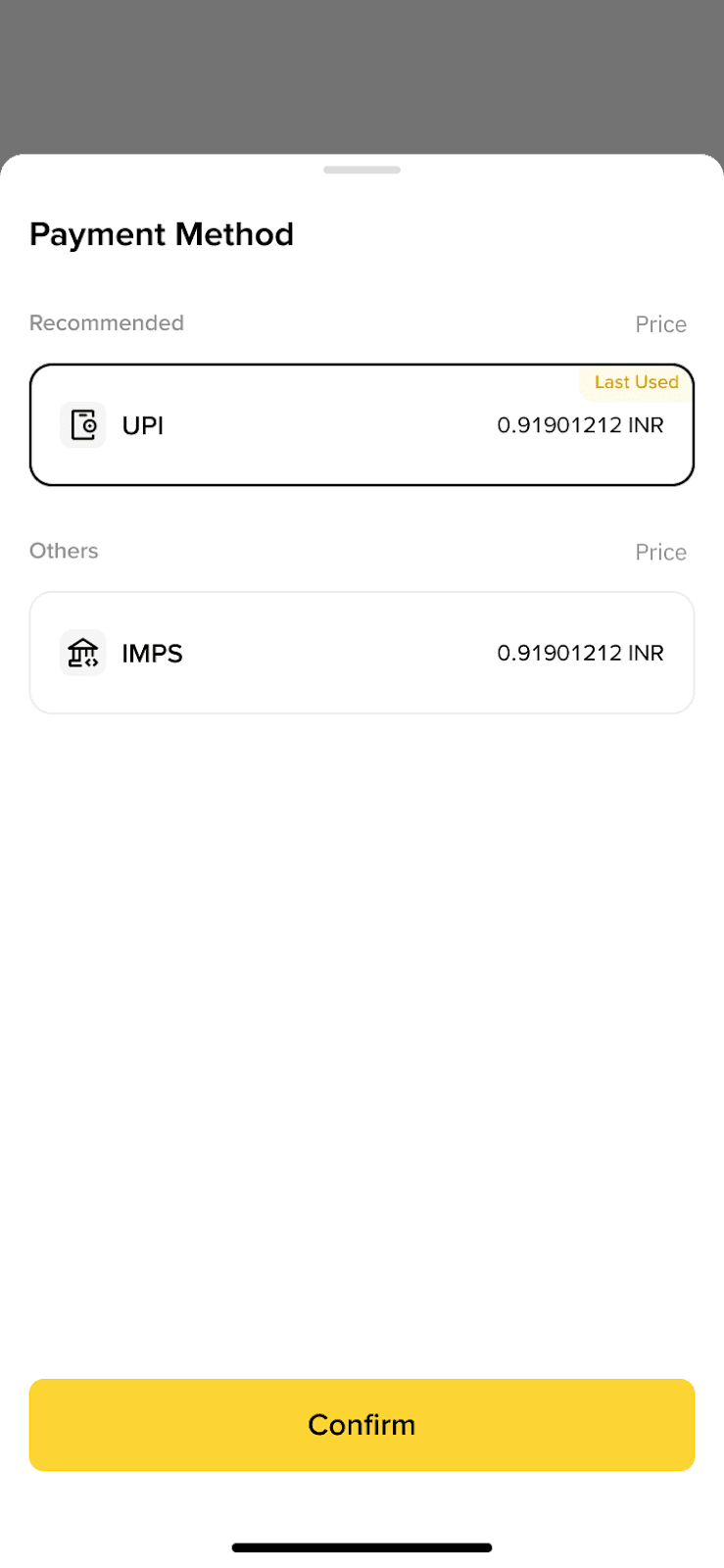
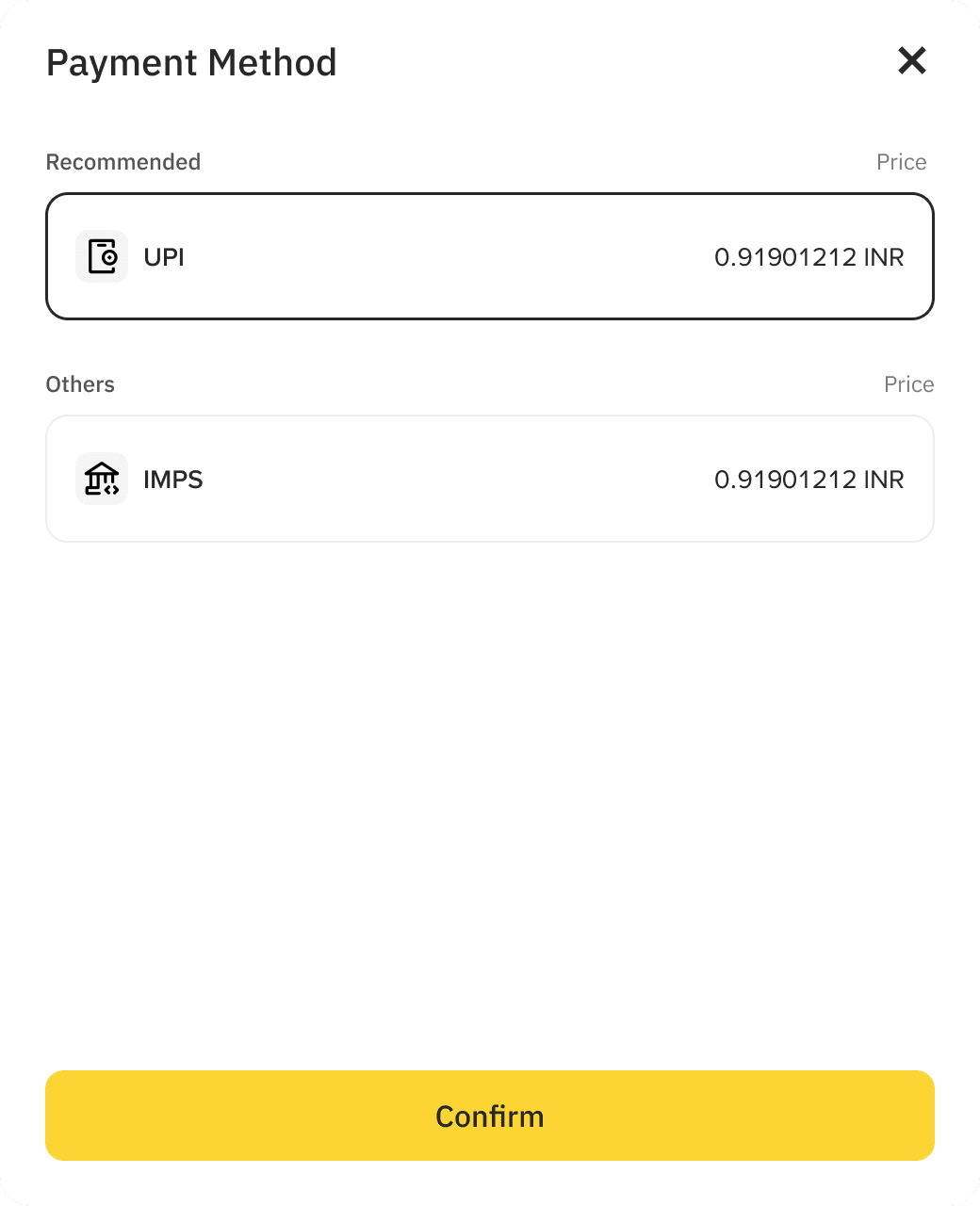
2. Under Payment Methods, you can choose:
IMPS: Pay using your Bank Account details.
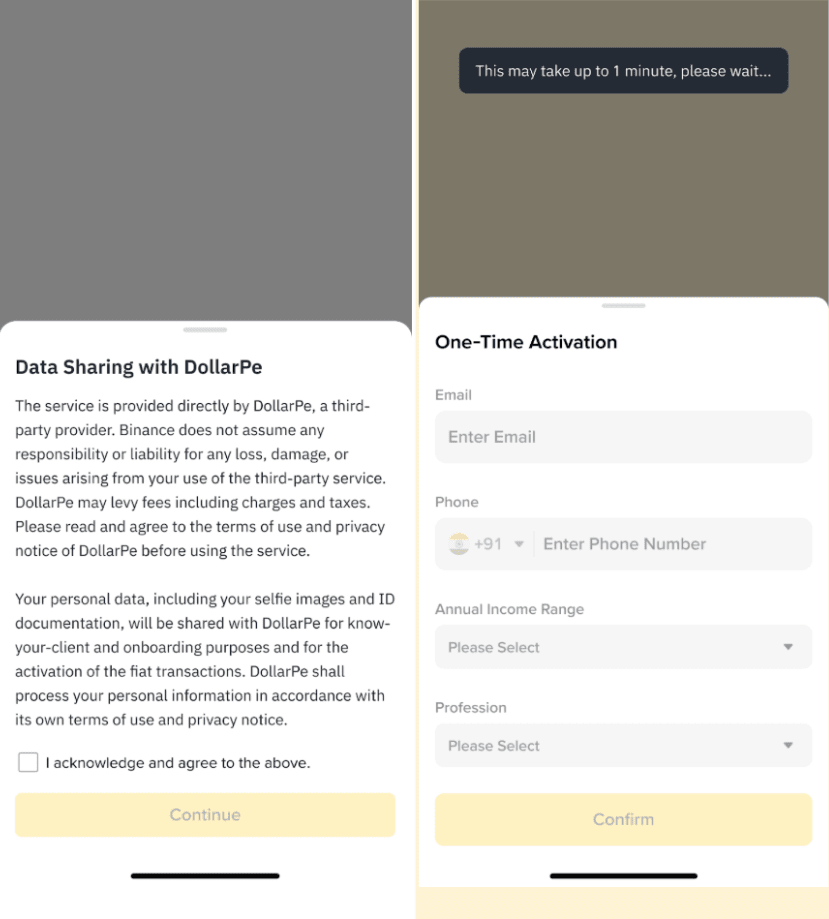
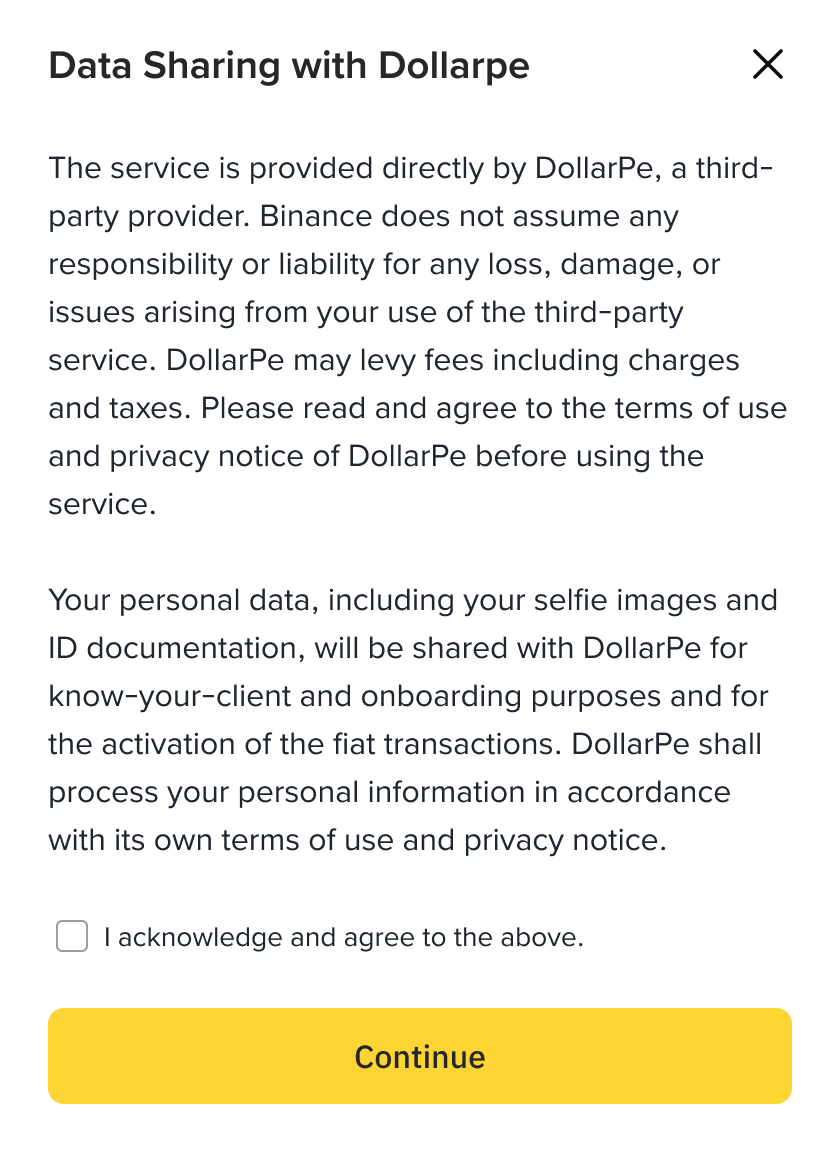
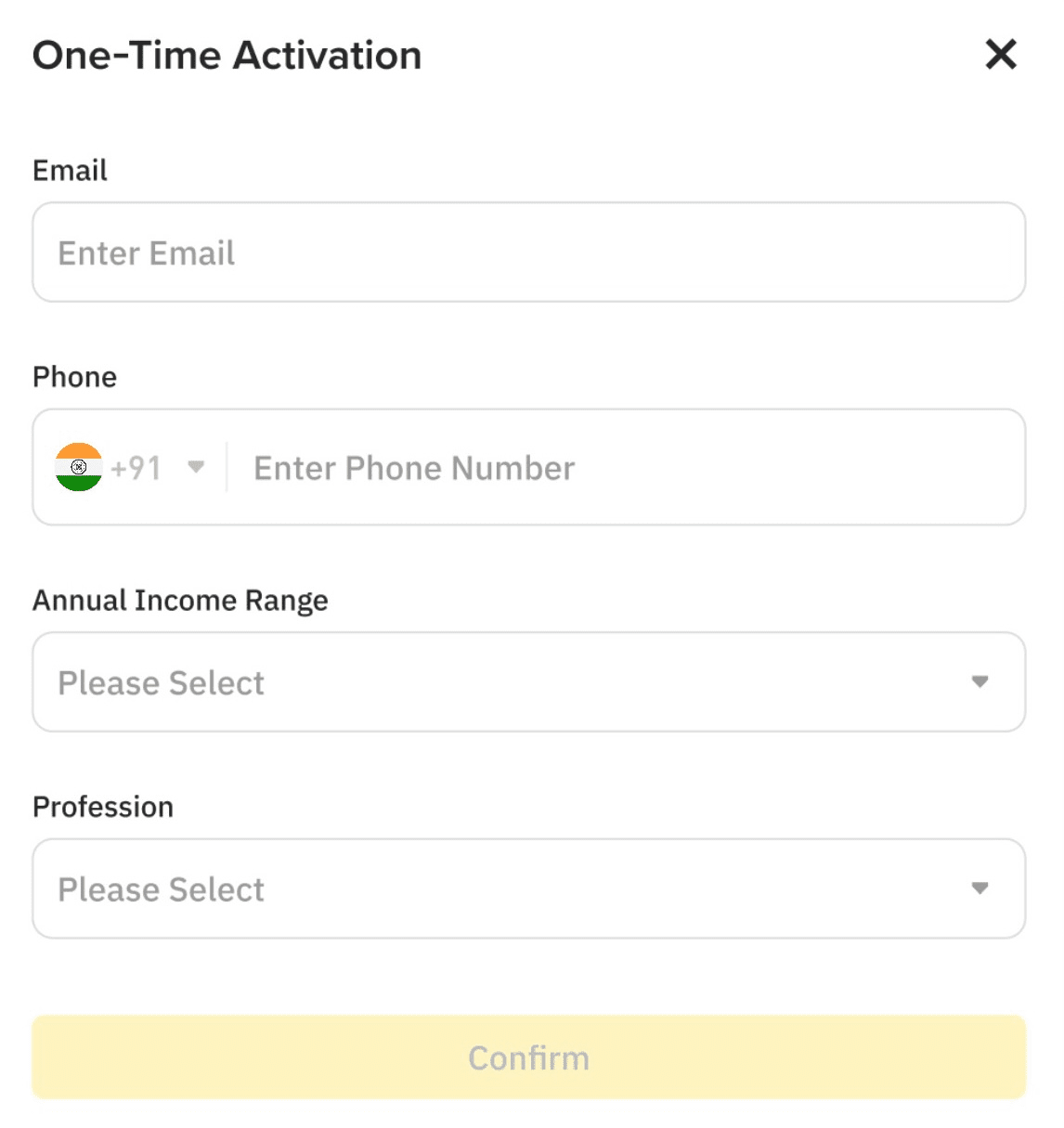
3. If this is your first time making a transaction, you will need to activate your account. Please make sure the information provided is linked to the bank account you use for payment.
This process typically takes up to 1 minute. In the case that it is longer, we will notify you via email & app notification once it's completed.
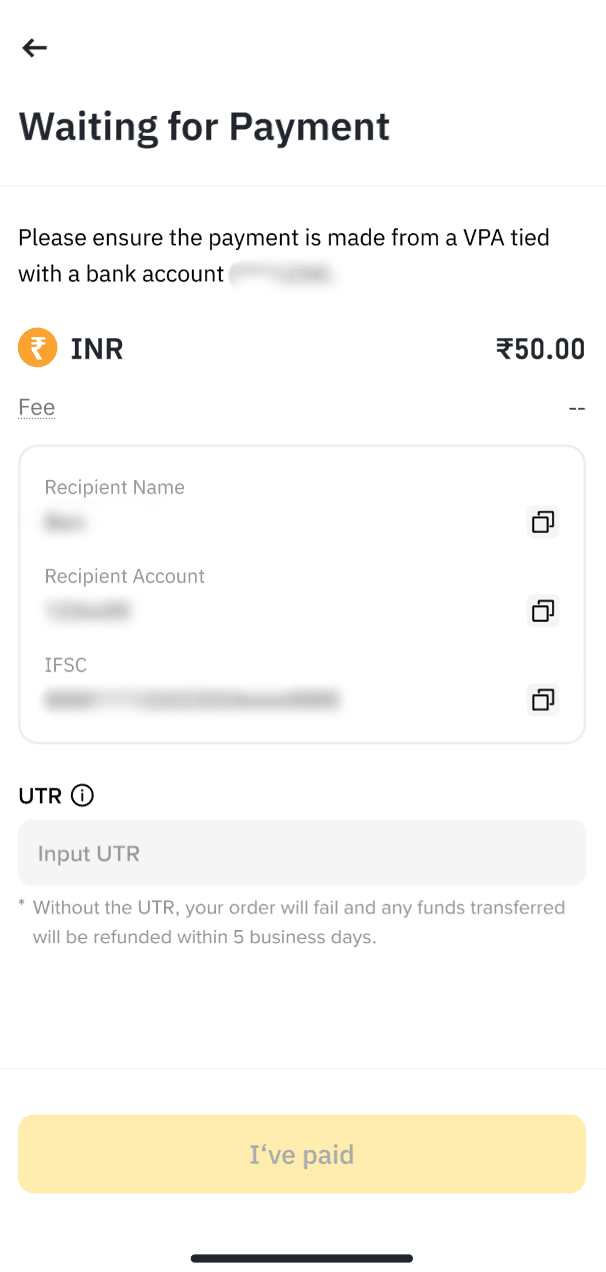
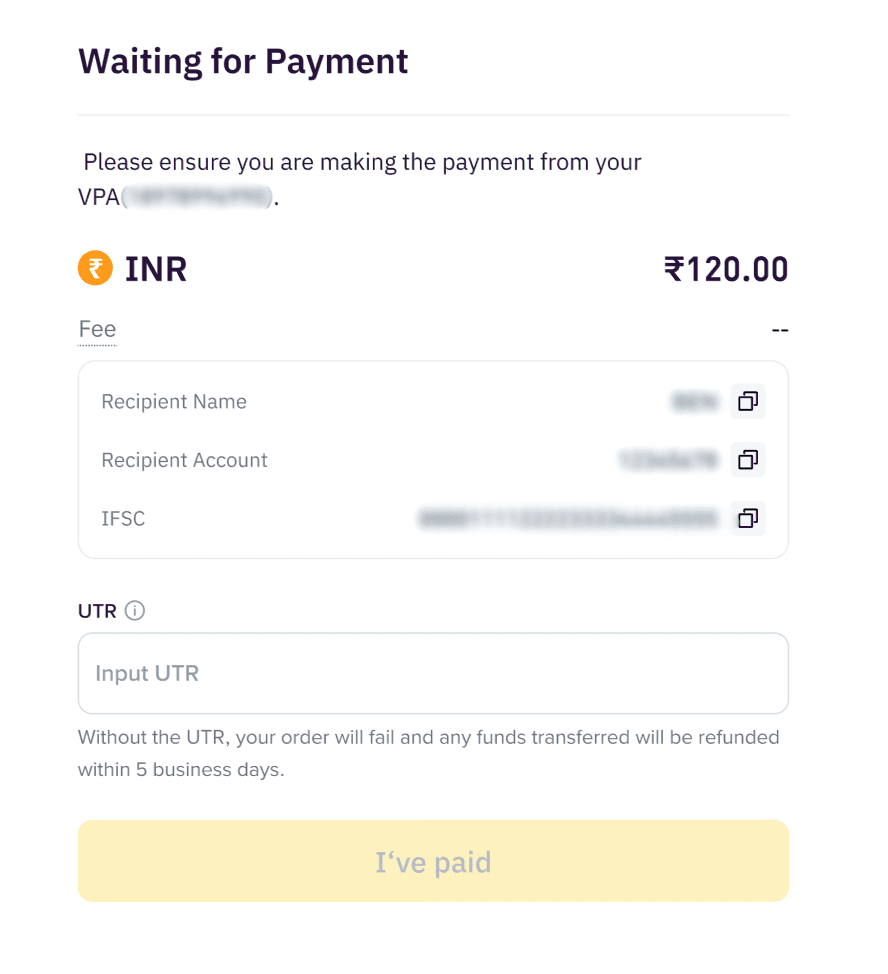
4. Making a Payment: IMPS: Transfer funds to the bank details shown on the screen. Make sure you make payment from the bank account/VPA that matches your registered details. Enter the UTR and select [I’ve Paid] to confirm the payment.
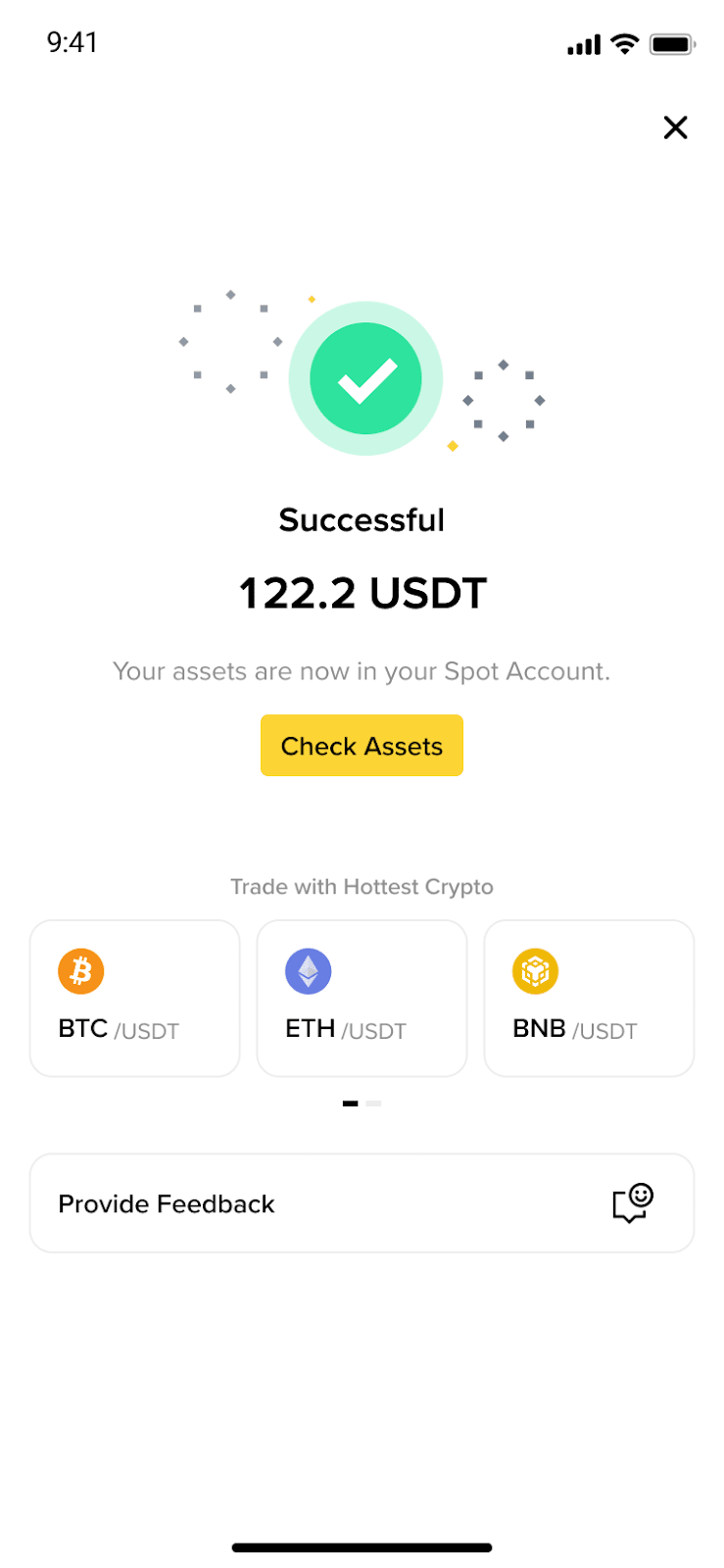
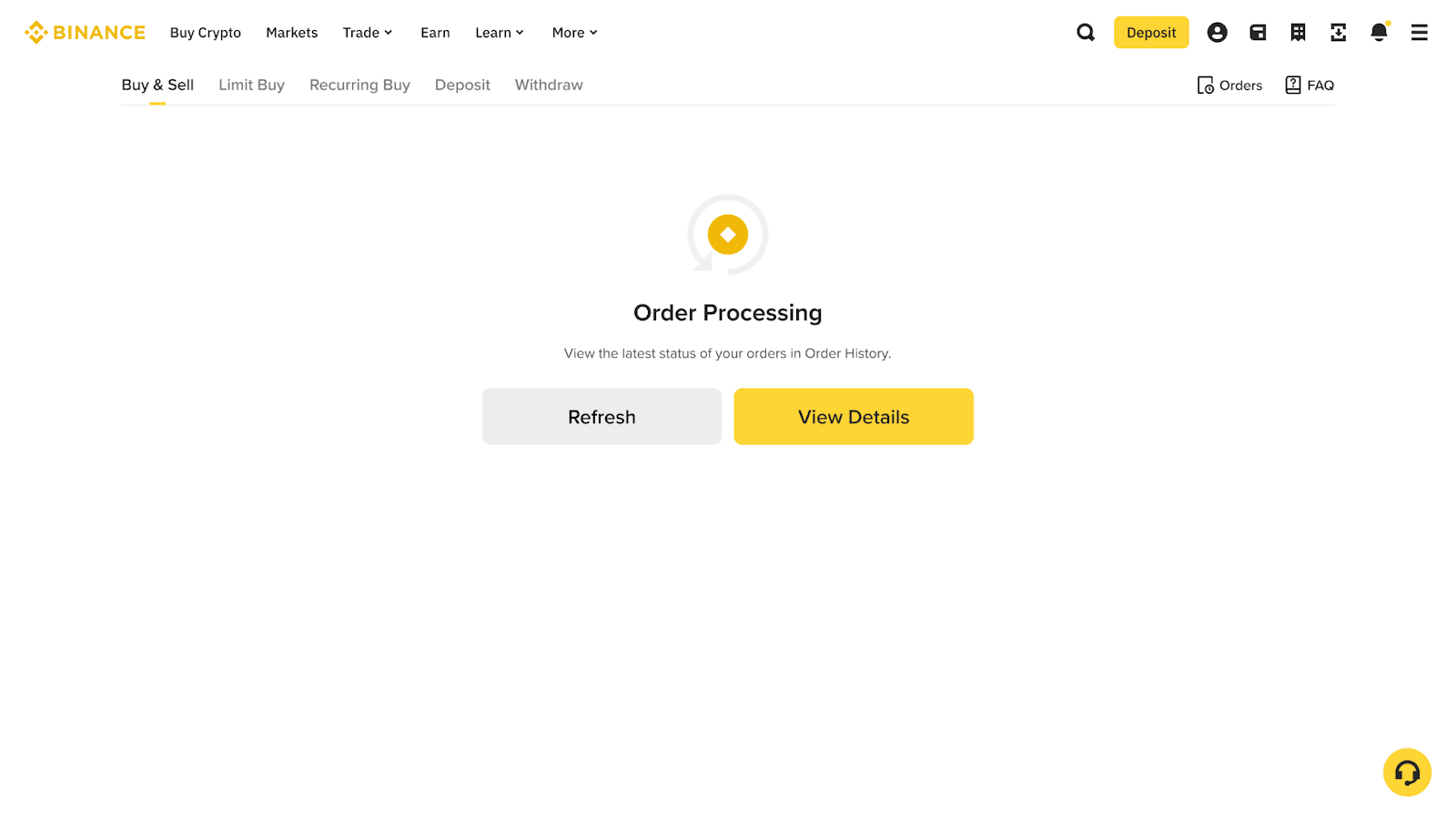
5. Payment Processing: Please allow some time for the payment to be processed. Once the funds are confirmed, your USDT will be credited to your account.
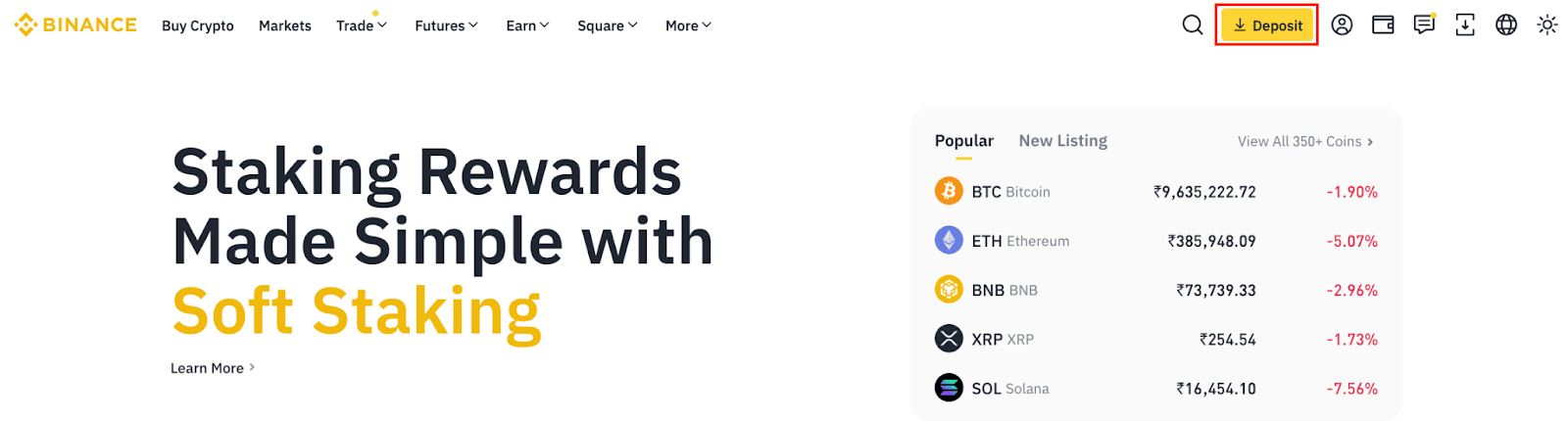
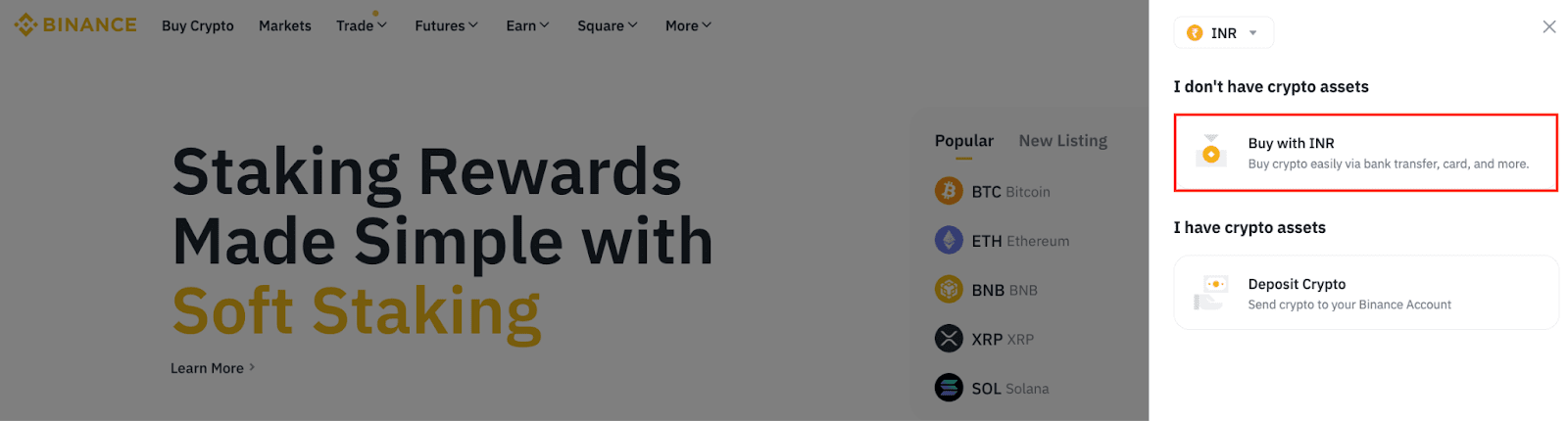
1. Log in to your Binance account on the website. Go to [Deposit] - [Buy with INR].
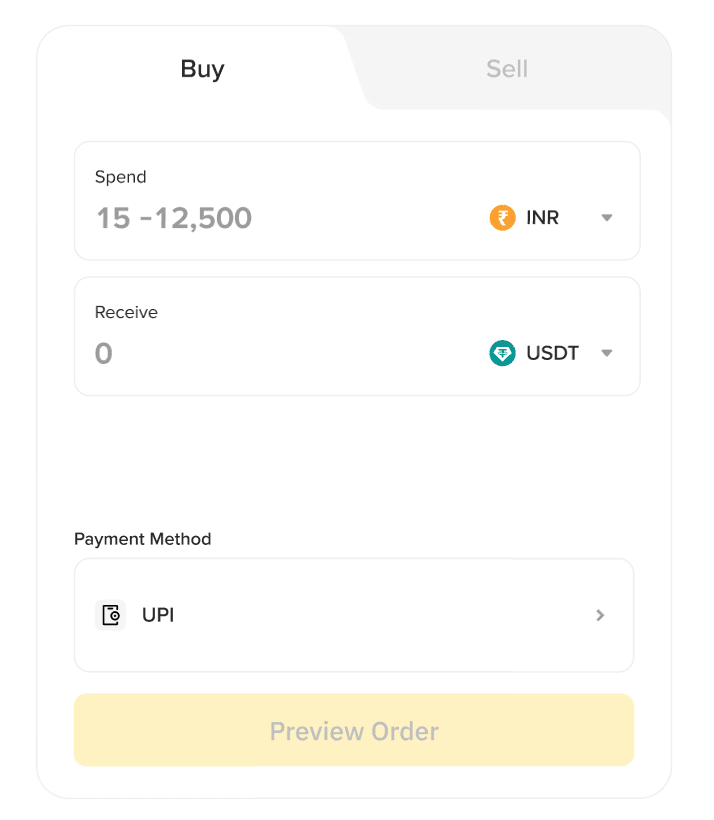
2. Select INR and USDT.
Under Payment Methods, you can choose:
IMPS: Pay using Bank Account details.
3. If this is your first time making a transaction, you will need to activate your account. Please make sure the information provided is linked to the bank account you use for payment.
This process typically takes up to 1 minute. In the case that it is longer, we will notify you via email & app notification once it's completed.
4. Making a Payment:
IMPS: Transfer funds to the bank details shown on the screen. Make sure you make payment from the bank account/VPA that matches your registered details. Enter the UTR and select [I’ve Paid] to confirm the payment.
5. Payment Processing: Please allow some time for the payment to be processed. Once the funds are confirmed, your USDT will be credited to your account.
1. Are there any fees? Binance does not collect any fees from users. Fees are determined by the third party provider and may differ based on the transaction amount.
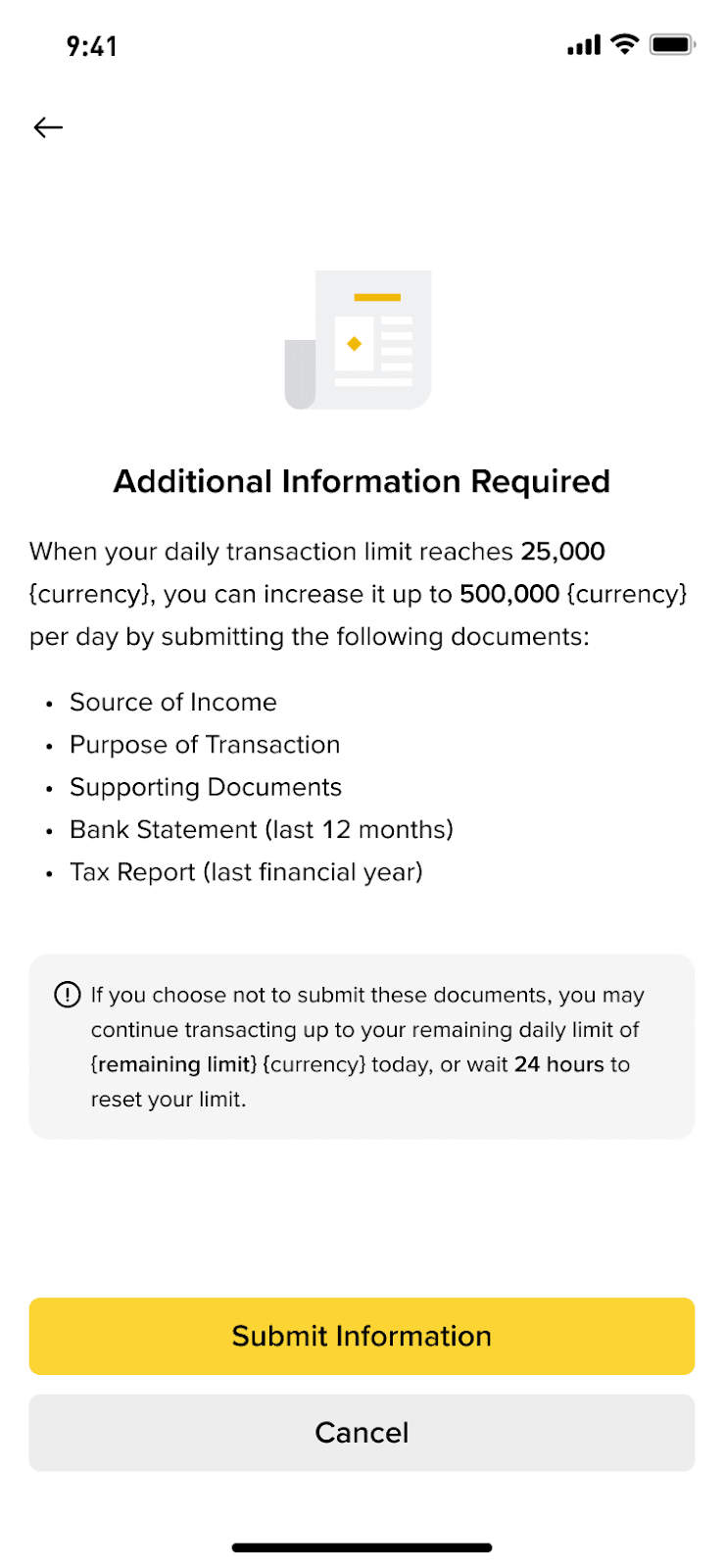
2. Why am I being asked for additional information? When your daily transaction amount exceeds ₹20,000 for UPI & ₹50,000 for IMPS, the third party provider will require additional information about the transaction before processing. If approved, there’s no need to submit it again.
You can choose to increase your limit by submitting EDD (Enhanced Due Diligence) documents.
If you do not wish to submit, you may wait 24 hours for your limit to reset.
3. How long does it take to receive my USDT? In most cases, your order is completed within minutes once payment is confirmed. However, delays may occur if your bank takes longer to process the transfer.
4. Why haven’t I received my USDT? Please check the following:
Did you transfer funds from the same bank account you registered during activation?
Did you enter the correct UTR and click [I’ve Paid] after completing the transfer? Without the UTR, your order will fail and any funds transferred will be refunded within 5 business days.
5. How can I find the UTR?
Your UTR (Reference or Transaction ID, 12 characters) can be found in the bank app confirmation, statement, or SMS/email.
6. Can I use someone else’s bank account or UPI ID? No. The payment must come from the same account holder name that matches your verified details.
7. What happens if I enter the wrong UTR? If the UTR is incorrect, we are unable to match your order with your payment. Please check your UTR before submission. If you have entered wrongly, please try again.