









How to Participate in Solana Restaking Season with Fragmetric and Solayer for Exclusive Rewards via Binance Wallet?
You can participate in the Solana Restaking Season by depositing at least 0.2 SOL or 0.2 BNSOL to the Binance Wallet and restake assets to Fragmetric and Solayer promoted pools, to share a $1,000,000 prize pool. For more information, please visit the campaign page.
Promotion Period: 2025-06-05 00:00:00 (UTC) to 2025-08-23 23:59:59 (UTC)
How to participate in Solana restaking season and deposit SOL to Binance Wallet?
You can deposit SOL or BNSOL directly, or use the swap function to get SOL or BNSOL in your Binance Wallet:
- Send SOL or BNSOL from an external wallet to your Binance Wallet using the [Receive] button.
- For more details, please refer to How to Send and Receive Tokens on Binance Wallet?

Important note: To qualify for campaign rewards, you must deposit at least 0.2 SOL or BNSOL.
You must have some extra SOL (~0.003 - 0.01 SOL) to cover the gas fees for staking.
How to restake SOL or BNSOL with Solayer
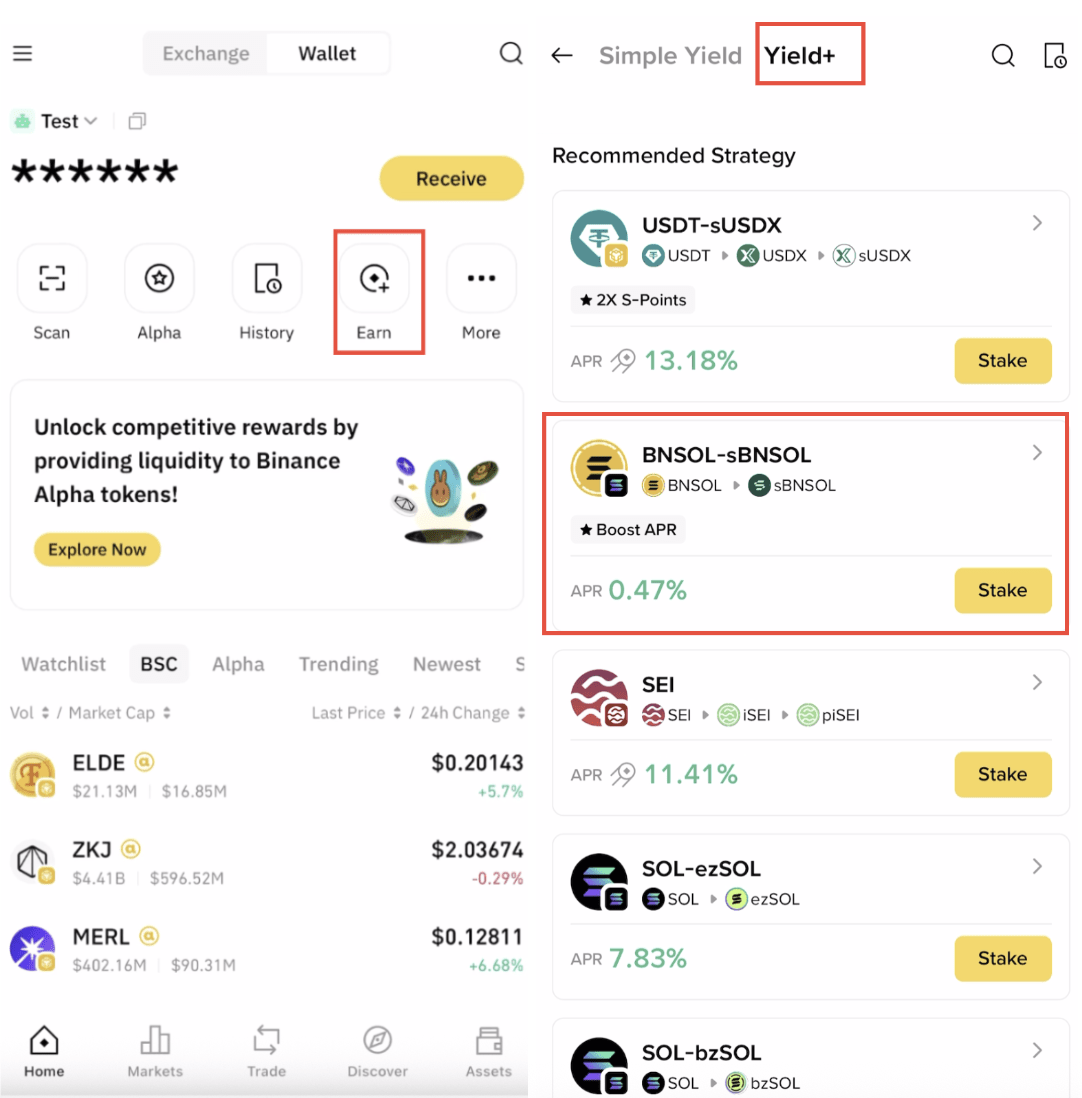
1. Log into your Binance Wallet and go to [Earn] - [Yield+] - [BNSOL-sBNSOL] or [Solana sSOL]. We will use BNSOL-sBNSOL as an example below.
2. Tap [Stake Now] in the Solayer’s staking interface. Enter a minimum of 0.2 SOL or BNSOL, confirm the transaction cost, then tap [Next].
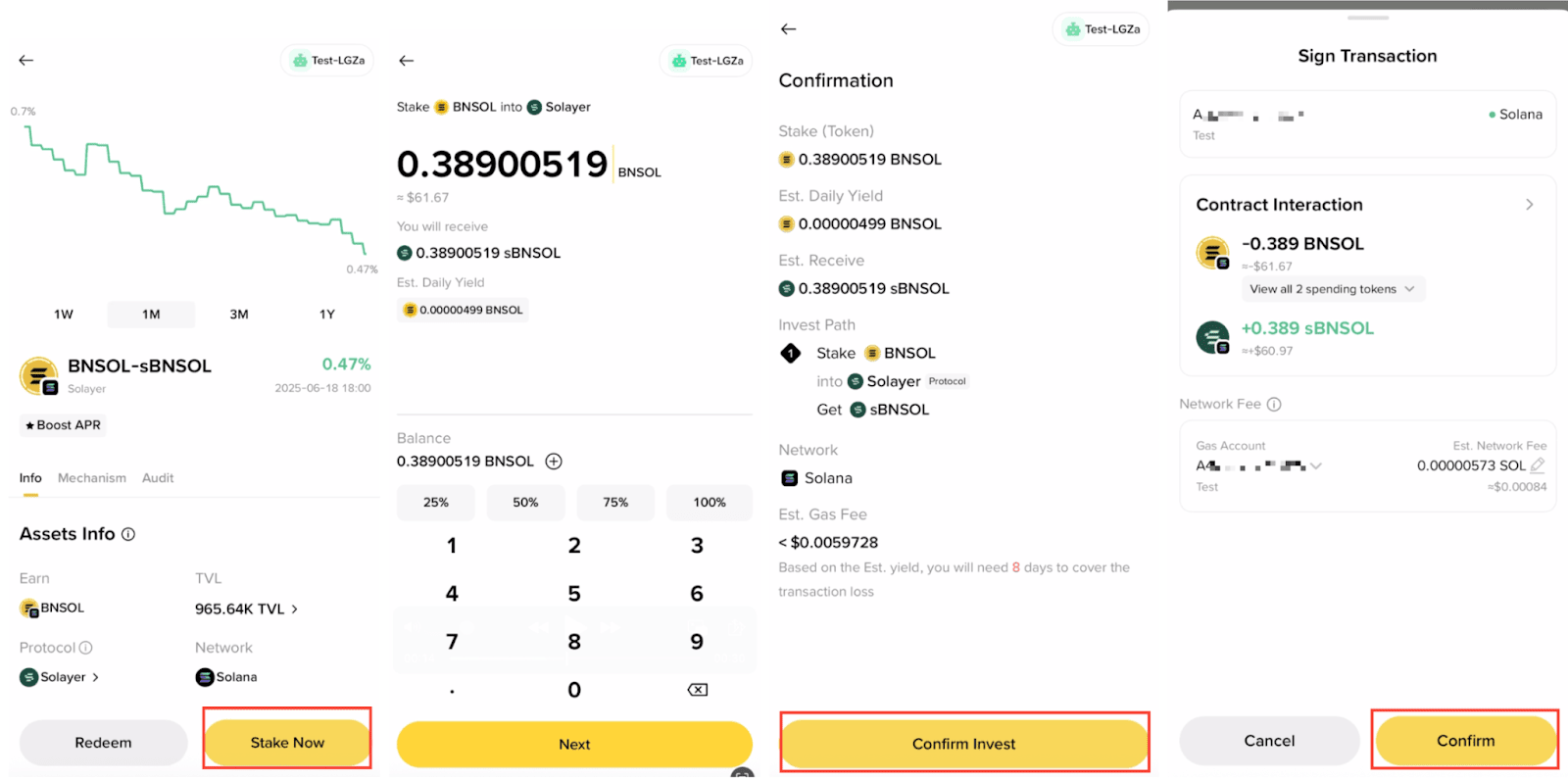
Important note: The minimum transfer amount for the SOL or BNSOL staking interface is 0.2.
Please note that to be eligible for the campaign rewards, you must deposit a minimum of 0.2 SOL or BNSOL. Make sure you have sufficient SOL (0.01 SOL - 0.02 SOL) to cover the gas fees for staking.
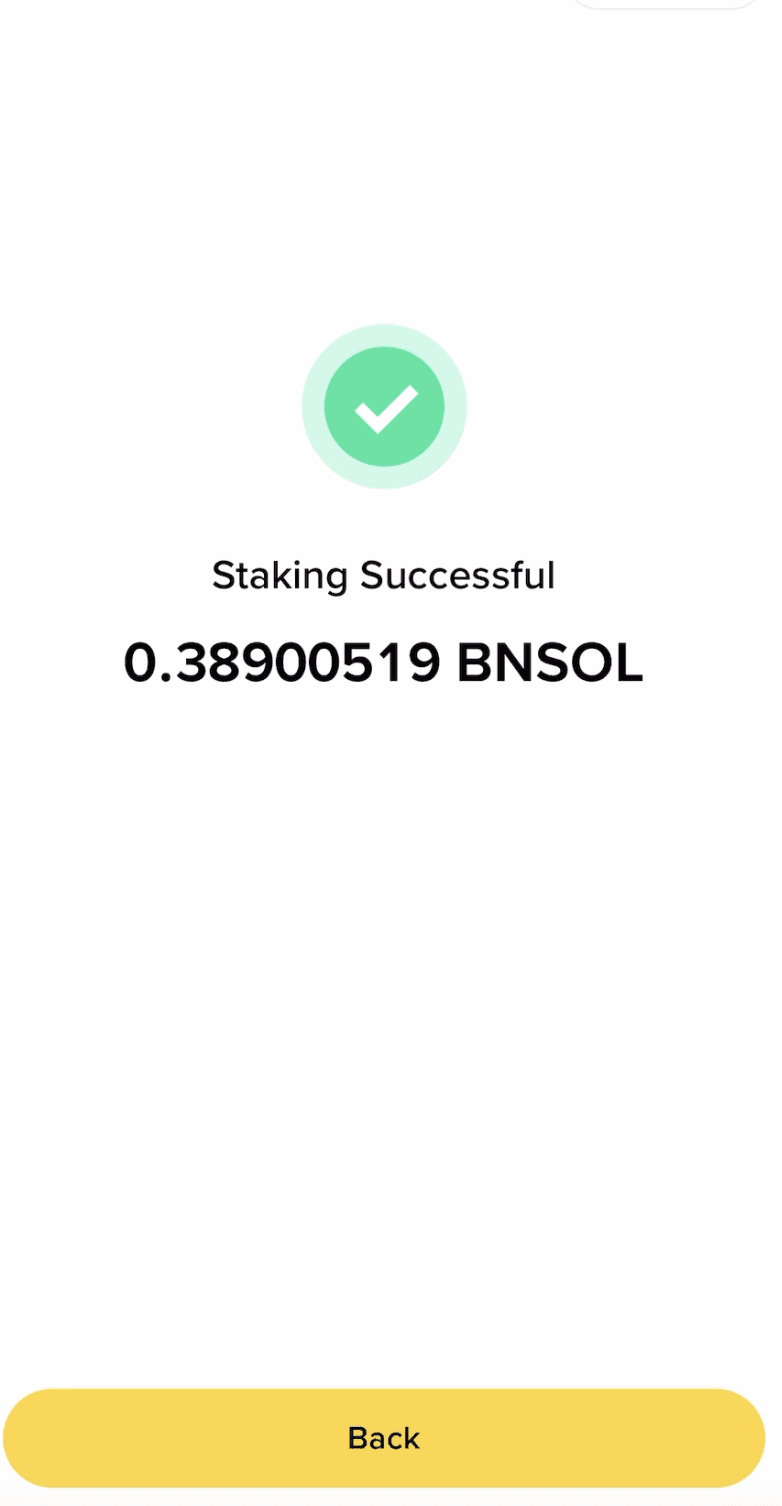
3. Once complete, you’ll see a ‘Staking Successful’ page pop-up with transaction details and corresponding fragSOL token in your wallet.
How to withdraw SOL or BNSOL from Solayer
1. Log into your Binance Wallet and go to [Earn] - [Yield+]. Then tap [BNSOL-sBNSOL] or [Solana-sSOL].
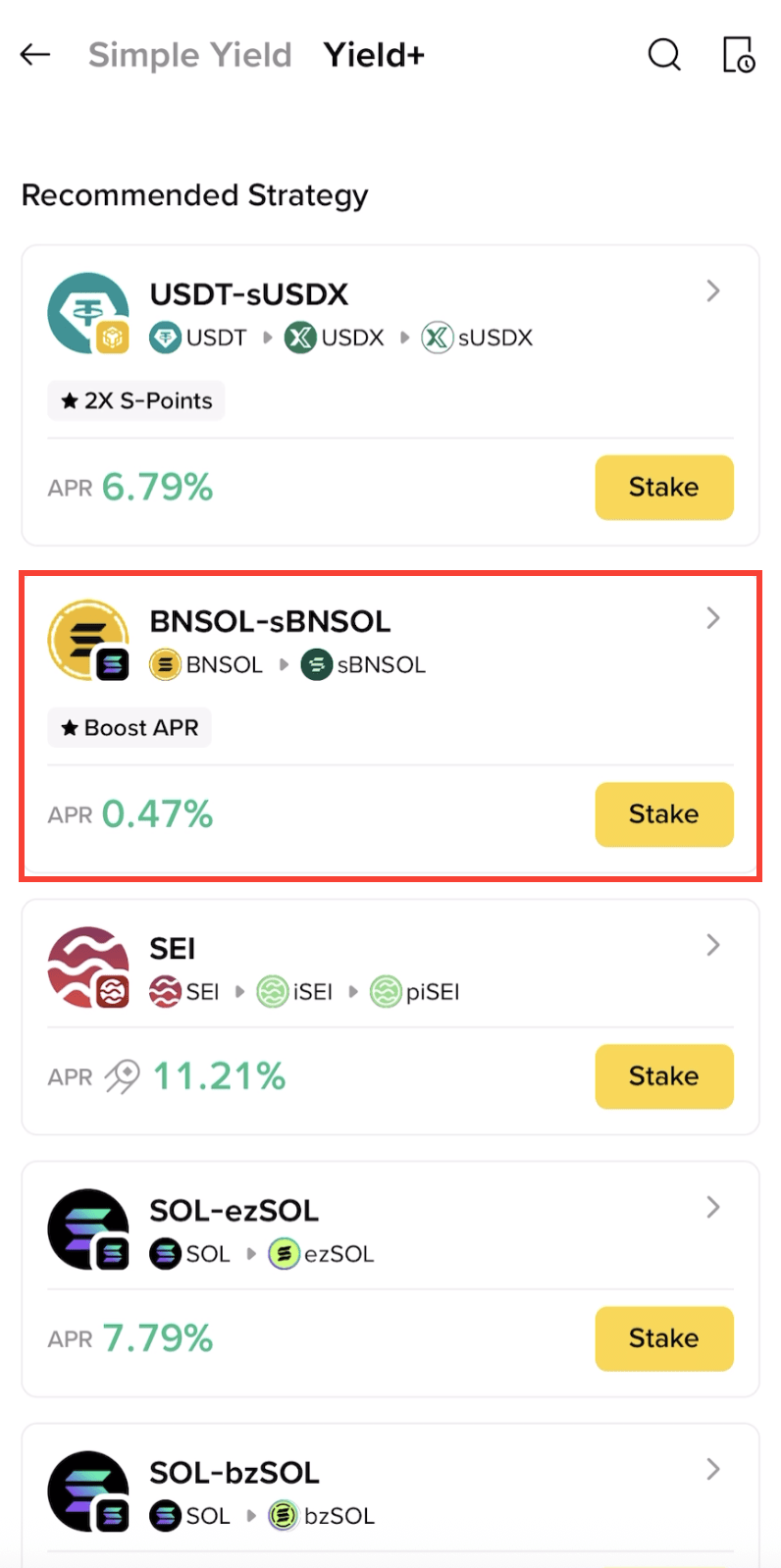
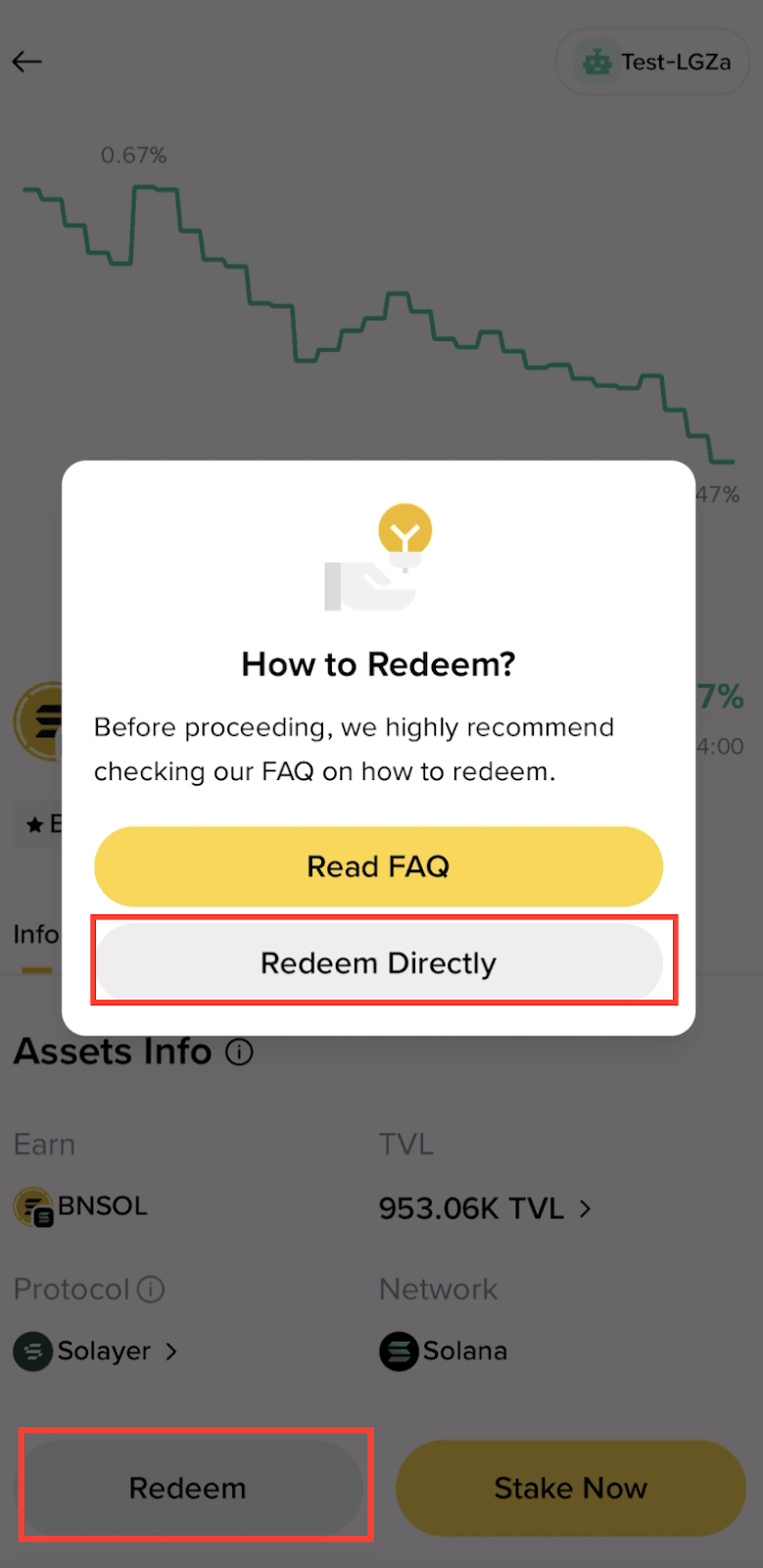
2. Tap the [Redeem] button in the bottom-right corner and go to Solayer’s Unstaking page for SOL or BNSOL unstaking.
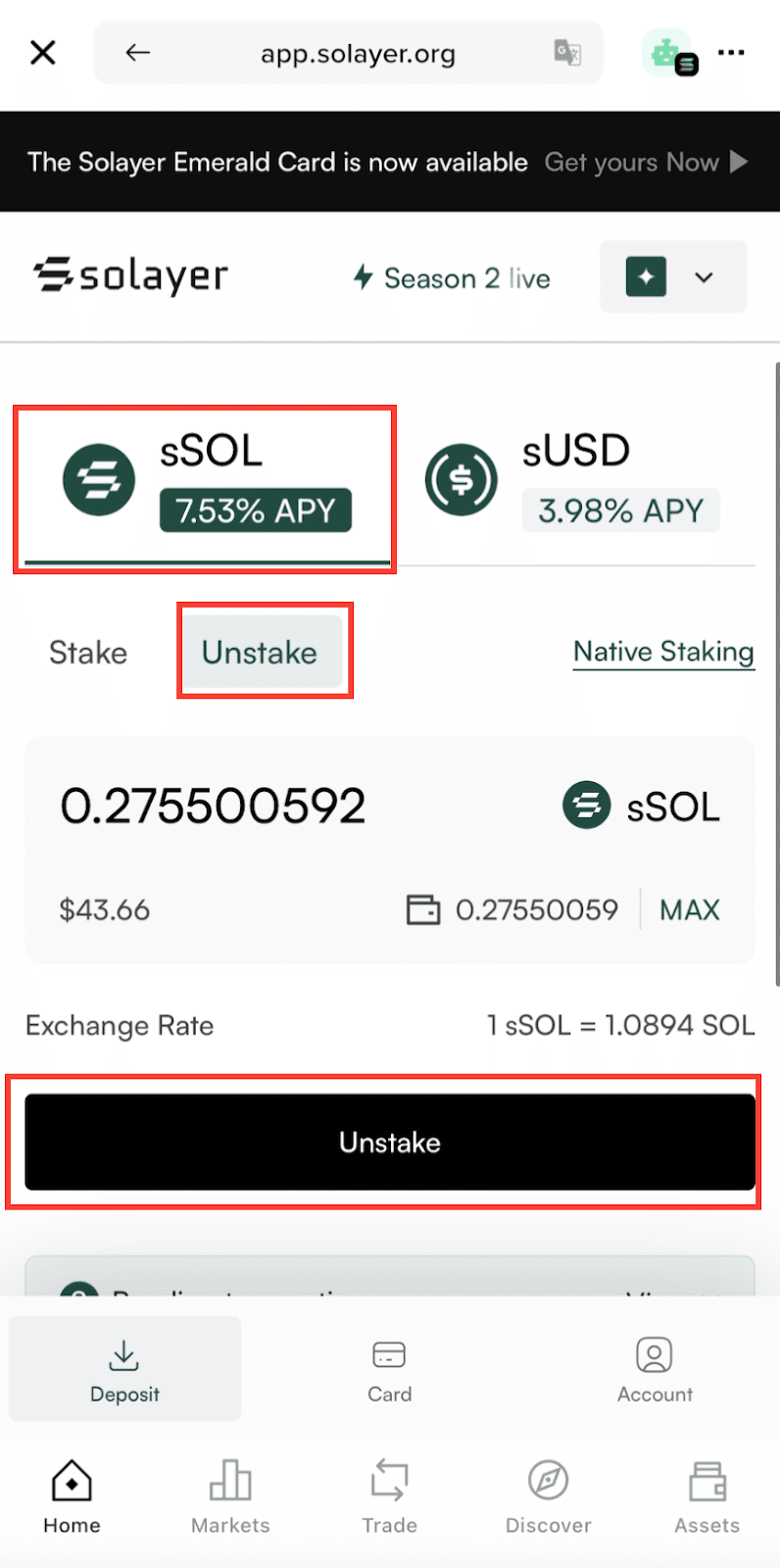
3. Go to Solayer’s Unstaking page, choose [Unstake] tab under sSOL section.
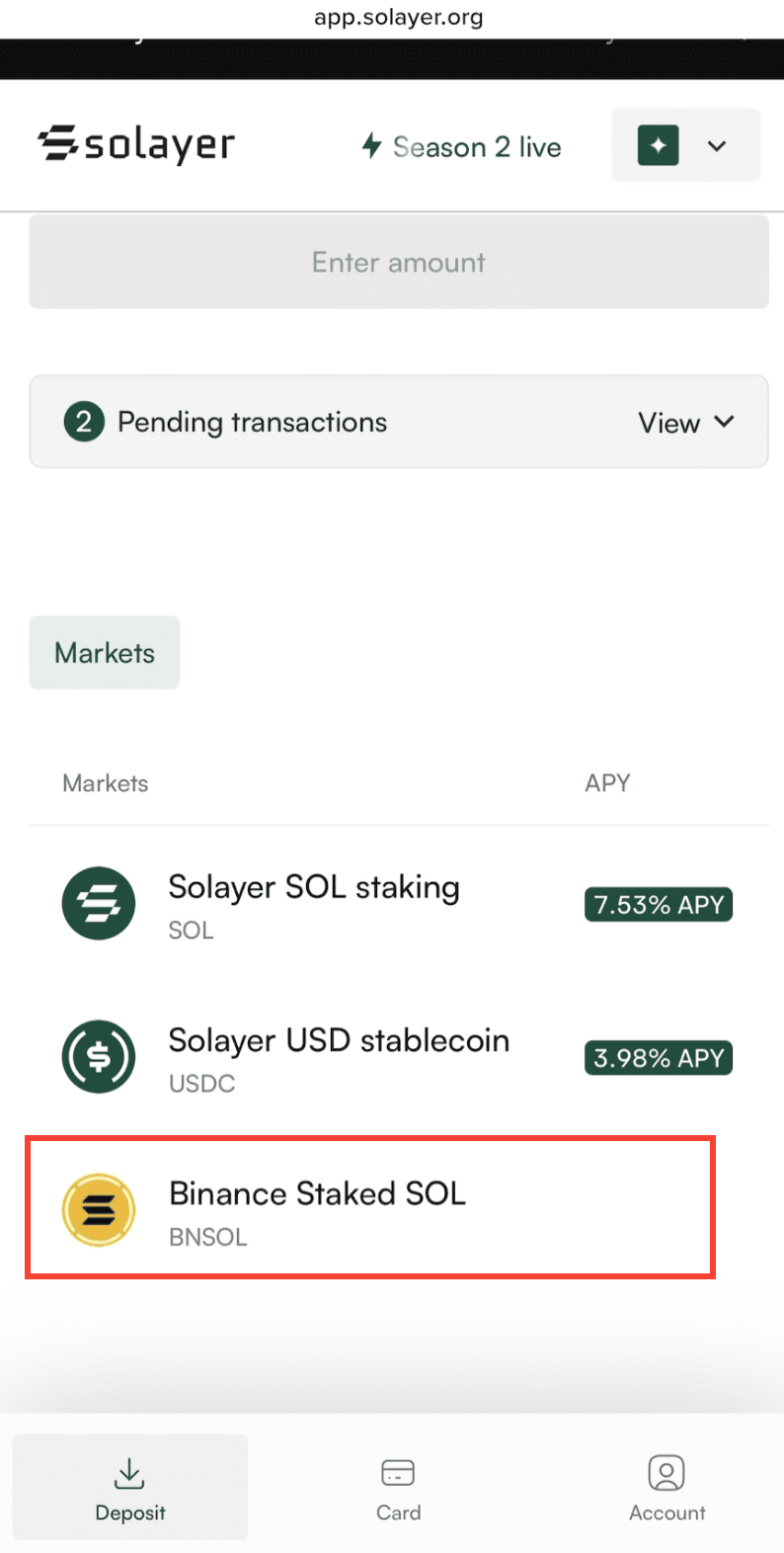
For BNSOL, please scroll down and tap [BNSOL] under ‘Markets’.
4. After entering your desired amount of SOL or BNSOL to withdraw, deactivate staking and tap [Unstake] to submit the request.
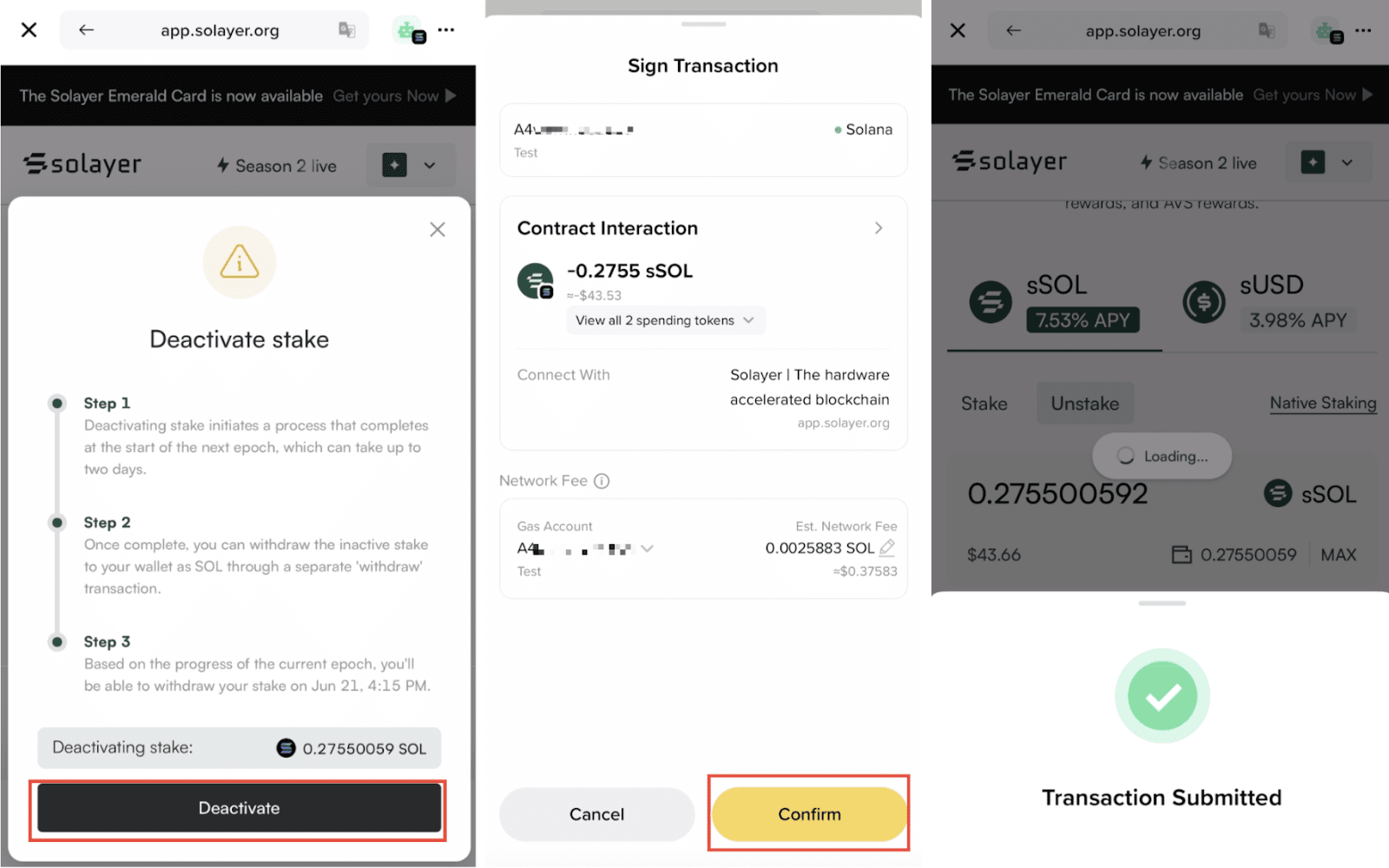
Please note that you must have some extra SOL (0.015 SOL ~ 0.02 SOL) to cover the transaction fees for unstaking.
Note: The redemption process may take up to 3 days, please wait patiently.
5. Once the withdrawal is complete, scroll down and expand ‘Pending Transaction’ by tapping [View]. Select the asset you want to withdraw and tap [Withdraw] to claim your assets.
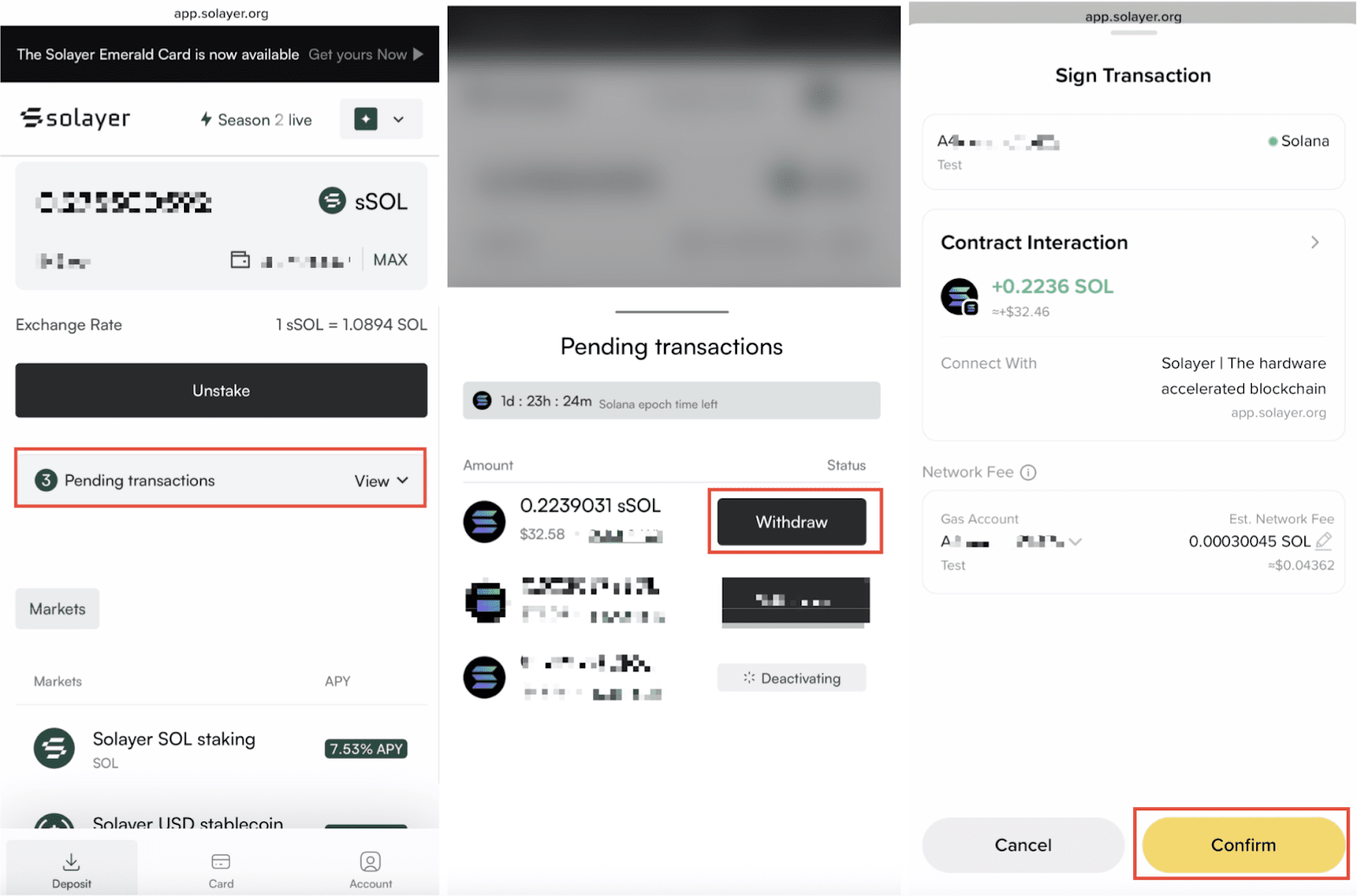
Please note that you must have some extra SOL (0.015 SOL ~ 0.02 SOL) to cover the transaction fees for unstaking.
When the ‘Transaction Submitted’ window pops up, your SOL will be returned to your Binance Wallet on the Solana Chain.
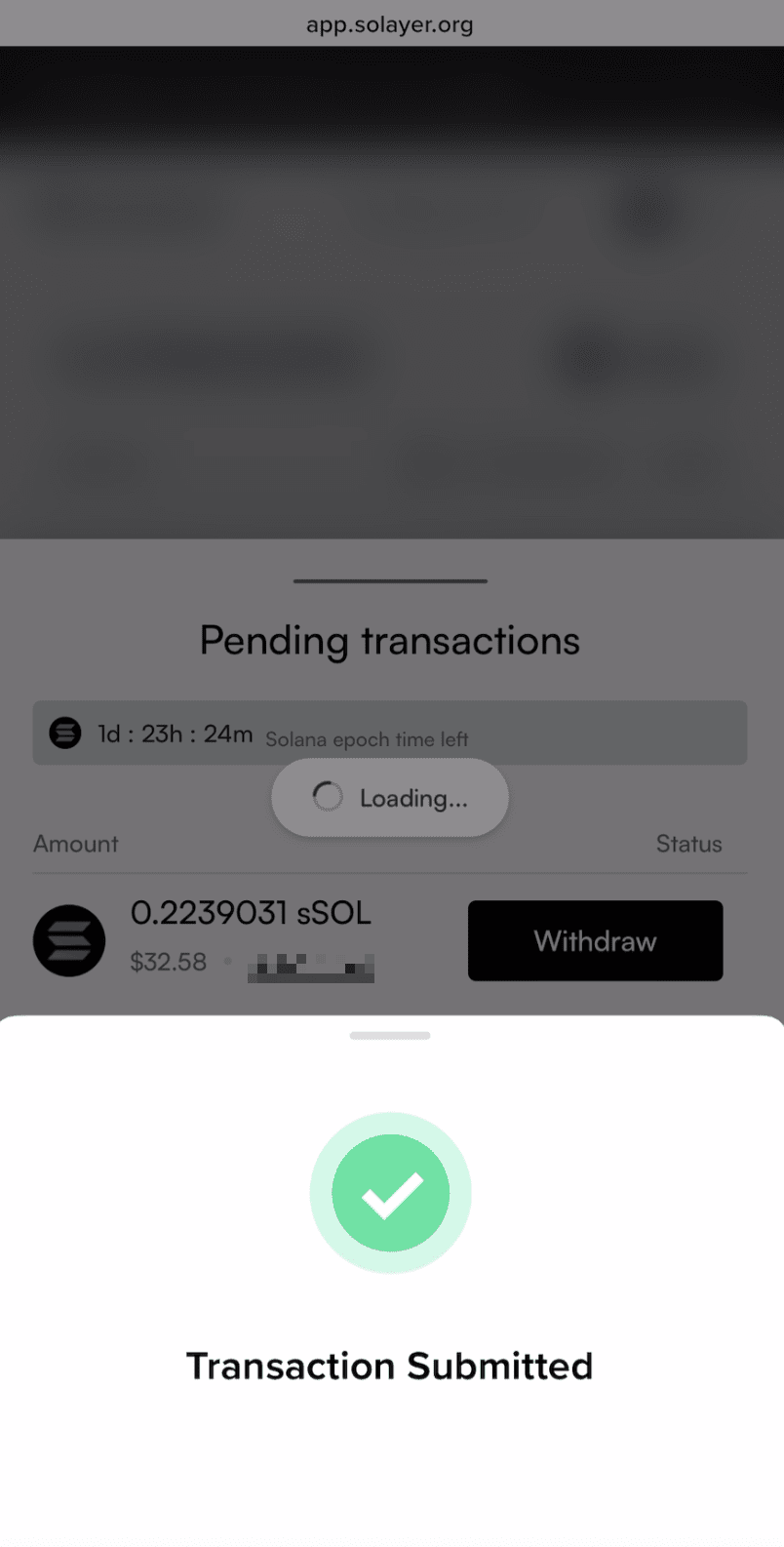
How to restake SOL with Fragmetric
1. Log into your Binance Wallet and go to [Earn] - [Simple Yield] - [Protocol] - [Fragmetric].

2. Tap [Stake Now] in the Fragmetric SOL staking interface. Enter a minimum of 0.2 SOL, confirm the transaction cost, then tap [Next].

Important note: The minimum transfer amount for the SOL staking interface is 0.2.
Please note that to be eligible for the campaign rewards, you must deposit a minimum of 0.2 SOL. Make sure you have sufficient SOL (0.01 SOL - 0.02 SOL) to cover the gas fees for staking.
3. Once complete, you’ll see a ‘Staking Successful’ page pop-up with transaction details and corresponding fragSOL token in your wallet.

How to withdraw SOL from Fragmetric
1. Log into your Binance Wallet and go to [Earn] - [Simple Yield]-[Protocol]. Then tap [Fragmetric].
2. Tap the [Redeem] button in the bottom-right corner and go to the redemption page for SOL unstaking.

3. Enter your desired amount of SOL to withdraw, and tap [Next] to submit the request.
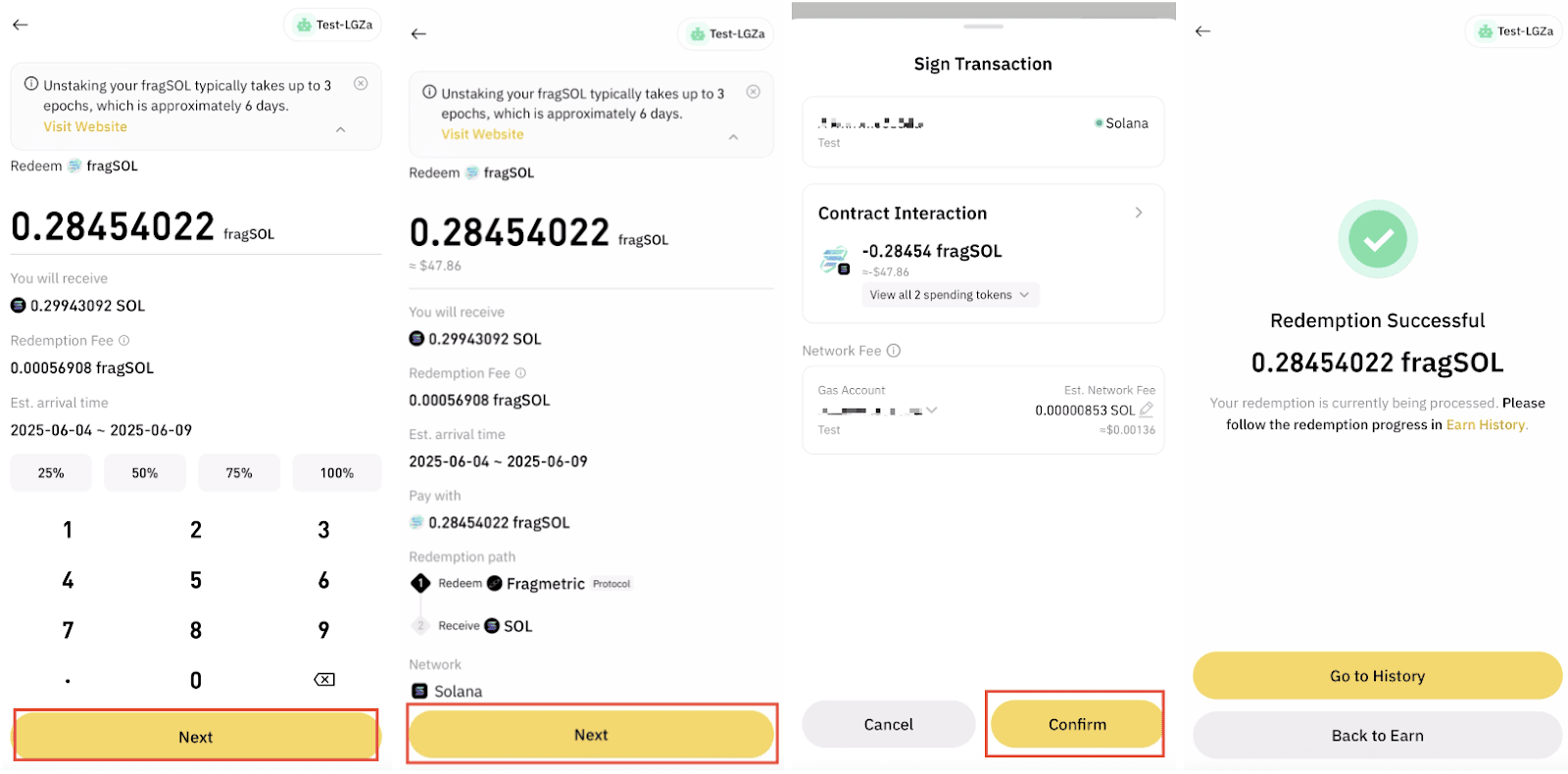
Note:
- You must have some extra SOL (0.015 SOL ~ 0.02 SOL) to cover the transaction fees for unstaking.
- There is a 0.2% withdrawal fee for each unstake request with Fragmetric.
The whole redemption process may take up to 8 days. Once the withdrawal is complete, your SOL will be returned to your Binance Wallet on the Solana Chain.
4. When your redemption request has been done, there will be a notification at the top of Earn Page. Tap [GO Claim] to view your claimable assets.

5. Choose the assets you want to claim with, tap [Claim] to move forward.
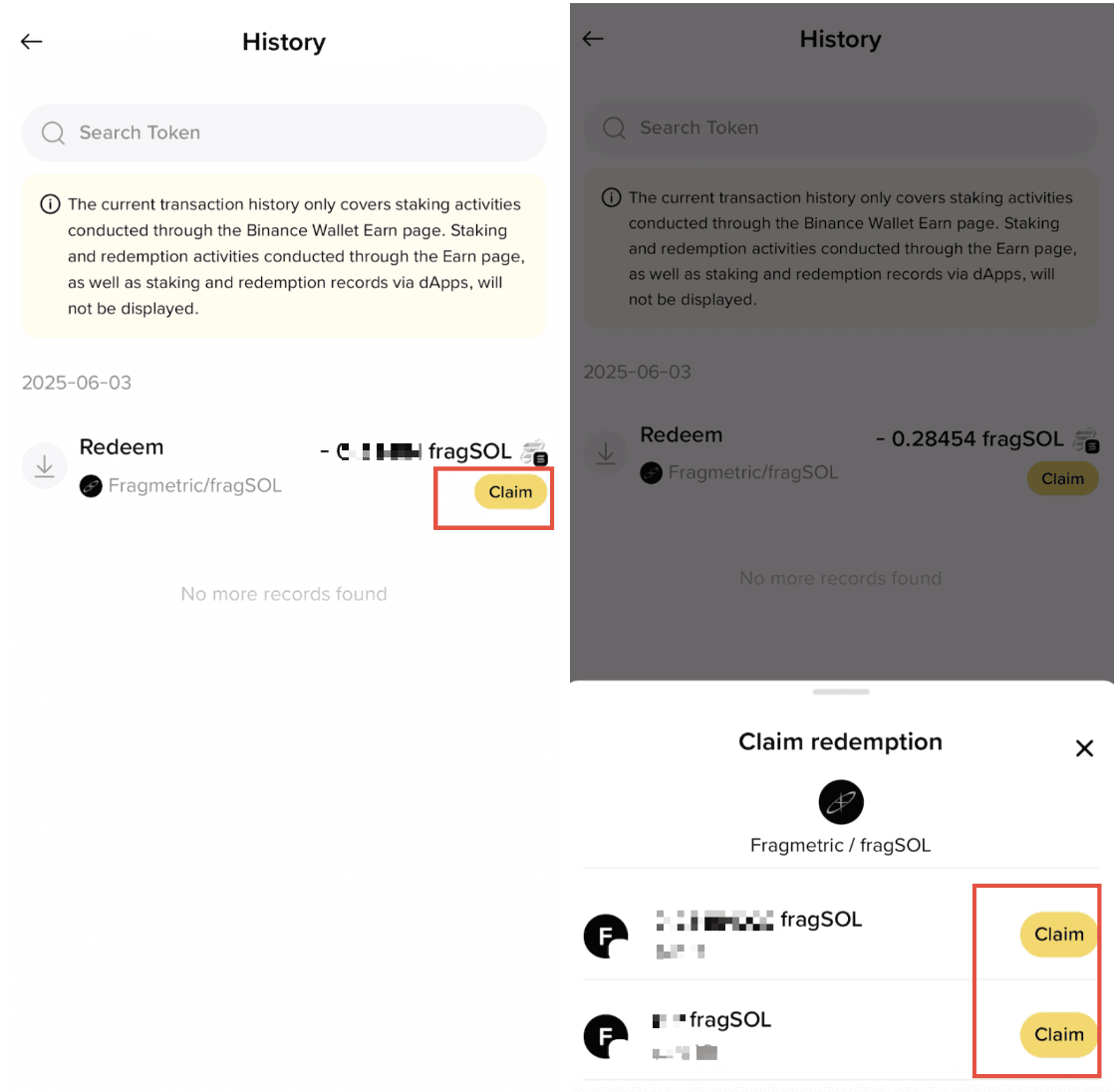
6. Check your claim request and confirm the transaction, once you submit the transaction, you will receive your SOL.
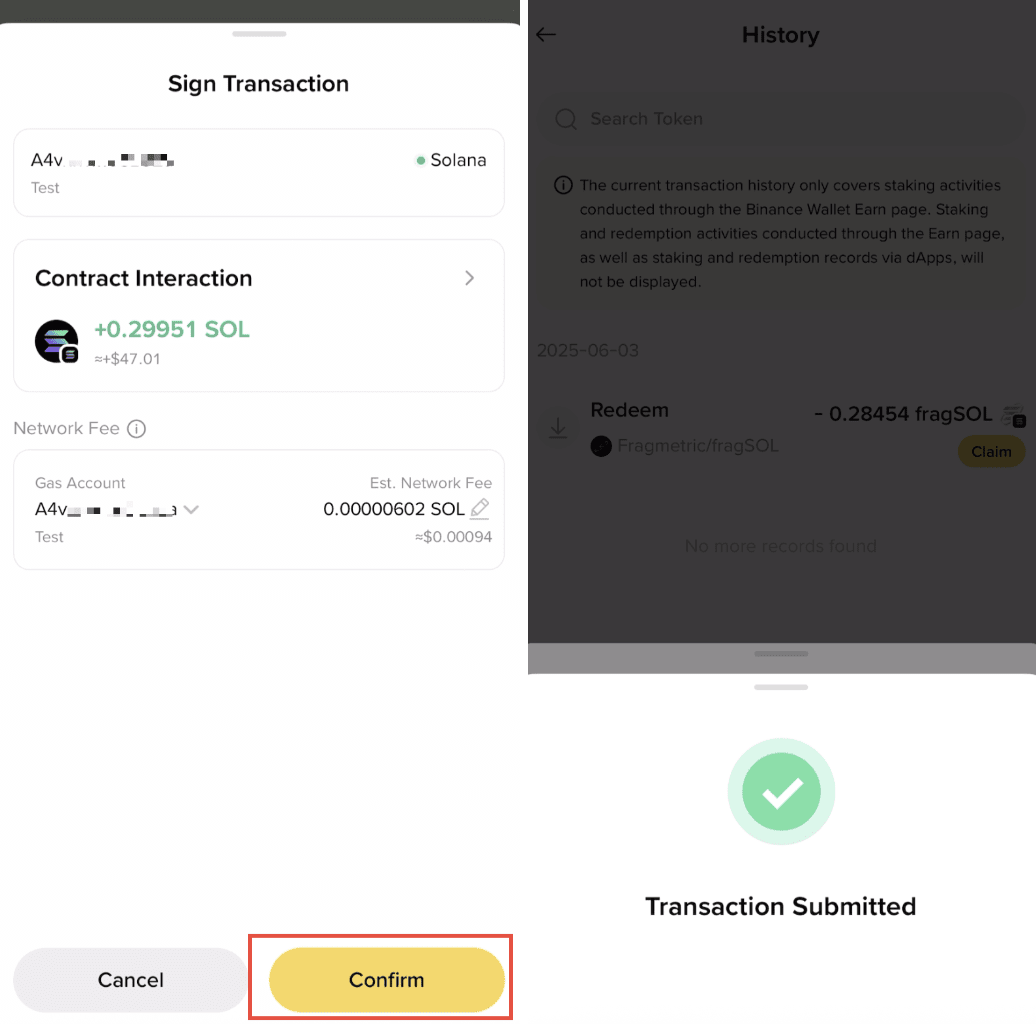
Please note that you must have some extra SOL (0.015 SOL ~ 0.02 SOL) to cover the transaction fees for unstaking.
1. Log into your Binance Wallet and go to [Earn] - [Simple Yield] - [Protocol]. Then tap [Fragmetric].
2. Tap the [Redeem] button in the bottom-right corner and go to the redemption page for SOL unstaking.
3. Go to Fragmetric’s DApp, and tap the menu icon at top-right-corner, choose [Unstake].

4. Enter your desired amount of SOL to withdraw, and tap [Unstake] to submit the request.

Note:
- You must have some extra SOL (0.015 SOL ~ 0.02 SOL) to cover the transaction fees for unstaking.
- There is a 0.2% withdrawal fee for each unstake request with Fragmetric.
The redemption process may take up to 8 days. Once the withdrawal is complete, go to [Withdrawal] and claim your assets. Your SOL will be returned to your Binance Wallet on the Solana Chain.

Disclaimer:
Binance Wallet is an optional product. It is your responsibility to determine if this product is suitable for you. Binance is not responsible for your access or use of third-party applications (including functionality embedded within the Binance Wallet) and shall have no liability whatsoever in connection with your use of such third-party applications, including, without limitation, any transactions you dispute. Please carefully review the relevant Terms & Conditions and Binance Wallet Terms of Use and always do your own research.
Products and services may not be available in your region.