1. Log in to your Binance account and select [Trade] - [Margin].
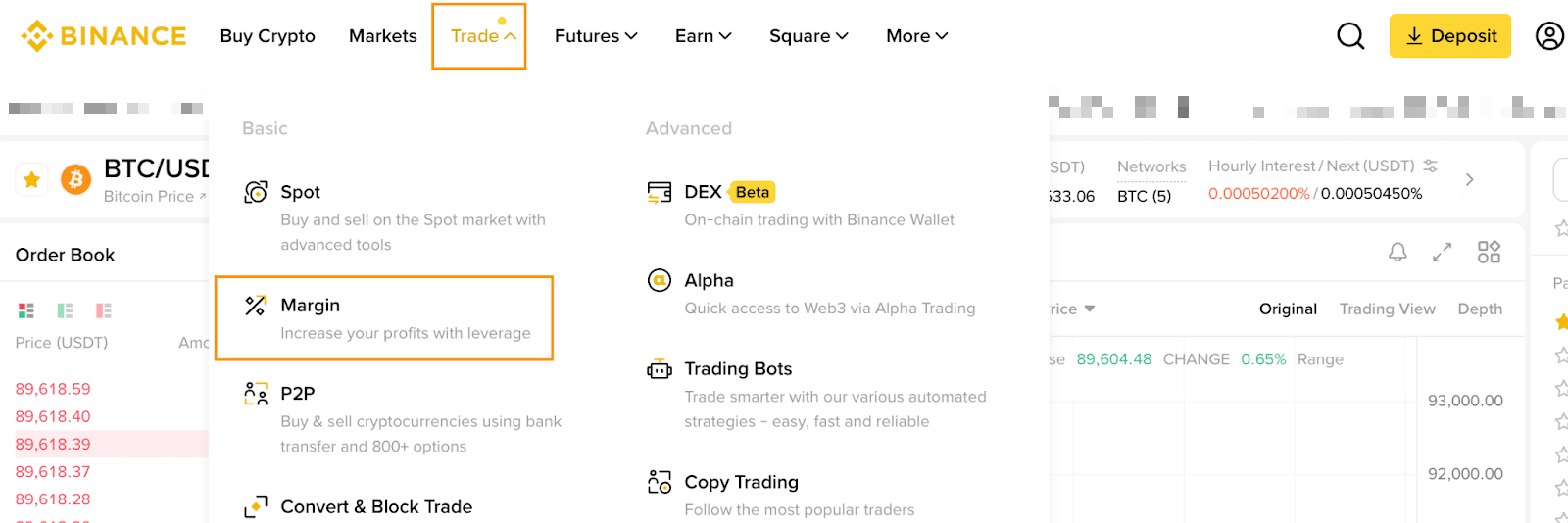
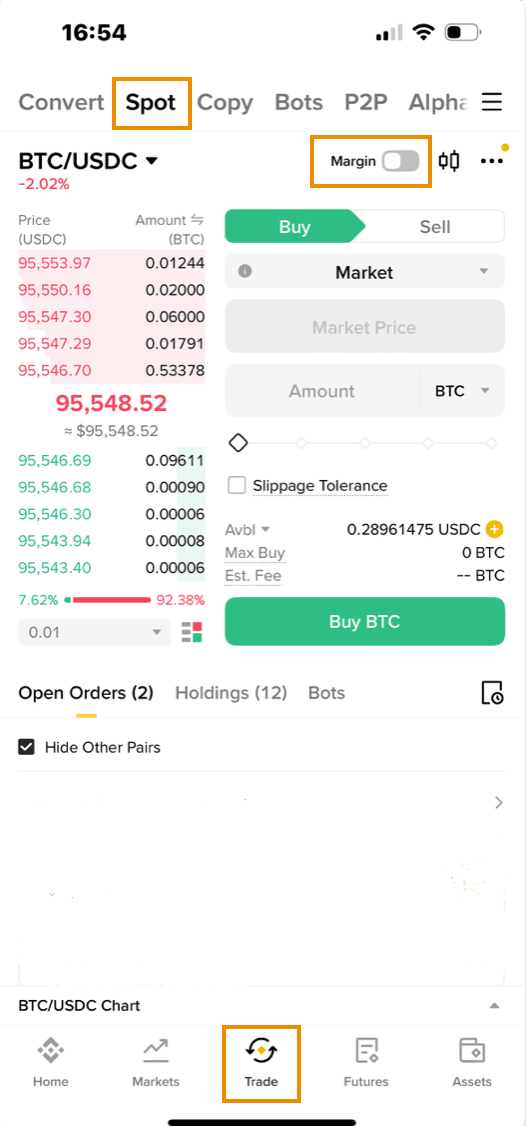
1. Tap [Trade] and select the [Spot] tab, and toggle the [Margin] button to reach the Margin trading page.
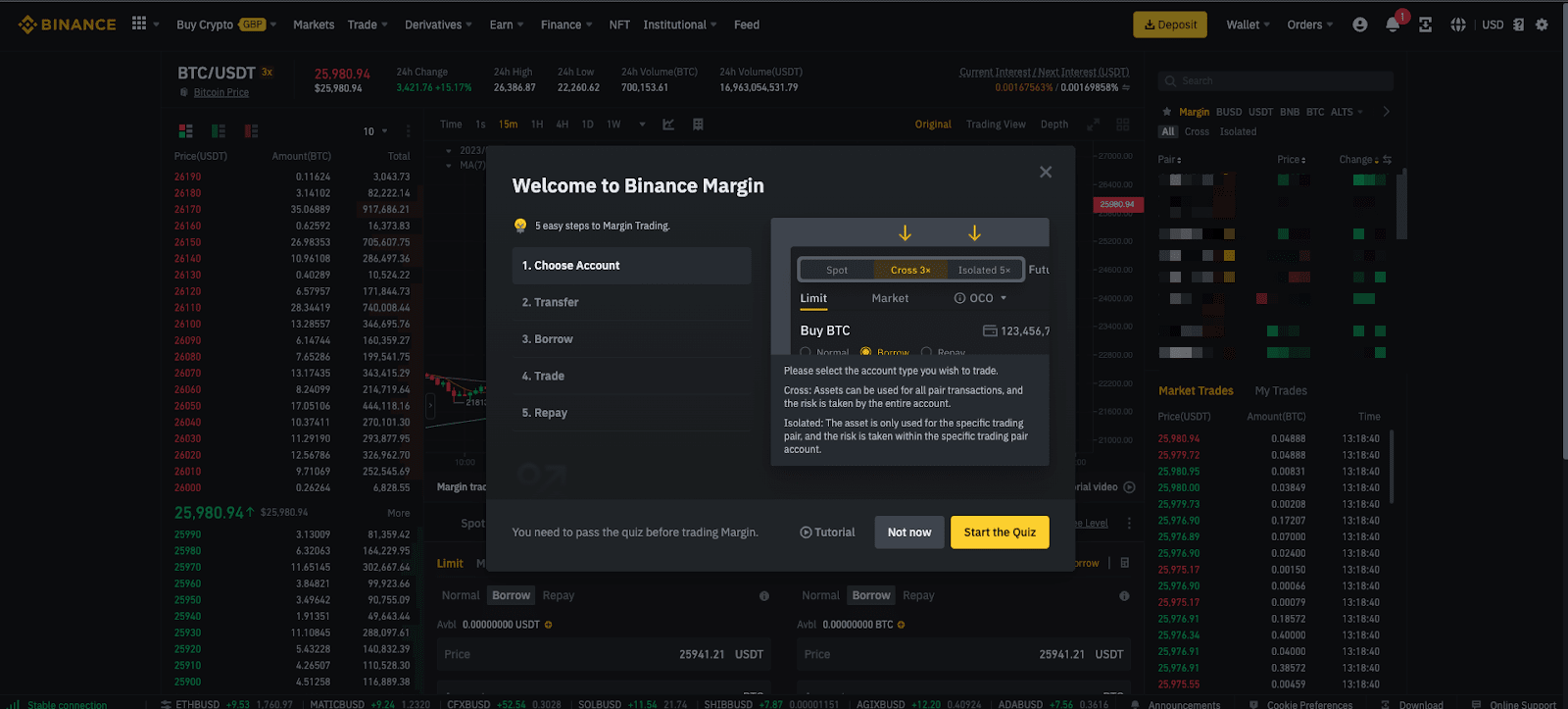
2. Before you begin trading, you are required to complete a short quiz. Click the [Start the Quiz] button on the pop-up window to proceed.
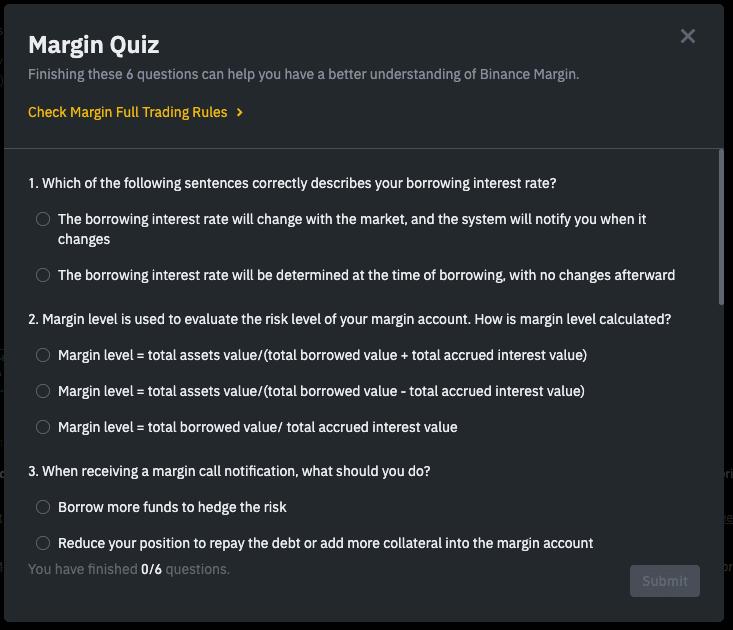
3. You must answer all the questions correctly to open a Binance Margin Account.
4. After activating your Margin Account, you can transfer funds to your Margin Account and start trading.
To learn more about margin trading, check out the following articles:
● How to Use the Auto Borrow and Auto Repay Functions?
Important notes:
● To improve your account’s security, you must enable two-factor authentication (2FA) before opening a Margin Account.
● The number of sub-accounts you can open depends on your master account’s VIP level.
For more information, please refer to the “Frequently Asked Questions” tab in the article Binance Sub-Account Functions and Frequently Asked Questions.
