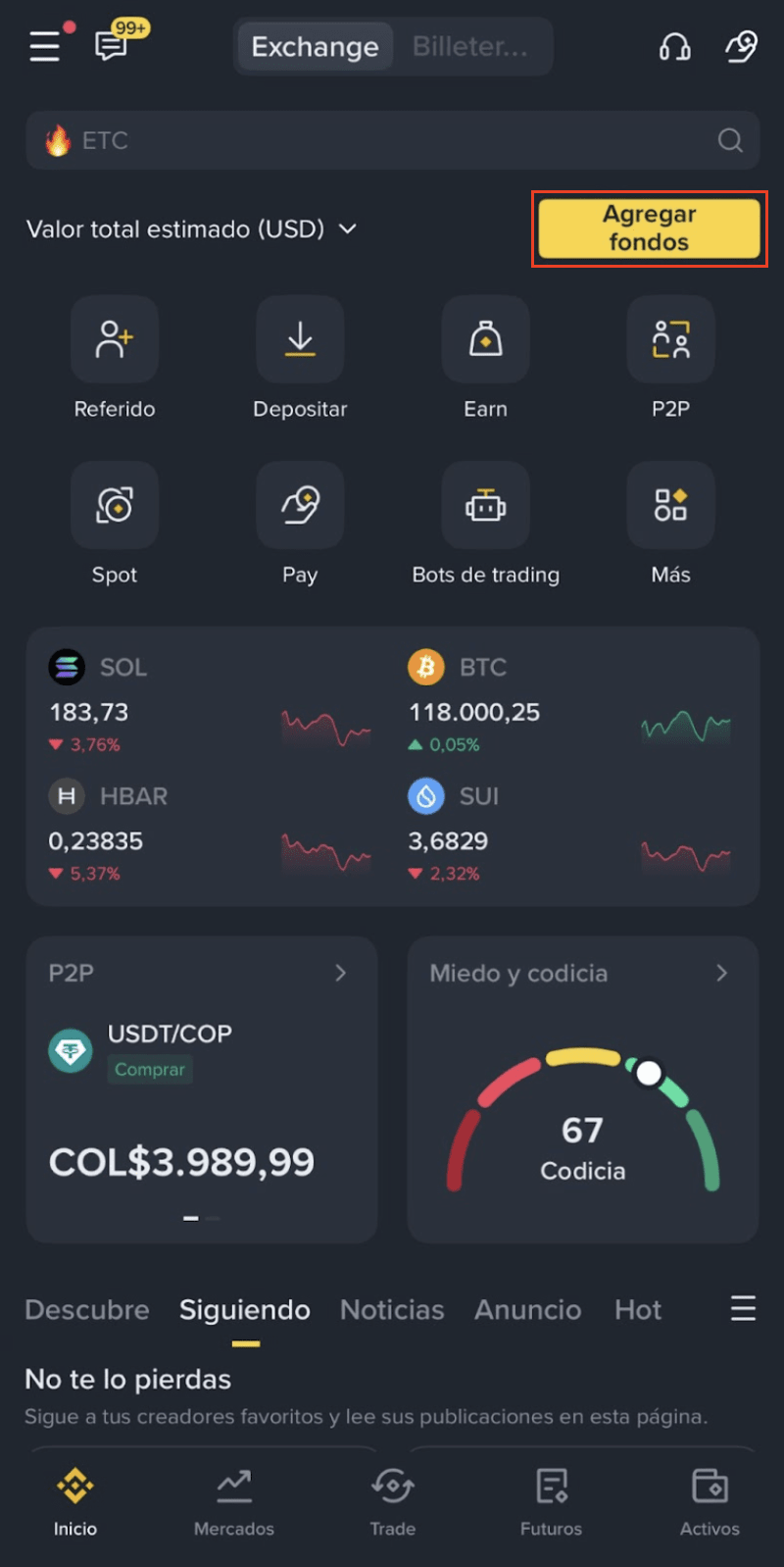
1. Log in to your Binance app and tap [Add Funds] on the homepage.
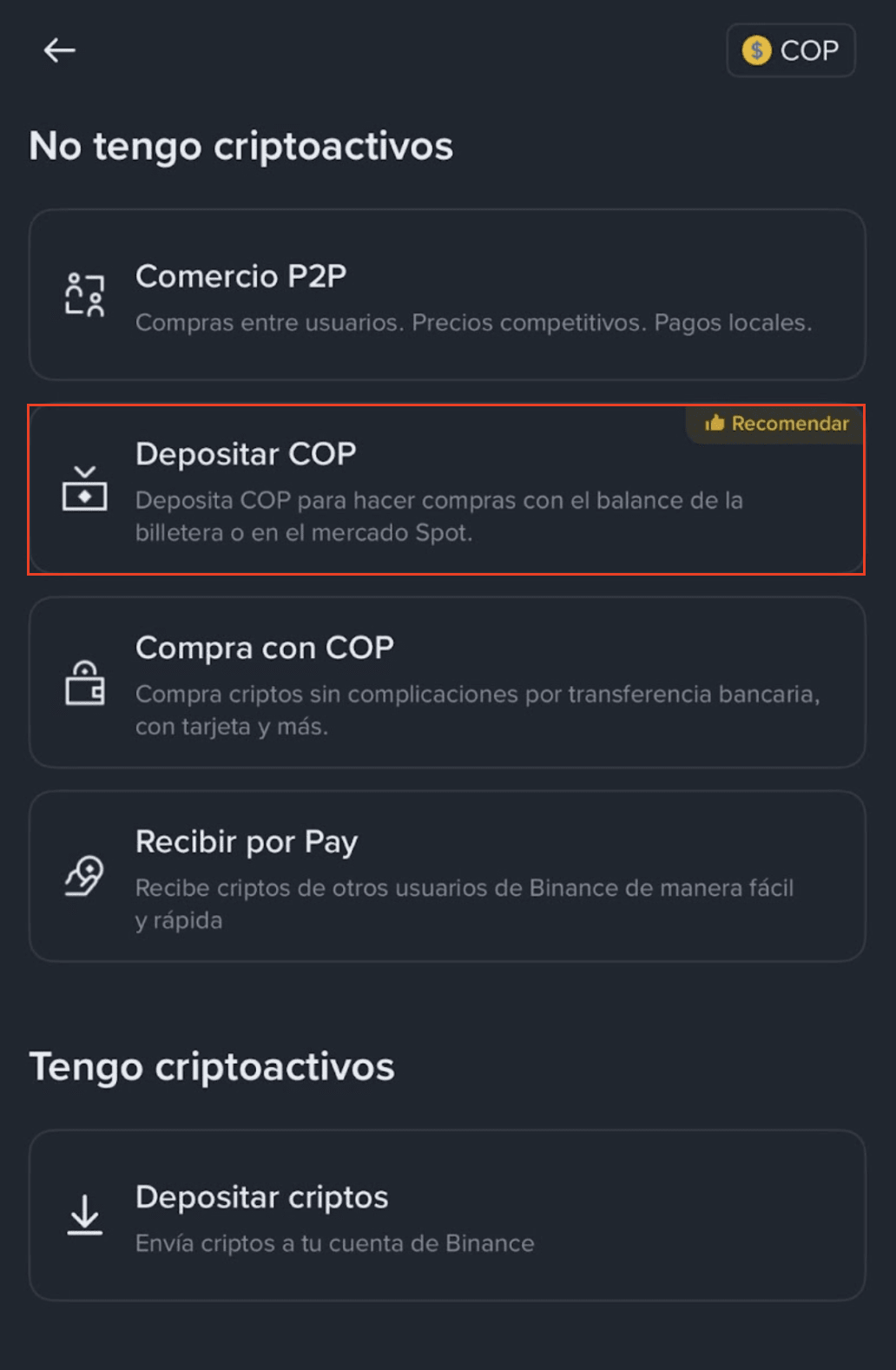
2. Select [Deposit COP].
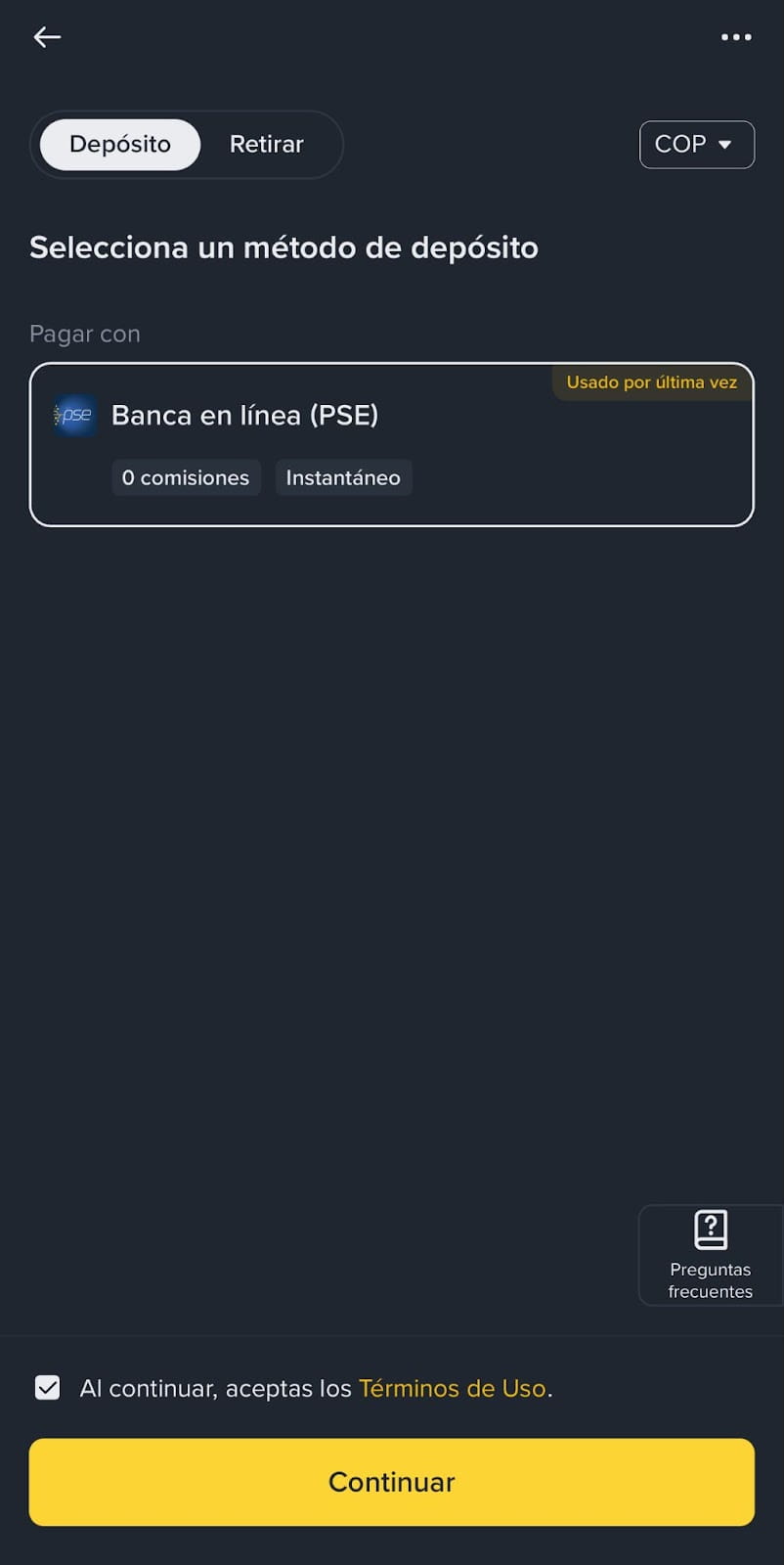
3. Select [Online Banking (PSE)] and tap [Continue].
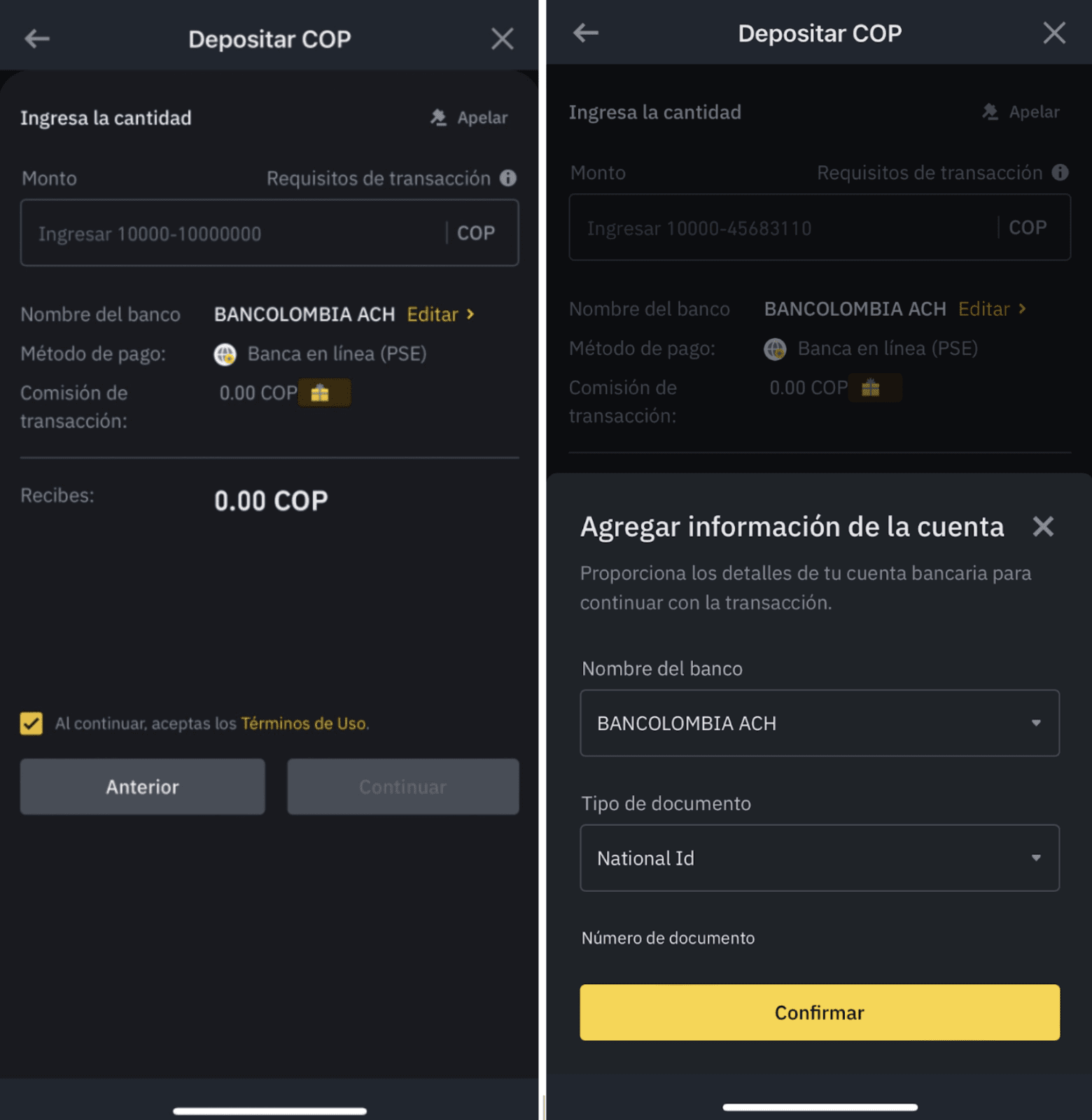
4. Enter the amount you want to deposit and add your bank details. Make sure that your phone number matches the one registered with your financial institution.
5. You will be redirected to PSE to complete your payment. Please select whether you’re a retail user or a company.
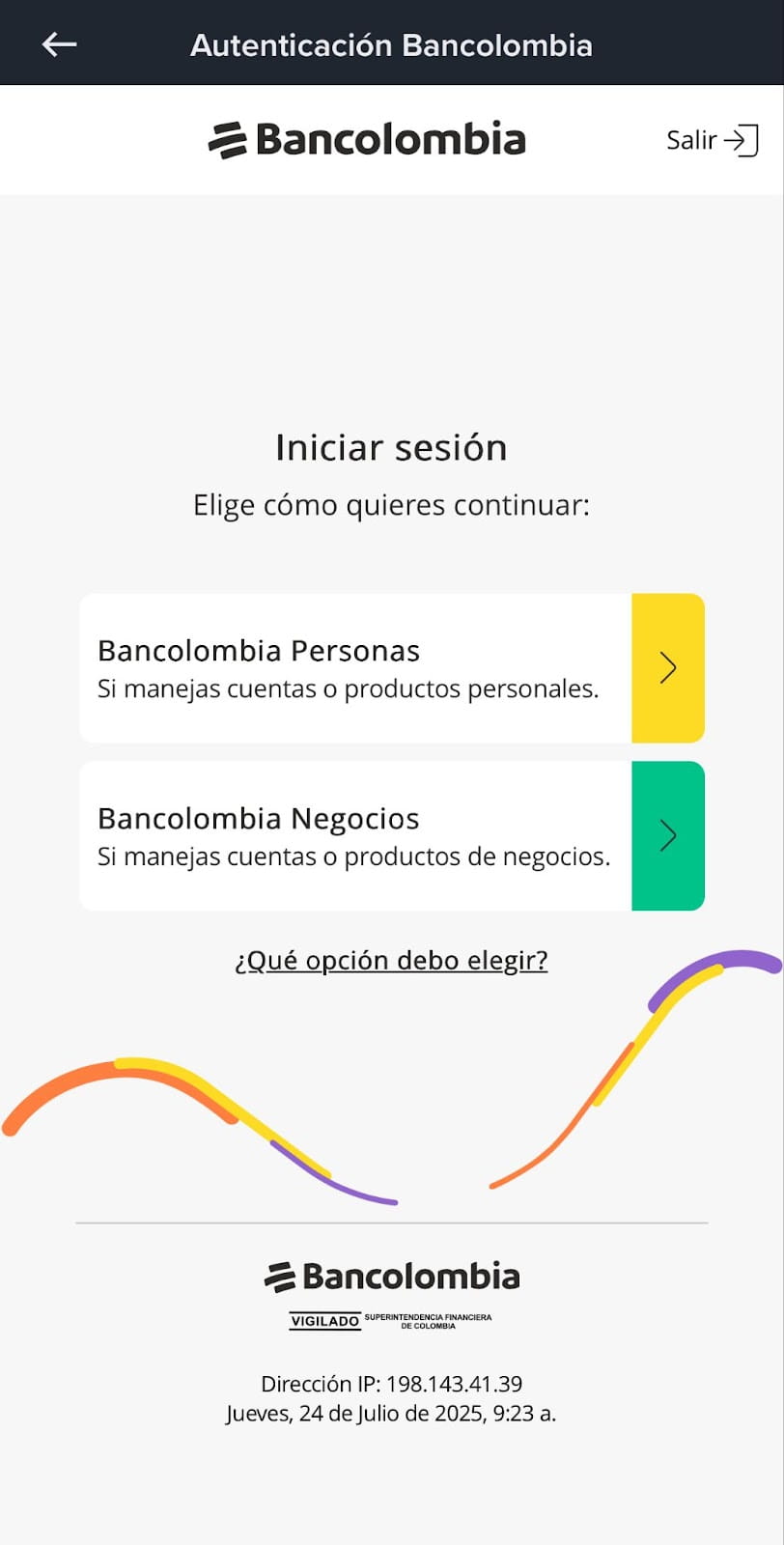
6. If your deposit was successful, you’ll be redirected back to your Binance app. Check your transaction history for more details.
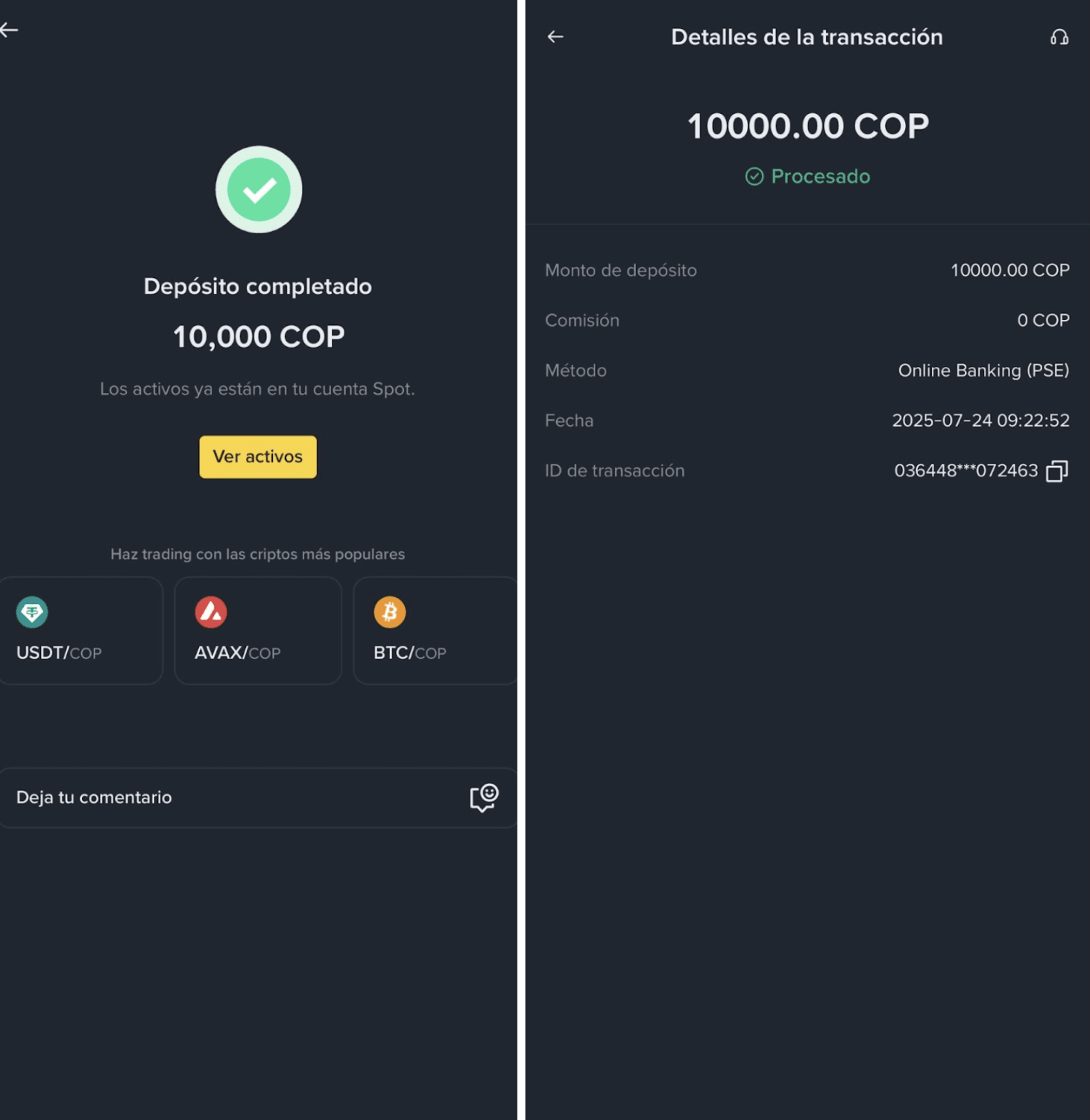
Deposits may take 1 to 2 business days to arrive, depending on your bank’s processing time. If the deposit fails and your money is charged, please contact us with proof of payment.
Refunds normally take 3-5 business days after we have collected your bank details, but this also depends on your bank’s processing time.
To learn more about buying crypto on Binance, please refer to the Buy Crypto (Fiat/P2P) page.
