Please Note: For a limited-time period, you can participate in the USDD exclusive campaign by subscribing USDT in the Binance Wallet Yield+ USDT-sUSDD Strategy Pool. Eligible users could share $300,000 USDD rewards. For more information, please visit the campaign page.
There are two ways to deposit or transfer USDT to your Binance Wallet:
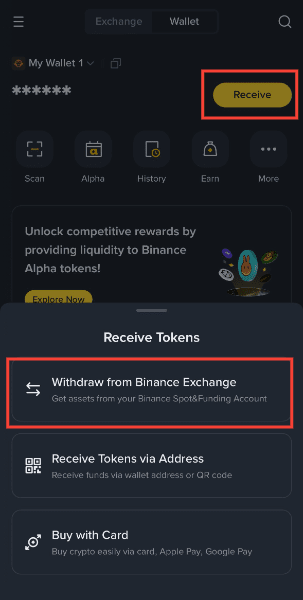
For more details, please refer to How to Send and Receive Tokens on Binance Wallet.
1. Log into your Binance Wallet and go to [Earn] - [Yield+] - [USDT-sUSDD].
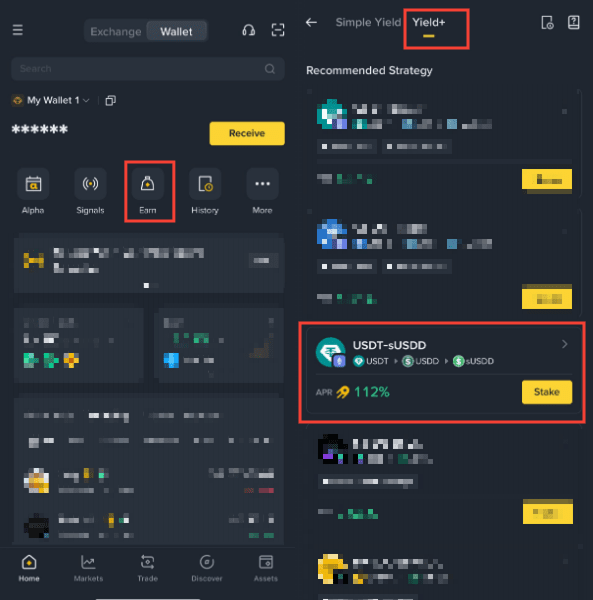
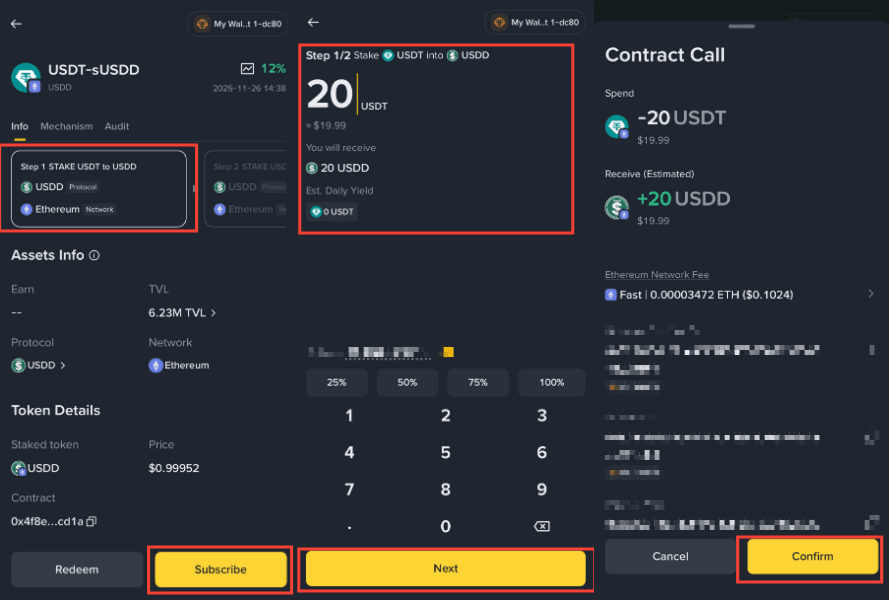
2. Select [Step 1] - [Subscribe] on the USDD staking interface. Enter the amount to deposit. Review the estimated daily yield and gas fee, then select [Next] - [Confirm].
Please note:
3. Wait till it switches to Step 2 automatically, or select [Step 2] - [Subscribe]. Enter the amount to deposit. Review the estimated daily yield and gas fee, then select [Next] - [Approve USDD] - [Confirm].
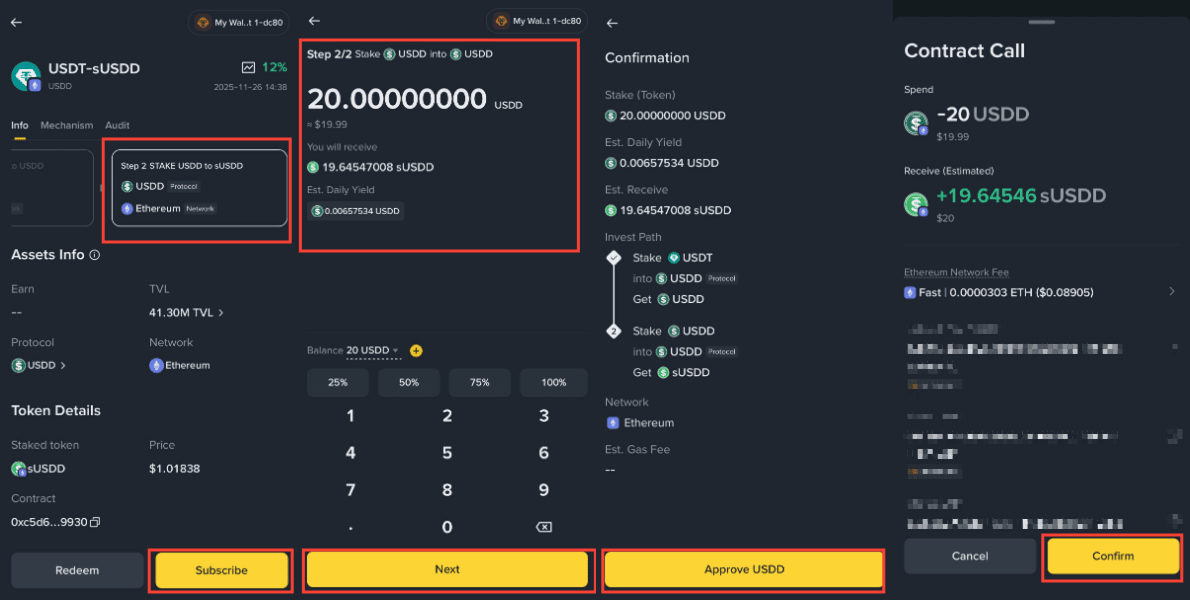
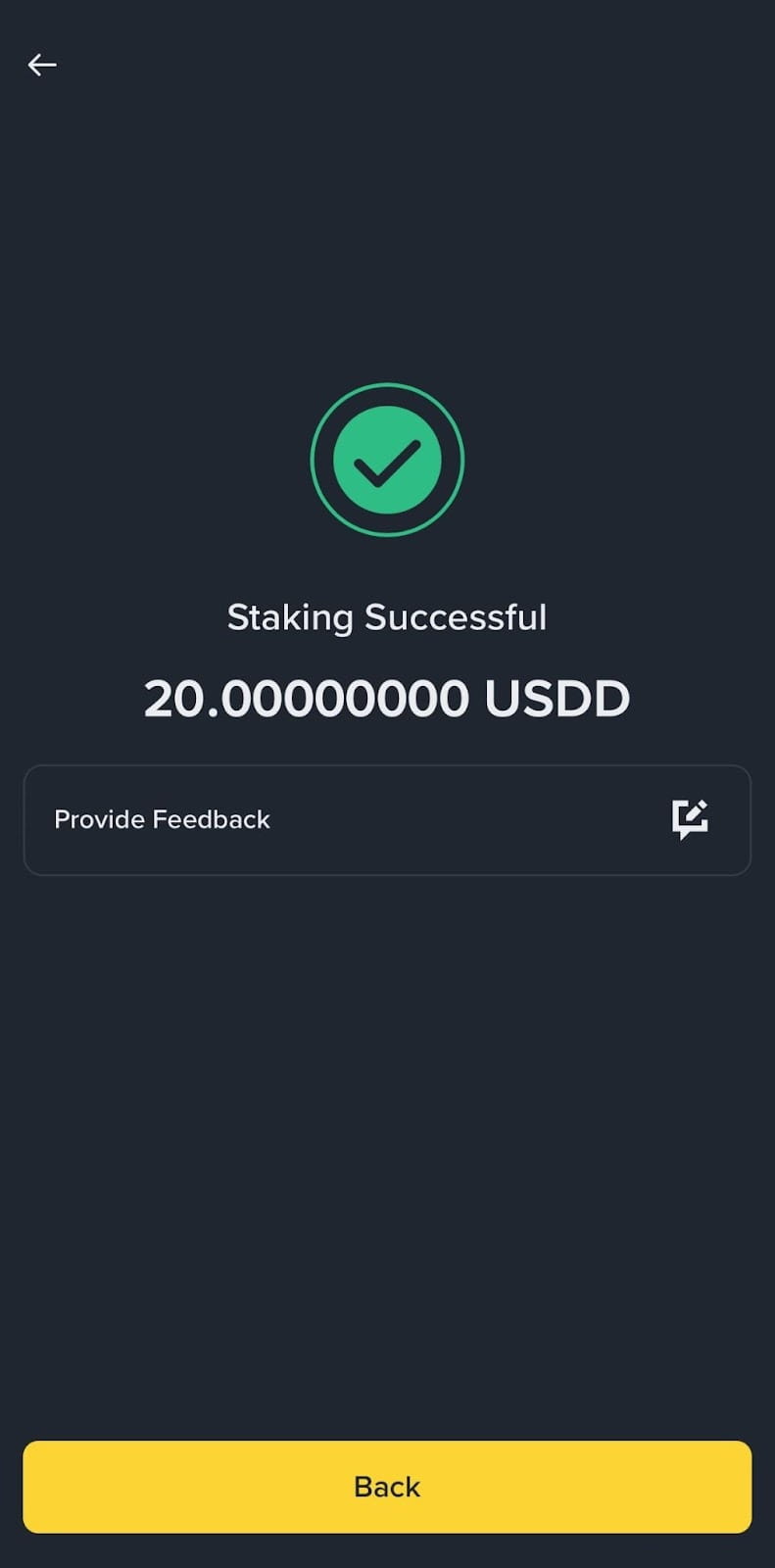
4. Once complete, you’ll see a “Staking Successful” page and receive sUSDD token in your Wallet.
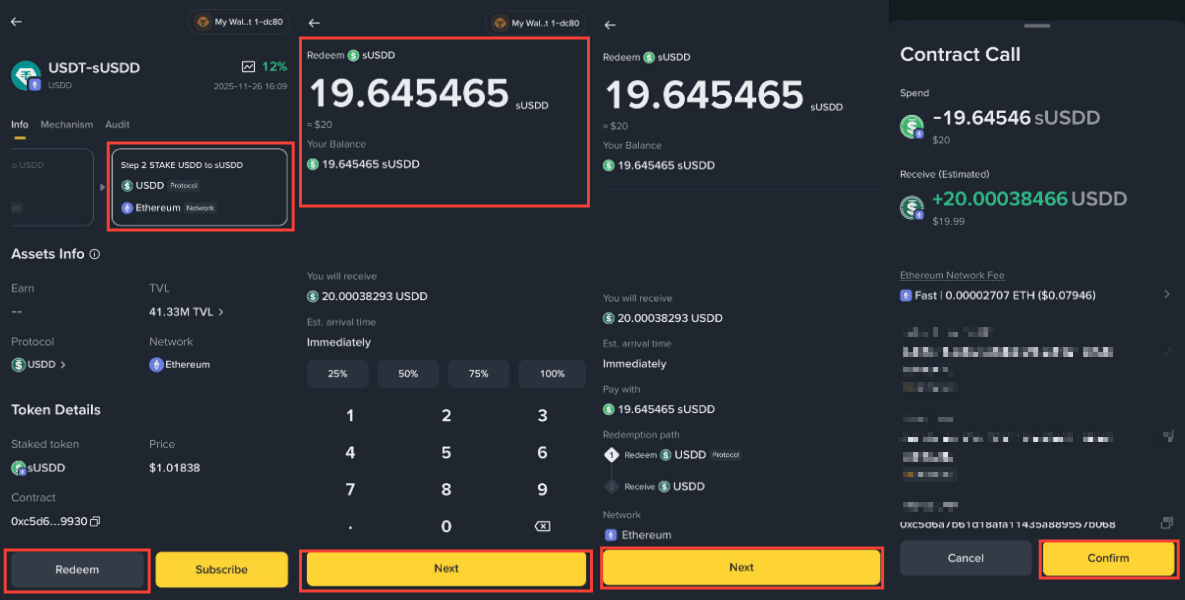
1. Log into your Binance Wallet and go to [Earn] - [Yield+] - [USDT-sUSDD].
2. Select [Step 2] - [Redeem]. Enter the amount of sUSDD to withdraw and tap [Next] - [Next] - [Confirm].
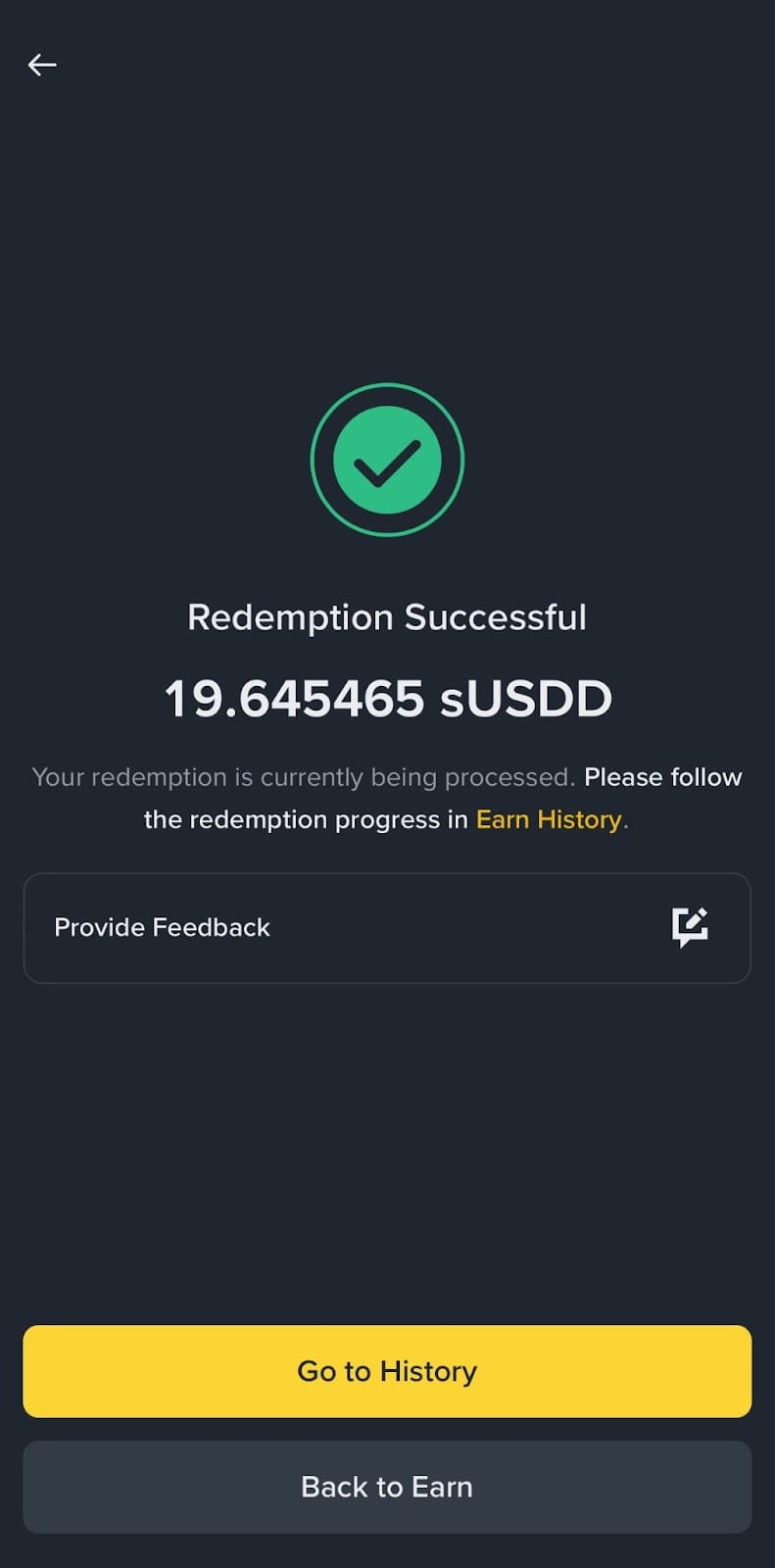
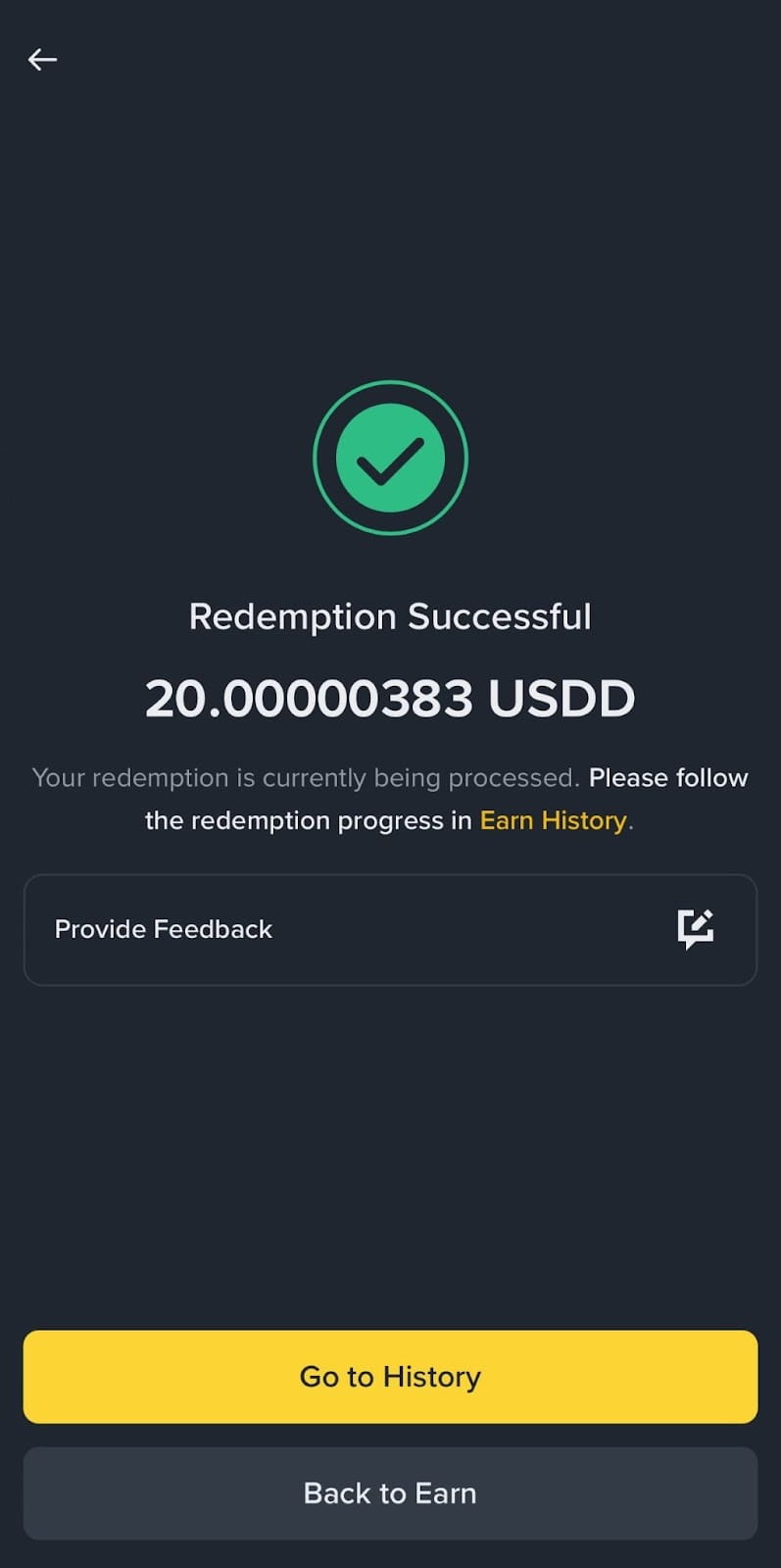
3. Once the sUSDD withdrawal has been processed, a “Redemption Successful” page will be shown and USDD will be returned to your Wallet.
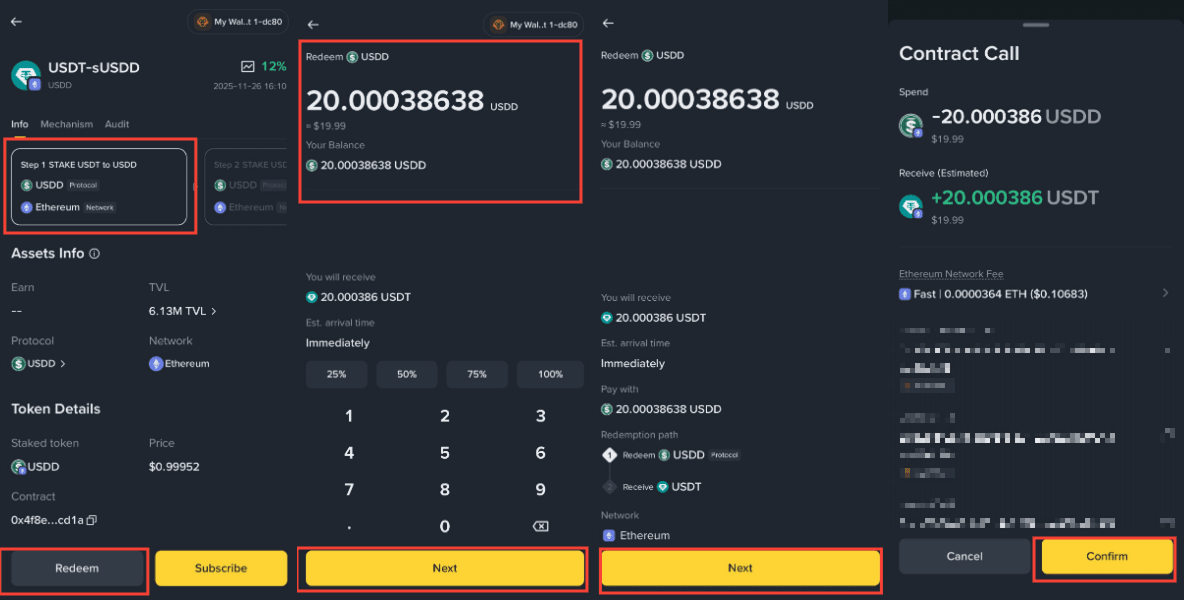
4. Select [Step 1] - [Redeem]. Enter the amount of USDD to withdraw and tap [Next] - [Next] - [Confirm].
5. Once the withdrawal has been processed, USDT will be returned to your Wallet.
Important notes:
Disclaimer:
Binance Wallet is an optional product. It is your responsibility to determine if this product is suitable for you. Binance is not responsible for your access or use of third-party applications (including functionality embedded within the Binance Wallet) and shall have no liability whatsoever in connection with your use of such third-party applications, including, without limitation, any transactions you dispute. Please carefully review the relevant Terms & Conditions and Binance Wallet Terms of Use and always do your own research.
There may be discrepancies in the translated version of this original article in English. Please reference this original English version for the latest or most accurate information where any discrepancies may arise.
In compliance with MiCA requirements, unauthorized stablecoins are subject to certain restrictions for EEA users. For more information, please click here.
