
#cryptoapp
cryptoapp
4,975 vues
34 mentions
Populaire
Récents

·
--
#grvt Je suis vraiment impressionné par l’application GRVT. Ce n’est pas seulement une plateforme d’échange de crypto-monnaies, mais aussi une excellente façon de gagner. Ici, vous pouvez gagner et trader en même temps, ce que je n’avais jamais imaginé auparavant. Le mieux, c’est qu’il n’y a aucun frais caché et que mes fonds sont totalement en sécurité. Je recommande à tout le monde d’essayer cette application. @grvt_io #grvt🚀 #CryptoApp #WealthManagement
#grvt Je suis vraiment impressionné par l’application GRVT. Ce n’est pas seulement une plateforme d’échange de crypto-monnaies, mais aussi une excellente façon de gagner. Ici, vous pouvez gagner et trader en même temps, ce que je n’avais jamais imaginé auparavant. Le mieux, c’est qu’il n’y a aucun frais caché et que mes fonds sont totalement en sécurité. Je recommande à tout le monde d’essayer cette application. @grvt_io #grvt🚀 #CryptoApp #WealthManagement
32
8
26
97
·
--
Article
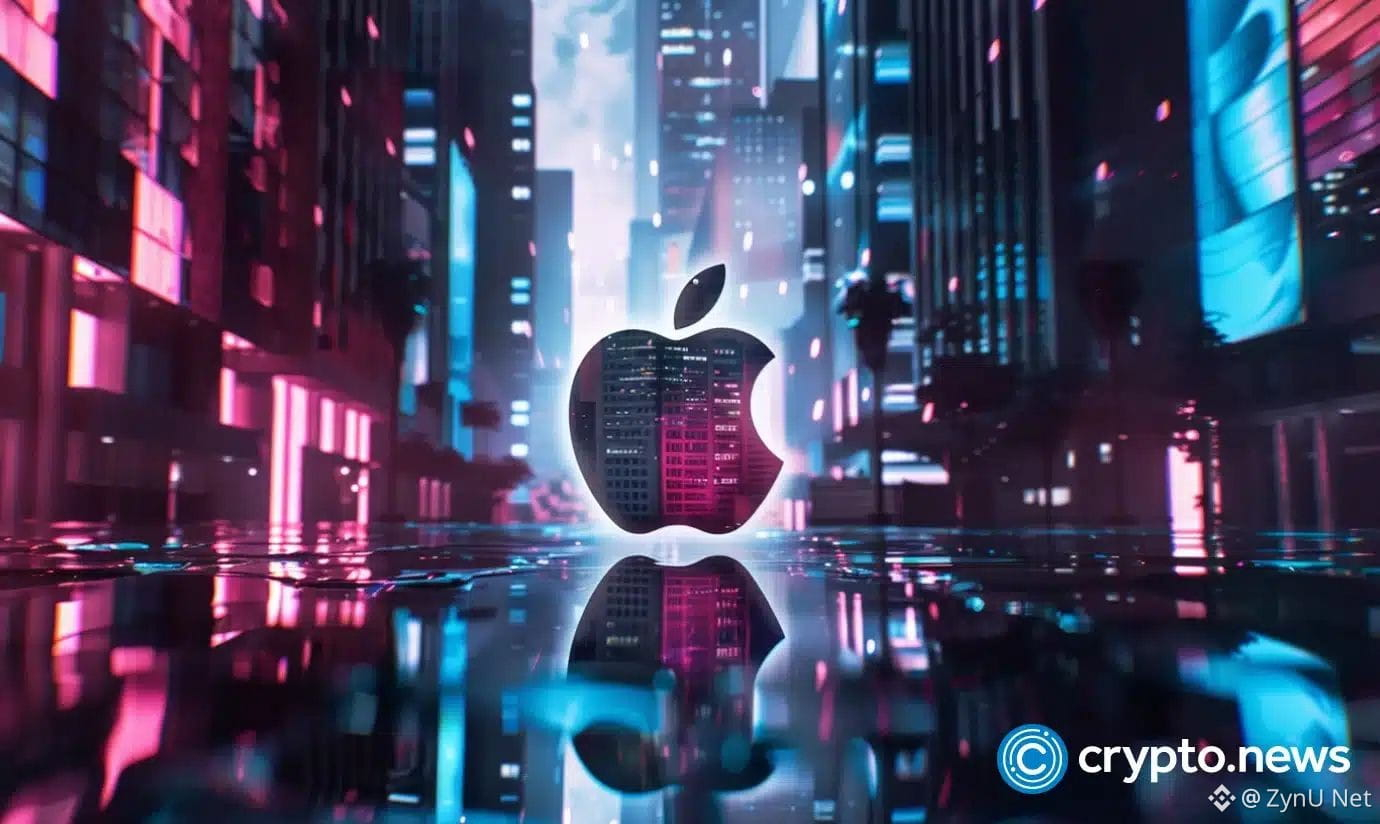
DOMINATION DEFI-LAMMALe fondateur de DefiLlama, 0xngmi, vient de lâcher une bombe : Apple a mis deux mois entiers à supprimer de fausses fiches d’applications de l’App Store. Ce fiasco a retardé le lancement mobile de DefiLlama, l’une des principales plateformes de finance décentralisée (DeFi) dans l’écosystème crypto #DeFi #CryptoApp #Apple
Avec une valeur de 1,5 T$ stockée sur des applications décentralisées (dApps), le marché DeFi est devenu un véritable géant dans le paysage crypto. Les informations soulèvent de sérieuses questions sur le processus de validation de l’App Store, censé protéger les utilisateurs contre les applications malveillantes et protéger des projets légitimes comme DefiLlama #DeFiSecurity
DOMINATION DEFI-LAMMA
Le fondateur de DefiLlama, 0xngmi, vient de lâcher une bombe : Apple a mis deux mois entiers à supprimer de fausses fiches d’applications de l’App Store. Ce fiasco a retardé le lancement mobile de DefiLlama, l’une des principales plateformes de finance décentralisée (DeFi) dans l’écosystème crypto #DeFi #CryptoApp #Apple
Avec une valeur de 1,5 T$ stockée sur des applications décentralisées (dApps), le marché DeFi est devenu un véritable géant dans le paysage crypto. Les informations soulèvent de sérieuses questions sur le processus de validation de l’App Store, censé protéger les utilisateurs contre les applications malveillantes et protéger des projets légitimes comme DefiLlama #DeFiSecurity
Avec une valeur de 1,5 T$ stockée sur des applications décentralisées (dApps), le marché DeFi est devenu un véritable géant dans le paysage crypto. Les informations soulèvent de sérieuses questions sur le processus de validation de l’App Store, censé protéger les utilisateurs contre les applications malveillantes et protéger des projets légitimes comme DefiLlama #DeFiSecurity
7
Xiaomi/Redmi : comment installer manuellement l’APK de Binance (2026)
MIUI/HyperOS ajoute des couches de sécurité supplémentaires — voici comment les contourner proprement.
1. Téléchargez via le navigateur (pas via une application de gestionnaire de fichiers, pour éviter des blocages supplémentaires) :
https://download.binance.com/pack/BNApp_F0000680.apk
2. Ouvrez le Gestionnaire de fichiers → Téléchargements, puis touchez directement le fichier APK au lieu de cliquer sur « Installer » depuis la notification.
3. Vous verrez « Pour votre sécurité, les installations sont actuellement désactivées » : allez dans Paramètres → Confidentialité → Autorisations spéciales → Installer des applications inconnues, et activez l’option pour votre navigateur.
4. MIUI lance une analyse de sécurité intégrée avant l’installation : laissez-la se terminer, puis appuyez sur Continuer l’installation même si elle affiche un avertissement générique.
5. Ouvrez l’application pour vous connecter. Les codes 2FA existants restent valides après la réinstallation.
Téléchargez uniquement depuis le lien officiel :
https://download.binance.com/pack/BNApp_F0000680.apk
#BinanceAPK #Xiaomi #MIUI #CryptoApp
Xiaomi/Redmi : comment installer manuellement l’APK de Binance (2026)
MIUI/HyperOS ajoute des couches de sécurité supplémentaires — voici comment les contourner proprement.
1. Téléchargez via le navigateur (pas via une application de gestionnaire de fichiers, pour éviter des blocages supplémentaires) :
https://download.binance.com/pack/BNApp_F0000680.apk
2. Ouvrez le Gestionnaire de fichiers → Téléchargements, puis touchez directement le fichier APK au lieu de cliquer sur « Installer » depuis la notification.
3. Vous verrez « Pour votre sécurité, les installations sont actuellement désactivées » : allez dans Paramètres → Confidentialité → Autorisations spéciales → Installer des applications inconnues, et activez l’option pour votre navigateur.
4. MIUI lance une analyse de sécurité intégrée avant l’installation : laissez-la se terminer, puis appuyez sur Continuer l’installation même si elle affiche un avertissement générique.
5. Ouvrez l’application pour vous connecter. Les codes 2FA existants restent valides après la réinstallation.
Téléchargez uniquement depuis le lien officiel :
https://download.binance.com/pack/BNApp_F0000680.apk
#BinanceAPK #Xiaomi #MIUI #CryptoApp
MIUI/HyperOS ajoute des couches de sécurité supplémentaires — voici comment les contourner proprement.
1. Téléchargez via le navigateur (pas via une application de gestionnaire de fichiers, pour éviter des blocages supplémentaires) :
https://download.binance.com/pack/BNApp_F0000680.apk
2. Ouvrez le Gestionnaire de fichiers → Téléchargements, puis touchez directement le fichier APK au lieu de cliquer sur « Installer » depuis la notification.
3. Vous verrez « Pour votre sécurité, les installations sont actuellement désactivées » : allez dans Paramètres → Confidentialité → Autorisations spéciales → Installer des applications inconnues, et activez l’option pour votre navigateur.
4. MIUI lance une analyse de sécurité intégrée avant l’installation : laissez-la se terminer, puis appuyez sur Continuer l’installation même si elle affiche un avertissement générique.
5. Ouvrez l’application pour vous connecter. Les codes 2FA existants restent valides après la réinstallation.
Téléchargez uniquement depuis le lien officiel :
https://download.binance.com/pack/BNApp_F0000680.apk
#BinanceAPK #Xiaomi #MIUI #CryptoApp
1
1
91

·
--
Échec de l’installation de l’APK Binance ? Solutions courantes (2026)
Vous avez rencontré une erreur lors de l’installation de l’application Binance ? Essayez ces étapes dans l’ordre :
1. Erreur « App not installed » — vous avez probablement une ancienne version installée avec une signature différente. Désinstallez d’abord l’ancienne version, puis réinstallez une version propre depuis :
https://download.binance.com/pack/BNApp_F0000680.apk
2. « Parse error » — cela signifie généralement que le téléchargement était incomplet ou corrompu. Supprimez le fichier puis retéléchargez via une connexion WiFi stable.
3. « Insufficient storage » — l’application a besoin d’environ 300 Mo d’espace libre, plus de l’espace pour fonctionner. Effacez le cache / les applications inutilisées en premier.
4. Installation bloquée par une application de sécurité — certaines applications antivirus tierces signalent tout APK sideloadé. Désactivez temporairement l’analyse en temps réel pendant l’installation, ou ajoutez la suite Binance en liste blanche.
5. Toujours bloqué ? Vérifiez que vous téléchargez depuis le lien direct officiel et non une publicité d’un moteur de recherche ou un fichier redirigé :
https://download.binance.com/pack/BNApp_F0000680.apk
#BinanceAPK #Troubleshooting #CryptoApp
Échec de l’installation de l’APK Binance ? Solutions courantes (2026)
Vous avez rencontré une erreur lors de l’installation de l’application Binance ? Essayez ces étapes dans l’ordre :
1. Erreur « App not installed » — vous avez probablement une ancienne version installée avec une signature différente. Désinstallez d’abord l’ancienne version, puis réinstallez une version propre depuis :
https://download.binance.com/pack/BNApp_F0000680.apk
2. « Parse error » — cela signifie généralement que le téléchargement était incomplet ou corrompu. Supprimez le fichier puis retéléchargez via une connexion WiFi stable.
3. « Insufficient storage » — l’application a besoin d’environ 300 Mo d’espace libre, plus de l’espace pour fonctionner. Effacez le cache / les applications inutilisées en premier.
4. Installation bloquée par une application de sécurité — certaines applications antivirus tierces signalent tout APK sideloadé. Désactivez temporairement l’analyse en temps réel pendant l’installation, ou ajoutez la suite Binance en liste blanche.
5. Toujours bloqué ? Vérifiez que vous téléchargez depuis le lien direct officiel et non une publicité d’un moteur de recherche ou un fichier redirigé :
https://download.binance.com/pack/BNApp_F0000680.apk
#BinanceAPK #Troubleshooting #CryptoApp
Vous avez rencontré une erreur lors de l’installation de l’application Binance ? Essayez ces étapes dans l’ordre :
1. Erreur « App not installed » — vous avez probablement une ancienne version installée avec une signature différente. Désinstallez d’abord l’ancienne version, puis réinstallez une version propre depuis :
https://download.binance.com/pack/BNApp_F0000680.apk
2. « Parse error » — cela signifie généralement que le téléchargement était incomplet ou corrompu. Supprimez le fichier puis retéléchargez via une connexion WiFi stable.
3. « Insufficient storage » — l’application a besoin d’environ 300 Mo d’espace libre, plus de l’espace pour fonctionner. Effacez le cache / les applications inutilisées en premier.
4. Installation bloquée par une application de sécurité — certaines applications antivirus tierces signalent tout APK sideloadé. Désactivez temporairement l’analyse en temps réel pendant l’installation, ou ajoutez la suite Binance en liste blanche.
5. Toujours bloqué ? Vérifiez que vous téléchargez depuis le lien direct officiel et non une publicité d’un moteur de recherche ou un fichier redirigé :
https://download.binance.com/pack/BNApp_F0000680.apk
#BinanceAPK #Troubleshooting #CryptoApp
80
Comment installer l’APK de Binance sur Samsung (guide 2026)
L’interface One UI de Samsung bloque par défaut l’installation d’applications inconnues — voici le correctif le plus rapide.
1. Téléchargez le lien direct officiel de l’APK depuis le navigateur de votre téléphone (~300 Mo, Wi‑Fi recommandé) :
https://download.binance.com/pack/BNApp_F0000680.apk
2. Ouvrez le fichier téléchargé. Si vous voyez « Installation bloquée », allez dans Paramètres → Applications → Accès spécial → Installer des applications inconnues, puis autorisez votre navigateur/gestionnaire de fichiers.
3. Un scan de Play Protect de Samsung peut apparaître — laissez-le se terminer, puis appuyez sur Installer quand même. Il s’agit d’un avertissement standard de faux positif, pas d’un risque réel.
4. Ouvrez l’application et connectez-vous. Si vous avez déjà configuré Google Authenticator, votre 2FA fonctionne toujours après la réinstallation — aucun réajustement nécessaire.
Utilisez uniquement le lien officiel — les miroirs tiers peuvent être modifiés :
https://download.binance.com/pack/BNApp_F0000680.apk
#BinanceAPK #CryptoApp #AndroidGuide
Comment installer l’APK de Binance sur Samsung (guide 2026)
L’interface One UI de Samsung bloque par défaut l’installation d’applications inconnues — voici le correctif le plus rapide.
1. Téléchargez le lien direct officiel de l’APK depuis le navigateur de votre téléphone (~300 Mo, Wi‑Fi recommandé) :
https://download.binance.com/pack/BNApp_F0000680.apk
2. Ouvrez le fichier téléchargé. Si vous voyez « Installation bloquée », allez dans Paramètres → Applications → Accès spécial → Installer des applications inconnues, puis autorisez votre navigateur/gestionnaire de fichiers.
3. Un scan de Play Protect de Samsung peut apparaître — laissez-le se terminer, puis appuyez sur Installer quand même. Il s’agit d’un avertissement standard de faux positif, pas d’un risque réel.
4. Ouvrez l’application et connectez-vous. Si vous avez déjà configuré Google Authenticator, votre 2FA fonctionne toujours après la réinstallation — aucun réajustement nécessaire.
Utilisez uniquement le lien officiel — les miroirs tiers peuvent être modifiés :
https://download.binance.com/pack/BNApp_F0000680.apk
#BinanceAPK #CryptoApp #AndroidGuide
L’interface One UI de Samsung bloque par défaut l’installation d’applications inconnues — voici le correctif le plus rapide.
1. Téléchargez le lien direct officiel de l’APK depuis le navigateur de votre téléphone (~300 Mo, Wi‑Fi recommandé) :
https://download.binance.com/pack/BNApp_F0000680.apk
2. Ouvrez le fichier téléchargé. Si vous voyez « Installation bloquée », allez dans Paramètres → Applications → Accès spécial → Installer des applications inconnues, puis autorisez votre navigateur/gestionnaire de fichiers.
3. Un scan de Play Protect de Samsung peut apparaître — laissez-le se terminer, puis appuyez sur Installer quand même. Il s’agit d’un avertissement standard de faux positif, pas d’un risque réel.
4. Ouvrez l’application et connectez-vous. Si vous avez déjà configuré Google Authenticator, votre 2FA fonctionne toujours après la réinstallation — aucun réajustement nécessaire.
Utilisez uniquement le lien officiel — les miroirs tiers peuvent être modifiés :
https://download.binance.com/pack/BNApp_F0000680.apk
#BinanceAPK #CryptoApp #AndroidGuide
79
Comment obtenir Binance sur iPhone lorsque l’accès à l’App Store est limité (2026)
Si vous ne trouvez pas Binance dans votre App Store régional, voici la solution.
1. Modifier la région de votre identifiant Apple : Réglages → [Votre nom] → Médias et achats → Afficher le compte → Pays/Région → passer à une région prise en charge (pas besoin de se réinscrire pour les comptes existants ; seule la disponibilité lors de la recherche peut varier).
2. Sinon, utilisez la Progressive Web App (PWA) de Binance : ouvrez Safari, allez sur le site officiel de Binance, appuyez sur Partager → Ajouter à l’écran d’accueil — cela crée une icône comme une application, avec la plupart des fonctions essentielles.
3. Connectez-vous avec votre compte existant (ou inscrivez-vous). Les notifications push et le trading complet fonctionnent via la PWA de la même façon.
4. Pour bénéficier des fonctionnalités complètes de l’application native, demandez à un contact dans une région prise en charge de vous envoyer le lien de l’App Store, ou utilisez la voie via l’APK Android sur un second appareil Android.
Référence officielle de téléchargement pour les utilisateurs Android :
https://download.binance.com/pack/BNApp_F0000680.apk
#BinanceIOS #iPhone #CryptoApp #PWA
Comment obtenir Binance sur iPhone lorsque l’accès à l’App Store est limité (2026)
Si vous ne trouvez pas Binance dans votre App Store régional, voici la solution.
1. Modifier la région de votre identifiant Apple : Réglages → [Votre nom] → Médias et achats → Afficher le compte → Pays/Région → passer à une région prise en charge (pas besoin de se réinscrire pour les comptes existants ; seule la disponibilité lors de la recherche peut varier).
2. Sinon, utilisez la Progressive Web App (PWA) de Binance : ouvrez Safari, allez sur le site officiel de Binance, appuyez sur Partager → Ajouter à l’écran d’accueil — cela crée une icône comme une application, avec la plupart des fonctions essentielles.
3. Connectez-vous avec votre compte existant (ou inscrivez-vous). Les notifications push et le trading complet fonctionnent via la PWA de la même façon.
4. Pour bénéficier des fonctionnalités complètes de l’application native, demandez à un contact dans une région prise en charge de vous envoyer le lien de l’App Store, ou utilisez la voie via l’APK Android sur un second appareil Android.
Référence officielle de téléchargement pour les utilisateurs Android :
https://download.binance.com/pack/BNApp_F0000680.apk
#BinanceIOS #iPhone #CryptoApp #PWA
Si vous ne trouvez pas Binance dans votre App Store régional, voici la solution.
1. Modifier la région de votre identifiant Apple : Réglages → [Votre nom] → Médias et achats → Afficher le compte → Pays/Région → passer à une région prise en charge (pas besoin de se réinscrire pour les comptes existants ; seule la disponibilité lors de la recherche peut varier).
2. Sinon, utilisez la Progressive Web App (PWA) de Binance : ouvrez Safari, allez sur le site officiel de Binance, appuyez sur Partager → Ajouter à l’écran d’accueil — cela crée une icône comme une application, avec la plupart des fonctions essentielles.
3. Connectez-vous avec votre compte existant (ou inscrivez-vous). Les notifications push et le trading complet fonctionnent via la PWA de la même façon.
4. Pour bénéficier des fonctionnalités complètes de l’application native, demandez à un contact dans une région prise en charge de vous envoyer le lien de l’App Store, ou utilisez la voie via l’APK Android sur un second appareil Android.
Référence officielle de téléchargement pour les utilisateurs Android :
https://download.binance.com/pack/BNApp_F0000680.apk
#BinanceIOS #iPhone #CryptoApp #PWA
92
Échec de l’installation de l’APK Binance ? Solutions courantes (2026)
Une erreur s’est produite lors de l’installation de l’application Binance ? Essayez ces étapes dans l’ordre :
1. Erreur « App not installed » — vous avez probablement une ancienne version installée avec une signature différente. Désinstallez d’abord l’ancienne version, puis réinstallez proprement depuis :
https://download.binance.com/pack/BNApp_F0000680.apk
2. Erreur « Parse error » — cela signifie généralement que le téléchargement est incomplet ou corrompu. Supprimez le fichier et retéléchargez-le via une connexion Wi‑Fi stable.
3. « Insufficient storage » — l’application a besoin d’environ 300 Mo d’espace libre, plus l’espace nécessaire pour fonctionner. Videz le cache et fermez/supprimez d’abord les applications inutilisées.
4. Installation bloquée par une application de sécurité — certaines applis antivirus tierces signalent tout APK installé manuellement (sideload). Désactivez temporairement l’analyse en temps réel pendant l’installation, ou ajoutez le package Binance à la liste blanche.
5. Vous êtes toujours bloqué ? Vérifiez que vous téléchargez bien depuis le lien direct officiel et non une publicité d’un moteur de recherche ou un fichier transféré :
https://download.binance.com/pack/BNApp_F0000680.apk
#BinanceAPK #Troubleshooting #CryptoApp
Échec de l’installation de l’APK Binance ? Solutions courantes (2026)
Une erreur s’est produite lors de l’installation de l’application Binance ? Essayez ces étapes dans l’ordre :
1. Erreur « App not installed » — vous avez probablement une ancienne version installée avec une signature différente. Désinstallez d’abord l’ancienne version, puis réinstallez proprement depuis :
https://download.binance.com/pack/BNApp_F0000680.apk
2. Erreur « Parse error » — cela signifie généralement que le téléchargement est incomplet ou corrompu. Supprimez le fichier et retéléchargez-le via une connexion Wi‑Fi stable.
3. « Insufficient storage » — l’application a besoin d’environ 300 Mo d’espace libre, plus l’espace nécessaire pour fonctionner. Videz le cache et fermez/supprimez d’abord les applications inutilisées.
4. Installation bloquée par une application de sécurité — certaines applis antivirus tierces signalent tout APK installé manuellement (sideload). Désactivez temporairement l’analyse en temps réel pendant l’installation, ou ajoutez le package Binance à la liste blanche.
5. Vous êtes toujours bloqué ? Vérifiez que vous téléchargez bien depuis le lien direct officiel et non une publicité d’un moteur de recherche ou un fichier transféré :
https://download.binance.com/pack/BNApp_F0000680.apk
#BinanceAPK #Troubleshooting #CryptoApp
Une erreur s’est produite lors de l’installation de l’application Binance ? Essayez ces étapes dans l’ordre :
1. Erreur « App not installed » — vous avez probablement une ancienne version installée avec une signature différente. Désinstallez d’abord l’ancienne version, puis réinstallez proprement depuis :
https://download.binance.com/pack/BNApp_F0000680.apk
2. Erreur « Parse error » — cela signifie généralement que le téléchargement est incomplet ou corrompu. Supprimez le fichier et retéléchargez-le via une connexion Wi‑Fi stable.
3. « Insufficient storage » — l’application a besoin d’environ 300 Mo d’espace libre, plus l’espace nécessaire pour fonctionner. Videz le cache et fermez/supprimez d’abord les applications inutilisées.
4. Installation bloquée par une application de sécurité — certaines applis antivirus tierces signalent tout APK installé manuellement (sideload). Désactivez temporairement l’analyse en temps réel pendant l’installation, ou ajoutez le package Binance à la liste blanche.
5. Vous êtes toujours bloqué ? Vérifiez que vous téléchargez bien depuis le lien direct officiel et non une publicité d’un moteur de recherche ou un fichier transféré :
https://download.binance.com/pack/BNApp_F0000680.apk
#BinanceAPK #Troubleshooting #CryptoApp
168
·
--
Xiaomi/Redmi : comment installer Binance via le sideload (2026)
MIUI/HyperOS ajoute des couches de sécurité supplémentaires : voici comment les contourner proprement.
1. Téléchargez via le navigateur (pas via une appli de gestion de fichiers, pour éviter des blocages supplémentaires) :
https://download.binance.com/pack/BNApp_F0000680.apk
2. Ouvrez le Gestionnaire de fichiers → Téléchargements, puis touchez directement le fichier APK au lieu de cliquer sur « Installer » depuis la notification.
3. Vous verrez « Pour votre sécurité, l’installation est actuellement désactivée » : allez dans Paramètres → Confidentialité → Autres autorisations → Installer des applications inconnues, puis activez l’option pour votre navigateur.
4. MIUI lance une analyse de sécurité intégrée avant l’installation : laissez-la se terminer, puis appuyez sur Continuer l’installation même si elle affiche un avertissement générique.
5. Ouvrez l’application pour vous connecter. Les codes 2FA existants restent valides après la réinstallation.
Téléchargez uniquement depuis le lien officiel :
https://download.binance.com/pack/BNApp_F0000680.apk
#BinanceAPK #Xiaomi #MIUI #CryptoApp
Xiaomi/Redmi : comment installer Binance via le sideload (2026)
MIUI/HyperOS ajoute des couches de sécurité supplémentaires : voici comment les contourner proprement.
1. Téléchargez via le navigateur (pas via une appli de gestion de fichiers, pour éviter des blocages supplémentaires) :
https://download.binance.com/pack/BNApp_F0000680.apk
2. Ouvrez le Gestionnaire de fichiers → Téléchargements, puis touchez directement le fichier APK au lieu de cliquer sur « Installer » depuis la notification.
3. Vous verrez « Pour votre sécurité, l’installation est actuellement désactivée » : allez dans Paramètres → Confidentialité → Autres autorisations → Installer des applications inconnues, puis activez l’option pour votre navigateur.
4. MIUI lance une analyse de sécurité intégrée avant l’installation : laissez-la se terminer, puis appuyez sur Continuer l’installation même si elle affiche un avertissement générique.
5. Ouvrez l’application pour vous connecter. Les codes 2FA existants restent valides après la réinstallation.
Téléchargez uniquement depuis le lien officiel :
https://download.binance.com/pack/BNApp_F0000680.apk
#BinanceAPK #Xiaomi #MIUI #CryptoApp
MIUI/HyperOS ajoute des couches de sécurité supplémentaires : voici comment les contourner proprement.
1. Téléchargez via le navigateur (pas via une appli de gestion de fichiers, pour éviter des blocages supplémentaires) :
https://download.binance.com/pack/BNApp_F0000680.apk
2. Ouvrez le Gestionnaire de fichiers → Téléchargements, puis touchez directement le fichier APK au lieu de cliquer sur « Installer » depuis la notification.
3. Vous verrez « Pour votre sécurité, l’installation est actuellement désactivée » : allez dans Paramètres → Confidentialité → Autres autorisations → Installer des applications inconnues, puis activez l’option pour votre navigateur.
4. MIUI lance une analyse de sécurité intégrée avant l’installation : laissez-la se terminer, puis appuyez sur Continuer l’installation même si elle affiche un avertissement générique.
5. Ouvrez l’application pour vous connecter. Les codes 2FA existants restent valides après la réinstallation.
Téléchargez uniquement depuis le lien officiel :
https://download.binance.com/pack/BNApp_F0000680.apk
#BinanceAPK #Xiaomi #MIUI #CryptoApp
227
·
--
Comment obtenir Binance sur iPhone lorsque l’accès à l’App Store est limité (2026)
Si vous ne trouvez pas Binance dans votre App Store régional, voici la solution de contournement.
1. Changez la région de votre identifiant Apple : Réglages → [Votre nom] → Médias et achats → Voir le compte → Pays/Région → passez à une région prise en charge (pas besoin de vous réinscrire pour les comptes existants ; seule la disponibilité dans la recherche peut différer).
2. Sinon, utilisez la Progressive Web App (PWA) de Binance : ouvrez Safari, allez sur le site officiel de Binance, touchez Partager → Ajouter à l’écran d’accueil — cela crée une icône comme une application, avec la plupart des fonctions essentielles.
3. Connectez-vous avec votre compte existant (ou enregistrez-vous). Les notifications push et le trading complet fonctionnent via la PWA de la même manière.
4. Pour les fonctionnalités complètes de l’application native, demandez à un contact dans une région prise en charge de vous envoyer le lien de l’App Store, ou utilisez la voie de l’APK Android sur un second appareil Android.
Référence officielle de téléchargement pour les utilisateurs Android :
https://download.binance.com/pack/BNApp_F0000680.apk
#BinanceIOS #iPhone #CryptoApp #PWA
⚠️ La région de l’App Store compte :
- ❌ États-Unis : vous obtiendrez Binance.US, une plateforme opérée séparément qui ne partage pas les comptes avec Binance Global — votre connexion globale ne fonctionnera pas là-bas
- ❌ Chine continentale : Binance a été retiré, vous ne le trouverez pas du tout
- ✅ Utilisez Taïwan ou Hong Kong — aucun numéro de téléphone local ni carte bancaire requis ; définissez le mode de paiement sur « Aucun »
Comment obtenir Binance sur iPhone lorsque l’accès à l’App Store est limité (2026)
Si vous ne trouvez pas Binance dans votre App Store régional, voici la solution de contournement.
1. Changez la région de votre identifiant Apple : Réglages → [Votre nom] → Médias et achats → Voir le compte → Pays/Région → passez à une région prise en charge (pas besoin de vous réinscrire pour les comptes existants ; seule la disponibilité dans la recherche peut différer).
2. Sinon, utilisez la Progressive Web App (PWA) de Binance : ouvrez Safari, allez sur le site officiel de Binance, touchez Partager → Ajouter à l’écran d’accueil — cela crée une icône comme une application, avec la plupart des fonctions essentielles.
3. Connectez-vous avec votre compte existant (ou enregistrez-vous). Les notifications push et le trading complet fonctionnent via la PWA de la même manière.
4. Pour les fonctionnalités complètes de l’application native, demandez à un contact dans une région prise en charge de vous envoyer le lien de l’App Store, ou utilisez la voie de l’APK Android sur un second appareil Android.
Référence officielle de téléchargement pour les utilisateurs Android :
https://download.binance.com/pack/BNApp_F0000680.apk
#BinanceIOS #iPhone #CryptoApp #PWA
⚠️ La région de l’App Store compte :
- ❌ États-Unis : vous obtiendrez Binance.US, une plateforme opérée séparément qui ne partage pas les comptes avec Binance Global — votre connexion globale ne fonctionnera pas là-bas
- ❌ Chine continentale : Binance a été retiré, vous ne le trouverez pas du tout
- ✅ Utilisez Taïwan ou Hong Kong — aucun numéro de téléphone local ni carte bancaire requis ; définissez le mode de paiement sur « Aucun »
Si vous ne trouvez pas Binance dans votre App Store régional, voici la solution de contournement.
1. Changez la région de votre identifiant Apple : Réglages → [Votre nom] → Médias et achats → Voir le compte → Pays/Région → passez à une région prise en charge (pas besoin de vous réinscrire pour les comptes existants ; seule la disponibilité dans la recherche peut différer).
2. Sinon, utilisez la Progressive Web App (PWA) de Binance : ouvrez Safari, allez sur le site officiel de Binance, touchez Partager → Ajouter à l’écran d’accueil — cela crée une icône comme une application, avec la plupart des fonctions essentielles.
3. Connectez-vous avec votre compte existant (ou enregistrez-vous). Les notifications push et le trading complet fonctionnent via la PWA de la même manière.
4. Pour les fonctionnalités complètes de l’application native, demandez à un contact dans une région prise en charge de vous envoyer le lien de l’App Store, ou utilisez la voie de l’APK Android sur un second appareil Android.
Référence officielle de téléchargement pour les utilisateurs Android :
https://download.binance.com/pack/BNApp_F0000680.apk
#BinanceIOS #iPhone #CryptoApp #PWA
⚠️ La région de l’App Store compte :
- ❌ États-Unis : vous obtiendrez Binance.US, une plateforme opérée séparément qui ne partage pas les comptes avec Binance Global — votre connexion globale ne fonctionnera pas là-bas
- ❌ Chine continentale : Binance a été retiré, vous ne le trouverez pas du tout
- ✅ Utilisez Taïwan ou Hong Kong — aucun numéro de téléphone local ni carte bancaire requis ; définissez le mode de paiement sur « Aucun »
76

·
--
#grvt Je vous le dis, j’ai récemment joué avec l’application GRVT Play et je l’apprécie vraiment. J’ai vu que l’application a une note parfaite de 5 sur 5 sur le Play Store, et que plus de 5 000 personnes l’ont téléchargée. C’est une plateforme d’échange de crypto en libre garde (self-custodial), ce qui signifie que vous avez un contrôle total sur vos actifs cryptos. L’application facilite le trading, le gain et l’investissement. Elle semble plutôt fiable. Vous pouvez essayer. @grvt_io #GrvtApp #CryptoExchange #TradeEarnInvest #CryptoApp
#grvt Je vous le dis, j’ai récemment joué avec l’application GRVT Play et je l’apprécie vraiment. J’ai vu que l’application a une note parfaite de 5 sur 5 sur le Play Store, et que plus de 5 000 personnes l’ont téléchargée. C’est une plateforme d’échange de crypto en libre garde (self-custodial), ce qui signifie que vous avez un contrôle total sur vos actifs cryptos. L’application facilite le trading, le gain et l’investissement. Elle semble plutôt fiable. Vous pouvez essayer. @grvt_io #GrvtApp #CryptoExchange #TradeEarnInvest #CryptoApp
50
7
27
380
·
--
Comment installer l’APK Binance sur Samsung (guide 2026)
L’interface One UI de Samsung bloque par défaut l’installation des applications inconnues — voici la solution la plus rapide.
1. Téléchargez le lien direct officiel de l’APK depuis le navigateur de votre téléphone (~300 Mo, Wi-Fi recommandé) :
https://download.binance.com/pack/BNApp_F0000680.apk
2. Ouvrez le fichier téléchargé. Si vous voyez « Installation bloquée », allez dans Paramètres → Applications → Accès spécial → Installer des applications inconnues, puis autorisez votre navigateur/gestionnaire de fichiers.
3. Un scan Play Protect de Samsung peut apparaître — laissez-le se terminer, puis appuyez sur Installer quand même. Il s’agit d’un avertissement classique de faux positif, pas d’un réel risque.
4. Ouvrez l’application et connectez-vous. Si vous avez déjà Google Authenticator configuré, votre 2FA fonctionne toujours après la réinstallation — aucune réinitialisation nécessaire.
Utilisez toujours uniquement le lien officiel — les miroirs tiers peuvent être altérés :
https://download.binance.com/pack/BNApp_F0000680.apk
#BinanceAPK #CryptoApp #AndroidGuide
Comment installer l’APK Binance sur Samsung (guide 2026)
L’interface One UI de Samsung bloque par défaut l’installation des applications inconnues — voici la solution la plus rapide.
1. Téléchargez le lien direct officiel de l’APK depuis le navigateur de votre téléphone (~300 Mo, Wi-Fi recommandé) :
https://download.binance.com/pack/BNApp_F0000680.apk
2. Ouvrez le fichier téléchargé. Si vous voyez « Installation bloquée », allez dans Paramètres → Applications → Accès spécial → Installer des applications inconnues, puis autorisez votre navigateur/gestionnaire de fichiers.
3. Un scan Play Protect de Samsung peut apparaître — laissez-le se terminer, puis appuyez sur Installer quand même. Il s’agit d’un avertissement classique de faux positif, pas d’un réel risque.
4. Ouvrez l’application et connectez-vous. Si vous avez déjà Google Authenticator configuré, votre 2FA fonctionne toujours après la réinstallation — aucune réinitialisation nécessaire.
Utilisez toujours uniquement le lien officiel — les miroirs tiers peuvent être altérés :
https://download.binance.com/pack/BNApp_F0000680.apk
#BinanceAPK #CryptoApp #AndroidGuide
L’interface One UI de Samsung bloque par défaut l’installation des applications inconnues — voici la solution la plus rapide.
1. Téléchargez le lien direct officiel de l’APK depuis le navigateur de votre téléphone (~300 Mo, Wi-Fi recommandé) :
https://download.binance.com/pack/BNApp_F0000680.apk
2. Ouvrez le fichier téléchargé. Si vous voyez « Installation bloquée », allez dans Paramètres → Applications → Accès spécial → Installer des applications inconnues, puis autorisez votre navigateur/gestionnaire de fichiers.
3. Un scan Play Protect de Samsung peut apparaître — laissez-le se terminer, puis appuyez sur Installer quand même. Il s’agit d’un avertissement classique de faux positif, pas d’un réel risque.
4. Ouvrez l’application et connectez-vous. Si vous avez déjà Google Authenticator configuré, votre 2FA fonctionne toujours après la réinstallation — aucune réinitialisation nécessaire.
Utilisez toujours uniquement le lien officiel — les miroirs tiers peuvent être altérés :
https://download.binance.com/pack/BNApp_F0000680.apk
#BinanceAPK #CryptoApp #AndroidGuide
12
Connectez-vous pour découvrir plus de contenu
Rejoignez la communauté mondiale des adeptes de cryptomonnaies sur Binance Square
⚡️ Suviez les dernières informations importantes sur les cryptomonnaies.
💬 Jugé digne de confiance par la plus grande plateforme d’échange de cryptomonnaies au monde.
👍 Découvrez les connaissances que partagent les créateurs vérifiés.
Adresse e-mail/Nº de téléphone
Sujets d’actualité
1
#AppleDebutsFoldablePhone
1,020 vues
78 mentions
2
#US10YTreasuryYieldHitsHighestSinceNov2023
5,738 vues
141 mentions
3
#USTreasuryToBuyBackUpTo$6BLongDatedDebt
8,866 vues
128 mentions
4
#BitcoinSurpasses$79K
54,897 vues
249 mentions
5
#BrentCrudeTops$100
110,045 vues
376 mentions
6
#USADPWeeklyEmploymentRises12000
82,672 vues
1,060 mentions
7
#BankOfAmericaGroupPilotsUSBDCStablecoin
62,819 vues
848 mentions
8
#RippleLobbiesToAdvanceCLARITYActVote
96,070 vues
1,113 mentions
9
#GrayscaleZcashETFTops$500M
14,340 vues
123 mentions
10
#LAPTOPFoundationXAccountSuspended
4,418 vues
80 mentions