By default, your Binance Card will be drawing on your set payment priority, from your funds in your Funding and Spot Accounts.
To disable the usage of your Spot Account and only use your Funding Account, go to [Manage Account] and turn off [Source of Funding].
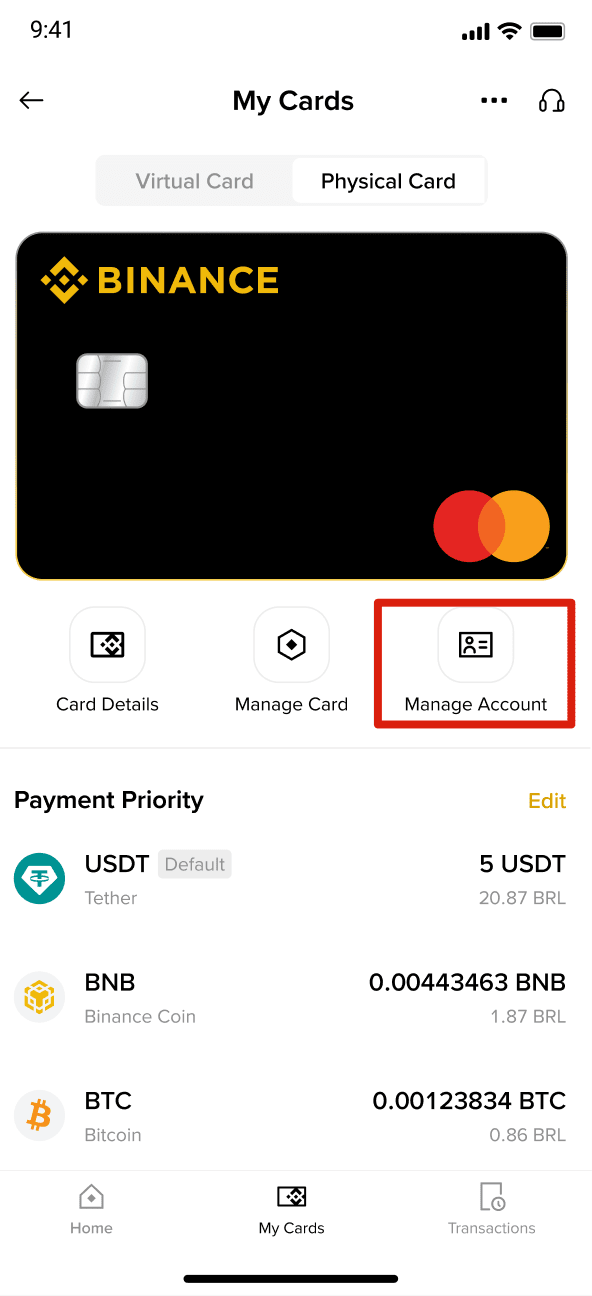
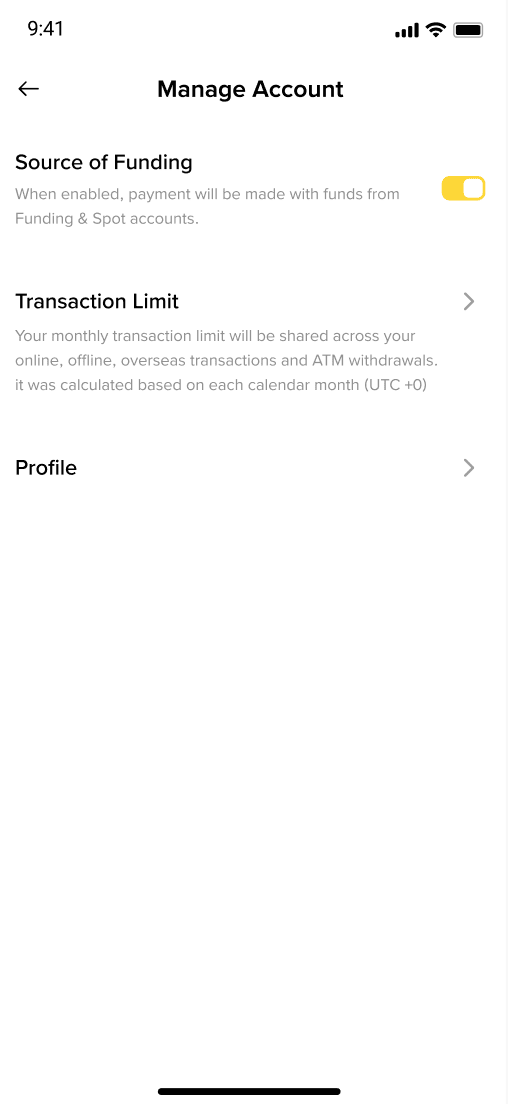
To transfer funds from your Spot Account to your Funding Account, follow these steps:
1. Log in to your Binance account and navigate to the Funding Account.
2. Tap [Transfer] and you will be able to transfer funds within your daily Funding Account transfer limits. The transfer will be instant, allowing you to use the funds immediately.
Currently, we support the conversion and spending of USDT, USDC, FDUSD, BNB, BTC, ETH, SOL, ADA, LINK, and XRP with your Binance Brazil Card.
The Binance Brazil Card enables real-time conversion of cryptocurrency to fiat currency in the Spot/Funding Account. Binance will handle the conversions automatically.
Currently, direct top-up for your Binance Brazil Card by third-party payment service providers is not supported. Please do not send funds directly to your Binance Brazil Card using external payment service providers as the funds will not be credited to your Binance Brazil Card balance. Should you have any queries, contact our Customer Support team.
