The Binance Brazil Card uses an aggregate value of your selected cryptocurrencies in your Spot/Funding Account to make purchases based on the payment priority you set in the Card Dashboard.
Currently, the Binance Brazil Card supports 10 cryptocurrencies including USDT, USDC, FDUSD, BNB, BTC, ETH, SOL, ADA, LINK, XRP.
To add, remove, or rearrange the order of the spending cryptocurrencies, select [Card Dashboard] - [Payment Priority] - [Edit]. The system will follow the payment priority when you make a purchase with your Binance Brazil Card.
Please note: You must have a minimum of 3 cryptocurrencies in your Payment Priority list, and a maximum of 12 cryptocurrencies can be selected.
If your payment priority is set as USDC > BNB > BTC, the system will deduct funds in this order:
Yes it would. The transaction will only go through if the aggregated balance of your prioritized cryptocurrencies in your Spot or Funding Account equals or is greater than the amount the merchant is attempting to charge. Binance will automatically use all available cryptocurrencies in the order you selected to complete the transaction.
Your Spot Account has been automatically enabled as an additional source of funding for making payments. Find out more about using your Spot Account as a backup source of funding here.
You can use your Binance Brazil Card anywhere in the world at any Mastercard merchant.
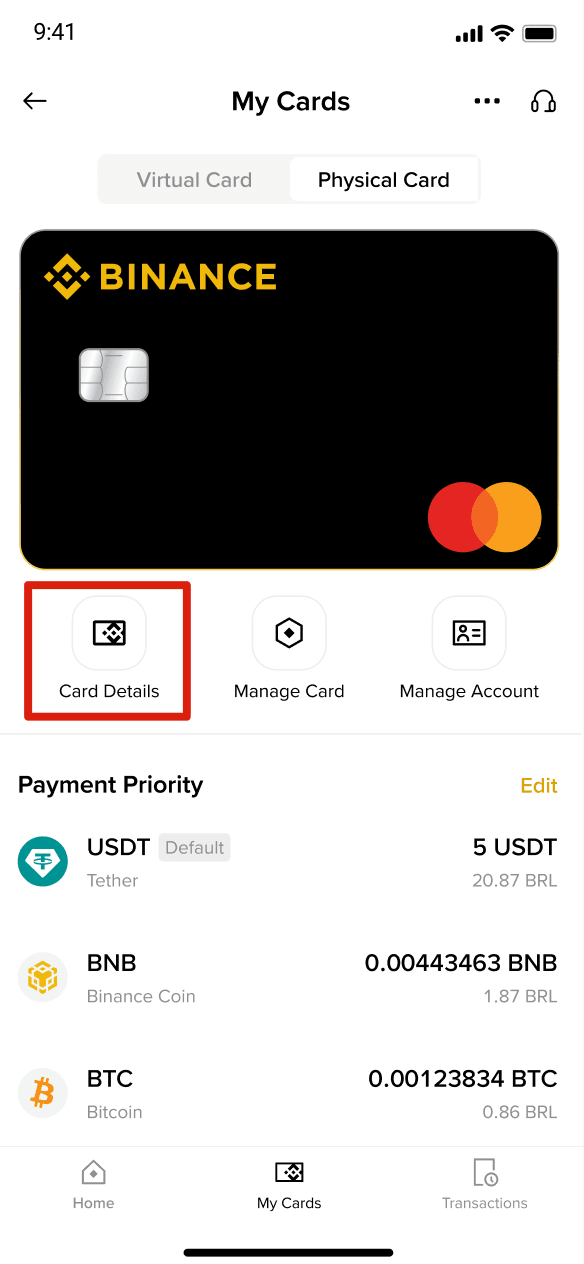
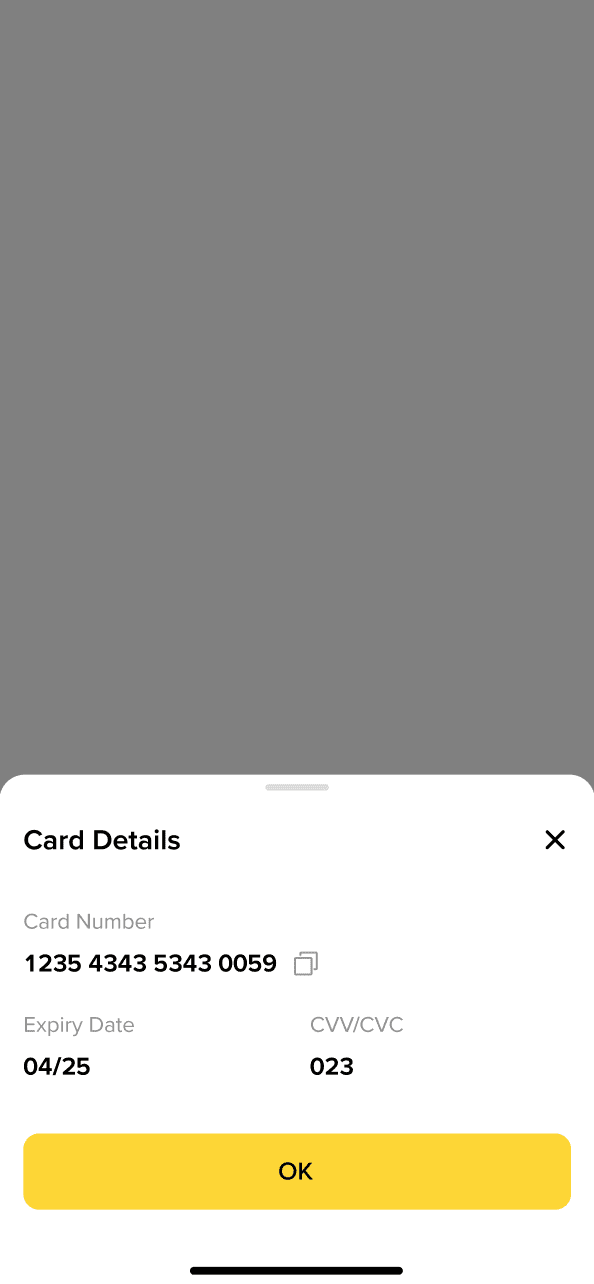
Go to [My Cards] - [Card Details] from your Card Dashboard.
To view your card details, such as the card number, CVV code, and expiry date, go to [My Cards] - [ Card Details] below the image of the card on the Card Dashboard.
If a transaction is declined after the funds were deducted from your accounts, e.g., due to network issues that are out of Binance’s control, your funds will be returned to your Funding Account (in BRL). Convert the returned funds to a supported cryptocurrency in your Payment Priority Order to continue to make payments.
Your card is denominated in BRL. If you make a purchase or an ATM withdrawal in any other currency, we will convert the amount of the transaction into BRL using the exchange rate set by Mastercard on the day the transaction is processed.
Please note:
For more details about fees, please refer to the Binance Brazil Card Fees and Limits.
You can bind your card to online platforms, such as Mercado Pago Wallet or 99Pay, etc. You may use the Binance Brazil Card for other online payments, too. Your physical card, once delivered and activated, can be used for online, offline, as well as contactless payments like a standard mastercard.
Binance Brazil Card currently does not support Apple & Google pay. We’re working on making it available soon, look out for updates!
