






How to Create API Keys on Binance?
Creating an API allows you to connect to Binance’s servers via several programming languages. Data can be pulled from Binance and interact with external applications. You can view your account and transaction data, make trades, and deposit and withdraw funds in third-party programs.
Please note that before creating an API key, you need to make a deposit of any amount to your Spot Account to activate your account and complete identity verification.
For more details on Binance API, please refer to the Documentation.
How to create your own Binance API key?
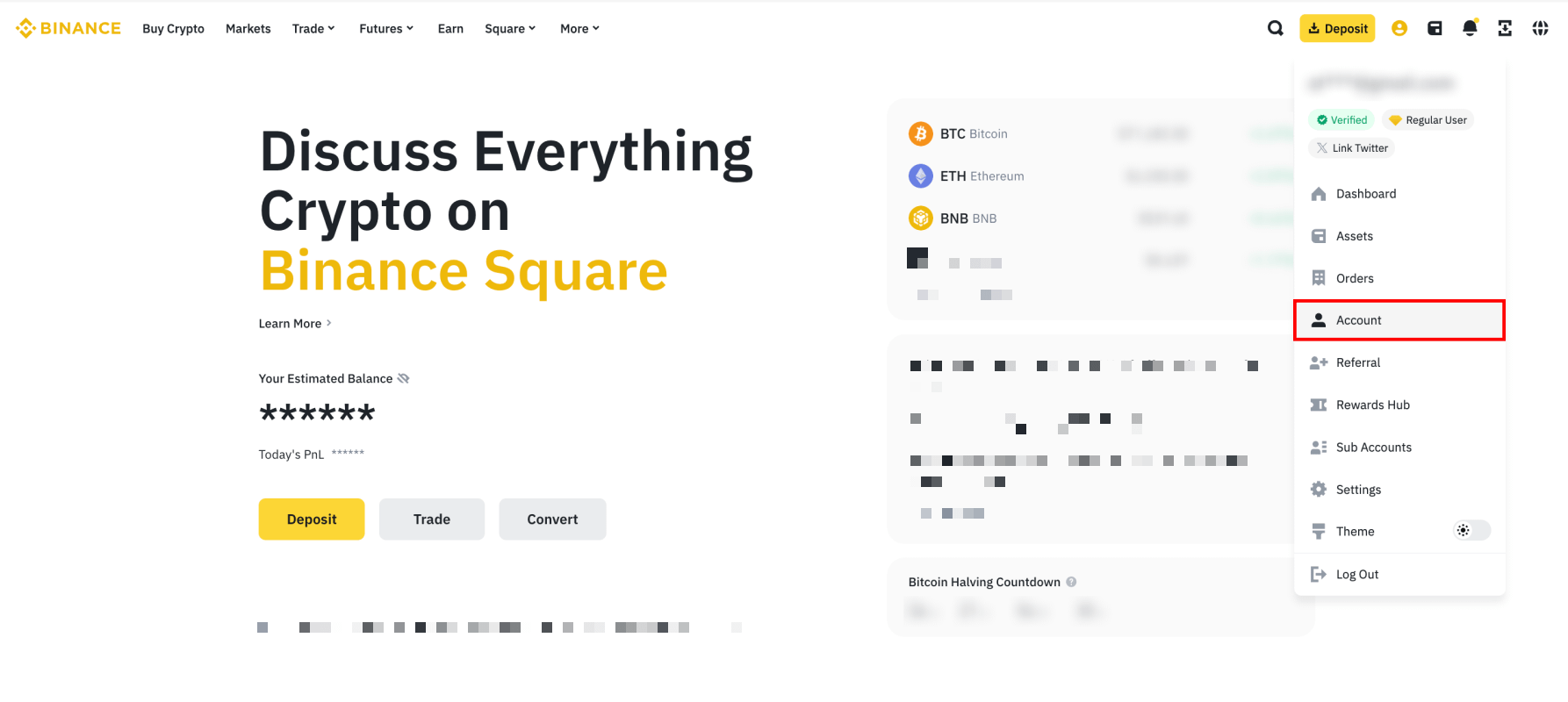
1. Log in to your Binance account and go to [Profile] - [Account].
2. Go to [API Management] then click [Create API].
Please note that before creating an API key, you need to:
- Enable two-factor authentication (2FA) on your account;
- Make a deposit of any amount to your Spot Account to activate your account;
- Verify your identity.
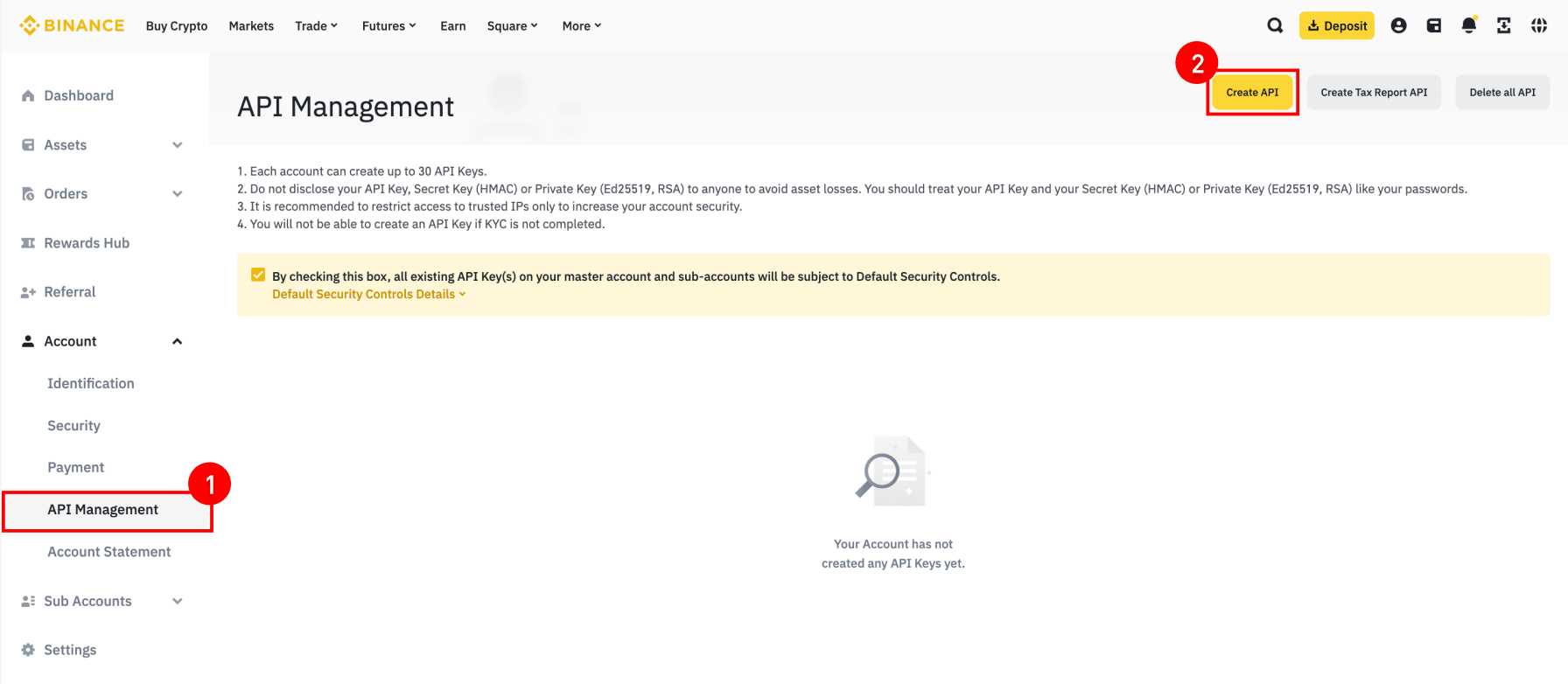
For more details about the Tax Reporting API, please refer to How to Obtain Tax Reporting on Binance & Frequently Asked Questions.
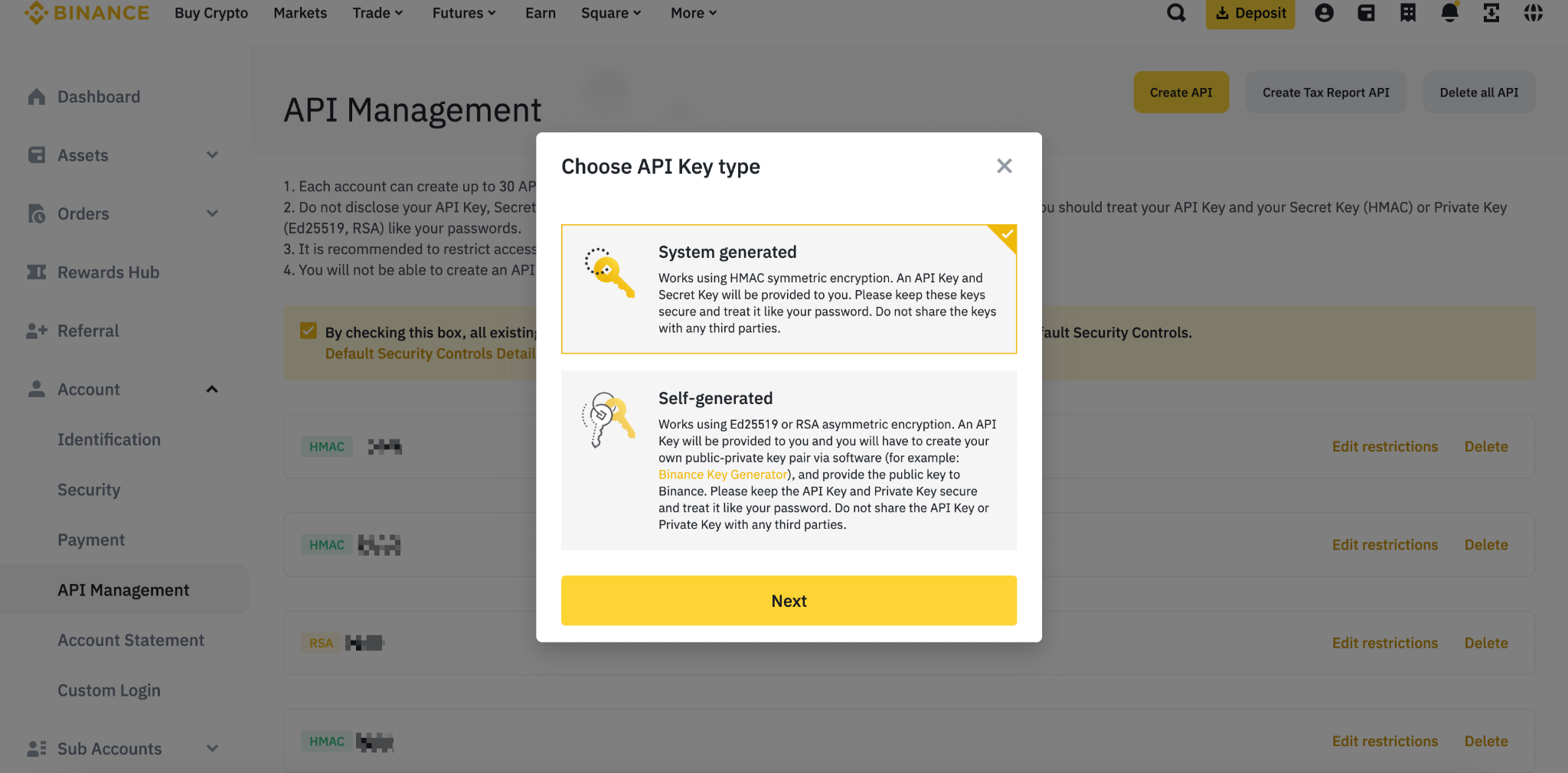
3. Select your preferred API key type.
- System-generated API keys use HMAC symmetric encryption. You’ll get the API key and the Secret Key.
- Self-generated API keys use Ed25519 or RSA asymmetric encryption. You’ll receive an API key, but you have to create your own public-private key pair via third-party software and provide the public key to Binance.
For more details on self-generated API keys, please refer to How to Generate an Ed25519 Key Pair to Send API Requests on Binance.
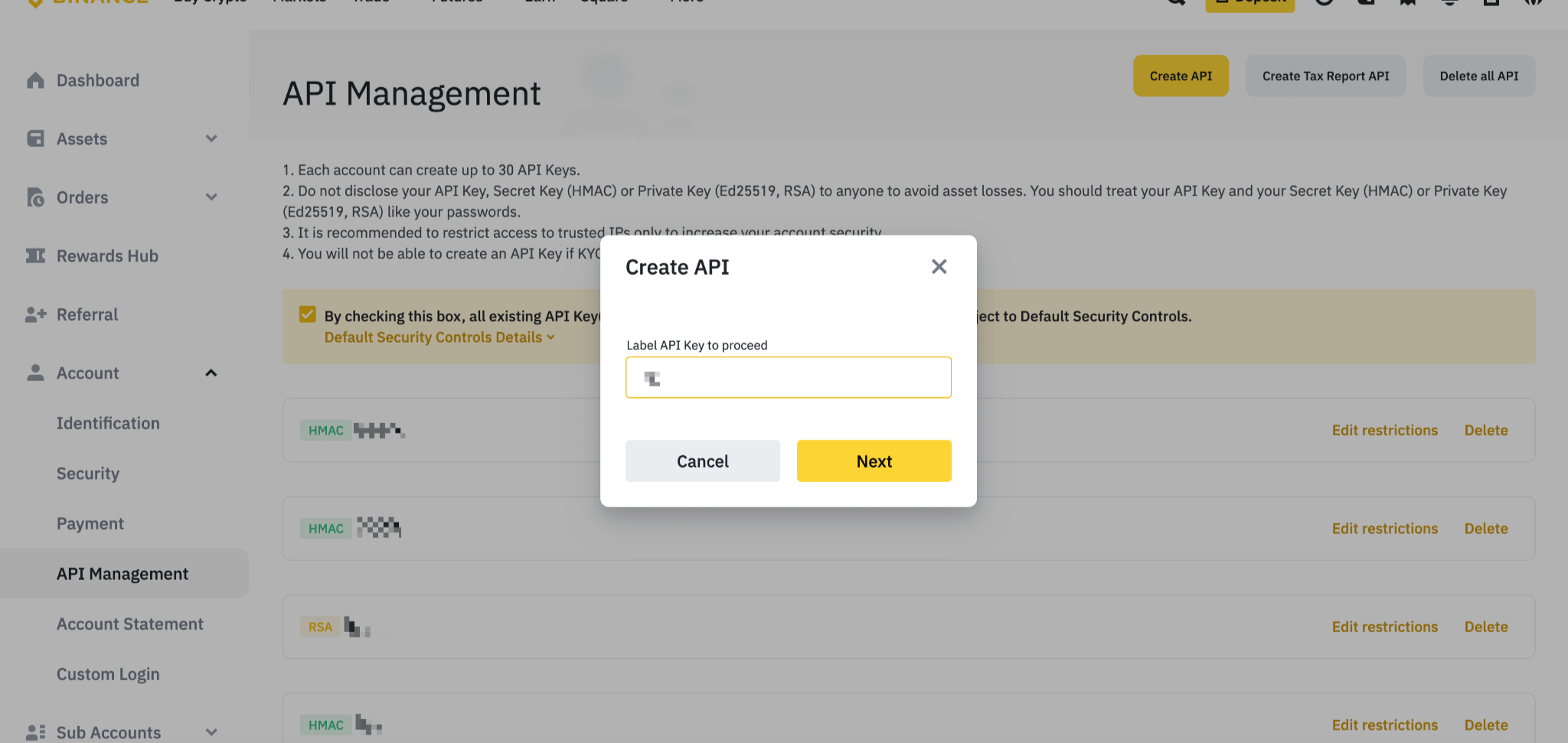
4. Enter a label or name for your API key.
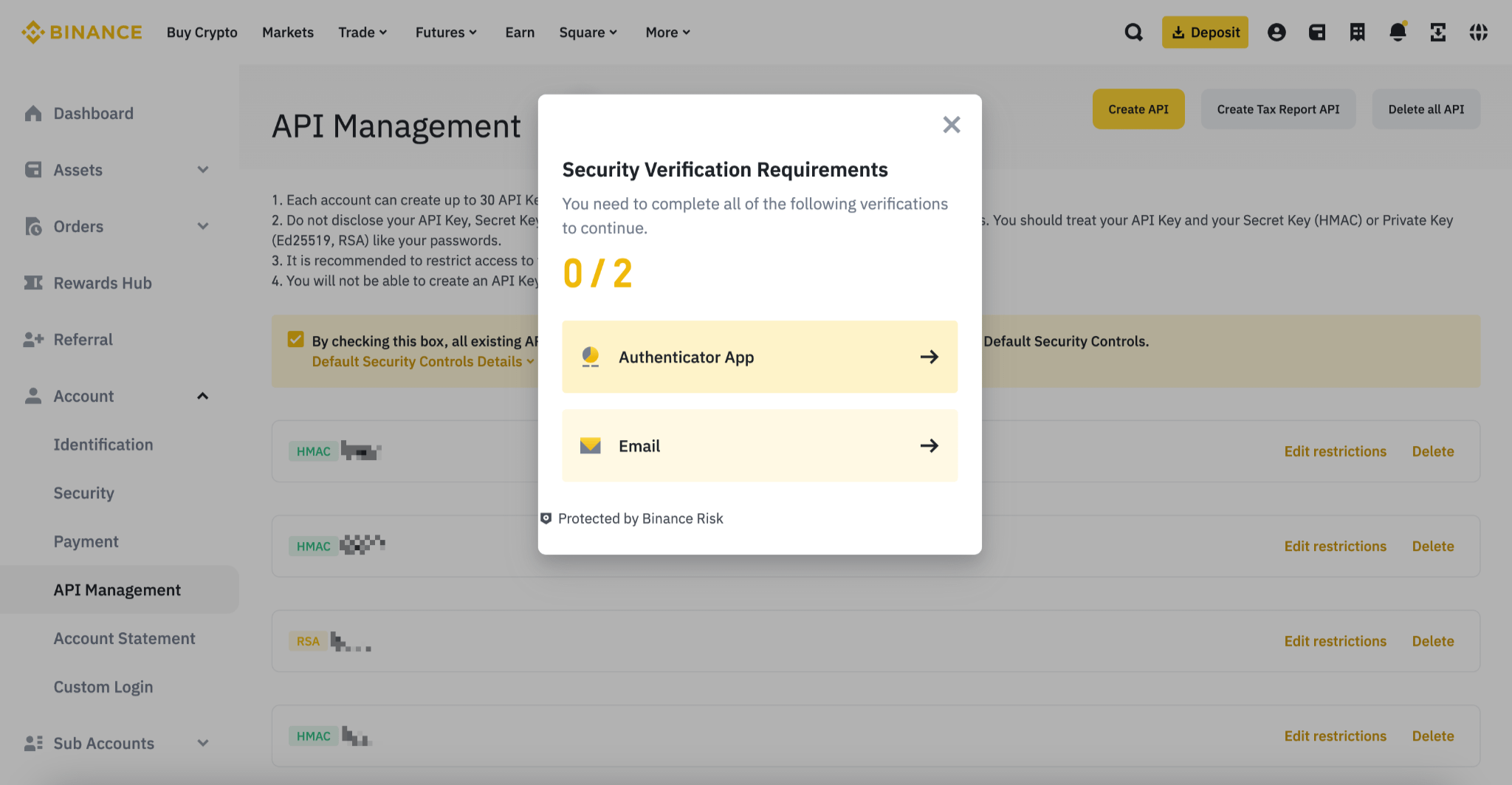
5. Verify with your 2FA devices or passkeys.
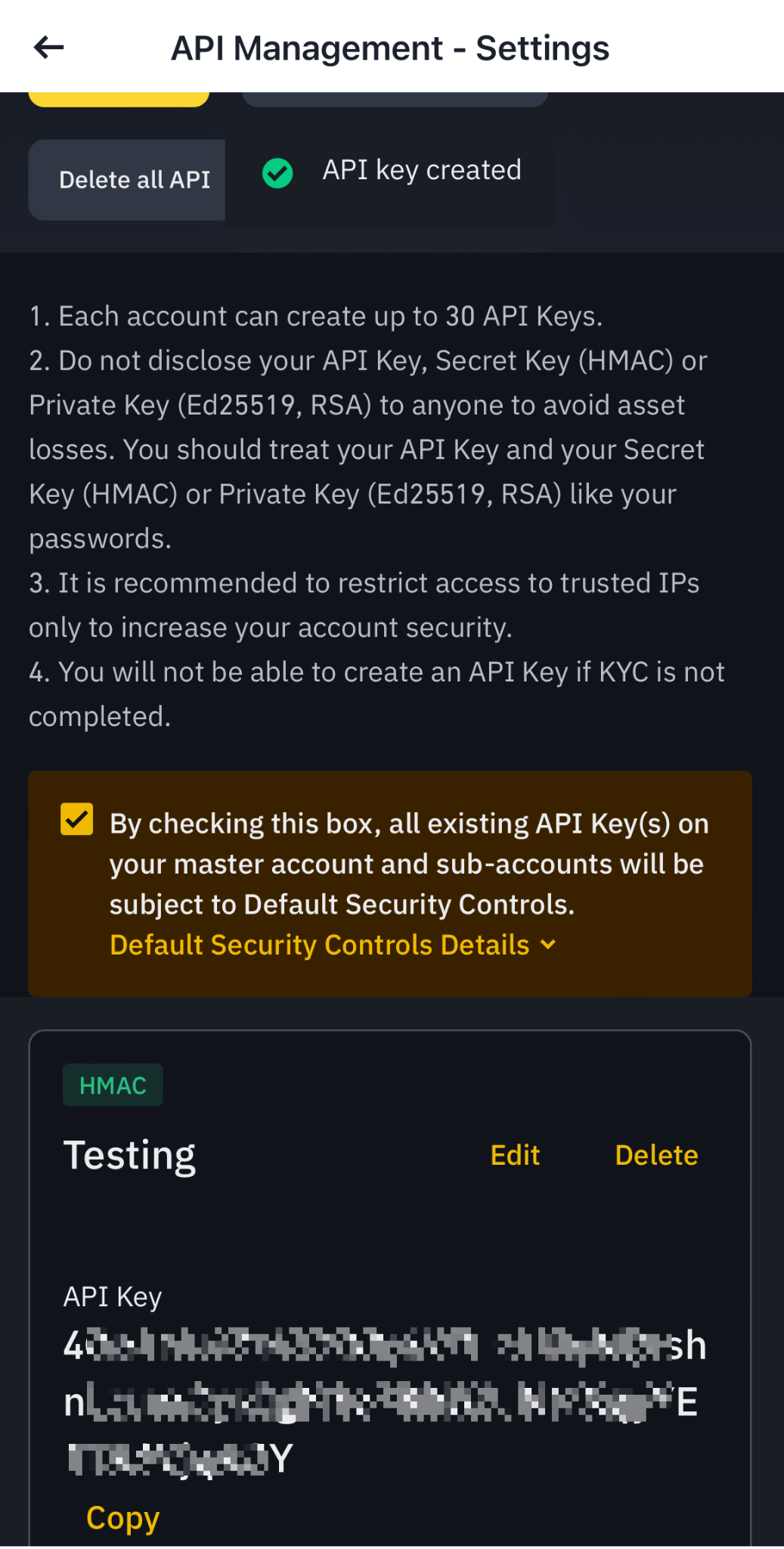
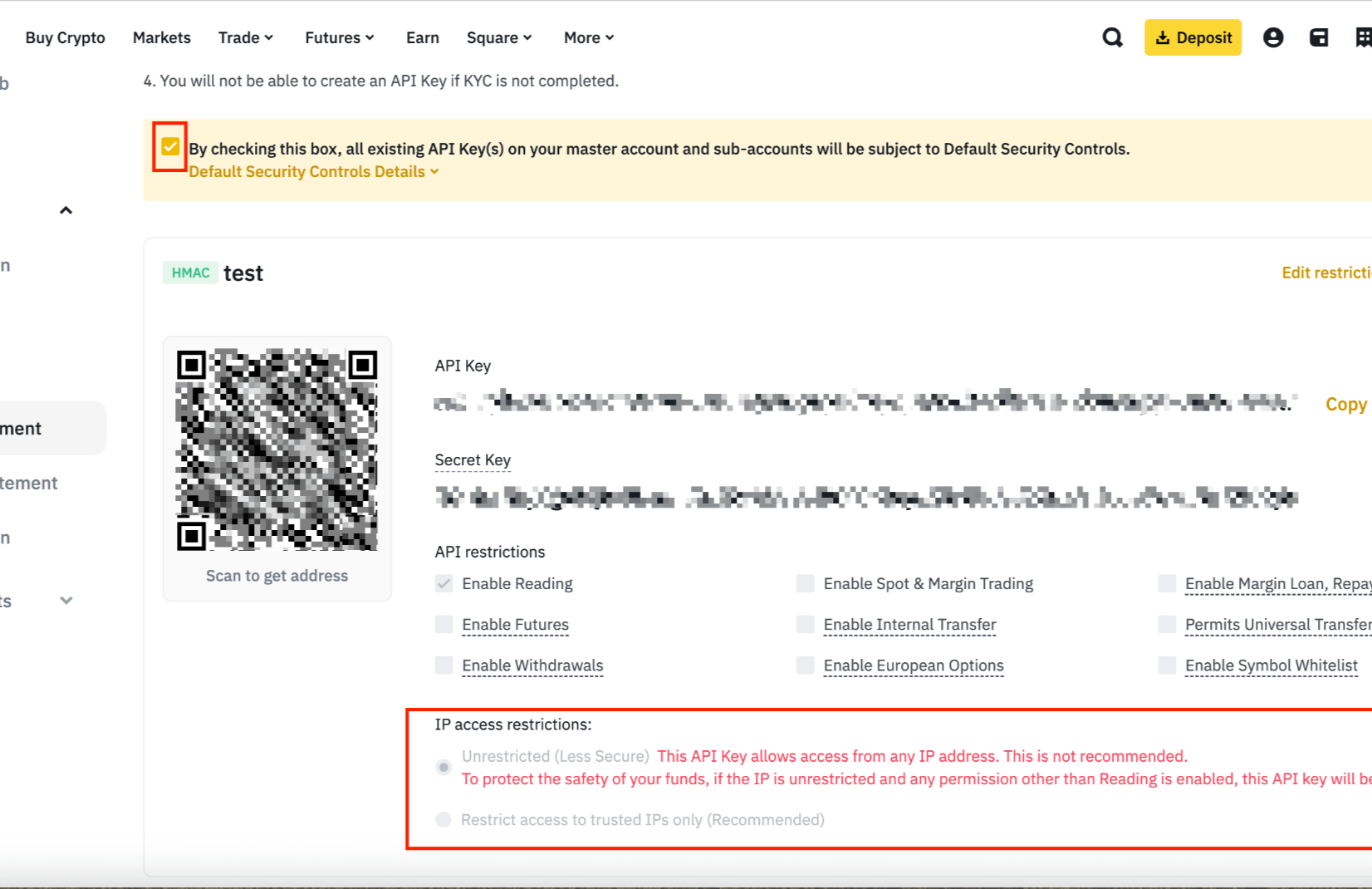
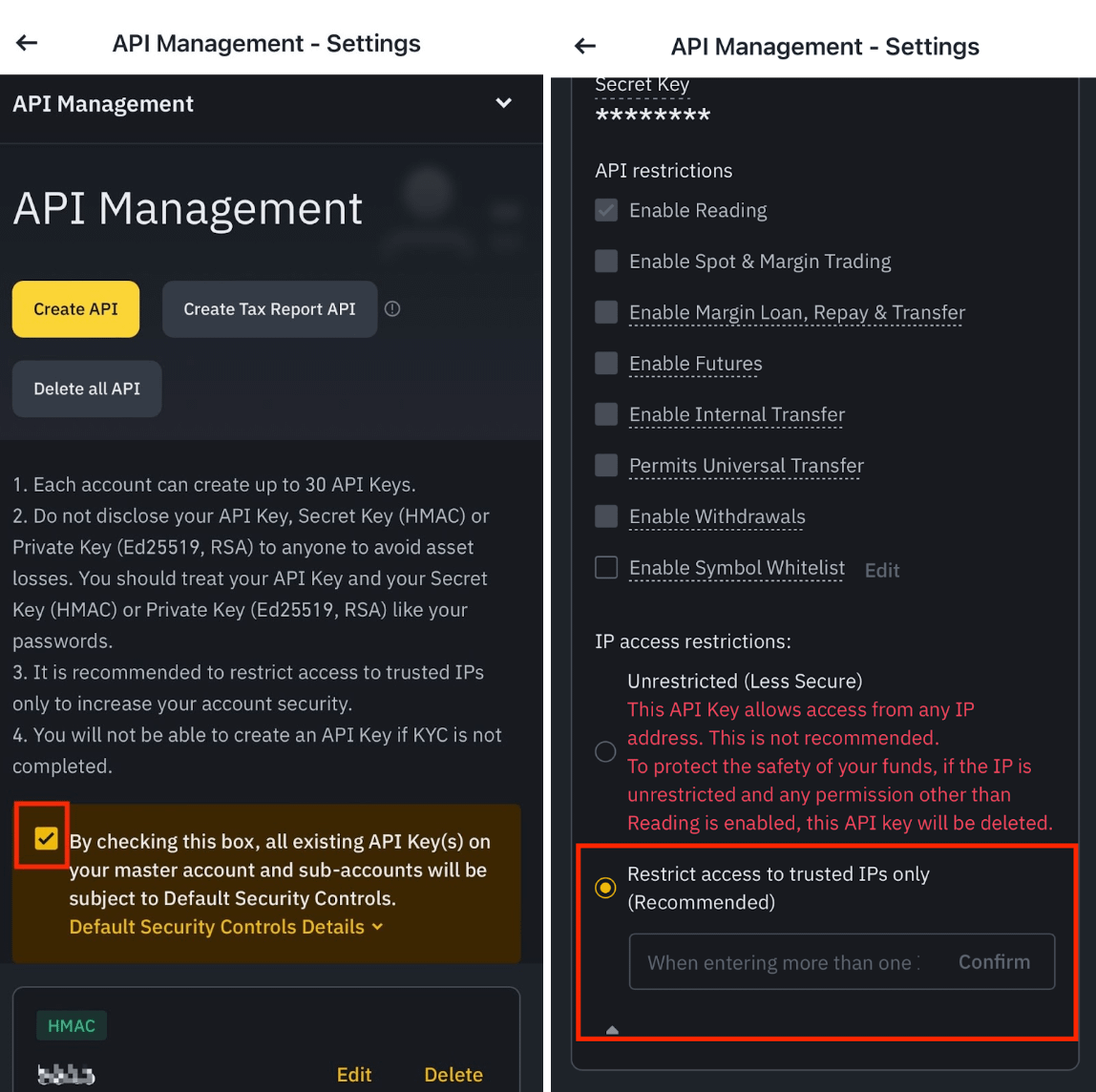
6. Your API key is now created.
1. Log in to your Binance App and tap [More].
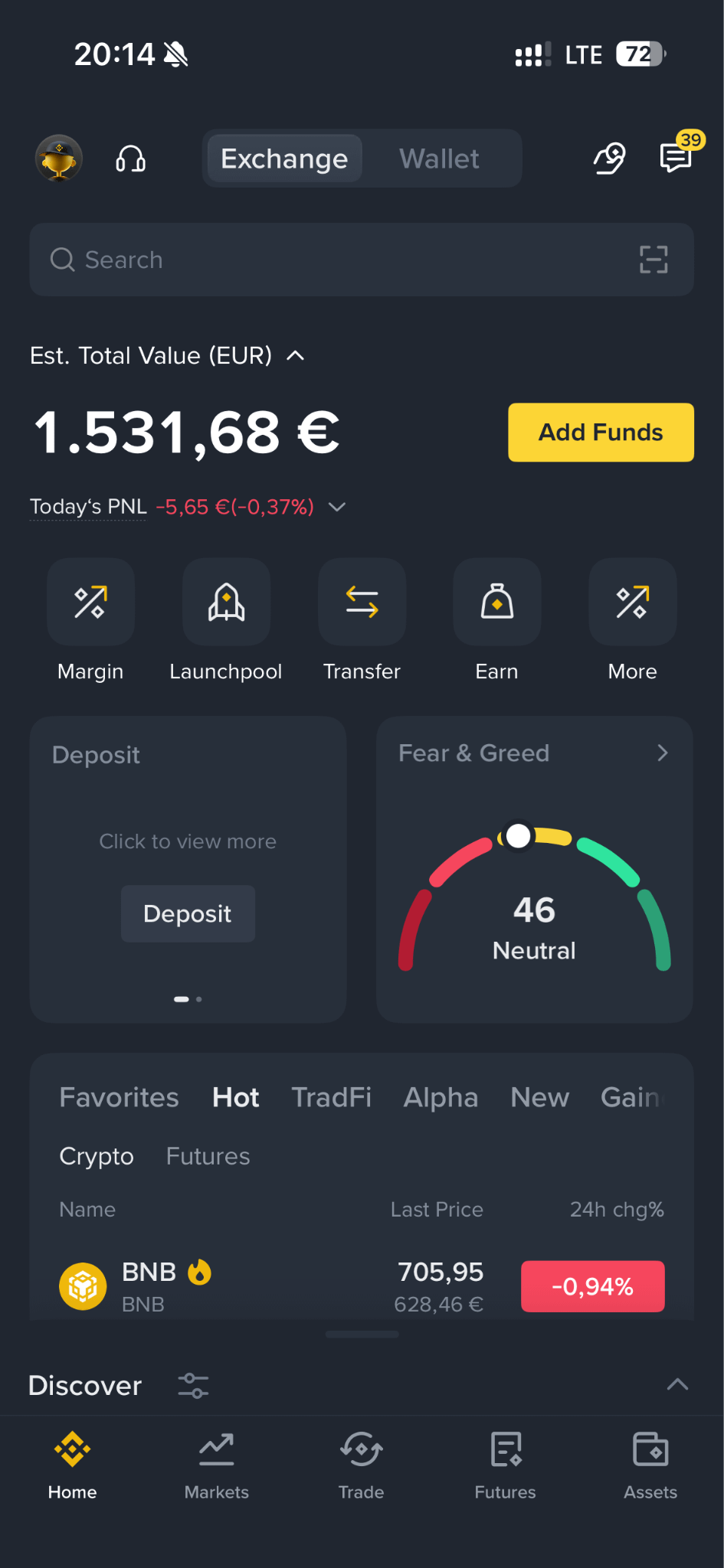
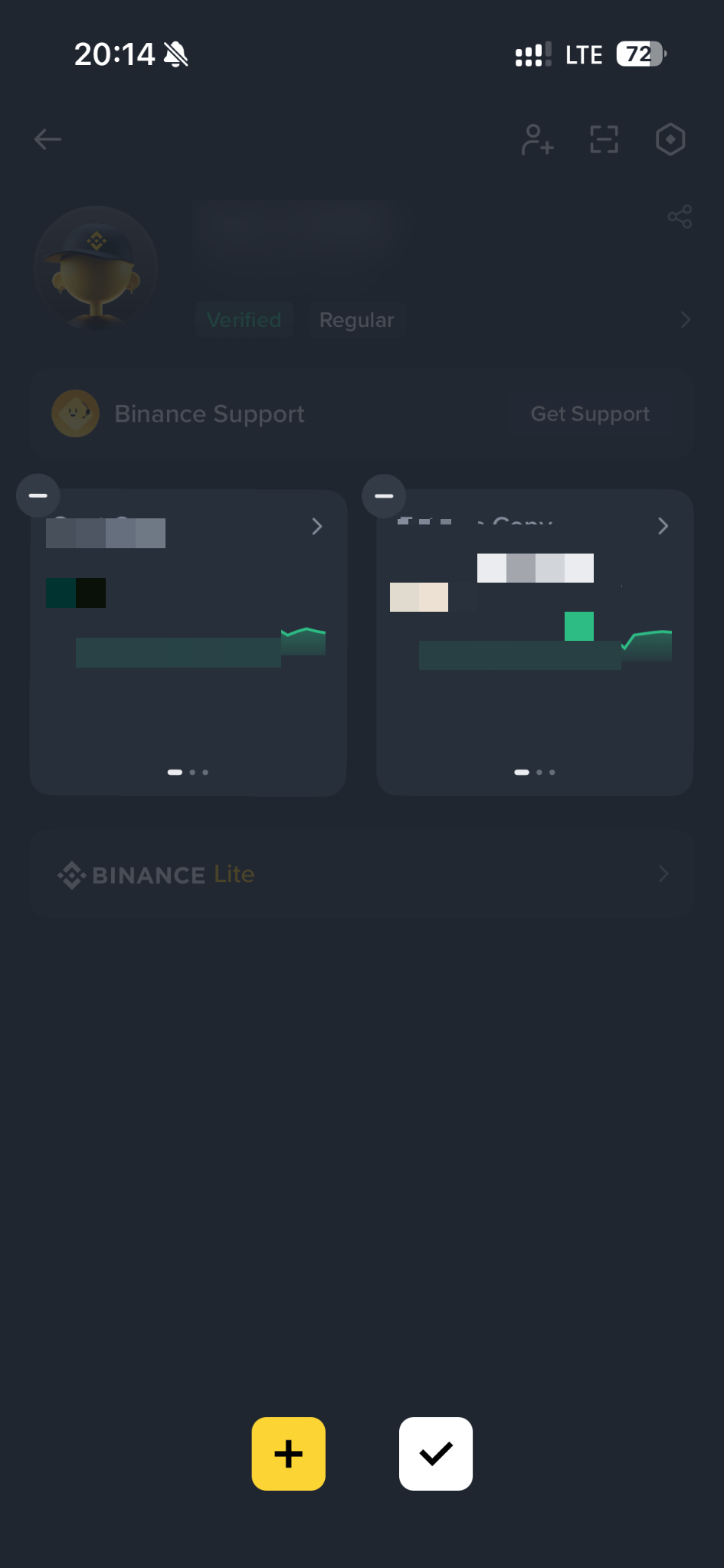
Please note: If you don’t have the [More] button on the homepage, go to [Profile] and long press anywhere on the screen. On the bottom you’ll notice [+] button, tap it to add widgets to your homepage. After adding the “Recommend” widget, the [More] button will show on your homepage.
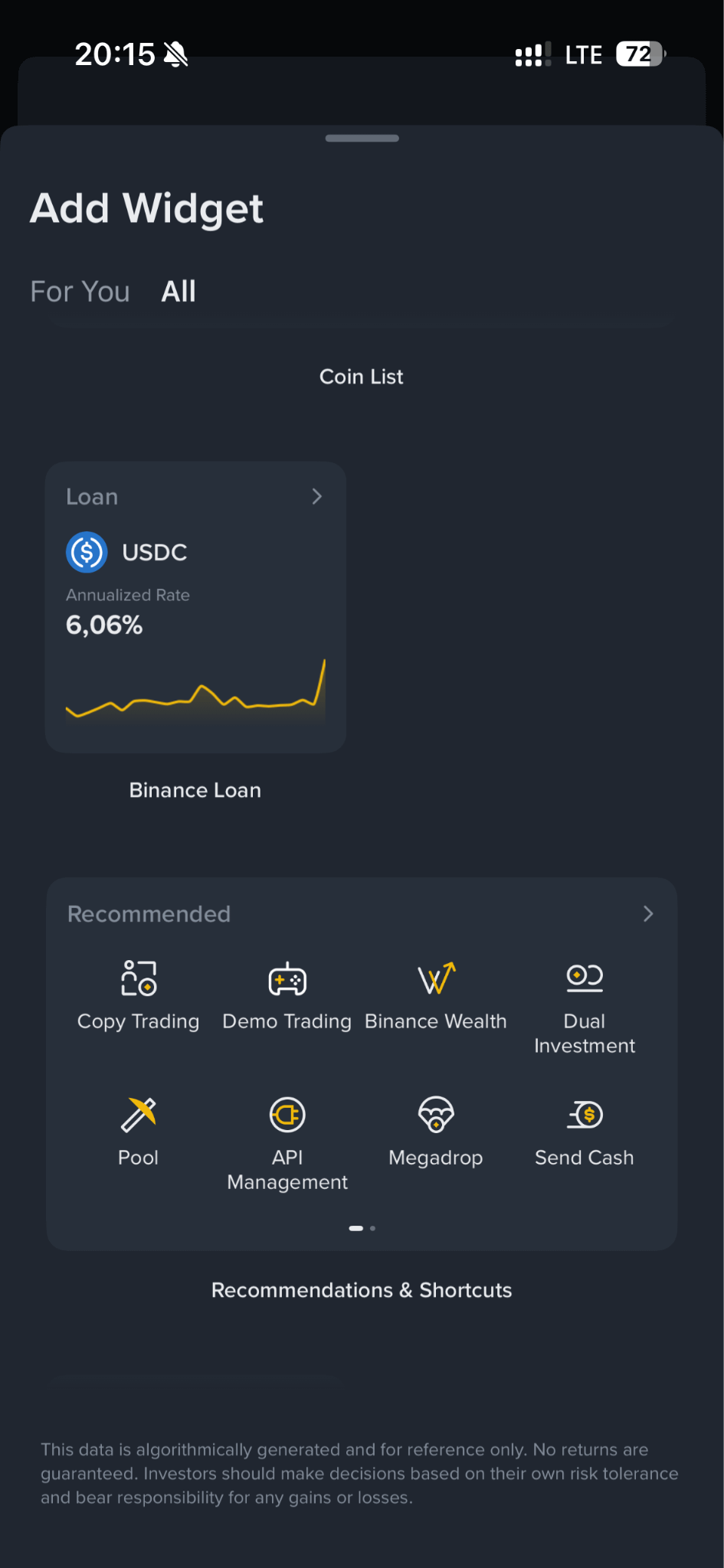
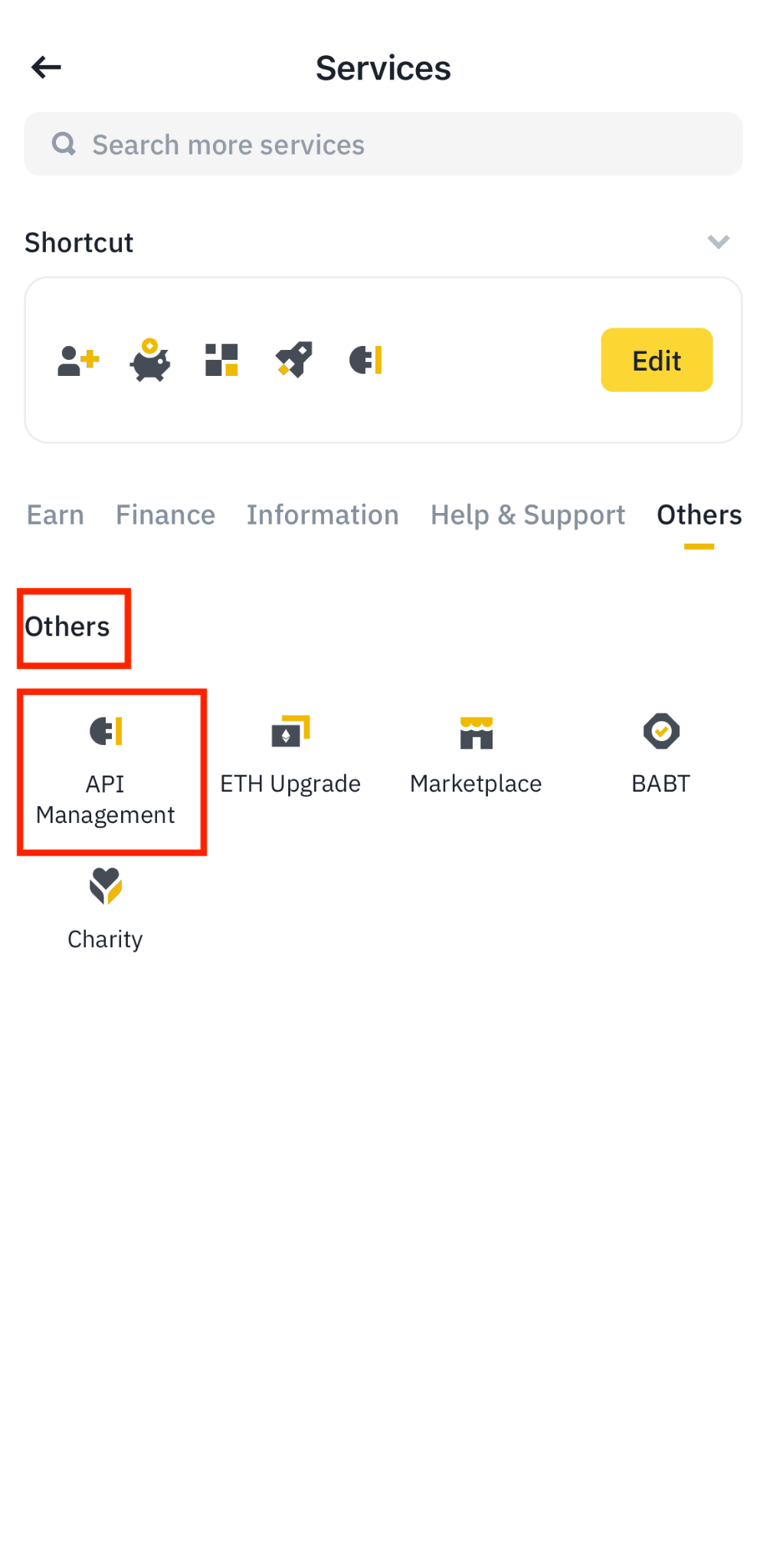
2. Scroll to the [Others] section and tap [API Management].
3. Tap [Create API].
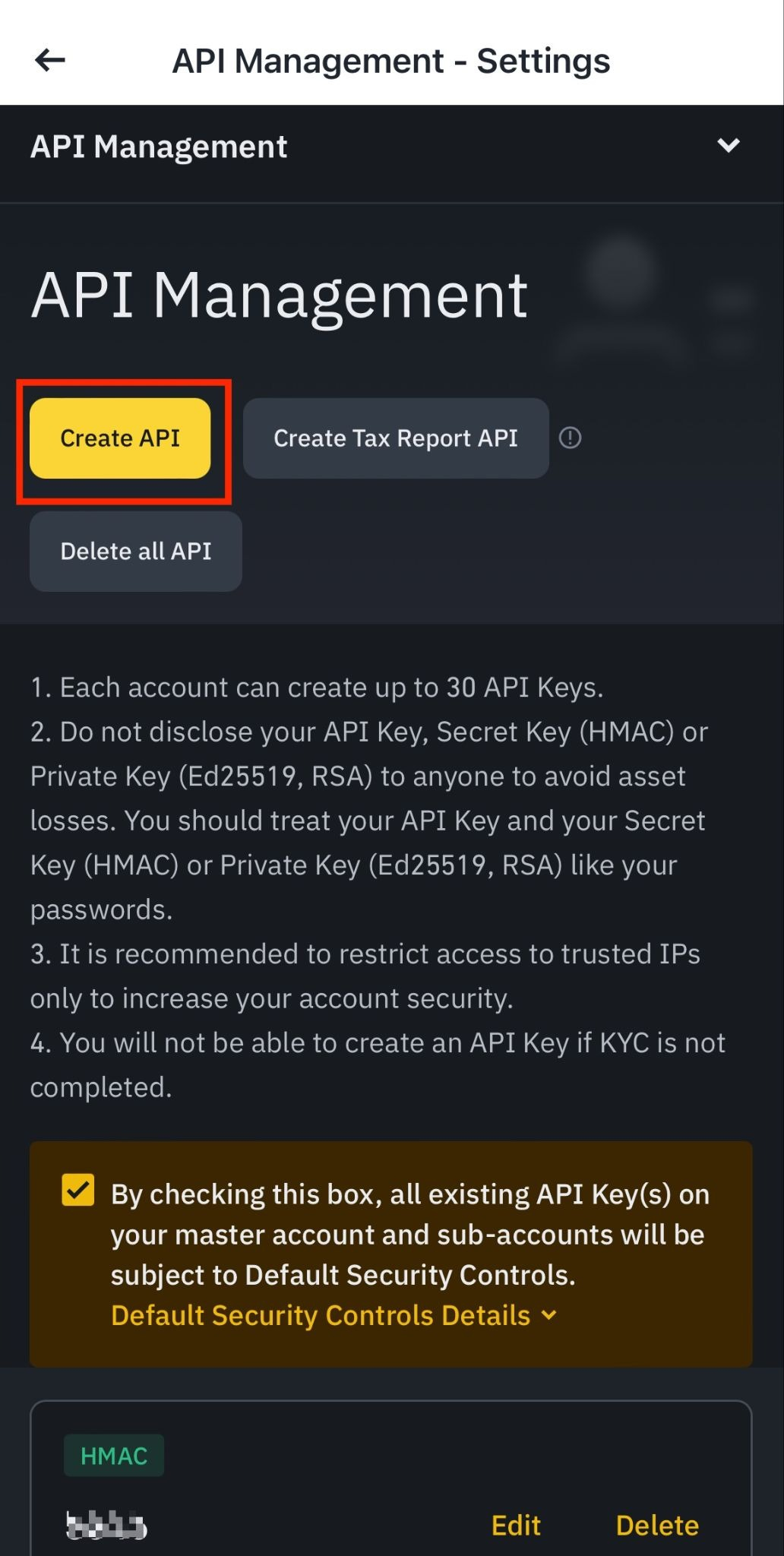
Please note that before creating an API key, you need to:
- Enable two-factor authentication (2FA) on your account;
- Make a deposit of any amount to your Spot Account to activate your account;
- Verify your identity.
For more details about the Tax Reporting API, please refer to How to Obtain Tax Reporting on Binance & Frequently Asked Questions.
4. Select your preferred API key type:
- System-generated API keys use HMAC symmetric encryption. You’ll get the API key and the Secret Key.
- Self-generated API keys use Ed25519 or RSA asymmetric encryption. You’ll receive an API key, but you have to create your own public-private key pair via third-party software and provide the public key to Binance.
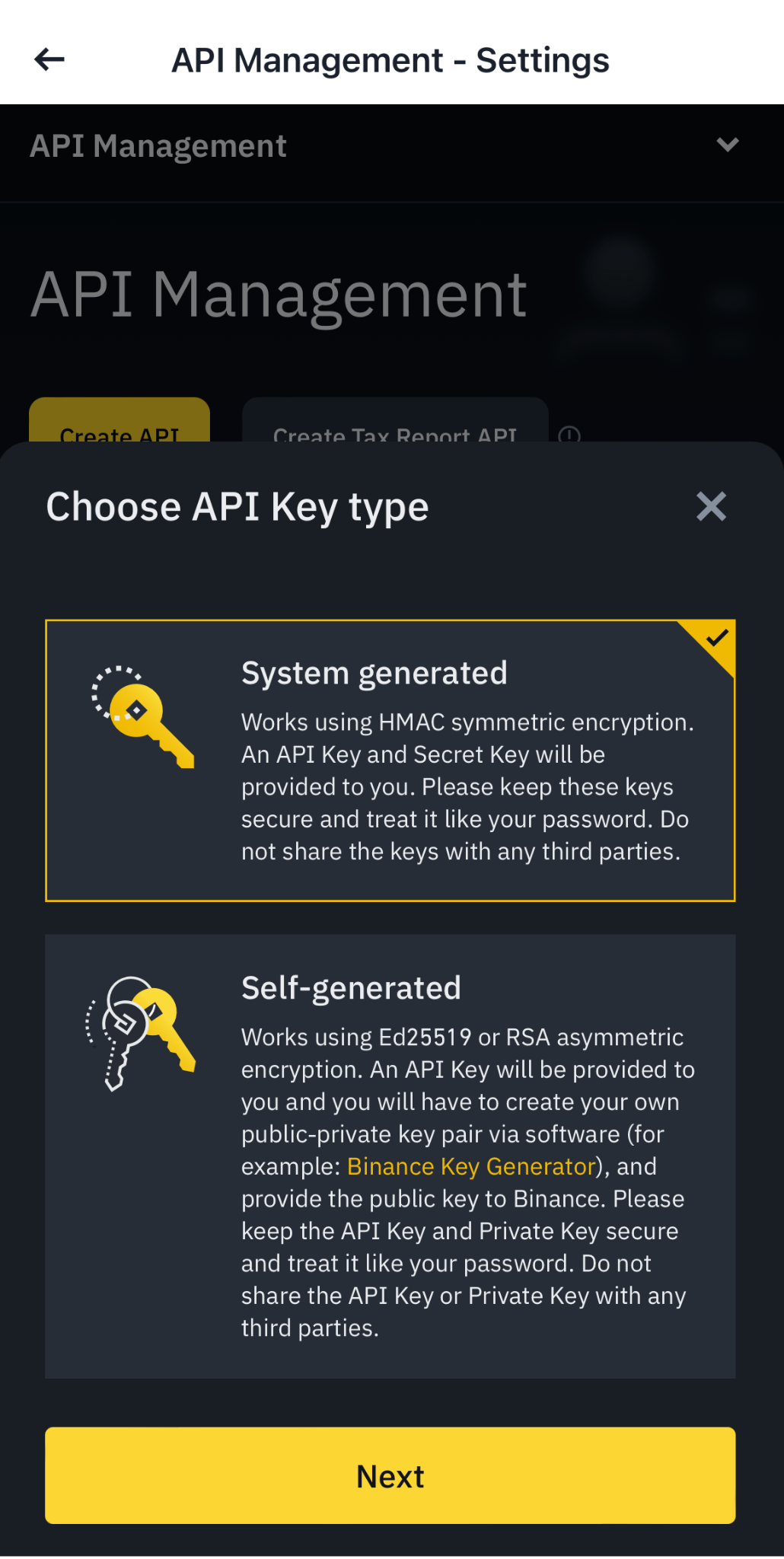
For more details on self-generated API keys, please refer to How to Generate an Ed25519 Key Pair to Send API Requests on Binance.
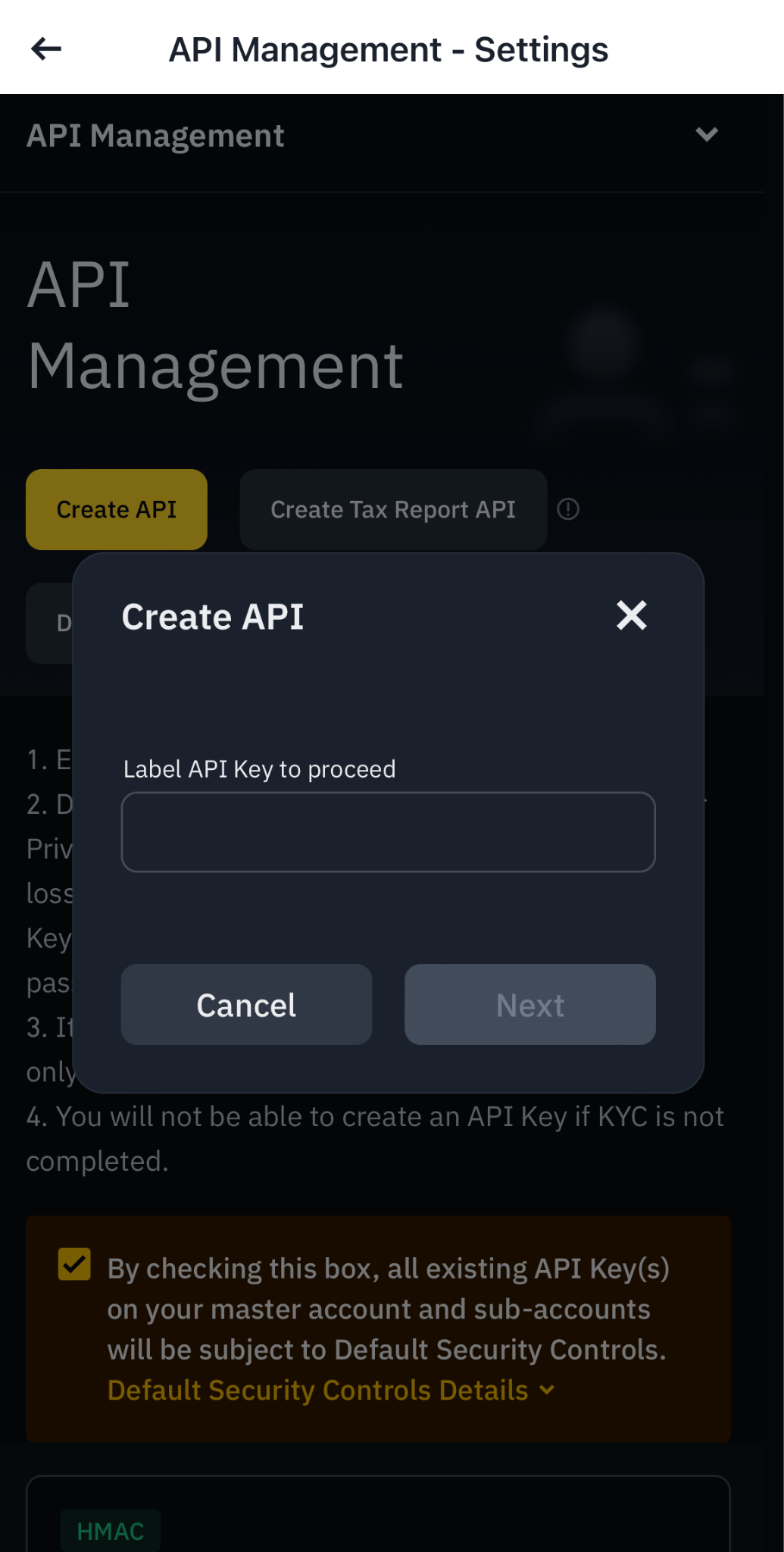
5. Enter a label or name for your API key.
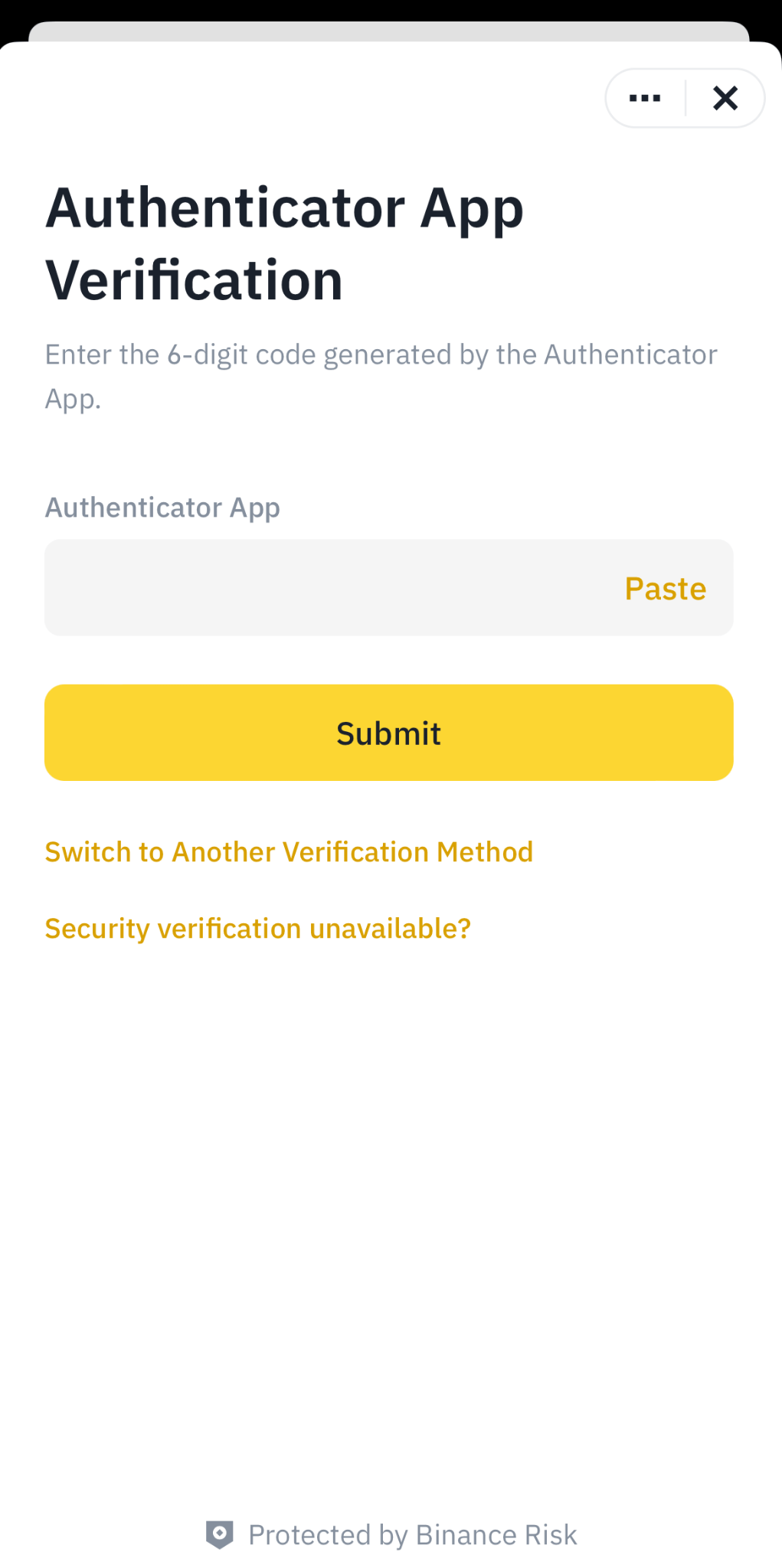
6. Verify with your 2FA devices or passkeys.
7. Your API key is now created.