Disclaimer: In compliance with MiCA requirements, unauthorized stablecoins are subject to certain restrictions for EEA users. Please disregard this activity if you are a user from the EEA. For more information, please click here.
You can now stake USDT on the Yield+ USDT-sUSDX Strategy via Binance Wallet to share 300,000 USDX rewards. For more details, please visit the campaign landing page.
You can stake USDT directly, or use the swap function to obtain them in your Binance Wallet:
To opt-in to the campaign, please visit the campaign landing page, and tap [Join Now].
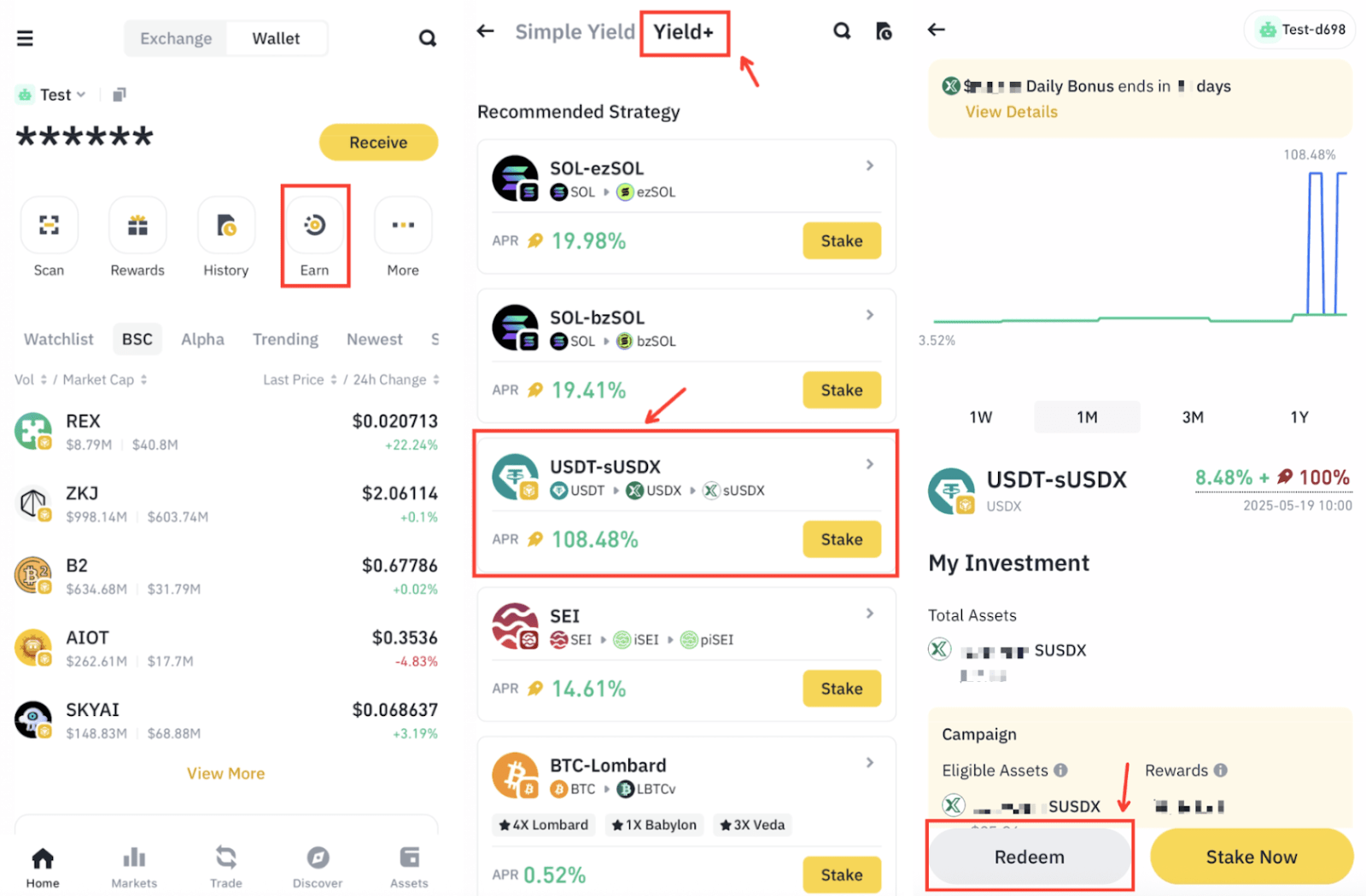
1. Log in to your Binance App and go to [Earn] - [Yield+]. Tap [USDT-sUSDX].
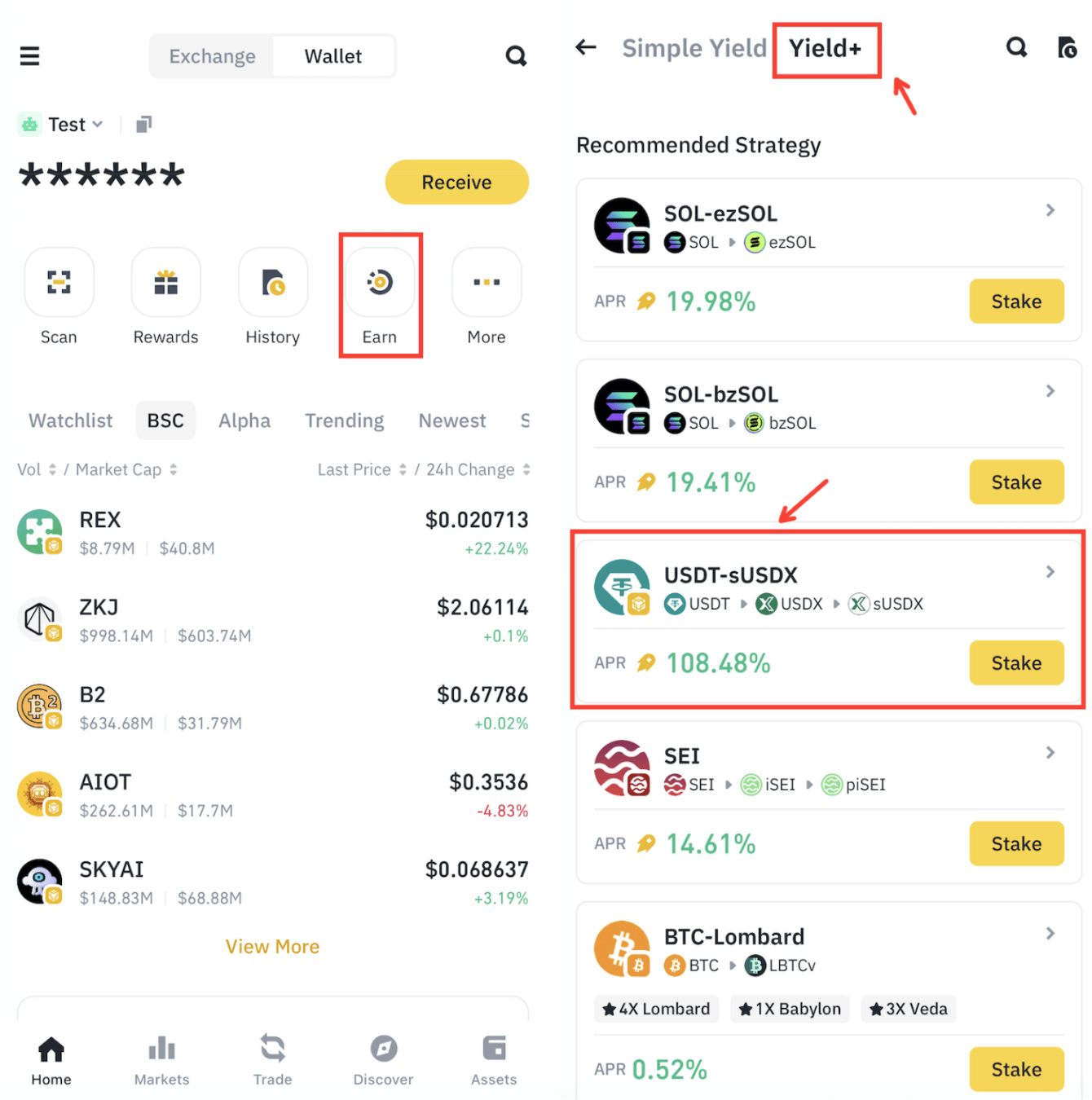
Please note: To be eligible for the campaign rewards, you have to stake a minimum of 25 USDT. The transaction cost is approximately 0.00001 - 0.0001 BNB. Please make sure you have a sufficient BNB balance in your Binance Wallet.
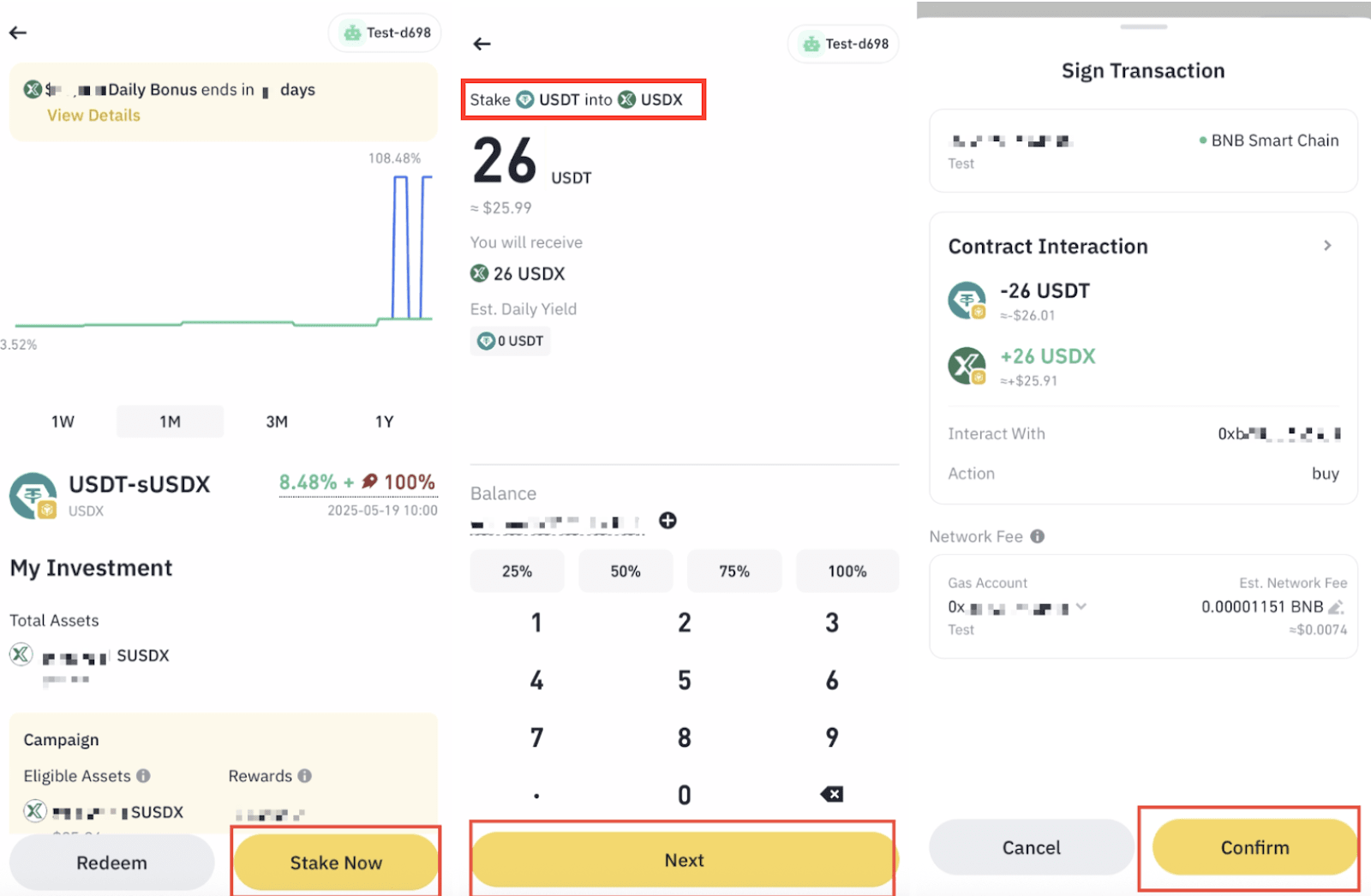
2. Choose [Stake Now], enter a minimum of 25 USDT, confirm the transaction cost, then tap [Next] - [Confirm].
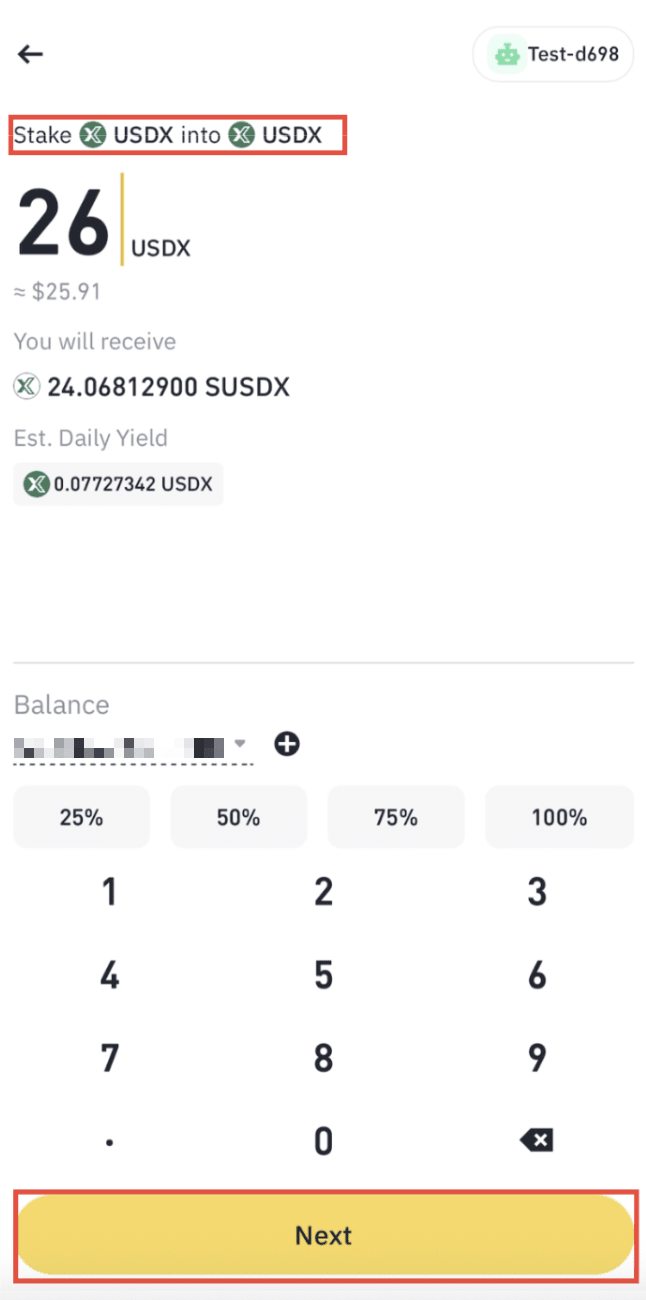
3. After the transaction is submitted successfully, you’ll be guided to stake USDX to sUSDX. Enter a minimum of 25 USDX, confirm the transaction cost, then tap [Next].
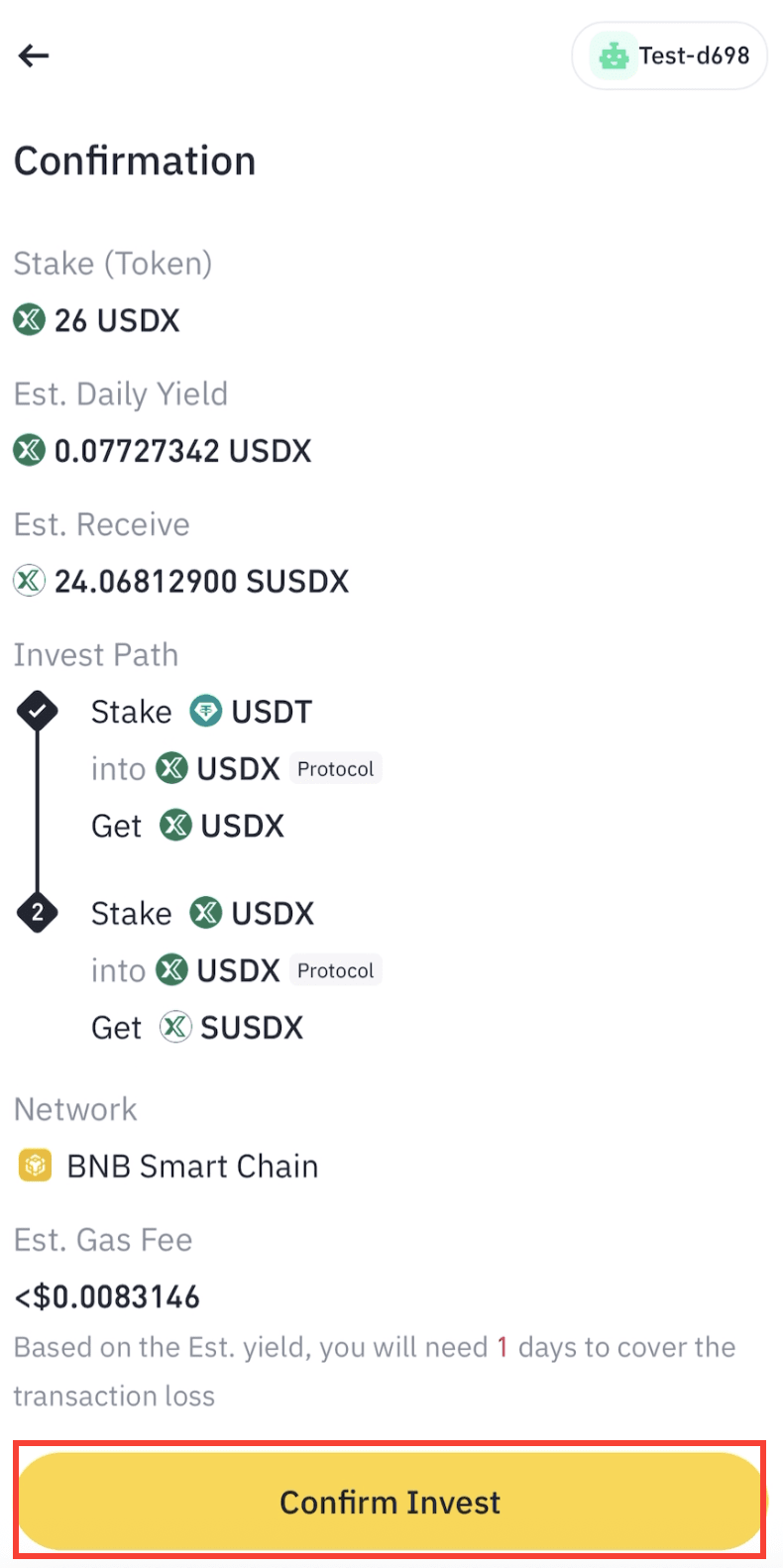
4. Check that the details are correct and tap [Confirm Invest] to approve the transaction.
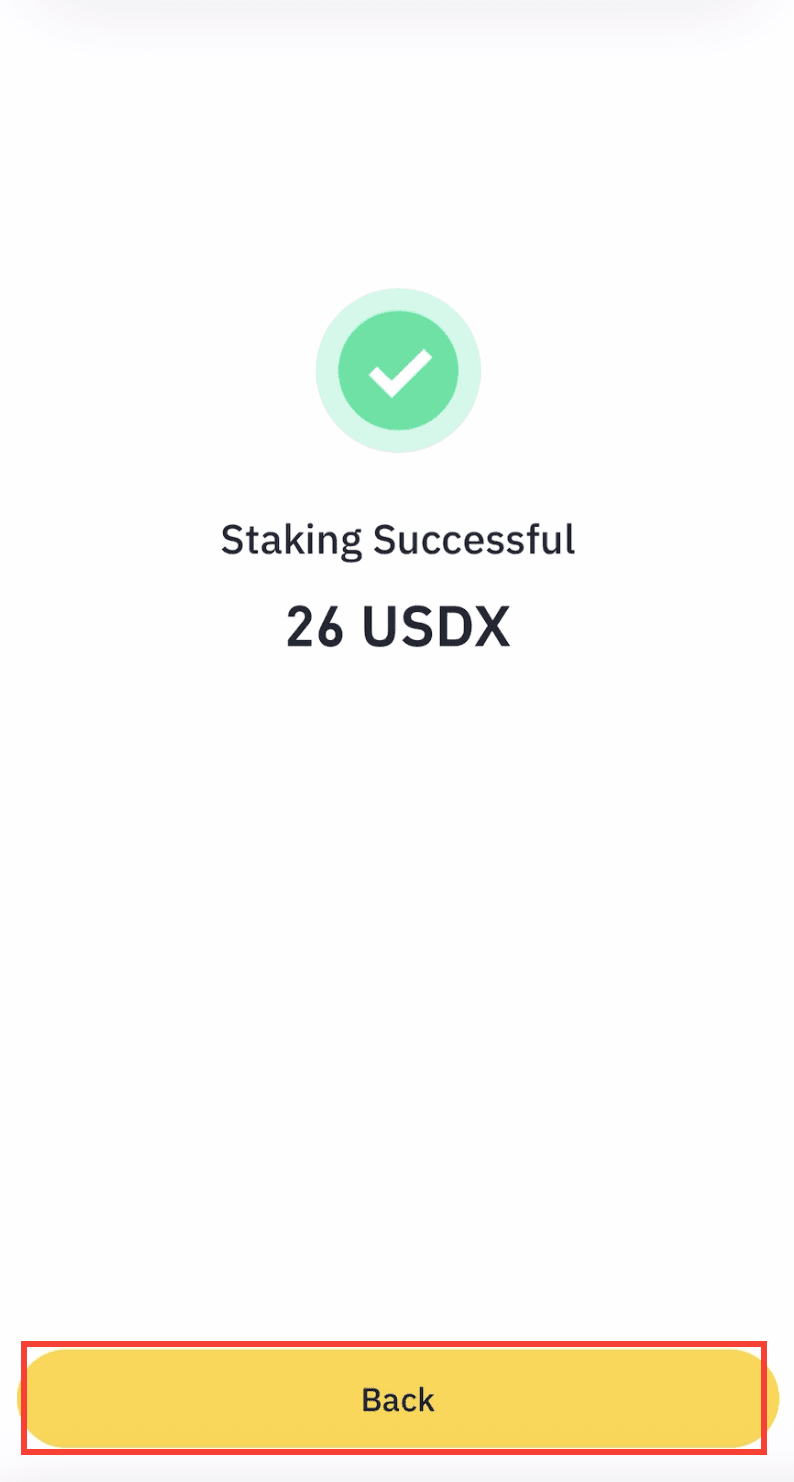
5. Once complete, you’ll see a “Transaction Successful” pop-up and will receive sUSDX on BNB Smart Chain.
1. Go to [Earn] - [Yield+] - [USDT-sUSDX] - [Redeem].
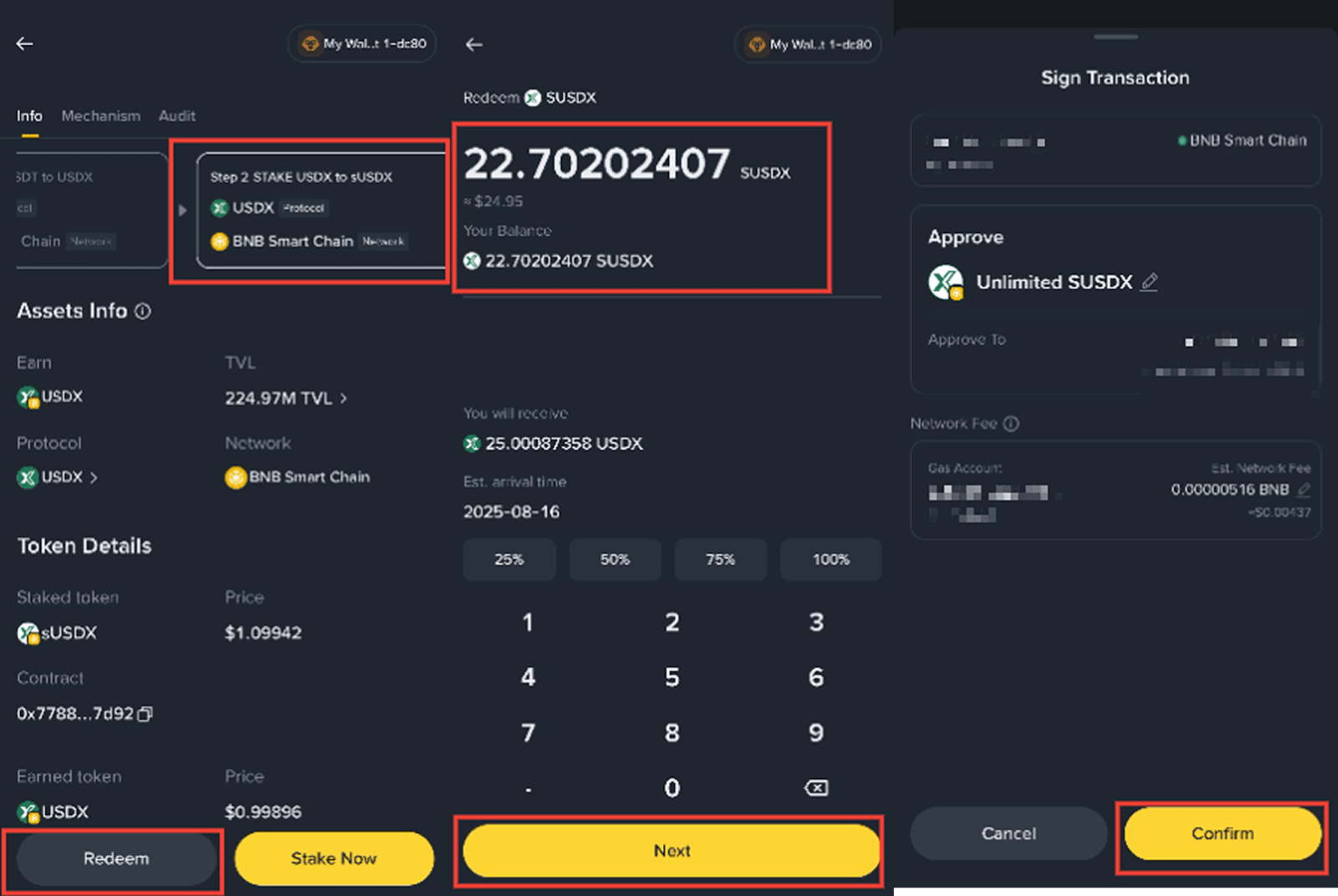
2. Scroll down and select [Step 2 STAKE USDX to sUSDX] - [Redeem] to unstake sUSDX to USDX. Enter the amount you would like to swap and select [Next] - [Confirm] to approve the transaction.
Please note: USDX unstaking may take up to 1 day to complete.
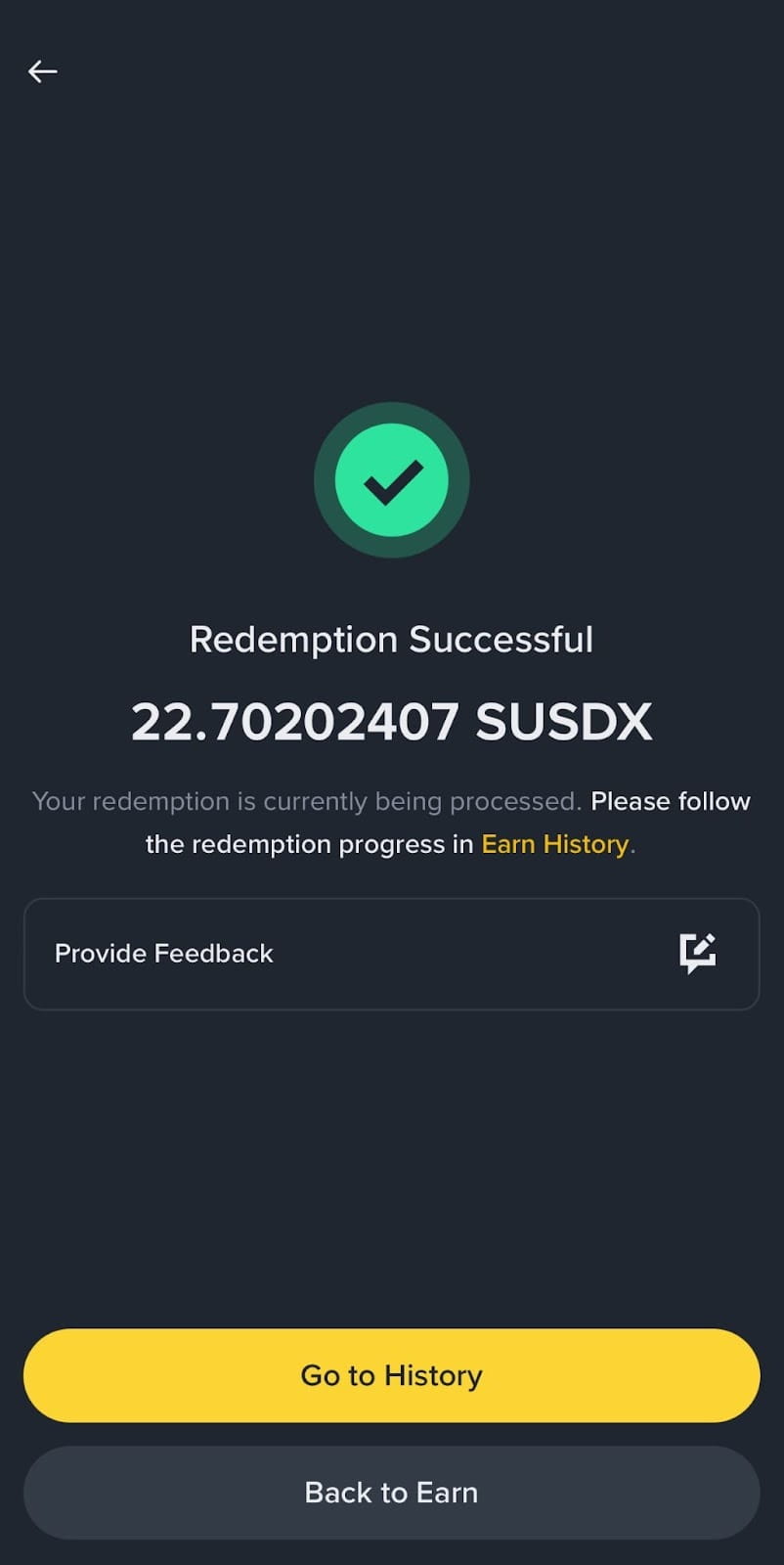
3. A “Redemption Successful” page will be displayed once the transaction has been submitted.
4. When the unstaking is complete, you can claim the deposited USDX. Navigate to the Simple Yield claim section, select [Claim] on the protocol you would like to claim assets for. Select [Claim] to confirm the transaction.
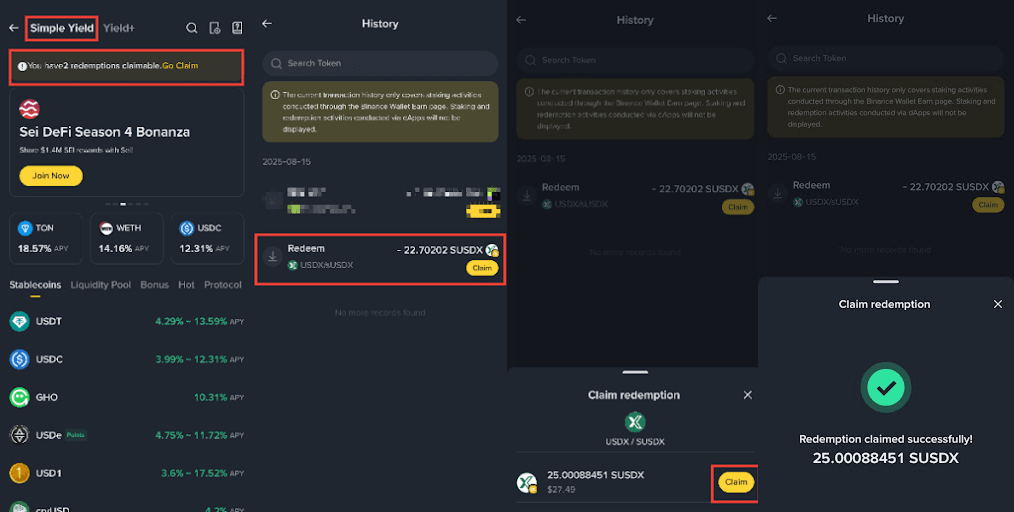
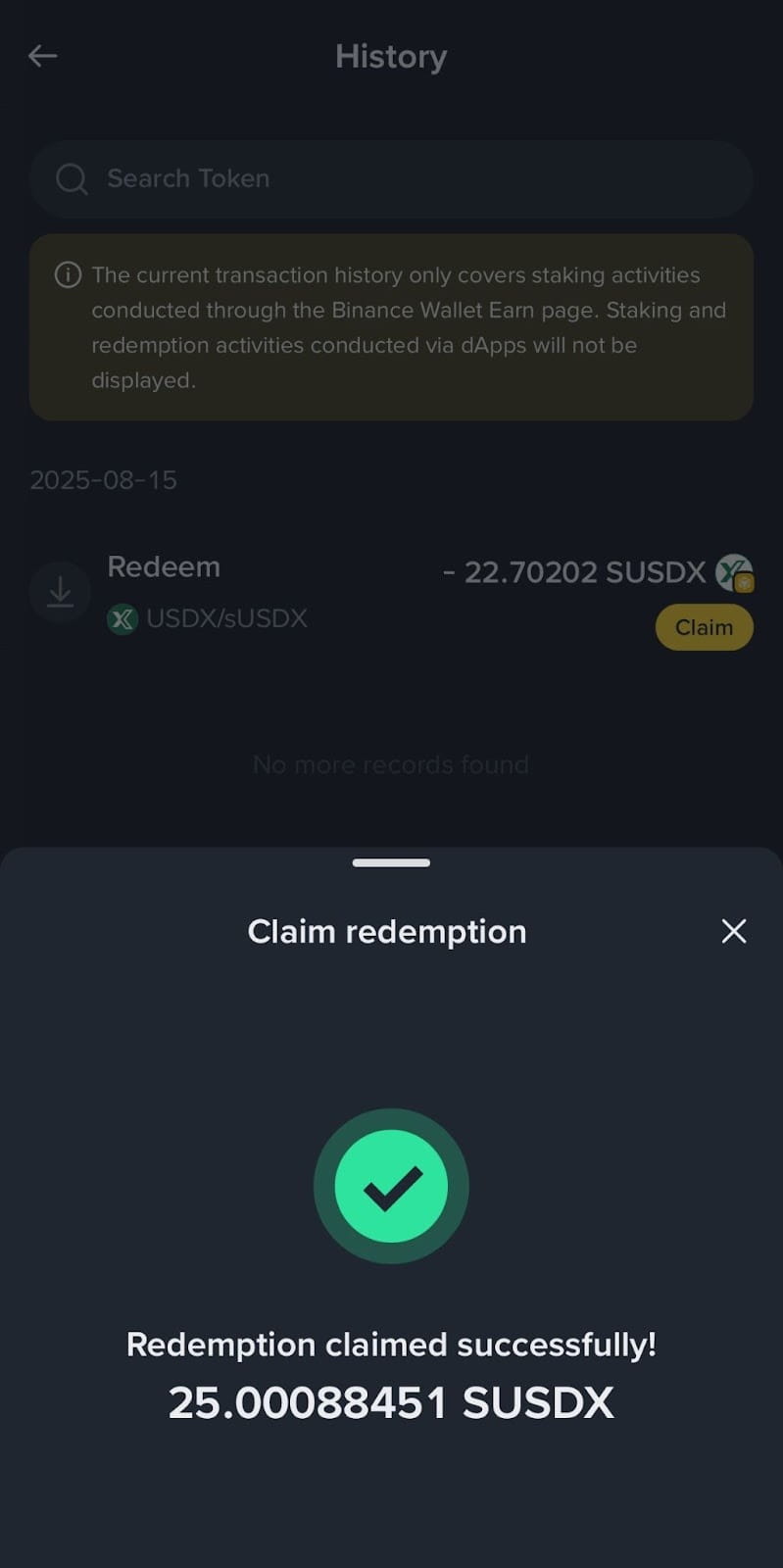
5. Once the USDX has been claimed, a “Redemption claimed successfully” page will be displayed and the USDX will be deposited to your wallet.
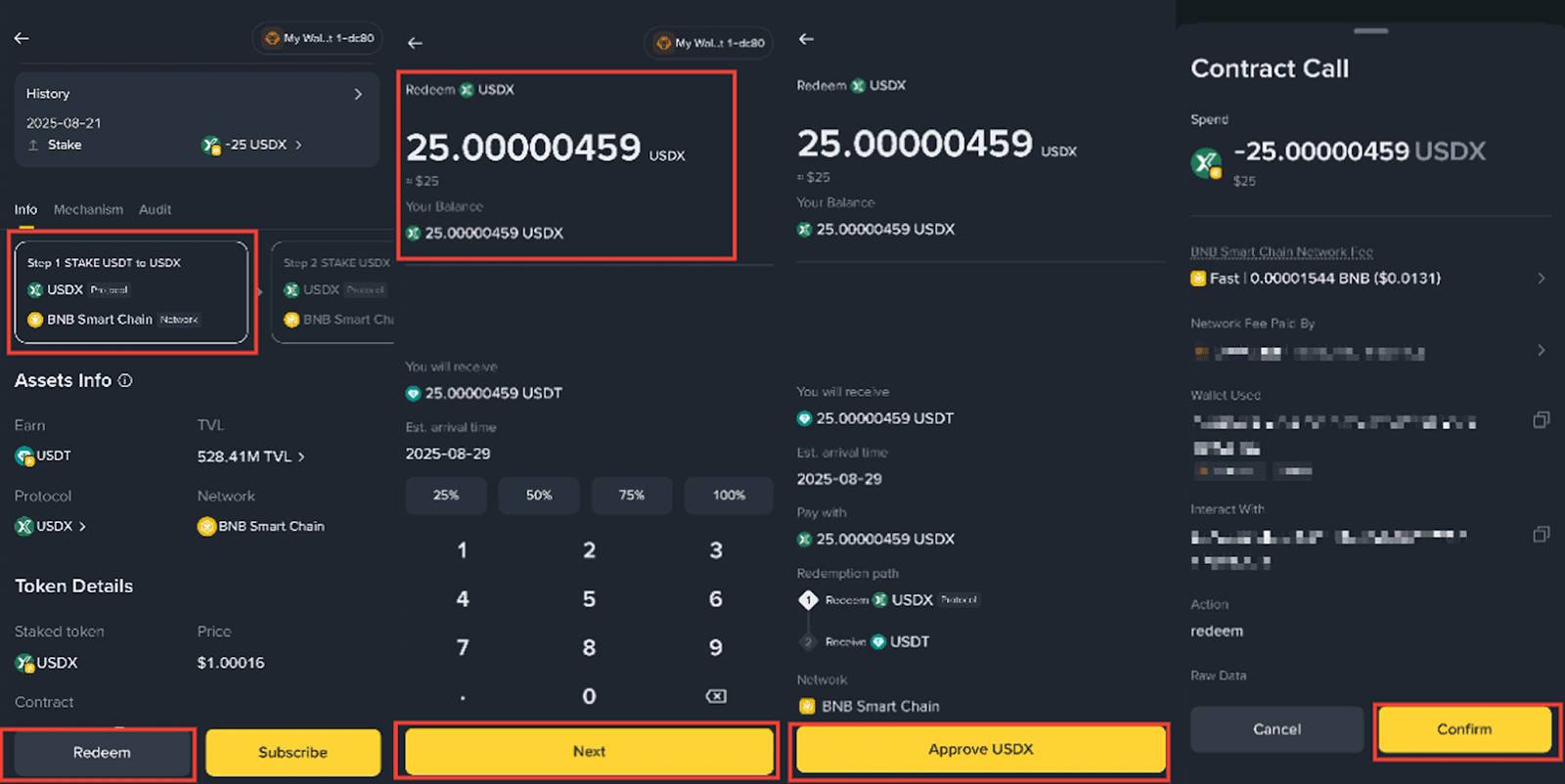
6. To redeem USDX to USDT, go to the USDX interface, select [Step 1 STAKE USDT to USDX] - [Redeem]. Enter the amount of USDX, select [Next] - [Approve USDX] - [Confirm].
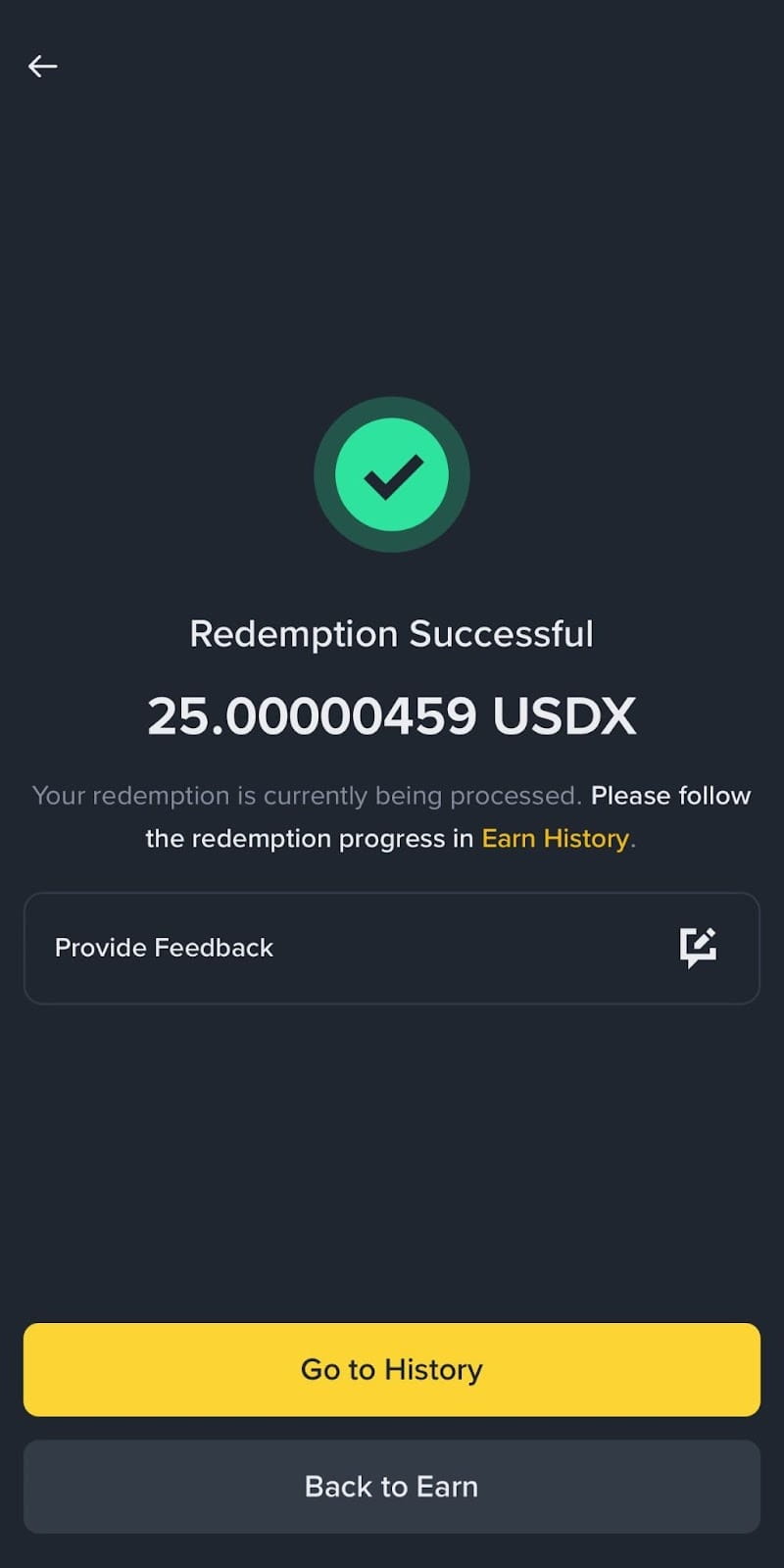
7. A “Redemption Successful” page will be displayed once the transaction has been submitted. The redemption process may take up to 7 days to complete.
Please ensure you have sufficient BNB in your wallet to cover network fees for all transactions. The transaction cost is approximately 0.00015 BNB.
Disclaimer:
In compliance with MiCA requirements, unauthorized stablecoins are subject to certain restrictions for EEA users. Please disregard this activity if you are a user from the EEA. For more information, please click here.
Digital asset prices are subject to high market risk and price volatility. The value of your investment may go down or up, and you may not get back the amount invested. You are solely responsible for your investment decisions and Binance is not liable for any losses you may incur. Past performance is not a reliable predictor of future performance. You should only invest in products you are familiar with and where you understand the risks. You should carefully consider your investment experience, financial situation, investment objectives and risk tolerance and consult an independent financial adviser prior to making any investment. APR is an estimate of rewards you will earn in cryptocurrency over the selected timeframe. It does not display the actual or predicted returns/yield in any fiat currency. APR is adjusted daily and the estimated rewards may differ from the actual rewards generated. This material should not be construed as financial advice. For more information, see our Terms of Use and Risk Warning.
Binance Wallet is an optional product. It is your responsibility to determine if this product is suitable for you. Binance is not responsible for your access or use of third-party applications (including functionality embedded within the Binance Wallet) and shall have no liability whatsoever in connection with your use of such third-party applications, including, without limitation, any transactions you dispute. Please carefully review the Binance Wallet Terms of Use and always do your own research.
