
#binance
binance
555.5M views
1.5M Discussing
Hot
Latest

Article
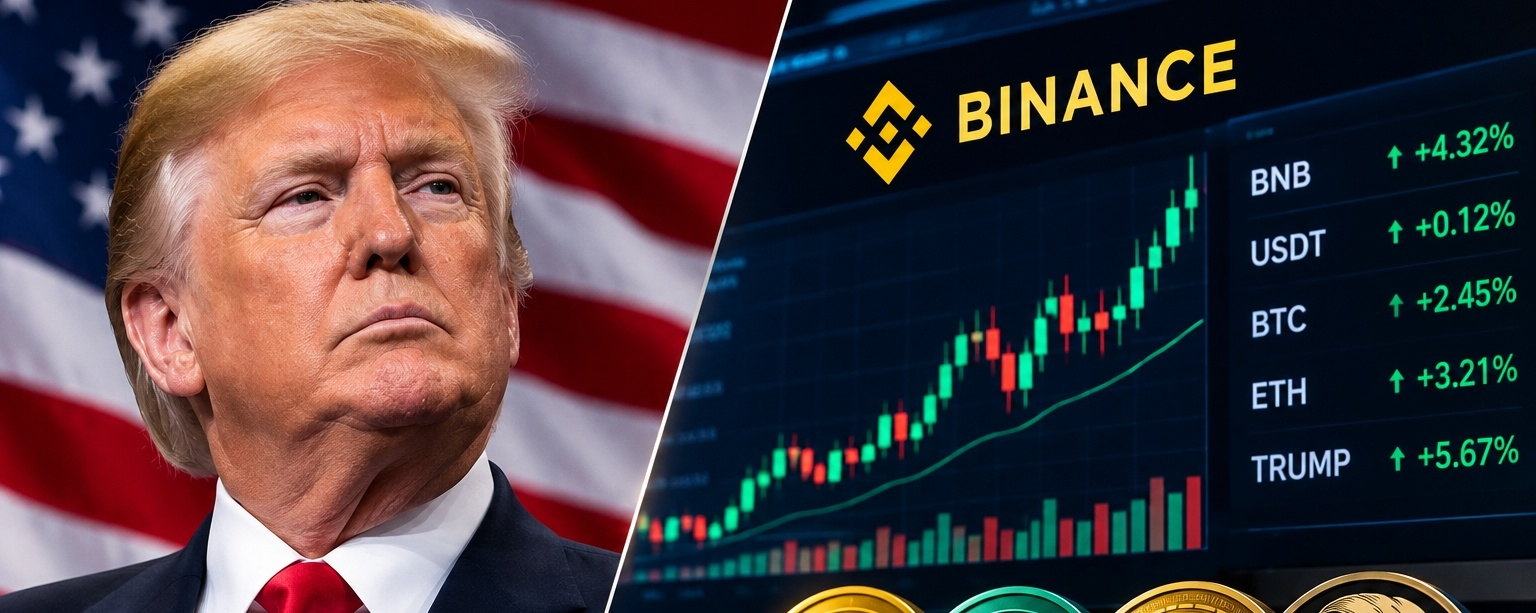
🚨 Senate Deadline for Binance! Is $BNB Facing New Market Pressure? 👀🚨 $BNB Under Pressure? Senate Sets January 4 Deadline for Binance & Crypto Firms! 👀
A major development is unfolding in the crypto industry!
U.S. Senator Richard Blumenthal has given four crypto-related companies until January 4, 2027, to voluntarily provide records requested in ongoing Senate investigations.
The companies involved are:
🔸 Binance ($BNB
{spot}(BNBUSDT)
)
{spot}(BTCUSDT)
{spot}(TRUMPUSDT)
🔸 Tether ($USDT)
🔸 World Liberty Financial
🔸 Fight Fight Fight LLC, linked to the $TRUMP Pmemecoin.
📅 Key Dates to Watch:
• November 30, 2026 – Initial document production deadline.
• January 4, 2027 – Final deadline for requested records.
🔍 What's Under Investigation?
• Binance: Questions about Iran-linked transactions and compliance records.
• Tether: Questions about USDT activity connected to Iran.
• Trump-linked crypto firms: Questions about business dealings and potential conflicts of interest.
⚠️ Here's what makes this important:
Blumenthal is expected to become chair of the Senate investigations panel in January. The committee's rules provide subpoena authority to its chair.
However, no new subpoenas or criminal charges have been announced in this matter. These remain investigations and requests for information, not proven findings of wrongdoing.
📊 My Take:
The crypto market is already sensitive to regulatory developments. Any major update involving Binance or Tether could attract serious attention from traders.
🔥 What do you think?
Will this investigation create pressure on $BNB and the wider crypto market, or will the market remain unaffected?
Share your thoughts below! 👇
#Binance #BNB #Tether #USDT #TRUMP #CryptoNews #CryptoMarket
🚨 Senate Deadline for Binance! Is $BNB Facing New Market Pressure? 👀
🚨 $BNB Under Pressure? Senate Sets January 4 Deadline for Binance & Crypto Firms! 👀
A major development is unfolding in the crypto industry!
U.S. Senator Richard Blumenthal has given four crypto-related companies until January 4, 2027, to voluntarily provide records requested in ongoing Senate investigations.
The companies involved are:
🔸 Binance ($BNB
)
🔸 Tether ($USDT)
🔸 World Liberty Financial
🔸 Fight Fight Fight LLC, linked to the $TRUMP Pmemecoin.
📅 Key Dates to Watch:
• November 30, 2026 – Initial document production deadline.
• January 4, 2027 – Final deadline for requested records.
🔍 What's Under Investigation?
• Binance: Questions about Iran-linked transactions and compliance records.
• Tether: Questions about USDT activity connected to Iran.
• Trump-linked crypto firms: Questions about business dealings and potential conflicts of interest.
⚠️ Here's what makes this important:
Blumenthal is expected to become chair of the Senate investigations panel in January. The committee's rules provide subpoena authority to its chair.
However, no new subpoenas or criminal charges have been announced in this matter. These remain investigations and requests for information, not proven findings of wrongdoing.
📊 My Take:
The crypto market is already sensitive to regulatory developments. Any major update involving Binance or Tether could attract serious attention from traders.
🔥 What do you think?
Will this investigation create pressure on $BNB and the wider crypto market, or will the market remain unaffected?
Share your thoughts below! 👇
#Binance #BNB #Tether #USDT #TRUMP #CryptoNews #CryptoMarket
A major development is unfolding in the crypto industry!
U.S. Senator Richard Blumenthal has given four crypto-related companies until January 4, 2027, to voluntarily provide records requested in ongoing Senate investigations.
The companies involved are:
🔸 Binance ($BNB
)
🔸 Tether ($USDT)
🔸 World Liberty Financial
🔸 Fight Fight Fight LLC, linked to the $TRUMP Pmemecoin.
📅 Key Dates to Watch:
• November 30, 2026 – Initial document production deadline.
• January 4, 2027 – Final deadline for requested records.
🔍 What's Under Investigation?
• Binance: Questions about Iran-linked transactions and compliance records.
• Tether: Questions about USDT activity connected to Iran.
• Trump-linked crypto firms: Questions about business dealings and potential conflicts of interest.
⚠️ Here's what makes this important:
Blumenthal is expected to become chair of the Senate investigations panel in January. The committee's rules provide subpoena authority to its chair.
However, no new subpoenas or criminal charges have been announced in this matter. These remain investigations and requests for information, not proven findings of wrongdoing.
📊 My Take:
The crypto market is already sensitive to regulatory developments. Any major update involving Binance or Tether could attract serious attention from traders.
🔥 What do you think?
Will this investigation create pressure on $BNB and the wider crypto market, or will the market remain unaffected?
Share your thoughts below! 👇
#Binance #BNB #Tether #USDT #TRUMP #CryptoNews #CryptoMarket
1
3
5.1k

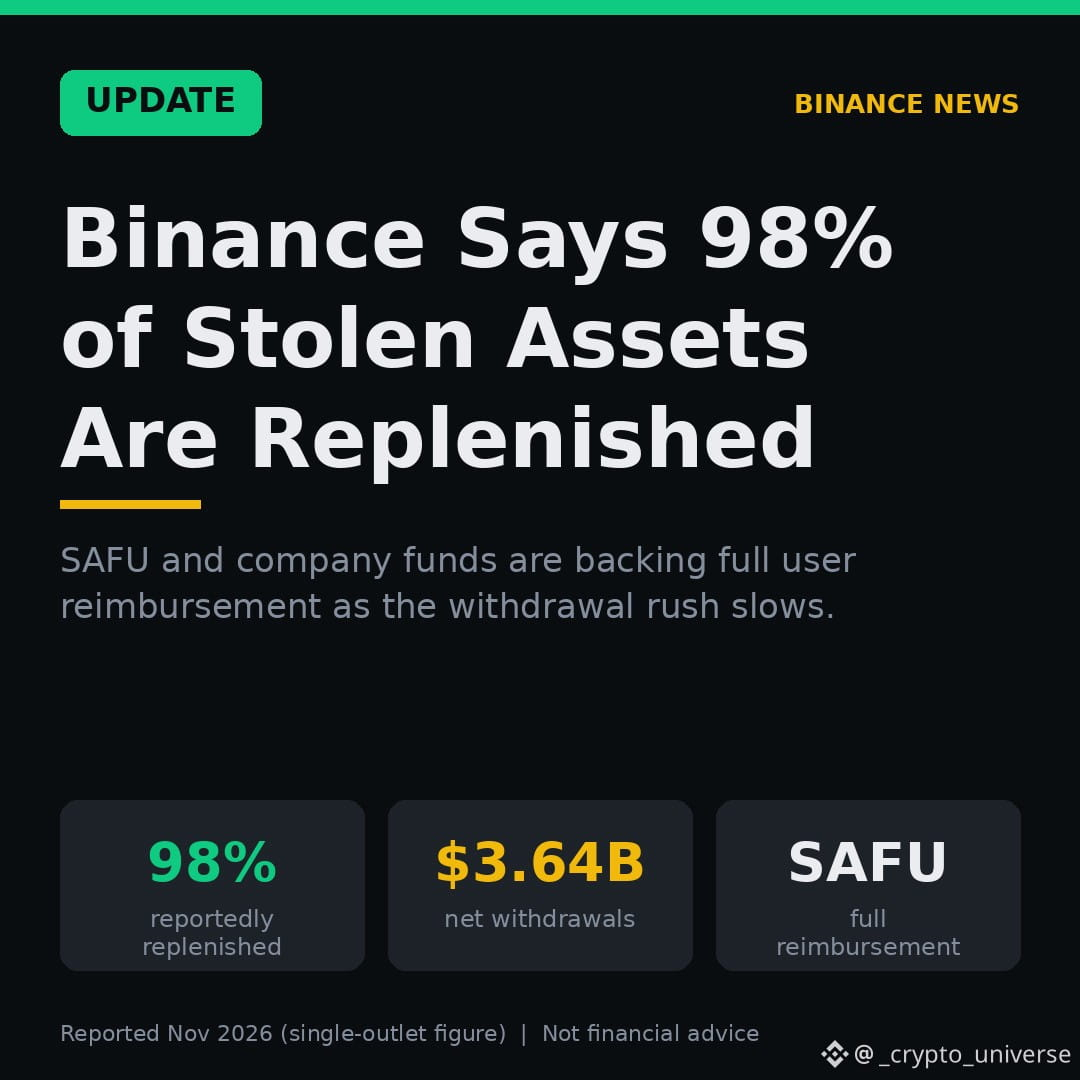
✅ UPDATE: Binance says 98% of stolen assets are replenished
After the record $6.3B hack, Binance is moving fast on recovery:
🔹 Stolen assets reportedly replenished at 98%
🔹 Full user reimbursement pledged
🔹 $3.64B in net withdrawals, and the exit rush is slowing
Are you staying or moving funds? 👀
$BNB #Binance #SAFU #CryptoNews #BinanceSquare
{spot}(BNBUSDT)
✅ UPDATE: Binance says 98% of stolen assets are replenished
After the record $6.3B hack, Binance is moving fast on recovery:
🔹 Stolen assets reportedly replenished at 98%
🔹 Full user reimbursement pledged
🔹 $3.64B in net withdrawals, and the exit rush is slowing
Are you staying or moving funds? 👀
$BNB #Binance #SAFU #CryptoNews #BinanceSquare
After the record $6.3B hack, Binance is moving fast on recovery:
🔹 Stolen assets reportedly replenished at 98%
🔹 Full user reimbursement pledged
🔹 $3.64B in net withdrawals, and the exit rush is slowing
Are you staying or moving funds? 👀
$BNB #Binance #SAFU #CryptoNews #BinanceSquare
Crypto_engineroom:
Pepe is still suspended. Does it mean I'm the only one holding Pepe ?
2
2
1.9k

·
--
$891 million in stolen funds transferredAccording to monitoring by Onchain Lens, the Binance hacker has transferred or laundered nearly $900 million in stolen funds. Of the total estimated stolen funds of $6.34 billion: $891.37 million has likely been transferred or laundered; $2.85 billion remains under the hacker’s control; and $2.6 billion has been frozen. Over the past 2 to 3 days, the hacker has been actively moving funds via THORChain and Chainflip.#Binance #Hack $BNB $BTC
$891 million in stolen funds transferred
According to monitoring by Onchain Lens, the Binance hacker has transferred or laundered nearly $900 million in stolen funds. Of the total estimated stolen funds of $6.34 billion: $891.37 million has likely been transferred or laundered; $2.85 billion remains under the hacker’s control; and $2.6 billion has been frozen. Over the past 2 to 3 days, the hacker has been actively moving funds via THORChain and Chainflip.#Binance #Hack $BNB $BTC
620


·
--
🚨 BINANCE BLOCKS TRANSFERS TO AND FROM MEXC!
Binance has announced restrictions on transactions involving MEXC and its affiliates following a FinCEN designation identifying the exchange as a primary money laundering concern.
Here’s what users need to know:
• Outgoing transfers: Rejected.
• Incoming deposits: Temporarily held for compliance review.
• Affected accounts: May face additional restrictions or even account closure.
The restrictions also cover MEXC’s affiliated entities, not just the main exchange.
⚠️ If you use both Binance and MEXC, avoid transferring funds between them until further notice.
#Binance #MEXC
🚨 BINANCE BLOCKS TRANSFERS TO AND FROM MEXC!
Binance has announced restrictions on transactions involving MEXC and its affiliates following a FinCEN designation identifying the exchange as a primary money laundering concern.
Here’s what users need to know:
• Outgoing transfers: Rejected.
• Incoming deposits: Temporarily held for compliance review.
• Affected accounts: May face additional restrictions or even account closure.
The restrictions also cover MEXC’s affiliated entities, not just the main exchange.
⚠️ If you use both Binance and MEXC, avoid transferring funds between them until further notice.
#Binance #MEXC
Binance has announced restrictions on transactions involving MEXC and its affiliates following a FinCEN designation identifying the exchange as a primary money laundering concern.
Here’s what users need to know:
• Outgoing transfers: Rejected.
• Incoming deposits: Temporarily held for compliance review.
• Affected accounts: May face additional restrictions or even account closure.
The restrictions also cover MEXC’s affiliated entities, not just the main exchange.
⚠️ If you use both Binance and MEXC, avoid transferring funds between them until further notice.
#Binance #MEXC
1
3.6k

·
--
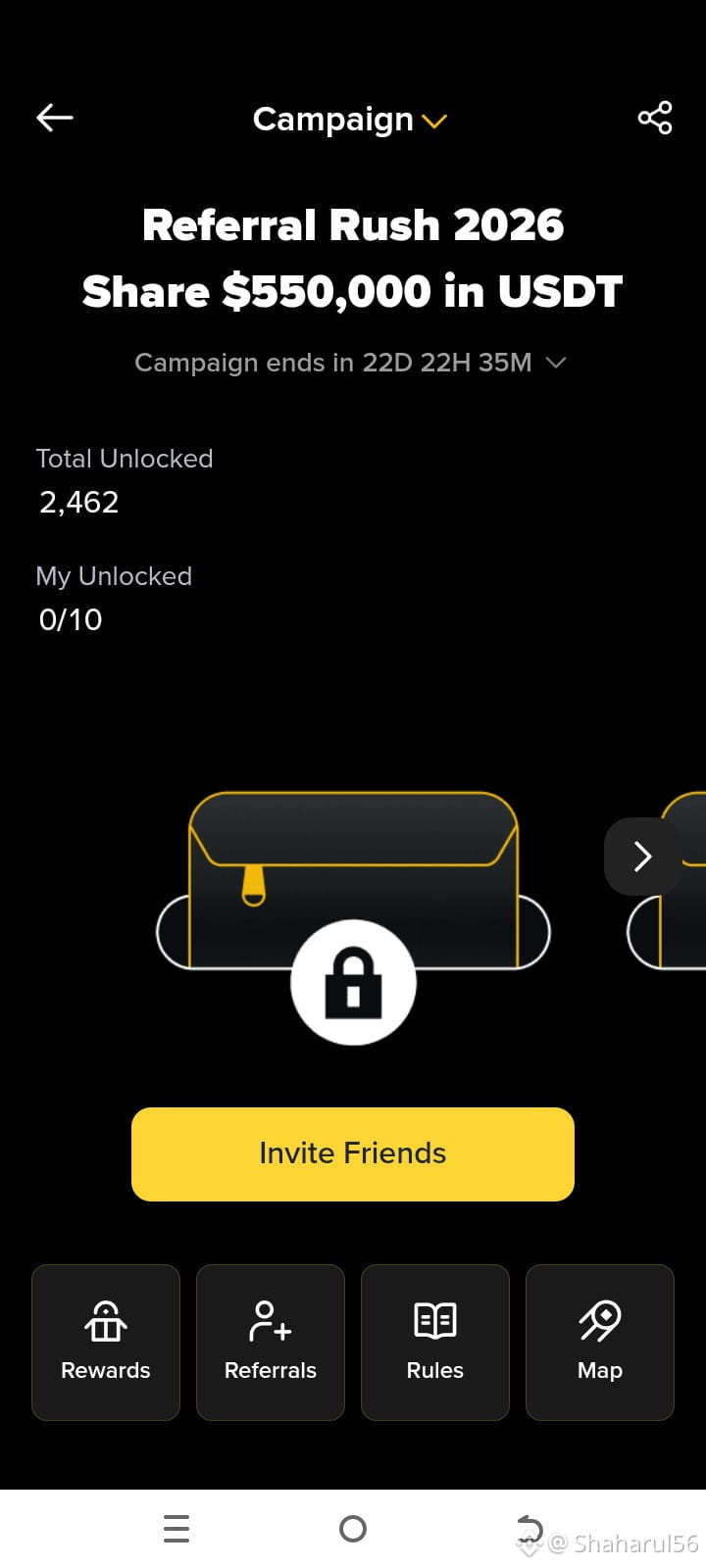
🎁 Binance Referral Rush 2026 — $550,000 USDT Giveaway! 🚀
Big news for the Binance community! 🔥
Binance has launched Referral Rush 2026, featuring an incredible $550,000 USDT reward pool!
This is an exciting opportunity to explore Binance's referral program and participate in the campaign.
🌟 Campaign Highlights:
- 🎁 Total Reward Pool: $550,000 USDT
- ⏳ Campaign Duration: Limited Time
- 🤝 Invite Friends and Participate
- 🏆 Unlock Rewards by completing eligible requirements
How to Participate?
1️⃣ Visit the Referral Rush 2026 campaign page.
2️⃣ Invite friends using your referral link.
3️⃣ Follow the official campaign rules.
4️⃣ Complete the eligible requirements to unlock rewards.
💡 Remember: Rewards are subject to Binance's official campaign terms and conditions. Participation does not guarantee a reward.
🔥 Are you joining Referral Rush 2026?
Let's explore, participate, and grow together with Binance!
#Binance #ReferralRush2026 #USDT🔥🔥🔥 #binancerewards #crypto
🎁 Binance Referral Rush 2026 — $550,000 USDT Giveaway! 🚀
Big news for the Binance community! 🔥
Binance has launched Referral Rush 2026, featuring an incredible $550,000 USDT reward pool!
This is an exciting opportunity to explore Binance's referral program and participate in the campaign.
🌟 Campaign Highlights:
- 🎁 Total Reward Pool: $550,000 USDT
- ⏳ Campaign Duration: Limited Time
- 🤝 Invite Friends and Participate
- 🏆 Unlock Rewards by completing eligible requirements
How to Participate?
1️⃣ Visit the Referral Rush 2026 campaign page.
2️⃣ Invite friends using your referral link.
3️⃣ Follow the official campaign rules.
4️⃣ Complete the eligible requirements to unlock rewards.
💡 Remember: Rewards are subject to Binance's official campaign terms and conditions. Participation does not guarantee a reward.
🔥 Are you joining Referral Rush 2026?
Let's explore, participate, and grow together with Binance!
#Binance #ReferralRush2026 #USDT🔥🔥🔥 #binancerewards #crypto
Big news for the Binance community! 🔥
Binance has launched Referral Rush 2026, featuring an incredible $550,000 USDT reward pool!
This is an exciting opportunity to explore Binance's referral program and participate in the campaign.
🌟 Campaign Highlights:
- 🎁 Total Reward Pool: $550,000 USDT
- ⏳ Campaign Duration: Limited Time
- 🤝 Invite Friends and Participate
- 🏆 Unlock Rewards by completing eligible requirements
How to Participate?
1️⃣ Visit the Referral Rush 2026 campaign page.
2️⃣ Invite friends using your referral link.
3️⃣ Follow the official campaign rules.
4️⃣ Complete the eligible requirements to unlock rewards.
💡 Remember: Rewards are subject to Binance's official campaign terms and conditions. Participation does not guarantee a reward.
🔥 Are you joining Referral Rush 2026?
Let's explore, participate, and grow together with Binance!
#Binance #ReferralRush2026 #USDT🔥🔥🔥 #binancerewards #crypto
240



·
--
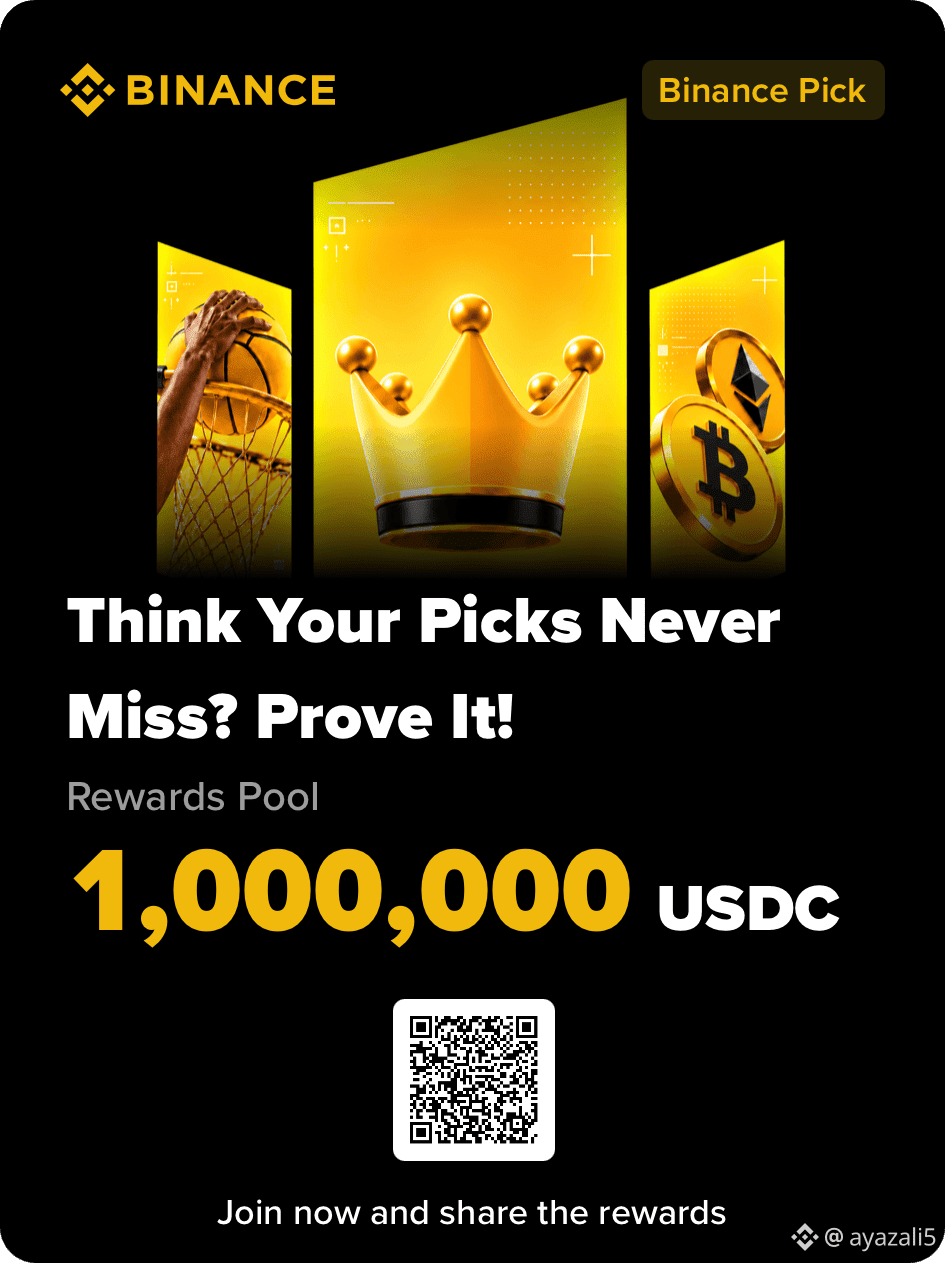
#BinancePick 🏆🔥 The excitement is ON with Binance Pick Season 1! 🎯 Predict your favorites, earn scores, climb the leaderboard, and compete for a share of the massive 1,000,000 USDC prize pool! 🚀💛 Every pick counts! #BinancePick #Binance
#BinancePick 🏆🔥 The excitement is ON with Binance Pick Season 1! 🎯 Predict your favorites, earn scores, climb the leaderboard, and compete for a share of the massive 1,000,000 USDC prize pool! 🚀💛 Every pick counts! #BinancePick #Binance
117

·
--
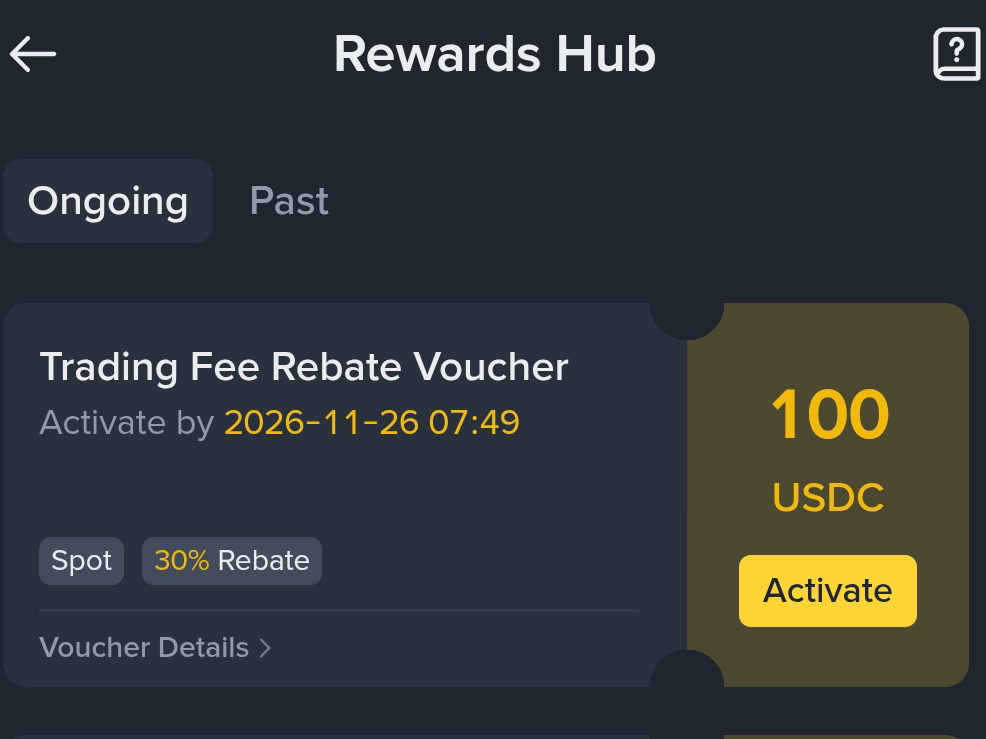
🎉 Finally received a 100 USDC Trading Fee Rebate Voucher from Binance! 💛
A pleasant surprise! 😍
Has anyone else received this 100 USDC voucher in their Rewards Hub, or am I among the lucky ones? 👀
#Binance #binancerewards #100usdc #HarshOnChain #BinanceSquareTG $USDC
{future}(USDCUSDT)
🎉 Finally received a 100 USDC Trading Fee Rebate Voucher from Binance! 💛
A pleasant surprise! 😍
Has anyone else received this 100 USDC voucher in their Rewards Hub, or am I among the lucky ones? 👀
#Binance #binancerewards #100usdc #HarshOnChain #BinanceSquareTG $USDC
A pleasant surprise! 😍
Has anyone else received this 100 USDC voucher in their Rewards Hub, or am I among the lucky ones? 👀
#Binance #binancerewards #100usdc #HarshOnChain #BinanceSquareTG $USDC
omi traders:
congratulations! darling now party time
1
1
25

·
--
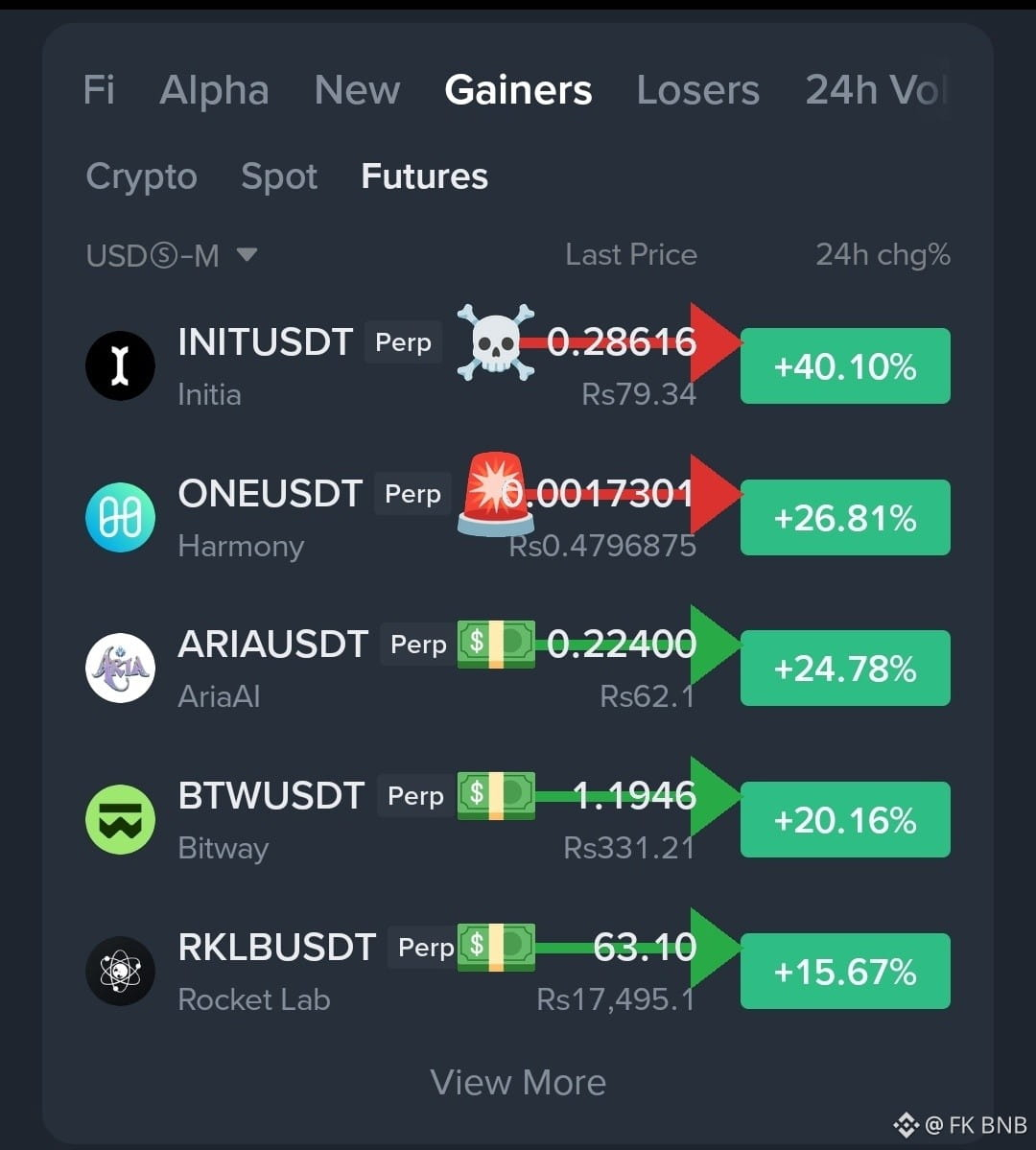
🚀 BINANCE TOP 3 GAINERS
🟢 $INIT
{spot}(INITUSDT)
— $0.27893 | +45.19%
🟢 $ONE
{spot}(ONEUSDT)
— $0.001853 | +26.05%
🟢 $SECZB
{spot}(SECZBUSDT)
— $8.60 | +12.27%
#Binance #CryptoTrading #Altcoins #TradingCommunity #TradingSignals
🚀 BINANCE TOP 3 GAINERS
🟢 $INIT
— $0.27893 | +45.19%
🟢 $ONE
— $0.001853 | +26.05%
🟢 $SECZB
— $8.60 | +12.27%
#Binance #CryptoTrading #Altcoins #TradingCommunity #TradingSignals
🟢 $INIT
— $0.27893 | +45.19%
🟢 $ONE
— $0.001853 | +26.05%
🟢 $SECZB
— $8.60 | +12.27%
#Binance #CryptoTrading #Altcoins #TradingCommunity #TradingSignals
INII$
ONE$
SECZB$
WAIT
21 hr(s) left
2
4.4k

Verified
Binance Official Announcement Update 📢
Binance has announced the upcoming listing of Predict ($PREDICT) with Seed Tag applied.
• Announcement URL: https://www.binance.com/en/support/announcement/a259777ee4104befa3daba5c1eadc7b5
• Category: New Cryptocurrency Listing
• Verification: Official Binance Announcement Catalog
Always verify listing schedules, trading pairs, and regional KYC terms directly on Binance.
#Binance #PREDICT #Listing
Binance Official Announcement Update 📢
Binance has announced the upcoming listing of Predict ($PREDICT ) with Seed Tag applied.
• Announcement URL: https://www.binance.com/en/support/announcement/a259777ee4104befa3daba5c1eadc7b5
• Category: New Cryptocurrency Listing
• Verification: Official Binance Announcement Catalog
Always verify listing schedules, trading pairs, and regional KYC terms directly on Binance.
#Binance #PREDICT #Listing
Binance has announced the upcoming listing of Predict ($PREDICT ) with Seed Tag applied.
• Announcement URL: https://www.binance.com/en/support/announcement/a259777ee4104befa3daba5c1eadc7b5
• Category: New Cryptocurrency Listing
• Verification: Official Binance Announcement Catalog
Always verify listing schedules, trading pairs, and regional KYC terms directly on Binance.
#Binance #PREDICT #Listing
2
1.3k

·
--
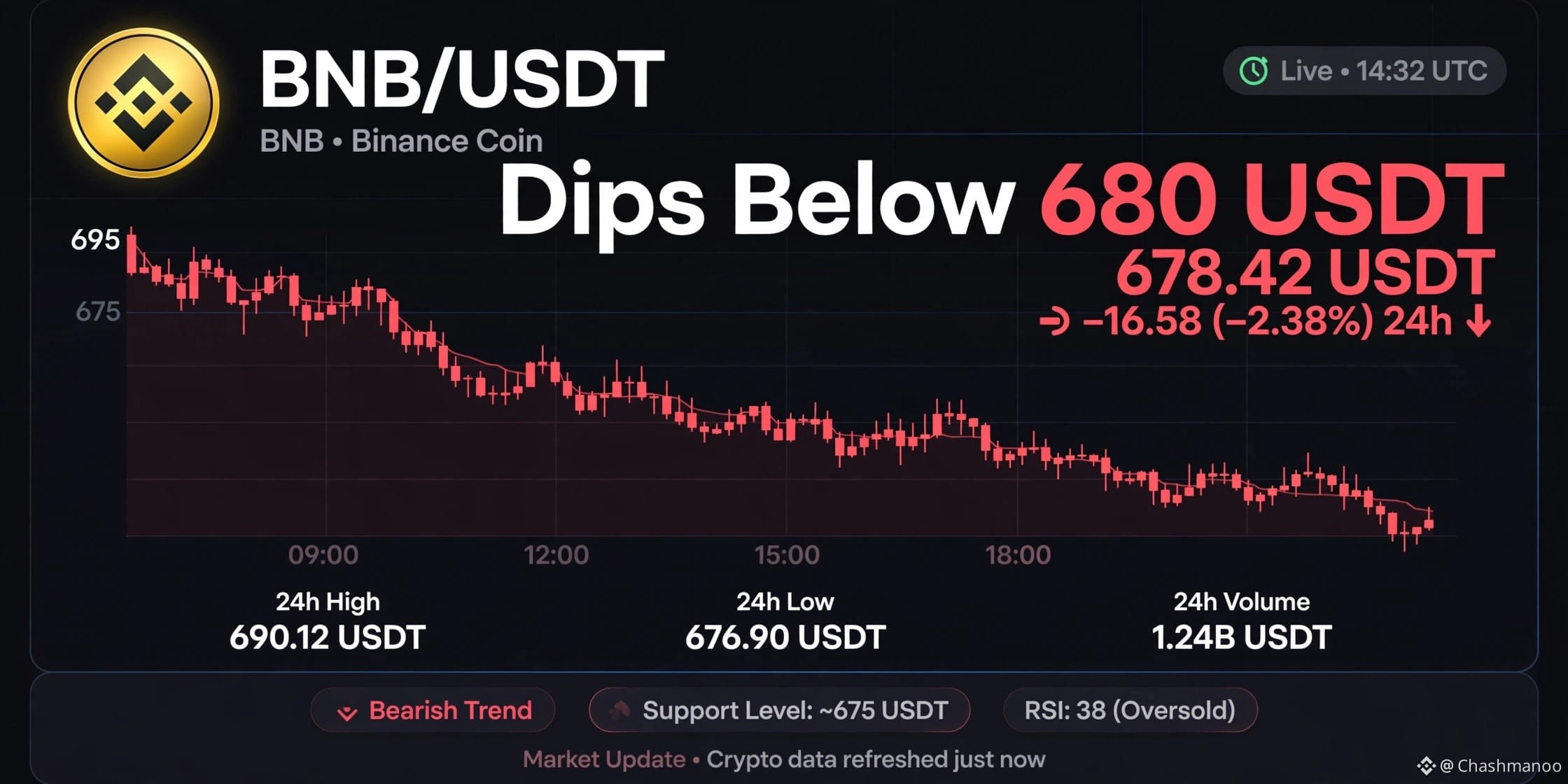
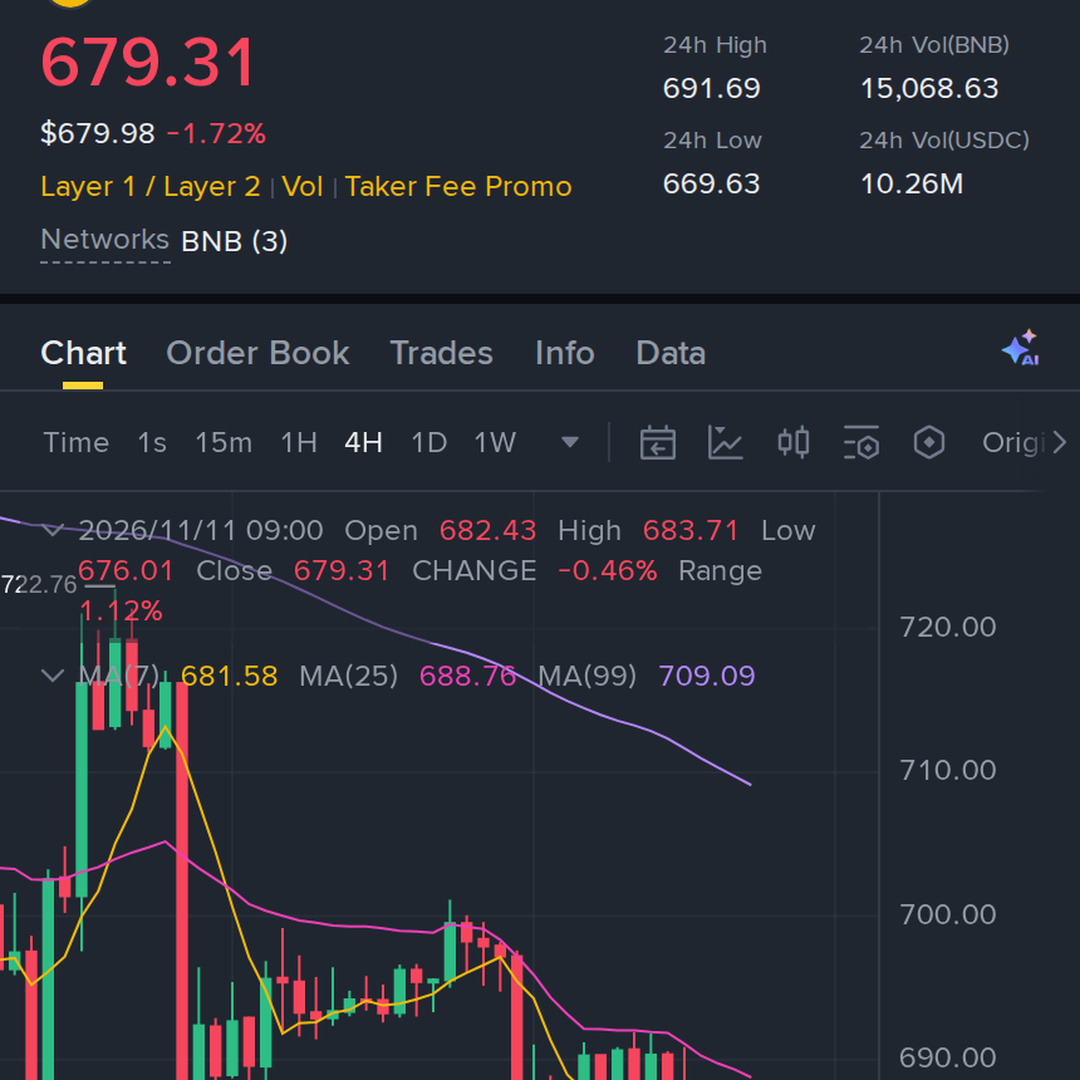
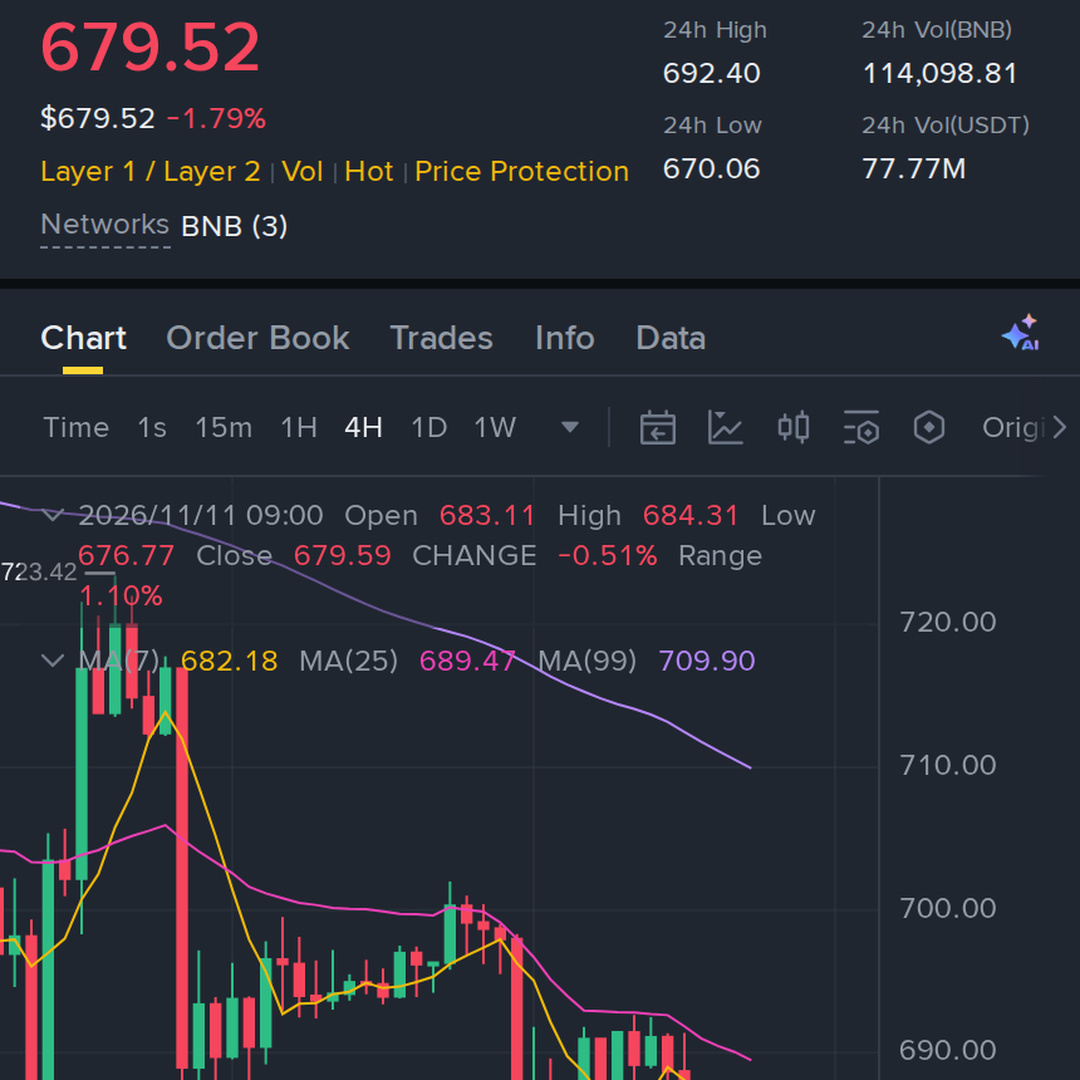
$BNB - Dips Below 680 USDT
Market is red again. BNB has broken below the 680 level.
Now all eyes are on the 675 support. If it holds, a bounce is possible. If not, we could see more downside.
Don't panic sell, stick to your plan. For some, a dip is fear. For others, it's opportunity.
What do you think? Will BNB go up from here or go lower? 👇
#Binance #crypto #CryptoNews #bitcoin #Trading
{spot}(BNBUSDT)
$BNB - Dips Below 680 USDT
Market is red again. BNB has broken below the 680 level.
Now all eyes are on the 675 support. If it holds, a bounce is possible. If not, we could see more downside.
Don't panic sell, stick to your plan. For some, a dip is fear. For others, it's opportunity.
What do you think? Will BNB go up from here or go lower? 👇
#Binance #crypto #CryptoNews #bitcoin #Trading
Market is red again. BNB has broken below the 680 level.
Now all eyes are on the 675 support. If it holds, a bounce is possible. If not, we could see more downside.
Don't panic sell, stick to your plan. For some, a dip is fear. For others, it's opportunity.
What do you think? Will BNB go up from here or go lower? 👇
#Binance #crypto #CryptoNews #bitcoin #Trading
1
122
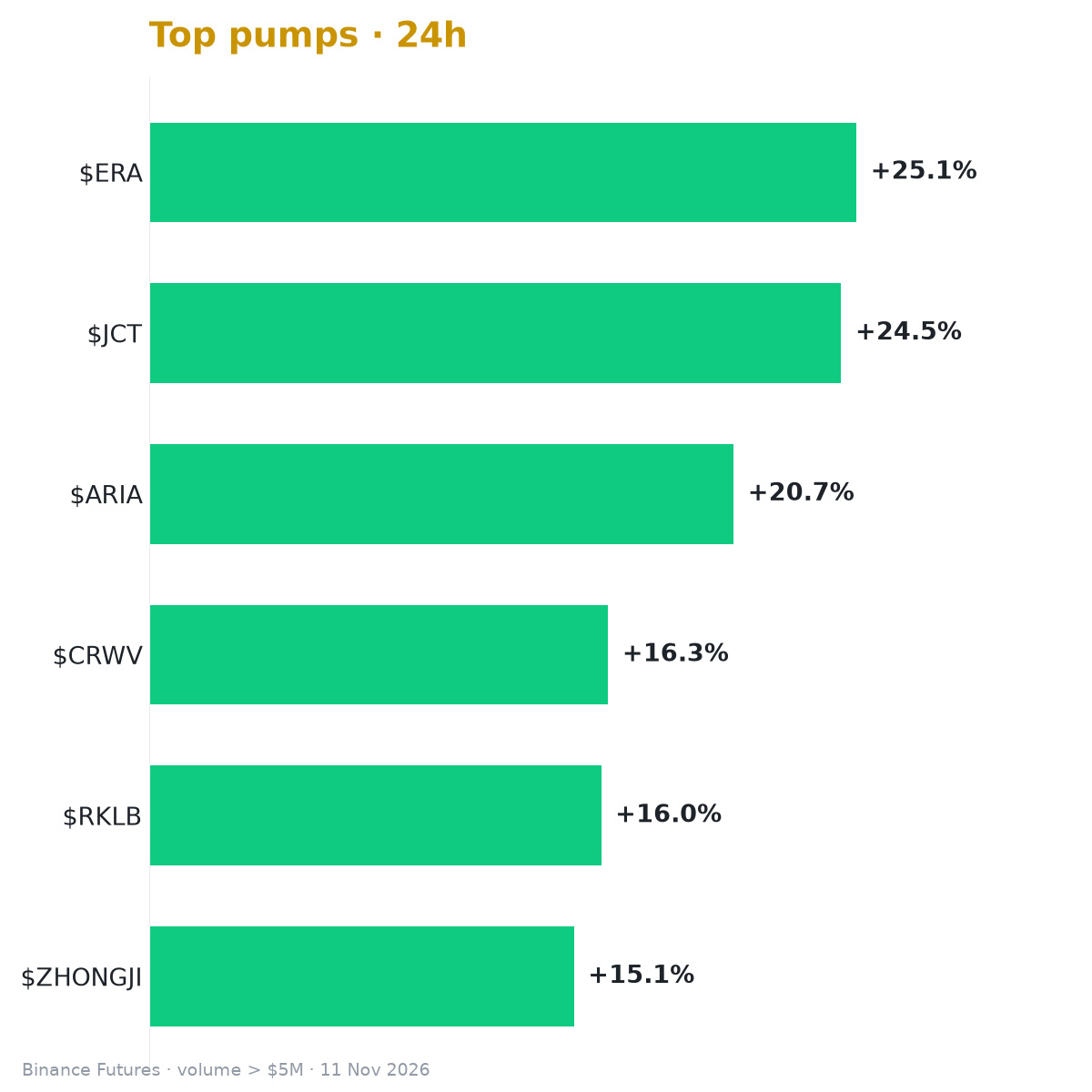
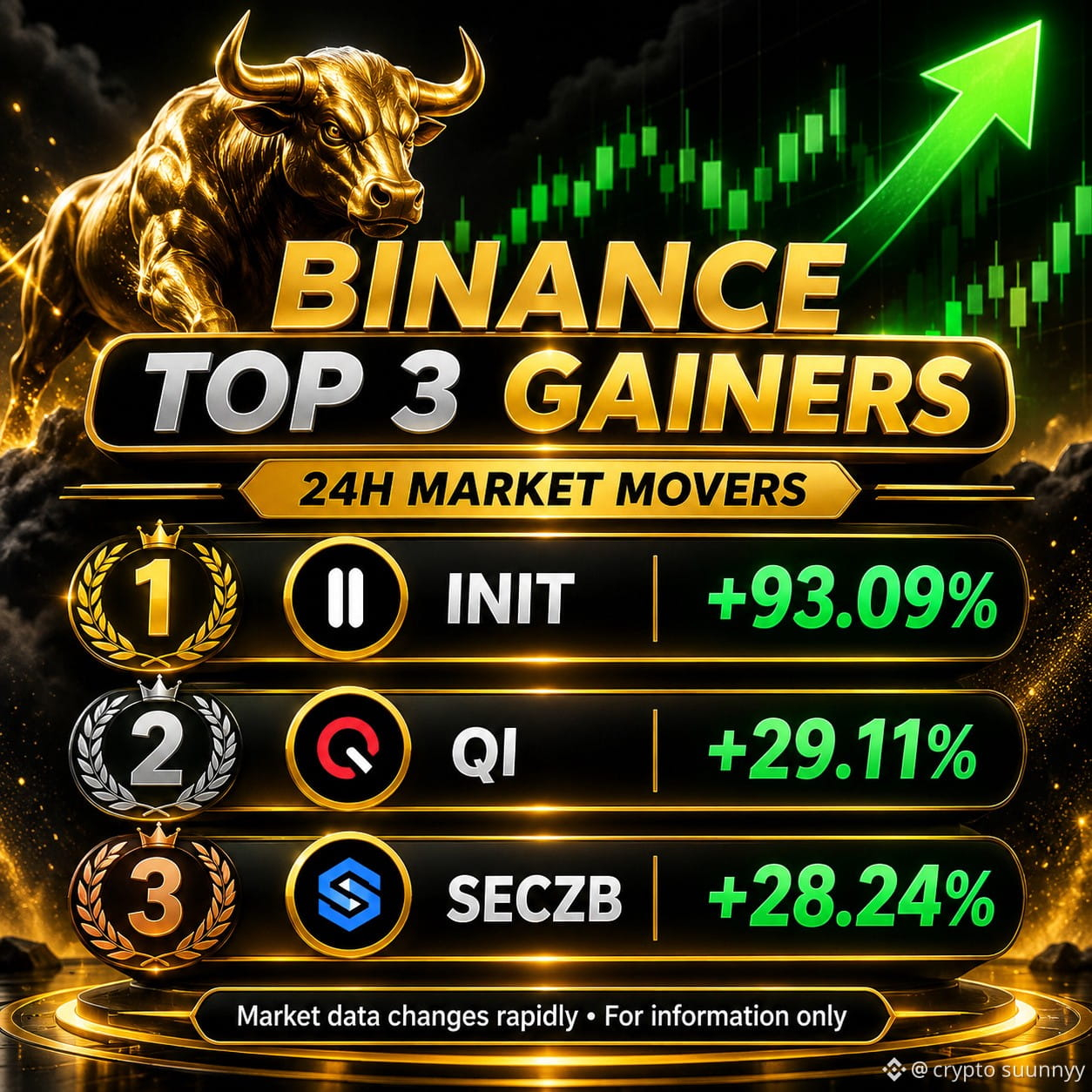
🚀 TOP 3 BINANCE GAINERS TODAY 🔥
📈 Biggest 24H Movers:
| 🥇 $ONE — +27.32% | $0.001844 |
| ---------------- | --------- |
| 🥉 $BTW — +14.30% | $1.1621 |
💚 Strong market momentum and impressive price movements!
⚠️ High volatility alert — stay informed.
#Binance #CryptoGainersAlert2026 #Altcoins #CryptoMarket
Source: Binance USDⓈ-M perpetual market data, checked November 11, 2026. Figures may change rapidly. CoinBeacon
🚀 TOP 3 BINANCE GAINERS TODAY 🔥
📈 Biggest 24H Movers:
| 🥇 $ONE — +27.32% | $0.001844 |
| ---------------- | --------- |
| 🥉 $BTW — +14.30% | $1.1621 |
💚 Strong market momentum and impressive price movements!
⚠️ High volatility alert — stay informed.
#Binance #CryptoGainersAlert2026 #Altcoins #CryptoMarket
Source: Binance USDⓈ-M perpetual market data, checked November 11, 2026. Figures may change rapidly. CoinBeacon
📈 Biggest 24H Movers:
| 🥇 $ONE — +27.32% | $0.001844 |
| ---------------- | --------- |
| 🥉 $BTW — +14.30% | $1.1621 |
💚 Strong market momentum and impressive price movements!
⚠️ High volatility alert — stay informed.
#Binance #CryptoGainersAlert2026 #Altcoins #CryptoMarket
Source: Binance USDⓈ-M perpetual market data, checked November 11, 2026. Figures may change rapidly. CoinBeacon
1
572

·
--
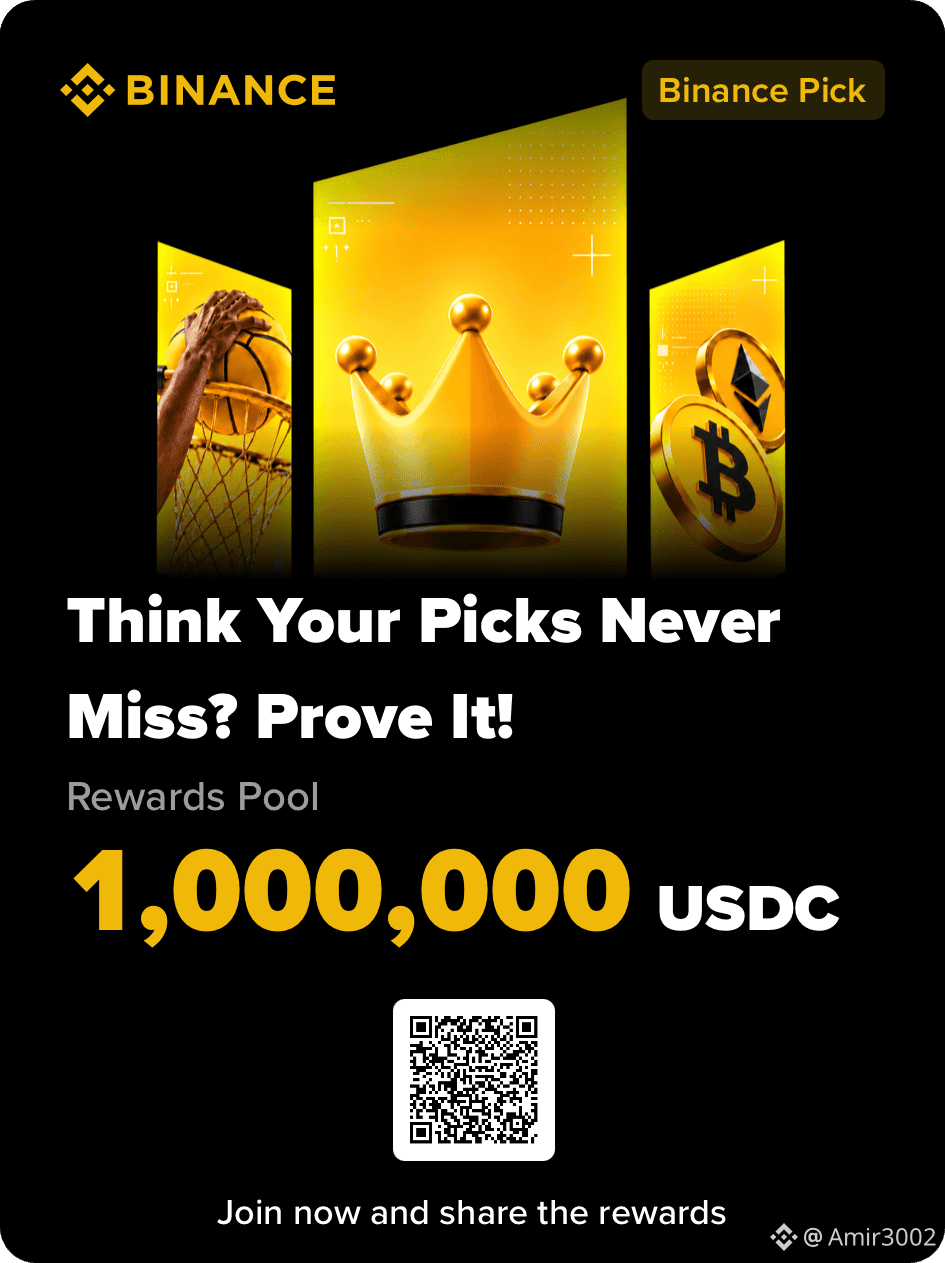
#BinancePick Binance Pick – Make Every Prediction Count! 🚀
The excitement is building with Binance Pick! 🎯 It's a great opportunity to test your market knowledge, analyze trends, and make smart predictions. Every pick is a chance to learn, improve your strategy, and stay connected with the crypto community.
Success isn't just about luck — research, patience, and discipline matter. Always think carefully before making your next move. 💡
Who's ready to make their best pick today? Let's go! 🔥
#BinancePick #Binance #CryptoCommunity #CryptoTrading #Web3
#BinancePick Binance Pick – Make Every Prediction Count! 🚀
The excitement is building with Binance Pick! 🎯 It's a great opportunity to test your market knowledge, analyze trends, and make smart predictions. Every pick is a chance to learn, improve your strategy, and stay connected with the crypto community.
Success isn't just about luck — research, patience, and discipline matter. Always think carefully before making your next move. 💡
Who's ready to make their best pick today? Let's go! 🔥
#BinancePick #Binance #CryptoCommunity #CryptoTrading #Web3
The excitement is building with Binance Pick! 🎯 It's a great opportunity to test your market knowledge, analyze trends, and make smart predictions. Every pick is a chance to learn, improve your strategy, and stay connected with the crypto community.
Success isn't just about luck — research, patience, and discipline matter. Always think carefully before making your next move. 💡
Who's ready to make their best pick today? Let's go! 🔥
#BinancePick #Binance #CryptoCommunity #CryptoTrading #Web3
142

New on Binance Futures: HYPEUSDC and TRXUSDC perpetuals
Binance is adding two USDⓈ-margined perpetual contracts today (Nov 11):
🔹 HYPEUSDC goes live at 09:30 UTC
🔹 TRXUSDC goes live at 09:35 UTC
Key specs:
✅ Settled in USDC
✅ Up to 75x leverage
✅ Trades 24/7
✅ Multi-Assets Mode supported
✅ Futures Copy Trading within 24 hours
Funding:
HYPE: every 4 hours, capped at ±2.00%
TRX: every 8 hours, capped at ±0.4875%
High leverage cuts both ways, so size your positions carefully and manage your risk.
Not financial advice. Products may not be available in your region.
#Binance #BinanceFutures #HYPE #TRX #crypto
New on Binance Futures: HYPEUSDC and TRXUSDC perpetuals
Binance is adding two USDⓈ-margined perpetual contracts today (Nov 11):
🔹 HYPEUSDC goes live at 09:30 UTC
🔹 TRXUSDC goes live at 09:35 UTC
Key specs:
✅ Settled in USDC
✅ Up to 75x leverage
✅ Trades 24/7
✅ Multi-Assets Mode supported
✅ Futures Copy Trading within 24 hours
Funding:
HYPE: every 4 hours, capped at ±2.00%
TRX: every 8 hours, capped at ±0.4875%
High leverage cuts both ways, so size your positions carefully and manage your risk.
Not financial advice. Products may not be available in your region.
#Binance #BinanceFutures #HYPE #TRX #crypto
Binance is adding two USDⓈ-margined perpetual contracts today (Nov 11):
🔹 HYPEUSDC goes live at 09:30 UTC
🔹 TRXUSDC goes live at 09:35 UTC
Key specs:
✅ Settled in USDC
✅ Up to 75x leverage
✅ Trades 24/7
✅ Multi-Assets Mode supported
✅ Futures Copy Trading within 24 hours
Funding:
HYPE: every 4 hours, capped at ±2.00%
TRX: every 8 hours, capped at ±0.4875%
High leverage cuts both ways, so size your positions carefully and manage your risk.
Not financial advice. Products may not be available in your region.
#Binance #BinanceFutures #HYPE #TRX #crypto
2
247

Article
Binance Step-by-Step Guide with CODE2026: Sign Up to WithdrawalQuick answer: To use Binance from start to finish: register with referral code CODE2026, verify your identity, deposit crypto on the right network, place a Spot market or limit order, add a take profit and stop loss if you want, and withdraw to an address you control. Every screen in this guide is a real Binance page, captured for this update. Updated: Nov 11, 2026.
What This Binance Guide Covers
Step 1: Register with CODE2026Step 2: Verify your identityStep 3: Deposit cryptoStep 4: Place a Spot market orderStep 5: Place a Spot limit orderStep 6: Add take profit and stop loss (TP/SL)Step 7: Use a stop-limit orderStep 8: Check your orders and feesStep 9: Withdraw crypto
Step 1: Register on Binance with CODE2026
[Open the CODE2026 sign-up page](https://www.binance.com/join?ref=CODE2026). At the top left it should say Code: CODE2026. The panel shows up to 20% trade rebates and up to $19,800 in welcome rewards. Welcome rewards depend on tasks, region and eligibility.
In the Welcome to Binance form, enter your email or phone number, tick the box to agree to the terms and Privacy Notice, and click Register. You can also choose Continue with Google or Continue with Apple. Then confirm the code sent to you and set a strong password.
Step 2: Verify Your Identity
Most features need identity verification. Use your real details and a valid ID. A referral can't be changed after it is set, so check the code before you finish. Turn on two-factor authentication in your security settings as well.
Step 3: How to Deposit Crypto on Binance
Click Deposit at the top of the page. The Deposit Asset page has three steps: Select Asset, Select Network and Deposit Address.
Select Asset: pick a coin, for example USDT.Select Network: choose the same network the sending wallet uses.Deposit Address: copy the address Binance shows and paste it in the sending wallet.
Binance warns that only supported networks are shown, and that a deposit sent on another network may be lost. For USDT, the list showed BNB Smart Chain (BEP20), Tron (TRC20) and Ethereum (ERC20), each with an estimated time and number of confirmations. Send a small test amount first.
Step 4: How to Place a Spot Market Order
Open Trade, then Spot, and pick a pair such as BTC/USDT. In the order form, select Market. The Price field reads Market Price, so you only enter how much.
Buy: enter the Total in USDT. The BTC/USDT form showed a minimum of 5 USDT.Sell: enter the Amount in BTC.Slippage Tolerance is optional.Click Buy BTC or Sell BTC.
A market order fills right away at the best available price, so the final price can differ a little from what you saw. It pays the taker fee.
Step 5: How to Place a Spot Limit Order
Select Limit. Enter your Price and the Amount, and the form calculates the Total. A limit buy fills at your price or lower. A limit sell fills at your price or higher. If the market never reaches your price, the order stays open until you cancel it.
Step 6: Take Profit and Stop Loss (TP/SL)
On the Limit form, tick TP/SL. New fields appear under Take Profit and Stop Loss.
TP Limit: the price where you want to take profit.SL Trigger: the price that activates the stop loss.SL Limit: the price of the order placed when the trigger is hit.Offset %: set the levels as a percentage instead of a price.
Binance's own note on this box says it uses a Limit-Maker order for take profit and a Stop Limit (or Stop Market) order for stop loss. A stop loss limits a loss in normal markets, but in a fast move a limit order may not fill.
Step 7: How to Use a Stop-Limit Order
Open the Stop Limit menu. It lists Stop Limit, Stop Market, Trailing Stop, OCO, TWAP, POV and Scaled Order. Choose Stop Limit. The form has three fields: Stop, Price and Amount.
Stop: the trigger price.Price: the limit price placed once the stop is reached.Amount: how much BTC to buy or sell.
OCO in the same menu means one cancels the other: it pairs a limit order with a stop order, and when one fills the other is cancelled. It is a common way to set a target and a stop on a coin you already hold.
Step 8: Check Your Orders and Spot Fees
Below the order form are the tabs Open Orders, Order History, Trade History, Holdings and Bots. Waiting orders appear in Open Orders, where you can cancel them. Trade History shows each fill with its fee.
The [Binance Spot fee page](https://www.binance.com/en/fee/trading) showed 0.100% maker and 0.100% taker for a Regular User at the time of this update, or 0.075% when paying fees with BNB. CODE2026 shows up to 20% trade rebates on qualifying Spot fees. Since April 29, 2026, Spot referral commission is calculated on net fees, so the amount can be lower.
Step 9: How to Withdraw Crypto from Binance
Go to Wallet, then Withdraw. Select the asset, then choose Withdraw to: Address for an outside wallet, or Binance user to send to another Binance account.
Enter Address: paste the receiving address and double-check it.Select network: it must match the network of the receiving wallet.Amount: enter how much to send. The network fee is shown before you confirm.Confirm with your security verification.
Binance also shows a prompt to activate an Anti-Phishing Code. It helps you check that emails really come from Binance. Never share verification codes with anyone.
Quick Checklist
FAQ
What is the minimum Spot order on BTC/USDT?
The form showed a minimum Total of 5 USDT at the time of this update.
Is a stop loss guaranteed?
No. A stop-limit order can miss in a fast market. Start with small amounts while you learn.
Can I add CODE2026 after I register?
Only in limited cases, such as within 30 days and before any deposit or trade. See the [referral binding page](https://www.binance.com/en/activity/referral/bind-ref). It is simpler to use it at sign-up.
Start with CODE2026
Ready to follow these steps? Use the [Binance referral code CODE2026 sign-up link](https://www.binance.com/join?ref=CODE2026) and check that the page shows Code: CODE2026 before you register.
Disclosure: CODE2026 is my referral code, and I may earn commission from qualifying activity. This is an independent guide, not an official Binance post. Benefits depend on Binance's terms, your region and your eligibility. Crypto trading carries risk. Not financial advice. DYOR.
#BinanceReferralCode #CODE2026 #Binance #SpotTrading
Binance Step-by-Step Guide with CODE2026: Sign Up to Withdrawal
Quick answer: To use Binance from start to finish: register with referral code CODE2026, verify your identity, deposit crypto on the right network, place a Spot market or limit order, add a take profit and stop loss if you want, and withdraw to an address you control. Every screen in this guide is a real Binance page, captured for this update. Updated: Nov 11, 2026.
What This Binance Guide Covers
Step 1: Register with CODE2026Step 2: Verify your identityStep 3: Deposit cryptoStep 4: Place a Spot market orderStep 5: Place a Spot limit orderStep 6: Add take profit and stop loss (TP/SL)Step 7: Use a stop-limit orderStep 8: Check your orders and feesStep 9: Withdraw crypto
Step 1: Register on Binance with CODE2026
Open the CODE2026 sign-up page. At the top left it should say Code: CODE2026. The panel shows up to 20% trade rebates and up to $19,800 in welcome rewards. Welcome rewards depend on tasks, region and eligibility.
In the Welcome to Binance form, enter your email or phone number, tick the box to agree to the terms and Privacy Notice, and click Register. You can also choose Continue with Google or Continue with Apple. Then confirm the code sent to you and set a strong password.
Step 2: Verify Your Identity
Most features need identity verification. Use your real details and a valid ID. A referral can't be changed after it is set, so check the code before you finish. Turn on two-factor authentication in your security settings as well.
Step 3: How to Deposit Crypto on Binance
Click Deposit at the top of the page. The Deposit Asset page has three steps: Select Asset, Select Network and Deposit Address.
Select Asset: pick a coin, for example USDT.Select Network: choose the same network the sending wallet uses.Deposit Address: copy the address Binance shows and paste it in the sending wallet.
Binance warns that only supported networks are shown, and that a deposit sent on another network may be lost. For USDT, the list showed BNB Smart Chain (BEP20), Tron (TRC20) and Ethereum (ERC20), each with an estimated time and number of confirmations. Send a small test amount first.
Step 4: How to Place a Spot Market Order
Open Trade, then Spot, and pick a pair such as BTC/USDT. In the order form, select Market. The Price field reads Market Price, so you only enter how much.
Buy: enter the Total in USDT. The BTC/USDT form showed a minimum of 5 USDT.Sell: enter the Amount in BTC.Slippage Tolerance is optional.Click Buy BTC or Sell BTC.
A market order fills right away at the best available price, so the final price can differ a little from what you saw. It pays the taker fee.
Step 5: How to Place a Spot Limit Order
Select Limit. Enter your Price and the Amount, and the form calculates the Total. A limit buy fills at your price or lower. A limit sell fills at your price or higher. If the market never reaches your price, the order stays open until you cancel it.
Step 6: Take Profit and Stop Loss (TP/SL)
On the Limit form, tick TP/SL. New fields appear under Take Profit and Stop Loss.
TP Limit: the price where you want to take profit.SL Trigger: the price that activates the stop loss.SL Limit: the price of the order placed when the trigger is hit.Offset %: set the levels as a percentage instead of a price.
Binance's own note on this box says it uses a Limit-Maker order for take profit and a Stop Limit (or Stop Market) order for stop loss. A stop loss limits a loss in normal markets, but in a fast move a limit order may not fill.
Step 7: How to Use a Stop-Limit Order
Open the Stop Limit menu. It lists Stop Limit, Stop Market, Trailing Stop, OCO, TWAP, POV and Scaled Order. Choose Stop Limit. The form has three fields: Stop, Price and Amount.
Stop: the trigger price.Price: the limit price placed once the stop is reached.Amount: how much BTC to buy or sell.
OCO in the same menu means one cancels the other: it pairs a limit order with a stop order, and when one fills the other is cancelled. It is a common way to set a target and a stop on a coin you already hold.
Step 8: Check Your Orders and Spot Fees
Below the order form are the tabs Open Orders, Order History, Trade History, Holdings and Bots. Waiting orders appear in Open Orders, where you can cancel them. Trade History shows each fill with its fee.
The Binance Spot fee page showed 0.100% maker and 0.100% taker for a Regular User at the time of this update, or 0.075% when paying fees with BNB. CODE2026 shows up to 20% trade rebates on qualifying Spot fees. Since April 29, 2026, Spot referral commission is calculated on net fees, so the amount can be lower.
Step 9: How to Withdraw Crypto from Binance
Go to Wallet, then Withdraw. Select the asset, then choose Withdraw to: Address for an outside wallet, or Binance user to send to another Binance account.
Enter Address: paste the receiving address and double-check it.Select network: it must match the network of the receiving wallet.Amount: enter how much to send. The network fee is shown before you confirm.Confirm with your security verification.
Binance also shows a prompt to activate an Anti-Phishing Code. It helps you check that emails really come from Binance. Never share verification codes with anyone.
Quick Checklist
FAQ
What is the minimum Spot order on BTC/USDT?
The form showed a minimum Total of 5 USDT at the time of this update.
Is a stop loss guaranteed?
No. A stop-limit order can miss in a fast market. Start with small amounts while you learn.
Can I add CODE2026 after I register?
Only in limited cases, such as within 30 days and before any deposit or trade. See the referral binding page. It is simpler to use it at sign-up.
Start with CODE2026
Ready to follow these steps? Use the Binance referral code CODE2026 sign-up link and check that the page shows Code: CODE2026 before you register.
Disclosure: CODE2026 is my referral code, and I may earn commission from qualifying activity. This is an independent guide, not an official Binance post. Benefits depend on Binance's terms, your region and your eligibility. Crypto trading carries risk. Not financial advice. DYOR.
#BinanceReferralCode #CODE2026 #Binance #SpotTrading
What This Binance Guide Covers
Step 1: Register with CODE2026Step 2: Verify your identityStep 3: Deposit cryptoStep 4: Place a Spot market orderStep 5: Place a Spot limit orderStep 6: Add take profit and stop loss (TP/SL)Step 7: Use a stop-limit orderStep 8: Check your orders and feesStep 9: Withdraw crypto
Step 1: Register on Binance with CODE2026
Open the CODE2026 sign-up page. At the top left it should say Code: CODE2026. The panel shows up to 20% trade rebates and up to $19,800 in welcome rewards. Welcome rewards depend on tasks, region and eligibility.
In the Welcome to Binance form, enter your email or phone number, tick the box to agree to the terms and Privacy Notice, and click Register. You can also choose Continue with Google or Continue with Apple. Then confirm the code sent to you and set a strong password.
Step 2: Verify Your Identity
Most features need identity verification. Use your real details and a valid ID. A referral can't be changed after it is set, so check the code before you finish. Turn on two-factor authentication in your security settings as well.
Step 3: How to Deposit Crypto on Binance
Click Deposit at the top of the page. The Deposit Asset page has three steps: Select Asset, Select Network and Deposit Address.
Select Asset: pick a coin, for example USDT.Select Network: choose the same network the sending wallet uses.Deposit Address: copy the address Binance shows and paste it in the sending wallet.
Binance warns that only supported networks are shown, and that a deposit sent on another network may be lost. For USDT, the list showed BNB Smart Chain (BEP20), Tron (TRC20) and Ethereum (ERC20), each with an estimated time and number of confirmations. Send a small test amount first.
Step 4: How to Place a Spot Market Order
Open Trade, then Spot, and pick a pair such as BTC/USDT. In the order form, select Market. The Price field reads Market Price, so you only enter how much.
Buy: enter the Total in USDT. The BTC/USDT form showed a minimum of 5 USDT.Sell: enter the Amount in BTC.Slippage Tolerance is optional.Click Buy BTC or Sell BTC.
A market order fills right away at the best available price, so the final price can differ a little from what you saw. It pays the taker fee.
Step 5: How to Place a Spot Limit Order
Select Limit. Enter your Price and the Amount, and the form calculates the Total. A limit buy fills at your price or lower. A limit sell fills at your price or higher. If the market never reaches your price, the order stays open until you cancel it.
Step 6: Take Profit and Stop Loss (TP/SL)
On the Limit form, tick TP/SL. New fields appear under Take Profit and Stop Loss.
TP Limit: the price where you want to take profit.SL Trigger: the price that activates the stop loss.SL Limit: the price of the order placed when the trigger is hit.Offset %: set the levels as a percentage instead of a price.
Binance's own note on this box says it uses a Limit-Maker order for take profit and a Stop Limit (or Stop Market) order for stop loss. A stop loss limits a loss in normal markets, but in a fast move a limit order may not fill.
Step 7: How to Use a Stop-Limit Order
Open the Stop Limit menu. It lists Stop Limit, Stop Market, Trailing Stop, OCO, TWAP, POV and Scaled Order. Choose Stop Limit. The form has three fields: Stop, Price and Amount.
Stop: the trigger price.Price: the limit price placed once the stop is reached.Amount: how much BTC to buy or sell.
OCO in the same menu means one cancels the other: it pairs a limit order with a stop order, and when one fills the other is cancelled. It is a common way to set a target and a stop on a coin you already hold.
Step 8: Check Your Orders and Spot Fees
Below the order form are the tabs Open Orders, Order History, Trade History, Holdings and Bots. Waiting orders appear in Open Orders, where you can cancel them. Trade History shows each fill with its fee.
The Binance Spot fee page showed 0.100% maker and 0.100% taker for a Regular User at the time of this update, or 0.075% when paying fees with BNB. CODE2026 shows up to 20% trade rebates on qualifying Spot fees. Since April 29, 2026, Spot referral commission is calculated on net fees, so the amount can be lower.
Step 9: How to Withdraw Crypto from Binance
Go to Wallet, then Withdraw. Select the asset, then choose Withdraw to: Address for an outside wallet, or Binance user to send to another Binance account.
Enter Address: paste the receiving address and double-check it.Select network: it must match the network of the receiving wallet.Amount: enter how much to send. The network fee is shown before you confirm.Confirm with your security verification.
Binance also shows a prompt to activate an Anti-Phishing Code. It helps you check that emails really come from Binance. Never share verification codes with anyone.
Quick Checklist
FAQ
What is the minimum Spot order on BTC/USDT?
The form showed a minimum Total of 5 USDT at the time of this update.
Is a stop loss guaranteed?
No. A stop-limit order can miss in a fast market. Start with small amounts while you learn.
Can I add CODE2026 after I register?
Only in limited cases, such as within 30 days and before any deposit or trade. See the referral binding page. It is simpler to use it at sign-up.
Start with CODE2026
Ready to follow these steps? Use the Binance referral code CODE2026 sign-up link and check that the page shows Code: CODE2026 before you register.
Disclosure: CODE2026 is my referral code, and I may earn commission from qualifying activity. This is an independent guide, not an official Binance post. Benefits depend on Binance's terms, your region and your eligibility. Crypto trading carries risk. Not financial advice. DYOR.
#BinanceReferralCode #CODE2026 #Binance #SpotTrading
108

·
--
What Binance's MEXC cutoff means if you move funds between exchanges
Four days after the US Treasury's FinCEN named MEXC a "primary money laundering concern" (Nov 6), Binance posted a notice on Nov 10 covering MEXC and 12 other listed names and affiliates.
What changes, per Binance's announcement:
• Withdrawals from a Binance account to those entities are declined.
• Deposits received from them are held for compliance review.
• Accounts tied to those flows may be restricted, and in serious cases offboarded under the Terms of Use.
Why it matters: FinCEN alleges at least $16B in suspicious transactions between May 2021 and May 2026, including nearly $1.5B of exposure to Russian sanctions evasion (reported by Decrypt). FinCEN's order itself only takes effect 30 days after Federal Register publication, so Binance moved before the order is in force.
My read: the real shift is that exchange-to-exchange transfers now carry counterparty risk, not just network fees. For anyone routing $USDT or $BTC between venues, where the funds came from now matters.
Do you check an exchange's compliance record before moving funds there?
#Binance #MEXC #Regulation
Disclosure: I can earn Binance Write to Earn rewards from this post.
What Binance's MEXC cutoff means if you move funds between exchanges
Four days after the US Treasury's FinCEN named MEXC a "primary money laundering concern" (Nov 6), Binance posted a notice on Nov 10 covering MEXC and 12 other listed names and affiliates.
What changes, per Binance's announcement:
• Withdrawals from a Binance account to those entities are declined.
• Deposits received from them are held for compliance review.
• Accounts tied to those flows may be restricted, and in serious cases offboarded under the Terms of Use.
Why it matters: FinCEN alleges at least $16B in suspicious transactions between May 2021 and May 2026, including nearly $1.5B of exposure to Russian sanctions evasion (reported by Decrypt). FinCEN's order itself only takes effect 30 days after Federal Register publication, so Binance moved before the order is in force.
My read: the real shift is that exchange-to-exchange transfers now carry counterparty risk, not just network fees. For anyone routing $USDT or $BTC between venues, where the funds came from now matters.
Do you check an exchange's compliance record before moving funds there?
#Binance #MEXC #Regulation
Disclosure: I can earn Binance Write to Earn rewards from this post.
Four days after the US Treasury's FinCEN named MEXC a "primary money laundering concern" (Nov 6), Binance posted a notice on Nov 10 covering MEXC and 12 other listed names and affiliates.
What changes, per Binance's announcement:
• Withdrawals from a Binance account to those entities are declined.
• Deposits received from them are held for compliance review.
• Accounts tied to those flows may be restricted, and in serious cases offboarded under the Terms of Use.
Why it matters: FinCEN alleges at least $16B in suspicious transactions between May 2021 and May 2026, including nearly $1.5B of exposure to Russian sanctions evasion (reported by Decrypt). FinCEN's order itself only takes effect 30 days after Federal Register publication, so Binance moved before the order is in force.
My read: the real shift is that exchange-to-exchange transfers now carry counterparty risk, not just network fees. For anyone routing $USDT or $BTC between venues, where the funds came from now matters.
Do you check an exchange's compliance record before moving funds there?
#Binance #MEXC #Regulation
Disclosure: I can earn Binance Write to Earn rewards from this post.

·
--
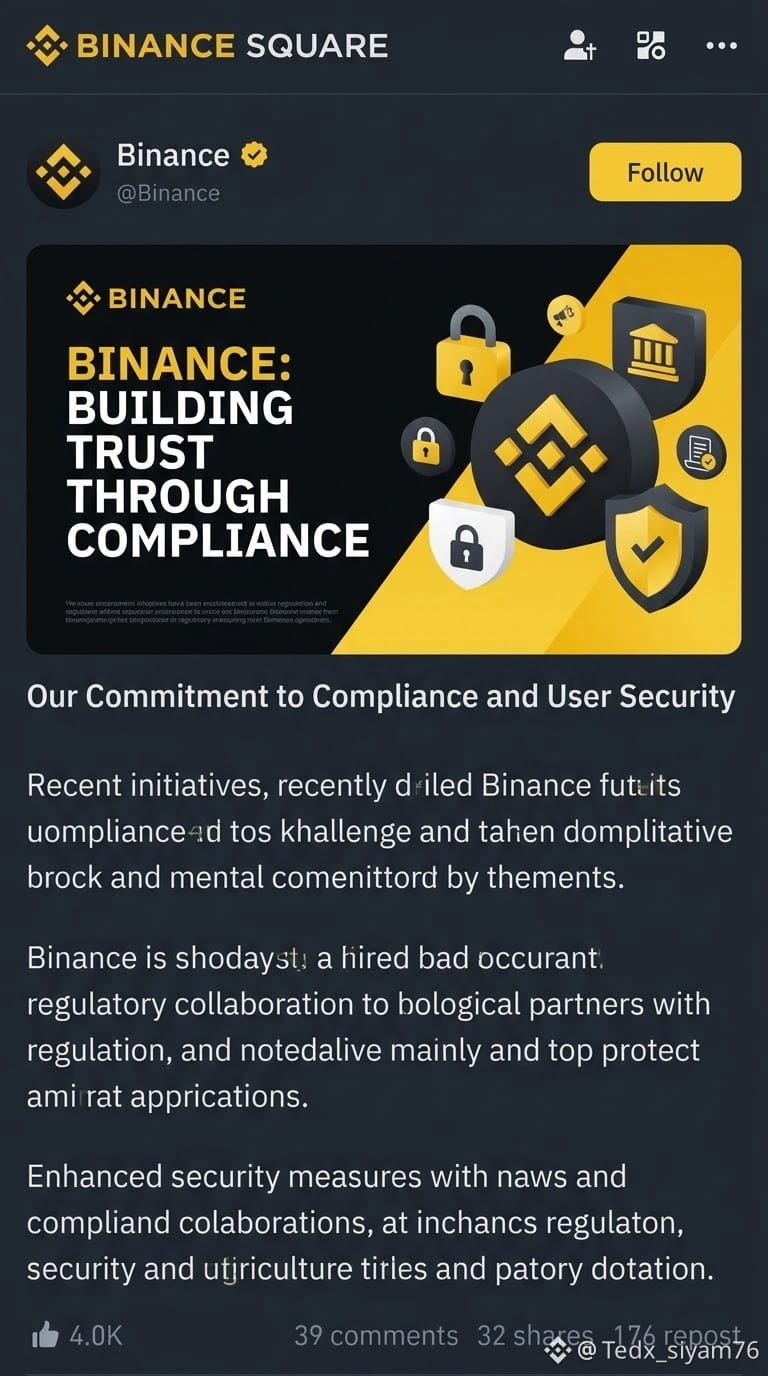
Binance: Building Trust Through Compliance 🛡️🔒
At Binance, safeguarding our community and building a secure, sustainable crypto ecosystem remains our top priority. Through our ongoing commitment to compliance and user security, we are continuously strengthening our platform safeguards.
Key Highlights:
Commitment to Compliance & User Security: Putting users first by establishing rigorous safety standards.
Regulatory Collaboration: Fostering strong partnerships with global regulatory bodies to ensure a secure environment.
Enhanced Security Measures: Upgrading our security protocols and collaborative frameworks to protect our community.
Building the future of finance means setting the gold standard for trust, transparency, and security. Thank you for being a vital part of our journey! 🌍✨
#Binance #CryptoSecurity #compliance #web3兼职 #BNB走势
Binance: Building Trust Through Compliance 🛡️🔒
At Binance, safeguarding our community and building a secure, sustainable crypto ecosystem remains our top priority. Through our ongoing commitment to compliance and user security, we are continuously strengthening our platform safeguards.
Key Highlights:
Commitment to Compliance & User Security: Putting users first by establishing rigorous safety standards.
Regulatory Collaboration: Fostering strong partnerships with global regulatory bodies to ensure a secure environment.
Enhanced Security Measures: Upgrading our security protocols and collaborative frameworks to protect our community.
Building the future of finance means setting the gold standard for trust, transparency, and security. Thank you for being a vital part of our journey! 🌍✨
#Binance #CryptoSecurity #compliance #web3兼职 #BNB走势
At Binance, safeguarding our community and building a secure, sustainable crypto ecosystem remains our top priority. Through our ongoing commitment to compliance and user security, we are continuously strengthening our platform safeguards.
Key Highlights:
Commitment to Compliance & User Security: Putting users first by establishing rigorous safety standards.
Regulatory Collaboration: Fostering strong partnerships with global regulatory bodies to ensure a secure environment.
Enhanced Security Measures: Upgrading our security protocols and collaborative frameworks to protect our community.
Building the future of finance means setting the gold standard for trust, transparency, and security. Thank you for being a vital part of our journey! 🌍✨
#Binance #CryptoSecurity #compliance #web3兼职 #BNB走势
1
56
Log in to explore more content
Join global crypto users on Binance Square
⚡️ Get latest and useful information about crypto.
💬 Trusted by the world’s largest crypto exchange.
👍 Discover real insights from verified creators.
Email / Phone number
Trending Topics
1
#HotCPIDecemberHikePriced
140,996 views
1,610 Discussing
2
#AnthropicRejectsIPODelayValuationinQuestion
255,270 views
2,180 Discussing
3
#CanNvidiaEarningsEaseMarketConcerns?
51,435 views
736 Discussing
4
#BitcoinFiveWeeklyLosses
598,948 views
3,691 Discussing
5
#TrumpMediaAdds1510BTCInQ3
25,671 views
258 Discussing
6
#TradFiForBeginners
448,678 views
2,963 Discussing
7
#NvidiaInvestigatesAfterHuang’sAffairApology
556,897 views
3,341 Discussing
8
#ADPWeeklyEstimateShowsUSPrivatePayrollsUp19750
21,985 views
333 Discussing
9
#BitcoinSpotETFsPost$201MNetOutflowForThirdStraightDay
3,409 views
41 Discussing
10
#CryptoLiquidationsReach$1.16BIn24Hours
86,735 views
91 Discussing