Disclaimer: In compliance with MiCA requirements, unauthorized stablecoins are subject to certain restrictions for EEA users. For more information, please click here.
You can now sell crypto to KES (Kenyan Shilling), XOF (West African CFA franc), XAF (Central African CFA franc), ZMW (Zambian Kwacha), USD (United States Dollar) or SLE (Sierra Leonean Leone) on the Binance app or website.
1. Log in to your Binance account and go to [Add Funds] - [Buy with KES].
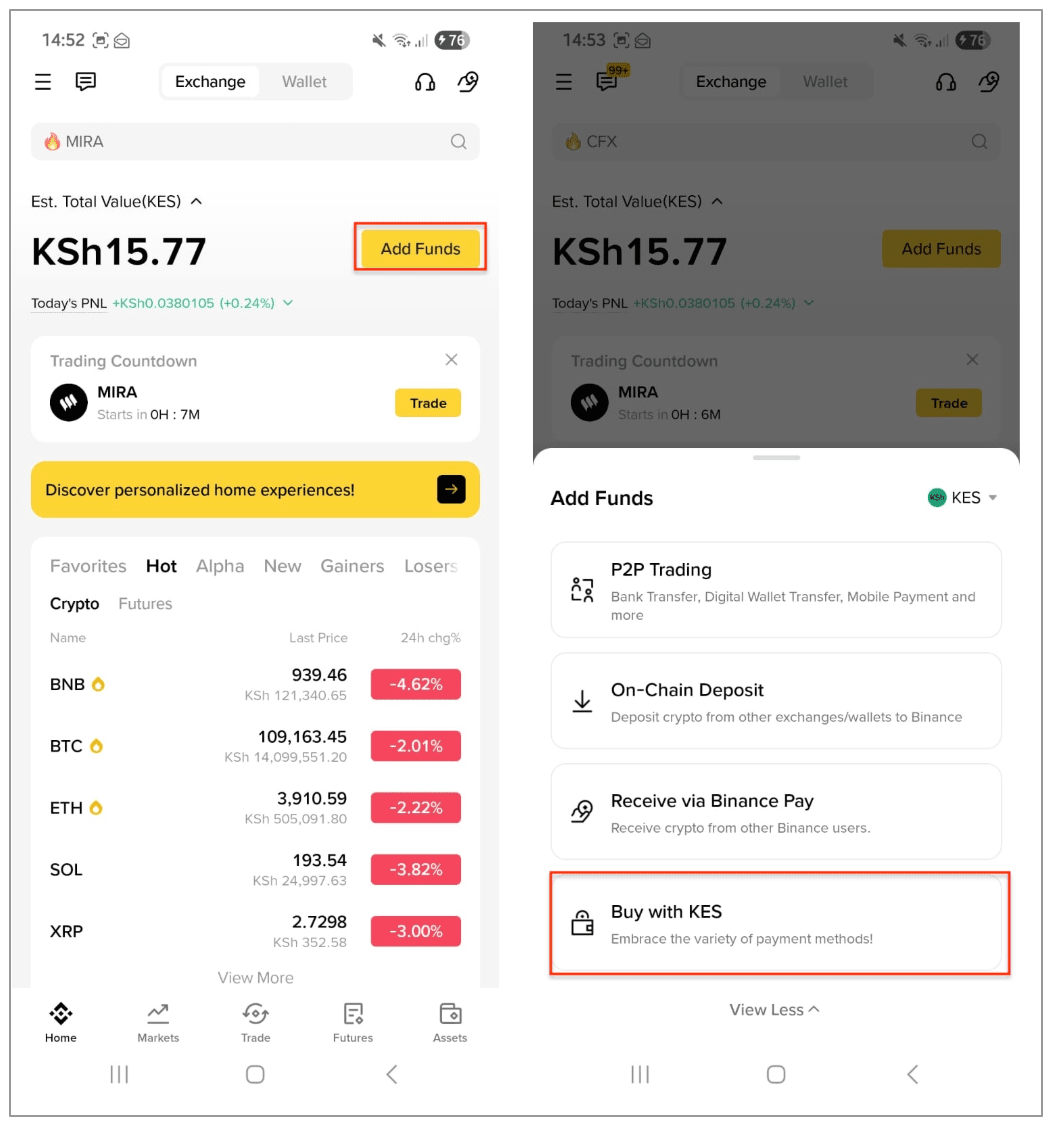
Then, switch to sell and choose the cryptocurrency you want to sell.
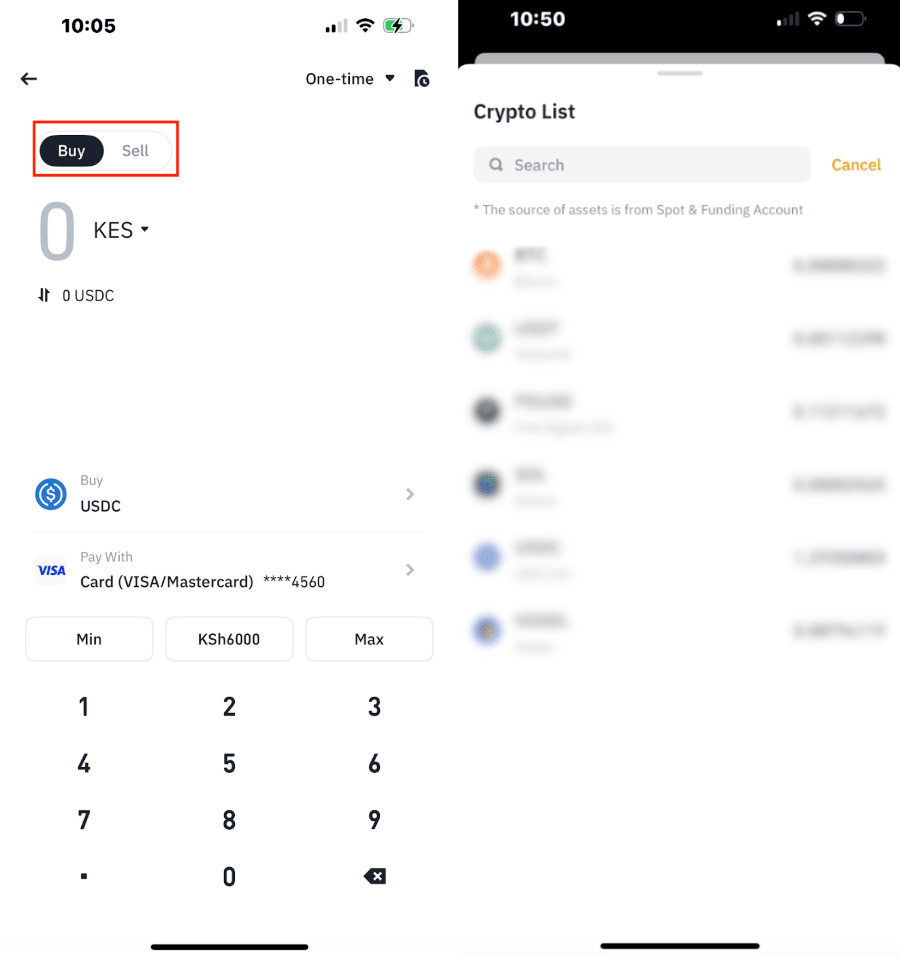
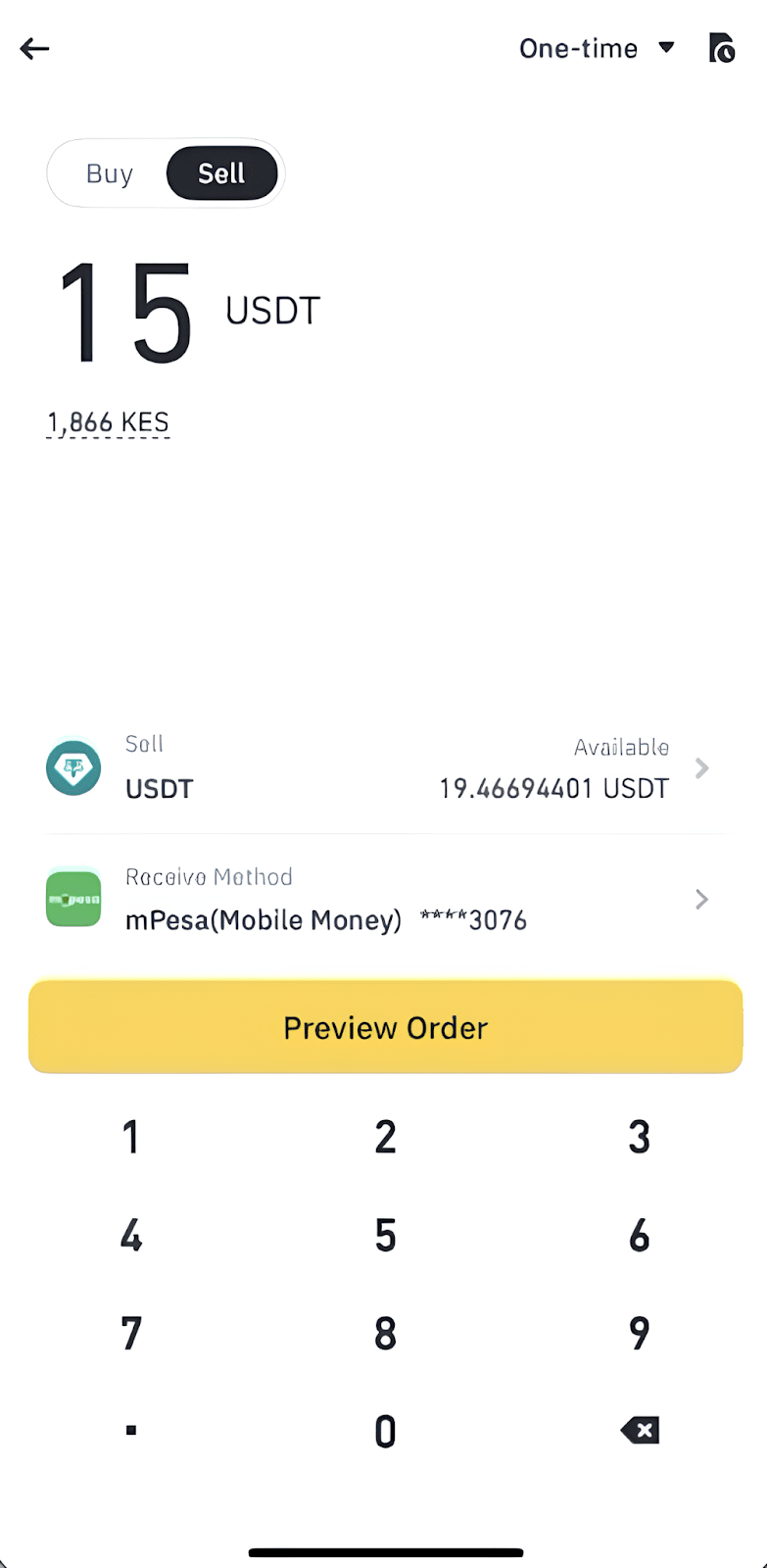
2. Enter the amount and choose “Receive Method” as [Mobile Money]. Tap [Preview Order].
3. If you haven’t added a mobile money account before, provide your account details including the provider, phone number, and email. Tap [Confirm] to continue.
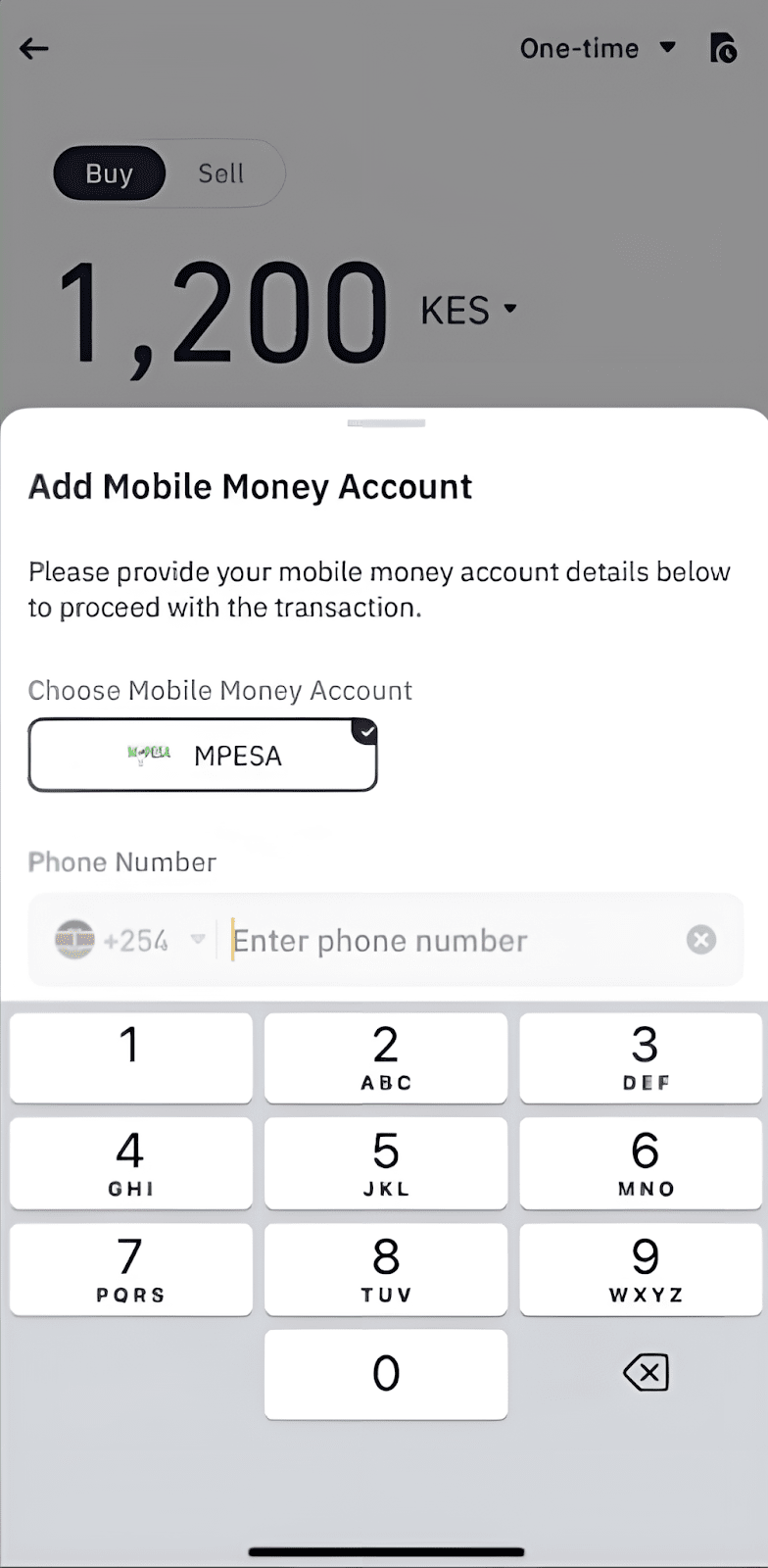
If you have used mobile money for transactions before, the system will pre-fill your information. Verify that the details are correct and tap [Confirm].
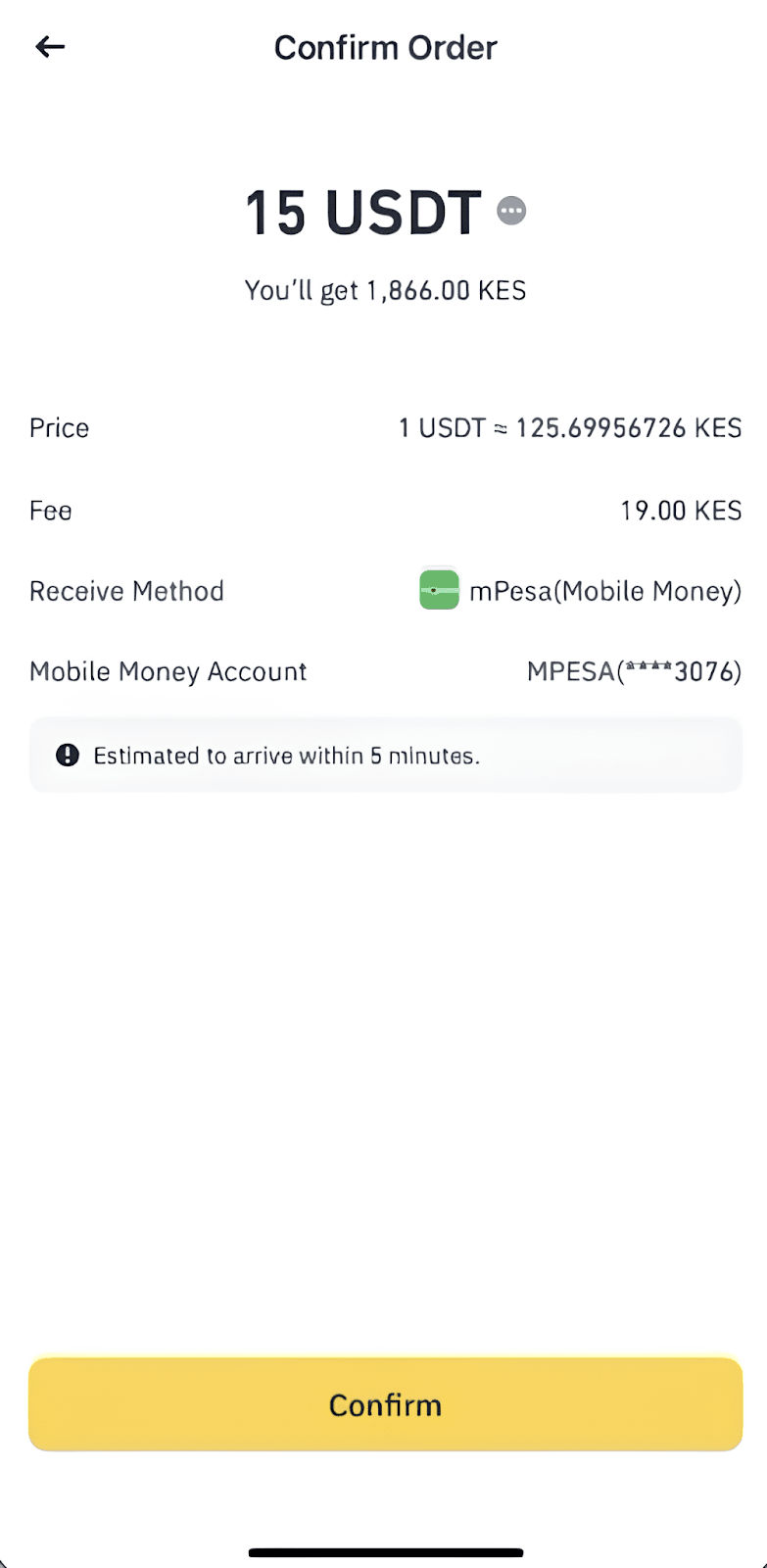
4. Check the payment details and transaction fees carefully before tapping [Confirm].
At any given time, the price and corresponding amount of crypto may be recalculated automatically.
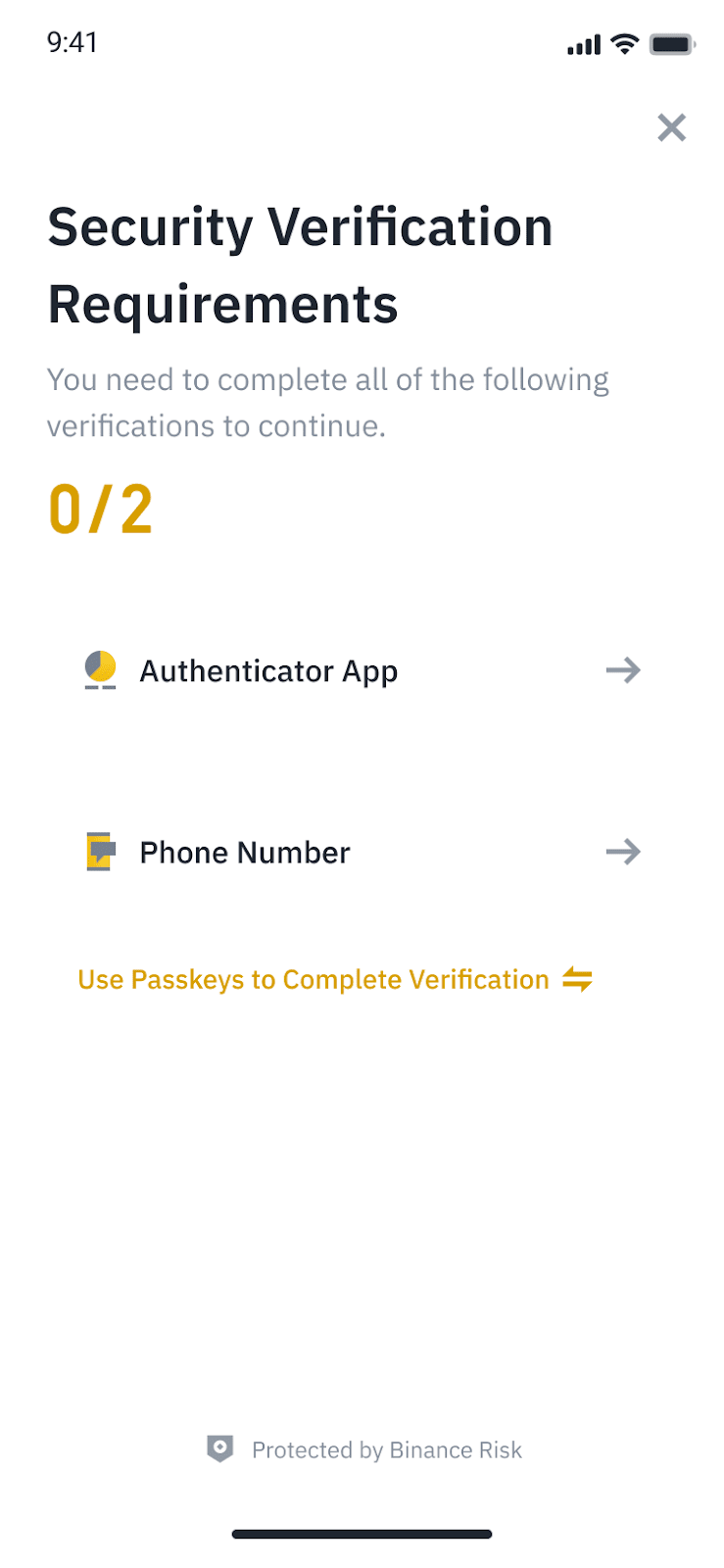
5. Follow the instructions to complete security verification.
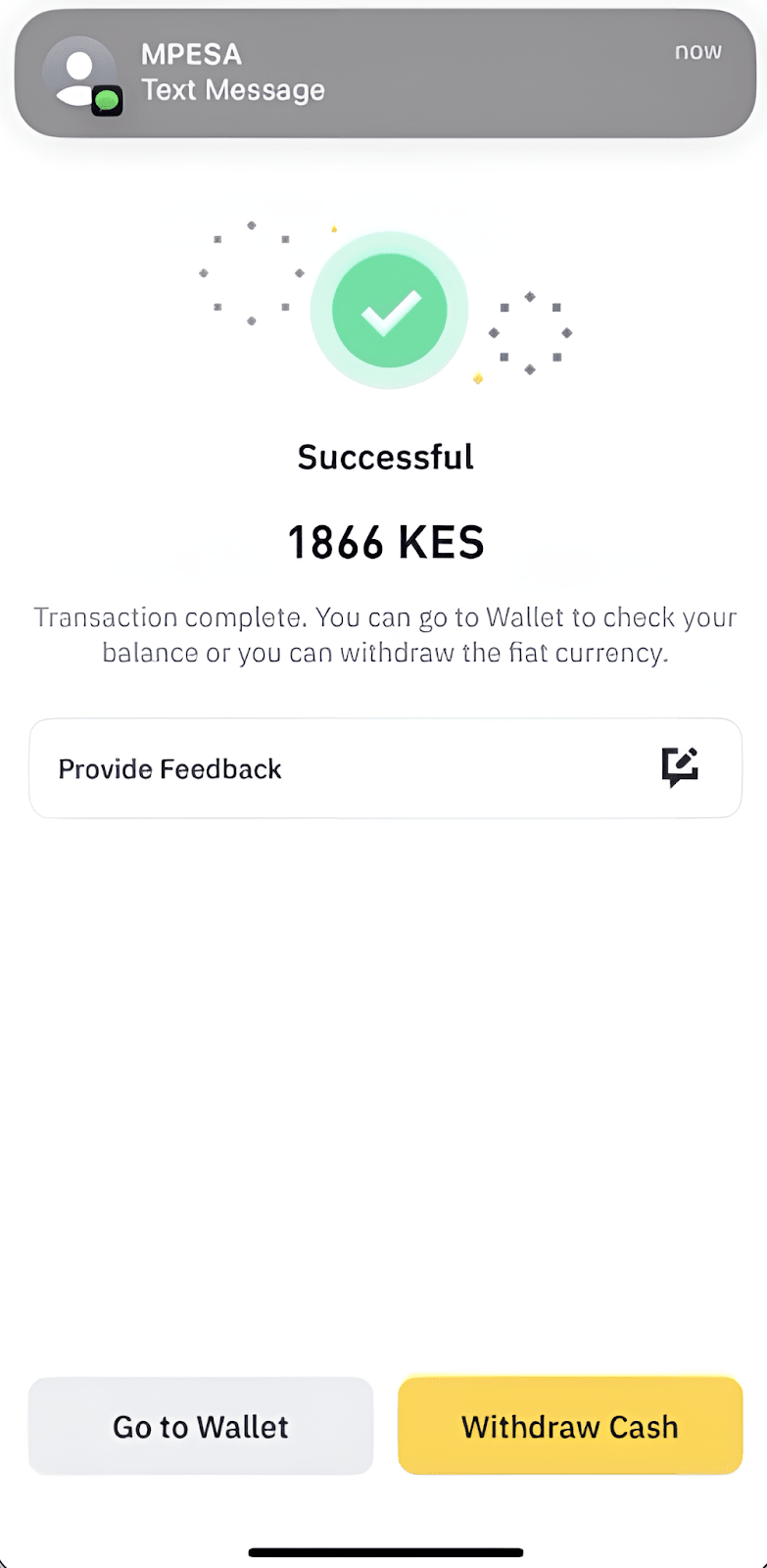
6. Please wait patiently for the order to process. Tap [Withdraw Cash] to withdraw KES to your bank account.
You may check the order details by tapping [Go to Wallet].
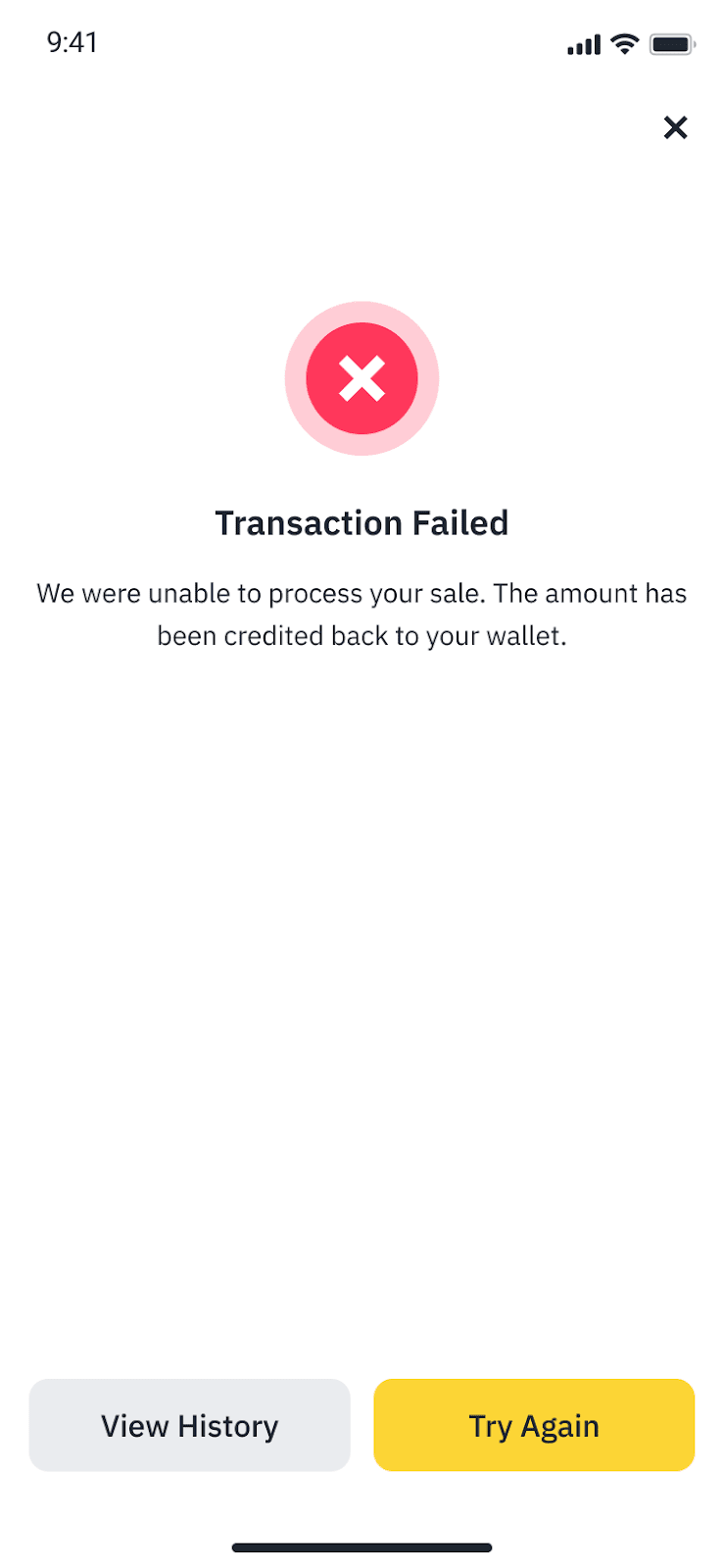
If the transaction fails, you can tap [View History] to check the order status or [Try Again] to send the transaction again.
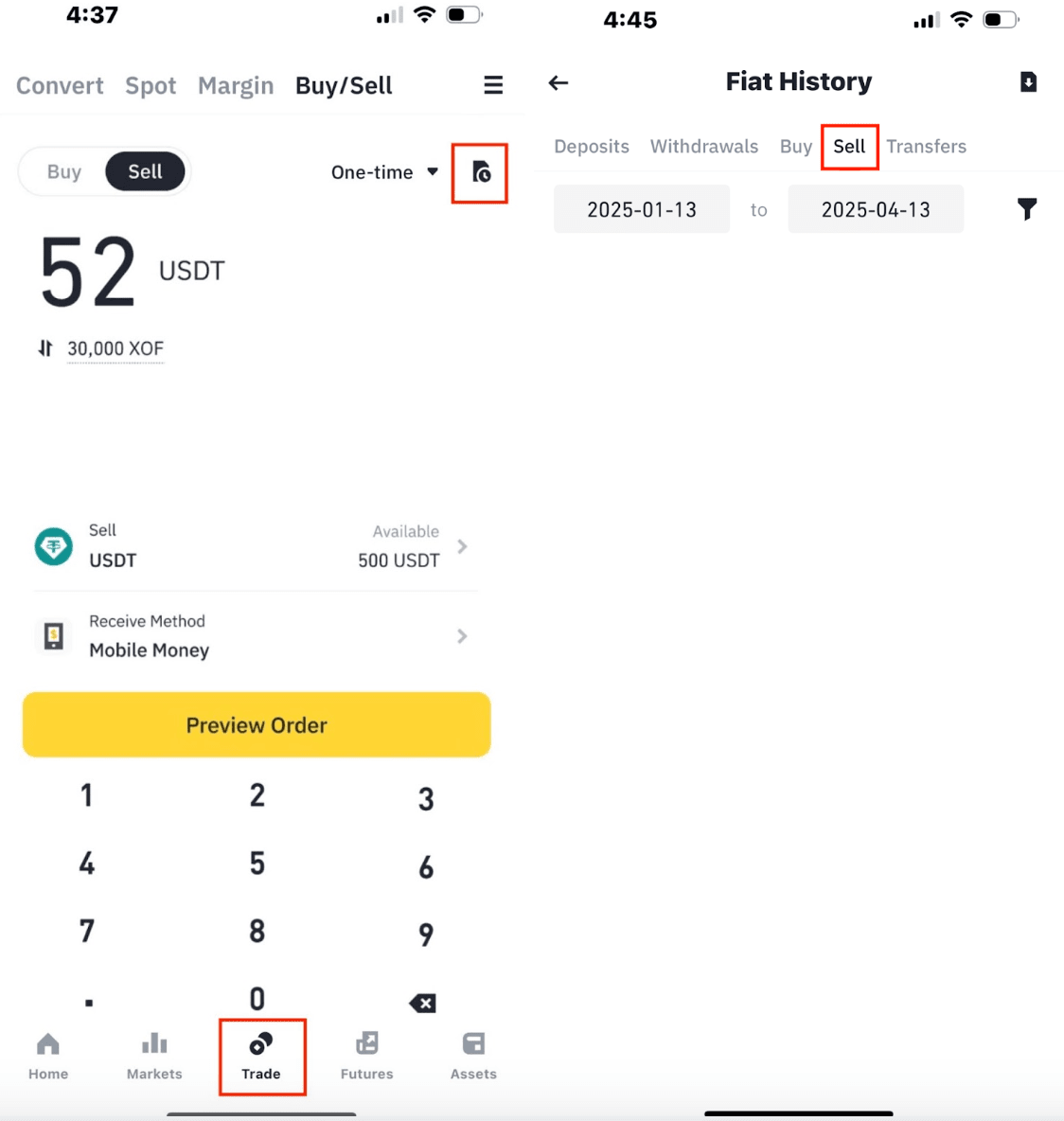
7. To check your order details at any time, go to [Trade] - [Fiat History] - [Sell].
To learn how to buy crypto on Binance, please refer to How to Buy Crypto with KES, XOF, XAF, ZMW, USD, SLE on Binance?
You can now sell XOF (West African CFA franc) via Wave on the Binance app.
1. Log in to your Binance account and tap on [Trade] - [Buy/Sell] - [Sell Crypto].
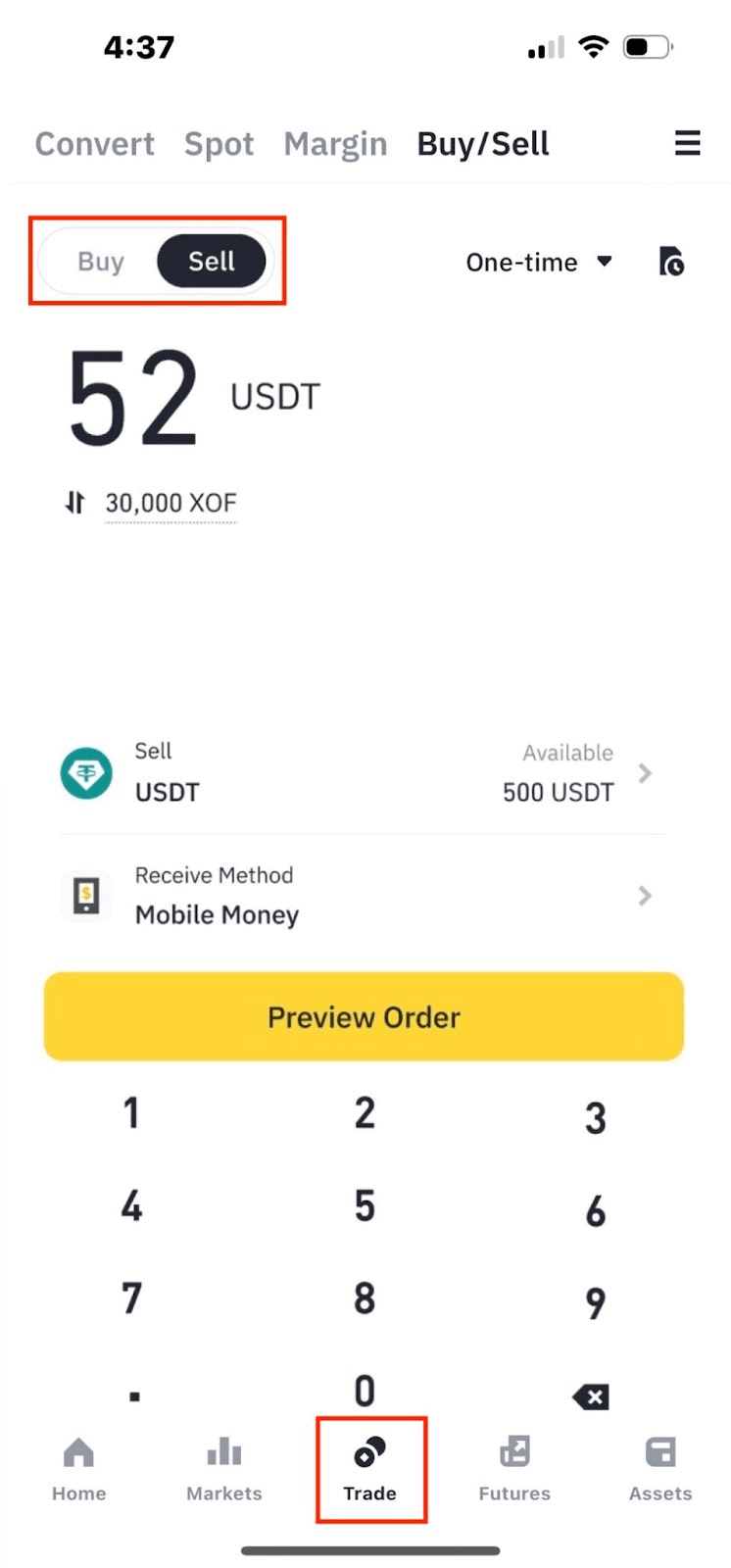
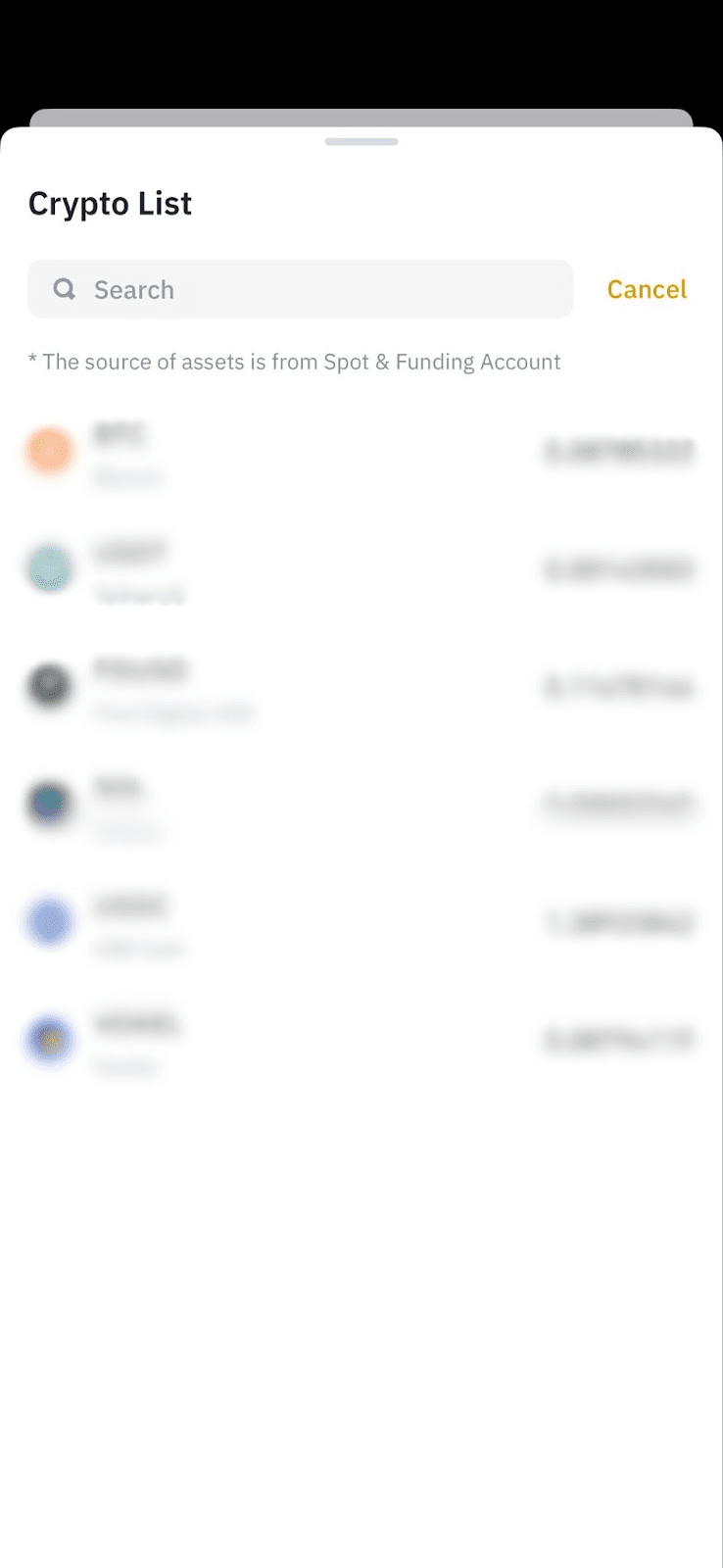
2. Select the cryptocurrency you want to sell.
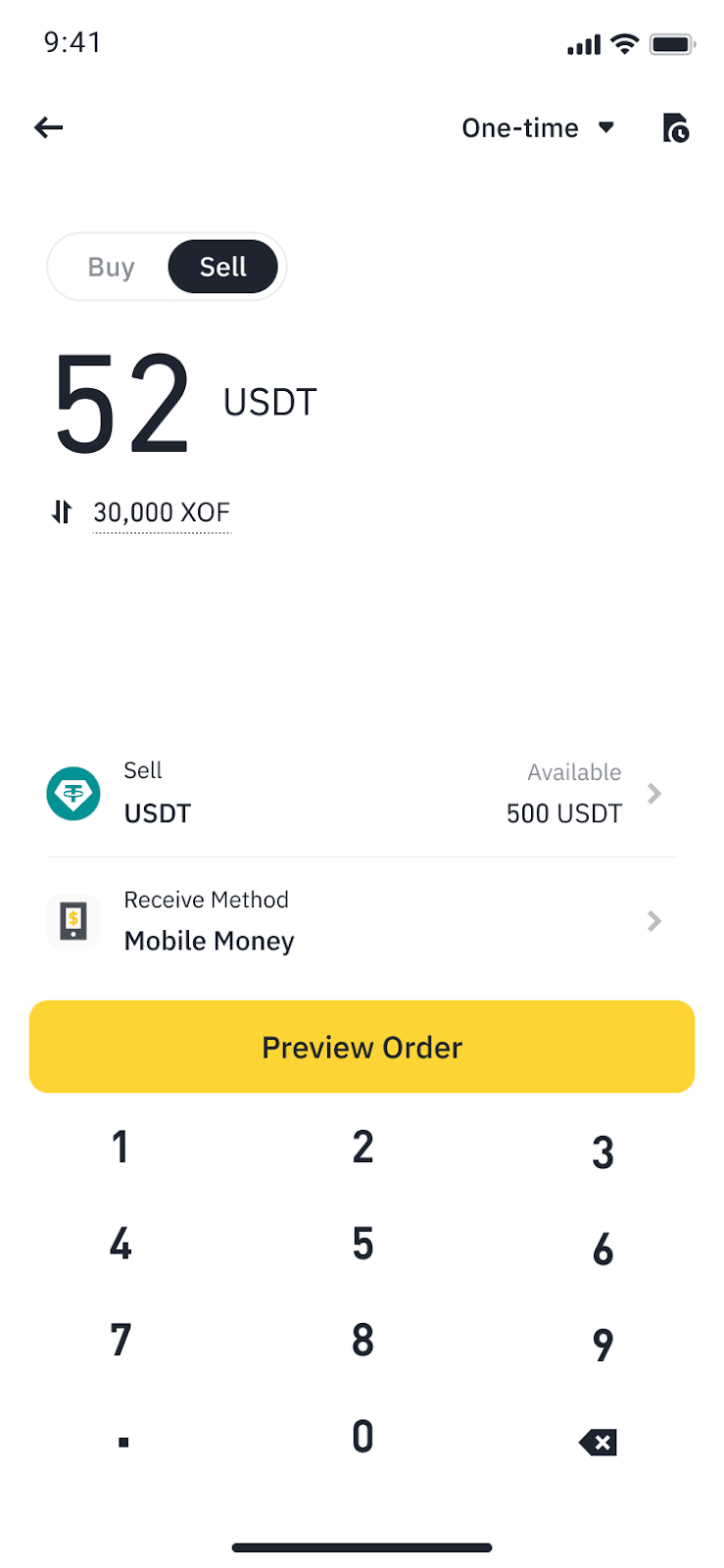
3. In this example, we’ll sell USDT for XOF.
Enter the amount, choose “Receive Money” as [Mobile Money], tap [Preview Order].
4. Choose [Wave] on this page.
If you haven’t added a mobile money account before, provide your phone number and email. Tap [Confirm] to continue.
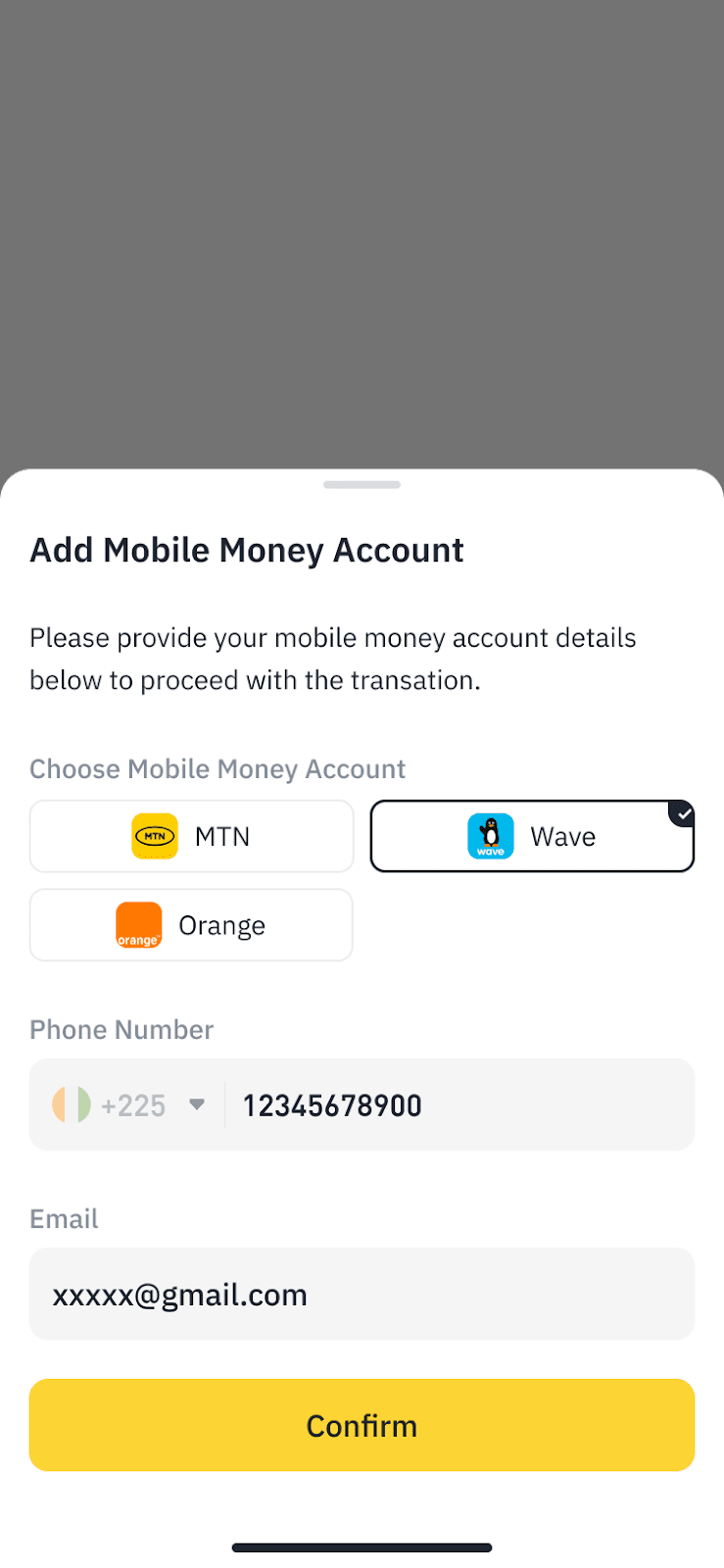
If you’ve used mobile money for transactions previously, your information will be pre-filled automatically. Please verify the details are correct and tap [Confirm].
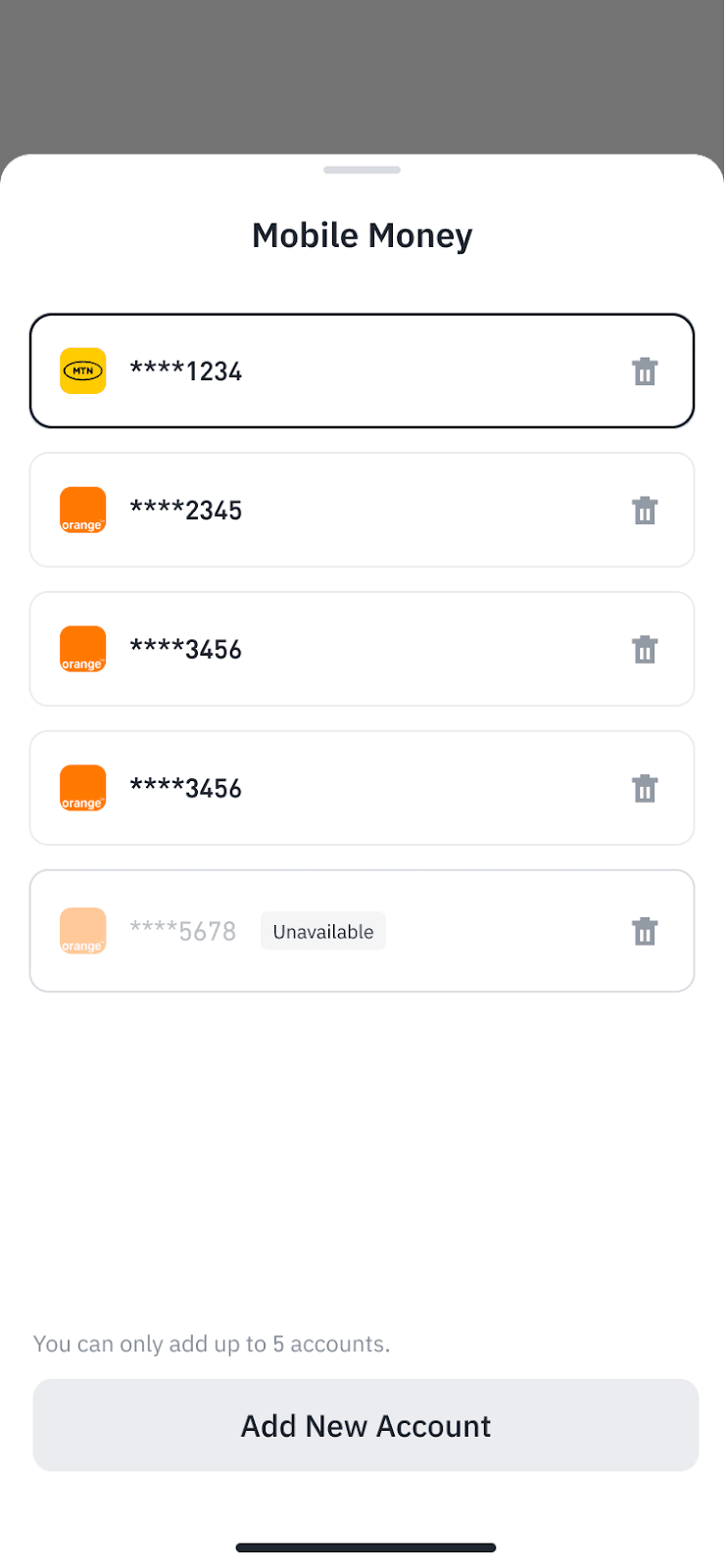
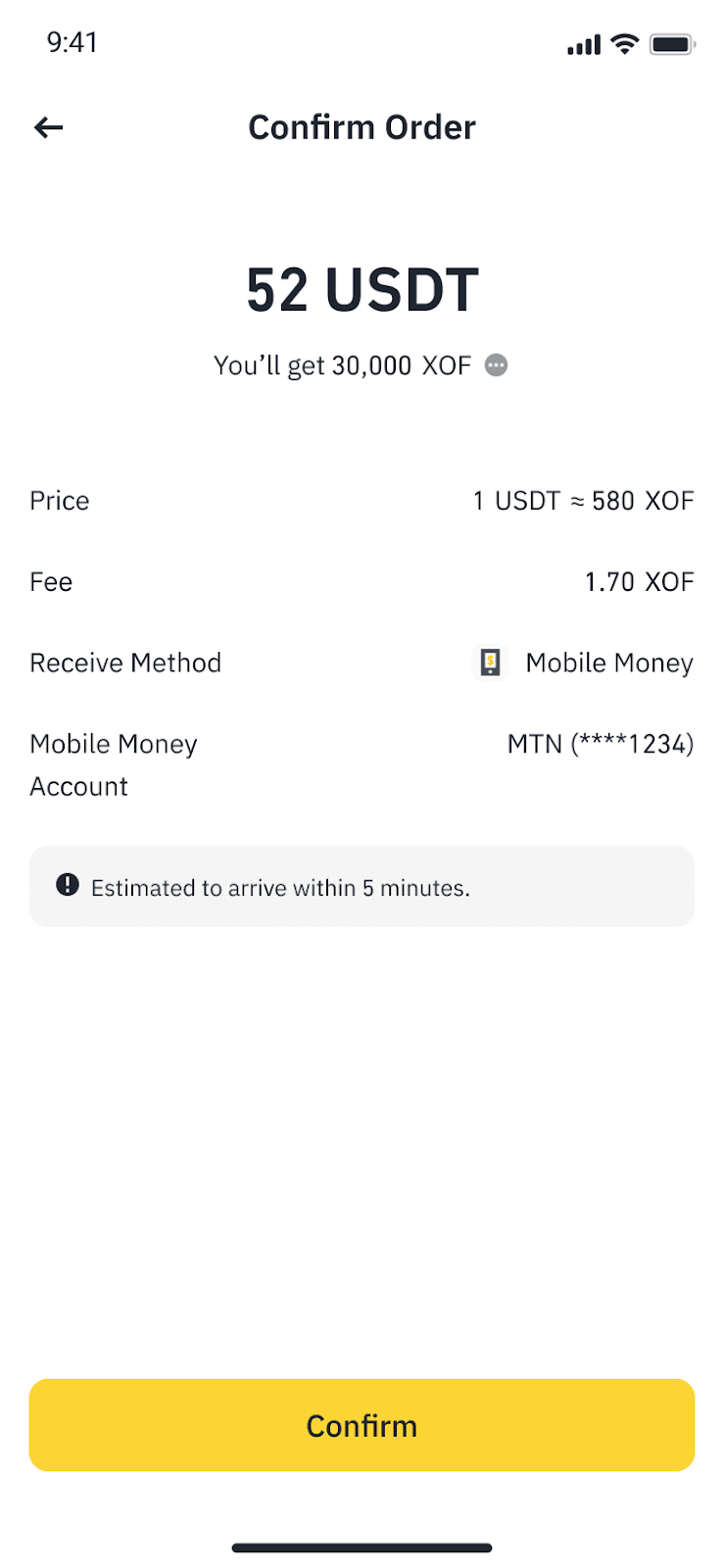
5. Carefully review the payment details and transaction fees before tapping [Confirm].
Please note: The price and corresponding amount of crypto may be recalculated automatically at any time.
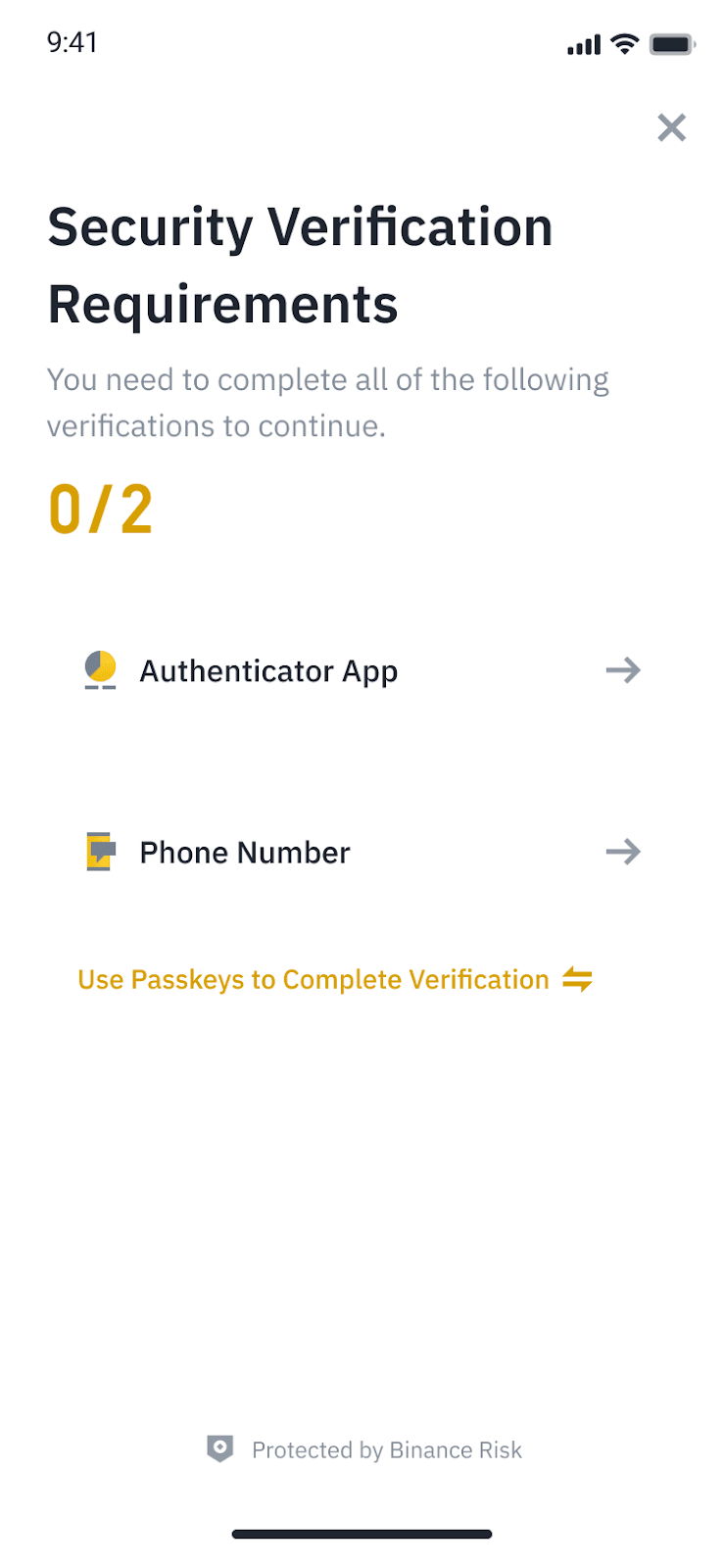
6. Complete 2FA verification.
7. Your order will be submitted. It may take up to 2 days to process.
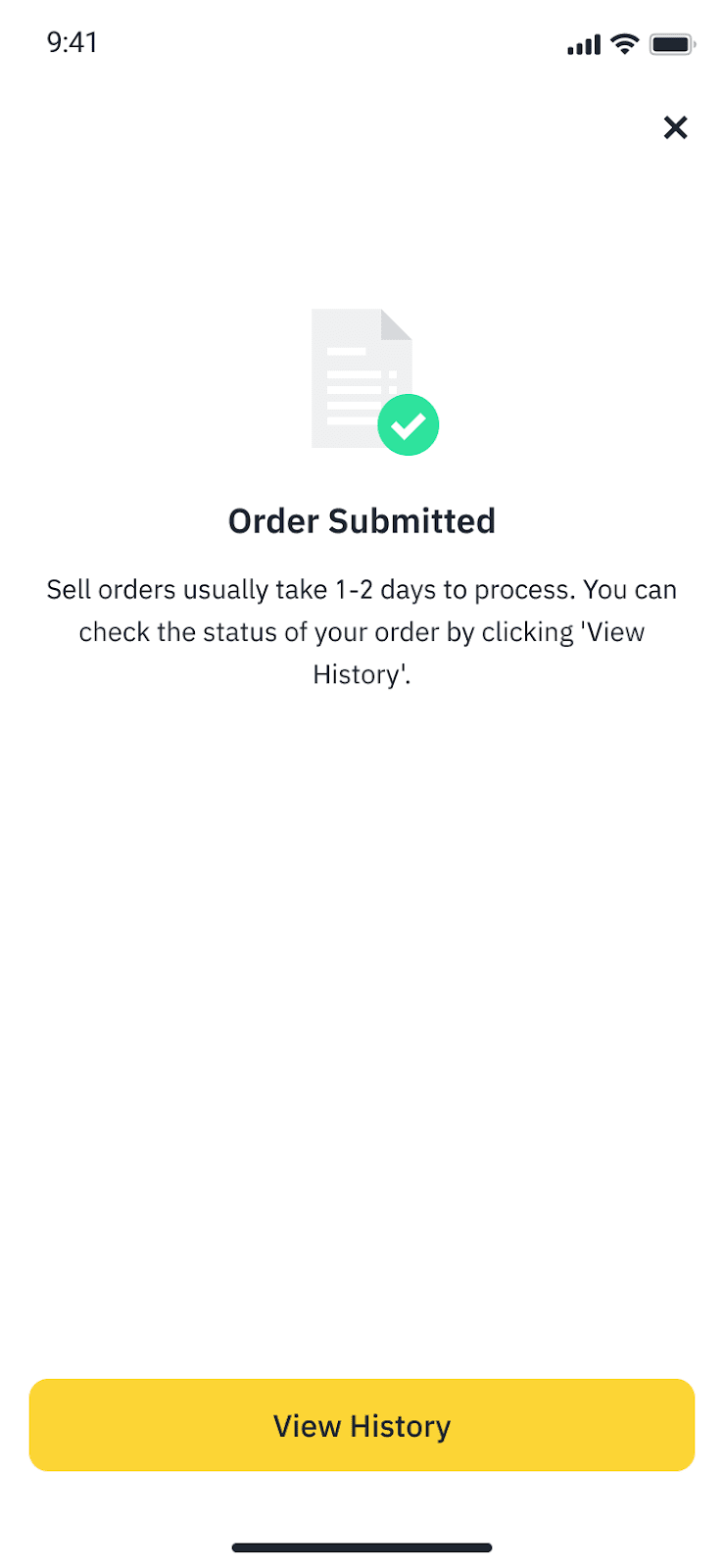
To check your order details at any time, go to [Trade] - [Fiat History] - [Sell].
To learn how to buy crypto on Binance, please refer to How to Buy Crypto with KES, XOF, XAF, ZMW, USD, SLE on Binance?
1. Which countries and currencies are supported?
Country or Region | Supported Payment Methods | Supported Currency |
Cote Divoire | Wave, Orange, MTN | XOF |
Sierra Leone | Orange | SLE |
Senegal | Wave, Orange, Free | XOF |
Congo Brazzaville | MTN, Airtel | XAF |
Gabon | MTN | XAF |
Kenya | mPesa | KES |
Benin | MTN, Moov | XOF |
2. What are the transaction fees?
Currency | Buy Fee | Sell Fee |
KES | 1% | 1% |
XAF | 3.8% | 1% |
XOF | 2.2% | 1.5% |
SLE | 3% | 2% |
3. How long does it take to receive funds after selling crypto?
Your funds will be deposited to your mobile money account instantly.
4. Do I need to verify my identity to use this service?
Yes, identity verification is mandatory to sell crypto to fiat money on Binance. You’ll need to do 2FA each time you place an order.
To learn how to buy crypto on Binance, please refer to How to Buy Crypto with KES, XOF, XAF, ZMW, USD, SLE on Binance?
