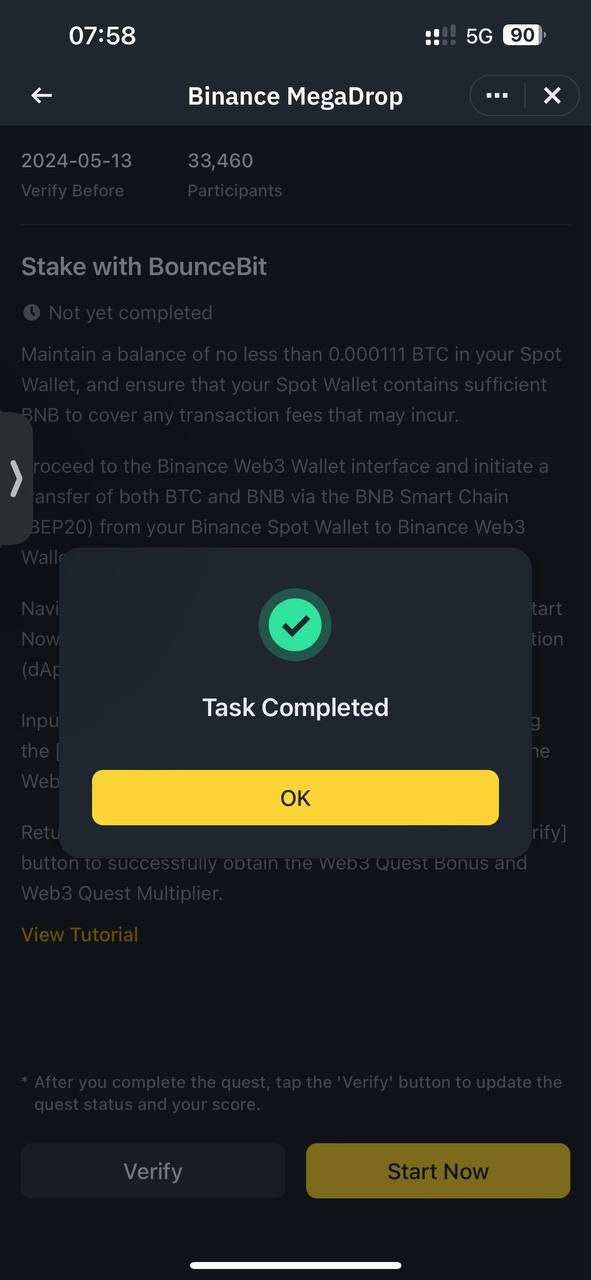
BounceBit is a Bitcoin restaking and CeDeFi protocol that enhances Bitcoin's utility beyond its traditional role as a store of value. To participate in the Megadrop, ensure you have a Binance Web3 Wallet. All activities will be carried out on the BNB Chain. The tokens required are BNB for gas fees and 0.0001 BTCB in your Binance Web3 Wallet to complete the task.
Download the Binance app if you haven't already, skip if you already have the app.
Log in to your Binance app.
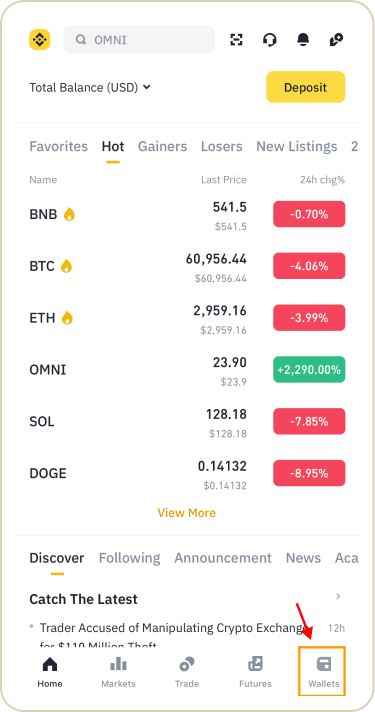
Click on "Wallet".
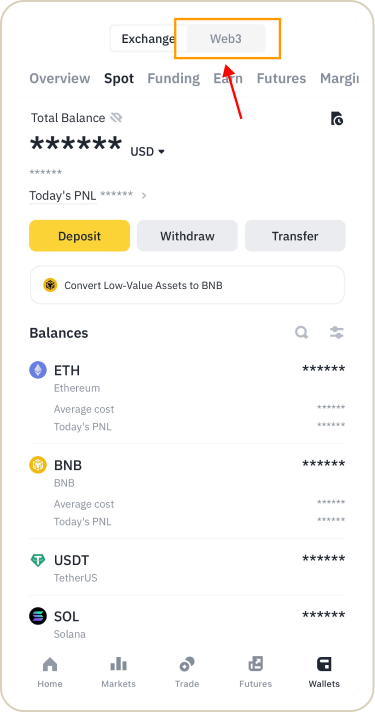
Go to the "Web3" tab at the top.
Click "Create Wallet" to create a Web3 wallet and make sure you have a verified backup (skip if you already have a wallet).
Go to the home page of your Binance Web3 wallet.
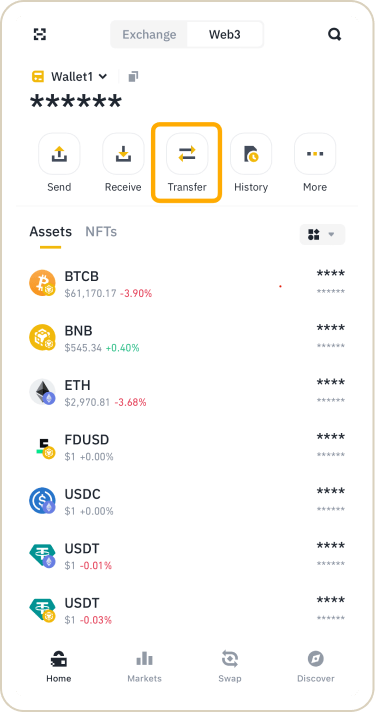
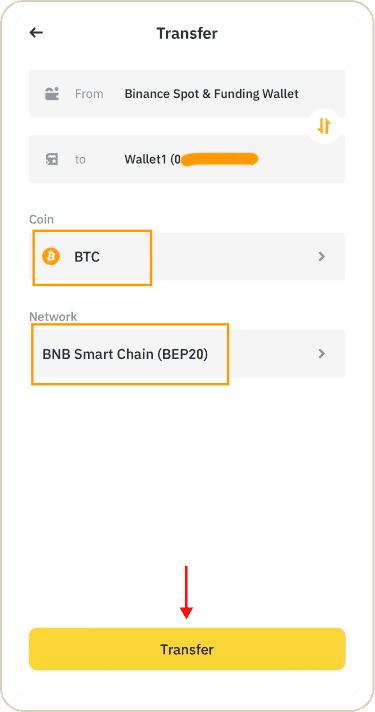
Click "Transfer". You will be transferring your BTC to your Web3 wallet to complete your Web3 task. Staking an amount greater than 0.0001 BTCB does not result in higher rewards.
Select "BTC"
Select "BNB Chain (BEP20)" as network.
Go to "Transfer"
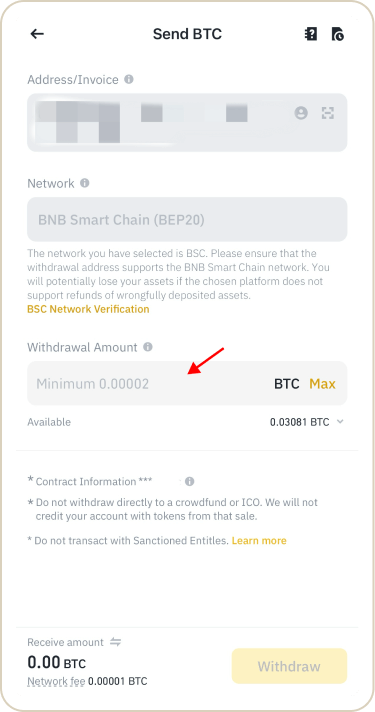
Enter your withdrawal amount. To participate in the airdrop you must stake 0.0001 BTCB. Also remember about the network fee.
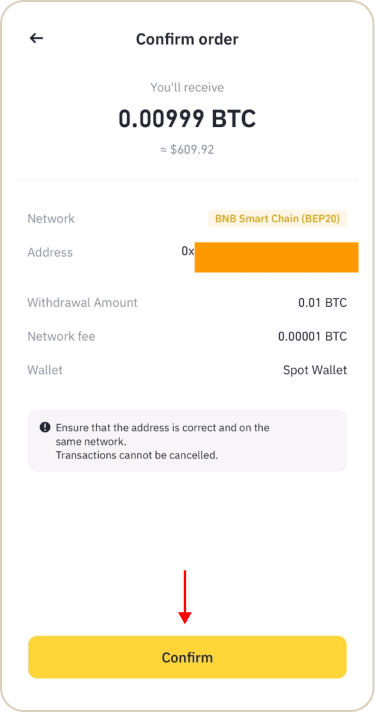
Confirm your withdrawal
Go to the home page of your Binance Web3 wallet (you can skip to step 20 if you have BNB on your Web3 wallet). BNB is needed to cover the costs of network fees.
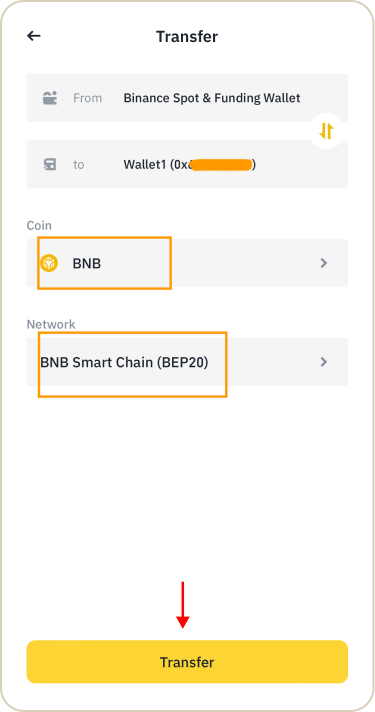
Click "Transfer"
Select "BNB".
Select "BNB Smart Chain (BEP20)" as network.
Go to "Transfer". You will be sending your BNB to your Web3 wallet. Please note that you will be able to transfer your BNB back to your spot wallet in the Binance app at any time.
Enter your withdrawal amount.
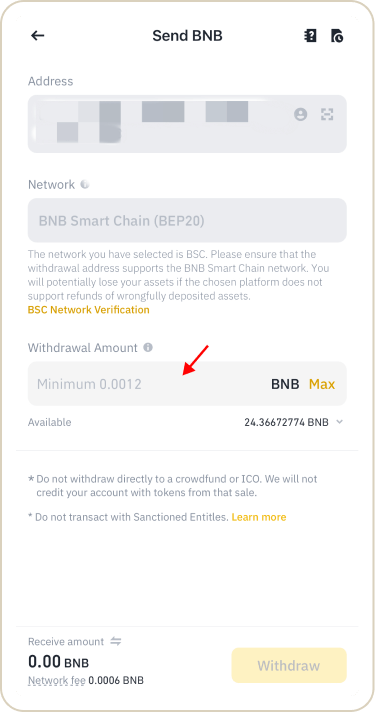
Confirm your withdrawal
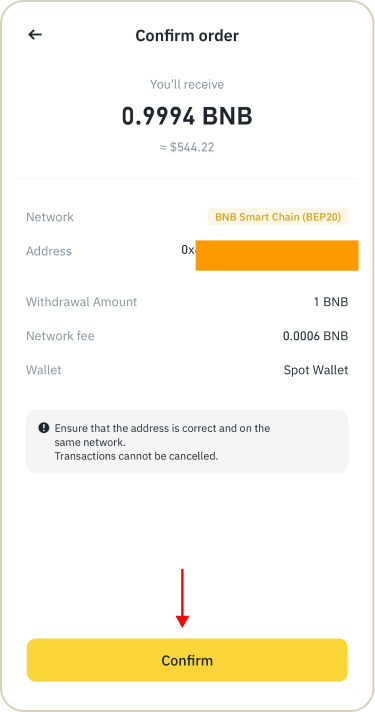
Make sure you have enough BNB for your gas payment (steps 13 - 19).
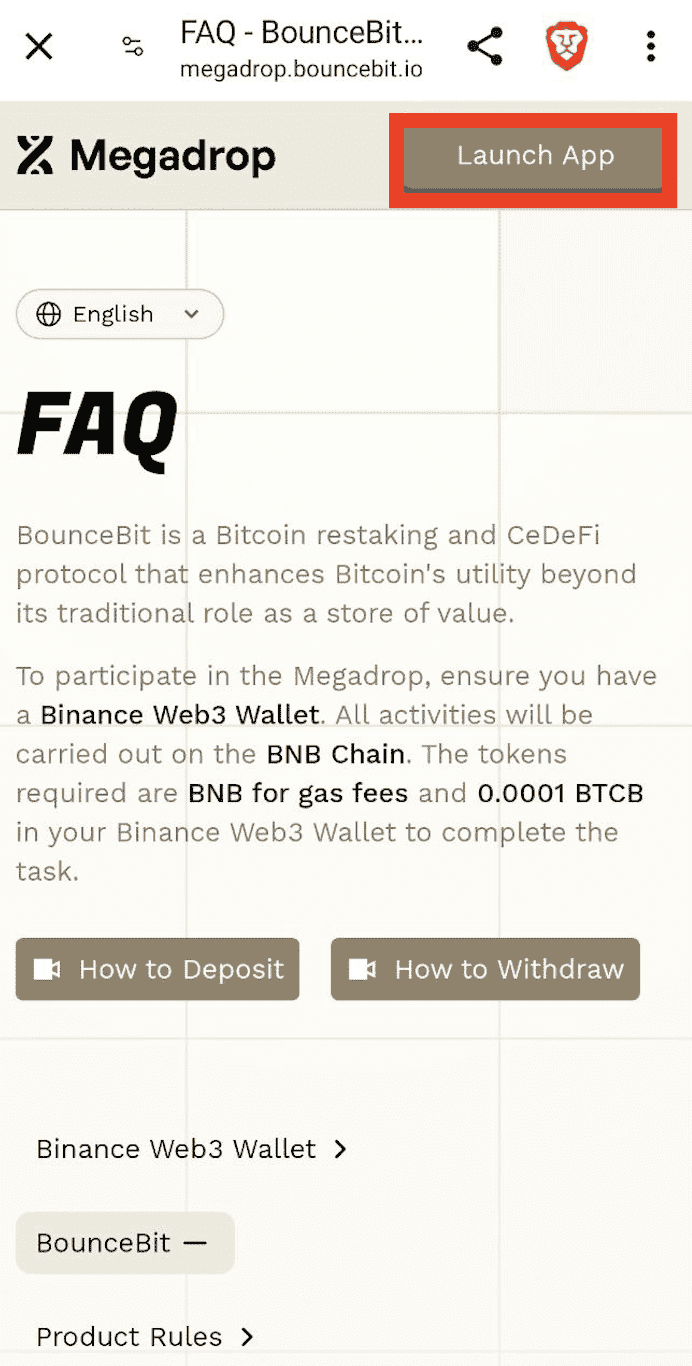
Go to this page and click "Launch App" in the upper right corner
Click "Connect Wallet" via Binance Web3 Wallet
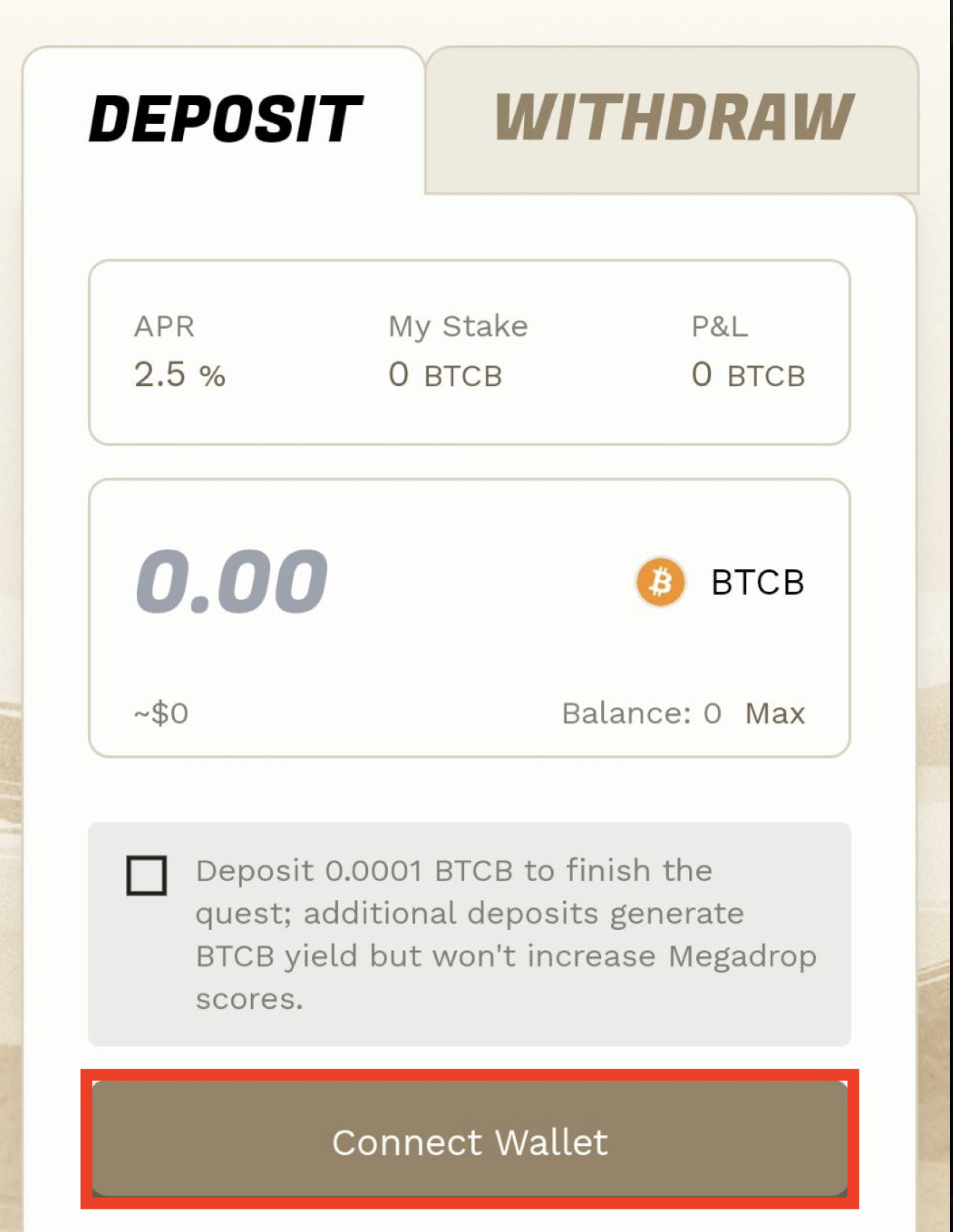
Select "BNB Chain" as network.
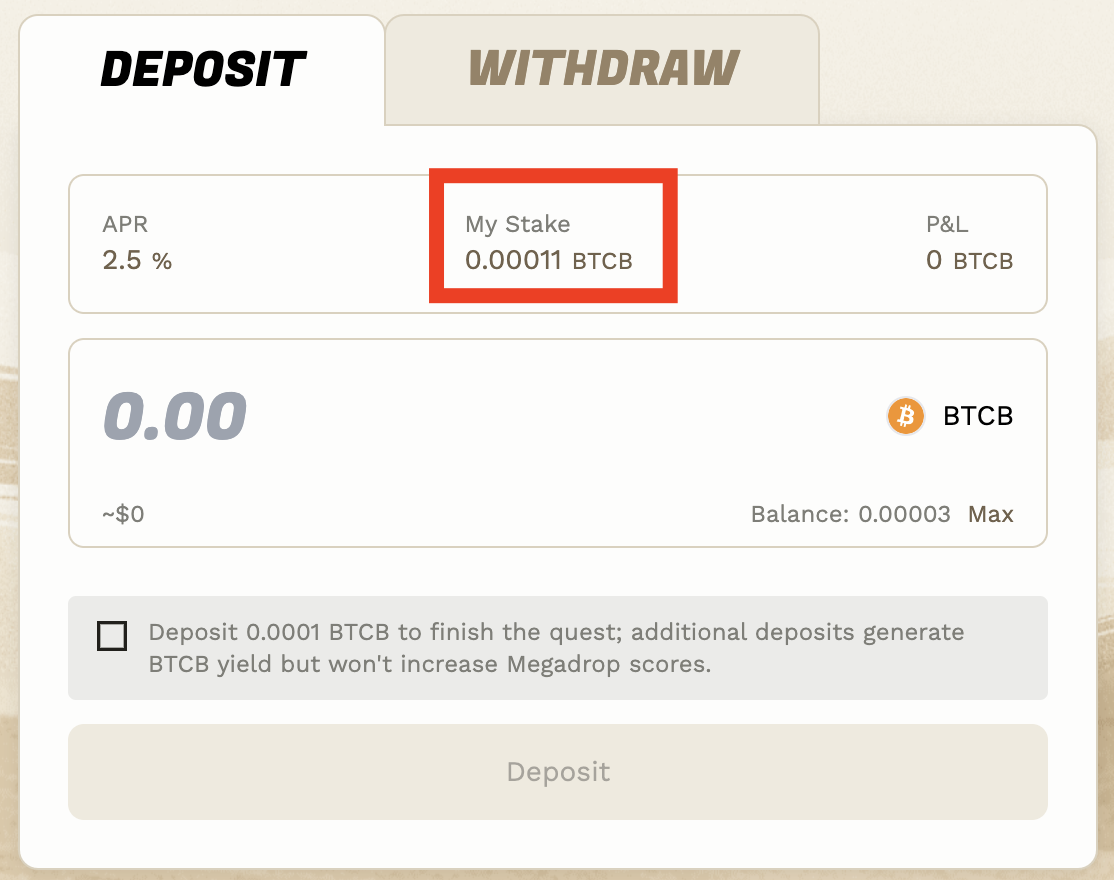
Enter the BTCB amount to deposit.
Your subscription has started. Once the Megadrop promotion ends, your airdrop tokens will appear in your Binance spot wallet.
Go back to your Web3 wallet and click on the Megadrop banner
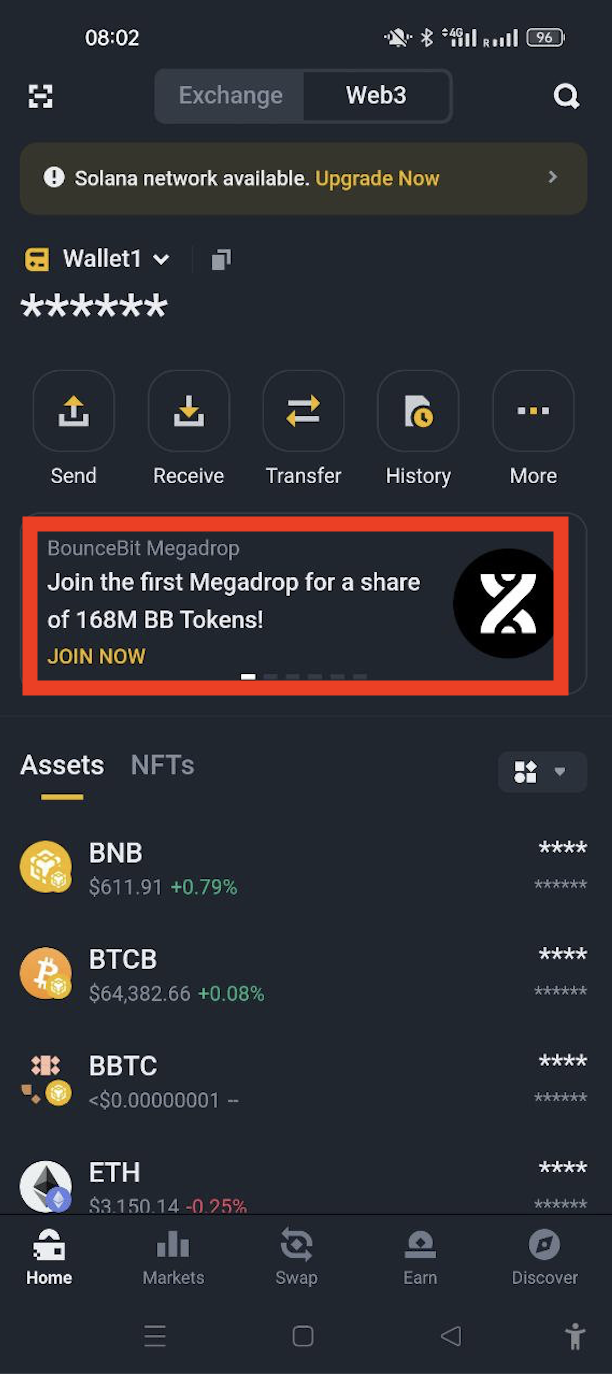
Scroll down and confirm the task has been completed. Once the Megadrop promotion ends, your airdrop tokens will appear in your Binance spot wallet.