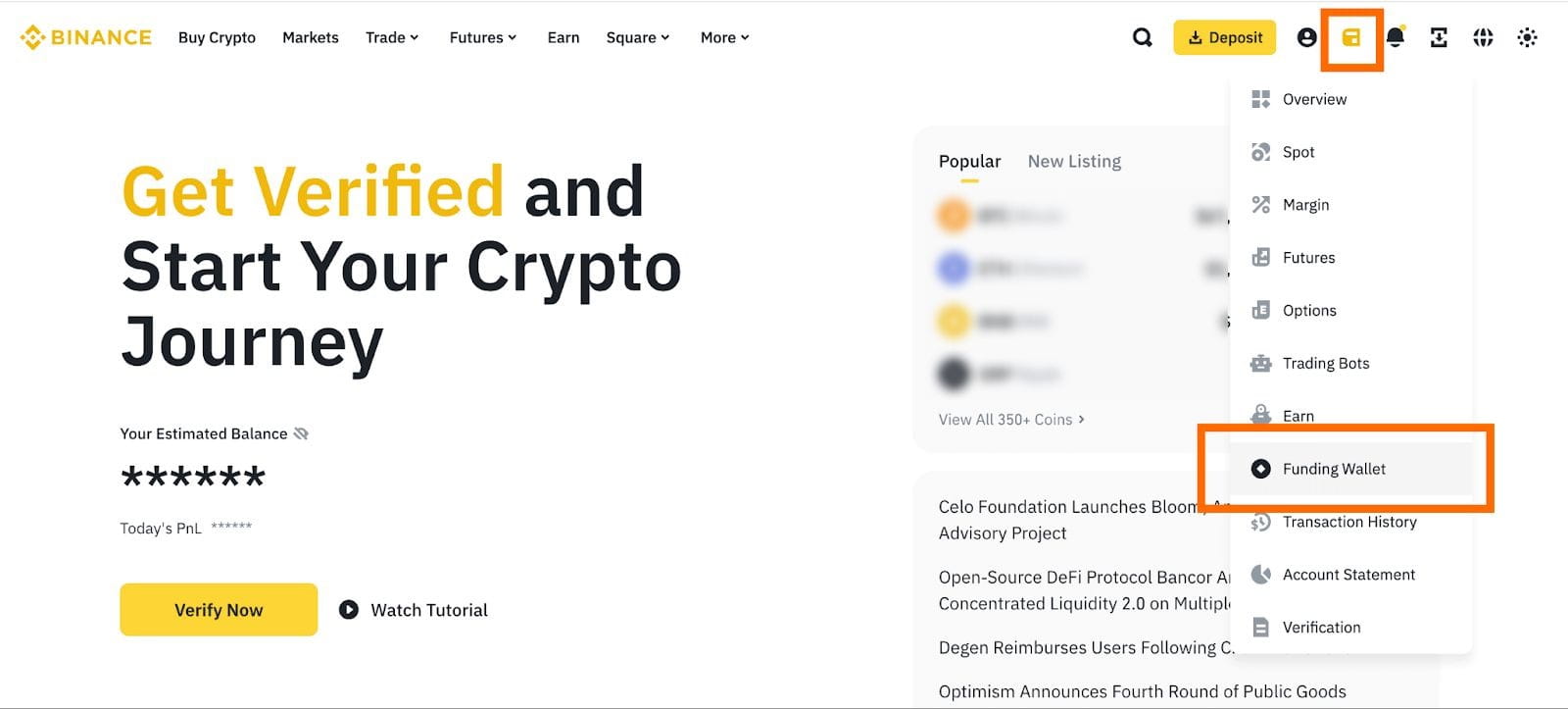
1. Log in to your Binance account and hover over the wallet icon, then select [Funding Wallet]. Click the [Withdraw] button.
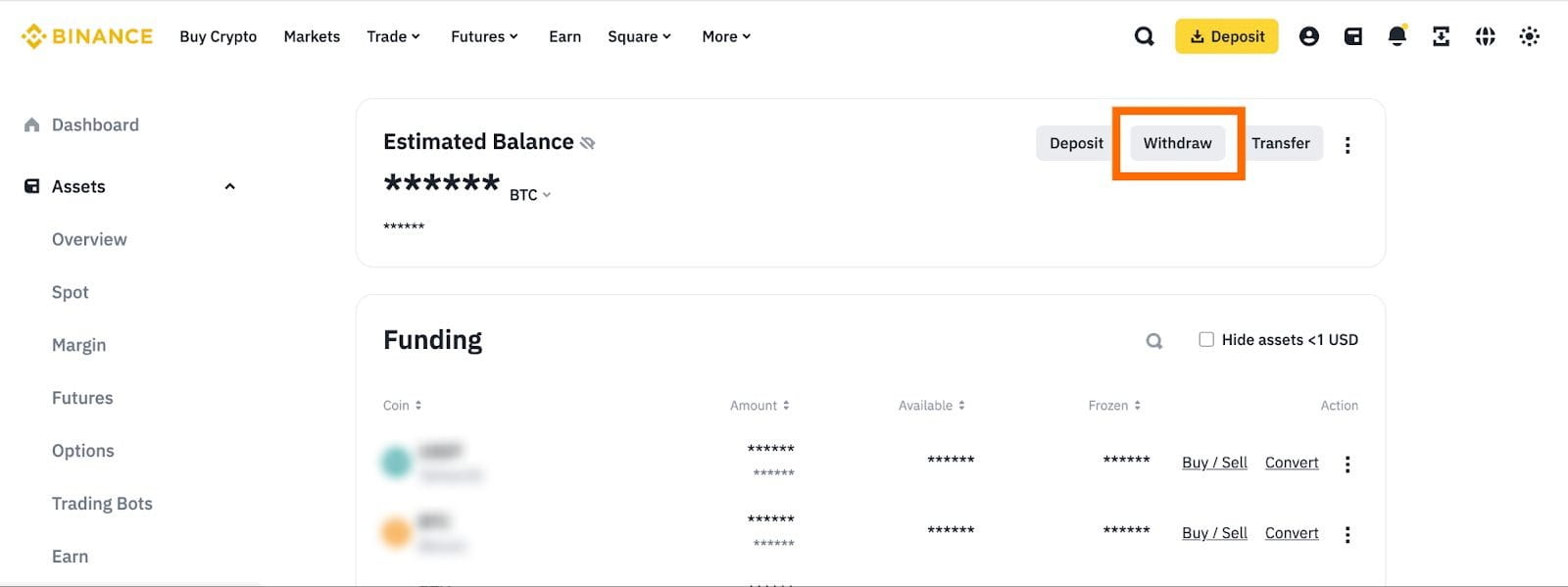
2. Click [Withdraw Fiat] from the left side bar. Select [UAH] under ‘Currency’ and choose [Card (Fiat Trade)] to withdraw to. Click [Continue].


3. If you haven’t completed identity verification and SMS verification for your Binance account, you’ll be prompted to do so at this step.

4. Enter the amount you want to withdraw, and you’ll see the transaction fee (if any). Check off the terms and conditions box and click [Continue].

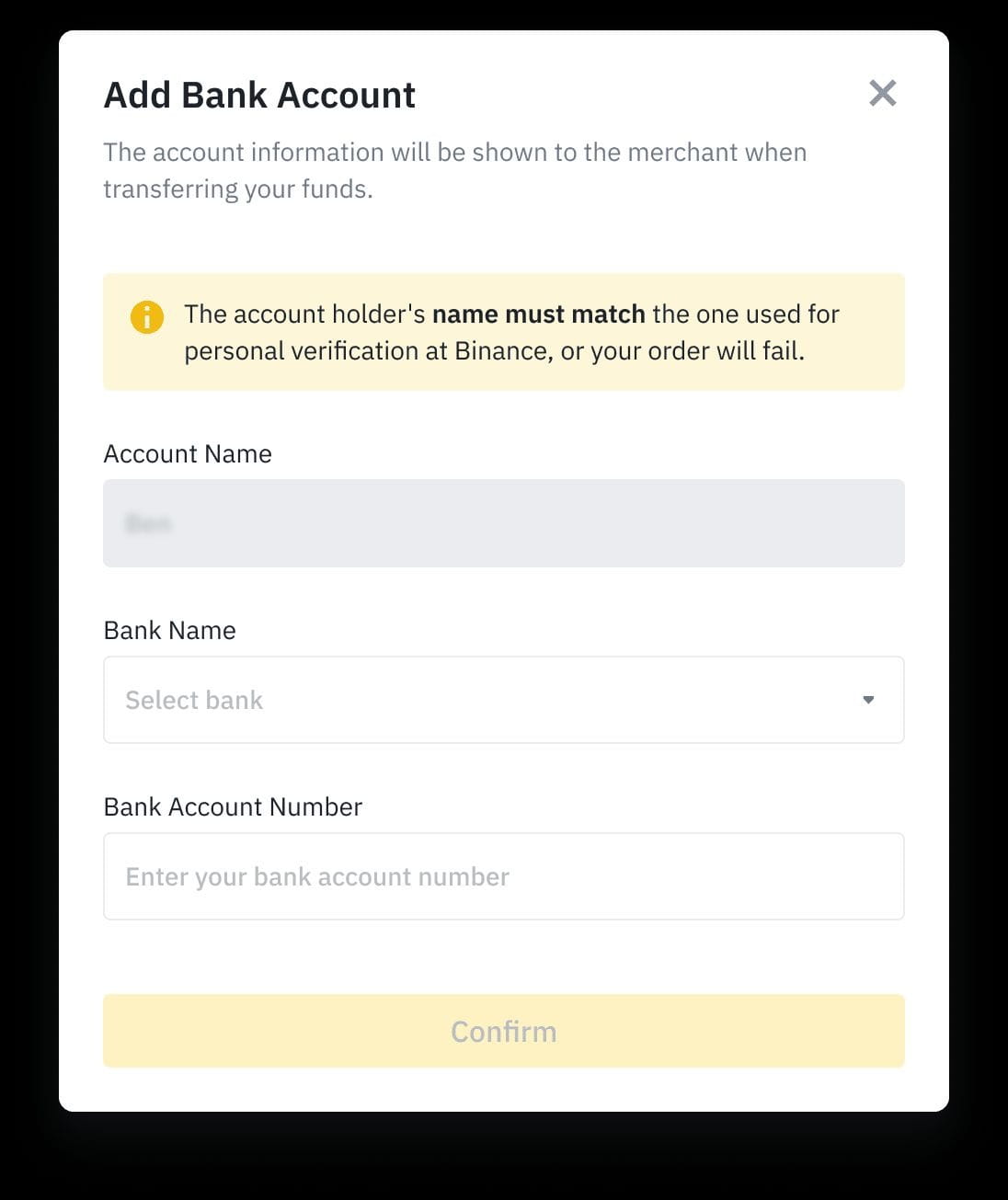
5. If you have not done so before, fill in your bank account information. Click [Confirm].
6. It may take a few minutes for the payment to process. Once the payment has been received in your bank account, click [Payment Received] - [Done].

You can click [View History] to check the order status. If your funds haven’t arrived within 24 hours, please visit how to appeal for the order.
