
Abhishek Baruri
3.6k පෝස්ටු

Abhishek Baruri
369800
විවෘත වෙළෙඳාම
නිතර වෙළෙන්දා
{වේලාව} වසර
2.9K+ හඹා යමින්
639 හඹා යන්නන්
160 කැමති විය
පෝස්ටු
ආයෝජන කළඹ
සියල්ල
උපුටා දැක්වීම්
සජීවි
අමුණා ඇත
පරිවර්තනය බලන්න
NVDAUS+2.52%
පරිවර්තනය බලන්න


Binance Square Official
·
--
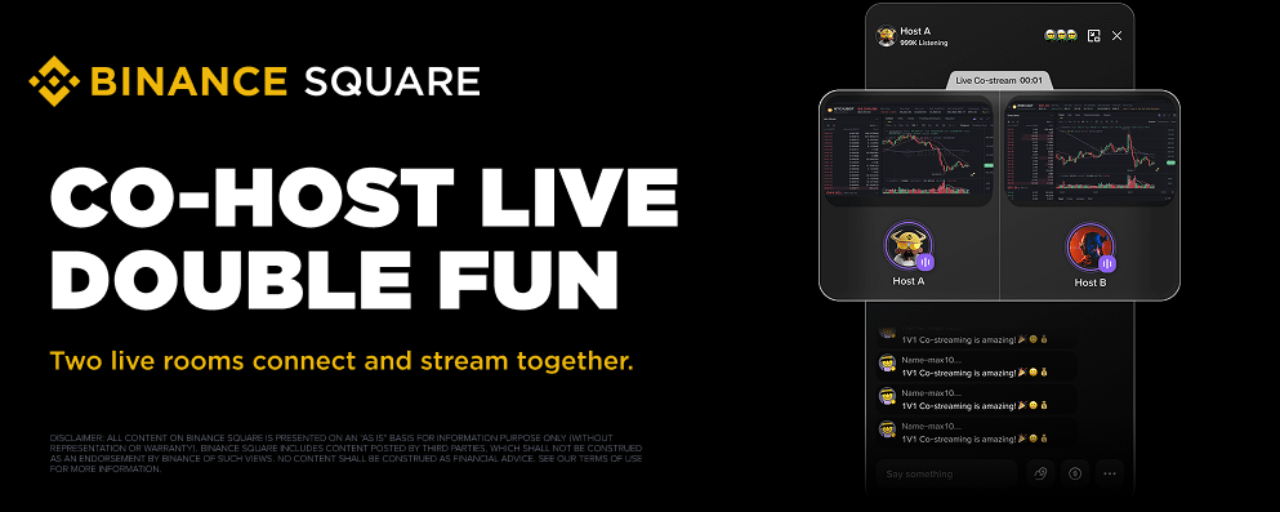
Binance Square Live Co-stream: එක් තිරයක සත්කාරකයන් දෙදෙනෙක් — තවත් බලාගන්න දේ
සජීවී Co-stream යනු Binance Square Live සඳහා ඇති තත්ය කාලීන අන්තර්ක්රියා විශේෂාංගයකි. සත්කාරකයන්ට තවත් සජීවී සත්කාරකයෙකුට co-stream සඳහා ඇරයුම් කළ හැක — පිළිගත් පසු, සත්කාරකයන් දෙදෙනාම එකට තිරයේ පෙනී සිටින අතර, කතාබහ එක කාමරයකට පමණක් සීමා නොවී පුළුල් වේ. නව විශේෂාංග භුක්ති විඳීමට ඔබගේ යෙදුම නවතම අනුවාදයට (V3.16.0 හෝ ඊට පසුව) යාවත්කාලීන කරන්න.
විශේෂතා
සත්කාරකයන් දෙදෙනෙක්, එක් වේදිකාවක්
කාමර හරහා එකට සජීවී වෙන්න — ටේක් හුවමාරු කරගන්න, වෙළඳපොළ කඩා වෙන් කරන්න, නැත්නම් කතාබහ රසායනය එළිදක්වන්න. Co-streaming එක හුදකලා ප්රචාරණයකින්, නැරඹීමට වටින සජීවී සංවාදයකට පරිවර්තනය කරයි.
විශේෂතා
සත්කාරකයන් දෙදෙනෙක්, එක් වේදිකාවක්
කාමර හරහා එකට සජීවී වෙන්න — ටේක් හුවමාරු කරගන්න, වෙළඳපොළ කඩා වෙන් කරන්න, නැත්නම් කතාබහ රසායනය එළිදක්වන්න. Co-streaming එක හුදකලා ප්රචාරණයකින්, නැරඹීමට වටින සජීවී සංවාදයකට පරිවර්තනය කරයි.
පරිවර්තනය බලන්න

Binance TG Community
·
--
උසබ තත්ත්වයBringing real assets into the digital economy.
#FOMCWatch #BinanceSquareTG
$BNB
#FOMCWatch #BinanceSquareTG
$BNB


TermMax
·
--
$BOB සහ $GAIB TermMax Alpha တွင်တင်ပြီးပြီ!
💹 Long/Short ကိုလိုသလိုရွေးချယ်ပါ—ရှင်းလင်းမှု (liquidation) အန္တရာယ်မရှိ၊ အများဆုံးဆုံးရှုံးမှုမှာ အာမခံငွေ (premium) သာဖြစ်သည်
🤑 တည်ငြိမ်သောအမြတ်—USDT သို့မဟုတ် တိုကင်ထည့်သွင်းပြီး ~50% APY + နေ့စဉ် XP အမှတ် 60x ရယူပါ
ရှင်းလင်းမှုကင်းစင်၊ options သက်သက်—Binance Alpha အကျိုးစီးပွားအဖွဲ့အစည်းအတွင်း လုံခြုံဆုံးသော leverage ရွေးချယ်မှု 🛡️
TermMax ဝက်ဘ်ဆိုက်ကို အခုတင်ပြီး စမ်းကြည့်ပါ
💹 Long/Short ကိုလိုသလိုရွေးချယ်ပါ—ရှင်းလင်းမှု (liquidation) အန္တရာယ်မရှိ၊ အများဆုံးဆုံးရှုံးမှုမှာ အာမခံငွေ (premium) သာဖြစ်သည်
🤑 တည်ငြိမ်သောအမြတ်—USDT သို့မဟုတ် တိုကင်ထည့်သွင်းပြီး ~50% APY + နေ့စဉ် XP အမှတ် 60x ရယူပါ
ရှင်းလင်းမှုကင်းစင်၊ options သက်သက်—Binance Alpha အကျိုးစီးပွားအဖွဲ့အစည်းအတွင်း လုံခြုံဆုံးသော leverage ရွေးချယ်မှု 🛡️
TermMax ဝက်ဘ်ဆိုက်ကို အခုတင်ပြီး စမ်းကြည့်ပါ
පරිවර්තනය බලන්න
Binance Square Official
·
--
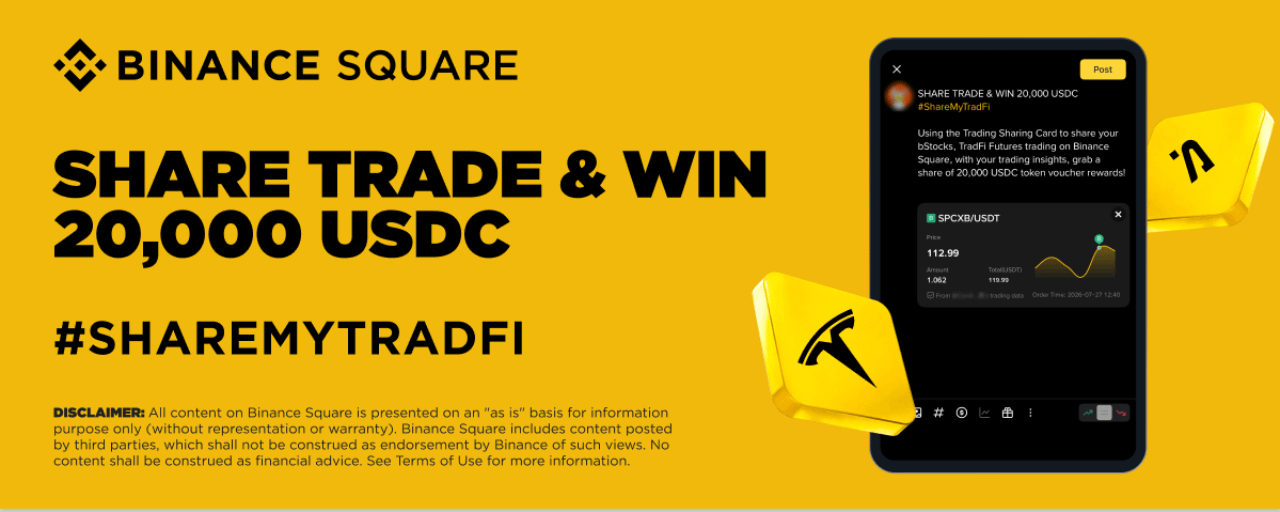
แชร์การเทรด bStocks & TradFi Futures รับรางวัล USDC 20,000 รายการ
Binance Square ยินดีนำเสนอแคมเปญใหม่ โดยการใช้วิดเจ็ต Trading Sharing Card เพื่อแชร์การเทรด bStocks และ/หรือ TradFi Futures บน Binance Square พร้อมกับมุมมองเชิงการเทรดของคุณ รับสิทธิ์รับรางวัลเป็นโทเคน USDC สูงสุดถึง 20,000 รายการ!
ช่วงระยะเวลากิจกรรม: 2026-07-28 12:00 (UTC) - 2026-08-05 23:59 (UTC)
การแจกจ่ายรางวัลโทเคน: ก่อนวันที่ 2026-08-26
วิธีเข้าร่วม:
ทำตามขั้นตอนด้านล่างและแชร์การเทรด bStocks และ/หรือ TradFi Futures บน Binance Square พร้อมข้อมูลเชิงลึก
ขั้นตอนที่ 1: เปิด Post Editor และแตะ [Add Trades]
ช่วงระยะเวลากิจกรรม: 2026-07-28 12:00 (UTC) - 2026-08-05 23:59 (UTC)
การแจกจ่ายรางวัลโทเคน: ก่อนวันที่ 2026-08-26
วิธีเข้าร่วม:
ทำตามขั้นตอนด้านล่างและแชร์การเทรด bStocks และ/หรือ TradFi Futures บน Binance Square พร้อมข้อมูลเชิงลึก
ขั้นตอนที่ 1: เปิด Post Editor และแตะ [Add Trades]

පරිවර්තනය බලන්න
පරිවර්තනය බලන්න
Binance Square Official
·
--
Binance Square Live Co-stream: එක් තිරයක සත්කාරකයන් දෙදෙනෙක් — තවත් බලාගන්න දේ
සජීවී Co-stream යනු Binance Square Live සඳහා ඇති තත්ය කාලීන අන්තර්ක්රියා විශේෂාංගයකි. සත්කාරකයන්ට තවත් සජීවී සත්කාරකයෙකුට co-stream සඳහා ඇරයුම් කළ හැක — පිළිගත් පසු, සත්කාරකයන් දෙදෙනාම එකට තිරයේ පෙනී සිටින අතර, කතාබහ එක කාමරයකට පමණක් සීමා නොවී පුළුල් වේ. නව විශේෂාංග භුක්ති විඳීමට ඔබගේ යෙදුම නවතම අනුවාදයට (V3.16.0 හෝ ඊට පසුව) යාවත්කාලීන කරන්න.
විශේෂතා
සත්කාරකයන් දෙදෙනෙක්, එක් වේදිකාවක්
කාමර හරහා එකට සජීවී වෙන්න — ටේක් හුවමාරු කරගන්න, වෙළඳපොළ කඩා වෙන් කරන්න, නැත්නම් කතාබහ රසායනය එළිදක්වන්න. Co-streaming එක හුදකලා ප්රචාරණයකින්, නැරඹීමට වටින සජීවී සංවාදයකට පරිවර්තනය කරයි.
විශේෂතා
සත්කාරකයන් දෙදෙනෙක්, එක් වේදිකාවක්
කාමර හරහා එකට සජීවී වෙන්න — ටේක් හුවමාරු කරගන්න, වෙළඳපොළ කඩා වෙන් කරන්න, නැත්නම් කතාබහ රසායනය එළිදක්වන්න. Co-streaming එක හුදකලා ප්රචාරණයකින්, නැරඹීමට වටින සජීවී සංවාදයකට පරිවර්තනය කරයි.
Binance Square Official
·
--
แชร์การเทรด bStocks & TradFi Futures รับรางวัล USDC 20,000 รายการ
Binance Square ยินดีนำเสนอแคมเปญใหม่ โดยการใช้วิดเจ็ต Trading Sharing Card เพื่อแชร์การเทรด bStocks และ/หรือ TradFi Futures บน Binance Square พร้อมกับมุมมองเชิงการเทรดของคุณ รับสิทธิ์รับรางวัลเป็นโทเคน USDC สูงสุดถึง 20,000 รายการ!
ช่วงระยะเวลากิจกรรม: 2026-07-28 12:00 (UTC) - 2026-08-05 23:59 (UTC)
การแจกจ่ายรางวัลโทเคน: ก่อนวันที่ 2026-08-26
วิธีเข้าร่วม:
ทำตามขั้นตอนด้านล่างและแชร์การเทรด bStocks และ/หรือ TradFi Futures บน Binance Square พร้อมข้อมูลเชิงลึก
ขั้นตอนที่ 1: เปิด Post Editor และแตะ [Add Trades]
ช่วงระยะเวลากิจกรรม: 2026-07-28 12:00 (UTC) - 2026-08-05 23:59 (UTC)
การแจกจ่ายรางวัลโทเคน: ก่อนวันที่ 2026-08-26
วิธีเข้าร่วม:
ทำตามขั้นตอนด้านล่างและแชร์การเทรด bStocks และ/หรือ TradFi Futures บน Binance Square พร้อมข้อมูลเชิงลึก
ขั้นตอนที่ 1: เปิด Post Editor และแตะ [Add Trades]

පරිවර්තනය බලන්න
පරිවර්තනය බලන්න

පරිවර්තනය බලන්න
Binance Square Official
·
--
How to Use Live Trading Hub: Trade Live, Trade Social
What is Live Trading Hub?
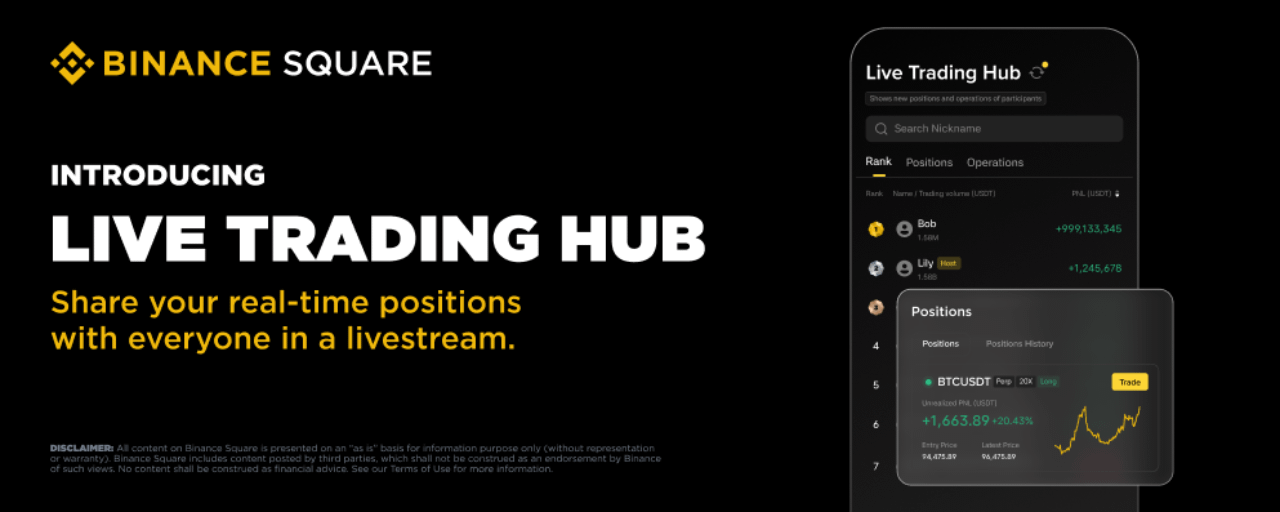
Live Trading Hub is a new social trading feature in Binance Square Live. Once a streamer enables it, viewers can join and publicly share their real-time trading data — positions, PnL, and trade activity — all displayed on a live leaderboard.
Note: Currently only supports USDT-M Delivery Futures data. This feature may not be available in your region.
For Streamers: How to Enable Live Trading Hub
1. Set Up Before Going Live
Open the broadcast editor (available for audio livestreams, video livestreams and third-party streaming)Toggle on [Live Trading Hub] and choose a mode:
New Positions (default): Only shows positions opened after joiningAll Positions: Shows all current open positions plus new ones
Tap [Save]
Note: The streamer is automatically added to the leaderboard once enabled. If they have no trading activity, their ranking will simply appear blank.
2. Enable During a Live Stream
You can also enable it mid-stream: tap the [Live Trading Hub] button in the bottom toolbar, select a mode, and save.
3. Manage Participants
Tap the [Live Trading Hub] button to open the leaderboard. From here you can:
View participant data: Rankings, PnL, and trade volume update in real time. Tap any user to see their positions and trade details.
Remove a participant: Tap a user and select "Remove". Once removed, they cannot rejoin this live session.
4. End the Session
Tap [End Live Trading Hub] on the leaderboard and confirm. All participants' trading data will stop being displayed and the dashboard will close. You can start a new session anytime from the toolbar.
For Viewers: How to Join Live Trading Hub
1. Find a Live Trading Hub Stream
Streams with Live Trading Hub active are tagged with "Online · X Trading" on the live card.
Once inside, tap the [Live Trading Hub] widget to open the leaderboard.
2. Participate
Tap [Join] at the bottom of the leaderboard and confirm.
Please note:
Your account balance must be above 10 USDTYou can only join one Live Trading Hub session at a time — joining a new one will automatically exit the previous oneEach session has a cap of 100 participants
3. View Live Trading Performance
The dashboard has three tabs:
Leaderboard: All participants ranked by PnL. Tap any user to view their positions or trade history.Positions: View open positions (sorted by PnL) and closed positions (sorted by time).Trade Activity: Real-time feed of all buy/sell actions.
A yellow dot on the refresh button means new data is available.
You can also search for a specific user by nickname.
4. Exit
Tap [Exit Live Trading Hub] at the bottom of the dashboard. Your data will no longer be visible to others, but you can rejoin anytime.
FAQ
Q1: Will Live Trading Hub expose all my trading data?
No personal data is included. Only USDT-M Delivery Futures data is shown. What's visible depends on the streamer's chosen mode — "New Positions" only shows trades made after you joined, while "All Positions" includes your existing positions.
Q2: Can I join multiple sessions in different live room at once?
No. You can only be in one session at a time. Joining a new one automatically exits the previous one.
Q3: What happens if I leave the live stream?
Leaving the stream counts as exiting Live Trading Hub (picture-in-picture mode does not). Your data will no longer be displayed.
Q4:Why can't I join?
Possible reasons:
account balance below 10 USDT you've been removed or blocked by the streamerthe session is full (100 participants)you're currently in another session
Q5: What does the ranking show?
Participants are ranked by PnL (USDT) from high to low by default. You can toggle the sort order. Your own ranking is highlighted for easy reference.
Q6: How often is the data updated?
The system checks for updates every 30 seconds. A yellow dot on the refresh button indicates new data is available — tap to refresh manually.
Q7: Can I still see data after the streamer ends the session?
No. Once ended, all dashboards close and previous data is no longer accessible.
Q8: Eligibility to be a streamer
Livestream access is unlocked automatically once you reach 1,000 Binance Square followers.
If you have not yet met the follower requirement but already have livestreaming experience or a strong content creation background, you can apply for livestream access through our survey (Approved applicants will be contacted via DM).
Live Trading Hub is a new social trading feature in Binance Square Live. Once a streamer enables it, viewers can join and publicly share their real-time trading data — positions, PnL, and trade activity — all displayed on a live leaderboard.
Note: Currently only supports USDT-M Delivery Futures data. This feature may not be available in your region.
For Streamers: How to Enable Live Trading Hub
1. Set Up Before Going Live
Open the broadcast editor (available for audio livestreams, video livestreams and third-party streaming)Toggle on [Live Trading Hub] and choose a mode:
New Positions (default): Only shows positions opened after joiningAll Positions: Shows all current open positions plus new ones
Tap [Save]
Note: The streamer is automatically added to the leaderboard once enabled. If they have no trading activity, their ranking will simply appear blank.
2. Enable During a Live Stream
You can also enable it mid-stream: tap the [Live Trading Hub] button in the bottom toolbar, select a mode, and save.
3. Manage Participants
Tap the [Live Trading Hub] button to open the leaderboard. From here you can:
View participant data: Rankings, PnL, and trade volume update in real time. Tap any user to see their positions and trade details.
Remove a participant: Tap a user and select "Remove". Once removed, they cannot rejoin this live session.
4. End the Session
Tap [End Live Trading Hub] on the leaderboard and confirm. All participants' trading data will stop being displayed and the dashboard will close. You can start a new session anytime from the toolbar.
For Viewers: How to Join Live Trading Hub
1. Find a Live Trading Hub Stream
Streams with Live Trading Hub active are tagged with "Online · X Trading" on the live card.
Once inside, tap the [Live Trading Hub] widget to open the leaderboard.
2. Participate
Tap [Join] at the bottom of the leaderboard and confirm.
Please note:
Your account balance must be above 10 USDTYou can only join one Live Trading Hub session at a time — joining a new one will automatically exit the previous oneEach session has a cap of 100 participants
3. View Live Trading Performance
The dashboard has three tabs:
Leaderboard: All participants ranked by PnL. Tap any user to view their positions or trade history.Positions: View open positions (sorted by PnL) and closed positions (sorted by time).Trade Activity: Real-time feed of all buy/sell actions.
A yellow dot on the refresh button means new data is available.
You can also search for a specific user by nickname.
4. Exit
Tap [Exit Live Trading Hub] at the bottom of the dashboard. Your data will no longer be visible to others, but you can rejoin anytime.
FAQ
Q1: Will Live Trading Hub expose all my trading data?
No personal data is included. Only USDT-M Delivery Futures data is shown. What's visible depends on the streamer's chosen mode — "New Positions" only shows trades made after you joined, while "All Positions" includes your existing positions.
Q2: Can I join multiple sessions in different live room at once?
No. You can only be in one session at a time. Joining a new one automatically exits the previous one.
Q3: What happens if I leave the live stream?
Leaving the stream counts as exiting Live Trading Hub (picture-in-picture mode does not). Your data will no longer be displayed.
Q4:Why can't I join?
Possible reasons:
account balance below 10 USDT you've been removed or blocked by the streamerthe session is full (100 participants)you're currently in another session
Q5: What does the ranking show?
Participants are ranked by PnL (USDT) from high to low by default. You can toggle the sort order. Your own ranking is highlighted for easy reference.
Q6: How often is the data updated?
The system checks for updates every 30 seconds. A yellow dot on the refresh button indicates new data is available — tap to refresh manually.
Q7: Can I still see data after the streamer ends the session?
No. Once ended, all dashboards close and previous data is no longer accessible.
Q8: Eligibility to be a streamer
Livestream access is unlocked automatically once you reach 1,000 Binance Square followers.
If you have not yet met the follower requirement but already have livestreaming experience or a strong content creation background, you can apply for livestream access through our survey (Approved applicants will be contacted via DM).
තවත් අන්තර්ගතයන් ගවේෂණය කිරීමට ඇතුල් වන්න