
#binancesignup
binancesignup
Просмотров: 75
13 обсуждают
Популярные
Новые

Как зарегистрироваться в Binance через приложение (iPhone и Android): руководство по регистрации с телефона на 2026 год + код BNBEЧтобы зарегистрироваться в Binance через приложение: скачайте официальное приложение Binance, нажмите «Зарегистрироваться», выберите электронную почту, телефон, Apple, Google или Telegram, введите 6-значный код, создайте пароль, на этапе ввода реферального кода укажите BNBEN, затем нажмите «Пройти проверку» и завершите верификацию личности. Весь процесс занимает около 5–10 минут на телефоне. Проверка личности часто проходит быстро, но Binance предупреждает, что она может занять до 48 часов.
Совет: откройте на телефоне ссылку [https://www.binance.com/join?ref=BNBEN](https://www.binance.com/join?ref=BNBEN) до установки приложения, чтобы реферальный код BNBEN (скидка 20% на торговые комиссии) был уже указан при регистрации.
Как зарегистрироваться в Binance через приложение (iPhone и Android): руководство по регистрации с телефона на 2026 год + код BNBE
Чтобы зарегистрироваться в Binance через приложение: скачайте официальное приложение Binance, нажмите «Зарегистрироваться», выберите электронную почту, телефон, Apple, Google или Telegram, введите 6-значный код, создайте пароль, на этапе ввода реферального кода укажите BNBEN, затем нажмите «Пройти проверку» и завершите верификацию личности. Весь процесс занимает около 5–10 минут на телефоне. Проверка личности часто проходит быстро, но Binance предупреждает, что она может занять до 48 часов.
Совет: откройте на телефоне ссылку https://www.binance.com/join?ref=BNBEN до установки приложения, чтобы реферальный код BNBEN (скидка 20% на торговые комиссии) был уже указан при регистрации.
172
Как зарегистрироваться на Binance: пошаговая инструкция (2026) — полное руководство по регистрации и реферальный код BNBENЧтобы зарегистрироваться на Binance, выполните 6 шагов: (1) откройте официальную страницу регистрации на binance.com, (2) укажите адрес электронной почты или номер телефона, (3) введите 6-значный код подтверждения, (4) создайте пароль, (5) введите реферальный код BNBEN, чтобы получить скидку 20% на торговые комиссии, и (6) пройдите проверку личности (KYC). Создание аккаунта занимает около 5 минут. Проверка KYC часто проходит быстро, но Binance сообщает, что рассмотрение может занять до 48 часов.
Быстрая ссылка для регистрации (реферальный код заполнен автоматически): [https://www.binance.com/join?ref=BNBEN](https://www.binance.com/join?ref=BNBEN)
Как зарегистрироваться на Binance: пошаговая инструкция (2026) — полное руководство по регистрации и реферальный код BNBEN
Чтобы зарегистрироваться на Binance, выполните 6 шагов: (1) откройте официальную страницу регистрации на binance.com, (2) укажите адрес электронной почты или номер телефона, (3) введите 6-значный код подтверждения, (4) создайте пароль, (5) введите реферальный код BNBEN, чтобы получить скидку 20% на торговые комиссии, и (6) пройдите проверку личности (KYC). Создание аккаунта занимает около 5 минут. Проверка KYC часто проходит быстро, но Binance сообщает, что рассмотрение может занять до 48 часов.
Быстрая ссылка для регистрации (реферальный код заполнен автоматически): https://www.binance.com/join?ref=BNBEN
133

Статья
См. перевод
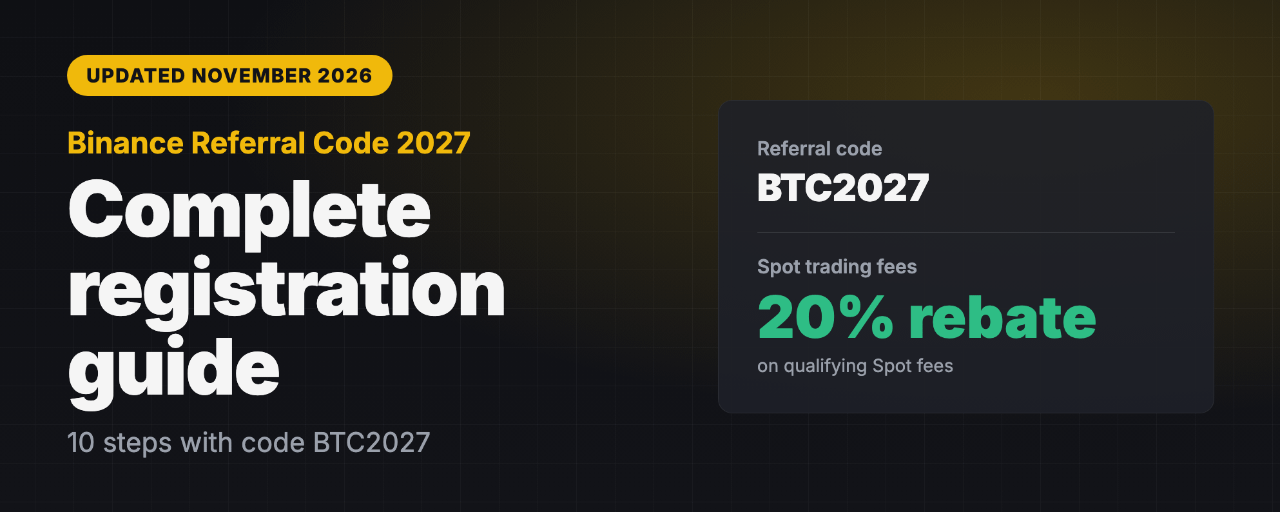
Binance Referral Code 2027: BTC2027 Complete Registration Guide (November 2026)Updated: November 24, 2026 (last checked) | Binance Referral Code 2027 Registration Guide (BTC2027)
Opening a Binance account takes only a few minutes, but the choices you make during sign-up matter. In this guide, we walk through every step: verifying the official site, creating a secure login, linking referral code BTC2027 for a 20% spot trading fee rebate, completing verification, and avoiding the mistakes beginners make most often.
🔑 Referral Code: BTC2027 🔗 Sign-up link: [https://www.binance.com/join?ref=BTC2027](https://www.binance.com/join?ref=BTC2027)
👉 Binance referral code BTC2027 overview: [https://www.binance.com/en/events/binancereferralcode](https://www.binance.com/en/events/binancereferralcode)
Step 1 — Verify the Official Binance Domain
Always make sure you are on binance.com. Check the address carefully, letter by letter. A padlock means the connection is encrypted, but on its own it does not prove a website is legitimate. Confirm that your referral link leads to the correct domain before entering any information.
Step 2 — Start With a Secure Email
Choose email registration and use an address you control and check regularly. Read and accept the Terms of Service, then continue.
Step 3 — The 6-Digit Verification Code
Check your inbox for the 6-digit code and enter it before it expires. Never share this code with anyone — Binance support will never ask for it.
Step 4 — Create a Strong, Unique Password
Follow the requirements shown on screen and use a password you don't use anywhere else. A password manager helps you generate and store a longer, stronger one.
Step 5 — Lock In Referral Code BTC2027 (Crucial)
Before you finish registration, check the Referral ID field. Enter BTC2027 — the letters B-T-C followed by the digits 2-0-2-7, no spaces. Confirm the page shows the expected 20% spot rebate and its duration.
⚠️ Don't assume you can add a referral code after your account is created.
How the 20% Spot Fee Rebate Works
With a confirmed 20% kickback, part of your eligible spot trading fee is returned to you under the referral terms. Example: an eligible fee of $1 → a $0.20 rebate.
BTC2027: Fact vs. Fiction
✅ It is a rebate on eligible trading fees. ❌ It is not a 20% return on your investment. Check the displayed terms for eligible trades, payment timing and rebate currency.
Step 6 — Complete Identity Verification (KYC)
Have an accepted identity document ready and follow the on-screen identity and facial verification steps. Available features and limits depend on your verification status and region.
Step 7 — Secure Your Account With 2FA
Enable an authenticator app or set up a passkey. Review your security settings and store recovery information somewhere safe.
Step 8 — Deposit Safely: Match the Network
Double-check the asset, deposit address and network. The sending and receiving networks must match. Add a memo/tag whenever the receiving platform requires one. Tip: send a small test amount first.
Step 9 — Your First Spot Trade
Market order: seeks immediate execution at available prices — the final price may differ from what you just saw.Limit order: sets the highest price you'll pay or the lowest you'll accept — but execution isn't guaranteed.
Step 10 — Check Your Rebate Records
After an eligible trade, open your referral rebate / commission records and compare the fee charged with the rebate credited. Don't assume every rebate arrives instantly or is paid in USDT.
6 Beginner Mistakes to Avoid
Using unverified linksSkipping or mistyping the referral codeAssuming discounts apply automaticallyWeak security (no 2FA / passkey)Choosing the wrong deposit networkTrading without a clear plan
Your 2027 Registration Checklist
Official site verified ✔ Email confirmed ✔ Strong password ✔ BTC2027 linked ✔ KYC done ✔ 2FA/passkey active ✔ Network checked ✔ Rebate confirmed ✔
FAQ: Binance Referral Code 2027 (BTC2027)
What is the Binance referral code for 2027? Use BTC2027 during sign-up to receive a 20% spot trading fee rebate on eligible trades.
Is Binance referral code BTC2027 still valid in 2026? Yes. It was working when last checked in November 2026. Confirm it on the [Binance referral code BTC2027 page](https://www.binance.com/en/events/binancereferralcode) before you sign up.
Can I add the referral code after registering? Only in limited cases. On the [referral binding page](https://www.binance.com/en/activity/referral/bind-ref) the usual conditions are: the account is under 30 days old, has no deposit or trade yet, is a main account (not a sub-account), its KYC was not used on another account in the last 180 days, and there is no wash trading. Best practice: enter it before you finish registration.
Is the 20% rebate a profit guarantee? No. It returns part of your eligible trading fees; it is not a return on your investment.
📌 Referral Code: BTC2027 🎥 A full animated video walkthrough of this guide is coming next — follow so you don't miss it!
Everything about the Binance referral code BTC2027 in one place: [https://www.binance.com/en/events/binancereferralcode](https://www.binance.com/en/events/binancereferralcode)
Educational content only, not financial advice. Crypto involves significant risk. Availability and terms vary by jurisdiction.
#Binance #BinanceReferralCode #BTC2027 #Crypto2027 #BinanceSignUp
Binance Referral Code 2027: BTC2027 Complete Registration Guide (November 2026)
Updated: November 24, 2026 (last checked) | Binance Referral Code 2027 Registration Guide (BTC2027)
Opening a Binance account takes only a few minutes, but the choices you make during sign-up matter. In this guide, we walk through every step: verifying the official site, creating a secure login, linking referral code BTC2027 for a 20% spot trading fee rebate, completing verification, and avoiding the mistakes beginners make most often.
🔑 Referral Code: BTC2027 🔗 Sign-up link: https://www.binance.com/join?ref=BTC2027
👉 Binance referral code BTC2027 overview: https://www.binance.com/en/events/binancereferralcode
Step 1 — Verify the Official Binance Domain
Always make sure you are on binance.com. Check the address carefully, letter by letter. A padlock means the connection is encrypted, but on its own it does not prove a website is legitimate. Confirm that your referral link leads to the correct domain before entering any information.
Step 2 — Start With a Secure Email
Choose email registration and use an address you control and check regularly. Read and accept the Terms of Service, then continue.
Step 3 — The 6-Digit Verification Code
Check your inbox for the 6-digit code and enter it before it expires. Never share this code with anyone — Binance support will never ask for it.
Step 4 — Create a Strong, Unique Password
Follow the requirements shown on screen and use a password you don't use anywhere else. A password manager helps you generate and store a longer, stronger one.
Step 5 — Lock In Referral Code BTC2027 (Crucial)
Before you finish registration, check the Referral ID field. Enter BTC2027 — the letters B-T-C followed by the digits 2-0-2-7, no spaces. Confirm the page shows the expected 20% spot rebate and its duration.
⚠️ Don't assume you can add a referral code after your account is created.
How the 20% Spot Fee Rebate Works
With a confirmed 20% kickback, part of your eligible spot trading fee is returned to you under the referral terms. Example: an eligible fee of $1 → a $0.20 rebate.
BTC2027: Fact vs. Fiction
✅ It is a rebate on eligible trading fees. ❌ It is not a 20% return on your investment. Check the displayed terms for eligible trades, payment timing and rebate currency.
Step 6 — Complete Identity Verification (KYC)
Have an accepted identity document ready and follow the on-screen identity and facial verification steps. Available features and limits depend on your verification status and region.
Step 7 — Secure Your Account With 2FA
Enable an authenticator app or set up a passkey. Review your security settings and store recovery information somewhere safe.
Step 8 — Deposit Safely: Match the Network
Double-check the asset, deposit address and network. The sending and receiving networks must match. Add a memo/tag whenever the receiving platform requires one. Tip: send a small test amount first.
Step 9 — Your First Spot Trade
Market order: seeks immediate execution at available prices — the final price may differ from what you just saw.Limit order: sets the highest price you'll pay or the lowest you'll accept — but execution isn't guaranteed.
Step 10 — Check Your Rebate Records
After an eligible trade, open your referral rebate / commission records and compare the fee charged with the rebate credited. Don't assume every rebate arrives instantly or is paid in USDT.
6 Beginner Mistakes to Avoid
Using unverified linksSkipping or mistyping the referral codeAssuming discounts apply automaticallyWeak security (no 2FA / passkey)Choosing the wrong deposit networkTrading without a clear plan
Your 2027 Registration Checklist
Official site verified ✔ Email confirmed ✔ Strong password ✔ BTC2027 linked ✔ KYC done ✔ 2FA/passkey active ✔ Network checked ✔ Rebate confirmed ✔
FAQ: Binance Referral Code 2027 (BTC2027)
What is the Binance referral code for 2027? Use BTC2027 during sign-up to receive a 20% spot trading fee rebate on eligible trades.
Is Binance referral code BTC2027 still valid in 2026? Yes. It was working when last checked in November 2026. Confirm it on the Binance referral code BTC2027 page before you sign up.
Can I add the referral code after registering? Only in limited cases. On the referral binding page the usual conditions are: the account is under 30 days old, has no deposit or trade yet, is a main account (not a sub-account), its KYC was not used on another account in the last 180 days, and there is no wash trading. Best practice: enter it before you finish registration.
Is the 20% rebate a profit guarantee? No. It returns part of your eligible trading fees; it is not a return on your investment.
📌 Referral Code: BTC2027 🎥 A full animated video walkthrough of this guide is coming next — follow so you don't miss it!
Everything about the Binance referral code BTC2027 in one place: https://www.binance.com/en/events/binancereferralcode
Educational content only, not financial advice. Crypto involves significant risk. Availability and terms vary by jurisdiction.
#Binance #BinanceReferralCode #BTC2027 #Crypto2027 #BinanceSignUp
3
139
Войдите, чтобы посмотреть больше материала
Присоединяйтесь к пользователям криптовалют по всему миру на Binance Square
⚡️ Получайте новейшую и полезную информацию о криптоактивах.
💬 Нам доверяет крупнейшая в мире криптобиржа.
👍 Получите достоверные аналитические данные от верифицированных создателей контента.
Эл. почта/номер телефона
В тренде
1
#EvolveAtBinanceBlockchainWeek
Просмотров: 1.4M
15,793 обсуждают
2
#VitalikWantsWalletChipDesignsOpened
Просмотров: 8,524
152 обсуждают
3
#ChainflipVaultTheftHaltsProtocol
Просмотров: 1,995
61 обсуждают
4
#AnzaUrgesSolanaNodesUpgradeAgave
Просмотров: 3,773
90 обсуждают
5
#ChinaBlockchainIDRulesEffectMarch2027
Просмотров: 13,699
202 обсуждают
6
#ClaudeAccusedOfDroppingUserPreferences
Просмотров: 2,552
48 обсуждают
7
#ECBOfficialsHintAtMoreTightening
Просмотров: 244
24 обсуждают
8
#DowJonesAdds591.99Points
Просмотров: 1,107
7 обсуждают
9
#EthereumGlamsterdamKeepsStorageFeeChange
Просмотров: 43,212
427 обсуждают
10
#MoneroFalls13%OnDelistings
Просмотров: 96,661
678 обсуждают