Disclaimer: Products and services referred to here may not be available in your region.
Binance has received a Virtual Asset Service Provider (VASP) license from Dubai’s Virtual Asset Regulatory Authority (VARA) for our local exchange in the UAE, Binance FZE. As a result, there will be an account transition for all UAE residents from the Binance Global Exchange to the VARA-regulated Binance UAE (FZE) exchange.
In order to meet the onboarding requirements of Binance UAE (FZE), affected users will need to update their KYC information by going through the following steps.
1. If you have received the email informing you to update KYC, you can click [Start Now] when presented with the following popup during your next login:

2. Alternatively, you may click on [Start Now] in the banner when you’re on the [Dashboard] page

1. Your residency must be in the United Arab Emirates in order to proceed. If you no longer reside in the UAE, please click on [Reset KYC] and update your Country of Residence.

2. Indicate preference for unsupported products/tokens to be liquidated into after the migration deadline. You can choose either BTC or USDT. For a list of supported virtual assets and products, refer to this FAQ here.

3. Enter your personal information and click [Continue]. Please make sure that all the information entered is consistent with your ID document. You will not be able to change it once confirmed.

4. Upload one of the supported documents for verification:
a. Emirates ID(recommended)
b. Passport

5. After uploading the document photos, the system will ask you to complete the Liveness Check. Please select the device you want to use to complete the Liveness Check and click [Continue].

6. Make sure your current device has a camera, center your face in the frame, and follow the on-screen instructions. Click [Continue] to proceed.

7. Verify Proof Of Address through any of the following methods:
a. Verify by linking your bank account via Lean. See supported banks below:
| Abu Dhabi Commercial Bank | Commercial Bank of Dubai | First Abu Dhabi Bank | Sharjah Islamic Bank |
| Abu Dhabi Islamic Bank | Dubai Islamic Bank | HSBC | Wio Bank |
| Al Maryah Community Bank | ENBD X | RAKBANK | EI 2.0 by Emirates Islamic |
b. Uploading a Proof of Address Document
i. Lease Agreement
ii. Bank Statement
iii. DEWA Bill
iv. Internet/Phone bill(including Mobile)
v. Empower Bill

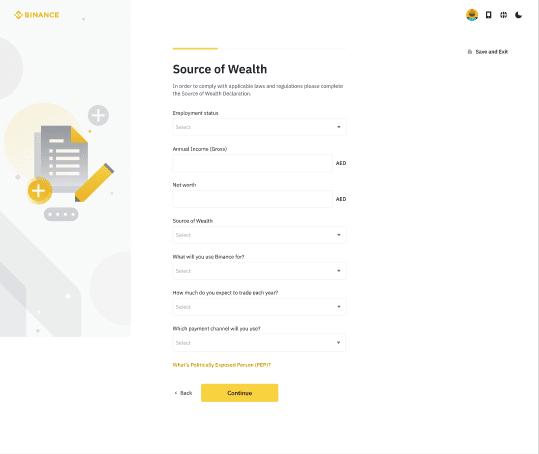
8. Complete Source of Wealth Declaration.
9. Declare if you are a United States of America(“US”) Citizen, a Green Card Holder or a US tax resident.

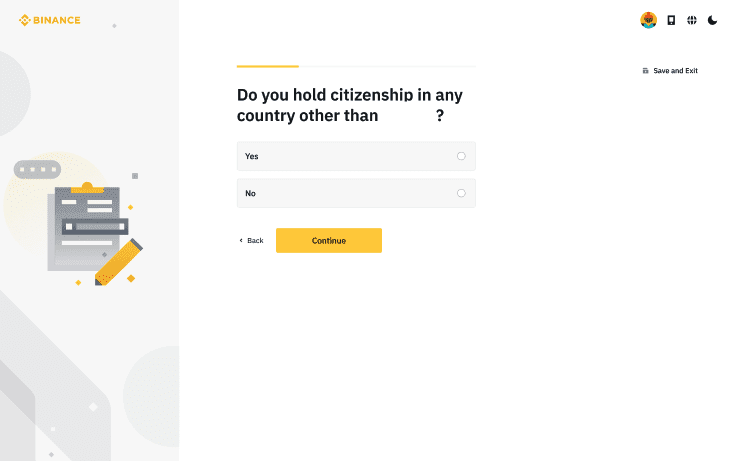
10. Declare if you hold citizenship in another country other than your declared nationality in your ID document submitted earlier. If yes, go to step (12). Otherwise, skip to step (13).
11. If you hold multiple citizenships, please specify your tax residency country and provide us with your Tax Identification Number(s).


12. You must declare your obligation to notify Binance UAE of any changes in tax residency and acknowledge your commitment to comply with FATCA/CRS requirements before submission.

13. You will be asked to complete a suitability questionnaire to help us better understand your trading experience and risk tolerance. Don’t worry, this is not a graded quiz.
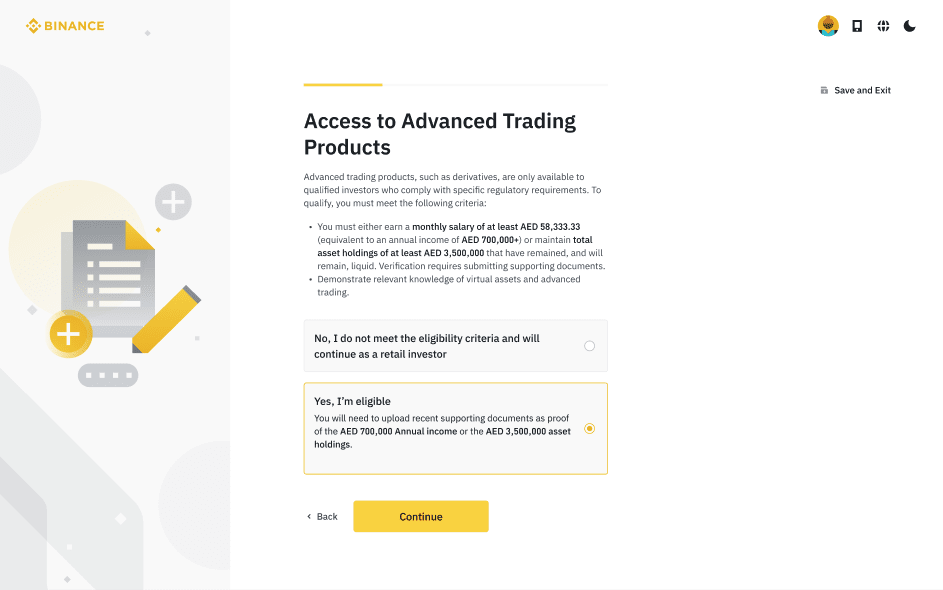
14. Next, you’ll be asked if you'd like access to advanced trading products (Options & Futures), and whether you're eligible. This is optional—if you're eligible and would like access, simply select "Yes, I'm eligible" and provide Proof of Wealth (POW). For more details, visit Guide to Completing Proof of Wealth for Binance FZE Qualification Status.
15. After completing this process, please wait patiently while we review your data. The review process can take up to three working days. Upon completion of the review process, you will be promptly notified via email regarding the outcome of your verification status.
