


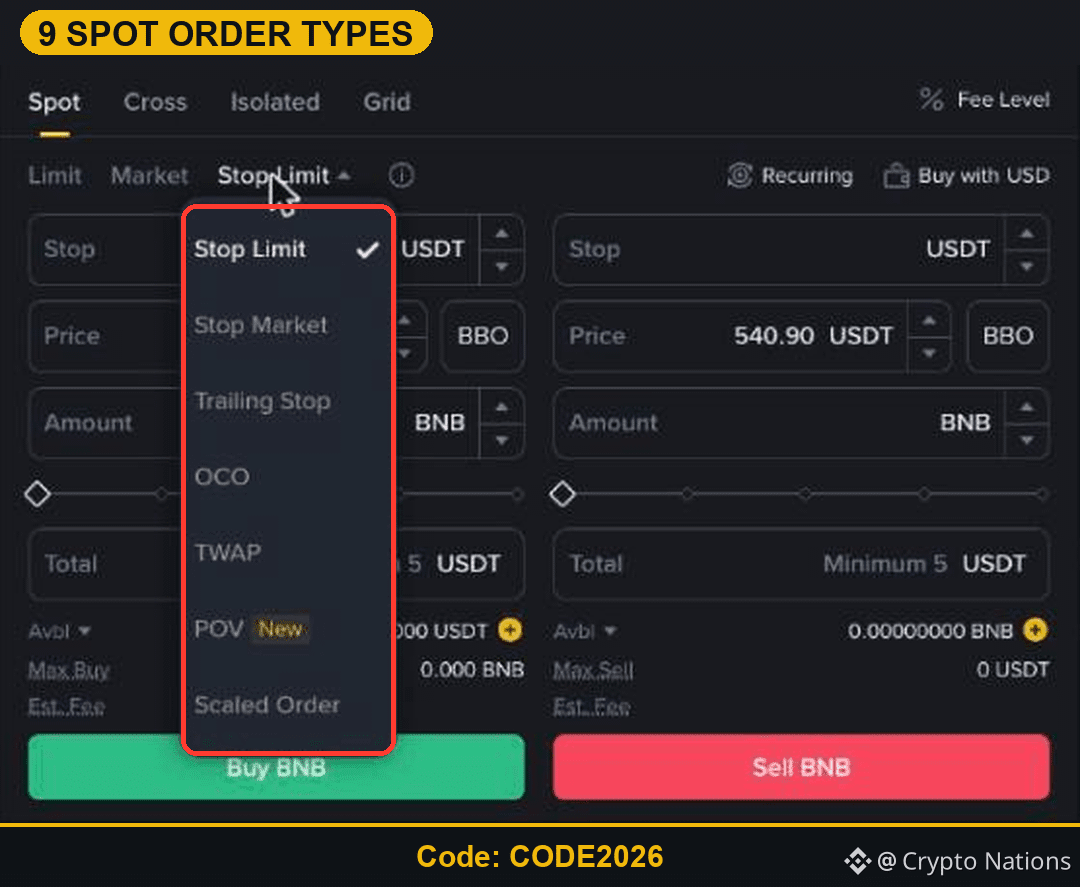
Binance's Spot order form looks simple, but the small arrow next to Stop Limit hides a full menu. On November 22, 2026 it listed nine ways to place an order. Here is what each one does, in one or two sentences.
Opening a new account? Use the Binance referral code CODE2026: Binance referral code CODE2026 sign-up link.
Where to Find All Binance Order Types
Open Trade, then Spot, and pick a pair. Above the price box you see Limit, Market and Stop Limit. Click the arrow next to Stop Limit to open the rest.
The Three Basic Orders
Limit: buy or sell at your price or better. It waits until the market gets there.
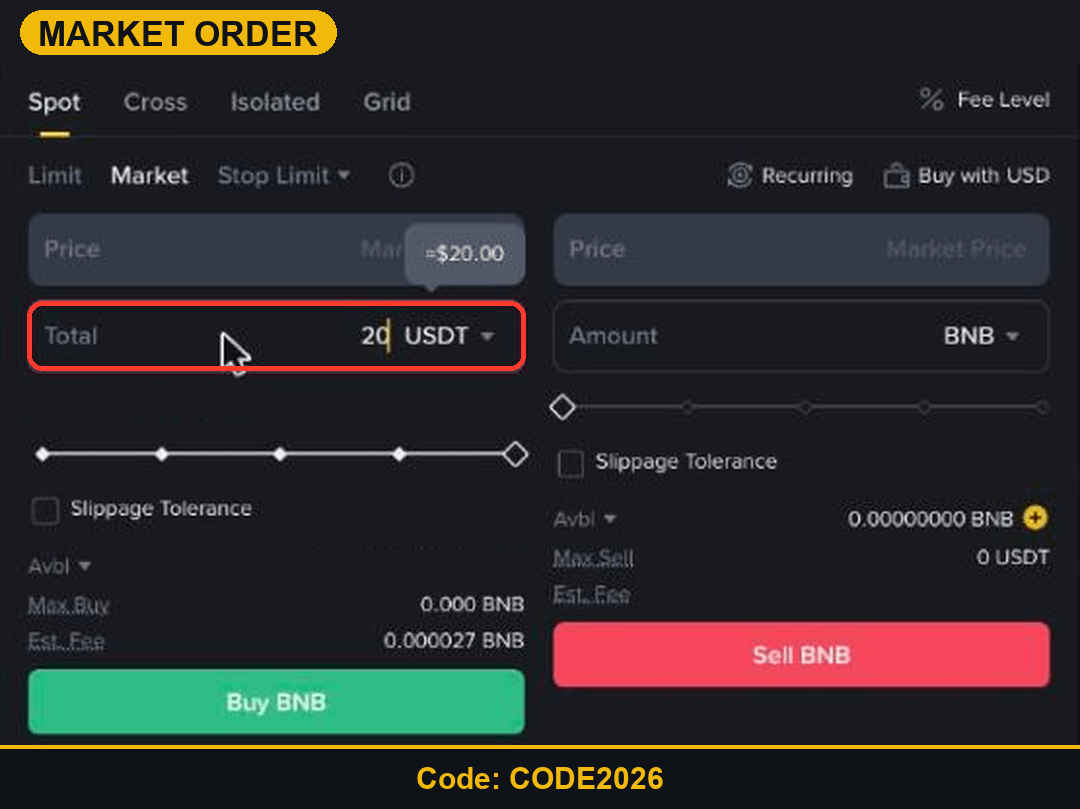
Market: fill now at the best available price. You enter the USDT total or the coin amount.
Stop Limit: when the stop price trades, a limit order is placed. Used for stop-losses.
Protective and Advanced Orders
Stop Market: when the stop trades, sells or buys at market. Always fills, but the price can slip.
Trailing Stop: a stop that follows the price by a set percentage.
OCO: a take-profit and a stop-loss together; when one fills, the other is cancelled.
Orders for Bigger or Split Trades
TWAP: splits a large order into small pieces over a time period.
POV (marked New): trades as a share of market volume.
Scaled Order: places several limit orders across a price range in one go.
Which Order Type Should a Beginner Use?
Start with Limit and Market. Add a Stop Limit or OCO as soon as you hold a coin you want to protect. Leave TWAP, POV and Scaled orders for later.
Practise with Binance Referral Code CODE2026
Open the CODE2026 sign-up page and try each basic order with the 5 USDT minimum first.
Disclosure: CODE2026 is my referral code, and I may earn commission from qualifying activity. This is an independent guide, not an official Binance post. Rewards depend on Binance's terms, your region and your eligibility. Crypto and Futures trading carry high risk, and leverage can wipe out your margin. Not financial advice. DYOR.