
#binancereferralcode
binancereferralcode
Просмотров: 39,861
298 обсуждают
Популярные
Новые

Статья
Реферальный код Binance BTC2026: регистрация и ответы на вопросыРеферальный код Binance в этом руководстве — BTC2026. Ниже: как ввести его при регистрации, что проверить, если хотите добавить его позже, и короткие ответы на частые вопросы. Последняя проверка по страницам Binance: 21 ноября 2026 года.
Что такое реферальный код Binance?
Реферальный код связывает ваш новый аккаунт Binance с человеком, который вас пригласил. Код вводится один раз, при создании аккаунта. Это бесплатно и никак не меняет работу Binance для вас.
Как зарегистрироваться на Binance с кодом BTC2026
Перейдите по [ссылке для регистрации с BTC2026](https://www.binance.com/join?ref=BTC2026). Код BTC2026 уже подставлен.Зарегистрируйтесь по e-mail или номеру телефона и придумайте надёжный пароль.Перед завершением проверьте, что в поле реферального кода указан BTC2026.Пройдите верификацию личности (KYC), чтобы пополнять счёт и торговать.
Верификация личности (KYC): что подготовить
Основные данные: ФИО, дата рождения и адресДействующий документ: Паспорт, ID-карта или праваПроверка лица: Короткое селфи или видеоЧёткие фото, верные данные: Размытые фото и ошибки замедляют проверку
Сначала защитите новый аккаунт
Включите 2FA: Через приложение-аутентификатор, а не только SMSДобавьте passkey: Вход с устройства без ввода пароляЗадайте антифишинговый код: Он виден в настоящих письмах BinanceБелый список адресов: Вывод только на сохранённые адреса
Как сделать первое пополнение
Пополнить счёт можно криптовалютой с другого кошелька или в местной валюте, если Binance поддерживает это в вашей стране.
Нажмите «Пополнить»: Выберите криптовалюту или местную валютуВыберите монету: Например, USDTТа же сеть: Сеть должна совпадать с кошельком-отправителемДождитесь подтверждений: Затем баланс появится в аккаунте
Первая спотовая сделка: пошагово
Откройте Торговля → Спот: В верхнем менюНайдите пару: Например, BTC/USDTВыберите Limit или Market: Limit — ваша цена, Market — сразуВведите сумму: В BTC или в USDTПроверьте ордер: Открытые ордера и история сделок
Что код даёт при спотовой торговле
На странице регистрации по реферальной ссылке Binance указаны возвраты до 20% с подходящих спотовых комиссий для пользователей, зарегистрированных с кодом (проверено 21 ноября 2026 года). Приветственные награды начисляются отдельно и зависят от заданий, региона и соответствия условиям. С 29 апреля 2026 года реферальные суммы по Spot считаются от чистых комиссий, поэтому они могут быть меньше. Выбирайте биржу по безопасности, списку монет и инструментам, а не из-за возврата.
Можно ли добавить BTC2026 после регистрации?
Иногда. Binance позволяет добавить код позже, только если выполнены все условия:
Аккаунту меньше 30 дней.К нему ещё не привязан реферальный код.Вы ещё не пополняли счёт и не торговали.Вы выполняете остальные условия реферальной страницы Binance.
После привязки реферальный код нельзя изменить или удалить. Если закрыть аккаунт и зарегистрироваться заново, реферальные преимущества могут быть потеряны.
Реферальный код Binance BTC2026: частые вопросы
Использовать BTC2026 бесплатно?
Да. Ввод реферального кода ничего не стоит.
Можно ли потом сменить реферальный код?
Нет. После привязки к аккаунту код остаётся.
Код работает во всех странах?
Только там, где Binance оказывает услуги. Перед регистрацией проверьте, доступна ли Binance в вашей стране.
Нужно ли проходить верификацию?
Да. Binance требует подтвердить личность перед пополнением и торговлей.
У меня уже есть аккаунт Binance. Могу ли я использовать BTC2026?
Только если аккаунт соответствует условиям выше. Иначе код добавить нельзя.
Это официальная статья Binance?
Нет. Это независимое руководство от пользователя Binance.
Снижает ли реферальный код торговый риск?
Нет. Цены криптовалют могут быстро меняться. Используйте только те деньги, которые готовы потерять.
Что такое спотовая сделка?
Вы покупаете или продаёте монету по текущей цене и сразу становитесь её владельцем. Без заёмных средств.
Ордер Market или Limit: с чего начать?
Market исполняется сразу по лучшей доступной цене. Limit ждёт, пока цена дойдёт до заданной вами.
Какую сеть выбрать для пополнения?
Ту же, что использует кошелёк-отправитель. Перевод по неверной сети может привести к потере средств.
Что такое 2FA?
Вторая проверка при входе и выводе, обычно код из приложения-аутентификатора.
Что такое антифишинговый код?
Слово, которое вы задаёте сами; Binance добавляет его в настоящие письма, чтобы вы отличали подделки.
Приветственная награда гарантирована?
Нет. Она зависит от заданий, региона и соответствия условиям, как указано на странице Binance.
Где прочитать официальные правила?
На binance.com: FAQ по реферальной программе и страницы комиссий.
Итог
Реферальный код Binance: BTC2026. Чтобы использовать его, [откройте страницу регистрации с BTC2026](https://www.binance.com/join?ref=BTC2026) и проверьте, что код отображается, прежде чем завершить регистрацию.
Раскрытие информации: BTC2026 — мой реферальный код, и я могу получать комиссию за подходящую активность. Это независимое руководство, а не официальная публикация Binance. Условия зависят от правил Binance, вашего региона и соответствия требованиям. Торговля криптовалютой связана с риском. Не является финансовой рекомендацией. DYOR.
#BinanceReferralCode #BTC2026 #Binance #криптовалюта
Реферальный код Binance BTC2026: регистрация и ответы на вопросы
Реферальный код Binance в этом руководстве — BTC2026. Ниже: как ввести его при регистрации, что проверить, если хотите добавить его позже, и короткие ответы на частые вопросы. Последняя проверка по страницам Binance: 21 ноября 2026 года.
Что такое реферальный код Binance?
Реферальный код связывает ваш новый аккаунт Binance с человеком, который вас пригласил. Код вводится один раз, при создании аккаунта. Это бесплатно и никак не меняет работу Binance для вас.
Как зарегистрироваться на Binance с кодом BTC2026
Перейдите по ссылке для регистрации с BTC2026. Код BTC2026 уже подставлен.Зарегистрируйтесь по e-mail или номеру телефона и придумайте надёжный пароль.Перед завершением проверьте, что в поле реферального кода указан BTC2026.Пройдите верификацию личности (KYC), чтобы пополнять счёт и торговать.
Верификация личности (KYC): что подготовить
Основные данные: ФИО, дата рождения и адресДействующий документ: Паспорт, ID-карта или праваПроверка лица: Короткое селфи или видеоЧёткие фото, верные данные: Размытые фото и ошибки замедляют проверку
Сначала защитите новый аккаунт
Включите 2FA: Через приложение-аутентификатор, а не только SMSДобавьте passkey: Вход с устройства без ввода пароляЗадайте антифишинговый код: Он виден в настоящих письмах BinanceБелый список адресов: Вывод только на сохранённые адреса
Как сделать первое пополнение
Пополнить счёт можно криптовалютой с другого кошелька или в местной валюте, если Binance поддерживает это в вашей стране.
Нажмите «Пополнить»: Выберите криптовалюту или местную валютуВыберите монету: Например, USDTТа же сеть: Сеть должна совпадать с кошельком-отправителемДождитесь подтверждений: Затем баланс появится в аккаунте
Первая спотовая сделка: пошагово
Откройте Торговля → Спот: В верхнем менюНайдите пару: Например, BTC/USDTВыберите Limit или Market: Limit — ваша цена, Market — сразуВведите сумму: В BTC или в USDTПроверьте ордер: Открытые ордера и история сделок
Что код даёт при спотовой торговле
На странице регистрации по реферальной ссылке Binance указаны возвраты до 20% с подходящих спотовых комиссий для пользователей, зарегистрированных с кодом (проверено 21 ноября 2026 года). Приветственные награды начисляются отдельно и зависят от заданий, региона и соответствия условиям. С 29 апреля 2026 года реферальные суммы по Spot считаются от чистых комиссий, поэтому они могут быть меньше. Выбирайте биржу по безопасности, списку монет и инструментам, а не из-за возврата.
Можно ли добавить BTC2026 после регистрации?
Иногда. Binance позволяет добавить код позже, только если выполнены все условия:
Аккаунту меньше 30 дней.К нему ещё не привязан реферальный код.Вы ещё не пополняли счёт и не торговали.Вы выполняете остальные условия реферальной страницы Binance.
После привязки реферальный код нельзя изменить или удалить. Если закрыть аккаунт и зарегистрироваться заново, реферальные преимущества могут быть потеряны.
Реферальный код Binance BTC2026: частые вопросы
Использовать BTC2026 бесплатно?
Да. Ввод реферального кода ничего не стоит.
Можно ли потом сменить реферальный код?
Нет. После привязки к аккаунту код остаётся.
Код работает во всех странах?
Только там, где Binance оказывает услуги. Перед регистрацией проверьте, доступна ли Binance в вашей стране.
Нужно ли проходить верификацию?
Да. Binance требует подтвердить личность перед пополнением и торговлей.
У меня уже есть аккаунт Binance. Могу ли я использовать BTC2026?
Только если аккаунт соответствует условиям выше. Иначе код добавить нельзя.
Это официальная статья Binance?
Нет. Это независимое руководство от пользователя Binance.
Снижает ли реферальный код торговый риск?
Нет. Цены криптовалют могут быстро меняться. Используйте только те деньги, которые готовы потерять.
Что такое спотовая сделка?
Вы покупаете или продаёте монету по текущей цене и сразу становитесь её владельцем. Без заёмных средств.
Ордер Market или Limit: с чего начать?
Market исполняется сразу по лучшей доступной цене. Limit ждёт, пока цена дойдёт до заданной вами.
Какую сеть выбрать для пополнения?
Ту же, что использует кошелёк-отправитель. Перевод по неверной сети может привести к потере средств.
Что такое 2FA?
Вторая проверка при входе и выводе, обычно код из приложения-аутентификатора.
Что такое антифишинговый код?
Слово, которое вы задаёте сами; Binance добавляет его в настоящие письма, чтобы вы отличали подделки.
Приветственная награда гарантирована?
Нет. Она зависит от заданий, региона и соответствия условиям, как указано на странице Binance.
Где прочитать официальные правила?
На binance.com: FAQ по реферальной программе и страницы комиссий.
Итог
Реферальный код Binance: BTC2026. Чтобы использовать его, откройте страницу регистрации с BTC2026 и проверьте, что код отображается, прежде чем завершить регистрацию.
Раскрытие информации: BTC2026 — мой реферальный код, и я могу получать комиссию за подходящую активность. Это независимое руководство, а не официальная публикация Binance. Условия зависят от правил Binance, вашего региона и соответствия требованиям. Торговля криптовалютой связана с риском. Не является финансовой рекомендацией. DYOR.
#BinanceReferralCode #BTC2026 #Binance #криптовалюта
Что такое реферальный код Binance?
Реферальный код связывает ваш новый аккаунт Binance с человеком, который вас пригласил. Код вводится один раз, при создании аккаунта. Это бесплатно и никак не меняет работу Binance для вас.
Как зарегистрироваться на Binance с кодом BTC2026
Перейдите по ссылке для регистрации с BTC2026. Код BTC2026 уже подставлен.Зарегистрируйтесь по e-mail или номеру телефона и придумайте надёжный пароль.Перед завершением проверьте, что в поле реферального кода указан BTC2026.Пройдите верификацию личности (KYC), чтобы пополнять счёт и торговать.
Верификация личности (KYC): что подготовить
Основные данные: ФИО, дата рождения и адресДействующий документ: Паспорт, ID-карта или праваПроверка лица: Короткое селфи или видеоЧёткие фото, верные данные: Размытые фото и ошибки замедляют проверку
Сначала защитите новый аккаунт
Включите 2FA: Через приложение-аутентификатор, а не только SMSДобавьте passkey: Вход с устройства без ввода пароляЗадайте антифишинговый код: Он виден в настоящих письмах BinanceБелый список адресов: Вывод только на сохранённые адреса
Как сделать первое пополнение
Пополнить счёт можно криптовалютой с другого кошелька или в местной валюте, если Binance поддерживает это в вашей стране.
Нажмите «Пополнить»: Выберите криптовалюту или местную валютуВыберите монету: Например, USDTТа же сеть: Сеть должна совпадать с кошельком-отправителемДождитесь подтверждений: Затем баланс появится в аккаунте
Первая спотовая сделка: пошагово
Откройте Торговля → Спот: В верхнем менюНайдите пару: Например, BTC/USDTВыберите Limit или Market: Limit — ваша цена, Market — сразуВведите сумму: В BTC или в USDTПроверьте ордер: Открытые ордера и история сделок
Что код даёт при спотовой торговле
На странице регистрации по реферальной ссылке Binance указаны возвраты до 20% с подходящих спотовых комиссий для пользователей, зарегистрированных с кодом (проверено 21 ноября 2026 года). Приветственные награды начисляются отдельно и зависят от заданий, региона и соответствия условиям. С 29 апреля 2026 года реферальные суммы по Spot считаются от чистых комиссий, поэтому они могут быть меньше. Выбирайте биржу по безопасности, списку монет и инструментам, а не из-за возврата.
Можно ли добавить BTC2026 после регистрации?
Иногда. Binance позволяет добавить код позже, только если выполнены все условия:
Аккаунту меньше 30 дней.К нему ещё не привязан реферальный код.Вы ещё не пополняли счёт и не торговали.Вы выполняете остальные условия реферальной страницы Binance.
После привязки реферальный код нельзя изменить или удалить. Если закрыть аккаунт и зарегистрироваться заново, реферальные преимущества могут быть потеряны.
Реферальный код Binance BTC2026: частые вопросы
Использовать BTC2026 бесплатно?
Да. Ввод реферального кода ничего не стоит.
Можно ли потом сменить реферальный код?
Нет. После привязки к аккаунту код остаётся.
Код работает во всех странах?
Только там, где Binance оказывает услуги. Перед регистрацией проверьте, доступна ли Binance в вашей стране.
Нужно ли проходить верификацию?
Да. Binance требует подтвердить личность перед пополнением и торговлей.
У меня уже есть аккаунт Binance. Могу ли я использовать BTC2026?
Только если аккаунт соответствует условиям выше. Иначе код добавить нельзя.
Это официальная статья Binance?
Нет. Это независимое руководство от пользователя Binance.
Снижает ли реферальный код торговый риск?
Нет. Цены криптовалют могут быстро меняться. Используйте только те деньги, которые готовы потерять.
Что такое спотовая сделка?
Вы покупаете или продаёте монету по текущей цене и сразу становитесь её владельцем. Без заёмных средств.
Ордер Market или Limit: с чего начать?
Market исполняется сразу по лучшей доступной цене. Limit ждёт, пока цена дойдёт до заданной вами.
Какую сеть выбрать для пополнения?
Ту же, что использует кошелёк-отправитель. Перевод по неверной сети может привести к потере средств.
Что такое 2FA?
Вторая проверка при входе и выводе, обычно код из приложения-аутентификатора.
Что такое антифишинговый код?
Слово, которое вы задаёте сами; Binance добавляет его в настоящие письма, чтобы вы отличали подделки.
Приветственная награда гарантирована?
Нет. Она зависит от заданий, региона и соответствия условиям, как указано на странице Binance.
Где прочитать официальные правила?
На binance.com: FAQ по реферальной программе и страницы комиссий.
Итог
Реферальный код Binance: BTC2026. Чтобы использовать его, откройте страницу регистрации с BTC2026 и проверьте, что код отображается, прежде чем завершить регистрацию.
Раскрытие информации: BTC2026 — мой реферальный код, и я могу получать комиссию за подходящую активность. Это независимое руководство, а не официальная публикация Binance. Условия зависят от правил Binance, вашего региона и соответствия требованиям. Торговля криптовалютой связана с риском. Не является финансовой рекомендацией. DYOR.
#BinanceReferralCode #BTC2026 #Binance #криптовалюта
42
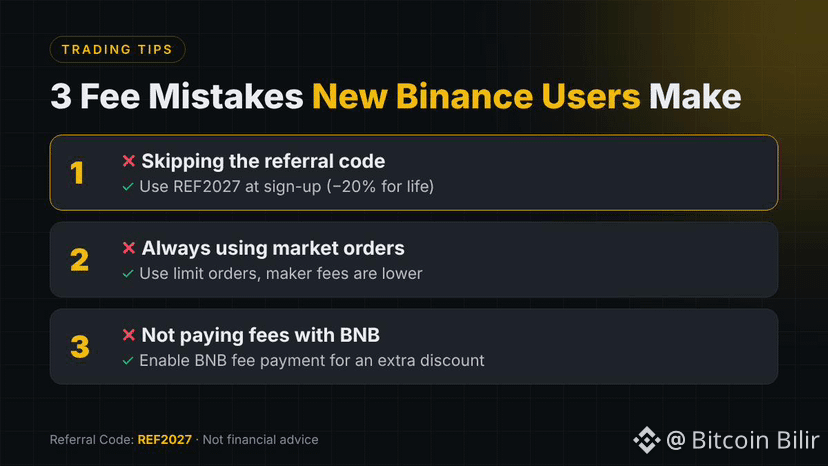
Fee Mistakes New Binance Users Make
Most new traders lose money on fees without even noticing. Avoid these:
❌ Mistake 1: Skipping the referral code
The referral code can only be added at sign-up. Miss it and you pay full fees forever.
✅ Fix: Use REF2027 for a lifetime 20% discount on Spot & Futures.
❌ Mistake 2: Always using market orders
Market (taker) orders cost more. On Futures, taker fees are 2.5x maker fees.
✅ Fix: Use limit orders whenever you can.
❌ Mistake 3: Not paying fees with BNB
Binance gives an extra discount when you pay fees with BNB.
✅ Fix: Turn on BNB fee payment in your settings.
Small fees add up fast. Fix all three and keep more of your profits. 💰
🔑 Binance Referral Code: REF2027
⚠️ Not financial advice. DYOR.
#Binance #REF2027 #BinanceReferralCode
Fee Mistakes New Binance Users Make
Most new traders lose money on fees without even noticing. Avoid these:
❌ Mistake 1: Skipping the referral code
The referral code can only be added at sign-up. Miss it and you pay full fees forever.
✅ Fix: Use REF2027 for a lifetime 20% discount on Spot & Futures.
❌ Mistake 2: Always using market orders
Market (taker) orders cost more. On Futures, taker fees are 2.5x maker fees.
✅ Fix: Use limit orders whenever you can.
❌ Mistake 3: Not paying fees with BNB
Binance gives an extra discount when you pay fees with BNB.
✅ Fix: Turn on BNB fee payment in your settings.
Small fees add up fast. Fix all three and keep more of your profits. 💰
🔑 Binance Referral Code: REF2027
⚠️ Not financial advice. DYOR.
#Binance #REF2027 #BinanceReferralCode
Most new traders lose money on fees without even noticing. Avoid these:
❌ Mistake 1: Skipping the referral code
The referral code can only be added at sign-up. Miss it and you pay full fees forever.
✅ Fix: Use REF2027 for a lifetime 20% discount on Spot & Futures.
❌ Mistake 2: Always using market orders
Market (taker) orders cost more. On Futures, taker fees are 2.5x maker fees.
✅ Fix: Use limit orders whenever you can.
❌ Mistake 3: Not paying fees with BNB
Binance gives an extra discount when you pay fees with BNB.
✅ Fix: Turn on BNB fee payment in your settings.
Small fees add up fast. Fix all three and keep more of your profits. 💰
🔑 Binance Referral Code: REF2027
⚠️ Not financial advice. DYOR.
#Binance #REF2027 #BinanceReferralCode
THE_PUNCHER:
Compré un poquito de BNB para pagar comisiones y configuré la app para pagar con BNB.
3
34
2.5k
Статья
바이낸스 추천 코드 BTC2026: 가입 가이드와 자주 묻는 질문 (2026)이 가이드의 바이낸스(Binance) 추천 코드는 BTC2026입니다. 가입할 때 코드를 넣는 방법, 나중에 추가하려면 무엇을 확인해야 하는지, 자주 묻는 질문에 대한 짧은 답변을 정리했습니다. 바이낸스 페이지 기준 마지막 확인일: 2026년 11월 21일.
바이낸스 추천 코드란?
추천 코드는 새 바이낸스 계정을 나를 초대한 사람과 연결합니다. 계정을 만들 때 한 번만 입력합니다. 코드 사용은 무료이며, 바이낸스 이용 방식은 달라지지 않습니다.
BTC2026 코드로 바이낸스 가입하는 방법
[BTC2026 가입 링크](https://www.binance.com/join?ref=BTC2026)를 엽니다. BTC2026 코드가 자동으로 입력됩니다.이메일 또는 휴대폰 번호로 가입하고 강력한 비밀번호를 설정합니다.완료하기 전에 추천 코드 칸에 BTC2026이 보이는지 확인합니다.입금과 거래를 하려면 신원 인증(KYC)을 완료합니다.
신원 인증(KYC): 준비할 것
기본 정보: 이름, 생년월일, 주소유효한 신분증: 여권, 신분증 또는 운전면허증얼굴 인증: 짧은 셀카 또는 영상선명한 사진, 정확한 정보: 흐린 사진이나 오류는 인증을 늦춥니다
새 계정 보안부터 설정하세요
2FA 켜기: SMS만이 아니라 인증 앱 사용패스키 추가: 비밀번호 입력 없이 기기로 로그인피싱 방지 코드 설정: 진짜 바이낸스 이메일에 표시됩니다출금 화이트리스트: 저장한 주소로만 출금
첫 입금하는 방법
다른 지갑에서 암호화폐를 보내거나, 바이낸스가 지원하는 국가라면 현지 통화로 입금할 수 있습니다.
입금 클릭: 암호화폐 또는 현지 통화 선택코인 선택: 예: USDT네트워크 일치: 보내는 지갑과 같은 네트워크컨펌 대기: 이후 잔액이 계정에 표시됩니다
첫 현물(Spot) 거래, 단계별 안내
거래 → 현물 열기: 상단 메뉴에서거래쌍 검색: 예: BTC/USDT지정가 또는 시장가: 지정가는 가격 지정, 시장가는 즉시 체결수량 입력: BTC 또는 USDT 기준주문 확인: 미체결 주문과 거래 내역
현물(Spot) 거래에서 코드의 의미
바이낸스 추천 가입 페이지에는 코드로 가입한 사용자에게 조건을 충족하는 현물 거래 수수료의 최대 20%를 리베이트로 준다고 나와 있습니다(2026년 11월 21일 확인). 웰컴 리워드는 별도이며 과제, 지역, 자격 요건에 따라 달라집니다. 2026년 4월 29일부터 현물 추천 금액은 순수수료 기준으로 계산되므로 더 적을 수 있습니다. 거래소는 리베이트가 아니라 보안, 코인, 도구를 보고 고르세요.
가입 후에 BTC2026을 추가할 수 있나요?
경우에 따라 가능합니다. 바이낸스는 아래 조건을 모두 충족할 때만 나중에 코드를 추가할 수 있게 합니다:
계정 생성 후 30일이 지나지 않았습니다.아직 연결된 추천 코드가 없습니다.아직 입금하거나 거래한 적이 없습니다.바이낸스 추천 페이지의 기타 조건을 충족합니다.
추천 코드는 한 번 연결되면 변경하거나 삭제할 수 없습니다. 다시 가입하려고 계정을 해지하면 추천 혜택이 종료될 수 있습니다.
바이낸스 추천 코드 BTC2026: 자주 묻는 질문
BTC2026은 무료로 쓸 수 있나요?
네. 추천 코드 입력에는 비용이 들지 않습니다.
나중에 추천 코드를 바꿀 수 있나요?
아니요. 계정에 연결된 코드는 그대로 유지됩니다.
모든 국가에서 코드를 쓸 수 있나요?
바이낸스가 서비스를 제공하는 곳에서만 가능합니다. 가입 전에 내 국가에서 바이낸스를 이용할 수 있는지 확인하세요.
신원 인증이 필요한가요?
네. 바이낸스는 입금과 거래 전에 신원 인증을 요구합니다.
이미 바이낸스 계정이 있어요. BTC2026을 쓸 수 있나요?
계정이 위 조건을 충족할 때만 가능합니다. 그렇지 않으면 코드를 추가할 수 없습니다.
바이낸스 공식 글인가요?
아니요. 바이낸스 사용자가 쓴 독립적인 가이드입니다.
추천 코드가 거래 위험을 줄여 주나요?
아니요. 암호화폐 가격은 빠르게 움직일 수 있습니다. 잃어도 괜찮은 돈만 사용하세요.
현물 거래란?
현재 가격으로 코인을 사고팔며, 바로 내 소유가 됩니다. 빌리는 돈은 없습니다.
시장가와 지정가 중 무엇부터?
시장가 주문은 가능한 최적 가격에 바로 체결됩니다. 지정가 주문은 정한 가격에 도달할 때까지 기다립니다.
입금할 때 어떤 네트워크를 고르나요?
보내는 지갑이 쓰는 것과 같은 네트워크입니다. 잘못된 네트워크로 보내면 자금을 잃을 수 있습니다.
2FA란?
로그인과 출금 시 두 번째 확인으로, 보통 인증 앱의 코드입니다.
피싱 방지 코드란?
직접 정한 단어로, 바이낸스가 진짜 이메일에 넣어 가짜 이메일을 구분하게 해 줍니다.
웰컴 리워드는 보장되나요?
아니요. 바이낸스 페이지 안내대로 과제, 지역, 자격 요건에 따라 달라집니다.
공식 규정은 어디서 보나요?
binance.com의 추천 FAQ와 수수료 페이지에서 확인할 수 있습니다.
요약
바이낸스 추천 코드: BTC2026. 사용하려면 [BTC2026 가입 페이지를 열고](https://www.binance.com/join?ref=BTC2026) 가입을 마치기 전에 코드가 표시되는지 확인하세요.
고지: BTC2026은 제 추천 코드이며, 조건을 충족하는 활동에 대해 수수료를 받을 수 있습니다. 이 글은 독립적인 가이드이며 바이낸스 공식 게시물이 아닙니다. 혜택은 바이낸스 약관, 지역, 자격 요건에 따라 달라집니다. 암호화폐 거래에는 위험이 따릅니다. 투자 조언이 아닙니다. DYOR.
#BinanceReferralCode #BTC2026 #Binance #바이낸스
바이낸스 추천 코드 BTC2026: 가입 가이드와 자주 묻는 질문 (2026)
이 가이드의 바이낸스(Binance) 추천 코드는 BTC2026입니다. 가입할 때 코드를 넣는 방법, 나중에 추가하려면 무엇을 확인해야 하는지, 자주 묻는 질문에 대한 짧은 답변을 정리했습니다. 바이낸스 페이지 기준 마지막 확인일: 2026년 11월 21일.
바이낸스 추천 코드란?
추천 코드는 새 바이낸스 계정을 나를 초대한 사람과 연결합니다. 계정을 만들 때 한 번만 입력합니다. 코드 사용은 무료이며, 바이낸스 이용 방식은 달라지지 않습니다.
BTC2026 코드로 바이낸스 가입하는 방법
BTC2026 가입 링크를 엽니다. BTC2026 코드가 자동으로 입력됩니다.이메일 또는 휴대폰 번호로 가입하고 강력한 비밀번호를 설정합니다.완료하기 전에 추천 코드 칸에 BTC2026이 보이는지 확인합니다.입금과 거래를 하려면 신원 인증(KYC)을 완료합니다.
신원 인증(KYC): 준비할 것
기본 정보: 이름, 생년월일, 주소유효한 신분증: 여권, 신분증 또는 운전면허증얼굴 인증: 짧은 셀카 또는 영상선명한 사진, 정확한 정보: 흐린 사진이나 오류는 인증을 늦춥니다
새 계정 보안부터 설정하세요
2FA 켜기: SMS만이 아니라 인증 앱 사용패스키 추가: 비밀번호 입력 없이 기기로 로그인피싱 방지 코드 설정: 진짜 바이낸스 이메일에 표시됩니다출금 화이트리스트: 저장한 주소로만 출금
첫 입금하는 방법
다른 지갑에서 암호화폐를 보내거나, 바이낸스가 지원하는 국가라면 현지 통화로 입금할 수 있습니다.
입금 클릭: 암호화폐 또는 현지 통화 선택코인 선택: 예: USDT네트워크 일치: 보내는 지갑과 같은 네트워크컨펌 대기: 이후 잔액이 계정에 표시됩니다
첫 현물(Spot) 거래, 단계별 안내
거래 → 현물 열기: 상단 메뉴에서거래쌍 검색: 예: BTC/USDT지정가 또는 시장가: 지정가는 가격 지정, 시장가는 즉시 체결수량 입력: BTC 또는 USDT 기준주문 확인: 미체결 주문과 거래 내역
현물(Spot) 거래에서 코드의 의미
바이낸스 추천 가입 페이지에는 코드로 가입한 사용자에게 조건을 충족하는 현물 거래 수수료의 최대 20%를 리베이트로 준다고 나와 있습니다(2026년 11월 21일 확인). 웰컴 리워드는 별도이며 과제, 지역, 자격 요건에 따라 달라집니다. 2026년 4월 29일부터 현물 추천 금액은 순수수료 기준으로 계산되므로 더 적을 수 있습니다. 거래소는 리베이트가 아니라 보안, 코인, 도구를 보고 고르세요.
가입 후에 BTC2026을 추가할 수 있나요?
경우에 따라 가능합니다. 바이낸스는 아래 조건을 모두 충족할 때만 나중에 코드를 추가할 수 있게 합니다:
계정 생성 후 30일이 지나지 않았습니다.아직 연결된 추천 코드가 없습니다.아직 입금하거나 거래한 적이 없습니다.바이낸스 추천 페이지의 기타 조건을 충족합니다.
추천 코드는 한 번 연결되면 변경하거나 삭제할 수 없습니다. 다시 가입하려고 계정을 해지하면 추천 혜택이 종료될 수 있습니다.
바이낸스 추천 코드 BTC2026: 자주 묻는 질문
BTC2026은 무료로 쓸 수 있나요?
네. 추천 코드 입력에는 비용이 들지 않습니다.
나중에 추천 코드를 바꿀 수 있나요?
아니요. 계정에 연결된 코드는 그대로 유지됩니다.
모든 국가에서 코드를 쓸 수 있나요?
바이낸스가 서비스를 제공하는 곳에서만 가능합니다. 가입 전에 내 국가에서 바이낸스를 이용할 수 있는지 확인하세요.
신원 인증이 필요한가요?
네. 바이낸스는 입금과 거래 전에 신원 인증을 요구합니다.
이미 바이낸스 계정이 있어요. BTC2026을 쓸 수 있나요?
계정이 위 조건을 충족할 때만 가능합니다. 그렇지 않으면 코드를 추가할 수 없습니다.
바이낸스 공식 글인가요?
아니요. 바이낸스 사용자가 쓴 독립적인 가이드입니다.
추천 코드가 거래 위험을 줄여 주나요?
아니요. 암호화폐 가격은 빠르게 움직일 수 있습니다. 잃어도 괜찮은 돈만 사용하세요.
현물 거래란?
현재 가격으로 코인을 사고팔며, 바로 내 소유가 됩니다. 빌리는 돈은 없습니다.
시장가와 지정가 중 무엇부터?
시장가 주문은 가능한 최적 가격에 바로 체결됩니다. 지정가 주문은 정한 가격에 도달할 때까지 기다립니다.
입금할 때 어떤 네트워크를 고르나요?
보내는 지갑이 쓰는 것과 같은 네트워크입니다. 잘못된 네트워크로 보내면 자금을 잃을 수 있습니다.
2FA란?
로그인과 출금 시 두 번째 확인으로, 보통 인증 앱의 코드입니다.
피싱 방지 코드란?
직접 정한 단어로, 바이낸스가 진짜 이메일에 넣어 가짜 이메일을 구분하게 해 줍니다.
웰컴 리워드는 보장되나요?
아니요. 바이낸스 페이지 안내대로 과제, 지역, 자격 요건에 따라 달라집니다.
공식 규정은 어디서 보나요?
binance.com의 추천 FAQ와 수수료 페이지에서 확인할 수 있습니다.
요약
바이낸스 추천 코드: BTC2026. 사용하려면 BTC2026 가입 페이지를 열고 가입을 마치기 전에 코드가 표시되는지 확인하세요.
고지: BTC2026은 제 추천 코드이며, 조건을 충족하는 활동에 대해 수수료를 받을 수 있습니다. 이 글은 독립적인 가이드이며 바이낸스 공식 게시물이 아닙니다. 혜택은 바이낸스 약관, 지역, 자격 요건에 따라 달라집니다. 암호화폐 거래에는 위험이 따릅니다. 투자 조언이 아닙니다. DYOR.
#BinanceReferralCode #BTC2026 #Binance #바이낸스
바이낸스 추천 코드란?
추천 코드는 새 바이낸스 계정을 나를 초대한 사람과 연결합니다. 계정을 만들 때 한 번만 입력합니다. 코드 사용은 무료이며, 바이낸스 이용 방식은 달라지지 않습니다.
BTC2026 코드로 바이낸스 가입하는 방법
BTC2026 가입 링크를 엽니다. BTC2026 코드가 자동으로 입력됩니다.이메일 또는 휴대폰 번호로 가입하고 강력한 비밀번호를 설정합니다.완료하기 전에 추천 코드 칸에 BTC2026이 보이는지 확인합니다.입금과 거래를 하려면 신원 인증(KYC)을 완료합니다.
신원 인증(KYC): 준비할 것
기본 정보: 이름, 생년월일, 주소유효한 신분증: 여권, 신분증 또는 운전면허증얼굴 인증: 짧은 셀카 또는 영상선명한 사진, 정확한 정보: 흐린 사진이나 오류는 인증을 늦춥니다
새 계정 보안부터 설정하세요
2FA 켜기: SMS만이 아니라 인증 앱 사용패스키 추가: 비밀번호 입력 없이 기기로 로그인피싱 방지 코드 설정: 진짜 바이낸스 이메일에 표시됩니다출금 화이트리스트: 저장한 주소로만 출금
첫 입금하는 방법
다른 지갑에서 암호화폐를 보내거나, 바이낸스가 지원하는 국가라면 현지 통화로 입금할 수 있습니다.
입금 클릭: 암호화폐 또는 현지 통화 선택코인 선택: 예: USDT네트워크 일치: 보내는 지갑과 같은 네트워크컨펌 대기: 이후 잔액이 계정에 표시됩니다
첫 현물(Spot) 거래, 단계별 안내
거래 → 현물 열기: 상단 메뉴에서거래쌍 검색: 예: BTC/USDT지정가 또는 시장가: 지정가는 가격 지정, 시장가는 즉시 체결수량 입력: BTC 또는 USDT 기준주문 확인: 미체결 주문과 거래 내역
현물(Spot) 거래에서 코드의 의미
바이낸스 추천 가입 페이지에는 코드로 가입한 사용자에게 조건을 충족하는 현물 거래 수수료의 최대 20%를 리베이트로 준다고 나와 있습니다(2026년 11월 21일 확인). 웰컴 리워드는 별도이며 과제, 지역, 자격 요건에 따라 달라집니다. 2026년 4월 29일부터 현물 추천 금액은 순수수료 기준으로 계산되므로 더 적을 수 있습니다. 거래소는 리베이트가 아니라 보안, 코인, 도구를 보고 고르세요.
가입 후에 BTC2026을 추가할 수 있나요?
경우에 따라 가능합니다. 바이낸스는 아래 조건을 모두 충족할 때만 나중에 코드를 추가할 수 있게 합니다:
계정 생성 후 30일이 지나지 않았습니다.아직 연결된 추천 코드가 없습니다.아직 입금하거나 거래한 적이 없습니다.바이낸스 추천 페이지의 기타 조건을 충족합니다.
추천 코드는 한 번 연결되면 변경하거나 삭제할 수 없습니다. 다시 가입하려고 계정을 해지하면 추천 혜택이 종료될 수 있습니다.
바이낸스 추천 코드 BTC2026: 자주 묻는 질문
BTC2026은 무료로 쓸 수 있나요?
네. 추천 코드 입력에는 비용이 들지 않습니다.
나중에 추천 코드를 바꿀 수 있나요?
아니요. 계정에 연결된 코드는 그대로 유지됩니다.
모든 국가에서 코드를 쓸 수 있나요?
바이낸스가 서비스를 제공하는 곳에서만 가능합니다. 가입 전에 내 국가에서 바이낸스를 이용할 수 있는지 확인하세요.
신원 인증이 필요한가요?
네. 바이낸스는 입금과 거래 전에 신원 인증을 요구합니다.
이미 바이낸스 계정이 있어요. BTC2026을 쓸 수 있나요?
계정이 위 조건을 충족할 때만 가능합니다. 그렇지 않으면 코드를 추가할 수 없습니다.
바이낸스 공식 글인가요?
아니요. 바이낸스 사용자가 쓴 독립적인 가이드입니다.
추천 코드가 거래 위험을 줄여 주나요?
아니요. 암호화폐 가격은 빠르게 움직일 수 있습니다. 잃어도 괜찮은 돈만 사용하세요.
현물 거래란?
현재 가격으로 코인을 사고팔며, 바로 내 소유가 됩니다. 빌리는 돈은 없습니다.
시장가와 지정가 중 무엇부터?
시장가 주문은 가능한 최적 가격에 바로 체결됩니다. 지정가 주문은 정한 가격에 도달할 때까지 기다립니다.
입금할 때 어떤 네트워크를 고르나요?
보내는 지갑이 쓰는 것과 같은 네트워크입니다. 잘못된 네트워크로 보내면 자금을 잃을 수 있습니다.
2FA란?
로그인과 출금 시 두 번째 확인으로, 보통 인증 앱의 코드입니다.
피싱 방지 코드란?
직접 정한 단어로, 바이낸스가 진짜 이메일에 넣어 가짜 이메일을 구분하게 해 줍니다.
웰컴 리워드는 보장되나요?
아니요. 바이낸스 페이지 안내대로 과제, 지역, 자격 요건에 따라 달라집니다.
공식 규정은 어디서 보나요?
binance.com의 추천 FAQ와 수수료 페이지에서 확인할 수 있습니다.
요약
바이낸스 추천 코드: BTC2026. 사용하려면 BTC2026 가입 페이지를 열고 가입을 마치기 전에 코드가 표시되는지 확인하세요.
고지: BTC2026은 제 추천 코드이며, 조건을 충족하는 활동에 대해 수수료를 받을 수 있습니다. 이 글은 독립적인 가이드이며 바이낸스 공식 게시물이 아닙니다. 혜택은 바이낸스 약관, 지역, 자격 요건에 따라 달라집니다. 암호화폐 거래에는 위험이 따릅니다. 투자 조언이 아닙니다. DYOR.
#BinanceReferralCode #BTC2026 #Binance #바이낸스
44
Статья
Mã giới thiệu Binance BTC2026: hướng dẫn đăng ký và hỏi đápMã giới thiệu Binance trong bài này là BTC2026. Dưới đây là cách nhập mã khi đăng ký, những điều cần kiểm tra nếu muốn thêm mã sau, và câu trả lời ngắn cho các câu hỏi thường gặp. Kiểm tra lần cuối trên các trang của Binance: 21/11/2026.
Mã giới thiệu Binance là gì?
Mã giới thiệu liên kết tài khoản Binance mới của bạn với người đã mời bạn. Mã chỉ nhập một lần, khi tạo tài khoản. Dùng mã không mất phí và không thay đổi cách Binance hoạt động với bạn.
Cách đăng ký Binance với mã BTC2026
Mở [liên kết đăng ký BTC2026](https://www.binance.com/join?ref=BTC2026). Mã BTC2026 đã được điền sẵn.Đăng ký bằng email hoặc số điện thoại và đặt mật khẩu mạnh.Trước khi hoàn tất, kiểm tra ô mã giới thiệu hiển thị BTC2026.Hoàn tất xác minh danh tính (KYC) để có thể nạp tiền và giao dịch.
Xác minh danh tính (KYC): cần chuẩn bị gì
Thông tin cơ bản: Họ tên, ngày sinh và địa chỉGiấy tờ hợp lệ: Hộ chiếu, CCCD hoặc bằng láiXác minh khuôn mặt: Ảnh selfie hoặc video ngắnẢnh rõ, thông tin đúng: Ảnh mờ hoặc sai thông tin làm chậm quá trình
Bảo mật tài khoản mới trước tiên
Bật 2FA: Dùng ứng dụng xác thực, không chỉ SMSThêm passkey: Đăng nhập bằng thiết bị, không cần gõ mật khẩuĐặt mã chống lừa đảo: Mã hiện trong email thật của BinanceDùng danh sách rút tiền: Chỉ rút về địa chỉ đã lưu
Cách nạp tiền lần đầu
Bạn có thể nạp crypto từ ví khác, hoặc nạp bằng tiền tệ địa phương nếu Binance hỗ trợ ở quốc gia của bạn.
Bấm Nạp tiền: Chọn crypto hoặc tiền địa phươngChọn coin: Ví dụ USDTChọn đúng mạng: Cùng mạng với ví gửiChờ xác nhận: Sau đó số dư hiện trong tài khoản
Giao dịch Spot đầu tiên, từng bước
Mở Giao dịch rồi Spot: Từ menu trên cùngTìm cặp: Ví dụ BTC/USDTChọn Limit hoặc Market: Limit đặt giá, Market khớp ngayNhập số lượng: Theo BTC hoặc USDTKiểm tra lệnh: Lệnh mở và lịch sử giao dịch
Mã này có ý nghĩa gì với giao dịch Spot
Trang đăng ký giới thiệu của Binance ghi hoàn phí giao dịch lên đến 20% trên phí giao dịch Spot đủ điều kiện cho người dùng đăng ký bằng mã (kiểm tra ngày 21/11/2026). Phần thưởng chào mừng là riêng và phụ thuộc vào nhiệm vụ, khu vực và điều kiện. Từ 29/04/2026, số tiền giới thiệu Spot được tính trên phí ròng nên có thể thấp hơn. Hãy chọn sàn vì độ an toàn, danh sách coin và công cụ, không phải vì khoản hoàn phí.
Có thể thêm BTC2026 sau khi đăng ký không?
Đôi khi có. Binance chỉ cho thêm mã sau nếu đáp ứng tất cả các điều sau:
Tài khoản của bạn chưa đủ 30 ngày.Tài khoản chưa có mã giới thiệu.Bạn chưa nạp tiền hay giao dịch.Bạn đáp ứng các điều kiện khác trên trang giới thiệu của Binance.
Sau khi liên kết, mã giới thiệu không thể thay đổi hoặc xóa. Đóng tài khoản để đăng ký lại có thể làm mất quyền lợi giới thiệu.
Mã giới thiệu Binance BTC2026: hỏi đáp
Dùng BTC2026 có mất phí không?
Không. Nhập mã giới thiệu là miễn phí.
Tôi có thể đổi mã giới thiệu sau không?
Không. Khi đã liên kết với tài khoản, mã sẽ giữ nguyên.
Mã có dùng được ở mọi quốc gia không?
Chỉ ở nơi Binance cung cấp dịch vụ. Hãy kiểm tra Binance có hoạt động ở quốc gia của bạn trước khi đăng ký.
Tôi có cần xác minh danh tính không?
Có. Binance yêu cầu xác minh danh tính trước khi nạp tiền và giao dịch.
Tôi đã có tài khoản Binance. Có dùng được BTC2026 không?
Chỉ khi tài khoản đáp ứng các điều kiện ở trên. Nếu không, mã không thể được thêm.
Đây có phải bài viết chính thức của Binance không?
Không. Đây là hướng dẫn độc lập do một người dùng Binance viết.
Mã giới thiệu có giảm rủi ro giao dịch không?
Không. Giá crypto có thể biến động nhanh. Chỉ dùng số tiền bạn chấp nhận mất.
Giao dịch Spot là gì?
Bạn mua hoặc bán coin theo giá hiện tại và sở hữu ngay. Không vay mượn.
Lệnh Market hay Limit: nên dùng cái nào trước?
Lệnh Market khớp ngay ở giá tốt nhất hiện có. Lệnh Limit chờ đến khi giá đạt mức bạn đặt.
Nạp tiền nên chọn mạng nào?
Cùng mạng mà ví gửi sử dụng. Gửi sai mạng có thể làm mất tiền.
2FA là gì?
Bước kiểm tra thứ hai khi đăng nhập và rút tiền, thường là mã từ ứng dụng xác thực.
Mã chống lừa đảo là gì?
Một từ bạn tự chọn, Binance thêm vào email thật để bạn nhận ra email giả.
Phần thưởng chào mừng có chắc chắn không?
Không. Phụ thuộc vào nhiệm vụ, khu vực và điều kiện của bạn, như trang Binance ghi.
Đọc quy định chính thức ở đâu?
Trên binance.com: câu hỏi thường gặp về giới thiệu và các trang phí.
Tóm tắt
Mã giới thiệu Binance: BTC2026. Để sử dụng, hãy [mở trang đăng ký BTC2026](https://www.binance.com/join?ref=BTC2026) và kiểm tra mã hiển thị trước khi hoàn tất đăng ký.
Công bố: BTC2026 là mã giới thiệu của tôi và tôi có thể nhận hoa hồng từ hoạt động đủ điều kiện. Đây là hướng dẫn độc lập, không phải bài đăng chính thức của Binance. Quyền lợi phụ thuộc vào điều khoản của Binance, khu vực và điều kiện của bạn. Giao dịch crypto có rủi ro. Không phải lời khuyên tài chính. DYOR.
#BinanceReferralCode #BTC2026 #Binance #BinanceVietnamSquare
Mã giới thiệu Binance BTC2026: hướng dẫn đăng ký và hỏi đáp
Mã giới thiệu Binance trong bài này là BTC2026. Dưới đây là cách nhập mã khi đăng ký, những điều cần kiểm tra nếu muốn thêm mã sau, và câu trả lời ngắn cho các câu hỏi thường gặp. Kiểm tra lần cuối trên các trang của Binance: 21/11/2026.
Mã giới thiệu Binance là gì?
Mã giới thiệu liên kết tài khoản Binance mới của bạn với người đã mời bạn. Mã chỉ nhập một lần, khi tạo tài khoản. Dùng mã không mất phí và không thay đổi cách Binance hoạt động với bạn.
Cách đăng ký Binance với mã BTC2026
Mở liên kết đăng ký BTC2026. Mã BTC2026 đã được điền sẵn.Đăng ký bằng email hoặc số điện thoại và đặt mật khẩu mạnh.Trước khi hoàn tất, kiểm tra ô mã giới thiệu hiển thị BTC2026.Hoàn tất xác minh danh tính (KYC) để có thể nạp tiền và giao dịch.
Xác minh danh tính (KYC): cần chuẩn bị gì
Thông tin cơ bản: Họ tên, ngày sinh và địa chỉGiấy tờ hợp lệ: Hộ chiếu, CCCD hoặc bằng láiXác minh khuôn mặt: Ảnh selfie hoặc video ngắnẢnh rõ, thông tin đúng: Ảnh mờ hoặc sai thông tin làm chậm quá trình
Bảo mật tài khoản mới trước tiên
Bật 2FA: Dùng ứng dụng xác thực, không chỉ SMSThêm passkey: Đăng nhập bằng thiết bị, không cần gõ mật khẩuĐặt mã chống lừa đảo: Mã hiện trong email thật của BinanceDùng danh sách rút tiền: Chỉ rút về địa chỉ đã lưu
Cách nạp tiền lần đầu
Bạn có thể nạp crypto từ ví khác, hoặc nạp bằng tiền tệ địa phương nếu Binance hỗ trợ ở quốc gia của bạn.
Bấm Nạp tiền: Chọn crypto hoặc tiền địa phươngChọn coin: Ví dụ USDTChọn đúng mạng: Cùng mạng với ví gửiChờ xác nhận: Sau đó số dư hiện trong tài khoản
Giao dịch Spot đầu tiên, từng bước
Mở Giao dịch rồi Spot: Từ menu trên cùngTìm cặp: Ví dụ BTC/USDTChọn Limit hoặc Market: Limit đặt giá, Market khớp ngayNhập số lượng: Theo BTC hoặc USDTKiểm tra lệnh: Lệnh mở và lịch sử giao dịch
Mã này có ý nghĩa gì với giao dịch Spot
Trang đăng ký giới thiệu của Binance ghi hoàn phí giao dịch lên đến 20% trên phí giao dịch Spot đủ điều kiện cho người dùng đăng ký bằng mã (kiểm tra ngày 21/11/2026). Phần thưởng chào mừng là riêng và phụ thuộc vào nhiệm vụ, khu vực và điều kiện. Từ 29/04/2026, số tiền giới thiệu Spot được tính trên phí ròng nên có thể thấp hơn. Hãy chọn sàn vì độ an toàn, danh sách coin và công cụ, không phải vì khoản hoàn phí.
Có thể thêm BTC2026 sau khi đăng ký không?
Đôi khi có. Binance chỉ cho thêm mã sau nếu đáp ứng tất cả các điều sau:
Tài khoản của bạn chưa đủ 30 ngày.Tài khoản chưa có mã giới thiệu.Bạn chưa nạp tiền hay giao dịch.Bạn đáp ứng các điều kiện khác trên trang giới thiệu của Binance.
Sau khi liên kết, mã giới thiệu không thể thay đổi hoặc xóa. Đóng tài khoản để đăng ký lại có thể làm mất quyền lợi giới thiệu.
Mã giới thiệu Binance BTC2026: hỏi đáp
Dùng BTC2026 có mất phí không?
Không. Nhập mã giới thiệu là miễn phí.
Tôi có thể đổi mã giới thiệu sau không?
Không. Khi đã liên kết với tài khoản, mã sẽ giữ nguyên.
Mã có dùng được ở mọi quốc gia không?
Chỉ ở nơi Binance cung cấp dịch vụ. Hãy kiểm tra Binance có hoạt động ở quốc gia của bạn trước khi đăng ký.
Tôi có cần xác minh danh tính không?
Có. Binance yêu cầu xác minh danh tính trước khi nạp tiền và giao dịch.
Tôi đã có tài khoản Binance. Có dùng được BTC2026 không?
Chỉ khi tài khoản đáp ứng các điều kiện ở trên. Nếu không, mã không thể được thêm.
Đây có phải bài viết chính thức của Binance không?
Không. Đây là hướng dẫn độc lập do một người dùng Binance viết.
Mã giới thiệu có giảm rủi ro giao dịch không?
Không. Giá crypto có thể biến động nhanh. Chỉ dùng số tiền bạn chấp nhận mất.
Giao dịch Spot là gì?
Bạn mua hoặc bán coin theo giá hiện tại và sở hữu ngay. Không vay mượn.
Lệnh Market hay Limit: nên dùng cái nào trước?
Lệnh Market khớp ngay ở giá tốt nhất hiện có. Lệnh Limit chờ đến khi giá đạt mức bạn đặt.
Nạp tiền nên chọn mạng nào?
Cùng mạng mà ví gửi sử dụng. Gửi sai mạng có thể làm mất tiền.
2FA là gì?
Bước kiểm tra thứ hai khi đăng nhập và rút tiền, thường là mã từ ứng dụng xác thực.
Mã chống lừa đảo là gì?
Một từ bạn tự chọn, Binance thêm vào email thật để bạn nhận ra email giả.
Phần thưởng chào mừng có chắc chắn không?
Không. Phụ thuộc vào nhiệm vụ, khu vực và điều kiện của bạn, như trang Binance ghi.
Đọc quy định chính thức ở đâu?
Trên binance.com: câu hỏi thường gặp về giới thiệu và các trang phí.
Tóm tắt
Mã giới thiệu Binance: BTC2026. Để sử dụng, hãy mở trang đăng ký BTC2026 và kiểm tra mã hiển thị trước khi hoàn tất đăng ký.
Công bố: BTC2026 là mã giới thiệu của tôi và tôi có thể nhận hoa hồng từ hoạt động đủ điều kiện. Đây là hướng dẫn độc lập, không phải bài đăng chính thức của Binance. Quyền lợi phụ thuộc vào điều khoản của Binance, khu vực và điều kiện của bạn. Giao dịch crypto có rủi ro. Không phải lời khuyên tài chính. DYOR.
#BinanceReferralCode #BTC2026 #Binance #BinanceVietnamSquare
Mã giới thiệu Binance là gì?
Mã giới thiệu liên kết tài khoản Binance mới của bạn với người đã mời bạn. Mã chỉ nhập một lần, khi tạo tài khoản. Dùng mã không mất phí và không thay đổi cách Binance hoạt động với bạn.
Cách đăng ký Binance với mã BTC2026
Mở liên kết đăng ký BTC2026. Mã BTC2026 đã được điền sẵn.Đăng ký bằng email hoặc số điện thoại và đặt mật khẩu mạnh.Trước khi hoàn tất, kiểm tra ô mã giới thiệu hiển thị BTC2026.Hoàn tất xác minh danh tính (KYC) để có thể nạp tiền và giao dịch.
Xác minh danh tính (KYC): cần chuẩn bị gì
Thông tin cơ bản: Họ tên, ngày sinh và địa chỉGiấy tờ hợp lệ: Hộ chiếu, CCCD hoặc bằng láiXác minh khuôn mặt: Ảnh selfie hoặc video ngắnẢnh rõ, thông tin đúng: Ảnh mờ hoặc sai thông tin làm chậm quá trình
Bảo mật tài khoản mới trước tiên
Bật 2FA: Dùng ứng dụng xác thực, không chỉ SMSThêm passkey: Đăng nhập bằng thiết bị, không cần gõ mật khẩuĐặt mã chống lừa đảo: Mã hiện trong email thật của BinanceDùng danh sách rút tiền: Chỉ rút về địa chỉ đã lưu
Cách nạp tiền lần đầu
Bạn có thể nạp crypto từ ví khác, hoặc nạp bằng tiền tệ địa phương nếu Binance hỗ trợ ở quốc gia của bạn.
Bấm Nạp tiền: Chọn crypto hoặc tiền địa phươngChọn coin: Ví dụ USDTChọn đúng mạng: Cùng mạng với ví gửiChờ xác nhận: Sau đó số dư hiện trong tài khoản
Giao dịch Spot đầu tiên, từng bước
Mở Giao dịch rồi Spot: Từ menu trên cùngTìm cặp: Ví dụ BTC/USDTChọn Limit hoặc Market: Limit đặt giá, Market khớp ngayNhập số lượng: Theo BTC hoặc USDTKiểm tra lệnh: Lệnh mở và lịch sử giao dịch
Mã này có ý nghĩa gì với giao dịch Spot
Trang đăng ký giới thiệu của Binance ghi hoàn phí giao dịch lên đến 20% trên phí giao dịch Spot đủ điều kiện cho người dùng đăng ký bằng mã (kiểm tra ngày 21/11/2026). Phần thưởng chào mừng là riêng và phụ thuộc vào nhiệm vụ, khu vực và điều kiện. Từ 29/04/2026, số tiền giới thiệu Spot được tính trên phí ròng nên có thể thấp hơn. Hãy chọn sàn vì độ an toàn, danh sách coin và công cụ, không phải vì khoản hoàn phí.
Có thể thêm BTC2026 sau khi đăng ký không?
Đôi khi có. Binance chỉ cho thêm mã sau nếu đáp ứng tất cả các điều sau:
Tài khoản của bạn chưa đủ 30 ngày.Tài khoản chưa có mã giới thiệu.Bạn chưa nạp tiền hay giao dịch.Bạn đáp ứng các điều kiện khác trên trang giới thiệu của Binance.
Sau khi liên kết, mã giới thiệu không thể thay đổi hoặc xóa. Đóng tài khoản để đăng ký lại có thể làm mất quyền lợi giới thiệu.
Mã giới thiệu Binance BTC2026: hỏi đáp
Dùng BTC2026 có mất phí không?
Không. Nhập mã giới thiệu là miễn phí.
Tôi có thể đổi mã giới thiệu sau không?
Không. Khi đã liên kết với tài khoản, mã sẽ giữ nguyên.
Mã có dùng được ở mọi quốc gia không?
Chỉ ở nơi Binance cung cấp dịch vụ. Hãy kiểm tra Binance có hoạt động ở quốc gia của bạn trước khi đăng ký.
Tôi có cần xác minh danh tính không?
Có. Binance yêu cầu xác minh danh tính trước khi nạp tiền và giao dịch.
Tôi đã có tài khoản Binance. Có dùng được BTC2026 không?
Chỉ khi tài khoản đáp ứng các điều kiện ở trên. Nếu không, mã không thể được thêm.
Đây có phải bài viết chính thức của Binance không?
Không. Đây là hướng dẫn độc lập do một người dùng Binance viết.
Mã giới thiệu có giảm rủi ro giao dịch không?
Không. Giá crypto có thể biến động nhanh. Chỉ dùng số tiền bạn chấp nhận mất.
Giao dịch Spot là gì?
Bạn mua hoặc bán coin theo giá hiện tại và sở hữu ngay. Không vay mượn.
Lệnh Market hay Limit: nên dùng cái nào trước?
Lệnh Market khớp ngay ở giá tốt nhất hiện có. Lệnh Limit chờ đến khi giá đạt mức bạn đặt.
Nạp tiền nên chọn mạng nào?
Cùng mạng mà ví gửi sử dụng. Gửi sai mạng có thể làm mất tiền.
2FA là gì?
Bước kiểm tra thứ hai khi đăng nhập và rút tiền, thường là mã từ ứng dụng xác thực.
Mã chống lừa đảo là gì?
Một từ bạn tự chọn, Binance thêm vào email thật để bạn nhận ra email giả.
Phần thưởng chào mừng có chắc chắn không?
Không. Phụ thuộc vào nhiệm vụ, khu vực và điều kiện của bạn, như trang Binance ghi.
Đọc quy định chính thức ở đâu?
Trên binance.com: câu hỏi thường gặp về giới thiệu và các trang phí.
Tóm tắt
Mã giới thiệu Binance: BTC2026. Để sử dụng, hãy mở trang đăng ký BTC2026 và kiểm tra mã hiển thị trước khi hoàn tất đăng ký.
Công bố: BTC2026 là mã giới thiệu của tôi và tôi có thể nhận hoa hồng từ hoạt động đủ điều kiện. Đây là hướng dẫn độc lập, không phải bài đăng chính thức của Binance. Quyền lợi phụ thuộc vào điều khoản của Binance, khu vực và điều kiện của bạn. Giao dịch crypto có rủi ro. Không phải lời khuyên tài chính. DYOR.
#BinanceReferralCode #BTC2026 #Binance #BinanceVietnamSquare
57
Статья
Kode Referral Binance BTC2026: Panduan Daftar dan FAQ (2026)Kode referral Binance dalam panduan ini adalah BTC2026. Di bawah ini: cara memasukkannya saat daftar, apa yang perlu dicek jika ingin menambahkannya nanti, dan jawaban singkat untuk pertanyaan umum. Terakhir dicek di halaman Binance: 21 November 2026.
Apa itu kode referral Binance?
Kode referral menghubungkan akun Binance baru Anda dengan orang yang mengundang Anda. Kode dimasukkan sekali saja, saat membuat akun. Menggunakan kode tidak dipungut biaya dan tidak mengubah cara kerja Binance untuk Anda.
Cara daftar di Binance dengan kode BTC2026
Buka [link pendaftaran BTC2026](https://www.binance.com/join?ref=BTC2026). Kode BTC2026 sudah terisi otomatis.Daftar dengan email atau nomor ponsel dan buat kata sandi yang kuat.Sebelum selesai, pastikan kolom referral menampilkan BTC2026.Selesaikan verifikasi identitas (KYC) agar bisa deposit dan trading.
Verifikasi identitas (KYC): apa yang perlu disiapkan
Data dasar: Nama lengkap, tanggal lahir, dan alamatDokumen identitas sah: Paspor, KTP, atau SIMVerifikasi wajah: Selfie atau video singkatFoto jelas, data benar: Foto buram atau data salah memperlambat proses
Amankan akun baru Anda lebih dulu
Aktifkan 2FA: Pakai aplikasi autentikator, bukan hanya SMSTambahkan passkey: Masuk dengan perangkat tanpa mengetik kata sandiAtur kode anti-phishing: Muncul di email asli dari BinancePakai whitelist penarikan: Tarik dana hanya ke alamat tersimpan
Cara melakukan deposit pertama
Anda bisa mengisi akun dengan kripto dari dompet lain, atau dengan mata uang lokal jika Binance mendukungnya di negara Anda.
Klik Deposit: Pilih kripto atau mata uang lokalPilih koin: Misalnya USDTSamakan jaringan: Jaringan yang sama dengan dompet pengirimTunggu konfirmasi: Lalu saldo muncul di akun Anda
Trading Spot pertama, langkah demi langkah
Buka Trade lalu Spot: Dari menu atasCari pasangan: Misalnya BTC/USDTPilih Limit atau Market: Limit atur harga, Market langsungMasukkan jumlah: Dalam BTC atau USDTCek order Anda: Open Orders dan Trade History
Arti kode ini untuk trading Spot
Halaman pendaftaran referral Binance mencantumkan trade rebate hingga 20% atas biaya trading Spot yang memenuhi syarat bagi pengguna yang mendaftar dengan kode (dicek 21 November 2026). Hadiah sambutan terpisah dan bergantung pada tugas, wilayah, dan kelayakan. Sejak 29 April 2026, jumlah referral Spot dihitung dari biaya bersih, jadi bisa lebih kecil. Pilih exchange karena keamanan, koin, dan fiturnya, bukan karena rebate.
Bisakah menambahkan BTC2026 setelah daftar?
Kadang bisa. Binance hanya mengizinkan penambahan kode belakangan jika semua ini terpenuhi:
Akun Anda berumur kurang dari 30 hari.Akun belum memiliki kode referral.Anda belum melakukan deposit atau trading.Anda memenuhi syarat lain di halaman referral Binance.
Kode referral tidak bisa diubah atau dihapus setelah terhubung. Menutup akun untuk mendaftar ulang bisa menghilangkan manfaat referral.
Kode referral Binance BTC2026: FAQ
Apakah BTC2026 gratis digunakan?
Ya. Memasukkan kode referral tidak dipungut biaya.
Bisakah saya mengganti kode referral nanti?
Tidak. Setelah terhubung ke akun Anda, kode tetap sama.
Apakah kode berlaku di semua negara?
Hanya di negara tempat Binance menyediakan layanannya. Pastikan Binance tersedia di negara Anda sebelum mendaftar.
Apakah perlu verifikasi identitas?
Ya. Binance mewajibkan verifikasi identitas sebelum deposit dan trading.
Saya sudah punya akun Binance. Bisakah memakai BTC2026?
Hanya jika akun Anda memenuhi syarat di atas. Jika tidak, kode tidak bisa ditambahkan.
Apakah ini artikel resmi Binance?
Bukan. Ini panduan independen yang ditulis oleh pengguna Binance.
Apakah kode referral mengurangi risiko trading?
Tidak. Harga kripto bisa bergerak cepat. Gunakan hanya dana yang siap Anda tanggung kerugiannya.
Apa itu trading Spot?
Anda membeli atau menjual koin pada harga saat ini dan langsung memilikinya. Tidak ada pinjaman.
Order Market atau Limit: mana dulu?
Order Market langsung terisi di harga terbaik yang tersedia. Order Limit menunggu sampai harga yang Anda tetapkan tercapai.
Jaringan apa yang dipilih untuk deposit?
Jaringan yang sama dengan dompet pengirim. Mengirim lewat jaringan yang salah bisa membuat dana hilang.
Apa itu 2FA?
Pemeriksaan kedua saat masuk dan menarik dana, biasanya kode dari aplikasi autentikator.
Apa itu kode anti-phishing?
Kata pilihan Anda yang ditambahkan Binance ke email aslinya agar Anda bisa mengenali email palsu.
Apakah hadiah sambutan dijamin?
Tidak. Tergantung tugas, wilayah, dan kelayakan Anda, sesuai halaman Binance.
Di mana membaca aturan resmi?
Di binance.com: FAQ referral dan halaman biaya.
Ringkasan
Kode referral Binance: BTC2026. Untuk memakainya, [buka halaman pendaftaran BTC2026](https://www.binance.com/join?ref=BTC2026) dan pastikan kode tampil sebelum menyelesaikan pendaftaran.
Pengungkapan: BTC2026 adalah kode referral saya, dan saya bisa mendapat komisi dari aktivitas yang memenuhi syarat. Ini panduan independen, bukan postingan resmi Binance. Manfaat bergantung pada ketentuan Binance, wilayah, dan kelayakan Anda. Trading kripto berisiko. Bukan nasihat keuangan. DYOR.
#BinanceReferralCode #BTC2026 #Binance #BinanceIndonesian
Kode Referral Binance BTC2026: Panduan Daftar dan FAQ (2026)
Kode referral Binance dalam panduan ini adalah BTC2026. Di bawah ini: cara memasukkannya saat daftar, apa yang perlu dicek jika ingin menambahkannya nanti, dan jawaban singkat untuk pertanyaan umum. Terakhir dicek di halaman Binance: 21 November 2026.
Apa itu kode referral Binance?
Kode referral menghubungkan akun Binance baru Anda dengan orang yang mengundang Anda. Kode dimasukkan sekali saja, saat membuat akun. Menggunakan kode tidak dipungut biaya dan tidak mengubah cara kerja Binance untuk Anda.
Cara daftar di Binance dengan kode BTC2026
Buka link pendaftaran BTC2026. Kode BTC2026 sudah terisi otomatis.Daftar dengan email atau nomor ponsel dan buat kata sandi yang kuat.Sebelum selesai, pastikan kolom referral menampilkan BTC2026.Selesaikan verifikasi identitas (KYC) agar bisa deposit dan trading.
Verifikasi identitas (KYC): apa yang perlu disiapkan
Data dasar: Nama lengkap, tanggal lahir, dan alamatDokumen identitas sah: Paspor, KTP, atau SIMVerifikasi wajah: Selfie atau video singkatFoto jelas, data benar: Foto buram atau data salah memperlambat proses
Amankan akun baru Anda lebih dulu
Aktifkan 2FA: Pakai aplikasi autentikator, bukan hanya SMSTambahkan passkey: Masuk dengan perangkat tanpa mengetik kata sandiAtur kode anti-phishing: Muncul di email asli dari BinancePakai whitelist penarikan: Tarik dana hanya ke alamat tersimpan
Cara melakukan deposit pertama
Anda bisa mengisi akun dengan kripto dari dompet lain, atau dengan mata uang lokal jika Binance mendukungnya di negara Anda.
Klik Deposit: Pilih kripto atau mata uang lokalPilih koin: Misalnya USDTSamakan jaringan: Jaringan yang sama dengan dompet pengirimTunggu konfirmasi: Lalu saldo muncul di akun Anda
Trading Spot pertama, langkah demi langkah
Buka Trade lalu Spot: Dari menu atasCari pasangan: Misalnya BTC/USDTPilih Limit atau Market: Limit atur harga, Market langsungMasukkan jumlah: Dalam BTC atau USDTCek order Anda: Open Orders dan Trade History
Arti kode ini untuk trading Spot
Halaman pendaftaran referral Binance mencantumkan trade rebate hingga 20% atas biaya trading Spot yang memenuhi syarat bagi pengguna yang mendaftar dengan kode (dicek 21 November 2026). Hadiah sambutan terpisah dan bergantung pada tugas, wilayah, dan kelayakan. Sejak 29 April 2026, jumlah referral Spot dihitung dari biaya bersih, jadi bisa lebih kecil. Pilih exchange karena keamanan, koin, dan fiturnya, bukan karena rebate.
Bisakah menambahkan BTC2026 setelah daftar?
Kadang bisa. Binance hanya mengizinkan penambahan kode belakangan jika semua ini terpenuhi:
Akun Anda berumur kurang dari 30 hari.Akun belum memiliki kode referral.Anda belum melakukan deposit atau trading.Anda memenuhi syarat lain di halaman referral Binance.
Kode referral tidak bisa diubah atau dihapus setelah terhubung. Menutup akun untuk mendaftar ulang bisa menghilangkan manfaat referral.
Kode referral Binance BTC2026: FAQ
Apakah BTC2026 gratis digunakan?
Ya. Memasukkan kode referral tidak dipungut biaya.
Bisakah saya mengganti kode referral nanti?
Tidak. Setelah terhubung ke akun Anda, kode tetap sama.
Apakah kode berlaku di semua negara?
Hanya di negara tempat Binance menyediakan layanannya. Pastikan Binance tersedia di negara Anda sebelum mendaftar.
Apakah perlu verifikasi identitas?
Ya. Binance mewajibkan verifikasi identitas sebelum deposit dan trading.
Saya sudah punya akun Binance. Bisakah memakai BTC2026?
Hanya jika akun Anda memenuhi syarat di atas. Jika tidak, kode tidak bisa ditambahkan.
Apakah ini artikel resmi Binance?
Bukan. Ini panduan independen yang ditulis oleh pengguna Binance.
Apakah kode referral mengurangi risiko trading?
Tidak. Harga kripto bisa bergerak cepat. Gunakan hanya dana yang siap Anda tanggung kerugiannya.
Apa itu trading Spot?
Anda membeli atau menjual koin pada harga saat ini dan langsung memilikinya. Tidak ada pinjaman.
Order Market atau Limit: mana dulu?
Order Market langsung terisi di harga terbaik yang tersedia. Order Limit menunggu sampai harga yang Anda tetapkan tercapai.
Jaringan apa yang dipilih untuk deposit?
Jaringan yang sama dengan dompet pengirim. Mengirim lewat jaringan yang salah bisa membuat dana hilang.
Apa itu 2FA?
Pemeriksaan kedua saat masuk dan menarik dana, biasanya kode dari aplikasi autentikator.
Apa itu kode anti-phishing?
Kata pilihan Anda yang ditambahkan Binance ke email aslinya agar Anda bisa mengenali email palsu.
Apakah hadiah sambutan dijamin?
Tidak. Tergantung tugas, wilayah, dan kelayakan Anda, sesuai halaman Binance.
Di mana membaca aturan resmi?
Di binance.com: FAQ referral dan halaman biaya.
Ringkasan
Kode referral Binance: BTC2026. Untuk memakainya, buka halaman pendaftaran BTC2026 dan pastikan kode tampil sebelum menyelesaikan pendaftaran.
Pengungkapan: BTC2026 adalah kode referral saya, dan saya bisa mendapat komisi dari aktivitas yang memenuhi syarat. Ini panduan independen, bukan postingan resmi Binance. Manfaat bergantung pada ketentuan Binance, wilayah, dan kelayakan Anda. Trading kripto berisiko. Bukan nasihat keuangan. DYOR.
#BinanceReferralCode #BTC2026 #Binance #BinanceIndonesian
Apa itu kode referral Binance?
Kode referral menghubungkan akun Binance baru Anda dengan orang yang mengundang Anda. Kode dimasukkan sekali saja, saat membuat akun. Menggunakan kode tidak dipungut biaya dan tidak mengubah cara kerja Binance untuk Anda.
Cara daftar di Binance dengan kode BTC2026
Buka link pendaftaran BTC2026. Kode BTC2026 sudah terisi otomatis.Daftar dengan email atau nomor ponsel dan buat kata sandi yang kuat.Sebelum selesai, pastikan kolom referral menampilkan BTC2026.Selesaikan verifikasi identitas (KYC) agar bisa deposit dan trading.
Verifikasi identitas (KYC): apa yang perlu disiapkan
Data dasar: Nama lengkap, tanggal lahir, dan alamatDokumen identitas sah: Paspor, KTP, atau SIMVerifikasi wajah: Selfie atau video singkatFoto jelas, data benar: Foto buram atau data salah memperlambat proses
Amankan akun baru Anda lebih dulu
Aktifkan 2FA: Pakai aplikasi autentikator, bukan hanya SMSTambahkan passkey: Masuk dengan perangkat tanpa mengetik kata sandiAtur kode anti-phishing: Muncul di email asli dari BinancePakai whitelist penarikan: Tarik dana hanya ke alamat tersimpan
Cara melakukan deposit pertama
Anda bisa mengisi akun dengan kripto dari dompet lain, atau dengan mata uang lokal jika Binance mendukungnya di negara Anda.
Klik Deposit: Pilih kripto atau mata uang lokalPilih koin: Misalnya USDTSamakan jaringan: Jaringan yang sama dengan dompet pengirimTunggu konfirmasi: Lalu saldo muncul di akun Anda
Trading Spot pertama, langkah demi langkah
Buka Trade lalu Spot: Dari menu atasCari pasangan: Misalnya BTC/USDTPilih Limit atau Market: Limit atur harga, Market langsungMasukkan jumlah: Dalam BTC atau USDTCek order Anda: Open Orders dan Trade History
Arti kode ini untuk trading Spot
Halaman pendaftaran referral Binance mencantumkan trade rebate hingga 20% atas biaya trading Spot yang memenuhi syarat bagi pengguna yang mendaftar dengan kode (dicek 21 November 2026). Hadiah sambutan terpisah dan bergantung pada tugas, wilayah, dan kelayakan. Sejak 29 April 2026, jumlah referral Spot dihitung dari biaya bersih, jadi bisa lebih kecil. Pilih exchange karena keamanan, koin, dan fiturnya, bukan karena rebate.
Bisakah menambahkan BTC2026 setelah daftar?
Kadang bisa. Binance hanya mengizinkan penambahan kode belakangan jika semua ini terpenuhi:
Akun Anda berumur kurang dari 30 hari.Akun belum memiliki kode referral.Anda belum melakukan deposit atau trading.Anda memenuhi syarat lain di halaman referral Binance.
Kode referral tidak bisa diubah atau dihapus setelah terhubung. Menutup akun untuk mendaftar ulang bisa menghilangkan manfaat referral.
Kode referral Binance BTC2026: FAQ
Apakah BTC2026 gratis digunakan?
Ya. Memasukkan kode referral tidak dipungut biaya.
Bisakah saya mengganti kode referral nanti?
Tidak. Setelah terhubung ke akun Anda, kode tetap sama.
Apakah kode berlaku di semua negara?
Hanya di negara tempat Binance menyediakan layanannya. Pastikan Binance tersedia di negara Anda sebelum mendaftar.
Apakah perlu verifikasi identitas?
Ya. Binance mewajibkan verifikasi identitas sebelum deposit dan trading.
Saya sudah punya akun Binance. Bisakah memakai BTC2026?
Hanya jika akun Anda memenuhi syarat di atas. Jika tidak, kode tidak bisa ditambahkan.
Apakah ini artikel resmi Binance?
Bukan. Ini panduan independen yang ditulis oleh pengguna Binance.
Apakah kode referral mengurangi risiko trading?
Tidak. Harga kripto bisa bergerak cepat. Gunakan hanya dana yang siap Anda tanggung kerugiannya.
Apa itu trading Spot?
Anda membeli atau menjual koin pada harga saat ini dan langsung memilikinya. Tidak ada pinjaman.
Order Market atau Limit: mana dulu?
Order Market langsung terisi di harga terbaik yang tersedia. Order Limit menunggu sampai harga yang Anda tetapkan tercapai.
Jaringan apa yang dipilih untuk deposit?
Jaringan yang sama dengan dompet pengirim. Mengirim lewat jaringan yang salah bisa membuat dana hilang.
Apa itu 2FA?
Pemeriksaan kedua saat masuk dan menarik dana, biasanya kode dari aplikasi autentikator.
Apa itu kode anti-phishing?
Kata pilihan Anda yang ditambahkan Binance ke email aslinya agar Anda bisa mengenali email palsu.
Apakah hadiah sambutan dijamin?
Tidak. Tergantung tugas, wilayah, dan kelayakan Anda, sesuai halaman Binance.
Di mana membaca aturan resmi?
Di binance.com: FAQ referral dan halaman biaya.
Ringkasan
Kode referral Binance: BTC2026. Untuk memakainya, buka halaman pendaftaran BTC2026 dan pastikan kode tampil sebelum menyelesaikan pendaftaran.
Pengungkapan: BTC2026 adalah kode referral saya, dan saya bisa mendapat komisi dari aktivitas yang memenuhi syarat. Ini panduan independen, bukan postingan resmi Binance. Manfaat bergantung pada ketentuan Binance, wilayah, dan kelayakan Anda. Trading kripto berisiko. Bukan nasihat keuangan. DYOR.
#BinanceReferralCode #BTC2026 #Binance #BinanceIndonesian
71
Статья
Binance रेफरल कोड BTC2026: साइन-अप गाइड और सवाल-जवाबइस गाइड में Binance रेफरल कोड BTC2026 है। नीचे बताया गया है कि साइन-अप के समय इसे कैसे डालें, बाद में जोड़ना हो तो क्या जांचें, और आम सवालों के छोटे जवाब। Binance के पेजों से आखिरी जांच: 21 नवंबर 2026।
Binance रेफरल कोड क्या है?
रेफरल कोड आपके नए Binance अकाउंट को उस व्यक्ति से जोड़ता है जिसने आपको आमंत्रित किया। यह सिर्फ एक बार, अकाउंट बनाते समय डाला जाता है। कोड का इस्तेमाल मुफ्त है और इससे Binance के काम करने का तरीका नहीं बदलता।
कोड BTC2026 के साथ Binance पर साइन-अप कैसे करें
[BTC2026 साइन-अप लिंक](https://www.binance.com/join?ref=BTC2026) खोलें। कोड BTC2026 पहले से भरा होता है।अपने ईमेल या फोन नंबर से रजिस्टर करें और मजबूत पासवर्ड रखें।पूरा करने से पहले जांचें कि रेफरल फील्ड में BTC2026 दिख रहा है।डिपॉजिट और ट्रेड करने के लिए पहचान सत्यापन (KYC) पूरा करें।
पहचान सत्यापन (KYC): क्या तैयार रखें
बुनियादी जानकारी: पूरा नाम, जन्मतिथि और पतावैध पहचान पत्र: पासपोर्ट, पहचान पत्र या ड्राइविंग लाइसेंसचेहरे की जांच: छोटी सेल्फी या वीडियोसाफ फोटो, सही जानकारी: धुंधली फोटो या गलत जानकारी से देरी होती है
सबसे पहले नया अकाउंट सुरक्षित करें
2FA चालू करें: सिर्फ SMS नहीं, ऑथेंटिकेटर ऐप सेपासकी जोड़ें: पासवर्ड टाइप किए बिना डिवाइस से लॉगिनएंटी-फिशिंग कोड सेट करें: यह Binance के असली ईमेल में दिखता हैविदड्रॉल व्हाइटलिस्ट: सिर्फ सेव किए गए पतों पर निकासी
पहला डिपॉजिट कैसे करें
आप दूसरे वॉलेट से क्रिप्टो भेजकर, या जहां Binance आपके देश में सपोर्ट करता है वहां लोकल करेंसी से अकाउंट में पैसे डाल सकते हैं।
Deposit पर क्लिक करें: क्रिप्टो या लोकल करेंसी चुनेंकॉइन चुनें: जैसे USDTनेटवर्क मिलाएं: भेजने वाले वॉलेट वाला ही नेटवर्ककन्फर्मेशन का इंतज़ार: फिर बैलेंस अकाउंट में दिखेगा
पहला Spot ट्रेड, स्टेप बाय स्टेप
Trade फिर Spot खोलें: ऊपर के मेन्यू सेपेयर खोजें: जैसे BTC/USDTLimit या Market चुनें: Limit में आपकी कीमत, Market तुरंतराशि डालें: BTC या USDT मेंऑर्डर जांचें: Open Orders और Trade History
Spot ट्रेडिंग के लिए कोड का क्या मतलब है
Binance के रेफरल साइन-अप पेज पर लिखा है कि कोड से रजिस्टर करने वाले यूज़र्स को योग्य Spot ट्रेडिंग फीस पर 20% तक ट्रेड रिबेट मिल सकता है (21 नवंबर 2026 को जांचा गया)। वेलकम रिवॉर्ड्स अलग हैं और टास्क, आपके क्षेत्र और पात्रता पर निर्भर करते हैं। 29 अप्रैल 2026 से Spot रेफरल राशि नेट फीस पर गिनी जाती है, इसलिए यह कम हो सकती है। एक्सचेंज उसकी सुरक्षा, कॉइन्स और टूल्स देखकर चुनें, रिबेट देखकर नहीं।
क्या साइन-अप के बाद BTC2026 जोड़ सकते हैं?
कभी-कभी। Binance बाद में कोड जोड़ने की अनुमति तभी देता है जब ये सभी बातें सही हों:
आपका अकाउंट 30 दिन से कम पुराना है।उसमें अभी कोई रेफरल कोड नहीं है।आपने अभी तक कोई डिपॉजिट या ट्रेड नहीं किया है।आप Binance के रेफरल पेज की बाकी शर्तें पूरी करते हैं।
रेफरल कोड एक बार जुड़ जाने के बाद बदला या हटाया नहीं जा सकता। दोबारा रजिस्टर करने के लिए अकाउंट बंद करने से रेफरल लाभ खत्म हो सकते हैं।
Binance रेफरल कोड BTC2026: सवाल-जवाब
क्या BTC2026 का इस्तेमाल मुफ्त है?
हां। रेफरल कोड डालने का कोई शुल्क नहीं है।
क्या मैं बाद में रेफरल कोड बदल सकता हूं?
नहीं। अकाउंट से जुड़ने के बाद कोड वही रहता है।
क्या कोड हर देश में काम करता है?
सिर्फ वहां जहां Binance अपनी सेवाएं देता है। रजिस्टर करने से पहले देखें कि Binance आपके देश में उपलब्ध है या नहीं।
क्या पहचान सत्यापन ज़रूरी है?
हां। डिपॉजिट और ट्रेड से पहले Binance पहचान सत्यापन मांगता है।
मेरे पास पहले से Binance अकाउंट है। क्या मैं BTC2026 इस्तेमाल कर सकता हूं?
सिर्फ तभी जब आपका अकाउंट ऊपर दी गई शर्तें पूरी करता हो। वरना कोड नहीं जोड़ा जा सकता।
क्या यह Binance का आधिकारिक लेख है?
नहीं। यह एक Binance यूज़र की लिखी स्वतंत्र गाइड है।
क्या रेफरल कोड ट्रेडिंग का जोखिम कम करता है?
नहीं। क्रिप्टो की कीमतें तेज़ी से बदल सकती हैं। सिर्फ उतना पैसा लगाएं जितना खोने का जोखिम उठा सकें।
Spot ट्रेड क्या है?
आप मौजूदा कीमत पर कॉइन खरीदते या बेचते हैं और वह तुरंत आपका हो जाता है। इसमें कोई उधार नहीं होता।
Market या Limit ऑर्डर: पहले कौन-सा?
Market ऑर्डर तुरंत सबसे अच्छी उपलब्ध कीमत पर पूरा होता है। Limit ऑर्डर आपकी तय कीमत आने तक रुकता है।
डिपॉजिट के लिए कौन-सा नेटवर्क चुनें?
वही नेटवर्क जो भेजने वाला वॉलेट इस्तेमाल करता है। गलत नेटवर्क पर भेजने से फंड खो सकते हैं।
2FA क्या है?
लॉगिन और निकासी पर दूसरी जांच, आमतौर पर ऑथेंटिकेटर ऐप का कोड।
एंटी-फिशिंग कोड क्या है?
आपका चुना हुआ शब्द, जिसे Binance अपने असली ईमेल में जोड़ता है ताकि आप नकली ईमेल पहचान सकें।
क्या वेलकम रिवॉर्ड पक्का है?
नहीं। यह टास्क, आपके क्षेत्र और पात्रता पर निर्भर है, जैसा Binance के पेज पर लिखा है।
आधिकारिक नियम कहां पढ़ें?
binance.com पर: रेफरल FAQ और फीस पेज।
सारांश
Binance रेफरल कोड: BTC2026। इसे इस्तेमाल करने के लिए [BTC2026 साइन-अप पेज खोलें](https://www.binance.com/join?ref=BTC2026) और रजिस्ट्रेशन पूरा करने से पहले जांचें कि कोड दिख रहा है।
डिस्क्लोज़र: BTC2026 मेरा रेफरल कोड है, और योग्य गतिविधि पर मुझे कमीशन मिल सकता है। यह एक स्वतंत्र गाइड है, Binance की आधिकारिक पोस्ट नहीं। लाभ Binance की शर्तों, आपके क्षेत्र और पात्रता पर निर्भर करते हैं। क्रिप्टो ट्रेडिंग में जोखिम है। यह वित्तीय सलाह नहीं है। DYOR.
#BinanceReferralCode #BTC2026 #Binance #cryptoindia
Binance रेफरल कोड BTC2026: साइन-अप गाइड और सवाल-जवाब
इस गाइड में Binance रेफरल कोड BTC2026 है। नीचे बताया गया है कि साइन-अप के समय इसे कैसे डालें, बाद में जोड़ना हो तो क्या जांचें, और आम सवालों के छोटे जवाब। Binance के पेजों से आखिरी जांच: 21 नवंबर 2026।
Binance रेफरल कोड क्या है?
रेफरल कोड आपके नए Binance अकाउंट को उस व्यक्ति से जोड़ता है जिसने आपको आमंत्रित किया। यह सिर्फ एक बार, अकाउंट बनाते समय डाला जाता है। कोड का इस्तेमाल मुफ्त है और इससे Binance के काम करने का तरीका नहीं बदलता।
कोड BTC2026 के साथ Binance पर साइन-अप कैसे करें
BTC2026 साइन-अप लिंक खोलें। कोड BTC2026 पहले से भरा होता है।अपने ईमेल या फोन नंबर से रजिस्टर करें और मजबूत पासवर्ड रखें।पूरा करने से पहले जांचें कि रेफरल फील्ड में BTC2026 दिख रहा है।डिपॉजिट और ट्रेड करने के लिए पहचान सत्यापन (KYC) पूरा करें।
पहचान सत्यापन (KYC): क्या तैयार रखें
बुनियादी जानकारी: पूरा नाम, जन्मतिथि और पतावैध पहचान पत्र: पासपोर्ट, पहचान पत्र या ड्राइविंग लाइसेंसचेहरे की जांच: छोटी सेल्फी या वीडियोसाफ फोटो, सही जानकारी: धुंधली फोटो या गलत जानकारी से देरी होती है
सबसे पहले नया अकाउंट सुरक्षित करें
2FA चालू करें: सिर्फ SMS नहीं, ऑथेंटिकेटर ऐप सेपासकी जोड़ें: पासवर्ड टाइप किए बिना डिवाइस से लॉगिनएंटी-फिशिंग कोड सेट करें: यह Binance के असली ईमेल में दिखता हैविदड्रॉल व्हाइटलिस्ट: सिर्फ सेव किए गए पतों पर निकासी
पहला डिपॉजिट कैसे करें
आप दूसरे वॉलेट से क्रिप्टो भेजकर, या जहां Binance आपके देश में सपोर्ट करता है वहां लोकल करेंसी से अकाउंट में पैसे डाल सकते हैं।
Deposit पर क्लिक करें: क्रिप्टो या लोकल करेंसी चुनेंकॉइन चुनें: जैसे USDTनेटवर्क मिलाएं: भेजने वाले वॉलेट वाला ही नेटवर्ककन्फर्मेशन का इंतज़ार: फिर बैलेंस अकाउंट में दिखेगा
पहला Spot ट्रेड, स्टेप बाय स्टेप
Trade फिर Spot खोलें: ऊपर के मेन्यू सेपेयर खोजें: जैसे BTC/USDTLimit या Market चुनें: Limit में आपकी कीमत, Market तुरंतराशि डालें: BTC या USDT मेंऑर्डर जांचें: Open Orders और Trade History
Spot ट्रेडिंग के लिए कोड का क्या मतलब है
Binance के रेफरल साइन-अप पेज पर लिखा है कि कोड से रजिस्टर करने वाले यूज़र्स को योग्य Spot ट्रेडिंग फीस पर 20% तक ट्रेड रिबेट मिल सकता है (21 नवंबर 2026 को जांचा गया)। वेलकम रिवॉर्ड्स अलग हैं और टास्क, आपके क्षेत्र और पात्रता पर निर्भर करते हैं। 29 अप्रैल 2026 से Spot रेफरल राशि नेट फीस पर गिनी जाती है, इसलिए यह कम हो सकती है। एक्सचेंज उसकी सुरक्षा, कॉइन्स और टूल्स देखकर चुनें, रिबेट देखकर नहीं।
क्या साइन-अप के बाद BTC2026 जोड़ सकते हैं?
कभी-कभी। Binance बाद में कोड जोड़ने की अनुमति तभी देता है जब ये सभी बातें सही हों:
आपका अकाउंट 30 दिन से कम पुराना है।उसमें अभी कोई रेफरल कोड नहीं है।आपने अभी तक कोई डिपॉजिट या ट्रेड नहीं किया है।आप Binance के रेफरल पेज की बाकी शर्तें पूरी करते हैं।
रेफरल कोड एक बार जुड़ जाने के बाद बदला या हटाया नहीं जा सकता। दोबारा रजिस्टर करने के लिए अकाउंट बंद करने से रेफरल लाभ खत्म हो सकते हैं।
Binance रेफरल कोड BTC2026: सवाल-जवाब
क्या BTC2026 का इस्तेमाल मुफ्त है?
हां। रेफरल कोड डालने का कोई शुल्क नहीं है।
क्या मैं बाद में रेफरल कोड बदल सकता हूं?
नहीं। अकाउंट से जुड़ने के बाद कोड वही रहता है।
क्या कोड हर देश में काम करता है?
सिर्फ वहां जहां Binance अपनी सेवाएं देता है। रजिस्टर करने से पहले देखें कि Binance आपके देश में उपलब्ध है या नहीं।
क्या पहचान सत्यापन ज़रूरी है?
हां। डिपॉजिट और ट्रेड से पहले Binance पहचान सत्यापन मांगता है।
मेरे पास पहले से Binance अकाउंट है। क्या मैं BTC2026 इस्तेमाल कर सकता हूं?
सिर्फ तभी जब आपका अकाउंट ऊपर दी गई शर्तें पूरी करता हो। वरना कोड नहीं जोड़ा जा सकता।
क्या यह Binance का आधिकारिक लेख है?
नहीं। यह एक Binance यूज़र की लिखी स्वतंत्र गाइड है।
क्या रेफरल कोड ट्रेडिंग का जोखिम कम करता है?
नहीं। क्रिप्टो की कीमतें तेज़ी से बदल सकती हैं। सिर्फ उतना पैसा लगाएं जितना खोने का जोखिम उठा सकें।
Spot ट्रेड क्या है?
आप मौजूदा कीमत पर कॉइन खरीदते या बेचते हैं और वह तुरंत आपका हो जाता है। इसमें कोई उधार नहीं होता।
Market या Limit ऑर्डर: पहले कौन-सा?
Market ऑर्डर तुरंत सबसे अच्छी उपलब्ध कीमत पर पूरा होता है। Limit ऑर्डर आपकी तय कीमत आने तक रुकता है।
डिपॉजिट के लिए कौन-सा नेटवर्क चुनें?
वही नेटवर्क जो भेजने वाला वॉलेट इस्तेमाल करता है। गलत नेटवर्क पर भेजने से फंड खो सकते हैं।
2FA क्या है?
लॉगिन और निकासी पर दूसरी जांच, आमतौर पर ऑथेंटिकेटर ऐप का कोड।
एंटी-फिशिंग कोड क्या है?
आपका चुना हुआ शब्द, जिसे Binance अपने असली ईमेल में जोड़ता है ताकि आप नकली ईमेल पहचान सकें।
क्या वेलकम रिवॉर्ड पक्का है?
नहीं। यह टास्क, आपके क्षेत्र और पात्रता पर निर्भर है, जैसा Binance के पेज पर लिखा है।
आधिकारिक नियम कहां पढ़ें?
binance.com पर: रेफरल FAQ और फीस पेज।
सारांश
Binance रेफरल कोड: BTC2026। इसे इस्तेमाल करने के लिए BTC2026 साइन-अप पेज खोलें और रजिस्ट्रेशन पूरा करने से पहले जांचें कि कोड दिख रहा है।
डिस्क्लोज़र: BTC2026 मेरा रेफरल कोड है, और योग्य गतिविधि पर मुझे कमीशन मिल सकता है। यह एक स्वतंत्र गाइड है, Binance की आधिकारिक पोस्ट नहीं। लाभ Binance की शर्तों, आपके क्षेत्र और पात्रता पर निर्भर करते हैं। क्रिप्टो ट्रेडिंग में जोखिम है। यह वित्तीय सलाह नहीं है। DYOR.
#BinanceReferralCode #BTC2026 #Binance #cryptoindia
Binance रेफरल कोड क्या है?
रेफरल कोड आपके नए Binance अकाउंट को उस व्यक्ति से जोड़ता है जिसने आपको आमंत्रित किया। यह सिर्फ एक बार, अकाउंट बनाते समय डाला जाता है। कोड का इस्तेमाल मुफ्त है और इससे Binance के काम करने का तरीका नहीं बदलता।
कोड BTC2026 के साथ Binance पर साइन-अप कैसे करें
BTC2026 साइन-अप लिंक खोलें। कोड BTC2026 पहले से भरा होता है।अपने ईमेल या फोन नंबर से रजिस्टर करें और मजबूत पासवर्ड रखें।पूरा करने से पहले जांचें कि रेफरल फील्ड में BTC2026 दिख रहा है।डिपॉजिट और ट्रेड करने के लिए पहचान सत्यापन (KYC) पूरा करें।
पहचान सत्यापन (KYC): क्या तैयार रखें
बुनियादी जानकारी: पूरा नाम, जन्मतिथि और पतावैध पहचान पत्र: पासपोर्ट, पहचान पत्र या ड्राइविंग लाइसेंसचेहरे की जांच: छोटी सेल्फी या वीडियोसाफ फोटो, सही जानकारी: धुंधली फोटो या गलत जानकारी से देरी होती है
सबसे पहले नया अकाउंट सुरक्षित करें
2FA चालू करें: सिर्फ SMS नहीं, ऑथेंटिकेटर ऐप सेपासकी जोड़ें: पासवर्ड टाइप किए बिना डिवाइस से लॉगिनएंटी-फिशिंग कोड सेट करें: यह Binance के असली ईमेल में दिखता हैविदड्रॉल व्हाइटलिस्ट: सिर्फ सेव किए गए पतों पर निकासी
पहला डिपॉजिट कैसे करें
आप दूसरे वॉलेट से क्रिप्टो भेजकर, या जहां Binance आपके देश में सपोर्ट करता है वहां लोकल करेंसी से अकाउंट में पैसे डाल सकते हैं।
Deposit पर क्लिक करें: क्रिप्टो या लोकल करेंसी चुनेंकॉइन चुनें: जैसे USDTनेटवर्क मिलाएं: भेजने वाले वॉलेट वाला ही नेटवर्ककन्फर्मेशन का इंतज़ार: फिर बैलेंस अकाउंट में दिखेगा
पहला Spot ट्रेड, स्टेप बाय स्टेप
Trade फिर Spot खोलें: ऊपर के मेन्यू सेपेयर खोजें: जैसे BTC/USDTLimit या Market चुनें: Limit में आपकी कीमत, Market तुरंतराशि डालें: BTC या USDT मेंऑर्डर जांचें: Open Orders और Trade History
Spot ट्रेडिंग के लिए कोड का क्या मतलब है
Binance के रेफरल साइन-अप पेज पर लिखा है कि कोड से रजिस्टर करने वाले यूज़र्स को योग्य Spot ट्रेडिंग फीस पर 20% तक ट्रेड रिबेट मिल सकता है (21 नवंबर 2026 को जांचा गया)। वेलकम रिवॉर्ड्स अलग हैं और टास्क, आपके क्षेत्र और पात्रता पर निर्भर करते हैं। 29 अप्रैल 2026 से Spot रेफरल राशि नेट फीस पर गिनी जाती है, इसलिए यह कम हो सकती है। एक्सचेंज उसकी सुरक्षा, कॉइन्स और टूल्स देखकर चुनें, रिबेट देखकर नहीं।
क्या साइन-अप के बाद BTC2026 जोड़ सकते हैं?
कभी-कभी। Binance बाद में कोड जोड़ने की अनुमति तभी देता है जब ये सभी बातें सही हों:
आपका अकाउंट 30 दिन से कम पुराना है।उसमें अभी कोई रेफरल कोड नहीं है।आपने अभी तक कोई डिपॉजिट या ट्रेड नहीं किया है।आप Binance के रेफरल पेज की बाकी शर्तें पूरी करते हैं।
रेफरल कोड एक बार जुड़ जाने के बाद बदला या हटाया नहीं जा सकता। दोबारा रजिस्टर करने के लिए अकाउंट बंद करने से रेफरल लाभ खत्म हो सकते हैं।
Binance रेफरल कोड BTC2026: सवाल-जवाब
क्या BTC2026 का इस्तेमाल मुफ्त है?
हां। रेफरल कोड डालने का कोई शुल्क नहीं है।
क्या मैं बाद में रेफरल कोड बदल सकता हूं?
नहीं। अकाउंट से जुड़ने के बाद कोड वही रहता है।
क्या कोड हर देश में काम करता है?
सिर्फ वहां जहां Binance अपनी सेवाएं देता है। रजिस्टर करने से पहले देखें कि Binance आपके देश में उपलब्ध है या नहीं।
क्या पहचान सत्यापन ज़रूरी है?
हां। डिपॉजिट और ट्रेड से पहले Binance पहचान सत्यापन मांगता है।
मेरे पास पहले से Binance अकाउंट है। क्या मैं BTC2026 इस्तेमाल कर सकता हूं?
सिर्फ तभी जब आपका अकाउंट ऊपर दी गई शर्तें पूरी करता हो। वरना कोड नहीं जोड़ा जा सकता।
क्या यह Binance का आधिकारिक लेख है?
नहीं। यह एक Binance यूज़र की लिखी स्वतंत्र गाइड है।
क्या रेफरल कोड ट्रेडिंग का जोखिम कम करता है?
नहीं। क्रिप्टो की कीमतें तेज़ी से बदल सकती हैं। सिर्फ उतना पैसा लगाएं जितना खोने का जोखिम उठा सकें।
Spot ट्रेड क्या है?
आप मौजूदा कीमत पर कॉइन खरीदते या बेचते हैं और वह तुरंत आपका हो जाता है। इसमें कोई उधार नहीं होता।
Market या Limit ऑर्डर: पहले कौन-सा?
Market ऑर्डर तुरंत सबसे अच्छी उपलब्ध कीमत पर पूरा होता है। Limit ऑर्डर आपकी तय कीमत आने तक रुकता है।
डिपॉजिट के लिए कौन-सा नेटवर्क चुनें?
वही नेटवर्क जो भेजने वाला वॉलेट इस्तेमाल करता है। गलत नेटवर्क पर भेजने से फंड खो सकते हैं।
2FA क्या है?
लॉगिन और निकासी पर दूसरी जांच, आमतौर पर ऑथेंटिकेटर ऐप का कोड।
एंटी-फिशिंग कोड क्या है?
आपका चुना हुआ शब्द, जिसे Binance अपने असली ईमेल में जोड़ता है ताकि आप नकली ईमेल पहचान सकें।
क्या वेलकम रिवॉर्ड पक्का है?
नहीं। यह टास्क, आपके क्षेत्र और पात्रता पर निर्भर है, जैसा Binance के पेज पर लिखा है।
आधिकारिक नियम कहां पढ़ें?
binance.com पर: रेफरल FAQ और फीस पेज।
सारांश
Binance रेफरल कोड: BTC2026। इसे इस्तेमाल करने के लिए BTC2026 साइन-अप पेज खोलें और रजिस्ट्रेशन पूरा करने से पहले जांचें कि कोड दिख रहा है।
डिस्क्लोज़र: BTC2026 मेरा रेफरल कोड है, और योग्य गतिविधि पर मुझे कमीशन मिल सकता है। यह एक स्वतंत्र गाइड है, Binance की आधिकारिक पोस्ट नहीं। लाभ Binance की शर्तों, आपके क्षेत्र और पात्रता पर निर्भर करते हैं। क्रिप्टो ट्रेडिंग में जोखिम है। यह वित्तीय सलाह नहीं है। DYOR.
#BinanceReferralCode #BTC2026 #Binance #cryptoindia
33
Статья
كود إحالة Binance BTC2026: دليل التسجيل وأسئلة شائعةكود إحالة Binance في هذا الدليل هو BTC2026. ستجد هنا طريقة إدخاله عند التسجيل، وما يجب التحقق منه إذا أردت إضافته لاحقًا، وإجابات قصيرة عن الأسئلة الشائعة. آخر مراجعة لصفحات Binance: 21 نوفمبر 2026.
ما هو كود إحالة Binance؟
يربط كود الإحالة حسابك الجديد في Binance بالشخص الذي دعاك. يُدخل مرة واحدة فقط عند إنشاء الحساب. استخدام الكود مجاني، ولا يغيّر طريقة عمل Binance بالنسبة لك.
كيف تسجّل في Binance بكود BTC2026
افتح [رابط التسجيل بكود BTC2026](https://www.binance.com/join?ref=BTC2026). يكون الكود BTC2026 مكتوبًا تلقائيًا.سجّل ببريدك الإلكتروني أو رقم هاتفك واختر كلمة مرور قوية.قبل الإنهاء، تأكد أن خانة الإحالة تعرض BTC2026.أكمل التحقق من الهوية (KYC) حتى تتمكن من الإيداع والتداول.
التحقق من الهوية (KYC): ما الذي تجهّزه
البيانات الأساسية: الاسم الكامل وتاريخ الميلاد والعنوانوثيقة هوية سارية: جواز سفر أو بطاقة هوية أو رخصة قيادةالتحقق من الوجه: صورة سيلفي أو فيديو قصيرصور واضحة وبيانات صحيحة: الصور غير الواضحة أو الأخطاء تؤخر التحقق
أمّن حسابك الجديد أولًا
فعّل المصادقة الثنائية 2FA: بتطبيق مصادقة وليس الرسائل النصية فقطأضف مفتاح مرور Passkey: سجّل الدخول بجهازك دون كتابة كلمة مروراضبط كود مكافحة التصيّد: يظهر في رسائل Binance الحقيقيةاستخدم القائمة البيضاء للسحب: اسحب فقط إلى عناوين محفوظة
كيف تقوم بأول إيداع
يمكنك تمويل الحساب بعملات رقمية من محفظة أخرى، أو بالعملة المحلية حيث تدعم Binance ذلك في بلدك.
اضغط إيداع: اختر عملة رقمية أو عملتك المحليةاختر العملة: مثل USDTطابق الشبكة: نفس شبكة المحفظة المرسِلةانتظر التأكيدات: ثم يظهر الرصيد في حسابك
أول صفقة Spot خطوة بخطوة
افتح تداول ثم Spot: من القائمة العلويةابحث عن زوج: مثل BTC/USDTاختر Limit أو Market: Limit تحدد سعرك و Market ينفَّذ فورًاأدخل الكمية: بعملة BTC أو USDTراجع أمرك: الأوامر المفتوحة وسجل التداول
ماذا يعني الكود لتداول Spot
تذكر صفحة التسجيل بالإحالة في Binance استرداد ما يصل إلى 20% من رسوم تداول Spot المؤهلة للمستخدمين الذين يسجلون بكود (تمت المراجعة في 21 نوفمبر 2026). مكافآت الترحيب منفصلة وتعتمد على المهام والمنطقة والأهلية. منذ 29 أبريل 2026 تُحسب مبالغ الإحالة في Spot على صافي الرسوم، لذلك قد تكون أقل. اختر منصة التداول بسبب أمانها وعملاتها وأدواتها، لا بسبب الاسترداد.
هل يمكنني إضافة BTC2026 بعد التسجيل؟
أحيانًا. تسمح Binance بإضافة كود لاحقًا فقط إذا تحققت كل الشروط التالية:
عمر حسابك أقل من 30 يومًا.لا يوجد كود إحالة مرتبط بالحساب بعد.لم تقم بأي إيداع أو تداول بعد.تستوفي باقي الشروط في صفحة الإحالة لدى Binance.
لا يمكن تغيير كود الإحالة أو حذفه بعد ربطه. وإغلاق الحساب لإعادة التسجيل قد يُنهي مزايا الإحالة.
كود إحالة Binance BTC2026: أسئلة شائعة
هل استخدام BTC2026 مجاني؟
نعم. إدخال كود الإحالة لا يكلف شيئًا.
هل يمكنني تغيير كود الإحالة لاحقًا؟
لا. بعد ربط الكود بحسابك يبقى كما هو.
هل يعمل الكود في كل الدول؟
فقط حيث تقدم Binance خدماتها. تحقق من توفر Binance في بلدك قبل التسجيل.
هل أحتاج إلى التحقق من هويتي؟
نعم. تطلب Binance التحقق من الهوية قبل الإيداع والتداول.
لدي حساب Binance بالفعل. هل يمكنني استخدام BTC2026؟
فقط إذا كان حسابك يستوفي الشروط أعلاه. وإلا فلا يمكن إضافة الكود.
هل هذا مقال رسمي من Binance؟
لا. هذا دليل مستقل كتبه أحد مستخدمي Binance.
هل يقلل كود الإحالة من مخاطر التداول؟
لا. أسعار العملات الرقمية قد تتحرك بسرعة. استخدم فقط المال الذي يمكنك تحمّل خسارته.
ما هي صفقة Spot؟
تشتري أو تبيع عملة بالسعر الحالي وتصبح ملكك فورًا، دون أي اقتراض.
أمر Market أم Limit: أيهما أستخدم أولًا؟
أمر Market يُنفَّذ فورًا بأفضل سعر متاح، أما Limit فينتظر حتى يصل السعر الذي حددته.
أي شبكة أختار للإيداع؟
نفس الشبكة التي تستخدمها المحفظة المرسِلة. الإرسال على شبكة خاطئة قد يؤدي إلى فقدان الأموال.
ما هي المصادقة الثنائية 2FA؟
تحقق ثانٍ عند تسجيل الدخول والسحب، غالبًا رمز من تطبيق مصادقة.
ما هو كود مكافحة التصيّد؟
كلمة تختارها وتضيفها Binance إلى رسائلها الحقيقية لتكشف الرسائل المزيفة.
هل مكافأة الترحيب مضمونة؟
لا. تعتمد على المهام ومنطقتك وأهليتك كما توضح صفحة Binance.
أين أقرأ القواعد الرسمية؟
على binance.com: الأسئلة الشائعة للإحالة وصفحات الرسوم.
الخلاصة
كود إحالة Binance: BTC2026. لاستخدامه، [افتح صفحة التسجيل بكود BTC2026](https://www.binance.com/join?ref=BTC2026) وتأكد من ظهور الكود قبل إنهاء التسجيل.
إفصاح: BTC2026 هو كود الإحالة الخاص بي، وقد أحصل على عمولة من النشاط المؤهل. هذا دليل مستقل وليس منشورًا رسميًا من Binance. تعتمد المزايا على شروط Binance ومنطقتك وأهليتك. تداول العملات الرقمية ينطوي على مخاطر. ليست نصيحة مالية. DYOR.
#BinanceReferralCode #BTC2026 #Binance #بينانس
كود إحالة Binance BTC2026: دليل التسجيل وأسئلة شائعة
كود إحالة Binance في هذا الدليل هو BTC2026. ستجد هنا طريقة إدخاله عند التسجيل، وما يجب التحقق منه إذا أردت إضافته لاحقًا، وإجابات قصيرة عن الأسئلة الشائعة. آخر مراجعة لصفحات Binance: 21 نوفمبر 2026.
ما هو كود إحالة Binance؟
يربط كود الإحالة حسابك الجديد في Binance بالشخص الذي دعاك. يُدخل مرة واحدة فقط عند إنشاء الحساب. استخدام الكود مجاني، ولا يغيّر طريقة عمل Binance بالنسبة لك.
كيف تسجّل في Binance بكود BTC2026
افتح رابط التسجيل بكود BTC2026. يكون الكود BTC2026 مكتوبًا تلقائيًا.سجّل ببريدك الإلكتروني أو رقم هاتفك واختر كلمة مرور قوية.قبل الإنهاء، تأكد أن خانة الإحالة تعرض BTC2026.أكمل التحقق من الهوية (KYC) حتى تتمكن من الإيداع والتداول.
التحقق من الهوية (KYC): ما الذي تجهّزه
البيانات الأساسية: الاسم الكامل وتاريخ الميلاد والعنوانوثيقة هوية سارية: جواز سفر أو بطاقة هوية أو رخصة قيادةالتحقق من الوجه: صورة سيلفي أو فيديو قصيرصور واضحة وبيانات صحيحة: الصور غير الواضحة أو الأخطاء تؤخر التحقق
أمّن حسابك الجديد أولًا
فعّل المصادقة الثنائية 2FA: بتطبيق مصادقة وليس الرسائل النصية فقطأضف مفتاح مرور Passkey: سجّل الدخول بجهازك دون كتابة كلمة مروراضبط كود مكافحة التصيّد: يظهر في رسائل Binance الحقيقيةاستخدم القائمة البيضاء للسحب: اسحب فقط إلى عناوين محفوظة
كيف تقوم بأول إيداع
يمكنك تمويل الحساب بعملات رقمية من محفظة أخرى، أو بالعملة المحلية حيث تدعم Binance ذلك في بلدك.
اضغط إيداع: اختر عملة رقمية أو عملتك المحليةاختر العملة: مثل USDTطابق الشبكة: نفس شبكة المحفظة المرسِلةانتظر التأكيدات: ثم يظهر الرصيد في حسابك
أول صفقة Spot خطوة بخطوة
افتح تداول ثم Spot: من القائمة العلويةابحث عن زوج: مثل BTC/USDTاختر Limit أو Market: Limit تحدد سعرك و Market ينفَّذ فورًاأدخل الكمية: بعملة BTC أو USDTراجع أمرك: الأوامر المفتوحة وسجل التداول
ماذا يعني الكود لتداول Spot
تذكر صفحة التسجيل بالإحالة في Binance استرداد ما يصل إلى 20% من رسوم تداول Spot المؤهلة للمستخدمين الذين يسجلون بكود (تمت المراجعة في 21 نوفمبر 2026). مكافآت الترحيب منفصلة وتعتمد على المهام والمنطقة والأهلية. منذ 29 أبريل 2026 تُحسب مبالغ الإحالة في Spot على صافي الرسوم، لذلك قد تكون أقل. اختر منصة التداول بسبب أمانها وعملاتها وأدواتها، لا بسبب الاسترداد.
هل يمكنني إضافة BTC2026 بعد التسجيل؟
أحيانًا. تسمح Binance بإضافة كود لاحقًا فقط إذا تحققت كل الشروط التالية:
عمر حسابك أقل من 30 يومًا.لا يوجد كود إحالة مرتبط بالحساب بعد.لم تقم بأي إيداع أو تداول بعد.تستوفي باقي الشروط في صفحة الإحالة لدى Binance.
لا يمكن تغيير كود الإحالة أو حذفه بعد ربطه. وإغلاق الحساب لإعادة التسجيل قد يُنهي مزايا الإحالة.
كود إحالة Binance BTC2026: أسئلة شائعة
هل استخدام BTC2026 مجاني؟
نعم. إدخال كود الإحالة لا يكلف شيئًا.
هل يمكنني تغيير كود الإحالة لاحقًا؟
لا. بعد ربط الكود بحسابك يبقى كما هو.
هل يعمل الكود في كل الدول؟
فقط حيث تقدم Binance خدماتها. تحقق من توفر Binance في بلدك قبل التسجيل.
هل أحتاج إلى التحقق من هويتي؟
نعم. تطلب Binance التحقق من الهوية قبل الإيداع والتداول.
لدي حساب Binance بالفعل. هل يمكنني استخدام BTC2026؟
فقط إذا كان حسابك يستوفي الشروط أعلاه. وإلا فلا يمكن إضافة الكود.
هل هذا مقال رسمي من Binance؟
لا. هذا دليل مستقل كتبه أحد مستخدمي Binance.
هل يقلل كود الإحالة من مخاطر التداول؟
لا. أسعار العملات الرقمية قد تتحرك بسرعة. استخدم فقط المال الذي يمكنك تحمّل خسارته.
ما هي صفقة Spot؟
تشتري أو تبيع عملة بالسعر الحالي وتصبح ملكك فورًا، دون أي اقتراض.
أمر Market أم Limit: أيهما أستخدم أولًا؟
أمر Market يُنفَّذ فورًا بأفضل سعر متاح، أما Limit فينتظر حتى يصل السعر الذي حددته.
أي شبكة أختار للإيداع؟
نفس الشبكة التي تستخدمها المحفظة المرسِلة. الإرسال على شبكة خاطئة قد يؤدي إلى فقدان الأموال.
ما هي المصادقة الثنائية 2FA؟
تحقق ثانٍ عند تسجيل الدخول والسحب، غالبًا رمز من تطبيق مصادقة.
ما هو كود مكافحة التصيّد؟
كلمة تختارها وتضيفها Binance إلى رسائلها الحقيقية لتكشف الرسائل المزيفة.
هل مكافأة الترحيب مضمونة؟
لا. تعتمد على المهام ومنطقتك وأهليتك كما توضح صفحة Binance.
أين أقرأ القواعد الرسمية؟
على binance.com: الأسئلة الشائعة للإحالة وصفحات الرسوم.
الخلاصة
كود إحالة Binance: BTC2026. لاستخدامه، افتح صفحة التسجيل بكود BTC2026 وتأكد من ظهور الكود قبل إنهاء التسجيل.
إفصاح: BTC2026 هو كود الإحالة الخاص بي، وقد أحصل على عمولة من النشاط المؤهل. هذا دليل مستقل وليس منشورًا رسميًا من Binance. تعتمد المزايا على شروط Binance ومنطقتك وأهليتك. تداول العملات الرقمية ينطوي على مخاطر. ليست نصيحة مالية. DYOR.
#BinanceReferralCode #BTC2026 #Binance #بينانس
ما هو كود إحالة Binance؟
يربط كود الإحالة حسابك الجديد في Binance بالشخص الذي دعاك. يُدخل مرة واحدة فقط عند إنشاء الحساب. استخدام الكود مجاني، ولا يغيّر طريقة عمل Binance بالنسبة لك.
كيف تسجّل في Binance بكود BTC2026
افتح رابط التسجيل بكود BTC2026. يكون الكود BTC2026 مكتوبًا تلقائيًا.سجّل ببريدك الإلكتروني أو رقم هاتفك واختر كلمة مرور قوية.قبل الإنهاء، تأكد أن خانة الإحالة تعرض BTC2026.أكمل التحقق من الهوية (KYC) حتى تتمكن من الإيداع والتداول.
التحقق من الهوية (KYC): ما الذي تجهّزه
البيانات الأساسية: الاسم الكامل وتاريخ الميلاد والعنوانوثيقة هوية سارية: جواز سفر أو بطاقة هوية أو رخصة قيادةالتحقق من الوجه: صورة سيلفي أو فيديو قصيرصور واضحة وبيانات صحيحة: الصور غير الواضحة أو الأخطاء تؤخر التحقق
أمّن حسابك الجديد أولًا
فعّل المصادقة الثنائية 2FA: بتطبيق مصادقة وليس الرسائل النصية فقطأضف مفتاح مرور Passkey: سجّل الدخول بجهازك دون كتابة كلمة مروراضبط كود مكافحة التصيّد: يظهر في رسائل Binance الحقيقيةاستخدم القائمة البيضاء للسحب: اسحب فقط إلى عناوين محفوظة
كيف تقوم بأول إيداع
يمكنك تمويل الحساب بعملات رقمية من محفظة أخرى، أو بالعملة المحلية حيث تدعم Binance ذلك في بلدك.
اضغط إيداع: اختر عملة رقمية أو عملتك المحليةاختر العملة: مثل USDTطابق الشبكة: نفس شبكة المحفظة المرسِلةانتظر التأكيدات: ثم يظهر الرصيد في حسابك
أول صفقة Spot خطوة بخطوة
افتح تداول ثم Spot: من القائمة العلويةابحث عن زوج: مثل BTC/USDTاختر Limit أو Market: Limit تحدد سعرك و Market ينفَّذ فورًاأدخل الكمية: بعملة BTC أو USDTراجع أمرك: الأوامر المفتوحة وسجل التداول
ماذا يعني الكود لتداول Spot
تذكر صفحة التسجيل بالإحالة في Binance استرداد ما يصل إلى 20% من رسوم تداول Spot المؤهلة للمستخدمين الذين يسجلون بكود (تمت المراجعة في 21 نوفمبر 2026). مكافآت الترحيب منفصلة وتعتمد على المهام والمنطقة والأهلية. منذ 29 أبريل 2026 تُحسب مبالغ الإحالة في Spot على صافي الرسوم، لذلك قد تكون أقل. اختر منصة التداول بسبب أمانها وعملاتها وأدواتها، لا بسبب الاسترداد.
هل يمكنني إضافة BTC2026 بعد التسجيل؟
أحيانًا. تسمح Binance بإضافة كود لاحقًا فقط إذا تحققت كل الشروط التالية:
عمر حسابك أقل من 30 يومًا.لا يوجد كود إحالة مرتبط بالحساب بعد.لم تقم بأي إيداع أو تداول بعد.تستوفي باقي الشروط في صفحة الإحالة لدى Binance.
لا يمكن تغيير كود الإحالة أو حذفه بعد ربطه. وإغلاق الحساب لإعادة التسجيل قد يُنهي مزايا الإحالة.
كود إحالة Binance BTC2026: أسئلة شائعة
هل استخدام BTC2026 مجاني؟
نعم. إدخال كود الإحالة لا يكلف شيئًا.
هل يمكنني تغيير كود الإحالة لاحقًا؟
لا. بعد ربط الكود بحسابك يبقى كما هو.
هل يعمل الكود في كل الدول؟
فقط حيث تقدم Binance خدماتها. تحقق من توفر Binance في بلدك قبل التسجيل.
هل أحتاج إلى التحقق من هويتي؟
نعم. تطلب Binance التحقق من الهوية قبل الإيداع والتداول.
لدي حساب Binance بالفعل. هل يمكنني استخدام BTC2026؟
فقط إذا كان حسابك يستوفي الشروط أعلاه. وإلا فلا يمكن إضافة الكود.
هل هذا مقال رسمي من Binance؟
لا. هذا دليل مستقل كتبه أحد مستخدمي Binance.
هل يقلل كود الإحالة من مخاطر التداول؟
لا. أسعار العملات الرقمية قد تتحرك بسرعة. استخدم فقط المال الذي يمكنك تحمّل خسارته.
ما هي صفقة Spot؟
تشتري أو تبيع عملة بالسعر الحالي وتصبح ملكك فورًا، دون أي اقتراض.
أمر Market أم Limit: أيهما أستخدم أولًا؟
أمر Market يُنفَّذ فورًا بأفضل سعر متاح، أما Limit فينتظر حتى يصل السعر الذي حددته.
أي شبكة أختار للإيداع؟
نفس الشبكة التي تستخدمها المحفظة المرسِلة. الإرسال على شبكة خاطئة قد يؤدي إلى فقدان الأموال.
ما هي المصادقة الثنائية 2FA؟
تحقق ثانٍ عند تسجيل الدخول والسحب، غالبًا رمز من تطبيق مصادقة.
ما هو كود مكافحة التصيّد؟
كلمة تختارها وتضيفها Binance إلى رسائلها الحقيقية لتكشف الرسائل المزيفة.
هل مكافأة الترحيب مضمونة؟
لا. تعتمد على المهام ومنطقتك وأهليتك كما توضح صفحة Binance.
أين أقرأ القواعد الرسمية؟
على binance.com: الأسئلة الشائعة للإحالة وصفحات الرسوم.
الخلاصة
كود إحالة Binance: BTC2026. لاستخدامه، افتح صفحة التسجيل بكود BTC2026 وتأكد من ظهور الكود قبل إنهاء التسجيل.
إفصاح: BTC2026 هو كود الإحالة الخاص بي، وقد أحصل على عمولة من النشاط المؤهل. هذا دليل مستقل وليس منشورًا رسميًا من Binance. تعتمد المزايا على شروط Binance ومنطقتك وأهليتك. تداول العملات الرقمية ينطوي على مخاطر. ليست نصيحة مالية. DYOR.
#BinanceReferralCode #BTC2026 #Binance #بينانس
1
36
Статья
Código de referido de Binance BTC2026: guía de registro y FAQEl código de referido de Binance de esta guía es BTC2026. Aquí verás cómo introducirlo al registrarte, qué revisar si quieres añadirlo después y respuestas breves a las dudas más comunes. Última revisión con las páginas de Binance: 21 de noviembre de 2026.
¿Qué es un código de referido de Binance?
Un código de referido vincula tu nueva cuenta de Binance con la persona que te invitó. Se introduce una sola vez, al crear la cuenta. Usarlo no cuesta nada y no cambia cómo funciona Binance para ti.
Cómo registrarte en Binance con el código BTC2026
Abre el [enlace de registro con BTC2026](https://www.binance.com/join?ref=BTC2026). El código BTC2026 ya aparece rellenado.Regístrate con tu correo o número de teléfono y crea una contraseña segura.Antes de terminar, comprueba que el campo de referido muestra BTC2026.Completa la verificación de identidad (KYC) para poder depositar y operar.
Verificación de identidad (KYC): qué preparar
Datos básicos: Nombre completo, fecha de nacimiento y direcciónDocumento válido: Pasaporte, DNI o permiso de conducirControl facial: Un selfi o vídeo cortoFotos claras, datos reales: Las fotos borrosas o datos erróneos lo retrasan
Protege primero tu nueva cuenta
Activa el 2FA: Usa una app de autenticación, no solo SMSAñade una passkey: Inicia sesión con tu dispositivo sin escribir contraseñaCrea un código antiphishing: Aparece en los correos reales de BinanceUsa una lista blanca de retiros: Retira solo a direcciones guardadas
Cómo hacer tu primer depósito
Puedes fondear la cuenta con cripto desde otra billetera, o con moneda local donde Binance lo permita en tu país.
Pulsa Depositar: Elige cripto o tu moneda localElige la moneda: Por ejemplo USDTUsa la misma red: La misma red que la billetera de envíoEspera las confirmaciones: Después el saldo aparece en tu cuenta
Tu primera operación Spot, paso a paso
Abre Trade y luego Spot: Desde el menú superiorBusca un par: Por ejemplo BTC/USDTElige Limit o Market: Limit fija tu precio, Market ejecuta yaIntroduce la cantidad: En BTC o en USDTRevisa tu orden: Órdenes abiertas e historial
Qué significa el código para el trading Spot
La página de registro con referido de Binance indica reembolsos de hasta el 20% en las comisiones Spot que cumplan los requisitos para quienes se registran con un código (revisado el 21 de noviembre de 2026). Las recompensas de bienvenida son aparte y dependen de tareas, región y elegibilidad. Desde el 29 de abril de 2026, los importes de referido Spot se calculan sobre comisiones netas, por lo que pueden ser menores. Elige un exchange por su seguridad, sus monedas y sus herramientas, no por un reembolso.
¿Puedo añadir BTC2026 después de registrarme?
A veces. Binance solo permite añadir un código más tarde si se cumple todo lo siguiente:
Tu cuenta tiene menos de 30 días.Todavía no tiene ningún código de referido.Aún no has depositado ni operado.Cumples las demás condiciones de la página de referidos de Binance.
Un código de referido no se puede cambiar ni eliminar una vez vinculado. Cerrar una cuenta para registrarte de nuevo puede hacer que pierdas los beneficios de referido.
Código de referido de Binance BTC2026: preguntas frecuentes
¿Usar BTC2026 es gratis?
Sí. Introducir un código de referido no cuesta nada.
¿Puedo cambiar mi código de referido más tarde?
No. Una vez vinculado a tu cuenta, se queda.
¿El código funciona en todos los países?
Solo donde Binance ofrece sus servicios. Comprueba que Binance está disponible en tu país antes de registrarte.
¿Tengo que verificar mi identidad?
Sí. Binance exige la verificación de identidad antes de depositar y operar.
Ya tengo cuenta en Binance. ¿Puedo usar BTC2026?
Solo si tu cuenta cumple las condiciones de arriba. Si no, el código no se puede añadir.
¿Es un artículo oficial de Binance?
No. Es una guía independiente escrita por un usuario de Binance.
¿Un código de referido reduce el riesgo de operar?
No. Los precios de las criptomonedas pueden moverse rápido. Usa solo dinero que puedas permitirte perder.
¿Qué es una operación Spot?
Compras o vendes una moneda al precio actual y pasa a ser tuya al momento. No hay préstamo de por medio.
¿Orden Market o Limit: cuál uso primero?
Una orden Market se ejecuta al instante al mejor precio disponible. Una Limit espera a que se alcance el precio que fijas.
¿Qué red elijo para un depósito?
La misma que usa la billetera de envío. Enviar por una red equivocada puede hacer que pierdas los fondos.
¿Qué es el 2FA?
Una segunda comprobación al iniciar sesión y al retirar, normalmente un código de una app de autenticación.
¿Qué es un código antiphishing?
Una palabra que eliges y que Binance añade a sus correos reales para que detectes los falsos.
¿La recompensa de bienvenida está garantizada?
No. Depende de tareas, tu región y tu elegibilidad, según la página de Binance.
¿Dónde leo las reglas oficiales?
En binance.com: las preguntas frecuentes de referidos y las páginas de comisiones.
Resumen
Código de referido de Binance: BTC2026. Para usarlo, [abre la página de registro con BTC2026](https://www.binance.com/join?ref=BTC2026) y comprueba que el código aparece antes de terminar el registro.
Aviso: BTC2026 es mi código de referido y puedo recibir una comisión por la actividad que cumpla los requisitos. Esta es una guía independiente, no una publicación oficial de Binance. Los beneficios dependen de los términos de Binance, tu región y tu elegibilidad. Operar con criptomonedas conlleva riesgos. No es asesoramiento financiero. DYOR.
#BinanceReferralCode #BTC2026 #Binance #BinanceLatam
Código de referido de Binance BTC2026: guía de registro y FAQ
El código de referido de Binance de esta guía es BTC2026. Aquí verás cómo introducirlo al registrarte, qué revisar si quieres añadirlo después y respuestas breves a las dudas más comunes. Última revisión con las páginas de Binance: 21 de noviembre de 2026.
¿Qué es un código de referido de Binance?
Un código de referido vincula tu nueva cuenta de Binance con la persona que te invitó. Se introduce una sola vez, al crear la cuenta. Usarlo no cuesta nada y no cambia cómo funciona Binance para ti.
Cómo registrarte en Binance con el código BTC2026
Abre el enlace de registro con BTC2026. El código BTC2026 ya aparece rellenado.Regístrate con tu correo o número de teléfono y crea una contraseña segura.Antes de terminar, comprueba que el campo de referido muestra BTC2026.Completa la verificación de identidad (KYC) para poder depositar y operar.
Verificación de identidad (KYC): qué preparar
Datos básicos: Nombre completo, fecha de nacimiento y direcciónDocumento válido: Pasaporte, DNI o permiso de conducirControl facial: Un selfi o vídeo cortoFotos claras, datos reales: Las fotos borrosas o datos erróneos lo retrasan
Protege primero tu nueva cuenta
Activa el 2FA: Usa una app de autenticación, no solo SMSAñade una passkey: Inicia sesión con tu dispositivo sin escribir contraseñaCrea un código antiphishing: Aparece en los correos reales de BinanceUsa una lista blanca de retiros: Retira solo a direcciones guardadas
Cómo hacer tu primer depósito
Puedes fondear la cuenta con cripto desde otra billetera, o con moneda local donde Binance lo permita en tu país.
Pulsa Depositar: Elige cripto o tu moneda localElige la moneda: Por ejemplo USDTUsa la misma red: La misma red que la billetera de envíoEspera las confirmaciones: Después el saldo aparece en tu cuenta
Tu primera operación Spot, paso a paso
Abre Trade y luego Spot: Desde el menú superiorBusca un par: Por ejemplo BTC/USDTElige Limit o Market: Limit fija tu precio, Market ejecuta yaIntroduce la cantidad: En BTC o en USDTRevisa tu orden: Órdenes abiertas e historial
Qué significa el código para el trading Spot
La página de registro con referido de Binance indica reembolsos de hasta el 20% en las comisiones Spot que cumplan los requisitos para quienes se registran con un código (revisado el 21 de noviembre de 2026). Las recompensas de bienvenida son aparte y dependen de tareas, región y elegibilidad. Desde el 29 de abril de 2026, los importes de referido Spot se calculan sobre comisiones netas, por lo que pueden ser menores. Elige un exchange por su seguridad, sus monedas y sus herramientas, no por un reembolso.
¿Puedo añadir BTC2026 después de registrarme?
A veces. Binance solo permite añadir un código más tarde si se cumple todo lo siguiente:
Tu cuenta tiene menos de 30 días.Todavía no tiene ningún código de referido.Aún no has depositado ni operado.Cumples las demás condiciones de la página de referidos de Binance.
Un código de referido no se puede cambiar ni eliminar una vez vinculado. Cerrar una cuenta para registrarte de nuevo puede hacer que pierdas los beneficios de referido.
Código de referido de Binance BTC2026: preguntas frecuentes
¿Usar BTC2026 es gratis?
Sí. Introducir un código de referido no cuesta nada.
¿Puedo cambiar mi código de referido más tarde?
No. Una vez vinculado a tu cuenta, se queda.
¿El código funciona en todos los países?
Solo donde Binance ofrece sus servicios. Comprueba que Binance está disponible en tu país antes de registrarte.
¿Tengo que verificar mi identidad?
Sí. Binance exige la verificación de identidad antes de depositar y operar.
Ya tengo cuenta en Binance. ¿Puedo usar BTC2026?
Solo si tu cuenta cumple las condiciones de arriba. Si no, el código no se puede añadir.
¿Es un artículo oficial de Binance?
No. Es una guía independiente escrita por un usuario de Binance.
¿Un código de referido reduce el riesgo de operar?
No. Los precios de las criptomonedas pueden moverse rápido. Usa solo dinero que puedas permitirte perder.
¿Qué es una operación Spot?
Compras o vendes una moneda al precio actual y pasa a ser tuya al momento. No hay préstamo de por medio.
¿Orden Market o Limit: cuál uso primero?
Una orden Market se ejecuta al instante al mejor precio disponible. Una Limit espera a que se alcance el precio que fijas.
¿Qué red elijo para un depósito?
La misma que usa la billetera de envío. Enviar por una red equivocada puede hacer que pierdas los fondos.
¿Qué es el 2FA?
Una segunda comprobación al iniciar sesión y al retirar, normalmente un código de una app de autenticación.
¿Qué es un código antiphishing?
Una palabra que eliges y que Binance añade a sus correos reales para que detectes los falsos.
¿La recompensa de bienvenida está garantizada?
No. Depende de tareas, tu región y tu elegibilidad, según la página de Binance.
¿Dónde leo las reglas oficiales?
En binance.com: las preguntas frecuentes de referidos y las páginas de comisiones.
Resumen
Código de referido de Binance: BTC2026. Para usarlo, abre la página de registro con BTC2026 y comprueba que el código aparece antes de terminar el registro.
Aviso: BTC2026 es mi código de referido y puedo recibir una comisión por la actividad que cumpla los requisitos. Esta es una guía independiente, no una publicación oficial de Binance. Los beneficios dependen de los términos de Binance, tu región y tu elegibilidad. Operar con criptomonedas conlleva riesgos. No es asesoramiento financiero. DYOR.
#BinanceReferralCode #BTC2026 #Binance #BinanceLatam
¿Qué es un código de referido de Binance?
Un código de referido vincula tu nueva cuenta de Binance con la persona que te invitó. Se introduce una sola vez, al crear la cuenta. Usarlo no cuesta nada y no cambia cómo funciona Binance para ti.
Cómo registrarte en Binance con el código BTC2026
Abre el enlace de registro con BTC2026. El código BTC2026 ya aparece rellenado.Regístrate con tu correo o número de teléfono y crea una contraseña segura.Antes de terminar, comprueba que el campo de referido muestra BTC2026.Completa la verificación de identidad (KYC) para poder depositar y operar.
Verificación de identidad (KYC): qué preparar
Datos básicos: Nombre completo, fecha de nacimiento y direcciónDocumento válido: Pasaporte, DNI o permiso de conducirControl facial: Un selfi o vídeo cortoFotos claras, datos reales: Las fotos borrosas o datos erróneos lo retrasan
Protege primero tu nueva cuenta
Activa el 2FA: Usa una app de autenticación, no solo SMSAñade una passkey: Inicia sesión con tu dispositivo sin escribir contraseñaCrea un código antiphishing: Aparece en los correos reales de BinanceUsa una lista blanca de retiros: Retira solo a direcciones guardadas
Cómo hacer tu primer depósito
Puedes fondear la cuenta con cripto desde otra billetera, o con moneda local donde Binance lo permita en tu país.
Pulsa Depositar: Elige cripto o tu moneda localElige la moneda: Por ejemplo USDTUsa la misma red: La misma red que la billetera de envíoEspera las confirmaciones: Después el saldo aparece en tu cuenta
Tu primera operación Spot, paso a paso
Abre Trade y luego Spot: Desde el menú superiorBusca un par: Por ejemplo BTC/USDTElige Limit o Market: Limit fija tu precio, Market ejecuta yaIntroduce la cantidad: En BTC o en USDTRevisa tu orden: Órdenes abiertas e historial
Qué significa el código para el trading Spot
La página de registro con referido de Binance indica reembolsos de hasta el 20% en las comisiones Spot que cumplan los requisitos para quienes se registran con un código (revisado el 21 de noviembre de 2026). Las recompensas de bienvenida son aparte y dependen de tareas, región y elegibilidad. Desde el 29 de abril de 2026, los importes de referido Spot se calculan sobre comisiones netas, por lo que pueden ser menores. Elige un exchange por su seguridad, sus monedas y sus herramientas, no por un reembolso.
¿Puedo añadir BTC2026 después de registrarme?
A veces. Binance solo permite añadir un código más tarde si se cumple todo lo siguiente:
Tu cuenta tiene menos de 30 días.Todavía no tiene ningún código de referido.Aún no has depositado ni operado.Cumples las demás condiciones de la página de referidos de Binance.
Un código de referido no se puede cambiar ni eliminar una vez vinculado. Cerrar una cuenta para registrarte de nuevo puede hacer que pierdas los beneficios de referido.
Código de referido de Binance BTC2026: preguntas frecuentes
¿Usar BTC2026 es gratis?
Sí. Introducir un código de referido no cuesta nada.
¿Puedo cambiar mi código de referido más tarde?
No. Una vez vinculado a tu cuenta, se queda.
¿El código funciona en todos los países?
Solo donde Binance ofrece sus servicios. Comprueba que Binance está disponible en tu país antes de registrarte.
¿Tengo que verificar mi identidad?
Sí. Binance exige la verificación de identidad antes de depositar y operar.
Ya tengo cuenta en Binance. ¿Puedo usar BTC2026?
Solo si tu cuenta cumple las condiciones de arriba. Si no, el código no se puede añadir.
¿Es un artículo oficial de Binance?
No. Es una guía independiente escrita por un usuario de Binance.
¿Un código de referido reduce el riesgo de operar?
No. Los precios de las criptomonedas pueden moverse rápido. Usa solo dinero que puedas permitirte perder.
¿Qué es una operación Spot?
Compras o vendes una moneda al precio actual y pasa a ser tuya al momento. No hay préstamo de por medio.
¿Orden Market o Limit: cuál uso primero?
Una orden Market se ejecuta al instante al mejor precio disponible. Una Limit espera a que se alcance el precio que fijas.
¿Qué red elijo para un depósito?
La misma que usa la billetera de envío. Enviar por una red equivocada puede hacer que pierdas los fondos.
¿Qué es el 2FA?
Una segunda comprobación al iniciar sesión y al retirar, normalmente un código de una app de autenticación.
¿Qué es un código antiphishing?
Una palabra que eliges y que Binance añade a sus correos reales para que detectes los falsos.
¿La recompensa de bienvenida está garantizada?
No. Depende de tareas, tu región y tu elegibilidad, según la página de Binance.
¿Dónde leo las reglas oficiales?
En binance.com: las preguntas frecuentes de referidos y las páginas de comisiones.
Resumen
Código de referido de Binance: BTC2026. Para usarlo, abre la página de registro con BTC2026 y comprueba que el código aparece antes de terminar el registro.
Aviso: BTC2026 es mi código de referido y puedo recibir una comisión por la actividad que cumpla los requisitos. Esta es una guía independiente, no una publicación oficial de Binance. Los beneficios dependen de los términos de Binance, tu región y tu elegibilidad. Operar con criptomonedas conlleva riesgos. No es asesoramiento financiero. DYOR.
#BinanceReferralCode #BTC2026 #Binance #BinanceLatam
74
Статья
Binance Referral Code BTC2026: Sign-Up Guide and FAQ (2026)The Binance referral code in this guide is BTC2026. Below: how to enter it at sign-up, what to check if you want to add it later, and short answers to common questions. Last checked against Binance's pages on November 21, 2026.
What is a Binance referral code?
A referral code links your new Binance account to the person who invited you. You enter it once, when you create the account. Using a code costs nothing, and it does not change how Binance works for you.
How to sign up on Binance with code BTC2026
Open the [BTC2026 sign-up link](https://www.binance.com/join?ref=BTC2026). The code BTC2026 is filled in for you.Register with your email or phone number and set a strong password.Before you finish, check that the referral field shows BTC2026.Complete identity verification (KYC) so you can deposit and trade.
Identity verification (KYC): what to prepare
Basic details: Full name, date of birth and addressA valid ID document: Passport, national ID card or driving licenceFace check: A short selfie or video checkClear photos, real data: Blurry photos or wrong details slow it down
Secure your new account first
Turn on 2FA: Use an authenticator app, not only SMSAdd a passkey: Sign in with your device instead of typing a passwordSet an anti-phishing code: It appears in genuine Binance emailsUse a withdrawal whitelist: Withdraw only to addresses you saved
How to make your first deposit
You can fund the account with crypto from another wallet, or with local currency where Binance supports it in your country.
Click Deposit: Choose crypto or your local currencyPick the coin: For example USDTMatch the network: Use the same network as the sending walletWait for confirmations: Then the balance shows in your account
Your first Spot trade, step by step
Open Trade, then Spot: From the top menuSearch for a pair: For example BTC/USDTChoose Limit or Market: Limit sets your price, Market fills nowEnter the amount: In BTC or in USDTCheck your order: Open Orders and Trade History
What the code means for Spot trading
Binance's referral sign-up page lists up to 20% trade rebates on qualifying Spot trading fees for users who register with a code (checked November 21, 2026). Welcome rewards are separate and depend on tasks, your region and eligibility. Since April 29, 2026, Spot referral amounts are calculated on net fees, so they can be lower. Choose an exchange for its security, its coins and its tools, not for a rebate.
Can I add BTC2026 after I sign up?
Sometimes. Binance lets you add a code later only if all of these are true:
Your account is less than 30 days old.It has no referral code yet.You have not deposited or traded yet.You meet any other conditions on Binance's referral page.
A referral code cannot be changed or removed once it is linked. Closing an account to register again can end referral benefits.
Binance referral code BTC2026: FAQ
Is BTC2026 free to use?
Yes. Entering a referral code costs nothing.
Can I change my referral code later?
No. Once a code is linked to your account, it stays.
Does the code work in every country?
Only where Binance offers its services. Check that Binance is available in your country before you register.
Do I need to verify my identity?
Yes. Binance requires identity verification before you can deposit and trade.
I already have a Binance account. Can I use BTC2026?
Only if your account meets the conditions above. Otherwise the code cannot be added.
Is this an official Binance article?
No. It is an independent guide written by a Binance user.
Does a referral code reduce trading risk?
No. Crypto prices can move fast. Only use money you can afford to lose.
What is a Spot trade?
You buy or sell a coin at the current price and own it straight away. No borrowing is involved.
Market or Limit order: which should I use first?
A Market order fills right away at the best available price. A Limit order waits until the price you set is reached.
Which network should I choose for a deposit?
The same network the sending wallet uses. Sending on the wrong network can lose the funds.
What is 2FA?
A second check at sign-in and withdrawal, usually a code from an authenticator app.
What is an anti-phishing code?
A word you choose that Binance adds to its real emails, so you can spot fake ones.
Is the welcome reward guaranteed?
No. It depends on tasks, your region and eligibility, as shown on Binance's page.
Where can I read the official rules?
On binance.com: the referral FAQ and the fee pages.
Summary
Binance referral code: BTC2026. To use it, [open the BTC2026 sign-up page](https://www.binance.com/join?ref=BTC2026) and check that the code shows before you finish registering.
Disclosure: BTC2026 is my referral code, and I may earn commission from qualifying activity. This is an independent guide, not an official Binance post. Benefits depend on Binance's terms, your region and your eligibility. Crypto trading carries risk. Not financial advice. DYOR.
#BinanceReferralCode #BTC2026 #Binance #CryptoTips
Binance Referral Code BTC2026: Sign-Up Guide and FAQ (2026)
The Binance referral code in this guide is BTC2026. Below: how to enter it at sign-up, what to check if you want to add it later, and short answers to common questions. Last checked against Binance's pages on November 21, 2026.
What is a Binance referral code?
A referral code links your new Binance account to the person who invited you. You enter it once, when you create the account. Using a code costs nothing, and it does not change how Binance works for you.
How to sign up on Binance with code BTC2026
Open the BTC2026 sign-up link. The code BTC2026 is filled in for you.Register with your email or phone number and set a strong password.Before you finish, check that the referral field shows BTC2026.Complete identity verification (KYC) so you can deposit and trade.
Identity verification (KYC): what to prepare
Basic details: Full name, date of birth and addressA valid ID document: Passport, national ID card or driving licenceFace check: A short selfie or video checkClear photos, real data: Blurry photos or wrong details slow it down
Secure your new account first
Turn on 2FA: Use an authenticator app, not only SMSAdd a passkey: Sign in with your device instead of typing a passwordSet an anti-phishing code: It appears in genuine Binance emailsUse a withdrawal whitelist: Withdraw only to addresses you saved
How to make your first deposit
You can fund the account with crypto from another wallet, or with local currency where Binance supports it in your country.
Click Deposit: Choose crypto or your local currencyPick the coin: For example USDTMatch the network: Use the same network as the sending walletWait for confirmations: Then the balance shows in your account
Your first Spot trade, step by step
Open Trade, then Spot: From the top menuSearch for a pair: For example BTC/USDTChoose Limit or Market: Limit sets your price, Market fills nowEnter the amount: In BTC or in USDTCheck your order: Open Orders and Trade History
What the code means for Spot trading
Binance's referral sign-up page lists up to 20% trade rebates on qualifying Spot trading fees for users who register with a code (checked November 21, 2026). Welcome rewards are separate and depend on tasks, your region and eligibility. Since April 29, 2026, Spot referral amounts are calculated on net fees, so they can be lower. Choose an exchange for its security, its coins and its tools, not for a rebate.
Can I add BTC2026 after I sign up?
Sometimes. Binance lets you add a code later only if all of these are true:
Your account is less than 30 days old.It has no referral code yet.You have not deposited or traded yet.You meet any other conditions on Binance's referral page.
A referral code cannot be changed or removed once it is linked. Closing an account to register again can end referral benefits.
Binance referral code BTC2026: FAQ
Is BTC2026 free to use?
Yes. Entering a referral code costs nothing.
Can I change my referral code later?
No. Once a code is linked to your account, it stays.
Does the code work in every country?
Only where Binance offers its services. Check that Binance is available in your country before you register.
Do I need to verify my identity?
Yes. Binance requires identity verification before you can deposit and trade.
I already have a Binance account. Can I use BTC2026?
Only if your account meets the conditions above. Otherwise the code cannot be added.
Is this an official Binance article?
No. It is an independent guide written by a Binance user.
Does a referral code reduce trading risk?
No. Crypto prices can move fast. Only use money you can afford to lose.
What is a Spot trade?
You buy or sell a coin at the current price and own it straight away. No borrowing is involved.
Market or Limit order: which should I use first?
A Market order fills right away at the best available price. A Limit order waits until the price you set is reached.
Which network should I choose for a deposit?
The same network the sending wallet uses. Sending on the wrong network can lose the funds.
What is 2FA?
A second check at sign-in and withdrawal, usually a code from an authenticator app.
What is an anti-phishing code?
A word you choose that Binance adds to its real emails, so you can spot fake ones.
Is the welcome reward guaranteed?
No. It depends on tasks, your region and eligibility, as shown on Binance's page.
Where can I read the official rules?
On binance.com: the referral FAQ and the fee pages.
Summary
Binance referral code: BTC2026. To use it, open the BTC2026 sign-up page and check that the code shows before you finish registering.
Disclosure: BTC2026 is my referral code, and I may earn commission from qualifying activity. This is an independent guide, not an official Binance post. Benefits depend on Binance's terms, your region and your eligibility. Crypto trading carries risk. Not financial advice. DYOR.
#BinanceReferralCode #BTC2026 #Binance #CryptoTips
What is a Binance referral code?
A referral code links your new Binance account to the person who invited you. You enter it once, when you create the account. Using a code costs nothing, and it does not change how Binance works for you.
How to sign up on Binance with code BTC2026
Open the BTC2026 sign-up link. The code BTC2026 is filled in for you.Register with your email or phone number and set a strong password.Before you finish, check that the referral field shows BTC2026.Complete identity verification (KYC) so you can deposit and trade.
Identity verification (KYC): what to prepare
Basic details: Full name, date of birth and addressA valid ID document: Passport, national ID card or driving licenceFace check: A short selfie or video checkClear photos, real data: Blurry photos or wrong details slow it down
Secure your new account first
Turn on 2FA: Use an authenticator app, not only SMSAdd a passkey: Sign in with your device instead of typing a passwordSet an anti-phishing code: It appears in genuine Binance emailsUse a withdrawal whitelist: Withdraw only to addresses you saved
How to make your first deposit
You can fund the account with crypto from another wallet, or with local currency where Binance supports it in your country.
Click Deposit: Choose crypto or your local currencyPick the coin: For example USDTMatch the network: Use the same network as the sending walletWait for confirmations: Then the balance shows in your account
Your first Spot trade, step by step
Open Trade, then Spot: From the top menuSearch for a pair: For example BTC/USDTChoose Limit or Market: Limit sets your price, Market fills nowEnter the amount: In BTC or in USDTCheck your order: Open Orders and Trade History
What the code means for Spot trading
Binance's referral sign-up page lists up to 20% trade rebates on qualifying Spot trading fees for users who register with a code (checked November 21, 2026). Welcome rewards are separate and depend on tasks, your region and eligibility. Since April 29, 2026, Spot referral amounts are calculated on net fees, so they can be lower. Choose an exchange for its security, its coins and its tools, not for a rebate.
Can I add BTC2026 after I sign up?
Sometimes. Binance lets you add a code later only if all of these are true:
Your account is less than 30 days old.It has no referral code yet.You have not deposited or traded yet.You meet any other conditions on Binance's referral page.
A referral code cannot be changed or removed once it is linked. Closing an account to register again can end referral benefits.
Binance referral code BTC2026: FAQ
Is BTC2026 free to use?
Yes. Entering a referral code costs nothing.
Can I change my referral code later?
No. Once a code is linked to your account, it stays.
Does the code work in every country?
Only where Binance offers its services. Check that Binance is available in your country before you register.
Do I need to verify my identity?
Yes. Binance requires identity verification before you can deposit and trade.
I already have a Binance account. Can I use BTC2026?
Only if your account meets the conditions above. Otherwise the code cannot be added.
Is this an official Binance article?
No. It is an independent guide written by a Binance user.
Does a referral code reduce trading risk?
No. Crypto prices can move fast. Only use money you can afford to lose.
What is a Spot trade?
You buy or sell a coin at the current price and own it straight away. No borrowing is involved.
Market or Limit order: which should I use first?
A Market order fills right away at the best available price. A Limit order waits until the price you set is reached.
Which network should I choose for a deposit?
The same network the sending wallet uses. Sending on the wrong network can lose the funds.
What is 2FA?
A second check at sign-in and withdrawal, usually a code from an authenticator app.
What is an anti-phishing code?
A word you choose that Binance adds to its real emails, so you can spot fake ones.
Is the welcome reward guaranteed?
No. It depends on tasks, your region and eligibility, as shown on Binance's page.
Where can I read the official rules?
On binance.com: the referral FAQ and the fee pages.
Summary
Binance referral code: BTC2026. To use it, open the BTC2026 sign-up page and check that the code shows before you finish registering.
Disclosure: BTC2026 is my referral code, and I may earn commission from qualifying activity. This is an independent guide, not an official Binance post. Benefits depend on Binance's terms, your region and your eligibility. Crypto trading carries risk. Not financial advice. DYOR.
#BinanceReferralCode #BTC2026 #Binance #CryptoTips
125

Статья
Binance Referral Code SIGNUP2027 FAQ: 12 Questions New Users AskNew users ask the same questions about the Binance referral code SIGNUP2027 again and again. Here are short, clear answers to the twelve most common ones, checked on November 20, 2026. [Binance referral code SIGNUP2027 sign-up link](https://www.binance.com/join?ref=SIGNUP2027)
1. What is the Binance referral code for 2027?
The code is SIGNUP2027. It gives a lifetime 20% commission discount on Spot and Futures trading fees, and new users can unlock up to $19,800 in welcome bonus rewards.
2. Where do I enter SIGNUP2027?
You don't have to type it. Open [https://www.binance.com/join?ref=SIGNUP2027](https://www.binance.com/join?ref=SIGNUP2027) and the code is filled in for you. The sign-up page shows Code: SIGNUP2027 at the top left.
3. Is the 20% discount for Spot only?
No. With SIGNUP2027 the discount covers both Spot and Futures trading fees.
4. How long does the discount last?
For the lifetime of the account. You don't need to renew it.
5. What are the normal Binance fees?
On the [Spot fee page](https://www.binance.com/en/fee/trading) a Regular user pays 0.100% maker and 0.100% taker, or 0.075% when paying with BNB. On [USDⓈ-M Futures](https://www.binance.com/en/fee/futureFee) it is 0.0200% maker and 0.0500% taker.
6. How much will I actually save?
Spot: 5,000 USDT traded = 5 USDT fee, you save 1 USDT.Futures: 20,000 USDT taker volume = 10 USDT fee, you save 2 USDT.Active traders save more, because the discount repeats on every trade.
7. How does the $19,800 bonus work?
It is the maximum of a welcome task ladder. You unlock rewards step by step by completing deposit and trading tasks within the time shown in the Rewards Hub.
8. Do I need to verify my identity?
Yes. Identity verification is needed to deposit, trade and claim rewards. Prepare an ID card or passport before you start.
9. Can I add the code after I sign up?
Only in limited cases, so it is much safer to use the link when you first register.
10. Can I use the code on the mobile app?
Yes. Open the link on your phone, finish the sign-up, then log in to the app with the same account. The discount stays on the account.
11. Does the code change my trading limits or prices?
No. You trade the same markets at the same prices. Only the fee you pay is lower.
12. What is the most common mistake?
Signing up first and looking for a code later. Always check that Code: SIGNUP2027 is visible before you click Register.
Get Binance Referral Code SIGNUP2027
[Open the SIGNUP2027 sign-up page](https://www.binance.com/join?ref=SIGNUP2027) and keep the 20% discount on every Spot and Futures trade you make.
Disclosure: SIGNUP2027 is my referral code, and I may earn commission from qualifying activity. This is an independent guide, not an official Binance post. Rewards depend on Binance's terms, your region and your eligibility. Crypto and Futures trading carry high risk, and leverage can wipe out your margin. Not financial advice. DYOR.
#BinanceReferralCode #SIGNUP2027 #Binance #CryptoTips
Binance Referral Code SIGNUP2027 FAQ: 12 Questions New Users Ask
New users ask the same questions about the Binance referral code SIGNUP2027 again and again. Here are short, clear answers to the twelve most common ones, checked on November 20, 2026. Binance referral code SIGNUP2027 sign-up link
1. What is the Binance referral code for 2027?
The code is SIGNUP2027. It gives a lifetime 20% commission discount on Spot and Futures trading fees, and new users can unlock up to $19,800 in welcome bonus rewards.
2. Where do I enter SIGNUP2027?
You don't have to type it. Open https://www.binance.com/join?ref=SIGNUP2027 and the code is filled in for you. The sign-up page shows Code: SIGNUP2027 at the top left.
3. Is the 20% discount for Spot only?
No. With SIGNUP2027 the discount covers both Spot and Futures trading fees.
4. How long does the discount last?
For the lifetime of the account. You don't need to renew it.
5. What are the normal Binance fees?
On the Spot fee page a Regular user pays 0.100% maker and 0.100% taker, or 0.075% when paying with BNB. On USDⓈ-M Futures it is 0.0200% maker and 0.0500% taker.
6. How much will I actually save?
Spot: 5,000 USDT traded = 5 USDT fee, you save 1 USDT.Futures: 20,000 USDT taker volume = 10 USDT fee, you save 2 USDT.Active traders save more, because the discount repeats on every trade.
7. How does the $19,800 bonus work?
It is the maximum of a welcome task ladder. You unlock rewards step by step by completing deposit and trading tasks within the time shown in the Rewards Hub.
8. Do I need to verify my identity?
Yes. Identity verification is needed to deposit, trade and claim rewards. Prepare an ID card or passport before you start.
9. Can I add the code after I sign up?
Only in limited cases, so it is much safer to use the link when you first register.
10. Can I use the code on the mobile app?
Yes. Open the link on your phone, finish the sign-up, then log in to the app with the same account. The discount stays on the account.
11. Does the code change my trading limits or prices?
No. You trade the same markets at the same prices. Only the fee you pay is lower.
12. What is the most common mistake?
Signing up first and looking for a code later. Always check that Code: SIGNUP2027 is visible before you click Register.
Get Binance Referral Code SIGNUP2027
Open the SIGNUP2027 sign-up page and keep the 20% discount on every Spot and Futures trade you make.
Disclosure: SIGNUP2027 is my referral code, and I may earn commission from qualifying activity. This is an independent guide, not an official Binance post. Rewards depend on Binance's terms, your region and your eligibility. Crypto and Futures trading carry high risk, and leverage can wipe out your margin. Not financial advice. DYOR.
#BinanceReferralCode #SIGNUP2027 #Binance #CryptoTips
1. What is the Binance referral code for 2027?
The code is SIGNUP2027. It gives a lifetime 20% commission discount on Spot and Futures trading fees, and new users can unlock up to $19,800 in welcome bonus rewards.
2. Where do I enter SIGNUP2027?
You don't have to type it. Open https://www.binance.com/join?ref=SIGNUP2027 and the code is filled in for you. The sign-up page shows Code: SIGNUP2027 at the top left.
3. Is the 20% discount for Spot only?
No. With SIGNUP2027 the discount covers both Spot and Futures trading fees.
4. How long does the discount last?
For the lifetime of the account. You don't need to renew it.
5. What are the normal Binance fees?
On the Spot fee page a Regular user pays 0.100% maker and 0.100% taker, or 0.075% when paying with BNB. On USDⓈ-M Futures it is 0.0200% maker and 0.0500% taker.
6. How much will I actually save?
Spot: 5,000 USDT traded = 5 USDT fee, you save 1 USDT.Futures: 20,000 USDT taker volume = 10 USDT fee, you save 2 USDT.Active traders save more, because the discount repeats on every trade.
7. How does the $19,800 bonus work?
It is the maximum of a welcome task ladder. You unlock rewards step by step by completing deposit and trading tasks within the time shown in the Rewards Hub.
8. Do I need to verify my identity?
Yes. Identity verification is needed to deposit, trade and claim rewards. Prepare an ID card or passport before you start.
9. Can I add the code after I sign up?
Only in limited cases, so it is much safer to use the link when you first register.
10. Can I use the code on the mobile app?
Yes. Open the link on your phone, finish the sign-up, then log in to the app with the same account. The discount stays on the account.
11. Does the code change my trading limits or prices?
No. You trade the same markets at the same prices. Only the fee you pay is lower.
12. What is the most common mistake?
Signing up first and looking for a code later. Always check that Code: SIGNUP2027 is visible before you click Register.
Get Binance Referral Code SIGNUP2027
Open the SIGNUP2027 sign-up page and keep the 20% discount on every Spot and Futures trade you make.
Disclosure: SIGNUP2027 is my referral code, and I may earn commission from qualifying activity. This is an independent guide, not an official Binance post. Rewards depend on Binance's terms, your region and your eligibility. Crypto and Futures trading carry high risk, and leverage can wipe out your margin. Not financial advice. DYOR.
#BinanceReferralCode #SIGNUP2027 #Binance #CryptoTips
3
574
Статья
Binance Futures Fees Explained: Maker, Taker, Funding and SIGNUP2027Futures traders pay two kinds of costs on Binance: trading fees and funding. This guide explains both with real numbers from November 20, 2026, and shows what the Binance referral code SIGNUP2027 changes. [Binance referral code SIGNUP2027 sign-up link](https://www.binance.com/join?ref=SIGNUP2027)
Binance Futures Trading Fees for Regular Users
USDT-margined contracts: 0.0200% maker / 0.0500% takerPaying with BNB (10% off): 0.0180% / 0.0450%USDC and USD1 contracts during the current promotion: 0.0000% maker / 0.0400% taker
These rates are from the [USDⓈ-M Futures fee page](https://www.binance.com/en/fee/futureFee), checked November 20, 2026.
Maker vs Taker in One Sentence
A maker order waits in the order book (a limit order that does not fill at once); a taker order fills immediately (a market order). Makers pay less.
Example: One 1,000 USDT SOLUSDT Trade
Open with a market order (taker): 1,000 x 0.05% = 0.50 USDTClose with a limit order (maker): 1,000 x 0.02% = 0.20 USDTTotal: 0.70 USDTWith SIGNUP2027 (20% off): 0.56 USDT, so you save 0.14 USDT on this trade
Do that 100 times a month and the saving is 14 USDT, every month, for life.
What Is the Funding Rate?
Perpetual contracts have no expiry, so Binance uses funding to keep the price close to the spot index. It is paid between long and short traders every 8 hours. The SOLUSDT header showed Funding (8h) 0.00415% with a countdown to the next payment.
When funding is positive, longs pay shorts. On a 1,000 USDT long, 0.00415% means about 0.04 USDT per 8 hours. Funding is paid between traders, while the referral discount applies to your trading fees.
4 Ways to Cut Your Futures Costs
Sign up with SIGNUP2027 for 20% off every trading fee.Use limit orders to pay maker instead of taker fees.Hold BNB to pay fees for an extra 10% off.Check funding before holding a position for days.
Start Trading Futures with SIGNUP2027
[Open the SIGNUP2027 sign-up page](https://www.binance.com/join?ref=SIGNUP2027) and keep 20% of every Futures fee in your account.
Disclosure: SIGNUP2027 is my referral code, and I may earn commission from qualifying activity. This is an independent guide, not an official Binance post. Rewards depend on Binance's terms, your region and your eligibility. Crypto and Futures trading carry high risk, and leverage can wipe out your margin. Not financial advice. DYOR.
#BinanceReferralCode #SIGNUP2027 #BİNANCEFUTURES #Binance
Binance Futures Fees Explained: Maker, Taker, Funding and SIGNUP2027
Futures traders pay two kinds of costs on Binance: trading fees and funding. This guide explains both with real numbers from November 20, 2026, and shows what the Binance referral code SIGNUP2027 changes. Binance referral code SIGNUP2027 sign-up link
Binance Futures Trading Fees for Regular Users
USDT-margined contracts: 0.0200% maker / 0.0500% takerPaying with BNB (10% off): 0.0180% / 0.0450%USDC and USD1 contracts during the current promotion: 0.0000% maker / 0.0400% taker
These rates are from the USDⓈ-M Futures fee page, checked November 20, 2026.
Maker vs Taker in One Sentence
A maker order waits in the order book (a limit order that does not fill at once); a taker order fills immediately (a market order). Makers pay less.
Example: One 1,000 USDT SOLUSDT Trade
Open with a market order (taker): 1,000 x 0.05% = 0.50 USDTClose with a limit order (maker): 1,000 x 0.02% = 0.20 USDTTotal: 0.70 USDTWith SIGNUP2027 (20% off): 0.56 USDT, so you save 0.14 USDT on this trade
Do that 100 times a month and the saving is 14 USDT, every month, for life.
What Is the Funding Rate?
Perpetual contracts have no expiry, so Binance uses funding to keep the price close to the spot index. It is paid between long and short traders every 8 hours. The SOLUSDT header showed Funding (8h) 0.00415% with a countdown to the next payment.
When funding is positive, longs pay shorts. On a 1,000 USDT long, 0.00415% means about 0.04 USDT per 8 hours. Funding is paid between traders, while the referral discount applies to your trading fees.
4 Ways to Cut Your Futures Costs
Sign up with SIGNUP2027 for 20% off every trading fee.Use limit orders to pay maker instead of taker fees.Hold BNB to pay fees for an extra 10% off.Check funding before holding a position for days.
Start Trading Futures with SIGNUP2027
Open the SIGNUP2027 sign-up page and keep 20% of every Futures fee in your account.
Disclosure: SIGNUP2027 is my referral code, and I may earn commission from qualifying activity. This is an independent guide, not an official Binance post. Rewards depend on Binance's terms, your region and your eligibility. Crypto and Futures trading carry high risk, and leverage can wipe out your margin. Not financial advice. DYOR.
#BinanceReferralCode #SIGNUP2027 #BİNANCEFUTURES #Binance
Binance Futures Trading Fees for Regular Users
USDT-margined contracts: 0.0200% maker / 0.0500% takerPaying with BNB (10% off): 0.0180% / 0.0450%USDC and USD1 contracts during the current promotion: 0.0000% maker / 0.0400% taker
These rates are from the USDⓈ-M Futures fee page, checked November 20, 2026.
Maker vs Taker in One Sentence
A maker order waits in the order book (a limit order that does not fill at once); a taker order fills immediately (a market order). Makers pay less.
Example: One 1,000 USDT SOLUSDT Trade
Open with a market order (taker): 1,000 x 0.05% = 0.50 USDTClose with a limit order (maker): 1,000 x 0.02% = 0.20 USDTTotal: 0.70 USDTWith SIGNUP2027 (20% off): 0.56 USDT, so you save 0.14 USDT on this trade
Do that 100 times a month and the saving is 14 USDT, every month, for life.
What Is the Funding Rate?
Perpetual contracts have no expiry, so Binance uses funding to keep the price close to the spot index. It is paid between long and short traders every 8 hours. The SOLUSDT header showed Funding (8h) 0.00415% with a countdown to the next payment.
When funding is positive, longs pay shorts. On a 1,000 USDT long, 0.00415% means about 0.04 USDT per 8 hours. Funding is paid between traders, while the referral discount applies to your trading fees.
4 Ways to Cut Your Futures Costs
Sign up with SIGNUP2027 for 20% off every trading fee.Use limit orders to pay maker instead of taker fees.Hold BNB to pay fees for an extra 10% off.Check funding before holding a position for days.
Start Trading Futures with SIGNUP2027
Open the SIGNUP2027 sign-up page and keep 20% of every Futures fee in your account.
Disclosure: SIGNUP2027 is my referral code, and I may earn commission from qualifying activity. This is an independent guide, not an official Binance post. Rewards depend on Binance's terms, your region and your eligibility. Crypto and Futures trading carry high risk, and leverage can wipe out your margin. Not financial advice. DYOR.
#BinanceReferralCode #SIGNUP2027 #BİNANCEFUTURES #Binance
149

Binance Invite Code vs Referral Code vs Referral Link: What’s the Difference? 🔑
New users often get confused by these terms. Here’s the simple answer: they all do the same job.
🔹 Referral Code / Referral ID
A short code you type during sign-up. Example: BONUSMAX
🔹 Invite Code / Inviter Code
Just another name for the referral code. Same field, same result.
🔹 Referral Link
A sign-up link with the code already inside. Open it and the Referral ID field is filled in for you.
Whichever you use, the result is the same: your account is linked to the code and you get 20% of your trading fees back on Spot & Futures with BONUSMAX.
✅ Option 1: Type BONUSMAX in the Referral ID field
✅ Option 2: Use the link below (code added automatically)
👉[https://www.binance.com/join?ref=BONUSMAX](https://www.binance.com/join?ref=BONUSMAX)
💡 Tip: Before you tap “Create Account”, check that the field shows BONUSMAX.
#BinanceInviteCode #BinanceReferralCode #BONUSMAX
Binance Invite Code vs Referral Code vs Referral Link: What’s the Difference? 🔑
New users often get confused by these terms. Here’s the simple answer: they all do the same job.
🔹 Referral Code / Referral ID
A short code you type during sign-up. Example: BONUSMAX
🔹 Invite Code / Inviter Code
Just another name for the referral code. Same field, same result.
🔹 Referral Link
A sign-up link with the code already inside. Open it and the Referral ID field is filled in for you.
Whichever you use, the result is the same: your account is linked to the code and you get 20% of your trading fees back on Spot & Futures with BONUSMAX.
✅ Option 1: Type BONUSMAX in the Referral ID field
✅ Option 2: Use the link below (code added automatically)
👉https://www.binance.com/join?ref=BONUSMAX
💡 Tip: Before you tap “Create Account”, check that the field shows BONUSMAX.
#BinanceInviteCode #BinanceReferralCode #BONUSMAX
New users often get confused by these terms. Here’s the simple answer: they all do the same job.
🔹 Referral Code / Referral ID
A short code you type during sign-up. Example: BONUSMAX
🔹 Invite Code / Inviter Code
Just another name for the referral code. Same field, same result.
🔹 Referral Link
A sign-up link with the code already inside. Open it and the Referral ID field is filled in for you.
Whichever you use, the result is the same: your account is linked to the code and you get 20% of your trading fees back on Spot & Futures with BONUSMAX.
✅ Option 1: Type BONUSMAX in the Referral ID field
✅ Option 2: Use the link below (code added automatically)
👉https://www.binance.com/join?ref=BONUSMAX
💡 Tip: Before you tap “Create Account”, check that the field shows BONUSMAX.
#BinanceInviteCode #BinanceReferralCode #BONUSMAX
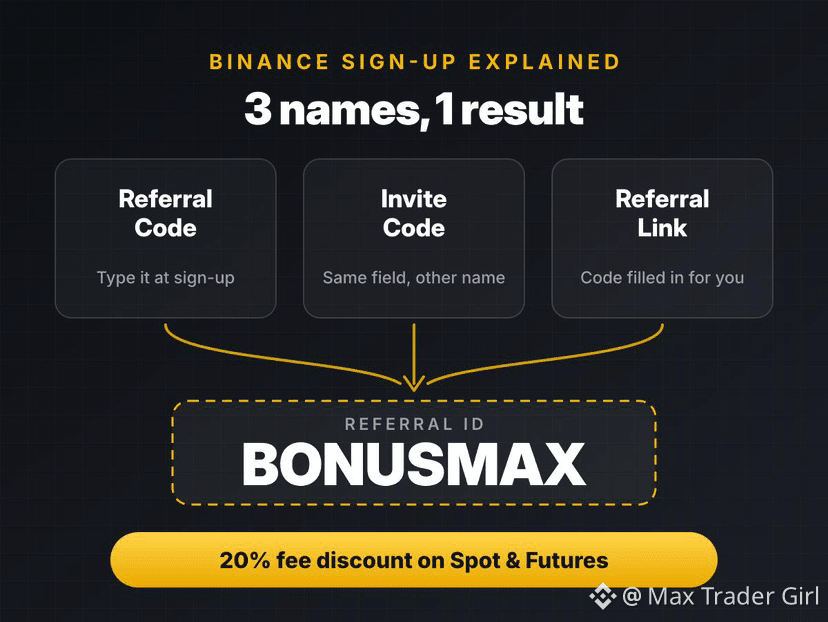
1
84
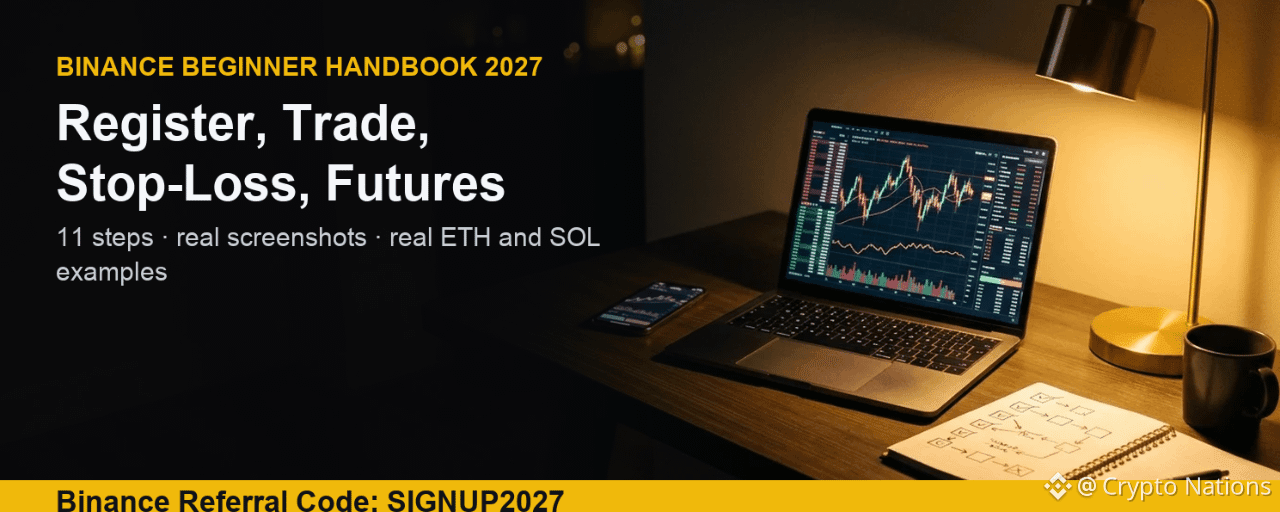
Статья
Binance Beginner Handbook 2027: Referral Code SIGNUP2027 WalkthroughThis handbook shows a new user how to use Binance from the first click to the first Futures trade. Every screenshot was taken on Binance on November 20, 2026, and every example uses real prices from that morning: ETH/USDT near 1,754 on Spot and SOLUSDT near 72.50 on Futures.
Before anything else, register with the Binance referral code SIGNUP2027. It gives you a lifetime 20% commission discount on both Spot and Futures trading fees, and new users can unlock up to $19,800 in welcome bonus rewards. [Binance referral code SIGNUP2027 sign-up link](https://www.binance.com/join?ref=SIGNUP2027)
Binance Referral Code SIGNUP2027 at a Glance
Referral code: SIGNUP2027Fee discount: 20% on Spot and Futures trading fees, for lifeNew user bonus: up to $19,800 through welcome tasksSign-up link: [https://www.binance.com/join?ref=SIGNUP2027](https://www.binance.com/join?ref=SIGNUP2027)Checked: November 20, 2026
Step 1: Register on Binance with SIGNUP2027
Open the [SIGNUP2027 registration page](https://www.binance.com/join?ref=SIGNUP2027). The top left must say Code: SIGNUP2027. Under it you will see two boxes: "Up to 20% trade rebates" and "Up to $19,800 new user bonus". If you see them, the code is already attached, so you don't need to type it anywhere.
Enter your email or phone number.Tick the box to accept the Privacy Notice and click Register.Type the 6-digit code Binance sends you.Create a strong password that you use nowhere else.
Step 2: Verify Your Identity
Binance asks for identity verification before you can deposit, trade and withdraw freely. Have your ID card or passport ready, take the photos in good light, and finish the face check in one go. Most accounts are approved within minutes.
Turn on two-factor authentication and set an anti-phishing code right after. Both take two minutes and protect your account from fake emails.
Step 3: How to Deposit USDT on Binance
Go to Wallet, then Deposit, then Deposit Crypto. Pick USDT as the asset, then choose the network. The network must be the same one your sending wallet uses, or the funds can be lost.
BSC (BEP20): about 1 minute, 1 confirmationTRX (TRC20): about 1 minute, 1 confirmationETH (ERC20): about 2 minutes, 6 confirmations
Example: you have 200 USDT on another wallet on BEP20. Choose BSC here, copy the address Binance shows, paste it in the sending wallet, select BEP20 there too, and send. The USDT arrives in your Spot wallet in about a minute.
Step 4: Place a Limit Order on Binance Spot
A limit order buys or sells only at the price you choose. Open Trade, then Spot, and search ETH/USDT. In the order panel pick Limit.
Example from the screenshot: ETH was trading at 1,753.64. We set the buy price to 1,740 USDT and the amount to 0.05 ETH. The Total field fills in by itself: 1,740 x 0.05 = 87 USDT. The order waits in the book until ETH drops to 1,740.
Fee math: the Regular user Spot fee is 0.100% ([Binance fee page](https://www.binance.com/en/fee/trading), checked November 20, 2026). On 87 USDT that is 0.087 USDT. With the 20% discount from SIGNUP2027, you pay about 0.0696 USDT. Small on one order, but it adds up over hundreds of trades.
Step 5: Place a Market Order on Binance
A market order fills at once at the best available price. Click Market. The price field shows "Market Price", so you only enter how much you want to spend in USDT (Total) or how much ETH you want to sell (Amount). The minimum is 5 USDT.
Use market orders when speed matters more than the exact price. Use limit orders when you want control over the price.
Step 6: Other Binance Order Types
Open the arrow next to Stop Limit to see the full list: Stop Limit, Stop Market, Trailing Stop, OCO, TWAP and POV. For a beginner, Stop Limit and OCO are the two worth learning first.
Step 7: How to Set a Stop-Loss on Binance (Stop Limit)
A stop-loss sells your coins if the price falls to a level you pick, so one bad move doesn't turn into a big loss. On Spot you build it with a Stop Limit order on the Sell side.
Stop: 1,700. When ETH trades at 1,700, the order wakes up.Price: 1,695. It then places a sell limit at 1,695.Amount: 0.05 ETH. Total: 84.75 USDT.
Keep the limit price a little under the stop price. If the market falls fast through both, a stop limit may not fill; that is the trade-off for price control.
Step 8: Transfer USDT from Spot to Futures
Futures uses its own wallet. On the Futures page click the two-arrow icon next to "Avbl". Set From to your Spot account and To to USDⓈ-M Futures, pick USDT, type the amount (100 in our example) and confirm. The transfer is instant and free.
Step 9: How to Change Leverage on Binance Futures
Open SOLUSDT Perpetual. At the top of the order panel you will see Cross and a leverage button. The default here was 20x. Click it and the Adjust Leverage window opens with a slider from 1x to 100x.
For a first trade, type 5 and confirm. Lower leverage means a liquidation price further away from your entry. The window itself warns that higher leverage increases liquidation risk.
Step 10: Open a Futures Trade with Take Profit and Stop Loss
Pick Limit, set the price, enter the size, and tick TP/SL before you click Buy/Long. Example from the screenshot:
Price: 72.52 USDT, size: 100 USDT (about 1.38 SOL)Take Profit: 76, about +4.8%, a gain of about 4.80 USDTStop Loss: 70, about -3.5%, a loss of about 3.47 USDTAt 5x leverage, the margin used is only 20 USDT
Futures fees for Regular users are 0.0200% maker and 0.0500% taker on USDT pairs ([Futures fee page](https://www.binance.com/en/fee/futureFee), checked November 20, 2026). Opening this 100 USDT trade as a taker costs 0.05 USDT; with SIGNUP2027 you save 20% of it on every trade.
Step 11: How to Withdraw from Binance
Go to Wallet, then Withdraw. Pick USDT, paste the receiving address, then choose the network. The list shows the fee for each one, and this is where the right choice saves money:
BSC (BEP20): fee 0.01 USDTopBNB: fee 0.015 USDTTRX (TRC20): fee 2 USDT
The receiving wallet must support the same network. Send a small test amount first if you are using a new address.
How Much SIGNUP2027 Saves You: Two Examples
Spot: 10,000 USDT traded in a month x 0.100% = 10 USDT in fees. 20% off saves 2 USDT a month.Futures: 50,000 USDT taker volume x 0.050% = 25 USDT. 20% off saves 5 USDT a month.Because the discount is lifetime, the saving repeats every month you trade.
FAQ: Binance Referral Code SIGNUP2027
What is the Binance referral code for 2027?
Use SIGNUP2027. It gives a lifetime 20% discount on Spot and Futures fees and access to up to $19,800 in new user bonus rewards.
Can I add the code after I register?
Binance allows it only in limited cases. The safe way is to sign up through the link so the code is attached from day one.
What is the safest leverage for beginners?
There is no safe leverage, but low leverage like 2x to 5x with a stop loss keeps the liquidation price far away and the loss small.
Is a stop limit the same as a stop loss?
A stop limit is the order type you use to build a stop loss on Spot. On Futures you can set the stop loss directly with the TP/SL box.
Start with Binance Referral Code SIGNUP2027
[Open the SIGNUP2027 sign-up page](https://www.binance.com/join?ref=SIGNUP2027), check that Code: SIGNUP2027 is shown, and follow the steps above in order. Start small, use a stop loss on every trade, and keep leverage low until you know how Futures moves.
Disclosure: SIGNUP2027 is my referral code, and I may earn commission from qualifying activity. This is an independent guide, not an official Binance post. Rewards depend on Binance's terms, your region and your eligibility. Crypto and Futures trading carry high risk, and leverage can wipe out your margin. Not financial advice. DYOR.
#BinanceReferralCode #SIGNUP2027 #Binance #BİNANCEFUTURES
Binance Beginner Handbook 2027: Referral Code SIGNUP2027 Walkthrough
This handbook shows a new user how to use Binance from the first click to the first Futures trade. Every screenshot was taken on Binance on November 20, 2026, and every example uses real prices from that morning: ETH/USDT near 1,754 on Spot and SOLUSDT near 72.50 on Futures.
Before anything else, register with the Binance referral code SIGNUP2027. It gives you a lifetime 20% commission discount on both Spot and Futures trading fees, and new users can unlock up to $19,800 in welcome bonus rewards. Binance referral code SIGNUP2027 sign-up link
Binance Referral Code SIGNUP2027 at a Glance
Referral code: SIGNUP2027Fee discount: 20% on Spot and Futures trading fees, for lifeNew user bonus: up to $19,800 through welcome tasksSign-up link: https://www.binance.com/join?ref=SIGNUP2027Checked: November 20, 2026
Step 1: Register on Binance with SIGNUP2027
Open the SIGNUP2027 registration page. The top left must say Code: SIGNUP2027. Under it you will see two boxes: "Up to 20% trade rebates" and "Up to $19,800 new user bonus". If you see them, the code is already attached, so you don't need to type it anywhere.
Enter your email or phone number.Tick the box to accept the Privacy Notice and click Register.Type the 6-digit code Binance sends you.Create a strong password that you use nowhere else.
Step 2: Verify Your Identity
Binance asks for identity verification before you can deposit, trade and withdraw freely. Have your ID card or passport ready, take the photos in good light, and finish the face check in one go. Most accounts are approved within minutes.
Turn on two-factor authentication and set an anti-phishing code right after. Both take two minutes and protect your account from fake emails.
Step 3: How to Deposit USDT on Binance
Go to Wallet, then Deposit, then Deposit Crypto. Pick USDT as the asset, then choose the network. The network must be the same one your sending wallet uses, or the funds can be lost.
BSC (BEP20): about 1 minute, 1 confirmationTRX (TRC20): about 1 minute, 1 confirmationETH (ERC20): about 2 minutes, 6 confirmations
Example: you have 200 USDT on another wallet on BEP20. Choose BSC here, copy the address Binance shows, paste it in the sending wallet, select BEP20 there too, and send. The USDT arrives in your Spot wallet in about a minute.
Step 4: Place a Limit Order on Binance Spot
A limit order buys or sells only at the price you choose. Open Trade, then Spot, and search ETH/USDT. In the order panel pick Limit.
Example from the screenshot: ETH was trading at 1,753.64. We set the buy price to 1,740 USDT and the amount to 0.05 ETH. The Total field fills in by itself: 1,740 x 0.05 = 87 USDT. The order waits in the book until ETH drops to 1,740.
Fee math: the Regular user Spot fee is 0.100% (Binance fee page, checked November 20, 2026). On 87 USDT that is 0.087 USDT. With the 20% discount from SIGNUP2027, you pay about 0.0696 USDT. Small on one order, but it adds up over hundreds of trades.
Step 5: Place a Market Order on Binance
A market order fills at once at the best available price. Click Market. The price field shows "Market Price", so you only enter how much you want to spend in USDT (Total) or how much ETH you want to sell (Amount). The minimum is 5 USDT.
Use market orders when speed matters more than the exact price. Use limit orders when you want control over the price.
Step 6: Other Binance Order Types
Open the arrow next to Stop Limit to see the full list: Stop Limit, Stop Market, Trailing Stop, OCO, TWAP and POV. For a beginner, Stop Limit and OCO are the two worth learning first.
Step 7: How to Set a Stop-Loss on Binance (Stop Limit)
A stop-loss sells your coins if the price falls to a level you pick, so one bad move doesn't turn into a big loss. On Spot you build it with a Stop Limit order on the Sell side.
Stop: 1,700. When ETH trades at 1,700, the order wakes up.Price: 1,695. It then places a sell limit at 1,695.Amount: 0.05 ETH. Total: 84.75 USDT.
Keep the limit price a little under the stop price. If the market falls fast through both, a stop limit may not fill; that is the trade-off for price control.
Step 8: Transfer USDT from Spot to Futures
Futures uses its own wallet. On the Futures page click the two-arrow icon next to "Avbl". Set From to your Spot account and To to USDⓈ-M Futures, pick USDT, type the amount (100 in our example) and confirm. The transfer is instant and free.
Step 9: How to Change Leverage on Binance Futures
Open SOLUSDT Perpetual. At the top of the order panel you will see Cross and a leverage button. The default here was 20x. Click it and the Adjust Leverage window opens with a slider from 1x to 100x.
For a first trade, type 5 and confirm. Lower leverage means a liquidation price further away from your entry. The window itself warns that higher leverage increases liquidation risk.
Step 10: Open a Futures Trade with Take Profit and Stop Loss
Pick Limit, set the price, enter the size, and tick TP/SL before you click Buy/Long. Example from the screenshot:
Price: 72.52 USDT, size: 100 USDT (about 1.38 SOL)Take Profit: 76, about +4.8%, a gain of about 4.80 USDTStop Loss: 70, about -3.5%, a loss of about 3.47 USDTAt 5x leverage, the margin used is only 20 USDT
Futures fees for Regular users are 0.0200% maker and 0.0500% taker on USDT pairs (Futures fee page, checked November 20, 2026). Opening this 100 USDT trade as a taker costs 0.05 USDT; with SIGNUP2027 you save 20% of it on every trade.
Step 11: How to Withdraw from Binance
Go to Wallet, then Withdraw. Pick USDT, paste the receiving address, then choose the network. The list shows the fee for each one, and this is where the right choice saves money:
BSC (BEP20): fee 0.01 USDTopBNB: fee 0.015 USDTTRX (TRC20): fee 2 USDT
The receiving wallet must support the same network. Send a small test amount first if you are using a new address.
How Much SIGNUP2027 Saves You: Two Examples
Spot: 10,000 USDT traded in a month x 0.100% = 10 USDT in fees. 20% off saves 2 USDT a month.Futures: 50,000 USDT taker volume x 0.050% = 25 USDT. 20% off saves 5 USDT a month.Because the discount is lifetime, the saving repeats every month you trade.
FAQ: Binance Referral Code SIGNUP2027
What is the Binance referral code for 2027?
Use SIGNUP2027. It gives a lifetime 20% discount on Spot and Futures fees and access to up to $19,800 in new user bonus rewards.
Can I add the code after I register?
Binance allows it only in limited cases. The safe way is to sign up through the link so the code is attached from day one.
What is the safest leverage for beginners?
There is no safe leverage, but low leverage like 2x to 5x with a stop loss keeps the liquidation price far away and the loss small.
Is a stop limit the same as a stop loss?
A stop limit is the order type you use to build a stop loss on Spot. On Futures you can set the stop loss directly with the TP/SL box.
Start with Binance Referral Code SIGNUP2027
Open the SIGNUP2027 sign-up page, check that Code: SIGNUP2027 is shown, and follow the steps above in order. Start small, use a stop loss on every trade, and keep leverage low until you know how Futures moves.
Disclosure: SIGNUP2027 is my referral code, and I may earn commission from qualifying activity. This is an independent guide, not an official Binance post. Rewards depend on Binance's terms, your region and your eligibility. Crypto and Futures trading carry high risk, and leverage can wipe out your margin. Not financial advice. DYOR.
#BinanceReferralCode #SIGNUP2027 #Binance #BİNANCEFUTURES
Before anything else, register with the Binance referral code SIGNUP2027. It gives you a lifetime 20% commission discount on both Spot and Futures trading fees, and new users can unlock up to $19,800 in welcome bonus rewards. Binance referral code SIGNUP2027 sign-up link
Binance Referral Code SIGNUP2027 at a Glance
Referral code: SIGNUP2027Fee discount: 20% on Spot and Futures trading fees, for lifeNew user bonus: up to $19,800 through welcome tasksSign-up link: https://www.binance.com/join?ref=SIGNUP2027Checked: November 20, 2026
Step 1: Register on Binance with SIGNUP2027
Open the SIGNUP2027 registration page. The top left must say Code: SIGNUP2027. Under it you will see two boxes: "Up to 20% trade rebates" and "Up to $19,800 new user bonus". If you see them, the code is already attached, so you don't need to type it anywhere.
Enter your email or phone number.Tick the box to accept the Privacy Notice and click Register.Type the 6-digit code Binance sends you.Create a strong password that you use nowhere else.
Step 2: Verify Your Identity
Binance asks for identity verification before you can deposit, trade and withdraw freely. Have your ID card or passport ready, take the photos in good light, and finish the face check in one go. Most accounts are approved within minutes.
Turn on two-factor authentication and set an anti-phishing code right after. Both take two minutes and protect your account from fake emails.
Step 3: How to Deposit USDT on Binance
Go to Wallet, then Deposit, then Deposit Crypto. Pick USDT as the asset, then choose the network. The network must be the same one your sending wallet uses, or the funds can be lost.
BSC (BEP20): about 1 minute, 1 confirmationTRX (TRC20): about 1 minute, 1 confirmationETH (ERC20): about 2 minutes, 6 confirmations
Example: you have 200 USDT on another wallet on BEP20. Choose BSC here, copy the address Binance shows, paste it in the sending wallet, select BEP20 there too, and send. The USDT arrives in your Spot wallet in about a minute.
Step 4: Place a Limit Order on Binance Spot
A limit order buys or sells only at the price you choose. Open Trade, then Spot, and search ETH/USDT. In the order panel pick Limit.
Example from the screenshot: ETH was trading at 1,753.64. We set the buy price to 1,740 USDT and the amount to 0.05 ETH. The Total field fills in by itself: 1,740 x 0.05 = 87 USDT. The order waits in the book until ETH drops to 1,740.
Fee math: the Regular user Spot fee is 0.100% (Binance fee page, checked November 20, 2026). On 87 USDT that is 0.087 USDT. With the 20% discount from SIGNUP2027, you pay about 0.0696 USDT. Small on one order, but it adds up over hundreds of trades.
Step 5: Place a Market Order on Binance
A market order fills at once at the best available price. Click Market. The price field shows "Market Price", so you only enter how much you want to spend in USDT (Total) or how much ETH you want to sell (Amount). The minimum is 5 USDT.
Use market orders when speed matters more than the exact price. Use limit orders when you want control over the price.
Step 6: Other Binance Order Types
Open the arrow next to Stop Limit to see the full list: Stop Limit, Stop Market, Trailing Stop, OCO, TWAP and POV. For a beginner, Stop Limit and OCO are the two worth learning first.
Step 7: How to Set a Stop-Loss on Binance (Stop Limit)
A stop-loss sells your coins if the price falls to a level you pick, so one bad move doesn't turn into a big loss. On Spot you build it with a Stop Limit order on the Sell side.
Stop: 1,700. When ETH trades at 1,700, the order wakes up.Price: 1,695. It then places a sell limit at 1,695.Amount: 0.05 ETH. Total: 84.75 USDT.
Keep the limit price a little under the stop price. If the market falls fast through both, a stop limit may not fill; that is the trade-off for price control.
Step 8: Transfer USDT from Spot to Futures
Futures uses its own wallet. On the Futures page click the two-arrow icon next to "Avbl". Set From to your Spot account and To to USDⓈ-M Futures, pick USDT, type the amount (100 in our example) and confirm. The transfer is instant and free.
Step 9: How to Change Leverage on Binance Futures
Open SOLUSDT Perpetual. At the top of the order panel you will see Cross and a leverage button. The default here was 20x. Click it and the Adjust Leverage window opens with a slider from 1x to 100x.
For a first trade, type 5 and confirm. Lower leverage means a liquidation price further away from your entry. The window itself warns that higher leverage increases liquidation risk.
Step 10: Open a Futures Trade with Take Profit and Stop Loss
Pick Limit, set the price, enter the size, and tick TP/SL before you click Buy/Long. Example from the screenshot:
Price: 72.52 USDT, size: 100 USDT (about 1.38 SOL)Take Profit: 76, about +4.8%, a gain of about 4.80 USDTStop Loss: 70, about -3.5%, a loss of about 3.47 USDTAt 5x leverage, the margin used is only 20 USDT
Futures fees for Regular users are 0.0200% maker and 0.0500% taker on USDT pairs (Futures fee page, checked November 20, 2026). Opening this 100 USDT trade as a taker costs 0.05 USDT; with SIGNUP2027 you save 20% of it on every trade.
Step 11: How to Withdraw from Binance
Go to Wallet, then Withdraw. Pick USDT, paste the receiving address, then choose the network. The list shows the fee for each one, and this is where the right choice saves money:
BSC (BEP20): fee 0.01 USDTopBNB: fee 0.015 USDTTRX (TRC20): fee 2 USDT
The receiving wallet must support the same network. Send a small test amount first if you are using a new address.
How Much SIGNUP2027 Saves You: Two Examples
Spot: 10,000 USDT traded in a month x 0.100% = 10 USDT in fees. 20% off saves 2 USDT a month.Futures: 50,000 USDT taker volume x 0.050% = 25 USDT. 20% off saves 5 USDT a month.Because the discount is lifetime, the saving repeats every month you trade.
FAQ: Binance Referral Code SIGNUP2027
What is the Binance referral code for 2027?
Use SIGNUP2027. It gives a lifetime 20% discount on Spot and Futures fees and access to up to $19,800 in new user bonus rewards.
Can I add the code after I register?
Binance allows it only in limited cases. The safe way is to sign up through the link so the code is attached from day one.
What is the safest leverage for beginners?
There is no safe leverage, but low leverage like 2x to 5x with a stop loss keeps the liquidation price far away and the loss small.
Is a stop limit the same as a stop loss?
A stop limit is the order type you use to build a stop loss on Spot. On Futures you can set the stop loss directly with the TP/SL box.
Start with Binance Referral Code SIGNUP2027
Open the SIGNUP2027 sign-up page, check that Code: SIGNUP2027 is shown, and follow the steps above in order. Start small, use a stop loss on every trade, and keep leverage low until you know how Futures moves.
Disclosure: SIGNUP2027 is my referral code, and I may earn commission from qualifying activity. This is an independent guide, not an official Binance post. Rewards depend on Binance's terms, your region and your eligibility. Crypto and Futures trading carry high risk, and leverage can wipe out your margin. Not financial advice. DYOR.
#BinanceReferralCode #SIGNUP2027 #Binance #BİNANCEFUTURES
133
How Much Can a Binance Referral Code Save You? 📊
A 20% fee rebate sounds small, until you see it over a year. Here's what Binance referral code BTC2026 returns at the standard 0.10% Spot fee:
💰 Monthly Spot volume → Yearly savings
• 10,000 USDT → 24 USDT
• 50,000 USDT → 120 USDT
• 100,000 USDT → 240 USDT
• 500,000 USDT → 1,200 USDT
📈 Futures (taker, 0.05% fee):
• 100,000 USDT/month → 120 USDT a year
• 1,000,000 USDT/month → 1,200 USDT a year
The math is simple: fee paid × 20% = what comes back to you, on every trade, automatically.
The only catch? You need to enter the code when you sign up.
👉 [https://www.binance.com/join?ref=BTC2026](https://www.binance.com/join?ref=BTC2026)
Already have an account with no referrer? You may still be eligible to rebind. Check Binance's rebind rules.
#BinanceReferralCode #BinanceFees
How Much Can a Binance Referral Code Save You? 📊
A 20% fee rebate sounds small, until you see it over a year. Here's what Binance referral code BTC2026 returns at the standard 0.10% Spot fee:
💰 Monthly Spot volume → Yearly savings
• 10,000 USDT → 24 USDT
• 50,000 USDT → 120 USDT
• 100,000 USDT → 240 USDT
• 500,000 USDT → 1,200 USDT
📈 Futures (taker, 0.05% fee):
• 100,000 USDT/month → 120 USDT a year
• 1,000,000 USDT/month → 1,200 USDT a year
The math is simple: fee paid × 20% = what comes back to you, on every trade, automatically.
The only catch? You need to enter the code when you sign up.
👉 https://www.binance.com/join?ref=BTC2026
Already have an account with no referrer? You may still be eligible to rebind. Check Binance's rebind rules.
#BinanceReferralCode #BinanceFees
A 20% fee rebate sounds small, until you see it over a year. Here's what Binance referral code BTC2026 returns at the standard 0.10% Spot fee:
💰 Monthly Spot volume → Yearly savings
• 10,000 USDT → 24 USDT
• 50,000 USDT → 120 USDT
• 100,000 USDT → 240 USDT
• 500,000 USDT → 1,200 USDT
📈 Futures (taker, 0.05% fee):
• 100,000 USDT/month → 120 USDT a year
• 1,000,000 USDT/month → 1,200 USDT a year
The math is simple: fee paid × 20% = what comes back to you, on every trade, automatically.
The only catch? You need to enter the code when you sign up.
👉 https://www.binance.com/join?ref=BTC2026
Already have an account with no referrer? You may still be eligible to rebind. Check Binance's rebind rules.
#BinanceReferralCode #BinanceFees
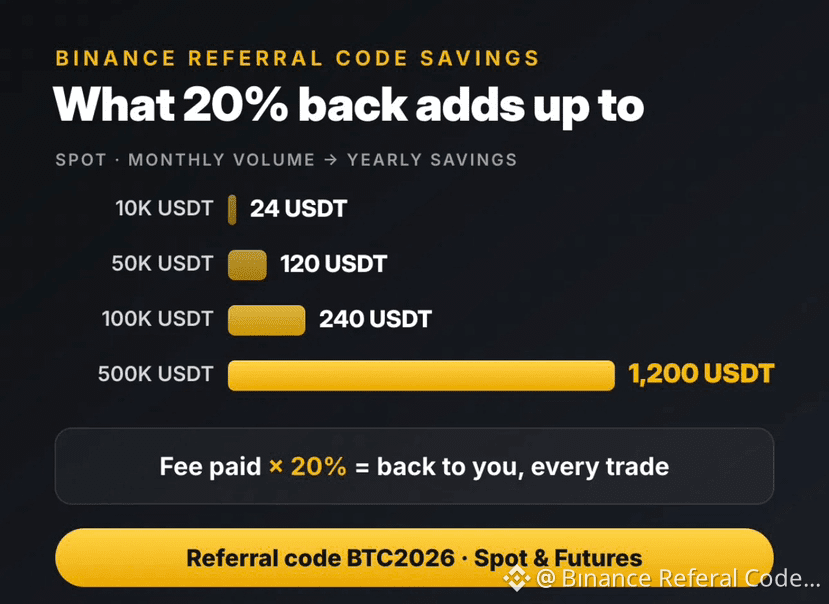
148
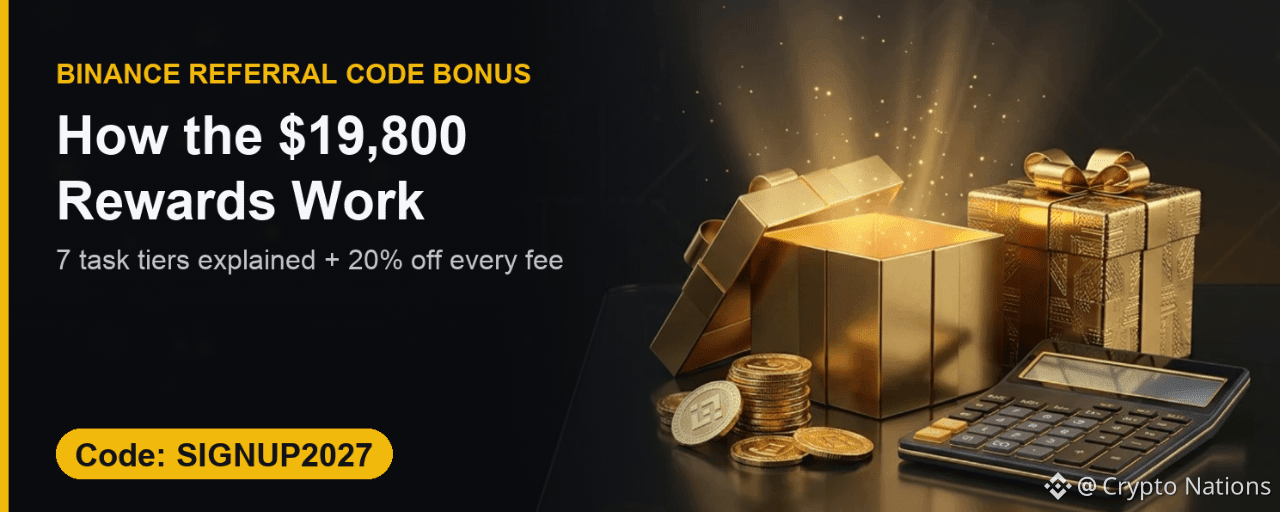
Статья
Binance Referral Code Bonus 2027: How the $19,800 Rewards WorkNew users who sign up with the Binance referral code SIGNUP2027 get two things: a lifetime 20% discount on Spot and Futures fees, and access to a welcome bonus of up to $19,800. This guide shows how that bonus is actually paid, using the real task table on the sign-up page, checked on November 18, 2026.
[Binance referral code SIGNUP2027 sign-up link](https://www.binance.com/join?ref=SIGNUP2027)
Where to See the Bonus on the Binance Sign-Up Page
Open the [SIGNUP2027 link](https://www.binance.com/join?ref=SIGNUP2027). The left side shows Code: SIGNUP2027, "Up to 20% trade rebates" and "Up to $19,800 new user bonus", plus a "See How" link under the bonus.
The Binance Welcome Bonus Task Table
"See How" opens the Affiliate-Boosted Welcome Bonus. It has seven tiers. Each tier asks for a net deposit and a trading volume inside a set number of days.
Tier 1: $100 net deposit, $3K volume, 7 days, $100 reward.Tier 2: $200 net deposit, $10K volume, 7 days, $200 reward.Tier 3: $500 net deposit, $30K volume, 7 days, $400 reward.Tier 4: $2K net deposit, $500K volume, 14 days, $1K reward.Tier 5: $5K net deposit, $5M volume, 14 days, $3K reward.Tier 6: $10K net deposit, $20M volume, 30 days, $5K reward.Tier 7: $20K net deposit, $50M volume, 30 days, $10K reward.
What "Net Deposit" and "Trade Vol" Mean
Net deposit is what you deposit minus what you withdraw in the period. Trade volume is the total value of your trades. A tier only counts if both targets are hit within its task period.
The top of the table also says 1,000 rewards are available each cycle for new invitees, and the cycle resets every 30 days. Rewards are limited, so finish your sign-up and KYC early.
The Part That Never Runs Out: 20% Off Fees
The bonus is task-based. The fee discount is not. Every Spot and Futures trade you make on the account gets the 20% discount, for life.
Spot 0.075% with BNB: 10,000 USDT a month costs 7.50 USDT, 1.50 USDT comes back.Futures taker 0.045% with BNB: 100,000 USDT a month costs 45 USDT, 9 USDT comes back.
How to Get the Bonus and the Discount
Open [https://www.binance.com/join?ref=SIGNUP2027](https://www.binance.com/join?ref=SIGNUP2027).Check the code line: Code: SIGNUP2027.Register and complete KYC.Open the Rewards Hub and pick the tier that fits your plans.
FAQ
Is the $19,800 paid at once?
No. It is the top of a task ladder. Each tier pays when you meet its deposit and volume targets in time.
Do I keep the 20% discount if I skip the tasks?
Yes. The fee discount is linked to the account through the referral code, not to the tasks.
Claim Your Binance Bonus with SIGNUP2027
[Open the SIGNUP2027 sign-up page](https://www.binance.com/join?ref=SIGNUP2027) and start with the discount on your very first trade.
Disclosure: SIGNUP2027 is my referral code, and I may earn commission from qualifying activity. This is an independent guide, not an official Binance post. Rewards depend on Binance's terms, your region and your eligibility. Crypto and Futures trading carry high risk, and leverage can wipe out your margin. Not financial advice. DYOR.
#BinanceReferralCode #SIGNUP2027 #Binance #BinanceFees
Binance Referral Code Bonus 2027: How the $19,800 Rewards Work
New users who sign up with the Binance referral code SIGNUP2027 get two things: a lifetime 20% discount on Spot and Futures fees, and access to a welcome bonus of up to $19,800. This guide shows how that bonus is actually paid, using the real task table on the sign-up page, checked on November 18, 2026.
Binance referral code SIGNUP2027 sign-up link
Where to See the Bonus on the Binance Sign-Up Page
Open the SIGNUP2027 link. The left side shows Code: SIGNUP2027, "Up to 20% trade rebates" and "Up to $19,800 new user bonus", plus a "See How" link under the bonus.
The Binance Welcome Bonus Task Table
"See How" opens the Affiliate-Boosted Welcome Bonus. It has seven tiers. Each tier asks for a net deposit and a trading volume inside a set number of days.
Tier 1: $100 net deposit, $3K volume, 7 days, $100 reward.Tier 2: $200 net deposit, $10K volume, 7 days, $200 reward.Tier 3: $500 net deposit, $30K volume, 7 days, $400 reward.Tier 4: $2K net deposit, $500K volume, 14 days, $1K reward.Tier 5: $5K net deposit, $5M volume, 14 days, $3K reward.Tier 6: $10K net deposit, $20M volume, 30 days, $5K reward.Tier 7: $20K net deposit, $50M volume, 30 days, $10K reward.
What "Net Deposit" and "Trade Vol" Mean
Net deposit is what you deposit minus what you withdraw in the period. Trade volume is the total value of your trades. A tier only counts if both targets are hit within its task period.
The top of the table also says 1,000 rewards are available each cycle for new invitees, and the cycle resets every 30 days. Rewards are limited, so finish your sign-up and KYC early.
The Part That Never Runs Out: 20% Off Fees
The bonus is task-based. The fee discount is not. Every Spot and Futures trade you make on the account gets the 20% discount, for life.
Spot 0.075% with BNB: 10,000 USDT a month costs 7.50 USDT, 1.50 USDT comes back.Futures taker 0.045% with BNB: 100,000 USDT a month costs 45 USDT, 9 USDT comes back.
How to Get the Bonus and the Discount
Open https://www.binance.com/join?ref=SIGNUP2027.Check the code line: Code: SIGNUP2027.Register and complete KYC.Open the Rewards Hub and pick the tier that fits your plans.
FAQ
Is the $19,800 paid at once?
No. It is the top of a task ladder. Each tier pays when you meet its deposit and volume targets in time.
Do I keep the 20% discount if I skip the tasks?
Yes. The fee discount is linked to the account through the referral code, not to the tasks.
Claim Your Binance Bonus with SIGNUP2027
Open the SIGNUP2027 sign-up page and start with the discount on your very first trade.
Disclosure: SIGNUP2027 is my referral code, and I may earn commission from qualifying activity. This is an independent guide, not an official Binance post. Rewards depend on Binance's terms, your region and your eligibility. Crypto and Futures trading carry high risk, and leverage can wipe out your margin. Not financial advice. DYOR.
#BinanceReferralCode #SIGNUP2027 #Binance #BinanceFees
Binance referral code SIGNUP2027 sign-up link
Where to See the Bonus on the Binance Sign-Up Page
Open the SIGNUP2027 link. The left side shows Code: SIGNUP2027, "Up to 20% trade rebates" and "Up to $19,800 new user bonus", plus a "See How" link under the bonus.
The Binance Welcome Bonus Task Table
"See How" opens the Affiliate-Boosted Welcome Bonus. It has seven tiers. Each tier asks for a net deposit and a trading volume inside a set number of days.
Tier 1: $100 net deposit, $3K volume, 7 days, $100 reward.Tier 2: $200 net deposit, $10K volume, 7 days, $200 reward.Tier 3: $500 net deposit, $30K volume, 7 days, $400 reward.Tier 4: $2K net deposit, $500K volume, 14 days, $1K reward.Tier 5: $5K net deposit, $5M volume, 14 days, $3K reward.Tier 6: $10K net deposit, $20M volume, 30 days, $5K reward.Tier 7: $20K net deposit, $50M volume, 30 days, $10K reward.
What "Net Deposit" and "Trade Vol" Mean
Net deposit is what you deposit minus what you withdraw in the period. Trade volume is the total value of your trades. A tier only counts if both targets are hit within its task period.
The top of the table also says 1,000 rewards are available each cycle for new invitees, and the cycle resets every 30 days. Rewards are limited, so finish your sign-up and KYC early.
The Part That Never Runs Out: 20% Off Fees
The bonus is task-based. The fee discount is not. Every Spot and Futures trade you make on the account gets the 20% discount, for life.
Spot 0.075% with BNB: 10,000 USDT a month costs 7.50 USDT, 1.50 USDT comes back.Futures taker 0.045% with BNB: 100,000 USDT a month costs 45 USDT, 9 USDT comes back.
How to Get the Bonus and the Discount
Open https://www.binance.com/join?ref=SIGNUP2027.Check the code line: Code: SIGNUP2027.Register and complete KYC.Open the Rewards Hub and pick the tier that fits your plans.
FAQ
Is the $19,800 paid at once?
No. It is the top of a task ladder. Each tier pays when you meet its deposit and volume targets in time.
Do I keep the 20% discount if I skip the tasks?
Yes. The fee discount is linked to the account through the referral code, not to the tasks.
Claim Your Binance Bonus with SIGNUP2027
Open the SIGNUP2027 sign-up page and start with the discount on your very first trade.
Disclosure: SIGNUP2027 is my referral code, and I may earn commission from qualifying activity. This is an independent guide, not an official Binance post. Rewards depend on Binance's terms, your region and your eligibility. Crypto and Futures trading carry high risk, and leverage can wipe out your margin. Not financial advice. DYOR.
#BinanceReferralCode #SIGNUP2027 #Binance #BinanceFees
Trong_Hatachi:
The “up to $19,800” figure really depends on the task table—good call checking what’s actually shown at signup. Follow me back if you share more breakdowns like this!
2
2
17
3.1k
Статья
Binance Referral Code 2027 Tutorial: Sign-Up to Futures Step by StepThis is a complete Binance tutorial for 2027, written on November 18, 2026, with real screenshots taken from Binance the night before. It follows the order a new user actually needs: open the account, secure it, fund it, place your first Spot orders, protect them with stop orders, and only then move to Futures with sensible leverage. Every example uses real numbers you can copy.
Start with the Binance referral code SIGNUP2027. It gives you a lifetime 20% commission discount on both Spot and Futures trading fees, and new users can unlock up to $19,800 in welcome bonus rewards. [Binance referral code SIGNUP2027 sign-up link](https://www.binance.com/join?ref=SIGNUP2027)
Binance Referral Code SIGNUP2027: Quick Facts
Referral code: SIGNUP2027Fee discount: 20% on Spot and Futures, for the life of the accountNew user bonus: up to $19,800, unlocked through deposit and trading tasksSign-up link: [https://www.binance.com/join?ref=SIGNUP2027](https://www.binance.com/join?ref=SIGNUP2027)Checked: November 18, 2026
Lesson 1: Create Your Binance Account with SIGNUP2027
Open the [SIGNUP2027 sign-up page](https://www.binance.com/join?ref=SIGNUP2027). Before you type anything, look at the top left. It must read Code: SIGNUP2027, with "Up to 20% trade rebates" and "Up to $19,800 new user bonus" under it. That line proves the code is attached to the account you are about to create.
Enter your email or phone number and tick the Privacy Notice box.Click Register and type the 6-digit code Binance sends you.Set a password you use nowhere else.Complete identity verification (KYC) with your ID and a selfie.
The code is linked when the account is created, so check the code line first and register second, never the other way round.
Lesson 2: Understand the $19,800 Welcome Bonus
Click "See How" under the bonus on the sign-up page and Binance opens the Affiliate-Boosted Welcome Bonus table. The reward is not paid at once. You unlock it in tiers by reaching a net deposit and a trading volume inside a task period.
Tier 1: net deposit $100 and $3K volume within 7 days, reward $100.Tier 3: net deposit $500 and $30K volume within 7 days, reward $400.Tier 7: net deposit $20K and $50M volume within 30 days, reward $10K.The page says 1,000 rewards are available each cycle and the cycle resets every 30 days.
Do the tasks only if they fit the trading you already plan to do. The 20% fee discount works on every trade either way.
Lesson 3: Secure the Account Before You Deposit
When you open the withdrawal page for the first time, Binance warns you if your Anti-Phishing Code is not active. Turn it on. Every real Binance email will then show your own code, so fake emails are easy to spot.
Turn on an authenticator app or a passkey.Activate the Anti-Phishing Code.Never call a phone number sent to you by SMS. Use the official app or website for support.
Lesson 4: Deposit Crypto to Binance
Go to Wallet, Deposit, Deposit Crypto. Pick the coin first, then the network. In the screenshot we picked BNB. Binance lists BSC (about 1 minute, 1 confirmation), opBNB (about 5 minutes) and ETH (about 2 minutes, 6 confirmations), and warns that a deposit on another network may be lost.
The rule is simple: the network on Binance must match the network of the wallet you send from. Send a small test amount first.
Lesson 5: Buy Your First USDT with P2P or Convert
No crypto yet? Use P2P. Choose Buy, USDT, your local currency and payment method, then click Pick Ads. Binance shows the flow in three steps: pick an ad, make the payment, receive the crypto. The coins are held in escrow until the seller confirms your payment.
Already have USDT and want BTC without an order book? Binance Convert gives an instant, guaranteed quote. Pick From and To, enter the amount, preview and convert.
Lesson 6: Limit Order and Market Order on Binance Spot
Open Trade, Spot, BTC/USDT. BTC was about 63,800 USDT when we took these screenshots. The order form sits under the chart, buy side on the left and sell side on the right.
Limit order example: you want to sell 0.001 BTC only if the price climbs. On the sell side choose Limit, Price 66,000, Amount 0.001. Total shows 66 USDT. The order waits in the book until someone buys at 66,000.
Market order example: you want to buy now. Choose Market, enter the Total in USDT (minimum 5 USDT) and click Buy BTC. The order fills at once at the best price in the book. Tick Slippage Tolerance if you want to cap how far the fill can move.
Lesson 7: Stop-Loss with a Stop Market Order
A stop market order sells at market once your stop price trades. On the sell side: Stop 61,500, Amount 0.001 BTC. If BTC falls to 61,500, Binance sells at the market price. Est. Fee showed 0.046125 USDT, which is 0.075% of 61.5 USDT.
Stop market always fills, but the price can slip in a fast drop. A stop limit order controls the price but may not fill. Pick the one that matches your priority.
Lesson 8: Take Profit and Stop Loss Together with OCO
OCO means One-Cancels-the-Other. You place a take-profit and a stop-loss at the same time. When one fills, Binance cancels the other. Our sell example: TP Limit 67,000, SL Trigger 61,000, SL Limit 60,900, Amount 0.001 BTC.
If BTC rises to 67,000: you sell for 67 USDT (about +5.0% from 63,800) and the stop is cancelled.If BTC falls to 61,000: a sell limit at 60,900 goes in (about -4.5%) and the take-profit is cancelled.
Lesson 9: Let Profits Run with a Trailing Stop
A trailing stop follows the price up and sells when it drops by your Trailing Delta. Example: Trailing Delta 2%, Activation Price 66,000, Amount 0.001 BTC. Nothing happens until BTC reaches 66,000. If it then climbs to 68,000 and falls 2%, the order sells at about 66,640.
Lesson 10: Move to Futures, Margin Mode and Leverage
Futures uses its own wallet. On the Futures page click the transfer icon next to Avbl, choose From Spot To USDⓈ-M Futures, pick USDT and confirm. Then set two things before any order: margin mode and leverage.
Click Cross at the top of the order form to open Margin Mode. Cross shares one margin balance across all cross positions. Isolated limits the risk to the margin you put into that one position. Beginners usually pick Isolated.
Click the leverage button (20x by default) to open Adjust Leverage. Type a number or use the slider. In the screenshot we set 5x. Binance itself notes that higher leverage increases your liquidation risk.
Lesson 11: Open a Futures Trade with TP/SL
This time a Short example. Market order, Size 200 USDT at 20x, TP/SL ticked: Take Profit 60,000, Stop Loss 65,500. Click Sell/Short if you expect BTC to fall. The form showed a Cost of about 9.57 USDT, which is the margin plus the estimated fee.
Entry about 63,750. BTC falls to 60,000 (-5.9%): about +11.8 USDT on 200 USDT.BTC rises to 65,500 (+2.7%): the stop closes the short at about -5.5 USDT.Taker fee at 0.050% is 0.10 USDT per side on 200 USDT. With SIGNUP2027, 20% of that comes back.
Lesson 12: Check Your Liquidation Price First
Use the calculator icon in the Futures order form. Liquidation Price tab, Cross, Long, 10x, Entry 64,000, Quantity 1,000 USDT, Balance 100 USDT. Result: liquidation at 57,563.58 USDT, about 10% below entry. If that is too close, lower the leverage or the size.
Lesson 13: Withdraw Crypto from Binance
Wallet, Withdraw, pick the coin, paste the address and choose the network the receiving wallet supports. For USDT Binance showed BSC with a 0.01 USDT fee (about 1 minute), opBNB 0.015 USDT (about 5 minutes) and TRX 2 USDT (about 1 minute). To send to another Binance account, use the Binance user tab.
How Much SIGNUP2027 Saves You
Our account page on November 18, 2026 showed Spot at 0.100% maker and taker, 0.075% with the BNB Fee Discount on, and USDⓈ-M Futures at 0.020% maker and 0.050% taker, 0.018% and 0.045% with BNB.
Spot: a 1,000 USDT trade at 0.075% costs 0.75 USDT. 20% back is 0.15 USDT.Futures: a 10,000 USDT taker trade at 0.045% costs 4.50 USDT. 20% back is 0.90 USDT.Opening and closing a position are two fees, and the discount applies to both.
FAQ: Binance Referral Code SIGNUP2027
What is the Binance referral code for 2027?
SIGNUP2027. It gives a lifetime 20% fee discount on Spot and Futures and access to up to $19,800 in welcome rewards.
Can I add the code after I register?
Plan on no. The code is linked at sign-up, so check that the page shows Code: SIGNUP2027 before you click Register.
Which stop order should a beginner use?
OCO if you know both your target and your stop, stop market if you only need a stop that always fills, and a trailing stop when you want to follow a rising price.
Start Your Binance Account with SIGNUP2027
Follow the lessons in order and keep the first trades small. [Open the SIGNUP2027 sign-up page](https://www.binance.com/join?ref=SIGNUP2027), confirm Code: SIGNUP2027 at the top and create your account in a few minutes.
Disclosure: SIGNUP2027 is my referral code, and I may earn commission from qualifying activity. This is an independent guide, not an official Binance post. Rewards depend on Binance's terms, your region and your eligibility. Crypto and Futures trading carry high risk, and leverage can wipe out your margin. Not financial advice. DYOR.
#BinanceReferralCode #SIGNUP2027 #Binance #CryptoTips
Binance Referral Code 2027 Tutorial: Sign-Up to Futures Step by Step
This is a complete Binance tutorial for 2027, written on November 18, 2026, with real screenshots taken from Binance the night before. It follows the order a new user actually needs: open the account, secure it, fund it, place your first Spot orders, protect them with stop orders, and only then move to Futures with sensible leverage. Every example uses real numbers you can copy.
Start with the Binance referral code SIGNUP2027. It gives you a lifetime 20% commission discount on both Spot and Futures trading fees, and new users can unlock up to $19,800 in welcome bonus rewards. Binance referral code SIGNUP2027 sign-up link
Binance Referral Code SIGNUP2027: Quick Facts
Referral code: SIGNUP2027Fee discount: 20% on Spot and Futures, for the life of the accountNew user bonus: up to $19,800, unlocked through deposit and trading tasksSign-up link: https://www.binance.com/join?ref=SIGNUP2027Checked: November 18, 2026
Lesson 1: Create Your Binance Account with SIGNUP2027
Open the SIGNUP2027 sign-up page. Before you type anything, look at the top left. It must read Code: SIGNUP2027, with "Up to 20% trade rebates" and "Up to $19,800 new user bonus" under it. That line proves the code is attached to the account you are about to create.
Enter your email or phone number and tick the Privacy Notice box.Click Register and type the 6-digit code Binance sends you.Set a password you use nowhere else.Complete identity verification (KYC) with your ID and a selfie.
The code is linked when the account is created, so check the code line first and register second, never the other way round.
Lesson 2: Understand the $19,800 Welcome Bonus
Click "See How" under the bonus on the sign-up page and Binance opens the Affiliate-Boosted Welcome Bonus table. The reward is not paid at once. You unlock it in tiers by reaching a net deposit and a trading volume inside a task period.
Tier 1: net deposit $100 and $3K volume within 7 days, reward $100.Tier 3: net deposit $500 and $30K volume within 7 days, reward $400.Tier 7: net deposit $20K and $50M volume within 30 days, reward $10K.The page says 1,000 rewards are available each cycle and the cycle resets every 30 days.
Do the tasks only if they fit the trading you already plan to do. The 20% fee discount works on every trade either way.
Lesson 3: Secure the Account Before You Deposit
When you open the withdrawal page for the first time, Binance warns you if your Anti-Phishing Code is not active. Turn it on. Every real Binance email will then show your own code, so fake emails are easy to spot.
Turn on an authenticator app or a passkey.Activate the Anti-Phishing Code.Never call a phone number sent to you by SMS. Use the official app or website for support.
Lesson 4: Deposit Crypto to Binance
Go to Wallet, Deposit, Deposit Crypto. Pick the coin first, then the network. In the screenshot we picked BNB. Binance lists BSC (about 1 minute, 1 confirmation), opBNB (about 5 minutes) and ETH (about 2 minutes, 6 confirmations), and warns that a deposit on another network may be lost.
The rule is simple: the network on Binance must match the network of the wallet you send from. Send a small test amount first.
Lesson 5: Buy Your First USDT with P2P or Convert
No crypto yet? Use P2P. Choose Buy, USDT, your local currency and payment method, then click Pick Ads. Binance shows the flow in three steps: pick an ad, make the payment, receive the crypto. The coins are held in escrow until the seller confirms your payment.
Already have USDT and want BTC without an order book? Binance Convert gives an instant, guaranteed quote. Pick From and To, enter the amount, preview and convert.
Lesson 6: Limit Order and Market Order on Binance Spot
Open Trade, Spot, BTC/USDT. BTC was about 63,800 USDT when we took these screenshots. The order form sits under the chart, buy side on the left and sell side on the right.
Limit order example: you want to sell 0.001 BTC only if the price climbs. On the sell side choose Limit, Price 66,000, Amount 0.001. Total shows 66 USDT. The order waits in the book until someone buys at 66,000.
Market order example: you want to buy now. Choose Market, enter the Total in USDT (minimum 5 USDT) and click Buy BTC. The order fills at once at the best price in the book. Tick Slippage Tolerance if you want to cap how far the fill can move.
Lesson 7: Stop-Loss with a Stop Market Order
A stop market order sells at market once your stop price trades. On the sell side: Stop 61,500, Amount 0.001 BTC. If BTC falls to 61,500, Binance sells at the market price. Est. Fee showed 0.046125 USDT, which is 0.075% of 61.5 USDT.
Stop market always fills, but the price can slip in a fast drop. A stop limit order controls the price but may not fill. Pick the one that matches your priority.
Lesson 8: Take Profit and Stop Loss Together with OCO
OCO means One-Cancels-the-Other. You place a take-profit and a stop-loss at the same time. When one fills, Binance cancels the other. Our sell example: TP Limit 67,000, SL Trigger 61,000, SL Limit 60,900, Amount 0.001 BTC.
If BTC rises to 67,000: you sell for 67 USDT (about +5.0% from 63,800) and the stop is cancelled.If BTC falls to 61,000: a sell limit at 60,900 goes in (about -4.5%) and the take-profit is cancelled.
Lesson 9: Let Profits Run with a Trailing Stop
A trailing stop follows the price up and sells when it drops by your Trailing Delta. Example: Trailing Delta 2%, Activation Price 66,000, Amount 0.001 BTC. Nothing happens until BTC reaches 66,000. If it then climbs to 68,000 and falls 2%, the order sells at about 66,640.
Lesson 10: Move to Futures, Margin Mode and Leverage
Futures uses its own wallet. On the Futures page click the transfer icon next to Avbl, choose From Spot To USDⓈ-M Futures, pick USDT and confirm. Then set two things before any order: margin mode and leverage.
Click Cross at the top of the order form to open Margin Mode. Cross shares one margin balance across all cross positions. Isolated limits the risk to the margin you put into that one position. Beginners usually pick Isolated.
Click the leverage button (20x by default) to open Adjust Leverage. Type a number or use the slider. In the screenshot we set 5x. Binance itself notes that higher leverage increases your liquidation risk.
Lesson 11: Open a Futures Trade with TP/SL
This time a Short example. Market order, Size 200 USDT at 20x, TP/SL ticked: Take Profit 60,000, Stop Loss 65,500. Click Sell/Short if you expect BTC to fall. The form showed a Cost of about 9.57 USDT, which is the margin plus the estimated fee.
Entry about 63,750. BTC falls to 60,000 (-5.9%): about +11.8 USDT on 200 USDT.BTC rises to 65,500 (+2.7%): the stop closes the short at about -5.5 USDT.Taker fee at 0.050% is 0.10 USDT per side on 200 USDT. With SIGNUP2027, 20% of that comes back.
Lesson 12: Check Your Liquidation Price First
Use the calculator icon in the Futures order form. Liquidation Price tab, Cross, Long, 10x, Entry 64,000, Quantity 1,000 USDT, Balance 100 USDT. Result: liquidation at 57,563.58 USDT, about 10% below entry. If that is too close, lower the leverage or the size.
Lesson 13: Withdraw Crypto from Binance
Wallet, Withdraw, pick the coin, paste the address and choose the network the receiving wallet supports. For USDT Binance showed BSC with a 0.01 USDT fee (about 1 minute), opBNB 0.015 USDT (about 5 minutes) and TRX 2 USDT (about 1 minute). To send to another Binance account, use the Binance user tab.
How Much SIGNUP2027 Saves You
Our account page on November 18, 2026 showed Spot at 0.100% maker and taker, 0.075% with the BNB Fee Discount on, and USDⓈ-M Futures at 0.020% maker and 0.050% taker, 0.018% and 0.045% with BNB.
Spot: a 1,000 USDT trade at 0.075% costs 0.75 USDT. 20% back is 0.15 USDT.Futures: a 10,000 USDT taker trade at 0.045% costs 4.50 USDT. 20% back is 0.90 USDT.Opening and closing a position are two fees, and the discount applies to both.
FAQ: Binance Referral Code SIGNUP2027
What is the Binance referral code for 2027?
SIGNUP2027. It gives a lifetime 20% fee discount on Spot and Futures and access to up to $19,800 in welcome rewards.
Can I add the code after I register?
Plan on no. The code is linked at sign-up, so check that the page shows Code: SIGNUP2027 before you click Register.
Which stop order should a beginner use?
OCO if you know both your target and your stop, stop market if you only need a stop that always fills, and a trailing stop when you want to follow a rising price.
Start Your Binance Account with SIGNUP2027
Follow the lessons in order and keep the first trades small. Open the SIGNUP2027 sign-up page, confirm Code: SIGNUP2027 at the top and create your account in a few minutes.
Disclosure: SIGNUP2027 is my referral code, and I may earn commission from qualifying activity. This is an independent guide, not an official Binance post. Rewards depend on Binance's terms, your region and your eligibility. Crypto and Futures trading carry high risk, and leverage can wipe out your margin. Not financial advice. DYOR.
#BinanceReferralCode #SIGNUP2027 #Binance #CryptoTips
Start with the Binance referral code SIGNUP2027. It gives you a lifetime 20% commission discount on both Spot and Futures trading fees, and new users can unlock up to $19,800 in welcome bonus rewards. Binance referral code SIGNUP2027 sign-up link
Binance Referral Code SIGNUP2027: Quick Facts
Referral code: SIGNUP2027Fee discount: 20% on Spot and Futures, for the life of the accountNew user bonus: up to $19,800, unlocked through deposit and trading tasksSign-up link: https://www.binance.com/join?ref=SIGNUP2027Checked: November 18, 2026
Lesson 1: Create Your Binance Account with SIGNUP2027
Open the SIGNUP2027 sign-up page. Before you type anything, look at the top left. It must read Code: SIGNUP2027, with "Up to 20% trade rebates" and "Up to $19,800 new user bonus" under it. That line proves the code is attached to the account you are about to create.
Enter your email or phone number and tick the Privacy Notice box.Click Register and type the 6-digit code Binance sends you.Set a password you use nowhere else.Complete identity verification (KYC) with your ID and a selfie.
The code is linked when the account is created, so check the code line first and register second, never the other way round.
Lesson 2: Understand the $19,800 Welcome Bonus
Click "See How" under the bonus on the sign-up page and Binance opens the Affiliate-Boosted Welcome Bonus table. The reward is not paid at once. You unlock it in tiers by reaching a net deposit and a trading volume inside a task period.
Tier 1: net deposit $100 and $3K volume within 7 days, reward $100.Tier 3: net deposit $500 and $30K volume within 7 days, reward $400.Tier 7: net deposit $20K and $50M volume within 30 days, reward $10K.The page says 1,000 rewards are available each cycle and the cycle resets every 30 days.
Do the tasks only if they fit the trading you already plan to do. The 20% fee discount works on every trade either way.
Lesson 3: Secure the Account Before You Deposit
When you open the withdrawal page for the first time, Binance warns you if your Anti-Phishing Code is not active. Turn it on. Every real Binance email will then show your own code, so fake emails are easy to spot.
Turn on an authenticator app or a passkey.Activate the Anti-Phishing Code.Never call a phone number sent to you by SMS. Use the official app or website for support.
Lesson 4: Deposit Crypto to Binance
Go to Wallet, Deposit, Deposit Crypto. Pick the coin first, then the network. In the screenshot we picked BNB. Binance lists BSC (about 1 minute, 1 confirmation), opBNB (about 5 minutes) and ETH (about 2 minutes, 6 confirmations), and warns that a deposit on another network may be lost.
The rule is simple: the network on Binance must match the network of the wallet you send from. Send a small test amount first.
Lesson 5: Buy Your First USDT with P2P or Convert
No crypto yet? Use P2P. Choose Buy, USDT, your local currency and payment method, then click Pick Ads. Binance shows the flow in three steps: pick an ad, make the payment, receive the crypto. The coins are held in escrow until the seller confirms your payment.
Already have USDT and want BTC without an order book? Binance Convert gives an instant, guaranteed quote. Pick From and To, enter the amount, preview and convert.
Lesson 6: Limit Order and Market Order on Binance Spot
Open Trade, Spot, BTC/USDT. BTC was about 63,800 USDT when we took these screenshots. The order form sits under the chart, buy side on the left and sell side on the right.
Limit order example: you want to sell 0.001 BTC only if the price climbs. On the sell side choose Limit, Price 66,000, Amount 0.001. Total shows 66 USDT. The order waits in the book until someone buys at 66,000.
Market order example: you want to buy now. Choose Market, enter the Total in USDT (minimum 5 USDT) and click Buy BTC. The order fills at once at the best price in the book. Tick Slippage Tolerance if you want to cap how far the fill can move.
Lesson 7: Stop-Loss with a Stop Market Order
A stop market order sells at market once your stop price trades. On the sell side: Stop 61,500, Amount 0.001 BTC. If BTC falls to 61,500, Binance sells at the market price. Est. Fee showed 0.046125 USDT, which is 0.075% of 61.5 USDT.
Stop market always fills, but the price can slip in a fast drop. A stop limit order controls the price but may not fill. Pick the one that matches your priority.
Lesson 8: Take Profit and Stop Loss Together with OCO
OCO means One-Cancels-the-Other. You place a take-profit and a stop-loss at the same time. When one fills, Binance cancels the other. Our sell example: TP Limit 67,000, SL Trigger 61,000, SL Limit 60,900, Amount 0.001 BTC.
If BTC rises to 67,000: you sell for 67 USDT (about +5.0% from 63,800) and the stop is cancelled.If BTC falls to 61,000: a sell limit at 60,900 goes in (about -4.5%) and the take-profit is cancelled.
Lesson 9: Let Profits Run with a Trailing Stop
A trailing stop follows the price up and sells when it drops by your Trailing Delta. Example: Trailing Delta 2%, Activation Price 66,000, Amount 0.001 BTC. Nothing happens until BTC reaches 66,000. If it then climbs to 68,000 and falls 2%, the order sells at about 66,640.
Lesson 10: Move to Futures, Margin Mode and Leverage
Futures uses its own wallet. On the Futures page click the transfer icon next to Avbl, choose From Spot To USDⓈ-M Futures, pick USDT and confirm. Then set two things before any order: margin mode and leverage.
Click Cross at the top of the order form to open Margin Mode. Cross shares one margin balance across all cross positions. Isolated limits the risk to the margin you put into that one position. Beginners usually pick Isolated.
Click the leverage button (20x by default) to open Adjust Leverage. Type a number or use the slider. In the screenshot we set 5x. Binance itself notes that higher leverage increases your liquidation risk.
Lesson 11: Open a Futures Trade with TP/SL
This time a Short example. Market order, Size 200 USDT at 20x, TP/SL ticked: Take Profit 60,000, Stop Loss 65,500. Click Sell/Short if you expect BTC to fall. The form showed a Cost of about 9.57 USDT, which is the margin plus the estimated fee.
Entry about 63,750. BTC falls to 60,000 (-5.9%): about +11.8 USDT on 200 USDT.BTC rises to 65,500 (+2.7%): the stop closes the short at about -5.5 USDT.Taker fee at 0.050% is 0.10 USDT per side on 200 USDT. With SIGNUP2027, 20% of that comes back.
Lesson 12: Check Your Liquidation Price First
Use the calculator icon in the Futures order form. Liquidation Price tab, Cross, Long, 10x, Entry 64,000, Quantity 1,000 USDT, Balance 100 USDT. Result: liquidation at 57,563.58 USDT, about 10% below entry. If that is too close, lower the leverage or the size.
Lesson 13: Withdraw Crypto from Binance
Wallet, Withdraw, pick the coin, paste the address and choose the network the receiving wallet supports. For USDT Binance showed BSC with a 0.01 USDT fee (about 1 minute), opBNB 0.015 USDT (about 5 minutes) and TRX 2 USDT (about 1 minute). To send to another Binance account, use the Binance user tab.
How Much SIGNUP2027 Saves You
Our account page on November 18, 2026 showed Spot at 0.100% maker and taker, 0.075% with the BNB Fee Discount on, and USDⓈ-M Futures at 0.020% maker and 0.050% taker, 0.018% and 0.045% with BNB.
Spot: a 1,000 USDT trade at 0.075% costs 0.75 USDT. 20% back is 0.15 USDT.Futures: a 10,000 USDT taker trade at 0.045% costs 4.50 USDT. 20% back is 0.90 USDT.Opening and closing a position are two fees, and the discount applies to both.
FAQ: Binance Referral Code SIGNUP2027
What is the Binance referral code for 2027?
SIGNUP2027. It gives a lifetime 20% fee discount on Spot and Futures and access to up to $19,800 in welcome rewards.
Can I add the code after I register?
Plan on no. The code is linked at sign-up, so check that the page shows Code: SIGNUP2027 before you click Register.
Which stop order should a beginner use?
OCO if you know both your target and your stop, stop market if you only need a stop that always fills, and a trailing stop when you want to follow a rising price.
Start Your Binance Account with SIGNUP2027
Follow the lessons in order and keep the first trades small. Open the SIGNUP2027 sign-up page, confirm Code: SIGNUP2027 at the top and create your account in a few minutes.
Disclosure: SIGNUP2027 is my referral code, and I may earn commission from qualifying activity. This is an independent guide, not an official Binance post. Rewards depend on Binance's terms, your region and your eligibility. Crypto and Futures trading carry high risk, and leverage can wipe out your margin. Not financial advice. DYOR.
#BinanceReferralCode #SIGNUP2027 #Binance #CryptoTips
126
Статья
How to Use Binance Referral Code SIGNUP2027 When You Sign UpWant to know how to use a Binance referral code? It takes less than a minute. Use SIGNUP2027 to unlock a lifetime 20% fee discount on Spot and Futures and up to $19,800 in welcome rewards.
5 Steps to Use Binance Referral Code SIGNUP2027
Open the [SIGNUP2027 link](https://www.binance.com/join?ref=SIGNUP2027).Check the code line: Code: SIGNUP2027.Enter your email or phone, tick the Privacy Notice box, click Register.Enter the verification code and set a password.Complete identity verification (KYC).
After Sign-Up: Make Your First Deposit
Go to Wallet, Deposit, Deposit Crypto. Pick the coin, then the network that matches the sending wallet, and copy the address.
Place Your First Spot Order
Open Trade, Spot, BTC/USDT. For a simple first buy choose Market, type the USDT Total (minimum 5 USDT) and click Buy BTC.
Common Mistakes
Opening binance.com directly instead of the referral link, so no code is attached.Registering first and looking for the code later.Depositing on the wrong network.
[Open the SIGNUP2027 sign-up page](https://www.binance.com/join?ref=SIGNUP2027) and start with the discount from your very first trade.
Disclosure: SIGNUP2027 is my referral code, and I may earn commission from qualifying activity. This is an independent guide, not an official Binance post. Rewards depend on Binance's terms, your region and your eligibility. Crypto and Futures trading carry high risk, and leverage can wipe out your margin. Not financial advice. DYOR.
Last updated: November 18, 2026
#BinanceReferralCode #SIGNUP2027 #Binance #CryptoTips
How to Use Binance Referral Code SIGNUP2027 When You Sign Up
Want to know how to use a Binance referral code? It takes less than a minute. Use SIGNUP2027 to unlock a lifetime 20% fee discount on Spot and Futures and up to $19,800 in welcome rewards.
5 Steps to Use Binance Referral Code SIGNUP2027
Open the SIGNUP2027 link.Check the code line: Code: SIGNUP2027.Enter your email or phone, tick the Privacy Notice box, click Register.Enter the verification code and set a password.Complete identity verification (KYC).
After Sign-Up: Make Your First Deposit
Go to Wallet, Deposit, Deposit Crypto. Pick the coin, then the network that matches the sending wallet, and copy the address.
Place Your First Spot Order
Open Trade, Spot, BTC/USDT. For a simple first buy choose Market, type the USDT Total (minimum 5 USDT) and click Buy BTC.
Common Mistakes
Opening binance.com directly instead of the referral link, so no code is attached.Registering first and looking for the code later.Depositing on the wrong network.
Open the SIGNUP2027 sign-up page and start with the discount from your very first trade.
Disclosure: SIGNUP2027 is my referral code, and I may earn commission from qualifying activity. This is an independent guide, not an official Binance post. Rewards depend on Binance's terms, your region and your eligibility. Crypto and Futures trading carry high risk, and leverage can wipe out your margin. Not financial advice. DYOR.
Last updated: November 18, 2026
#BinanceReferralCode #SIGNUP2027 #Binance #CryptoTips
5 Steps to Use Binance Referral Code SIGNUP2027
Open the SIGNUP2027 link.Check the code line: Code: SIGNUP2027.Enter your email or phone, tick the Privacy Notice box, click Register.Enter the verification code and set a password.Complete identity verification (KYC).
After Sign-Up: Make Your First Deposit
Go to Wallet, Deposit, Deposit Crypto. Pick the coin, then the network that matches the sending wallet, and copy the address.
Place Your First Spot Order
Open Trade, Spot, BTC/USDT. For a simple first buy choose Market, type the USDT Total (minimum 5 USDT) and click Buy BTC.
Common Mistakes
Opening binance.com directly instead of the referral link, so no code is attached.Registering first and looking for the code later.Depositing on the wrong network.
Open the SIGNUP2027 sign-up page and start with the discount from your very first trade.
Disclosure: SIGNUP2027 is my referral code, and I may earn commission from qualifying activity. This is an independent guide, not an official Binance post. Rewards depend on Binance's terms, your region and your eligibility. Crypto and Futures trading carry high risk, and leverage can wipe out your margin. Not financial advice. DYOR.
Last updated: November 18, 2026
#BinanceReferralCode #SIGNUP2027 #Binance #CryptoTips
2
157
Статья
Binance Referral Code SIGNUP2027: Full Guide to Sign Up, Trade, FuturesLooking for a working Binance referral code in 2027? Use SIGNUP2027. It gives you a lifetime 20% trading fee discount on both Spot and Futures, and new users can unlock up to $19,800 in welcome rewards. This guide was written on November 17, 2026 and walks you through every step with real Binance screenshots: sign-up, deposit, withdrawal, limit, market and stop-loss orders, moving funds to Futures, setting leverage and opening a Futures trade.
Quick start: [Binance referral code SIGNUP2027 sign-up link](https://www.binance.com/join?ref=SIGNUP2027)
Binance Referral Code 2027 at a Glance
Referral code: SIGNUP2027Trading fee discount: 20% for life, on Spot and FuturesNew user bonus: up to $19,800 in welcome rewards (task-based)Sign-up link: [https://www.binance.com/join?ref=SIGNUP2027](https://www.binance.com/join?ref=SIGNUP2027)
Step 1: Create Your Binance Account with SIGNUP2027
Open the [SIGNUP2027 sign-up link](https://www.binance.com/join?ref=SIGNUP2027). The page shows Code: SIGNUP2027 at the top left, next to "Up to 20% trade rebates" and "Up to $19,800 new user bonus". If you see the code there, it is already attached. Enter your email or phone number, tick the Privacy Notice box and click Register. You can also continue with Google or Apple.
Type the 6-digit code Binance sends to your email or phone.Create a strong password you don't use anywhere else.Finish identity verification (KYC) with your ID and a selfie. Most features, including deposits and Futures, need it.Turn on 2FA (authenticator app or passkey) before you deposit.
Already registered without a code?
A referral code is linked when the account is created. That is why you should check the code line on the sign-up page before you click Register.
Step 2: Deposit Crypto to Binance
Go to Wallet, then Deposit, then Deposit Crypto. First pick the coin. In the example below we chose USDT.
Next, choose the network. This is the most important step. The network on Binance must match the network you send from. If you send USDT on TRON (TRC20), pick TRX here. If you send on BNB Smart Chain, pick BSC. Binance warns: if you deposit via another network your assets may be lost.
Copy the deposit address Binance shows (and the memo/tag if there is one).Send a small test amount first.BSC and TRX usually arrive in about 1 minute after 1 confirmation, ETH in about 2 minutes after 6 confirmations, as shown above.You can also buy crypto with a card or P2P from the Buy Crypto menu.
Step 3: Withdraw Crypto from Binance
Go to Wallet, then Withdraw. Pick the coin, choose Address (or Binance user to send internally), paste the destination address and select the same network the receiving wallet uses. Enter the amount, check the network fee, then confirm with your security codes.
Double-check the first and last 4 characters of the address.Wrong network = lost funds. Always match the network.Sending to another Binance user via "Binance user" is internal and usually free.
Step 4: Spot Trading on Binance: Limit, Market and Stop-Loss
Open Trade, then Spot, and search for a pair such as BTC/USDT. The order form sits under the chart, with Buy on the left and Sell on the right. You will see three main tabs: Limit, Market and Stop Limit.
Limit order example
A limit order buys or sells only at your price or better. BTC was around 64,600 USDT when we checked. In the example we placed a buy limit at 62,000 USDT for 0.001 BTC. Total: 62 USDT. The order waits in the order book until the price drops to 62,000. Est. Fee shows 0.00000075 BTC, which is 0.075%.
Market order example
A market order fills at once at the best available price. On the Buy side you enter the Total in USDT (minimum 5 USDT); on the Sell side you enter the Amount in BTC. Slippage Tolerance (minimum 0.1%) protects you from a fill that is too far from the current price.
Stop-loss with a Stop Limit order
Click the Stop Limit menu to see all advanced types: Stop Limit, Stop Market, Trailing Stop, OCO, TWAP, POV and Scaled Order.
For a stop-loss on BTC you hold, use the Sell side. In our example: Stop 62,000, Price 61,900, Amount 0.001 BTC. If BTC falls to 62,000, Binance places a sell limit at 61,900. Total 61.9 USDT, Est. Fee 0.046425 USDT. Keep a small gap between Stop and Price so the order can fill in a fast market.
Step 5: Transfer Funds from Spot to Futures
Futures uses a separate wallet. On the Futures page click the transfer icon next to Avbl (or Wallet, then Transfer). Set From = Spot, To = USDⓈ-M Futures, choose USDT, enter the amount and Confirm. The transfer is instant and free.
Step 6: Set Leverage and Margin Mode
At the top of the Futures order form you see Cross, 20x and S. Click the leverage button to open Adjust Leverage. Use the slider or the minus and plus buttons. BTCUSDT allows up to 150x, but Binance itself warns that higher leverage increases your liquidation risk.
Example: 100 USDT margin at 10x opens a 1,000 USDT position.A 1% price move then changes your PnL by about 10 USDT, which is 10% of your margin.A move of roughly 10% against you can liquidate the whole margin.Beginners usually start with 2x to 5x and Isolated margin, so one trade can't drain the whole wallet.
Step 7: Open a Futures Trade with TP/SL
Pick Limit, Market or Conditional. In our example: Limit, Price 64,000 USDT, Size 100 USDT, with TP/SL ticked. Take Profit 67,000, Stop Loss 62,500. Click Buy/Long if you expect the price to rise, Sell/Short if you expect it to fall.
Long at 64,000 to TP 67,000 is +4.69%: about +4.69 USDT on a 100 USDT position.Long at 64,000 to SL 62,500 is -2.34%: about -2.34 USDT on a 100 USDT position.Always set the stop loss when you open the trade, not later.
How Much SIGNUP2027 Saves on Spot and Futures Fees
Regular user rates on the [Binance fee page](https://www.binance.com/en/fee/trading) on November 16, 2026: Spot 0.100% maker and taker (0.075% with BNB). USDⓈ-M Futures 0.020% maker and 0.050% taker (0.018% / 0.045% with BNB).
Spot: a 1,000 USDT trade costs 1.00 USDT. With SIGNUP2027's 20% you get 0.20 USDT back.Futures: a 10,000 USDT taker position costs 5.00 USDT. 20% back = 1.00 USDT.The discount is for life, so it keeps working on every trade you make.
FAQ: Binance Referral Code SIGNUP2027
What is the best Binance referral code for 2027?
SIGNUP2027. It gives a lifetime 20% fee discount on Spot and Futures plus up to $19,800 in welcome rewards.
Does SIGNUP2027 work for Futures?
Yes. The 20% discount applies to both Spot and Futures trading fees.
Is there a minimum deposit?
Spot orders start from 5 USDT. Welcome reward tasks may ask for a deposit or trade amount; check the rewards page after you sign up.
Start with Binance Referral Code SIGNUP2027
Ready? [Open the SIGNUP2027 sign-up page](https://www.binance.com/join?ref=SIGNUP2027), confirm Code: SIGNUP2027 on the page and create your account. Then follow the steps above: deposit, try a small limit order, set a stop-loss and only then try Futures with low leverage.
Disclosure: SIGNUP2027 is my referral code, and I may earn commission from qualifying activity. This is an independent guide, not an official Binance post. Rewards depend on Binance's terms, your region and your eligibility. Crypto and Futures trading carry high risk, and leverage can wipe out your margin. Not financial advice. DYOR.
Last updated: November 18, 2026
#BinanceReferralCode #SIGNUP2027 #Binance #CryptoTips
Binance Referral Code SIGNUP2027: Full Guide to Sign Up, Trade, Futures
Looking for a working Binance referral code in 2027? Use SIGNUP2027. It gives you a lifetime 20% trading fee discount on both Spot and Futures, and new users can unlock up to $19,800 in welcome rewards. This guide was written on November 17, 2026 and walks you through every step with real Binance screenshots: sign-up, deposit, withdrawal, limit, market and stop-loss orders, moving funds to Futures, setting leverage and opening a Futures trade.
Quick start: Binance referral code SIGNUP2027 sign-up link
Binance Referral Code 2027 at a Glance
Referral code: SIGNUP2027Trading fee discount: 20% for life, on Spot and FuturesNew user bonus: up to $19,800 in welcome rewards (task-based)Sign-up link: https://www.binance.com/join?ref=SIGNUP2027
Step 1: Create Your Binance Account with SIGNUP2027
Open the SIGNUP2027 sign-up link. The page shows Code: SIGNUP2027 at the top left, next to "Up to 20% trade rebates" and "Up to $19,800 new user bonus". If you see the code there, it is already attached. Enter your email or phone number, tick the Privacy Notice box and click Register. You can also continue with Google or Apple.
Type the 6-digit code Binance sends to your email or phone.Create a strong password you don't use anywhere else.Finish identity verification (KYC) with your ID and a selfie. Most features, including deposits and Futures, need it.Turn on 2FA (authenticator app or passkey) before you deposit.
Already registered without a code?
A referral code is linked when the account is created. That is why you should check the code line on the sign-up page before you click Register.
Step 2: Deposit Crypto to Binance
Go to Wallet, then Deposit, then Deposit Crypto. First pick the coin. In the example below we chose USDT.
Next, choose the network. This is the most important step. The network on Binance must match the network you send from. If you send USDT on TRON (TRC20), pick TRX here. If you send on BNB Smart Chain, pick BSC. Binance warns: if you deposit via another network your assets may be lost.
Copy the deposit address Binance shows (and the memo/tag if there is one).Send a small test amount first.BSC and TRX usually arrive in about 1 minute after 1 confirmation, ETH in about 2 minutes after 6 confirmations, as shown above.You can also buy crypto with a card or P2P from the Buy Crypto menu.
Step 3: Withdraw Crypto from Binance
Go to Wallet, then Withdraw. Pick the coin, choose Address (or Binance user to send internally), paste the destination address and select the same network the receiving wallet uses. Enter the amount, check the network fee, then confirm with your security codes.
Double-check the first and last 4 characters of the address.Wrong network = lost funds. Always match the network.Sending to another Binance user via "Binance user" is internal and usually free.
Step 4: Spot Trading on Binance: Limit, Market and Stop-Loss
Open Trade, then Spot, and search for a pair such as BTC/USDT. The order form sits under the chart, with Buy on the left and Sell on the right. You will see three main tabs: Limit, Market and Stop Limit.
Limit order example
A limit order buys or sells only at your price or better. BTC was around 64,600 USDT when we checked. In the example we placed a buy limit at 62,000 USDT for 0.001 BTC. Total: 62 USDT. The order waits in the order book until the price drops to 62,000. Est. Fee shows 0.00000075 BTC, which is 0.075%.
Market order example
A market order fills at once at the best available price. On the Buy side you enter the Total in USDT (minimum 5 USDT); on the Sell side you enter the Amount in BTC. Slippage Tolerance (minimum 0.1%) protects you from a fill that is too far from the current price.
Stop-loss with a Stop Limit order
Click the Stop Limit menu to see all advanced types: Stop Limit, Stop Market, Trailing Stop, OCO, TWAP, POV and Scaled Order.
For a stop-loss on BTC you hold, use the Sell side. In our example: Stop 62,000, Price 61,900, Amount 0.001 BTC. If BTC falls to 62,000, Binance places a sell limit at 61,900. Total 61.9 USDT, Est. Fee 0.046425 USDT. Keep a small gap between Stop and Price so the order can fill in a fast market.
Step 5: Transfer Funds from Spot to Futures
Futures uses a separate wallet. On the Futures page click the transfer icon next to Avbl (or Wallet, then Transfer). Set From = Spot, To = USDⓈ-M Futures, choose USDT, enter the amount and Confirm. The transfer is instant and free.
Step 6: Set Leverage and Margin Mode
At the top of the Futures order form you see Cross, 20x and S. Click the leverage button to open Adjust Leverage. Use the slider or the minus and plus buttons. BTCUSDT allows up to 150x, but Binance itself warns that higher leverage increases your liquidation risk.
Example: 100 USDT margin at 10x opens a 1,000 USDT position.A 1% price move then changes your PnL by about 10 USDT, which is 10% of your margin.A move of roughly 10% against you can liquidate the whole margin.Beginners usually start with 2x to 5x and Isolated margin, so one trade can't drain the whole wallet.
Step 7: Open a Futures Trade with TP/SL
Pick Limit, Market or Conditional. In our example: Limit, Price 64,000 USDT, Size 100 USDT, with TP/SL ticked. Take Profit 67,000, Stop Loss 62,500. Click Buy/Long if you expect the price to rise, Sell/Short if you expect it to fall.
Long at 64,000 to TP 67,000 is +4.69%: about +4.69 USDT on a 100 USDT position.Long at 64,000 to SL 62,500 is -2.34%: about -2.34 USDT on a 100 USDT position.Always set the stop loss when you open the trade, not later.
How Much SIGNUP2027 Saves on Spot and Futures Fees
Regular user rates on the Binance fee page on November 16, 2026: Spot 0.100% maker and taker (0.075% with BNB). USDⓈ-M Futures 0.020% maker and 0.050% taker (0.018% / 0.045% with BNB).
Spot: a 1,000 USDT trade costs 1.00 USDT. With SIGNUP2027's 20% you get 0.20 USDT back.Futures: a 10,000 USDT taker position costs 5.00 USDT. 20% back = 1.00 USDT.The discount is for life, so it keeps working on every trade you make.
FAQ: Binance Referral Code SIGNUP2027
What is the best Binance referral code for 2027?
SIGNUP2027. It gives a lifetime 20% fee discount on Spot and Futures plus up to $19,800 in welcome rewards.
Does SIGNUP2027 work for Futures?
Yes. The 20% discount applies to both Spot and Futures trading fees.
Is there a minimum deposit?
Spot orders start from 5 USDT. Welcome reward tasks may ask for a deposit or trade amount; check the rewards page after you sign up.
Start with Binance Referral Code SIGNUP2027
Ready? Open the SIGNUP2027 sign-up page, confirm Code: SIGNUP2027 on the page and create your account. Then follow the steps above: deposit, try a small limit order, set a stop-loss and only then try Futures with low leverage.
Disclosure: SIGNUP2027 is my referral code, and I may earn commission from qualifying activity. This is an independent guide, not an official Binance post. Rewards depend on Binance's terms, your region and your eligibility. Crypto and Futures trading carry high risk, and leverage can wipe out your margin. Not financial advice. DYOR.
Last updated: November 18, 2026
#BinanceReferralCode #SIGNUP2027 #Binance #CryptoTips
Quick start: Binance referral code SIGNUP2027 sign-up link
Binance Referral Code 2027 at a Glance
Referral code: SIGNUP2027Trading fee discount: 20% for life, on Spot and FuturesNew user bonus: up to $19,800 in welcome rewards (task-based)Sign-up link: https://www.binance.com/join?ref=SIGNUP2027
Step 1: Create Your Binance Account with SIGNUP2027
Open the SIGNUP2027 sign-up link. The page shows Code: SIGNUP2027 at the top left, next to "Up to 20% trade rebates" and "Up to $19,800 new user bonus". If you see the code there, it is already attached. Enter your email or phone number, tick the Privacy Notice box and click Register. You can also continue with Google or Apple.
Type the 6-digit code Binance sends to your email or phone.Create a strong password you don't use anywhere else.Finish identity verification (KYC) with your ID and a selfie. Most features, including deposits and Futures, need it.Turn on 2FA (authenticator app or passkey) before you deposit.
Already registered without a code?
A referral code is linked when the account is created. That is why you should check the code line on the sign-up page before you click Register.
Step 2: Deposit Crypto to Binance
Go to Wallet, then Deposit, then Deposit Crypto. First pick the coin. In the example below we chose USDT.
Next, choose the network. This is the most important step. The network on Binance must match the network you send from. If you send USDT on TRON (TRC20), pick TRX here. If you send on BNB Smart Chain, pick BSC. Binance warns: if you deposit via another network your assets may be lost.
Copy the deposit address Binance shows (and the memo/tag if there is one).Send a small test amount first.BSC and TRX usually arrive in about 1 minute after 1 confirmation, ETH in about 2 minutes after 6 confirmations, as shown above.You can also buy crypto with a card or P2P from the Buy Crypto menu.
Step 3: Withdraw Crypto from Binance
Go to Wallet, then Withdraw. Pick the coin, choose Address (or Binance user to send internally), paste the destination address and select the same network the receiving wallet uses. Enter the amount, check the network fee, then confirm with your security codes.
Double-check the first and last 4 characters of the address.Wrong network = lost funds. Always match the network.Sending to another Binance user via "Binance user" is internal and usually free.
Step 4: Spot Trading on Binance: Limit, Market and Stop-Loss
Open Trade, then Spot, and search for a pair such as BTC/USDT. The order form sits under the chart, with Buy on the left and Sell on the right. You will see three main tabs: Limit, Market and Stop Limit.
Limit order example
A limit order buys or sells only at your price or better. BTC was around 64,600 USDT when we checked. In the example we placed a buy limit at 62,000 USDT for 0.001 BTC. Total: 62 USDT. The order waits in the order book until the price drops to 62,000. Est. Fee shows 0.00000075 BTC, which is 0.075%.
Market order example
A market order fills at once at the best available price. On the Buy side you enter the Total in USDT (minimum 5 USDT); on the Sell side you enter the Amount in BTC. Slippage Tolerance (minimum 0.1%) protects you from a fill that is too far from the current price.
Stop-loss with a Stop Limit order
Click the Stop Limit menu to see all advanced types: Stop Limit, Stop Market, Trailing Stop, OCO, TWAP, POV and Scaled Order.
For a stop-loss on BTC you hold, use the Sell side. In our example: Stop 62,000, Price 61,900, Amount 0.001 BTC. If BTC falls to 62,000, Binance places a sell limit at 61,900. Total 61.9 USDT, Est. Fee 0.046425 USDT. Keep a small gap between Stop and Price so the order can fill in a fast market.
Step 5: Transfer Funds from Spot to Futures
Futures uses a separate wallet. On the Futures page click the transfer icon next to Avbl (or Wallet, then Transfer). Set From = Spot, To = USDⓈ-M Futures, choose USDT, enter the amount and Confirm. The transfer is instant and free.
Step 6: Set Leverage and Margin Mode
At the top of the Futures order form you see Cross, 20x and S. Click the leverage button to open Adjust Leverage. Use the slider or the minus and plus buttons. BTCUSDT allows up to 150x, but Binance itself warns that higher leverage increases your liquidation risk.
Example: 100 USDT margin at 10x opens a 1,000 USDT position.A 1% price move then changes your PnL by about 10 USDT, which is 10% of your margin.A move of roughly 10% against you can liquidate the whole margin.Beginners usually start with 2x to 5x and Isolated margin, so one trade can't drain the whole wallet.
Step 7: Open a Futures Trade with TP/SL
Pick Limit, Market or Conditional. In our example: Limit, Price 64,000 USDT, Size 100 USDT, with TP/SL ticked. Take Profit 67,000, Stop Loss 62,500. Click Buy/Long if you expect the price to rise, Sell/Short if you expect it to fall.
Long at 64,000 to TP 67,000 is +4.69%: about +4.69 USDT on a 100 USDT position.Long at 64,000 to SL 62,500 is -2.34%: about -2.34 USDT on a 100 USDT position.Always set the stop loss when you open the trade, not later.
How Much SIGNUP2027 Saves on Spot and Futures Fees
Regular user rates on the Binance fee page on November 16, 2026: Spot 0.100% maker and taker (0.075% with BNB). USDⓈ-M Futures 0.020% maker and 0.050% taker (0.018% / 0.045% with BNB).
Spot: a 1,000 USDT trade costs 1.00 USDT. With SIGNUP2027's 20% you get 0.20 USDT back.Futures: a 10,000 USDT taker position costs 5.00 USDT. 20% back = 1.00 USDT.The discount is for life, so it keeps working on every trade you make.
FAQ: Binance Referral Code SIGNUP2027
What is the best Binance referral code for 2027?
SIGNUP2027. It gives a lifetime 20% fee discount on Spot and Futures plus up to $19,800 in welcome rewards.
Does SIGNUP2027 work for Futures?
Yes. The 20% discount applies to both Spot and Futures trading fees.
Is there a minimum deposit?
Spot orders start from 5 USDT. Welcome reward tasks may ask for a deposit or trade amount; check the rewards page after you sign up.
Start with Binance Referral Code SIGNUP2027
Ready? Open the SIGNUP2027 sign-up page, confirm Code: SIGNUP2027 on the page and create your account. Then follow the steps above: deposit, try a small limit order, set a stop-loss and only then try Futures with low leverage.
Disclosure: SIGNUP2027 is my referral code, and I may earn commission from qualifying activity. This is an independent guide, not an official Binance post. Rewards depend on Binance's terms, your region and your eligibility. Crypto and Futures trading carry high risk, and leverage can wipe out your margin. Not financial advice. DYOR.
Last updated: November 18, 2026
#BinanceReferralCode #SIGNUP2027 #Binance #CryptoTips
51

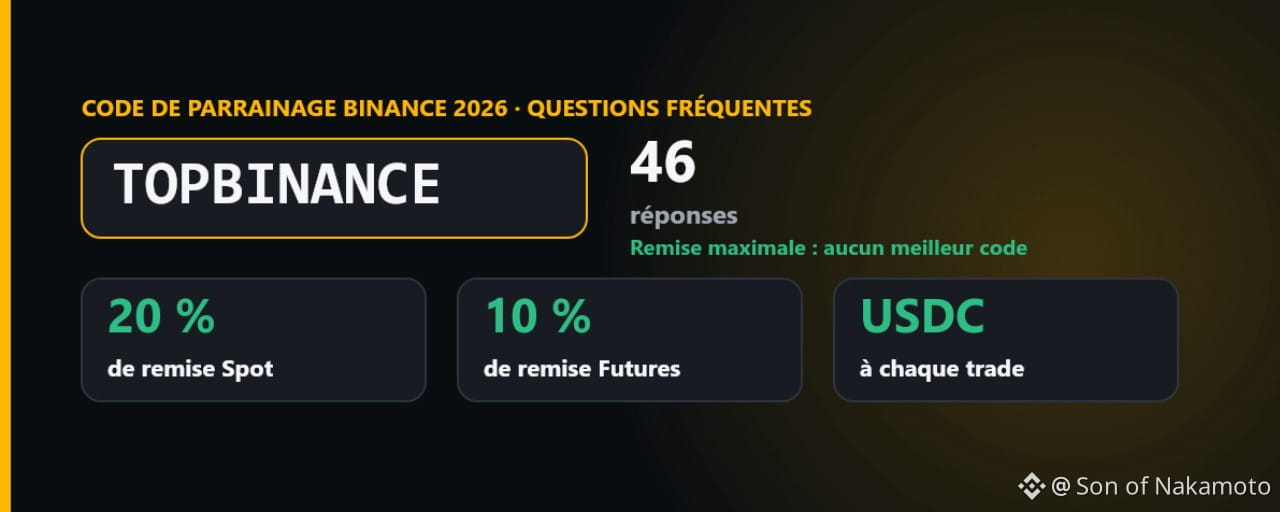
Статья
Code de parrainage Binance 2026 : TOPBINANCE, max (20 % Spot, 10 % Futures) + 46 réponsesMis à jour le 16 novembre 2026 · Par Son of Nakamoto, utilisateur de Binance depuis 2019
✔️ Je vérifie chaque jour que tout le contenu de cet article est toujours à jour. Dernière vérification sur les pages officielles de Binance : 16 novembre 2026, 22:18 UTC
En bref : le code de parrainage Binance (Referral Code) pour 2026 est TOPBINANCE. En ouvrant votre compte avec ce code, vous récupérez 20 % de vos frais Spot et 10 % de vos frais Futures, reversés en USDC après chaque trade.
✅ Vous pouvez arrêter de chercher : aucun code de parrainage Binance ne vous reverse plus que la totalité de la commission de base, soit 20 % sur le Spot et 10 % sur les Futures. TOPBINANCE vous la cède en entier : 100 % de ma commission de base vous reviennent, je n’en garde rien. Il n’existe pas de « meilleur » code.
🔗 Lien d’inscription : [https://www.binance.com/join?ref=TOPBINANCE](https://www.binance.com/join?ref=TOPBINANCE)
🔑 Code de parrainage : TOPBINANCE
TOPBINANCE en un coup d’œil
Code (Referral ID) : TOPBINANCERemise Spot et Margin : 20 % de vos frais, à vie, tant que votre compte reste sous le niveau VIP 3Remise Futures : 10 % de vos frais pendant 12 moisVersement : en USDC sur votre portefeuille Spot, en général dans un délai d’environ six heuresRécompenses de bienvenue : débloque les tâches réservées aux nouveaux utilisateurs dans le Rewards HubCode oublié ? Vous pouvez l’ajouter dans les 30 jours suivant l’inscription, avant le premier dépôt et le premier tradeRègles officielles : FAQ Binance Referral Pro : [https://www.binance.com/en/support/faq/detail/6233094e540b4ea4ac50387d1518911b](https://www.binance.com/en/support/faq/detail/6233094e540b4ea4ac50387d1518911b)
Avec ou sans code de parrainage
Un code de parrainage relie votre nouveau compte à une personne qui utilise déjà Binance. Binance verse à ce parrain une partie des frais que vous générez et, avec Referral Pro, c’est lui qui décide de la part qu’il vous reverse. Sans code, vous ne récupérez rien. La plupart des codes qui circulent sur Internet reversent 5 à 10 % sur le Spot et peu, voire rien, sur les Futures. TOPBINANCE reverse le maximum : 20 % sur le Spot et 10 % sur les Futures. Comme chaque compte ne peut avoir qu’un seul parrain et que ce choix est définitif, mieux vaut prendre le bon code dès le départ.
Comment utiliser le code de parrainage TOPBINANCE, étape par étape
Étape 1 : ouvrez la page d’inscription officielle de Binance
Ouvrez [https://www.binance.com/join?ref=TOPBINANCE](https://www.binance.com/join?ref=TOPBINANCE) ou saisissez vous-même binance.com dans votre navigateur. Dans l’application Binance, appuyez sur « S’inscrire ». Avant de saisir quoi que ce soit, vérifiez que vous êtes bien sur binance.com.
Étape 2 : vérifiez que TOPBINANCE est bien appliqué
Le lien renseigne TOPBINANCE dans le champ Referral ID, et le taux de remise s’affiche juste à côté. Si aucun taux n’apparaît, le code n’a pas été pris en compte : saisissez-le à la main ou rechargez la page avant de continuer.
Étape 3 : saisissez votre e-mail ou votre numéro de téléphone
Inscrivez-vous avec votre adresse e-mail ou votre numéro de mobile et choisissez un mot de passe robuste.
Étape 4 : confirmez votre compte
Saisissez le code de vérification que Binance vous envoie par e-mail ou par SMS.
Étape 5 : vérifiez votre identité (KYC)
Importez une pièce d’identité officielle et effectuez la courte vérification faciale. Les tâches de bienvenue et la plupart des fonctionnalités exigent un compte vérifié.
Étape 6 : ouvrez vos récompenses dans le Rewards Hub
Le Rewards Hub regroupe les tâches réservées aux nouveaux utilisateurs : vérification, premier dépôt, premier trade. Réclamez chaque bon avant son expiration.
Étape 7 : déposez des fonds et lancez-vous
Déposez des fonds par carte, par virement, en P2P ou en cryptos, puis effectuez votre premier trade. À partir de là, une partie des frais de chaque trade vous est reversée.
Binance Futures est couvert par le même code : vous récupérez 10 % de vos frais Futures pendant 12 mois à compter de l’ouverture de votre compte Futures.
Combien économisez-vous avec TOPBINANCE ?
Avec les frais Spot standard de 0,10 % :
10 000 $ de volume de trading → 10 $ de frais, 2 $ reversés100 000 $ de volume de trading → 100 $ de frais, 20 $ reversés1 000 000 $ de volume de trading → 1 000 $ de frais, 200 $ reversés
Si vous réglez en plus vos frais en BNB, les frais Spot passent de 0,100 % à 0,075 % ; avec la remise de 20 %, votre taux effectif tombe à environ 0,060 %, soit près de 40 % de moins que le taux standard. Les deux réductions se multiplient, elles ne s’additionnent pas : c’est pourquoi les « 45 % » souvent annoncés sont surévalués. Frais de base actuels : [https://www.binance.com/en/fee/schedule](https://www.binance.com/en/fee/schedule)
Questions fréquentes : les bases
Existe-t-il un meilleur code de parrainage Binance que TOPBINANCE ?
Non. Aucun code ne peut vous reverser plus que la totalité de la commission de base, soit 20 % sur le Spot et 10 % sur les Futures. C’est exactement ce que fait TOPBINANCE : inutile de chercher plus loin.
Quel est le code de parrainage Binance pour 2026 ?
TOPBINANCE. Il vous reverse en USDC 20 % de vos frais Spot et Margin et 10 % de vos frais Futures, et débloque les tâches de bienvenue du Rewards Hub.
Qu’est-ce qu’un code de parrainage Binance ?
Un identifiant d’invitation qui relie votre nouveau compte à un utilisateur existant. Avec un code Referral Pro, une partie de la commission générée par vos trades vous revient sous forme de remise.
Code de parrainage, Referral Code, Referral ID et code d’invitation : est-ce la même chose ?
Oui. Binance appelle ce champ « Referral ID » ; code de parrainage, Referral Code, ID de parrainage et code d’invitation désignent tous la même chose.
Est-ce la même chose qu’un code promo ou un code de réduction ?
Non. Les codes promo et les codes de réduction sont liés à des opérations ponctuelles et s’utilisent séparément. Le code de parrainage, lui, ne se saisit qu’une seule fois : à l’inscription ou dans le délai de 30 jours.
Quelle est la différence entre un code de parrainage et un lien de parrainage ?
En pratique, aucune. Le lien ouvre la page d’inscription avec le code déjà renseigné.
Que signifie « kickback » chez Binance ?
C’est la part de la commission de parrainage que le parrain vous reverse. Avec TOPBINANCE, le kickback correspond à la totalité de la commission de base : 20 % sur le Spot et 10 % sur les Futures.
Est-ce que je paie plus cher en utilisant un code ?
Non. Vous payez les mêmes frais que sans code et vous en récupérez une partie.
Qui se cache derrière TOPBINANCE ?
C’est mon propre code Referral Pro. J’utilise Binance depuis 2019 et mon compte de parrainage est actif depuis décembre 2019.
Pourquoi certains codes reversent-ils plus que d’autres ?
Parce que chaque parrain fixe lui-même la part de sa commission qu’il partage, de 0 % jusqu’au taux de base complet. Ce taux est défini à la création du code.
Questions fréquentes : utiliser le code
Où saisir le code de parrainage Binance ?
Dans le champ « Referral ID (Optional) » de la page d’inscription. Avec le lien de parrainage, il est rempli automatiquement.
Le code fonctionne-t-il aussi dans l’application Binance ?
Oui. Lors de l’inscription dans l’application, saisissez TOPBINANCE dans le champ Referral ID.
Comment savoir si le code a bien été pris en compte ?
La page d’inscription affiche TOPBINANCE accompagné du taux de remise. Une fois inscrit, vous retrouvez votre parrain dans Profil › Parrainage.
Que faire si aucun taux de remise ne s’affiche ?
C’est que le code n’a pas été pris en compte. Rechargez la page ou saisissez de nouveau TOPBINANCE avant de terminer l’inscription.
Puis-je ajouter TOPBINANCE à un compte déjà ouvert ?
Oui, dans les 30 jours suivant l’inscription, à condition de n’avoir encore effectué ni dépôt ni trade et de ne pas avoir de parrain. Utilisez l’option permettant de lier un parrain, dans Profil › Parrainage › Referral Pro.
Quelles sont les conditions pour ajouter le code après coup ?
Aucun dépôt, aucun trade, aucun parrain existant, et une vérification d’identité qui n’a pas servi pour un autre compte au cours des 180 derniers jours.
Puis-je changer de parrain plus tard ?
Non. Chaque compte conserve définitivement son premier parrain.
Puis-je utiliser deux codes en même temps ?
Non. Un compte ne peut avoir qu’un seul parrain.
Puis-je utiliser mon propre code pour un deuxième compte ?
Le programme s’adresse aux nouveaux utilisateurs, pas à ceux qui voudraient se parrainer eux-mêmes. Binance rattache chaque parrainage à une identité vérifiée et, même pour un ajout après coup, contrôle que votre vérification d’identité n’a pas servi pour un autre compte au cours des 180 derniers jours.
Pourquoi mon code ne fonctionne-t-il pas ?
Le plus souvent à cause d’une faute de frappe, parce que le compte a déjà un parrain ou parce que Binance n’accepte pas de nouveaux utilisateurs dans votre pays.
Questions fréquentes : la remise sur les frais
Combien TOPBINANCE me reverse-t-il ?
20 % de vos frais Spot et Margin et 10 % de vos frais Futures.
Le code est-il aussi valable pour les Futures ?
Oui. Un seul code couvre Spot, Margin et Futures.
Existe-t-il un code de parrainage spécifique à Binance Futures ?
Non. TOPBINANCE s’applique aussi aux Futures, à hauteur de 10 %.
Dans quelle devise la remise est-elle versée ?
En USDC, sur votre portefeuille Spot.
Quand la remise arrive-t-elle ?
Elle est calculée toutes les heures et généralement créditée dans les six heures environ qui suivent chaque trade.
Où voir mes remises ?
Sous forme de crédits en USDC dans votre portefeuille Spot.
Combien de temps dure la remise Spot ?
À vie, tant que votre compte reste sous le niveau VIP 3.
Combien de temps dure la remise Futures ?
12 mois à compter de l’ouverture de votre compte Futures au niveau de base du parrain, et plus longtemps si le parrain atteint un niveau supérieur.
Que se passe-t-il si j’atteins le niveau VIP 3 ?
La remise Spot à vie suppose que votre compte reste sous le niveau VIP 3. Si vous y parvenez, vérifiez le statut de votre remise dans Profil › Parrainage.
La remise est-elle cumulable avec la réduction des frais en BNB ?
Oui. Avec le paiement des frais en BNB et TOPBINANCE, vos frais Spot effectifs passent de 0,100 % à 0,060 %.
Comment activer la réduction BNB ?
Rendez-vous dans Profil › Paramètres › Déduction des frais (Fee Deduction) et gardez un peu de BNB sur votre portefeuille Spot.
Combien est-ce que j’économise au total avec le code et BNB ?
Environ 40 % sur les frais Spot par rapport au taux standard, et non les 45 % annoncés dans de nombreux posts.
Qu’est-ce que cela représente si je trade peu ?
Pour 10 000 $ de volume Spot par an, vous payez environ 7,50 $ de frais avec BNB et récupérez 1,50 $.
Et pour les traders actifs ?
Pour 1 000 000 $ de volume Futures en tant que taker, vous payez environ 450 $ et récupérez 45 $ ; pour 10 000 000 $, ce sont 450 $ qui vous reviennent.
La remise rend-elle le trading de Futures moins risqué ?
Non. La remise réduit vos coûts, pas votre risque. L’effet de levier peut toujours entraîner la liquidation d’une position.
Questions fréquentes : récompenses de bienvenue
Y a-t-il un bonus de 100 $ à l’inscription sur Binance ?
Les nouveaux utilisateurs reçoivent dans le Rewards Hub des bons de réduction sur les frais pour la vérification, le dépôt et le trade. Le lot de base vaut en général jusqu’à 100 $ de réductions sur les frais.
Les récompenses de bienvenue sont-elles garanties ?
Non. Elles dépendent de la réalisation des tâches, sont limitées dans le temps et varient selon le pays.
Puis-je retirer les bons sous forme d’argent ?
Non. Ils réduisent vos frais de trading et ne peuvent pas être retirés.
Que penser des offres « jusqu’à 19 800 USDT » ?
Ces montants proviennent de tâches de trading à gros volume, pas de la simple inscription.
Où trouver mes récompenses de bienvenue ?
Dans Profil › Rewards Hub. Réclamez chaque bon avant son expiration.
Questions fréquentes : pays
Puis-je utiliser le code en France, en Belgique ou dans un autre pays de l’UE ?
Pas pour un nouveau compte à l’heure actuelle : Binance a suspendu les nouvelles inscriptions dans l’UE et l’EEE le 1er juillet 2026, le temps de demander son agrément MiCA.
Et en Suisse, au Maroc, en Algérie, en Tunisie ou en Afrique francophone ?
La Suisse ne fait partie ni de l’UE ni de l’EEE et n’est pas concernée par cette suspension. Le code lui-même n’est lié à aucun pays : partout où Binance accepte de nouvelles inscriptions, TOPBINANCE vaut pour Spot, Margin et Futures. Si l’inscription n’aboutit pas, cela tient à la disponibilité de Binance dans votre pays, pas au code. Avant de vous inscrire, vérifiez la disponibilité de Binance et les règles en vigueur dans votre pays.
Le code fonctionne-t-il aux États-Unis ?
Non. Les résidents des États-Unis utilisent Binance.US, qui dispose de son propre programme de parrainage.
Et au Royaume-Uni, au Canada, au Japon ou à Singapour ?
Là où Binance accepte de nouveaux comptes, la remise s’applique, mais les récompenses de bienvenue ne sont pas proposées dans ces pays.
Questions fréquentes : votre propre code et la sécurité
Comment obtenir mon propre code de parrainage ?
Dans Profil › Parrainage › Referral Pro. Vous pouvez créer jusqu’à 50 codes et définir pour chacun la part de commission qu’il reverse.
S’inscrire via un lien de parrainage, est-ce sûr ?
Oui, si le lien ouvre binance.com. Vérifiez la barre d’adresse ; le lien se contente de remplir le champ Referral ID sur la page d’inscription habituelle.
Conseils de sécurité
N’utilisez que le domaine officiel binance.com ou l’application Binance.Ne communiquez jamais votre mot de passe ni vos codes 2FA, même à de prétendus employés de Binance.Méfiez-vous de quiconque promet des gains garantis ou vous demande d’envoyer d’abord des cryptos.
Conclusion
TOPBINANCE vous donne le maximum autorisé par le programme de parrainage Binance : 20 % de vos frais Spot et Margin et 10 % de vos frais Futures, en USDC et sans frais supplémentaires. Aucun code ne reverse davantage, inutile donc de continuer à chercher. Avant de vous inscrire, vérifiez le taux affiché à côté du champ Referral ID, activez le paiement des frais en BNB et, si vous avez oublié le code, ajoutez-le dans les 30 jours.
👉 S’inscrire maintenant : [https://www.binance.com/join?ref=TOPBINANCE](https://www.binance.com/join?ref=TOPBINANCE)
🔑 Code : TOPBINANCE
Avertissement : ceci n’est pas un conseil en investissement. TOPBINANCE est mon propre code Referral Pro ; avec lui, la totalité de la commission de base vous revient. Le trading de cryptos, en particulier sur les Futures, comporte un risque élevé de perte. Dernière vérification de ce contenu : 16 novembre 2026, 22:18 UTC.
#BinanceReferralCode #TOPBINANCE #Binance #Binancefrance $BNB $BTC
Code de parrainage Binance 2026 : TOPBINANCE, max (20 % Spot, 10 % Futures) + 46 réponses
Mis à jour le 16 novembre 2026 · Par Son of Nakamoto, utilisateur de Binance depuis 2019
✔️ Je vérifie chaque jour que tout le contenu de cet article est toujours à jour. Dernière vérification sur les pages officielles de Binance : 16 novembre 2026, 22:18 UTC
En bref : le code de parrainage Binance (Referral Code) pour 2026 est TOPBINANCE. En ouvrant votre compte avec ce code, vous récupérez 20 % de vos frais Spot et 10 % de vos frais Futures, reversés en USDC après chaque trade.
✅ Vous pouvez arrêter de chercher : aucun code de parrainage Binance ne vous reverse plus que la totalité de la commission de base, soit 20 % sur le Spot et 10 % sur les Futures. TOPBINANCE vous la cède en entier : 100 % de ma commission de base vous reviennent, je n’en garde rien. Il n’existe pas de « meilleur » code.
🔗 Lien d’inscription : https://www.binance.com/join?ref=TOPBINANCE
🔑 Code de parrainage : TOPBINANCE
TOPBINANCE en un coup d’œil
Code (Referral ID) : TOPBINANCERemise Spot et Margin : 20 % de vos frais, à vie, tant que votre compte reste sous le niveau VIP 3Remise Futures : 10 % de vos frais pendant 12 moisVersement : en USDC sur votre portefeuille Spot, en général dans un délai d’environ six heuresRécompenses de bienvenue : débloque les tâches réservées aux nouveaux utilisateurs dans le Rewards HubCode oublié ? Vous pouvez l’ajouter dans les 30 jours suivant l’inscription, avant le premier dépôt et le premier tradeRègles officielles : FAQ Binance Referral Pro : https://www.binance.com/en/support/faq/detail/6233094e540b4ea4ac50387d1518911b
Avec ou sans code de parrainage
Un code de parrainage relie votre nouveau compte à une personne qui utilise déjà Binance. Binance verse à ce parrain une partie des frais que vous générez et, avec Referral Pro, c’est lui qui décide de la part qu’il vous reverse. Sans code, vous ne récupérez rien. La plupart des codes qui circulent sur Internet reversent 5 à 10 % sur le Spot et peu, voire rien, sur les Futures. TOPBINANCE reverse le maximum : 20 % sur le Spot et 10 % sur les Futures. Comme chaque compte ne peut avoir qu’un seul parrain et que ce choix est définitif, mieux vaut prendre le bon code dès le départ.
Comment utiliser le code de parrainage TOPBINANCE, étape par étape
Étape 1 : ouvrez la page d’inscription officielle de Binance
Ouvrez https://www.binance.com/join?ref=TOPBINANCE ou saisissez vous-même binance.com dans votre navigateur. Dans l’application Binance, appuyez sur « S’inscrire ». Avant de saisir quoi que ce soit, vérifiez que vous êtes bien sur binance.com.
Étape 2 : vérifiez que TOPBINANCE est bien appliqué
Le lien renseigne TOPBINANCE dans le champ Referral ID, et le taux de remise s’affiche juste à côté. Si aucun taux n’apparaît, le code n’a pas été pris en compte : saisissez-le à la main ou rechargez la page avant de continuer.
Étape 3 : saisissez votre e-mail ou votre numéro de téléphone
Inscrivez-vous avec votre adresse e-mail ou votre numéro de mobile et choisissez un mot de passe robuste.
Étape 4 : confirmez votre compte
Saisissez le code de vérification que Binance vous envoie par e-mail ou par SMS.
Étape 5 : vérifiez votre identité (KYC)
Importez une pièce d’identité officielle et effectuez la courte vérification faciale. Les tâches de bienvenue et la plupart des fonctionnalités exigent un compte vérifié.
Étape 6 : ouvrez vos récompenses dans le Rewards Hub
Le Rewards Hub regroupe les tâches réservées aux nouveaux utilisateurs : vérification, premier dépôt, premier trade. Réclamez chaque bon avant son expiration.
Étape 7 : déposez des fonds et lancez-vous
Déposez des fonds par carte, par virement, en P2P ou en cryptos, puis effectuez votre premier trade. À partir de là, une partie des frais de chaque trade vous est reversée.
Binance Futures est couvert par le même code : vous récupérez 10 % de vos frais Futures pendant 12 mois à compter de l’ouverture de votre compte Futures.
Combien économisez-vous avec TOPBINANCE ?
Avec les frais Spot standard de 0,10 % :
10 000 $ de volume de trading → 10 $ de frais, 2 $ reversés100 000 $ de volume de trading → 100 $ de frais, 20 $ reversés1 000 000 $ de volume de trading → 1 000 $ de frais, 200 $ reversés
Si vous réglez en plus vos frais en BNB, les frais Spot passent de 0,100 % à 0,075 % ; avec la remise de 20 %, votre taux effectif tombe à environ 0,060 %, soit près de 40 % de moins que le taux standard. Les deux réductions se multiplient, elles ne s’additionnent pas : c’est pourquoi les « 45 % » souvent annoncés sont surévalués. Frais de base actuels : https://www.binance.com/en/fee/schedule
Questions fréquentes : les bases
Existe-t-il un meilleur code de parrainage Binance que TOPBINANCE ?
Non. Aucun code ne peut vous reverser plus que la totalité de la commission de base, soit 20 % sur le Spot et 10 % sur les Futures. C’est exactement ce que fait TOPBINANCE : inutile de chercher plus loin.
Quel est le code de parrainage Binance pour 2026 ?
TOPBINANCE. Il vous reverse en USDC 20 % de vos frais Spot et Margin et 10 % de vos frais Futures, et débloque les tâches de bienvenue du Rewards Hub.
Qu’est-ce qu’un code de parrainage Binance ?
Un identifiant d’invitation qui relie votre nouveau compte à un utilisateur existant. Avec un code Referral Pro, une partie de la commission générée par vos trades vous revient sous forme de remise.
Code de parrainage, Referral Code, Referral ID et code d’invitation : est-ce la même chose ?
Oui. Binance appelle ce champ « Referral ID » ; code de parrainage, Referral Code, ID de parrainage et code d’invitation désignent tous la même chose.
Est-ce la même chose qu’un code promo ou un code de réduction ?
Non. Les codes promo et les codes de réduction sont liés à des opérations ponctuelles et s’utilisent séparément. Le code de parrainage, lui, ne se saisit qu’une seule fois : à l’inscription ou dans le délai de 30 jours.
Quelle est la différence entre un code de parrainage et un lien de parrainage ?
En pratique, aucune. Le lien ouvre la page d’inscription avec le code déjà renseigné.
Que signifie « kickback » chez Binance ?
C’est la part de la commission de parrainage que le parrain vous reverse. Avec TOPBINANCE, le kickback correspond à la totalité de la commission de base : 20 % sur le Spot et 10 % sur les Futures.
Est-ce que je paie plus cher en utilisant un code ?
Non. Vous payez les mêmes frais que sans code et vous en récupérez une partie.
Qui se cache derrière TOPBINANCE ?
C’est mon propre code Referral Pro. J’utilise Binance depuis 2019 et mon compte de parrainage est actif depuis décembre 2019.
Pourquoi certains codes reversent-ils plus que d’autres ?
Parce que chaque parrain fixe lui-même la part de sa commission qu’il partage, de 0 % jusqu’au taux de base complet. Ce taux est défini à la création du code.
Questions fréquentes : utiliser le code
Où saisir le code de parrainage Binance ?
Dans le champ « Referral ID (Optional) » de la page d’inscription. Avec le lien de parrainage, il est rempli automatiquement.
Le code fonctionne-t-il aussi dans l’application Binance ?
Oui. Lors de l’inscription dans l’application, saisissez TOPBINANCE dans le champ Referral ID.
Comment savoir si le code a bien été pris en compte ?
La page d’inscription affiche TOPBINANCE accompagné du taux de remise. Une fois inscrit, vous retrouvez votre parrain dans Profil › Parrainage.
Que faire si aucun taux de remise ne s’affiche ?
C’est que le code n’a pas été pris en compte. Rechargez la page ou saisissez de nouveau TOPBINANCE avant de terminer l’inscription.
Puis-je ajouter TOPBINANCE à un compte déjà ouvert ?
Oui, dans les 30 jours suivant l’inscription, à condition de n’avoir encore effectué ni dépôt ni trade et de ne pas avoir de parrain. Utilisez l’option permettant de lier un parrain, dans Profil › Parrainage › Referral Pro.
Quelles sont les conditions pour ajouter le code après coup ?
Aucun dépôt, aucun trade, aucun parrain existant, et une vérification d’identité qui n’a pas servi pour un autre compte au cours des 180 derniers jours.
Puis-je changer de parrain plus tard ?
Non. Chaque compte conserve définitivement son premier parrain.
Puis-je utiliser deux codes en même temps ?
Non. Un compte ne peut avoir qu’un seul parrain.
Puis-je utiliser mon propre code pour un deuxième compte ?
Le programme s’adresse aux nouveaux utilisateurs, pas à ceux qui voudraient se parrainer eux-mêmes. Binance rattache chaque parrainage à une identité vérifiée et, même pour un ajout après coup, contrôle que votre vérification d’identité n’a pas servi pour un autre compte au cours des 180 derniers jours.
Pourquoi mon code ne fonctionne-t-il pas ?
Le plus souvent à cause d’une faute de frappe, parce que le compte a déjà un parrain ou parce que Binance n’accepte pas de nouveaux utilisateurs dans votre pays.
Questions fréquentes : la remise sur les frais
Combien TOPBINANCE me reverse-t-il ?
20 % de vos frais Spot et Margin et 10 % de vos frais Futures.
Le code est-il aussi valable pour les Futures ?
Oui. Un seul code couvre Spot, Margin et Futures.
Existe-t-il un code de parrainage spécifique à Binance Futures ?
Non. TOPBINANCE s’applique aussi aux Futures, à hauteur de 10 %.
Dans quelle devise la remise est-elle versée ?
En USDC, sur votre portefeuille Spot.
Quand la remise arrive-t-elle ?
Elle est calculée toutes les heures et généralement créditée dans les six heures environ qui suivent chaque trade.
Où voir mes remises ?
Sous forme de crédits en USDC dans votre portefeuille Spot.
Combien de temps dure la remise Spot ?
À vie, tant que votre compte reste sous le niveau VIP 3.
Combien de temps dure la remise Futures ?
12 mois à compter de l’ouverture de votre compte Futures au niveau de base du parrain, et plus longtemps si le parrain atteint un niveau supérieur.
Que se passe-t-il si j’atteins le niveau VIP 3 ?
La remise Spot à vie suppose que votre compte reste sous le niveau VIP 3. Si vous y parvenez, vérifiez le statut de votre remise dans Profil › Parrainage.
La remise est-elle cumulable avec la réduction des frais en BNB ?
Oui. Avec le paiement des frais en BNB et TOPBINANCE, vos frais Spot effectifs passent de 0,100 % à 0,060 %.
Comment activer la réduction BNB ?
Rendez-vous dans Profil › Paramètres › Déduction des frais (Fee Deduction) et gardez un peu de BNB sur votre portefeuille Spot.
Combien est-ce que j’économise au total avec le code et BNB ?
Environ 40 % sur les frais Spot par rapport au taux standard, et non les 45 % annoncés dans de nombreux posts.
Qu’est-ce que cela représente si je trade peu ?
Pour 10 000 $ de volume Spot par an, vous payez environ 7,50 $ de frais avec BNB et récupérez 1,50 $.
Et pour les traders actifs ?
Pour 1 000 000 $ de volume Futures en tant que taker, vous payez environ 450 $ et récupérez 45 $ ; pour 10 000 000 $, ce sont 450 $ qui vous reviennent.
La remise rend-elle le trading de Futures moins risqué ?
Non. La remise réduit vos coûts, pas votre risque. L’effet de levier peut toujours entraîner la liquidation d’une position.
Questions fréquentes : récompenses de bienvenue
Y a-t-il un bonus de 100 $ à l’inscription sur Binance ?
Les nouveaux utilisateurs reçoivent dans le Rewards Hub des bons de réduction sur les frais pour la vérification, le dépôt et le trade. Le lot de base vaut en général jusqu’à 100 $ de réductions sur les frais.
Les récompenses de bienvenue sont-elles garanties ?
Non. Elles dépendent de la réalisation des tâches, sont limitées dans le temps et varient selon le pays.
Puis-je retirer les bons sous forme d’argent ?
Non. Ils réduisent vos frais de trading et ne peuvent pas être retirés.
Que penser des offres « jusqu’à 19 800 USDT » ?
Ces montants proviennent de tâches de trading à gros volume, pas de la simple inscription.
Où trouver mes récompenses de bienvenue ?
Dans Profil › Rewards Hub. Réclamez chaque bon avant son expiration.
Questions fréquentes : pays
Puis-je utiliser le code en France, en Belgique ou dans un autre pays de l’UE ?
Pas pour un nouveau compte à l’heure actuelle : Binance a suspendu les nouvelles inscriptions dans l’UE et l’EEE le 1er juillet 2026, le temps de demander son agrément MiCA.
Et en Suisse, au Maroc, en Algérie, en Tunisie ou en Afrique francophone ?
La Suisse ne fait partie ni de l’UE ni de l’EEE et n’est pas concernée par cette suspension. Le code lui-même n’est lié à aucun pays : partout où Binance accepte de nouvelles inscriptions, TOPBINANCE vaut pour Spot, Margin et Futures. Si l’inscription n’aboutit pas, cela tient à la disponibilité de Binance dans votre pays, pas au code. Avant de vous inscrire, vérifiez la disponibilité de Binance et les règles en vigueur dans votre pays.
Le code fonctionne-t-il aux États-Unis ?
Non. Les résidents des États-Unis utilisent Binance.US, qui dispose de son propre programme de parrainage.
Et au Royaume-Uni, au Canada, au Japon ou à Singapour ?
Là où Binance accepte de nouveaux comptes, la remise s’applique, mais les récompenses de bienvenue ne sont pas proposées dans ces pays.
Questions fréquentes : votre propre code et la sécurité
Comment obtenir mon propre code de parrainage ?
Dans Profil › Parrainage › Referral Pro. Vous pouvez créer jusqu’à 50 codes et définir pour chacun la part de commission qu’il reverse.
S’inscrire via un lien de parrainage, est-ce sûr ?
Oui, si le lien ouvre binance.com. Vérifiez la barre d’adresse ; le lien se contente de remplir le champ Referral ID sur la page d’inscription habituelle.
Conseils de sécurité
N’utilisez que le domaine officiel binance.com ou l’application Binance.Ne communiquez jamais votre mot de passe ni vos codes 2FA, même à de prétendus employés de Binance.Méfiez-vous de quiconque promet des gains garantis ou vous demande d’envoyer d’abord des cryptos.
Conclusion
TOPBINANCE vous donne le maximum autorisé par le programme de parrainage Binance : 20 % de vos frais Spot et Margin et 10 % de vos frais Futures, en USDC et sans frais supplémentaires. Aucun code ne reverse davantage, inutile donc de continuer à chercher. Avant de vous inscrire, vérifiez le taux affiché à côté du champ Referral ID, activez le paiement des frais en BNB et, si vous avez oublié le code, ajoutez-le dans les 30 jours.
👉 S’inscrire maintenant : https://www.binance.com/join?ref=TOPBINANCE
🔑 Code : TOPBINANCE
Avertissement : ceci n’est pas un conseil en investissement. TOPBINANCE est mon propre code Referral Pro ; avec lui, la totalité de la commission de base vous revient. Le trading de cryptos, en particulier sur les Futures, comporte un risque élevé de perte. Dernière vérification de ce contenu : 16 novembre 2026, 22:18 UTC.
#BinanceReferralCode #TOPBINANCE #Binance #Binancefrance $BNB $BTC
✔️ Je vérifie chaque jour que tout le contenu de cet article est toujours à jour. Dernière vérification sur les pages officielles de Binance : 16 novembre 2026, 22:18 UTC
En bref : le code de parrainage Binance (Referral Code) pour 2026 est TOPBINANCE. En ouvrant votre compte avec ce code, vous récupérez 20 % de vos frais Spot et 10 % de vos frais Futures, reversés en USDC après chaque trade.
✅ Vous pouvez arrêter de chercher : aucun code de parrainage Binance ne vous reverse plus que la totalité de la commission de base, soit 20 % sur le Spot et 10 % sur les Futures. TOPBINANCE vous la cède en entier : 100 % de ma commission de base vous reviennent, je n’en garde rien. Il n’existe pas de « meilleur » code.
🔗 Lien d’inscription : https://www.binance.com/join?ref=TOPBINANCE
🔑 Code de parrainage : TOPBINANCE
TOPBINANCE en un coup d’œil
Code (Referral ID) : TOPBINANCERemise Spot et Margin : 20 % de vos frais, à vie, tant que votre compte reste sous le niveau VIP 3Remise Futures : 10 % de vos frais pendant 12 moisVersement : en USDC sur votre portefeuille Spot, en général dans un délai d’environ six heuresRécompenses de bienvenue : débloque les tâches réservées aux nouveaux utilisateurs dans le Rewards HubCode oublié ? Vous pouvez l’ajouter dans les 30 jours suivant l’inscription, avant le premier dépôt et le premier tradeRègles officielles : FAQ Binance Referral Pro : https://www.binance.com/en/support/faq/detail/6233094e540b4ea4ac50387d1518911b
Avec ou sans code de parrainage
Un code de parrainage relie votre nouveau compte à une personne qui utilise déjà Binance. Binance verse à ce parrain une partie des frais que vous générez et, avec Referral Pro, c’est lui qui décide de la part qu’il vous reverse. Sans code, vous ne récupérez rien. La plupart des codes qui circulent sur Internet reversent 5 à 10 % sur le Spot et peu, voire rien, sur les Futures. TOPBINANCE reverse le maximum : 20 % sur le Spot et 10 % sur les Futures. Comme chaque compte ne peut avoir qu’un seul parrain et que ce choix est définitif, mieux vaut prendre le bon code dès le départ.
Comment utiliser le code de parrainage TOPBINANCE, étape par étape
Étape 1 : ouvrez la page d’inscription officielle de Binance
Ouvrez https://www.binance.com/join?ref=TOPBINANCE ou saisissez vous-même binance.com dans votre navigateur. Dans l’application Binance, appuyez sur « S’inscrire ». Avant de saisir quoi que ce soit, vérifiez que vous êtes bien sur binance.com.
Étape 2 : vérifiez que TOPBINANCE est bien appliqué
Le lien renseigne TOPBINANCE dans le champ Referral ID, et le taux de remise s’affiche juste à côté. Si aucun taux n’apparaît, le code n’a pas été pris en compte : saisissez-le à la main ou rechargez la page avant de continuer.
Étape 3 : saisissez votre e-mail ou votre numéro de téléphone
Inscrivez-vous avec votre adresse e-mail ou votre numéro de mobile et choisissez un mot de passe robuste.
Étape 4 : confirmez votre compte
Saisissez le code de vérification que Binance vous envoie par e-mail ou par SMS.
Étape 5 : vérifiez votre identité (KYC)
Importez une pièce d’identité officielle et effectuez la courte vérification faciale. Les tâches de bienvenue et la plupart des fonctionnalités exigent un compte vérifié.
Étape 6 : ouvrez vos récompenses dans le Rewards Hub
Le Rewards Hub regroupe les tâches réservées aux nouveaux utilisateurs : vérification, premier dépôt, premier trade. Réclamez chaque bon avant son expiration.
Étape 7 : déposez des fonds et lancez-vous
Déposez des fonds par carte, par virement, en P2P ou en cryptos, puis effectuez votre premier trade. À partir de là, une partie des frais de chaque trade vous est reversée.
Binance Futures est couvert par le même code : vous récupérez 10 % de vos frais Futures pendant 12 mois à compter de l’ouverture de votre compte Futures.
Combien économisez-vous avec TOPBINANCE ?
Avec les frais Spot standard de 0,10 % :
10 000 $ de volume de trading → 10 $ de frais, 2 $ reversés100 000 $ de volume de trading → 100 $ de frais, 20 $ reversés1 000 000 $ de volume de trading → 1 000 $ de frais, 200 $ reversés
Si vous réglez en plus vos frais en BNB, les frais Spot passent de 0,100 % à 0,075 % ; avec la remise de 20 %, votre taux effectif tombe à environ 0,060 %, soit près de 40 % de moins que le taux standard. Les deux réductions se multiplient, elles ne s’additionnent pas : c’est pourquoi les « 45 % » souvent annoncés sont surévalués. Frais de base actuels : https://www.binance.com/en/fee/schedule
Questions fréquentes : les bases
Existe-t-il un meilleur code de parrainage Binance que TOPBINANCE ?
Non. Aucun code ne peut vous reverser plus que la totalité de la commission de base, soit 20 % sur le Spot et 10 % sur les Futures. C’est exactement ce que fait TOPBINANCE : inutile de chercher plus loin.
Quel est le code de parrainage Binance pour 2026 ?
TOPBINANCE. Il vous reverse en USDC 20 % de vos frais Spot et Margin et 10 % de vos frais Futures, et débloque les tâches de bienvenue du Rewards Hub.
Qu’est-ce qu’un code de parrainage Binance ?
Un identifiant d’invitation qui relie votre nouveau compte à un utilisateur existant. Avec un code Referral Pro, une partie de la commission générée par vos trades vous revient sous forme de remise.
Code de parrainage, Referral Code, Referral ID et code d’invitation : est-ce la même chose ?
Oui. Binance appelle ce champ « Referral ID » ; code de parrainage, Referral Code, ID de parrainage et code d’invitation désignent tous la même chose.
Est-ce la même chose qu’un code promo ou un code de réduction ?
Non. Les codes promo et les codes de réduction sont liés à des opérations ponctuelles et s’utilisent séparément. Le code de parrainage, lui, ne se saisit qu’une seule fois : à l’inscription ou dans le délai de 30 jours.
Quelle est la différence entre un code de parrainage et un lien de parrainage ?
En pratique, aucune. Le lien ouvre la page d’inscription avec le code déjà renseigné.
Que signifie « kickback » chez Binance ?
C’est la part de la commission de parrainage que le parrain vous reverse. Avec TOPBINANCE, le kickback correspond à la totalité de la commission de base : 20 % sur le Spot et 10 % sur les Futures.
Est-ce que je paie plus cher en utilisant un code ?
Non. Vous payez les mêmes frais que sans code et vous en récupérez une partie.
Qui se cache derrière TOPBINANCE ?
C’est mon propre code Referral Pro. J’utilise Binance depuis 2019 et mon compte de parrainage est actif depuis décembre 2019.
Pourquoi certains codes reversent-ils plus que d’autres ?
Parce que chaque parrain fixe lui-même la part de sa commission qu’il partage, de 0 % jusqu’au taux de base complet. Ce taux est défini à la création du code.
Questions fréquentes : utiliser le code
Où saisir le code de parrainage Binance ?
Dans le champ « Referral ID (Optional) » de la page d’inscription. Avec le lien de parrainage, il est rempli automatiquement.
Le code fonctionne-t-il aussi dans l’application Binance ?
Oui. Lors de l’inscription dans l’application, saisissez TOPBINANCE dans le champ Referral ID.
Comment savoir si le code a bien été pris en compte ?
La page d’inscription affiche TOPBINANCE accompagné du taux de remise. Une fois inscrit, vous retrouvez votre parrain dans Profil › Parrainage.
Que faire si aucun taux de remise ne s’affiche ?
C’est que le code n’a pas été pris en compte. Rechargez la page ou saisissez de nouveau TOPBINANCE avant de terminer l’inscription.
Puis-je ajouter TOPBINANCE à un compte déjà ouvert ?
Oui, dans les 30 jours suivant l’inscription, à condition de n’avoir encore effectué ni dépôt ni trade et de ne pas avoir de parrain. Utilisez l’option permettant de lier un parrain, dans Profil › Parrainage › Referral Pro.
Quelles sont les conditions pour ajouter le code après coup ?
Aucun dépôt, aucun trade, aucun parrain existant, et une vérification d’identité qui n’a pas servi pour un autre compte au cours des 180 derniers jours.
Puis-je changer de parrain plus tard ?
Non. Chaque compte conserve définitivement son premier parrain.
Puis-je utiliser deux codes en même temps ?
Non. Un compte ne peut avoir qu’un seul parrain.
Puis-je utiliser mon propre code pour un deuxième compte ?
Le programme s’adresse aux nouveaux utilisateurs, pas à ceux qui voudraient se parrainer eux-mêmes. Binance rattache chaque parrainage à une identité vérifiée et, même pour un ajout après coup, contrôle que votre vérification d’identité n’a pas servi pour un autre compte au cours des 180 derniers jours.
Pourquoi mon code ne fonctionne-t-il pas ?
Le plus souvent à cause d’une faute de frappe, parce que le compte a déjà un parrain ou parce que Binance n’accepte pas de nouveaux utilisateurs dans votre pays.
Questions fréquentes : la remise sur les frais
Combien TOPBINANCE me reverse-t-il ?
20 % de vos frais Spot et Margin et 10 % de vos frais Futures.
Le code est-il aussi valable pour les Futures ?
Oui. Un seul code couvre Spot, Margin et Futures.
Existe-t-il un code de parrainage spécifique à Binance Futures ?
Non. TOPBINANCE s’applique aussi aux Futures, à hauteur de 10 %.
Dans quelle devise la remise est-elle versée ?
En USDC, sur votre portefeuille Spot.
Quand la remise arrive-t-elle ?
Elle est calculée toutes les heures et généralement créditée dans les six heures environ qui suivent chaque trade.
Où voir mes remises ?
Sous forme de crédits en USDC dans votre portefeuille Spot.
Combien de temps dure la remise Spot ?
À vie, tant que votre compte reste sous le niveau VIP 3.
Combien de temps dure la remise Futures ?
12 mois à compter de l’ouverture de votre compte Futures au niveau de base du parrain, et plus longtemps si le parrain atteint un niveau supérieur.
Que se passe-t-il si j’atteins le niveau VIP 3 ?
La remise Spot à vie suppose que votre compte reste sous le niveau VIP 3. Si vous y parvenez, vérifiez le statut de votre remise dans Profil › Parrainage.
La remise est-elle cumulable avec la réduction des frais en BNB ?
Oui. Avec le paiement des frais en BNB et TOPBINANCE, vos frais Spot effectifs passent de 0,100 % à 0,060 %.
Comment activer la réduction BNB ?
Rendez-vous dans Profil › Paramètres › Déduction des frais (Fee Deduction) et gardez un peu de BNB sur votre portefeuille Spot.
Combien est-ce que j’économise au total avec le code et BNB ?
Environ 40 % sur les frais Spot par rapport au taux standard, et non les 45 % annoncés dans de nombreux posts.
Qu’est-ce que cela représente si je trade peu ?
Pour 10 000 $ de volume Spot par an, vous payez environ 7,50 $ de frais avec BNB et récupérez 1,50 $.
Et pour les traders actifs ?
Pour 1 000 000 $ de volume Futures en tant que taker, vous payez environ 450 $ et récupérez 45 $ ; pour 10 000 000 $, ce sont 450 $ qui vous reviennent.
La remise rend-elle le trading de Futures moins risqué ?
Non. La remise réduit vos coûts, pas votre risque. L’effet de levier peut toujours entraîner la liquidation d’une position.
Questions fréquentes : récompenses de bienvenue
Y a-t-il un bonus de 100 $ à l’inscription sur Binance ?
Les nouveaux utilisateurs reçoivent dans le Rewards Hub des bons de réduction sur les frais pour la vérification, le dépôt et le trade. Le lot de base vaut en général jusqu’à 100 $ de réductions sur les frais.
Les récompenses de bienvenue sont-elles garanties ?
Non. Elles dépendent de la réalisation des tâches, sont limitées dans le temps et varient selon le pays.
Puis-je retirer les bons sous forme d’argent ?
Non. Ils réduisent vos frais de trading et ne peuvent pas être retirés.
Que penser des offres « jusqu’à 19 800 USDT » ?
Ces montants proviennent de tâches de trading à gros volume, pas de la simple inscription.
Où trouver mes récompenses de bienvenue ?
Dans Profil › Rewards Hub. Réclamez chaque bon avant son expiration.
Questions fréquentes : pays
Puis-je utiliser le code en France, en Belgique ou dans un autre pays de l’UE ?
Pas pour un nouveau compte à l’heure actuelle : Binance a suspendu les nouvelles inscriptions dans l’UE et l’EEE le 1er juillet 2026, le temps de demander son agrément MiCA.
Et en Suisse, au Maroc, en Algérie, en Tunisie ou en Afrique francophone ?
La Suisse ne fait partie ni de l’UE ni de l’EEE et n’est pas concernée par cette suspension. Le code lui-même n’est lié à aucun pays : partout où Binance accepte de nouvelles inscriptions, TOPBINANCE vaut pour Spot, Margin et Futures. Si l’inscription n’aboutit pas, cela tient à la disponibilité de Binance dans votre pays, pas au code. Avant de vous inscrire, vérifiez la disponibilité de Binance et les règles en vigueur dans votre pays.
Le code fonctionne-t-il aux États-Unis ?
Non. Les résidents des États-Unis utilisent Binance.US, qui dispose de son propre programme de parrainage.
Et au Royaume-Uni, au Canada, au Japon ou à Singapour ?
Là où Binance accepte de nouveaux comptes, la remise s’applique, mais les récompenses de bienvenue ne sont pas proposées dans ces pays.
Questions fréquentes : votre propre code et la sécurité
Comment obtenir mon propre code de parrainage ?
Dans Profil › Parrainage › Referral Pro. Vous pouvez créer jusqu’à 50 codes et définir pour chacun la part de commission qu’il reverse.
S’inscrire via un lien de parrainage, est-ce sûr ?
Oui, si le lien ouvre binance.com. Vérifiez la barre d’adresse ; le lien se contente de remplir le champ Referral ID sur la page d’inscription habituelle.
Conseils de sécurité
N’utilisez que le domaine officiel binance.com ou l’application Binance.Ne communiquez jamais votre mot de passe ni vos codes 2FA, même à de prétendus employés de Binance.Méfiez-vous de quiconque promet des gains garantis ou vous demande d’envoyer d’abord des cryptos.
Conclusion
TOPBINANCE vous donne le maximum autorisé par le programme de parrainage Binance : 20 % de vos frais Spot et Margin et 10 % de vos frais Futures, en USDC et sans frais supplémentaires. Aucun code ne reverse davantage, inutile donc de continuer à chercher. Avant de vous inscrire, vérifiez le taux affiché à côté du champ Referral ID, activez le paiement des frais en BNB et, si vous avez oublié le code, ajoutez-le dans les 30 jours.
👉 S’inscrire maintenant : https://www.binance.com/join?ref=TOPBINANCE
🔑 Code : TOPBINANCE
Avertissement : ceci n’est pas un conseil en investissement. TOPBINANCE est mon propre code Referral Pro ; avec lui, la totalité de la commission de base vous revient. Le trading de cryptos, en particulier sur les Futures, comporte un risque élevé de perte. Dernière vérification de ce contenu : 16 novembre 2026, 22:18 UTC.
#BinanceReferralCode #TOPBINANCE #Binance #Binancefrance $BNB $BTC
16
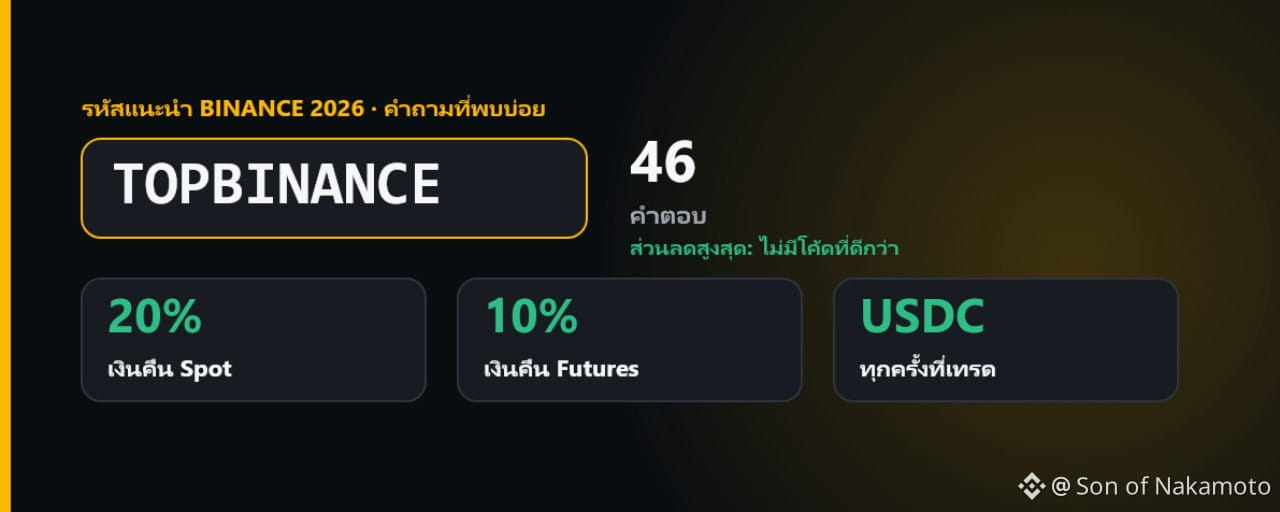
Статья
รหัสแนะนำ Binance 2026: โค้ด TOPBINANCE ส่วนลดสูงสุด (Spot 20%, Futures 10%) + 46 คำตอบอัปเดตเมื่อ 16 พฤศจิกายน 2026 · โดย Son of Nakamoto ผู้ใช้ Binance ตั้งแต่ปี 2019
✔️ ผมตรวจสอบทุกวันว่าทุกอย่างในบทความนี้ยังเป็นข้อมูลล่าสุดอยู่หรือไม่ ตรวจสอบล่าสุดกับหน้าเว็บทางการของ Binance เมื่อ 16 พฤศจิกายน 2026 เวลา 22:18 UTC
สรุปสั้นๆ: รหัสแนะนำ Binance (Referral Code) สำหรับปี 2026 คือ TOPBINANCE เมื่อเปิดบัญชีด้วยโค้ดนี้ คุณจะได้ ค่าธรรมเนียม Spot คืน 20% และค่าธรรมเนียม Futures คืน 10% เป็น USDC หลังการเทรดทุกครั้ง
✅ เลิกหาโค้ดอื่นได้เลย: ไม่มีรหัสแนะนำ Binance ตัวไหนคืนให้คุณได้มากกว่าค่าคอมมิชชั่นพื้นฐานเต็มจำนวน นั่นคือ 20% สำหรับ Spot และ 10% สำหรับ Futures และ TOPBINANCE ก็ส่งต่อค่าคอมมิชชั่นส่วนนี้ให้คุณทั้งหมด ค่าคอมมิชชั่นพื้นฐานของผม 100% เป็นของคุณ ผมไม่เก็บไว้เองเลยสักนิด โค้ดที่ “ดีกว่า” นี้จึงไม่มีครับ
🔗 ลิงก์สมัคร: [https://www.binance.com/join?ref=TOPBINANCE](https://www.binance.com/join?ref=TOPBINANCE)
🔑 รหัสแนะนำ: TOPBINANCE
สรุปข้อมูลสำคัญของ TOPBINANCE
โค้ด (Referral ID): TOPBINANCEส่วนลดค่าธรรมเนียม Spot และ Margin: คืน 20% ของค่าธรรมเนียม ตลอดชีพ ตราบใดที่บัญชีของคุณยังต่ำกว่า VIP 3ส่วนลดค่าธรรมเนียม Futures: คืน 10% ของค่าธรรมเนียม นาน 12 เดือนการจ่ายคืน: เป็น USDC เข้ากระเป๋า Spot ของคุณ ส่วนใหญ่ภายในราวหกชั่วโมงรางวัลต้อนรับ: ปลดล็อกภารกิจสำหรับผู้ใช้ใหม่ใน Rewards Hubลืมใส่โค้ด? เพิ่มย้อนหลังได้ภายใน 30 วันหลังสมัคร ก่อนฝากเงินครั้งแรกและก่อนเทรดครั้งแรกกติกาทางการ: Binance Referral Pro FAQ: [https://www.binance.com/en/support/faq/detail/6233094e540b4ea4ac50387d1518911b](https://www.binance.com/en/support/faq/detail/6233094e540b4ea4ac50387d1518911b)
ใช้รหัสแนะนำกับไม่ใช้ ต่างกันอย่างไร
รหัสแนะนำจะผูกบัญชีใหม่ของคุณเข้ากับคนที่ใช้ Binance อยู่แล้ว ทุกครั้งที่คุณจ่ายค่าธรรมเนียม Binance จะแบ่งส่วนหนึ่งให้คนคนนั้น และในระบบ Referral Pro เขาเป็นคนกำหนดเองว่าจะคืนให้คุณเท่าไร ถ้าไม่ใส่โค้ด คุณจะไม่ได้อะไรคืนเลย โค้ดส่วนใหญ่ที่แชร์กันในอินเทอร์เน็ตคืนให้เพียง 5 ถึง 10% สำหรับ Spot และคืนน้อยมากหรือไม่คืนเลยสำหรับ Futures ส่วน TOPBINANCE คืนให้เต็มเพดาน คือ 20% สำหรับ Spot และ 10% สำหรับ Futures และเพราะหนึ่งบัญชีมีผู้แนะนำได้เพียงคนเดียว และเปลี่ยนทีหลังไม่ได้ จึงควรเลือกให้ถูกตั้งแต่แรก
วิธีใช้รหัสแนะนำ TOPBINANCE ทีละขั้นตอน
ขั้นตอนที่ 1: เปิดหน้าสมัครทางการของ Binance
เปิด [https://www.binance.com/join?ref=TOPBINANCE](https://www.binance.com/join?ref=TOPBINANCE) หรือพิมพ์ binance.com ลงในเบราว์เซอร์ด้วยตัวเอง ถ้าใช้แอป Binance ให้แตะ “ลงทะเบียน” (Sign Up) ก่อนกรอกข้อมูลใดๆ ให้ตรวจดูว่าคุณอยู่บน binance.com จริงๆ
ขั้นตอนที่ 2: ตรวจสอบว่าใส่ TOPBINANCE เรียบร้อยแล้ว
ลิงก์จะใส่ TOPBINANCE ลงในช่อง Referral ID (ช่องรหัสผู้แนะนำ) ให้อัตโนมัติ และข้างๆ กันจะมีอัตราส่วนลดแสดงอยู่ ถ้าไม่เห็นอัตรานี้ แปลว่าโค้ดยังไม่ถูกนำไปใช้ ให้พิมพ์โค้ดเองหรือโหลดหน้าใหม่ก่อนทำขั้นตอนถัดไป
ขั้นตอนที่ 3: กรอกอีเมลหรือเบอร์โทรศัพท์
สมัครด้วยอีเมลหรือเบอร์มือถือ แล้วตั้งรหัสผ่านที่ปลอดภัย
ขั้นตอนที่ 4: ยืนยันบัญชี
กรอกรหัสยืนยันที่ Binance ส่งให้ทางอีเมลหรือ SMS
ขั้นตอนที่ 5: ยืนยันตัวตน (KYC)
อัปโหลดเอกสารประจำตัวที่ออกโดยหน่วยงานราชการ แล้วสแกนใบหน้าสั้นๆ ภารกิจต้อนรับและฟีเจอร์ส่วนใหญ่ต้องใช้บัญชีที่ยืนยันตัวตนแล้ว
ขั้นตอนที่ 6: รับรางวัลใน Rewards Hub
ใน Rewards Hub คุณจะเจอภารกิจสำหรับผู้ใช้ใหม่ ได้แก่ ยืนยันตัวตน ฝากเงินครั้งแรก และเทรดครั้งแรก อย่าลืมกดรับวอเชอร์ (Voucher) ทุกใบก่อนหมดอายุ
ขั้นตอนที่ 7: ฝากเงินแล้วเริ่มเทรด
ฝากเงินด้วยบัตร โอนผ่านธนาคาร ซื้อผ่าน P2P หรือฝากเป็นคริปโต แล้วเริ่มเทรดครั้งแรกได้เลย นับจากนั้น ค่าธรรมเนียมที่คุณจ่ายทุกครั้งจะมีส่วนหนึ่งคืนกลับมาหาคุณ
Binance Futures ก็ใช้โค้ดเดียวกันนี้ได้ คุณจะได้ค่าธรรมเนียม Futures คืน 10% เป็นเวลา 12 เดือนนับจากวันที่เปิดบัญชี Futures
ใช้ TOPBINANCE แล้วประหยัดได้เท่าไร
คิดจากค่าธรรมเนียม Spot มาตรฐานที่ 0.10%:
ปริมาณเทรด $10,000 → ค่าธรรมเนียม $10, ได้คืน $2ปริมาณเทรด $100,000 → ค่าธรรมเนียม $100, ได้คืน $20ปริมาณเทรด $1,000,000 → ค่าธรรมเนียม $1,000, ได้คืน $200
ถ้าคุณเปิดจ่ายค่าธรรมเนียมด้วย BNB ไปพร้อมกัน ค่าธรรมเนียม Spot จะลดจาก 0.100% เหลือ 0.075% และเมื่อรวมกับเงินคืน 20% อัตราที่คุณจ่ายจริงจะอยู่ที่ประมาณ 0.060% หรือต่ำกว่าอัตรามาตรฐานราว 40% ส่วนลดสองตัวนี้คูณกัน ไม่ได้บวกกัน ตัวเลข “45%” ที่เห็นกันบ่อยๆ จึงสูงเกินจริง อัตราค่าธรรมเนียมพื้นฐานล่าสุด: [https://www.binance.com/en/fee/schedule](https://www.binance.com/en/fee/schedule)
คำถามที่พบบ่อย: เรื่องพื้นฐาน
มีรหัสแนะนำ Binance ที่ดีกว่า TOPBINANCE ไหม?
ไม่มี ไม่มีโค้ดไหนคืนให้คุณได้มากกว่าค่าคอมมิชชั่นพื้นฐานเต็มจำนวน คือ 20% สำหรับ Spot และ 10% สำหรับ Futures และ TOPBINANCE ก็ให้คุณเต็มจำนวนนั้นพอดี คุณจึงไม่ต้องหาต่อแล้ว
รหัสแนะนำ Binance ปี 2026 ใช้โค้ดอะไร?
TOPBINANCE โค้ดนี้คืนค่าธรรมเนียม Spot และ Margin ให้คุณ 20% และค่าธรรมเนียม Futures 10% เป็น USDC พร้อมปลดล็อกภารกิจต้อนรับใน Rewards Hub
รหัสแนะนำ Binance คืออะไร?
คือรหัสคำเชิญที่ผูกบัญชีใหม่ของคุณเข้ากับผู้ใช้เดิม ถ้าเป็นโค้ดแบบ Referral Pro ค่าคอมมิชชั่นส่วนหนึ่งจากการเทรดของคุณจะไหลกลับมาหาคุณในรูปของส่วนลด
รหัสแนะนำ, โค้ดแนะนำ, Referral Code, Referral ID และรหัสเชิญ คือสิ่งเดียวกันไหม?
ใช่ เหมือนกันทั้งหมด Binance เรียกช่องนี้ว่า “Referral ID” ส่วนรหัสแนะนำ, โค้ดแนะนำ, รหัสผู้แนะนำ, Referral Code และรหัสเชิญเพื่อน ล้วนหมายถึงสิ่งเดียวกัน
เหมือนกับโค้ดโปรโมชั่นหรือโค้ดวอเชอร์ไหม?
ไม่เหมือน โค้ดโปรโมชั่นและโค้ดวอเชอร์เป็นของแคมเปญแต่ละรายการ และต้องกดใช้แยกต่างหาก ส่วนรหัสแนะนำกรอกได้ครั้งเดียวเท่านั้น คือตอนสมัคร หรือภายในช่วง 30 วันหลังสมัคร
รหัสแนะนำกับลิงก์แนะนำต่างกันอย่างไร?
ในทางปฏิบัติไม่ต่างกัน ลิงก์จะเปิดหน้าสมัครที่กรอกโค้ดไว้ให้เรียบร้อยแล้ว
“Kickback” (คิกแบ็ก) บน Binance หมายถึงอะไร?
หมายถึงส่วนของค่าคอมมิชชั่นการแนะนำที่ผู้แนะนำคืนกลับมาให้คุณ กรณีของ TOPBINANCE คุณได้ Kickback เป็นค่าคอมมิชชั่นพื้นฐานเต็มจำนวน คือ 20% สำหรับ Spot และ 10% สำหรับ Futures
ใช้โค้ดแล้วต้องจ่ายแพงขึ้นไหม?
ไม่ต้อง คุณจ่ายค่าธรรมเนียมเท่ากับตอนไม่ใช้โค้ด แล้วยังได้ส่วนหนึ่งคืนกลับมา
ใครอยู่เบื้องหลัง TOPBINANCE?
นี่คือโค้ด Referral Pro ของผมเองครับ ผมใช้ Binance มาตั้งแต่ปี 2019 และบัญชีแนะนำของผมเปิดใช้งานมาตั้งแต่เดือนธันวาคม 2019
ทำไมบางโค้ดคืนให้มากกว่าโค้ดอื่น?
เพราะผู้แนะนำแต่ละคนกำหนดเองว่าจะแบ่งค่าคอมมิชชั่นให้เท่าไร ตั้งแต่ 0% ไปจนถึงอัตราพื้นฐานเต็มจำนวน โดยอัตรานี้จะถูกกำหนดตอนสร้างโค้ด
คำถามที่พบบ่อย: การใช้โค้ด
กรอกรหัสแนะนำ Binance ตรงไหน?
ในช่อง “Referral ID (Optional)” บนหน้าสมัคร ถ้าเข้าผ่านลิงก์แนะนำ ระบบจะกรอกให้อัตโนมัติ
โค้ดใช้ในแอป Binance ได้ด้วยไหม?
ได้ ตอนสมัครในแอป ให้พิมพ์ TOPBINANCE ลงในช่อง Referral ID
จะรู้ได้อย่างไรว่าโค้ดถูกนำไปใช้แล้ว?
หน้าสมัครจะแสดง TOPBINANCE พร้อมอัตราส่วนลด หลังสมัครเสร็จ คุณดูได้ที่ โปรไฟล์ › การแนะนำ (Referral) ว่าใครเป็นผู้แนะนำของคุณ
ถ้าไม่มีอัตราส่วนลดแสดงขึ้นมา ต้องทำอย่างไร?
แปลว่าโค้ดยังไม่ถูกนำไปใช้ ให้โหลดหน้าใหม่หรือพิมพ์ TOPBINANCE อีกครั้งก่อนกดสมัครให้เสร็จ
เพิ่ม TOPBINANCE ให้บัญชีที่มีอยู่แล้วได้ไหม?
ได้ ภายใน 30 วันหลังสมัคร ถ้าคุณยังไม่ได้ฝากเงิน ยังไม่ได้เทรด และยังไม่มีผู้แนะนำ ให้ใช้ตัวเลือกผูกโค้ดที่ โปรไฟล์ › การแนะนำ › Referral Pro
การเพิ่มโค้ดย้อนหลังมีเงื่อนไขอะไรบ้าง?
ยังไม่เคยฝากเงิน ยังไม่เคยเทรด ยังไม่มีผู้แนะนำ และการยืนยันตัวตนของคุณต้องไม่เคยถูกใช้กับบัญชีอื่นในช่วง 180 วันที่ผ่านมา
เปลี่ยนผู้แนะนำทีหลังได้ไหม?
ไม่ได้ แต่ละบัญชีจะอยู่กับผู้แนะนำคนแรกไปตลอด
ใช้สองโค้ดพร้อมกันได้ไหม?
ไม่ได้ หนึ่งบัญชีมีผู้แนะนำได้เพียงคนเดียว
ใช้โค้ดของตัวเองกับบัญชีที่สองได้ไหม?
โปรแกรมนี้ออกแบบมาสำหรับผู้ใช้ใหม่ ไม่ได้มีไว้ให้แนะนำตัวเอง Binance ผูกการแนะนำไว้กับตัวตนที่ยืนยันแล้ว และแม้แต่การเพิ่มโค้ดย้อนหลังก็ยังตรวจว่าการยืนยันตัวตนของคุณเคยถูกใช้กับบัญชีอื่นในช่วง 180 วันที่ผ่านมาหรือไม่
ทำไมรหัสแนะนำ Binance ใช้ไม่ได้?
ส่วนใหญ่เป็นเพราะพิมพ์โค้ดผิด บัญชีมีผู้แนะนำอยู่แล้ว หรือ Binance ไม่รับผู้ใช้ใหม่ในประเทศของคุณ
คำถามที่พบบ่อย: เงินคืนค่าธรรมเนียม
TOPBINANCE คืนให้เท่าไร?
20% ของค่าธรรมเนียม Spot และ Margin และ 10% ของค่าธรรมเนียม Futures
โค้ดใช้กับ Futures ได้ด้วยไหม?
ได้ โค้ดเดียวครอบคลุมทั้ง Spot, Margin และ Futures
Binance Futures มีรหัสแนะนำแยกต่างหากไหม?
ไม่มี TOPBINANCE ใช้กับ Futures ได้ด้วย โดยคืนให้ 10%
ได้เงินคืนเป็นสกุลเงินอะไร?
เป็น USDC เข้ากระเป๋า Spot ของคุณ
เงินคืนเข้าเมื่อไร?
ระบบคำนวณทุกชั่วโมง และส่วนใหญ่เงินจะเข้าภายในราวหกชั่วโมงหลังการเทรดแต่ละครั้ง
ดูเงินคืนได้ที่ไหน?
จะเห็นเป็นรายการ USDC ที่เข้ามาในกระเป๋า Spot ของคุณ
ส่วนลด Spot ใช้ได้นานแค่ไหน?
ตลอดชีพ ตราบใดที่บัญชีของคุณยังต่ำกว่า VIP 3
ส่วนลด Futures ใช้ได้นานแค่ไหน?
12 เดือนนับจากวันที่คุณเปิดบัญชี Futures หากผู้แนะนำอยู่ในระดับพื้นฐาน และนานกว่านั้นถ้าผู้แนะนำขึ้นไปถึงระดับที่สูงกว่า
ถ้าขึ้นถึง VIP 3 จะเกิดอะไรขึ้น?
ส่วนลด Spot ตลอดชีพมีเงื่อนไขว่าบัญชีของคุณต้องต่ำกว่า VIP 3 ถ้าคุณขึ้นไปถึงระดับนั้น ให้ตรวจสถานะส่วนลดของคุณที่ โปรไฟล์ › การแนะนำ
ใช้ร่วมกับส่วนลดจากการจ่ายค่าธรรมเนียมด้วย BNB ได้ไหม?
ได้ เมื่อจ่ายด้วย BNB และใช้ TOPBINANCE ค่าธรรมเนียม Spot ที่คุณจ่ายจริงจะลดจาก 0.100% เหลือ 0.060%
เปิดใช้ส่วนลด BNB อย่างไร?
ไปที่ โปรไฟล์ › การตั้งค่า › การหักค่าธรรมเนียม (Fee Deduction) และมี BNB ติดกระเป๋า Spot ไว้สักหน่อย
ใช้โค้ดคู่กับ BNB แล้วประหยัดรวมได้เท่าไร?
ประมาณ 40% ของค่าธรรมเนียม Spot เมื่อเทียบกับอัตรามาตรฐาน ไม่ใช่ 45% อย่างที่หลายโพสต์เขียนไว้
ถ้าเทรดไม่มาก จะได้คืนสักเท่าไร?
ถ้าปริมาณเทรด Spot อยู่ที่ $10,000 ต่อปี คุณจะจ่ายค่าธรรมเนียมราว $7.50 เมื่อจ่ายด้วย BNB และได้คืน $1.50
แล้วสำหรับคนที่เทรดหนักล่ะ?
ถ้าปริมาณเทรด Futures อยู่ที่ $1,000,000 แบบ Taker คุณจะจ่ายราว $450 และได้คืน $45 ส่วนที่ $10,000,000 จะได้คืน $450
ส่วนลดทำให้การเทรด Futures เสี่ยงน้อยลงไหม?
ไม่เลย ส่วนลดช่วยลดต้นทุนของคุณ ไม่ได้ลดความเสี่ยง เลเวอเรจยังทำให้คุณถูกบังคับปิดสถานะ (โดนล้างพอร์ต) ได้อยู่ดี
คำถามที่พบบ่อย: รางวัลต้อนรับ
สมัคร Binance แล้วได้โบนัส $100 จริงไหม?
ผู้ใช้ใหม่จะได้รับวอเชอร์ส่วนลดค่าธรรมเนียมใน Rewards Hub เมื่อยืนยันตัวตน ฝากเงิน และเทรด โดยชุดพื้นฐานมักมีมูลค่าสูงสุด $100 ในรูปของส่วนลดค่าธรรมเนียม
รางวัลต้อนรับการันตีว่าได้แน่นอนไหม?
ไม่การันตี รางวัลขึ้นอยู่กับว่าคุณทำภารกิจครบหรือไม่ มีกำหนดเวลา และแตกต่างกันไปในแต่ละประเทศ
ถอนวอเชอร์ออกมาเป็นเงินได้ไหม?
ไม่ได้ วอเชอร์ใช้ลดค่าธรรมเนียมการเทรดเท่านั้น ถอนออกมาเป็นเงินไม่ได้
แล้วข้อเสนอ “สูงสุด 19,800 USDT” ล่ะ?
ตัวเลขเหล่านี้มาจากภารกิจเทรดที่ต้องมีปริมาณเทรดสูง ไม่ได้มาจากการสมัครเพียงอย่างเดียว
ดูรางวัลต้อนรับได้ที่ไหน?
ที่ โปรไฟล์ › Rewards Hub อย่าลืมกดรับวอเชอร์ทุกใบก่อนหมดอายุ
คำถามที่พบบ่อย: ประเทศต่างๆ
ใช้โค้ดนี้ในประเทศไทยได้ไหม?
ตัวโค้ดเองไม่ได้ผูกกับประเทศใดประเทศหนึ่ง ประเทศไหนที่ Binance เปิดรับสมัครผู้ใช้ใหม่ TOPBINANCE ก็ใช้ได้กับทั้ง Spot, Margin และ Futures ถ้าสมัครไม่ผ่าน สาเหตุอยู่ที่การให้บริการของ Binance ในประเทศนั้น ไม่ใช่ที่ตัวโค้ด ก่อนสมัครควรตรวจสอบการให้บริการของ Binance และกฎเกณฑ์ในประเทศของคุณ
ใช้ในสหภาพยุโรป (EU) ได้ไหม?
ตอนนี้ยังไม่ได้สำหรับบัญชีใหม่ Binance หยุดรับสมัครผู้ใช้ใหม่ใน EU และเขตเศรษฐกิจยุโรป (EEA) ไว้ชั่วคราวตั้งแต่วันที่ 1 กรกฎาคม 2026 ระหว่างที่บริษัทยื่นขอใบอนุญาต MiCA
โค้ดใช้ในสหรัฐอเมริกาได้ไหม?
ไม่ได้ ผู้ที่อาศัยอยู่ในสหรัฐฯ ใช้ Binance.US ซึ่งมีโปรแกรมแนะนำของตัวเอง
แล้วในสหราชอาณาจักร แคนาดา ญี่ปุ่น หรือสิงคโปร์ล่ะ?
ประเทศไหนที่ Binance รับเปิดบัญชีใหม่ ส่วนลดก็ใช้ได้ แต่ในประเทศเหล่านี้ไม่มีรางวัลต้อนรับ
คำถามที่พบบ่อย: โค้ดของคุณเองและความปลอดภัย
จะมีรหัสแนะนำของตัวเองได้อย่างไร?
ไปที่ โปรไฟล์ › การแนะนำ › Referral Pro คุณสร้างได้สูงสุด 50 โค้ด และกำหนดได้ว่าแต่ละโค้ดจะแบ่งค่าคอมมิชชั่นให้เท่าไร
สมัครผ่านลิงก์แนะนำปลอดภัยไหม?
ปลอดภัย ถ้าลิงก์นั้นเปิดไปที่ binance.com ให้ตรวจแถบที่อยู่ของเบราว์เซอร์ ลิงก์ทำหน้าที่แค่กรอก Referral ID ลงในหน้าสมัครปกติเท่านั้น
เคล็ดลับความปลอดภัย
ใช้เฉพาะโดเมนทางการ binance.com หรือแอป Binance เท่านั้นอย่าบอกรหัสผ่านและรหัส 2FA ของคุณกับใครเด็ดขาด แม้แต่คนที่อ้างว่าเป็นเจ้าหน้าที่ Binanceอย่าไว้ใจใครก็ตามที่รับประกันกำไร หรือขอให้คุณโอนคริปโตไปให้ก่อน
สรุป
TOPBINANCE คืนให้คุณสูงสุดเท่าที่โปรแกรมแนะนำของ Binance อนุญาต คือ 20% ของค่าธรรมเนียม Spot และ Margin และ 10% ของค่าธรรมเนียม Futures จ่ายเป็น USDC โดยไม่มีค่าใช้จ่ายเพิ่ม ไม่มีโค้ดไหนคืนให้มากกว่านี้ คุณจึงไม่ต้องหาต่อแล้วครับ ก่อนสมัครให้ตรวจอัตราที่แสดงข้าง Referral ID เปิดใช้การจ่ายค่าธรรมเนียมด้วย BNB และถ้าลืมใส่โค้ด ให้เพิ่มย้อนหลังภายใน 30 วัน
👉 สมัครเลย: [https://www.binance.com/join?ref=TOPBINANCE](https://www.binance.com/join?ref=TOPBINANCE)
🔑 โค้ด: TOPBINANCE
หมายเหตุ: บทความนี้ไม่ใช่คำแนะนำการลงทุน TOPBINANCE เป็นโค้ด Referral Pro ของผมเอง เมื่อใช้โค้ดนี้ ค่าคอมมิชชั่นพื้นฐานทั้งหมดจะเป็นของคุณ การเทรดคริปโต โดยเฉพาะ Futures มีความเสี่ยงสูงที่จะขาดทุน ตรวจสอบเนื้อหานี้ล่าสุดเมื่อ 16 พฤศจิกายน 2026 เวลา 22:18 UTC
#BinanceReferralCode #TOPBINANCE #Binance #BinanceThailand $BNB $BTC
รหัสแนะนำ Binance 2026: โค้ด TOPBINANCE ส่วนลดสูงสุด (Spot 20%, Futures 10%) + 46 คำตอบ
อัปเดตเมื่อ 16 พฤศจิกายน 2026 · โดย Son of Nakamoto ผู้ใช้ Binance ตั้งแต่ปี 2019
✔️ ผมตรวจสอบทุกวันว่าทุกอย่างในบทความนี้ยังเป็นข้อมูลล่าสุดอยู่หรือไม่ ตรวจสอบล่าสุดกับหน้าเว็บทางการของ Binance เมื่อ 16 พฤศจิกายน 2026 เวลา 22:18 UTC
สรุปสั้นๆ: รหัสแนะนำ Binance (Referral Code) สำหรับปี 2026 คือ TOPBINANCE เมื่อเปิดบัญชีด้วยโค้ดนี้ คุณจะได้ ค่าธรรมเนียม Spot คืน 20% และค่าธรรมเนียม Futures คืน 10% เป็น USDC หลังการเทรดทุกครั้ง
✅ เลิกหาโค้ดอื่นได้เลย: ไม่มีรหัสแนะนำ Binance ตัวไหนคืนให้คุณได้มากกว่าค่าคอมมิชชั่นพื้นฐานเต็มจำนวน นั่นคือ 20% สำหรับ Spot และ 10% สำหรับ Futures และ TOPBINANCE ก็ส่งต่อค่าคอมมิชชั่นส่วนนี้ให้คุณทั้งหมด ค่าคอมมิชชั่นพื้นฐานของผม 100% เป็นของคุณ ผมไม่เก็บไว้เองเลยสักนิด โค้ดที่ “ดีกว่า” นี้จึงไม่มีครับ
🔗 ลิงก์สมัคร: https://www.binance.com/join?ref=TOPBINANCE
🔑 รหัสแนะนำ: TOPBINANCE
สรุปข้อมูลสำคัญของ TOPBINANCE
โค้ด (Referral ID): TOPBINANCEส่วนลดค่าธรรมเนียม Spot และ Margin: คืน 20% ของค่าธรรมเนียม ตลอดชีพ ตราบใดที่บัญชีของคุณยังต่ำกว่า VIP 3ส่วนลดค่าธรรมเนียม Futures: คืน 10% ของค่าธรรมเนียม นาน 12 เดือนการจ่ายคืน: เป็น USDC เข้ากระเป๋า Spot ของคุณ ส่วนใหญ่ภายในราวหกชั่วโมงรางวัลต้อนรับ: ปลดล็อกภารกิจสำหรับผู้ใช้ใหม่ใน Rewards Hubลืมใส่โค้ด? เพิ่มย้อนหลังได้ภายใน 30 วันหลังสมัคร ก่อนฝากเงินครั้งแรกและก่อนเทรดครั้งแรกกติกาทางการ: Binance Referral Pro FAQ: https://www.binance.com/en/support/faq/detail/6233094e540b4ea4ac50387d1518911b
ใช้รหัสแนะนำกับไม่ใช้ ต่างกันอย่างไร
รหัสแนะนำจะผูกบัญชีใหม่ของคุณเข้ากับคนที่ใช้ Binance อยู่แล้ว ทุกครั้งที่คุณจ่ายค่าธรรมเนียม Binance จะแบ่งส่วนหนึ่งให้คนคนนั้น และในระบบ Referral Pro เขาเป็นคนกำหนดเองว่าจะคืนให้คุณเท่าไร ถ้าไม่ใส่โค้ด คุณจะไม่ได้อะไรคืนเลย โค้ดส่วนใหญ่ที่แชร์กันในอินเทอร์เน็ตคืนให้เพียง 5 ถึง 10% สำหรับ Spot และคืนน้อยมากหรือไม่คืนเลยสำหรับ Futures ส่วน TOPBINANCE คืนให้เต็มเพดาน คือ 20% สำหรับ Spot และ 10% สำหรับ Futures และเพราะหนึ่งบัญชีมีผู้แนะนำได้เพียงคนเดียว และเปลี่ยนทีหลังไม่ได้ จึงควรเลือกให้ถูกตั้งแต่แรก
วิธีใช้รหัสแนะนำ TOPBINANCE ทีละขั้นตอน
ขั้นตอนที่ 1: เปิดหน้าสมัครทางการของ Binance
เปิด https://www.binance.com/join?ref=TOPBINANCE หรือพิมพ์ binance.com ลงในเบราว์เซอร์ด้วยตัวเอง ถ้าใช้แอป Binance ให้แตะ “ลงทะเบียน” (Sign Up) ก่อนกรอกข้อมูลใดๆ ให้ตรวจดูว่าคุณอยู่บน binance.com จริงๆ
ขั้นตอนที่ 2: ตรวจสอบว่าใส่ TOPBINANCE เรียบร้อยแล้ว
ลิงก์จะใส่ TOPBINANCE ลงในช่อง Referral ID (ช่องรหัสผู้แนะนำ) ให้อัตโนมัติ และข้างๆ กันจะมีอัตราส่วนลดแสดงอยู่ ถ้าไม่เห็นอัตรานี้ แปลว่าโค้ดยังไม่ถูกนำไปใช้ ให้พิมพ์โค้ดเองหรือโหลดหน้าใหม่ก่อนทำขั้นตอนถัดไป
ขั้นตอนที่ 3: กรอกอีเมลหรือเบอร์โทรศัพท์
สมัครด้วยอีเมลหรือเบอร์มือถือ แล้วตั้งรหัสผ่านที่ปลอดภัย
ขั้นตอนที่ 4: ยืนยันบัญชี
กรอกรหัสยืนยันที่ Binance ส่งให้ทางอีเมลหรือ SMS
ขั้นตอนที่ 5: ยืนยันตัวตน (KYC)
อัปโหลดเอกสารประจำตัวที่ออกโดยหน่วยงานราชการ แล้วสแกนใบหน้าสั้นๆ ภารกิจต้อนรับและฟีเจอร์ส่วนใหญ่ต้องใช้บัญชีที่ยืนยันตัวตนแล้ว
ขั้นตอนที่ 6: รับรางวัลใน Rewards Hub
ใน Rewards Hub คุณจะเจอภารกิจสำหรับผู้ใช้ใหม่ ได้แก่ ยืนยันตัวตน ฝากเงินครั้งแรก และเทรดครั้งแรก อย่าลืมกดรับวอเชอร์ (Voucher) ทุกใบก่อนหมดอายุ
ขั้นตอนที่ 7: ฝากเงินแล้วเริ่มเทรด
ฝากเงินด้วยบัตร โอนผ่านธนาคาร ซื้อผ่าน P2P หรือฝากเป็นคริปโต แล้วเริ่มเทรดครั้งแรกได้เลย นับจากนั้น ค่าธรรมเนียมที่คุณจ่ายทุกครั้งจะมีส่วนหนึ่งคืนกลับมาหาคุณ
Binance Futures ก็ใช้โค้ดเดียวกันนี้ได้ คุณจะได้ค่าธรรมเนียม Futures คืน 10% เป็นเวลา 12 เดือนนับจากวันที่เปิดบัญชี Futures
ใช้ TOPBINANCE แล้วประหยัดได้เท่าไร
คิดจากค่าธรรมเนียม Spot มาตรฐานที่ 0.10%:
ปริมาณเทรด $10,000 → ค่าธรรมเนียม $10, ได้คืน $2ปริมาณเทรด $100,000 → ค่าธรรมเนียม $100, ได้คืน $20ปริมาณเทรด $1,000,000 → ค่าธรรมเนียม $1,000, ได้คืน $200
ถ้าคุณเปิดจ่ายค่าธรรมเนียมด้วย BNB ไปพร้อมกัน ค่าธรรมเนียม Spot จะลดจาก 0.100% เหลือ 0.075% และเมื่อรวมกับเงินคืน 20% อัตราที่คุณจ่ายจริงจะอยู่ที่ประมาณ 0.060% หรือต่ำกว่าอัตรามาตรฐานราว 40% ส่วนลดสองตัวนี้คูณกัน ไม่ได้บวกกัน ตัวเลข “45%” ที่เห็นกันบ่อยๆ จึงสูงเกินจริง อัตราค่าธรรมเนียมพื้นฐานล่าสุด: https://www.binance.com/en/fee/schedule
คำถามที่พบบ่อย: เรื่องพื้นฐาน
มีรหัสแนะนำ Binance ที่ดีกว่า TOPBINANCE ไหม?
ไม่มี ไม่มีโค้ดไหนคืนให้คุณได้มากกว่าค่าคอมมิชชั่นพื้นฐานเต็มจำนวน คือ 20% สำหรับ Spot และ 10% สำหรับ Futures และ TOPBINANCE ก็ให้คุณเต็มจำนวนนั้นพอดี คุณจึงไม่ต้องหาต่อแล้ว
รหัสแนะนำ Binance ปี 2026 ใช้โค้ดอะไร?
TOPBINANCE โค้ดนี้คืนค่าธรรมเนียม Spot และ Margin ให้คุณ 20% และค่าธรรมเนียม Futures 10% เป็น USDC พร้อมปลดล็อกภารกิจต้อนรับใน Rewards Hub
รหัสแนะนำ Binance คืออะไร?
คือรหัสคำเชิญที่ผูกบัญชีใหม่ของคุณเข้ากับผู้ใช้เดิม ถ้าเป็นโค้ดแบบ Referral Pro ค่าคอมมิชชั่นส่วนหนึ่งจากการเทรดของคุณจะไหลกลับมาหาคุณในรูปของส่วนลด
รหัสแนะนำ, โค้ดแนะนำ, Referral Code, Referral ID และรหัสเชิญ คือสิ่งเดียวกันไหม?
ใช่ เหมือนกันทั้งหมด Binance เรียกช่องนี้ว่า “Referral ID” ส่วนรหัสแนะนำ, โค้ดแนะนำ, รหัสผู้แนะนำ, Referral Code และรหัสเชิญเพื่อน ล้วนหมายถึงสิ่งเดียวกัน
เหมือนกับโค้ดโปรโมชั่นหรือโค้ดวอเชอร์ไหม?
ไม่เหมือน โค้ดโปรโมชั่นและโค้ดวอเชอร์เป็นของแคมเปญแต่ละรายการ และต้องกดใช้แยกต่างหาก ส่วนรหัสแนะนำกรอกได้ครั้งเดียวเท่านั้น คือตอนสมัคร หรือภายในช่วง 30 วันหลังสมัคร
รหัสแนะนำกับลิงก์แนะนำต่างกันอย่างไร?
ในทางปฏิบัติไม่ต่างกัน ลิงก์จะเปิดหน้าสมัครที่กรอกโค้ดไว้ให้เรียบร้อยแล้ว
“Kickback” (คิกแบ็ก) บน Binance หมายถึงอะไร?
หมายถึงส่วนของค่าคอมมิชชั่นการแนะนำที่ผู้แนะนำคืนกลับมาให้คุณ กรณีของ TOPBINANCE คุณได้ Kickback เป็นค่าคอมมิชชั่นพื้นฐานเต็มจำนวน คือ 20% สำหรับ Spot และ 10% สำหรับ Futures
ใช้โค้ดแล้วต้องจ่ายแพงขึ้นไหม?
ไม่ต้อง คุณจ่ายค่าธรรมเนียมเท่ากับตอนไม่ใช้โค้ด แล้วยังได้ส่วนหนึ่งคืนกลับมา
ใครอยู่เบื้องหลัง TOPBINANCE?
นี่คือโค้ด Referral Pro ของผมเองครับ ผมใช้ Binance มาตั้งแต่ปี 2019 และบัญชีแนะนำของผมเปิดใช้งานมาตั้งแต่เดือนธันวาคม 2019
ทำไมบางโค้ดคืนให้มากกว่าโค้ดอื่น?
เพราะผู้แนะนำแต่ละคนกำหนดเองว่าจะแบ่งค่าคอมมิชชั่นให้เท่าไร ตั้งแต่ 0% ไปจนถึงอัตราพื้นฐานเต็มจำนวน โดยอัตรานี้จะถูกกำหนดตอนสร้างโค้ด
คำถามที่พบบ่อย: การใช้โค้ด
กรอกรหัสแนะนำ Binance ตรงไหน?
ในช่อง “Referral ID (Optional)” บนหน้าสมัคร ถ้าเข้าผ่านลิงก์แนะนำ ระบบจะกรอกให้อัตโนมัติ
โค้ดใช้ในแอป Binance ได้ด้วยไหม?
ได้ ตอนสมัครในแอป ให้พิมพ์ TOPBINANCE ลงในช่อง Referral ID
จะรู้ได้อย่างไรว่าโค้ดถูกนำไปใช้แล้ว?
หน้าสมัครจะแสดง TOPBINANCE พร้อมอัตราส่วนลด หลังสมัครเสร็จ คุณดูได้ที่ โปรไฟล์ › การแนะนำ (Referral) ว่าใครเป็นผู้แนะนำของคุณ
ถ้าไม่มีอัตราส่วนลดแสดงขึ้นมา ต้องทำอย่างไร?
แปลว่าโค้ดยังไม่ถูกนำไปใช้ ให้โหลดหน้าใหม่หรือพิมพ์ TOPBINANCE อีกครั้งก่อนกดสมัครให้เสร็จ
เพิ่ม TOPBINANCE ให้บัญชีที่มีอยู่แล้วได้ไหม?
ได้ ภายใน 30 วันหลังสมัคร ถ้าคุณยังไม่ได้ฝากเงิน ยังไม่ได้เทรด และยังไม่มีผู้แนะนำ ให้ใช้ตัวเลือกผูกโค้ดที่ โปรไฟล์ › การแนะนำ › Referral Pro
การเพิ่มโค้ดย้อนหลังมีเงื่อนไขอะไรบ้าง?
ยังไม่เคยฝากเงิน ยังไม่เคยเทรด ยังไม่มีผู้แนะนำ และการยืนยันตัวตนของคุณต้องไม่เคยถูกใช้กับบัญชีอื่นในช่วง 180 วันที่ผ่านมา
เปลี่ยนผู้แนะนำทีหลังได้ไหม?
ไม่ได้ แต่ละบัญชีจะอยู่กับผู้แนะนำคนแรกไปตลอด
ใช้สองโค้ดพร้อมกันได้ไหม?
ไม่ได้ หนึ่งบัญชีมีผู้แนะนำได้เพียงคนเดียว
ใช้โค้ดของตัวเองกับบัญชีที่สองได้ไหม?
โปรแกรมนี้ออกแบบมาสำหรับผู้ใช้ใหม่ ไม่ได้มีไว้ให้แนะนำตัวเอง Binance ผูกการแนะนำไว้กับตัวตนที่ยืนยันแล้ว และแม้แต่การเพิ่มโค้ดย้อนหลังก็ยังตรวจว่าการยืนยันตัวตนของคุณเคยถูกใช้กับบัญชีอื่นในช่วง 180 วันที่ผ่านมาหรือไม่
ทำไมรหัสแนะนำ Binance ใช้ไม่ได้?
ส่วนใหญ่เป็นเพราะพิมพ์โค้ดผิด บัญชีมีผู้แนะนำอยู่แล้ว หรือ Binance ไม่รับผู้ใช้ใหม่ในประเทศของคุณ
คำถามที่พบบ่อย: เงินคืนค่าธรรมเนียม
TOPBINANCE คืนให้เท่าไร?
20% ของค่าธรรมเนียม Spot และ Margin และ 10% ของค่าธรรมเนียม Futures
โค้ดใช้กับ Futures ได้ด้วยไหม?
ได้ โค้ดเดียวครอบคลุมทั้ง Spot, Margin และ Futures
Binance Futures มีรหัสแนะนำแยกต่างหากไหม?
ไม่มี TOPBINANCE ใช้กับ Futures ได้ด้วย โดยคืนให้ 10%
ได้เงินคืนเป็นสกุลเงินอะไร?
เป็น USDC เข้ากระเป๋า Spot ของคุณ
เงินคืนเข้าเมื่อไร?
ระบบคำนวณทุกชั่วโมง และส่วนใหญ่เงินจะเข้าภายในราวหกชั่วโมงหลังการเทรดแต่ละครั้ง
ดูเงินคืนได้ที่ไหน?
จะเห็นเป็นรายการ USDC ที่เข้ามาในกระเป๋า Spot ของคุณ
ส่วนลด Spot ใช้ได้นานแค่ไหน?
ตลอดชีพ ตราบใดที่บัญชีของคุณยังต่ำกว่า VIP 3
ส่วนลด Futures ใช้ได้นานแค่ไหน?
12 เดือนนับจากวันที่คุณเปิดบัญชี Futures หากผู้แนะนำอยู่ในระดับพื้นฐาน และนานกว่านั้นถ้าผู้แนะนำขึ้นไปถึงระดับที่สูงกว่า
ถ้าขึ้นถึง VIP 3 จะเกิดอะไรขึ้น?
ส่วนลด Spot ตลอดชีพมีเงื่อนไขว่าบัญชีของคุณต้องต่ำกว่า VIP 3 ถ้าคุณขึ้นไปถึงระดับนั้น ให้ตรวจสถานะส่วนลดของคุณที่ โปรไฟล์ › การแนะนำ
ใช้ร่วมกับส่วนลดจากการจ่ายค่าธรรมเนียมด้วย BNB ได้ไหม?
ได้ เมื่อจ่ายด้วย BNB และใช้ TOPBINANCE ค่าธรรมเนียม Spot ที่คุณจ่ายจริงจะลดจาก 0.100% เหลือ 0.060%
เปิดใช้ส่วนลด BNB อย่างไร?
ไปที่ โปรไฟล์ › การตั้งค่า › การหักค่าธรรมเนียม (Fee Deduction) และมี BNB ติดกระเป๋า Spot ไว้สักหน่อย
ใช้โค้ดคู่กับ BNB แล้วประหยัดรวมได้เท่าไร?
ประมาณ 40% ของค่าธรรมเนียม Spot เมื่อเทียบกับอัตรามาตรฐาน ไม่ใช่ 45% อย่างที่หลายโพสต์เขียนไว้
ถ้าเทรดไม่มาก จะได้คืนสักเท่าไร?
ถ้าปริมาณเทรด Spot อยู่ที่ $10,000 ต่อปี คุณจะจ่ายค่าธรรมเนียมราว $7.50 เมื่อจ่ายด้วย BNB และได้คืน $1.50
แล้วสำหรับคนที่เทรดหนักล่ะ?
ถ้าปริมาณเทรด Futures อยู่ที่ $1,000,000 แบบ Taker คุณจะจ่ายราว $450 และได้คืน $45 ส่วนที่ $10,000,000 จะได้คืน $450
ส่วนลดทำให้การเทรด Futures เสี่ยงน้อยลงไหม?
ไม่เลย ส่วนลดช่วยลดต้นทุนของคุณ ไม่ได้ลดความเสี่ยง เลเวอเรจยังทำให้คุณถูกบังคับปิดสถานะ (โดนล้างพอร์ต) ได้อยู่ดี
คำถามที่พบบ่อย: รางวัลต้อนรับ
สมัคร Binance แล้วได้โบนัส $100 จริงไหม?
ผู้ใช้ใหม่จะได้รับวอเชอร์ส่วนลดค่าธรรมเนียมใน Rewards Hub เมื่อยืนยันตัวตน ฝากเงิน และเทรด โดยชุดพื้นฐานมักมีมูลค่าสูงสุด $100 ในรูปของส่วนลดค่าธรรมเนียม
รางวัลต้อนรับการันตีว่าได้แน่นอนไหม?
ไม่การันตี รางวัลขึ้นอยู่กับว่าคุณทำภารกิจครบหรือไม่ มีกำหนดเวลา และแตกต่างกันไปในแต่ละประเทศ
ถอนวอเชอร์ออกมาเป็นเงินได้ไหม?
ไม่ได้ วอเชอร์ใช้ลดค่าธรรมเนียมการเทรดเท่านั้น ถอนออกมาเป็นเงินไม่ได้
แล้วข้อเสนอ “สูงสุด 19,800 USDT” ล่ะ?
ตัวเลขเหล่านี้มาจากภารกิจเทรดที่ต้องมีปริมาณเทรดสูง ไม่ได้มาจากการสมัครเพียงอย่างเดียว
ดูรางวัลต้อนรับได้ที่ไหน?
ที่ โปรไฟล์ › Rewards Hub อย่าลืมกดรับวอเชอร์ทุกใบก่อนหมดอายุ
คำถามที่พบบ่อย: ประเทศต่างๆ
ใช้โค้ดนี้ในประเทศไทยได้ไหม?
ตัวโค้ดเองไม่ได้ผูกกับประเทศใดประเทศหนึ่ง ประเทศไหนที่ Binance เปิดรับสมัครผู้ใช้ใหม่ TOPBINANCE ก็ใช้ได้กับทั้ง Spot, Margin และ Futures ถ้าสมัครไม่ผ่าน สาเหตุอยู่ที่การให้บริการของ Binance ในประเทศนั้น ไม่ใช่ที่ตัวโค้ด ก่อนสมัครควรตรวจสอบการให้บริการของ Binance และกฎเกณฑ์ในประเทศของคุณ
ใช้ในสหภาพยุโรป (EU) ได้ไหม?
ตอนนี้ยังไม่ได้สำหรับบัญชีใหม่ Binance หยุดรับสมัครผู้ใช้ใหม่ใน EU และเขตเศรษฐกิจยุโรป (EEA) ไว้ชั่วคราวตั้งแต่วันที่ 1 กรกฎาคม 2026 ระหว่างที่บริษัทยื่นขอใบอนุญาต MiCA
โค้ดใช้ในสหรัฐอเมริกาได้ไหม?
ไม่ได้ ผู้ที่อาศัยอยู่ในสหรัฐฯ ใช้ Binance.US ซึ่งมีโปรแกรมแนะนำของตัวเอง
แล้วในสหราชอาณาจักร แคนาดา ญี่ปุ่น หรือสิงคโปร์ล่ะ?
ประเทศไหนที่ Binance รับเปิดบัญชีใหม่ ส่วนลดก็ใช้ได้ แต่ในประเทศเหล่านี้ไม่มีรางวัลต้อนรับ
คำถามที่พบบ่อย: โค้ดของคุณเองและความปลอดภัย
จะมีรหัสแนะนำของตัวเองได้อย่างไร?
ไปที่ โปรไฟล์ › การแนะนำ › Referral Pro คุณสร้างได้สูงสุด 50 โค้ด และกำหนดได้ว่าแต่ละโค้ดจะแบ่งค่าคอมมิชชั่นให้เท่าไร
สมัครผ่านลิงก์แนะนำปลอดภัยไหม?
ปลอดภัย ถ้าลิงก์นั้นเปิดไปที่ binance.com ให้ตรวจแถบที่อยู่ของเบราว์เซอร์ ลิงก์ทำหน้าที่แค่กรอก Referral ID ลงในหน้าสมัครปกติเท่านั้น
เคล็ดลับความปลอดภัย
ใช้เฉพาะโดเมนทางการ binance.com หรือแอป Binance เท่านั้นอย่าบอกรหัสผ่านและรหัส 2FA ของคุณกับใครเด็ดขาด แม้แต่คนที่อ้างว่าเป็นเจ้าหน้าที่ Binanceอย่าไว้ใจใครก็ตามที่รับประกันกำไร หรือขอให้คุณโอนคริปโตไปให้ก่อน
สรุป
TOPBINANCE คืนให้คุณสูงสุดเท่าที่โปรแกรมแนะนำของ Binance อนุญาต คือ 20% ของค่าธรรมเนียม Spot และ Margin และ 10% ของค่าธรรมเนียม Futures จ่ายเป็น USDC โดยไม่มีค่าใช้จ่ายเพิ่ม ไม่มีโค้ดไหนคืนให้มากกว่านี้ คุณจึงไม่ต้องหาต่อแล้วครับ ก่อนสมัครให้ตรวจอัตราที่แสดงข้าง Referral ID เปิดใช้การจ่ายค่าธรรมเนียมด้วย BNB และถ้าลืมใส่โค้ด ให้เพิ่มย้อนหลังภายใน 30 วัน
👉 สมัครเลย: https://www.binance.com/join?ref=TOPBINANCE
🔑 โค้ด: TOPBINANCE
หมายเหตุ: บทความนี้ไม่ใช่คำแนะนำการลงทุน TOPBINANCE เป็นโค้ด Referral Pro ของผมเอง เมื่อใช้โค้ดนี้ ค่าคอมมิชชั่นพื้นฐานทั้งหมดจะเป็นของคุณ การเทรดคริปโต โดยเฉพาะ Futures มีความเสี่ยงสูงที่จะขาดทุน ตรวจสอบเนื้อหานี้ล่าสุดเมื่อ 16 พฤศจิกายน 2026 เวลา 22:18 UTC
#BinanceReferralCode #TOPBINANCE #Binance #BinanceThailand $BNB $BTC
✔️ ผมตรวจสอบทุกวันว่าทุกอย่างในบทความนี้ยังเป็นข้อมูลล่าสุดอยู่หรือไม่ ตรวจสอบล่าสุดกับหน้าเว็บทางการของ Binance เมื่อ 16 พฤศจิกายน 2026 เวลา 22:18 UTC
สรุปสั้นๆ: รหัสแนะนำ Binance (Referral Code) สำหรับปี 2026 คือ TOPBINANCE เมื่อเปิดบัญชีด้วยโค้ดนี้ คุณจะได้ ค่าธรรมเนียม Spot คืน 20% และค่าธรรมเนียม Futures คืน 10% เป็น USDC หลังการเทรดทุกครั้ง
✅ เลิกหาโค้ดอื่นได้เลย: ไม่มีรหัสแนะนำ Binance ตัวไหนคืนให้คุณได้มากกว่าค่าคอมมิชชั่นพื้นฐานเต็มจำนวน นั่นคือ 20% สำหรับ Spot และ 10% สำหรับ Futures และ TOPBINANCE ก็ส่งต่อค่าคอมมิชชั่นส่วนนี้ให้คุณทั้งหมด ค่าคอมมิชชั่นพื้นฐานของผม 100% เป็นของคุณ ผมไม่เก็บไว้เองเลยสักนิด โค้ดที่ “ดีกว่า” นี้จึงไม่มีครับ
🔗 ลิงก์สมัคร: https://www.binance.com/join?ref=TOPBINANCE
🔑 รหัสแนะนำ: TOPBINANCE
สรุปข้อมูลสำคัญของ TOPBINANCE
โค้ด (Referral ID): TOPBINANCEส่วนลดค่าธรรมเนียม Spot และ Margin: คืน 20% ของค่าธรรมเนียม ตลอดชีพ ตราบใดที่บัญชีของคุณยังต่ำกว่า VIP 3ส่วนลดค่าธรรมเนียม Futures: คืน 10% ของค่าธรรมเนียม นาน 12 เดือนการจ่ายคืน: เป็น USDC เข้ากระเป๋า Spot ของคุณ ส่วนใหญ่ภายในราวหกชั่วโมงรางวัลต้อนรับ: ปลดล็อกภารกิจสำหรับผู้ใช้ใหม่ใน Rewards Hubลืมใส่โค้ด? เพิ่มย้อนหลังได้ภายใน 30 วันหลังสมัคร ก่อนฝากเงินครั้งแรกและก่อนเทรดครั้งแรกกติกาทางการ: Binance Referral Pro FAQ: https://www.binance.com/en/support/faq/detail/6233094e540b4ea4ac50387d1518911b
ใช้รหัสแนะนำกับไม่ใช้ ต่างกันอย่างไร
รหัสแนะนำจะผูกบัญชีใหม่ของคุณเข้ากับคนที่ใช้ Binance อยู่แล้ว ทุกครั้งที่คุณจ่ายค่าธรรมเนียม Binance จะแบ่งส่วนหนึ่งให้คนคนนั้น และในระบบ Referral Pro เขาเป็นคนกำหนดเองว่าจะคืนให้คุณเท่าไร ถ้าไม่ใส่โค้ด คุณจะไม่ได้อะไรคืนเลย โค้ดส่วนใหญ่ที่แชร์กันในอินเทอร์เน็ตคืนให้เพียง 5 ถึง 10% สำหรับ Spot และคืนน้อยมากหรือไม่คืนเลยสำหรับ Futures ส่วน TOPBINANCE คืนให้เต็มเพดาน คือ 20% สำหรับ Spot และ 10% สำหรับ Futures และเพราะหนึ่งบัญชีมีผู้แนะนำได้เพียงคนเดียว และเปลี่ยนทีหลังไม่ได้ จึงควรเลือกให้ถูกตั้งแต่แรก
วิธีใช้รหัสแนะนำ TOPBINANCE ทีละขั้นตอน
ขั้นตอนที่ 1: เปิดหน้าสมัครทางการของ Binance
เปิด https://www.binance.com/join?ref=TOPBINANCE หรือพิมพ์ binance.com ลงในเบราว์เซอร์ด้วยตัวเอง ถ้าใช้แอป Binance ให้แตะ “ลงทะเบียน” (Sign Up) ก่อนกรอกข้อมูลใดๆ ให้ตรวจดูว่าคุณอยู่บน binance.com จริงๆ
ขั้นตอนที่ 2: ตรวจสอบว่าใส่ TOPBINANCE เรียบร้อยแล้ว
ลิงก์จะใส่ TOPBINANCE ลงในช่อง Referral ID (ช่องรหัสผู้แนะนำ) ให้อัตโนมัติ และข้างๆ กันจะมีอัตราส่วนลดแสดงอยู่ ถ้าไม่เห็นอัตรานี้ แปลว่าโค้ดยังไม่ถูกนำไปใช้ ให้พิมพ์โค้ดเองหรือโหลดหน้าใหม่ก่อนทำขั้นตอนถัดไป
ขั้นตอนที่ 3: กรอกอีเมลหรือเบอร์โทรศัพท์
สมัครด้วยอีเมลหรือเบอร์มือถือ แล้วตั้งรหัสผ่านที่ปลอดภัย
ขั้นตอนที่ 4: ยืนยันบัญชี
กรอกรหัสยืนยันที่ Binance ส่งให้ทางอีเมลหรือ SMS
ขั้นตอนที่ 5: ยืนยันตัวตน (KYC)
อัปโหลดเอกสารประจำตัวที่ออกโดยหน่วยงานราชการ แล้วสแกนใบหน้าสั้นๆ ภารกิจต้อนรับและฟีเจอร์ส่วนใหญ่ต้องใช้บัญชีที่ยืนยันตัวตนแล้ว
ขั้นตอนที่ 6: รับรางวัลใน Rewards Hub
ใน Rewards Hub คุณจะเจอภารกิจสำหรับผู้ใช้ใหม่ ได้แก่ ยืนยันตัวตน ฝากเงินครั้งแรก และเทรดครั้งแรก อย่าลืมกดรับวอเชอร์ (Voucher) ทุกใบก่อนหมดอายุ
ขั้นตอนที่ 7: ฝากเงินแล้วเริ่มเทรด
ฝากเงินด้วยบัตร โอนผ่านธนาคาร ซื้อผ่าน P2P หรือฝากเป็นคริปโต แล้วเริ่มเทรดครั้งแรกได้เลย นับจากนั้น ค่าธรรมเนียมที่คุณจ่ายทุกครั้งจะมีส่วนหนึ่งคืนกลับมาหาคุณ
Binance Futures ก็ใช้โค้ดเดียวกันนี้ได้ คุณจะได้ค่าธรรมเนียม Futures คืน 10% เป็นเวลา 12 เดือนนับจากวันที่เปิดบัญชี Futures
ใช้ TOPBINANCE แล้วประหยัดได้เท่าไร
คิดจากค่าธรรมเนียม Spot มาตรฐานที่ 0.10%:
ปริมาณเทรด $10,000 → ค่าธรรมเนียม $10, ได้คืน $2ปริมาณเทรด $100,000 → ค่าธรรมเนียม $100, ได้คืน $20ปริมาณเทรด $1,000,000 → ค่าธรรมเนียม $1,000, ได้คืน $200
ถ้าคุณเปิดจ่ายค่าธรรมเนียมด้วย BNB ไปพร้อมกัน ค่าธรรมเนียม Spot จะลดจาก 0.100% เหลือ 0.075% และเมื่อรวมกับเงินคืน 20% อัตราที่คุณจ่ายจริงจะอยู่ที่ประมาณ 0.060% หรือต่ำกว่าอัตรามาตรฐานราว 40% ส่วนลดสองตัวนี้คูณกัน ไม่ได้บวกกัน ตัวเลข “45%” ที่เห็นกันบ่อยๆ จึงสูงเกินจริง อัตราค่าธรรมเนียมพื้นฐานล่าสุด: https://www.binance.com/en/fee/schedule
คำถามที่พบบ่อย: เรื่องพื้นฐาน
มีรหัสแนะนำ Binance ที่ดีกว่า TOPBINANCE ไหม?
ไม่มี ไม่มีโค้ดไหนคืนให้คุณได้มากกว่าค่าคอมมิชชั่นพื้นฐานเต็มจำนวน คือ 20% สำหรับ Spot และ 10% สำหรับ Futures และ TOPBINANCE ก็ให้คุณเต็มจำนวนนั้นพอดี คุณจึงไม่ต้องหาต่อแล้ว
รหัสแนะนำ Binance ปี 2026 ใช้โค้ดอะไร?
TOPBINANCE โค้ดนี้คืนค่าธรรมเนียม Spot และ Margin ให้คุณ 20% และค่าธรรมเนียม Futures 10% เป็น USDC พร้อมปลดล็อกภารกิจต้อนรับใน Rewards Hub
รหัสแนะนำ Binance คืออะไร?
คือรหัสคำเชิญที่ผูกบัญชีใหม่ของคุณเข้ากับผู้ใช้เดิม ถ้าเป็นโค้ดแบบ Referral Pro ค่าคอมมิชชั่นส่วนหนึ่งจากการเทรดของคุณจะไหลกลับมาหาคุณในรูปของส่วนลด
รหัสแนะนำ, โค้ดแนะนำ, Referral Code, Referral ID และรหัสเชิญ คือสิ่งเดียวกันไหม?
ใช่ เหมือนกันทั้งหมด Binance เรียกช่องนี้ว่า “Referral ID” ส่วนรหัสแนะนำ, โค้ดแนะนำ, รหัสผู้แนะนำ, Referral Code และรหัสเชิญเพื่อน ล้วนหมายถึงสิ่งเดียวกัน
เหมือนกับโค้ดโปรโมชั่นหรือโค้ดวอเชอร์ไหม?
ไม่เหมือน โค้ดโปรโมชั่นและโค้ดวอเชอร์เป็นของแคมเปญแต่ละรายการ และต้องกดใช้แยกต่างหาก ส่วนรหัสแนะนำกรอกได้ครั้งเดียวเท่านั้น คือตอนสมัคร หรือภายในช่วง 30 วันหลังสมัคร
รหัสแนะนำกับลิงก์แนะนำต่างกันอย่างไร?
ในทางปฏิบัติไม่ต่างกัน ลิงก์จะเปิดหน้าสมัครที่กรอกโค้ดไว้ให้เรียบร้อยแล้ว
“Kickback” (คิกแบ็ก) บน Binance หมายถึงอะไร?
หมายถึงส่วนของค่าคอมมิชชั่นการแนะนำที่ผู้แนะนำคืนกลับมาให้คุณ กรณีของ TOPBINANCE คุณได้ Kickback เป็นค่าคอมมิชชั่นพื้นฐานเต็มจำนวน คือ 20% สำหรับ Spot และ 10% สำหรับ Futures
ใช้โค้ดแล้วต้องจ่ายแพงขึ้นไหม?
ไม่ต้อง คุณจ่ายค่าธรรมเนียมเท่ากับตอนไม่ใช้โค้ด แล้วยังได้ส่วนหนึ่งคืนกลับมา
ใครอยู่เบื้องหลัง TOPBINANCE?
นี่คือโค้ด Referral Pro ของผมเองครับ ผมใช้ Binance มาตั้งแต่ปี 2019 และบัญชีแนะนำของผมเปิดใช้งานมาตั้งแต่เดือนธันวาคม 2019
ทำไมบางโค้ดคืนให้มากกว่าโค้ดอื่น?
เพราะผู้แนะนำแต่ละคนกำหนดเองว่าจะแบ่งค่าคอมมิชชั่นให้เท่าไร ตั้งแต่ 0% ไปจนถึงอัตราพื้นฐานเต็มจำนวน โดยอัตรานี้จะถูกกำหนดตอนสร้างโค้ด
คำถามที่พบบ่อย: การใช้โค้ด
กรอกรหัสแนะนำ Binance ตรงไหน?
ในช่อง “Referral ID (Optional)” บนหน้าสมัคร ถ้าเข้าผ่านลิงก์แนะนำ ระบบจะกรอกให้อัตโนมัติ
โค้ดใช้ในแอป Binance ได้ด้วยไหม?
ได้ ตอนสมัครในแอป ให้พิมพ์ TOPBINANCE ลงในช่อง Referral ID
จะรู้ได้อย่างไรว่าโค้ดถูกนำไปใช้แล้ว?
หน้าสมัครจะแสดง TOPBINANCE พร้อมอัตราส่วนลด หลังสมัครเสร็จ คุณดูได้ที่ โปรไฟล์ › การแนะนำ (Referral) ว่าใครเป็นผู้แนะนำของคุณ
ถ้าไม่มีอัตราส่วนลดแสดงขึ้นมา ต้องทำอย่างไร?
แปลว่าโค้ดยังไม่ถูกนำไปใช้ ให้โหลดหน้าใหม่หรือพิมพ์ TOPBINANCE อีกครั้งก่อนกดสมัครให้เสร็จ
เพิ่ม TOPBINANCE ให้บัญชีที่มีอยู่แล้วได้ไหม?
ได้ ภายใน 30 วันหลังสมัคร ถ้าคุณยังไม่ได้ฝากเงิน ยังไม่ได้เทรด และยังไม่มีผู้แนะนำ ให้ใช้ตัวเลือกผูกโค้ดที่ โปรไฟล์ › การแนะนำ › Referral Pro
การเพิ่มโค้ดย้อนหลังมีเงื่อนไขอะไรบ้าง?
ยังไม่เคยฝากเงิน ยังไม่เคยเทรด ยังไม่มีผู้แนะนำ และการยืนยันตัวตนของคุณต้องไม่เคยถูกใช้กับบัญชีอื่นในช่วง 180 วันที่ผ่านมา
เปลี่ยนผู้แนะนำทีหลังได้ไหม?
ไม่ได้ แต่ละบัญชีจะอยู่กับผู้แนะนำคนแรกไปตลอด
ใช้สองโค้ดพร้อมกันได้ไหม?
ไม่ได้ หนึ่งบัญชีมีผู้แนะนำได้เพียงคนเดียว
ใช้โค้ดของตัวเองกับบัญชีที่สองได้ไหม?
โปรแกรมนี้ออกแบบมาสำหรับผู้ใช้ใหม่ ไม่ได้มีไว้ให้แนะนำตัวเอง Binance ผูกการแนะนำไว้กับตัวตนที่ยืนยันแล้ว และแม้แต่การเพิ่มโค้ดย้อนหลังก็ยังตรวจว่าการยืนยันตัวตนของคุณเคยถูกใช้กับบัญชีอื่นในช่วง 180 วันที่ผ่านมาหรือไม่
ทำไมรหัสแนะนำ Binance ใช้ไม่ได้?
ส่วนใหญ่เป็นเพราะพิมพ์โค้ดผิด บัญชีมีผู้แนะนำอยู่แล้ว หรือ Binance ไม่รับผู้ใช้ใหม่ในประเทศของคุณ
คำถามที่พบบ่อย: เงินคืนค่าธรรมเนียม
TOPBINANCE คืนให้เท่าไร?
20% ของค่าธรรมเนียม Spot และ Margin และ 10% ของค่าธรรมเนียม Futures
โค้ดใช้กับ Futures ได้ด้วยไหม?
ได้ โค้ดเดียวครอบคลุมทั้ง Spot, Margin และ Futures
Binance Futures มีรหัสแนะนำแยกต่างหากไหม?
ไม่มี TOPBINANCE ใช้กับ Futures ได้ด้วย โดยคืนให้ 10%
ได้เงินคืนเป็นสกุลเงินอะไร?
เป็น USDC เข้ากระเป๋า Spot ของคุณ
เงินคืนเข้าเมื่อไร?
ระบบคำนวณทุกชั่วโมง และส่วนใหญ่เงินจะเข้าภายในราวหกชั่วโมงหลังการเทรดแต่ละครั้ง
ดูเงินคืนได้ที่ไหน?
จะเห็นเป็นรายการ USDC ที่เข้ามาในกระเป๋า Spot ของคุณ
ส่วนลด Spot ใช้ได้นานแค่ไหน?
ตลอดชีพ ตราบใดที่บัญชีของคุณยังต่ำกว่า VIP 3
ส่วนลด Futures ใช้ได้นานแค่ไหน?
12 เดือนนับจากวันที่คุณเปิดบัญชี Futures หากผู้แนะนำอยู่ในระดับพื้นฐาน และนานกว่านั้นถ้าผู้แนะนำขึ้นไปถึงระดับที่สูงกว่า
ถ้าขึ้นถึง VIP 3 จะเกิดอะไรขึ้น?
ส่วนลด Spot ตลอดชีพมีเงื่อนไขว่าบัญชีของคุณต้องต่ำกว่า VIP 3 ถ้าคุณขึ้นไปถึงระดับนั้น ให้ตรวจสถานะส่วนลดของคุณที่ โปรไฟล์ › การแนะนำ
ใช้ร่วมกับส่วนลดจากการจ่ายค่าธรรมเนียมด้วย BNB ได้ไหม?
ได้ เมื่อจ่ายด้วย BNB และใช้ TOPBINANCE ค่าธรรมเนียม Spot ที่คุณจ่ายจริงจะลดจาก 0.100% เหลือ 0.060%
เปิดใช้ส่วนลด BNB อย่างไร?
ไปที่ โปรไฟล์ › การตั้งค่า › การหักค่าธรรมเนียม (Fee Deduction) และมี BNB ติดกระเป๋า Spot ไว้สักหน่อย
ใช้โค้ดคู่กับ BNB แล้วประหยัดรวมได้เท่าไร?
ประมาณ 40% ของค่าธรรมเนียม Spot เมื่อเทียบกับอัตรามาตรฐาน ไม่ใช่ 45% อย่างที่หลายโพสต์เขียนไว้
ถ้าเทรดไม่มาก จะได้คืนสักเท่าไร?
ถ้าปริมาณเทรด Spot อยู่ที่ $10,000 ต่อปี คุณจะจ่ายค่าธรรมเนียมราว $7.50 เมื่อจ่ายด้วย BNB และได้คืน $1.50
แล้วสำหรับคนที่เทรดหนักล่ะ?
ถ้าปริมาณเทรด Futures อยู่ที่ $1,000,000 แบบ Taker คุณจะจ่ายราว $450 และได้คืน $45 ส่วนที่ $10,000,000 จะได้คืน $450
ส่วนลดทำให้การเทรด Futures เสี่ยงน้อยลงไหม?
ไม่เลย ส่วนลดช่วยลดต้นทุนของคุณ ไม่ได้ลดความเสี่ยง เลเวอเรจยังทำให้คุณถูกบังคับปิดสถานะ (โดนล้างพอร์ต) ได้อยู่ดี
คำถามที่พบบ่อย: รางวัลต้อนรับ
สมัคร Binance แล้วได้โบนัส $100 จริงไหม?
ผู้ใช้ใหม่จะได้รับวอเชอร์ส่วนลดค่าธรรมเนียมใน Rewards Hub เมื่อยืนยันตัวตน ฝากเงิน และเทรด โดยชุดพื้นฐานมักมีมูลค่าสูงสุด $100 ในรูปของส่วนลดค่าธรรมเนียม
รางวัลต้อนรับการันตีว่าได้แน่นอนไหม?
ไม่การันตี รางวัลขึ้นอยู่กับว่าคุณทำภารกิจครบหรือไม่ มีกำหนดเวลา และแตกต่างกันไปในแต่ละประเทศ
ถอนวอเชอร์ออกมาเป็นเงินได้ไหม?
ไม่ได้ วอเชอร์ใช้ลดค่าธรรมเนียมการเทรดเท่านั้น ถอนออกมาเป็นเงินไม่ได้
แล้วข้อเสนอ “สูงสุด 19,800 USDT” ล่ะ?
ตัวเลขเหล่านี้มาจากภารกิจเทรดที่ต้องมีปริมาณเทรดสูง ไม่ได้มาจากการสมัครเพียงอย่างเดียว
ดูรางวัลต้อนรับได้ที่ไหน?
ที่ โปรไฟล์ › Rewards Hub อย่าลืมกดรับวอเชอร์ทุกใบก่อนหมดอายุ
คำถามที่พบบ่อย: ประเทศต่างๆ
ใช้โค้ดนี้ในประเทศไทยได้ไหม?
ตัวโค้ดเองไม่ได้ผูกกับประเทศใดประเทศหนึ่ง ประเทศไหนที่ Binance เปิดรับสมัครผู้ใช้ใหม่ TOPBINANCE ก็ใช้ได้กับทั้ง Spot, Margin และ Futures ถ้าสมัครไม่ผ่าน สาเหตุอยู่ที่การให้บริการของ Binance ในประเทศนั้น ไม่ใช่ที่ตัวโค้ด ก่อนสมัครควรตรวจสอบการให้บริการของ Binance และกฎเกณฑ์ในประเทศของคุณ
ใช้ในสหภาพยุโรป (EU) ได้ไหม?
ตอนนี้ยังไม่ได้สำหรับบัญชีใหม่ Binance หยุดรับสมัครผู้ใช้ใหม่ใน EU และเขตเศรษฐกิจยุโรป (EEA) ไว้ชั่วคราวตั้งแต่วันที่ 1 กรกฎาคม 2026 ระหว่างที่บริษัทยื่นขอใบอนุญาต MiCA
โค้ดใช้ในสหรัฐอเมริกาได้ไหม?
ไม่ได้ ผู้ที่อาศัยอยู่ในสหรัฐฯ ใช้ Binance.US ซึ่งมีโปรแกรมแนะนำของตัวเอง
แล้วในสหราชอาณาจักร แคนาดา ญี่ปุ่น หรือสิงคโปร์ล่ะ?
ประเทศไหนที่ Binance รับเปิดบัญชีใหม่ ส่วนลดก็ใช้ได้ แต่ในประเทศเหล่านี้ไม่มีรางวัลต้อนรับ
คำถามที่พบบ่อย: โค้ดของคุณเองและความปลอดภัย
จะมีรหัสแนะนำของตัวเองได้อย่างไร?
ไปที่ โปรไฟล์ › การแนะนำ › Referral Pro คุณสร้างได้สูงสุด 50 โค้ด และกำหนดได้ว่าแต่ละโค้ดจะแบ่งค่าคอมมิชชั่นให้เท่าไร
สมัครผ่านลิงก์แนะนำปลอดภัยไหม?
ปลอดภัย ถ้าลิงก์นั้นเปิดไปที่ binance.com ให้ตรวจแถบที่อยู่ของเบราว์เซอร์ ลิงก์ทำหน้าที่แค่กรอก Referral ID ลงในหน้าสมัครปกติเท่านั้น
เคล็ดลับความปลอดภัย
ใช้เฉพาะโดเมนทางการ binance.com หรือแอป Binance เท่านั้นอย่าบอกรหัสผ่านและรหัส 2FA ของคุณกับใครเด็ดขาด แม้แต่คนที่อ้างว่าเป็นเจ้าหน้าที่ Binanceอย่าไว้ใจใครก็ตามที่รับประกันกำไร หรือขอให้คุณโอนคริปโตไปให้ก่อน
สรุป
TOPBINANCE คืนให้คุณสูงสุดเท่าที่โปรแกรมแนะนำของ Binance อนุญาต คือ 20% ของค่าธรรมเนียม Spot และ Margin และ 10% ของค่าธรรมเนียม Futures จ่ายเป็น USDC โดยไม่มีค่าใช้จ่ายเพิ่ม ไม่มีโค้ดไหนคืนให้มากกว่านี้ คุณจึงไม่ต้องหาต่อแล้วครับ ก่อนสมัครให้ตรวจอัตราที่แสดงข้าง Referral ID เปิดใช้การจ่ายค่าธรรมเนียมด้วย BNB และถ้าลืมใส่โค้ด ให้เพิ่มย้อนหลังภายใน 30 วัน
👉 สมัครเลย: https://www.binance.com/join?ref=TOPBINANCE
🔑 โค้ด: TOPBINANCE
หมายเหตุ: บทความนี้ไม่ใช่คำแนะนำการลงทุน TOPBINANCE เป็นโค้ด Referral Pro ของผมเอง เมื่อใช้โค้ดนี้ ค่าคอมมิชชั่นพื้นฐานทั้งหมดจะเป็นของคุณ การเทรดคริปโต โดยเฉพาะ Futures มีความเสี่ยงสูงที่จะขาดทุน ตรวจสอบเนื้อหานี้ล่าสุดเมื่อ 16 พฤศจิกายน 2026 เวลา 22:18 UTC
#BinanceReferralCode #TOPBINANCE #Binance #BinanceThailand $BNB $BTC
6
Войдите, чтобы посмотреть больше материала
Присоединяйтесь к пользователям криптовалют по всему миру на Binance Square
⚡️ Получайте новейшую и полезную информацию о криптоактивах.
💬 Нам доверяет крупнейшая в мире криптобиржа.
👍 Получите достоверные аналитические данные от верифицированных создателей контента.
Эл. почта/номер телефона
В тренде
1
#NvidiaLoses$2.7TrillionInMonthAndAHalf
Просмотров: 28,023
156 обсуждают
2
#CanBTCReboundAfterFallingBelow60K?
Просмотров: 831,663
3,141 обсуждают
3
#GlobalStocksFaceLongestLosingStreakSince2023
Просмотров: 316,231
2,105 обсуждают
4
#BlackRockIBITPostsRecord$541MSingleDayOutflow
Просмотров: 40,036
115 обсуждают
5
#AnthropicPlungesTowardIPOPriceonDay2
Просмотров: 159,855
1,276 обсуждают
6
#TwentyOneCapitalAdds172.25BTC
Просмотров: 75,700
724 обсуждают
7
#HKBillWouldExcludeTokenizedDepositsFromVirtualAssets
Просмотров: 10,674
55 обсуждают
8
#BNBDropsBelow540USDTWith8.46%DailyDecline
Просмотров: 85,200
689 обсуждают
9
#HKBillProposesHK$100KFineForUnauthorizedCryptoTitles
Просмотров: 2,965
27 обсуждают
10
#BitMineFaces$10.1BUnrealizedETHLoss
Просмотров: 6,004
31 обсуждают