

Proof of Reserves is only useful if you can run the check yourself. Here is how I verify that my own balance was counted, in a few minutes, without showing my balance or personal details to anyone.
Quick Facts
Proof of Reserves shows that user assets are backed at least 1:1
The check uses a Merkle tree and a zero-knowledge proof (zk-SNARK)
Your Record ID and Merkle leaf are inside your own account
The result reflects one snapshot date, not your live balance
01: Why Run the Check Yourself
When an exchange says user funds are fully backed, that is a claim. Proof of Reserves turns the claim into something you can test. After the security incident on 29 October, many users asked the same question: was my balance really counted? This guide answers that question with a check you can repeat any time a new snapshot is published.
02: The Three Terms You Need
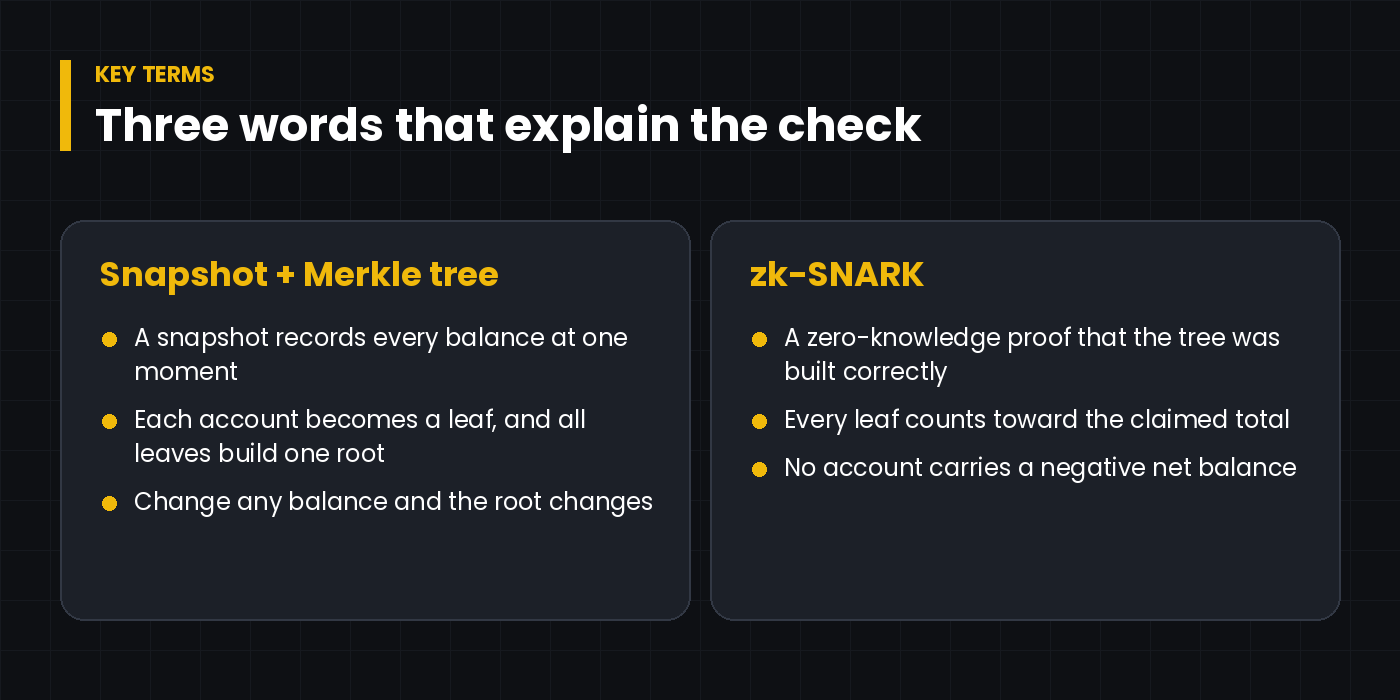
Snapshot: a record of every user balance at one exact moment
Merkle tree: each account becomes a leaf, and all leaves are combined into one root. If any balance changes, the root changes
zk-SNARK: a zero-knowledge proof that the tree was built correctly, that every leaf counts toward the claimed total, and that no account has a negative net balance
03: Step-by-Step: Check Your Balance
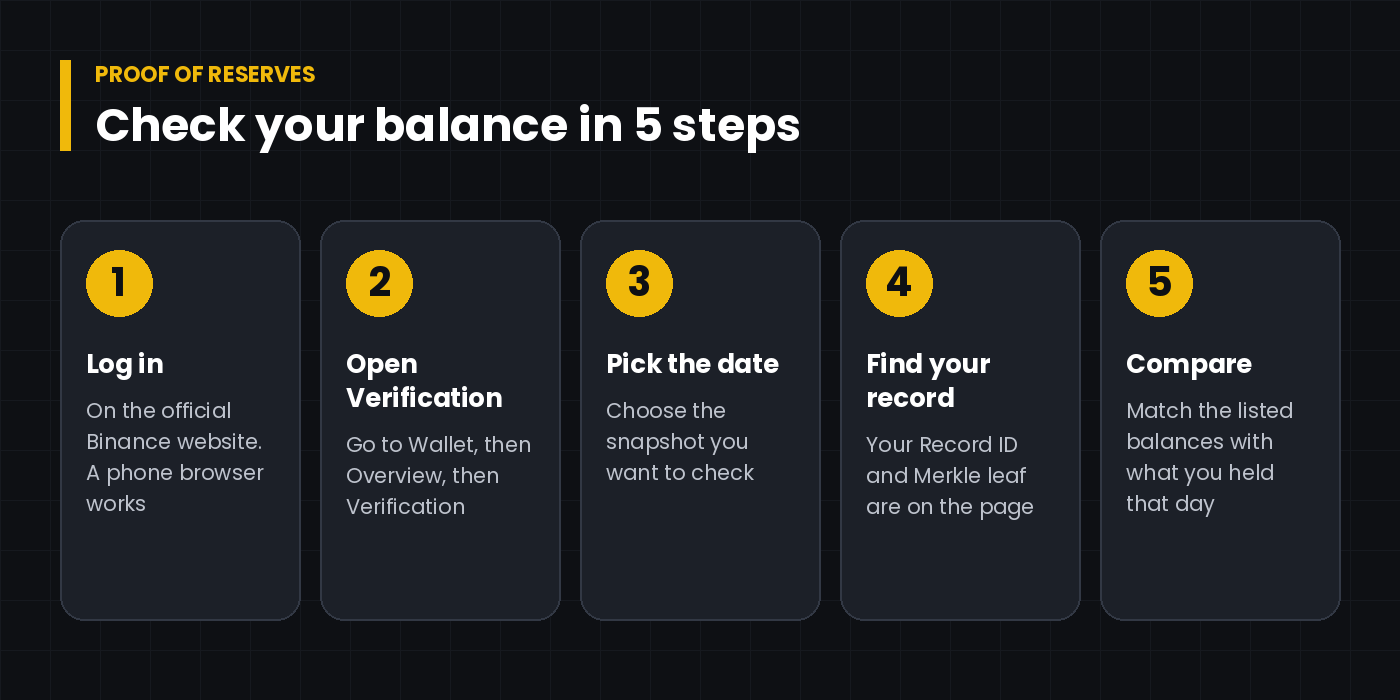
Log in on the official Binance website. A phone browser works.
Open Wallet, then Overview, then Verification.
Select the verification date you want to check.
Find your Record ID and Merkle leaf on the page.
Compare the balances listed for that date with what you held at that time.
Nothing in these steps asks you to send funds, share a password, or give your details to another person. If a message or website asks for that in the name of verification, it is a scam.
04: Go Further: Verify It Independently
The page in your account is the easy check. For a deeper check, copy your Merkle leaf and test it against the published Merkle root for the same snapshot. Binance has released open-source code for this, so anyone can confirm that their leaf is part of the tree and that the zero-knowledge proof is valid. The Merkle leaf is a hash, so it does not reveal your balance.
05: What the Result Proves, and What It Does Not
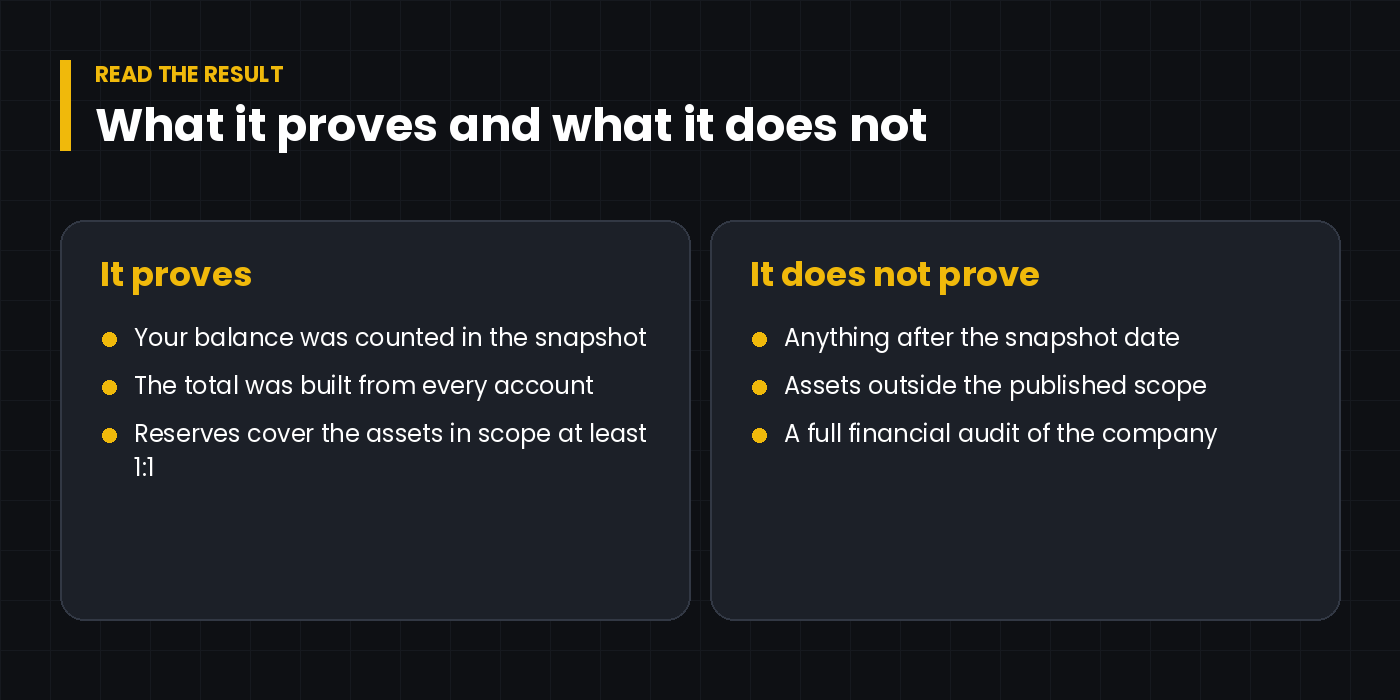
A successful check proves that your balance was included in the snapshot, that the total was built from every account, and that reserves covered the assets in scope at least 1:1 at that moment.
It does not prove anything about the days after the snapshot. It covers only the assets in the published scope. It is also not a full financial audit of the company. This is why I repeat the check with each new snapshot instead of doing it once.
06: Good Habits After the Check
Repeat the check when a new snapshot is published
Keep your own record of the date and result
Protect the account itself with strong 2FA, an Anti-Phishing Code and a withdrawal whitelist
Bottom Line
Trust is stronger when you can test it. The check takes a few minutes, it needs no special tools for the basic version, and it keeps your details private. Run it once, and you will know how to do it every time.
Have you checked your own balance yet? Tell me in the comments if any step was unclear.
#ProofOfReserves #BinanceSecurity #SAFU #CryptoSafety #Jxlolo