𝗛𝗼𝘄 𝗧𝗼 𝗧𝗲𝗹𝗹 𝗪𝗵𝗲𝘁𝗵𝗲𝗿 𝗮 𝗧𝗢𝗡 𝗧𝗼𝗸𝗲𝗻 𝗜𝘀 𝗔𝗰𝘁𝘂𝗮𝗹𝗹𝘆 𝗧𝗿𝗮𝗱𝗮𝗯𝗹𝗲
Seeing a token on TON doesn’t automatically mean there is a usable market for it.
Before swapping, I’d check five things:
𝗣𝗿𝗲𝗳𝗶𝗴𝗵𝘁 𝗖𝗼𝗻𝘁𝗿𝗮𝗰𝘁
Verify the token’s contract address from an official project source. Don’t rely on the name, ticker, or logo alone.
𝗣𝗼𝗼𝗹 𝗘𝘅𝗶𝘀𝘁𝘀
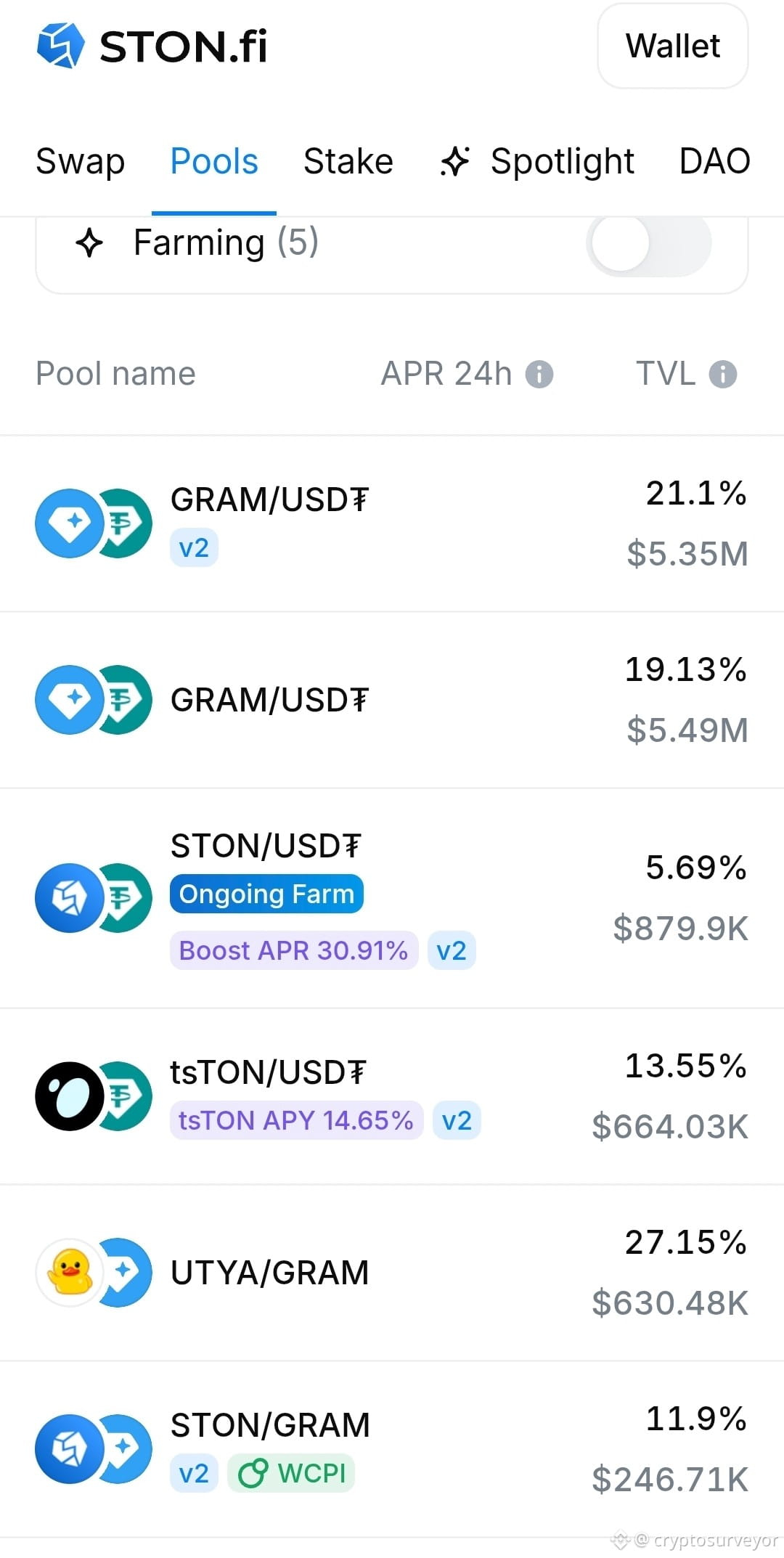
Search the token on STON.fi and check whether an actual liquidity pool exists.
𝗟𝗶𝗾𝘂𝗶𝗱𝗶𝘁𝘆 𝗠𝗮𝘁𝘁𝗲𝗿𝘀
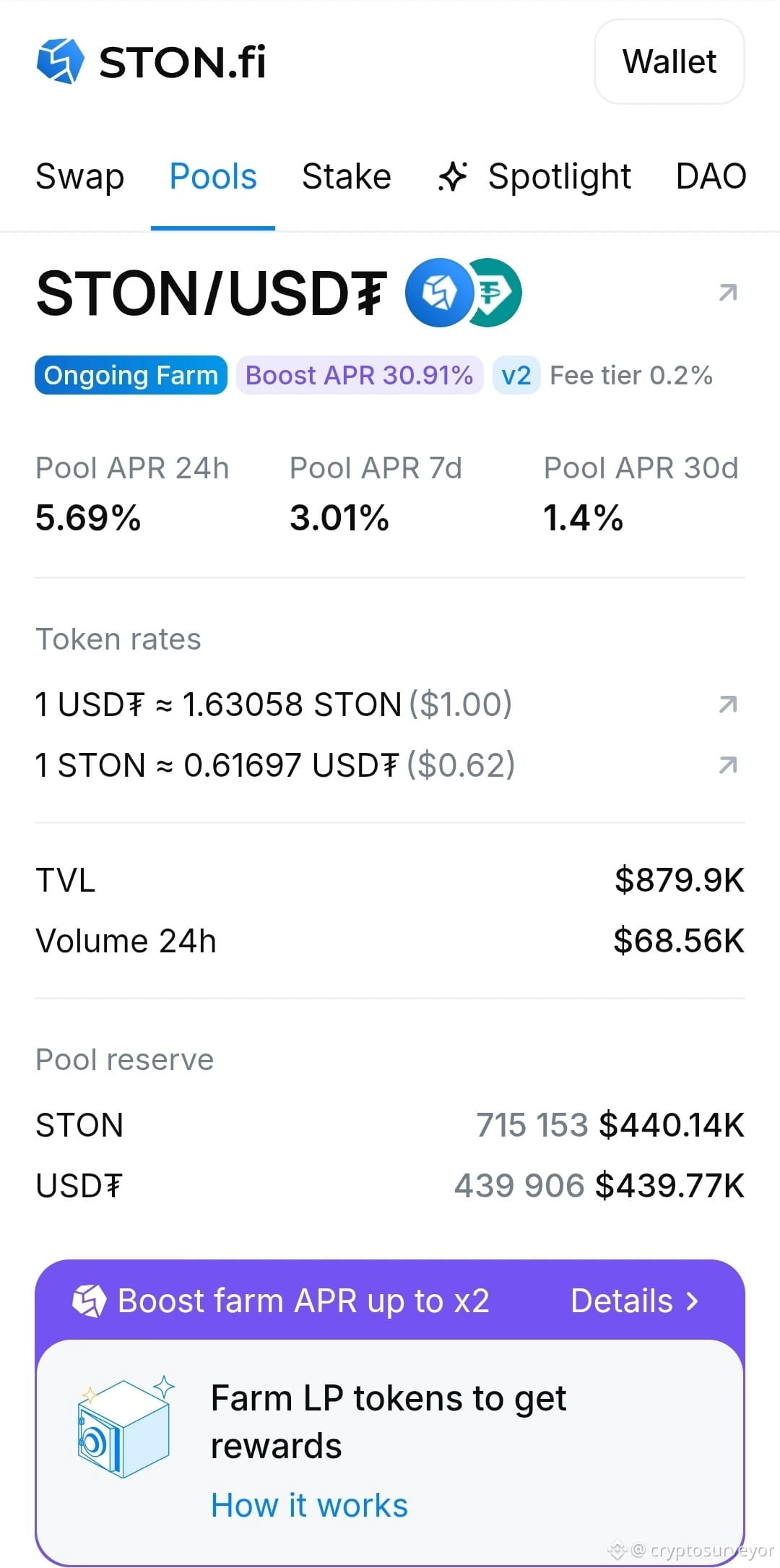
Look at TVL, swap volume, and the token balances in the pool. A pool with very little liquidity can make even a modest trade move the price significantly.
𝗣𝗿𝗶𝗰𝗲 𝗜𝗺𝗽𝗮𝗰𝘁
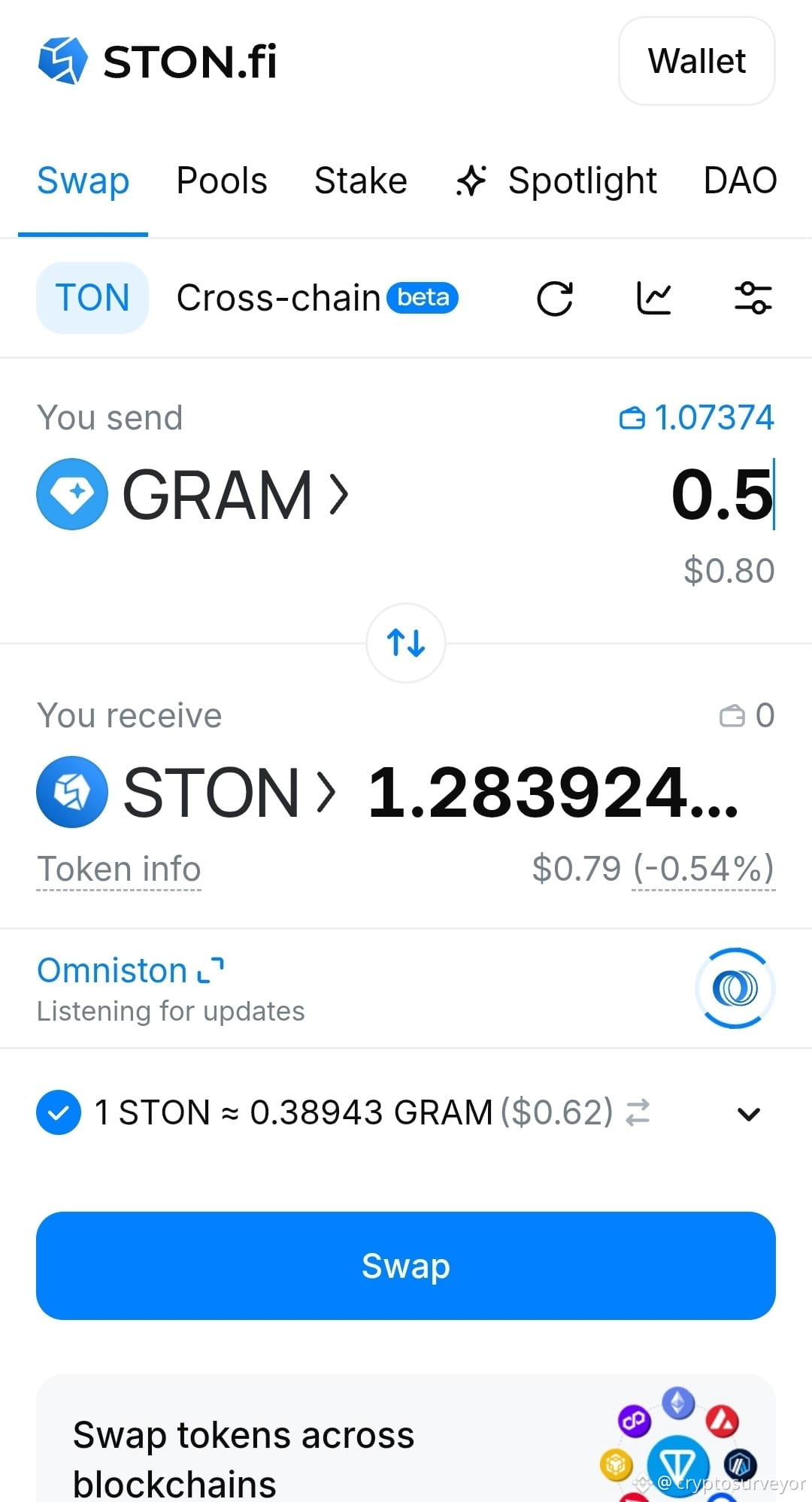
Enter the amount you actually intend to trade and generate a quote. STON.fi shows price impact before confirmation. Larger trades relative to pool liquidity generally create greater price impact.
𝗪𝗮𝗿𝗻𝗶𝗻𝗴𝘀
Check for interface labels such as Fake, Honeypot, Taxable, Suspicious, or DMCA Notice. These labels provide important context about the token's characteristics; some categories are restricted from swapping through the STON.fi interface.
𝗦𝗧𝗢𝗡.𝗳𝗶 𝗪𝗮𝗹𝗸𝘁𝗵𝗿𝗼𝘂𝗴𝗵:
Contract → Pool → TVL/Volume → Trade-size quote → Price Impact → Warnings → Confirm
The key point:
𝗔 𝘁𝗼𝗸𝗲𝗻 𝗯𝗲𝗶𝗻𝗴 𝗽𝗿𝗲𝘀𝗲𝗻𝘁 𝗼𝗻 𝗮 𝗗𝗘𝗫 𝗱𝗼𝗲𝘀𝗻’𝘁 𝘁𝗲𝗹𝗹 𝘆𝗼𝘂 𝗵𝗼𝘄 𝗹𝗶𝗾𝘂𝗶𝗱 𝗼𝗿 𝘀𝗮𝗳𝗲 𝗶𝘁 𝗶𝘀.
Check the market before you check the “Swap” button.
Seeing a token on TON doesn’t automatically mean there is a usable market for it.
Before swapping, I’d check five things:
𝗣𝗿𝗲𝗳𝗶𝗴𝗵𝘁 𝗖𝗼𝗻𝘁𝗿𝗮𝗰𝘁
Verify the token’s contract address from an official project source. Don’t rely on the name, ticker, or logo alone.
𝗣𝗼𝗼𝗹 𝗘𝘅𝗶𝘀𝘁𝘀
Search the token on STON.fi and check whether an actual liquidity pool exists.
𝗟𝗶𝗾𝘂𝗶𝗱𝗶𝘁𝘆 𝗠𝗮𝘁𝘁𝗲𝗿𝘀
Look at TVL, swap volume, and the token balances in the pool. A pool with very little liquidity can make even a modest trade move the price significantly.
𝗣𝗿𝗶𝗰𝗲 𝗜𝗺𝗽𝗮𝗰𝘁
Enter the amount you actually intend to trade and generate a quote. STON.fi shows price impact before confirmation. Larger trades relative to pool liquidity generally create greater price impact.
𝗪𝗮𝗿𝗻𝗶𝗻𝗴𝘀
Check for interface labels such as Fake, Honeypot, Taxable, Suspicious, or DMCA Notice. These labels provide important context about the token's characteristics; some categories are restricted from swapping through the STON.fi interface.
𝗦𝗧𝗢𝗡.𝗳𝗶 𝗪𝗮𝗹𝗸𝘁𝗵𝗿𝗼𝘂𝗴𝗵:
Contract → Pool → TVL/Volume → Trade-size quote → Price Impact → Warnings → Confirm
The key point:
𝗔 𝘁𝗼𝗸𝗲𝗻 𝗯𝗲𝗶𝗻𝗴 𝗽𝗿𝗲𝘀𝗲𝗻𝘁 𝗼𝗻 𝗮 𝗗𝗘𝗫 𝗱𝗼𝗲𝘀𝗻’𝘁 𝘁𝗲𝗹𝗹 𝘆𝗼𝘂 𝗵𝗼𝘄 𝗹𝗶𝗾𝘂𝗶𝗱 𝗼𝗿 𝘀𝗮𝗳𝗲 𝗶𝘁 𝗶𝘀.
Check the market before you check the “Swap” button.