
Abhishek Baruri
3.6k ໂພສ

Abhishek Baruri
369800
ເປີດການຊື້ຂາຍ
ຜູ້ຊື້ຂາຍປະຈໍາ
1.9 ປີ
2.9K+ ກໍາລັງຕິດຕາມ
639 ຜູ້ຕິດຕາມ
159 Liked
ໂພສ
Portfolio
ທັງໝົດ
ວົງຢືມ
ຖ່າຍທອດສົດ
ປັກໝຸດ
ເບິ່ງການແປ
NVDAUS-2,13%
ເບິ່ງການແປ


Binance Square Official
·
--
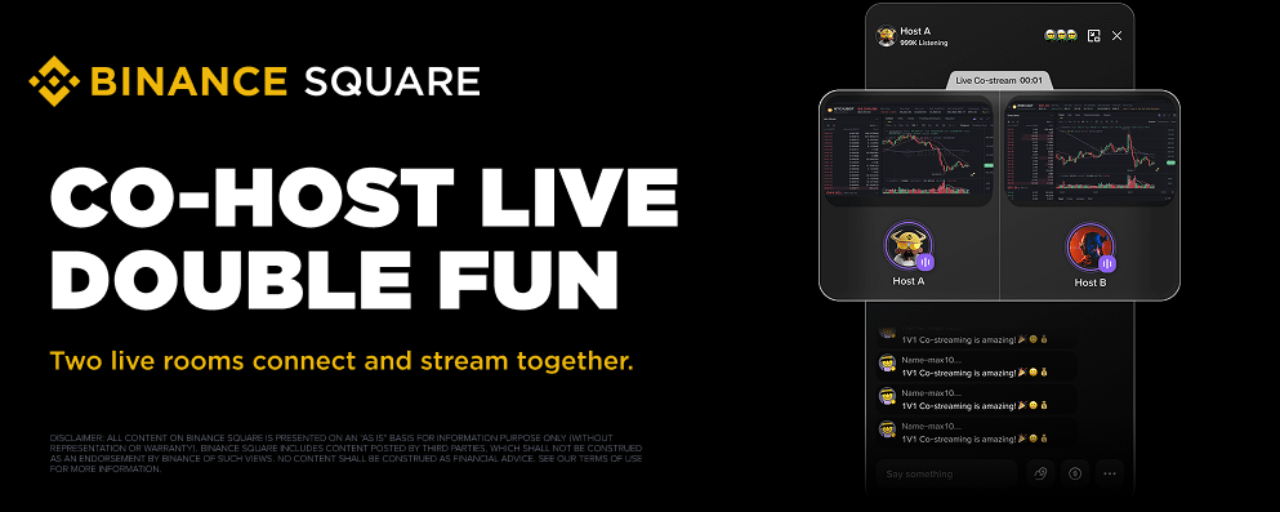
Binance Square Live Co-stream: Awọn Agbalejo Meji, Iboju Ọkan, Diẹ̀ Láti Wo
Live Co-stream jẹ́ ìṣẹ̀lẹ̀ ìbánisọ̀rọ̀ ní àkókò gidi fún Binance Square Live. Awọn agbalejo lè pe agbalejo alààyè míì láti co-stream — nígbà tí wọ́n bá gba, gbogbo wọn yóò farahàn lójú iboju pọ̀, nígbà tí ìjíròrò náà kọjá ju yara kan lọ. Ṣe imudojuiwọn ohun elo rẹ sí ẹya tuntun (V3.16.0 tàbí tuntun) láti gbádùn àwọn iṣẹ́ tuntun yìí.
Awọn Akopọ
Ọmọ-ogun Meji, Ibi-itage Ọkan
Lọ laaye pọ si kọja awọn yara — paarọ awọn ìpàdé, fọ ọja, tàbí kàn jẹ́ kí ìbámuṣiṣẹ́-ara náà rọ̀ nípa. Co-streaming yí ìtànran adáni kan padà sí ìjíròrò alààyè tó tọ́ sí wíwo.
Awọn Akopọ
Ọmọ-ogun Meji, Ibi-itage Ọkan
Lọ laaye pọ si kọja awọn yara — paarọ awọn ìpàdé, fọ ọja, tàbí kàn jẹ́ kí ìbámuṣiṣẹ́-ara náà rọ̀ nípa. Co-streaming yí ìtànran adáni kan padà sí ìjíròrò alààyè tó tọ́ sí wíwo.
ເບິ່ງການແປ

Binance TG Community
·
--
ສັນຍານກະທິງBringing real assets into the digital economy.
#FOMCWatch #BinanceSquareTG
$BNB
#FOMCWatch #BinanceSquareTG
$BNB


TermMax
·
--
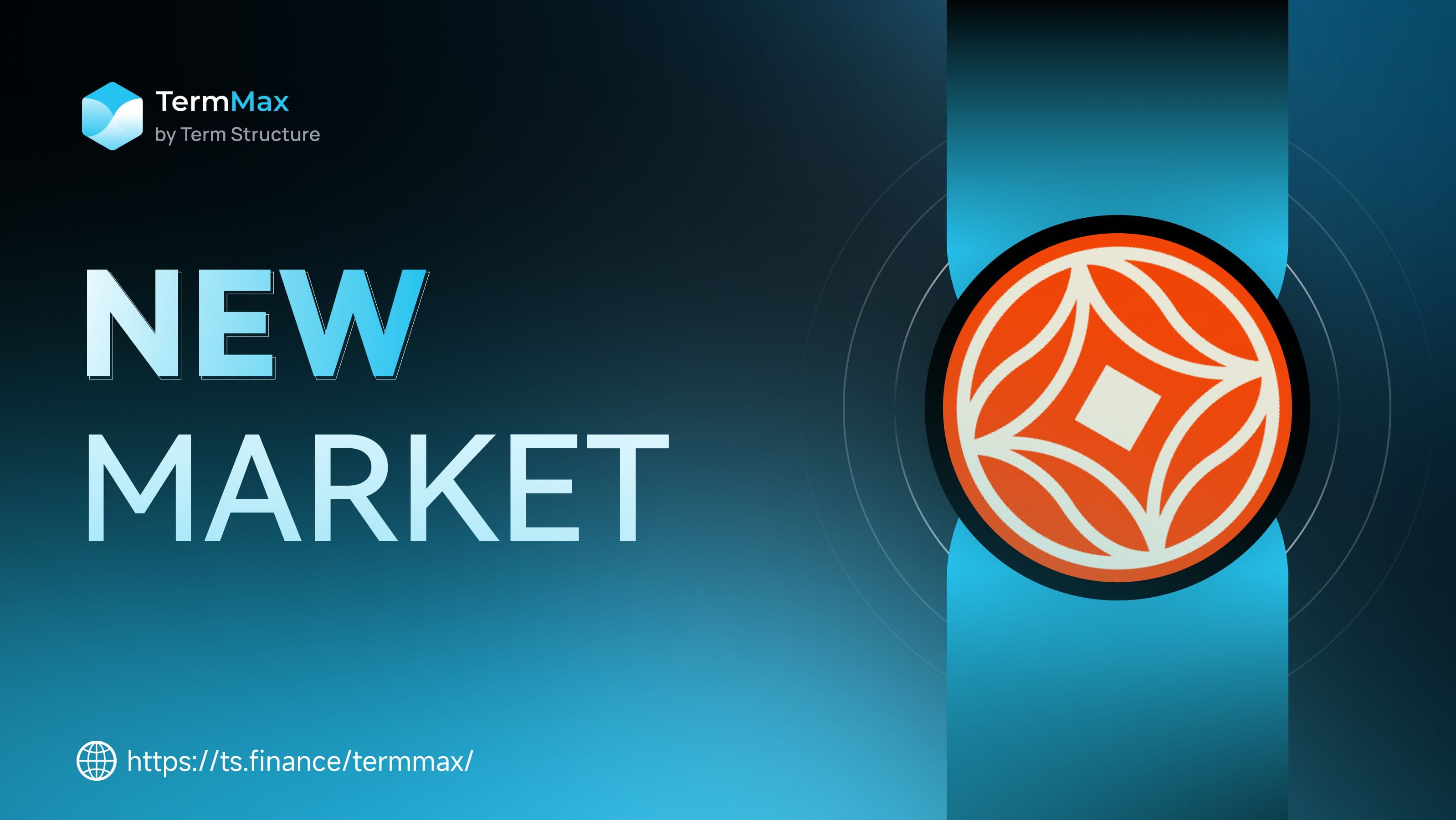
$BOB 和 $GAIB 已在 TermMax Alpha 上架!
💹 看多看空随心选:无清算风险,最大损失仅为保费
🤑 稳健收益:存入 USDT 或代币,赚取 ~50% APY + 60倍 XP 每日积分
零清算,纯期权,Binance Alpha 生态最安全的槓杆选择 🛡️
立即前往 TermMax 官网体验
💹 看多看空随心选:无清算风险,最大损失仅为保费
🤑 稳健收益:存入 USDT 或代币,赚取 ~50% APY + 60倍 XP 每日积分
零清算,纯期权,Binance Alpha 生态最安全的槓杆选择 🛡️
立即前往 TermMax 官网体验
ເບິ່ງການແປ
Binance Square Official
·
--
Ibahagi ang bStocks & TradFi Futures Trading, Kumuha ng Bahagi ng 20,000 USDC Rewards
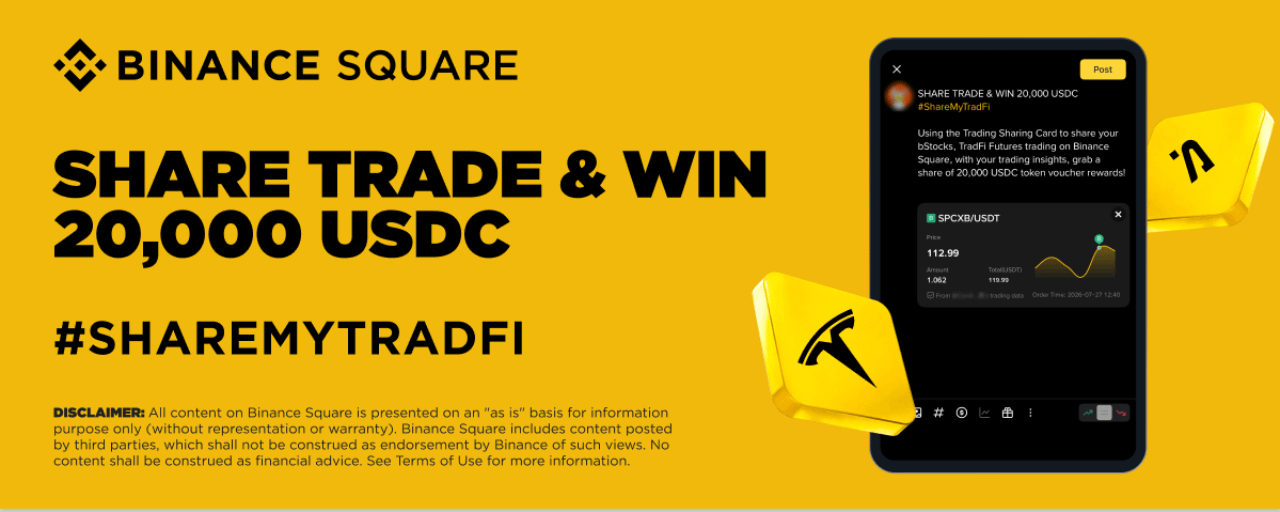
Masaya ang Binance Square na ipakilala ang isang bagong kampanya. Gamit ang Trading Sharing Card widget para ibahagi ang iyong bStocks at/o TradFi Futures trading sa Binance Square, kasama ang iyong mga trading insight, para makakuha ng bahagi ng hanggang 20,000 USDC token voucher rewards!
Panahon ng Aktibidad: 2026-07-28 12:00 (UTC) - 2026-08-05 23:59 (UTC)
Pamamahagi ng Token Rewards: bago ang 2026-08-26
Paano Makilahok:
Sundin ang mga hakbang sa ibaba at ibahagi ang iyong bStocks at/o TradFi Futures trading sa Binance Square kasama ang mga insight.
Hakbang 1: Buksan ang Post Editor at i-tap ang [Add Trades].
Panahon ng Aktibidad: 2026-07-28 12:00 (UTC) - 2026-08-05 23:59 (UTC)
Pamamahagi ng Token Rewards: bago ang 2026-08-26
Paano Makilahok:
Sundin ang mga hakbang sa ibaba at ibahagi ang iyong bStocks at/o TradFi Futures trading sa Binance Square kasama ang mga insight.
Hakbang 1: Buksan ang Post Editor at i-tap ang [Add Trades].
ເບິ່ງການແປ
ເບິ່ງການແປ
Binance Square Official
·
--
Binance Square Live Co-stream: Awọn Agbalejo Meji, Iboju Ọkan, Diẹ̀ Láti Wo
Live Co-stream jẹ́ ìṣẹ̀lẹ̀ ìbánisọ̀rọ̀ ní àkókò gidi fún Binance Square Live. Awọn agbalejo lè pe agbalejo alààyè míì láti co-stream — nígbà tí wọ́n bá gba, gbogbo wọn yóò farahàn lójú iboju pọ̀, nígbà tí ìjíròrò náà kọjá ju yara kan lọ. Ṣe imudojuiwọn ohun elo rẹ sí ẹya tuntun (V3.16.0 tàbí tuntun) láti gbádùn àwọn iṣẹ́ tuntun yìí.
Awọn Akopọ
Ọmọ-ogun Meji, Ibi-itage Ọkan
Lọ laaye pọ si kọja awọn yara — paarọ awọn ìpàdé, fọ ọja, tàbí kàn jẹ́ kí ìbámuṣiṣẹ́-ara náà rọ̀ nípa. Co-streaming yí ìtànran adáni kan padà sí ìjíròrò alààyè tó tọ́ sí wíwo.
Awọn Akopọ
Ọmọ-ogun Meji, Ibi-itage Ọkan
Lọ laaye pọ si kọja awọn yara — paarọ awọn ìpàdé, fọ ọja, tàbí kàn jẹ́ kí ìbámuṣiṣẹ́-ara náà rọ̀ nípa. Co-streaming yí ìtànran adáni kan padà sí ìjíròrò alààyè tó tọ́ sí wíwo.
Binance Square Official
·
--
Ibahagi ang bStocks & TradFi Futures Trading, Kumuha ng Bahagi ng 20,000 USDC Rewards
Masaya ang Binance Square na ipakilala ang isang bagong kampanya. Gamit ang Trading Sharing Card widget para ibahagi ang iyong bStocks at/o TradFi Futures trading sa Binance Square, kasama ang iyong mga trading insight, para makakuha ng bahagi ng hanggang 20,000 USDC token voucher rewards!
Panahon ng Aktibidad: 2026-07-28 12:00 (UTC) - 2026-08-05 23:59 (UTC)
Pamamahagi ng Token Rewards: bago ang 2026-08-26
Paano Makilahok:
Sundin ang mga hakbang sa ibaba at ibahagi ang iyong bStocks at/o TradFi Futures trading sa Binance Square kasama ang mga insight.
Hakbang 1: Buksan ang Post Editor at i-tap ang [Add Trades].
Panahon ng Aktibidad: 2026-07-28 12:00 (UTC) - 2026-08-05 23:59 (UTC)
Pamamahagi ng Token Rewards: bago ang 2026-08-26
Paano Makilahok:
Sundin ang mga hakbang sa ibaba at ibahagi ang iyong bStocks at/o TradFi Futures trading sa Binance Square kasama ang mga insight.
Hakbang 1: Buksan ang Post Editor at i-tap ang [Add Trades].

ເບິ່ງການແປ
ເບິ່ງການແປ

ເບິ່ງການແປ
Binance Square Official
·
--
How to Use Live Trading Hub: Trade Live, Trade Social
What is Live Trading Hub?
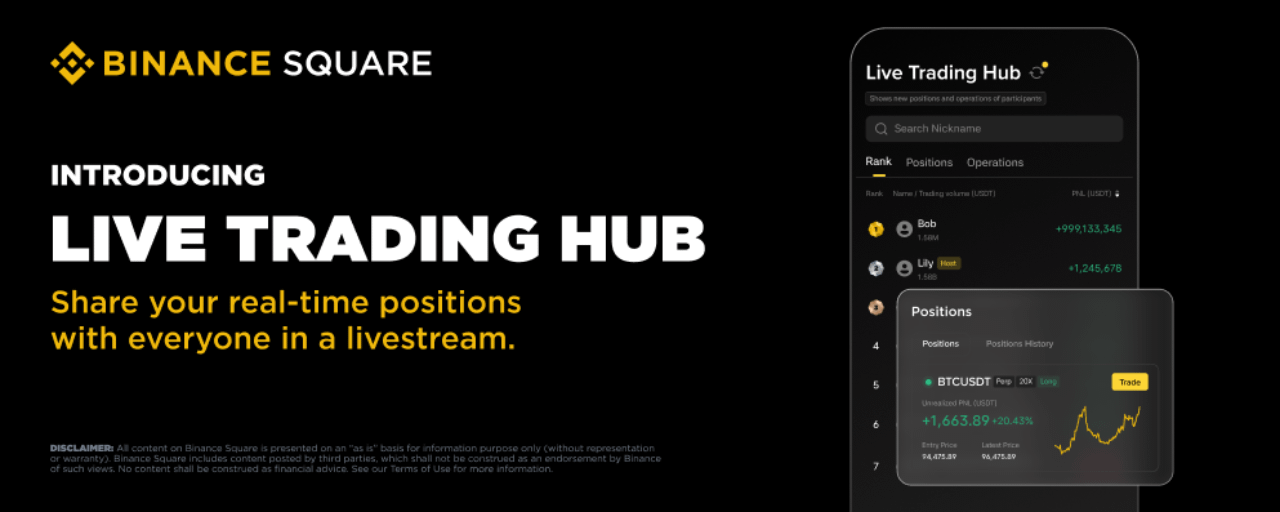
Live Trading Hub is a new social trading feature in Binance Square Live. Once a streamer enables it, viewers can join and publicly share their real-time trading data — positions, PnL, and trade activity — all displayed on a live leaderboard.
Note: Currently only supports USDT-M Delivery Futures data. This feature may not be available in your region.
For Streamers: How to Enable Live Trading Hub
1. Set Up Before Going Live
Open the broadcast editor (available for audio livestreams, video livestreams and third-party streaming)Toggle on [Live Trading Hub] and choose a mode:
New Positions (default): Only shows positions opened after joiningAll Positions: Shows all current open positions plus new ones
Tap [Save]
Note: The streamer is automatically added to the leaderboard once enabled. If they have no trading activity, their ranking will simply appear blank.
2. Enable During a Live Stream
You can also enable it mid-stream: tap the [Live Trading Hub] button in the bottom toolbar, select a mode, and save.
3. Manage Participants
Tap the [Live Trading Hub] button to open the leaderboard. From here you can:
View participant data: Rankings, PnL, and trade volume update in real time. Tap any user to see their positions and trade details.
Remove a participant: Tap a user and select "Remove". Once removed, they cannot rejoin this live session.
4. End the Session
Tap [End Live Trading Hub] on the leaderboard and confirm. All participants' trading data will stop being displayed and the dashboard will close. You can start a new session anytime from the toolbar.
For Viewers: How to Join Live Trading Hub
1. Find a Live Trading Hub Stream
Streams with Live Trading Hub active are tagged with "Online · X Trading" on the live card.
Once inside, tap the [Live Trading Hub] widget to open the leaderboard.
2. Participate
Tap [Join] at the bottom of the leaderboard and confirm.
Please note:
Your account balance must be above 10 USDTYou can only join one Live Trading Hub session at a time — joining a new one will automatically exit the previous oneEach session has a cap of 100 participants
3. View Live Trading Performance
The dashboard has three tabs:
Leaderboard: All participants ranked by PnL. Tap any user to view their positions or trade history.Positions: View open positions (sorted by PnL) and closed positions (sorted by time).Trade Activity: Real-time feed of all buy/sell actions.
A yellow dot on the refresh button means new data is available.
You can also search for a specific user by nickname.
4. Exit
Tap [Exit Live Trading Hub] at the bottom of the dashboard. Your data will no longer be visible to others, but you can rejoin anytime.
FAQ
Q1: Will Live Trading Hub expose all my trading data?
No personal data is included. Only USDT-M Delivery Futures data is shown. What's visible depends on the streamer's chosen mode — "New Positions" only shows trades made after you joined, while "All Positions" includes your existing positions.
Q2: Can I join multiple sessions in different live room at once?
No. You can only be in one session at a time. Joining a new one automatically exits the previous one.
Q3: What happens if I leave the live stream?
Leaving the stream counts as exiting Live Trading Hub (picture-in-picture mode does not). Your data will no longer be displayed.
Q4:Why can't I join?
Possible reasons:
account balance below 10 USDT you've been removed or blocked by the streamerthe session is full (100 participants)you're currently in another session
Q5: What does the ranking show?
Participants are ranked by PnL (USDT) from high to low by default. You can toggle the sort order. Your own ranking is highlighted for easy reference.
Q6: How often is the data updated?
The system checks for updates every 30 seconds. A yellow dot on the refresh button indicates new data is available — tap to refresh manually.
Q7: Can I still see data after the streamer ends the session?
No. Once ended, all dashboards close and previous data is no longer accessible.
Q8: Eligibility to be a streamer
Livestream access is unlocked automatically once you reach 1,000 Binance Square followers.
If you have not yet met the follower requirement but already have livestreaming experience or a strong content creation background, you can apply for livestream access through our survey (Approved applicants will be contacted via DM).
Live Trading Hub is a new social trading feature in Binance Square Live. Once a streamer enables it, viewers can join and publicly share their real-time trading data — positions, PnL, and trade activity — all displayed on a live leaderboard.
Note: Currently only supports USDT-M Delivery Futures data. This feature may not be available in your region.
For Streamers: How to Enable Live Trading Hub
1. Set Up Before Going Live
Open the broadcast editor (available for audio livestreams, video livestreams and third-party streaming)Toggle on [Live Trading Hub] and choose a mode:
New Positions (default): Only shows positions opened after joiningAll Positions: Shows all current open positions plus new ones
Tap [Save]
Note: The streamer is automatically added to the leaderboard once enabled. If they have no trading activity, their ranking will simply appear blank.
2. Enable During a Live Stream
You can also enable it mid-stream: tap the [Live Trading Hub] button in the bottom toolbar, select a mode, and save.
3. Manage Participants
Tap the [Live Trading Hub] button to open the leaderboard. From here you can:
View participant data: Rankings, PnL, and trade volume update in real time. Tap any user to see their positions and trade details.
Remove a participant: Tap a user and select "Remove". Once removed, they cannot rejoin this live session.
4. End the Session
Tap [End Live Trading Hub] on the leaderboard and confirm. All participants' trading data will stop being displayed and the dashboard will close. You can start a new session anytime from the toolbar.
For Viewers: How to Join Live Trading Hub
1. Find a Live Trading Hub Stream
Streams with Live Trading Hub active are tagged with "Online · X Trading" on the live card.
Once inside, tap the [Live Trading Hub] widget to open the leaderboard.
2. Participate
Tap [Join] at the bottom of the leaderboard and confirm.
Please note:
Your account balance must be above 10 USDTYou can only join one Live Trading Hub session at a time — joining a new one will automatically exit the previous oneEach session has a cap of 100 participants
3. View Live Trading Performance
The dashboard has three tabs:
Leaderboard: All participants ranked by PnL. Tap any user to view their positions or trade history.Positions: View open positions (sorted by PnL) and closed positions (sorted by time).Trade Activity: Real-time feed of all buy/sell actions.
A yellow dot on the refresh button means new data is available.
You can also search for a specific user by nickname.
4. Exit
Tap [Exit Live Trading Hub] at the bottom of the dashboard. Your data will no longer be visible to others, but you can rejoin anytime.
FAQ
Q1: Will Live Trading Hub expose all my trading data?
No personal data is included. Only USDT-M Delivery Futures data is shown. What's visible depends on the streamer's chosen mode — "New Positions" only shows trades made after you joined, while "All Positions" includes your existing positions.
Q2: Can I join multiple sessions in different live room at once?
No. You can only be in one session at a time. Joining a new one automatically exits the previous one.
Q3: What happens if I leave the live stream?
Leaving the stream counts as exiting Live Trading Hub (picture-in-picture mode does not). Your data will no longer be displayed.
Q4:Why can't I join?
Possible reasons:
account balance below 10 USDT you've been removed or blocked by the streamerthe session is full (100 participants)you're currently in another session
Q5: What does the ranking show?
Participants are ranked by PnL (USDT) from high to low by default. You can toggle the sort order. Your own ranking is highlighted for easy reference.
Q6: How often is the data updated?
The system checks for updates every 30 seconds. A yellow dot on the refresh button indicates new data is available — tap to refresh manually.
Q7: Can I still see data after the streamer ends the session?
No. Once ended, all dashboards close and previous data is no longer accessible.
Q8: Eligibility to be a streamer
Livestream access is unlocked automatically once you reach 1,000 Binance Square followers.
If you have not yet met the follower requirement but already have livestreaming experience or a strong content creation background, you can apply for livestream access through our survey (Approved applicants will be contacted via DM).
ເຂົ້າສູ່ລະບົບເພື່ອສຳຫຼວດເນື້ອຫາເພີ່ມເຕີມ