

Binance Security
105 ໂພສ

Binance Security
 ບັນຊີທີ່ຮອງຮັບຈາກ Binance ເປັນທາງການ
ລາຍງານ
Binance Security Team
1 ກໍາລັງຕິດຕາມ
4.4K+ ຜູ້ຕິດຕາມ
1.4K+ Liked
ໂພສ
ທັງໝົດ
ວົງຢືມ
ປັກໝຸດ
📣✨ Introducing Binance Verify - Your Tool to Verify Authenticity.
🔍 Binance Verify helps you quickly check if an account or contact is truly official with 4️⃣ simple steps:
1. Select the right category from the drop-down menu (choosing an incorrect category may affect the verification result)
2. Enter a URL, email, phone number, telegram username, or other social media handle you want to verify
3. Hit the "Search" button
4. View the verification result instantly in the pop-up window
🔗Try [Binance Verify](https://www.binance.com/en/official-verification) today!
For more security tips and updates, follow us!
#binanceverify #CryptoSafety #Binancesecurity 🙏
📣✨ Introducing Binance Verify - Your Tool to Verify Authenticity.
🔍 Binance Verify helps you quickly check if an account or contact is truly official with 4️⃣ simple steps:
1. Select the right category from the drop-down menu (choosing an incorrect category may affect the verification result)
2. Enter a URL, email, phone number, telegram username, or other social media handle you want to verify
3. Hit the "Search" button
4. View the verification result instantly in the pop-up window
🔗Try Binance Verify today!
For more security tips and updates, follow us!
#binanceverify #CryptoSafety #Binancesecurity 🙏
🔍 Binance Verify helps you quickly check if an account or contact is truly official with 4️⃣ simple steps:
1. Select the right category from the drop-down menu (choosing an incorrect category may affect the verification result)
2. Enter a URL, email, phone number, telegram username, or other social media handle you want to verify
3. Hit the "Search" button
4. View the verification result instantly in the pop-up window
🔗Try Binance Verify today!
For more security tips and updates, follow us!
#binanceverify #CryptoSafety #Binancesecurity 🙏
9
17
144
130.4k
ບົດຄວາມ
The Login Was Real. The App Wasn’t. How Malicious Apps Exploit Genuine Google and Microsoft Sign-InsA real identity-provider login can still lead to a dangerous app permission request.
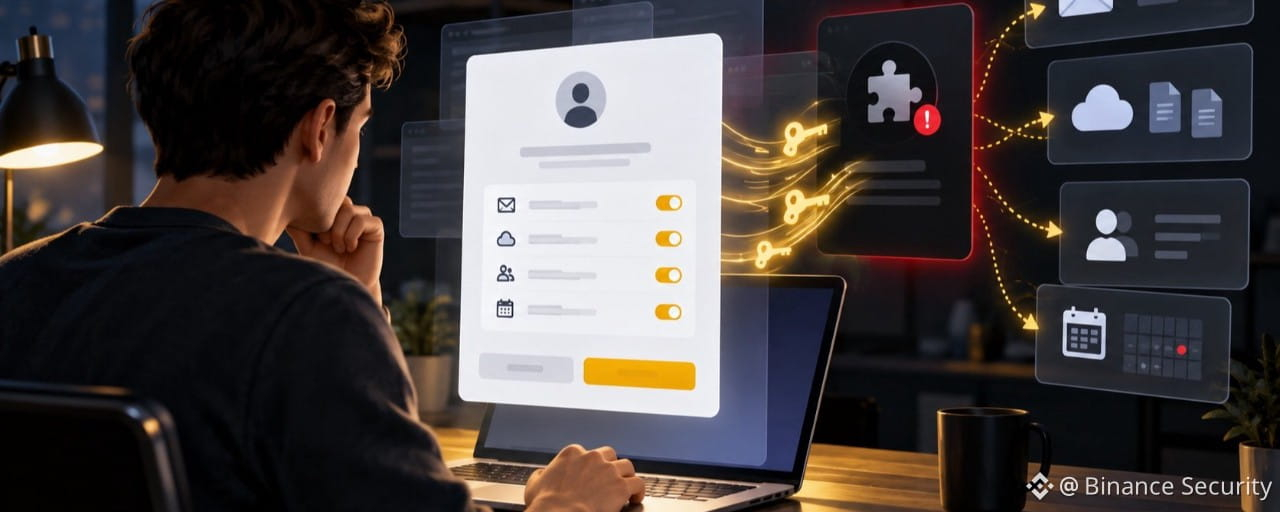
Not every phishing attack uses a fake login page. In a consent phishing attack, you may sign in through a genuine Google or Microsoft page. Your password works normally, and multi-factor authentication may complete successfully.
The danger appears next: an unfamiliar app asks for permission to read your email, view your files, access your contacts, or keep accessing your account when you are not using it. If you select Allow or Accept, you may give an attacker access without ever revealing your password.
This attack is often called OAuth consent phishing. The name sounds technical, but the trick is simple: the attacker does not steal your login. They persuade you to approve their app.
How the Attack Works
The lure arrives.
You receive a link through email, a message, a calendar invitation, a shared document, or a collaboration platform.
The request feels routine.
It asks you to review a file, join a meeting, sign a document, or convert a PDF.
The login page is real.
You are redirected to a genuine Google or Microsoft sign-in page. The familiar design, correct web address, and normal multi-factor prompt make the process feel safe.
The app asks for permission.
After you sign in, a third-party app requests access to your account. Its name and icon may look ordinary or imitate a real service.
The access is broader than expected.
The app may ask to read email, view or edit cloud files, access contacts, or retain access after you close the browser.
One click completes the attack.
When you select Allow or Accept, the app receives permission to act within the access you approved. That access may continue until you remove the app.
The Permission Screen Is the Real Security Check
Signing in proves who you are. Granting consent decides what the app is allowed to do. A genuine accounts.google.com or login.microsoftonline.com page can display a genuine permission request for an app that should not be trusted. The web address alone is therefore not enough.
Ask three questions before continuing:
Which app is asking? Who published it? Why does it need each permission?
Why This Matters for Crypto Users
A malicious app may not directly control your Binance account. However, email and cloud access can give an attacker the information and recovery channels needed for a more targeted attack.
Depending on the permissions granted, the app may expose:
- Security alerts and account notifications
- Support conversations and recovery messages
- Personal or financial documents stored in the cloud
- Contacts who may trust messages sent in your name
- Details about other services and accounts you use
How to Stay SAFU
Read before you allow.
Treat the permission page as a security decision, not a routine step to click through.
Check the app and publisher.
A familiar-sounding name is not proof that the app belongs to the company it claims to represent. Look for publisher details and verification information where available.
Match the permission to the purpose.
A PDF tool should not need broad access to your email or cloud files. A meeting tool should not need full access to every file in your cloud drive.
Be cautious with unexpected requests.
If a file, meeting, or tool was not expected, confirm it with the sender through a separate channel before continuing.
Do not let urgency decide.
Messages claiming that access will expire, or that an account requires immediate review, are designed to rush you past the permission list.
Review connected apps regularly.
Remove apps you do not recognize, no longer use, or cannot clearly explain.
Already Clicked Allow? Act Quickly
Remove the app’s access from your Google or Microsoft account immediately. Then review recent account activity, signed-in devices, active sessions, mailbox forwarding rules, and any security changes you did not make. If you entered your password anywhere other than the genuine identity-provider page, change it from a trusted device.
Final Reminder
A genuine login page only proves that the identity provider is real. It does not prove that the app requesting access is safe.
Pause at the permission screen, read what the app wants, and ask whether the access makes sense. The login can be real while the app behind it is not.
#Binancesecurity
The Login Was Real. The App Wasn’t. How Malicious Apps Exploit Genuine Google and Microsoft Sign-Ins
A real identity-provider login can still lead to a dangerous app permission request.
Not every phishing attack uses a fake login page. In a consent phishing attack, you may sign in through a genuine Google or Microsoft page. Your password works normally, and multi-factor authentication may complete successfully.
The danger appears next: an unfamiliar app asks for permission to read your email, view your files, access your contacts, or keep accessing your account when you are not using it. If you select Allow or Accept, you may give an attacker access without ever revealing your password.
This attack is often called OAuth consent phishing. The name sounds technical, but the trick is simple: the attacker does not steal your login. They persuade you to approve their app.
How the Attack Works
The lure arrives.
You receive a link through email, a message, a calendar invitation, a shared document, or a collaboration platform.
The request feels routine.
It asks you to review a file, join a meeting, sign a document, or convert a PDF.
The login page is real.
You are redirected to a genuine Google or Microsoft sign-in page. The familiar design, correct web address, and normal multi-factor prompt make the process feel safe.
The app asks for permission.
After you sign in, a third-party app requests access to your account. Its name and icon may look ordinary or imitate a real service.
The access is broader than expected.
The app may ask to read email, view or edit cloud files, access contacts, or retain access after you close the browser.
One click completes the attack.
When you select Allow or Accept, the app receives permission to act within the access you approved. That access may continue until you remove the app.
The Permission Screen Is the Real Security Check
Signing in proves who you are. Granting consent decides what the app is allowed to do. A genuine accounts.google.com or login.microsoftonline.com page can display a genuine permission request for an app that should not be trusted. The web address alone is therefore not enough.
Ask three questions before continuing:
Which app is asking? Who published it? Why does it need each permission?
Why This Matters for Crypto Users
A malicious app may not directly control your Binance account. However, email and cloud access can give an attacker the information and recovery channels needed for a more targeted attack.
Depending on the permissions granted, the app may expose:
- Security alerts and account notifications
- Support conversations and recovery messages
- Personal or financial documents stored in the cloud
- Contacts who may trust messages sent in your name
- Details about other services and accounts you use
How to Stay SAFU
Read before you allow.
Treat the permission page as a security decision, not a routine step to click through.
Check the app and publisher.
A familiar-sounding name is not proof that the app belongs to the company it claims to represent. Look for publisher details and verification information where available.
Match the permission to the purpose.
A PDF tool should not need broad access to your email or cloud files. A meeting tool should not need full access to every file in your cloud drive.
Be cautious with unexpected requests.
If a file, meeting, or tool was not expected, confirm it with the sender through a separate channel before continuing.
Do not let urgency decide.
Messages claiming that access will expire, or that an account requires immediate review, are designed to rush you past the permission list.
Review connected apps regularly.
Remove apps you do not recognize, no longer use, or cannot clearly explain.
Already Clicked Allow? Act Quickly
Remove the app’s access from your Google or Microsoft account immediately. Then review recent account activity, signed-in devices, active sessions, mailbox forwarding rules, and any security changes you did not make. If you entered your password anywhere other than the genuine identity-provider page, change it from a trusted device.
Final Reminder
A genuine login page only proves that the identity provider is real. It does not prove that the app requesting access is safe.
Pause at the permission screen, read what the app wants, and ask whether the access makes sense. The login can be real while the app behind it is not.
#Binancesecurity
Not every phishing attack uses a fake login page. In a consent phishing attack, you may sign in through a genuine Google or Microsoft page. Your password works normally, and multi-factor authentication may complete successfully.
The danger appears next: an unfamiliar app asks for permission to read your email, view your files, access your contacts, or keep accessing your account when you are not using it. If you select Allow or Accept, you may give an attacker access without ever revealing your password.
This attack is often called OAuth consent phishing. The name sounds technical, but the trick is simple: the attacker does not steal your login. They persuade you to approve their app.
How the Attack Works
The lure arrives.
You receive a link through email, a message, a calendar invitation, a shared document, or a collaboration platform.
The request feels routine.
It asks you to review a file, join a meeting, sign a document, or convert a PDF.
The login page is real.
You are redirected to a genuine Google or Microsoft sign-in page. The familiar design, correct web address, and normal multi-factor prompt make the process feel safe.
The app asks for permission.
After you sign in, a third-party app requests access to your account. Its name and icon may look ordinary or imitate a real service.
The access is broader than expected.
The app may ask to read email, view or edit cloud files, access contacts, or retain access after you close the browser.
One click completes the attack.
When you select Allow or Accept, the app receives permission to act within the access you approved. That access may continue until you remove the app.
The Permission Screen Is the Real Security Check
Signing in proves who you are. Granting consent decides what the app is allowed to do. A genuine accounts.google.com or login.microsoftonline.com page can display a genuine permission request for an app that should not be trusted. The web address alone is therefore not enough.
Ask three questions before continuing:
Which app is asking? Who published it? Why does it need each permission?
Why This Matters for Crypto Users
A malicious app may not directly control your Binance account. However, email and cloud access can give an attacker the information and recovery channels needed for a more targeted attack.
Depending on the permissions granted, the app may expose:
- Security alerts and account notifications
- Support conversations and recovery messages
- Personal or financial documents stored in the cloud
- Contacts who may trust messages sent in your name
- Details about other services and accounts you use
How to Stay SAFU
Read before you allow.
Treat the permission page as a security decision, not a routine step to click through.
Check the app and publisher.
A familiar-sounding name is not proof that the app belongs to the company it claims to represent. Look for publisher details and verification information where available.
Match the permission to the purpose.
A PDF tool should not need broad access to your email or cloud files. A meeting tool should not need full access to every file in your cloud drive.
Be cautious with unexpected requests.
If a file, meeting, or tool was not expected, confirm it with the sender through a separate channel before continuing.
Do not let urgency decide.
Messages claiming that access will expire, or that an account requires immediate review, are designed to rush you past the permission list.
Review connected apps regularly.
Remove apps you do not recognize, no longer use, or cannot clearly explain.
Already Clicked Allow? Act Quickly
Remove the app’s access from your Google or Microsoft account immediately. Then review recent account activity, signed-in devices, active sessions, mailbox forwarding rules, and any security changes you did not make. If you entered your password anywhere other than the genuine identity-provider page, change it from a trusted device.
Final Reminder
A genuine login page only proves that the identity provider is real. It does not prove that the app requesting access is safe.
Pause at the permission screen, read what the app wants, and ask whether the access makes sense. The login can be real while the app behind it is not.
#Binancesecurity
159
🔐 Security isn’t a one-time setup, it’s a daily habit. Stay alert, stay educated, stay protected. 🛡️
🚀 Follow us for more tips to stay one step ahead. #Binancesecurity
🔐 Security isn’t a one-time setup, it’s a daily habit. Stay alert, stay educated, stay protected. 🛡️
🚀 Follow us for more tips to stay one step ahead. #Binancesecurity
🚀 Follow us for more tips to stay one step ahead. #Binancesecurity
2
176
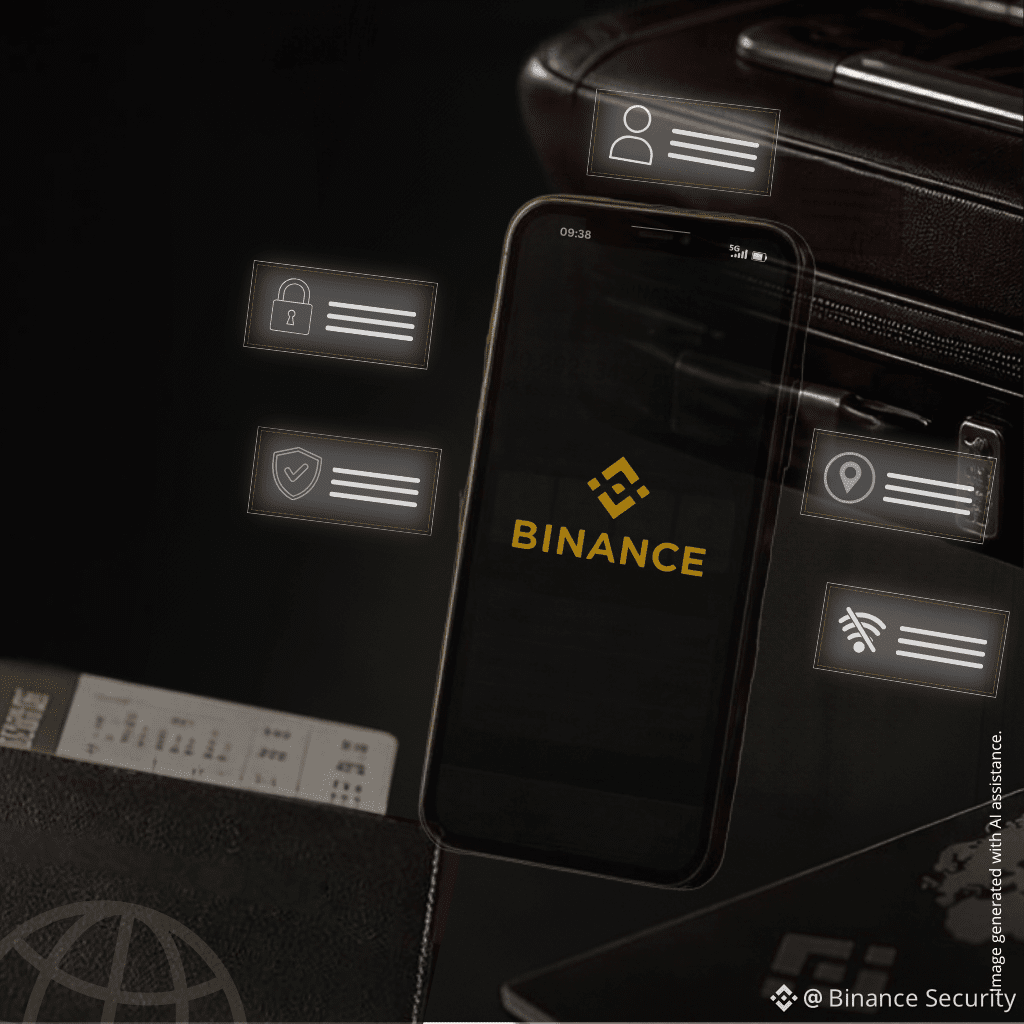
✈️ Traveling with crypto? Check these 5 things before you go.
Most people think about cash and passports.
Few think about what happens if their phone is lost, stolen, or exposed.
Take a few minutes before your trip and check these 5 things. 👇
✅ Update your phone and Binance app
Security updates help patch known vulnerabilities, so it’s better to update before you travel than deal with it on the road.
✅ Hide sensitive info from your lock screen
If verification codes or email previews appear on your lock screen, someone with your phone may see more than they should.
✅ Review your logged-in devices
Check which devices still have access to your account and remove any you don’t recognize or no longer use.
✅ Separate your recovery methods
Try not to keep your email, verification methods, and recovery options all tied to the same and only phone. If that one device is lost, recovery becomes much harder.
✅ Know your lost-phone response plan
If your phone goes missing, speed matters. Knowing in advance how to secure your account, change passwords, and remove device access can save valuable time.
💬 How many of these 5 have you already done?
5/5 = Security Pro 🏆
3–4 = Almost there 💪
1–2 = Time to level up ⚠️
0 = Fix this before your next trip 🚨
#CryptoSafety #TravelSecurity #BinanceSquare
✈️ Traveling with crypto? Check these 5 things before you go.
Most people think about cash and passports.
Few think about what happens if their phone is lost, stolen, or exposed.
Take a few minutes before your trip and check these 5 things. 👇
✅ Update your phone and Binance app
Security updates help patch known vulnerabilities, so it’s better to update before you travel than deal with it on the road.
✅ Hide sensitive info from your lock screen
If verification codes or email previews appear on your lock screen, someone with your phone may see more than they should.
✅ Review your logged-in devices
Check which devices still have access to your account and remove any you don’t recognize or no longer use.
✅ Separate your recovery methods
Try not to keep your email, verification methods, and recovery options all tied to the same and only phone. If that one device is lost, recovery becomes much harder.
✅ Know your lost-phone response plan
If your phone goes missing, speed matters. Knowing in advance how to secure your account, change passwords, and remove device access can save valuable time.
💬 How many of these 5 have you already done?
5/5 = Security Pro 🏆
3–4 = Almost there 💪
1–2 = Time to level up ⚠️
0 = Fix this before your next trip 🚨
#CryptoSafety #TravelSecurity #BinanceSquare
Most people think about cash and passports.
Few think about what happens if their phone is lost, stolen, or exposed.
Take a few minutes before your trip and check these 5 things. 👇
✅ Update your phone and Binance app
Security updates help patch known vulnerabilities, so it’s better to update before you travel than deal with it on the road.
✅ Hide sensitive info from your lock screen
If verification codes or email previews appear on your lock screen, someone with your phone may see more than they should.
✅ Review your logged-in devices
Check which devices still have access to your account and remove any you don’t recognize or no longer use.
✅ Separate your recovery methods
Try not to keep your email, verification methods, and recovery options all tied to the same and only phone. If that one device is lost, recovery becomes much harder.
✅ Know your lost-phone response plan
If your phone goes missing, speed matters. Knowing in advance how to secure your account, change passwords, and remove device access can save valuable time.
💬 How many of these 5 have you already done?
5/5 = Security Pro 🏆
3–4 = Almost there 💪
1–2 = Time to level up ⚠️
0 = Fix this before your next trip 🚨
#CryptoSafety #TravelSecurity #BinanceSquare
2
3
293
🏃 A More Common Threat Than You Think: Device Snatching
People often worry about sophisticated cyberattacks. But in everyday life, a much more common risk is simple: someone grabs your phone while it’s unlocked or while a sensitive app is open. 🧵👇
1/ How it can happen
You’re at a busy café, station, or airport. You unlock your phone to check your portfolio, messages, or banking app. You look away for a moment.
That’s all it takes.
If someone snatches your phone while it’s unlocked, they may try to access whatever is already open before the screen locks again.
For many users, this is a more realistic day-to-day risk than a highly sophisticated remote attack.
2/ One simple setting that adds protection
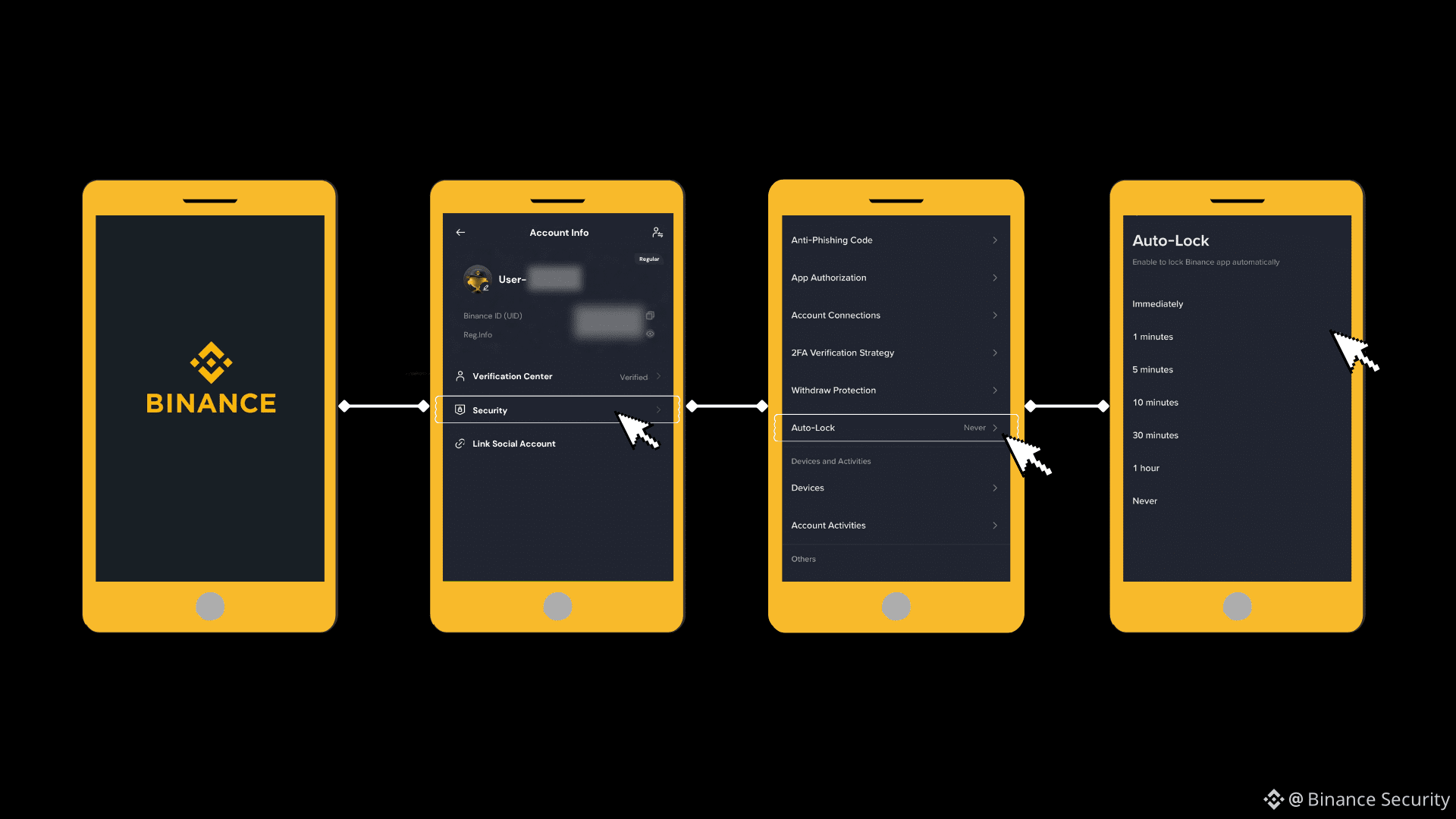
Enable App-Level Lock on Binance. This is separate from your phone's lock screen.
👉 How to turn it on:
Binance App → Profile → Security → Auto Lock
It takes 1 minute. But it could make all the difference.
3/ Extra habits that help reduce risk
- Avoid opening sensitive apps in crowded public places unless necessary
- Keep your phone out of easy reach near exits, doors, or transit queues
- Lock your screen immediately after use
- Enable "Screen Time Out" to auto-lock after short time of inactivity
- Enable biometric protection where available
💬 Quick check:
Do your sensitive financial apps have a separate lock from your phone screen?
✅ Yes, all setup
⚠️ No — fixing it RIGHT NOW
Share this with someone who manages crypto on their phone. A small setting can make a big difference.
#CryptoSafety #MobileSecurity #BinanceSquare
🏃 A More Common Threat Than You Think: Device Snatching
People often worry about sophisticated cyberattacks. But in everyday life, a much more common risk is simple: someone grabs your phone while it’s unlocked or while a sensitive app is open. 🧵👇
1/ How it can happen
You’re at a busy café, station, or airport. You unlock your phone to check your portfolio, messages, or banking app. You look away for a moment.
That’s all it takes.
If someone snatches your phone while it’s unlocked, they may try to access whatever is already open before the screen locks again.
For many users, this is a more realistic day-to-day risk than a highly sophisticated remote attack.
2/ One simple setting that adds protection
Enable App-Level Lock on Binance. This is separate from your phone's lock screen.
👉 How to turn it on:
Binance App → Profile → Security → Auto Lock
It takes 1 minute. But it could make all the difference.
3/ Extra habits that help reduce risk
- Avoid opening sensitive apps in crowded public places unless necessary
- Keep your phone out of easy reach near exits, doors, or transit queues
- Lock your screen immediately after use
- Enable "Screen Time Out" to auto-lock after short time of inactivity
- Enable biometric protection where available
💬 Quick check:
Do your sensitive financial apps have a separate lock from your phone screen?
✅ Yes, all setup
⚠️ No — fixing it RIGHT NOW
Share this with someone who manages crypto on their phone. A small setting can make a big difference.
#CryptoSafety #MobileSecurity #BinanceSquare
People often worry about sophisticated cyberattacks. But in everyday life, a much more common risk is simple: someone grabs your phone while it’s unlocked or while a sensitive app is open. 🧵👇
1/ How it can happen
You’re at a busy café, station, or airport. You unlock your phone to check your portfolio, messages, or banking app. You look away for a moment.
That’s all it takes.
If someone snatches your phone while it’s unlocked, they may try to access whatever is already open before the screen locks again.
For many users, this is a more realistic day-to-day risk than a highly sophisticated remote attack.
2/ One simple setting that adds protection
Enable App-Level Lock on Binance. This is separate from your phone's lock screen.
👉 How to turn it on:
Binance App → Profile → Security → Auto Lock
It takes 1 minute. But it could make all the difference.
3/ Extra habits that help reduce risk
- Avoid opening sensitive apps in crowded public places unless necessary
- Keep your phone out of easy reach near exits, doors, or transit queues
- Lock your screen immediately after use
- Enable "Screen Time Out" to auto-lock after short time of inactivity
- Enable biometric protection where available
💬 Quick check:
Do your sensitive financial apps have a separate lock from your phone screen?
✅ Yes, all setup
⚠️ No — fixing it RIGHT NOW
Share this with someone who manages crypto on their phone. A small setting can make a big difference.
#CryptoSafety #MobileSecurity #BinanceSquare
5
391
🚨 That “free” airport USB port may be more risky than it looks. 🚨
You’ve seen them everywhere — charging stations at airports, hotels, cafes, and shopping malls. Free power, convenient, easy to use.
But there’s a catch.
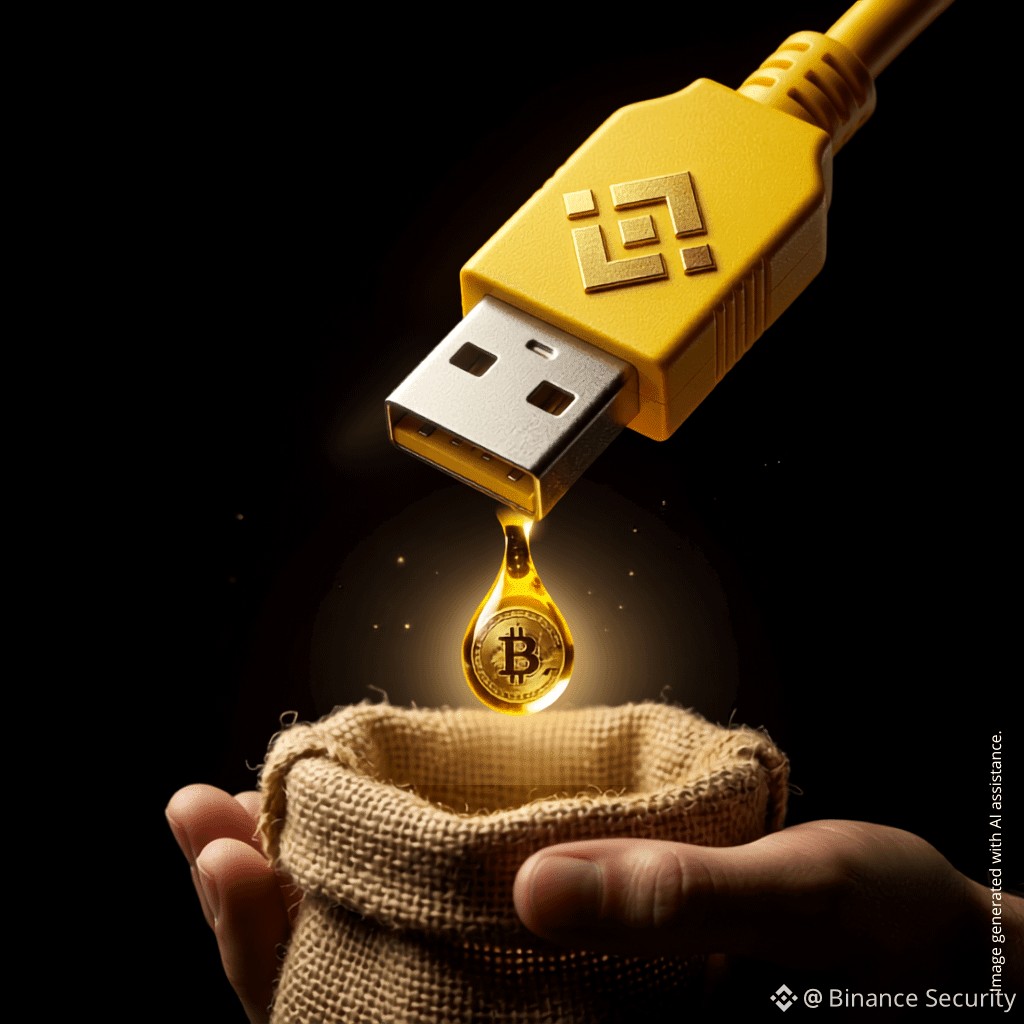
Welcome to juice jacking — a security risk travelers should know about. 🧵👇
⚡How can a USB port put your device at risk?
Standard USB connections can carry both electrical power and data. If a public charging port or cable has been tampered with, connecting your device could expose it to risks such as unauthorized data access or malware attempts.
Your phone may only show “Charging” — but that doesn’t always mean the connection is harmless. 🔋
🛡️3 simple ways to reduce the risk
✅ Use a wall outlet with your own charger — this is generally safer than plugging directly into a public USB port.
✅ Carry a personal power bank — a simple way to avoid relying on public charging stations.
✅ Use a USB data blocker or charge-only cable — these tools can help reduce the risk of unwanted data transfer.
💬 Poll time:
Have you ever used a public USB port while traveling? 🗳️
🟢 Yes — and I didn’t realize it could be risky
🟡 Never. Power bank only. 💪
Drop your answer below 👇 and tag a travel buddy who should know this.
#TravelSecurity #JuiceJacking #CryptoSafety #BinanceSquare
🚨 That “free” airport USB port may be more risky than it looks. 🚨
You’ve seen them everywhere — charging stations at airports, hotels, cafes, and shopping malls. Free power, convenient, easy to use.
But there’s a catch.
Welcome to juice jacking — a security risk travelers should know about. 🧵👇
⚡How can a USB port put your device at risk?
Standard USB connections can carry both electrical power and data. If a public charging port or cable has been tampered with, connecting your device could expose it to risks such as unauthorized data access or malware attempts.
Your phone may only show “Charging” — but that doesn’t always mean the connection is harmless. 🔋
🛡️3 simple ways to reduce the risk
✅ Use a wall outlet with your own charger — this is generally safer than plugging directly into a public USB port.
✅ Carry a personal power bank — a simple way to avoid relying on public charging stations.
✅ Use a USB data blocker or charge-only cable — these tools can help reduce the risk of unwanted data transfer.
💬 Poll time:
Have you ever used a public USB port while traveling? 🗳️
🟢 Yes — and I didn’t realize it could be risky
🟡 Never. Power bank only. 💪
Drop your answer below 👇 and tag a travel buddy who should know this.
#TravelSecurity #JuiceJacking #CryptoSafety #BinanceSquare
You’ve seen them everywhere — charging stations at airports, hotels, cafes, and shopping malls. Free power, convenient, easy to use.
But there’s a catch.
Welcome to juice jacking — a security risk travelers should know about. 🧵👇
⚡How can a USB port put your device at risk?
Standard USB connections can carry both electrical power and data. If a public charging port or cable has been tampered with, connecting your device could expose it to risks such as unauthorized data access or malware attempts.
Your phone may only show “Charging” — but that doesn’t always mean the connection is harmless. 🔋
🛡️3 simple ways to reduce the risk
✅ Use a wall outlet with your own charger — this is generally safer than plugging directly into a public USB port.
✅ Carry a personal power bank — a simple way to avoid relying on public charging stations.
✅ Use a USB data blocker or charge-only cable — these tools can help reduce the risk of unwanted data transfer.
💬 Poll time:
Have you ever used a public USB port while traveling? 🗳️
🟢 Yes — and I didn’t realize it could be risky
🟡 Never. Power bank only. 💪
Drop your answer below 👇 and tag a travel buddy who should know this.
#TravelSecurity #JuiceJacking #CryptoSafety #BinanceSquare
1
1
3
631
AI makes it easier than ever to create a polished looking scam: fake whitepaper, fake team, fake roadmap. If you can’t verify the people behind a project, don’t risk your funds. #Binancesecurity
AI makes it easier than ever to create a polished looking scam: fake whitepaper, fake team, fake roadmap. If you can’t verify the people behind a project, don’t risk your funds. #Binancesecurity
1
361
When the Threat Is Physical: Lowering Your Real-World Profile as a Crypto Holder
Most security controls in crypto are designed for attackers who operate remotely. Passwords, two-factor authentication, and approval checks all assume that the person trying to access your funds cannot physically reach you.
A growing category of attacks removes that assumption. In the first half of 2026, researchers reported more violent incidents targeting crypto holders, with losses in the millions. Home invasions made up an increasing share.
These attacks do not defeat your security controls. They bypass them by forcing you to complete every verification step yourself.
🔍 Targeting starts with information
Reported cases increasingly suggest planning rather than opportunism. That planning often begins with public information suggesting that a specific person holds significant crypto assets:
- Portfolio screenshots, profit posts, and balance reveals shared publicly
- A real name or photograph connected to a wallet address or on-chain identity
- Location details in posts and image metadata, including regular routines
- Open discussion of holdings at meetups and in public group chats
Individually, these details may seem harmless. Combined, they answer the two questions an attacker needs: who holds funds, and where they can be found.
🛡️ Reduce what is visible
- Do not publish balances or trade results in a way that identifies you
- Keep your legal name and face separate from addresses and handles that can be traced on-chain
- Post about travel afterwards rather than during, and check what your image metadata may reveal
- Be deliberate about who knows you hold crypto. Many incidents begin with someone who simply knew
Lower your profile. Stay SAFU. #Binancesecurity
When the Threat Is Physical: Lowering Your Real-World Profile as a Crypto Holder
Most security controls in crypto are designed for attackers who operate remotely. Passwords, two-factor authentication, and approval checks all assume that the person trying to access your funds cannot physically reach you.
A growing category of attacks removes that assumption. In the first half of 2026, researchers reported more violent incidents targeting crypto holders, with losses in the millions. Home invasions made up an increasing share.
These attacks do not defeat your security controls. They bypass them by forcing you to complete every verification step yourself.
🔍 Targeting starts with information
Reported cases increasingly suggest planning rather than opportunism. That planning often begins with public information suggesting that a specific person holds significant crypto assets:
- Portfolio screenshots, profit posts, and balance reveals shared publicly
- A real name or photograph connected to a wallet address or on-chain identity
- Location details in posts and image metadata, including regular routines
- Open discussion of holdings at meetups and in public group chats
Individually, these details may seem harmless. Combined, they answer the two questions an attacker needs: who holds funds, and where they can be found.
🛡️ Reduce what is visible
- Do not publish balances or trade results in a way that identifies you
- Keep your legal name and face separate from addresses and handles that can be traced on-chain
- Post about travel afterwards rather than during, and check what your image metadata may reveal
- Be deliberate about who knows you hold crypto. Many incidents begin with someone who simply knew
Lower your profile. Stay SAFU. #Binancesecurity
Most security controls in crypto are designed for attackers who operate remotely. Passwords, two-factor authentication, and approval checks all assume that the person trying to access your funds cannot physically reach you.
A growing category of attacks removes that assumption. In the first half of 2026, researchers reported more violent incidents targeting crypto holders, with losses in the millions. Home invasions made up an increasing share.
These attacks do not defeat your security controls. They bypass them by forcing you to complete every verification step yourself.
🔍 Targeting starts with information
Reported cases increasingly suggest planning rather than opportunism. That planning often begins with public information suggesting that a specific person holds significant crypto assets:
- Portfolio screenshots, profit posts, and balance reveals shared publicly
- A real name or photograph connected to a wallet address or on-chain identity
- Location details in posts and image metadata, including regular routines
- Open discussion of holdings at meetups and in public group chats
Individually, these details may seem harmless. Combined, they answer the two questions an attacker needs: who holds funds, and where they can be found.
🛡️ Reduce what is visible
- Do not publish balances or trade results in a way that identifies you
- Keep your legal name and face separate from addresses and handles that can be traced on-chain
- Post about travel afterwards rather than during, and check what your image metadata may reveal
- Be deliberate about who knows you hold crypto. Many incidents begin with someone who simply knew
Lower your profile. Stay SAFU. #Binancesecurity
1
6
508
ບົດຄວາມ
ClickFix: When “Verify You’re Human” Is the AttackClickFix is a fast-growing scam technique that skips hacking your device and instead convinces you to do it yourself. Attackers disguise malware as a routine fix: a CAPTCHA that “failed to load,” an urgent “system update,” a broken audio or video prompt before a call, or a document that “won't display” without extra steps.
Unlike traditional malware delivery methods, ClickFix often avoids asking users to manually download and open a suspicious file or attachment. Instead, it may only need you to copy a command, paste it, and press Enter.
How the Attack Works
You land on a fake page through a malicious ad, a compromised website, a link shared in a Telegram/Discord group, or a fake meeting invite.The page shows a familiar-looking error or verification prompt and quietly copies a command to your clipboard in the background.You're told to press Windows + R (or open Terminal on Mac), paste, and hit Enter to “complete verification” or apply the “fix.”That single paste-and-Enter runs a hidden PowerShell or shell command. Because you executed it yourself using trusted system tools, there may be no obvious download prompt, and no immediate antivirus warning. Malware installs silently in the background, most often an infostealer built to harvest saved credentials.
Why This Matters for Crypto Users
Traditional malware defenses mostly watch for malicious downloads or attachments. ClickFix skips that step as you are the one executing the command through Run, PowerShell, or Terminal, tools your own operating system already trusts.
These infostealers are increasingly built to target:
Browser-based wallet extensionsSaved passwords and session cookiesSeed phrases typed, copied, or stored on the deviceHardware wallet software, sometimes replaced with tampered versions
Because these threats can run silently and leave few traces, users may not realize their device is compromised until funds are already gone.
How to Stay SAFU
No real verification requires system access. Legitimate CAPTCHAs, software updates, and troubleshooting flows should not require you to open Run, Terminal, or PowerShell and paste a command from a webpage.Never paste blind. Don't paste anything into a system dialog because a webpage told you to — you often can't see what's on your clipboard before you paste it.Slow down on unusual prompts. If a verification step feels unusual, close the tab and reload the site independently instead of following on-page instructions.Update wallet software from official sources only. Download tools directly from the vendor's official site, never through a pop-up “fix.”Act fast if exposed. If you've already pasted and run a command like this, disconnect from the internet, avoid entering any passwords or seed phrases, run a full malware scan, and move funds using a clean, separate device.
Final Reminder
ClickFix succeeds by turning you into the installer, using tools your computer already trusts. No real fix, update, or verification should require you to copy and paste a command into Run, Terminal, or PowerShell.
If a page asks you to do that, close it immediately. No matter how convincing it looks.
#Binancesecurity #SAFU🙏
ClickFix: When “Verify You’re Human” Is the Attack
ClickFix is a fast-growing scam technique that skips hacking your device and instead convinces you to do it yourself. Attackers disguise malware as a routine fix: a CAPTCHA that “failed to load,” an urgent “system update,” a broken audio or video prompt before a call, or a document that “won't display” without extra steps.
Unlike traditional malware delivery methods, ClickFix often avoids asking users to manually download and open a suspicious file or attachment. Instead, it may only need you to copy a command, paste it, and press Enter.
How the Attack Works
You land on a fake page through a malicious ad, a compromised website, a link shared in a Telegram/Discord group, or a fake meeting invite.The page shows a familiar-looking error or verification prompt and quietly copies a command to your clipboard in the background.You're told to press Windows + R (or open Terminal on Mac), paste, and hit Enter to “complete verification” or apply the “fix.”That single paste-and-Enter runs a hidden PowerShell or shell command. Because you executed it yourself using trusted system tools, there may be no obvious download prompt, and no immediate antivirus warning. Malware installs silently in the background, most often an infostealer built to harvest saved credentials.
Why This Matters for Crypto Users
Traditional malware defenses mostly watch for malicious downloads or attachments. ClickFix skips that step as you are the one executing the command through Run, PowerShell, or Terminal, tools your own operating system already trusts.
These infostealers are increasingly built to target:
Browser-based wallet extensionsSaved passwords and session cookiesSeed phrases typed, copied, or stored on the deviceHardware wallet software, sometimes replaced with tampered versions
Because these threats can run silently and leave few traces, users may not realize their device is compromised until funds are already gone.
How to Stay SAFU
No real verification requires system access. Legitimate CAPTCHAs, software updates, and troubleshooting flows should not require you to open Run, Terminal, or PowerShell and paste a command from a webpage.Never paste blind. Don't paste anything into a system dialog because a webpage told you to — you often can't see what's on your clipboard before you paste it.Slow down on unusual prompts. If a verification step feels unusual, close the tab and reload the site independently instead of following on-page instructions.Update wallet software from official sources only. Download tools directly from the vendor's official site, never through a pop-up “fix.”Act fast if exposed. If you've already pasted and run a command like this, disconnect from the internet, avoid entering any passwords or seed phrases, run a full malware scan, and move funds using a clean, separate device.
Final Reminder
ClickFix succeeds by turning you into the installer, using tools your computer already trusts. No real fix, update, or verification should require you to copy and paste a command into Run, Terminal, or PowerShell.
If a page asks you to do that, close it immediately. No matter how convincing it looks.
#Binancesecurity #SAFU🙏
Unlike traditional malware delivery methods, ClickFix often avoids asking users to manually download and open a suspicious file or attachment. Instead, it may only need you to copy a command, paste it, and press Enter.
How the Attack Works
You land on a fake page through a malicious ad, a compromised website, a link shared in a Telegram/Discord group, or a fake meeting invite.The page shows a familiar-looking error or verification prompt and quietly copies a command to your clipboard in the background.You're told to press Windows + R (or open Terminal on Mac), paste, and hit Enter to “complete verification” or apply the “fix.”That single paste-and-Enter runs a hidden PowerShell or shell command. Because you executed it yourself using trusted system tools, there may be no obvious download prompt, and no immediate antivirus warning. Malware installs silently in the background, most often an infostealer built to harvest saved credentials.
Why This Matters for Crypto Users
Traditional malware defenses mostly watch for malicious downloads or attachments. ClickFix skips that step as you are the one executing the command through Run, PowerShell, or Terminal, tools your own operating system already trusts.
These infostealers are increasingly built to target:
Browser-based wallet extensionsSaved passwords and session cookiesSeed phrases typed, copied, or stored on the deviceHardware wallet software, sometimes replaced with tampered versions
Because these threats can run silently and leave few traces, users may not realize their device is compromised until funds are already gone.
How to Stay SAFU
No real verification requires system access. Legitimate CAPTCHAs, software updates, and troubleshooting flows should not require you to open Run, Terminal, or PowerShell and paste a command from a webpage.Never paste blind. Don't paste anything into a system dialog because a webpage told you to — you often can't see what's on your clipboard before you paste it.Slow down on unusual prompts. If a verification step feels unusual, close the tab and reload the site independently instead of following on-page instructions.Update wallet software from official sources only. Download tools directly from the vendor's official site, never through a pop-up “fix.”Act fast if exposed. If you've already pasted and run a command like this, disconnect from the internet, avoid entering any passwords or seed phrases, run a full malware scan, and move funds using a clean, separate device.
Final Reminder
ClickFix succeeds by turning you into the installer, using tools your computer already trusts. No real fix, update, or verification should require you to copy and paste a command into Run, Terminal, or PowerShell.
If a page asks you to do that, close it immediately. No matter how convincing it looks.
#Binancesecurity #SAFU🙏
2
8
969
Make security a habit, starting now. #Binancesecurity
Make security a habit, starting now. #Binancesecurity

2
331
Clipboard Hijacking vs. Address Poisoning: What’s the Difference?
Both scams aim to trick users into sending crypto to the wrong address, but they work in different ways.
🦠 Clipboard hijacking happens when malware on your device replaces a copied wallet address with an attacker’s address.
🎭 Address poisoning happens when attackers send small transactions from lookalike addresses to trick you into copying the wrong one from your transaction history.
🔍 Key difference:
Clipboard hijacking typically involves malware on a compromised device, while address poisoning relies on deceiving users into trusting the wrong address.
🛡️ Security tip:
Always verify the full wallet address before sending crypto, a quick check can help protect your funds.
Clipboard Hijacking vs. Address Poisoning: What’s the Difference?
Both scams aim to trick users into sending crypto to the wrong address, but they work in different ways.
🦠 Clipboard hijacking happens when malware on your device replaces a copied wallet address with an attacker’s address.
🎭 Address poisoning happens when attackers send small transactions from lookalike addresses to trick you into copying the wrong one from your transaction history.
🔍 Key difference:
Clipboard hijacking typically involves malware on a compromised device, while address poisoning relies on deceiving users into trusting the wrong address.
🛡️ Security tip:
Always verify the full wallet address before sending crypto, a quick check can help protect your funds.
Both scams aim to trick users into sending crypto to the wrong address, but they work in different ways.
🦠 Clipboard hijacking happens when malware on your device replaces a copied wallet address with an attacker’s address.
🎭 Address poisoning happens when attackers send small transactions from lookalike addresses to trick you into copying the wrong one from your transaction history.
🔍 Key difference:
Clipboard hijacking typically involves malware on a compromised device, while address poisoning relies on deceiving users into trusting the wrong address.
🛡️ Security tip:
Always verify the full wallet address before sending crypto, a quick check can help protect your funds.
2
285
Clipboard Hijacking and How to Prevent It
🔍 What is it?
Clipboard hijacking is a type of malware attack that monitors or alters the content you copy and paste.
⚠️ Why does it matter?
Attackers can capture clipboard data when users copy sensitive information, such as passwords or banking details, leading to data theft or privacy breaches. They may also replace a copied wallet address with their own, causing funds to be sent to the wrong destination.
💡 How can you stay protected?
- Keep your browser and device up to date
- Only install software from trusted sources
- Review your browser extensions regularly
- Use reliable antivirus or security software
- Always double check wallet addresses before sending crypto
🛡️ Stay alert and stay safe. #Binancesecurity
Clipboard Hijacking and How to Prevent It
🔍 What is it?
Clipboard hijacking is a type of malware attack that monitors or alters the content you copy and paste.
⚠️ Why does it matter?
Attackers can capture clipboard data when users copy sensitive information, such as passwords or banking details, leading to data theft or privacy breaches. They may also replace a copied wallet address with their own, causing funds to be sent to the wrong destination.
💡 How can you stay protected?
- Keep your browser and device up to date
- Only install software from trusted sources
- Review your browser extensions regularly
- Use reliable antivirus or security software
- Always double check wallet addresses before sending crypto
🛡️ Stay alert and stay safe. #Binancesecurity
🔍 What is it?
Clipboard hijacking is a type of malware attack that monitors or alters the content you copy and paste.
⚠️ Why does it matter?
Attackers can capture clipboard data when users copy sensitive information, such as passwords or banking details, leading to data theft or privacy breaches. They may also replace a copied wallet address with their own, causing funds to be sent to the wrong destination.
💡 How can you stay protected?
- Keep your browser and device up to date
- Only install software from trusted sources
- Review your browser extensions regularly
- Use reliable antivirus or security software
- Always double check wallet addresses before sending crypto
🛡️ Stay alert and stay safe. #Binancesecurity
2
275
✅ The answer is D: Unlimited token approval
Granting a DeFi contract unlimited approval allows it to retain ongoing permission to transfer your tokens. If the contract is malicious, compromised, or exploited, the approved tokens may be drained without any additional approval transaction.
Safety tip: Regularly review and revoke token approvals that are no longer needed.
✅ The answer is D: Unlimited token approval
Granting a DeFi contract unlimited approval allows it to retain ongoing permission to transfer your tokens. If the contract is malicious, compromised, or exploited, the approved tokens may be drained without any additional approval transaction.
Safety tip: Regularly review and revoke token approvals that are no longer needed.
Granting a DeFi contract unlimited approval allows it to retain ongoing permission to transfer your tokens. If the contract is malicious, compromised, or exploited, the approved tokens may be drained without any additional approval transaction.
Safety tip: Regularly review and revoke token approvals that are no longer needed.
Binance Security
·
--
You visited a DeFi site once, clicked “Approve,” and never went back.
Three weeks later, your tokens are gone.
You didn’t sign any new transaction.
You didn’t click a phishing link.
You didn’t share your seed phrase.
The token approval you granted was still active.
❓ What most likely happened?
👀 Follow us for the correct answer and more. #Binancesecurity
Three weeks later, your tokens are gone.
You didn’t sign any new transaction.
You didn’t click a phishing link.
You didn’t share your seed phrase.
The token approval you granted was still active.
❓ What most likely happened?
👀 Follow us for the correct answer and more. #Binancesecurity
263
You visited a DeFi site once, clicked “Approve,” and never went back.
Three weeks later, your tokens are gone.
You didn’t sign any new transaction.
You didn’t click a phishing link.
You didn’t share your seed phrase.
The token approval you granted was still active.
❓ What most likely happened?
👀 Follow us for the correct answer and more. #Binancesecurity
You visited a DeFi site once, clicked “Approve,” and never went back.
Three weeks later, your tokens are gone.
You didn’t sign any new transaction.
You didn’t click a phishing link.
You didn’t share your seed phrase.
The token approval you granted was still active.
❓ What most likely happened?
👀 Follow us for the correct answer and more. #Binancesecurity
Three weeks later, your tokens are gone.
You didn’t sign any new transaction.
You didn’t click a phishing link.
You didn’t share your seed phrase.
The token approval you granted was still active.
❓ What most likely happened?
👀 Follow us for the correct answer and more. #Binancesecurity
A: Seed phrase compromise
0%
B: Delayed rug pull
0%
C: Smart contract exploit
0%
D: Unlimited token approval
100%
3 ຄະແນນສຽງ • ປິດລົງຄະແນນສຽງ
1
1
3
300
Public WiFi and crypto logins are a risky mix ⚠️
Open networks can expose you to interception and spoofing risks. Avoid signing transactions on public WiFi 🔒
Public WiFi and crypto logins are a risky mix ⚠️
Open networks can expose you to interception and spoofing risks. Avoid signing transactions on public WiFi 🔒
Open networks can expose you to interception and spoofing risks. Avoid signing transactions on public WiFi 🔒
2
4
229
🟡 Your daily security check starts now. #Binancesecurity
🟡 Your daily security check starts now. #Binancesecurity

4
510
AI can clone a voice from just seconds of audio. Someone calls you asking for an “urgent” crypto transfer? 🚨
Hang up. Stay alert. Verify independently.
AI can clone a voice from just seconds of audio. Someone calls you asking for an “urgent” crypto transfer? 🚨
Hang up. Stay alert. Verify independently.
Hang up. Stay alert. Verify independently.
2
139
🚨 Fake Support, Real Scam: 3 Red Flags to Watch For
When technical attacks fail, scammers target the human layer by pretending to be helpful, high-pressure support agents. They create panic, push urgency, and try to trick users into handing over access or funds.
⚠️ Remember: Binance staff will never message you first on Telegram to ask for funds, passwords, codes, or account credentials.
3 red flags to watch for:
🔴 Urgency: “Your account will be permanently banned in 1 hour!”
🔴 Upfront fees: asking for “gas fees” or a “temporary security deposit” to unlock your balance
🔴 Screen-sharing requests: telling you to install apps so they can “help” view your account
If someone pressures you to act fast, pay first, or share your screen, pause and verify before taking any action.
#Binancesecurity
🚨 Fake Support, Real Scam: 3 Red Flags to Watch For
When technical attacks fail, scammers target the human layer by pretending to be helpful, high-pressure support agents. They create panic, push urgency, and try to trick users into handing over access or funds.
⚠️ Remember: Binance staff will never message you first on Telegram to ask for funds, passwords, codes, or account credentials.
3 red flags to watch for:
🔴 Urgency: “Your account will be permanently banned in 1 hour!”
🔴 Upfront fees: asking for “gas fees” or a “temporary security deposit” to unlock your balance
🔴 Screen-sharing requests: telling you to install apps so they can “help” view your account
If someone pressures you to act fast, pay first, or share your screen, pause and verify before taking any action.
#Binancesecurity
When technical attacks fail, scammers target the human layer by pretending to be helpful, high-pressure support agents. They create panic, push urgency, and try to trick users into handing over access or funds.
⚠️ Remember: Binance staff will never message you first on Telegram to ask for funds, passwords, codes, or account credentials.
3 red flags to watch for:
🔴 Urgency: “Your account will be permanently banned in 1 hour!”
🔴 Upfront fees: asking for “gas fees” or a “temporary security deposit” to unlock your balance
🔴 Screen-sharing requests: telling you to install apps so they can “help” view your account
If someone pressures you to act fast, pay first, or share your screen, pause and verify before taking any action.
#Binancesecurity
4
312
You join a Telegram group where members are promoting an “AI-powered” trading bot. The pitch sounds convincing:
🔶 Claims 3–5% daily returns through machine learning
🔶 Shows screenshots of profitable trades
🔶 Features video from “users”
You decide to try a small deposit. Within hours, the dashboard shows profits. Then you try to withdraw.
First, you’re asked to pay a “liquidity unlock fee.”
Then, you’re told you need to reach a higher “withdrawal tier” which can only be unlocked by recruiting new members.
💭 Which red flag is the strongest sign of a scam?
A. Promises of guaranteed daily returns
B. Profits shown immediately after deposit
C. Withdrawal blocked by extra fees
D. Needing to recruit others to unlock withdrawals
#Binancesecurity #Cryptoscam
You join a Telegram group where members are promoting an “AI-powered” trading bot. The pitch sounds convincing:
🔶 Claims 3–5% daily returns through machine learning
🔶 Shows screenshots of profitable trades
🔶 Features video from “users”
You decide to try a small deposit. Within hours, the dashboard shows profits. Then you try to withdraw.
First, you’re asked to pay a “liquidity unlock fee.”
Then, you’re told you need to reach a higher “withdrawal tier” which can only be unlocked by recruiting new members.
💭 Which red flag is the strongest sign of a scam?
A. Promises of guaranteed daily returns
B. Profits shown immediately after deposit
C. Withdrawal blocked by extra fees
D. Needing to recruit others to unlock withdrawals
#Binancesecurity #Cryptoscam
🔶 Claims 3–5% daily returns through machine learning
🔶 Shows screenshots of profitable trades
🔶 Features video from “users”
You decide to try a small deposit. Within hours, the dashboard shows profits. Then you try to withdraw.
First, you’re asked to pay a “liquidity unlock fee.”
Then, you’re told you need to reach a higher “withdrawal tier” which can only be unlocked by recruiting new members.
💭 Which red flag is the strongest sign of a scam?
A. Promises of guaranteed daily returns
B. Profits shown immediately after deposit
C. Withdrawal blocked by extra fees
D. Needing to recruit others to unlock withdrawals
#Binancesecurity #Cryptoscam
A
40%
B
0%
C
40%
D
20%
5 ຄະແນນສຽງ • ປິດລົງຄະແນນສຽງ
53
4
97
212.8k
🚩Not every AI crypto tool is secure: do you know the red flags?
🚩Not every AI crypto tool is secure: do you know the red flags?
Binance Security
·
--
Using AI Crypto Tools Safely: Security Before Convenience
Suspicious AI trading agents are becoming a growing risk in crypto. AI agents don’t just give advice — they can act on your behalf. Once connected to your wallet or exchange account, they may buy, sell, rebalance, or even move funds automatically.
That convenience also creates risk.
In 2026, a growing number of free AI crypto tools appeared across browser extensions, Telegram bots and Discord assistants. They offer portfolio tracking, market alerts, auto-trading, and wallet management. Many ask for wallet connection permissions to “work properly.”
This is where everyday users face the greatest risk: what looks like a helpful tool may actually be malware gaining enough access to monitor, manipulate, or drain your wallet.
Red Flags to watch for:
> It asks you to connect your wallet to “unlock full features,” even for functions like market data, alerts, or portfolio tracking. These features typically do not require permissions that can trade, transfer, or move funds.
> It is free, but there is no clear company, team, business model, or security review behind it. If you cannot tell who built it, who maintains it, or how it operates, proceed with caution.
> It is being promoted heavily in Discord, Telegram, or Reddit threads by anonymous or unverified accounts.
> It asks for broader permissions than the task requires. A price alert bot should not need trading permissions. A portfolio tracker should not need permissions that allow transfers or withdrawals.
> The app is new, has very few reviews, or its reviews appeared in a short period of time. Check when the tool launched and whether its feedback looks organic.
> Sponsored links in search engine results may be malicious, and the AI agent offered through them could contain malware.
Key Takeway:
Read permissions carefully before approving. When any app, AI or otherwise, asks for wallet or account access, review exactly what it is requesting.
Prefer tools from established platforms with transparent teams, credible security practices, and a strong reputation. A slick interface does not mean trustworthy code.
#Binancesecurity
That convenience also creates risk.
In 2026, a growing number of free AI crypto tools appeared across browser extensions, Telegram bots and Discord assistants. They offer portfolio tracking, market alerts, auto-trading, and wallet management. Many ask for wallet connection permissions to “work properly.”
This is where everyday users face the greatest risk: what looks like a helpful tool may actually be malware gaining enough access to monitor, manipulate, or drain your wallet.
Red Flags to watch for:
> It asks you to connect your wallet to “unlock full features,” even for functions like market data, alerts, or portfolio tracking. These features typically do not require permissions that can trade, transfer, or move funds.
> It is free, but there is no clear company, team, business model, or security review behind it. If you cannot tell who built it, who maintains it, or how it operates, proceed with caution.
> It is being promoted heavily in Discord, Telegram, or Reddit threads by anonymous or unverified accounts.
> It asks for broader permissions than the task requires. A price alert bot should not need trading permissions. A portfolio tracker should not need permissions that allow transfers or withdrawals.
> The app is new, has very few reviews, or its reviews appeared in a short period of time. Check when the tool launched and whether its feedback looks organic.
> Sponsored links in search engine results may be malicious, and the AI agent offered through them could contain malware.
Key Takeway:
Read permissions carefully before approving. When any app, AI or otherwise, asks for wallet or account access, review exactly what it is requesting.
Prefer tools from established platforms with transparent teams, credible security practices, and a strong reputation. A slick interface does not mean trustworthy code.
#Binancesecurity
1
1
238
ເຂົ້າສູ່ລະບົບເພື່ອສຳຫຼວດເນື້ອຫາເພີ່ມເຕີມ
ເຂົ້າຮ່ວມກຸ່ມຜູ້ໃຊ້ຄຣິບໂຕທົ່ວໂລກໃນ Binance Square.
⚡️ ໄດ້ຮັບຂໍ້ມູນຫຼ້າສຸດ ແລະ ທີ່ມີປະໂຫຍດກ່ຽວກັບຄຣິບໂຕ.
💬 ໄດ້ຮັບຄວາມໄວ້ວາງໃຈຈາກຕະຫຼາດແລກປ່ຽນຄຣິບໂຕທີ່ໃຫຍ່ທີ່ສຸດໃນໂລກ.
👍 ຄົ້ນຫາຂໍ້ມູນເຊີງເລິກທີ່ແທ້ຈາກນັກສ້າງທີ່ໄດ້ຮັບການຢືນຢັນ.
ອີເມວ / ເບີໂທລະສັບ
ຫົວຂໍ້ທີ່ກໍາລັງນິຍົມ
CanMicrosoftDeliverOnAI
18,524 ຄັ້ງທີ່ເບິ່ງ
376 ກຳລັງສົນທະນາ
Earnings Season Session 3: Will Google & Microsoft Beat Earnings Expectations?
Binance Square Official
·37 ຖືກໃຈ
·9.2k ຄັ້ງທີ່ເບິ່ງ
CanGoogleDefindItsCore
10,516 ຄັ້ງທີ່ເບິ່ງ
291 ກຳລັງສົນທະນາ
FOMCWatch
9M ຄັ້ງທີ່ເບິ່ງ
27,516 ກຳລັງສົນທະນາ