

ZAKISTOR-MITA
Hi.im.......... zakaria i work as a tradir and i'm passinate about
取引を発注
低高頻度トレーダー
4.9年
120 フォロー
36 フォロワー
30 いいね
投稿
ポートフォリオ
すべて
引用
翻訳参照
翻訳参照

الكريبتو بالمختصر
·
--
多くの人(90%以上)のバイナンス利用者が知らない秘密
バイナンスに隠された10億ドルのトリック:どうやって「セント」単位でお金が消えていくのか? 🚨⚠️
バイナンス内に何百万ドルもの資金が凍結され、引き出すことも売ることもできないことをご存じですか?
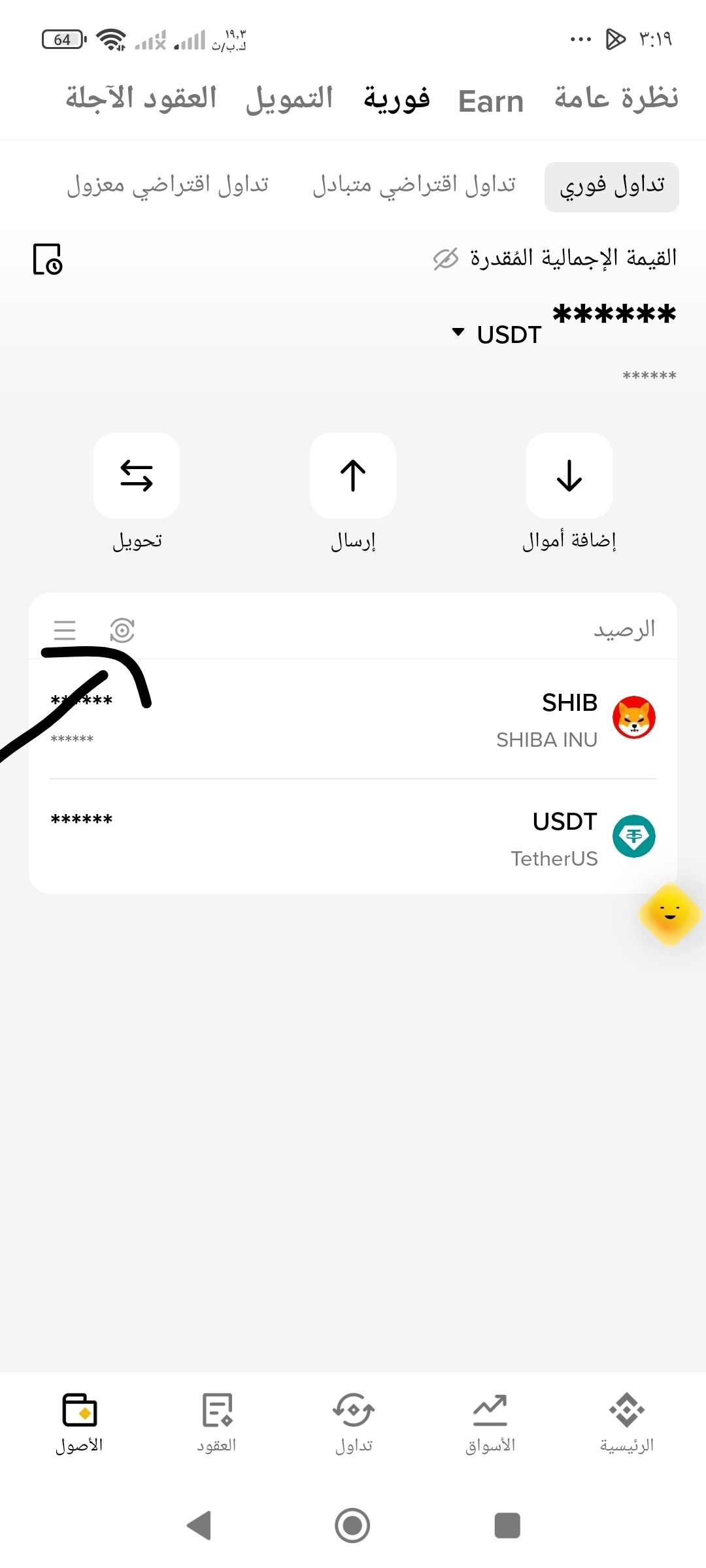
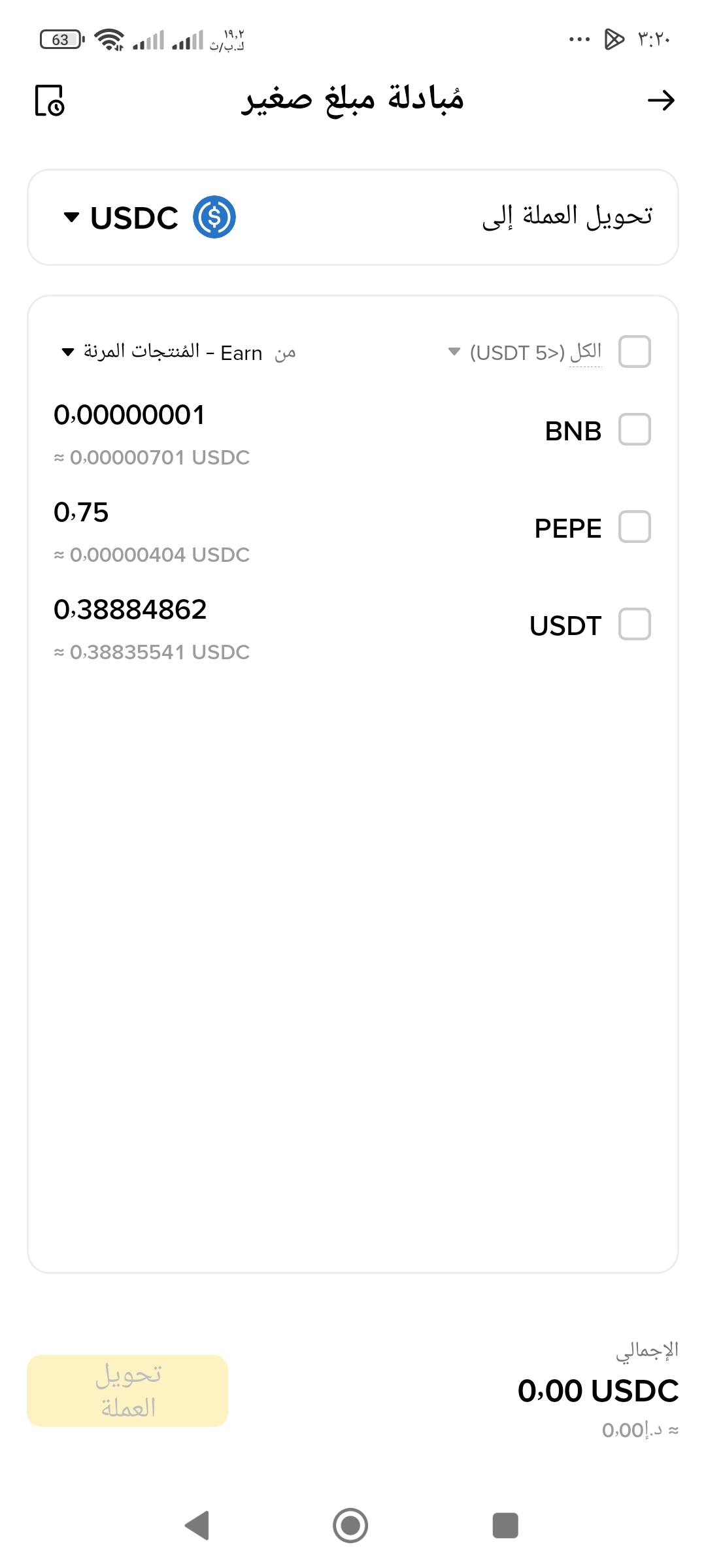
取引をすると、プラットフォームは意図的に、セント相当の極めて小さな「端数(Dust)」をウォレットに残し、「最低取引額」を理由に売却できないようにします!
巧妙なトリックとは? 利用できる唯一の解決策は、「少額残高をBNBに変換」ボタンを押すことです。
バイナンスはこの端数を焼却するのではなく、何百万人ものトレーダーに毎日、自社通貨($BNB)を自動的に購入させて、市場価値を高めています。また、誰にも気づかれないまま、危機やハッキングの際にプラットフォームへ大規模な流動性の支えを提供しているのです!
なお、BNB残高を保有すると、取引手数料が25%割引になります。
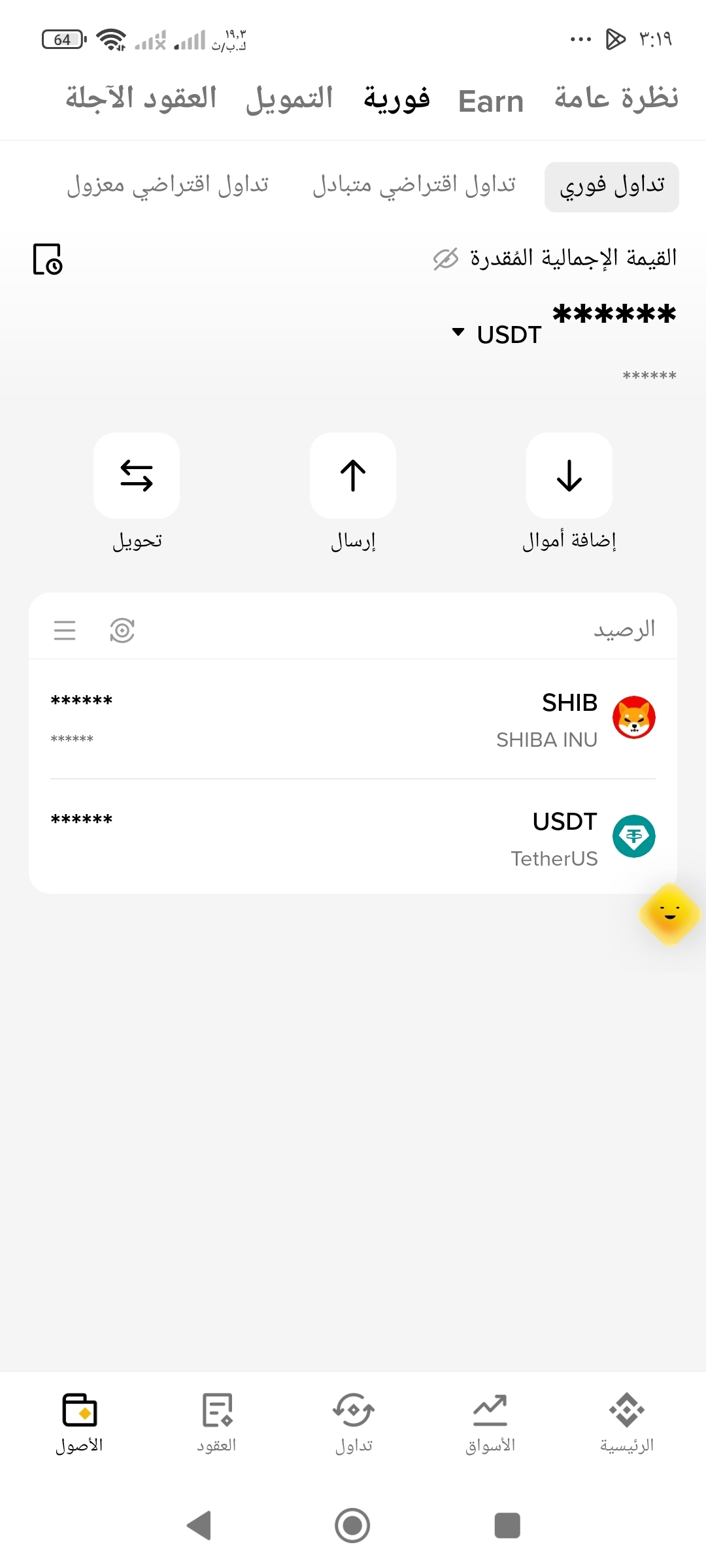
今すぐウォレットを開いてみてください……凍結され、忘れられたセントがいくらありますか?
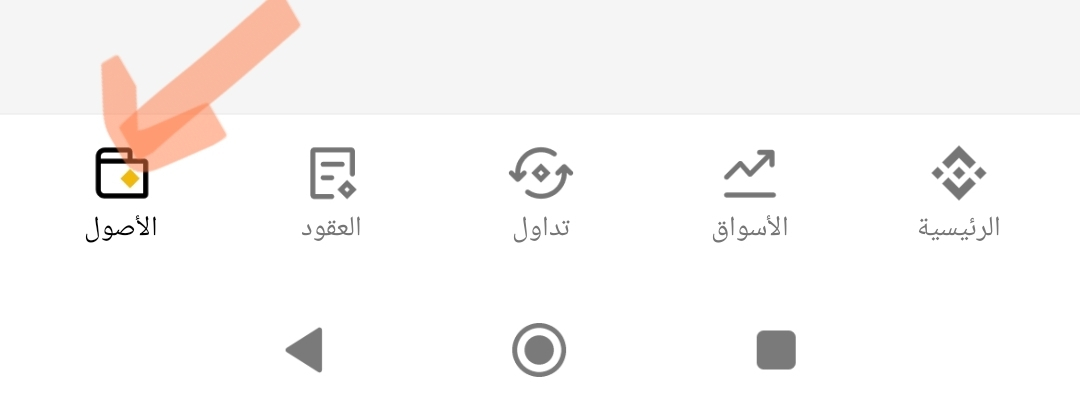
以下の画像のとおりです:
$NEAR $LSK $QNT
#BinanceWillListPredictPREDICT
#QNT
#LSK
#bnb
バイナンスに隠された10億ドルのトリック:どうやって「セント」単位でお金が消えていくのか? 🚨⚠️
バイナンス内に何百万ドルもの資金が凍結され、引き出すことも売ることもできないことをご存じですか?
取引をすると、プラットフォームは意図的に、セント相当の極めて小さな「端数(Dust)」をウォレットに残し、「最低取引額」を理由に売却できないようにします!
巧妙なトリックとは? 利用できる唯一の解決策は、「少額残高をBNBに変換」ボタンを押すことです。
バイナンスはこの端数を焼却するのではなく、何百万人ものトレーダーに毎日、自社通貨($BNB)を自動的に購入させて、市場価値を高めています。また、誰にも気づかれないまま、危機やハッキングの際にプラットフォームへ大規模な流動性の支えを提供しているのです!
なお、BNB残高を保有すると、取引手数料が25%割引になります。
今すぐウォレットを開いてみてください……凍結され、忘れられたセントがいくらありますか?
以下の画像のとおりです:
$NEAR $LSK $QNT
#BinanceWillListPredictPREDICT
#QNT
#LSK
#bnb
翻訳参照

MISSMINHA
·
--
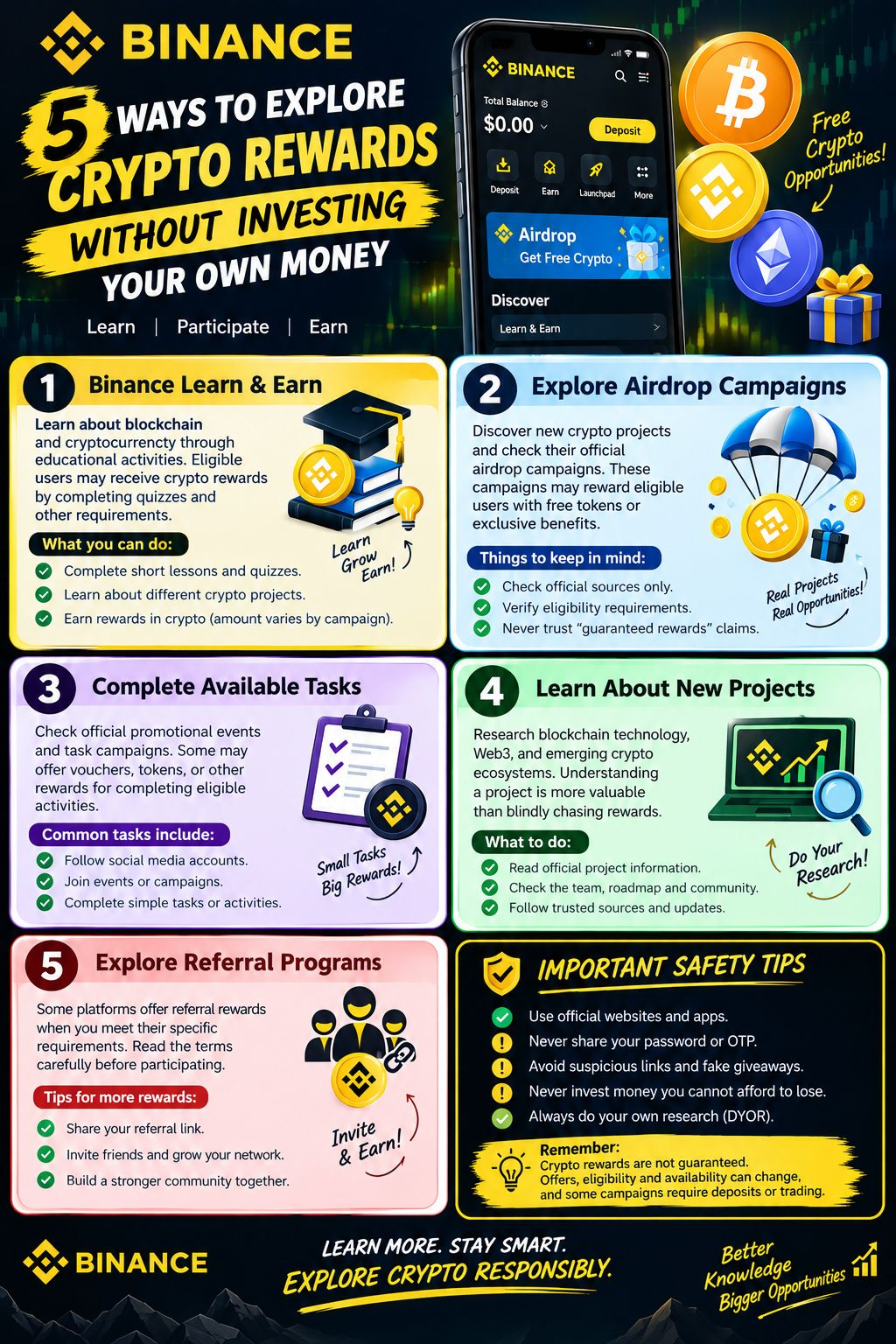
🚀 自分のお金を投資せずに暗号資産の報酬を獲得する5つの方法 💰
暗号資産の世界を探ってみたいけれど、何から始めればいいかわからない?💎
暗号資産について学び始めるのに、必ずしもお金を投資する必要はありません。試してみる価値のあるチャンスはいくつもあります!
🟡 1. Binance Learn & Earn
学習アクティビティを通じて、ブロックチェーンや暗号資産について学びましょう。対象ユーザーは、クイズやその他の条件をクリアすると暗号資産の報酬を受け取れる場合があります。
🎁 2. エアドロップキャンペーンを探す
新しい暗号資産プロジェクトを見つけ、公式のエアドロップキャンペーンを確認しましょう。参加資格を必ず確認し、報酬が確実だという主張を信じないでください。
🎯 3. 参加可能なタスクを完了する
公式のプロモーションイベントやタスクキャンペーンを確認しましょう。条件を満たすアクティビティを完了すると、バウチャーやトークンなどの報酬がもらえる場合があります。
📚 4. 新しいプロジェクトについて学ぶ
ブロックチェーン技術、Web3、新興の暗号資産エコシステムについて調べましょう。プロジェクトを理解することは、報酬をむやみに追い求めるよりも価値があります。
🤝 5. 紹介プログラムを探す
特定の条件を満たすと、紹介報酬を提供するプラットフォームもあります。参加する前に、利用規約をよく読みましょう。
---
🔐 安全に関する重要なヒント
✅ 公式ウェブサイトやアプリを利用しましょう。
✅ パスワードやOTPを決して共有しないでください。
✅ 不審なリンクや偽のプレゼント企画は避けましょう。
✅ 失ってもよいと思える範囲を超えて投資しないでください。
✅ 必ず自分で調査しましょう(DYOR)。
💡 覚えておきましょう:暗号資産の報酬は保証されていません。オファー、参加資格、利用可能状況は変更されることがあり、キャンペーンによっては入金や取引が必要です。
🔥 もっと学ぼう。賢く行動しよう。責任を持って暗号資産の世界を探ろう。
#Binance #Crypto #Airdrop #ビットコイン #CryptoRewards #Web3 #学んで稼ぐ
暗号資産の世界を探ってみたいけれど、何から始めればいいかわからない?💎
暗号資産について学び始めるのに、必ずしもお金を投資する必要はありません。試してみる価値のあるチャンスはいくつもあります!
🟡 1. Binance Learn & Earn
学習アクティビティを通じて、ブロックチェーンや暗号資産について学びましょう。対象ユーザーは、クイズやその他の条件をクリアすると暗号資産の報酬を受け取れる場合があります。
🎁 2. エアドロップキャンペーンを探す
新しい暗号資産プロジェクトを見つけ、公式のエアドロップキャンペーンを確認しましょう。参加資格を必ず確認し、報酬が確実だという主張を信じないでください。
🎯 3. 参加可能なタスクを完了する
公式のプロモーションイベントやタスクキャンペーンを確認しましょう。条件を満たすアクティビティを完了すると、バウチャーやトークンなどの報酬がもらえる場合があります。
📚 4. 新しいプロジェクトについて学ぶ
ブロックチェーン技術、Web3、新興の暗号資産エコシステムについて調べましょう。プロジェクトを理解することは、報酬をむやみに追い求めるよりも価値があります。
🤝 5. 紹介プログラムを探す
特定の条件を満たすと、紹介報酬を提供するプラットフォームもあります。参加する前に、利用規約をよく読みましょう。
---
🔐 安全に関する重要なヒント
✅ 公式ウェブサイトやアプリを利用しましょう。
✅ パスワードやOTPを決して共有しないでください。
✅ 不審なリンクや偽のプレゼント企画は避けましょう。
✅ 失ってもよいと思える範囲を超えて投資しないでください。
✅ 必ず自分で調査しましょう(DYOR)。
💡 覚えておきましょう:暗号資産の報酬は保証されていません。オファー、参加資格、利用可能状況は変更されることがあり、キャンペーンによっては入金や取引が必要です。
🔥 もっと学ぼう。賢く行動しよう。責任を持って暗号資産の世界を探ろう。
#Binance #Crypto #Airdrop #ビットコイン #CryptoRewards #Web3 #学んで稼ぐ
翻訳参照
翻訳参照
引用されたコンテンツは削除されました
引用されたコンテンツは削除されました
ログインして、さらにコンテンツを読む