Binance Square

porebryk

取引を発注
低高頻度トレーダー
5.2年
0 フォロー
26 フォロワー
32 いいね
3 共有
投稿
ポートフォリオ
·
--
記事
翻訳参照
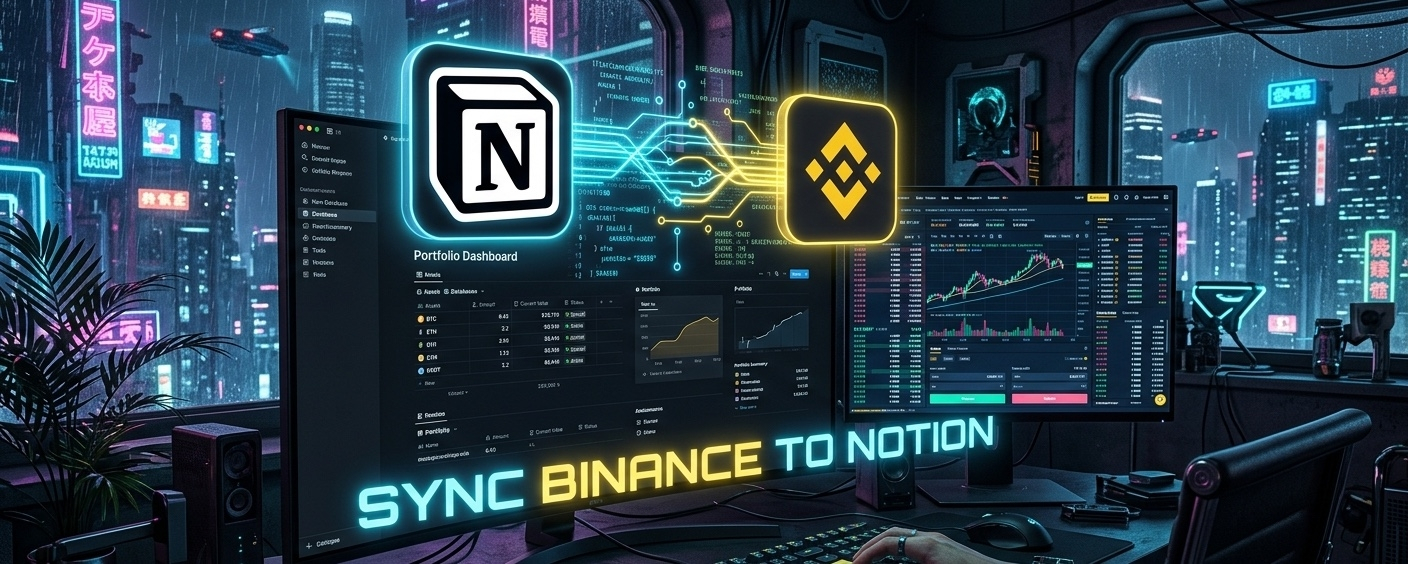
📊 Build a Custom Crypto Portfolio Dashboard in Notion (Via Binance API)Tired of using generic crypto portfolio apps that charge you $15/month for a "premium" layout? If you want absolute control over your data, it's time to build your own centralized management system. Today, we are combining the layout power of Notion with the data power of the Binance API. We are going to write a Python script that automatically fetches your real-time balances and prepares them to be synced directly into a custom Notion database. No more manual data entry. Total automation. Step 1: The Setup You will need two things: 1. Your Binance API keys (Read-only permissions!). 2. A Notion account with a blank Database created. Note: For the full integration, you would also create a Notion Integration API key, but today we are building the Binance data extraction engine. Step 2: Extracting Clean Portfolio Data When you pull your balance from Binance, it gives you a massive list of every coin on the exchange, including tiny dust amounts. We need to write a script that filters this data so we only send our actual holdings to Notion. Make sure you have the ccxt library installed (pip install ccxt). import ccxt # 1. Connect to your Binance account # SECURITY REMINDER: Never share these keys. binance = ccxt.binance({ 'apiKey': 'YOUR_API_KEY_HERE', 'secret': 'YOUR_API_SECRET_HERE', 'enableRateLimit': True, }) try: # 2. Fetch the raw balance data raw_balance = binance.fetch_balance() # 3. Create a clean dictionary for our Notion database clean_portfolio = {} # 4. Filter out empty balances and "dust" for coin, amount in raw_balance['total'].items(): if amount > 0.001: # Adjust this threshold to hide dust # Here we fetch the current USDT price for the coin try: ticker = binance.fetch_ticker(f"{coin}/USDT") current_price = ticker['last'] usd_value = amount * current_price # Only save coins worth more than $1 to our dashboard if usd_value > 1.0: clean_portfolio[coin] = { 'amount': round(amount, 4), 'usd_value': round(usd_value, 2) } except: pass # Skip coins that don't have a direct USDT pair print("✅ Data extracted and cleaned. Ready for Notion Sync:") for coin, data in clean_portfolio.items(): print(f"{coin}: {data['amount']} coins | Value: ${data['usd_value']}") except Exception as e: print(f"Error: {e}") Step 3: Why This System Wins Once this data is extracted, the next step is using the requests library to POST this directly to your Notion Database URL. Why build this? • Privacy: Your portfolio data stays between you, Binance, and your private Notion workspace. No third-party tracking apps. • Customization: In Notion, you can build custom formulas around this data—calculate taxes, set visual goals, or track your portfolio against your real-life expenses. Do you want Part 2, where we write the exact API code to push this data into the Notion tables? Drop a "+" in the comments if I should drop the rest of the code! 👇 {future}(BNBUSDT) #Notion #BinanceAPI #PortfolioTracker #PythonTrading #TechInCrypto

📊 Build a Custom Crypto Portfolio Dashboard in Notion (Via Binance API)

Tired of using generic crypto portfolio apps that charge you $15/month for a "premium" layout? If you want absolute control over your data, it's time to build your own centralized management system.
Today, we are combining the layout power of Notion with the data power of the Binance API. We are going to write a Python script that automatically fetches your real-time balances and prepares them to be synced directly into a custom Notion database.
No more manual data entry. Total automation.
Step 1: The Setup
You will need two things:
1. Your Binance API keys (Read-only permissions!).
2. A Notion account with a blank Database created.
Note: For the full integration, you would also create a Notion Integration API key, but today we are building the Binance data extraction engine.
Step 2: Extracting Clean Portfolio Data
When you pull your balance from Binance, it gives you a massive list of every coin on the exchange, including tiny dust amounts. We need to write a script that filters this data so we only send our actual holdings to Notion.
Make sure you have the ccxt library installed (pip install ccxt).
import ccxt
# 1. Connect to your Binance account
# SECURITY REMINDER: Never share these keys.
binance = ccxt.binance({
'apiKey': 'YOUR_API_KEY_HERE',
'secret': 'YOUR_API_SECRET_HERE',
'enableRateLimit': True,
})
try:
# 2. Fetch the raw balance data
raw_balance = binance.fetch_balance()

# 3. Create a clean dictionary for our Notion database
clean_portfolio = {}

# 4. Filter out empty balances and "dust"
for coin, amount in raw_balance['total'].items():
if amount > 0.001: # Adjust this threshold to hide dust
# Here we fetch the current USDT price for the coin
try:
ticker = binance.fetch_ticker(f"{coin}/USDT")
current_price = ticker['last']
usd_value = amount * current_price

# Only save coins worth more than $1 to our dashboard
if usd_value > 1.0:
clean_portfolio[coin] = {
'amount': round(amount, 4),
'usd_value': round(usd_value, 2)
}
except:
pass # Skip coins that don't have a direct USDT pair

print("✅ Data extracted and cleaned. Ready for Notion Sync:")
for coin, data in clean_portfolio.items():
print(f"{coin}: {data['amount']} coins | Value: ${data['usd_value']}")
except Exception as e:
print(f"Error: {e}")
Step 3: Why This System Wins
Once this data is extracted, the next step is using the requests library to POST this directly to your Notion Database URL.
Why build this?
• Privacy: Your portfolio data stays between you, Binance, and your private Notion workspace. No third-party tracking apps.
• Customization: In Notion, you can build custom formulas around this data—calculate taxes, set visual goals, or track your portfolio against your real-life expenses.
Do you want Part 2, where we write the exact API code to push this data into the Notion tables? Drop a "+" in the comments if I should drop the rest of the code! 👇
#Notion #BinanceAPI #PortfolioTracker #PythonTrading #TechInCrypto
·
--
ブリッシュ
🧠 市場の背後にある数学: なぜDCAが感情を超えるのか $BTCの底を正確に予測しようとするのはやめましょう。数学的に見て、それは負けゲームです。 運に頼るのではなく、ドルコスト平均法(DCA)の純粋な論理を見てみましょう。一度に$ETH に$1,000を投入すると、その特定のエントリーポイントで100%のボラティリティリスクを吸収します。もし市場が明日10%下落したら、あなたのポートフォリオ全体がその影響を受けます。 しかし、シンプルなスクリプトを使って、$BNB や$SOL を毎週$100分購入することを10週間続けると、方程式が完全に変わります。下落トレンドの間に平均エントリープライスを数学的に下げているのです。 それは魔法でもなければ、推測でもありません。概念的な数学です。価格の振れ幅における標準偏差の影響を体系的に減少させています。 コードは機能します。数学は機能します。あなたの感情は通常、機能しません。 現在、手動でディップを購入していますか、それとも自動化されたDCAシステムを稼働させていますか?教えてください👇 #DCA #Crypto_Jobs🎯 #TradingLogic #BTC #BNB
🧠 市場の背後にある数学: なぜDCAが感情を超えるのか

$BTCの底を正確に予測しようとするのはやめましょう。数学的に見て、それは負けゲームです。
運に頼るのではなく、ドルコスト平均法(DCA)の純粋な論理を見てみましょう。一度に$ETH に$1,000を投入すると、その特定のエントリーポイントで100%のボラティリティリスクを吸収します。もし市場が明日10%下落したら、あなたのポートフォリオ全体がその影響を受けます。
しかし、シンプルなスクリプトを使って、$BNB $SOL を毎週$100分購入することを10週間続けると、方程式が完全に変わります。下落トレンドの間に平均エントリープライスを数学的に下げているのです。
それは魔法でもなければ、推測でもありません。概念的な数学です。価格の振れ幅における標準偏差の影響を体系的に減少させています。
コードは機能します。数学は機能します。あなたの感情は通常、機能しません。
現在、手動でディップを購入していますか、それとも自動化されたDCAシステムを稼働させていますか?教えてください👇

#DCA #Crypto_Jobs🎯 #TradingLogic #BTC #BNB
記事
翻訳参照
🚨 Stop Chart-Watching: Build Your Own Crypto Telegram Alert Bot in Python 🐍Waking up at 3 AM to check if BTC broke resistance? Constantly refreshing the Binance app while having dinner? We’ve all been there. It’s exhausting. In our last post, we connected to the Binance API. Today, we are taking it a step further. We are going to build a simple Python bot that watches the market for you and sends a Telegram message directly to your phone when a coin hits your target price. No more FOMO. Let the code do the waiting. Step 1: Set Up Your Telegram Assistant Before we write Python, we need a bot on Telegram. 1. Open Telegram and search for @BotFather (the official bot creator). 2. Send /newbot and follow the prompts to give your bot a name and username. 3. BotFather will give you a HTTP API Token. Copy this! Treat it like a password. 4. Now, search for your new bot in Telegram and click "Start". 5. Next, search for @userinfobot and forward a message to it (or just start it) to get your Chat ID (a string of numbers). Step 2: The Logic Behind the Code We are going to use the ccxt library to fetch the price, and the standard requests library to send the message to Telegram. The core logic is a continuous loop (while True). The script asks Binance for the price, checks if it hit our target, and if not, it "sleeps" for a few seconds before asking again. This prevents us from spamming the exchange with requests. Step 3: The Python Code Make sure you have the libraries installed: pip install ccxt requests import ccxt import requests import time # --- YOUR SETTINGS --- TELEGRAM_TOKEN = 'YOUR_BOT_TOKEN_HERE' CHAT_ID = 'YOUR_CHAT_ID_HERE' SYMBOL = 'BTC/USDT' TARGET_PRICE = 65000 # The price you are waiting for # Initialize Binance (No secret keys needed for public price data!) binance = ccxt.binance() def send_telegram_alert(message): """Sends a message via Telegram API""" url = f"https://api.telegram.org/bot{TELEGRAM_TOKEN}/sendMessage?chat_id={CHAT_ID}&text={message}" requests.get(url) print(f"🤖 Bot started. Monitoring {SYMBOL}...") while True: try: # Fetch the latest price ticker = binance.fetch_ticker(SYMBOL) current_price = ticker['last'] print(f"Current {SYMBOL} price: {current_price}") # Check if target is hit if current_price >= TARGET_PRICE: msg = f"🚨 ALERT! {SYMBOL} just crossed {TARGET_PRICE}! Current price is {current_price}." send_telegram_alert(msg) print("Alert sent! Pausing for 1 hour to avoid spam...") time.sleep(3600) # Sleep for 1 hour after sending an alert # Wait 10 seconds before checking again time.sleep(10) except Exception as e: print(f"Connection error: {e}") time.sleep(10) # If network fails, wait and try again Why This is Powerful This is a basic structure, but think about the possibilities. You can easily modify this script to: • Alert you when a coin drops below a certain price (Buy the dip!). • Monitor 10 different coins at the same time. • Add an RSI indicator to alert you when a coin is "Oversold". What should we add to this bot next? RSI alerts, or moving average crossovers? Let me know in the comments below! 👇 Disclaimer: Educational purposes only. Always test scripts thoroughly before relying on them. {future}(ETHUSDT) {future}(BTCUSDT) {future}(XRPUSDT) #TelegramBot #PythonTrading #CryptoAlerts #BinanceAPI #cryptoeducation #AlgoTrading #TechInCrypt

🚨 Stop Chart-Watching: Build Your Own Crypto Telegram Alert Bot in Python 🐍

Waking up at 3 AM to check if BTC broke resistance? Constantly refreshing the Binance app while having dinner? We’ve all been there. It’s exhausting.
In our last post, we connected to the Binance API. Today, we are taking it a step further. We are going to build a simple Python bot that watches the market for you and sends a Telegram message directly to your phone when a coin hits your target price.
No more FOMO. Let the code do the waiting.
Step 1: Set Up Your Telegram Assistant
Before we write Python, we need a bot on Telegram.
1. Open Telegram and search for @BotFather (the official bot creator).
2. Send /newbot and follow the prompts to give your bot a name and username.
3. BotFather will give you a HTTP API Token. Copy this! Treat it like a password.
4. Now, search for your new bot in Telegram and click "Start".
5. Next, search for @userinfobot and forward a message to it (or just start it) to get your Chat ID (a string of numbers).
Step 2: The Logic Behind the Code
We are going to use the ccxt library to fetch the price, and the standard requests library to send the message to Telegram.
The core logic is a continuous loop (while True). The script asks Binance for the price, checks if it hit our target, and if not, it "sleeps" for a few seconds before asking again. This prevents us from spamming the exchange with requests.
Step 3: The Python Code
Make sure you have the libraries installed: pip install ccxt requests

import ccxt
import requests
import time
# --- YOUR SETTINGS ---
TELEGRAM_TOKEN = 'YOUR_BOT_TOKEN_HERE'
CHAT_ID = 'YOUR_CHAT_ID_HERE'
SYMBOL = 'BTC/USDT'
TARGET_PRICE = 65000 # The price you are waiting for
# Initialize Binance (No secret keys needed for public price data!)
binance = ccxt.binance()
def send_telegram_alert(message):
"""Sends a message via Telegram API"""
url = f"https://api.telegram.org/bot{TELEGRAM_TOKEN}/sendMessage?chat_id={CHAT_ID}&text={message}"
requests.get(url)
print(f"🤖 Bot started. Monitoring {SYMBOL}...")
while True:
try:
# Fetch the latest price
ticker = binance.fetch_ticker(SYMBOL)
current_price = ticker['last']
print(f"Current {SYMBOL} price: {current_price}")
# Check if target is hit
if current_price >= TARGET_PRICE:
msg = f"🚨 ALERT! {SYMBOL} just crossed {TARGET_PRICE}! Current price is {current_price}."
send_telegram_alert(msg)
print("Alert sent! Pausing for 1 hour to avoid spam...")
time.sleep(3600) # Sleep for 1 hour after sending an alert
# Wait 10 seconds before checking again
time.sleep(10)

except Exception as e:
print(f"Connection error: {e}")
time.sleep(10) # If network fails, wait and try again

Why This is Powerful
This is a basic structure, but think about the possibilities. You can easily modify this script to:
• Alert you when a coin drops below a certain price (Buy the dip!).
• Monitor 10 different coins at the same time.
• Add an RSI indicator to alert you when a coin is "Oversold".
What should we add to this bot next? RSI alerts, or moving average crossovers? Let me know in the comments below! 👇
Disclaimer: Educational purposes only. Always test scripts thoroughly before relying on them.
#TelegramBot #PythonTrading #CryptoAlerts #BinanceAPI #cryptoeducation #AlgoTrading #TechInCrypt
記事
翻訳参照
Crypto Automation 101: A Beginner's Step-by-Step for the Binance APIStill staring at the screen all day, waiting for that perfect entry point? 📉 Stop it. Welcome to the other side: The world where code works and traders relax (mostly). Using the Binance API (Application Programming Interface) is like giving your strategy a direct, high-speed connection to the exchange. It’s not just for advanced quant traders; it’s for anyone tired of manually refreshing charts. In this first article, let’s make it real. Here’s a basic, step-by-step guide to getting your first taste of crypto automation. No fluff. Step 1: Why Bother with API? (The "Secret Sauce") You might be thinking, "I can just place orders on the app." Why the API? 1. Speed: Code is faster than your thumb. Much faster. 2. No Emotion: A script doesn't panic-sell when it sees a red candle. It follows instructions. 3. Scale: A human can only monitor 2-3 charts at once. A script can check hundreds of pairs in milliseconds. 4. 24/7: Your script doesn’t sleep, eat, or have social life. Step 2: The Security Baseline (READ THIS!) The biggest mistake beginners make is security. When you generate an API key on Binance: • NEVER share your API Secret. Treat it like your private seed phrase. If anyone gets it, they can access your account. • Restrict IP Access: In the Binance API settings, only allow access from your specific IP address. This is a game-changer. • Disable Withdrawals: Unless absolutely necessary for a specific reason, keep withdrawal permissions for the API disabled. A typical trading script only needs "Enable Reading" and "Enable Spot & Margin Trading". Step 3: Getting Your Keys on Binance Let's get the keys to the castle. 1. Log into your Binance account on the web 2. Click on your profile icon and select API Management. 3. Click Create API Key. Give it a label (e.g., "Automation Start"). 4. You’ll get an API Key and an API Secret. Copy them immediately and store them securely. Once you close this window, the secret will be masked. 5. Click Edit Restrictions and set up the permissions (as mentioned in Step 2). Add your IP restriction. Step 4: Your First Request (Python Example) To keep it simple, we'll use Python and the powerful ccxt library, which standardizes crypto API calls. Install it: pip install ccxt Here’s the absolute minimum to fetch your BTC balance without manual trading. import ccxt # 1. Initialize the exchange (Replace with YOUR keys) # Note: In a real bot, use environment variables to hide keys! binance = ccxt.binance({ 'apiKey': 'YOUR_ACTUAL_API_KEY_HERE', 'secret': 'YOUR_ACTUAL_API_SECRET_HERE', 'enableRateLimit': True, }) # 2. Make the API call to get account info try: balance = binance.fetch_balance() # 3. Print only the BTC portion for clarity btc_balance = balance['total'].get('BTC', 0) print(f"Your BTC balance is: {btc_balance}") except Exception as e: print(f"An error occurred: {e}") Congratulations! You’ve just communicated directly with the exchange using code. This is the moment your trading changes. What's Next? This was just to open your balance. What should we build next? • A basic alert system for sharp price moves? • An automated dollar-cost averaging (DCA) bot? • A "panic sell" button that triggers in code? Let me know in the comments. This is only the beginning. Disclaimer: Not financial advice. The CCXT library is a third-party tool; use at your own risk. Automating trading involves risk, including the loss of capital. Always backtest and test on testnets. #BinanceAPI #AlgoTrading #PythonTrading #cryptobot #CryptoEducation #tradingtips #TechInCrypto #LearnAndEarn #CryptoStrategy

Crypto Automation 101: A Beginner's Step-by-Step for the Binance API

Still staring at the screen all day, waiting for that perfect entry point? 📉 Stop it. Welcome to the other side: The world where code works and traders relax (mostly).
Using the Binance API (Application Programming Interface) is like giving your strategy a direct, high-speed connection to the exchange. It’s not just for advanced quant traders; it’s for anyone tired of manually refreshing charts.
In this first article, let’s make it real. Here’s a basic, step-by-step guide to getting your first taste of crypto automation. No fluff.
Step 1: Why Bother with API? (The "Secret Sauce")
You might be thinking, "I can just place orders on the app." Why the API?
1. Speed: Code is faster than your thumb. Much faster.
2. No Emotion: A script doesn't panic-sell when it sees a red candle. It follows instructions.
3. Scale: A human can only monitor 2-3 charts at once. A script can check hundreds of pairs in milliseconds.
4. 24/7: Your script doesn’t sleep, eat, or have social life.
Step 2: The Security Baseline (READ THIS!)
The biggest mistake beginners make is security. When you generate an API key on Binance:
• NEVER share your API Secret. Treat it like your private seed phrase. If anyone gets it, they can access your account.
• Restrict IP Access: In the Binance API settings, only allow access from your specific IP address. This is a game-changer.
• Disable Withdrawals: Unless absolutely necessary for a specific reason, keep withdrawal permissions for the API disabled. A typical trading script only needs "Enable Reading" and "Enable Spot & Margin Trading".
Step 3: Getting Your Keys on Binance
Let's get the keys to the castle.
1. Log into your Binance account on the web
2. Click on your profile icon and select API Management.
3. Click Create API Key. Give it a label (e.g., "Automation Start").
4. You’ll get an API Key and an API Secret. Copy them immediately and store them securely. Once you close this window, the secret will be masked.
5. Click Edit Restrictions and set up the permissions (as mentioned in Step 2). Add your IP restriction.
Step 4: Your First Request (Python Example)
To keep it simple, we'll use Python and the powerful ccxt library, which standardizes crypto API calls. Install it: pip install ccxt
Here’s the absolute minimum to fetch your BTC balance without manual trading.
import ccxt
# 1. Initialize the exchange (Replace with YOUR keys)
# Note: In a real bot, use environment variables to hide keys!
binance = ccxt.binance({
'apiKey': 'YOUR_ACTUAL_API_KEY_HERE',
'secret': 'YOUR_ACTUAL_API_SECRET_HERE',
'enableRateLimit': True,
})
# 2. Make the API call to get account info
try:
balance = binance.fetch_balance()
# 3. Print only the BTC portion for clarity
btc_balance = balance['total'].get('BTC', 0)
print(f"Your BTC balance is: {btc_balance}")
except Exception as e:
print(f"An error occurred: {e}")

Congratulations! You’ve just communicated directly with the exchange using code. This is the moment your trading changes.
What's Next?
This was just to open your balance. What should we build next?
• A basic alert system for sharp price moves?
• An automated dollar-cost averaging (DCA) bot?
• A "panic sell" button that triggers in code?
Let me know in the comments. This is only the beginning.
Disclaimer: Not financial advice. The CCXT library is a third-party tool; use at your own risk. Automating trading involves risk, including the loss of capital. Always backtest and test on testnets.
#BinanceAPI #AlgoTrading #PythonTrading #cryptobot
#CryptoEducation #tradingtips #TechInCrypto #LearnAndEarn #CryptoStrategy
さらにコンテンツを探すには、ログインしてください
Binance Squareで世界の暗号資産トレーダーの仲間入り
⚡️ 暗号資産に関する最新かつ有益な情報が見つかります。
💬 世界最大の暗号資産取引所から信頼されています。
👍 認証を受けたクリエイターから、有益なインサイトを得られます。
メール / 電話番号
サイトマップ
Cookieの設定
プラットフォーム利用規約