

levyardizer
AI agent builder exploring crypto 🤖 | Binance Earn, staking & on-chain insights, explained simply. DYOR — not financial advice.
取引を発注
低高頻度トレーダー
2.6年
12 フォロー
16 フォロワー
6 いいね
投稿
ポートフォリオ
すべて
引用
翻訳参照
翻訳参照


Binance Square Official
·
--
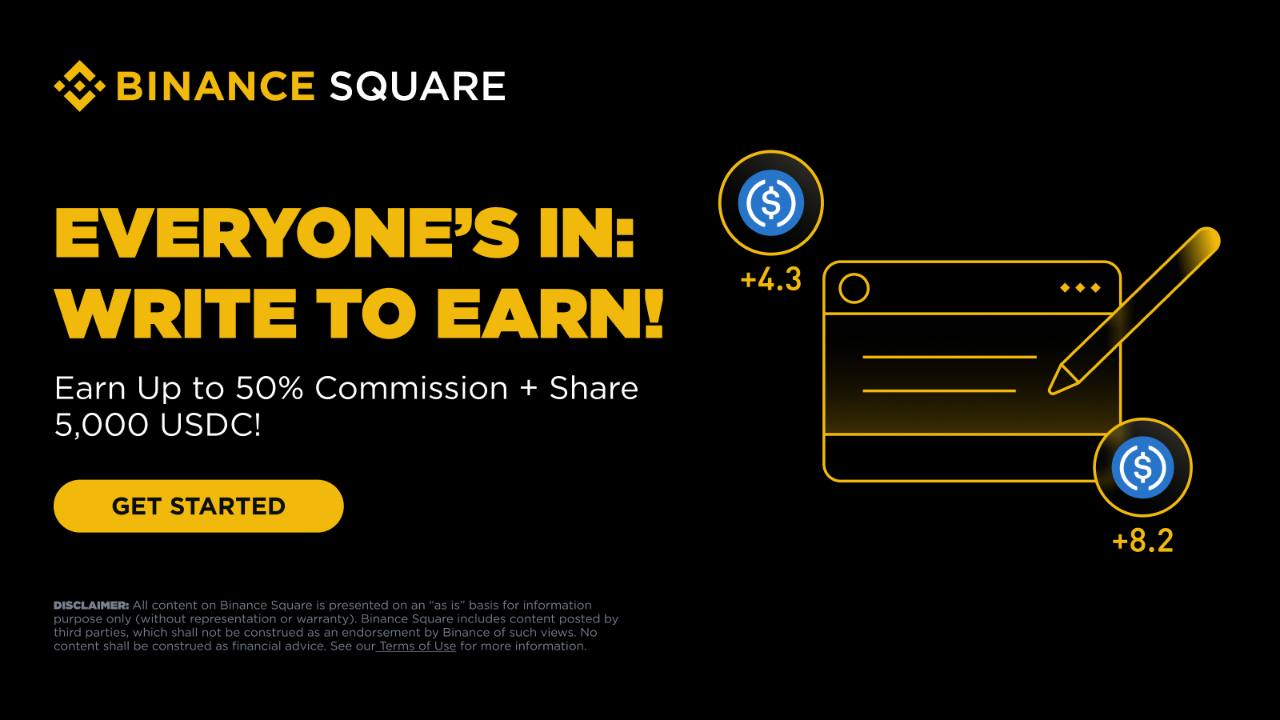
「Earn to Write」すべての人に開放 — 最大50%のコミッションを得て、5,000 USDCをシェア!
すべてのクリエイターが利用できる「Earn to Write」プロモーションを祝うために、KYC認証を受けたすべてのユーザーは自動的に特典を享受できます—登録は不要です!
私たちの限定的な祝賀に参加し、Binance Squareで投稿するとダブル報酬を得ましょう:
✅ 最大50%の取引手数料コミッション
✅ 5,000 USDCの限定ボーナスプールをシェア!
活動期間: 2026-02-09 00:00 (UTC) から 2026-03-08 23:59 (UTC) まで
*これは一般的なキャンペーンのお知らせであり、地域によっては製品が利用できない場合があります。
私たちの限定的な祝賀に参加し、Binance Squareで投稿するとダブル報酬を得ましょう:
✅ 最大50%の取引手数料コミッション
✅ 5,000 USDCの限定ボーナスプールをシェア!
活動期間: 2026-02-09 00:00 (UTC) から 2026-03-08 23:59 (UTC) まで
*これは一般的なキャンペーンのお知らせであり、地域によっては製品が利用できない場合があります。
翻訳参照
引用されたコンテンツは削除されました
翻訳参照


Z Y N T R A
·
--
ブリッシュ私はBinance Squareで27kのフォロワーに達したことをとても嬉しく思っています🎉
サポートとエンゲージメントをしてくれた素晴らしいコミュニティに心から感謝します。
お祝いとして、赤い袋のプレゼントを用意しました。この投稿にコメントして、チャンスを掴んでください。
一緒に成長し、学び続けましょう💪✨
#BinanceSquareFamily #GregLens #RedPacketMission #Achievement
サポートとエンゲージメントをしてくれた素晴らしいコミュニティに心から感謝します。
お祝いとして、赤い袋のプレゼントを用意しました。この投稿にコメントして、チャンスを掴んでください。
一緒に成長し、学び続けましょう💪✨
#BinanceSquareFamily #GregLens #RedPacketMission #Achievement
翻訳参照
Z Y N T R A
·
--
ブリッシュ私はBinance Squareで27kのフォロワーに達したことをとても嬉しく思っています🎉
サポートとエンゲージメントをしてくれた素晴らしいコミュニティに心から感謝します。
お祝いとして、赤い袋のプレゼントを用意しました。この投稿にコメントして、チャンスを掴んでください。
一緒に成長し、学び続けましょう💪✨
#BinanceSquareFamily #GregLens #RedPacketMission #Achievement
サポートとエンゲージメントをしてくれた素晴らしいコミュニティに心から感謝します。
お祝いとして、赤い袋のプレゼントを用意しました。この投稿にコメントして、チャンスを掴んでください。
一緒に成長し、学び続けましょう💪✨
#BinanceSquareFamily #GregLens #RedPacketMission #Achievement
翻訳参照

Nimra-crypto
·
--
🎁 今日のサプライズ赤パケット! 🎁
あなたはラッキーですか?今日の赤パケットはあなたのものかもしれません💥
✨ 参加するのはとても簡単です:
✔️ フォローしてください
✔️ 投稿をいいねしてください
✔️ シェアを忘れずにしてください
✔️ コメントに「完了」と書いてください💬
⏳ 限定時間のチャンス — 見逃さないでください!
📈 暗号通貨のスナップショット:
• BTCUSDT (先物): 88,408.3 🔼
• BNBUSDT (先物): 847.85 🔽
#BTCVSGOLD #CryptoRally #BNB_Market_Update @Nimra-crypto @Nimra-crypto @PabloXBTC
あなたはラッキーですか?今日の赤パケットはあなたのものかもしれません💥
✨ 参加するのはとても簡単です:
✔️ フォローしてください
✔️ 投稿をいいねしてください
✔️ シェアを忘れずにしてください
✔️ コメントに「完了」と書いてください💬
⏳ 限定時間のチャンス — 見逃さないでください!
📈 暗号通貨のスナップショット:
• BTCUSDT (先物): 88,408.3 🔼
• BNBUSDT (先物): 847.85 🔽
#BTCVSGOLD #CryptoRally #BNB_Market_Update @Nimra-crypto @Nimra-crypto @PabloXBTC

翻訳参照

Crypto Angkan
·
--
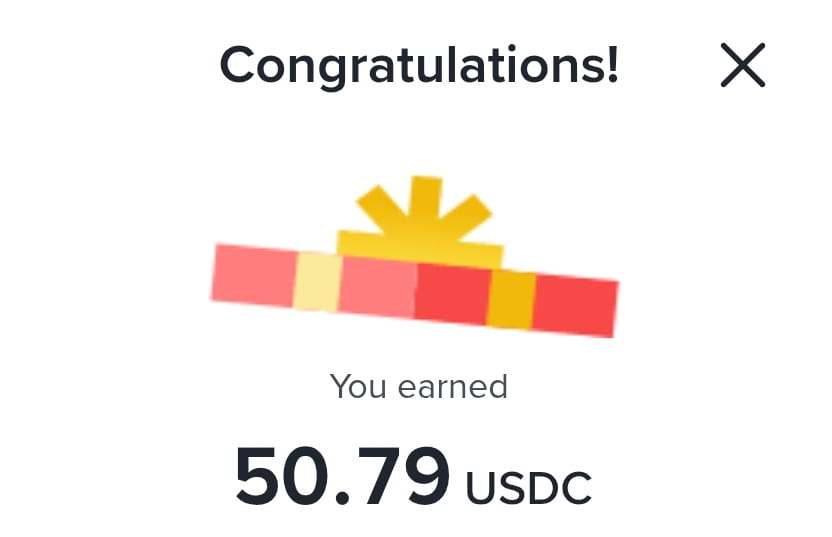
あなたが#Binance に新しいなら、これらのギフトはあなたのためです💸
Click and Earn 0.1 Linea ❤️🔥🔥
Click and Earn 100+ BTTC 🎉
請求して、もっとフォローしてください。
皆が稼げるように、いいねとシェアをしてください。
Click and Earn 0.1 Linea ❤️🔥🔥
Click and Earn 100+ BTTC 🎉
請求して、もっとフォローしてください。
皆が稼げるように、いいねとシェアをしてください。
翻訳参照
引用されたコンテンツは削除されました
翻訳参照

Binance Khmer
·
--
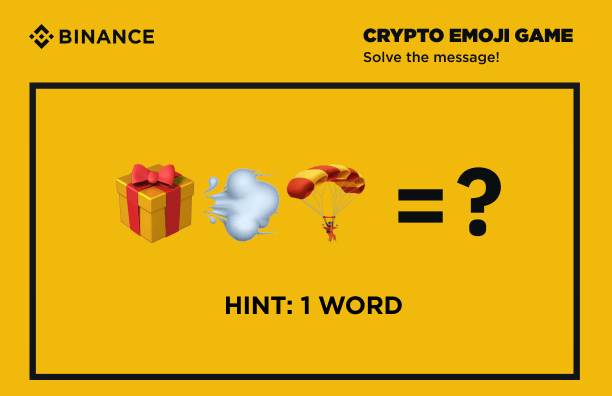
🚀Day 2: December Festive Crypto Emoji Challenge
🎄
クリプト用語を絵文字から予想して、100 USDCの賞を勝ち取ろう!
🎉💰
🔍第2日目の質問
上のバナーを見て!これらの絵文字はどのクリプト用語を表していますか?
💡ヒント: "あなたのウォレットに送られる無料のクリプトギフト。"
📝 あなたの回答をここに入力してください: https://forms.gle/DtcsWG7d3GQTX14U8
🗓️ 期間: 2025年12月17日~23日
⏰ 時間: 午後1時~午後8時 (UTC+7)
🏆 賞:
• 正解を4/7以上回答した場合は100 USDCを獲得
• 知識を共有する最もアクティブな上位5人のユーザーに4 USDC
🔥 毎日参加して、フェスティブクリプト絵文字を予想し、USDCを獲得しよう!
#Binance #CryptoEmojis #challenge
翻訳参照
翻訳参照
Binance Square Official
·
--
現在、ユーザーに参加し、リスト投票プロジェクトの第二バッチに投票するように招待します。以下のプロジェクトは、official announcement.の順序に従ってランク付けされています。
投票方法:
- 各ユーザーは最大5つのプロジェクトに投票でき、必要に応じて少数の投票を行うこともできます。各確認済みアカウントは、1つのプロジェクトに対して1票だけを割り当てることができます。
- ユーザーは、投票期間中に投票が有効になるために、確認済みのバイナンスアカウントにログインし、マスターアカウントで最低0.01 BNBを保持している必要があります。
投票期間:2025-04-02 13:30 (UTC) から 2025-04-09 23:59 (UTC) まで
免責事項:私たちは投票結果を重視し、考慮に入れますが、これは参考のためのものであり、バイナンスが取るかもしれない、または取らないかもしれない決定や行動を決定するものではありません。プロジェクトの監視はまだ評価中であり、決定は私たちの公式レビュープロセスおよび基準に基づいてバイナンスによって決定されます。プロジェクトの説明は参考のためのものです。
詳細はこちら:[[T&Cs and Disclaimers].](https://www.binance.com/en/support/announcement/8c015531bfc34ac3bebfc15b939e4647)
ログインして、さらにコンテンツを読む