A data breach can happen without you noticing.

You might continue using your email, phone number, social-media accounts, exchange accounts, and other online services normally, while somewhere in the background, information connected to one of those accounts may have already been exposed.

The important question isn't only:

“Has my data been leaked?”

It's also:

“What should I do if it has?”

Knowing how to check for exposure and responding quickly can significantly reduce the potential damage.

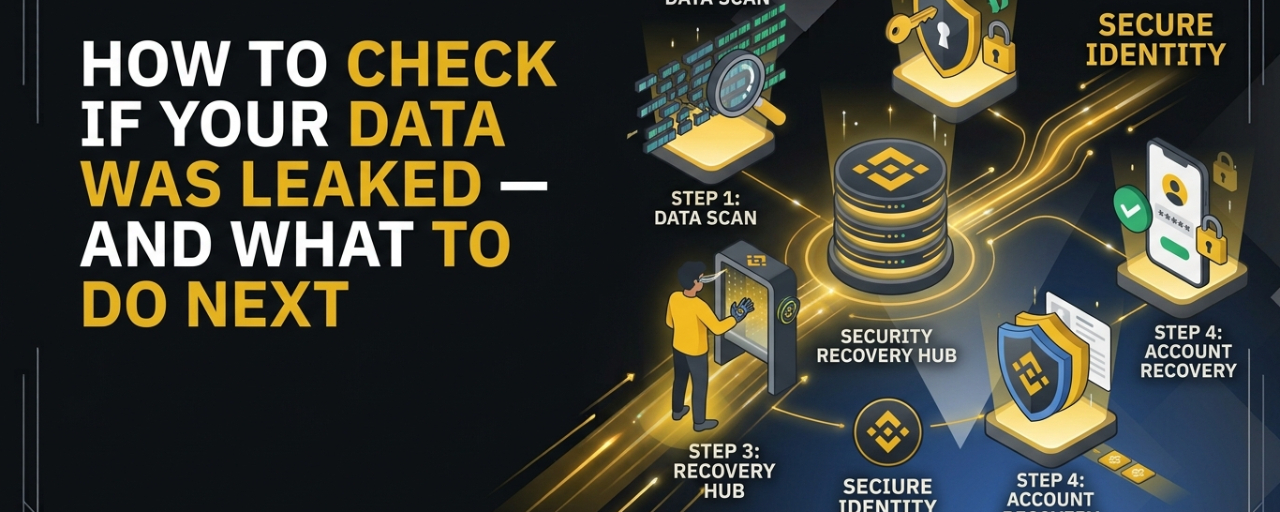
Here is a practical step-by-step guide.


1. What Does It Mean When Your Data Is Leaked?

A data leak or breach happens when information that should be protected becomes accessible to unauthorized people.

Depending on the incident, exposed information could include:

  • Email addresses

  • Phone numbers

  • Names

  • Passwords

  • Usernames

  • Physical addresses

  • IP addresses

  • Account information

  • Authentication-related data

  • Financial information

Not every breach exposes the same type or amount of information. A leaked email address is very different from a leaked password or financial credential.

That's why identifying exactly what was exposed matters.


2. Check Whether Your Email Has Appeared in Known Breaches

One of the simplest ways to check is through a reputable breach-notification service such as Have I Been Pwned. You can enter an email address and check whether it appears in known data breaches. If your email appears, don't immediately assume that your current password has been compromised.

Instead, look at the breach details and determine:

What service was breached?

When did it happen?

What information was reportedly exposed?

This distinction is important because an old breach involving only an email address presents a different situation from a breach involving passwords or authentication data.


3. Don't Ignore an Old Breach

A breach doesn't become irrelevant simply because it happened years ago.

Old credentials can remain useful to attackers.

One of the most common problems is password reuse.

For example, imagine you used:

Password123!

on five different websites.

If one of those websites suffers a breach and the password becomes available to attackers, they may try the same email/password combination on other services.

This is known as credential stuffing.

That's why every account should ideally have its own unique password.


4. Change Compromised Passwords Immediately

If you discover that a password has been exposed, change it.

But don't simply modify the old password slightly.

Changing:

Password123!

to

Password123!!

doesn't provide meaningful protection.

Instead, create a completely new, unique password.

A password manager can make this much easier by generating and storing strong passwords for individual accounts.

Prioritize your most important accounts first:

  1. Primary email

  2. Financial accounts

  3. Cryptocurrency exchanges

  4. Cloud storage

  5. Social-media accounts

  6. Work accounts

Your email account deserves particular attention because it can often be used to reset passwords for other services.


5. Turn On Two-Factor Authentication

A strong password is important.

But passwords alone shouldn't be your only line of defense.

Enable two-factor authentication (2FA) wherever possible.

Depending on the service, you may have options such as:

  • Authenticator applications

  • Passkeys

  • Hardware security keys

  • SMS authentication

Authenticator apps, passkeys and hardware security keys can provide stronger protection than relying solely on SMS.

For sensitive accounts, use the strongest authentication method that the service supports and that you can manage securely.


6. Be Careful About Phishing After a Breach

A data breach can give attackers information they can use to make scams more convincing.

Suppose an online service suffers a breach and your email address is exposed.

You might subsequently receive an email saying:

“Your account has been compromised. Click here to secure it.”

It may look legitimate.

The message might even contain the company's logo and other details. But the link could lead to a fake login page designed to steal your password. This is why a breach should make you more suspicious of unexpected messages, not less.

When you receive a security notification, don't automatically click its links.

Instead, open the company's official website or application yourself and check your account there.


7. Protect Your Crypto Accounts

For cryptocurrency users, account security deserves additional attention. If your email address or other personal information appears in a breach, attackers may attempt to use it to target your exchange accounts.

Make sure your exchange account has:

  • A unique password

  • 2FA enabled

  • Anti-phishing protections where available

  • Withdrawal protections

  • Strong account-recovery security

And remember:

Customer support will never need your password, private key or recovery phrase.

Anyone asking for your seed phrase or private key is attempting to gain control of your assets.

Never share it.


8. Check Your Account Activity

After discovering a possible breach, review your important accounts.

Look for:

  • Unrecognized logins

  • Unknown devices

  • Password-reset notifications

  • New withdrawal addresses

  • Unexpected transactions

  • Changes to account settings

  • New authentication methods

  • Emails you don't recognize

If something looks suspicious, take action immediately.

Change the password, revoke unknown sessions, remove unfamiliar devices and contact the relevant service through its official support channel.

For financial or cryptocurrency accounts, don't wait until money is actually missing before investigating suspicious activity.


9. Secure Your Email Account First

Your email account is often the key to your other accounts.

If an attacker controls your email, they may be able to request password resets for other services.

So after a breach, your email should be one of the first accounts you secure.

Check:

Password: Is it unique?

2FA: Is it enabled?

Recovery email: Is it yours?

Recovery phone: Is it correct?

Active sessions: Are there unknown devices?

Forwarding rules: Has anyone created suspicious automatic forwarding?

Connected applications: Are there services you don't recognize?

A compromised email account can turn one exposed credential into a much larger security problem.


10. Watch Out for Identity Theft

Some breaches expose more sensitive information than just usernames and passwords.

If government identification information, financial details, or other highly sensitive personal data has been exposed, the potential consequences can be more serious.

In that situation, consider contacting the affected organization and following the official guidance they provide.

Depending on your country and the information involved, additional measures may be available, such as monitoring financial accounts or reporting suspected identity theft to the relevant authorities.

The appropriate response depends heavily on what information was exposed.


11. Don't Panic, Prioritize

Finding your email in a breach database can be alarming.

But not every breach means someone currently has access to your account.

The most useful approach is to determine:

What was exposed?

When was it exposed?

Is the affected password still being used?

Was that password reused elsewhere?

Is 2FA enabled?

Is there any suspicious activity?

Then address the highest-risk issues first.

Security isn't about eliminating every possible risk.

It's about reducing the opportunities attackers have to compromise you.


A Simple Post-Breach Checklist

If you discover your information in a breach, work through this list:

☑ Identify what information was exposed.

☑ Change any compromised passwords.

☑ Don't reuse passwords across accounts.

☑ Enable 2FA or passkeys.

☑ Secure your primary email account.

☑ Review active sessions and connected devices.

☑ Check for suspicious account activity.

☑ Be especially careful with phishing attempts.

☑ Secure financial and cryptocurrency accounts.

☑ Never share passwords, private keys or recovery phrases.

☑ Monitor important accounts for unusual activity.


The Most Important Lesson

You don't need to wait for a breach notification to improve your security.

Use unique passwords.

Enable strong authentication.

Keep your devices and software updated.

Be skeptical of unexpected links and messages.

Review your account activity regularly.

And if you discover that your information has been exposed, act rather than panic.

A leaked email address doesn't automatically mean your accounts are compromised.

A leaked password doesn't automatically mean an attacker has access to everything.

But exposed information can become a starting point for future attacks, especially when passwords are reused or when phishing is involved.

The best defense is to reduce what attackers can do with the information they obtain.

Check. Secure. Monitor. Repeat.

Stay SAFU. 🔐

#databreach #Privacy #phishing #AccountSecurity #CryptoSecurity


Disclaimer: This article is for general educational purposes only and is not professional cybersecurity, legal, or financial advice. The appropriate response to a data breach depends on the type of information exposed, the affected service, and your jurisdiction.