
Afshan Aarzu
110 Posting

Afshan Aarzu
Laporkan
Blokir Pengguna
103 Mengikuti
14 Pengikut
39 Disukai
Posting
Semua
Kuotasi
Video
·
--
Bullish
Bagaimana Eksploitasi Terjadi
Temuan keamanan awal mengungkap kampanye rekayasa sosial canggih yang berlangsung selama berbulan-bulan dan diatur oleh para peretas:
Wawancara Kerja Palsu: Para penyerang menyamar sebagai perekrut perusahaan di situs jejaring profesional untuk menargetkan para teknisi Binance.
Penyusupan Malware: Seorang teknisi tertipu untuk mengunduh malware zero-day yang disamarkan sebagai “tugas pemrograman” teknis, sehingga memberi para peretas pijakan di dalam sistem.
#TRUMPFalls18.1%In24HoursToRecordLow #BinanceReopensWithdrawalsForMoreAssets #USClearsSingleStockPerpetualFutures
Bagaimana Eksploitasi Terjadi
Temuan keamanan awal mengungkap kampanye rekayasa sosial canggih yang berlangsung selama berbulan-bulan dan diatur oleh para peretas:
Wawancara Kerja Palsu: Para penyerang menyamar sebagai perekrut perusahaan di situs jejaring profesional untuk menargetkan para teknisi Binance.
Penyusupan Malware: Seorang teknisi tertipu untuk mengunduh malware zero-day yang disamarkan sebagai “tugas pemrograman” teknis, sehingga memberi para peretas pijakan di dalam sistem.
#TRUMPFalls18.1%In24HoursToRecordLow #BinanceReopensWithdrawalsForMoreAssets #USClearsSingleStockPerpetualFutures
Temuan keamanan awal mengungkap kampanye rekayasa sosial canggih yang berlangsung selama berbulan-bulan dan diatur oleh para peretas:
Wawancara Kerja Palsu: Para penyerang menyamar sebagai perekrut perusahaan di situs jejaring profesional untuk menargetkan para teknisi Binance.
Penyusupan Malware: Seorang teknisi tertipu untuk mengunduh malware zero-day yang disamarkan sebagai “tugas pemrograman” teknis, sehingga memberi para peretas pijakan di dalam sistem.
#TRUMPFalls18.1%In24HoursToRecordLow #BinanceReopensWithdrawalsForMoreAssets #USClearsSingleStockPerpetualFutures
214
·
--
Lihat terjemahan
$Binance Rebuilding After Historic $6.3 Billion Crypto Heist
Binance is moving to restore full market confidence after suffering a historic $6.34 billion cyberattack on October 29, 2026. Dubbed by blockchain analytics experts as the "largest bank robbery in human history", the four-hour breach drained wallets across multiple blockchain networks in mere minutes. Despite the astronomical scale of the theft, Binance co-CEO Richard Teng confirmed that 98% of the affected user assets have already been replenished using the company's own corporate revenues and emergency funds.
$Binance Rebuilding After Historic $6.3 Billion Crypto Heist
Binance is moving to restore full market confidence after suffering a historic $6.34 billion cyberattack on October 29, 2026. Dubbed by blockchain analytics experts as the "largest bank robbery in human history", the four-hour breach drained wallets across multiple blockchain networks in mere minutes. Despite the astronomical scale of the theft, Binance co-CEO Richard Teng confirmed that 98% of the affected user assets have already been replenished using the company's own corporate revenues and emergency funds.
Binance is moving to restore full market confidence after suffering a historic $6.34 billion cyberattack on October 29, 2026. Dubbed by blockchain analytics experts as the "largest bank robbery in human history", the four-hour breach drained wallets across multiple blockchain networks in mere minutes. Despite the astronomical scale of the theft, Binance co-CEO Richard Teng confirmed that 98% of the affected user assets have already been replenished using the company's own corporate revenues and emergency funds.
32
·
--
Lihat terjemahan
hi
hi

crypto_trader42
·
--
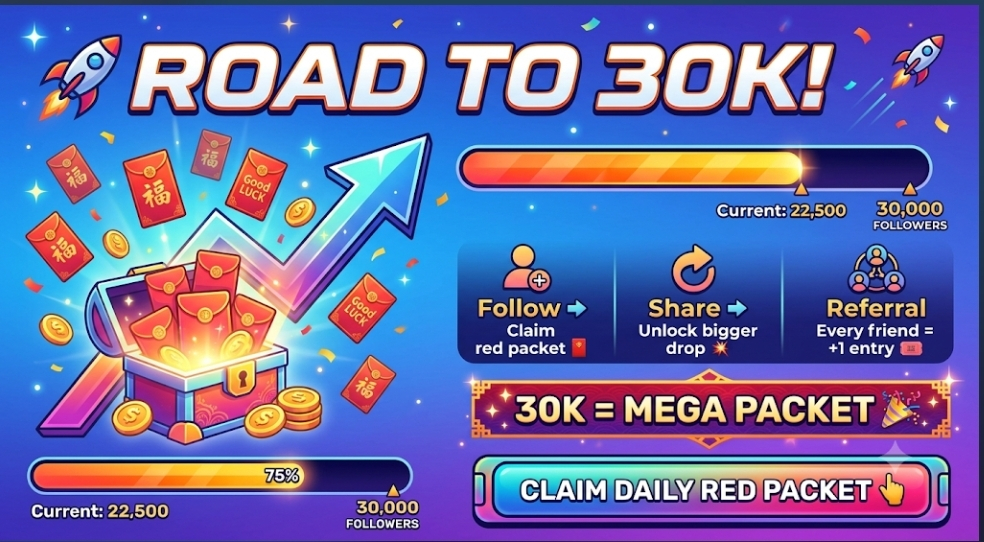
🚀 2,9K ➡️ 30K 🧧
Hampir mencapai 3K... tapi target sebenarnya 30K 🎯
Ikuti ✅ Klaim 🧧 Bagikan 🔁
1 kali dibagikan = +1 kesempatan 🎟️
HADIAH BESAR saat mencapai 30K 💥
👇 Ayo!
Hampir mencapai 3K... tapi target sebenarnya 30K 🎯
Ikuti ✅ Klaim 🧧 Bagikan 🔁
1 kali dibagikan = +1 kesempatan 🎟️
HADIAH BESAR saat mencapai 30K 💥
👇 Ayo!
3
3

·
--
Lihat terjemahan
#very funny 🤣🤣🤣 video watch now. keep##smile
#very funny 🤣🤣🤣 video watch now. keep##smile
1
4
287
·
--
Lihat terjemahan
MAX TokenMAX Token (MAX) is not currently listed for direct spot trading on the Binance centralized exchange, though users can acquire it via decentralized exchanges using the self-custody Binance Web3 Wallet.
Understanding MAX Token and How to Acquire It on Binance
While MAX Token is tracked on Binance for real-time market data and price conversions, it is not listed on the main exchange for direct spot buying or trading. Investors looking to interact with MAX Token within the Binance ecosystem must rely on decentralized finance (DeFi) tools.
Key Token Overview
* Listing Status: Unlisted on Binance Centralized Exchange (CEX).
* Supported Ecosystem: Decentralized exchanges (DEXs) accessible via self-custody Web3 wallets.
* Primary Utility: Token utility varies depending on the specific issuer (e.g., MAX Exchange Token vs. independent ecosystem tokens).
How to Buy MAX Token via Binance Web3 Wallet
Because MAX Token is not traded on Binance's order book, you can obtain it using the Binance Web3 Wallet embedded in the Binance mobile app:
* Set Up Binance Web3 Wallet: Open the Binance App, navigate to Wallet > Web3 Wallet, and create or import a self-custody wallet.
* Fund Your Wallet: Transfer a base currency such as USDT, USDC, or BNB from your main Binance account to your Web3 Wallet.
* Swap for MAX: Open the Trade tab in your Web3 Wallet, connect to a supported DEX, and swap your base crypto for MAX Token.
> Disclaimer: Cryptocurrencies not listed on major centralized exchanges carry higher risk, lower liquidity, and price volatility. Always verify the official contract address of MAX Token before conducting
any swap.
>
MAX Token
MAX Token (MAX) is not currently listed for direct spot trading on the Binance centralized exchange, though users can acquire it via decentralized exchanges using the self-custody Binance Web3 Wallet.
Understanding MAX Token and How to Acquire It on Binance
While MAX Token is tracked on Binance for real-time market data and price conversions, it is not listed on the main exchange for direct spot buying or trading. Investors looking to interact with MAX Token within the Binance ecosystem must rely on decentralized finance (DeFi) tools.
Key Token Overview
* Listing Status: Unlisted on Binance Centralized Exchange (CEX).
* Supported Ecosystem: Decentralized exchanges (DEXs) accessible via self-custody Web3 wallets.
* Primary Utility: Token utility varies depending on the specific issuer (e.g., MAX Exchange Token vs. independent ecosystem tokens).
How to Buy MAX Token via Binance Web3 Wallet
Because MAX Token is not traded on Binance's order book, you can obtain it using the Binance Web3 Wallet embedded in the Binance mobile app:
* Set Up Binance Web3 Wallet: Open the Binance App, navigate to Wallet > Web3 Wallet, and create or import a self-custody wallet.
* Fund Your Wallet: Transfer a base currency such as USDT, USDC, or BNB from your main Binance account to your Web3 Wallet.
* Swap for MAX: Open the Trade tab in your Web3 Wallet, connect to a supported DEX, and swap your base crypto for MAX Token.
> Disclaimer: Cryptocurrencies not listed on major centralized exchanges carry higher risk, lower liquidity, and price volatility. Always verify the official contract address of MAX Token before conducting
any swap.
>
Understanding MAX Token and How to Acquire It on Binance
While MAX Token is tracked on Binance for real-time market data and price conversions, it is not listed on the main exchange for direct spot buying or trading. Investors looking to interact with MAX Token within the Binance ecosystem must rely on decentralized finance (DeFi) tools.
Key Token Overview
* Listing Status: Unlisted on Binance Centralized Exchange (CEX).
* Supported Ecosystem: Decentralized exchanges (DEXs) accessible via self-custody Web3 wallets.
* Primary Utility: Token utility varies depending on the specific issuer (e.g., MAX Exchange Token vs. independent ecosystem tokens).
How to Buy MAX Token via Binance Web3 Wallet
Because MAX Token is not traded on Binance's order book, you can obtain it using the Binance Web3 Wallet embedded in the Binance mobile app:
* Set Up Binance Web3 Wallet: Open the Binance App, navigate to Wallet > Web3 Wallet, and create or import a self-custody wallet.
* Fund Your Wallet: Transfer a base currency such as USDT, USDC, or BNB from your main Binance account to your Web3 Wallet.
* Swap for MAX: Open the Trade tab in your Web3 Wallet, connect to a supported DEX, and swap your base crypto for MAX Token.
> Disclaimer: Cryptocurrencies not listed on major centralized exchanges carry higher risk, lower liquidity, and price volatility. Always verify the official contract address of MAX Token before conducting
any swap.
>
3
26
·
--
Bullish
#$BTC 🚀 **Siap membawa perjalanan kripto Anda ke level berikutnya?**
Nikmati trading yang lancar, keamanan kelas atas, dan biaya lebih rendah dengan **Binance**. Baik Anda membeli $BTC pertama Anda atau menjelajahi Web3, kami siap membantu.
📲 **Mulai hari ini:** binance.com
*#Binance #Crypto #Bitcoin #Web3 #Trading $BTC #TradingTales
#$BTC 🚀 **Siap membawa perjalanan kripto Anda ke level berikutnya?**
Nikmati trading yang lancar, keamanan kelas atas, dan biaya lebih rendah dengan **Binance**. Baik Anda membeli $BTC pertama Anda atau menjelajahi Web3, kami siap membantu.
📲 **Mulai hari ini:** binance.com
*#Binance #Crypto #Bitcoin #Web3 #Trading $BTC #TradingTales
Nikmati trading yang lancar, keamanan kelas atas, dan biaya lebih rendah dengan **Binance**. Baik Anda membeli $BTC pertama Anda atau menjelajahi Web3, kami siap membantu.
📲 **Mulai hari ini:** binance.com
*#Binance #Crypto #Bitcoin #Web3 #Trading $BTC #TradingTales
3
108
Masuk untuk menjelajahi konten lainnya
Bergabunglah dengan pengguna kripto global di Binance Square
⚡️ Dapatkan informasi terbaru dan berguna tentang kripto.
💬 Dipercayai oleh bursa kripto terbesar di dunia.
👍 Temukan wawasan nyata dari kreator terverifikasi.
Email/Nomor Ponsel
Topik Sedang Tren
BinanceReopensWithdrawalsForMoreAssets
613,975 penayangan
2,936 Berdiskusi
Insiden Keamanan | Pembaruan Pemulihan #8: Penarikan untuk Lebih Banyak Aset Akan Dibuka Kembali (2026-11-05)
Binance Announcement
·Disukai 146 Kali
·428.5k penayangan
BTCRebounds80K
129,830 penayangan
1,254 Berdiskusi
Binance98PercentReplenished
66,847 penayangan
868 Berdiskusi