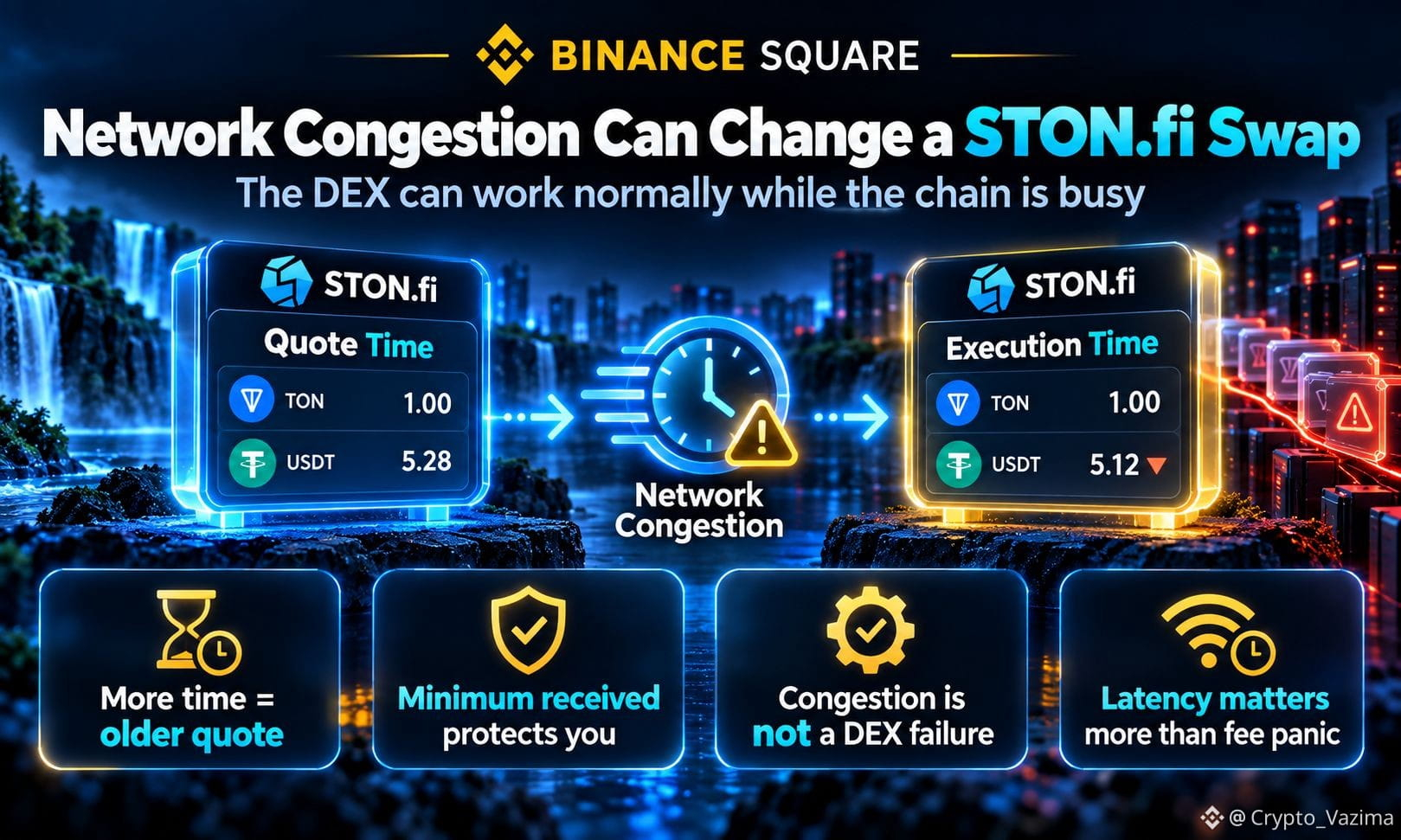
Why STON.fi Can Feel Slow When TON Network Congestion Hits
STON.fi can still feel slow during TON network congestion even when the DEX itself is working, because every swap still needs TON to move and confirm the on-chain messages. The page can load, liquidity can sit in pools, and a quote can appear instantly while the transaction trace lags.
🔥 What still works vs what slows down
- STON.fi can generate a quote and build the swap payload.
- The Router can still forward the swap to the right pool.
- TON may take longer to process wallet, Jetton, and pool messages.
- Pool reserves can move before that delayed swap is evaluated.
🚀 How a STON.fi swap actually travels
The interface shows one action. The chain does several steps.
1. Select the pair and review expected output, price impact, and minimum received.
2. Sign the transaction in your wallet.
3. Wait for TON to process the originating message and later contract messages.
4. Let the pool decide if the result still meets the encoded minimum.
🧠 Why the wait can change the outcome
The useful part is not just waiting. Time separates the quote from execution. If other swaps change the pool first, slippage protection can refund instead of filling a worse amount. STON.fi v2 also includes an execution deadline, so an old request can expire.
TON fees are also not an Ethereum-style bidding war. Congestion mostly shows up as extra latency, not an automatic fee spike.
💬 What to do when the network is busy
1. Check whether the first transaction is already on-chain.
2. Follow the full trace before sending a second swap.
3. Refresh the quote and review minimum received again.
4. Keep some TON available for blockchain fees.
My take: a delayed STON.fi swap is often a busy TON trace, not a broken DEX.
Would a delayed TON trace make you refresh the STON.fi quote before trying again? 👇
Share whether you usually wait on the explorer or send another swap too quickly.
Not investment advice - research on your own! 🚀
$GRAM @STONfi DEX
STON.fi can still feel slow during TON network congestion even when the DEX itself is working, because every swap still needs TON to move and confirm the on-chain messages. The page can load, liquidity can sit in pools, and a quote can appear instantly while the transaction trace lags.
🔥 What still works vs what slows down
- STON.fi can generate a quote and build the swap payload.
- The Router can still forward the swap to the right pool.
- TON may take longer to process wallet, Jetton, and pool messages.
- Pool reserves can move before that delayed swap is evaluated.
🚀 How a STON.fi swap actually travels
The interface shows one action. The chain does several steps.
1. Select the pair and review expected output, price impact, and minimum received.
2. Sign the transaction in your wallet.
3. Wait for TON to process the originating message and later contract messages.
4. Let the pool decide if the result still meets the encoded minimum.
🧠 Why the wait can change the outcome
The useful part is not just waiting. Time separates the quote from execution. If other swaps change the pool first, slippage protection can refund instead of filling a worse amount. STON.fi v2 also includes an execution deadline, so an old request can expire.
TON fees are also not an Ethereum-style bidding war. Congestion mostly shows up as extra latency, not an automatic fee spike.
💬 What to do when the network is busy
1. Check whether the first transaction is already on-chain.
2. Follow the full trace before sending a second swap.
3. Refresh the quote and review minimum received again.
4. Keep some TON available for blockchain fees.
My take: a delayed STON.fi swap is often a busy TON trace, not a broken DEX.
Would a delayed TON trace make you refresh the STON.fi quote before trying again? 👇
Share whether you usually wait on the explorer or send another swap too quickly.
Not investment advice - research on your own! 🚀
$GRAM @STONfi DEX