
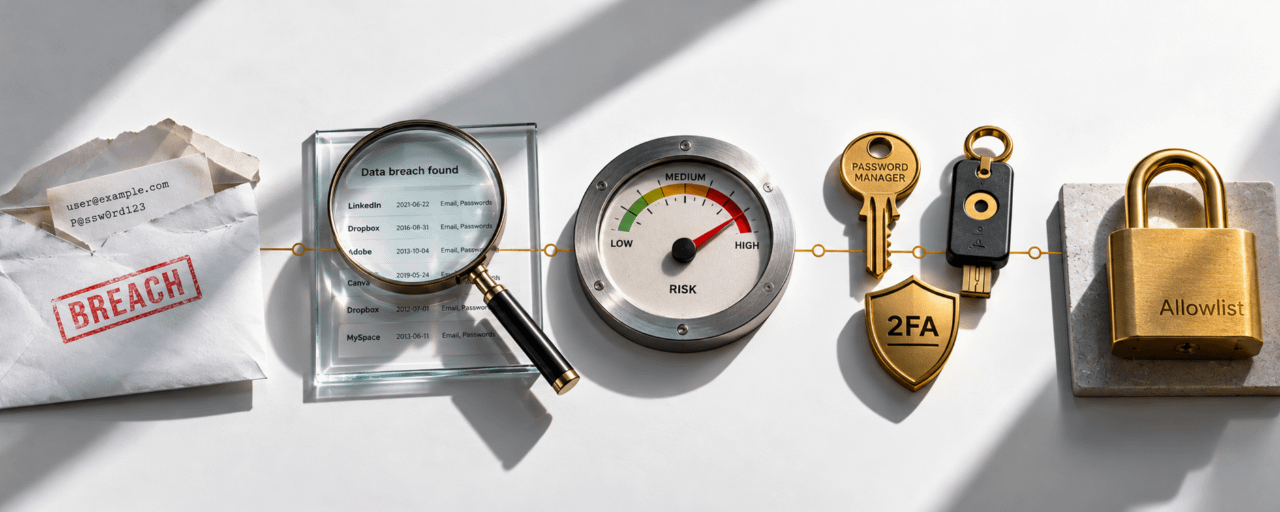

Vos données personnelles ont probablement été divulguées. Pas « probablement ». Plus de 16 milliards d’enregistrements ont été exposés lors de violations de données en 2024 seulement. Si vous avez déjà créé un compte en ligne, utilisé une adresse e-mail pour vous inscrire à un service ou acheté en ligne, vos données existent dans des bases de données qui auraient pu être piratées, vendues ou publiées sur le dark web. La question n’est pas « mes données ont-elles été divulguées ? » ; c’est « quelles fuites, et que dois-je faire ? »
Voici un guide pratique pour vérifier si vos données ont été exposées, comprendre ce qui a été divulgué et prendre les bonnes mesures pour vous protéger.
🔍 Partie 1 : Comment vérifier si vos données ont été divulguées
Méthode 1 :Have I Been Pwned (haveibeenpwned.com)**C’est la référence pour vérifier les brèches de données. Créé par le chercheur en sécurité Troy Hunt, l’outil gratuit vous permet de saisir votre adresse e-mail ou votre numéro de téléphone et de voir immédiatement toutes les brèches de données connues qui incluent vos données.
Comment l’utiliser :
Allez sur haveibeenpwned.com
Saisissez votre adresse e-mail
Voir les résultats chaque brèche contenant vos données est listée avec :
Le nom du service concerné par la brèche
La date de la brèche
Quelles données ont été exposées (e-mail, mot de passe, nom, téléphone, adresse, etc.)
Une description de ce qui s’est passé
Ce que les résultats vous indiquent : Si votre e-mail apparaît dans 3 à 5 brèches, c’est normal en 2026. La plupart des gens ont été impliqués dans plusieurs brèches sans le savoir. Ce qui compte, c’est quelles données ont été exposées dans chaque cas et si vous avez réutilisé le même mot de passe sur plusieurs services.
Méthode 2 : Firefox Monitor
Le Firefox Monitor de Mozilla est un outil gratuit qui vérifie votre adresse e-mail par rapport à des fuites de données connues. Il est intégré au navigateur Firefox et est aussi disponible sous forme de site autonome à monitor.mozilla.org.
Comment l’utiliser :
Allez sur monitor.mozilla.org
Saisissez votre adresse e-mail
Voir les résultats similaire à Have I Been Pwned, mais avec une interface plus claire et des notifications de brèche
Méthode 3 : Google Password Checkup
Si vous utilisez Google Chrome ou un compte Google, l’outil intégré « Password Checkup » de Google vérifie vos mots de passe enregistrés par rapport à des brèches connues.
Comment l’utiliser :
Allez sur mypasswords.google.com
Consultez la section « Password Checkup »
Google vous indique quels mots de passe enregistrés ont été exposés dans des fuites connues et lesquels sont faibles ou réutilisés
Méthode 4 : Services de surveillance du dark web
Plusieurs services surveillent activement le dark web pour vos
Alertes de sécurité Binance : si vous avez un compte Binance, activez les notifications de sécurité pour recevoir des alertes si votre e-mail ou vos identifiants apparaissent dans des bases de données de brèches
Services de protection d’identité : des services comme LifeLock, IdentityForce, ou des fournisseurs similaires surveillent le dark web pour vos informations personnelles
Surveillance du crédit : dans certains pays, les bureaux de crédit proposent une surveillance qui vous alerte lorsque vos données sont utilisées pour ouvrir de nouveaux comptes
Méthode 5 : Vérifiez votre e-mail pour les notifications de brèche
Si un service que vous utilisez a été victime d’une brèche, il est légalement tenu (dans la plupart des juridictions) de vous en informer par e-mail. Recherchez dans votre boîte de réception des termes comme « data breach », « security incident », « we are writing to inform you », ou « unauthorized access ».
Le problème : Ces e-mails ressemblent souvent à des tentatives d’hameçonnage, donc les utilisateurs les ignorent. Si vous recevez une notification de brèche d’un service que vous utilisez, ne cliquez pas sur les liens de l’e-mail : allez directement sur le site du service en tapant l’URL manuellement et vérifiez-y les paramètres de sécurité de votre compte.
📊 Quel type de données est divulgué et pourquoi c’est important
Toutes les fuites de données ne se valent pas. La gravité dépend de ce qui a été exposé.
Risque faible adresse e-mail seule : Votre e-mail figure dans une fuite, mais aucun mot de passe, aucune donnée financière, aucun détail personnel. Risque : davantage de spam, tentatives d’hameçonnage ciblant votre e-mail.
Risque moyen : e-mail + mot de passe haché : Votre e-mail et une version chiffrée (hachée) de votre mot de passe ont été exposés. Si le mot de passe était faible ou si le hachage n’était pas « salé » (unsalted), les attaquants peuvent le craquer. Risque : si vous avez réutilisé ce mot de passe sur d’autres services, ces comptes sont aussi compromis.
Risque élevé : e-mail + mot de passe en clair : Votre e-mail et votre mot de passe réel (non chiffré) ont été exposés. Risque : prise de contrôle immédiate de compte sur tout service où vous avez utilisé le même mot de passe.
Risque critique : e-mail + mot de passe + données personnelles Votre e-mail, votre mot de passe, votre nom complet, votre date de naissance, votre numéro de téléphone et/ou votre adresse physique ont été exposés. Risque : vol d’identité, attaques d’ingénierie sociale, échange de SIM, et hameçonnage ciblé.
Risque sévère : financier Votre numéro de carte bancaire, les détails de votre compte bancaire ou vos identifiants de paiement ont été exposés. Risque : fraude financière, transactions non autorisées, vol d’identité.
🛡️ Partie 2 : Que faire après une fuite de données
Étape 1 : Changez immédiatement vos mots de passe
C’est la première et la plus importante étape. Si votre mot de passe a été divulgué, il est maintenant public. Toute personne ayant accès à la base de données de la brèche l’a.
Comment faire correctement :
Commencez par changer le mot de passe du service concerné par la brèche
Changez le mot de passe de chaque autre service où vous avez utilisé le même mot de passe (c’est pourquoi la réutilisation des mots de passe est dangereuse)
Utilisez un mot de passe unique, généré aléatoirement pour chaque compte au moins 16 caractères avec un mélange de majuscules, minuscules, chiffres et symboles
Utilisez un gestionnaire de mots de passe (Bitwarden, 1Password, KeePass) pour générer et stocker des mots de passe uniques afin de ne jamais avoir à vous les rappeler
Étape 2 : Activer l’authentification à deux facteurs (2FA)
Un mot de passe volé est inutile si l’attaquant n’arrive pas à passer la 2FA.
Quoi utiliser :
Meilleur : clés d’accès (FIDO2/WebAuthn) résistantes à l’hameçonnage, aux échanges de SIM et au vol d’identifiants
Bien : applications d’authentification (Google Authenticator, Authy, Raivo) génèrent des codes basés sur le temps
Acceptable : 2FA par SMS mieux que rien, mais vulnérable aux échanges de SIM
Inacceptable : 2FA par e-mail si votre e-mail est compromis, c’est inutile
Sur Binance en particulier : les clés d’accès, Google Authenticator et les codes anti-hameçonnage sont tous disponibles et fortement recommandés.
Étape 3 : Vérifiez si votre compte e-mail est compromis
Votre compte e-mail est la clé maîtresse de votre vie numérique. Si un attaquant a votre mot de passe e-mail, il peut réinitialiser les mots de passe de tous les services qui utilisent cette adresse y compris votre échange crypto, votre banque et vos réseaux sociaux.
Signes que votre e-mail est compromis :
E-mails dans votre dossier envoyés que vous n’avez pas envoyés
E-mails de réinitialisation de mot de passe que vous n’avez pas demandés
Règles ou filtres que vous n’avez pas créés (les attaquants les configurent pour masquer les e-mails de réinitialisation de mot de passe dans votre boîte de réception)
Alertes de connexion provenant d’appareils ou de localisations que vous ne reconnaissez pas
Que faire :
Changez immédiatement le mot de passe de votre e-mail
Vérifiez et supprimez toutes les règles de transfert ou les filtres que vous n’avez pas créés
Consultez l’activité de connexion récente
Activez la 2FA sur votre compte e-mail
Vérifiez les applications connectées et révoquez l’accès de tout ce que vous ne reconnaissez pas
Étape 4 : Geler votre crédit (si disponible)
Si des données personnelles comme votre nom complet, votre date de naissance, votre adresse et votre numéro d’identifiant gouvernemental ont été divulgués, vous risquez un vol d’identité quelqu’un ouvrant des comptes en votre nom.
Comment geler votre crédit :- US : Contactez Equifax, Experian et TransUnion pour geler votre crédit (gratuit selon la loi fédérale)
Royaume-Uni : contactez Cif pour ajouter une inscription de protection à votre dossier de crédit
UE : contactez votre bureau national de crédit
Afrique : consultez votre bureau local de crédit ou votre régulateur financier dans beaucoup de pays africains, la « mise en gel » du crédit est moins formalisée, donc surveillez de près vos comptes bancaires et vos relevés financiers pour toute activité non autorisée
Étape 5 : Surveillez vos comptes
Après une fuite de données, restez vigilant pendant des semaines et des mois.
Que surveiller :
Relevés bancaires et de carte pour des transactions non autorisées
Boîte de réception e-mail pour les e-mails de réinitialisation de mot de passe que vous n’avez pas demandés
Les comptes d’échange crypto tiennent compte des tentatives de connexion non autorisées
Comptes de réseaux sociaux pour des publications ou messages que vous n’avez pas envoyés
Téléphone pour des indicateurs de fraude par échange de carte SIM (perte soudaine du signal, impossibilité de passer des appels)
Sur Binance : activez les notifications de connexion, vérifiez régulièrement votre historique de connexion et activez la liste d’autorisation des retraits afin que les fonds ne puissent aller qu’à des adresses préalablement approuvées même si un attaquant accède à votre compte, il ne pourra pas retirer vers son propre portefeuille.
Étape 6 : Signaler un vol d’identité (si cela se produit)
Si vos données divulguées sont utilisées pour commettre un vol d’identité quelqu’un ouvre des comptes en votre nom, dépose des déclarations de taxes avec votre identité, ou effectue des transactions non autorisées suivez ces étapes :
Contactez immédiatement l’institution financière où la fraude a eu lieu et signalez-la
Déposez une plainte auprès de la police cela crée une trace juridique du vol d’identité
Contactez l’autorité nationale de protection de l’identité de votre pays (si elle existe)
Aux États-Unis : déposez un signalement auprès de la FTC via IdentityTheft.gov
En Afrique : contactez votre banque, votre opérateur de télécommunications (pour la fraude par échange de carte SIM) et les forces de l’ordre locales
🔐 Partie 3 : Comment prévenir les dommages futurs
Habitude 1 : Utiliser un gestionnaire de mots de passe
Arrêtez de réutiliser les mots de passe. Arrêtez d’essayer de les retenir. Utilisez un gestionnaire de mots de passe qui génère des mots de passe uniques et aléatoires pour chaque compte et les stocke chiffrés.
Recommandé :
Bitwarden gratuit, open-source, multi-plateforme
1Password payant, bien conçu, formules famille disponibles
KeePass gratuit, hors ligne, contrôle maximal, moins simple à utiliser
Habitude 2 : Ne jamais réutiliser les mots de passe
Si vous utilisez le même mot de passe sur cinq services et qu’un seul d’entre eux est compromis, les cinq le sont. Un gestionnaire de mots de passe résout ce problème : chaque compte a un mot de passe unique.
Habitude 3 : Activer la 2FA partout
Pas seulement sur votre échange crypto. Activez la 2FA sur :
Votre compte e-mail (le plus important c’est la clé maîtresse)
Vos comptes d’échange crypto
Votre banque et vos applications financières
Vos comptes de réseaux sociaux
Tout service qui propose la 2FA
Habitude 4 : Utiliser des clés d’accès lorsque disponibles
Les clés d’accès (FIDO2/WebAuthn) sont la méthode d’authentification la plus robuste disponible. Elles utilisent des paires de clés cryptographiques stockées sur votre appareil votre authentification ne quitte jamais votre appareil et ne peut pas être interceptée. Binance, Google, Apple, Microsoft et beaucoup d’autres prennent désormais en charge les clés d’accès.
Habitude 5 : Se méfier de chaque e-mail et message
Après une fuite de données, les attaquants connaissent votre adresse e-mail, votre nom, et possiblement plus. Ils utiliseront ces informations pour rédiger des e-mails d’hameçonnage ciblés qui semblent légitimes.
La règle : Ne cliquez jamais sur un lien dans un e-mail qui vous demande de vous connecter, de réinitialiser un mot de passe ou de vérifier votre identité. Allez toujours directement sur le site en tapant l’URL.
Habitude 6 : Configurer des alertes de brèche
Abonnez-vous aux notifications de Have I Been Pwned vous recevrez un e-mail quand vos données apparaissent dans une nouvelle brèche
Activez les alertes de sécurité sur votre compte Binance
Activez les alertes de connexion sur votre e-mail et vos comptes de réseaux sociaux
Habitude 7 : Utiliser une clé de sécurité matérielle pour les comptes à forte valeur
Pour les comptes les plus importants votre échange crypto, votre e-mail, votre banque, envisagez une clé de sécurité matérielle comme YubiKey ou Google Titan. Ce sont des appareils physiques qui fournissent une authentification FIDO2 et qui sont immunisés contre l’hameçonnage, l’échange de SIM et le vol d’identifiants.
🌍 Pourquoi c’est important Encore plus en Afrique
Dans beaucoup de pays africains, le filet de sécurité contre le vol d’identité est plus mince que sur les marchés occidentaux. Il se peut qu’il n’y ait pas de commission fédérale du commerce pour déposer une plainte. La mise en gel du crédit peut ne pas être disponible. Les lois de protection des consommateurs peuvent être plus faibles.
Cela signifie que la prévention est tout. Quand le filet de sécurité est fin, le parachute compte davantage.
Pour les utilisateurs en République du Congo et sur des marchés similaires :
Votre numéro de téléphone est un actif critique : les attaques par échange de SIM peuvent donner à un attaquant accès à votre 2FA basée sur SMS. Utilisez des applications d’authentification ou des clés d’accès plutôt que la 2FA par SMS quand cela est possible
Votre compte e-mail est votre identité numérique protégez-le avec 2FA et un mot de passe unique
Votre compte d’échange crypto est votre banque : activez chaque fonctionnalité de sécurité disponible : clés d’accès, 2FA, codes anti-hameçonnage, et liste d’autorisation de retraits
Les comptes d’argent mobile (Orange Money, MTN, M-Pesa) doivent être sécurisés par des codes PIN et une authentification biométrique lorsque disponible
❓ FAQ
Q : Que dois-je faire en premier si je découvre mes données dans une brèche ?
A : Changez immédiatement le mot de passe du service concerné par la fuite. Puis changez le mot de passe sur chaque autre service où vous avez utilisé le même mot de passe. Activez la double authentification sur le service concerné et sur votre compte e-mail. Vérifiez votre compte e-mail pour toute activité suspecte règles de transfert, alertes de connexion, ou e-mails de réinitialisation de mot de passe que vous n’avez pas demandés. Si des données financières ont été exposées, surveillez votre banque et vos relevés de carte pour des transactions non autorisées.
Q : Have I Been Pwned est-il sûr à utiliser ?
A : Oui. Have I Been Pwned est un outil gratuit largement approuvé et conçu par le chercheur en sécurité Troy Hunt. Il ne stocke que les adresses e-mail et les données liées aux brèches il ne stocke pas les mots de passe ni les informations personnelles. Lorsque vous recherchez votre e-mail, le site ne révèle votre adresse e-mail complète à personne d’autre. Il est utilisé par des professionnels de la sécurité, des gouvernements et des entreprises du Fortune 500. C’est la norme de l’industrie pour vérifier les brèches.
Q : Quelle est la différence entre une brèche de données et une fuite de données ?
A : Une brèche de données est un incident de sécurité dans lequel un attaquant obtient un accès non autorisé à un système et vole des données par exemple, un pirate s’introduit dans la base de données d’une entreprise et exporte des enregistrements d’utilisateurs. Une fuite de données, c’est lorsque des données sont exposées en raison d’une mauvaise configuration ou d’une erreur humaine par exemple, une entreprise qui laisse une base de données ouverte sur Internet sans mot de passe. Les deux entraînent l’exposition de vos données, et les mesures à prendre pour vous protéger sont les mêmes : changez les mots de passe, activez la 2FA, et surveillez toute activité suspecte.
📌 Sources : site officiel Have I Been Pwned ; Mozilla Firefox Monitor ; Google Password Checkup ; page officielle des fonctionnalités de sécurité Binance ; guide de la FTC sur le vol d’identité (IdentityTheft.gov).
⚠️ Contenu éducatif uniquement. Ce guide fournit les meilleures pratiques générales en cybersécurité et ne garantit pas une protection contre toutes les menaces. Suivez toujours les recommandations de sécurité spécifiques des services que vous utilisez.