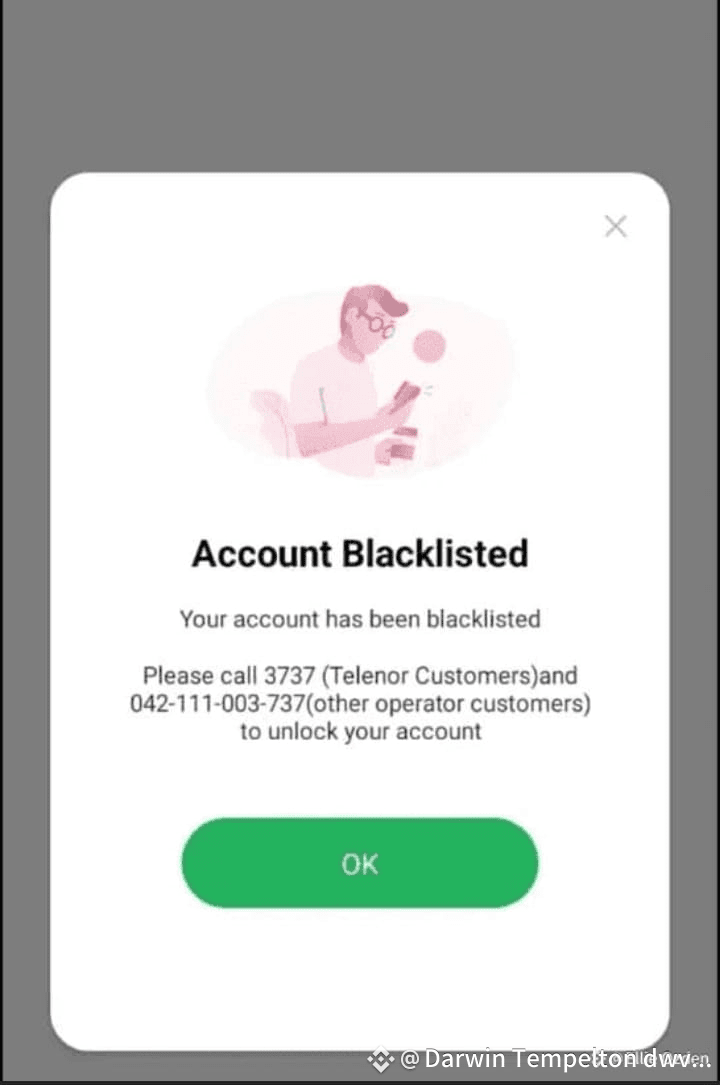
🚨 Easypaisa Blocked After P2P? Don’t Panic — Here’s the Fix ✅
Many in Pakistan use Binance P2P for crypto trades, but repeated transfers can sometimes trigger Easypaisa to block your account. Feels scary — but it’s like a bank freeze for “unusual activity.” With the right docs, you can get it back. Here’s how 👇
1️⃣ Call Easypaisa Helpline 📞
Ask about the exact blocked transaction (date, amount, sender, ID). Cross-check it on Binance.
2️⃣ Collect Sender’s CNIC 🪪
Request CNIC (front/back) from the buyer. If refused, report to Binance support for verified details.
3️⃣ Create a Receipt 🧾
Make a simple sale receipt (e.g., mobile/laptop). Date must match the transaction.
4️⃣ Write a Justification Letter ✍️
Explain briefly: “The payment I received on [date] was against a personal item I sold.”
5️⃣ Prepare Docs 📂
• Your CNIC copy
• Justification letter
• Receipt
• Transaction screenshot
• Sender’s CNIC copy
6️⃣ Submit to Easypaisa 📧
Merge into one PDF (compress under 100 KB if needed). Email with your name, CNIC & account details. You’ll get an auto-reply + complaint ID. If docs are valid → account reopens. 🎉
🔥 Suggested Title:
“Easypaisa Blocked After Binance P2P? Step-by-Step Recovery Guide”
#Binance #P2P #CryptoPakistan
Many in Pakistan use Binance P2P for crypto trades, but repeated transfers can sometimes trigger Easypaisa to block your account. Feels scary — but it’s like a bank freeze for “unusual activity.” With the right docs, you can get it back. Here’s how 👇
1️⃣ Call Easypaisa Helpline 📞
Ask about the exact blocked transaction (date, amount, sender, ID). Cross-check it on Binance.
2️⃣ Collect Sender’s CNIC 🪪
Request CNIC (front/back) from the buyer. If refused, report to Binance support for verified details.
3️⃣ Create a Receipt 🧾
Make a simple sale receipt (e.g., mobile/laptop). Date must match the transaction.
4️⃣ Write a Justification Letter ✍️
Explain briefly: “The payment I received on [date] was against a personal item I sold.”
5️⃣ Prepare Docs 📂
• Your CNIC copy
• Justification letter
• Receipt
• Transaction screenshot
• Sender’s CNIC copy
6️⃣ Submit to Easypaisa 📧
Merge into one PDF (compress under 100 KB if needed). Email with your name, CNIC & account details. You’ll get an auto-reply + complaint ID. If docs are valid → account reopens. 🎉
🔥 Suggested Title:
“Easypaisa Blocked After Binance P2P? Step-by-Step Recovery Guide”
#Binance #P2P #CryptoPakistan