
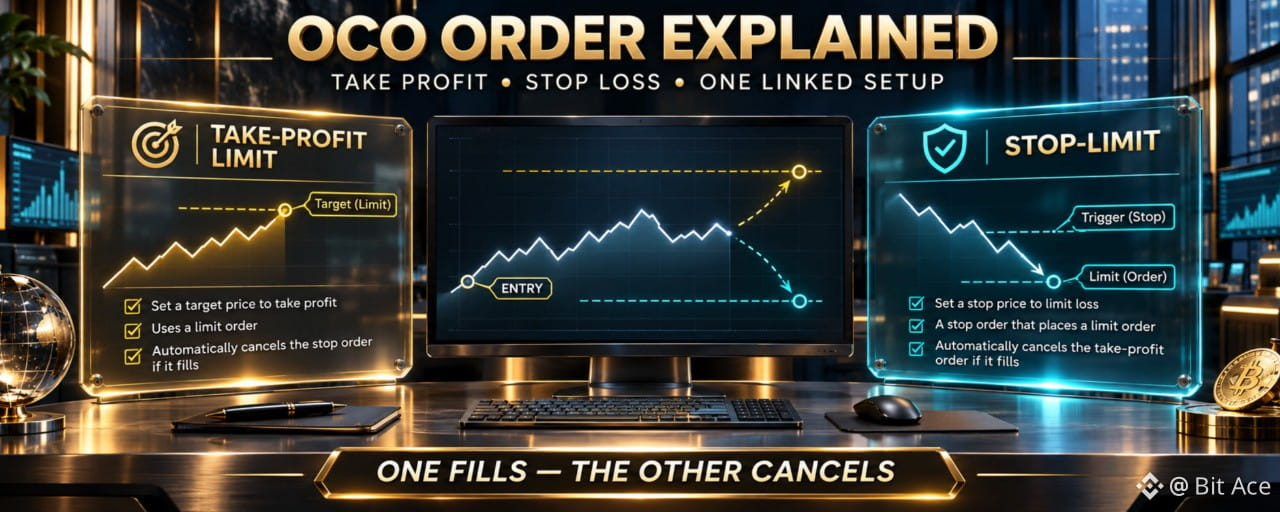

An OCO order links two Spot orders so that when one side is fully or partially filled, the other side is canceled automatically. It can combine an upside exit with downside protection, but it does not guarantee that the triggered order will fill at the price you expected.
What OCO means on Binance Spot
OCO stands for One Cancels the Other. For a typical sell setup, one order sits above the current market as a profit-taking limit order, while the other uses a stop condition below the market to manage downside risk. Both instructions belong to the same order list, and the remaining side is canceled after the other side receives a full or partial fill.
OCO is designed for alternative outcomes, not two independent exits. Check the live Spot order form because the available order combinations, labels, and parameters can vary with the interface and trading pair.
Understand the three prices before submitting
A standard sell OCO can involve three different levels:
The take-profit limit price is the price of the upside limit order.
The stop price is the trigger for the downside order.
The stop-limit price is the limit price submitted after that trigger.
For a common sell structure, the take-profit price is above the current market, while the stop and stop-limit levels are below it. The stop price is only a trigger. Once triggered, the resulting limit order still depends on available liquidity and normal matching rules.
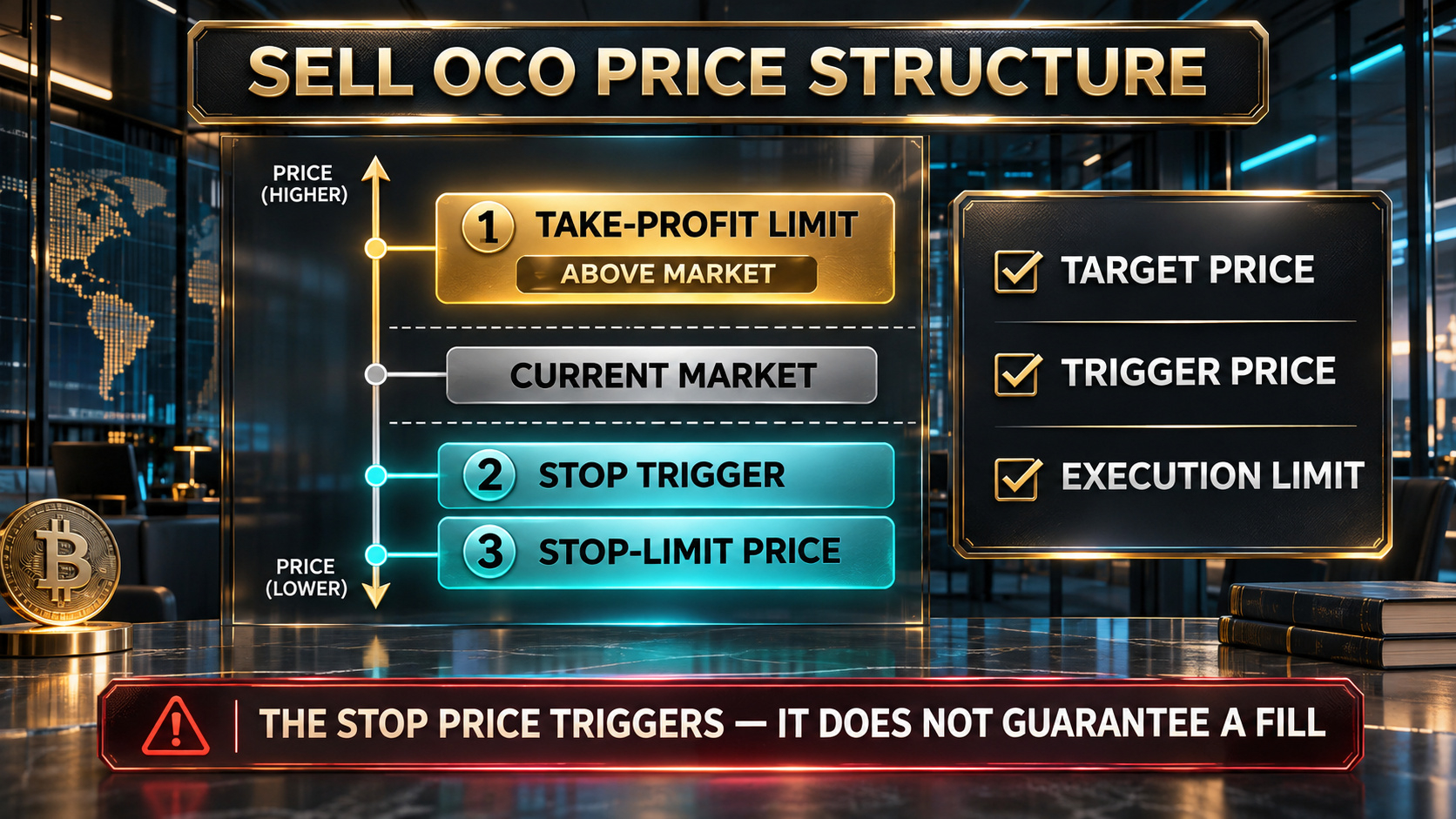
A sell OCO links an upside limit order with a downside stop-limit order. The stop price activates the downside order; it is not a guaranteed execution price.
What happens when one side executes
If the take-profit side receives a full or partial fill, Binance cancels the linked stop side. If the stop side receives a full or partial fill, the linked take-profit side is canceled. Manually canceling one side also removes the other linked order under the current OCO behavior.
Always confirm the final status in Open Orders and Order History. A canceled partner does not prove that the filled side executed the entire original quantity. Review executed quantity, average price, remaining balance, and any residual position.
Why the downside order may not fill
A stop-limit order creates price control after the trigger, but that control introduces non-fill risk. During a fast move or thin liquidity, the market can pass through the chosen limit before enough matching orders are available. A narrow gap between the stop and stop-limit prices can increase this risk.
OCO does not remove slippage, gaps, partial fills, incorrect quantities, tick-size rules, or insufficient balance. Check market depth, volatility, order size, and the trading pair's current filters before submitting.
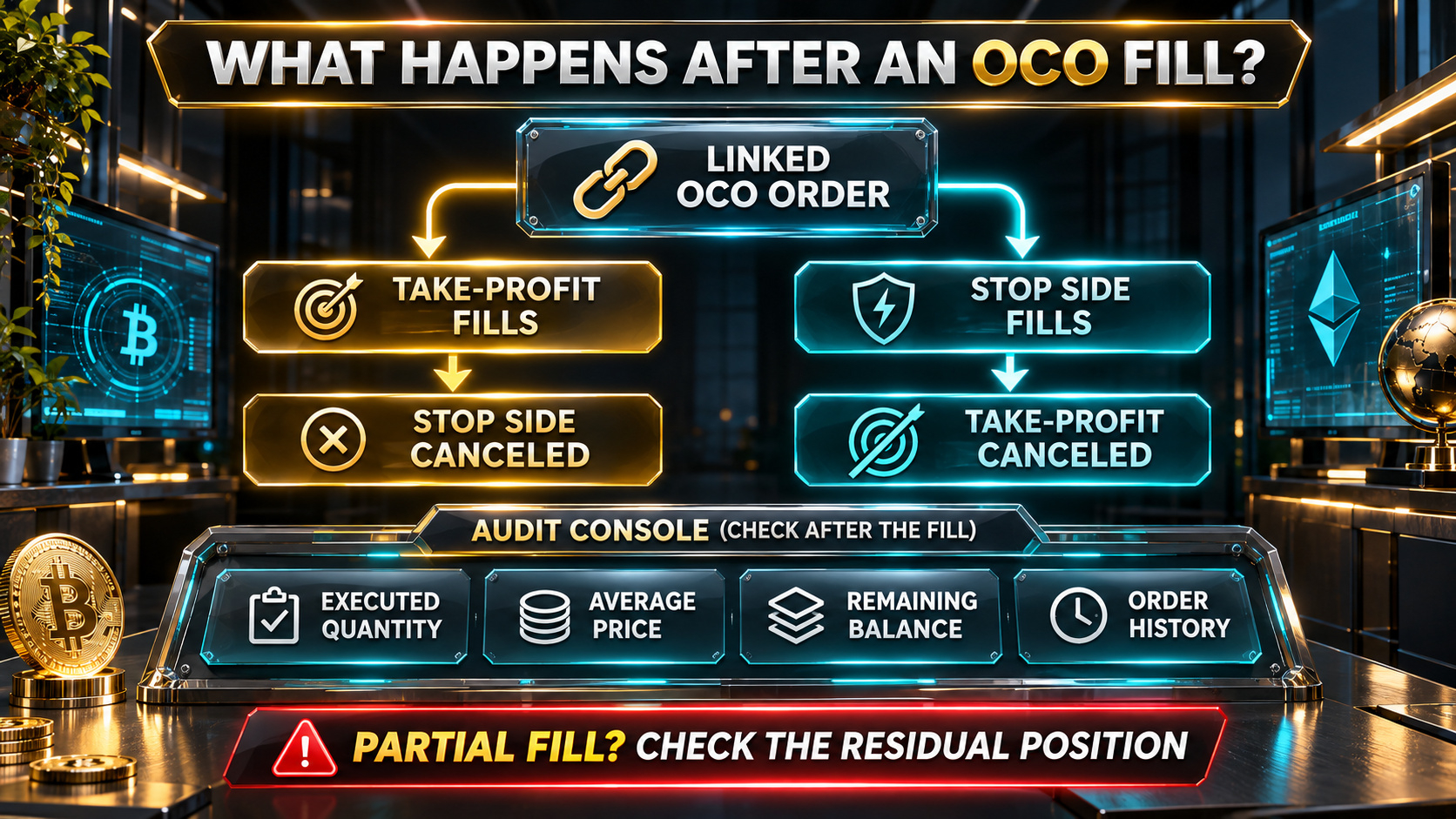
After either side is filled, the linked order is canceled. Verify the executed quantity and any remaining position instead of assuming the entire setup completed.
OCO versus OTOCO
OCO manages two alternative orders for an existing position. OTOCO adds a working entry order first; after that working order fills, an OCO pair becomes active. The structures serve different purposes, so verify which order list is selected before entering prices or quantity.
Neither structure is a substitute for position sizing or account monitoring. Linked automation can reduce manual steps, but it cannot eliminate market or configuration risk.
Frequently asked questions
Q1. Does OCO guarantee a stop-loss fill?
No. A triggered stop-limit becomes a limit order, and it may fill fully, fill partially, or remain unfilled depending on price and liquidity.
Q2. What happens if the take-profit side partially fills?
Binance's current OCO explanation states that a full or partial fill cancels the remaining linked order. Check the executed quantity and manage any remaining balance separately.
Q3. Can I cancel only one side and keep the other active?
No. Under the linked OCO behavior, manually canceling one order also removes the other order in the pair.
Q4. Is OCO the same as placing two separate orders?
No. The two instructions are linked, and execution of one side cancels the other. Two independent orders do not have that automatic relationship.
Q5. Where should I verify the result?
Review Open Orders and Order History in the official Spot interface. Confirm the status of both linked orders, the executed quantity, average price, and any remaining asset balance.
Official sources
Binance Academy: OCO Order
Binance Academy: Your Guide to Binance Spot Trading
Binance Support: What Is an OCO Order and How to Use It?
Related Binance guides
New to Binance? Review Binance sign up: website and app steps. For the referral field mentioned below, use Binance referral code: entry and Linked-status checks.
Check availability and terms before signing up
Spot order types, trading pairs, and product availability vary by jurisdiction and account. Use your genuine identity and actual residence, follow the rules that apply to you, and never bypass a restriction. If Binance is available where you live and you need a new account, confirm referral code UAUBG73C on the official registration form before submitting. No reward, discount, approval, trading result, or product access is guaranteed.
https://www.binance.com/join?ref=UAUBG73C
Affiliate disclosure: this Article includes a referral sign-up link.
#BinanceSpot #OCOOrder #StopLimit #CryptoEducation