

#tutorial
tutorial
273,880 vistas
743 están debatiendo
Hot
Lo último

·
--
¡Es súper fácil usar tu Binance Card! 💳 Funciona con el saldo de tu billetera (como Spot). Solo ordenas tus criptos por prioridad y se convierten solas al pagar. [1, 2]
Un ejemplo simple:
Si pones USDT primero y BTC segundo:
☕ Al comprar un café, se debitará de tu USDT.
📉 Si te quedas sin USDT, el sistema usará tu BTC automáticamente. [1, 2, 3]
¡Sin vender manualmente! 🚀
#Binance #BinanceCard #Crypto #Facil #Tutorial
¡Es súper fácil usar tu Binance Card! 💳 Funciona con el saldo de tu billetera (como Spot). Solo ordenas tus criptos por prioridad y se convierten solas al pagar. [1, 2]
Un ejemplo simple:
Si pones USDT primero y BTC segundo:
☕ Al comprar un café, se debitará de tu USDT.
📉 Si te quedas sin USDT, el sistema usará tu BTC automáticamente. [1, 2, 3]
¡Sin vender manualmente! 🚀
#Binance #BinanceCard #Crypto #Facil #Tutorial
Un ejemplo simple:
Si pones USDT primero y BTC segundo:
☕ Al comprar un café, se debitará de tu USDT.
📉 Si te quedas sin USDT, el sistema usará tu BTC automáticamente. [1, 2, 3]
¡Sin vender manualmente! 🚀
#Binance #BinanceCard #Crypto #Facil #Tutorial
1
89

·
--
Instrucción paso a paso sobre cómo conectar Binance Earn en tres pasos
Si nunca has usado la sección de ingresos pasivos, aquí tienes el algoritmo de acciones:
Abre la pantalla principal de Binance y ve a la sección Earn; luego, Simple Earn.
Encuentra en la lista la moneda que necesitas (recomiendo empezar con USDT) y elige el tipo de condiciones: Flexibles.
Introduce el importe deseado, revisa el indicador de cálculo del APR y pulsa Confirmar.
Los intereses comenzarán a calcularse a partir del día siguiente. Puedes cancelar la suscripción en cualquier momento sin comisiones.
#Tutorial #BinanceEarn #CriptoGuía
Instrucción paso a paso sobre cómo conectar Binance Earn en tres pasos
Si nunca has usado la sección de ingresos pasivos, aquí tienes el algoritmo de acciones:
Abre la pantalla principal de Binance y ve a la sección Earn; luego, Simple Earn.
Encuentra en la lista la moneda que necesitas (recomiendo empezar con USDT) y elige el tipo de condiciones: Flexibles.
Introduce el importe deseado, revisa el indicador de cálculo del APR y pulsa Confirmar.
Los intereses comenzarán a calcularse a partir del día siguiente. Puedes cancelar la suscripción en cualquier momento sin comisiones.
#Tutorial #BinanceEarn #CriptoGuía
Si nunca has usado la sección de ingresos pasivos, aquí tienes el algoritmo de acciones:
Abre la pantalla principal de Binance y ve a la sección Earn; luego, Simple Earn.
Encuentra en la lista la moneda que necesitas (recomiendo empezar con USDT) y elige el tipo de condiciones: Flexibles.
Introduce el importe deseado, revisa el indicador de cálculo del APR y pulsa Confirmar.
Los intereses comenzarán a calcularse a partir del día siguiente. Puedes cancelar la suscripción en cualquier momento sin comisiones.
#Tutorial #BinanceEarn #CriptoGuía
136
·
--
🚀 ¿Por qué de repente empezó a crecer TUT?
El token Tutorial (TUT) llamó la atención del mercado de forma inesperada y empezó a mostrar un movimiento ascendente notable.
Tutorial es una plataforma educativa Web3 basada en IA que ayuda a los usuarios a entender el blockchain, las criptomonedas y el ecosistema de BNB Chain.
📈 Por qué TUT podría crecer: • aumentó el interés por la IA + Crypto; • el proyecto opera en la intersección de la educación y Web3; • el aumento de la actividad en torno a BNB Chain puede apoyar la demanda; • después de una consolidación prolongada, el token puede recibir impulsos bruscos con mayores volúmenes.
Pero es importante: el aumento del precio por sí solo todavía no significa el inicio de una tendencia larga. Antes de entrar, conviene observar los volúmenes, los niveles de resistencia y la actividad de los grandes tenedores.
👀 TUT definitivamente vale la pena añadirlo a la lista de seguimiento.$TUT
{spot}(TUTUSDT)
#Tutorial #BNBChain #Binance
🚀 ¿Por qué de repente empezó a crecer TUT?
El token Tutorial (TUT) llamó la atención del mercado de forma inesperada y empezó a mostrar un movimiento ascendente notable.
Tutorial es una plataforma educativa Web3 basada en IA que ayuda a los usuarios a entender el blockchain, las criptomonedas y el ecosistema de BNB Chain.
📈 Por qué TUT podría crecer: • aumentó el interés por la IA + Crypto; • el proyecto opera en la intersección de la educación y Web3; • el aumento de la actividad en torno a BNB Chain puede apoyar la demanda; • después de una consolidación prolongada, el token puede recibir impulsos bruscos con mayores volúmenes.
Pero es importante: el aumento del precio por sí solo todavía no significa el inicio de una tendencia larga. Antes de entrar, conviene observar los volúmenes, los niveles de resistencia y la actividad de los grandes tenedores.
👀 TUT definitivamente vale la pena añadirlo a la lista de seguimiento.$TUT
#Tutorial #BNBChain #Binance
El token Tutorial (TUT) llamó la atención del mercado de forma inesperada y empezó a mostrar un movimiento ascendente notable.
Tutorial es una plataforma educativa Web3 basada en IA que ayuda a los usuarios a entender el blockchain, las criptomonedas y el ecosistema de BNB Chain.
📈 Por qué TUT podría crecer: • aumentó el interés por la IA + Crypto; • el proyecto opera en la intersección de la educación y Web3; • el aumento de la actividad en torno a BNB Chain puede apoyar la demanda; • después de una consolidación prolongada, el token puede recibir impulsos bruscos con mayores volúmenes.
Pero es importante: el aumento del precio por sí solo todavía no significa el inicio de una tendencia larga. Antes de entrar, conviene observar los volúmenes, los niveles de resistencia y la actividad de los grandes tenedores.
👀 TUT definitivamente vale la pena añadirlo a la lista de seguimiento.$TUT
#Tutorial #BNBChain #Binance
1
241

·
--
Alcista
Verificado
#aTutorial ($TUT ) es una plataforma educativa y token de utilidad impulsados por IA construidos sobre BNB Chain ($BNB ). Surgido a partir de un tutorial viral para desarrolladores sobre la creación de tokens, evolucionó de una narrativa de memecoin a un ecosistema activo de aprendizaje Web3.
$TUT se utiliza para incentivar a los creadores, recompensar a los usuarios por hitos de aprendizaje, desbloquear funciones premium y participar en la gobernanza del protocolo. El ecosistema se expande mediante alianzas educativas (por ejemplo, iniciativas de aprendizaje DeFi) y dominios de aprendizaje personalizados como .learn.
Por qué TUT está en el radar
Hoja de ruta de utilidad de IA: Dejando atrás sus primeras raíces de memecoin, la aplicación de aprendizaje con IA en vivo de Tutorial sigue escalando en BNB Chain. La próxima actualización Q3 Enhanced AI Tutor apunta a herramientas de estudio en múltiples formatos (videos, audio, documentos) para impulsar la retención orgánica de usuarios.
Derivados & liquidez: Los recientes listados de perp y las integraciones de apalancamiento han convertido a TUT en una opción de alto beta, impulsando una intensa volatilidad del libro de órdenes a corto plazo.
Expansión del ecosistema: Las actualizaciones planificadas para Q4, que incluyen perfiles de creadores, soporte multilingüe y bibliotecas de estudio compartidas, posicionan a TUT en la intersección de la educación Web3 y DeAI.
¿Cuál es tu opinión sobre Tutorial? Déjanoslo saber en los comentarios. 👇
#Tutorial #DeAI #AIPowered
#Write2Earn
#aTutorial ($TUT ) es una plataforma educativa y token de utilidad impulsados por IA construidos sobre BNB Chain ($BNB ). Surgido a partir de un tutorial viral para desarrolladores sobre la creación de tokens, evolucionó de una narrativa de memecoin a un ecosistema activo de aprendizaje Web3.
$TUT se utiliza para incentivar a los creadores, recompensar a los usuarios por hitos de aprendizaje, desbloquear funciones premium y participar en la gobernanza del protocolo. El ecosistema se expande mediante alianzas educativas (por ejemplo, iniciativas de aprendizaje DeFi) y dominios de aprendizaje personalizados como .learn.
Por qué TUT está en el radar
Hoja de ruta de utilidad de IA: Dejando atrás sus primeras raíces de memecoin, la aplicación de aprendizaje con IA en vivo de Tutorial sigue escalando en BNB Chain. La próxima actualización Q3 Enhanced AI Tutor apunta a herramientas de estudio en múltiples formatos (videos, audio, documentos) para impulsar la retención orgánica de usuarios.
Derivados & liquidez: Los recientes listados de perp y las integraciones de apalancamiento han convertido a TUT en una opción de alto beta, impulsando una intensa volatilidad del libro de órdenes a corto plazo.
Expansión del ecosistema: Las actualizaciones planificadas para Q4, que incluyen perfiles de creadores, soporte multilingüe y bibliotecas de estudio compartidas, posicionan a TUT en la intersección de la educación Web3 y DeAI.
¿Cuál es tu opinión sobre Tutorial? Déjanoslo saber en los comentarios. 👇
#Tutorial #DeAI #AIPowered
#Write2Earn
$TUT se utiliza para incentivar a los creadores, recompensar a los usuarios por hitos de aprendizaje, desbloquear funciones premium y participar en la gobernanza del protocolo. El ecosistema se expande mediante alianzas educativas (por ejemplo, iniciativas de aprendizaje DeFi) y dominios de aprendizaje personalizados como .learn.
Por qué TUT está en el radar
Hoja de ruta de utilidad de IA: Dejando atrás sus primeras raíces de memecoin, la aplicación de aprendizaje con IA en vivo de Tutorial sigue escalando en BNB Chain. La próxima actualización Q3 Enhanced AI Tutor apunta a herramientas de estudio en múltiples formatos (videos, audio, documentos) para impulsar la retención orgánica de usuarios.
Derivados & liquidez: Los recientes listados de perp y las integraciones de apalancamiento han convertido a TUT en una opción de alto beta, impulsando una intensa volatilidad del libro de órdenes a corto plazo.
Expansión del ecosistema: Las actualizaciones planificadas para Q4, que incluyen perfiles de creadores, soporte multilingüe y bibliotecas de estudio compartidas, posicionan a TUT en la intersección de la educación Web3 y DeAI.
¿Cuál es tu opinión sobre Tutorial? Déjanoslo saber en los comentarios. 👇
#Tutorial #DeAI #AIPowered
#Write2Earn
196

·
--
$TUT @tutorialtoken #Tutorial
El proyecto surgió inicialmente a partir de un video/tutorial sobre cómo lanzar un token en BNB Chain, creado por desarrolladores en 2023 (aún en testnet).
El token “OG” en su versión testnet se reactivó después en la mainnet y se convirtió en el proyecto que hoy se conoce como Tutorial ($TUT).
El gran impulso ocurrió en marzo de 2025, cuando $TUT entró en un gran exchange (incluyendo Binance) y se volvió viral como “moneda meme educativa”.
En algunas fuentes, la fecha de inicio oficial se registra alrededor del 7 al 8 de febrero de 2025 (fecha de lanzamiento/mainnet que suele usarse como referencia para la antigüedad del proyecto).
Founder & CEO: Yerasyl Amanbek (@YerasylAmanbek).
Su perfil: ingeniero de blockchain, educador y “Tech Martian” en BNB Chain; antes participó en proyectos de infraestructura de blockchain (p. ej., Entangle L1) y en programas de educación sobre blockchain junto con Binance Academy.
{future}(TUTUSDT)
$TUT @tutorialtoken #Tutorial
El proyecto surgió inicialmente a partir de un video/tutorial sobre cómo lanzar un token en BNB Chain, creado por desarrolladores en 2023 (aún en testnet).
El token “OG” en su versión testnet se reactivó después en la mainnet y se convirtió en el proyecto que hoy se conoce como Tutorial ($TUT ).
El gran impulso ocurrió en marzo de 2025, cuando $TUT entró en un gran exchange (incluyendo Binance) y se volvió viral como “moneda meme educativa”.
En algunas fuentes, la fecha de inicio oficial se registra alrededor del 7 al 8 de febrero de 2025 (fecha de lanzamiento/mainnet que suele usarse como referencia para la antigüedad del proyecto).
Founder & CEO: Yerasyl Amanbek (@YerasylAmanbek).
Su perfil: ingeniero de blockchain, educador y “Tech Martian” en BNB Chain; antes participó en proyectos de infraestructura de blockchain (p. ej., Entangle L1) y en programas de educación sobre blockchain junto con Binance Academy.
El proyecto surgió inicialmente a partir de un video/tutorial sobre cómo lanzar un token en BNB Chain, creado por desarrolladores en 2023 (aún en testnet).
El token “OG” en su versión testnet se reactivó después en la mainnet y se convirtió en el proyecto que hoy se conoce como Tutorial ($TUT ).
El gran impulso ocurrió en marzo de 2025, cuando $TUT entró en un gran exchange (incluyendo Binance) y se volvió viral como “moneda meme educativa”.
En algunas fuentes, la fecha de inicio oficial se registra alrededor del 7 al 8 de febrero de 2025 (fecha de lanzamiento/mainnet que suele usarse como referencia para la antigüedad del proyecto).
Founder & CEO: Yerasyl Amanbek (@YerasylAmanbek).
Su perfil: ingeniero de blockchain, educador y “Tech Martian” en BNB Chain; antes participó en proyectos de infraestructura de blockchain (p. ej., Entangle L1) y en programas de educación sobre blockchain junto con Binance Academy.
1
318
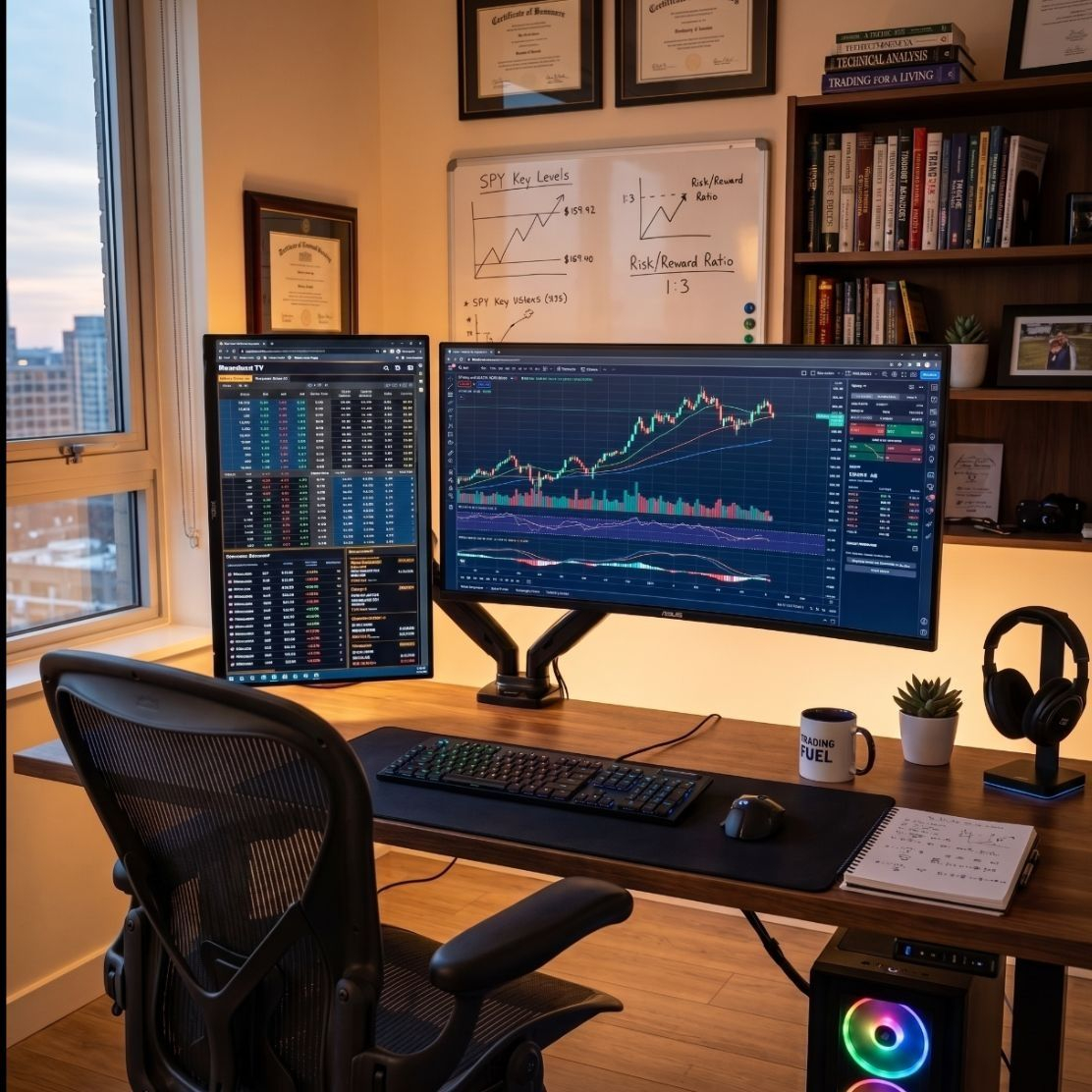
¿Poco tiempo para analizar gráficos? 📊 Cómo elegí un Master Trader en Binance y mis resultados. ¡EvPuedes ganar dinero en Binance publicando contenido a través de Binance Square, la red social oficial de la plataforma que premia a los creadores de contenido.
1. Elige tu programa de monetización
Binance Square Write to Earn: Gana comisiones directas. Recibes hasta un 5% de reembolso en comisiones de trading cuando tus lectores operan después de leer tu publicación.
Propinas de Binance Square: Habilita la opción para que tus seguidores te envíen criptomonedas directamente si tu análisis les resulta útil.
Campañas de contenido mensuales: Binance lanza retos específicos con bolsas de premios de miles de dólares por escribir sobre temas en tendencia (ej. Layer 2, DeFi o Halving).
2. Crea publicaciones de alto impacto (Estrategia sugerida)
Para calificar y atraer lectores, tu publicación debe aportar valor real. Te recomiendo usar este formato estructurado:
Título llamativo (Gancho): Usa preguntas o datos de precio actuales. Ejemplo: "¿Hacia dónde va Bitcoin esta semana? Soporte clave a monitorear".
Análisis de Mercado Breve: Explica qué está pasando con una moneda popular sin rodeos. Usa capturas de pantalla de gráficos de Binance.
Tutoriales paso a paso: Escribe guías sencillas sobre cómo usar herramientas específicas, como el Copy Trading de Binance o el Binance Earn.
Llamado a la acción (CTA): Cierra siempre invitando a debatir en los comentarios y recuerda usar los hashtags oficiales del evento mensual para calificar en los premios.
3. Pasos clave para empezar hoy mismo
Configura tu perfil: Entra a Binance Square, elige un nombre de usuario profesional y añade una foto de perfil.
Revisa las campañas activas: Ve a la sección de creadores o la zona de campañas en Binance para ver qué hashtags están pagando premios esta semana.
Publica con regularidad: Sube al menos una publicación diaria analizando noticias de última hora. El algoritmo premia la consistencia y la interacción (me gusta, compartidos y comentarios).
Si quieres que armemos tu primera publicación ahora mismo, cuéntame:
¿De qué criptomoneda o tema te gustaría hablar? (Ej. Bitcoin, memes, inversiones seguras)
¿Prefieres un enfoque técnico con gráficos o un tutorial sencillo para principiantes?
La IA puede cometer errores, así que verifica las respuestas
Aquí tienes una idea de publicación diseñada específicamente para maximizar interacciones, activar las propinas y aprovechar el programa Write to Earn (ganar comisiones cuando tus lectores operan).
El tema se centra en el Copy Trading de Binance, ya que es muy atractivo tanto para principiantes como para inversores ocupados.
Título Ganador (El Gancho)
¿Poco tiempo para analizar gráficos? 📊 Cómo elegí un Master Trader en Binance y mis resultados. ¡Evita estos 3 errores! 👇
Cuerpo de la Publicación
Muchos entran al mundo cripto pensando que deben pasar 12 horas al día mirando pantallas. La realidad es que el Copy Trading de Binance permite automatizar tus inversiones copiando a profesionales.
Pero cuidado: el 90% elige mal y pierde dinero. Aquí te dejo mi estrategia de 3 pasos para filtrar a los verdaderos expertos:
1. No mires solo el ROI (Retorno de Inversión)
Un ROI del 1000% en 7 días suele significar un riesgo extremo. Busca consistencia: traders con más de 30 días activos y un ROI moderado pero constante (ej. 15% - 30%).
2. Revisa el "Max Drawdown" (MDD)
Este dato es vital. El MDD te dice cuánto dinero llegó a perder esa cuenta en su peor momento. Si el MDD es mayor al 20%, el trader arriesga demasiado tu capital. Busca perfiles con MDD bajo (menos del 15%).
3. Gestión de riesgo propia
Al configurar la copia, usa siempre la opción de "Stop Loss total". Si el trader tiene un mal día, tu cuenta se detendrá automáticamente protegiendo tu dinero.
#Copytrading #tutorial $MUB
$BTC
{spot}(BTCUSDT)
¿Poco tiempo para analizar gráficos? 📊 Cómo elegí un Master Trader en Binance y mis resultados. ¡Ev
Puedes ganar dinero en Binance publicando contenido a través de Binance Square, la red social oficial de la plataforma que premia a los creadores de contenido.
1. Elige tu programa de monetización
Binance Square Write to Earn: Gana comisiones directas. Recibes hasta un 5% de reembolso en comisiones de trading cuando tus lectores operan después de leer tu publicación.
Propinas de Binance Square: Habilita la opción para que tus seguidores te envíen criptomonedas directamente si tu análisis les resulta útil.
Campañas de contenido mensuales: Binance lanza retos específicos con bolsas de premios de miles de dólares por escribir sobre temas en tendencia (ej. Layer 2, DeFi o Halving).
2. Crea publicaciones de alto impacto (Estrategia sugerida)
Para calificar y atraer lectores, tu publicación debe aportar valor real. Te recomiendo usar este formato estructurado:
Título llamativo (Gancho): Usa preguntas o datos de precio actuales. Ejemplo: "¿Hacia dónde va Bitcoin esta semana? Soporte clave a monitorear".
Análisis de Mercado Breve: Explica qué está pasando con una moneda popular sin rodeos. Usa capturas de pantalla de gráficos de Binance.
Tutoriales paso a paso: Escribe guías sencillas sobre cómo usar herramientas específicas, como el Copy Trading de Binance o el Binance Earn.
Llamado a la acción (CTA): Cierra siempre invitando a debatir en los comentarios y recuerda usar los hashtags oficiales del evento mensual para calificar en los premios.
3. Pasos clave para empezar hoy mismo
Configura tu perfil: Entra a Binance Square, elige un nombre de usuario profesional y añade una foto de perfil.
Revisa las campañas activas: Ve a la sección de creadores o la zona de campañas en Binance para ver qué hashtags están pagando premios esta semana.
Publica con regularidad: Sube al menos una publicación diaria analizando noticias de última hora. El algoritmo premia la consistencia y la interacción (me gusta, compartidos y comentarios).
Si quieres que armemos tu primera publicación ahora mismo, cuéntame:
¿De qué criptomoneda o tema te gustaría hablar? (Ej. Bitcoin, memes, inversiones seguras)
¿Prefieres un enfoque técnico con gráficos o un tutorial sencillo para principiantes?
La IA puede cometer errores, así que verifica las respuestas
Aquí tienes una idea de publicación diseñada específicamente para maximizar interacciones, activar las propinas y aprovechar el programa Write to Earn (ganar comisiones cuando tus lectores operan).
El tema se centra en el Copy Trading de Binance, ya que es muy atractivo tanto para principiantes como para inversores ocupados.
Título Ganador (El Gancho)
¿Poco tiempo para analizar gráficos? 📊 Cómo elegí un Master Trader en Binance y mis resultados. ¡Evita estos 3 errores! 👇
Cuerpo de la Publicación
Muchos entran al mundo cripto pensando que deben pasar 12 horas al día mirando pantallas. La realidad es que el Copy Trading de Binance permite automatizar tus inversiones copiando a profesionales.
Pero cuidado: el 90% elige mal y pierde dinero. Aquí te dejo mi estrategia de 3 pasos para filtrar a los verdaderos expertos:
1. No mires solo el ROI (Retorno de Inversión)
Un ROI del 1000% en 7 días suele significar un riesgo extremo. Busca consistencia: traders con más de 30 días activos y un ROI moderado pero constante (ej. 15% - 30%).
2. Revisa el "Max Drawdown" (MDD)
Este dato es vital. El MDD te dice cuánto dinero llegó a perder esa cuenta en su peor momento. Si el MDD es mayor al 20%, el trader arriesga demasiado tu capital. Busca perfiles con MDD bajo (menos del 15%).
3. Gestión de riesgo propia
Al configurar la copia, usa siempre la opción de "Stop Loss total". Si el trader tiene un mal día, tu cuenta se detendrá automáticamente protegiendo tu dinero.
#Copytrading #tutorial $MUB
$BTC
1. Elige tu programa de monetización
Binance Square Write to Earn: Gana comisiones directas. Recibes hasta un 5% de reembolso en comisiones de trading cuando tus lectores operan después de leer tu publicación.
Propinas de Binance Square: Habilita la opción para que tus seguidores te envíen criptomonedas directamente si tu análisis les resulta útil.
Campañas de contenido mensuales: Binance lanza retos específicos con bolsas de premios de miles de dólares por escribir sobre temas en tendencia (ej. Layer 2, DeFi o Halving).
2. Crea publicaciones de alto impacto (Estrategia sugerida)
Para calificar y atraer lectores, tu publicación debe aportar valor real. Te recomiendo usar este formato estructurado:
Título llamativo (Gancho): Usa preguntas o datos de precio actuales. Ejemplo: "¿Hacia dónde va Bitcoin esta semana? Soporte clave a monitorear".
Análisis de Mercado Breve: Explica qué está pasando con una moneda popular sin rodeos. Usa capturas de pantalla de gráficos de Binance.
Tutoriales paso a paso: Escribe guías sencillas sobre cómo usar herramientas específicas, como el Copy Trading de Binance o el Binance Earn.
Llamado a la acción (CTA): Cierra siempre invitando a debatir en los comentarios y recuerda usar los hashtags oficiales del evento mensual para calificar en los premios.
3. Pasos clave para empezar hoy mismo
Configura tu perfil: Entra a Binance Square, elige un nombre de usuario profesional y añade una foto de perfil.
Revisa las campañas activas: Ve a la sección de creadores o la zona de campañas en Binance para ver qué hashtags están pagando premios esta semana.
Publica con regularidad: Sube al menos una publicación diaria analizando noticias de última hora. El algoritmo premia la consistencia y la interacción (me gusta, compartidos y comentarios).
Si quieres que armemos tu primera publicación ahora mismo, cuéntame:
¿De qué criptomoneda o tema te gustaría hablar? (Ej. Bitcoin, memes, inversiones seguras)
¿Prefieres un enfoque técnico con gráficos o un tutorial sencillo para principiantes?
La IA puede cometer errores, así que verifica las respuestas
Aquí tienes una idea de publicación diseñada específicamente para maximizar interacciones, activar las propinas y aprovechar el programa Write to Earn (ganar comisiones cuando tus lectores operan).
El tema se centra en el Copy Trading de Binance, ya que es muy atractivo tanto para principiantes como para inversores ocupados.
Título Ganador (El Gancho)
¿Poco tiempo para analizar gráficos? 📊 Cómo elegí un Master Trader en Binance y mis resultados. ¡Evita estos 3 errores! 👇
Cuerpo de la Publicación
Muchos entran al mundo cripto pensando que deben pasar 12 horas al día mirando pantallas. La realidad es que el Copy Trading de Binance permite automatizar tus inversiones copiando a profesionales.
Pero cuidado: el 90% elige mal y pierde dinero. Aquí te dejo mi estrategia de 3 pasos para filtrar a los verdaderos expertos:
1. No mires solo el ROI (Retorno de Inversión)
Un ROI del 1000% en 7 días suele significar un riesgo extremo. Busca consistencia: traders con más de 30 días activos y un ROI moderado pero constante (ej. 15% - 30%).
2. Revisa el "Max Drawdown" (MDD)
Este dato es vital. El MDD te dice cuánto dinero llegó a perder esa cuenta en su peor momento. Si el MDD es mayor al 20%, el trader arriesga demasiado tu capital. Busca perfiles con MDD bajo (menos del 15%).
3. Gestión de riesgo propia
Al configurar la copia, usa siempre la opción de "Stop Loss total". Si el trader tiene un mal día, tu cuenta se detendrá automáticamente protegiendo tu dinero.
#Copytrading #tutorial $MUB
$BTC
129


·
--
Artículo
Como unirse al grupo de tu creador Favorito?1️⃣ : Cuando ves un post de tu creador favorito, Haz click en la foto de su perfil..
• Para este ejemplo voy a usar el perfil de @CRYPTOMECHANIC , que es uno de los mejores creadores sobre Trading..
2️⃣ : Una vez que ves su perfil, debajo de la biografía hay un botón de ( Sala de chat ) , haz click alli ..
3️⃣ luego haz click en el botón amarillo para unirte ...
• Como pudieron ver es bastante simple, incluso se podría resumir en 2 pasos..
1️⃣ Ir al perfil y dar click a la sala de chat
2️⃣ Darle al botón unirse..
• Un consejo para todos los grupos que te unas:
⚠️ Ten cuidado con mensajes que te diregen a plataformas de terceros.
• Intenta solo mantenerte en el chat dentro de la app de Binance para mayor seguridad..
• Muchas gracias a todos por el apoyo espero que esta pequeña guia sea de utilidad 🤝🐯🧡
#Tutorial // #Square // #TrendingTopic //
Como unirse al grupo de tu creador Favorito?
1️⃣ : Cuando ves un post de tu creador favorito, Haz click en la foto de su perfil..
• Para este ejemplo voy a usar el perfil de @CRYPTO MECHANIC , que es uno de los mejores creadores sobre Trading..
2️⃣ : Una vez que ves su perfil, debajo de la biografía hay un botón de ( Sala de chat ) , haz click alli ..
3️⃣ luego haz click en el botón amarillo para unirte ...
• Como pudieron ver es bastante simple, incluso se podría resumir en 2 pasos..
1️⃣ Ir al perfil y dar click a la sala de chat
2️⃣ Darle al botón unirse..
• Un consejo para todos los grupos que te unas:
⚠️ Ten cuidado con mensajes que te diregen a plataformas de terceros.
• Intenta solo mantenerte en el chat dentro de la app de Binance para mayor seguridad..
• Muchas gracias a todos por el apoyo espero que esta pequeña guia sea de utilidad 🤝🐯🧡
#Tutorial // #Square // #TrendingTopic //
• Para este ejemplo voy a usar el perfil de @CRYPTO MECHANIC , que es uno de los mejores creadores sobre Trading..
2️⃣ : Una vez que ves su perfil, debajo de la biografía hay un botón de ( Sala de chat ) , haz click alli ..
3️⃣ luego haz click en el botón amarillo para unirte ...
• Como pudieron ver es bastante simple, incluso se podría resumir en 2 pasos..
1️⃣ Ir al perfil y dar click a la sala de chat
2️⃣ Darle al botón unirse..
• Un consejo para todos los grupos que te unas:
⚠️ Ten cuidado con mensajes que te diregen a plataformas de terceros.
• Intenta solo mantenerte en el chat dentro de la app de Binance para mayor seguridad..
• Muchas gracias a todos por el apoyo espero que esta pequeña guia sea de utilidad 🤝🐯🧡
#Tutorial // #Square // #TrendingTopic //
5
7
783
·
--
Artículo
Tutorial Baja Levemente—¿Es Esto la Calma Antes de la Tormenta?En un mercado lleno de bombas explosivas y caídas dolorosas, un token está haciendo lo suyo en silencio. $TUT , el token nativo de Tutorial, ha bajado un modesto 1.5% en las últimas 24 horas y actualmente cotiza a $0.0469. Aunque una caída del 1.5% podría no parecer emocionante, la historia detrás del movimiento del precio vale la pena prestar atención. 👀
Desglosemos qué está ocurriendo con Tutorial y qué podría significar para los traders. 👇
¿Qué está pasando con TUT? 🤔
Consolidación Ajustada: Después de un rally masivo desde sus mínimos, TUT ha estado cotizando en un rango relativamente estrecho entre $0.0427 y $0.0491. Esta consolidación a menudo precede a un movimiento significativo en cualquier dirección.
Tutorial Baja Levemente—¿Es Esto la Calma Antes de la Tormenta?
En un mercado lleno de bombas explosivas y caídas dolorosas, un token está haciendo lo suyo en silencio. $TUT , el token nativo de Tutorial, ha bajado un modesto 1.5% en las últimas 24 horas y actualmente cotiza a $0.0469. Aunque una caída del 1.5% podría no parecer emocionante, la historia detrás del movimiento del precio vale la pena prestar atención. 👀
Desglosemos qué está ocurriendo con Tutorial y qué podría significar para los traders. 👇
¿Qué está pasando con TUT? 🤔
Consolidación Ajustada: Después de un rally masivo desde sus mínimos, TUT ha estado cotizando en un rango relativamente estrecho entre $0.0427 y $0.0491. Esta consolidación a menudo precede a un movimiento significativo en cualquier dirección.
Desglosemos qué está ocurriendo con Tutorial y qué podría significar para los traders. 👇
¿Qué está pasando con TUT? 🤔
Consolidación Ajustada: Después de un rally masivo desde sus mínimos, TUT ha estado cotizando en un rango relativamente estrecho entre $0.0427 y $0.0491. Esta consolidación a menudo precede a un movimiento significativo en cualquier dirección.
193

·
--
Esto es información para ayudar a los principiantes, es un método sencillo para establecer si una crypto es una buena inversión en Spot con solo un indicador.
Abre la configuración de Indicadores y cambia los valores de las MA (Moving Average) una en 200, otra en 50, y otra en 20.
Mientras *más plana este la MA de 200*, y las MA de 50 y 20, estén cerquita comprimidas, y las velas o barras estén ligeramente por encima de este conjunto de MA, quiere decir que la cripto está en un estado de acumulación y es cuestión de tiempo para que estalle al alza, a menos que haya algún evento desfavorable.
Verifica la gráfica en temporalidades de 1D, 4H y 1H. Por lo menos en 2 temporalidades debe haber un estado de compresión similar para ir más seguro.
Aplicando este método reduces el riesgo y aumentas probabilidades de obtener ganancias, por supuesto hay que contemplar otros indicadores , pero solo esto te puede ayudar a detectar a simple vista una buena inversión.
Éxito Trader
Gráfica:$RESOLV 1H
#Tutorial #nuevosenbinance
Esto es información para ayudar a los principiantes, es un método sencillo para establecer si una crypto es una buena inversión en Spot con solo un indicador.
Abre la configuración de Indicadores y cambia los valores de las MA (Moving Average) una en 200, otra en 50, y otra en 20.
Mientras *más plana este la MA de 200*, y las MA de 50 y 20, estén cerquita comprimidas, y las velas o barras estén ligeramente por encima de este conjunto de MA, quiere decir que la cripto está en un estado de acumulación y es cuestión de tiempo para que estalle al alza, a menos que haya algún evento desfavorable.
Verifica la gráfica en temporalidades de 1D, 4H y 1H. Por lo menos en 2 temporalidades debe haber un estado de compresión similar para ir más seguro.
Aplicando este método reduces el riesgo y aumentas probabilidades de obtener ganancias, por supuesto hay que contemplar otros indicadores , pero solo esto te puede ayudar a detectar a simple vista una buena inversión.
Éxito Trader
Gráfica:$RESOLV 1H
#Tutorial #nuevosenbinance
Abre la configuración de Indicadores y cambia los valores de las MA (Moving Average) una en 200, otra en 50, y otra en 20.
Mientras *más plana este la MA de 200*, y las MA de 50 y 20, estén cerquita comprimidas, y las velas o barras estén ligeramente por encima de este conjunto de MA, quiere decir que la cripto está en un estado de acumulación y es cuestión de tiempo para que estalle al alza, a menos que haya algún evento desfavorable.
Verifica la gráfica en temporalidades de 1D, 4H y 1H. Por lo menos en 2 temporalidades debe haber un estado de compresión similar para ir más seguro.
Aplicando este método reduces el riesgo y aumentas probabilidades de obtener ganancias, por supuesto hay que contemplar otros indicadores , pero solo esto te puede ayudar a detectar a simple vista una buena inversión.
Éxito Trader
Gráfica:$RESOLV 1H
#Tutorial #nuevosenbinance
240

·
--
GUÍA RÁPIDA: Domina el P2P en 3 pasos sencillos 💡
Comprar y vender criptos con tu banco local no tiene por qué ser complicado ni riesgoso. Para mantener tus operaciones 100% seguras, solo debes tener en cuenta tres aspectos clave:
1️⃣ Banco Local a USDT: Elige la opción de pago en tu moneda local y realiza la transferencia directamente desde tu cuenta bancaria personal.
2️⃣ Filtra Comerciantes Confiables: Busca siempre vendedores con insignia de verificación y una tasa de finalización superior al 95%.
3️⃣ Manejo de Pagos Pendientes: Si el pago se demora o surge un contratiempo, no liberes los fondos hasta verificar el ingreso en tu cuenta o abre una apelación a tiempo.
📌 Aprende a proteger tus fondos y operar con total tranquilidad.
$USDT #BTC $FDUSD $USDC #p2p #aprenden #tutorial
GUÍA RÁPIDA: Domina el P2P en 3 pasos sencillos 💡
Comprar y vender criptos con tu banco local no tiene por qué ser complicado ni riesgoso. Para mantener tus operaciones 100% seguras, solo debes tener en cuenta tres aspectos clave:
1️⃣ Banco Local a USDT: Elige la opción de pago en tu moneda local y realiza la transferencia directamente desde tu cuenta bancaria personal.
2️⃣ Filtra Comerciantes Confiables: Busca siempre vendedores con insignia de verificación y una tasa de finalización superior al 95%.
3️⃣ Manejo de Pagos Pendientes: Si el pago se demora o surge un contratiempo, no liberes los fondos hasta verificar el ingreso en tu cuenta o abre una apelación a tiempo.
📌 Aprende a proteger tus fondos y operar con total tranquilidad.
$USDT #BTC $FDUSD $USDC #p2p #aprenden #tutorial
Comprar y vender criptos con tu banco local no tiene por qué ser complicado ni riesgoso. Para mantener tus operaciones 100% seguras, solo debes tener en cuenta tres aspectos clave:
1️⃣ Banco Local a USDT: Elige la opción de pago en tu moneda local y realiza la transferencia directamente desde tu cuenta bancaria personal.
2️⃣ Filtra Comerciantes Confiables: Busca siempre vendedores con insignia de verificación y una tasa de finalización superior al 95%.
3️⃣ Manejo de Pagos Pendientes: Si el pago se demora o surge un contratiempo, no liberes los fondos hasta verificar el ingreso en tu cuenta o abre una apelación a tiempo.
📌 Aprende a proteger tus fondos y operar con total tranquilidad.
$USDT #BTC $FDUSD $USDC #p2p #aprenden #tutorial
1
272
·
--
Visión y misión (inti proyek) @tutorialtoken
La visión principal: hacer que aprender blockchain/cripto sea fácil, viral y realmente se use, con el enfoque “meme + educación + IA”.
La misión principal se puede resumir como:
Construir un ecosistema que conecte Tutoriales (educación), IA (agente/tutor inteligente) y la Comunidad.
Proporcionar contenido y herramientas de aprendizaje prácticas (configurar la wallet, hacer trading en DEX, contratos inteligentes, etc.) específicamente para el ecosistema de BNB Chain.
Usar el token $TUT como incentivo (recompensa), acceso a funciones y elementos de gobernanza dentro de la plataforma.
#Tutorial
#SaylorHintsStrategyBitcoinBuy
#BIP110SoftForkAttemptBegins
#SouthKoreaProposesLooseningCryptoShareholderRules
{spot}(TUTUSDT)
Visión y misión (inti proyek) @tutorialtoken
La visión principal: hacer que aprender blockchain/cripto sea fácil, viral y realmente se use, con el enfoque “meme + educación + IA”.
La misión principal se puede resumir como:
Construir un ecosistema que conecte Tutoriales (educación), IA (agente/tutor inteligente) y la Comunidad.
Proporcionar contenido y herramientas de aprendizaje prácticas (configurar la wallet, hacer trading en DEX, contratos inteligentes, etc.) específicamente para el ecosistema de BNB Chain.
Usar el token $TUT como incentivo (recompensa), acceso a funciones y elementos de gobernanza dentro de la plataforma.
#Tutorial
#SaylorHintsStrategyBitcoinBuy
#BIP110SoftForkAttemptBegins
#SouthKoreaProposesLooseningCryptoShareholderRules
La visión principal: hacer que aprender blockchain/cripto sea fácil, viral y realmente se use, con el enfoque “meme + educación + IA”.
La misión principal se puede resumir como:
Construir un ecosistema que conecte Tutoriales (educación), IA (agente/tutor inteligente) y la Comunidad.
Proporcionar contenido y herramientas de aprendizaje prácticas (configurar la wallet, hacer trading en DEX, contratos inteligentes, etc.) específicamente para el ecosistema de BNB Chain.
Usar el token $TUT como incentivo (recompensa), acceso a funciones y elementos de gobernanza dentro de la plataforma.
#Tutorial
#SaylorHintsStrategyBitcoinBuy
#BIP110SoftForkAttemptBegins
#SouthKoreaProposesLooseningCryptoShareholderRules
1
348

·
--
*Configurar la cuenta*
Dentro de Binance, ajusta estos dos aspectos clave en tu perfil:
Seguridad: Activa la autenticación de dos factores (2FA). Te recomiendo usar la App de Google Authenticator en lugar de solo SMS para mayor seguridad.
Modo: Binance tiene dos vistas: "Binance Lite" (ideal para principiantes, botones grandes y funciones básicas) y "Binance Pro" (para cuando quieras usar gráficas avanzadas y trading). Puedes cambiar entre ambos en la configuración de tu perfil.
#BinanceToOpenXLMSpotTrading
#Tutorial
*Configurar la cuenta*
Dentro de Binance, ajusta estos dos aspectos clave en tu perfil:
Seguridad: Activa la autenticación de dos factores (2FA). Te recomiendo usar la App de Google Authenticator en lugar de solo SMS para mayor seguridad.
Modo: Binance tiene dos vistas: "Binance Lite" (ideal para principiantes, botones grandes y funciones básicas) y "Binance Pro" (para cuando quieras usar gráficas avanzadas y trading). Puedes cambiar entre ambos en la configuración de tu perfil.
#BinanceToOpenXLMSpotTrading
#Tutorial
Dentro de Binance, ajusta estos dos aspectos clave en tu perfil:
Seguridad: Activa la autenticación de dos factores (2FA). Te recomiendo usar la App de Google Authenticator en lugar de solo SMS para mayor seguridad.
Modo: Binance tiene dos vistas: "Binance Lite" (ideal para principiantes, botones grandes y funciones básicas) y "Binance Pro" (para cuando quieras usar gráficas avanzadas y trading). Puedes cambiar entre ambos en la configuración de tu perfil.
#BinanceToOpenXLMSpotTrading
#Tutorial
202
·
--
Artículo
Aprende a leer el spread P2P hoy: 4.03% en 3 pasos🚨 ¡Ojo! El spread P2P se disparó a 4.03% (38.50 Bs). Eso significa que comprar y vender USDT tiene una diferencia enorme. En mi tutorial de hoy te explico cómo leer este dato y no caer en trampas.
Primero: compara la compra más baja y la venta más alta. Hoy comprar USDT está en 993.63 y vender en 955.13. Esa brecha es tu costo de oportunidad.
Segundo: revisa las 295 ofertas activas. ¿Cuántas tienen montos justos y bancos confiables? No te vayas por la primera.
Tercero: usa la calculadora de Binance para fijar tu precio real. Si el spread es alto, espera o negocia con proveedores verificados.
Aprende a blindar tus operaciones. 💪
📊 Tasas y análisis en vivo en pitbullchain.com
$USDT #Tutorial #P2P #USDT #Venezuela
Aprende a leer el spread P2P hoy: 4.03% en 3 pasos
🚨 ¡Ojo! El spread P2P se disparó a 4.03% (38.50 Bs). Eso significa que comprar y vender USDT tiene una diferencia enorme. En mi tutorial de hoy te explico cómo leer este dato y no caer en trampas.
Primero: compara la compra más baja y la venta más alta. Hoy comprar USDT está en 993.63 y vender en 955.13. Esa brecha es tu costo de oportunidad.
Segundo: revisa las 295 ofertas activas. ¿Cuántas tienen montos justos y bancos confiables? No te vayas por la primera.
Tercero: usa la calculadora de Binance para fijar tu precio real. Si el spread es alto, espera o negocia con proveedores verificados.
Aprende a blindar tus operaciones. 💪
📊 Tasas y análisis en vivo en pitbullchain.com
$USDT #Tutorial #P2P #USDT #Venezuela
Primero: compara la compra más baja y la venta más alta. Hoy comprar USDT está en 993.63 y vender en 955.13. Esa brecha es tu costo de oportunidad.
Segundo: revisa las 295 ofertas activas. ¿Cuántas tienen montos justos y bancos confiables? No te vayas por la primera.
Tercero: usa la calculadora de Binance para fijar tu precio real. Si el spread es alto, espera o negocia con proveedores verificados.
Aprende a blindar tus operaciones. 💪
📊 Tasas y análisis en vivo en pitbullchain.com
$USDT #Tutorial #P2P #USDT #Venezuela
63

·
--
Alcista
Lección 1: Cómo crear un token.
Lección 2: Cómo la gente descubre el token.
Lección 3: Cómo la gente comienza a comerciar con el token.
Lección 4: Cómo los traders pierden el sueño viendo el token. 😂
Bienvenido al tutorial de TUT.
$TUT T #Tutorial #Crypto #BNBChain
#BitcoinETFsBiggestDailyInflowSinceJanuary #USAugustJobGrowthNearlyTriplesForecast $DASH
Lección 1: Cómo crear un token.
Lección 2: Cómo la gente descubre el token.
Lección 3: Cómo la gente comienza a comerciar con el token.
Lección 4: Cómo los traders pierden el sueño viendo el token. 😂
Bienvenido al tutorial de TUT.
$TUT T #Tutorial #Crypto #BNBChain
#BitcoinETFsBiggestDailyInflowSinceJanuary #USAugustJobGrowthNearlyTriplesForecast $DASH
Lección 2: Cómo la gente descubre el token.
Lección 3: Cómo la gente comienza a comerciar con el token.
Lección 4: Cómo los traders pierden el sueño viendo el token. 😂
Bienvenido al tutorial de TUT.
$TUT T #Tutorial #Crypto #BNBChain
#BitcoinETFsBiggestDailyInflowSinceJanuary #USAugustJobGrowthNearlyTriplesForecast $DASH
1
116

·
--
Bajista
Ayer los mayores ganadores, hoy los mayores perdedores. ¡📉 Trampa tóxica o corrección saludable? ⚠️
Fíjate en cómo los tokens que suben +30% a +50% un día, de repente aparecen en la lista de los mayores perdedores el día siguiente.
Si compraste en el pico por FOMO, ¡no estás solo! Aquí está por qué pasa esto y cómo evitar quedar atrapado:
🔍 1. Búsqueda de liquidez (Pump & Dump)
Los grandes (whales) y los creadores de mercado impulsan artificialmente tokens de baja capitalización para generar emoción. Cuando los compradores minoristas entran (FOMO), los primeros holders descargan sus bolsas en el volumen de compra.
📉 2. Rechazos por estar sobrecomprado
Cuando el RSI de 4H y 1D cruza los 80+, un retroceso brusco es matemáticamente inevitable. Comprar en estos extremos técnicos conlleva el máximo riesgo.
🛡️ Cómo proteger tu capital:
Nunca compres Top Gainers en el pico: espera un retroceso del 30% al 50% hacia una zona de soporte clave antes de entrar.
Siempre establece un Stop-Loss: los ganadores de alta volatilidad pueden caer 20%+ en una sola vela de 15 minutos.
Céntrate en las re-pruebas (retests): espera confirmaciones de ruptura en lugar de perseguir velas verdes.
¿Estás sosteniendo alguna bolsa del pump de ayer, o tomaste ganancias a tiempo? ¡Déjame saber abajo! 👇💬
$TST $TUT $BMT #tutorial #test
{spot}(TUTUSDT)
{spot}(TSTUSDT)
{spot}(BMTUSDT)
#MarketInsight
Ayer los mayores ganadores, hoy los mayores perdedores. ¡📉 Trampa tóxica o corrección saludable? ⚠️
Fíjate en cómo los tokens que suben +30% a +50% un día, de repente aparecen en la lista de los mayores perdedores el día siguiente.
Si compraste en el pico por FOMO, ¡no estás solo! Aquí está por qué pasa esto y cómo evitar quedar atrapado:
🔍 1. Búsqueda de liquidez (Pump & Dump)
Los grandes (whales) y los creadores de mercado impulsan artificialmente tokens de baja capitalización para generar emoción. Cuando los compradores minoristas entran (FOMO), los primeros holders descargan sus bolsas en el volumen de compra.
📉 2. Rechazos por estar sobrecomprado
Cuando el RSI de 4H y 1D cruza los 80+, un retroceso brusco es matemáticamente inevitable. Comprar en estos extremos técnicos conlleva el máximo riesgo.
🛡️ Cómo proteger tu capital:
Nunca compres Top Gainers en el pico: espera un retroceso del 30% al 50% hacia una zona de soporte clave antes de entrar.
Siempre establece un Stop-Loss: los ganadores de alta volatilidad pueden caer 20%+ en una sola vela de 15 minutos.
Céntrate en las re-pruebas (retests): espera confirmaciones de ruptura en lugar de perseguir velas verdes.
¿Estás sosteniendo alguna bolsa del pump de ayer, o tomaste ganancias a tiempo? ¡Déjame saber abajo! 👇💬
$TST $TUT $BMT #tutorial #test
#MarketInsight
Fíjate en cómo los tokens que suben +30% a +50% un día, de repente aparecen en la lista de los mayores perdedores el día siguiente.
Si compraste en el pico por FOMO, ¡no estás solo! Aquí está por qué pasa esto y cómo evitar quedar atrapado:
🔍 1. Búsqueda de liquidez (Pump & Dump)
Los grandes (whales) y los creadores de mercado impulsan artificialmente tokens de baja capitalización para generar emoción. Cuando los compradores minoristas entran (FOMO), los primeros holders descargan sus bolsas en el volumen de compra.
📉 2. Rechazos por estar sobrecomprado
Cuando el RSI de 4H y 1D cruza los 80+, un retroceso brusco es matemáticamente inevitable. Comprar en estos extremos técnicos conlleva el máximo riesgo.
🛡️ Cómo proteger tu capital:
Nunca compres Top Gainers en el pico: espera un retroceso del 30% al 50% hacia una zona de soporte clave antes de entrar.
Siempre establece un Stop-Loss: los ganadores de alta volatilidad pueden caer 20%+ en una sola vela de 15 minutos.
Céntrate en las re-pruebas (retests): espera confirmaciones de ruptura en lugar de perseguir velas verdes.
¿Estás sosteniendo alguna bolsa del pump de ayer, o tomaste ganancias a tiempo? ¡Déjame saber abajo! 👇💬
$TST $TUT $BMT #tutorial #test
#MarketInsight
249
·
--
Artículo
🤔 Lo activaste ? 🔃 ( Sincronización de publicaciones de Square
)🔸 Cual es la ventaja de tener esto activado?
🔸 En resumen: todos las publicaciones que hagas se van a compartir en tu grupo automáticamente, asi tu publico va a tener 1 forma más para no perderse tus publicaciones..
🔸 Adjunto una imagen de esta sincronización en funcionamiento:
🔸 Si desean unirse al grupo : [T48🤝🐯🧡](https://app.binance.com/uni-qr/a19k1bhu)
🔸 Tienes alguna duda? dejame una pregunta en los comentarios ...
#Tutorial // #guia // #Tips .
🤔 Lo activaste ? 🔃 ( Sincronización de publicaciones de Square )
🔸 Cual es la ventaja de tener esto activado?
🔸 En resumen: todos las publicaciones que hagas se van a compartir en tu grupo automáticamente, asi tu publico va a tener 1 forma más para no perderse tus publicaciones..
🔸 Adjunto una imagen de esta sincronización en funcionamiento:
🔸 Si desean unirse al grupo : T48🤝🐯🧡
🔸 Tienes alguna duda? dejame una pregunta en los comentarios ...
#Tutorial // #guia // #Tips .
🔸 En resumen: todos las publicaciones que hagas se van a compartir en tu grupo automáticamente, asi tu publico va a tener 1 forma más para no perderse tus publicaciones..
🔸 Adjunto una imagen de esta sincronización en funcionamiento:
🔸 Si desean unirse al grupo : T48🤝🐯🧡
🔸 Tienes alguna duda? dejame una pregunta en los comentarios ...
#Tutorial // #guia // #Tips .
46
50
620

·
--
Alcista
‼️ $TUT HOLDERS, ¿ESTÁN LISTOS PARA EL PRÓXIMO MOVIMIENTO?🚀
TUT está bajo presión, pero ¿podría una recuperación sorprender al mercado?
🔥 Dos niveles a tener en cuenta:
🛡️ Soporte: $0.0196
🚀 Resistencia: $0.0208
Una ruptura al alza podría cambiar el panorama a corto plazo, mientras que una caída por debajo del soporte podría aumentar el riesgo de nuevas pérdidas.
$TUT
{spot}(TUTUSDT)
💭 ¿Cuál es tu predicción? 🚀 ¿RECUPERACIÓN ALCISTA o 📉 MÁS PÉRDIDAS?
#TUT #Tutorial #CryptoAnalysis #BinanceSquare
⚠️ Alta volatilidad. Investiga siempre por tu cuenta.
‼️ $TUT HOLDERS, ¿ESTÁN LISTOS PARA EL PRÓXIMO MOVIMIENTO?🚀
TUT está bajo presión, pero ¿podría una recuperación sorprender al mercado?
🔥 Dos niveles a tener en cuenta:
🛡️ Soporte: $0.0196
🚀 Resistencia: $0.0208
Una ruptura al alza podría cambiar el panorama a corto plazo, mientras que una caída por debajo del soporte podría aumentar el riesgo de nuevas pérdidas.
$TUT
💭 ¿Cuál es tu predicción? 🚀 ¿RECUPERACIÓN ALCISTA o 📉 MÁS PÉRDIDAS?
#TUT #Tutorial #CryptoAnalysis #BinanceSquare
⚠️ Alta volatilidad. Investiga siempre por tu cuenta.
TUT está bajo presión, pero ¿podría una recuperación sorprender al mercado?
🔥 Dos niveles a tener en cuenta:
🛡️ Soporte: $0.0196
🚀 Resistencia: $0.0208
Una ruptura al alza podría cambiar el panorama a corto plazo, mientras que una caída por debajo del soporte podría aumentar el riesgo de nuevas pérdidas.
$TUT
💭 ¿Cuál es tu predicción? 🚀 ¿RECUPERACIÓN ALCISTA o 📉 MÁS PÉRDIDAS?
#TUT #Tutorial #CryptoAnalysis #BinanceSquare
⚠️ Alta volatilidad. Investiga siempre por tu cuenta.
1
699

·
--
Bajista
🚨 $TUT ¡LOS VENDEDORES ESTÁN PRESIONANDO EL PRECIO! ¿CONTINUARÁ LA TENDENCIA BAJISTA?
Configuración de la operación: CORTO
Zona de entrada: 0.01945 – 0.01990
TP1: 0.01897
TP2: 0.01800
TP3: 0.01700
SL: 0.02050
$TUT está a la baja un 6.44% en 24 horas y cotiza cerca de $0.01946. Si se rompe el soporte en $0.01897, podría continuar la caída. Una recuperación por encima de la resistencia podría debilitar la configuración bajista.
¿Se avecinan más caídas o habrá un rebote inesperado? ¡Deja tu predicción abajo! 👇
Opera aquí en $Tutorial👇
#TUT #Tutorial #CryptoTrading #Binanc
{spot}(TUTUSDT)
🚨 $TUT ¡LOS VENDEDORES ESTÁN PRESIONANDO EL PRECIO! ¿CONTINUARÁ LA TENDENCIA BAJISTA?
Configuración de la operación: CORTO
Zona de entrada: 0.01945 – 0.01990
TP1: 0.01897
TP2: 0.01800
TP3: 0.01700
SL: 0.02050
$TUT está a la baja un 6.44% en 24 horas y cotiza cerca de $0.01946. Si se rompe el soporte en $0.01897, podría continuar la caída. Una recuperación por encima de la resistencia podría debilitar la configuración bajista.
¿Se avecinan más caídas o habrá un rebote inesperado? ¡Deja tu predicción abajo! 👇
Opera aquí en $Tutorial👇
#TUT #Tutorial #CryptoTrading #Binanc
Configuración de la operación: CORTO
Zona de entrada: 0.01945 – 0.01990
TP1: 0.01897
TP2: 0.01800
TP3: 0.01700
SL: 0.02050
$TUT está a la baja un 6.44% en 24 horas y cotiza cerca de $0.01946. Si se rompe el soporte en $0.01897, podría continuar la caída. Una recuperación por encima de la resistencia podría debilitar la configuración bajista.
¿Se avecinan más caídas o habrá un rebote inesperado? ¡Deja tu predicción abajo! 👇
Opera aquí en $Tutorial👇
#TUT #Tutorial #CryptoTrading #Binanc
1
39
📉 $TUT (TUTORIAL): EL TOKEN INTENTA RECUPERARSE, PERO LA TENDENCIA SIGUE SIENDO BAJISTA
📅 Análisis de mercado — 11/10/2026
📊 PANORAMA GENERAL
💰 Precio: aproximadamente US$ 0,0222
📉 Variación en 24 h: cerca de -1,2%
💎 Capitalización de mercado: aproximadamente US$ 18,5 millones
🔥 Volumen en 24 h: cerca de US$ 2–3 millones
🔍 ANÁLISIS TÉCNICO
El TUT sigue bajo presión tras una fuerte caída. El RSI diario se sitúa en 42,6, lo que indica una fuerza compradora limitada, mientras que los indicadores apuntan a una tendencia bajista. Sin embargo, en el gráfico de 4 horas hay señales de una posible recuperación a corto plazo.
🟢 SOPORTES
• US$ 0,0217
• US$ 0,0201
• US$ 0,0181
🔴 RESISTENCIAS
• US$ 0,0228
• US$ 0,0245
• US$ 0,0263
💡 FUNDAMENTOS
Tutorial combina la educación sobre criptomonedas y blockchain con una propuesta vinculada a la inteligencia artificial. Su proyecto busca simplificar temas como DeFi, las carteras digitales y el desarrollo en BNB Chain. La adopción efectiva de estas herramientas será importante para mantener el interés en el token.
⚠️ PUNTOS A TENER EN CUENTA
• La pérdida de US$ 0,0217 podría dar paso a nuevas caídas.
• Una ruptura de US$ 0,0228 podría favorecer una recuperación hasta US$ 0,0245.
• El token está más de un 90% por debajo de su máximo histórico, lo que demuestra el elevado riesgo.
• La baja capitalización puede amplificar la volatilidad.
📌 RESUMEN
El TUT presenta la posibilidad de una recuperación a corto plazo, pero todavía no ha confirmado un cambio en la tendencia principal. La zona de US$ 0,0228 será importante para evaluar la fuerza compradora.
Contenido informativo; no constituye una recomendación de inversión.
#tut #tutorial #tutcoin #etf
📉 $TUT (TUTORIAL): EL TOKEN INTENTA RECUPERARSE, PERO LA TENDENCIA SIGUE SIENDO BAJISTA
📅 Análisis de mercado — 11/10/2026
📊 PANORAMA GENERAL
💰 Precio: aproximadamente US$ 0,0222
📉 Variación en 24 h: cerca de -1,2%
💎 Capitalización de mercado: aproximadamente US$ 18,5 millones
🔥 Volumen en 24 h: cerca de US$ 2–3 millones
🔍 ANÁLISIS TÉCNICO
El TUT sigue bajo presión tras una fuerte caída. El RSI diario se sitúa en 42,6, lo que indica una fuerza compradora limitada, mientras que los indicadores apuntan a una tendencia bajista. Sin embargo, en el gráfico de 4 horas hay señales de una posible recuperación a corto plazo.
🟢 SOPORTES
• US$ 0,0217
• US$ 0,0201
• US$ 0,0181
🔴 RESISTENCIAS
• US$ 0,0228
• US$ 0,0245
• US$ 0,0263
💡 FUNDAMENTOS
Tutorial combina la educación sobre criptomonedas y blockchain con una propuesta vinculada a la inteligencia artificial. Su proyecto busca simplificar temas como DeFi, las carteras digitales y el desarrollo en BNB Chain. La adopción efectiva de estas herramientas será importante para mantener el interés en el token.
⚠️ PUNTOS A TENER EN CUENTA
• La pérdida de US$ 0,0217 podría dar paso a nuevas caídas.
• Una ruptura de US$ 0,0228 podría favorecer una recuperación hasta US$ 0,0245.
• El token está más de un 90% por debajo de su máximo histórico, lo que demuestra el elevado riesgo.
• La baja capitalización puede amplificar la volatilidad.
📌 RESUMEN
El TUT presenta la posibilidad de una recuperación a corto plazo, pero todavía no ha confirmado un cambio en la tendencia principal. La zona de US$ 0,0228 será importante para evaluar la fuerza compradora.
Contenido informativo; no constituye una recomendación de inversión.
#tut #tutorial #tutcoin #etf
📅 Análisis de mercado — 11/10/2026
📊 PANORAMA GENERAL
💰 Precio: aproximadamente US$ 0,0222
📉 Variación en 24 h: cerca de -1,2%
💎 Capitalización de mercado: aproximadamente US$ 18,5 millones
🔥 Volumen en 24 h: cerca de US$ 2–3 millones
🔍 ANÁLISIS TÉCNICO
El TUT sigue bajo presión tras una fuerte caída. El RSI diario se sitúa en 42,6, lo que indica una fuerza compradora limitada, mientras que los indicadores apuntan a una tendencia bajista. Sin embargo, en el gráfico de 4 horas hay señales de una posible recuperación a corto plazo.
🟢 SOPORTES
• US$ 0,0217
• US$ 0,0201
• US$ 0,0181
🔴 RESISTENCIAS
• US$ 0,0228
• US$ 0,0245
• US$ 0,0263
💡 FUNDAMENTOS
Tutorial combina la educación sobre criptomonedas y blockchain con una propuesta vinculada a la inteligencia artificial. Su proyecto busca simplificar temas como DeFi, las carteras digitales y el desarrollo en BNB Chain. La adopción efectiva de estas herramientas será importante para mantener el interés en el token.
⚠️ PUNTOS A TENER EN CUENTA
• La pérdida de US$ 0,0217 podría dar paso a nuevas caídas.
• Una ruptura de US$ 0,0228 podría favorecer una recuperación hasta US$ 0,0245.
• El token está más de un 90% por debajo de su máximo histórico, lo que demuestra el elevado riesgo.
• La baja capitalización puede amplificar la volatilidad.
📌 RESUMEN
El TUT presenta la posibilidad de una recuperación a corto plazo, pero todavía no ha confirmado un cambio en la tendencia principal. La zona de US$ 0,0228 será importante para evaluar la fuerza compradora.
Contenido informativo; no constituye una recomendación de inversión.
#tut #tutorial #tutcoin #etf
2
414
🔥 $TUT: UNA PEQUEÑA CAPITALIZACIÓN QUE PODRÍA ENCONTRAR UNA NUEVA PIERNA DE ALZA EN LOS PRÓXIMOS 3–4 MESES!
El Tutorial ($TUT ) entra en el radar para un horizonte de mediano plazo. Actualmente cotizado cerca de US$0,024, el token tiene una capitalización de mercado de apenas ~US$20 millones, mientras que el volumen diario sigue siendo relevante para el tamaño del proyecto. Esto significa que entradas de capital relativamente modestas pueden generar oscilaciones expresivas en el precio.
📊 EN EL TÉCNICO: el escenario aún requiere confirmación, pero hay señales interesantes. El RSI(14) está en 46, zona neutral, mientras que el ADX está en 34,5, lo que indica una tendencia con fuerza relevante. El precio también permanece por encima de la SMA de 20 días (~US$0,0225) y de la SMA de 200 días (~US$0,0187), referencias importantes para un escenario de recuperación.
🚀 EN LO FUNDAMENTAL: el proyecto se viene desarrollando alrededor de educación cripto y herramientas de IA. La hoja de ruta para 2026 incluye la evolución del tutor de IA, una biblioteca de clases y la expansión a múltiples idiomas. La combinación de desarrollo del producto + baja capitalización puede aumentar la asimetría si la adopción crece.
💰 OBJETIVO PARA 3–4 MESES: en un escenario de recuperación del mercado y mantenimiento del volumen comprador, podría monitorearse una región entre US$0,05 y US$0,08. Esto representaría aproximadamente +108% a +233% en relación con los US$0,024 actuales.
🎯 Una posible estrategia sería considerar entradas parciales, principalmente cerca de las zonas de soporte, en lugar de concentrar toda la posición de una sola vez. Una ruptura acompañada por volumen de las resistencias intermedias podría fortalecer la tesis de continuación de la subida.
⚠️ RIESGO: TUT sigue siendo un activo extremadamente volátil. El historial muestra una volatilidad elevada y caídas (drawdowns) significativas. Además, la concentración de tokens entre grandes holders puede aumentar el riesgo de movimientos bruscos.
#tut #tutorial #altcoins
🔥 $TUT : UNA PEQUEÑA CAPITALIZACIÓN QUE PODRÍA ENCONTRAR UNA NUEVA PIERNA DE ALZA EN LOS PRÓXIMOS 3–4 MESES!
El Tutorial ($TUT ) entra en el radar para un horizonte de mediano plazo. Actualmente cotizado cerca de US$0,024, el token tiene una capitalización de mercado de apenas ~US$20 millones, mientras que el volumen diario sigue siendo relevante para el tamaño del proyecto. Esto significa que entradas de capital relativamente modestas pueden generar oscilaciones expresivas en el precio.
📊 EN EL TÉCNICO: el escenario aún requiere confirmación, pero hay señales interesantes. El RSI(14) está en 46, zona neutral, mientras que el ADX está en 34,5, lo que indica una tendencia con fuerza relevante. El precio también permanece por encima de la SMA de 20 días (~US$0,0225) y de la SMA de 200 días (~US$0,0187), referencias importantes para un escenario de recuperación.
🚀 EN LO FUNDAMENTAL: el proyecto se viene desarrollando alrededor de educación cripto y herramientas de IA. La hoja de ruta para 2026 incluye la evolución del tutor de IA, una biblioteca de clases y la expansión a múltiples idiomas. La combinación de desarrollo del producto + baja capitalización puede aumentar la asimetría si la adopción crece.
💰 OBJETIVO PARA 3–4 MESES: en un escenario de recuperación del mercado y mantenimiento del volumen comprador, podría monitorearse una región entre US$0,05 y US$0,08. Esto representaría aproximadamente +108% a +233% en relación con los US$0,024 actuales.
🎯 Una posible estrategia sería considerar entradas parciales, principalmente cerca de las zonas de soporte, en lugar de concentrar toda la posición de una sola vez. Una ruptura acompañada por volumen de las resistencias intermedias podría fortalecer la tesis de continuación de la subida.
⚠️ RIESGO: TUT sigue siendo un activo extremadamente volátil. El historial muestra una volatilidad elevada y caídas (drawdowns) significativas. Además, la concentración de tokens entre grandes holders puede aumentar el riesgo de movimientos bruscos.
#tut #tutorial #altcoins
El Tutorial ($TUT ) entra en el radar para un horizonte de mediano plazo. Actualmente cotizado cerca de US$0,024, el token tiene una capitalización de mercado de apenas ~US$20 millones, mientras que el volumen diario sigue siendo relevante para el tamaño del proyecto. Esto significa que entradas de capital relativamente modestas pueden generar oscilaciones expresivas en el precio.
📊 EN EL TÉCNICO: el escenario aún requiere confirmación, pero hay señales interesantes. El RSI(14) está en 46, zona neutral, mientras que el ADX está en 34,5, lo que indica una tendencia con fuerza relevante. El precio también permanece por encima de la SMA de 20 días (~US$0,0225) y de la SMA de 200 días (~US$0,0187), referencias importantes para un escenario de recuperación.
🚀 EN LO FUNDAMENTAL: el proyecto se viene desarrollando alrededor de educación cripto y herramientas de IA. La hoja de ruta para 2026 incluye la evolución del tutor de IA, una biblioteca de clases y la expansión a múltiples idiomas. La combinación de desarrollo del producto + baja capitalización puede aumentar la asimetría si la adopción crece.
💰 OBJETIVO PARA 3–4 MESES: en un escenario de recuperación del mercado y mantenimiento del volumen comprador, podría monitorearse una región entre US$0,05 y US$0,08. Esto representaría aproximadamente +108% a +233% en relación con los US$0,024 actuales.
🎯 Una posible estrategia sería considerar entradas parciales, principalmente cerca de las zonas de soporte, en lugar de concentrar toda la posición de una sola vez. Una ruptura acompañada por volumen de las resistencias intermedias podría fortalecer la tesis de continuación de la subida.
⚠️ RIESGO: TUT sigue siendo un activo extremadamente volátil. El historial muestra una volatilidad elevada y caídas (drawdowns) significativas. Además, la concentración de tokens entre grandes holders puede aumentar el riesgo de movimientos bruscos.
#tut #tutorial #altcoins
1
544
Inicia sesión para explorar más contenidos
Únete a usuarios globales de criptomonedas en Binance Square
⚡️ Obtén información útil y actualizada sobre criptos.
💬 Avalado por el mayor exchange de criptomonedas en el mundo.
👍 Descubre perspectivas reales de creadores verificados.
Email/número de teléfono
Temas populares
1
#KoreanRetailLost6.3TrillionWonOnLeveragedETPs
427 vistas
29 están debatiendo
2
#GENIUSActExpectedToTakeEffectJan18,2027
0 vistas
0 están debatiendo
3
#SolanaSetToActivateAlpenglowToday
33 vistas
18 están debatiendo
4
#EarningsSeason
1.6M vistas
7,940 están debatiendo
5
#110AutomatedWalletsGenerate99.6%OfRLUSDPayments
1,642 vistas
96 están debatiendo
6
#JapanTransportMinisterToStudyStablecoinTaxRefunds
7,524 vistas
185 están debatiendo
7
#MuskReportedlyOrderedStarlinkSlowdownInUkraine
2,207 vistas
103 están debatiendo
8
#NEAROpensVoteToCutAnnualIssuanceTo1.6%
11,628 vistas
315 están debatiendo
9
#SixBlockchainGroupsAskSECToCodifyDigitalCommodityDefinition
1,836 vistas
61 están debatiendo
10
#AnthropicDraftS1ShowsH1LossOf$80.7B
1,735 vistas
32 están debatiendo