


Carefully! Lots of text.
MetaMask is a cryptocurrency wallet that can be downloaded as an extension to the Chrome and Firefox browsers or as an app on iOS and Android devices. It has a simple interface and allows users to store cryptocurrency and make transactions.
Using MetaMask, you can interact with DeFi ecosystems on Ethereum and other blockchains such as Binance Smart Chain, Polygon and Avalanche. In this guide, you will learn how to connect MetaMask to the Avalanche network.
Please note: To send AVAX from the Avalanche wallet, you need to ensure that the tokens are in the C-Chain wallet, as it is the only one compatible with MetaMask. To send AVAX to MetaMask, you can also use an exchange wallet with C-Chain integration, such as Binance.
Introduction
To work with the Avalanche blockchain and DApps, you will need a compatible crypto wallet, such as MetaMask. However, in order to use Avalanche tokens in MetaMask, you need to add the Avalanche network to your wallet. In this guide we'll look at how to do this.

How to set up MetaMask
If you already have MetaMask, skip to the next section and learn how to connect your wallet to Avalanche and add AVAX tokens. If you don't have a MetaMask wallet, follow these steps and create one.
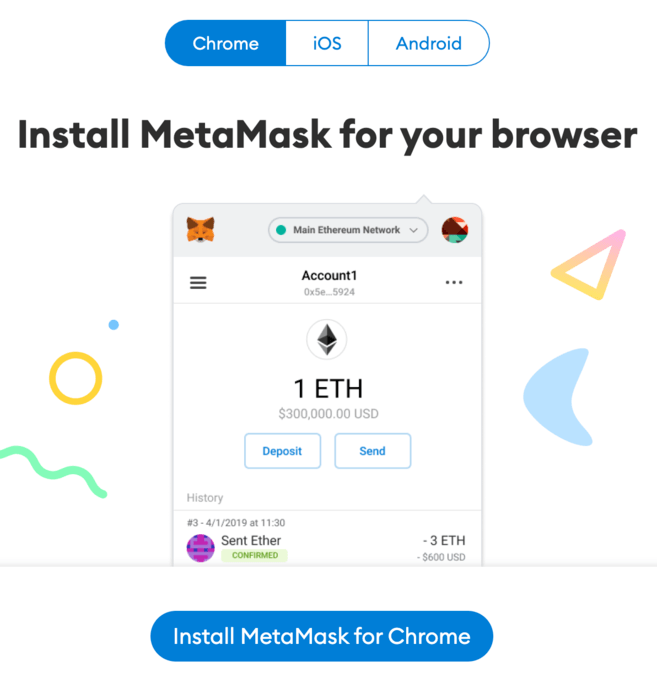
1. Download and install the MetaMask extension in the Chrome browser or download it to iOS and Android devices from the MetaMask website. Be careful and download the extension only from the official website.
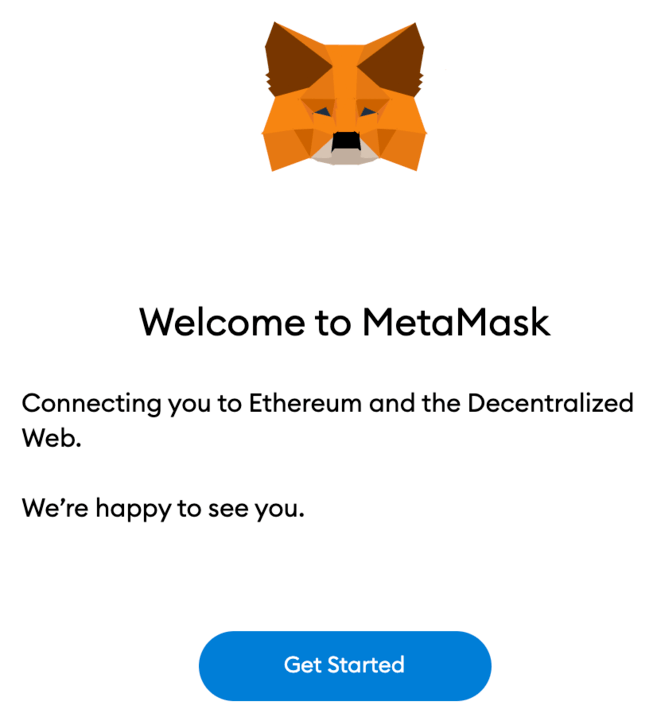
2. After installation, the MetaMask fox will appear on the start page. Click [Get Started].
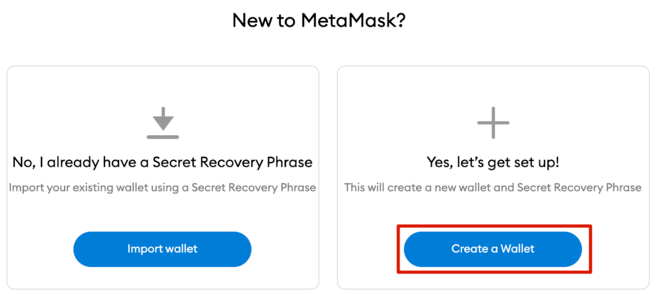
3. Click [Create a Wallet] to create a MetaMask wallet, or select [Import wallet] to import an existing wallet using a seed phrase.
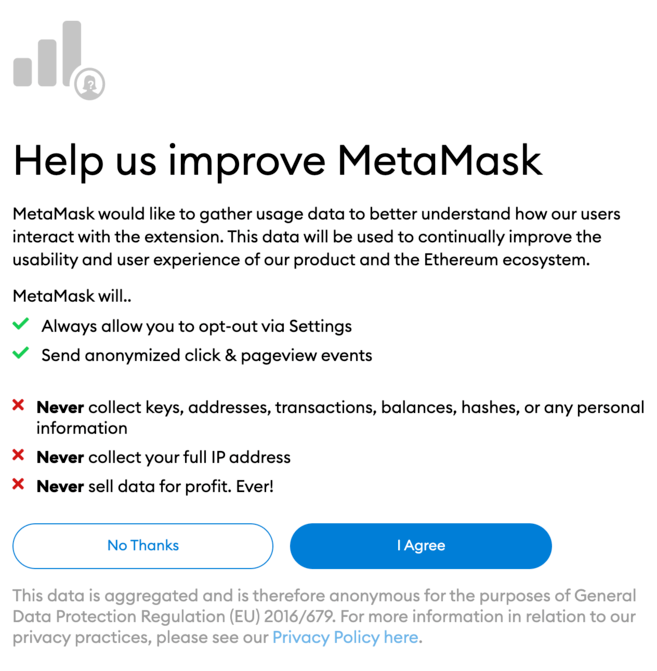
4. MetaMask will ask you to anonymously share usage data to help improve the extension. Your consent or refusal will not affect the use of MetaMask.
5. Create a secure password for your wallet.
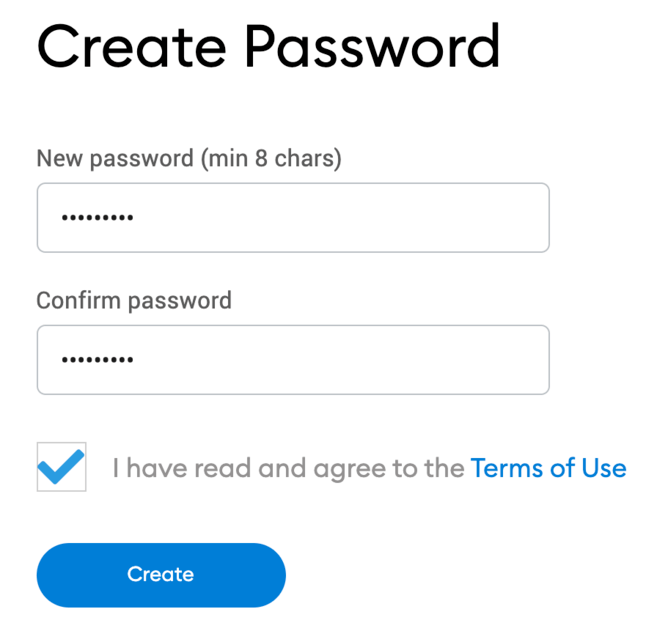
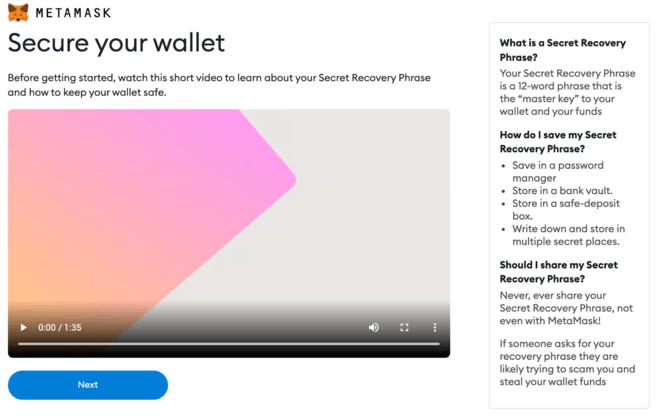
6. Before you start, make a backup copy of your seed phrase. It will help you recover your wallet if you lose access to your device or forget your password. Watch the video and study the information to learn more about how the crypto wallet works. When you are finished, click [Next].
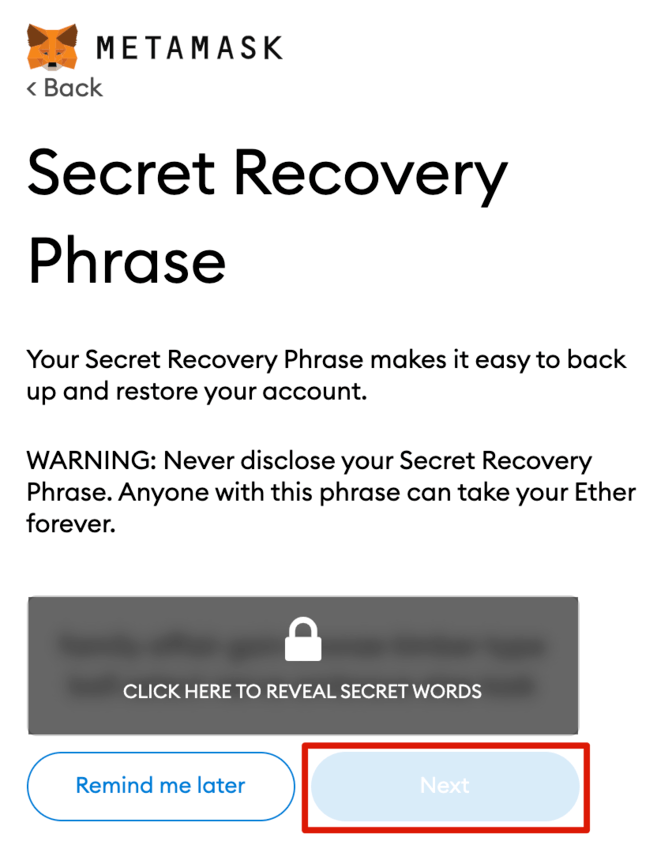
7. Next you will receive a seed phrase. Click to see the words and write them in the correct order. Store the seed phrase in several safe places offline and do not tell anyone.
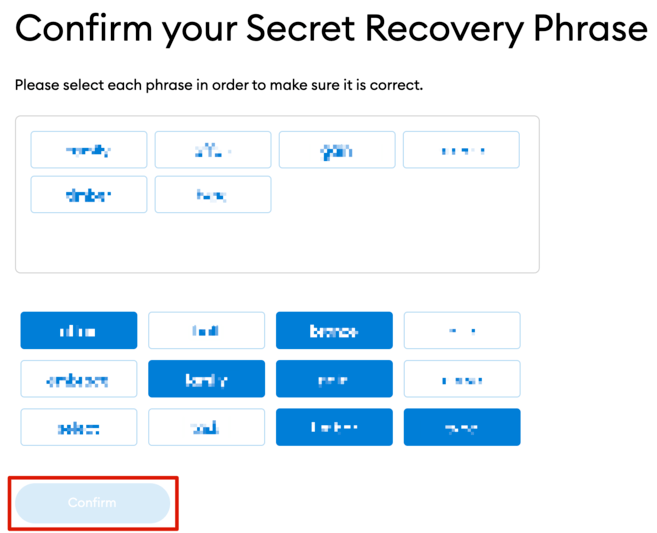
8. To ensure that your backed up seed phrase is correct, repeat it, putting the words in the correct order. Click [Confirm] to continue.
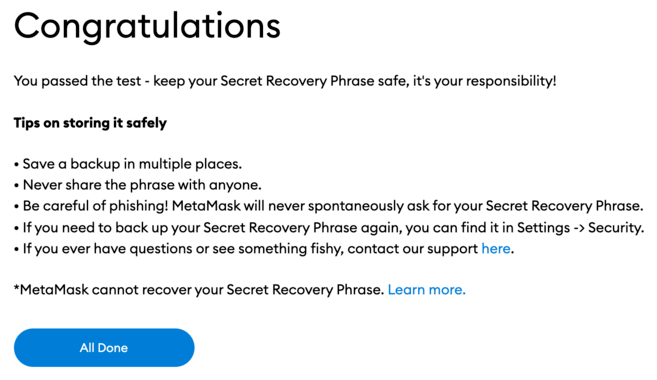
9. MetaMask wallet is ready to use. Click [All Done] to go to your wallet.
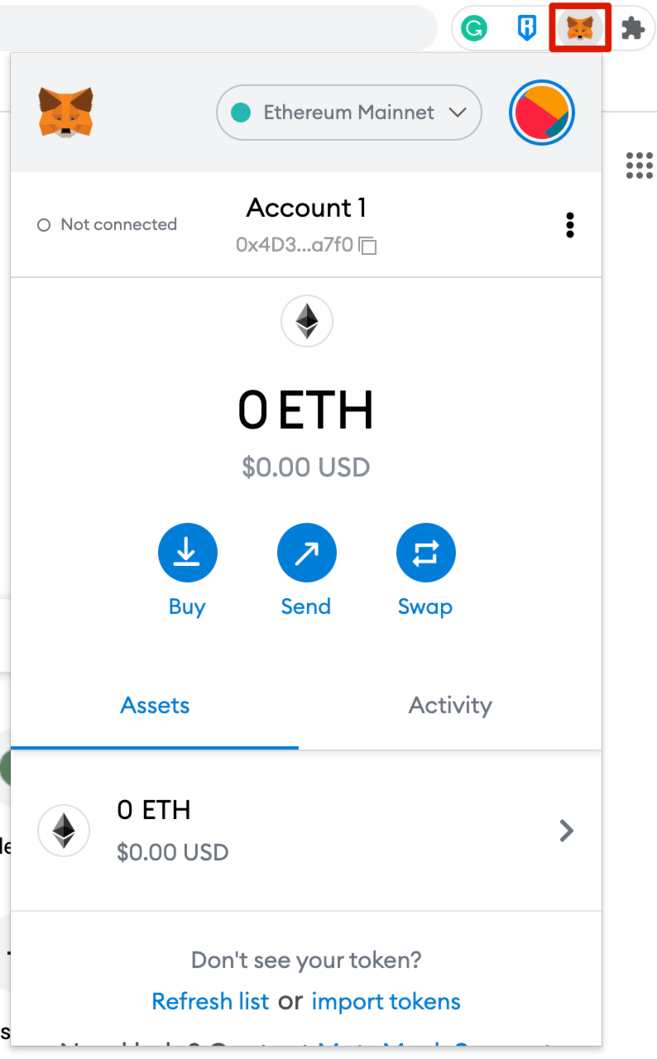
10. You can attach MetaMask wallet to Chrome browser for quick access. Click the puzzle icon and then the pushpin icon next to [MetaMask] to pin it to the toolbar.
How to add Avalanche to MetaMask
By default, MetaMask is connected to the Ethereum mainnet. To add Avalanche to your wallet, provide information about this network in the extension.
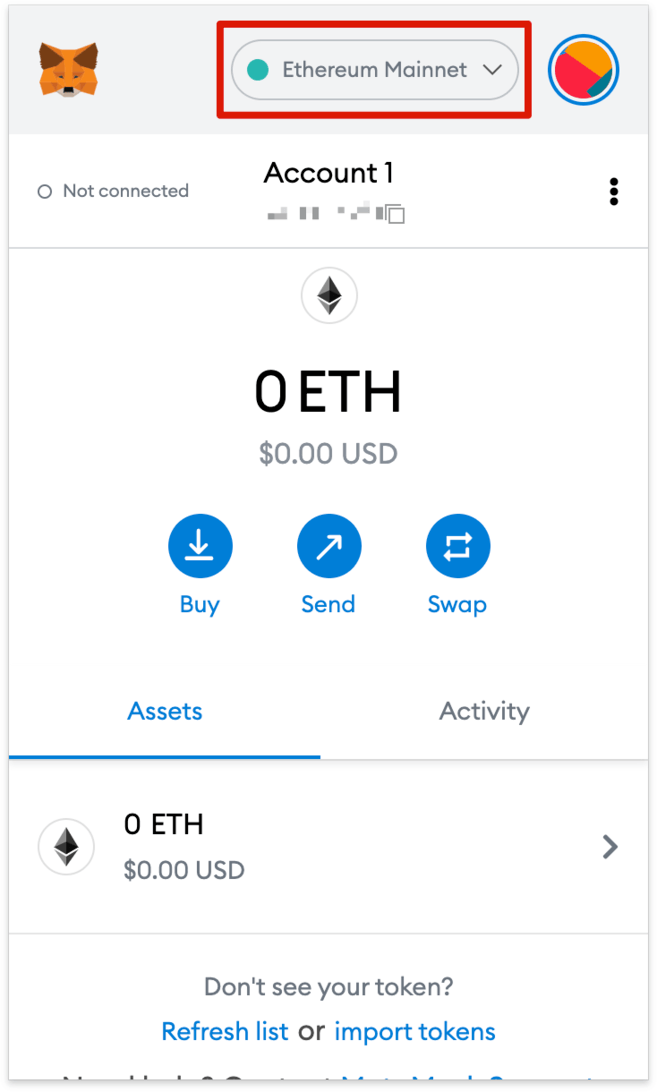
1. Open the extension wallet and click on the drop-down menu.
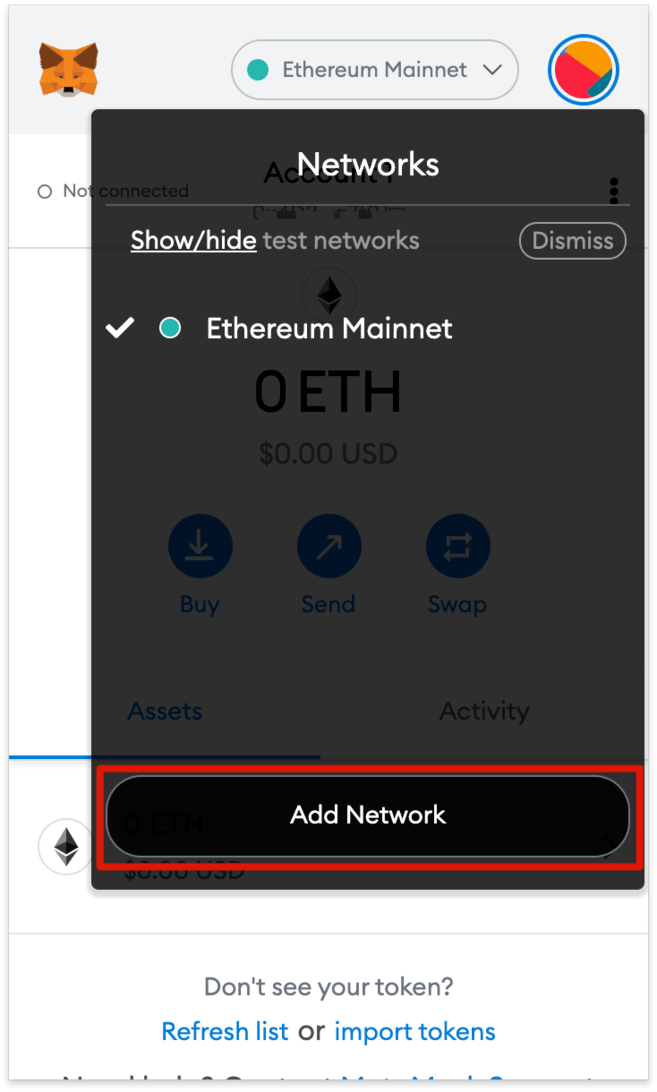
2. Click [Add Network].
3. You will be taken to the appropriate page. Copy and paste the following information and click [Save].
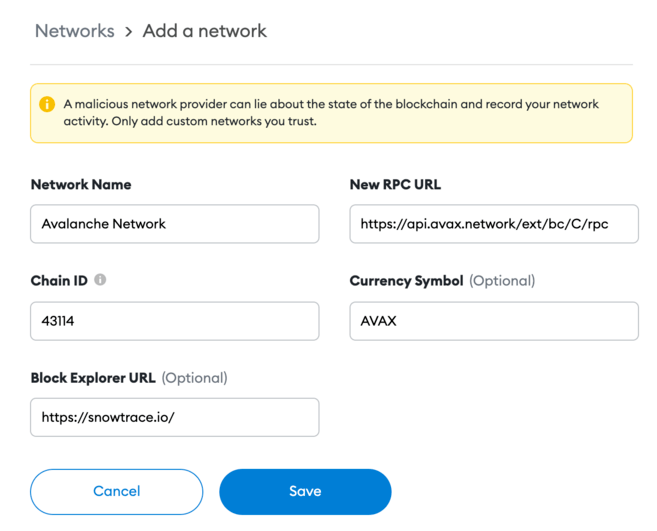
4. The MetaMask wallet is now connected to the Avalanche network.
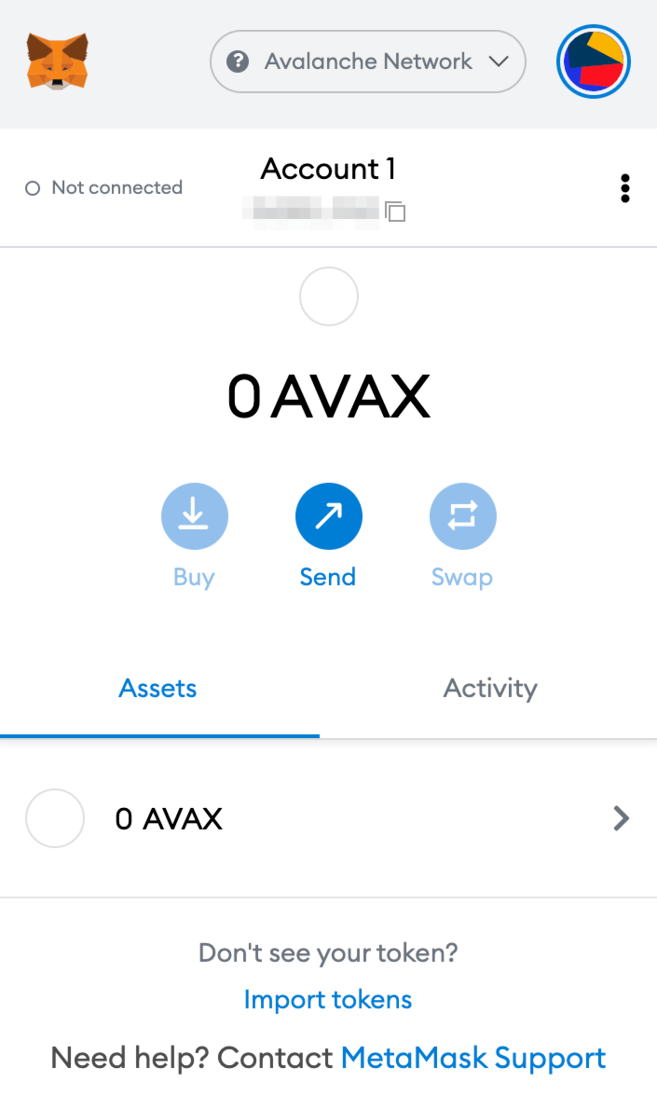
How to send AVAX tokens to MetaMask
Once connected to the network, you can send AVAX from another Avalanche wallet to MetaMask.
There are 3 blockchains in the Avalanche network: the exchange chain (X-Chain), the contract chain (C-Chain) and the platform chain (P-Chain).
Please note: MetaMask is only compatible with C-Chain, so you can only use it to transfer AVAX to a MetaMask wallet. Be careful! If you choose the wrong chain, you may lose your funds.
1. Log into your Avalanche wallet and check your AVAX token allocation via the [Balance] tab at the top of the window.
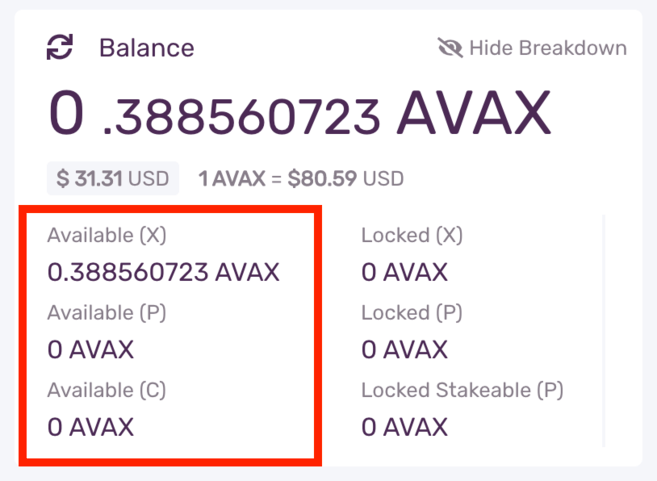
If AVAX tokens are in the X-Chain wallet, you need to transfer them to the C-Chain wallet before transferring to MetaMask.
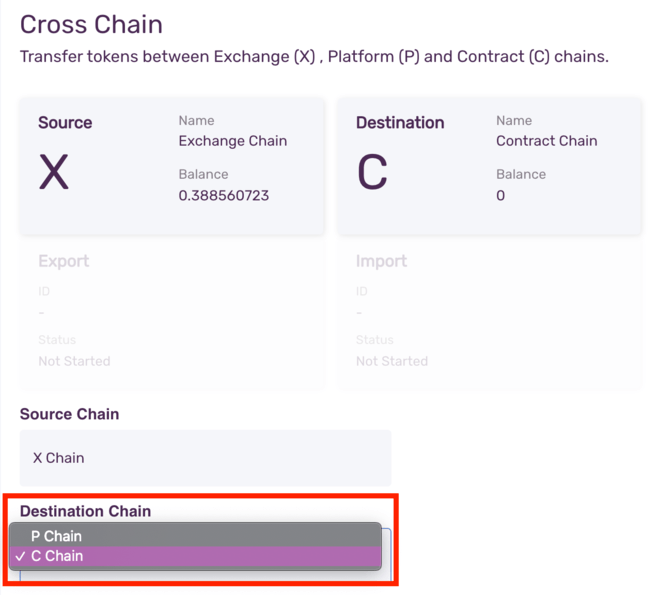
1.1. Click [Cross Chain] on the left menu.
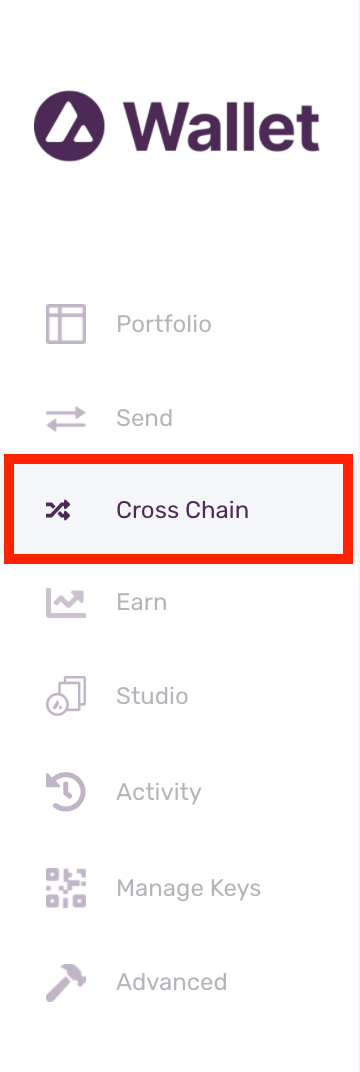
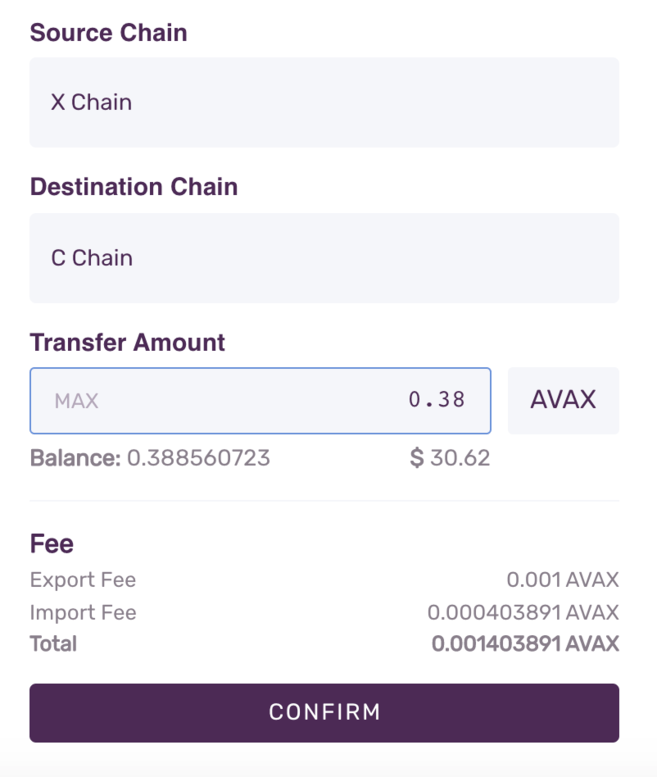
1.2. Select [C Chain] as the end chain. Enter the amount you want to transfer from your X-Chain wallet and click [Confirm]. Please note: you will need to pay a small transaction fee.
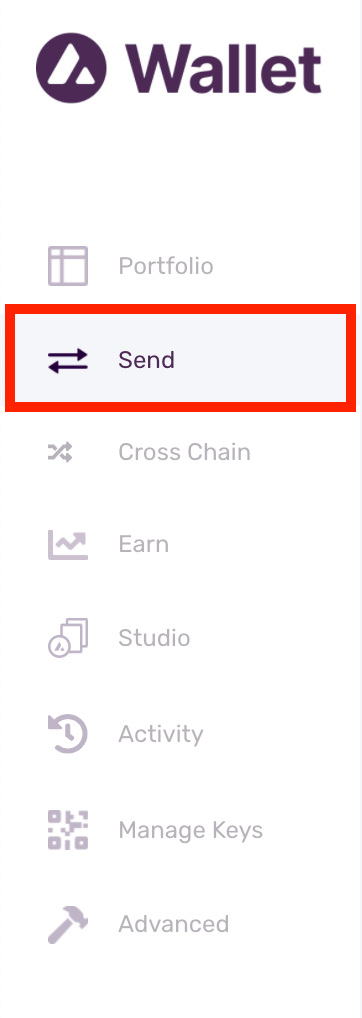
2. Click the [Send] tab on the left menu.
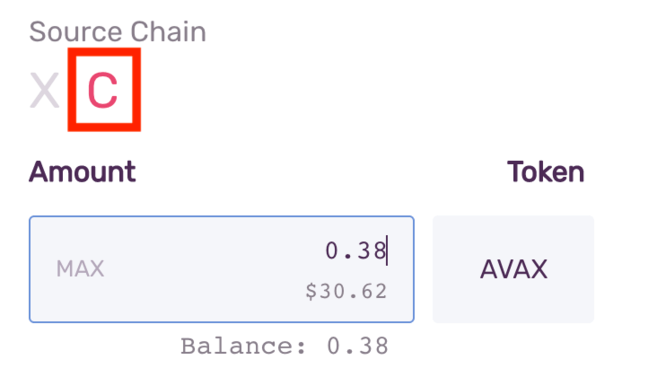
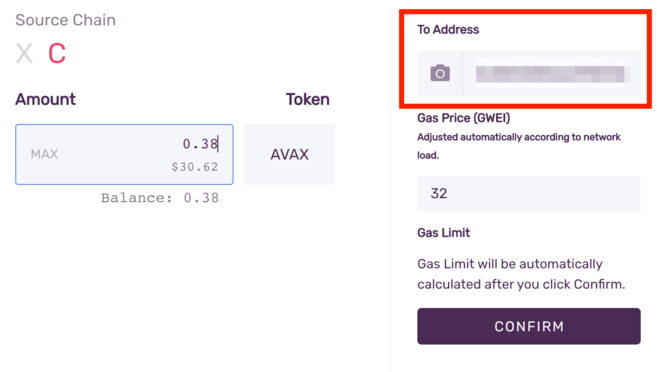
3. Select [C] as the source chain. Enter the amount you want to send to MetaMask.
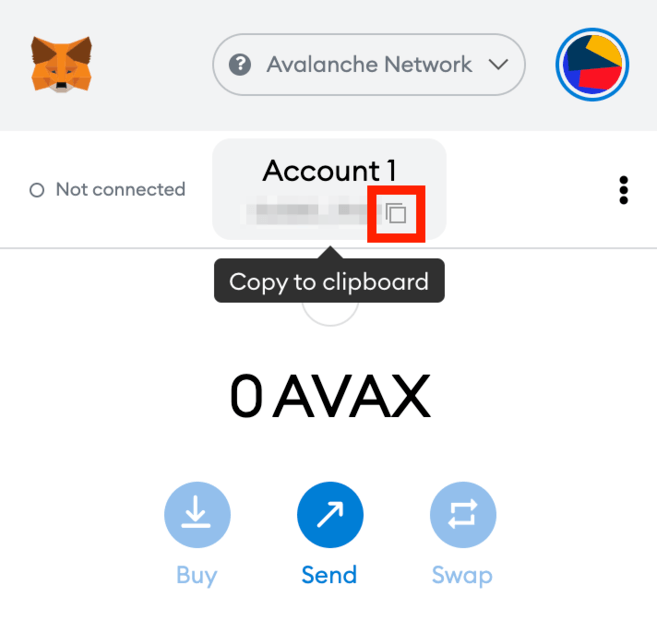
4. Go to your MetaMask wallet and copy the address.
5. Return to the Avalanche wallet, find the [To Address] field and paste the MetaMask wallet address. Check your gas fee and click [Confirm]. Once the transaction is confirmed, AVAX will appear in the MetaMask wallet.
How to send AVAX tokens to MetaMask via Binance
You can also send AVAX to MetaMask from the Binance exchange.
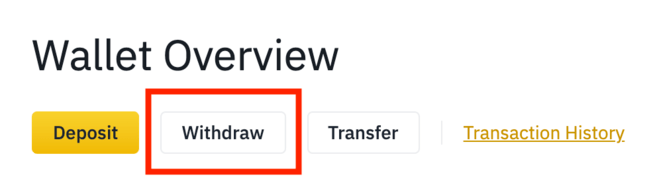
1. Log into your Binance account and go to [Wallet Overview]. Click [Withdraw].
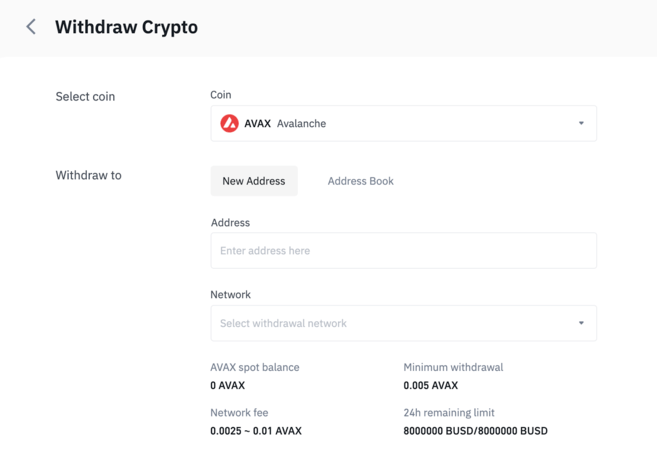
2. Select [AVAX].
3. Go to MetaMask and copy the address.
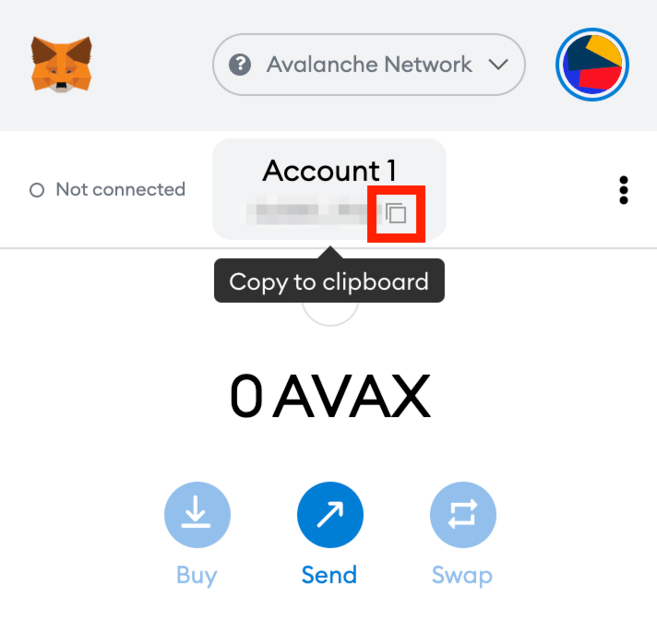
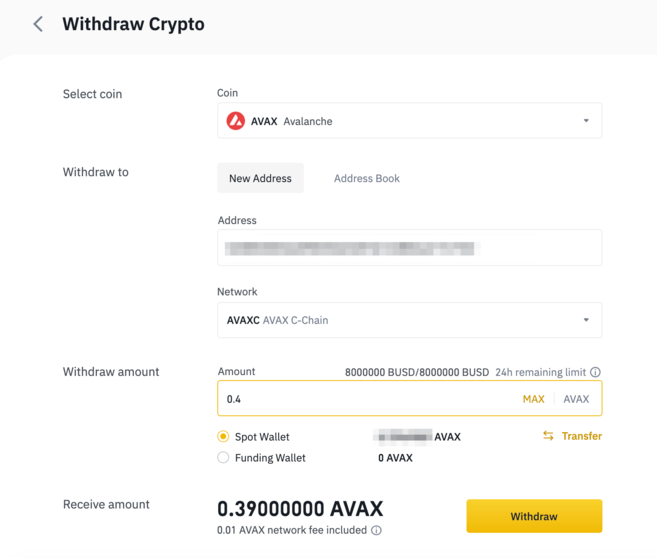
4. Return to Binance and paste your MetaMask address into the [Address] field. Then select the network and enter the transfer amount. Choose only a compatible network, otherwise assets may be lost. To continue, click [Withdraw].
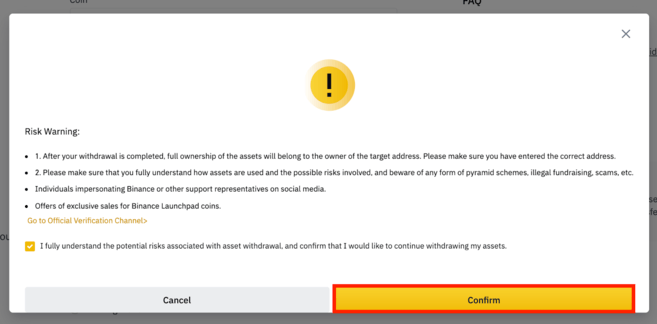
5. Confirm that you understand the potential risks associated with the withdrawal of assets. Please read the warning carefully and click [Confirm].
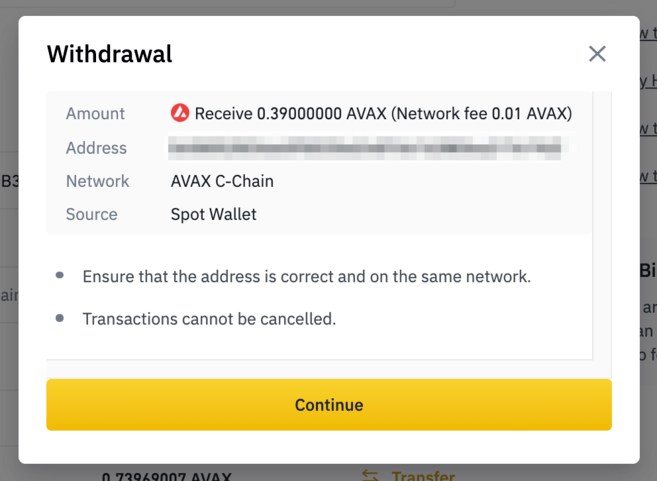
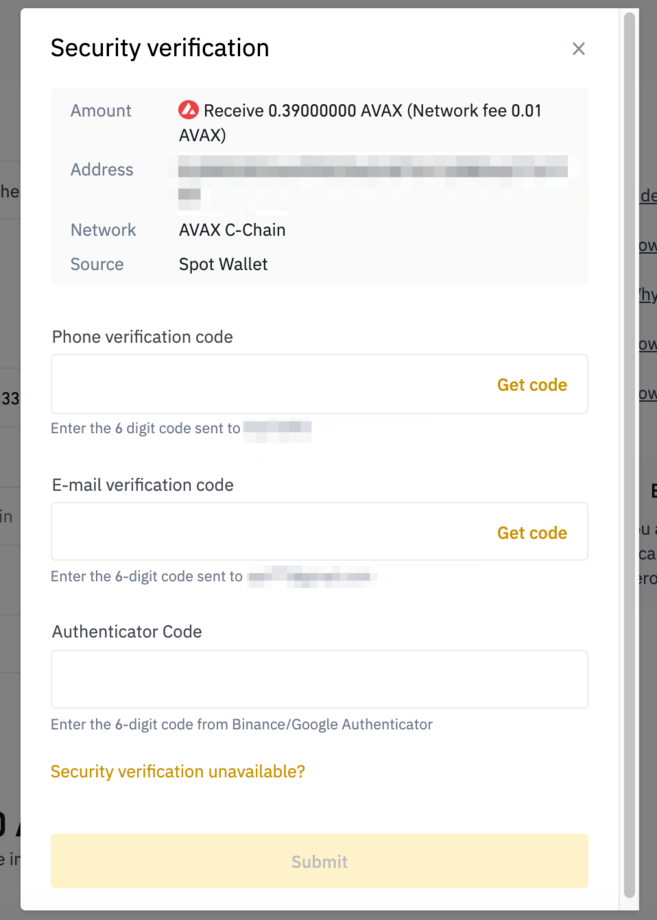
6. A pop-up window will appear on the screen with information about the withdrawal of funds. Please check your payment details carefully before proceeding.
7. Confirm the transfer using two-factor authentication devices. Click [Submit] to send AVAX to your MetaMask wallet.

Summary
Although MetaMask was created for Ethereum, it can now be used on several blockchain networks, including Avalanche, Binance Smart Chain, Polygon, and others. If you learn how to add each network manually, you will have access to various DeFi platforms and DApps of each blockchain ecosystem, such as PancakeSwap, Uniswap, SushiSwap, and OpenSea.