

TL;DR
Choosing a cryptocurrency wallet depends on your needs. Security, custody, and interaction with smart contracts are important factors to consider. You may also need to access your wallet on different devices.
For browser extension wallets, MetaMask, MathWallet, and Binance Chain Wallet are good options. If you prefer to use mobile devices, MetaMask, MathWallet, Trust Wallet, and SafePal are available for iOS and Android. These are decentralized wallet apps and store your private key on your device. SafePal also offers a cold storage hardware wallet, for those who prioritize maximum security. Except the hardware version, all mentioned cryptocurrency wallets are free.
Introduction
The BNB Smart Chain (BSC) is relatively new, so not all wallets currently support BEP-20 tokens. Considering the wallets that support BSC, there are different types and options available. Custody, security and usability are important factors and each model has its priorities. The five wallets below have some differences, so it's a good idea to try them out to decide which one is right for you.

What type of crypto wallet should I use?
Before choosing a specific wallet, think about what you need. There are different types of wallets out there. Most BSC wallets will be non-custodial, meaning you have full control over your private key. BSC wallets are typically hot wallets that allow you to quickly connect to DApps or stake. Each type has its advantages and disadvantages.
1. Custodial - The wallet provider maintains your private key. This is the case of digital assets in an exchange/broker's wallet. You don't have the private key, so you don't have full control over your wallet. You probably won't be able to connect to DApps either. For example, if you want to spot trade BSC tokens and other crypto assets, a custodial wallet would be a good option. But be careful. Although it is safe on Binance, you should not trust your funds to any other wallet or custodial exchange.
2. Non-custodial - You own your private keys. It is the safest option for most traders and investors, as long as they take good care of their keys and seed phrases. The wallets we will mention are all non-custodial options that allow interaction with DApps.
3. Hot wallets - These are cryptocurrency wallets that are connected to the Internet and are typically non-custodial (unless you are using a centralized broker/exchange). Hot wallets are convenient for making transactions, but they pose some security risks. Your private key is kept online with your public key and can usually be accessed through a user-defined password. Like any password-protected service, you can be hacked or suffer a phishing attack. To reduce risks, you should also use two-factor authentication (2FA) methods.
4. Cold wallet - You store your private key offline, on specialized hardware. This option is the safest for storing your BSC tokens, but is often the least practical method for transacting and interacting with DApps.
You can use a combination of the options above to take advantage of each of them. For everyday transactions and DeFi applications, a non-custodial hot wallet is a more robust and flexible option. Let's take a look at some of the most popular options.
MetaMask
MetaMask is a cryptocurrency wallet, available as a browser extension or mobile app. It is compatible with BSC and other blockchains, including Ethereum, Polygon and Binance Chain. MetaMask was developed in 2016 by ConsenSys, a prominent blockchain company. For many years, MetaMask only offered the extension version, which remains its most popular product.
The MetaMask browser extension allows you to transact and interact with smart contracts and DApps.

MetaMask also allows you to connect to different blockchain networks (you can add custom mainnets). It allows you to sign transactions, manage your public and private keys and also provides a Swaps service that offers the best prices among several Decentralized Exchanges (DEXs). MetaMask is a very popular choice among BSC users thanks to its simplicity and practicality.
Binance Chain Wallet
Binance Chain Wallet is Binance's official browser extension wallet. Currently, the wallet supports Binance Chain, BSC and Ethereum. Compared to other supported wallets, Binance Chain Wallet is one of the most basic. If you primarily store cryptocurrencies on the Binance exchange but occasionally use DApps, the Wallet Direct feature may be useful to you.

By connecting your Binance account with Binance Chain Wallet, you can transfer crypto assets like Binance Coin (BNB) or ETH between the two without the need to manually enter addresses. If you are interested, check out the article How to Use the Binance Chain Wallet.
Trust Wallet
Trust Wallet is an open-source wallet app available for iOS and Android. It is also Binance's official decentralized wallet and is compatible with the main blockchains in the Ethereum ecosystem, BSC, Binance Chain, among others. You have full access to your private keys through a seed phrase. The app has some extra features built in, including purchasing cryptocurrencies with a credit/debit card and a non-fungible token (NFT) wallet. The Android version also has a browser for DApps.
Trust Wallet has a utility and governance token, TWT. By holding (storing) the token, you can participate in decisions, such as, for example, the integration and addition of new tokens to the blockchain. With TWT, you can also get discounts on the DEX platform and cryptocurrency purchases.

If you want to try Trust Wallet, read our Connecting Trust Wallet to BNB Smart Chain (BSC) tutorial.
MathWallet
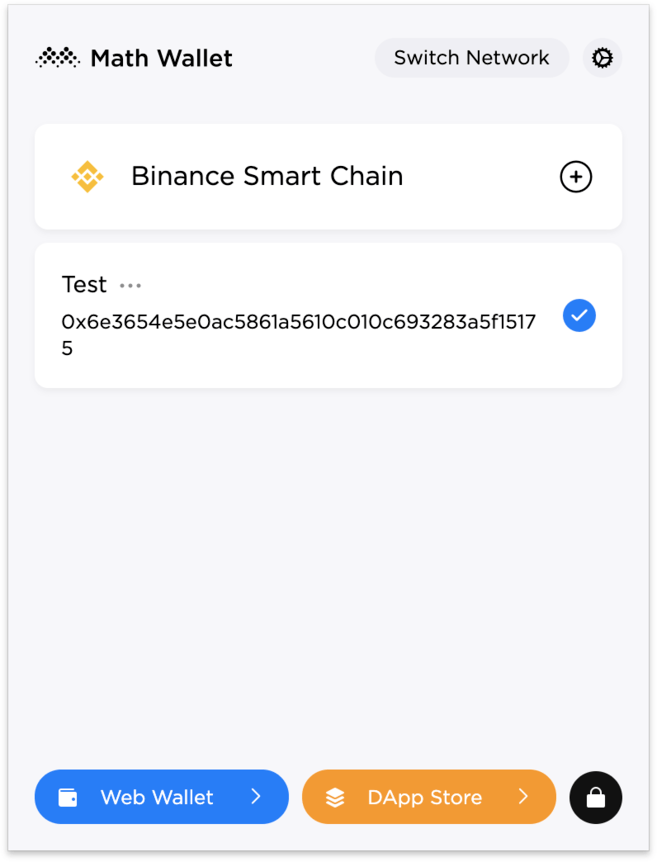
MathWallet offers a crypto wallet browser extension, a web-based wallet, and an app for iOS and Android devices. The wallet supports almost 40 blockchains and was one of the first to support BSC. Founded by MATH Global Foundation in 2017, it raised $12 million in a Series B funding round, led by Binance Labs.
If you want to use the same wallet on multiple devices, MathWallet offers a lot of flexibility. It's easy to switch between your mobile device, browser extension, and web-based wallet depending on your needs.
SafePal
SafePal is a hardware wallet provider that also has a decentralized wallet application. Its functionality is similar to Trust Wallet with the addition of a Decentralized Finance (DeFi) section. This section contains links to popular DeFi platforms and DApps, as well as a browser. If you want to access DApps without having to switch between apps, SafePal is a suitable option for iOS and Android devices. The project also has a utility token (SFP) used for discounts and bonuses.
Carteira de Hardware SafePal S1
The SafePal S1 hardware wallet is a more affordable option compared to a Trezor or Ledger Nano device. If you want to store your BSC tokens offline, this wallet offers more security than any hot wallet, as long as you keep your device secure. However, to use DApps, you will need to transfer your tokens to your SafePal hot wallet.
Final considerations
Having a reliable and stable wallet should be a priority for all cryptocurrency holders. The five wallets mentioned here are trusted and well-known in the blockchain community and have millions of BSC users around the world. There are fewer options when it comes to BSC, but the most important features are the same: interaction with DApps, custody, usability and reliability. This all also depends on your user profile.
For an active trader, a non-custodial hot wallet is the most practical way to trade safely. For farmers in the DeFi sector, the use of a browser extension wallet is more suitable, as it offers greater control over interaction with DApps, using a desktop. If you're just HODLing, a simpler mobile option might be a better fit.
All BSC wallets recommended in this article are free except the hardware wallet. You can choose according to the level of security you deem necessary, making sure that your wallet works reliably. And the most important thing, if you have your private keys, is to keep them safe and secure.