

Introduction
Binance Chain Wallet is a cryptocurrency wallet officially launched by Binance. It is used to access Binance Smart Chain, Binance Chain and Ethereum. In addition to securely storing cryptocurrency, the wallet can also connect to thousands of projects in different blockchains. .
Whether you’re exchanging Binance Coin for other tokens, minting non-fungible tokens (NFTs), or participating in liquidity mining, the browser plug-in wallet is a convenient choice. Currently, Binance Chain wallet supports Chrome, Firefox and Brave browsers.
What’s Unique about Binance Chain Wallet
At first glance, the Binance Chain wallet looks similar to other plugin wallets. However, the former has some distinctive features. If you already have a Binance account, you can easily link your wallet through the Wallet Guide. With this feature, you don’t need to copy-paste addresses when transferring digital assets between the two platforms.
You can also use your Gmail account to register a wallet through tKey. If wallet access fails, you can choose two of the following three methods to recover:
Login information via Gmail
Use local device
Use the password you created when you created your account
Keeping your private keys safe is a top priority, and tKey will help you.
These two features allow cryptocurrency wallet beginners to master the use of Binance Chain wallet in no time.
Set up a Binance Chain wallet
1. Download the Binance Chain wallet through the Binance Chain homepage. Then select the browser where you want to install the plug-in.
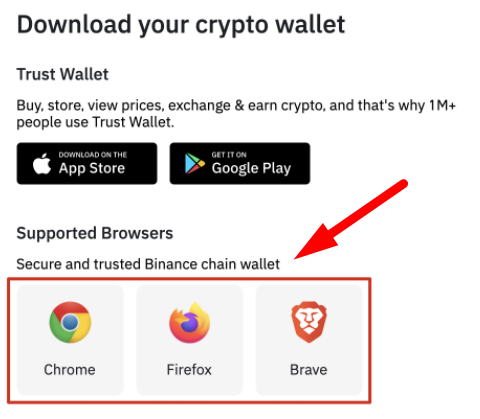
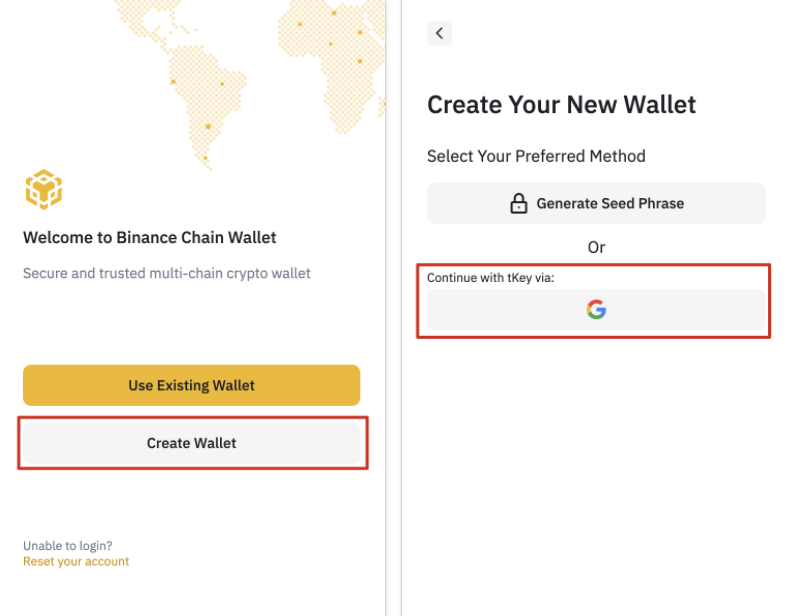
2. After the plug-in is installed, you can see the registration page. In this example, we demonstrate how to create a brand new wallet using a Gmail account.
Please note: If you have the original mnemonic phrase or tKey login credentials, you can use an existing cryptocurrency wallet.
3. Click [Create Wallet] and select [Use tKey, continue via Gmail].
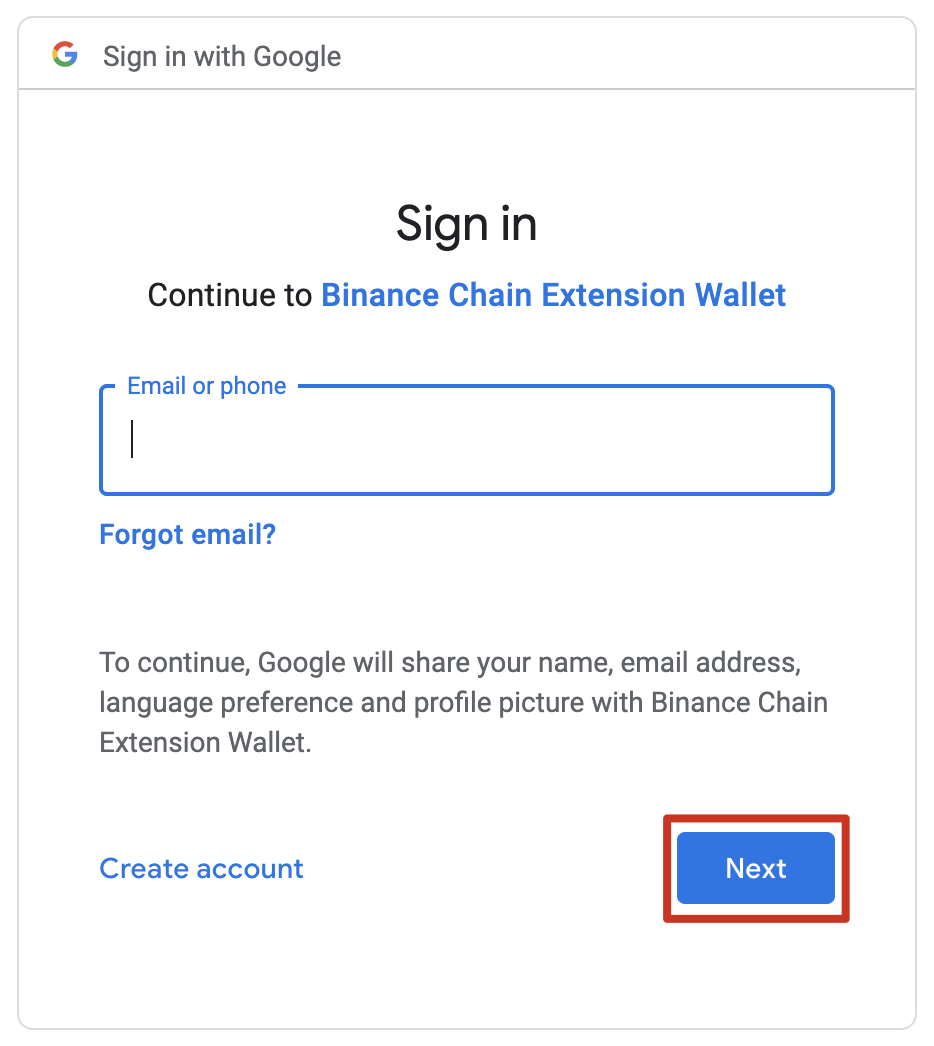
4. A pop-up window will appear, prompting you to log in using Gmail. When necessary, tKey and Binance Chain wallets will use Gmail accounts as the authentication method.
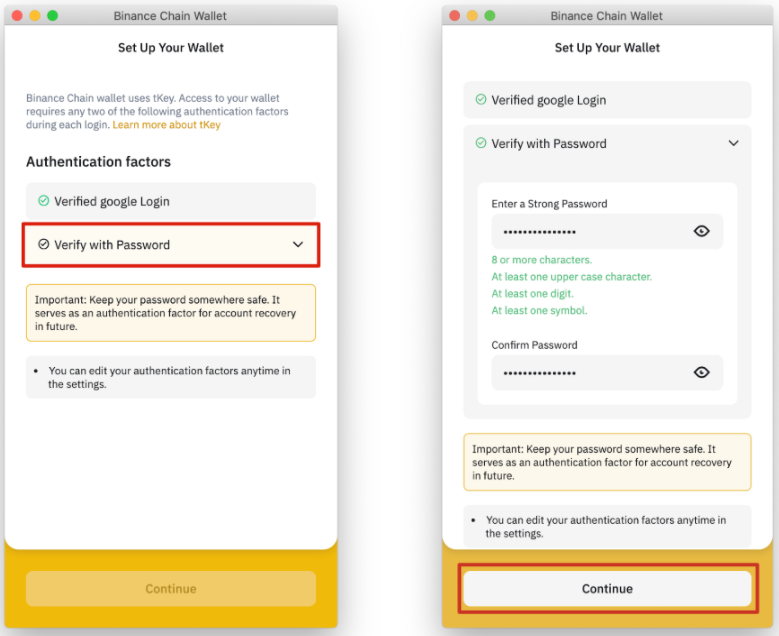
5. The next step is to create a password, thus providing double protection to the account in case the private key is lost.
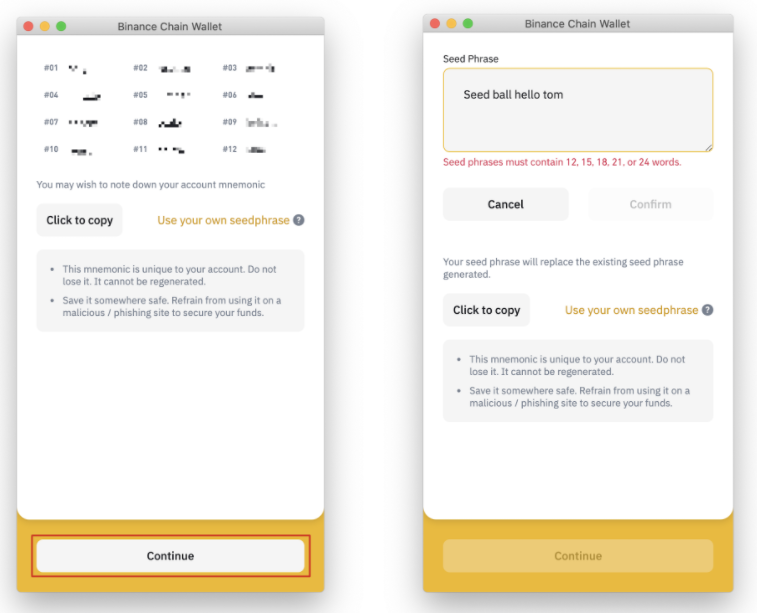
6. The mnemonic phrase of the Binance Chain wallet will be displayed here, which can be used to retrieve the account later. You can also create your own mnemonic phrase, but it must consist of 12, 15, 18, 21 or 24 words.
Do not share your mnemonic phrase with others and keep it as securely as your bank account password or PIN. If lost, you can still use both your email address and your tKey password to access your Binance Chain wallet.
7. After ensuring that the mnemonic phrase is stored safely, click "Continue".
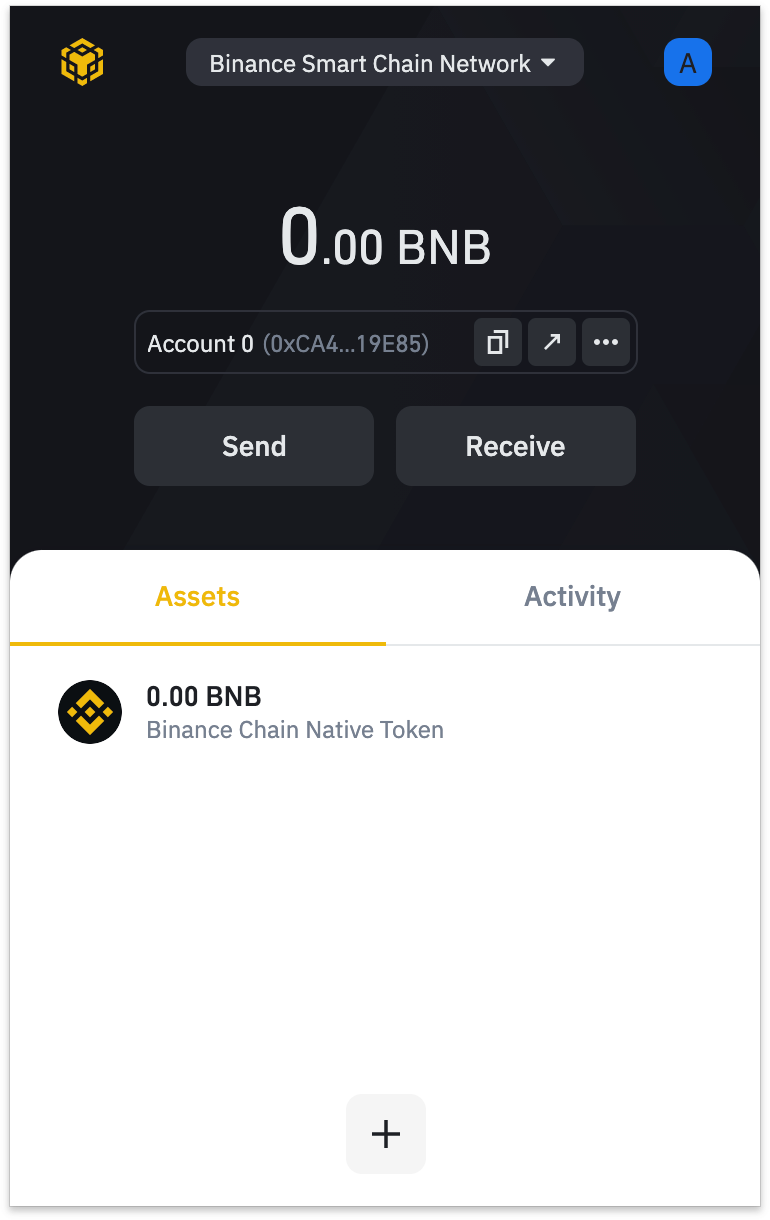
8. Binance Chain wallet is set up successfully. You can now use the wallet to send and receive Binance Smart Chain (BSC), Binance Chain, and Ethereum tokens, as well as interact with DApps and smart contracts on these blockchains.
Deposit Binance Coin using Wallet Guide
You must have Binance Coin pre-deposited in your wallet to use and interact with the Binance Smart Chain network. Binance Coin can be used to pay transaction fees when transferring funds and interacting with smart contracts. Binance Coin is divided into two types: BEP-20 tokens and BEP-2 tokens. Since we want to interact with Binance Smart Chain (BSC) at this time, we need to use BNB BEP-20 tokens.
If you already have some Binance Coins in your Binance Spot wallet, you can use the [Wallet Guide] feature to link your account with your Binance Chain wallet.
1. Click the icon in the upper right corner of the wallet homepage, and then click [Associate Binance.com Account].
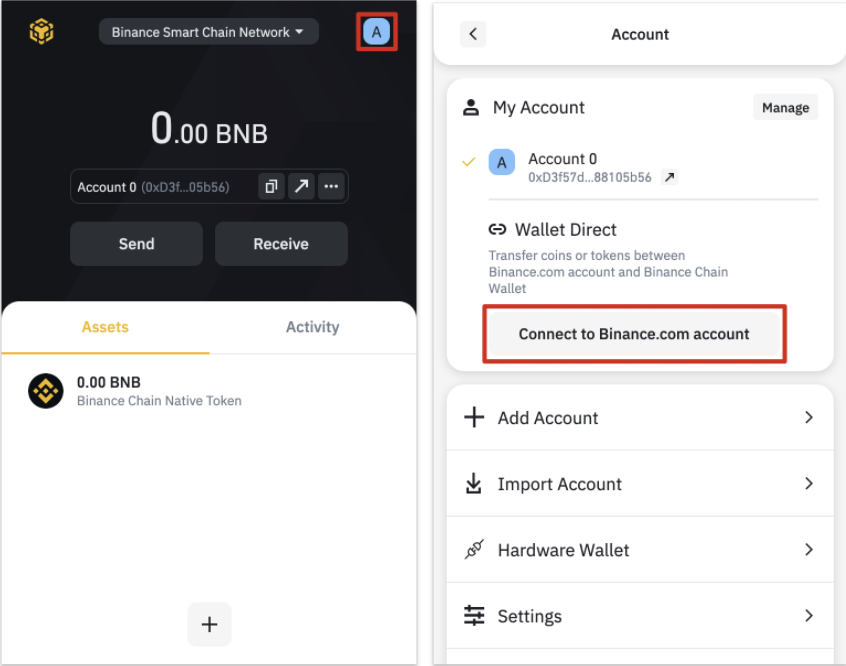
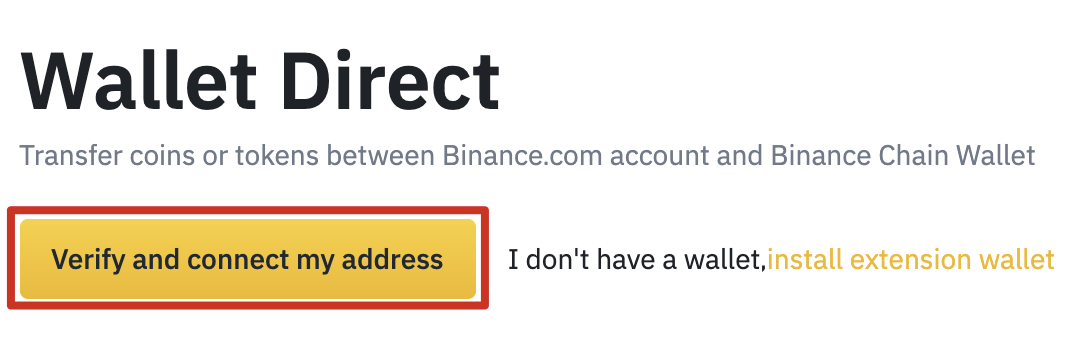
2. Log in to your personal Binance account and click [Verify and associate my address].
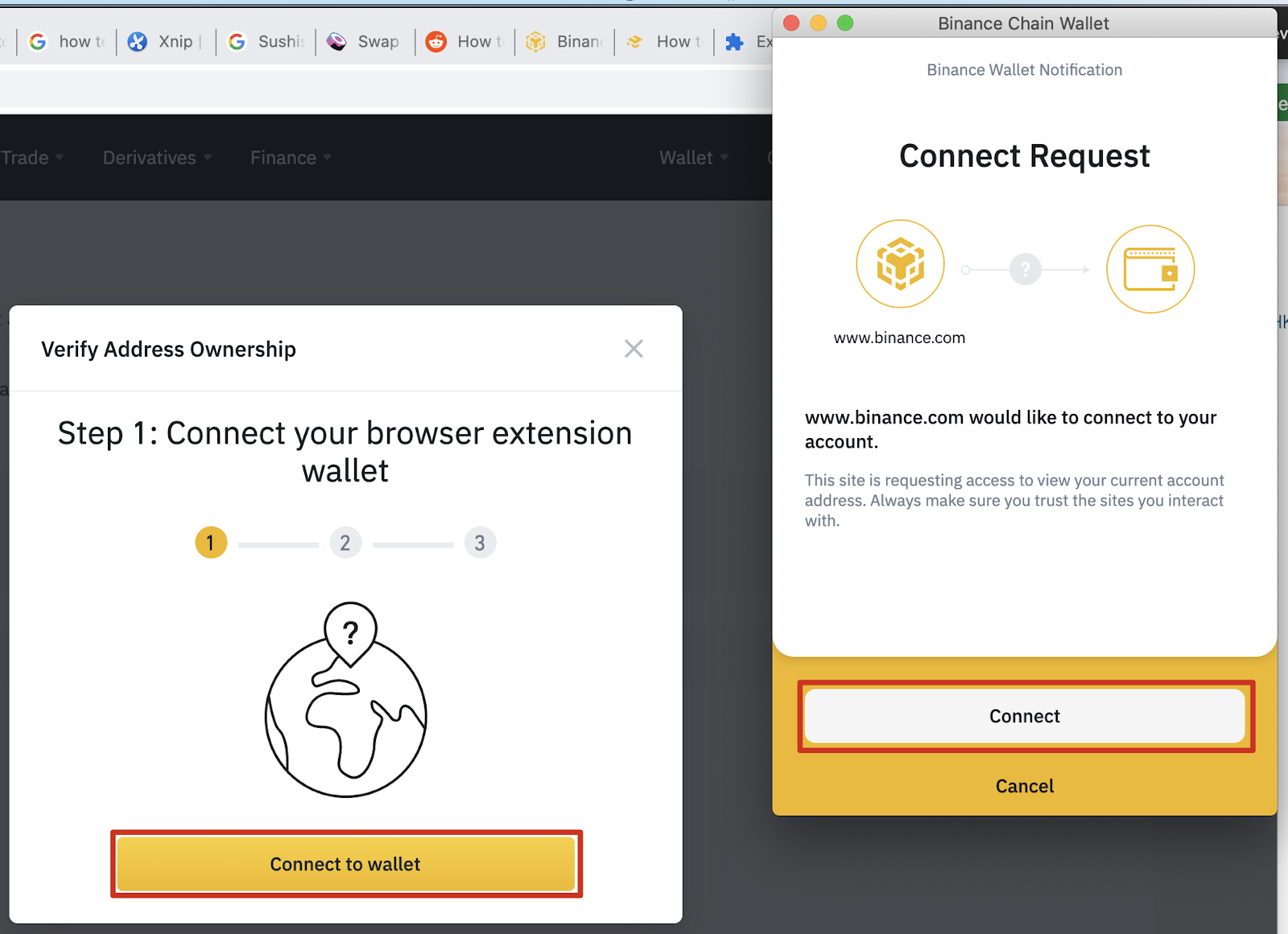
3. At this time, a pop-up window will appear on the screen asking you to [associate wallet]. Click the button to open the Binance Chain wallet, then click [Link].
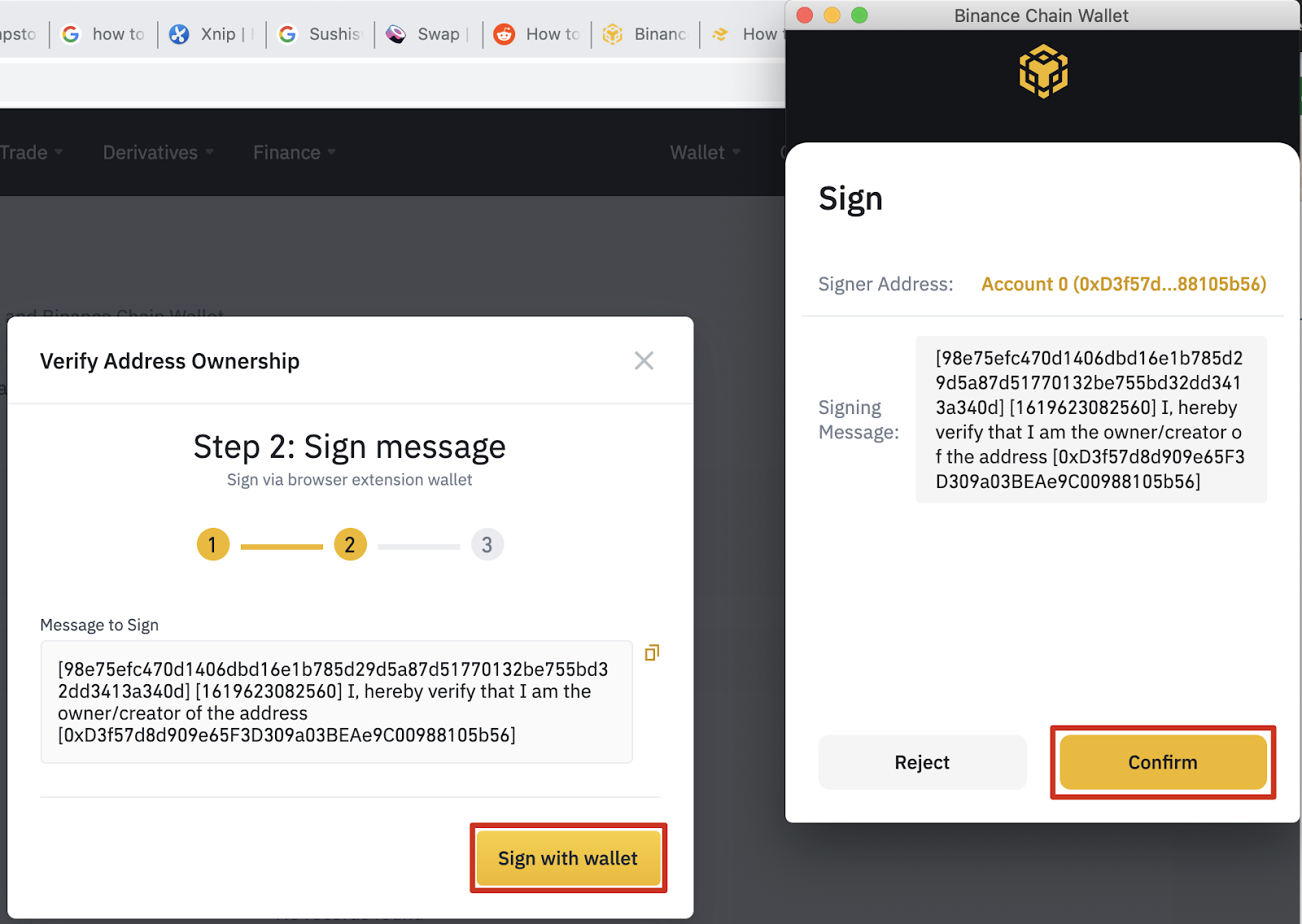
4. Next, you need to authorize the wallet and sign the Binance message. This step is to verify that you are the wallet owner and allow the link operation.
5. After completing the above steps, enter the last level of security-Binance ID verification. If your account has two-factor authentication (2FA) associated with it, you must pass this second-step verification.
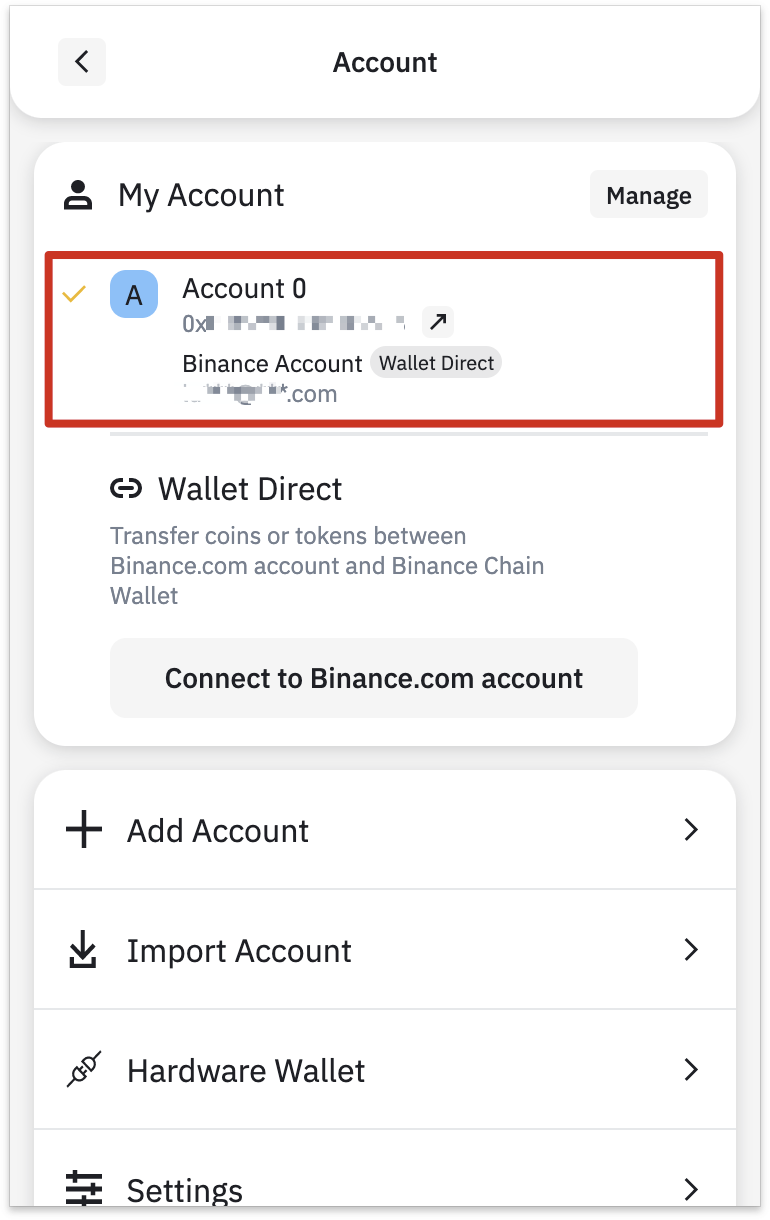
6. After successful verification, the Binance account will be associated with the wallet. Please see the account section of the wallet or the wallet navigation page for details.
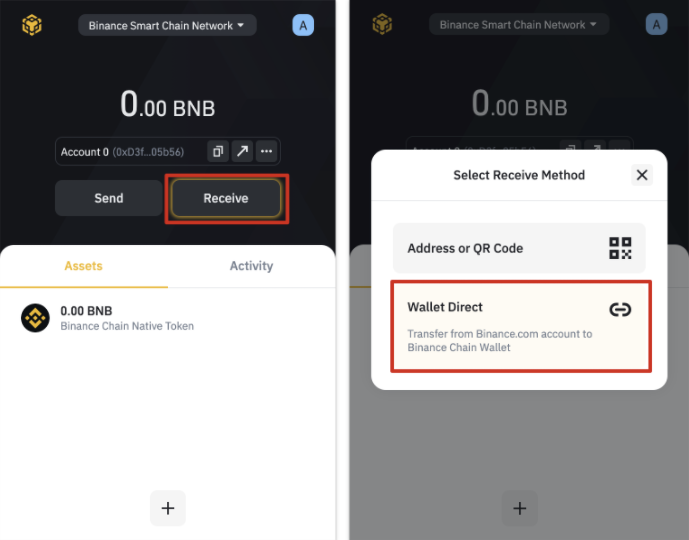
7. To transfer funds from your Binance account, click the [Receive] button and select [Wallet Guide].
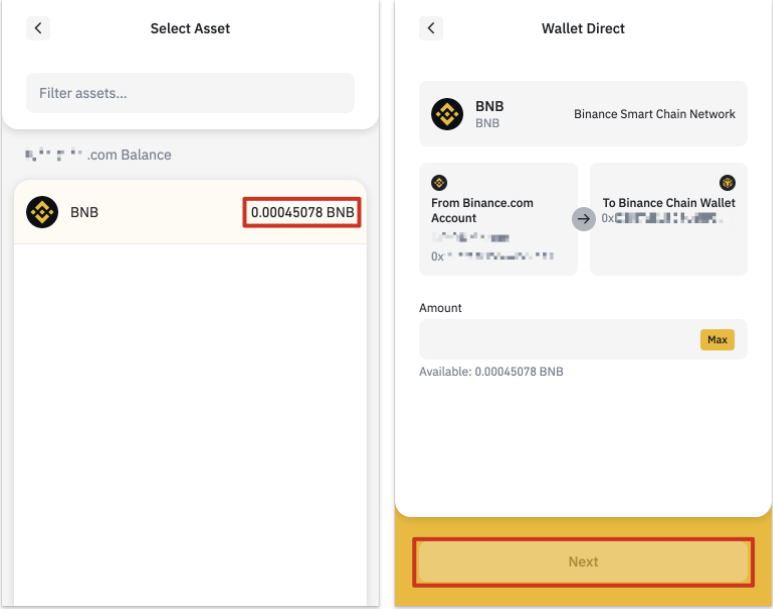
8. You will see the balance of assets available for transfer.
Top up via other wallets
You can top up directly through other wallets. In this example, we are transferring Binance Coins from a Binance Account wallet to a Binance Chain wallet.
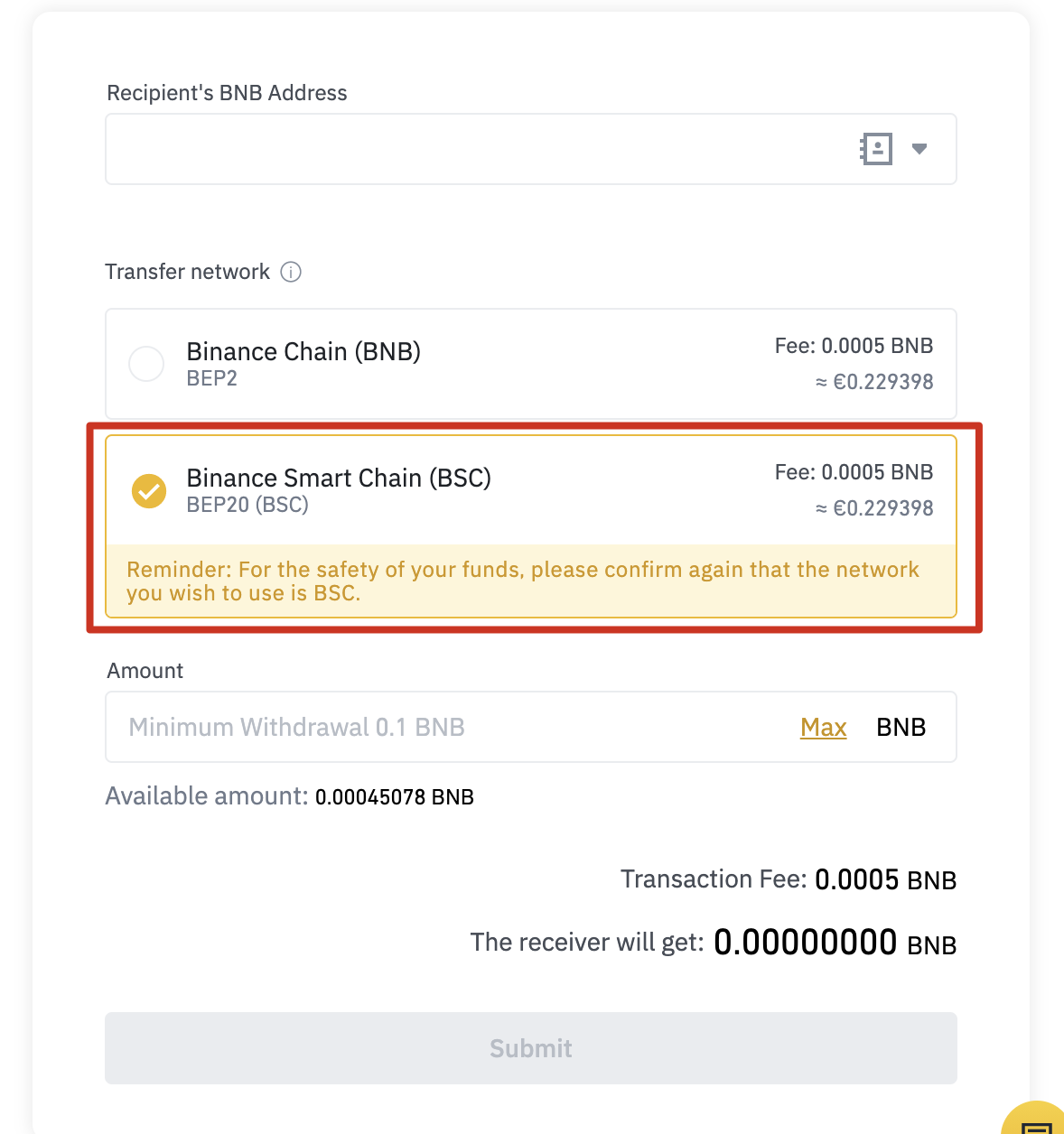
1. Enter the withdrawal page of your Binance account and select the BEP-20 (Binance Smart Chain) network.
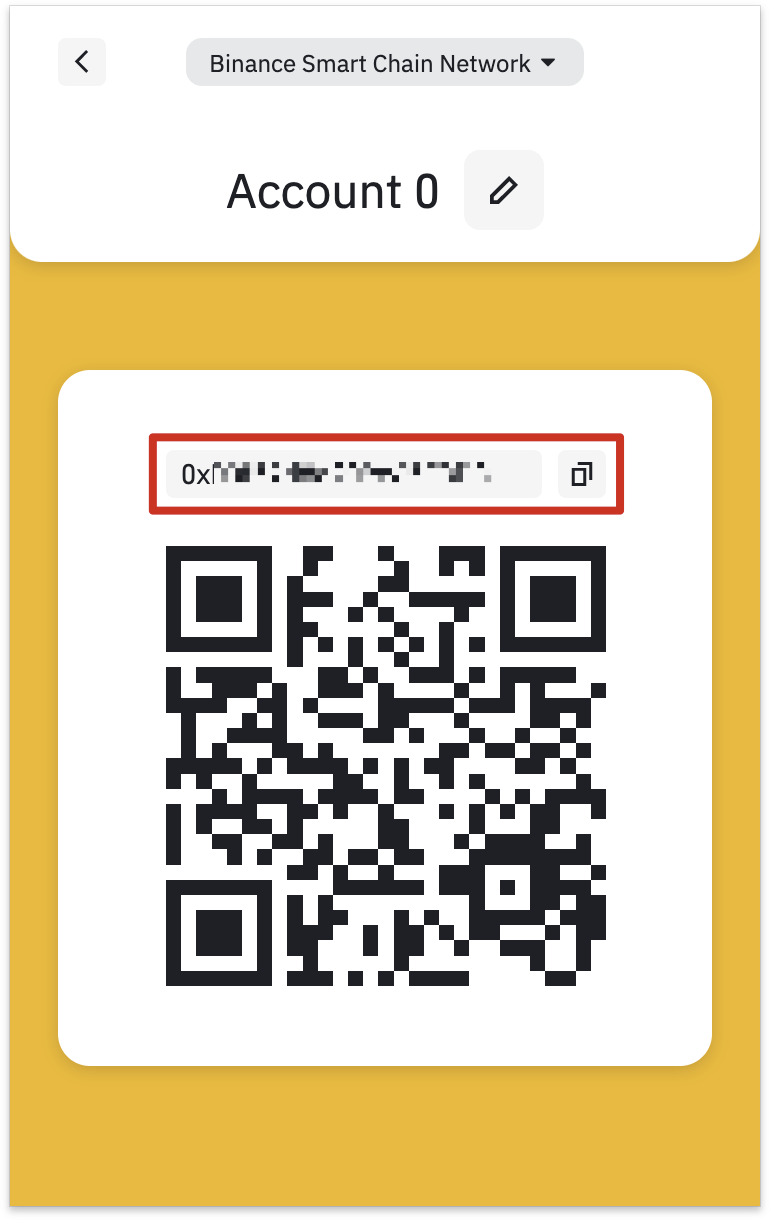
2. Click [Binance Chain Native Token] in the Binance Chain wallet, and then click [Receive].
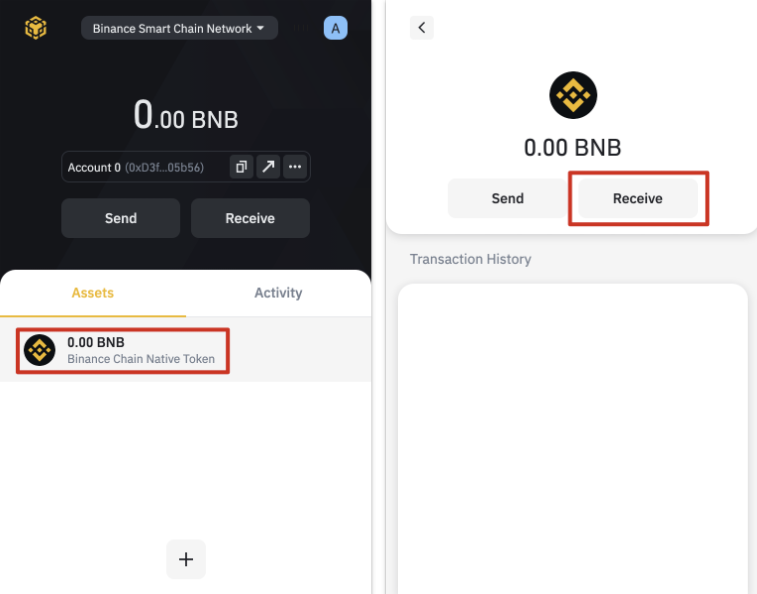
3. A QR code that can be scanned or an address that can be copied to the withdrawal wallet will be displayed here. Please note: all BEP-20 addresses begin with 0x and BEP-2 addresses begin with bnb.
Add new coins to Binance Chain wallet list
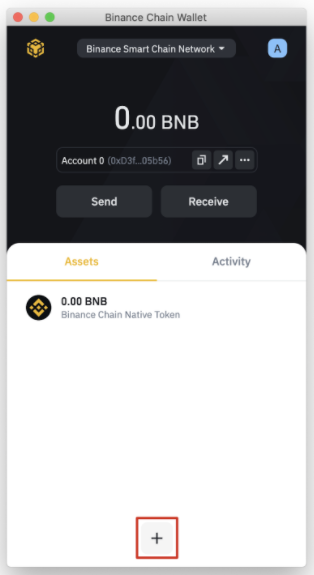
1. After the Binance Chain wallet is set up, only the Binance Coin balance will be displayed by default. Click the [+] button to search the optional list to add more tokens.
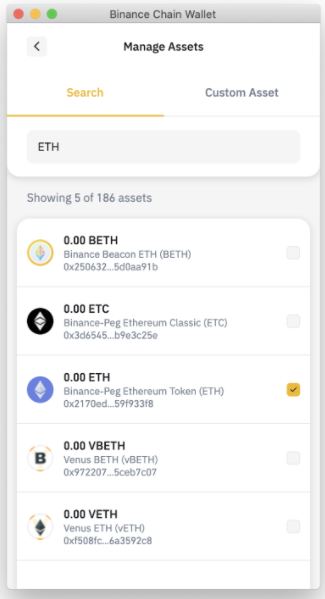
2. Select the token you want to add and click the checkbox. In this example, we add Ethereum pegged to Binance. The wallet can still receive token top-ups even if the list has not been checked previously. Check any token just to show the balance.
Connect your Binance Chain wallet to Binance Smart Chain
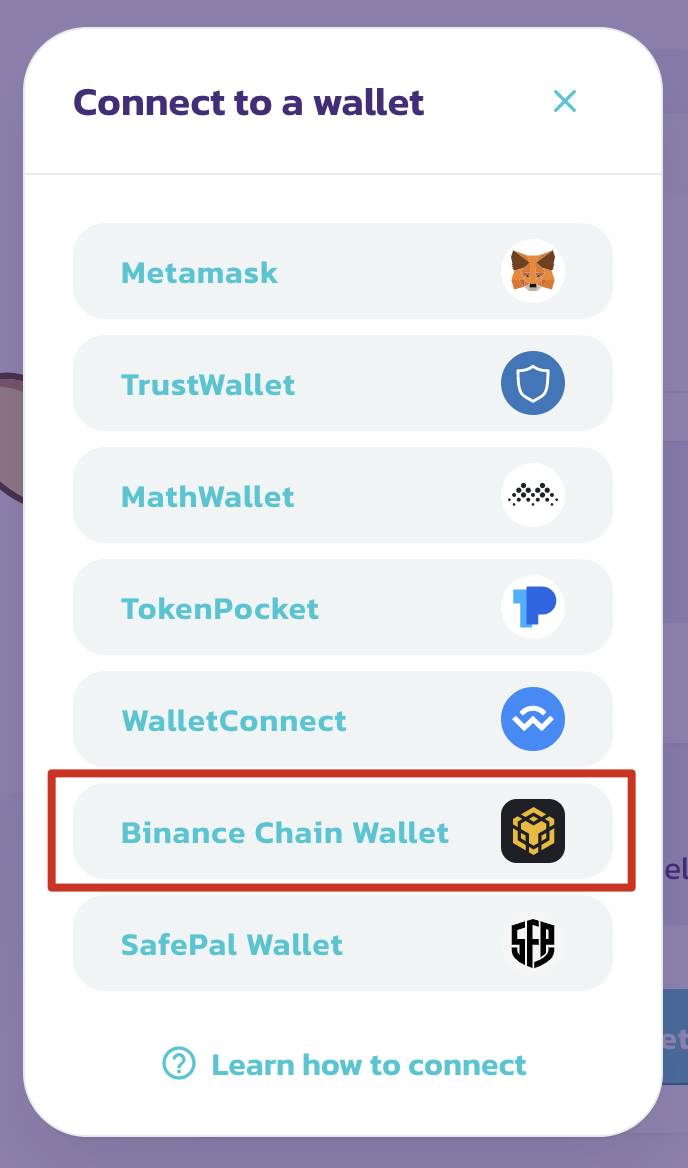
Binance Chain wallet can easily interact with Binance Smart Chain. Staking, exchanging and interacting through DApps can be done with just a few clicks. Let’s take a look at how to associate PancakeSwap. Almost all DApps use the same wallet-associated UI.
1. Click the [Associate] button in the upper right corner of the screen.

2. Select [Binance Chain Wallet]. Please note: Some DApps do not support the use of Binance Chain wallets.
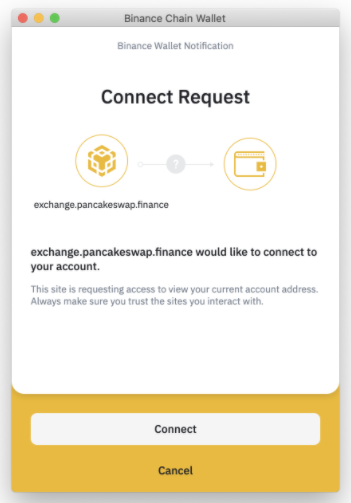
3. A pop-up window will appear, asking whether to associate the DApp. Click the [Associate] button to confirm.
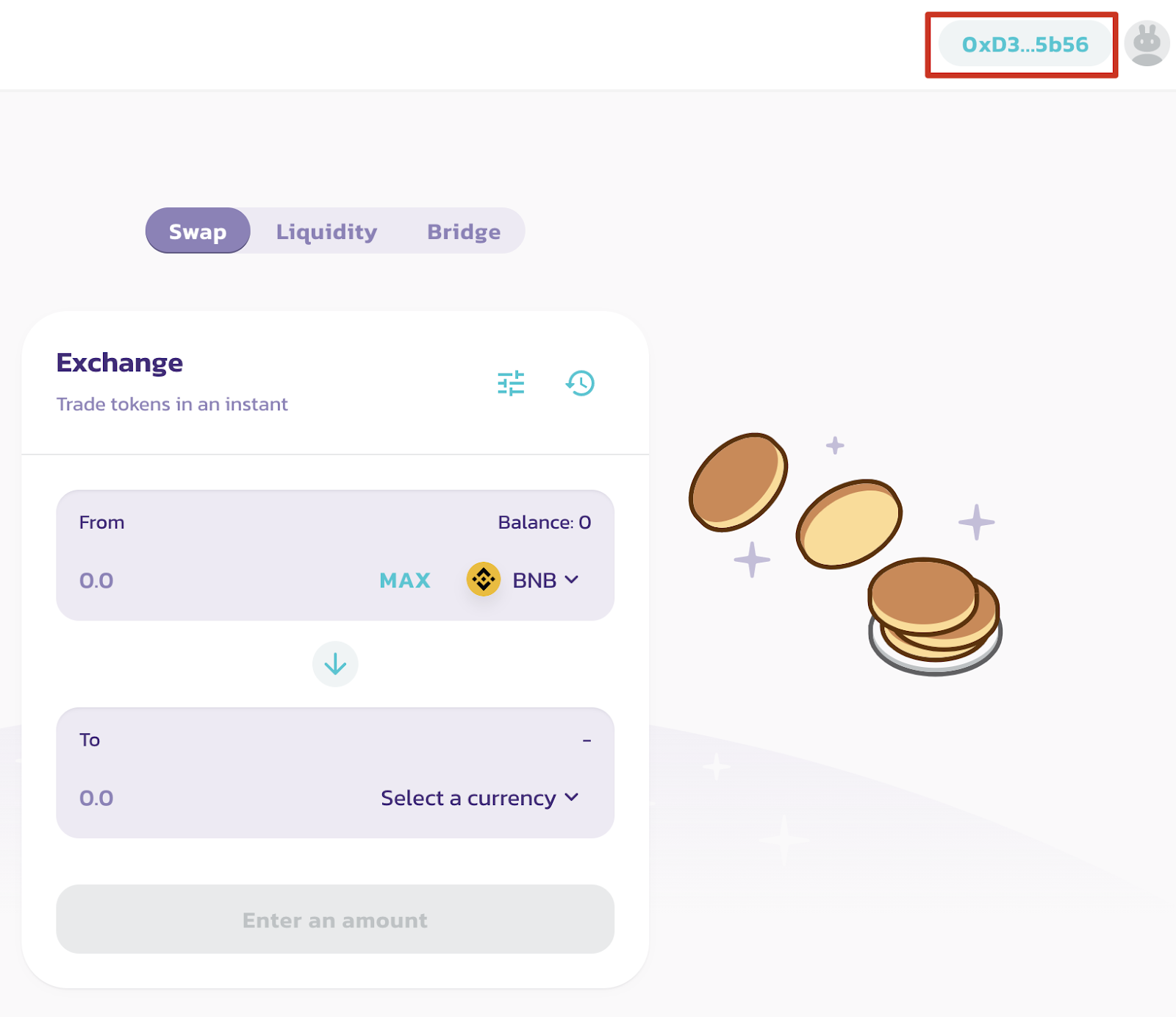
4. The wallet address will be displayed in the upper right corner of the screen.
Summarize
Binance Chain Wallet is an excellent cryptocurrency wallet, especially for those who already have a Binance account. Moving cryptocurrency assets and dealing with addresses can be stressful. Therefore, it is recommended to make proper use of the wallet link function. The storage and use of private keys and mnemonic phrases cannot be ignored. Cryptocurrency beginners often face huge obstacles during the entry stage. Therefore, simplifying your wallet usage is undoubtedly a great way to master cryptocurrencies and decentralized finance (DeFi) as quickly as possible.