

Your wallet says it is syncing even though it isn't downloading the entire blockchain. Understanding which data it checks helps you tell when it has found a payment and when it is just looking for one.
What the wallet receives
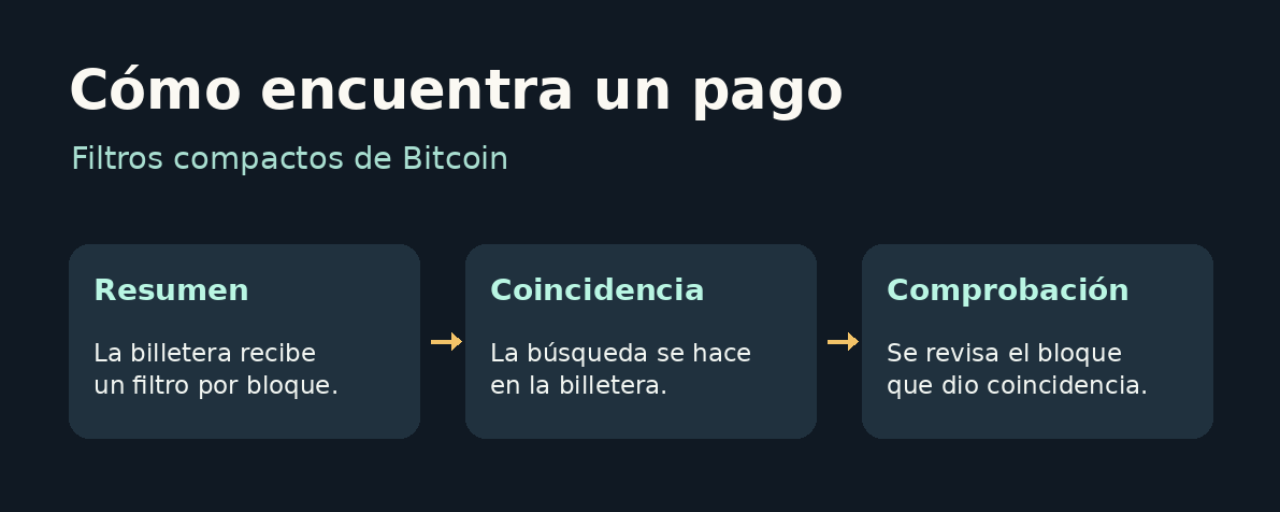
In Bitcoin's compact block filter scheme, a full node can prepare a summary for each block. The wallet downloads these filters and searches for matches on its own. The basic filter includes the output scripts and the scripts of previously created outputs that were spent, with some exclusions defined by the standard. This can help it look for both incoming payments and spending of outputs the wallet already knew about.
What happens when a filter matches
Fictional example. Ana is waiting for a payment and has three blocks left to check. The filter for the second block returns a match. Her wallet downloads the block, examines the transactions, and finds the payment. The filter for the third block also returns a match, but when she checks it, none of her transactions appear. That is a false positive. The payment’s existence and amount are verified using the block data.
What the node serving the filters can see
Because the search happens on the device, the wallet can request filters without giving the node a list of the payments it is looking for. When it requests specific blocks, the node can see which ones it requested. That detail matters if all requests go through the same provider.
What remains to be verified
The standard describes how to compare headers and filters from multiple nodes, even when their responses differ. A full node validates blocks according to the consensus rules. A wallet that uses filters works with less data, and its verification depends on the app’s design. Lightweight wallets may use other synchronization methods.
If an app continues looking for matches, it still has to examine the block data before showing a payment in $BTC with its amount.
Binance Academy and BIP 157 and BIP 158 specifications.
Information compiled with the help of AI.
The author may receive rewards from Binance.