


If you have cryptocurrencies or stablecoins like USDT and you've always wondered how to spend them in your day-to-day life without having to resort to selling them via P2P, waiting for bank transfers, or doing technical juggling, this article is for you.
Throughout this guide, we'll break it down in a simple and straightforward way:
What is the Binance Card and how does it work
The exact step-by-step to request it from your phone.
How NFC technology works, your phone's compatibility, and what happens if your device doesn’t have it.
What it’s for and everyday use cases, with examples from daily life and accurate details about currency conversions.
The cashback system explained in detail: what tiers exist in the current program, what happens if you spend more or less, how to upgrade tiers, and how the retroactive effect works with clear numeric examples.
Frequently asked questions to resolve all the typical doubts before using it.
🤔 What is the Binance Card?
The Binance Card is a payment card backed by international payment networks (such as Mastercard) that directly connects the funds you have in your Binance account with physical and digital merchants worldwide.
Unlike a traditional bank debit card that only uses the money you have in your local bank account, the Binance Card lets you pay using the crypto assets or stablecoins you have on Binance (such as USDT, USDC, BTC, ETH, or BNB).
👀 How does it work when paying?
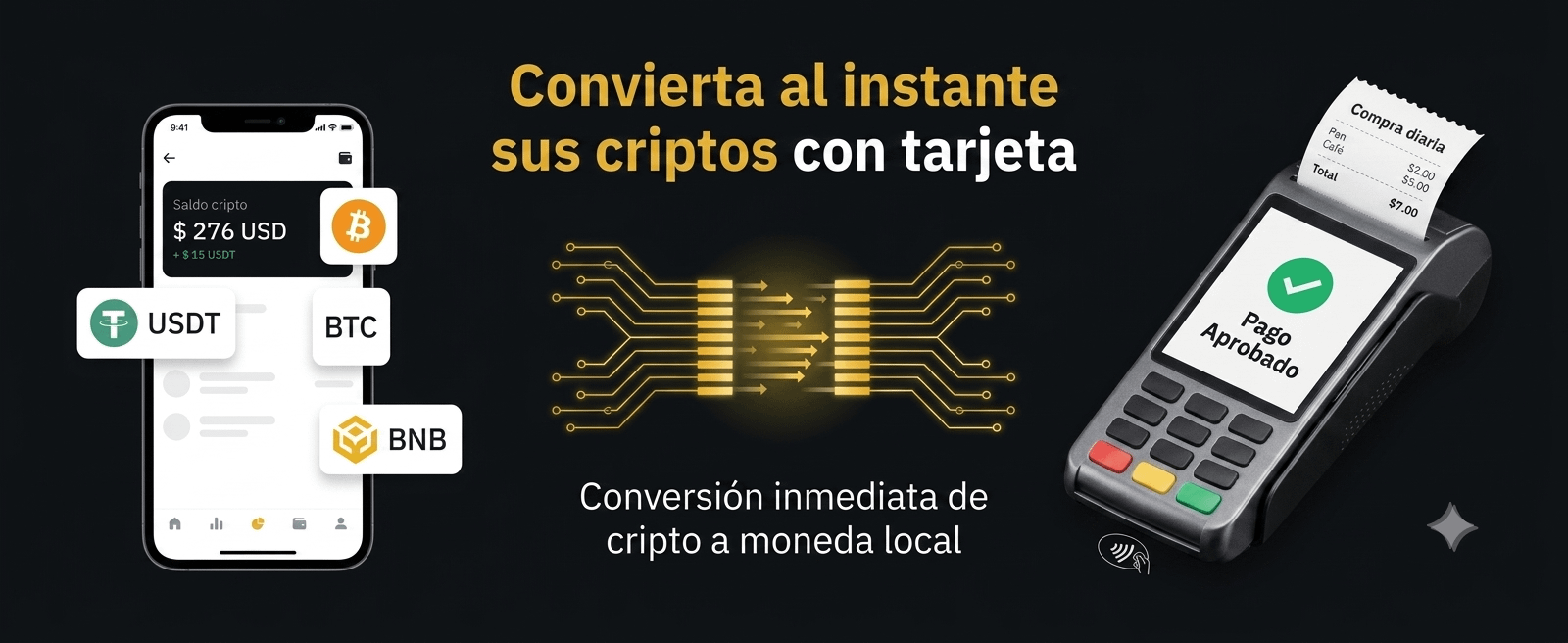
You don’t need to manually sell your cryptocurrencies before entering the store, nor calculate conversions yourself. When you swipe the card at the point of sale or enter its details in an online store, Binance performs an automatic, instant conversion in real time of the cryptocurrency you selected into the billing currency requested by the merchant, settling the transaction at the official exchange rate of the payment network at that moment.
😎 How to request it step by step?
The issuance process is 100% digital and is managed directly from the official app:
Identity verification (KYC): Make sure your Binance account is verified with your official valid identity document and your residency information updated according to your issuing country.
Go to the card section: In the Binance app, go to the main menu, enter the section through the section via Pay and tap on "Card"
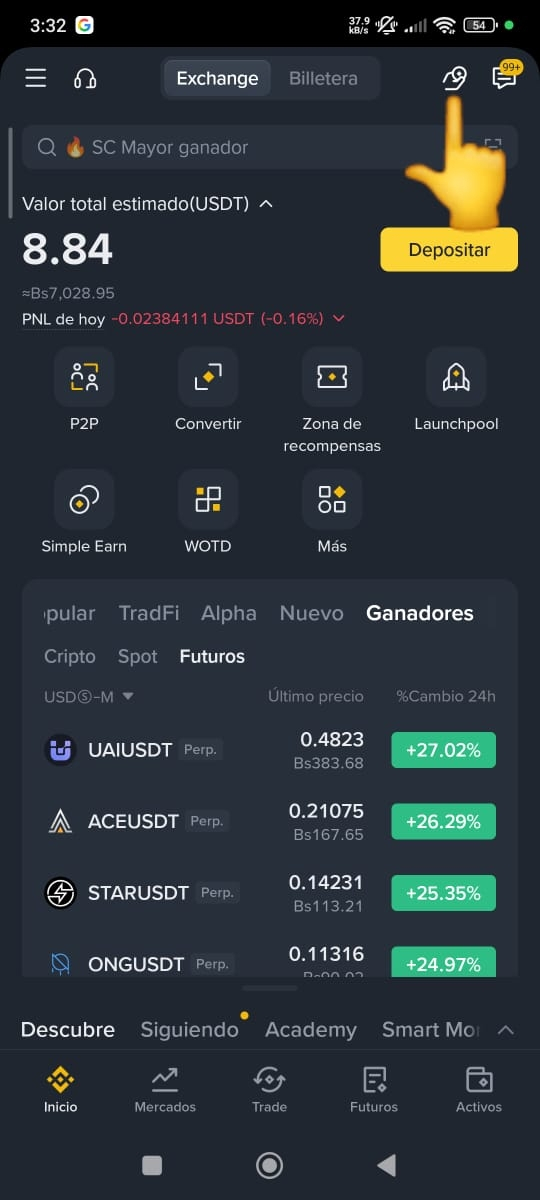
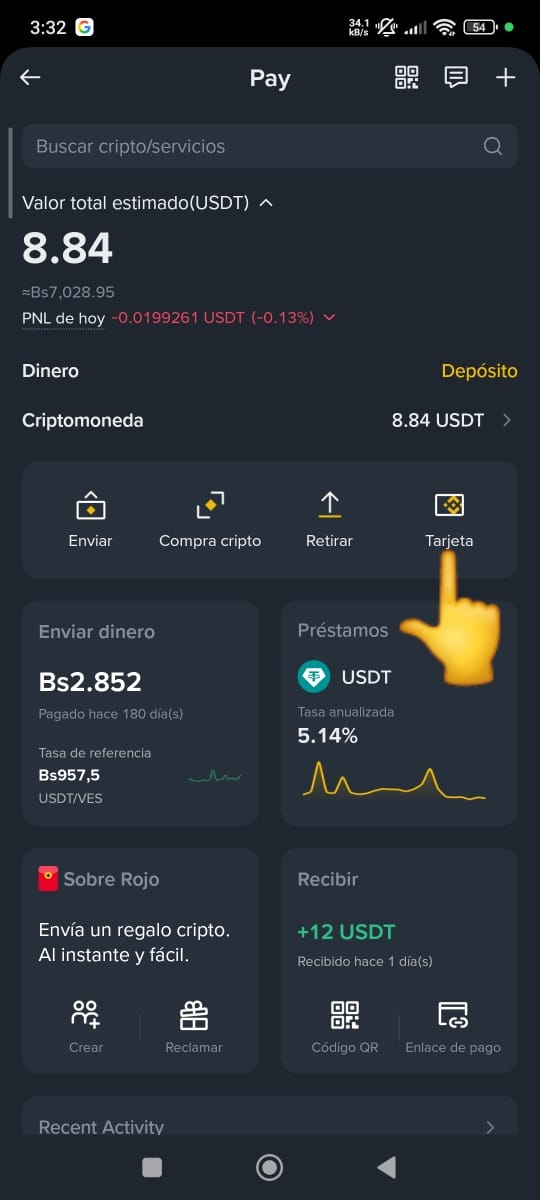
Complete the application: If your jurisdiction or country of residence is enabled within the current Global Program for the card, you’ll see the "Request now" button enabled. Confirm your personal details and accept the service terms.
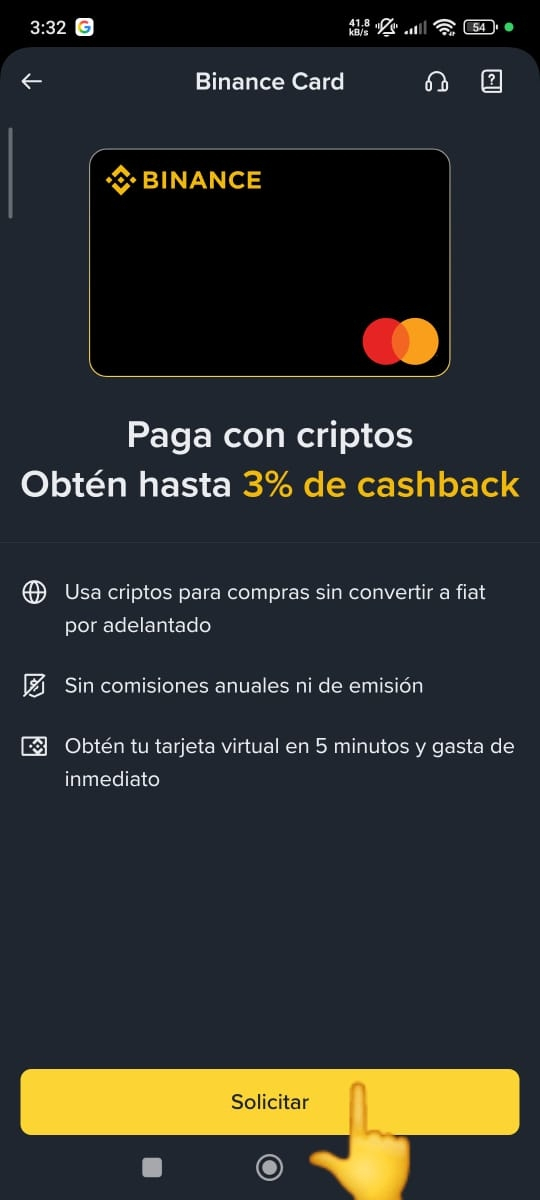
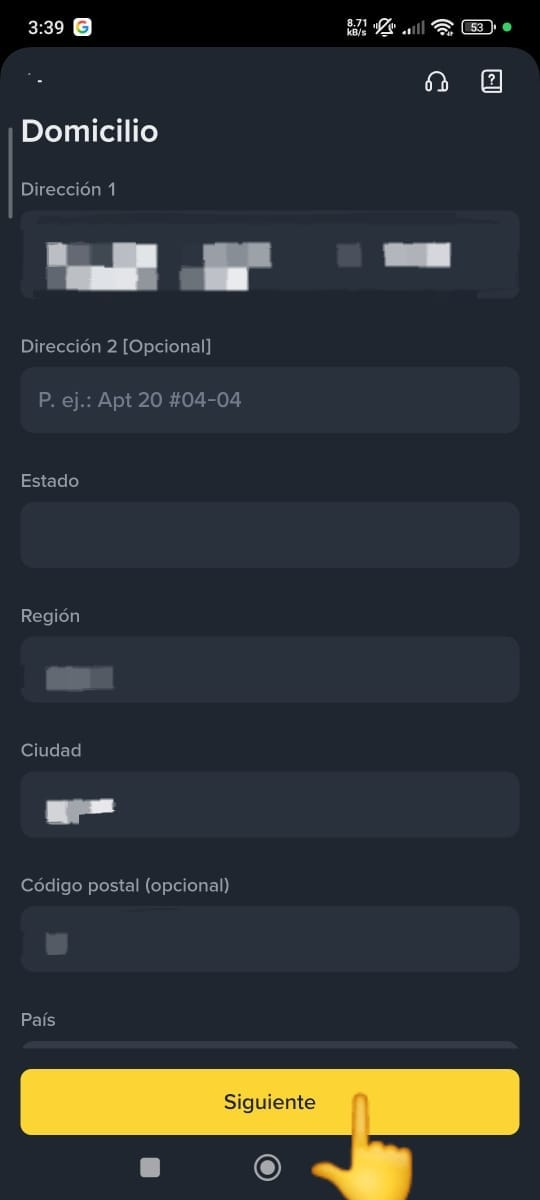
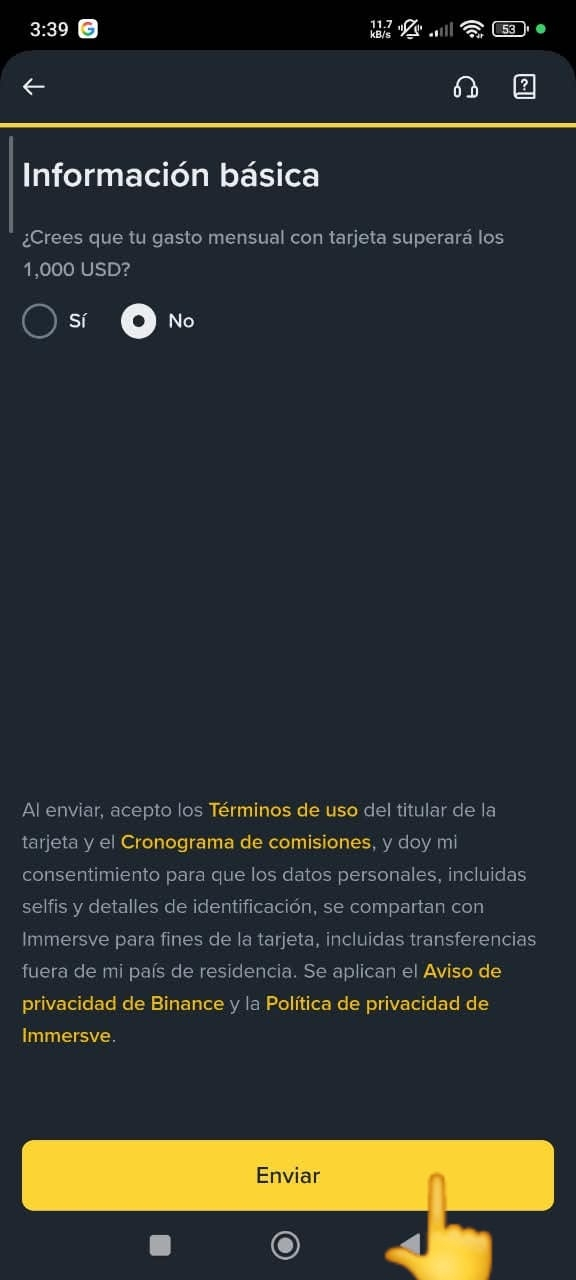
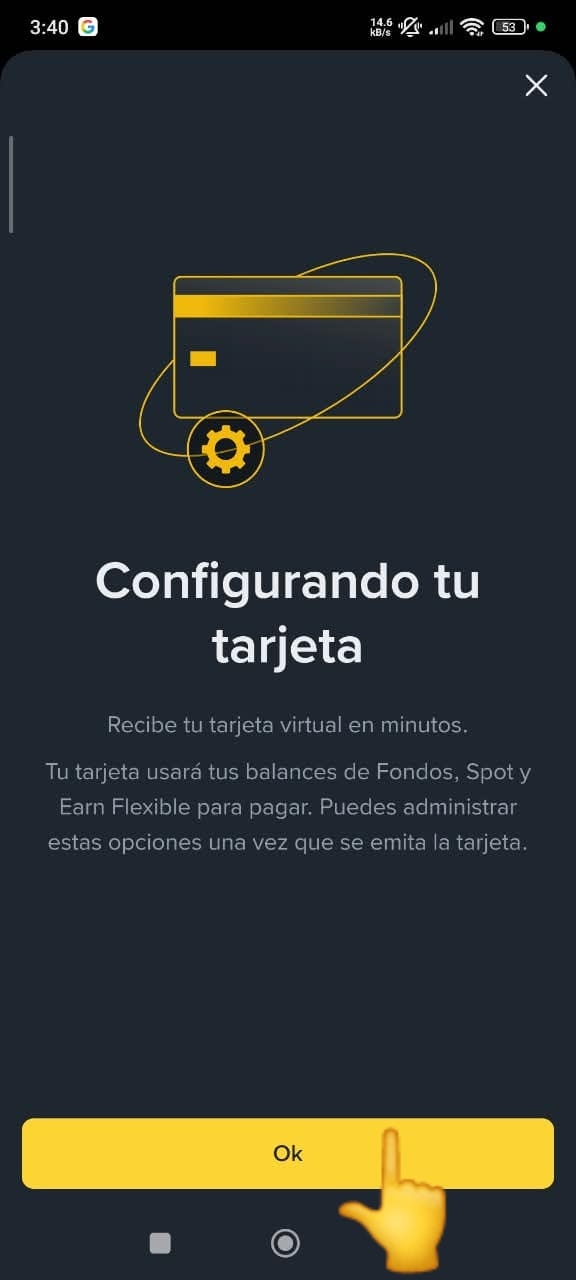
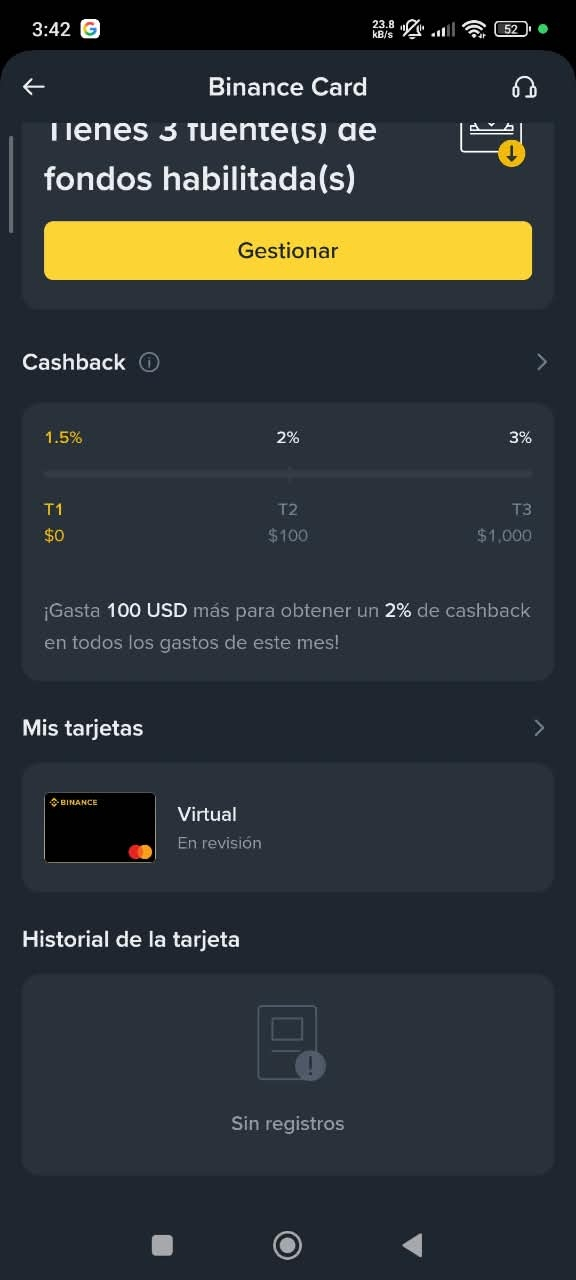
Done. Now you just have to wait. The process can take between 7 business days. In my case it arrived after 21H patience, that’s how it went 👍
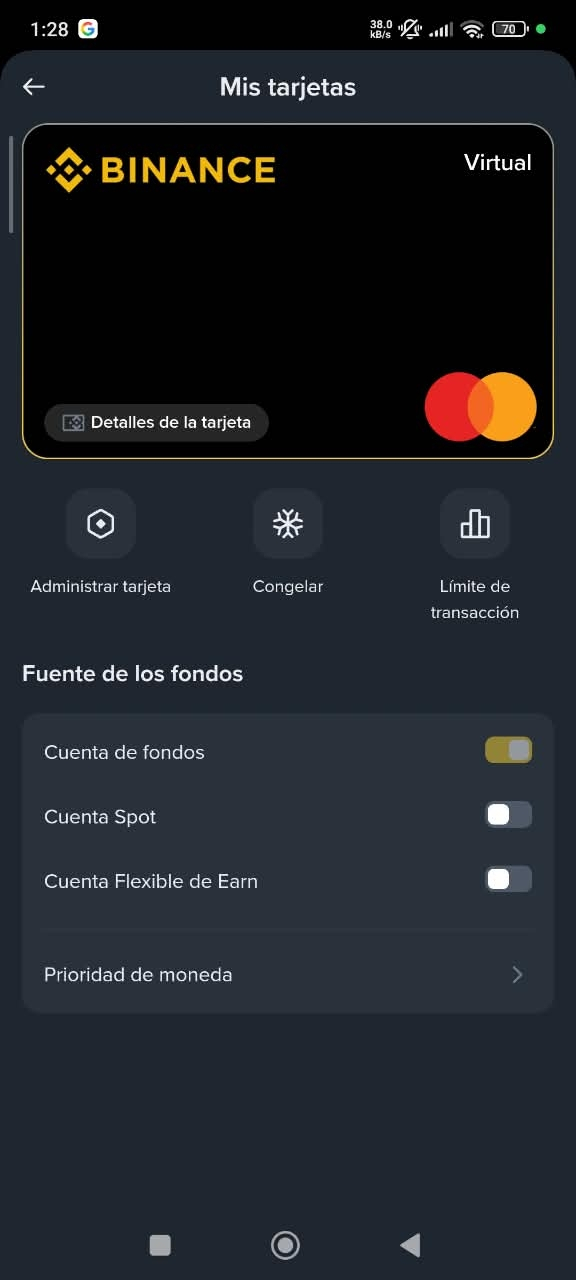
Instant activation: Once the request is approved, the system instantly issues your virtual card, showing on screen the 16 digits, the expiration date, and the security code CVV.
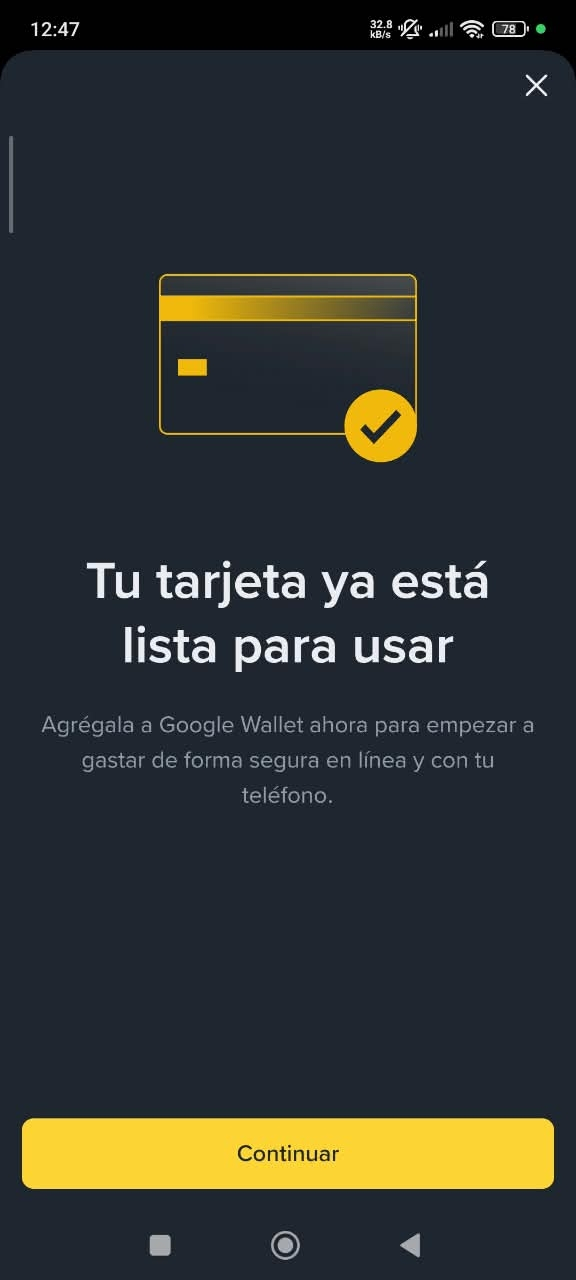
Link it to your phone: If your device allows it, you can link your card details to your phone’s digital wallet (like Google Wallet or Apple Pay) to make payments in physical stores.
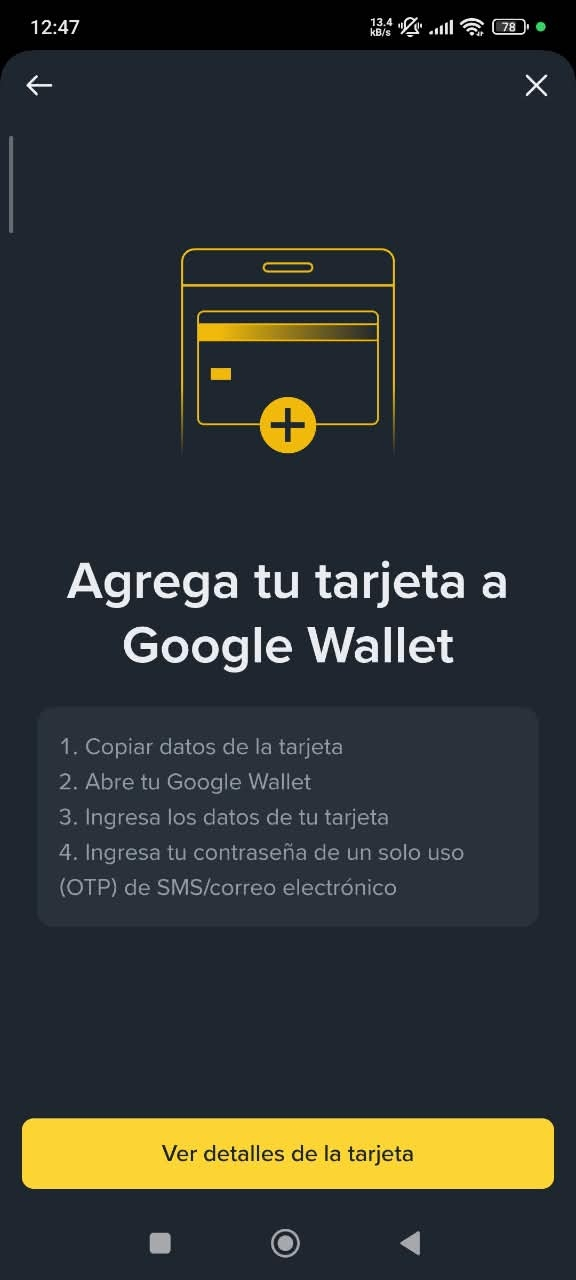
💳 NFC technology: Can your phone make in-person contactless payments?
Since this is a card issued in a digital format, the main way to use it at physical charging terminals is by linking it to your phone’s digital wallet (like Google Wallet or Apple Pay). For this to work in a store in your city, a technology called NFC (Near Field Communication) comes into play.
🧐 How does NFC work?
NFC is a hardware antenna that many mobile phones include to transmit data over very short distances (just a few centimeters). When you bring your phone to a compatible contactless point of sale, the phone’s NFC antenna communicates directly with the bank terminal and authorizes the payment securely without you needing to carry a physical plastic card.
😱 What if your phone DOESN’T have NFC?:
Not all smartphone models have this physical chip. When registering your Binance Card in Google Wallet, the app scans your hardware:
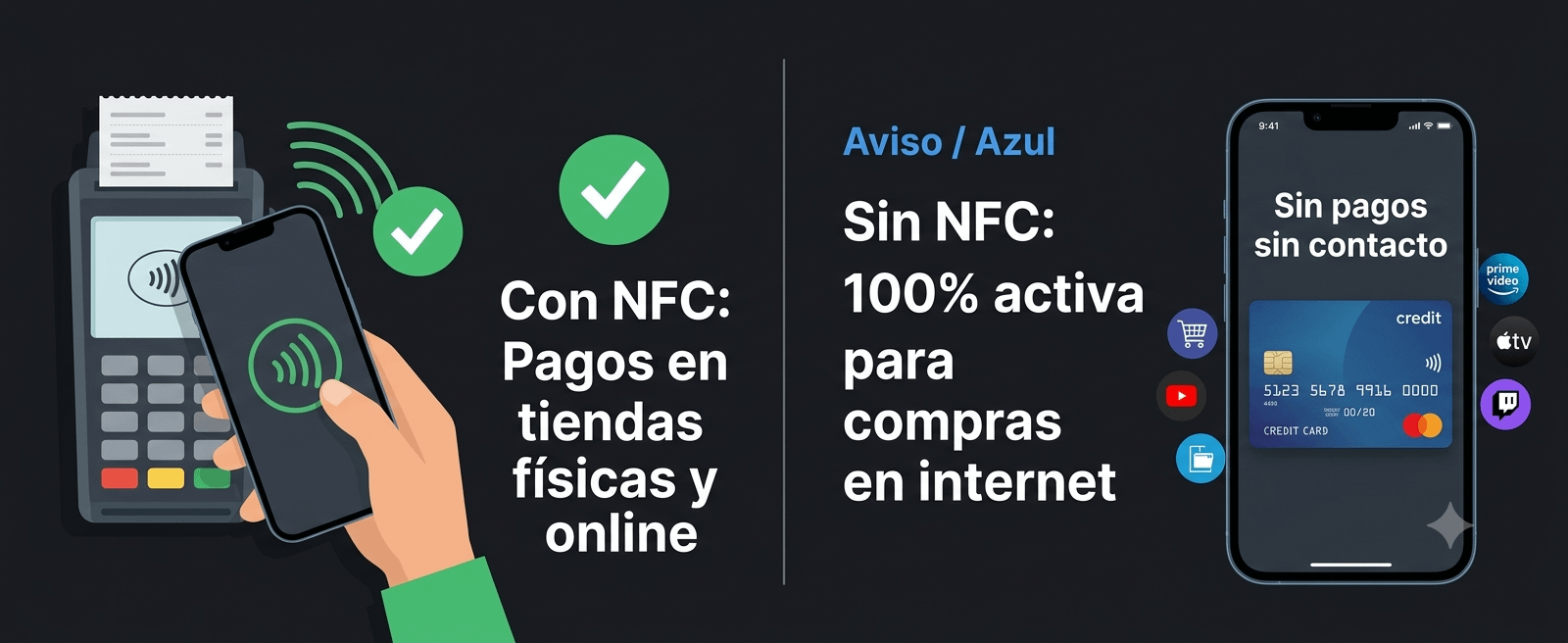
If your phone HAS NFC: The app will confirm that the device is enabled for contactless payments. You’ll be able to pay at any physical store just by unlocking the screen and holding the phone up to the point of sale.
If your phone DOESN’T have NFC: Google Wallet will show a clear warning with a message like: "This phone does not support contactless payments" or "The NFC feature isn’t available on this device.".
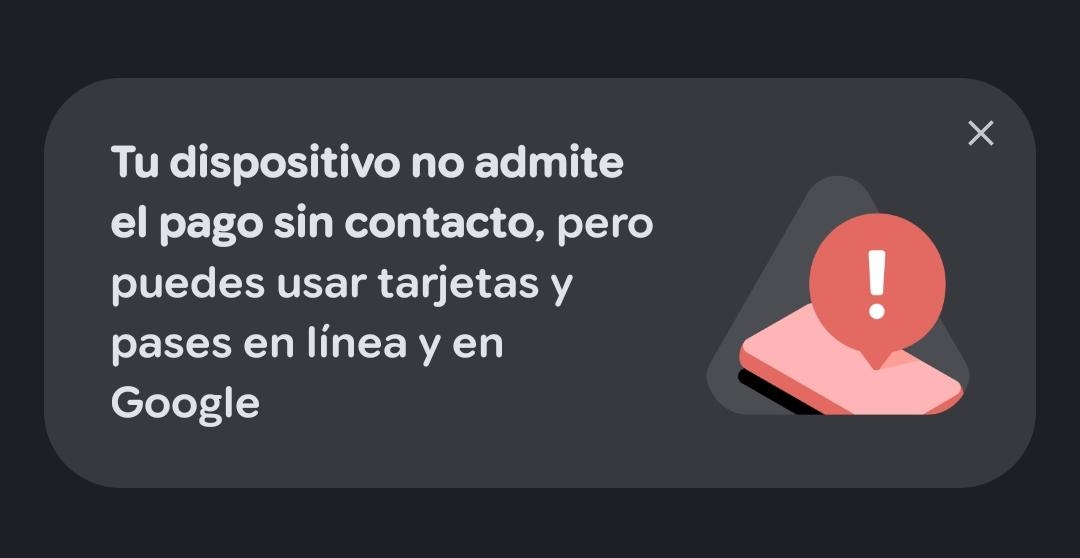
My phone doesn’t have NFC 😢
⚠️ Very important: Your card DOES work normally. If you receive that alert, it doesn’t mean the Binance Card was rejected, blocked, or that Binance has a technical issue. The card is 100% active. The notice only means that your phone doesn’t have the physical antenna to communicate with nearby point-of-sale terminals.
Therefore:
You won’t be able to: Hold your phone up to a point of sale at an in-person business to charge you for contactless.
Yes, you can: Copy and use your card details (the 16 digits, expiration date, and the CVV) to make all kinds of purchases online, payments on e-commerce platforms, or digital subscriptions normally.
At least it works for online purchases or subscriptions 😁
🤑 What is it for? Practical example from everyday life
The Binance Card converts your balance into immediately available liquidity for any everyday purchase where debit or credit cards backed by the card network are accepted:
Supermarkets, pharmacies, and neighborhood shops (via NFC): You reach the checkout, hold your phone up to the point of sale, and you’re done. If your account has USDT or $BNB , the system deducts the exact funds using the payment network’s exchange rate and closes the account in the currency the store bills in.
Restaurants, cafés, and leisure outings (via NFC): You pay for a restaurant or café bill without needing to make bank withdrawals or sell your funds on the P2P market.
Online subscriptions and web platforms (with or without NFC)
International travel: When you go abroad, you can pay at international merchants without having to carry large amounts of foreign currency in cash, since the network processes the conversion based on the balance available in your account.
Management tip: In the card settings section within Binance, you can define your "Payment priority order". For example, you can set it so the system spends your USDT first; if they run out, it debits USDC; and if those aren’t enough, it takes balance from Bitcoin or BNB.
🤓 What is cashback and how does it work?
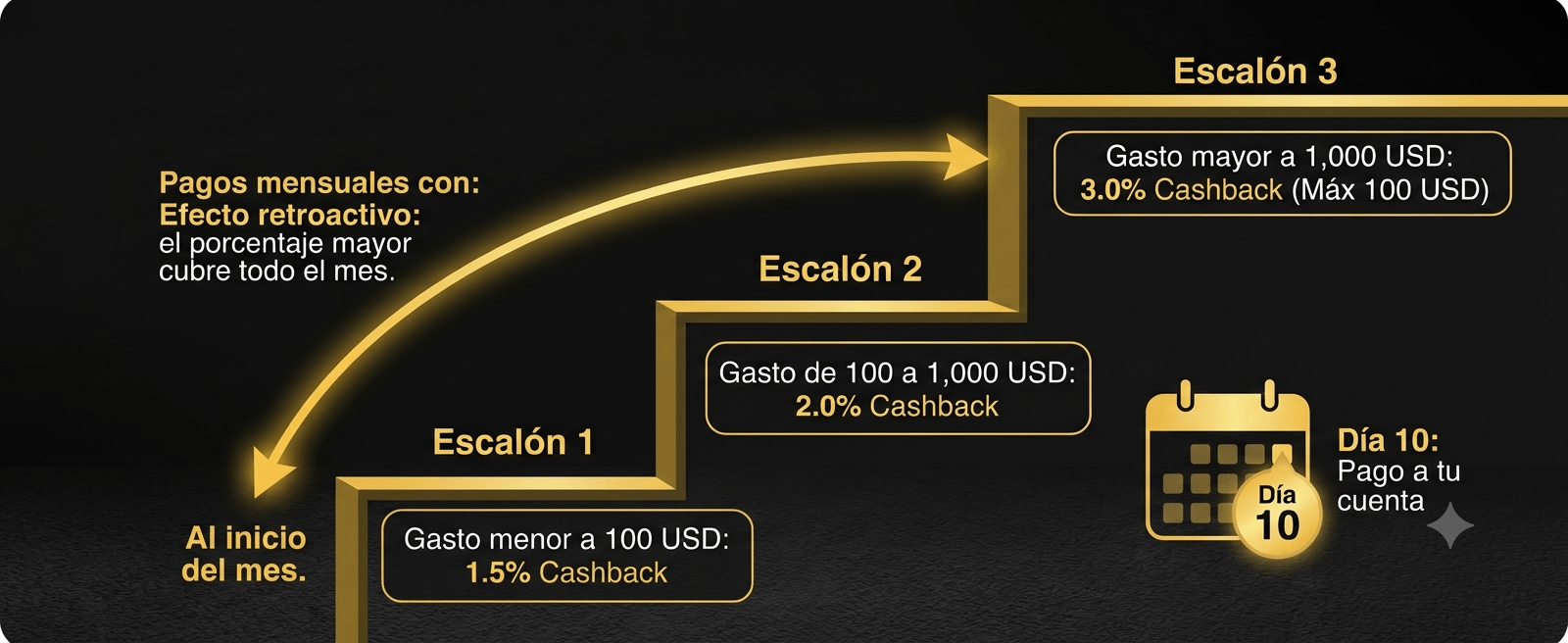
Cashback (money refund) is a benefit where Binance returns you a percentage of the money you spent on eligible purchases completed during the month. This refund is not provided in coupons or locked points: it is credited as direct balance to your Binance Funds Account before the 10th day of the following month.
📝 Tiers of the Global Cashback Program:
The monthly return percentage is determined based on the accumulated spending volume you reach during each calendar month:
Tier 1:
Accumulated monthly spending: Less than $100 USD
Cashback refund: 1.5%
Maximum return limit: No monthly cap
Tier 2:
Accumulated monthly spending: From $100 USD to $1,000 USD
Cashback refund: 2.0%
Maximum return limit: No monthly cap
Tier 3:
Accumulated monthly spending: Starting from $1,000 USD and up
Cashback refund: 3.0%
Maximum return limit: Up to a maximum of $100 USD per month
(Regional regulatory clarification: This structure applies to accounts under the Global Program standard. In certain specific jurisdictions with particular local regulations, such as Colombia or Peru, Binance set tiered starting tables in four brackets, starting at 0.5% for spend under $80 USD. Check the Cashback section in your user panel to confirm the scheme applicable to your issuing country).
🤷♂️ How does the "Retroactive Effect" work?
This is one of the biggest advantages of the program: when you reach a higher tier, the higher percentage is applied retroactively to EVERYTHING you bought during that same calendar month, not only to spending after the tier upgrade.
Let’s see how it translates in real-life cases:
Scenario A: Moderate purchases during the month (Tier 1)
Accumulated month spending: You paid $60 USD on small pharmacy and bakery purchases.
Tier reached: Since your total spending didn’t exceed $100 USD, you close the month in Tier 1.
Your cashback: You’ll receive 1.5% of $60 USD = $0.90 USD credited to your account.
Scenario B: Tier upgrade in the middle of the month (Retroactive effect to Tier 2)
Week 1: You spent $80 USD on the weekly grocery store purchase (at that moment you were in Tier 1).
Week 3: You spent $70 USD on sportswear.
Total accumulated spend in the month: $80 + $70 = $150 USD.
What happens?: Once you cross the $100 USD threshold, you automatically move to Tier 2. The system doesn’t split your charges; it recalculates the 2.0% on the total of the $150 USD you spent during the month.
Your cashback: 2.0% of $150 USD = $3.00 USD.
Scenario C: Extraordinary expenses or trips (Tier 3)
Accumulated month spend: I bought travel tickets and hotel stays totaling $1,200 USD within the month.
What happens?: Since your volume exceeded $1,000 USD, all your monthly spending qualifies for Tier 3 (3.0% cashback).
Your cashback: 3.0% of $1,200 USD = $36.00 USD credited to your account.
😐 What happens from one month to another? (Monthly reset)
The counters reset on the 1st day of each month: If in a month you reached Tier 3 due to high spending, on the first day of the next month your accumulated amount goes back to $0 USD and you start again from Tier 1.
If, in a month, you spend less than usual: You don’t receive penalties or maintenance charges; you’ll simply be paid the corresponding cashback based on the volume you reached that month.
No need to lock funds: Unlike earlier exchange models, upgrading tiers doesn’t require you to buy or keep specific cryptocurrencies locked (such as BNB); the upgrade depends exclusively on your completed everyday purchases.
👋 Frequently asked questions
"Does it have issuance costs or maintenance fees?": No. Issuing the virtual card has no request cost and no monthly or annual maintenance commissions.
"If my phone doesn’t have NFC, is it still worth requesting it?" Yes. Even though you can’t hold the phone up to physical terminals because it lacks the antenna, the virtual card gives you all the card details (number, expiration date, and security code) to pay for purchases over the internet, web services, and digital platforms.
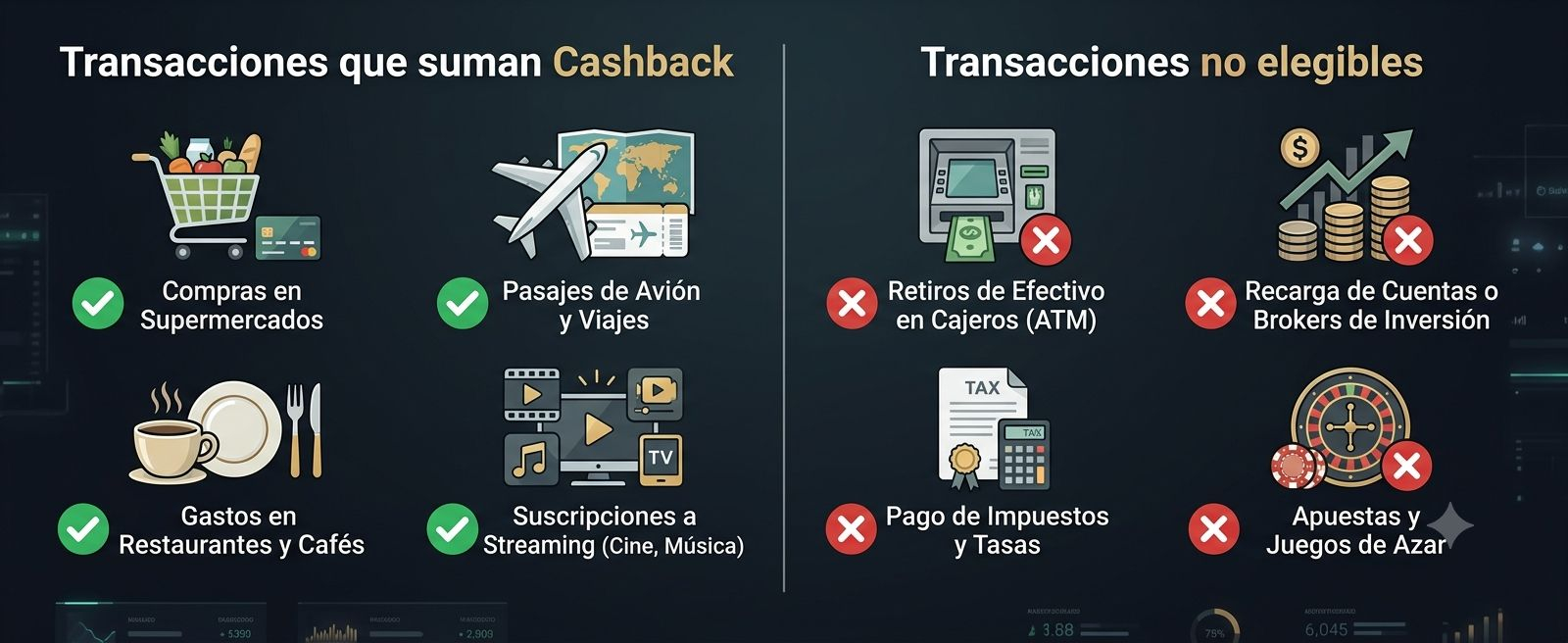
"What operations DO NOT generate cashback?"
Binance excludes certain financial categories from the cashback calculation to prevent fraud or improper use:
Cash withdrawals at ATMs or cash disbursements.
Payments to financial institutions, top-ups to bank accounts, external wallets, or funding accounts at brokerage houses and financial intermediaries.
Payments to government entities, taxes, fines, or court fees.
Transactions on betting and gambling platforms.
"When and where is the cashback money credited?"
The accumulated cashback from eligible transactions for the month is settled and deposited directly into your Binance Funds Account before the 10th day of the following month. You can track your accumulated balance in real time from the card menu in the [Cashback] tab.
"What happens if I return a purchase and receive a refund?"
If a merchant gives you a cash refund, the accumulated monthly spending volume is updated, and Binance adjusts or deducts proportionally the cashback that had been calculated for that purchase.
Sources consulted
"How does the cashback for the global Binance Card program work?"
Link: https://www.binance.com/es/support/faq/detail/48e903b7cc8841e293bfd2486be4d025
(Source: Refund levels by accumulated monthly spending, retroactive calculation rule, monthly crediting caps, regional exceptions, and non-eligible transactions such as cash withdrawals or taxes).
"Binance Card"
Link: https://www.binance.com/es/cards
(Source: KYC identity verification requirements, virtual card issuance, payment priority settings, and availability depending on the user’s jurisdiction. Real-time automatic crypto-to-fiat conversion at the time of purchase, linking to contactless mobile wallets, and no card issuance or annual maintenance costs).
📝 Note: This is educational content and does not represent financial advice.