


Install and configure MetaMask
MetaMask can be downloaded on Chrome, Firefox, iOS and Android. For this tutorial, we will use the Firefox version, but the steps are more or less the same on all platforms.
To get started, you need to go to the MetaMask Download Page. Once there, select the platform you are using and follow the installation steps. It's that simple !
Now let's move on to configuration. Start by clicking on the “Create my wallet” button. Carefully write down your seed phrase on a piece of paper. This is the sentence allowing you to regain access to your account if you forget your password or change your hardware. Then rewrite the words in the order requested on MetaMask.
Congratulations, the setup is complete! You can now access your wallet and start sending and receiving funds.
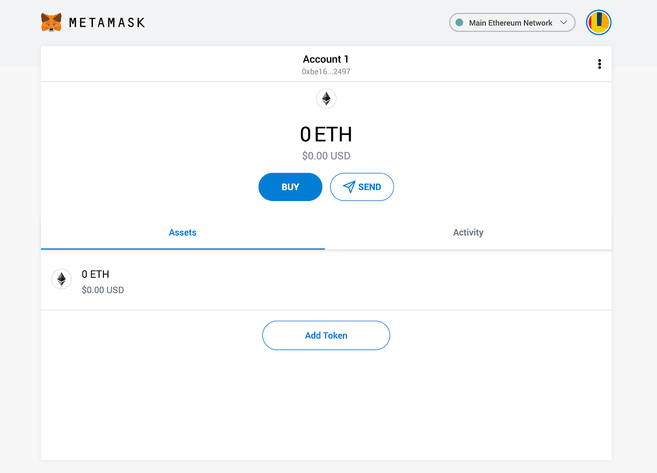
Your freshly initialized wallet.
Configure your wallet
You may have already noticed that the wallet is configured by default for the Ethereum blockchain. In the best case scenario, Binance Smart Chain DApps will not work. In the worst case scenario, you could lose your funds, if you send them to the address you are currently using.
Let's change that! We want to access Settings to tell the wallet to use Binance Smart Chain nodes.
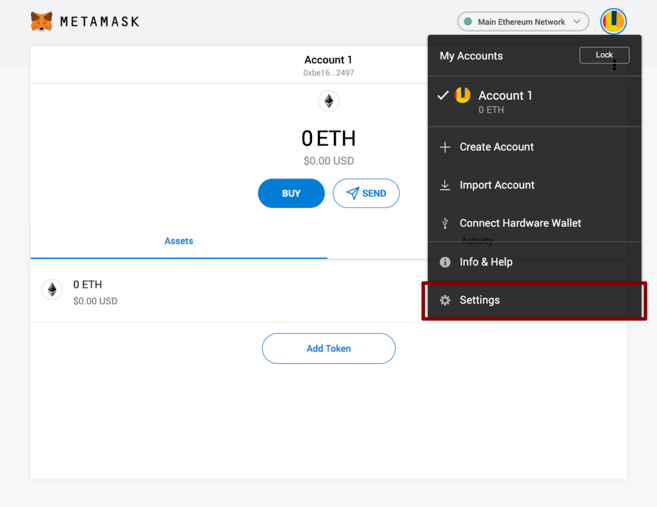
Select “Settings” from the drop-down menu.
On the Settings page, look for the “Networks” menu.
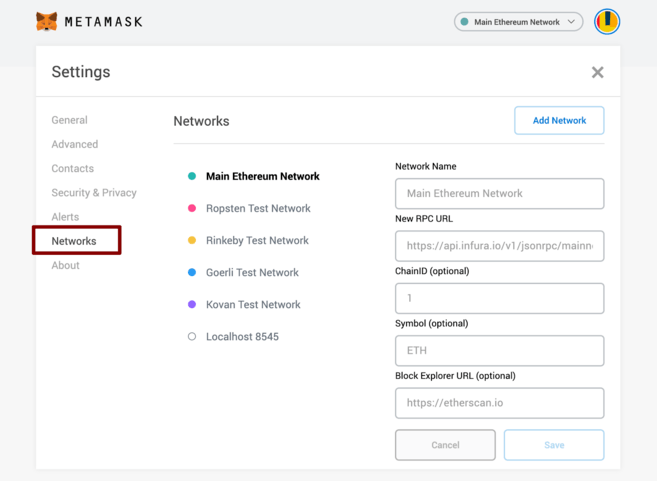
The Networks menu.
We will click on Add a network in the menu at the top right, to manually add the Binance Smart Chain, this is not natively taken into account by MetaMask. It is important to know that there are two different networks: the testnet and the mainnet. Below are the settings for each.
Mainnet (The one you are definitely looking for)
Network Name: Binance Smart Chain
New RPC URL: https://bsc-dataseed.binance.org/
Channel ID: 56
Symbole : BNB
Block Explorer URL: https://bscscan.com
Testnet
Network Name: Binance Smart Chain - Testnet
New RPC URL: https://data-seed-prebsc-1-s1.binance.org:8545/
Channel ID: 97
Symbole : BNB
Block Explorer URL: https://testnet.bscscan.com
In this test we will use the testnet, but most likely you will use the mainnet. We recommend adding both if you want to use MetaMask to transfer BNB or Binance Smart Chain tokens.
Once you have Saved the network, return to the main menu. You will notice that the network is automatically set to the one you want to add and that the unit is no longer ETH but BNB.
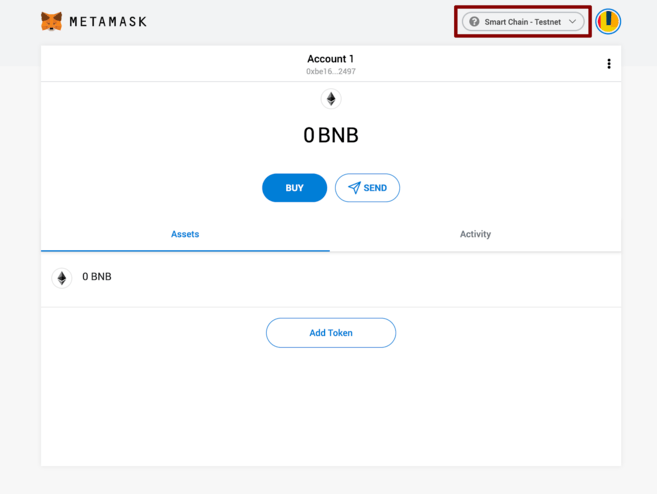
For us, we are connected to the testnet, but unless you are a developer, you will use the mainnet network exclusively.
Make a transaction (here on the testnet)
Don't let the Ethereum logo fool you, you are correctly connected to the BSC testnet. Let's collect some funds to test with. Click Account 1 to copy your address. Then go to Binance Smart Chain Faucet and paste this one.
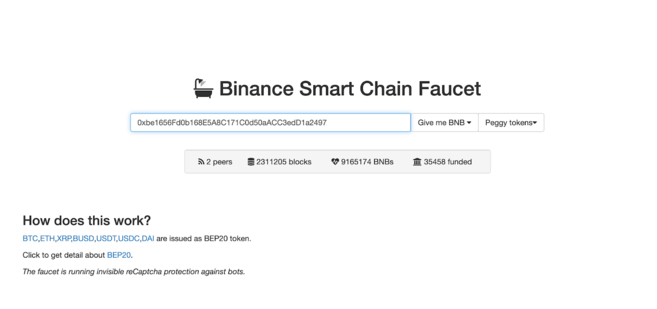
The (unfortunately artificial) wealth is yours.
Wrapped tokens can be interesting if you want to use applications that support BEP-20 tokens. These are tokens based on other blockchains (BTC, XRP, USDT) having their equivalent on the Binance Smart Chain and therefore having the same price.
Let's stay focused on BNB for now. Click Give me BNB and enter the amount you want. Although the funds automatically appear in your wallet, you may have to wait a few minutes to use them.
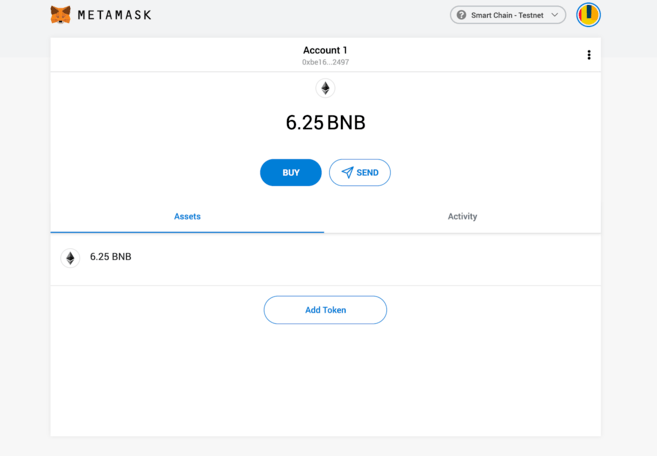
Our new wallet, freshly filled.
Ok, now let's see how to send. For this test we took a random address on BscScan Testnet. To get started, click Submit.
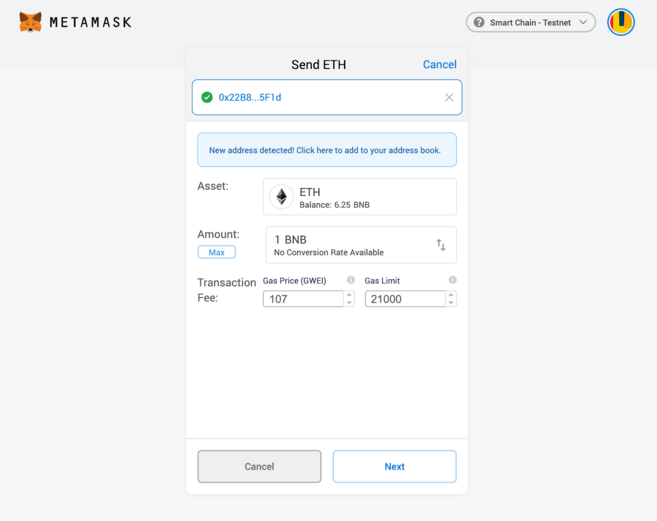
You can ignore the Ether related settings. Note that you can adjust the fees as needed.
In our case, we want to make a transaction of 1BNB. We left the charges as default and hit Next. A final window appears to check that everything is in order. Check it then click on Confirm. Congratulations, you have successfully completed your first transaction! Once validated, you will receive a notification.
Conclusion
MetaMask is certainly the emblematic wallet for taking advantage of Ethereum, it allows with a few modifications to use the Binance Smart Chain. All these years of development of MetaMask now allow as many people as possible to benefit from the innovations that are decentralized applications.